Customer Ratings & Reviews







- Model:
- XE530QDA-KA1US
- SKU:
- 6448525
Rating by feature
- Battery Life
Rating 4.5 out of 5 stars
- Speed
Rating 4.6 out of 5 stars
- Display
Rating 4.7 out of 5 stars
Customers are saying
Customers praise the Galaxy Chromebook 2's touchscreen, long battery life, and ease of use. Its lightweight design and compact size are also frequently highlighted as positive aspects. However, some users express concerns about the lack of a USB-A port and the sound quality of the speakers. A few also mention the fan noise as a potential drawback.
This summary was generated by AI based on customer reviews.
samsung
||Posted . Owned for 1 month when reviewed.This reviewer received promo considerations or sweepstakes entry for writing a review.i love this a lot thank you for the good work. I would love to recommend people
I would recommend this to a friendSamsung chromebook
||Posted . Owned for 1 week when reviewed.This reviewer received promo considerations or sweepstakes entry for writing a review.Battery lasts long like it says very slim bends back like a tablet it’s perfect
I would recommend this to a friend- Pros mentioned:Battery life, Speed, Touch screenCons mentioned:Speakers

Seriously Impressed
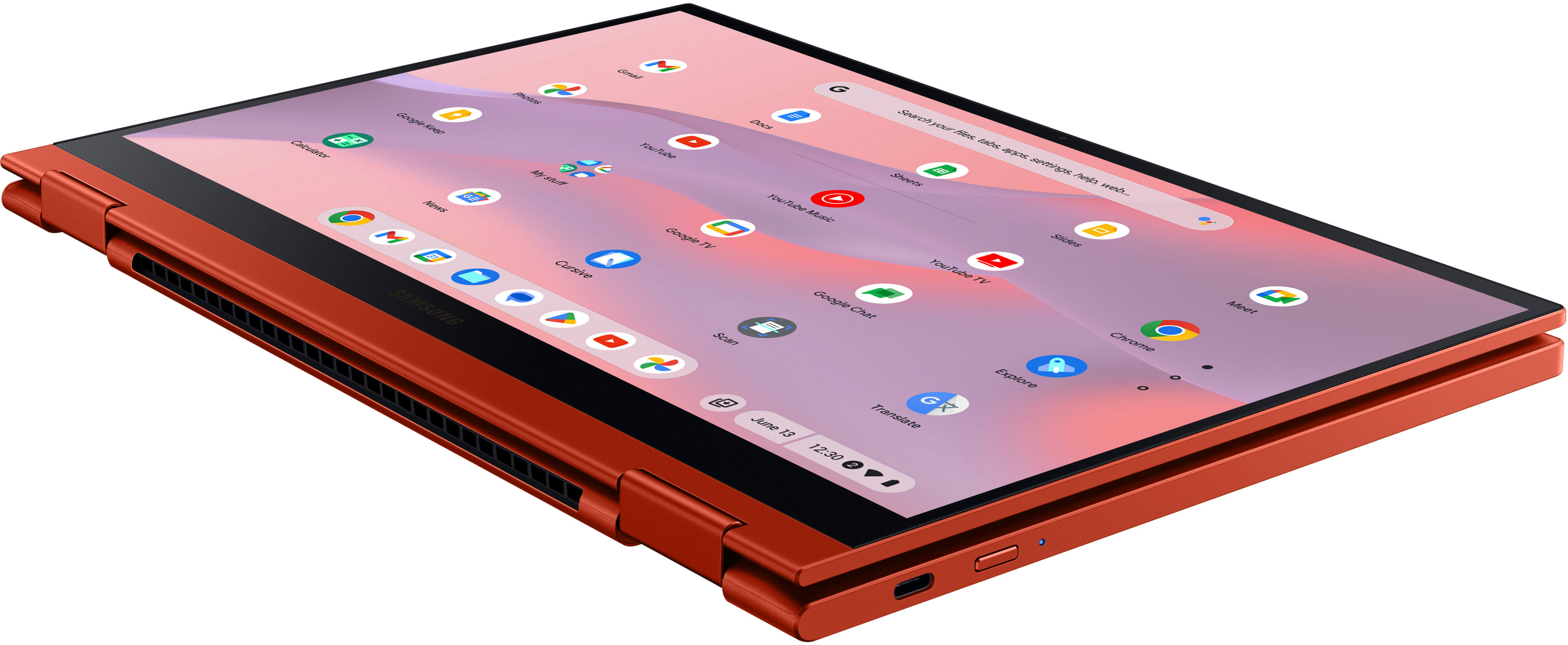
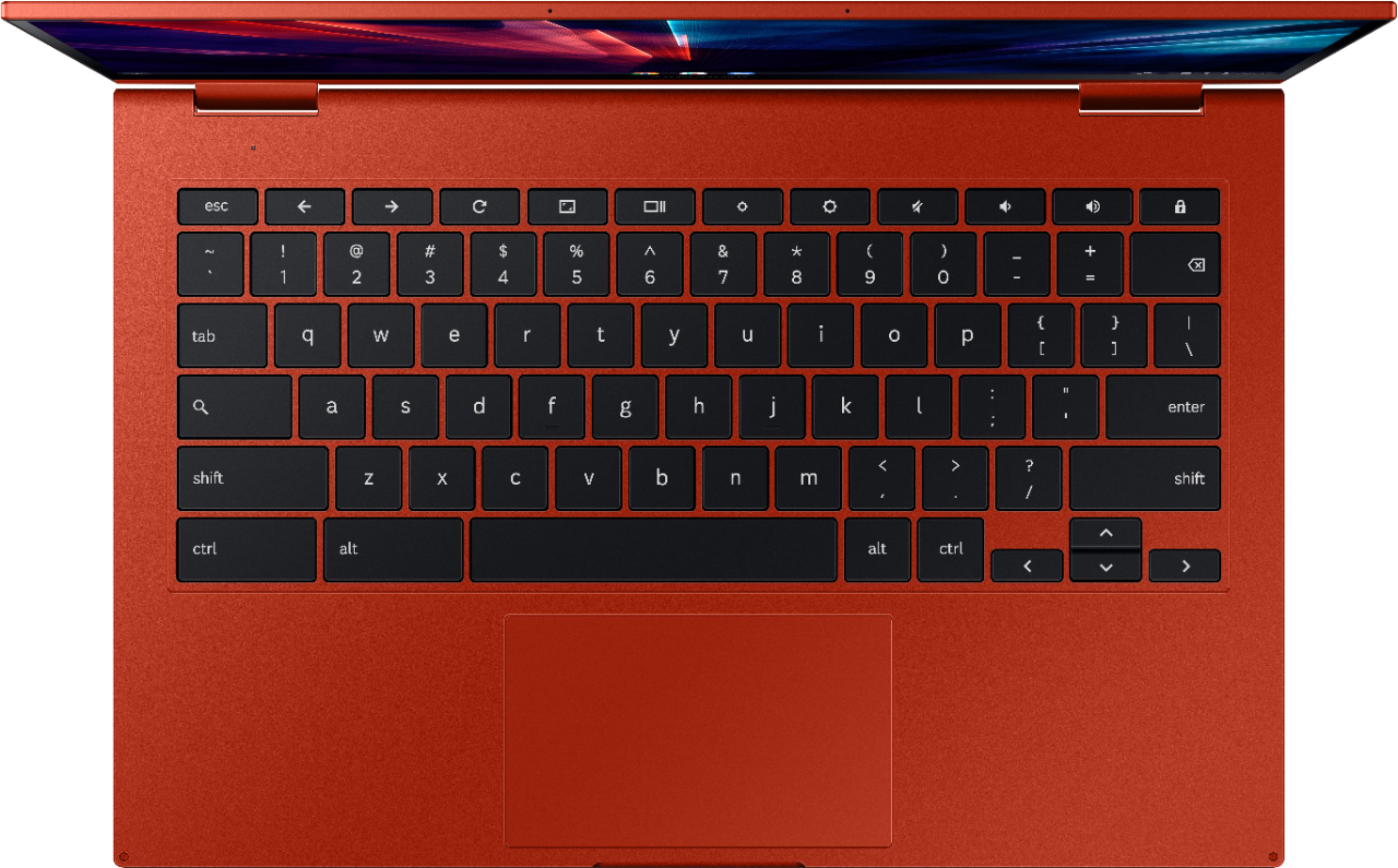
|Posted .This reviewer received promo considerations or sweepstakes entry for writing a review.This Samsung Galaxy Chromebook Pro 2 is my first Chromebook and also my first Samsung/Android/ChromeOS since my Samsung Galaxy S4. Needless to say I was skeptical about integration back into the Google ecosystem and there are definitely still road blocks there but overall you can get what you need on your MS and iOS platforms on your Chromebook through the app store. As for the hardware: +Fantastic build quality. Full metal/aluminum body, great QLED screen that is the same on their premium TVs. +Backlit scissor keybaord +Super light, great battery life +Intel CPU and performance makes the laptop super snappy. +2 in 1 functionality as a tablet is excellent. Touch screen is responsive, keyboard doesn't interfere, very natural change. +Battery life is amazing you can probably use it for a week with light use before charging. Very universal charging with USB-C and USB-C charger. Took about 2 hours to charge from 13% to max. Here's the only cons I noted. -The 2 finger scrolling on the touchpad is backwards compared to Apple and Microsoft. In order to scroll down on the page, the default settings force you to scroll down, both MS and iOS have you scroll up which is more natural for touch screen users. You can change this in the settings. -The speakers are on the bottom of the keyboard, meaning in keyboard mode they are muffled against solid objects like a couch or table. And when in table mode they are muffled against the screen portion of the laptop. Ideally they put the speakers on the front with the screen but its understandable there's not enough real estate there. Overall this is a great 2 in 1 and really changed my perspective on Chromebooks. Its on the high-end in terms of pricing but I see it as basically a hybrid between a Windows desktop and an iPhone or iPad.
I would recommend this to a friend - Pros mentioned:Battery life, Touch screen
Business and Pleasure Ready
|Posted .This reviewer received promo considerations or sweepstakes entry for writing a review.--- SETUP --- The setup for the Samsung Galaxy Chromebook 2 is quick and simple. In the box, you’ll find a USB-C to USB-C cable, a charger, and the Chromebook. Just plug in, and begin using your new Chromebook. --- FEATURES --- The key feature of this Chromebook is Samsung’s QLED 1080P screen, ultra slim design, long lasting battery (12 hours), and comfort in use. --- PERFORMANCE --- For most of us, computers are a part of our daily lives now. As an educator, I use a computer for longer than 8 hours daily. I immediately tested it with what is most intensive for me: planning. I had charged it the night before and used it for my entire workday without needing to charge it. This included Zoom meetings, training videos, grading, planning, and overall not allowing the screen to go dim or turn off. Being a Chromebook, this is a perfect machine for people who rely heavily on the Chromebook suite. I now completely rely on Google Docs, Sheets, Forms, and Slides more than I do their paid counterpart from Microsoft. This Chromebooks works flawlessly with all of these programs. The slim design and lightweight heft of this Chromebook makes it very portable. I took advantage of the 2-in-1 design and brought it to bed where I streamed some shows. The sound was more than decent for what I expected a Chromebook to sound like. The QLED screen (Quantum dot LED) makes all the colors in my shows stand out without being overtly bright. The darks are not faded in the shows I watched and I found it an enjoyable experience. --- EXPECTATIONS --- The product exceeds my expectations. On the weekends, I spend my time managing my YouTube channel. For this, I use Canva, which is a design website. This is another reason the QLED screen is a great standout feature. Designing thumbnails and social media posts feels just right. --- VALUE --- The Samsung Chromebook is a great investment for daily use including both work and play. The long lasting battery, QLED screen, and superb sound will have you going from work to pleasure in seconds. --- APPROVAL --- I highly recommend this product for people who use mostly online websites for their work-flow and entertainment. College students, teachers, or just your everyday online shopper will have a wonderful time with this device!
I would recommend this to a friend Beautiful BUT Impractical
||Posted . Owned for less than 1 week when reviewed.This reviewer received promo considerations or sweepstakes entry for writing a review.Realized how important of port A and fingerprints scanner Unlock by phone ? not for me cause I always keep my Bluetooth off
No, I would not recommend this to a friend- Pros mentioned:Speed, Touch screen
Chromebook worth owning? Yes!
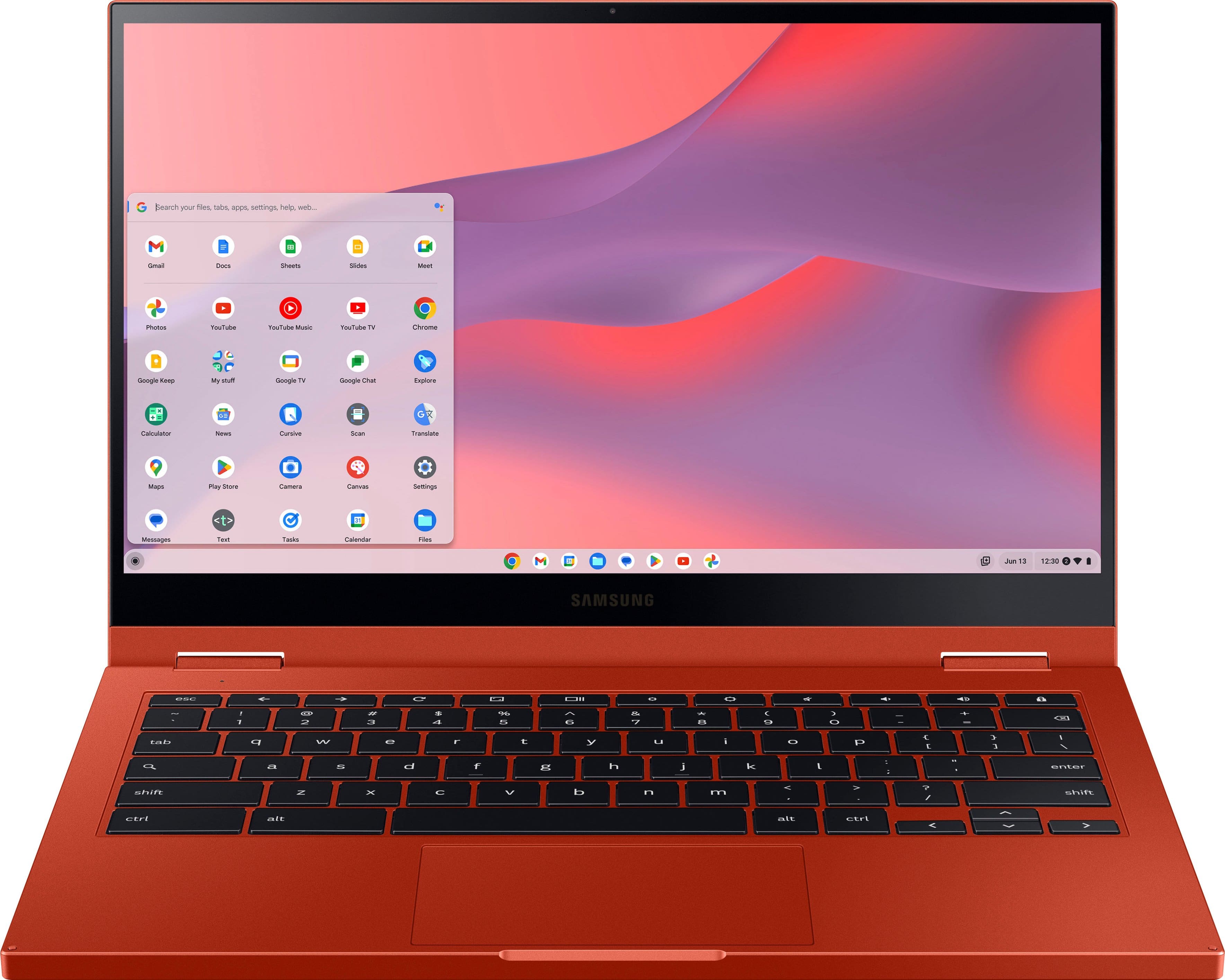
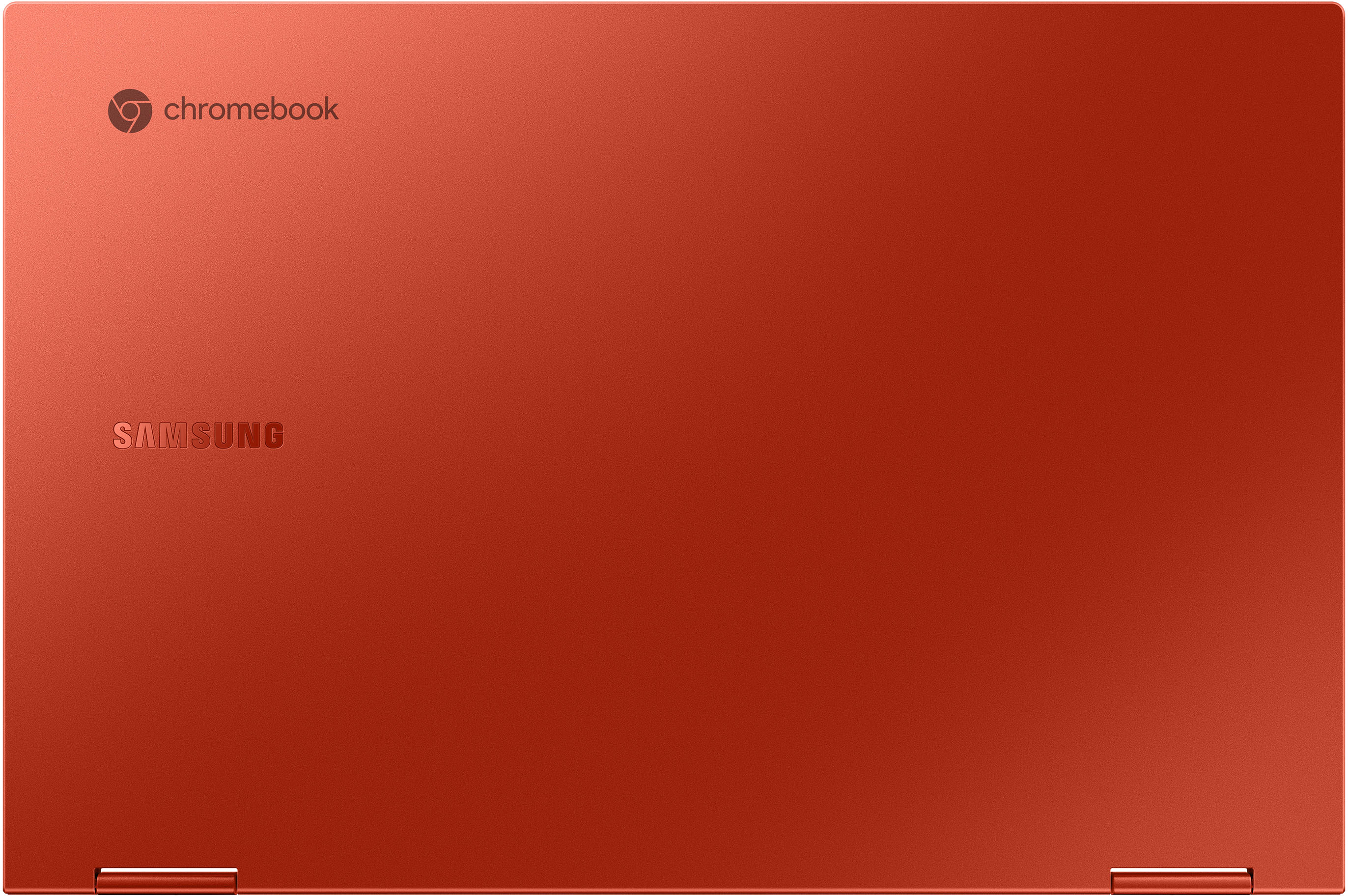
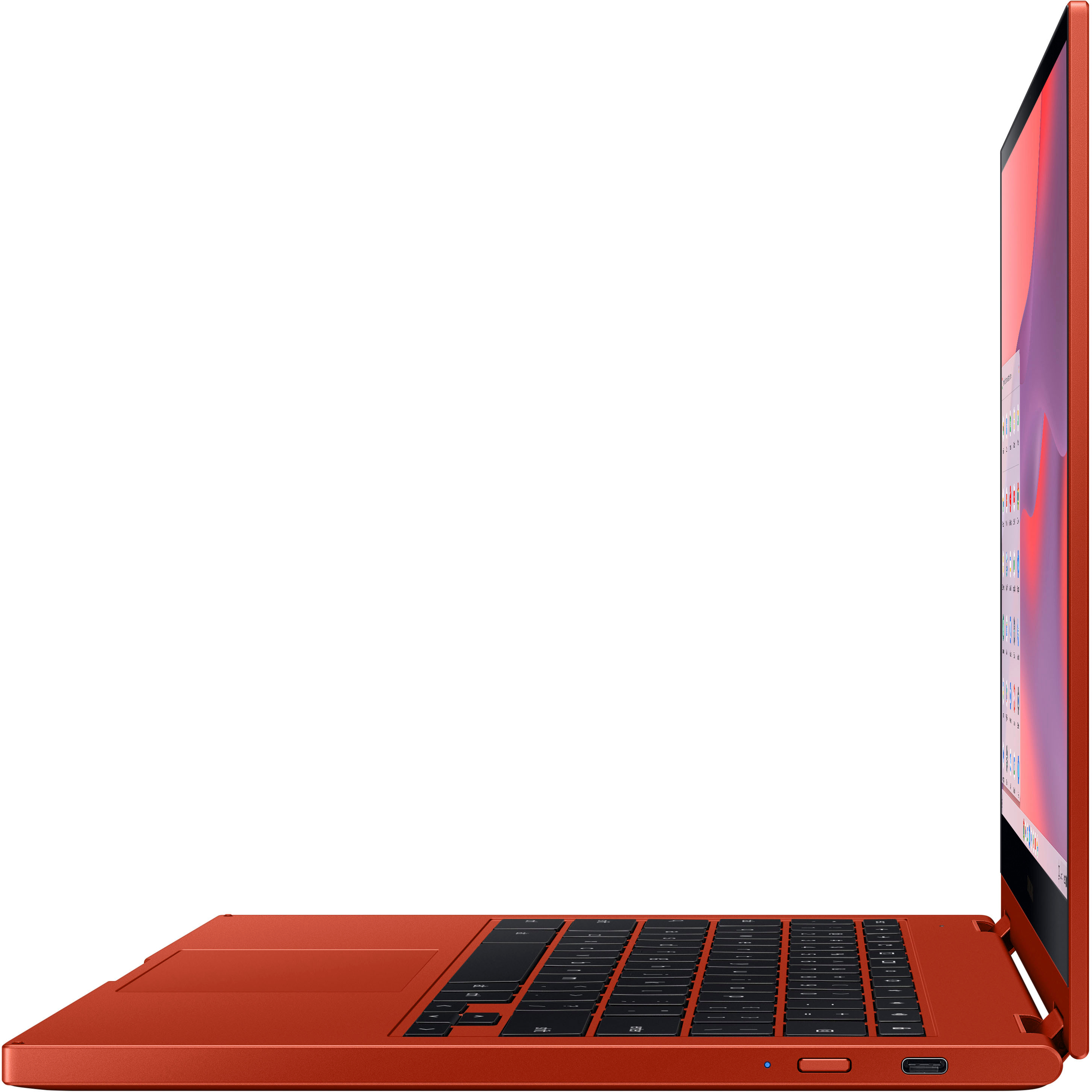
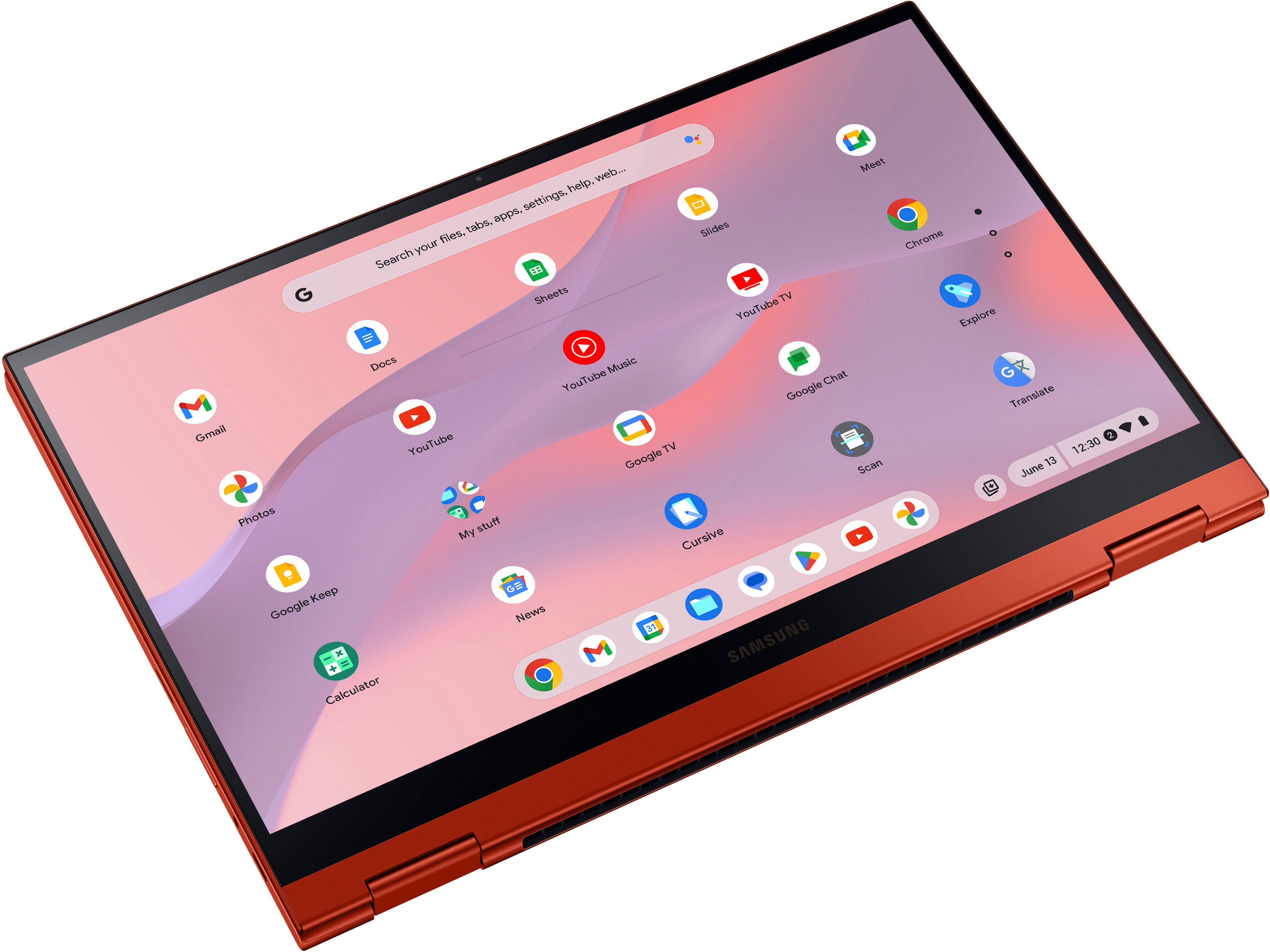
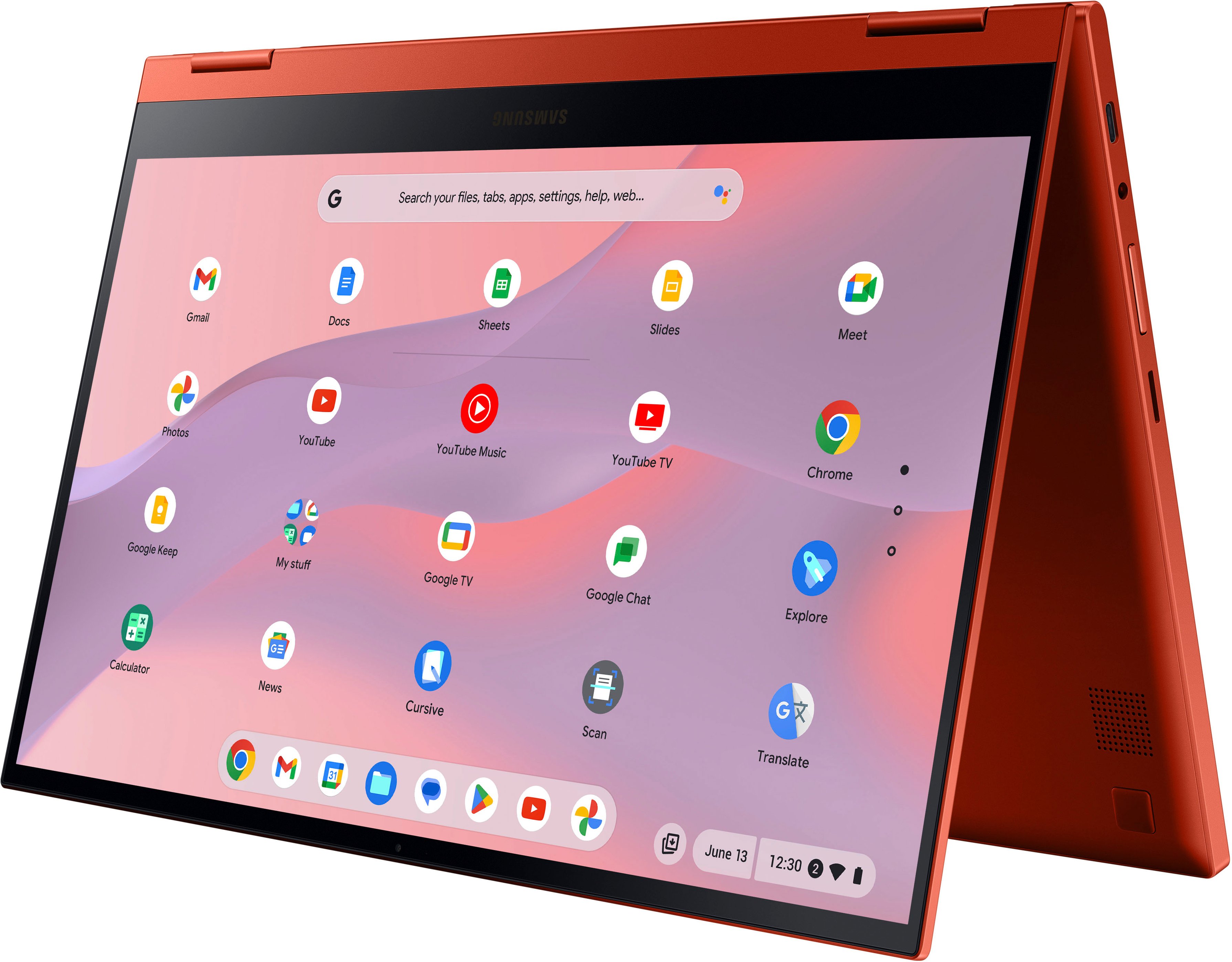
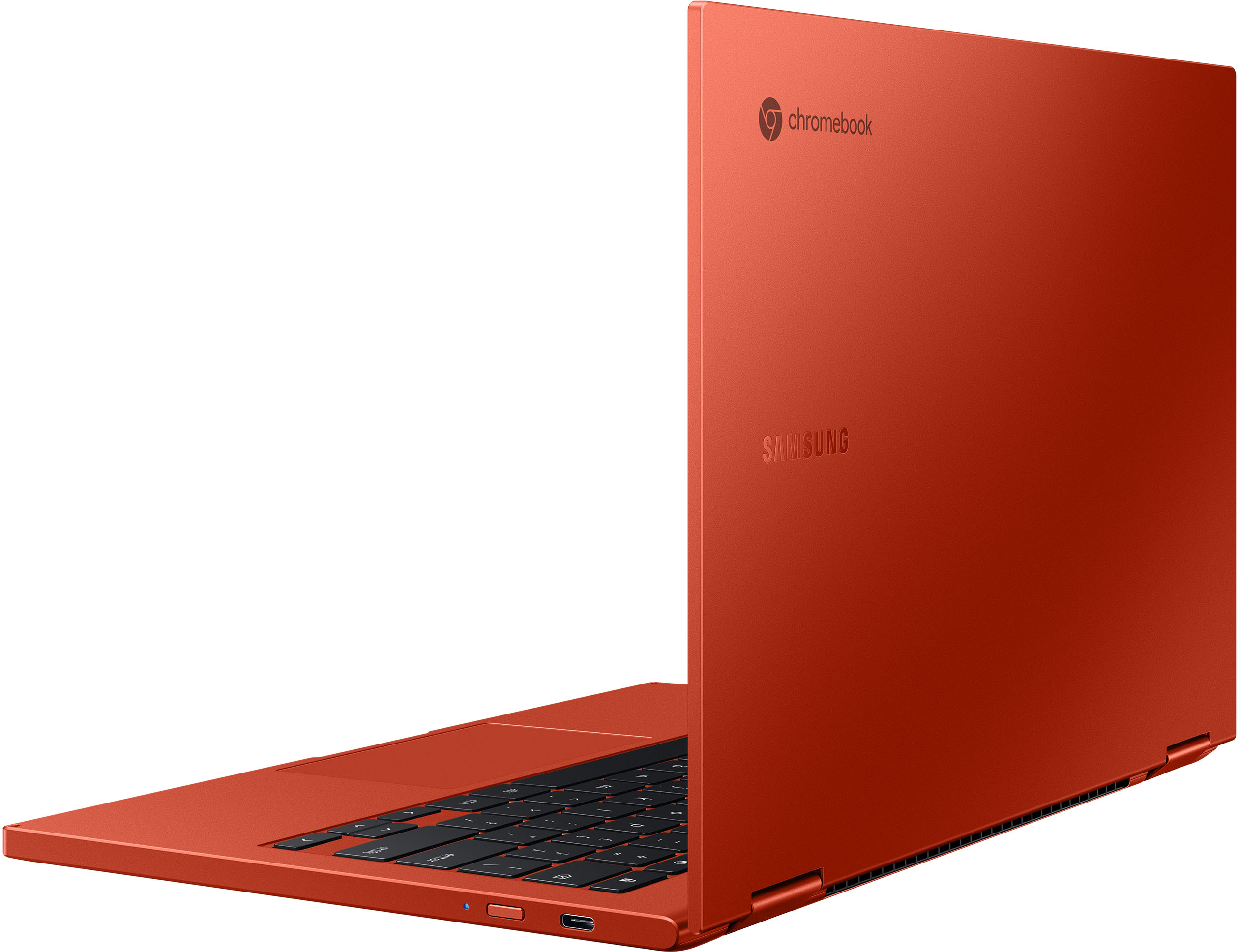
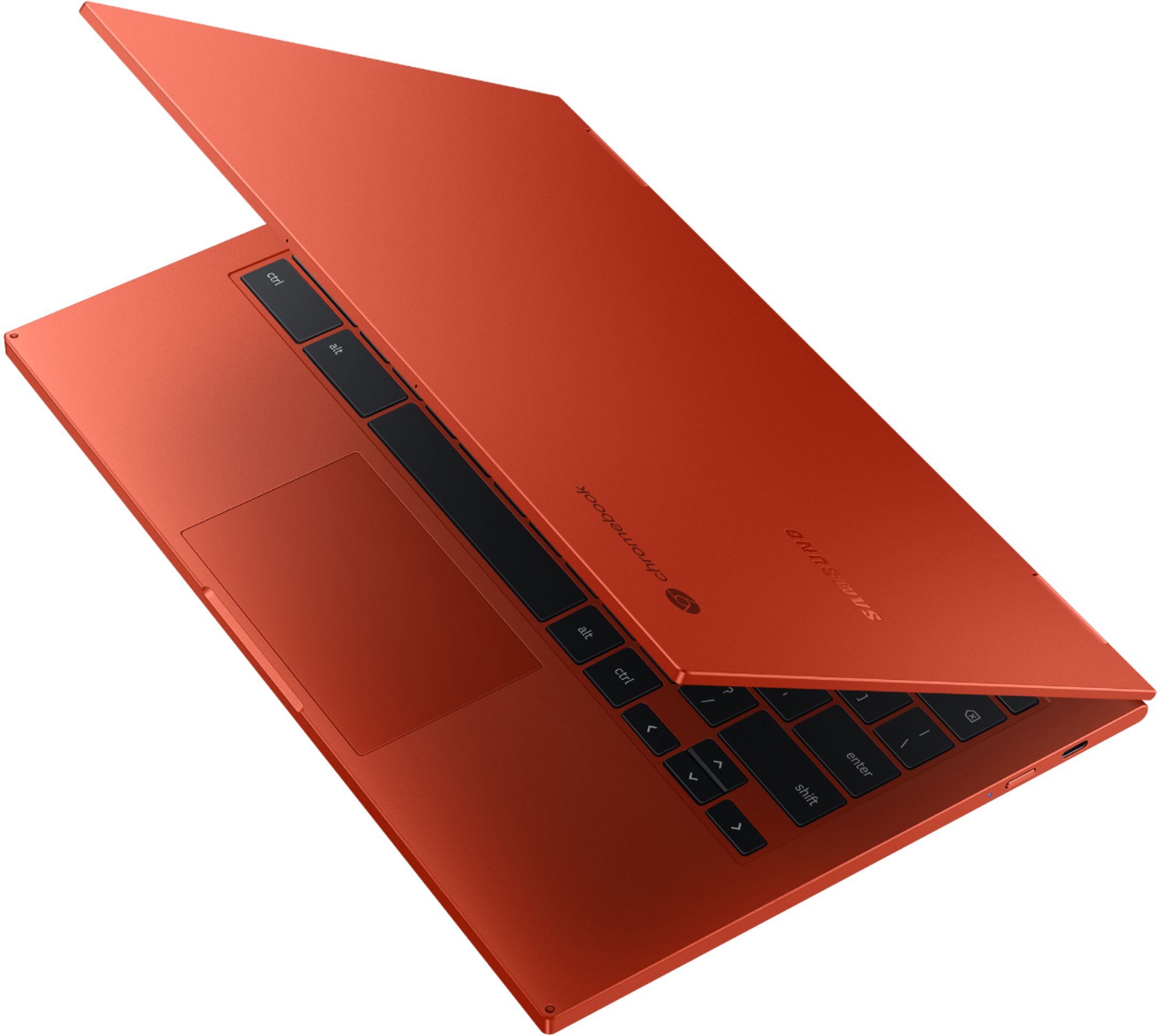
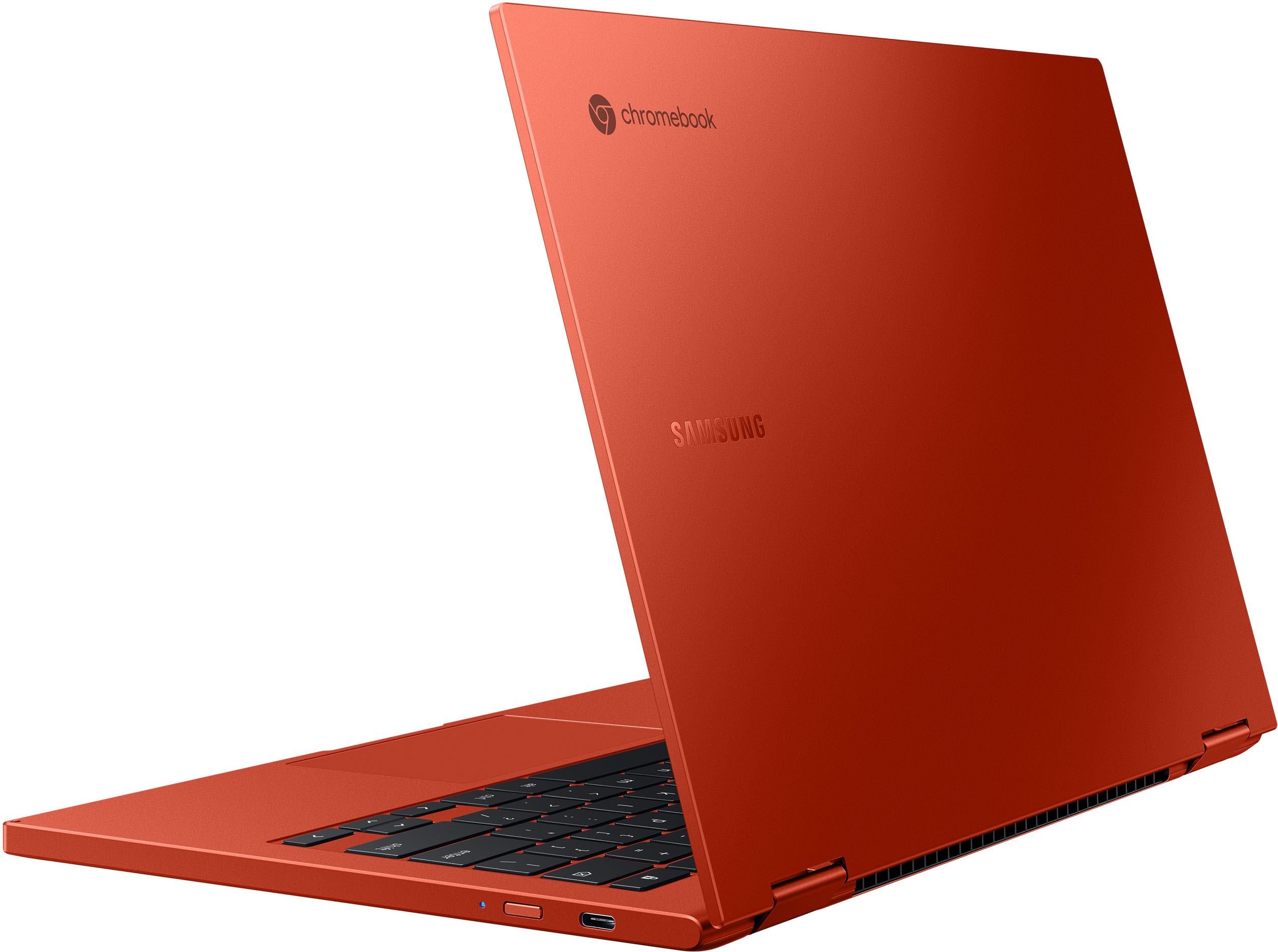
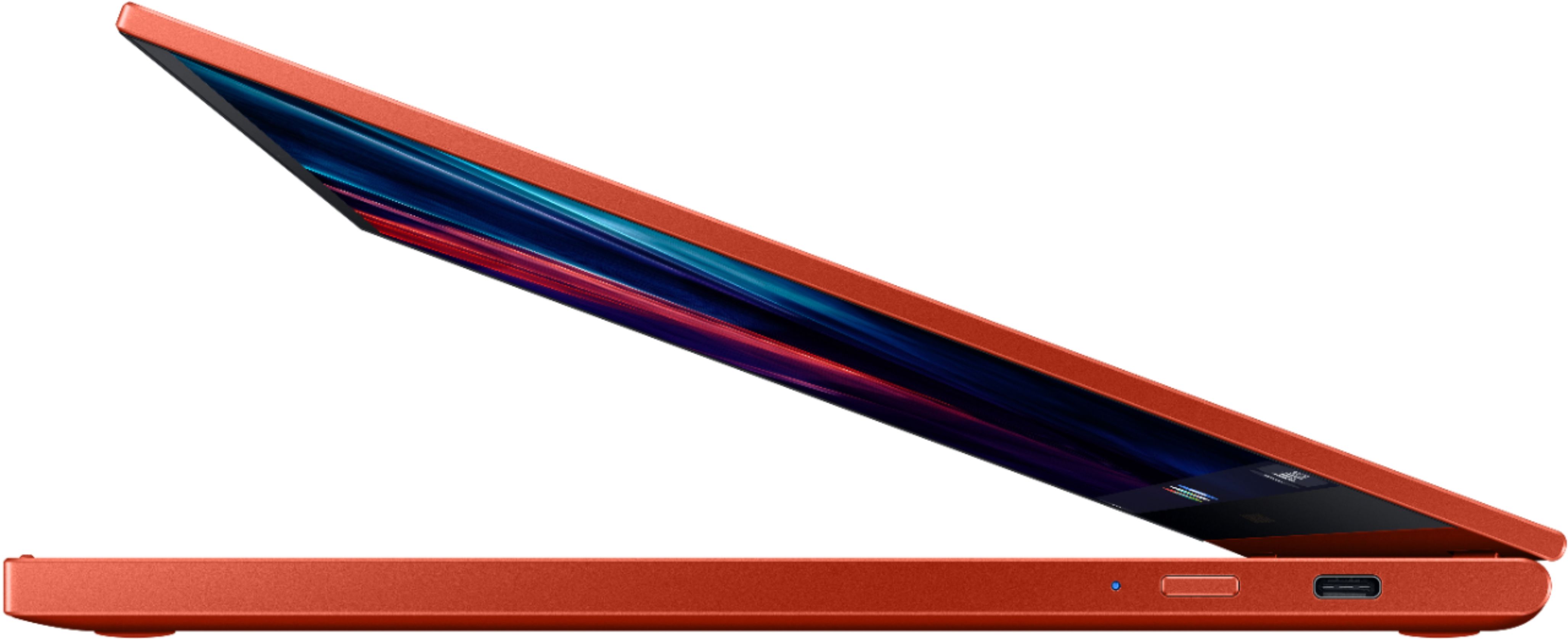
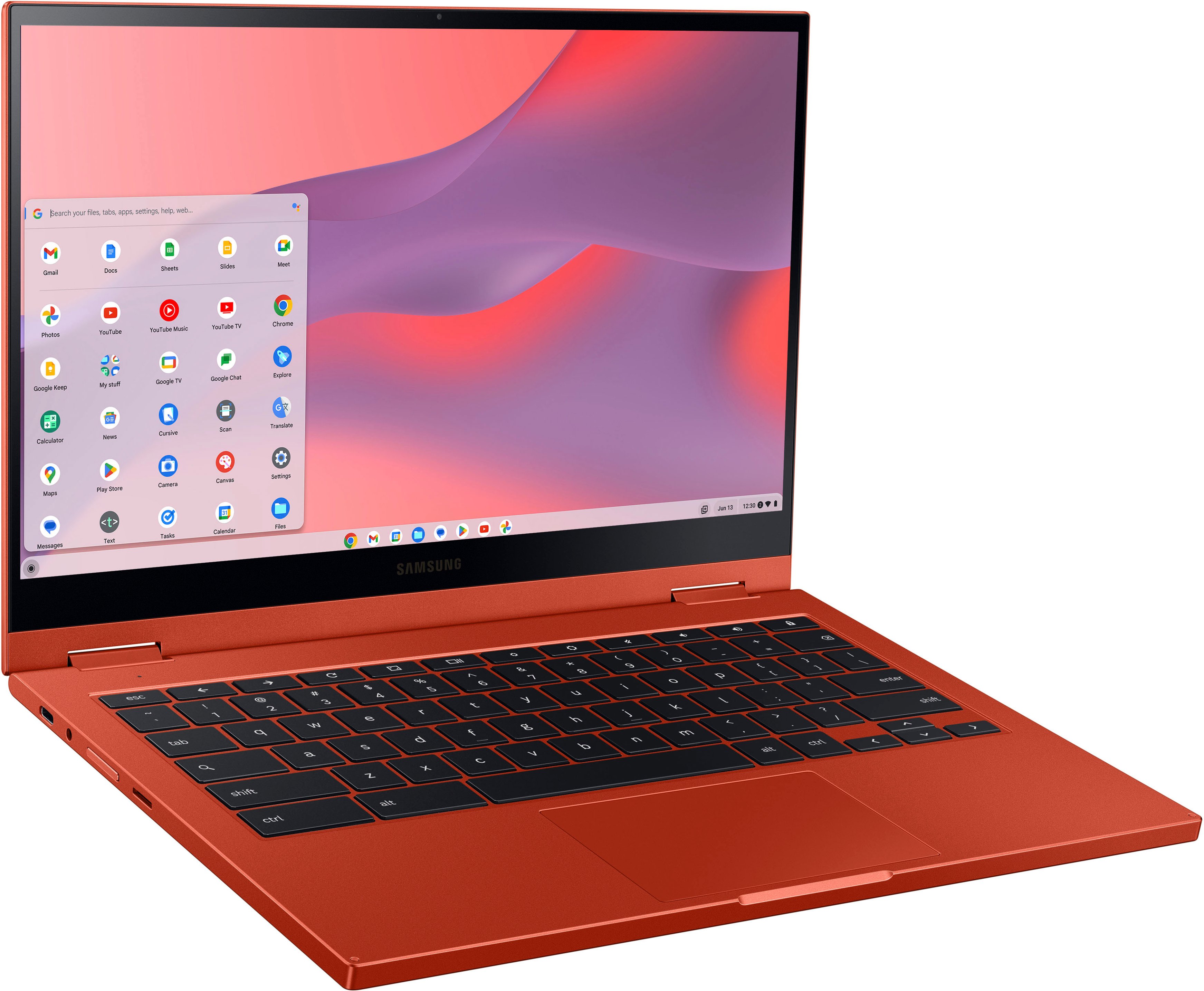
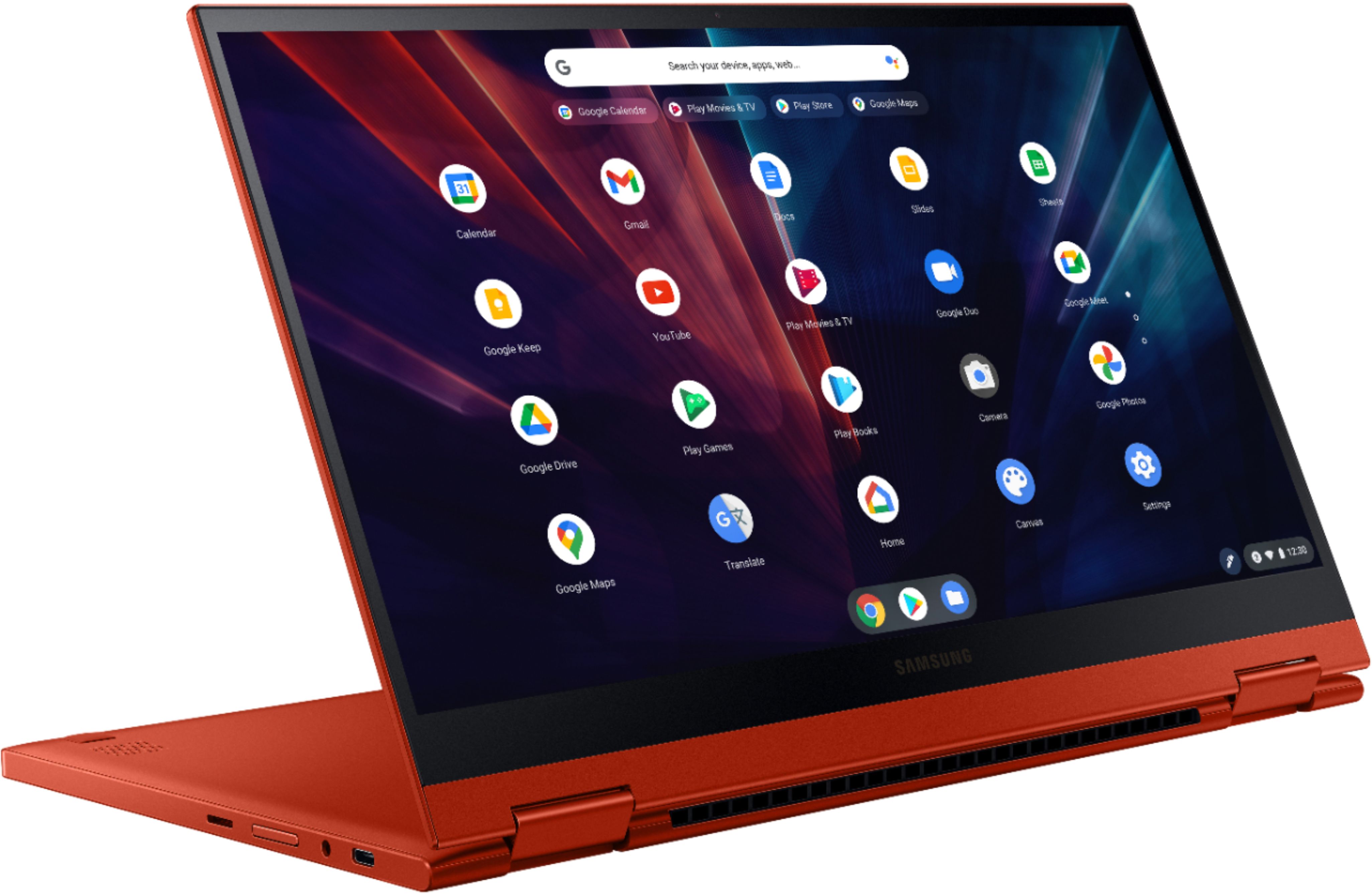
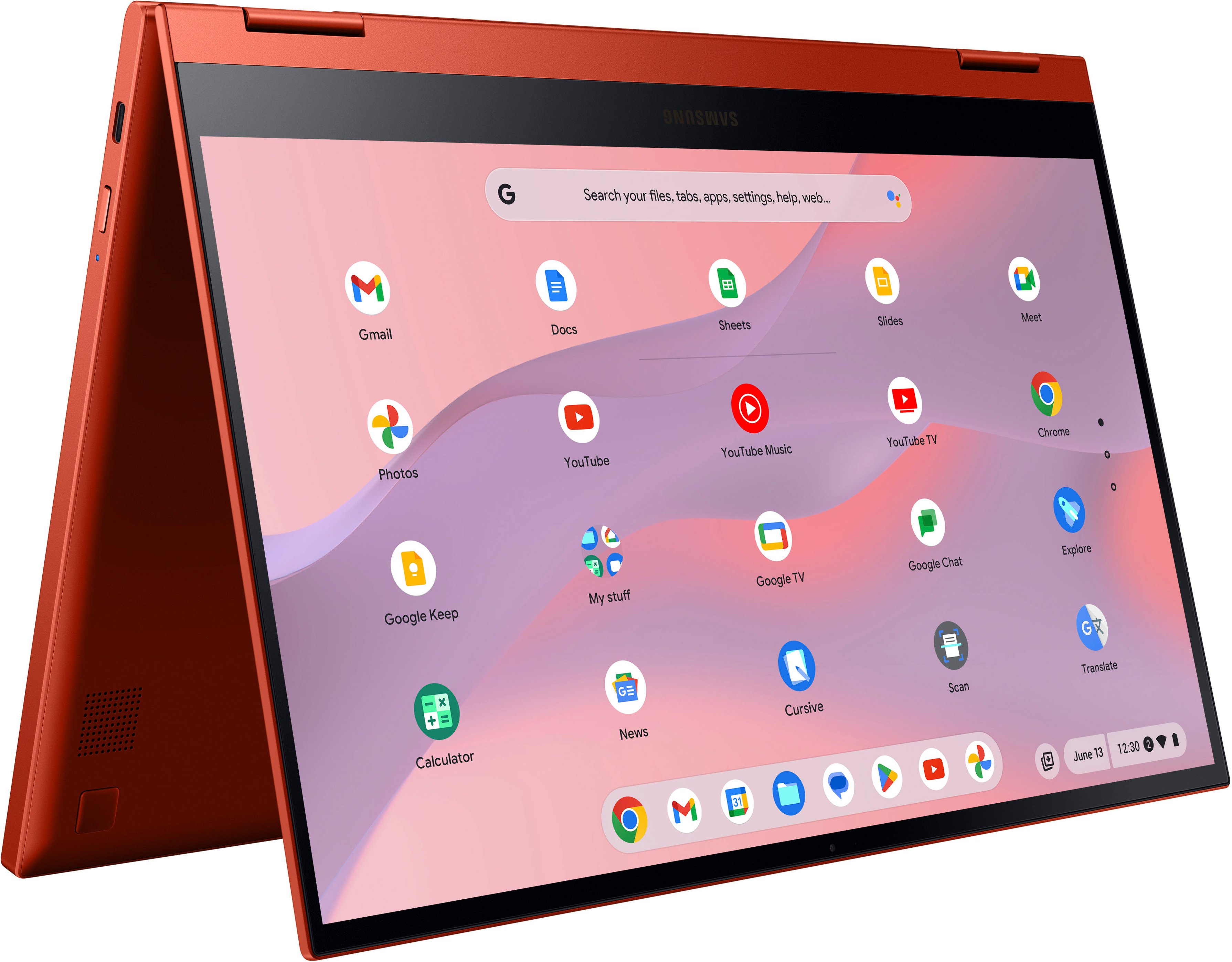
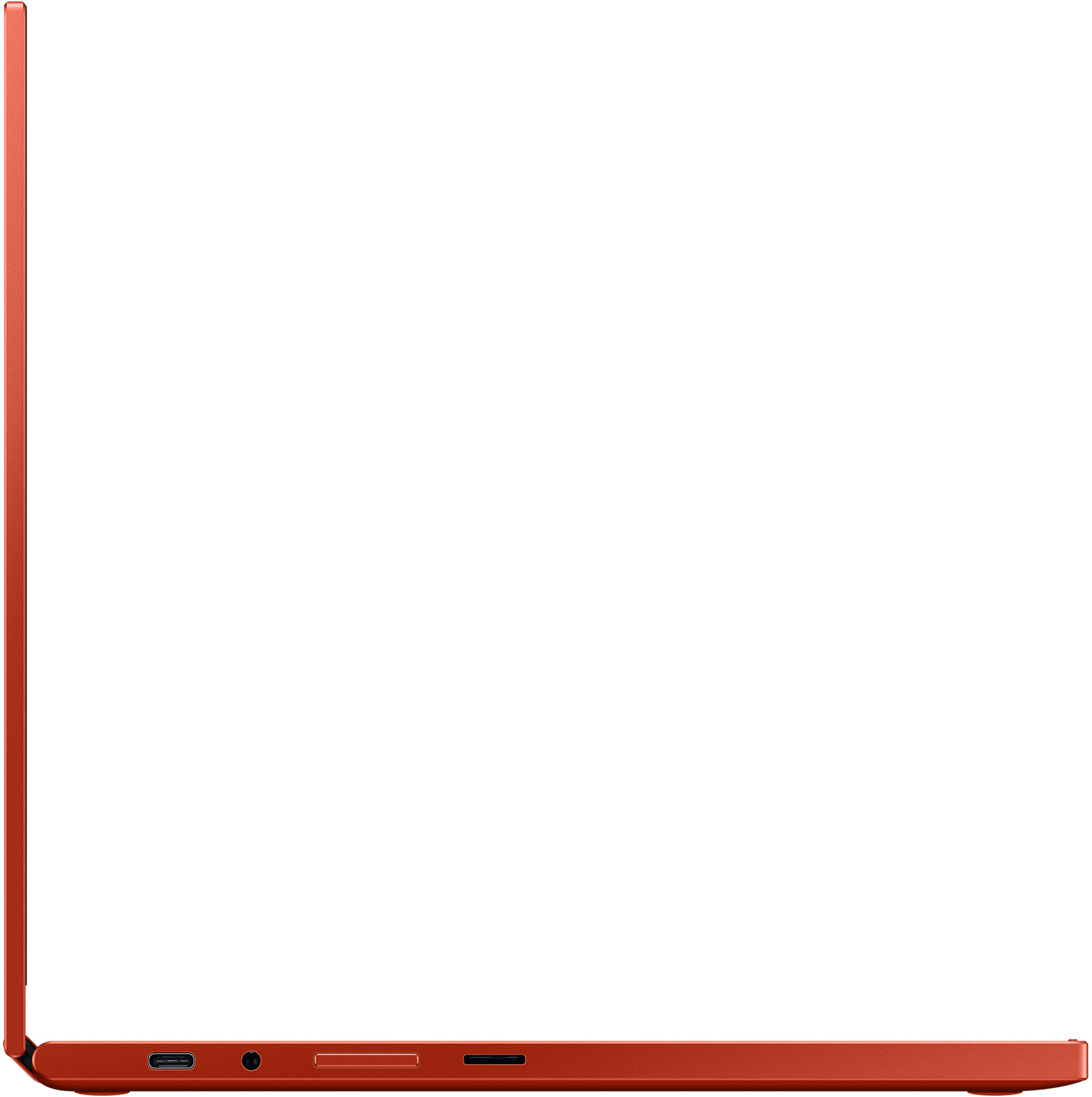
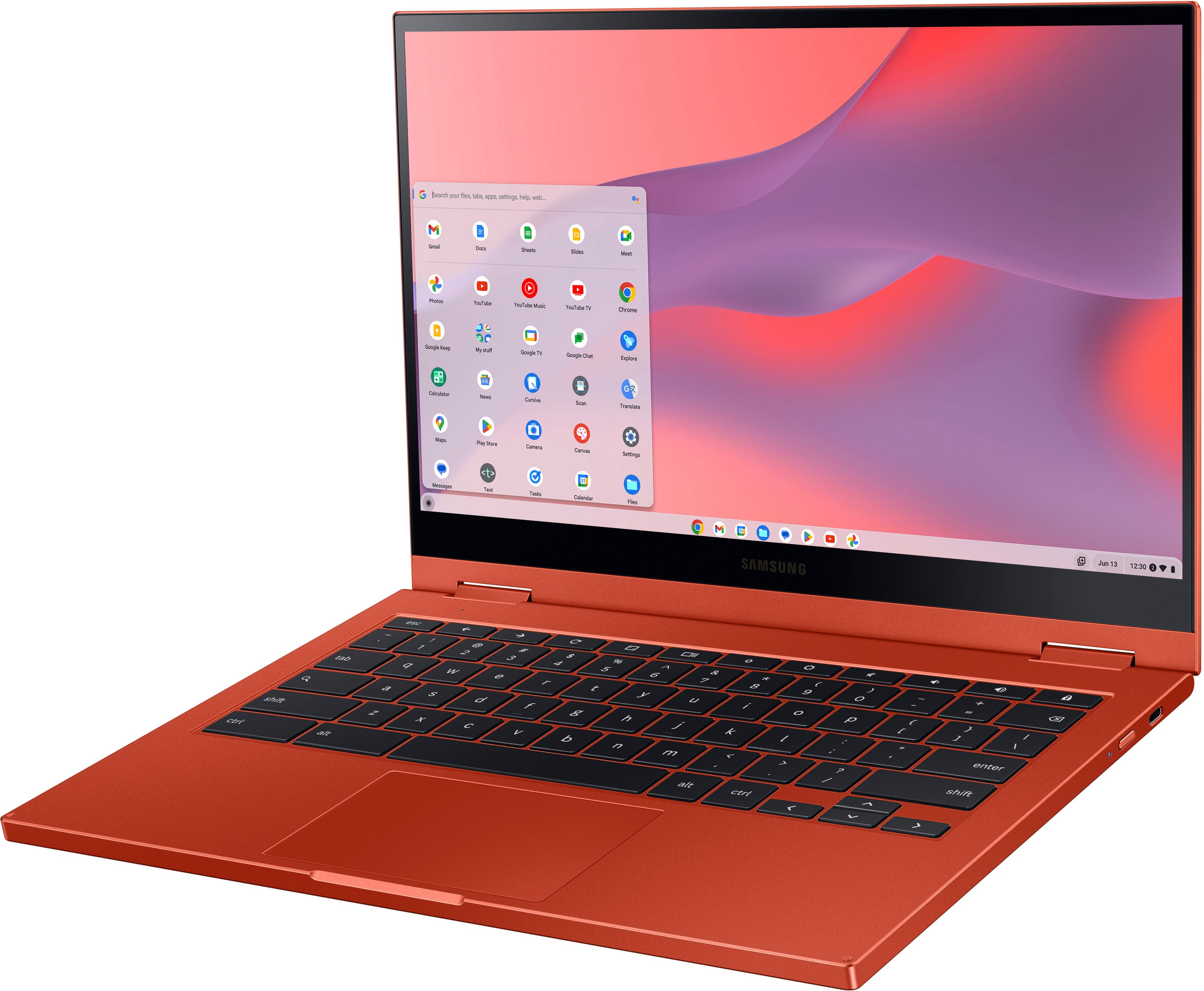
|Posted .This reviewer received promo considerations or sweepstakes entry for writing a review.This is only my second time using a Chromebook, which uses ChromeOS, and must start by saying this is not a Chromebook or Chromebox you have used before. Included in the packaging, is the Chromebook a USB C charger and detachable USB C Cord, and the Warranty/Ownership Manuals. I should note that this review covers the use and ownership of the Intel i3 Processor model and not the Celeron based unit. Unpacking is straightforward, with minimal packaging and the normal amount of peel off plastic. The Chromebook will welcome you with a beautiful red casing, which has a metallic like look and feel, a 13-inch touch capable screen, a built-in webcam, and a well sized backlit keyboard. On the right-hand side, you will find the power button with LED indicator (charging/power indicator) and a USB C port, while on the left-hand side you will find a volume button, a headphone jack, a MicroSD card slot, and another USB C port. I should point out that both ports allow for use with the included USB C charger, so you do not need to guess which port to plug in to. I am not sure if that is a standard feature in USB C compatible laptops but found this to be a small detail which took the anxiety out of charging the device. While this does advertise 128 GB storage, you should remember that approx. 20 GB is used for the OS. If you have used an Android based phone, you’ll find that most apps are available for use/install on the Google Play store. There was a quick system update after first power up, followed by a setup process with my Google (Gmail) account used for account setup and login. You can add more than one (1) user to the Chromebook, so if you are purchasing this for more than one user, you’re in luck! Apparently, you can have a much quicker setup if you use an Android phone with your Google account. If you’re afraid of space, simply pop in a MicroSD card and format as needed. I installed a 32 GB MicroSD, which was immediately recognized by the device, and was easily able to store apps and files. With the included Wi-Fi 6 capable hardware, and a compatible router or mesh network system, you’ll see quick speeds, and even quicker in-network speeds. I was impressed by the chromeOS’s ability to add a network mapped drive in Settings to access files on my local network server. This saved me the time of having to figure out a Google Drive connection or use an external thumb drive to facilitate any file access or transfer issues. In network speeds easily exceeded 500 Mbps and higher depending on file size. Internet speeds are also near ISP provided speeds with my mesh network (Wi-Fi 6 capable network), when running speed tests in the browser or using one of the more popular speed apps. Accessing websites using the included Google Chrome browser delivers the desktop like experience you’re used to seeing on any other laptop or desktop with the app. The browser quickly synced with my saved bookmarks and passwords with my Google account, and all my extensions installed automatically. This allowed me to use the Chromebook immediately after setup and updating. You may need to confirm some settings, but ultimately found this to be painless. Most tasks with Google apps are done within Chrome browser, even when launching the Google Apps shortcuts. Apps found on the Google Play store install in a similar way, and my only real annoyance is the lack of apps designed for use on a Chromebook, with a much larger desktop space. You will see apps sized the same way as the mobile app, and function essentially the same as any Android app you’re used to. The i3 processor ensures apps and browsing is snappy. I did not find any slow down of the apps being used, or when browsing websites with the chrome browser. Faster Wi-Fi also ensured that any cloud-based documents stored on my network server or on Google Drive were quickly synced, accessed, and updated. Switching to tablet mode is as easy as flipping the screen around. You can also position the screen to allow for the Chromebook to stand the screen up in landscape or portrait mode. The screen orients itself based on how it is being held or positioned, and the touchscreen is responsive. The keyboard does automatically disable, so you do not need to worry about accidentally tapping a key when holding. If you are using an external keyboard/mouse, those will continue to function normally, with the mouse icon only showing up during mouse movement. Having an iPad Pro, I am already used to a large area screen, but was surprised with the speed on the Chromebook. The tablet use does not feel like an afterthought, and I found myself using the device mostly in tablet mode after about a day. The QLED screen is vivid and clear and is probably one of the best monitors I have seen attached to a laptop since the IPS display technology launched. While the Samsung Galaxy Chromebook 2 supports and has a native 1920x1080 screen, you will find the size scaled down to allow for larger text. You can easily set the display to the native 1080 HD resolution, and you will notice text scale down because of the larger display area. Watching HD content on my various streaming apps were displayed in full HD with beautiful color. You can tell Samsung spent some time getting the screen right for production and did not lose sight of the 2-in-1 concept with a subpar monitor. Where this does not shine is the built-in camera. It is less than a megapixel, with pictures and video looking a bit grainy and out of focus. It was the only part of this entire product that fell short of expectations. This is likely due to the smaller bezel space in the design. However, given the advancement in digital camera sensors and millions of mobile devices with cameras, you would think the picture quality would be better. For casual use, this might be OK, but given that I was going to use this for some web calls at work, it felt low quality. Given the increasing reliance on remote work, you may want to invest in an external webcam, or use your phone. I guarantee the picture quality is better. If you have used Chrome to browse your favorite websites and are used to using the Google suite of apps with Google Drive, you are in for a treat! The Chromebook is fast, allows for some expansion using the MicroSD slot, and is easy to use. If you have never used a Chromebook, get used to a keyboard shortcut for Caps lock, and be blown away with the performance of this little laptop. Overall, the Samsung Galaxy 2 surpassed my expectations and has changed my opinion of ChromeOS for everyday use. Finally, a Chromebook worth owning!
I would recommend this to a friend - Pros mentioned:Ease of use
Mechanic
||Posted . Owned for 1 month when reviewed.This reviewer received promo considerations or sweepstakes entry for writing a review.Very good piece of equipment easy to used and to navigate.
I would recommend this to a friend - Pros mentioned:Battery life, Touch screen, Weight
Fixes original Galaxy CB flaws - a better laptop
||Posted . Owned for 1 month when reviewed.This reviewer received promo considerations or sweepstakes entry for writing a review.I'd initially purchased a Galaxy Chromebook (first generation) but wound up returning that and posting a 3-star review, then got this Galaxy Chromebook 2 (GCB2 for the rest of this review). Lowering the price by switching out the OLED screen for QLED, downgrading to i3 processor, and using eMMC instead of proper SSD all look like steps backward on paper, but the end result is a better balanced, more practical CB that's STILL a lightweight beauty with even better real world performance and premium build quality. (Before going any further, I should note that these comments are with respect to a GCB2 with a Core i3 processor and 8 GB RAM. I think a mistake I made in my original shopping was to overlook that some of the negative reviews for the GCB2 involved lower-spec models with 4GB RAM and Celeron processors, which I can imagine would deliver sub-par performance for more demanding use cases.) The most noticeable thing about the GCB2 is that it is LIGHT. Few CBs can match this weight - it's only a few ounces heavier than the original GCB, and a joy to carry along. I couldn't believe how hard it was to find other lightweight CBs with decent memory and processor, but Samsung has hit a real sweet spot here. If light weight matters to you without sacrificing quality, utility, or performance, the GCB2 is hard to top. The HD QLED display is the right size for a portable, plenty bright with vivid color (most of the time I have brightness around 60% or so). Far from a disappointment compared to the GCB's OLED, it's just beautiful in its own right - and I remain uncertain as to the value of a 4k 13" screen anyway. The keyboard is quite good, but that is going to be a matter of taste. To me it has a high quality feel and allows me to type at speed, but I definitely noticed the slightly shorter key travel after switching from the GCB. I adapted quite quickly and find it very comfortable to type on for extended sessions, so no complaints on that front. Keys are nicely backlit, not super bright but in practice you never need that (if ambient lighting is so high you can't see this backlight, then it's unneeded anyway). Aesthetically, the color-matched keys of the GCB were a winner, but the black keys of the GCB2 provide better contrast with key labels. Again, the more practical choice. I have to say pictures don't do the end result justice - it still looks great. Build quality is excellent to my eye. Still an all-metal exterior, but now the internal surfaces (keyboard deck and bottom display bezel) are in a matching plastic. It's fine. All I can say on battery life is that the charge is depleted much slower than was the case with the GCB. I don't really run on battery for hours at a go, but the rate of depletion seems consistent with Samsung estimates. This is fully usable as a portable device. For performance and thermal management, the GCB2 in this config is excellent. Handles plenty of open tabs and multiple windows without lagging or heating up. The only time I've noticed the fan going and a little warmth is running some Android games, no surprise there. The touchscreen works fine, but the most meaningful omission relative to the GCB is that Samsung dropped the GCB's included stylus. If you want to use a fine point stylus you'll need to buy a USI one, but I've found the capacitive fabric-tip stylus I use with my phone works just fine for my purposes. Overall, this is a great Chromebook if you want a lightweight convertible touchscreen laptop with backlit keys and decent performance. The only warning I'd offer is that the model is not brand new and Google lists an Auto-Update Expiration date for it of June 2028 (now less than 5 years away). With the Intel Core i3 processor, 8GB RAM, and 128GB eMMC storage, this should be sufficient for tinkerers to load up a usable Linux distro after support expires, but less technical users might want to turn their attention to models with AUEs out to 2030 if that's a concern; running an unpatched ChromeOS is probably not too bad for a while, but that really depends on the severity of discovered vulnerabilities after the AUE date.
I would recommend this to a friend - Pros mentioned:Battery life, Touch screen
An emphasis on premium visuals and features.
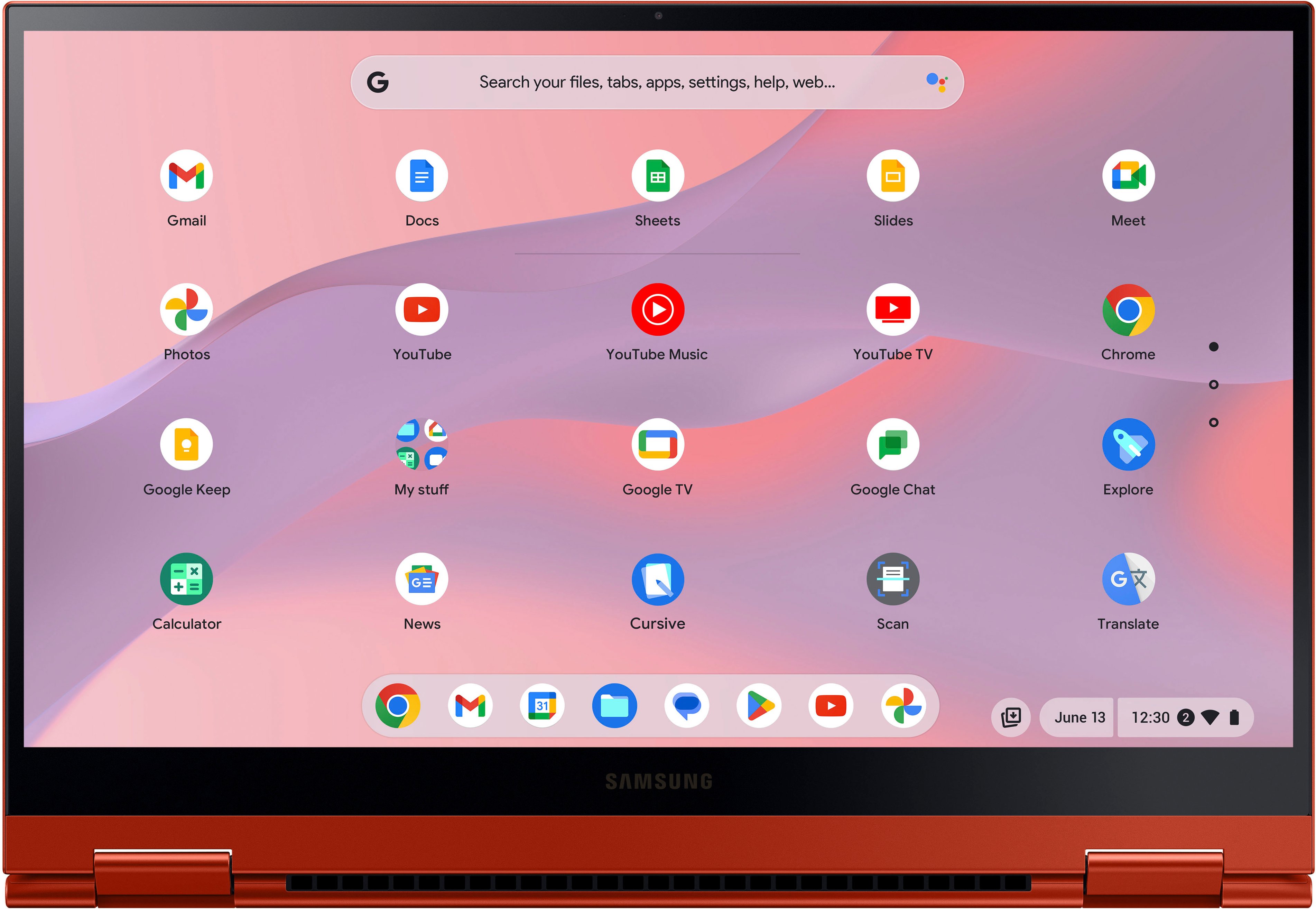
|Posted .This reviewer received promo considerations or sweepstakes entry for writing a review.Hello gorgeous. I’m referring to the fiery red Galaxy Chromebook 2 as well as the WonderWoman movie playing on the colorful screen. My experience with this new Samsung offers you an introduction to the world of Chromebook as well as how easy and functional this particular version is. I’m especially impressed with the high quality visuals, better than average sound, and the very practical usefulness. Samsung made the right choices for my needs. SETUP: I timed the initial setup, including installing my preferred Apps, connecting everything to my WiFI, enabling my account and loading a few APPs I use most frequently. I’ll take you along as I explore the Samsung. WHAT: I’m reviewing the Samsung Galaxy Chromebook 2 (2021) convertible 2-in-1 with the 13.3” FHD QLED touch screen; with the Intel Core i3-1011U processor; Intel UHD Graphics, 8GB RAM; 128GB of storage, Wi-Fi6; 720P HD camera, backlit keyboard; Ports: 2 USB-C; MicroSD-multimedia card reader; Headphone out/Mic-in Combo. You can use either the left-side or right-side UBS-C port for power. The headphone jack and volume are also on the left with the microSD slot. That other USB-C, power button and indicator light are on the right. Because this is a convertible design, the keyboard rotates backwards to create a tablet or it easily self-props for watching a program. OUT-OF-THE-BOX PERFORMANCE I’m plugging in the cord to ensure I have a charged battery and I’m ready to power ON: 00:02:07 to screen on and the login entry. I enter my existing account, and I’m moving on. 00:03:16 to enable google assistant. OK. Not sure why but done. 00:03:31 I’’ve apparently loaded Click&Clean app, but it’s free and it checks for malware. Looks like there is also an Ad blocker, and a screenshot recorder, all free, so OK, but I prefer to select my own stuff. I’ll switch to the LAUNCHER and there’s my YouTubeTv App. This I will use, so I log-in with my credentials. 00:03:44 I’ve got a list of some of my favored Apps. I’ll try some live news channels which are on my YouTubeTv APP in the foreground while comparing it to my own OLED TV playing in the background. Beautiful picture on both. Really nice blacks and very colorful on both. I’ve never seen such wonderful video performance on a computer screen. The wide angle of high quality viewing is also a surprise. OK, I’m not through yet. I’ve been enticed by the wonderful screen quality into adding PLEX and VUDU so I can watch my own movies. 00:07:16 It is just over 7 minutes and I’m well past setting up the Samsung’s Galaxy 2, loading my APPs and sampling some video images. I’ve started “Forrest Gump” so I’m gonna be busy for awhile. Nice sound, too. But I’ll plug in some headphones and get comfortable. This is the Chromebook experience from Samsung. Nicely done. Couldn’t be simpler. No hiccups. No frustrations. No surprises other that how nice it all looks and works. There is never an issue bringing over any type of file, from photos to documents and spreadsheets. So many supporting players have contributed tools, in the form of APPs for most any need you might have. This new Galaxy 2 fulfills the promise that every Chromebook makes. It is exceptionally portable (under 3lbs), very efficient in its battery demands, offering more than than typical memory and storage internal and from Google Drive, while delivering an immense variety of applications. So what’s special? Samsung really knows how to deliver a striking design, that spectacular screen, a comfortable keyboard, a useful selection of features, and this new configuration adds battery stamina along with extra processing, RAM and storage. I like it.
I would recommend this to a friend Not worth the money
||Posted . Owned for 11 months when reviewed.This reviewer received promo considerations or sweepstakes entry for writing a review.Don’t buy!!!!! Less than a year and the screen is already breaking. We can even shut the lapto.
No, I would not recommend this to a friendBrand response from Samsung
Posted .Greetings JenniferM, thank you for finding the unobstructed time out of your day to share your sentiments with us about your Samsung Galaxy Chromebook 2. Your feedback is appreciated as we strive to be innovative while improving the design and functionality of our product line. Samsung provides a 12-month warranty on our products for manufacturing defects in materials and workmanship. We also offer extended warranty options on eligible devices where certified technicians will take care of accidental drops and spills, as well as screen repairs and mechanical breakdowns. Please feel free to contact Support at your leisure if you would like any further assistance and/or help with troubleshooting your device. Thank you for being a dedicated Samsung customer. - Debra

- Pros mentioned:Battery life, Touch screen
Beautiful and snappy machine
||Posted . Owned for less than 1 week when reviewed.This reviewer received promo considerations or sweepstakes entry for writing a review.I used to write off Chromebooks as pointless. I always thought Windows was superior simply because it had more features. Chromebooks have some really great advantages. They have better battery life, a more compact design, are cheaper, and have full access to android apps, which actually work great with the built in touch screen. I don't know what else to say other than that this machine runs flawlessly, and looks good doing it. So worth the money.
I would recommend this to a friend - Pros mentioned:Battery life, Touch screen
Can't say enough good things about it!
|Posted .This reviewer received promo considerations or sweepstakes entry for writing a review.I've had my share of Chromebooks - this one is the blue ribbon winner of awesomeness! Premium is in it's DNA, and it definitely shines through! It's thin, it's light, the display is awesome, the sound is awesome, the battery life is awesome,I simply can't find anything that is NOT awesome! Battery life - rated for 13 hours. I havent had a chance to use it 13 hours but between Friday, Saturday and Sunday all of my use has only been able to knock the battery down to around 50%. I have no doubts we'll get to a minimum of 10 hours. That's with the screen brightness cranked all the way up! The screen is a QLED - not OLED like the previous generation. It uses less juice and still puts out the color full color spectrum - freaking fantastic! I can't say enough about the sound. For a system so small and portable, the volume is fantastic. I don't think you'll find a finer auto system on a laptop this small. The speakers are only so big, that combined with an amplifier that's built in and you'll be happy with the sound! Keyboard travel is minimal, but with enough feedback that you know good and well that you've pressed a key. It's the best chicket keyboard i've had thus far. Oh yes - it's white backlit - not super bright but enough to see what you're doing in the dark! One last thing - the color - way to stand out of the crowd, Samsung, way to stand out! A home run - that's the only way I can put it - an absolute home run!
I would recommend this to a friend Exceptionally well-executed/full-featured 2-in-1!
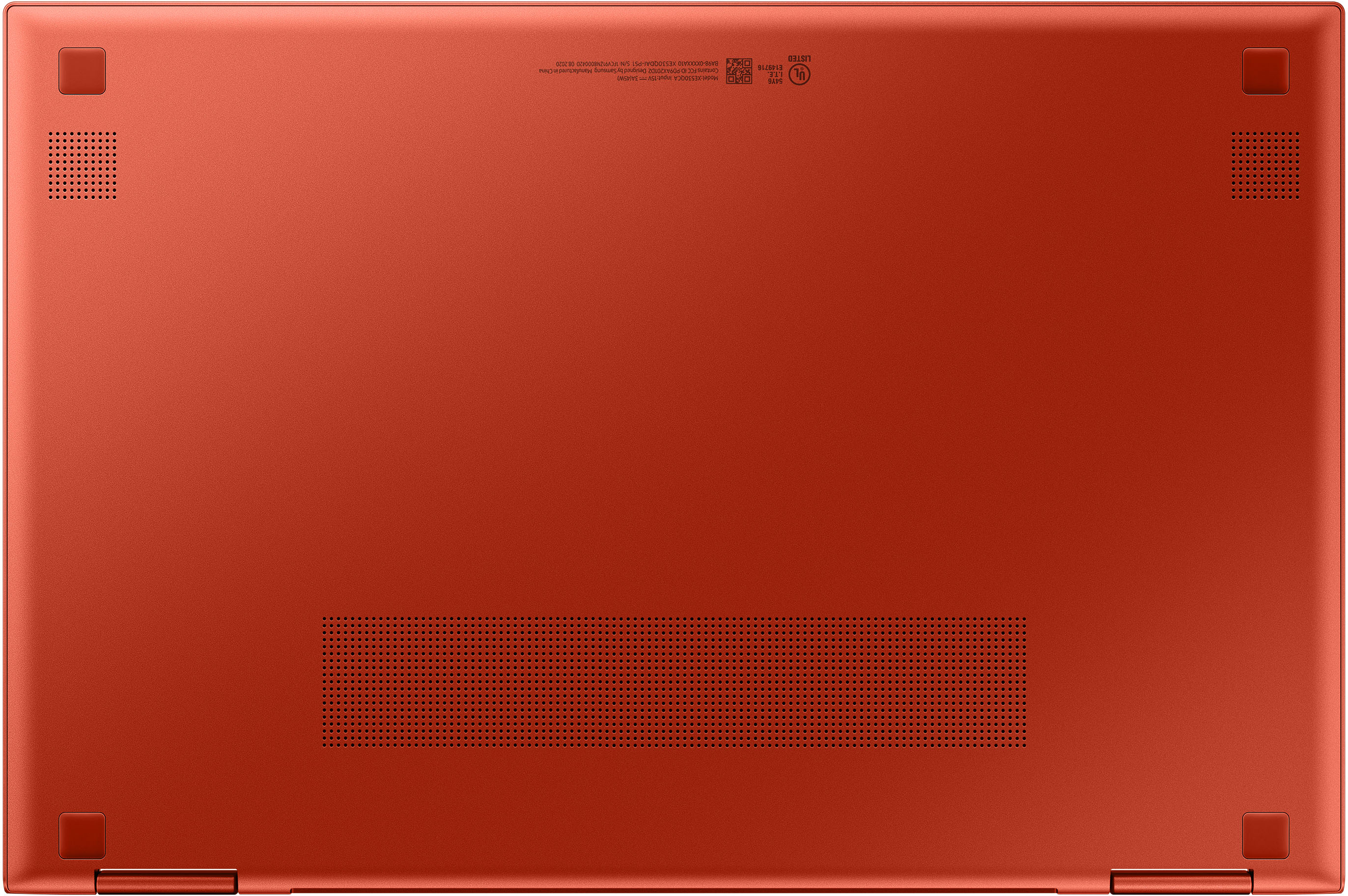
|Posted .This reviewer received promo considerations or sweepstakes entry for writing a review.I've worked in the IT business since 1993 and built my own PCs since Win 95. At home, we have 2 custom Windows gaming rigs, 2 OEM Windows tower PCs, a Windows AIO set up for quarantine home-schooling, two Windows gaming laptops, a Samsung Galaxy TabPro S Windows tablet, a Microsoft Surface Pro for work, and 4 iPads of varying sizes and generations. Yet in all this time and with all those boxes and wires lying around (and all those that came before), I never had the occasion to try a Chromebook. I've read about all the benefits--ease of use, portability of the computing experience, small form factors, monster battery life, etc. etc.--so I was always curious. And quite frankly, I don't garner as much excitement or satisfaction from troubleshooting Windows issues as I used to (I'm the IT support for my extended family). But with a job change on the horizon, and knowing I'll still want something ultra-portable for work connectivity, I decided to see if a Chromebook could hold its own against the nearly 3 decades of experience I've built around the MS Windows platform (and maybe even give Apple a run for its money). Sooooooo??? Does the Samsung Galaxy Chromebook 2 offer a competent and compelling ultra-portable computing experience in its own right, or one that compares favorably to either Windows or an iPad? I'm happy (and pleasantly surprised) to report that the answer is YES. Anyone looking at a pricier Chromebook like this one is probably already familiar with Chrome OS, so I won't spend a lot of time reviewing Chrome per se, other than to say that the computing experience seems a pretty intuitive blend of Apple's (or Android's) app-centric user-experience with the familiar trappings of pointing, clicking, mousing, gesturing, and a pretty "Windows-like" desktop and file management UI. As this tablet is clearly designed as a connectivity and media/information access and consumption device (i.e. you won't be doing any hardcore gaming or 3D image rendering here), I found the Chromebook 2 to be an enjoyable, simple, and extremely well-designed piece of hardware that required virtually no instructions or references to pick up and start using with confidence. But having never used a Chromebook before, I was unprepared for just *how* simple and responsive this kind of appliance can be thanks to its relative simplicity. For example, initial boot-up was less than 4 seconds (even with one of the fastest NVMe 4.0 Gen4 SSDs in my new gaming rig, I've never had Windows start up that fast!) and the UI instantly resumed even before I finished opening the lid--WOW! For grins, I put the Chromebook 2 into developer mode to simulate an OS failure, then used Chrome's restoration utility to format an external SD card for recovery. I hit power, plugged the SD card to the side card reader, and in less than 4 minutes, not only was my entire Chromebook restored, but all the apps I had previously downloaded were reinstalled. Having reset and reinstalled Windows more times than I can possibly count, I can't tell you what a [pleasant] shock it was to finish a complete system restoration in less time than it took me to grab a soda from the fridge. Still, Samsung can't take all the credit for my positive experience...those props belong Google for taking the Chrome OS MILES beyond what it used to be. So what about the tablet itself...is it worth the bank you're paying for the experience it provides? Honestly, I think it is, and I've got a lot of competition to judge it against just in my own household. Let's start with the basics--the color is definitely an acquired taste (there are a few more orange undertones than I like in my reds), but it's a nice departure from the sea of silver, black and grey that typifies much of the portable computing market. Construction feels solid; it's an ultra-portable, but it's not flimsy or so thin that I'm concerned I'm going to snap it in two tossing into an overnight bag or backpack. And though it's definitely a small 2-in-1, it's actually the largest of the bunch (by only a SLIGHT margin) I have on hand for comparison, which means it was the MOST comfortable for typing/navigating without adding a ton of extra bulk or weight. Ports and physical controls are definitely serviceable for a unit of this size; there are two USB-C ports, one on each side, a volume rocker, 3.5mm stereo jack, microSD card slot, and a physical power button. It's got a pretty beefy 2.1Ghz i3 CPU and 8GB of RAM, putting performance under the hood on par with competing Windows ultra-portables, and at 128GB, there's ample storage capacity to handle loads of videos, pictures, or apps. There is a VERY tiny webcam lens in the middle of the top bezel with a small blue LED that thoughtfully illuminates when the camera is active. Picture quality is okay and provides for a 0.9 megapixel 16:9 photo image or 720p video...it's fine for Zoom or Teams in a pinch, but that's about all. The bottom features a thin strip of venting holes (though I never noticed the unit heating up in my lap), two smaller vented cutouts for the speakers, and color-coordinated bumpers for setting the Chromebook on flat surfaces without concern for damaging the finish. To keep the competition/comparison to devices of like-purposes and design (i.e. I didn't bother pulling out my two gaming laptops for comparison), I lined up the Chromebook 2 against a new iPad with a Logitech keyboard case, an MS Surface Pro, and Samsung's Galaxy TabPro S in the photos below. The Chromebook 2 features the roomiest and most solid-feeling keyboard of the bunch; the spacing between the keys made typing faster and more accurate than the relatively cramped keyboard on the iPad, and less error-prone than using the adjoining keys on the Galaxy TabPro S. The keyboard is backlit, but intelligently so--I imagine there are probably controls to personalize lighting I haven't found yet, but the default setting turns up the keyboard back-lighting when ambient lights gets low--nice. You can see that the tablet portion of the Chromebook 2 is captive to the keyboard so you can't disconnect it to use on its own, but the thickness of the Chromebook 2 matches that of the Galaxy TabPro S and the Surface pro with the keyboard covers attached. However, the Chromebook 2's design allows you to angle the screen any way you'd like without needing a kickstand--it was SO refreshing to browse the Net and compose an e-mail without needing a screen prop or having to reorient myself to the screen rather than the other way around. And of course, you can fold the keyboard completely behind the screen if you want to go full-on tablet mode and operate the Chromebook via touch-screen interface. Speaking of the screen--this might not be a top-of-the-line OLED display, but Samsung seems to know what it's doing with QLEDs...the display is simply wonderful, easily the brightest and best of the bunch I have for comparison's sake. The colors are richer and the bezel is smaller which made watching videos that much more enjoyable simply because there was more screen real estate to enjoy. Sharp off-angle viewing doesn't seem to suffer much at all which is one of the first things my wife noticed when I started testing it out, i.e. "Hey, that's going to be perfect for watching movies when we travel." The speakers manage to get pretty loud for an ultra-portable; I was able to hear my Netflix streams outside the room without any distortion or loss of clarity. Next came a test of battery life. I set Netflix to auto-binge and managed just a hair under 8 hours of constant video playback at 3/4 brightness and 50% volume; that's outstanding longevity for active video streaming via WiFi on a screen of this size. I would imagine the Chromebook 2 might actually come close to Samsung's purported 13-hour battery runtime if you varied your usage; a full battery recharge from shutdown took about 2-2.5 hours with the included adapter. WiFi performance was excellent; I have an ASUS AX11000 WiFi 6 router two rooms away and 400Mbps from my ISP; the Chromebook 2 tested at 408Mbps up to three rooms away before throughput started dropping. As I said up front, this Chromebook 2 ended up being quite a surprise and is seemingly VERY well appointed for the tasks it was designed for. I don't know how well it improves on the previous Galaxy Chromebook, and having no real basis of comparison, I don't really know how well it holds up against other Chromebooks in its class. But as someone intimately familiar with the MS and Apple UIs and ecosystems, I can say with surety that this ultra-portable more than holds its own against the competition. We'll be keeping this one for work when I jettison the Surface Pro--I can't think of a better endorsement than that. DEFINITELY RECOMMENDED!
I would recommend this to a friend- Pros mentioned:SpeedCons mentioned:Speakers
Sleek, Stylish, and Speedy - Not much complaints
||Posted . Owned for 1 month when reviewed.This reviewer received promo considerations or sweepstakes entry for writing a review.I recently purchased the Samsung Galaxy Chromebook 2, and overall, I'm quite impressed, earning it a well-deserved four stars. This Chromebook combines style, performance, and a vivid display into a very appealing package. I personally liked the red on it, even though some might say it's too much. First off, the design is top-notch. The aesthetic is sleek and modern, with a thin profile that makes it incredibly portable and easy to carry around. The finish is eye-catching, ensuring that it stands out in a crowd. The build quality feels robust, suitable for daily use whether at home, work, or on the move. The QLED display is the star of the show. It offers brilliant colors and deep contrasts, making everything from browsing the web to watching videos a pleasure. The touchscreen is responsive, enhancing the usability of Chrome OS, which is intuitive and straightforward for anyone familiar with Android or Google services. Performance-wise, the Chromebook 2 handles typical tasks with ease, thanks to its efficient processor and sufficient RAM. Whether it's streaming media, attending online classes, or managing work documents, this device copes admirably. However, it's not without its drawbacks, which is why I’ve given it four stars instead of five. The battery life, while decent, doesn't quite match up to some of its rivals or the previous iteration. It will get you through a day's work, but intensive use might require a mid-day charge. Additionally, while the speakers deliver clear sound, they lack a bit of the volume and richness that would make media consumption truly immersive. In conclusion, the Samsung Galaxy Chromebook 2 is a solid choice for anyone looking for a reliable, stylish laptop for everyday tasks and then some. It offers great value, especially for students or professionals who rely on Google's ecosystem, with only a few areas that keep it from being perfect.
I would recommend this to a friend - Pros mentioned:Battery life, Touch screen, Weight
Really Happy With Purchase
||Posted . Owned for 2 weeks when reviewed.This reviewer received promo considerations or sweepstakes entry for writing a review.I cannot believe that I snagged this Chromebook for $299. What a deal. Understand that the i3 processor is several generations old and that the internal drive is a slower eMMC technology, but the combination of the i3 and 8GB RAM makes this laptop plenty fast for the proper use. Add a beautiful and bright touch screen display, backlit keyboard, 2-in-1 configuration, small footprint and power supply, and lightweight design, and it's a winner. I played around with the ChromeOS for a few days, but was really not happy with it. So (not for the faint at heart), I flashed the BIOS and converted the system into a Windows laptop. You can view how to do this at coolstar.org - and the version you want to look under is Nighfury. The process took me about 3 hours and was worth every minute. I spend a lot of time on two wheels, mountain biking all over the country in the summer. I wanted a computer that would be lightweight to carry on my back so I have full connectivity when I get to my destinations. At well under 3 pounds and small footprint, the computer and power supply easily slide in my backpack. The WiFi works well, the battery lasts five-plus hours, and the system itself is a conversation piece in Fiesta Red. Additionally, I find the keyboard easy to type on, the touchscreen is very responsive and bright and crisp, and the sound from the speakers is loud and pleasant. The camera is also decent for Zoom / WebEx meetings, but does not have a privacy cover. WIthout issue, I have run Office 365, Minitab (statistical software), Office Desktop, Chrome and other popular software. With the older i3 processor, web browsing isn't super fast with graphics-heavy webpages, but it is still good. I've also had no problems watching downloaded videos. I did buy a small docking station online that has USB-A and HDMI ports for more flexibility, Older versions of this Chromebook had issues with the trackpad. I believe those have been fixed--based on my research--and I have had no issues with mine. Just an absolutely super deal.
I would recommend this to a friend - Pros mentioned:Battery life, Speed, Touch screen
Looks good with the performance to back it up!
||Posted . Owned for 1 week when reviewed.This reviewer received promo considerations or sweepstakes entry for writing a review.The Galaxy Chromebook 2 is a very solid Chromebook. It rectifies all of last years Galaxy Chromebook complaints, with a few compromises. I owned last year's model, and to me it was the best Chromebook with 3 fatal flaws; the Battery, the Speakers, and the overheating. The Galaxy Chromebook 2 has a really solid battery, the speakers are loud and clear, and this model does not get the searing heat issue thanks to the heat vents on the back of the device. The design is what brings you to the door, but the actual device keeps you here. It is small, fast, and the screen is very good, though I do wish it was Quad HD like the Spin 713. All in all,I can't complain. This is my travel business laptop. I can get all my work done without any issues. Computer is very powerful. I am tired of people who have never owned a Chromebook saying how limiting it is. This things does everything I ask it to do without any hiccups. My wish list for this machine. 1.) I wish they would have kept the s-pen and gave us the s-pen app like they did on the galaxy book flex. 2.) I wish the screen was 3.2 aspect ratio. Once you have it, you realize how much you miss it. 3.) I wish the would have kept the silver accent around the edge of the Fiesta Red color. 4.) I wish the i3 model came with the i5 instead. Don't get me wrong, the i3 is fast, but the i5 if you have ever used in on a Chromebook, is lightening fast. If you are on the fence, go ahead and get it. I recommend the i3 model instead of the Celeron version.
I would recommend this to a friend - Pros mentioned:Battery life, Weight
Big features in a small package (and price)
||Posted . Owned for 1 month when reviewed.This reviewer received promo considerations or sweepstakes entry for writing a review.What an amazing little device. Going from a 10lb 17" behemoth, this feels practically pocketable. Let me break things down: The build: This thing is PRETTY. I love the anodized red. It also has a matte finish, and I find myself just looking at it and holding it. It's oddly pleasing. It's also light as a feather, yet has a high quality heft to it. It just feels quality. The performance: It's snappy! For everyday tasks it's quite good. On certain apps it can hang a bit, but is almost unnoticeable. Very good performance overall. The display: Beautiful. One of the best full HD displays I've seen on a laptop. The color accuracy is great, and it's nearly an edge to edge display. Gaming: It's decent for the right games! If you like Old School RuneScape, or other PC-style Play Store games, it'll do the job perfectly! The battery life: Compared to what I'm coming from, it's life changing. I went from an hour and half to 12 hours under normal use. Unreal. The 2-in-1: I LOVE that it's a 2-in-1, it really opens up options for note taking and drawing apps, and has a good screen for it too, but there are false inputs from time to time. (pick up a Penoval USI 2 pen for it by the way, it's the best option - save yourself the research.) The conclusion: A total game changer for my productivity - the small footprint, all day battery, and 2-in-1 flexibility are priceless features that have me using my laptop every single day now. I can't believe this was only $170 (open box) - big things really can come in small packages.
I would recommend this to a friend - Pros mentioned:Battery life, Speed, Touch screen
Perfect for surfing and entertainment
||Posted . Owned for 2 months when reviewed.This reviewer received promo considerations or sweepstakes entry for writing a review.I’m writing this after almost 3 months of usage. I made this purchase because I wanted something basic to browse and stream (netflix/youtube/prime). After almost 3 months of usage, I can confidently say that this was worth every penny. It’s lightweight and compact enough to easily carry around. The screen size is perfect for streaming and browsing. The keyboard is quiet, comfortable, and not crowded for those with long fingers. Processor speed is adequate for what I want to accomplish. The bottom does get warm but this is where the versatility of the full foldable screen comes in handy. I can fully fold and use it as a tablet or flatten it out and put it up against a wall. The touch screen is very responsive and I haven’t experienced any issues. The start up and shutdown and also quick. This is honestly the best bang for your buck. Just make sure you’re getting this for your basic needs and not to play games or photo editing that might require a more stronger processor.
I would recommend this to a friend - Pros mentioned:Battery life, Speed, Touch screen
Glad I went for it!
||Posted . Owned for 1 week when reviewed.This reviewer received promo considerations or sweepstakes entry for writing a review.I had never owned a Chromebook before. Hadn't even considered it. I thought they were just glorified web browsers. But when I walked into the store to continue my laptop research, this sleek red machine kept catching my eye. I tried it out in-store, and it seemed snappy and impressive. The QLED screen is gorgeous and, while not true 4K, it's pretty dang close with how clear and vivid everything is. I was nervous about it being too slow with the i3 processor, but that's proven to be plenty of power for ChromeOS because it doesn't have a million things bogging it down like Windows does. I own my own retail store and do my own advertising for it, so I needed something that could keep up throughout the day. I'm happy to report that it keeps up with all the creative work I have to do, along with the usual business work. The OS feels almost Apple-like. If you have an Android or Google-based phone (I have a Note20 Ultra), everything blends together and connects seamlessly. The Chrome browser on this thing is lightning fast. It boots up from sleep instantly, which I've never experienced in a laptop before. Battery life has been fantastic and the USB-C charger allows for a very quick recharge time. I've owned both Windows and Mac laptops all within the last 5 years (Dell XPS 13, MacBook Pro, Surface Go) and I'm actually thrilled I made the jump to ChromeOS, especially on this machine. There are a couple programs that may not work on it, but it's been pretty easy to find workaround programs so far. Oh and no paying for Office!! The benefits go on and on, and ChromeOS has clearly come a long way. I definitely recommend stopping by a store and trying this thing out for yourself. Like I said, I wouldn't have thought twice about it by just shopping online, so I'm really glad I found this in-store to show me what I was missing.
I would recommend this to a friend - Pros mentioned:Battery life, Touch screen
For $299, it's a steal
||Posted . Owned for 1 month when reviewed.This reviewer received promo considerations or sweepstakes entry for writing a review.I paid $299 for this stellar computer. I can't believe it's now, as of April 2024, priced at $699. For $299, is it is a tremendous deal. The Chromebook is solid, stylish and the screen is just perfect. Battery life is not exactly as promised but it will last 5 hours or more with a full charge. So glad I grabbed it at this price!
I would recommend this to a friend