Customer Ratings & Reviews


- Model:
- SM-P6000ZKYXAR
- |
- SKU:
- 2076007
Customer reviews
Rating 4.6 out of 5 stars with 494 reviews
(494 customer reviews)Rating by feature
- Ease of Use4.6
Rating 4.6 out of 5 stars
Customers are saying
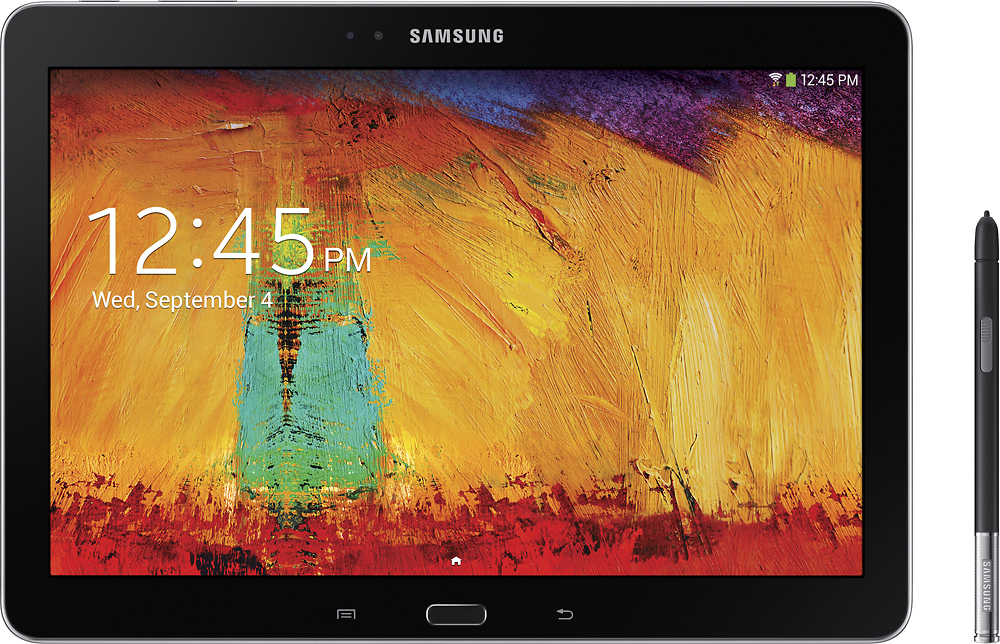
Customers find value in the Galaxy Note 2014 Edition's large, high-quality screen, ease of use, and the included stylus, which enhances the user experience. Many appreciate the long battery life and lightweight design. While some customers mention the price as a drawback and occasional performance inconsistencies, positive feedback on features like the S Pen and camera is prevalent.
This summary was generated by AI based on customer reviews.
- Pros mentioned:StylusCons mentioned:Performance
Rated 4 out of 5 stars
Early Bugs But A Solid Foundation
Posted .This reviewer received promo considerations or sweepstakes entry for writing a review.I have downloaded Zinio (a magazine reader), loaded about 15 magazines onto the Samsung Galaxy Note 10.1 (2014 Edition) and then compared the speed of swiping to page through the same magazine pages. The Samsung soon fell substantially behind the iPad. The iPad pages turn quicker than on the Samsung. In addition, the iPad responded and responded quickly to every attempted page swipe; the Samsung did not respond to every swipe attempt (I would roughly guess no response in 20 to 25% of the attempts.) Having said that, the Samsung was very responsive in many of the apps that come built into the device. The pen is a very nice value add that the iPad does not offer. I have used a lot of different task managers and sometimes find that paper and pencil works best for a lot of things I do. The pen feature allows me to replicate that paper and pencil method but without having to keep track of the pages. I believe the lagginess in the Zinio app (and some other apps) can be fixed through software updates in the future and I don't plan to quit on this machine because of some startup glitches. BTW, I compared this machine to an iPad2.
I would recommend this to a friend - Pros mentioned:S pen
Rated 5 out of 5 stars
A students best friend
Posted .This reviewer received promo considerations or sweepstakes entry for writing a review.Being a college student, I wanted a tablet that preformed like I wanted it to. The note 10.1 performs admirably in all areas of use. The S Note with S Pen is a nice note taking touch for those lecture courses. The build, while a plastic one, is crafted as perfectly as plastic can be. The tablet has handled all of the stress tests and performance tests I have thrown at it and after going through after week of strenuous use in college classes both for note taking and sketching, it has held up quite nicely. While the price range for this 16gb model is half above average, I have to say that the extra fifty is well worth the extra bundled features such as the gorgeous display and the numerous S Pen functions. For a first time tablet purchase and first time user of Android, I have the say the experience has been nothing but a smooth ride. That being said, if you are not too tech savy you may encounter a few issues getting used to the system but, within a few days you should be good. I highly recommend this as both a student and everyday media consumer, to anyone in the market for a tablet of excellent quality.
I would recommend this to a friend - Pros mentioned:Ease of use, S pen
Rated 5 out of 5 stars
Great tool for business
Posted .This reviewer received promo considerations or sweepstakes entry for writing a review.I use my tablet daily as an accountant and insurance sales. It has become my go to device because it allows me to quickly respond to emails, and handles my office documents and spreadsheets with ease. I enjoy the way the s pen allows me to make a quick note or copy items to notes easily. Great tool for sales and business use.
I would recommend this to a friend - Pros mentioned:Processor speed, Screen size
Rated 5 out of 5 stars
Great upgrade from 3 year-old tablet
Posted .This reviewer received promo considerations or sweepstakes entry for writing a review.I have been using the Acer Iconia A500 since it came out. I was waiting for a worthy successor and I think I found it in the Note. The screen is way better and clearer, the speed is awesome, and now I can finally use a tablet with my PS4. You also get 50gb free on DropBox when you sign up on the tablet which is always nice.
I would recommend this to a friend - Pros mentioned:Stylus
Rated 4 out of 5 stars
Great Tablet with some irritating design problems
Posted .This reviewer received promo considerations or sweepstakes entry for writing a review.This is my 4th Tablet. I go back to the days of Android 2.x Gingerbread. It is a fine tablet and I would recommend it. But there are a few irritants. How irritating are they? Your experience may vary. In some cases they are just nuisances, in other cases I want to scream "What were they thinking?!" One is the placement of the menu and back buttons. On this tablet they are hard buttons (like on the galaxy phones) rather than the soft buttons that rotate with the screen on other tablets I've owned and used.. When I have the screen in portrait mode, I have to guess which side the buttons are on, and I have to feel around for them. And I have to avoid accidentally pushing them The old position for the back soft button is the lower left corner of the screen. The Note 10.1 Touch Wiz launcher has the google search Icon in this location. After accidentally hitting it several times, and not able to figure out how to move it, or remove it, I installed a new launcher, Nova, which puts the google search at the top of the screen. Problem solved. If you press the hard menu button too long, the S Find program launches. There is no way to disconnect it from the button. No app should launch itself accidentally when pushing the Menu button. It should be a button that you put on one of the home screens if you find it useful. Another odd thing about having a hard menu button is that the verticle 3 dot soft button that many apps use to bring up program options and menu's, disappears from some of those apps (including a favorite, Office Suit Pro). It took me a while to figure out that the Samsung hard menu button replaces the 3 dot soft button in some apps. This can be quite awkward and annoying depending on the app. There is an app called DayNote that kept popping up on my screen. A calendar and note pad. It does not identify itself. There are no buttons to control its behavior. After searching the internet I discovered its name and how to turn it off (app manager). It is triggered by the opening of a your tablet's case. Or by brushing your thumb over the light detector. In any event, problem solved. Finally I do not like the positioning of the power button on the top left of the tablet. When I hold the tablet in portrait position, my palm occasionally touches it causing the screen to go blank. I do like the switcher button. The fact that it is not a soft key is fine. I think it is better than the old soft switcher button. And the tablet is great for watching Netflix and other video programs. The stylus intrigues me. I'm still exploring it's usefulness.
I would recommend this to a friend - Pros mentioned:Ease of use, Screen size
Rated 5 out of 5 stars
Fell in Love with this Tablet Immediately!!
Posted .This reviewer received promo considerations or sweepstakes entry for writing a review.I am in my mid 50's and I could figure out how to use this easily. I love how they had the tutorials and prompts, made learning easy. It was also easy to set up, connect, & sync to online accounts. I even set up the remote control for my TV. Everything was well thought out, making the tab easy to use. Love the colors and HD screen. I am very satisfied with my purchase. I would recommend it to anyone, even if they already own an iPad!!
I would recommend this to a friend - Pros mentioned:Ease of useCons mentioned:Performance
Rated 3 out of 5 stars
Not there yet buggy
Posted .This reviewer received promo considerations or sweepstakes entry for writing a review.The concept is wonderful Sold me but I reluctantly held on to my ipad 4 I have had a chance to run them side by side and the ipad Wins hands down in regard to performance The ipad is very smooth an fluid the galaxy is very choppy And lags and some programs are very slow to use I found myself even buffering in netflix I think these are software issues It depends on what you need this device for. It's give and take. I found myself wanting to like the galaxy but it's to much like work to use it The ioad is so easy to use it's like breathing. It comes naturally If you. Are a pioneer and you like experiments you will like the galaxy I think that's what they want. Beta users In time this will be a good device after the bugs are gone If you take notes you. May like this. I find it faster to type then find that little button on the pen. Slow and laborious After awhile one seems to think there must be an easier way Also I am totally in denial as to. Why they put the charger directly on the bottom under tge home button. It us impossible to charge this device and use it properly The buttons are almost flush in the edges and very hard to use especiall the volume controls Construction is plastic and looks cheap,. The sides are a g bright plastic Sorry for such a negative review I found myself trying to like tge galaxy but with all the glitches and flaws I wore myself out trying Bottom line Lots of bells and whistle and lots of flaws The quality and performance romance of the new ipad Kicks butt Guess I will return my galaxy Tb I
No, I would not recommend this to a friend - Pros mentioned:S pen
Rated 5 out of 5 stars
I love my Galaxy Note 10.1!
Posted .This reviewer received promo considerations or sweepstakes entry for writing a review.Wow, what a great tablet. Runs flawlessly and the amount of things you can do with the S Pen is awesome!
I would recommend this to a friend - Pros mentioned:S pen, Screen size
Rated 3 out of 5 stars
Some nice features, some problems
Posted .This reviewer received promo considerations or sweepstakes entry for writing a review.Really like the S Pen for sketching and writing, hand writing recognition is pretty good. Some nice apps, though would be nice to have more info on how to use S Note etc. Crisp clear screen images, but there is some lag when switching screens or switching from landscape to portraitMy main complaint is that I really need a tablet to be compatible with a keyboard for typing. The Bluetooth on this tablet works poorly and customer service was so unhelpful I will never purchase another Samsung product. They basically said too bad, not our problem. Should have stuck with the tired and true iPad where things work as advertised and there is decent customer support offered..
No, I would not recommend this to a friend Rated 5 out of 5 stars
Awesome Tablet
Posted .This reviewer received promo considerations or sweepstakes entry for writing a review.I love this tablet, I have had it for a while now and the functionality that it allows you with the option of the pen makes entering notes, or editing pictures very easy. With an otg cable, makes hooking up other accessories very nice.
I would recommend this to a friend- Pros mentioned:Processor speed
Rated 5 out of 5 stars
Great tablet
Posted .This reviewer received promo considerations or sweepstakes entry for writing a review.I was waiting for the new Nexus 10. I got tired waiting. It still isn't out. I bought this tablet about 3 weeks ago and have had no problems so far. It is fast and the resolution is fantastic. My wife and I own many Samsung products and have never had any problems.
I would recommend this to a friend - Cons mentioned:Performance
Rated 3 out of 5 stars
Not a complete product
Posted .This reviewer received promo considerations or sweepstakes entry for writing a review.I bought this tablet a month ago note because I thought it would be great for taking notes. SNote app is good but over 50 pages, it takes at least 5-10 sec (depends on number of page you wrote) lag time to go to next page! Also when I want to connect to internet, it gives an error (authentication error occurred). I search a lot and it seems it's a sort of problem with bluetooth and wifi! I just get frustrated that reviewers don't mention these problems!? (You can check online and see how many people have the same problems). Another problem is bad performance due to software and there are so many bloatware (why do we have to pay over 500$ and still get these commercial software which I can't delete!).
No, I would not recommend this to a friend Rated 4 out of 5 stars
Overall a great product
Posted .This reviewer received promo considerations or sweepstakes entry for writing a review.Overall I've loved this tablet and would not hesitate to buy another. One irritation keeps this from getting 5 stars, though I wish I could give it 4.5. The Bloatware: I don't so much have a problem with its presence, but with the difficulty in removing it. I don't need the magazine subscriptions, nor want them. I'd rather have that space for other items. I finally figured out how to stop it from reloading it once deleted by turning off my automatic updates, but that can be inconvenient at times. My other irritation isn't with this particular tablet, per se (so this doesn't count as part of the rating, it's just a comment on general usability for certain purposes), but the fact that I use it frequently as an E-reader. The Nook app itself doesn't take up much space. However, the books downloaded take up a ton of space and there is not enough room on the tablet for them. There is also no way I know of, yet, to put nook items on the micro-SD card. I can only have a few books/magazines downloaded in the Nook app at a time. That said, thus far the Kindle reader app doesn't have this problem. It works beautifully thus far no matter how much I put on it (I'm a junkie for free e-books, even if I never get around to them, so I have probably around 700 books so far downloaded).
I would recommend this to a friendRated 5 out of 5 stars
Best Christmas Ever
Posted .This reviewer received promo considerations or sweepstakes entry for writing a review.Got this tablet for Christmas as an early graduation/college present. Before I had a Nexus 7 2012 and this is so much better dlfinately would reclomend to anyone.
I would recommend this to a friend- Pros mentioned:Screen sizeCons mentioned:Performance
Rated 2 out of 5 stars
Good but has its flaws
Posted .This reviewer received promo considerations or sweepstakes entry for writing a review.I had the tablet for almost 2 weeks but had to return it due to poor Samsung's Customer Support. When you register the device online, you are gifted couple of $100 worth of goodies through apps. I did not get nothing and after placing 3 calls and speaking to managers, I was told that I will receive a call within 2 days. Well it was 2 days to 2 weeks and they did finally end up sending the codes but it was too late. I had already returned it by then. Overall great product, some gripes about the screen were the ridiculous reflection off the glass, horrible black levels and edge bleeding. Why are all the icons and menus so huge on Samsung Devices ? And apparently there is no way to shrink them. The home screen icons are huge and look pretty ugly including the menus are BIG. It's definitely for people who have issues reading/seeing the screen. From standby to power on, the device would take almost 4 seconds just to show up the screen. Some choppy performance swiping through home pages and using the home button to go to main screen. Poorly placed charging port. Everything else was great about this tablet. Nice build quality, sd card expansion, Pen features, screen resolution and great apps. One of the only tablets with pen input. I hope the pen capabilities are available on smaller 7 inch devices as that is a much more usable size for majority of the people.
I would recommend this to a friend Rated 5 out of 5 stars
Good all around tablet
Posted .This reviewer received promo considerations or sweepstakes entry for writing a review.I bought this tablet to replace a lot of the things I was using to film with. I wanted something to function as a laptop, because I only have a desktop at the moment, and wanted something more portable than a laptop. I wanted something I could use to film with instead of my iPhone. I wanted something to replace the stacks of paperwork I was carrying around with me, and all of the drawing materials I was dragging around with me as well. This tablet really does do it all. I can film my YouTube videos with it, and then upload and edit them all on the same device. I can work on my blog on here while I am on lunch, or on the go waiting for an appointment. I have condensed my stack of paperwork and my notebooks full of lists into the Evernote app, which has been an absolute lifesaver. I can draw, and work on my artwork, and commissions on this tablet, and everything is so portable. I have ordered a stand, which was much needed for filming, and have yet to find a good keyboard, but overall, this tablet has really done it all for me. I have the Samsung Note 3 phone as well, and it works flawlessly with the tablet. I am a very happy lady, and for someone as busy, and on the go as I am, this tablet really holds up to my hectic schedule. I absolutely recommend it.
I would recommend this to a friendRated 5 out of 5 stars
After a year still a Great tablet!
Posted .This reviewer received promo considerations or sweepstakes entry for writing a review.Been an absolute beast after a year. Was definitely ahead of its time with the screen after a year, still my go to tablet.
I would recommend this to a friendRated 5 out of 5 stars
Awesome
Posted .This reviewer received promo considerations or sweepstakes entry for writing a review.I'm going from a I Pad to a Galaxy Note and I absolutely Love It!!
I would recommend this to a friendRated 5 out of 5 stars
An Awesome tablet !!
Posted .This reviewer received promo considerations or sweepstakes entry for writing a review.I love my new tablet. One of the best tablets I own.
I would recommend this to a friend- Pros mentioned:StylusCons mentioned:Performance
Rated 2 out of 5 stars
Lots of useless bells and whistles.
Posted .This reviewer received promo considerations or sweepstakes entry for writing a review.Average tablet for a premium price. High specs but still lags in performance. The most appealing feature for me was the S-pen but unless I have something to draw I would rather type. I had multiple android tablets and android phones but at the end of the day Apple iPad and iPhone are the best ecosystem. I am not saying that you should get an iPad but at least consider it, if you are a geek or you like to tweak/customize your tablet that Apple might not be the best choice for you. If you are looking for a solid, easy, stylish experience then iPad is your best choice.
No, I would not recommend this to a friend