Customer Ratings & Reviews






- Model:
- SM-T860NZNAXAR
- SKU:
- 6357010
Rating by feature
- Battery Life
Rating 4.7 out of 5 stars
- Durability
Rating 4.6 out of 5 stars
- Display
Rating 4.9 out of 5 stars
Customers are saying
Customers are positive about the Galaxy Tab S6's screen quality, S Pen functionality, battery life, and ease of use, with many praising its lightweight design and strong performance. The included stylus also receives significant praise for its utility. However, customers are negative about the lack of a headphone jack and the high price point.
This summary was generated by AI based on customer reviews.
- Pros mentioned:Processor speed, S pen, Screen quality
Best Android tablet, but as laptop replacement?
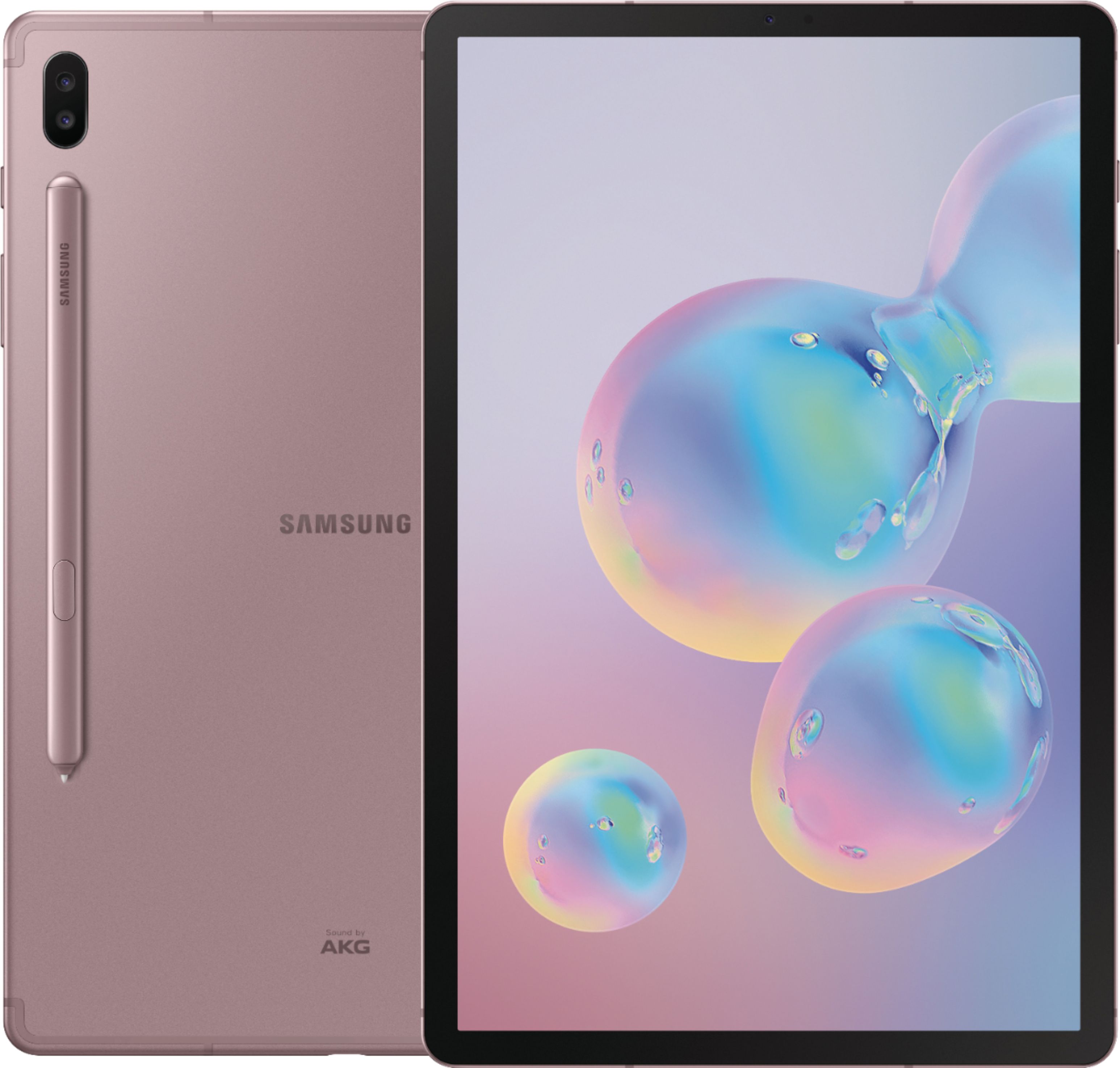
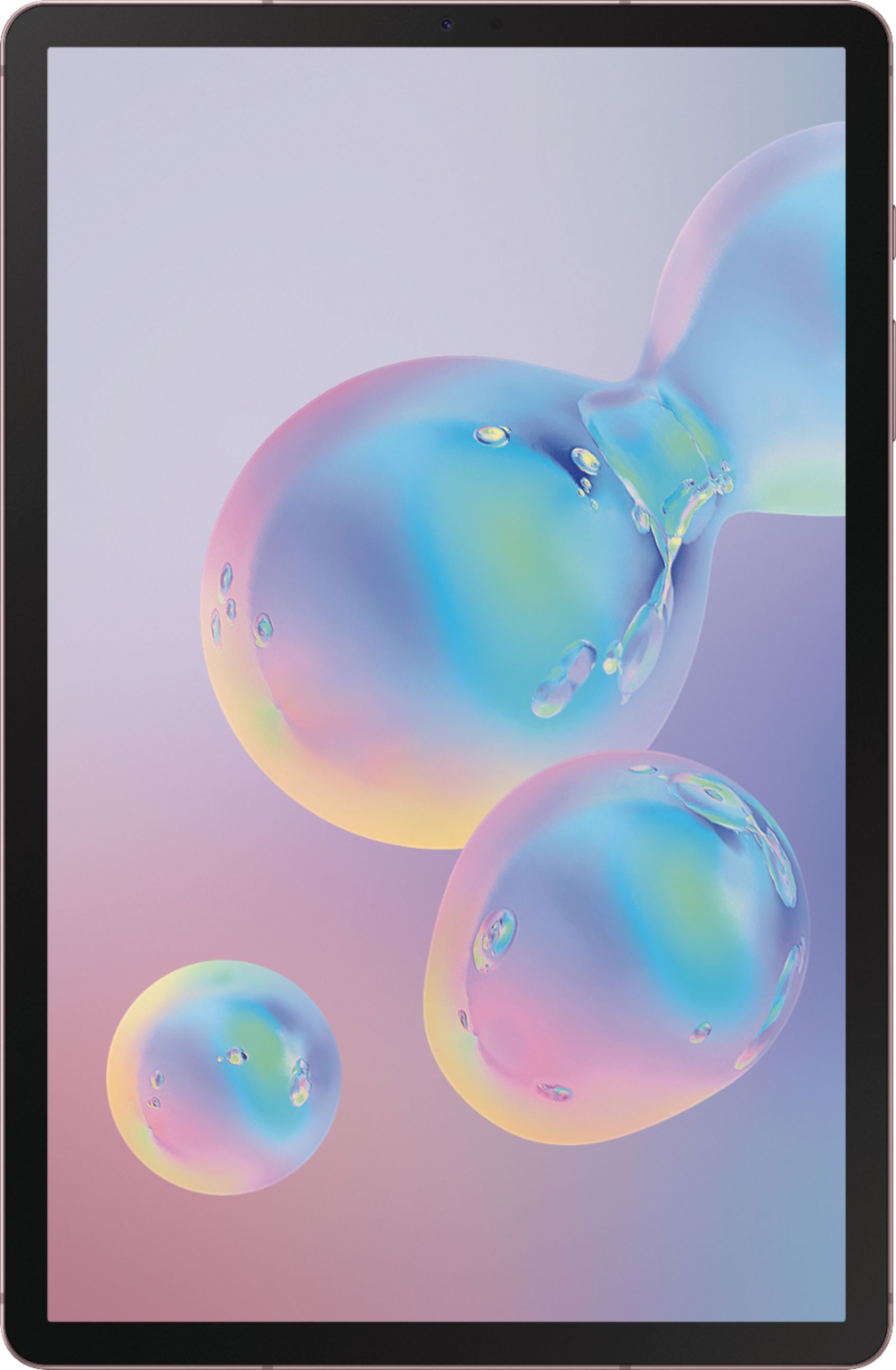
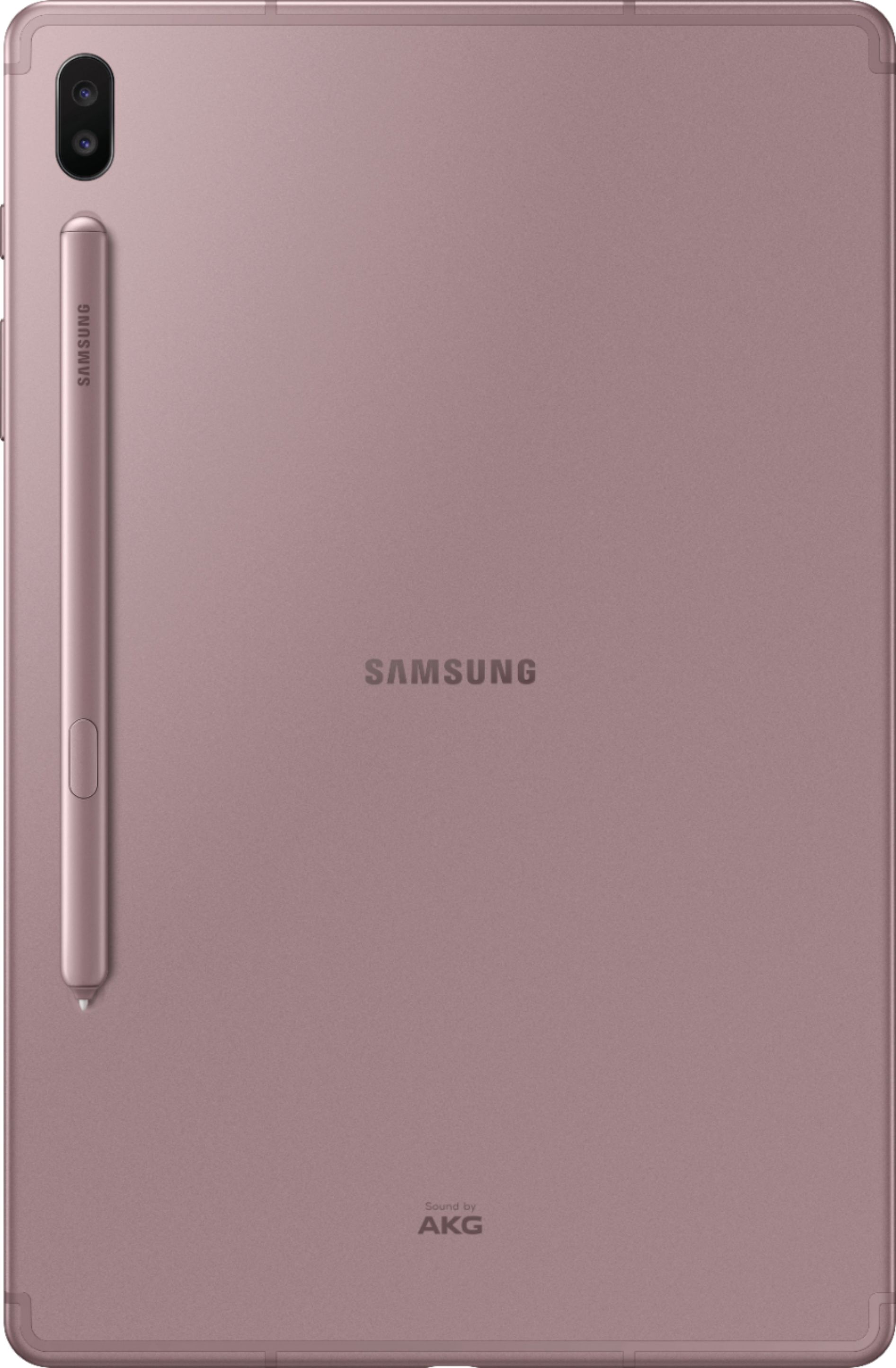
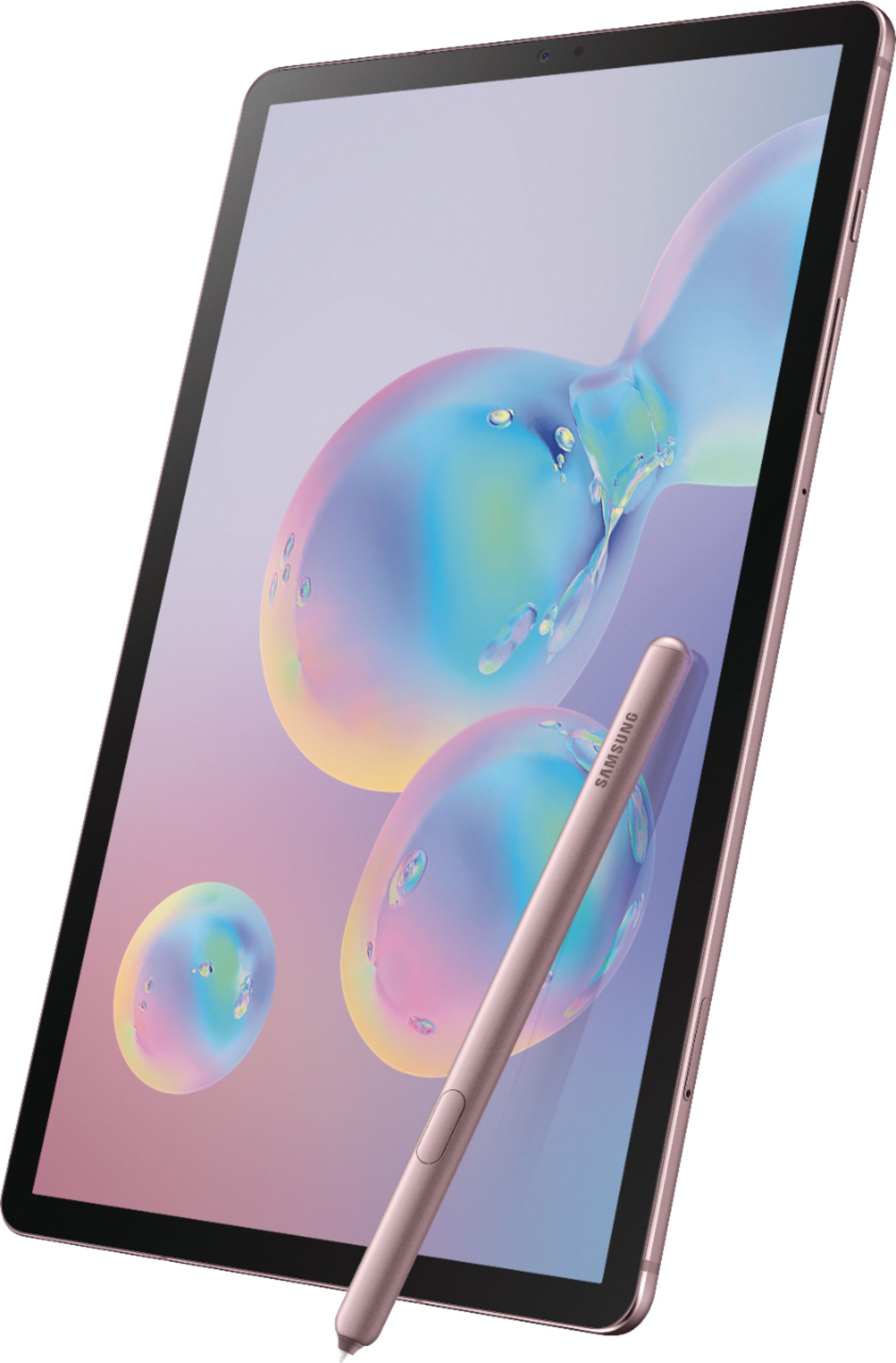
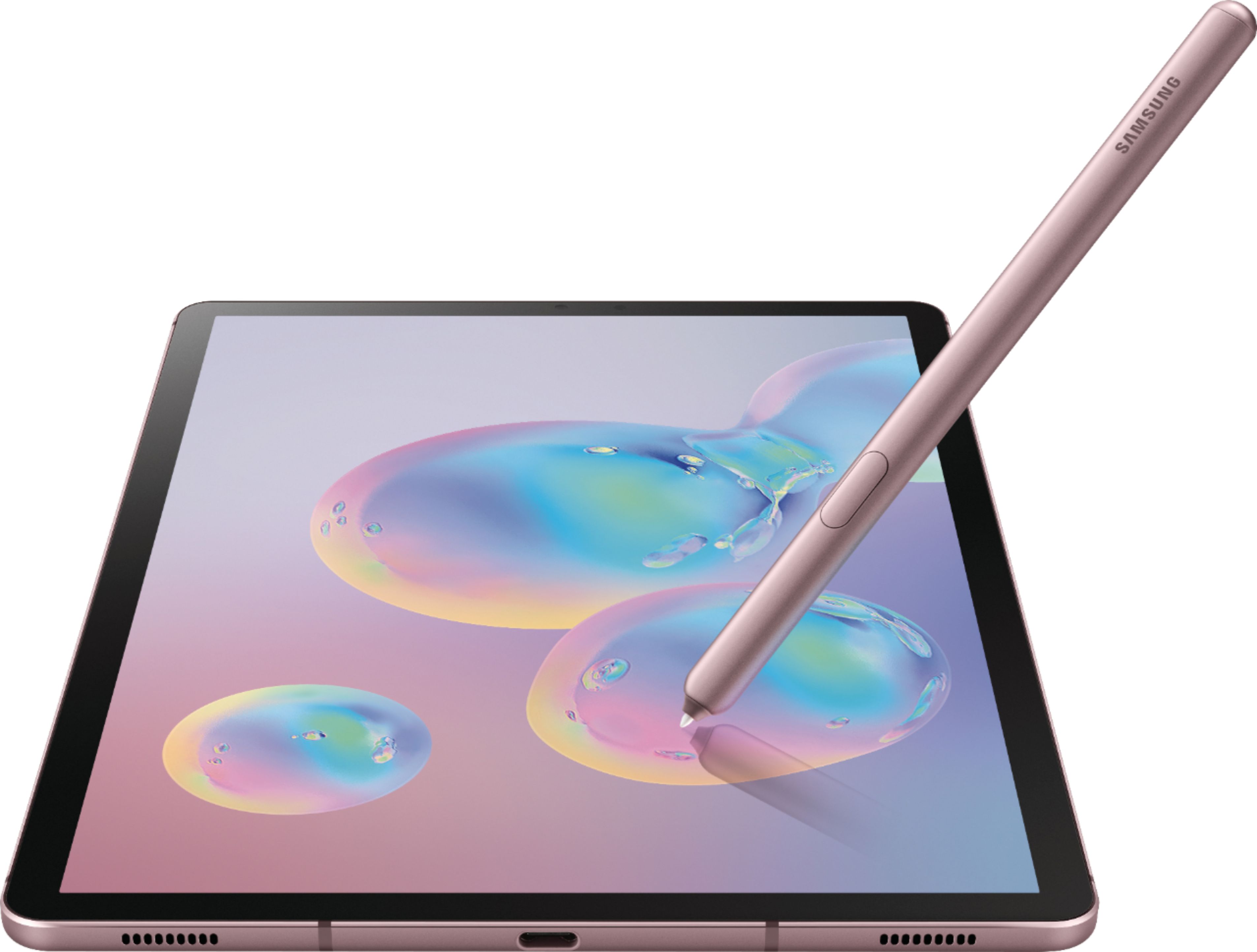
||Posted . Owned for 1 week when reviewed.This reviewer received promo considerations or sweepstakes entry for writing a review.The Samsung Galaxy Tab S6 is a very beautiful device. It is made of a single dark non-glossy aluminum sheet that looks and feels exceptionally premium. The body is smooth and rather cool to the touch. I do worry about scratching the unit, so a cover/case is undoubtedly needed. It is super light weighing only 420g (14.8oz or .9lbs) which makes it easy to hold in one hand. There is an indentation on the back that accommodates the included (yes, included!) S-Pen magnetically and recharges it. However, the pen feels rather exposed and doesn’t often stay securely in place and has fallen off in my bookbag. Also, I worry that laying the tablet down on top of the pen may damage it. The tablet features a volume rocker and power/sleep/Bixby button on top and are easy to press. There is only one USB-C input/output for power and accessories. There is no audio jack so a USB-C-audio adapter or Bluetooth wireless headset must be used. Now, I must say that the 10.5” s-AMOLED display is stunning to behold and that may be the best feature. The tablet has thin bezels, and the screen is very bright and clear with a resolution of 1600X2560, 16:10 ratio and 287ppi. The colors are even more vibrant, with darker blacks and well-defined whites, all because of the HDR10 capability. There is also a handy auto-brightness adjustment option. The tablet features quad-speakers -2 on each side, which are loud and clear. However, as with any tablet speakers, more base would’ve been nice. But I will say that the ATMOS effect works rather impressively well for added immersion and soundstage. Again, I am very pleased and a bit surprised that Samsung included the S-Pen (take that, MS and Apple). It works great for notetaking and sketching. It is much bigger than its phone counterpart and therefore more comfortable to hold. It is responsive, has nice traction, and is pressure sensitive. I will say that it can feel a bit cheap in the hand because it is made of plastic (in contrast to the tablet’s body) and weighs next to nothing. But that’s a minor issue as I got used to it rather quickly. Honestly, I didn’t care much for the pen’s gesture features as I found them awkward and hit-or-miss. The model I have features the latest Android 9 (pie) OS, the powerful Snapdragon 8150 processor, 128GB of space (expandable via micro-SD) and 6GB RAM. These specs make this tablet great for smooth multitasking. Video/audio editing performance was decent and smooth. Games such as COD, PUBG and Fortnite can be played at maximum graphics settings and the frame rate is consistent. It has an accelerometer and a gyro capability for the games that use them. The S6 has a very reliable Wi-Fi, Smart View, and Bluetooth v5.0 for connectivity, which makes it a very versatile device. It also is compatible with DisplayPort via USB-C. For security, the tablets uses the usual PIN, pattern, and password entries. Also, face recognition and a fingerprint sensor are available, which work just OK, as I did experience some hiccups and inconsistencies. The tablet offers a wide and ultrawide 13MP and 5MP camera in the back and an 8MP front camera. Although these are nice cameras, I still would not regularly use them since my phone has much better ones. One awesome feature is DeX, which is a mode that offers a PC-like experience and works great in my opinion. It basically allows you to use a Windows-like environment and makes it buttery easy to multi-task and/or keep several windows open. Dragging and dropping between apps is easy. I must mention that the apps still run in Android mode, especially Microsoft Office, but one can easily forget/forgive that. However, to fully take advantage of and enjoy DeX, one must have a keyboard and mouse. The Official Samsung Book Cover & Keyboard, which is an accessory that “converts” the tablet into a laptop, just seems way too expensive for me at $180 ($200 with tax)-even if the design is very convenient and has a trackpad. I ended up going with a third-party cover, Bluetooth universal mini-keyboard, and Bluetooth mouse which work great for less than one-third of the price. In the end, I do recommend the Galaxy Tab S6 if you are looking for a light, powerful, fast, responsive tablet with arguably the best and most beautiful display, and you are already immersed in the Android or Samsung ecosystem (phone and wireless headphones). Also, if buying expensive (or third-party) must-have accessories for the best experience such as wireless headphones and keyboard/cases is not an issue, then this is definitely for you. However, if you are looking for a true laptop replacement with full-fledged apps such as MS Office or Adobe, or do not like the Android ecosystem, then I’d recommend looking elsewhere.
I would recommend this to a friend - Pros mentioned:Processor speed, S pen, Screen quality
Outatanding
||Posted . Owned for 3 weeks when reviewed.This reviewer received promo considerations or sweepstakes entry for writing a review.With the new S7 already out I'm pretty sure you can get a good deal with the s6 on what it originally costed last year. Over all its a great tablet, perfect for photo & video editing, drawing, watching movies, taking notes. And playing games. Tho kinda bummer they only had it in this color and not the other colors. Prosesor is excellent, very fast. Cameras are good. S Pen very handy, helps me get in between the crannies when photo editing than using fingers.
I would recommend this to a friend - Pros mentioned:Processor speed, Screen quality

The Best Tablet for Android
|Posted .This reviewer received promo considerations or sweepstakes entry for writing a review.UNBOXING: As far as the unboxing experience is concerned, it’s nothing memorable, nor is it bad. Inside the box is the Tab S6, the S Pen, an SD-card ejector tool, a fast-charger, and some replacement tips for the S Pen as well as a tool to remove the tip from the S Pen. BUILD/DESIGN: As far as the design is concerned, color me impressed. The device is sleek & slim, and the placement and indentation for the S-Pen to magnetically attach and charge is intuitively placed. The tablet is a small form factor while also having a large enough display to be productive or enjoy some entertainment. I’m able to fit it into my small sling bag without issue, which makes it incredibly portable and convenient compared to a laptop for use cases where a larger laptop isn’t necessary. I’ve personally owned around 7 or so Android tablets, including ones made by Google, and the Tab S6 delivers the most premium design and features that would make iPad users happy, as well. You can also purchase a keyboard book cover separately which will provide you with a decent keyboard for using Samsung’s Dex software built into the Tab S6. Additionally, the keyboard book cover provides reinforcement to the rear side that adds a kickstand and also ensures that your pen won’t escape. DISPLAY: The 10.5” Super AMOLED display on the Tab S6 has a resolution of 2560x1600 and gets very bright and delivers vibrant colors, as expected from a Samsung-produced display panel. There are times where I’ve woken up and tried using it and had to turn the brightness down to the lowest setting but still found it to be a bit too bright for me. In the Display settings, you can select from “Vivid” or “Natural” screen modes as well as a Blue Light Filter mode to prevent harsh blue lights from causing eye strain—especially useful for long sessions of usage. Interacting with the screen is very snappy and responsive, but one complaint I have is that scrolling seems to exhibit some ghosting. This is only a 60Hz display, but with more phones and tablets starting to adopt higher refresh rate displays, it would have been nice to see that in the Tab S6. Despite that, this is still a great display for day-to-day usage and unless I’m nit-picking, I don’t have any complaints. AUDIO: The speakers on the Tab S6 are fantastic—my favorite in a tablet this size. If you haven’t had the opportunity to experience quad speakers on a tablet, the Tab S6 rivals my iPad Pro in clarity and loudness. You’ll want to use the Dolby Atmos mode to get the best experience, and I personally have not found a reason to turn it off during normal use. Unfortunately, there is no headphone jack on this model, and it does not come with a USB-C to 3.5mm dongle, so you will need to buy one of those if you intend to use wired headphones with the Tab S6. FINGERPRINT SENSOR: The fingerprint sensor on the Tab S6 is under the display much like Samsung’s latest smartphones. I have found that the finger placement and calibration is pretty important to unlocking the device. I have had to re-attempt quite a few times if I wasn’t deliberately placing my finger on the sensor in a way that would result in the best scan. I have mostly relied on their face-unlock which is less secure, but quite fast. That being said, humidity has declined in my area since I first set up the fingerprint sensor, so my fingers have been a lot drier and may be contributing to the issue. Either way, the experience hasn’t been terrible, but definitely not seamless for me. PEN SUPPORT: Samsung, as usual, is doing more and more to make their S Pen more useful for consumers. Firstly, this pen has been a joy for me to use. I’ve used pens on Windows 2-in-1 devices that are incredibly unreliable, but using the S Pen with the Tab S6 has been a joy. As a software developer and Scrum Master, I’ve had to take notes in meetings and had a company-wide 2-day planning event where I had to frequently meet with others to report status updates on my team’s plans as well as issues our teams have encountered. The S Pen made it easy to take notes during stand up meetings, and the size of the Tab S6 lent to my agility, rather than making it a cumbersome experience. While the S Pen could also be used for artists (as demonstrated by the included PENUP app), it’s not a use-case that I can reasonably cover. That being said, the PENUP app has a lot of uploads from other S Pen users that illustrate how well the S Pen can perform as a tool for artists. Additionally, the S Pen has a feature called “Air Actions” which allow you to use the button on the S Pen or wave gestures to perform actions in certain apps. The actions are pre-determined for the apps that support Air Actions, but you can re-map the gestures so that if you want to wave the pen right to go back instead of forward in Google Chrome, you can do so. Aside from the features mentioned above, there are other S Pen features integrated into Samsung’s One UI and many third-party apps that were designed to use styluses will work great with the S Pen. PERFORMANCE: If you know anything about the latest Qualcomm Snapdragon 855, you’ll know that it’s been used in all the high-end Android smartphones this year. With this octa-core processor, 6GB of RAM and 128GB of internal storage, the Tab S6 is blazing fast compared to any other Android tablet I’ve used. To put that in perspective, I actually enjoy using the Tab S6 as a media consumption machine as well as ultra portable productivity machine. The performance has been buttery smooth, even rivaling my 2016 9.7” iPad Pro in terms of the fluidity and snappiness of the animations. The Galaxy Tab S6 holds up very well for performance in a 2019 product. Considering how loved the Galaxy S10 is, it’s really no surprise since under the hood they are running variants of the same One UI software as well as the same processor. BATTERY: As far as battery is concerned, iPadOS has historically showed much better usage and standby time than Android tablets. While there are modes on the Tab S6 to conserve more battery, the idle drain is still disappointing compared to iPads. I can definitely get a full day of mixed use out of the Tab S6, but I always make sure to charge it overnight, as it will otherwise lose precious battery that I need throughout the day. WI-FI: Connectivity was originally a bit of a mixed bag when I first received the device, but a software update was delivered on Oct 4, 2019 (Version: T860XXU1ASJ1/T860OXM1ASJ1/, Security patch level: Sept 1, 2019) which has resolved any issues with Wi-Fi connectivity that I was previously experiencing across a multitude of networks. I recommend clearing your network settings and performing a restart of the device once the software update has been properly installed. After which, you can reconnect to your networks and should experience much more reliable connectivity without random disconnects. DEX: For the uninitiated, Dex is Samsung’s “Desktop Mode” for those who are more familiar with traditional computer operating systems (Windows, macOS, Linux) that have more capabilities for multitasking compared to a mobile operating system like Android. Dex allows you to open any of your Android apps in a Windows-like environment. It allows you to open multiple apps and use them simultaneously—and evn drag and resize your apps across the desktop much like Windows. You can even have shortcuts to your most-used apps on the desktop. Dex can be used not only with the keyboard book cover, but it can be used with any USB-C docking station that can use DisplayPort Alt Mode as its mechanism for outputting to a monitor. Once I got my dock working with the Tab S6, I pulled down the toggle settings, and opened Dex. At this point, I noticed that Dex opened up on my ultrawide monitor, while Samsung’s standard One UI was simultaneously accessible from the tablet. So you could use Dex via your monitor for more productive tasks while also having other apps open on the Tab S6’s display, if you so choose. I was able to simultaneously open YouTube, a web browser with several tabs, my preferred music app, and my preferred messaging app—enabling me to multitask via a tablet’s operating system in a way I’ve never experienced before, and that’s pretty incredible. CAMERA: If you’re buying the Tab S6 with the intent on using the camera, I’d say it’s competent. It’s not going to compete with flagship smartphones, but it certainly isn’t bad. It has dual cameras, but no flash, so don’t anticipate using it for low-light photos. That being said, the inclusion is great for those who might consider capturing a photo then marking it up later. I can see a lot of utility in that, so having a competent camera is an absolute must-have. But if you’re intending to use it as your camera for taking pictures and throwing them on social media, that’s your prerogative, not mine. For students and professionals, you will be glad that this is here, as you can avoid the hassle of transferring a picture from your phone to the Tab S6 in order to mark it up later. CONCLUSION: The Samsung Galaxy Tab S6 is the best Android tablet experience I’ve experienced to date, and it’s actually really good. If you’re the kind of person who really values the Android ecosystem and the features that Samsung is providing here, this is a great tablet with some caveats that you should consider. I’ve been putting the Tab S6 in my small everyday carry bag and have found myself using it not only for entertainment, but also for professional purposes with the keyboard book cover. It has saved me from using a much larger, bulkier device on occasions, and for those who are looking to travel really light with some capability to be productive, this might be right down your alley.
I would recommend this to a friend - Pros mentioned:Battery life, Processor speed, Screen quality
Solid bang for your buck
||Posted . Owned for 3 weeks when reviewed.This reviewer received promo considerations or sweepstakes entry for writing a review.Screen: if youre going to be staring at this for long periods text and colors are crisp and clear. The only downside is that i wish it had the 120 hz refresh rate. Speed: no lag and handles everything ive thrown at it (I haven't played many games on it but others have talked how solid it is) Memory:128gig has been more than enough but there is an expansion slot to add a terabyte of space Pen: great responsiveness, magnetic back which will charge the pen. Its great until you knock it off and need to find it in the dark room you've just been watching movies in. Weight: at just under a lb thin and light (thinner and lighter thanthe ipad) and this is what i love about it over the s7 to get amoled screen you needed to bump up to the 12 inch which is a bit too much for one hand. Great for production but not for being 'handy' Sound: room filling. Not quite like the ipad pro (2021)which could replace some home speakers but definitely loud, clear and reasonably 'bassy' for its size. Camera: meh. Standard. One thing i dont like is they went witht the portrait mode at the top instead of the side witch is stupid for tablets as you lose screen real estate and arent looking at the camera in landscape mode. Battery:it lasts. Not all day like they boast if youre watching a lot of videos but browsing and some videos, music it will live up to what you need. This recently got pushed out for its younger brother S6 lite which is pretty much self explanatory (stripped of amoled display and weaker processor) and the S7 series big brother which if you want all the bells and whistles you need to head to the s7 plus. My one big gripe is hobbling second screen. S7 gets it in the ui 3.1 update but we're at 4.0 and still cant do it on s6. Bigtime booooo as my 2013 samsung laptop and galaxy s4 could do. It only doesn't work because samsung doesn't want it to.
I would recommend this to a friend - Pros mentioned:S pen, Screen qualityCons mentioned:Headphone jack
Very nice S pen screen Ratio!
||Posted .This reviewer received promo considerations or sweepstakes entry for writing a review.So I've only had it for a day but so far I already love it. It's a little heavier then I expected it to be but that's a good thing makes it feel more expensive to me. Then theres the S pen that it came with it's my favorite part of it I was expecting it to be light like the S pen on the Note 9 but it wasnt it felt much more like an actual pen so when I write with it it doesnt feel strange to. The sound with the 4 speakers is very good, very loud in a room with lots of other sound around. The one thing I didnt like it doesnt have a headphone jack but most people have bluetooth now anyways and they have adapters for wired headphones so it's not that big of a deal. The screen is large the space is large and the sound is clear overall very good tablet! Tldr: Very good tablet, very good S pen, no headphone jack, worth the 650 dollors!
I would recommend this to a friend - Pros mentioned:Battery life, Processor speed, S pen
Best tablet ever
||Posted . Owned for 3 weeks when reviewed.This reviewer received promo considerations or sweepstakes entry for writing a review.Very fast and smooth, no stutter or lag, also full of features that make it super enjoyable for productivity and entertainment. - Screen is awesome for YouTube and other media consumption - write on PDF is the best I've found on Android for annotating PDF files - Spen is simply awesome and makes this tablet so much more productive - you can watch a youtube video on tips and tricks - This tablet is simply LOUD! I love it. The sound definitely fills a room - It charges reasonably fast - The battery life is awesome - Finger print scanner works excellently well - Tablet is really light and easy to handle
I would recommend this to a friend - Pros mentioned:Battery life, Processor speed, S pen
An amazing tablet with one BIG and one small flaw
||Posted . Owned for 2 weeks when reviewed.This reviewer received promo considerations or sweepstakes entry for writing a review.So many good things to love about this tablet. Amazing, bright screen. Very thin and light. Nice sound from the 4 speakers. Fast processor. No slow downs in your gaming with this tablet. Accepts a micro USB card. Battery life is very good. While not AX wifi, the AC wifi it does offer is very strong. Twice the speed I received on my Amazon tablet. Full access to everything on Google Play. No restrictions like my former Amazon tablet had. Facial recog log in works fine. The blue light filter for night viewing is really nice. It doesn't over power the screen with dark, odd colors like some other tablets. The pen is a nice feature and works well. Don't use it a lot, but it's a nice bonus to have. While the magnet holding it in place is fairly strong, it still is easy to knock it off the tablet, so I've added a tablet case that secures it completely. Photo quality is very good for a tablet, not that I really use it for that. Now on to the huge flaw in this tablet. The fingerprint sensor is absolute garbage. Apple kicks Samsung's butt on this feature. I had no problem with my old Ipad's fingerprint sensor. Google this issue on this tablet and you'll see a long history of problems with the fingerprint scanner. I've spent two hours trying to get two fingerprints to be accepted. I managed to get one complete scan accepted, but that is it. No matter what finger or thumb I try, it fails with a pop up stating that it "couldn't register your fingerprint". Like most fingerprint sensors, you keep repositioning a finger until it gives you a 100% successful scan. I've gotten as high as 96% on a scan multiple times only to have it fail. Don't know why it does that when there is clearly progress being made. Maybe slow progress, but progress. Extremely frustrating. This problem occurs with the latest software updates installed. No screen protector was installed at the times of these many scan attempts. Forget about any hope of success with a screen protector installed at a later date. Even more finicky with a screen protector installed. Luckily it will accept my one stored fingerprint scan for logging in, even thru the screen protector. The second flaw is not as aggravating, but still annoying. I've never seen a tablet require you to hold the power and volume down button at the same time to power off. An awkward process at best. Really dumb. With most tablets, holding down the single power button is all that is needed to shut a table down. Not this Samsung. Pressing the power button by itself only starts Samsung's Bixby app. Obviously Samsung is trying to trick you into using their Bixby app with this silliness. Not cool. I won't use Bixby just for this reason. I would easily give this tablet 5 stars if they'd fix the the fingerprint scan and shut off processes. If a quality fingerprint scanner is a must have for you, I'd look elsewhere. The power off process is not a deal breaker, just an annoyance
No, I would not recommend this to a friend - Pros mentioned:Battery life, S pen, Screen quality
Great for students
||Posted . Owned for 1 week when reviewed.This reviewer received promo considerations or sweepstakes entry for writing a review.I'm a college student, so I bought this tablet because I wanted to have a tablet to write notes and write on slides as I watched class lectures on my laptop as well as something I could watch Netflix/Hulu on as I cooked a meal or cleaned, etc.. I was also interested in a device that is small and portable enough to be able to take anywhere so that I could always be prepared to study on the go. This tablet hits all of those needs. The good: -Beautiful screen, the screen quality is unmatched thus far. -Although I had reservations about getting the 6 GB version, I haven't encountered any situation where that extra 2 GB of RAM is needed. I think the 6 GB is good enough for the tasks a student will be doing. -The speakers sound great and produce a decent amount of sound. -Battery life... I've gotten through entire days of studying at the library without having to juice up at any point. -Portability... the tablet is small and very light. I can carry this wherever I go without feeling like I'm hauling around a brick. -S Notes is surprisingly a very good note-taking app. They've got a variety of writing styles to choose from and it feels more fluid than the tablet version of OneNote. -The build... the tablet has a very "premium" feel to it. The aluminum finish on the back gives you enough friction to avoid dropping it when you're carrying it around and doesn't get smudged with fingerprints. The bad: -The S-pen writes surprisingly well. Although my only complaint about the S-pen is that I wish you could flip it over and erase with where an eraser would be on a normal pencil, a feature that the surface pen has. I've found that the eraser button on the S-pen is in an awkward position and I often have to shift my hand when I need to erase. -The touchpad is a nice upgrade from the previous Galaxy tablets, but I've found that it's still not perfect. It's responsive enough to your finger, but there's just something "different" about how the cursor moves compared to a full laptop or PC. -The commercials that advertised that you can answer phone calls or text from this tablet attracted me to this device. However, it wasn't until I tried setting that up when I got the tablet that I found on a galaxy help page that this feature is only compatible with T-mobile and Sprint phones. I've got AT&T and at no point did I ever see a warning about this limited compatibility so I'd say this commercial was misleading at the very least. The ugly: -The touchpad is very responsive to the edge of the palm of your hand while you're typing. I find it very annoying that every time I'm typing something into the search bar, the touchpad is activated and clicks somewhere else on the screen, exiting out of the search bar. Anytime I want to type anything longer than a few words I need to disable the touchpad before proceeding. I wish Samsung had some sort of touchpad palm rejection for when you're typing. -I don't know if my device is just defective, but after disconnecting the keyboard to write something with the S-pen, it takes far too long for the tablet to sense that the keyboard has been reconnected. There's at least a 20 second delay from the moment you connect the keyboard until the tablet lets you start typing. This can be a deal breaker for students who need to quickly switch between writing with the pen and typing. A professor can say a lot in 20 seconds, so if you're in a information-heavy class then this is something you've gotta consider. I've found that Surface devices are far better at allowing you to quickly transition to keyboard mode. Overall: I might just be nitpicking with these complaints because thus far I've felt like my productivity and effectiveness has been boosted by having this tablet.
I would recommend this to a friend - Pros mentioned:Processor speed, S pen, Screen qualityCons mentioned:Headphone jack, Price
A good tablet, but a few things I didn't like
||Posted .This reviewer received promo considerations or sweepstakes entry for writing a review.Because I had my Samsung Tab S4 for a couple of years, I decided to purchase a newer model. I looked into the new Samsung S6 Lite 2020 model and this model, the Samsung Tab S6 2019 model. Here is what I really liked about the 2019 Tab S6: 1. Super Amoled Screen, the whites so bright. All the colors just popped with vibrance! Well, I was (at first), in love with this tablet! 2. Speed of the tablet...my videos ran flawlessly. 3. S Pen...I liked it but....more on this below, Here are things I truly disliked about this tablet and why I returned it: 1. The S Pen has to charge and is attached to back of tablet for that reason. I had to purchase the Samsung Book Cover to hold it in place. Basically, I realized that if this pen was list, I'd have to order a new S Pen for around 70.00. Not good. 2. No 3.5 Headphone Jack...what? I paid for a Flagship Tab and no Headphone Jack like my S4? This was a Deal-breaker because I use a great set of wired headphones and they don't require charging like a Bluetooth Headset does! 3. The price of a soon to be one year old tablet is too much in my opinion. I returned the Tab S6 and purchased a Tab S6 Lite from Best Buy and I am very happy with my Tab S6 Lite, it has a Headphone Jack, the colors on the the screen are plenty vivid. No, it does not have SUPER AMOLED but I think the screen looks great. Best of all, it costs much, much less than Tab S6 and a year newer!
No, I would not recommend this to a friend - Pros mentioned:Battery life, S pen, Screen quality
Great, for what it does and offers.
||Posted . Owned for 4 months when reviewed.This reviewer received promo considerations or sweepstakes entry for writing a review.The Tab S6 is a wonderful device that does the things it is capable of well. The One UI system mimics the Note 10+ and looks and operates the same. The S Pen is superior in its capabilities: remote control for presentation features, recessed magnetic receptacle, rechargeable, and included. (No separate purchase) It has 2 cameras, Link to Windows, pop up windows similar to the Windows operating system, Dolby Atmos sound (AK tuned), 8GB RAM on the 256GB version, edge to edge viewing, 3D wallpapers, and many more features and flexibility that can be fine tuned to your liking. Device Care conditions the battery, frees up storage and cache, and contains the superior KNOX Security System with 5 layers of security. Check out some of the You Tube Videos that showcase the features at Sakitech Tab S6/25+ Amazing Tips and Tricks. Also: Sakitech Tab S6/S Pen Tips and Tricks. You will be amazed.
I would recommend this to a friend - Pros mentioned:Processor speed, S pen, Screen qualityCons mentioned:Headphone jack
LOVE IT, Amazing for everyday use
||Posted . Owned for 1 week when reviewed.This reviewer received promo considerations or sweepstakes entry for writing a review.I love this tablet. It is fast, and the attached S pen is extremely handy for taking written notes on ONE Note that you can later convert to text if you need to. The nice thing about this tablet is that the S pen is completely optional and people who don't use it don't need to worry about that feature costing any battery life on the tablet if it wont be used. This tablet excels at gaming as well, PUBG, and Fortnight run at MAX frames at MAX quality. The screen quality is also sublime and excellent for viewing movies or streaming shows. The only downside is that this tablet was made to be so slim and compact that there is no headphone jack. But the speakers and sound quality are pretty impressive for a small tablet.
I would recommend this to a friend - Pros mentioned:Battery life, Screen quality
Lovely big screen!
||Posted . Owned for 3 weeks when reviewed.This reviewer received promo considerations or sweepstakes entry for writing a review.This is my first item with a stylus. I love it! The screen is huge! The on screen help for setting up the tablet was easy to follow and I did not ever feel confused. I grew up using pencils so that says a lot. The tablet holds a charge over night and is as light weight as my phone. I'm happy I bought this. I've had the tablet for about a month and it is a keeper.
I would recommend this to a friend - Pros mentioned:Battery life, Screen quality
Great tablet for power users!
||Posted . Owned for 1 month when reviewed.This reviewer received promo considerations or sweepstakes entry for writing a review.Perfect size for a tablet with incredible graphics and sound. Also, the performance is great and there's an ample amount of built-in storage and the device accepts a micro-SD card. This tablet replaced an eight year old tablet which was suffering from performance and battery issues, but the battery life on this tablet is remarkable. I'm very happy with this purchase.
I would recommend this to a friend - Pros mentioned:S pen, Screen quality
What I've wanted
||Posted . Owned for 2 weeks when reviewed.This reviewer received promo considerations or sweepstakes entry for writing a review.This tablet is amazing. It is able to get work done but also be super portable for leisure. This one really differentiates for all other tablets. I love the desktop like interface you get with Dex mode. It isn't perfect but a great step in the right direction. The speakers sound amazing, screen beautiful as always. It is super light and thin. The S pen is a pleasure to use. The fingerprint sensor is fast, and the bezels are then around the screen. I truly love this tablet, I haven't said that about a tablet in a long time.
I would recommend this to a friend - Pros mentioned:Battery life, Screen quality
Android Tablets Are Alive and Kicking
||Posted . Owned for 2 weeks when reviewed.This reviewer received promo considerations or sweepstakes entry for writing a review.The new Galaxy Tab S6 is one excellent tablet. It is blazing fast, has an excellent screen and four solid speakers. It's capable of 4K/HDR video as well. When paired with it's keyboard cover it becomes a pretty decent productivity unit. The keyboard actually has a track pad giving you "mouse" control over the screen. The keyboard activates via it's connection to the tablet, not Bluetooth a welcome change. I've found the battery life to be very good, far better than my older Tab S3 tablet. The included S-Pen charges while it's magnetically attached to the back of the tablet. With 128 GB of it internal storage and a good sized micro-SD card you'll never run out of space. The S6 is certainly a major step up from the S5 series and will serve your needs very well.
I would recommend this to a friend - Pros mentioned:Screen qualityCons mentioned:Headphone jack
I wish there were more android options..
||Posted . Owned for 1 week when reviewed.This reviewer received promo considerations or sweepstakes entry for writing a review.So this will be a mini-review I really don't want to go into too much crazy detail. I was in the market for a new android tablet and this one is supposed to be the best. I had a galaxy tab S2 for a long time and then one day the screen just quit working. I was very happy with that tablet and tried a few kindles after but I just felt so restricted by not having access to all my google apps. So long story short I got some Christmas money and took the plunge on an S6. So onto the tablet. The screen is very good, but for an OLED screen, I feel the darker areas can get a little muddy looking. Like the definition is just not there. There is way too much bloatware. I wish Samsung would just strip all their horrible software out of the tablet. All this Bixby stuff is so bad. The Bixby news feed is horrible. I disabled it. I had a Lenovo tablet for a few days and they had a youtube curated app on the desktop and I really liked that. I'd prefer a Flipboard, smart news or google news feed on the swipe left page than that mess they have installed from the factory. If you use wired headphones with a USB C adapter be prepared to shorten your battery life by about 4 hours. When using headphones my tablet drains at a ridiculous speed. Maybe only 5-6 hours of video streaming whereas without headphones I get around 10. If you leave the headphones plugged in it will drain even faster in standby as well. I don't understand why they removed a headphone jack. I read that the drain is related to headphones needing their own DAC to power them whereas a headphone jack has one built-in. So don't leave them plugged in or you'll regret it. Also, this tablet does not have the ability to disable wifi when the screen is in standby mode. At least I cannot locate it. I know this version of android supports this feature but it's not in the menus. My standby drain is not bad though but I do have the tablet on do not disturb most of the time. Overall it's the best android tablet available but in reality, it's only because there is not much competition. It's overpriced and with all the bloatware you might want to consider a Chromebook. But if your heart is set on a tablet it's the best of the bunch. Oh and one last thing, Dex is cool and I would totally use it as a pc if I didn't have one.
No, I would not recommend this to a friend - Pros mentioned:Battery life, Processor speed, Screen quality
Huge upgrade from the Tab S2
||Posted . Owned for 10 months when reviewed.This reviewer received promo considerations or sweepstakes entry for writing a review.Best tablet I've ever used, though I wish Samsung still made smaller 8 inch models. Screen quality is absolutely perfect, and the processor is fast. DEX mode (using the spendy Samsung keyboard case) makes this tablet feel almost exactly like my PC. And the oversized S-Pen attaches magnetically, and is much more comfortable to hold than the skinny S-Pen in my various Galaxy Note phones. Lastly, battery life is outstanding, with 9.5 hours of SOT at 45% brightness. And 10 months later, battery is still as good as new. Best upgraded feature over my Tab S2 is the fast charging, which zips from 0-100% in less than 2:30.
I would recommend this to a friend - Pros mentioned:Battery life, Processor speed, Screen quality
Excellent tablet
||Posted . Owned for less than 1 week when reviewed.This reviewer received promo considerations or sweepstakes entry for writing a review.so I purchased this tablet, the surface pro 7 i5 and iPad 7th gen all within the last 6th months. Love all three but the one I find myself grabbing all the time is the tab so. Battery life excellent, for my use its never ran low. Display excellent but thats a samsung. Speed the tablet is very fast. I am a android user so the software is excellent. The tablet is the smallest and lightest of the three P.s I love the iPad and surface also but I spend most of my time on the tab s6
I would recommend this to a friend - Pros mentioned:Battery life, S pen, Screen quality
Amazing tablet with great features
||Posted . Owned for 3 weeks when reviewed.This reviewer received promo considerations or sweepstakes entry for writing a review.This tablet is amazing compared to my tab s3 the features are very good s pen is very useful you now can take pictures and record with just a tap of the pen battery life is very good fast charging is supberb screen is crystal clear and cameras are amazing the fingerprint sensor is built into the screen just like my galaxy s10+ and you can also unlock the tablet with face recognition you will not be disappointed with this amazing tablet it is by far wayyyyy better than the iPad's it has better features for the money you pay for this premium tablet Samsung knocked it out of the park this time highly recommended
I would recommend this to a friend - Pros mentioned:Battery life, Processor speed, Screen quality
Very good purchase
||Posted . Owned for 9 months when reviewed.This reviewer received promo considerations or sweepstakes entry for writing a review.Large screen, vibrant colors, excellent speed and topnotch stylus pen. Charges quickly and has 12 hours of use on a full charge. Great price as well.
I would recommend this to a friend