Customer Ratings & Reviews



- Model:
- SM-X810NZAAXAR
- SKU:
- 10104313
Rating by feature
- Battery Life
Rating 4.8 out of 5 stars
- Durability
Rating 4.8 out of 5 stars
- Display
Rating 4.9 out of 5 stars
Good tablet
||Posted . Owned for 3 weeks when reviewed.This reviewer received promo considerations or sweepstakes entry for writing a review.Best tablet i used, easy-to-set up kids friendly Gaming on it good
I would recommend this to a friendÓtima performance
||Posted . Owned for 1 month when reviewed.This reviewer received promo considerations or sweepstakes entry for writing a review.Ótima qualidade e performance. Bom custo benefício
I would recommend this to a friendGreat android tablet.
||Posted . Owned for 2 months when reviewed.This reviewer received promo considerations or sweepstakes entry for writing a review.This is truly a great Android tablet. Stylus is great. I use it to take notes. Watch TV. I have an old Bluetooth keyboard. Surprise! It worked with Galaxy.
I would recommend this to a friendGreat Tablet
||Posted . Owned for 3 weeks when reviewed.This reviewer received promo considerations or sweepstakes entry for writing a review.Great for any Android user. So easy to sync up with your Android phone
I would recommend this to a friendGreat Device
||Posted . Owned for 1 month when reviewed.This reviewer received promo considerations or sweepstakes entry for writing a review.My grandson said its become the only device he uses.
I would recommend this to a friendAmazing
||Posted . Owned for 1 month when reviewed.This reviewer received promo considerations or sweepstakes entry for writing a review.This tablet is great, I've had it for two months now and I love it,
I would recommend this to a friendIncredible
||Posted . Owned for 3 weeks when reviewed.This reviewer received promo considerations or sweepstakes entry for writing a review.Great product amazing store staf was vert helpfull
I would recommend this to a friendHighest End by far!
||Posted . Owned for 3 weeks when reviewed.This reviewer received promo considerations or sweepstakes entry for writing a review.Doesn’t need a review. All professionals know it is absolutely the best!
I would recommend this to a friendNice.
||Posted . Owned for 1 month when reviewed.This reviewer received promo considerations or sweepstakes entry for writing a review.Is agood item and i use every day. I use for my job.
I would recommend this to a friendS9 plus
||Posted . Owned for 1 month when reviewed.This reviewer received promo considerations or sweepstakes entry for writing a review.Great tablet, good graphics andcquick operating system
I would recommend this to a friendGreat tablet
||Posted . Owned for 3 weeks when reviewed.This reviewer received promo considerations or sweepstakes entry for writing a review.Perfect for students or just to have around the house.
I would recommend this to a friendOnly Samsung galaxy tablets
||Posted . Owned for 3 weeks when reviewed.This reviewer received promo considerations or sweepstakes entry for writing a review.Samsung galaxy tab s9 plus is the best device and perfect choice.
I would recommend this to a friendTablet
||Posted . Owned for 3 weeks when reviewed.This reviewer received promo considerations or sweepstakes entry for writing a review.Amazing having a blast using it as a gaming device
I would recommend this to a friendTablet
||Posted . Owned for 1 month when reviewed.This reviewer received promo considerations or sweepstakes entry for writing a review.This samsung tablet works great on all specs good quality.
I would recommend this to a friendpoor internet, games
||Posted . Owned for 1 month when reviewed.This reviewer received promo considerations or sweepstakes entry for writing a review.I bought this expecting it to have better internet connection than my 8 year old gen 2 apple ipad pro. It worse. Not only do I experience much more dead/down time but, when it does connect it will often change view when I have not touched anything on screen. Additionally there are no true ad free games on Samsung. Every time play 1 game get pop up for different games. The only way I can get back to game is to click back, which send me home, and then I need to reopen game. One other annoyance is within 3 days I had to update same games more than 3 times as outdated. Also I would not recommend switching from apple to Samsung or vice versa. It takes many hours to restore everything and some options ot limited.
No, I would not recommend this to a friendGreat picture quality!
||Posted . Owned for 2 weeks when reviewed.This reviewer received promo considerations or sweepstakes entry for writing a review.Tablet has great picture quality. For the cost, I feel it should come with a keyboard.
I would recommend this to a friendAvoid Samsung
||Posted . Owned for 11 months when reviewed.This reviewer received promo considerations or sweepstakes entry for writing a review.It was nice when it works. It is not so nice when it broke down within the warranty period (1 year). It refused to charge. And the best part, they will charge you $130+ to get it fixed within the warranty. Worst warranty terms I have seen in my life.
No, I would not recommend this to a friendBrand response from Samsung
Posted .Salutations Joeylu, thank you for taking the time to share your sentiments with us about using the Samsung Galaxy Tab S9+. We value your candor as we make every effort to improve the design and functionality of our product line. Samsung provides a 12-moth warranty for manufacturing defects in materials and workmanship. We would be happy to assist you with what you may be experiencing with your tablet, however, we need more details before we can do so. Please feel free to reach out to Support if you would like to share additional feedback with us or if you would like any further assistance with troubleshooting your device. Thank you for being a faithful Samsung customer. - Debra

Close to good
||Posted . Owned for 1 week when reviewed.This reviewer received promo considerations or sweepstakes entry for writing a review.Although it said excellent, there was scratch on the screen and the sim card tray opener was missing. The pen nib was little worn out. Without that it could have be a good deal. The device itself is good, battery could have been better.
I would recommend this to a friendKeep it plugged in.
||Posted . Owned for 2 months when reviewed.This reviewer received promo considerations or sweepstakes entry for writing a review.A good tablet in many respects, but the battery absolutely sucks! I'm lucky to get a day out of it. For what I paid I kind of feel like I got ripped off. My next tablet will probably be a cheap pixel. I think I'm done with Samsung's overpriced caca, and that will likely include their phones, too.
No, I would not recommend this to a friendDONT BUY OPEN BOX
||Posted . Owned for less than 1 week when reviewed.This reviewer received promo considerations or sweepstakes entry for writing a review.Received the item with a damaged micro sd slot it was very hard to eject. When I finally ejected the slot i put in my micro sd. The the tablet wasn’t recognizing the sd. I had a hard time removing the sd. So don’t buy a used tablet its not recommended
No, I would not recommend this to a friendBrand response from Samsung
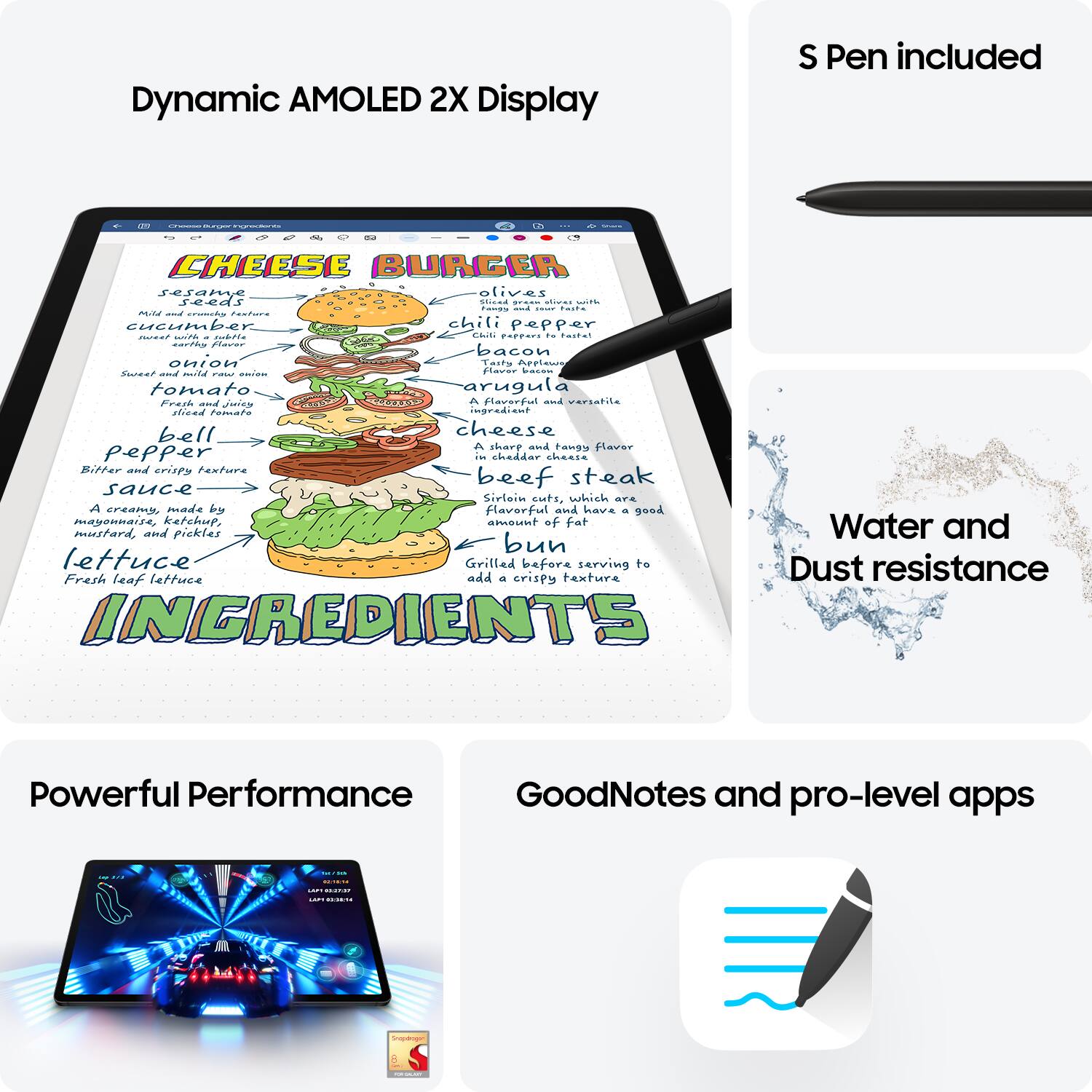
Posted .Thank you for reaching out, Jaws. We value your feedback as we strive to make continuous improvements. We noticed that you shared your experience with the Galaxy Tab S9+. This tablet offers an exceptional Galaxy AI experience, featuring our most powerful processor to date, dynamic AMOLED 2X displays with vibrant colors, and new IP68 water and dust resistance. We hate to see that you had a hard time removing the SD card from your tablet. Products sold by Samsung are warranted against manufacturing defects in material and workmanship for the limited 12-month warranty period specified for each product. We also provide the option to add additional coverage with Samsung Care+ on eligible devices, which offers extended protection and additional support. We recommend reaching out to us at Support so that we can gather more information and look into what can be done to get this resolved. We look forward to hearing from you! -Kelvin