Appliances Presidents’ Day SaleEnds 2/25. Limited quantities. No rainchecks.Shop now

Skip to contentGo to Product SearchGo to Footer
Main Content

Customer Ratings & Reviews
$1,115.91

Customer reviews

Rating 4.8 out of 5 stars with 1280 reviews

Rating Filter

Rating by feature

  • Battery Life

    Rating 4.6 out of 5 stars

  • Durability

    Rating 4.8 out of 5 stars

  • Comfort

    Rating 4.8 out of 5 stars

96%
would recommend
to a friend
The vast majority of our reviews come from verified purchases. Reviews from customers may include My Best Buy members, employees, and Tech Insider Network members (as tagged). Select reviewers may receive discounted products, promotional considerations or entries into drawings for honest, helpful reviews.
Page 10 Showing 181-200 of 1,280 reviews
  • Rated 5 out of 5 stars

    Great quality

    |
    |
    Posted . Owned for 3 weeks when reviewed.
    This reviewer received promo considerations or sweepstakes entry for writing a review.

    Amazing new version from Samsung Smartwatch. I love monitoring my heartbeat.

    I would recommend this to a friend
  • Rated 4 out of 5 stars

    Samsung

    |
    |
    Posted . Owned for 1 month when reviewed.
    This reviewer received promo considerations or sweepstakes entry for writing a review.

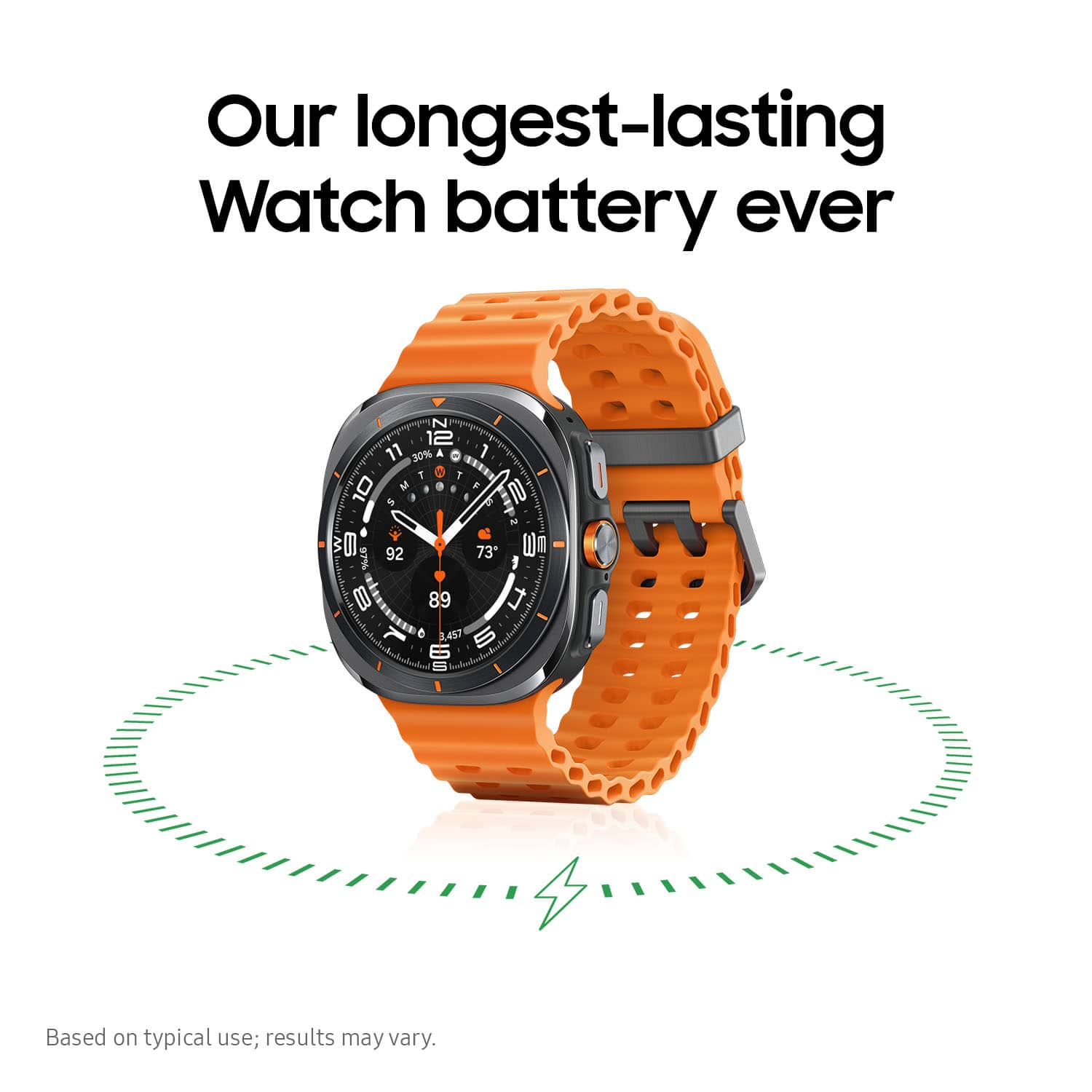
    Got a nice watch recently — looks great, but the orange strap gets dirty really fast, even in just a couple of days.

    I would recommend this to a friend
  • Rated 5 out of 5 stars

    Watch is the Perfect workout companion!

    |
    |
    Posted . Owned for 1 month when reviewed.
    This reviewer received promo considerations or sweepstakes entry for writing a review.

    Perfect watch! Best Buy Never Fails! Samsung Never Faiks!

    I would recommend this to a friend
  • Rated 4 out of 5 stars

    Watch

    |
    |
    Posted . Owned for 1 month when reviewed.
    This reviewer received promo considerations or sweepstakes entry for writing a review.

    Overall enjoying the watch, only thing i am not please with is the battery life.

    I would recommend this to a friend
  • Rated 5 out of 5 stars

    Happy with purchase.

    |
    |
    Posted . Owned for 2 weeks when reviewed.
    This reviewer received promo considerations or sweepstakes entry for writing a review.

    Love this watch just going to miss rotating the hinge.

    I would recommend this to a friend
  • Rated 5 out of 5 stars

    love my new watch

    |
    |
    Posted . Owned for less than 1 week when reviewed.
    This reviewer received promo considerations or sweepstakes entry for writing a review.

    love my new watch, the band fits great and is soft

    I would recommend this to a friend
  • Rated 1 out of 5 stars

    Samsung ultra watch- misleading information

    |
    |
    Posted . Owned for 1 week when reviewed.
    This reviewer received promo considerations or sweepstakes entry for writing a review.

    False advertisement. It listed as excellent condition and it's like new. The watch arrived scratches all over both the front and back (i would rated as fair condition). The bands and charger was in plastic, unfortunately, the watch wasn't in secure protection.

    No, I would not recommend this to a friend
  • Rated 3 out of 5 stars

    Please star checking for missing items

    |
    |
    Posted .
    This reviewer received promo considerations or sweepstakes entry for writing a review.

    Puchased open box excellent. Box was missing the charger. Left a message about it and was never contacted

    I would recommend this to a friend
  • Rated 1 out of 5 stars

    Such a Disappointment

    |
    |
    Posted . Owned for 2 months when reviewed.
    This reviewer received promo considerations or sweepstakes entry for writing a review.

    Probably thr worst samaung watch I have ever owned. In thr beginning was ok. Got around thr same amount of days as my Watch5 Pro Titanium. Now I get only 2-3 days battery. And I barely purchased it couple months ago. I have most functions turned off to save battery. However for thr past week barely gettimg 2-3 days of battery, but has thr same battery compacity as thr Watch5 Pro. Only upgraded becuase thiught would be as good as thr Watch5 Pro and had been 2 years. Now i wish i would have kept my Watch5 Pro. Beacuse battery life is thr same and my moms Watch6 classic with a lower battery compacity. Ridiculous and super disappointed. I had thr Watch Active and even that one gave me more battery life than this Samsung Ultra.

    No, I would not recommend this to a friend
    • Brand response from Samsung
      Posted .

      Hey there ButterFree21, thank you for finding the free time out of your busy day to share your thoughts with us about your Samsung Galaxy Watch Ultra. Your feedback is appreciated as we strive to be innovative and improve the design and functionality of our product line. Samsung provides a 12-month warranty on our products for manufacturing defects in materials and workmanship. If you're experiencing less than ideal battery life with your Galaxy Watch Ultra, please take a moment to review "Reduced battery life on your Samsung smart watch." Let us know if you have any questions afterward by contacting Samsung Support at your earliest convenience. Thank you for being a valued Samsung customer. - Debra Samsung

  • Rated 5 out of 5 stars

    Premium Build and Excellent Performance

    |
    |
    Posted . Owned for 2 weeks when reviewed.
    This reviewer received promo considerations or sweepstakes entry for writing a review.

    I’ve been using the Galaxy Watch Ultra for a few weeks, and overall, it has been a strong performer. The titanium build feels premium and noticeably more durable than previous Samsung models I’ve owned. The bright display is easy to read outdoors and the LTE connectivity has been reliable for calls and texts without my phone. The main strengths for me are fitness-tracking accuracy, battery life, and rugged design. Sleep tracking has also improved and feels more consistent. Charging is relatively quick, and I can usually get close to 2 days on a single charge with moderate use. A few drawbacks: the watch feels larger and heavier than expected, so it may not be ideal for smaller wrists. Also, while the health and workout features are robust, some of Samsung’s software interfaces still feel a bit cluttered. Overall, I’m happy with the purchase and would recommend it to anyone looking for a durable smartwatch with solid fitness and LTE features.

    I would recommend this to a friend
  • Rated 3 out of 5 stars

    Durability is bad.

    |
    |
    Posted . Owned for 1 week when reviewed.
    This reviewer received promo considerations or sweepstakes entry for writing a review.

    Enamel around the display defective. Discoloration after a week of use.

    No, I would not recommend this to a friend
    • Brand response from Samsung
      Posted .

      Howdy Void1943, thanks for taking the available time out of your day to share your thoughts with us about your Samsung Galaxy Watch Ultra. We appreciate your candor as we make every effort to improve the design and functionality of our product line. Our goal is for our customers to feel like they are having the most ideal experiences while using our products. Samsung provides a 12-month warranty on our products for manufacturing defects in materials and workmanship. We would be more than happy to assist you with what you may be currently experiencing with your Galaxy Watch Ultra, however, we need a bit more information from you. When you have the available time, please do not hesitate to reach out to Samsung Support for further assistance. Thank you for being a valued Samsung customer. Debra Samsung

  • Tech Insider Network Member

    Rated 5 out of 5 stars

    A Non-Samsung User's Perspective

    |
    Tech Insider Network Member
    Posted .
    This reviewer received promo considerations or sweepstakes entry for writing a review.

    If you’re a Samsung phone and watch user and have the money, the Galaxy Watch Ultra LTE is a no brainer upgrade – especially if you are athletic, exercise or care about your health. But what about coming from another platform? Is it worth it and will it work fully? This review intends to address these questions and provide some insight into making the transition as easy as possible, because in my opinion it is totally worth the effort. I’m coming at this from owning a Pixel Watch 1 and a Pixel 8 Pro, a decidedly non-Samsung platform perspective. The PW1 was not my first smart watch – that would be the Motorola 360 back in 2014 – but it was the first smart watch I was happy enough with to wear all day long. (Or at least until it had to be recharged…) While it took me a little bit of time, effort and research to get the Ultra up and running and get used to the differences, I can honestly say that I don’t think I’ll be able to go back to the Pixel Watch after using it. I’ll get into the setup later but first I’d like to talk about the Ultra itself. First of all, there’s the size. In pictures it looks gigantic and somewhat intimidating. One of the reasons I never wore my previous smartwatches all day long (besides the battery life) was that I was never really comfortable with a watch on my wrist in the first place. Before smart watches, I rarely wore a watch. The PW1 was the first watch I could wear to bed, which is important if you want to capture sleep metrics. But once you get the Ultra on your wrist, it doesn’t FEEL big. And since the body is made out of titanium, it actually felt lighter than my previous watches. Sleeping was no big deal, and I’ve found the data to be more accurate than what I was getting in Fitbit with my PW1. The display on the other hand looks huge, which is what I wanted. It’s super bright and easy to read in full sunlight. The UI response is fluid, and the watch feels ultra-premium. Battery life is, in a word, amazing. I can go a day without a charge or quickly charge it when I take a shower. But for me the biggest difference and also the most compelling reason to switch to the Samsung watch platform is the software, both on the watch and on the phone. The Galaxy Wearables app is head and shoulders above Google’s Wear app and Google should take notes… or simply let Samsung rewrite it. For instance, it is so much easier to customize a watch face on the phone than it is to do on the watch – even with the bigger display – and the Wearables app allows you to do this and easily cycle through the options. You can also sort and customize the apps tray on the watch but it’s much easier on the phone. All of my old faces appear to work, and Samsung includes a number of great looking faces with enough customization options to satisfy anyone. Also, I’m liking Samsung Health Monitor compared to Fitbit. I’m not missing any features, and the layout seems more intuitive to me. On the watch itself, Samsung’s One UI takes the things I didn’t like about the Wear UI and either corrects them or replaces them with something better. More gestures. Easier access to apps. A better and more comprehensive control panel. Again, this is an area where Google should be taking advantage of their watch partnership with Samsung. Things that I had to add on as a separate program (and sometimes pay for) are just built into the UI. When it comes to the UI and support software, it honestly feels like Samsung has outdone Google in their own arena. In short, I was waiting for the Google IO event to see if I would regret my decision to jump ship and I can confidently say that the Galaxy Watch Ultra will be my daily driver for a LONG time. But getting here wasn’t without effort and trials, predominantly because I was coming from a Pixel instead of Samsung phone and I’d like to go over what I experienced in the setup and a few limitations on the Ultra because of it. Firstly, to use any of the health features, you’re going to need to setup a Samsung account. I had one that I set up when I bought a Samsung tablet a few years ago and re-establishing access to it took a few tries and lots of security checks to prove who I was. So much so that the watch setup timed out twice while I was doing it. So set up your account before staring the watch and make sure you can log into it! Also, you will have to install a few programs to complete the setup. If you already own a Samsung phone these apps would normally be preinstalled for the most part, but they’re available on the Play store so do yourself a favor and download them before you attempt to set up. You’ll need the Samsung Galaxy Wearable app, the Samsung Galaxy Watch7 Plugin, Samsung Health Monitor and Samsung Smart Switch Mobile. If you install these BEFORE you set up your Ultra, you’ll be able to power through. I didn’t and once again, my watch timed out and had to reset and re-paired. Including software/firmware updates, this took over an hour. Not all my previously installed Pixel Watch apps were available to install during set up and I had to do those manually, but this wasn’t a problem. I also Installed Health Connect to sync data between Samsung Health Monitor and Fitbit. It seems to be setup properly and there are no errors on sync, but I still am not seeing data in Fitbit, so I’ll have to do more research. (Once you set permissions for both apps, you have to launch each one. Fitbit will give you an HC intro page where you can activate and see permissions. Once this is done, you should see data exchange between the apps.) By the way, it was simple to add my Ultra to my Google Fi account to get LTE services and it disabled my Pixel Watch’s LTE without my having to intervene. LTE works great and on my walk tests, it was able to track my route effectively. One annoyance however was that for some reason when I finally completed my setup my Ultra would only show the weather in metric measurements. This is something Samsung should look into since the very first thing you do after the watch powers up is select your locale so there should be no reason for it to display anything other than imperial measurements since I chose “United States”. It took me two days of research to finally find where to change this! In the Samsung Wearables app, go to Watch Settings and find the Apps options. In Apps, find the Weather app and select it. Under the name, you should see “App Settings”, and this is where you can set the units as well as the locations and refresh times. There are a couple of features that are "exclusive” to Samsung phones and won’t work out of the box on other phone brands, namely the ECG recording, Irregular Heartbeat monitoring, Blood Pressure and Sleep Apnea monitoring. The last one is a heart breaker for me as I have a family history of sleep apnea and wanted to be able to keep an eye on this issue if it develops. Fortunately, there are mods/hacks available to enable the first three features and I have high hopes of the Sleep Apnea being accessed soon. I won’t go into this as it’s out of the scope of this review, but I’ll simply say to Google the XDA Forums if this is something that you might consider. The mods don’t require root and don’t void the warranty so they should be accessible to the average technical user. All in all, I am extremely happy with my Galaxy Ultra LTE and I would recommend it highly whether you own a Samsung phone or any other Android device.

    I would recommend this to a friend
  • Tech Insider Network Member

    Rated 5 out of 5 stars

    Great upgrade! Great features!

    |
    Tech Insider Network Member
    Posted .
    This reviewer received promo considerations or sweepstakes entry for writing a review.

    I upgraded from a Galaxy Watch 5. This watch has a bigger face and more features. The setup was pretty easy. It utilizes the smart switch app to download all the settings and apps on the previous watch. One of the noticeable features is the button in the middle. This button can be customized to open and app, or start a stopwatch or something else. The battery has lasted for three days so far without charging and at 24%. Other features on this watch include measuring your heart rate and stress level. Contactless payments can be setup to use your watch to pay at cashier's kiosks. The watch face turns white and can be used as a "light". There is no turn dial like in previous models but you can touch scroll around like one. The watch faces are fully customizable. From displaying heart rate, step counts, battery level, sunrise to sunset times, weather and other colors and fonts. I like the custom watch face that allows you to upload pictures to your watch. The pictures rotate everytime the watch turns on. This gives the watch a personal touch. Overall this watch is not heavy and very durable. The face is bigger that my previous model but it's not a bad thing.

    I would recommend this to a friend
  • Tech Insider Network Member

    Rated 4 out of 5 stars

    No rotating bezel, but FAST and long battery life

    |
    Tech Insider Network Member
    Posted .
    This reviewer received promo considerations or sweepstakes entry for writing a review.

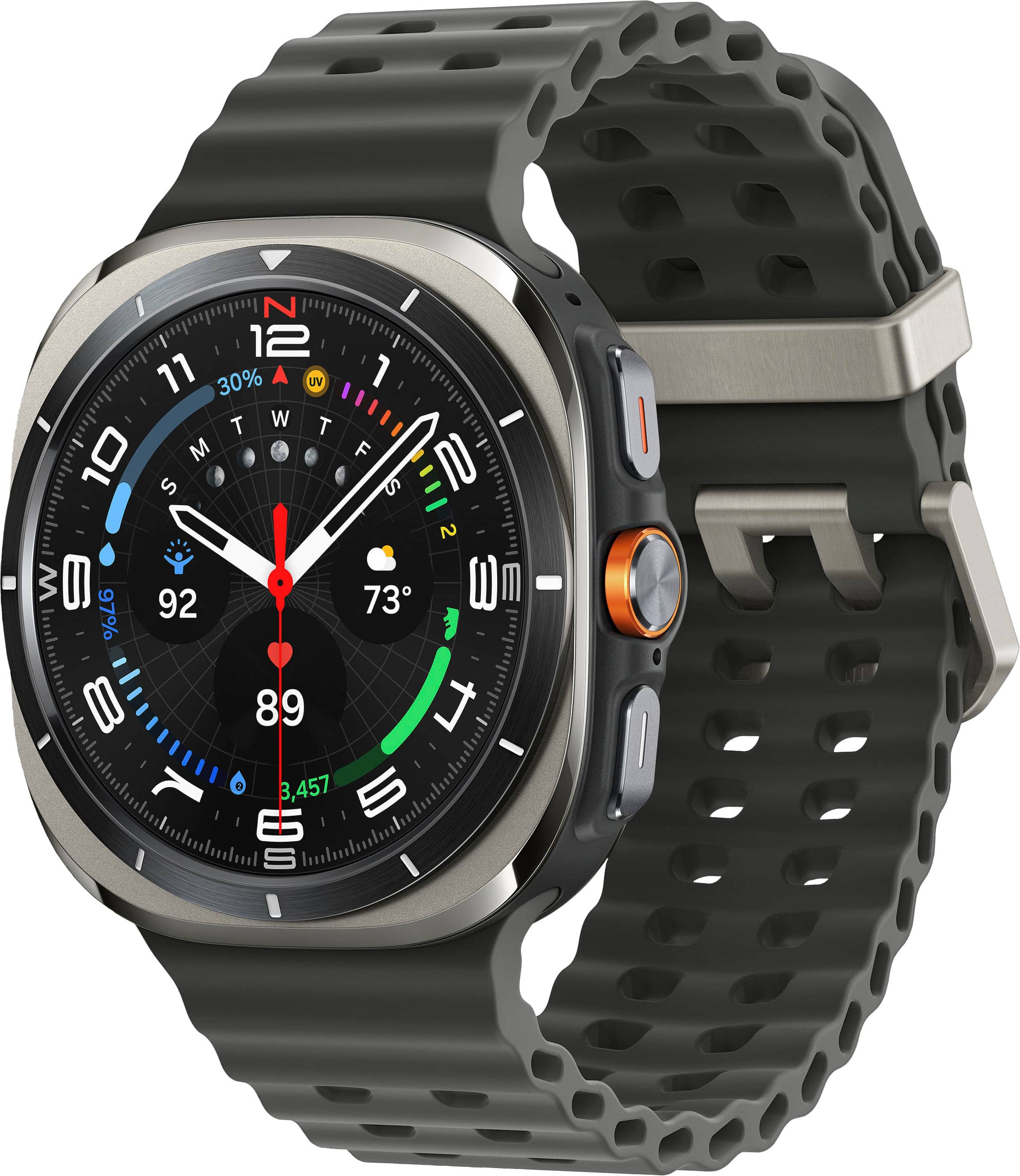
    Let’s get the elephant in the room immediately out of the way: the Galaxy Watch Ultra copied a lot from its competitor’s Ultra watch. But that watch isn’t compatible with Android phones while the Galaxy Watch Ultra is. So, if you were envious of the other watch, know that the Galaxy Watch Ultra takes a lot of design cues from it. The watch has a square encased in a square but the display itself is still circular. Some people call it a squircle. Some call it cushioned. The display has a 1.5” diameter, which is the same size as the Galaxy Watch 7 44mm’s display. The Galaxy Watch Ultra is only labeled at 47mm because it includes the case, but as you can see, that method of marketing is deceptive. There is a clear advantage to the 47mm over the 44mm but it has nothing to do with the display and more to do with the other internal hardware. Internally, the larger space allows the Dynamic Lug System, which is used for switching bands on the Ultra, to fit. Band installation is fool proof. You simply push the band into the watch until it clicks. No more finding tiny pinholes, and aligning the band’s pins to fit inside them like traditional bands or the Galaxy Watch 7. Removing bands on the Galaxy Watch Ultra is as simple as pressing the eject buttons on the back of the watch. At the same time, they will never eject accidentally no matter how hard I forcefully push the watch against my skin or clothes. Unlike its doppelganger from another company, the Galaxy Watch Ultra has speakers that you can play content with. It comes with LTE, so if you use it with a mobile plan, you can use it independently without your phone to stream music from apps like Spotify while you’re on a run. The speakers are also convenient for playing back voice memos. Or for your alarm to wake you up when you wear the watch to sleep. What makes the Galaxy Watch Ultra different from the previous generations of Samsung watches is that the Ultra has the best sounding speakers yet. They’re the loudest and open sounding that they don’t sound like they’re coming from inside a tin can. Not just for music and video, they also enhance the quality of phone calls with the watch. Calls can be heard as clear as a phone’s speakerphone and people on the other side of the line couldn’t tell I was using my watch to answer their call. At no point did either of us ask to repeat anything because the calls were so clear. Despite the heavier weight, the Galaxy Watch Ultra is very comfortable to wear. Maybe it has something to do with the stock watch band evening out the around your wrist. I’m not sure. The watch band itself is very breathable and doesn’t irritate my skin. The part of the band that holds the tail end of the band in place is metal, but more importantly, it stays in place when worn. I never have to fidget with it, worrying about it sliding off and not keeping my band in place like other watch bands of this type. The disadvantage of this is that it hits the palm rest and edge of my laptop. I worry about it scratching my laptop, so I usually take it off. This can be remedied by using a different watch band. The processor is one of the highlights of Samsung’s latest release of smart watches, which includes the Watch 7 and the Galaxy Watch Ultra. With Samsung’s previous releases, I’ve never noted the processor’s performance, but with the Galaxy Watch Ultra (and I assume the Watch 7 as well since they use the same processor) the improvement is a lot more noticeable! Everything feels so much more responsive. Apps like Samsung’s Internet browser are the big winners for this. Unfortunately, if you’re using it as a Wi-fi device, the Watch Ultra will prioritize the Bluetooth tethered connection with your phone over actual Wi-fi so using the Internet app will still appear sluggish due to it using the internet data over bluetooth from your phone. There is no way to keep it on Wi-Fi because while you can connect to it manually, it will eventually automatically disconnect. Wi-Fi is mainly used for updates as was the case with the older Wear OS Wi-Fi Galaxy Watches. What separates the Ultra from the 7 are a few things. One of them is the battery life. I ignored Samsung’s Watch6 line because they didn’t release a watch that was comparable to or better than my Watch5 Pro. Not even with the Watch6 Classic, which saw the return of the physical bezel. The Galaxy Watch Ultra uses a 590mAh battery, the same rating as the Watch5 Pro. Using the Photo watch face with no monitoring complications except for battery, I was able to fit 2 workouts across 2 days, with a battery life span of 44 hours. However, with the Ultra Info Board watch face, which has the heart rate monitor, compass, and battery complications, under the same usage I got 41 hours of battery life. With that said, it lasts one whole day with a session of sleep easily under heavy usage. I found this more or less similar to my Watch5 Pro. The Ultra also has a Quick button which isn’t present on the Watch 7. It’s a customizable button that’s unfortunately extremely limited to Samsung’s own Health app and a few system functions- Stopwatch, Flashlight, Water Lock. Or you can set it to no function at all. It’s setting it to the Health app that makes it truly convenient because you have the option to assign it to a specific exercise. Even better than that is during workouts, a single press of the Quick button will pause or resume the workout tracking. A double press records a lap when running or biking. And my favorite: a press and hold will finish the exercise. I no longer have to slide a menu open to pause or end an exercise, which was so inconvenient. It’s a shame Samsung doesn’t allow you to assign the button to third party apps. But if the quick button suits your needs, it’s a moot point. Holding the Quick button for 5 seconds activates a siren which is loud and piercing. My issue with it though is that after it’s activated, it uses up 10 seconds to make a blaring sound- like a warning sound- before it gets to the piercing siren sound. I imagine for dire emergencies when you need immediate attention from people that can be very frustrating and counterproductive. Unlike the 7, the Ultra is made of titanium instead of aluminum, so it’s more durable and resistant to dents. However, it still won’t help prevent scratches so keep that in mind, especially with the black paint on the bezel. Both use sapphire crystal glass which make them very resistant to scratches, which is great to have when you’re touching the screen a lot of the time. Bear in mind, sapphire crystal isn’t for preventing damage on impact, so it can still crack. I can’t speak to the accuracy of its health monitoring other than the heart rate monitor matches what I get on a treadmill when I’m running at the gym. It has other gimmicky monitoring like ECG and sleep apnea, but the watch itself warns you of its accuracy and that it shouldn’t be substituted for actual medical equipment. To monitor sleep apnea, you need to sleep with the watch twice over a 10 day span. After that, if you don’t have sleep apnea, the Watch Ultra simply tells you it didn’t detect it. I can’t tell you what it tells you or what information it provides if you do since apparently, I don’t experience sleep apnea for the watch to trigger it. The library of apps and watch faces is one of the main reasons to choose a Wear OS watch over a fitness watch and the Galaxy Watch Ultra is arguably the best one currently on the market. It runs on the latest Wear OS 5 thanks to its partnership with Google. Besides having the latest features, it also ensures compatibility with the newer apps that get released or updated, unlike some other Wear OS watches out there. Historically, Samsung has been great with releasing updates for its Wear OS watches as well. The cons going against the Galaxy Watch Ultra is despite it being marketed as a fitness watch for fitness enthusiasts and adventurers, it doesn’t deliver the way other sports smartwatches do. For starters, there is no physical control option for when you’re really drenched. Many have complained about the absence of the physical bezel on the Watch Ultra but it’s more than that. They could have added buttons for physical control navigation. They could have made the Quick button a rotating crown. They didn’t. Without it, using it in the rain or when you’re drenched in sweat, becomes a challenge as the liquid will register accidental inputs and make it behave erratically. And that itself can be a deal breaker for the serious athlete or adventurer. For ECG and sleep apnea tracking, it can only be done with a specific list of Samsung phones since it’s isolated to the Samsung Health Monitor app, which is not compatible with any other Android devices, including older Samsung phones. The Watch Ultra’s battery life pales in comparison to some smartwatches in the market but you have to consider that those watches don’t offer the same user experience as the Watch Ultra either. Their OS can feel more basic and sluggish. Their app library is nowhere near as expansive or active as Wear OS. You’re also paying significantly more for the battery life and wearing a heavier watch compared to the Watch Ultra. So there’s no easy recommendation for everyone since everyone’s different. I wouldn’t recommend the Watch Ultra for the serious athlete because its fitness data and lack of physical controls for navigation is a deal breaker when you can find them on other sports smartwatches. But for the casual user that works out, it’s probably the best you can get for Android phone users. You will be paying more for the battery life, stronger titanium build, and the quick button, but the price is comparable to what other companies charge for this sort of watch- cheaper in some cases. It’s up to you to decide whether it’s worth it.

    I would recommend this to a friend
  • Tech Insider Network Member

    Rated 5 out of 5 stars

    Excellent upgrade

    |
    Tech Insider Network Member
    Posted .
    This reviewer received promo considerations or sweepstakes entry for writing a review.

    Coming from a Galaxy Watch 5 Pro that I’ve been wearing for a few years now, I was expecting a similar experience with the Ultra. When you live with a watch day to day for a couple of years it kind of just fades into the background. I had the opportunity to upgrade to the Ultra and figured replacing the two-year-old technology was probably a good idea. As I said, I expected a similar experience to the GW 5 Pro, but I’m happy to say the Ultra is a vast improvement and I find myself interacting with it more and taking advantage of the features the watch has to offer. It’s not so much that the Ultra has so many new and wonderful features over the GW 5 as it is the speed and processing power of the new chip set being leaps and bounds above my previous Galaxy watch. I think the main reason my GW 5 became more of a wristwatch than a smart watch was the laggy interface with everything from the complications on the face to simply unlocking it with a pattern lock. This is not the case with the GW Ultra. There is zero lag on the interface compared to my last G watch and that alone made it worth the upgrade. In addition to the snappy interface, the brightness of the display is noticeably improved. The GW 5 topped out at 1000 nits and the Ultra has tripled that to an amazingly easy to read 3000 nits no matter how bright the sun is.In regard to the usability of the display, one of the new features on the Ultra is Night Mode. As a person who works at night, I can attest to the advantages of the “easy on the eyes” all red display at night. It’s definitely one of my favorite features. My only complaint is that I wish it was available on more, if not all of the available watch faces. Currently, Samsung only offers the night mode on two of their watch faces and both of those are analog. I prefer a digital watch face and I do hope that they will make the night mode available on more faces in a future update. The squared circle design of the watch may not be for everyone. Personally, I like it very much. It is a very large watch (47mm) but I have wrists on the larger side and the watch size suites me just fine. I always put a bumper guard or case on my smart watches and in this case I went with the Spigen rugged armor case. It adds a little more bulk to the watch, but I can’t see spending $650 for something that will inevitably smash into things and not protect it when possible. I haven’t found either accessory to impede the usability of the watch in any major way. Another one of my favorite features is the built in LTE. My GW 5 was wi-fi/bluetooth only. I love the idea of my watch being a stand-alone device especially if I’m running, biking, or any other outdoor activity. Having the ability to leave my phone with its extra bulk at home and still enjoy all of the features of streaming music or podcasts, taking and making calls, and google assistant is definitely worth the couple of dollars that your carrier charges a month to add a watch to your account. There has even been the occasional time when I left the house without my phone and had to turn around. Now I can definitely make do with the watch by itself (temporarily) with the addition of LTE. Battery life is much improved over my GW 5. Between the larger capacity battery and the improved chipset, 48 hours of use is easy to achieve. If you play with the power save mode and are mindful of what you’re doing, I’m sure 72 hours or more are well within the Ultra’s capabilities. I personally don’t sleep with the watch on just because I find it uncomfortable. Not just this watch. I can’t sleep with watches or rings or just about any other accessory. That said, my watch goes on the charger whenever I’m asleep. I had to force myself to test it for 48 hours and it held up just fine. Also, since I don’t sleep with the watch on, I can’t really speak to it’s sleep tracking ability. I would mention however, one of the new tricks of the Ultra is the sleep apnea diagnosing feature. If that’s something you're interested in and you don’t mind sleeping with a watch on, this might be a selling point for you. Overall, the Galaxy Watch Ultra is a vast improvement over the Galaxy Watch 5 pro that I had been using. My favorite features are definitely the elimination of UI lag and the huge improvement in display. My biggest criticisms would be the lack of options for watch faces with night mode and the lack of a rotating bezel or functional crown for scrolling. I think Samsung missed the boat on adding one of these features. If you’re an Android user the Galaxy Watch Ultra is a bit pricey at $650 ($200 more than my GW 5 pro) but I would say the improvements are worth the price of admission. Also, there are trade in offers available if you're upgrading from a previous Galaxy watch. I am very happy with my Galaxy Watch Ultra up to this point and wouldn’t hesitate to recommend it.

    I would recommend this to a friend
  • Tech Insider Network Member

    Rated 5 out of 5 stars

    Large yet comfortable w/ good battery

    |
    Tech Insider Network Member
    Posted .
    This reviewer received promo considerations or sweepstakes entry for writing a review.

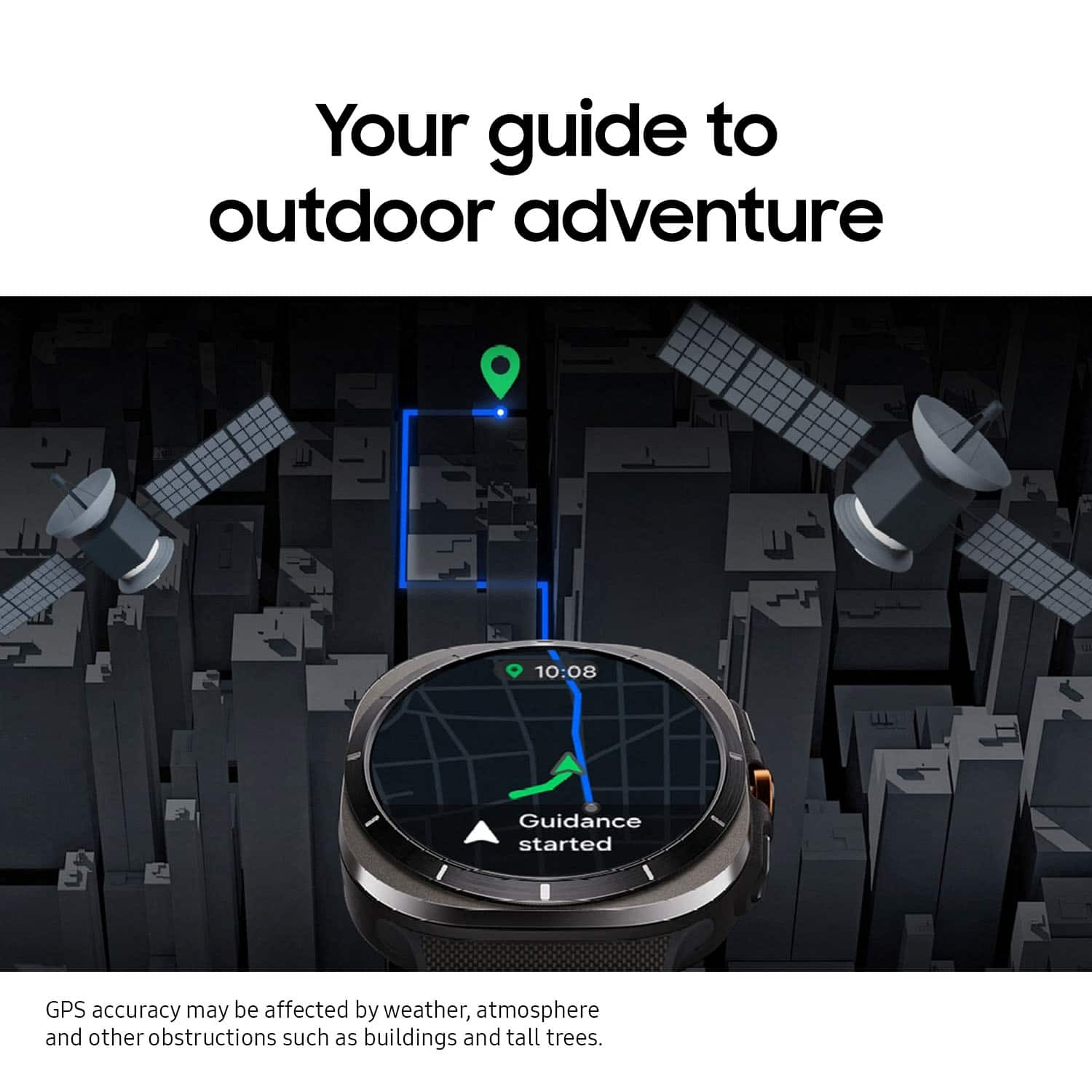
    I was intrigued by the Samsung Galaxy Ultra Titanium Smartwatch primarily because I found my Pixel watch, while a great watch too, a bit "boring" stylistically. The Galaxy Ultra watch has a bit of pizzazz and features a nice, large 47mm screen (41mm on the Pixel 2). It is also a thicker, heavier watch but the weight feels balanced on your wrist. The "BioActive sensor" on this watch is top notch. Per Samsung, the BioActive sensor "more accurately measures health metrics such as heart rate, sleep quality, blood pressure, blood oxygen levels and stress levels. Even the measurement of heart rate during intensive workouts is 30% more accurate compared to its predecessor." Given this Ultra watch is marketed toward those with active or outdoor lifestyles, improvements to accuracy are important for those who track their heartrate, O2, sleep, etc. I did find that my watch wanted me to slide the watch slightly UP my arm to get the most accurate readings, however. Given the weight and size of this watch, it is only natural, then for the watch to slide back down the wrist away from the optimal touchpoint for sensor readings. However, the watchband is very adjustable and comfortable so finding the right "tightness" on the proper spot on your arm for the watch shouldn't be too difficult unless you have fairly thin wrists. Nonetheless, this watch is bonkers if you want a device to help monitor your health and activities! The higher-end materials help push this watch up in price. The storage, processor, and display resolution on the Ultra are the same as the Galaxy 7 watch (44mm version) so the main upgrade over the 7 is the larger capacity battery (590mAh vs. 425mAh) and the higher durability rating (to which I cannot speak to as I am not willing to test "breaking" this watch!)...in addition to the superior materials. The battery has the ability to last well over 24 hours but a lot of that depends on how you set up the watch services--starting with whether or not you "always on" the display. Out of the box, with no real configuration other than to make the watch pair with my phone and my Google account, I drained the battery faster than expected and was caught off guard. Changing the display to "adaptive" and "always on" to off, coupled with Bluetooth ON and wi-fi OFF significantly improved the battery life and gets me well beyond 24 hours. 0%-100% charging seems to take about 2 hours. The "fitness" tools are front and center on this watch and record tons of data. I don't have the means to speak to their accuracy (especially while tracking sleep habits) but the bottom line is you can quickly identify trends and baselines to help improve your workouts and routines. The GPS seems accurate, and I really like the default watchface which includes an always accessible compass. Speaking of faces, there is a fairly decent selection of watchfaces included in the Samsung Wear app. I will admit that I wish this watch would integrate with an Android phone w/o the need to use the Samsung app, but that's just how it is. Setup was easy, although I did have to run through the process twice simply because I screwed up and tried to recover settings from another Samsung watch account unintentionally. I did bump the font size up a notch during setup to help me read the screen with a little less effort. Once I had the watch properly connected to my phone and configured in the Wear app, though, I have not had to touch the app on my phone. One other random thought, the actual screen is slightly recessed. If the watch ever falls and lands face down on a flat, smooth surface, that little bit of a recess should help prevent scratches or cracks. Another nice feature is a "siren" alarm (that I did not test) that will apparently make a VERY LOUD alert to help find you if you need help. It is worth nothing, however, that the siren is not automatically linked to any SOS/911 features. Although bulky, I like the styling of the watch--as well as its features--enough to think that I will make this my daily watch moving forward. If the pricepoint doesn't scare you away, the only real concern you should have is will this bulkier watch feel comfortable all day long on your wrist. Assuming you don't struggle with "normal" watches slipping or fitting correctly, the Samsung Ultra Titanium Watch should make you very happy especially if you had battery issues with previous watches and if you enjoy tracking your health and exercise activities.

    I would recommend this to a friend
  • Tech Insider Network Member

    Rated 5 out of 5 stars

    Tuff And Comfortable Smartwatch With Sharp Display

    |
    Tech Insider Network Member
    Posted .
    This reviewer received promo considerations or sweepstakes entry for writing a review.

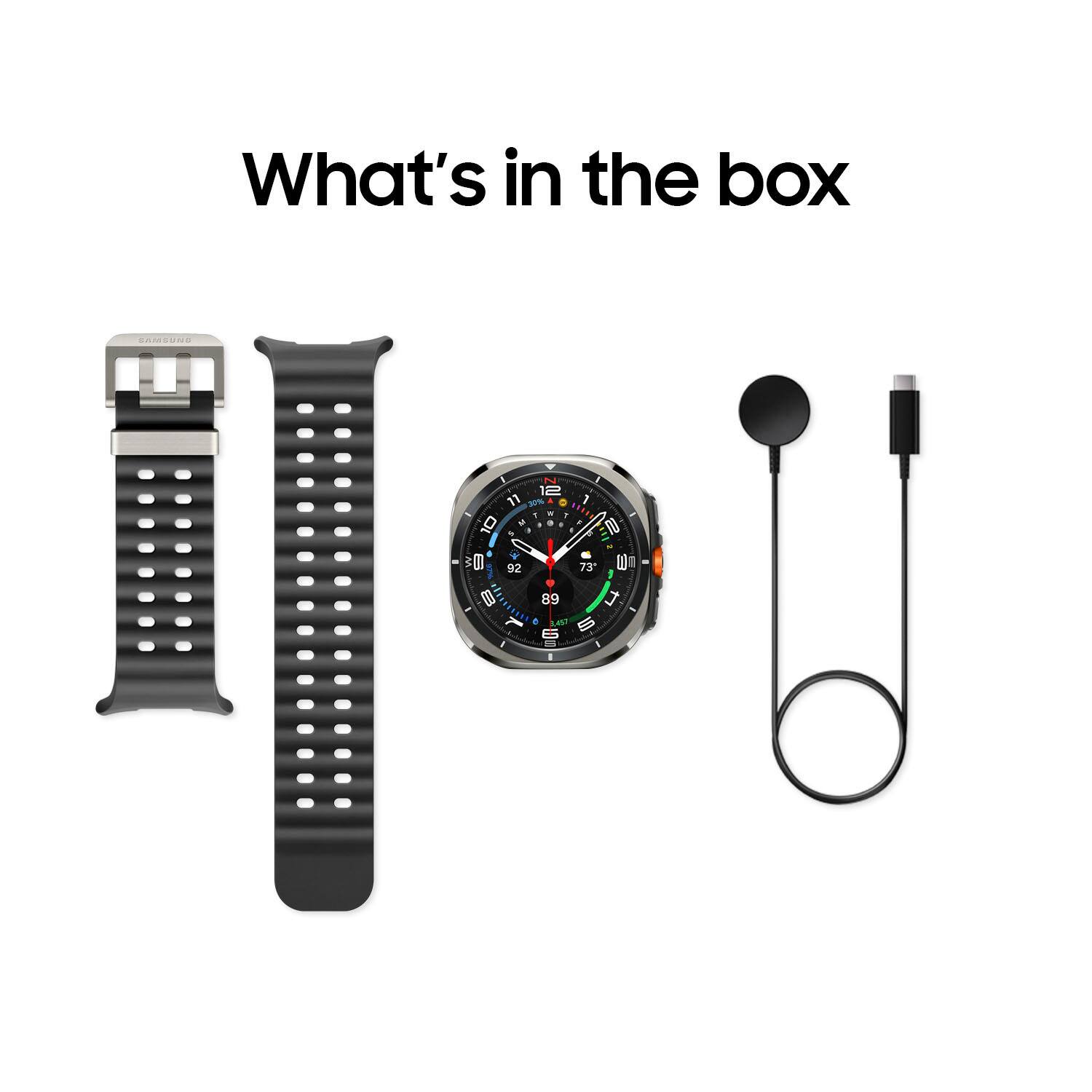
    Package Contents Samsung has hit a home run with their Ultra Titanium smartwatch. The watch comes in a well made package with all that you need to get up and running. It comes with a USB-C to smartwatch charger. It's well made and has a flexible cable. It's typical of smartwatch manufactures to include a short charge cable and Samsung isn't any different in this. It would be good to see Samsung include a 6ft. charge cable in the future with their watches, but I expected Samsung to be similar to others by including a 3ft charge cable. I'm happy to see that Samsung has moved forward by using a USB-C cable. Mine came with a grey watchband which matches the grey color that is seen around the outer part of the watch. The silicon band is just soft enough to be comfortable to wear all day and strong enough to endure during exercise and hiking trips for a long time. It has a metal clasp that I expect to be able to take some abuse for yeas of me exercising and mountain bike riding. Construction The first thing I noticed about the watch is it's construction. It is built incredibly well. The watch case is not only super strong, it looks great. Samsung has put a lot of time in designing the watch case to look amazing on the wrist. I have the 47mm version which fits my writs perfectly. It's watch face is large and easy to read. I also like the tick marks around the bezel. I think it adds to the overall look of the watch. It was easy for me to connect the watch band and I didn't have any problems disconnecting the band due to the push button release. The release buttons are metal and blend in with the main part of the watch. There are three buttons on the side of it. The main center button is metal and is somewhat protected due to a raised part of the watch case but unfortunately the buttons to either side of it are not as protected. It would have been nice if it was similar to the center button regard this. It's not that big of a deal as I don't expect to be hitting that part of the watch against anything. Use The touch screen is very bright and clear. The resolution of the screen and brightness stood out to me. It's also very responsive. I didn't have any problems with the touch sensitivity. The watch's batter lasts me around 50 hours. I will be adjusting settings to try to get more hours out of it before having to charge. I really like the brightness of the screen and health app related settings, so I'm not expecting to get a week out of the battery, but I should be able to extend it to 70 plus hours by making a few adjustments. Charging the watch is simple using the included magnetic charger and I feel that it charges quickly. I've used the Ultra watch to track my running sessions and I've worn it out riding my mountain bike. It was comfortable through out the runs and bike rides. While doing that I was sweating and that didn't cause any problems with the watch tracking the sessions. Final Thoughts I like that Samsung has stepped it up with the Ultra Watch. The construction is nothing short of amazing. I like the feel and really like the very bright high res display. I think Samsung has done a great job with the design and construction of it. I had no problems connecting the watch to an Android phone. I would like to see Samsung support connecting to tablets and not just phones, but that isn't going to be a problem for most as most people, like me, will be connecting the Ultra to their phone. I would also like to see the next iteration of the Ultra to have a case that is all metal instead of the perimeter part of the case being plastic. That part of the case, for the version I have, is grey. If I want to change the band and use an orange band or some other color, it will look a bit strange. That wouldn't be a problem if the whole case was metal, but that's a small complaint about aesthetics. Overall, I really like the watch and like to see where Samsung is going with their smart watches.

    I would recommend this to a friend
  • Tech Insider Network Member

    Rated 5 out of 5 stars

    Premiere Outdoorsy Watch That Can Do It All!

    |
    Tech Insider Network Member
    Posted .
    This reviewer received promo considerations or sweepstakes entry for writing a review.

    Smartwatches have been an increasing part of people's tech lives but they have been somewhat plateaued in what they offer over the last handful of years. That has changed with the introduction of these "ultra" level watches and Samsung came to play with their latest and greatest! PROS: - Unboxing this you immediately can tell how premium and next level this watch is. It has a a really nice build, good size, and just has that rugged do it all look to it. Really nice design overall! - When you turn it on and set it up the screen is amazing! It's a large display, I like the circular design, and just is super crisp and clear. Obviously you want the screen to look nice and the Ultra pays off. - With the ultra branding comes the next level battery and this delivers. Being able to wear it multiple days without charging is great especially using those extra features like GPS or LTE or fitness tracking. - Speaking of LTE, this is also an incredible feature to have! Being able to leave your phone at home and bring this on runs or hikes or swims while still being able to take calls or texts or listen to streaming music on the go is a really nice feature to have! - The Ultra comes loaded with so many features as well. I particularly like the health features and tracking like sleep tracking and getting your metrics on your heart and of course all of the fitness tracking letting you know how active you were for the day. - Also on features you have the dial and buttons which although the touchscreen is really responsive, the buttons just add a nice level of being able to quickly get to certain features and easily navigate. CONS: - This is apparent with its bigger screen and battery, but watch is more bulky than typical smart watches. Once again, I understand but it's something to consider. BOTTOM LINE: - There are a lot of compelling reasons to make the Samsung Galaxy Watch Ultra your daily driver. The screen is brilliant, its comes with an incredible amount of features, has a battery that last for days, and can go anywhere you push yourself to go from a physical or outdoor perspective. It's simply the best watch any Samsung user can buy but it may be too much for some depending on their use. Overall though its a fantastic watch and will really change how you use your smartwatch!

    I would recommend this to a friend
  • Tech Insider Network Member

    Rated 5 out of 5 stars

    The watch I've been waiting for!

    |
    Tech Insider Network Member
    Posted .
    This reviewer received promo considerations or sweepstakes entry for writing a review.

    I've had many smartwatches over the years since the Moto360. Loved the size of that one but it got outdated soo fast. Then makers decided smaller watches were where it's at. The last watch I had was the pixel and it's good but I wanted bigger! Release the Galaxy watch Ultra. What a great size! It is nice and big, with a beautiful, easy to read screen. I have an 8 inch wrist and this fits perfectly. Before smart watches, I loved my big chunky analog watches so I love this design. Something still different, not just round, not a rectangle, love the squircle! It is noticeably heavier than the pixel but I got used to it quickly. It feels solid! Being made from durable titanium and sapphire glass will keep it looking great for a long time. I didn't really care for the included band. I like the bands that have the ability to tuck the end under the rest so there is nothing to get caught. There are plenty to choose from online already and more to come. Setting up the watch to the phone was a breeze, it connects and syncs seamlessly but... This ultra is LTE, so I wanted the watch to have it's own plan. It's own number away from the phone. (it's nice to leave my phone behind if I don't want to carry the huge brick around) So far Verizon couldn't do it after trying for an hour over the phone. I had to get a prepaid plan and ended up getting us cellular to work. It did take an entire day and hopefully I can save some people some headache. It is absolutely samsungs fault in the wear app. When setting up the ultra, it asks to set up a lte plan, and it only "checks with provider", I hadn't told it what provider I wanted so this was confusing. (If you're linking with your current phone plan, I suspect there won't be issues) They don't have a simple scan qr code button! (you get a qr code to enable the esim you purchase) You can find out how to enable it by searching reddit. There's a secret menu to find. Once I had that, I was up and running in 5 minutes. The ultra watch is fast and snappy, swiping screens is fluid. Battery life so far is fine for me. I can get 2 days on a charge. It really depends on the watch face you choose (there are soo many to choose from) if I use the ultra analog, I get a day and a half. You can dramatically increase the battery life if you turn off the aod but that's not the point of having a watch like this. Also turn off the "hey Google" and just use the button to activate. I think the charging is pretty fast too. I use the Insignia travel 25 watt charger and it only takes an hour and a half to go from 2% to full. I like the fact the watch stays on when charging so you can use it as a clock. I would like to be able to charge the ultra with any wireless charger but you have to use the one from samsung or equivalent. The screen is great outside, nice and bright! I have no problem reading it in the sun. It's nice that it's soo bright so the flashlight is actually usable. The buttons on the side are customizable but not as much as I'd like them to be. There should be different button presses you can program and options for any action you'd like. So far it's limited on what you can choose. Hopefully they'll fix that in an update. This watch is really designed around your health. The dual GPS is great for running, hiking and biking. Soo many workout options to select. Tracking your sleeping habits and stress, sensors for your heart and bmi. Soo much is packed into this watch! I suggest getting cozy and watching YouTube vids to get a handle on it. I am going to enjoy this watch for many years!

    I would recommend this to a friend
  • Tech Insider Network Member

    Rated 5 out of 5 stars

    Big watch is big.

    |
    Tech Insider Network Member
    Posted .
    This reviewer received promo considerations or sweepstakes entry for writing a review.

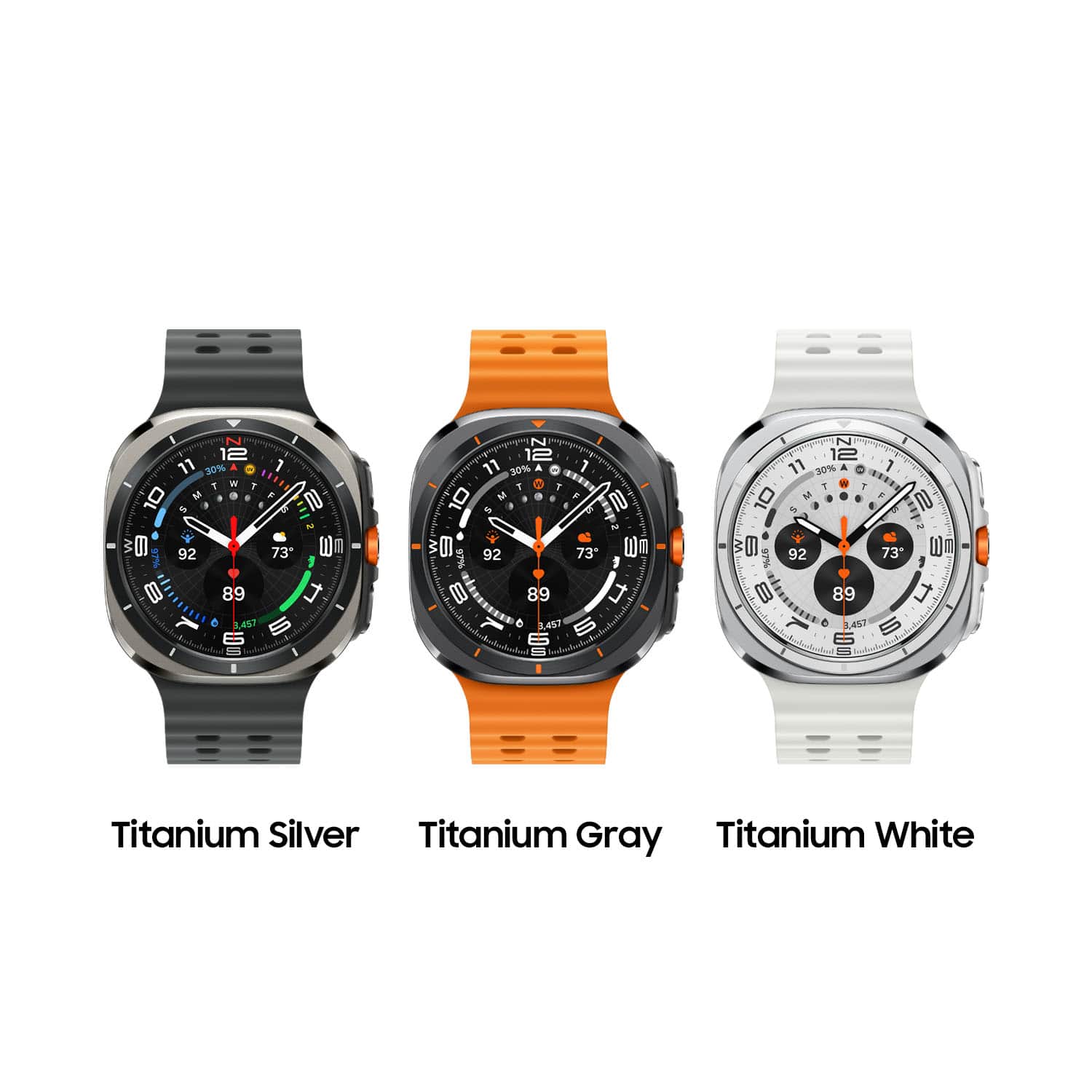
    Trying to capitalize on the “Ultra” name from its competitor aside, the Galaxy Watch ‘Ultra’ is taking the place of the ‘Classic’ from previous generations. Sadly this does not also take the amazing rotating bezel from the classic series. But that would be my only complaint. The screen is amazingly bright and crisp. I’ve had a galaxy watch of one form or another since the Galaxy watch 3. And my favorites have been the classic with its nice large diving watch kind of style and the nice rotating bezel making for easy use when wearing gloves. Sadly that feature as I said isn’t here but we get an even larger screen here and a larger battery as well for longer time between needing to drop it on the charging puck. As pictured I received the Titanium Silver model with its slate gray/blue body and marine band, it really looks amazing. If you’ve owned any Samsung watch from the last couple of years feature wise it’s not all that different here, you still have all the same sports and exercise features, maps and media playback, but with the larger screen replying to messages on device is much easier with its full keyboard and swipe typing capabilities. A 3rd button joins the 2 familiar buttons from before with this new one being partially programmable for different features, from exercise selection, a flashlight (turns the face white and ramps the brightness to max, kind of handy with how bright the ultra can get, an instant water lock button if you swim often, or a stop watch for those that run laps, or do other competitive timed events. I myself am not a big fitness freak, one look at me could tell you that, but I appreciate the reminders to get up and move around because my job has me at a desk for most of my day, and the little buzz is a good reminder to go stretch my legs and move for a bit. Keeps you from getting sore when stuck in an office. My favorite feature of all however is GPS and navigation. I ride motorcycle and don’t really care to have my phone on a mount on the bike because If something goes bad on a ride, I rather not also have to replace a $1000+ phone on top of medical bills and bike repairs, so I use my watch for gps navigation. Also it keeps the oled screen of the phone safe in a pocket from direct sunlight. I can just wear the watch face on the inside of my wrist so it’s facing down while I ride, but I can quickly turn my wrist to check the map, and the turn by turn instructions can go to my earbud via Bluetooth. And since the whole watch is cellular connected I can easily just leave my phone behind altogether if I don’t need to for wherever I am going because I am still connected and reachable. I’d dock points for copying the name, but honestly the moment the competitor chose that name I knew Samsung would do it too, they both keep taking each others ideas year after year. This is no different, but with Samsung even if you don’t decide to fork over the extra money for this model you get most of the features aside from the action button in the others this year. Just a little smaller screen and less battery. If your using an android, and want a watch for fitness or fun, or just to be able to leave the phone behind to keep yourself from doomscrolling TikTok the Samsung watch is a great choice.

    I would recommend this to a friend