Customer Ratings & Reviews
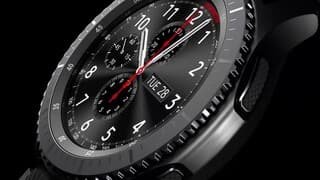
- Model:
- SM-R760NDAAXAR
- SKU:
- 5647800
Rating by feature
- Battery Life
Rating 4.5 out of 5 stars
- Durability
Rating 4.6 out of 5 stars
- Comfort
Rating 4.9 out of 5 stars
Customers are saying
Customers often highlight the Gear S3 Frontier Smartwatch's extended battery life, stylish design, and user-friendly interface. They appreciate the convenience of Samsung Pay, fitness tracking capabilities, and the wide range of watch faces and customization options. On the downside, some users express concerns about the limited app selection, large size, and weight of the watch, as well as the accuracy of the heart rate monitor.
This summary was generated by AI based on customer reviews.
Great smartwatch
||Posted .This reviewer received promo considerations or sweepstakes entry for writing a review.I love my smartwatch I would totally recommend it.
I would recommend this to a friendGreat wacht
||Posted .This reviewer received promo considerations or sweepstakes entry for writing a review.very nice, too many functions, waterproof, great style
I would recommend this to a friendAmazing gets the job done
||Posted .This reviewer received promo considerations or sweepstakes entry for writing a review.Great battery life. Stylish sexy fun to use. And easy.
I would recommend this to a friendGreat watch for anyone
||Posted .This reviewer received promo considerations or sweepstakes entry for writing a review.I really loved the watch itself but I dislike the fact thay I cannot connect a line to it through my service.
I would recommend this to a friendCan do all I need except...
||Posted .This reviewer received promo considerations or sweepstakes entry for writing a review.Wish it were cellular. It is the only thing that makes it less than an Apple Watch.
I would recommend this to a friendAwesome!
||Posted .This reviewer received promo considerations or sweepstakes entry for writing a review.Wish there was a 30 day trade in if a new model is released.
I would recommend this to a friendOver all good
||Posted .This reviewer received promo considerations or sweepstakes entry for writing a review.Great but could use more fitness tracking, like lifting
I would recommend this to a friendGreat watch
||Posted .This reviewer received promo considerations or sweepstakes entry for writing a review.I really liked it, but it's little slow in showing notifications.
I would recommend this to a friendToo heavy and hard to use.
||Posted .This reviewer received promo considerations or sweepstakes entry for writing a review.Too heavy and hard to use. Don't need it have a smart phone.
No, I would not recommend this to a friend- Pros mentioned:Battery life, Samsung pay
Samsung Gear S3 Frontier- built for the Frontier
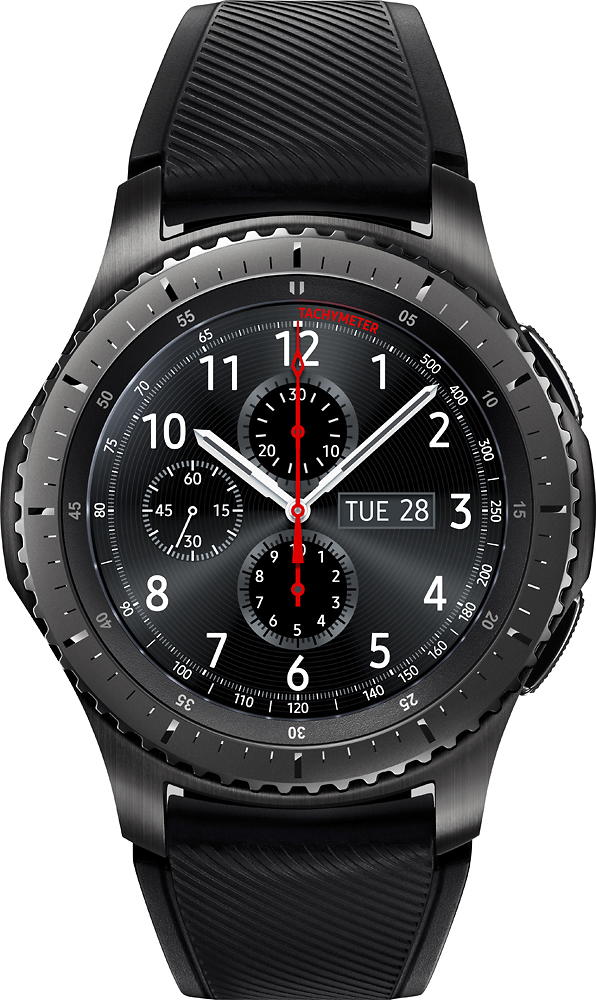
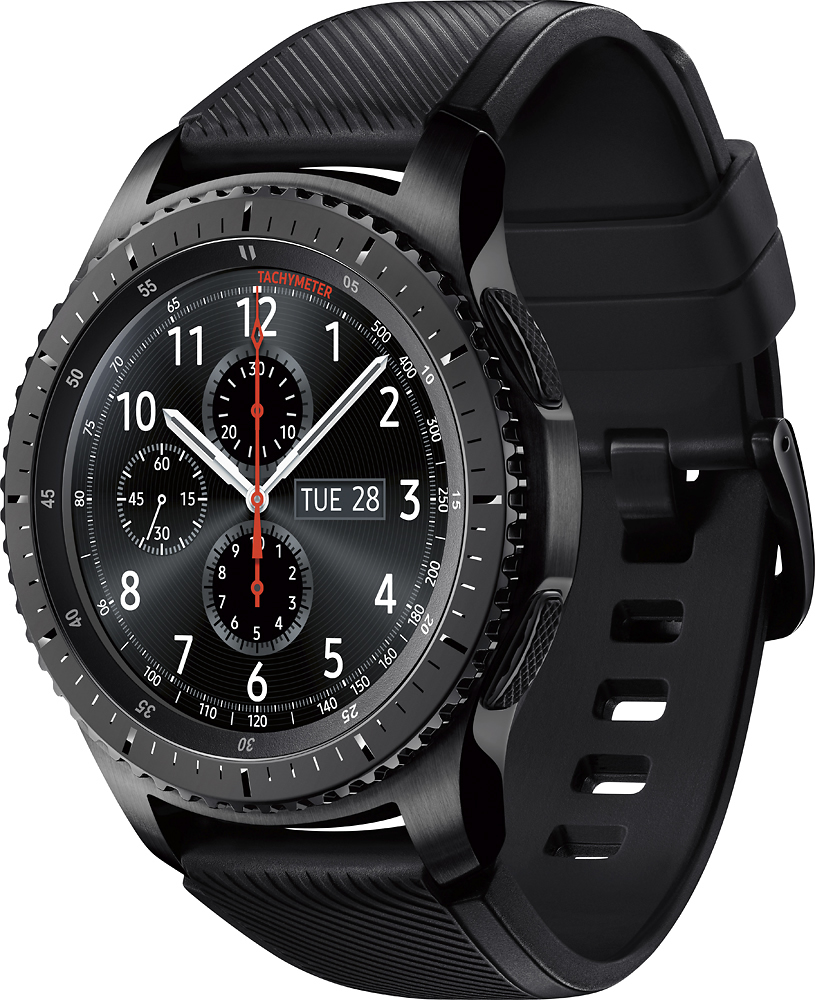
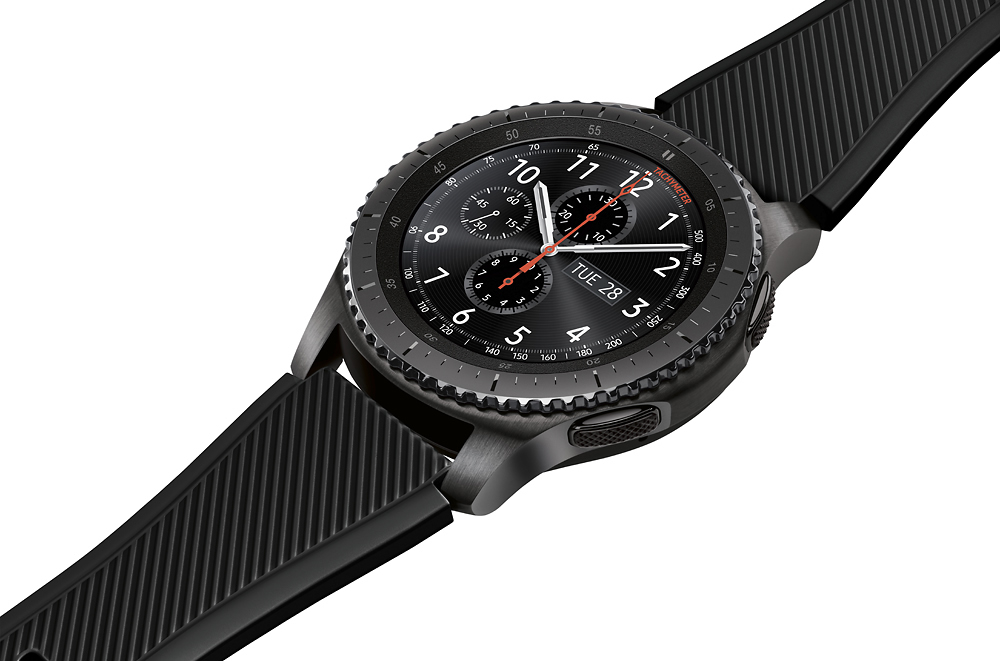
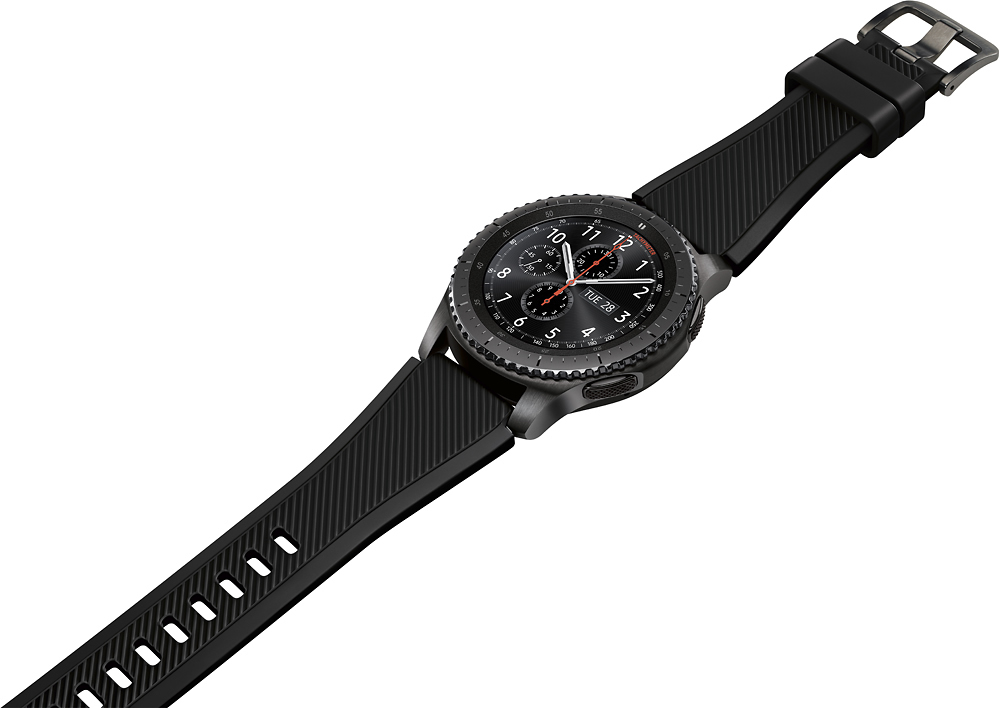
Posted .This reviewer received promo considerations or sweepstakes entry for writing a review.This watch has it all! First it looks like a rugged timepiece, with a big bright display, even outdoors, and a rotating bezel that controls everything (yes you can swipe thru the screens). The Tizen operating system is smooth. Fitness tracker, GPS, Notifications, Heart Rate Monitor, Altimeter/Barometer, Samsung Pay, Sleep tracker, Swappable Watchbands and wireless charging. Connection via Bluetooth, WIFI, and on some models LTE (the watch becomes a phone). I have the Bluetooth/WIFI model, and with the phone close by you can still answer calls. The call sound quaility is quite good. The watch's name is "Frontier" and that's where we’ve gone. Hikes using the GPS, bike rides using the fitness tracker and GPS. With the watch's IP68 waterproof rating, no sweat worries. But I still wouldn’t take it swimming. The watch can record as a standalone device, so you can leave the phone in the car. Or pair with a Bluetooth Headset and listen to music wherever. One crucial safety feature is SOS messaging from the watch. Using the S Gear app, set an emergency contact and by pressing the S3’s home button 3 times, it sends a message with your location, allowing that person to track you for an hour. A little peace of mind if you’re out alone! Samsung Pay from your Watch= Amazing! Long press the back button on the Watch and your Cards appear. Tap the watch on the card terminal and you are good to go! I have the Gear S3 paired with a Samsung S7 Egde, running Android Nougat (must be Android 4.0 or higher). And Apple users can use it with the new iOS app Samsung released. The only perks they miss out on are Samsung Pay, and responding to messages due to Apple's lockdowns. Other than that, the watch and apps are fully functional no matter what system you’re using. Battery life is impressive. With everything on, the battery lasts 2.5 to 3 days! And when the Gear S3 finally runs out of juice, just drop it on the magnetic wireless charger. In the words of the old Davy Crockett song....The Samsung Gear S3 Frontier is truely "King of the Wild Frontier".
I would recommend this to a friend - Pros mentioned:Battery life
Not Just for Guys!
Posted .This reviewer received promo considerations or sweepstakes entry for writing a review.I have recently had the pleasure to test drive the new Samsung Gear S3 Frontier. This review is being done by someone who has never owned a smartwatch, so I may not get into a lot of the internals as I think at least some of us who buy this are just going to buy it because it’s really cool and not because we have any understanding as to “what’s under the hood”. First off the packaging is very nice as you would expect from any high end device you may purchase. The bottom half even becomes a charging base stand if you have a lot of room where you want to charge your S3. The Gear S3 comes with a charging base, cable and block to plug it all in. It also comes with two different sized bands. The Large comes pre-installed and there is also a Small provided. The bands are very easy to change thanks to the Quick Release. This is a little nub that is in a recess of the band and you just push it over with a fingernail. I have pretty small wrists and am female. My wrists measure 6.5 inches. While large, the Gear S3 does not actually seem as big once you are wearing it. I do highly recommend buying a new band. For my wrist size I found the one provided to be too stiff and made the S3 a lot more uncomfortable than it is now. The provided band is Silicone and is easy to clean, but I found the black metal mesh one I bought to fit me better. Thanks to the Gear S3’s water rating you are supposed to be able to really put this sucker to the test! White water rafting anyone? I have yet to try any water tests but I would be willing to wear the Gear S3 to the beach! The Samsung Gear S3 is rated to 5 feet of water for 30 minutes so I guess Swimming is out but you could leave it on in the shower? Just make sure the band and your wrist is dried off after because you can cause some real funk to your wrist if water is trapped under the band! Washing the S3 is simple with a little water and some non sudsing soap. Guys, you are going to have to make a trip down the facial cleansing isle. Or you could just buy it online, I bought Auquaphor. I also use it on the families fitbits and other household watches. The first thing I noticed about the Samsung Gear S3, the screen is amazing! Viewing photos, playing games, and…. WATCH FACES!! There are hundreds of free watch faces to choose from! I absolutely love the live saltwater aquarium! I shut off the “Always On” watch face to save battery. I also disabled “Quick View” this turns on the screen when you lift your arm or turn your wrist as if you want to check the time. All I have to do is tap a button or turn the bezel and I can see my fishes swim! Oh and I guess see the time, date, day of the week, BPM and steps. You did read right earlier, I did say GAMES! So far I have only played fruit ninja but wow, not having to take out my phone like everyone else at the doctor’s office made me feel special! I have no other way to measure my heart rate but the average that the Gear S3 seems to record sounds about right from what I know of myself. I used to have a fitbit HR and it seems on track with that. If you are really concerned with tracking accurate heart rate though you should buy one that has a strap. I do currently own other Fitbits and there really seems to be a discrepancy between their data and what the Gear S3 records. The Gear 3 recording about 500 less steps a day. The floor counting is kind of a joke and takes forever to sync. I had climbed 6 flights of stairs and sat down for at least 5 minutes before my watch buzzed and congratulated me on climbing one flight. Then the Gear S3 only recorded me doing 2 flights of stairs. So if you are looking for a device to accurately track your fitness this is not for you. It will keep you motivated by constantly telling you you have been sitting too long though! I watched a movie at the theater with my son yesterday, our theater has an app that rewards you and silences your phone during the movie. My Gear S3 however did not get this memo because towards the end of the movie it buzzed, lit up and told me I had been sitting too long! Yikes! I downloaded the theater widget for future use! The widgets are quite useful. I have Weather, Calculator, Samsung Pay. I can even turn the screen into a flashlight! Samsung Pay works independent of your phone, I believe this is because you do not have to have a Samsung phone to use the Samsung Gear S3. You can even use an Apple phone! This means even if you have Samsung pay on your phone you are going to have to re-add all of your cards to the watch. Once you do this it will add a pin you pick out to lock your watch anytime it loses contact with your skin! Kinda neat but also a pain… especially if you like to wear your watch loose. I did try last night to use Samsung Pay for the first time and got an error. I have never used it before so may have been my fault! I had no idea how long I had to keep my wrist next to the car reader. Answering calls is a breeze! I don’t even think my callers know they are talking to me through a watch! You can add individual contacts to the Bezel rotation or grab the multi contact widget so you don’t use as many spots. I have my husband’s cell separate because he is the one I use most. I wear my watch on my right hand, which makes using Samsung Pay easier, but texting is a lot slower when you are using your off hand! I use the feature where you draw the letter with your finger. It will not correct if you use a mixture of upper and lower case in a word however. So I had to actually think to make SUrE it DIDn’T CoMe OUt LiKe ThiS… Get to fixing that Samsung! Lol. The Samsung Gear S3 is also capable of tracking your sleep. This worked pretty good when I took a nap on the couch but sleeping at night is a whole other thing! I really don’t know how well it would track actual sleep, I have to take it off. Even with the always display off, and quick view off, the screen lights up all the time! Every time you move and accidentally touch the bezel you will be bombarded with light! This may not happen with some of the darker watch faces but with my aquarium it is quite distracting at night and will wake you up. I would love a night lock, but until then I use night to just set the Gear S3 on the charger, which is not necessary because after a day of use the Samsung Gear S3 is still at 80% Battery! Overall I am extremely pleased with the Samsung Gear S3 and I am sure there are many things I have yet to discover! I would also be interested in trying to make my own watch face someday to share with others!
I would recommend this to a friend - Pros mentioned:Battery lifeCons mentioned:Lack of apps
Great hardware, intuitive UI, very long battery li
Posted .This reviewer received promo considerations or sweepstakes entry for writing a review.I've had a lot of experience, with smartwatches, owning 8+ smartwatches, from the original pebble, multiple fitbits, samsung galaxy gear, moto360, etc, and the Samsung Frontier S3 is one of the best I've owned. Pros: - Incredibly responsive UI: one of my favorite things is to spin the bezel to switch screens. It is so quick, the screens transition as fast as you can turn the dial, it's fun just to spin the dial around quickly. The dial is also great for accessing information when you have gloves on - Battery life: from what I've seen, typical smartwatches with color displays last one, two days at best. The S3 Frontier has lasted me 4 days without a recharge, on medium brightness. The option to enable additional power saving can really extend battery life - Solid build: I've had multiple Fitbits break during strenuous activity, but I've had barely a scratch on the S3 Frontier. I have not had issues weightlifting, biking and running with it on - it's rugged enough for the outdoors. - S Health: Great fitness tracking app that helps keep you motivated. There are many exercises/motions it can track, as well as heart rate. A lot of data is gathered from your daily activities including extensive sleep data, which can help you change/improve your lifestyle Cons: - Lack of applications: there are a good amount of applications, though the quality of some may be lacking. Fortunately Samsung has provided an extensive SDK for application development, of which I plan to create my own apps - Altimeter: it seems readings to vary a bit, if you want to make use of it, you should calibrate it frequently
I would recommend this to a friend - Pros mentioned:Battery life, Compatibility
I'm thoroughly enjoying this fun technology!
Posted .This reviewer received promo considerations or sweepstakes entry for writing a review.I am a very satisfied Samsung product fan. Big TV's, Galaxy phone's, and now this Gear S3 Frontier. If you know how to adjust the settings the battery lasts much longer than reviews suggest. I get 4 days out of the non-LTE version. Not interested in using my watch as a phone.Combined with the Samsung Health app I prefer it over my FitBit. It's also a man's watch with rugged looks. Enjoy!
I would recommend this to a friend Don't buy it
||Posted . Owned for 11 months when reviewed.This reviewer received promo considerations or sweepstakes entry for writing a review.I bought this less than a year ago and the battery gave out. I was told to ship it to the service repair center. I sent it and it came back to me unrepaired. There wasn't even an explanation. The watch was a waste of money.
No, I would not recommend this to a friendBrand response from Samsung
Posted .Hello Cindy, we are sorry for the inconvenience you have experienced with setting up service. Samsung understands it is disappointing for any product to fail. We believe in building quality products and make every effort to meet all customer expectations. We apologize that your device or our customer service has not met yours. ^Elizabeth

- Pros mentioned:Battery life, Samsung pay
Amazing Smart Watch, even without a Samsung phone
Posted .This reviewer received promo considerations or sweepstakes entry for writing a review.I got lucky and found them in stock at a local Best Buy after Christmas 2016. I'm using this watch WITHOUT a Samsung phone. I'm using it with a rooted and unlocked Nexus 6 with a custom OS (Dirty Unicorns ROM). You will have to download the Samsung Gear app and a couple other plug-ins for the Gear watch to function. I'm sure the watch will work on the majority of the mid to high end Android phones. I've had the watch for a week as of now (1/1/2017). The watch is amazing compared to many other smart watches I've tried (Huawei Watch, Moto 360, Moto 360 gen 2, Fossil Q). The Gear S3 is very responsive and crisp. I was not expecting much with the Tizen OS, but it is light years ahead of Android Wear. The battery life is amazing. Samsung touts about 3-4 days battery life with this watch. I'm getting right at 3 days with a bunch of notifications coming in daily. When I put it on the charger at the end of day 3, I still had 22% battery left. I am averaging 25% battery usage in 24 hours. This is outstanding compared to the other Android Wear watches I've tried (see above). The best part of this watch is the incorporation of Samsung Pay into the watch. You don't have to have a Samsung phone to use Samsung Pay. The Samsung Pay app is loaded onto the watch, even with a rooted and unlocked phone. The Samsung Pay app works on almost every credit card terminal in the US because of MST and NFC. If the credit card terminal doesn't have NFC, the MST (Magnetic Strip Technology) will still pay. I've used this on everything from McDonald's, Chick-fil-A, Walmart, etc and it works great; a couple terminals were NFC with the majority being MST. The only place I've found it doesn't work is on gas pumps because they require a physical card to activate a switch to start the process. Using Samsung Pay on the watch makes it much easier than using the phone or the physical credit card. The only complaint I have on the watch is there are not many apps that work with the watch to get watch faces. Unlike Android Wear, there is only a couple ways to get new faces outside the Gear app and unless you know how to operate Photoshop and the Samsung Gear Watch Designer program, you are stuck with what is out there already. It would be nice if apps like Watchmaker would also work on Tizen. I'd highly recommend this watch for anyone looking for a smart watch.
I would recommend this to a friend - Pros mentioned:Samsung pay
Awesome smartwatch
Posted .This reviewer received promo considerations or sweepstakes entry for writing a review.Let me start off this review by saying that I’ve never really owned a watch before. My general attitude towards watches was that I thought of them to be more of fashion pieces than a practical accessory. I already keep a smartphone on me at all times so the reason of buying a conventional watch went out the window. However, after owning this smartwatch for two weeks, I can say that owning a “watch” can be very stylish and very practical at the same time. I purchased this S3 frontier from Best Buy before Black Friday deals were going on for a price of $200. Samsung’s official store was having the same deal but ordering from them I would have to wait over a week just to have it ship! I would very much rather go into Best Buy and pick up the item same or next day for the same price. I have given the LTE model some consideration, as it would be very convenient leaving your phone charging or on your desk while walking around your house or office workspace without having the possibility of missing important calls or texts. However, I have decided that the extra upcharge for the LTE model and monthly charge from my local phone company isn’t worth it because I don’t get a large enough number of calls or texts, and I keep my phone on me most of the time. I would advise those that get a lot of phone calls and text messages to take a look at the LTE model because you can easily screen and ignore calls or messages that aren’t important very quickly, without having to pull out your phone. For those of you who are torn between the Bluetooth and LTE model, there is a feature that lets the S3 connect to Wi-Fi networks that are remembered by the phone, letting you get notifications that way. Before I start talking about the watch, I will give a couple of disclaimers. I am using this S3 Frontier Bluetooth version with a T-Mobile Samsung Galaxy Note 8. I am not paid by anyone to write this review, I am writing this review using my own free time. There are many reasons why I bought this watch, all of which make this a fine practical accessory. I would say the most important features for me are Samsung Pay, S Health, and great notification system which includes the ability to quickly screen calls and messages on your watch without having to pull out your phone. You can also download apps, although the choices in that department are quite disappointing. Apps available for the S3 are downloaded from Samsung’s Galaxy apps store, which are honestly quite limited. I personally downloaded basic apps made by Samsung, such as Clock, Alarm, Find my Phone, Calculator, Calendar, Timer, and Stopwatch. There may be more but I haven’t really bothered to check out the app store. Samsung Pay is probably one of the selling features of this watch. As many of you know, this S3 was released around two years ago, and Samsung recently announced the newer Galaxy Watch in August of 2018. The biggest difference between the S3 and Galaxy Watch is that the newer Galaxy Watch DOES NOT support MST, but at least has NFC. The S3 has MST and NFC, which means that if a payment terminal is older and doesn’t support the newer standard of NFC, you can use it in a pinch. This is a potential deal breaker for some, and while it isn’t a big deal for me, I still opted for the S3 Frontier. Also regarding Samsung Pay: the only bank I am with is a small Credit Union based in Los Angeles, and that has attempted to set me back using Samsung Pay as they do not support it currently. However, I have found a way to use PayPal with Samsung Pay and it works perfectly. PayPal recently announced the PayPal cash card, which is linked directly to your PayPal balance. I have mine set up so that if a purchase was to be declined due to low funds, PayPal will automatically deduct a set amount from my bank or card to make up for the purchase. I remember S Health back from when I had my Note 4 and I rarely used it back then. I can say that Samsung has made great progress developing the application and integrating its features with their smartwatches. I am still a beginner so I currently only use the app to track steps and sleep. The S3 automatically starts tracking steps and uploads that information to the S Health app. If you wear the S3 while sleeping, it will automatically track sleep and give you a notification in the morning. (See attached for screenshots from watch and phone). I have this watch set up for notifications from my phone. I am currently split between using Samsung’s and Google’s apps. For calling, I use the Samsung’s built in app. For text messages, I use Google’s Messages. I can happily say that notifications work flawlessly with the third party Messages app and that I can send quick replies. You can also specify select apps to send notifications. I highly recommend this instead of selecting “all apps” because I know for sure I don’t needed to be bothered with another annoying notification from Clash of Clans popping up on my smartwatch. There are no ports, you charge this watch with the included wireless charging stand. I would estimate it takes around an hour and a half to charge this from empty to full. I would not recommend you use this watch until it dies as keeping a lithium ion battery like the one inside this smartwatch at a low charge for extended periods of time results in a drastically shorter lifespan. In conclusion, this is a very functional and great looking smartwatch. The features that are advertised work flawlessly. I recommend you pop into your local Best Buy to see if it is on display. I know I have missed some parts but there's only so much I can cover. If anyone has any questions or comments feel free to post a comment and I'll try to respond ASAP.
I would recommend this to a friend - Pros mentioned:Samsung pay
Long Time Admirer, First Time Buyer
Posted .This reviewer received promo considerations or sweepstakes entry for writing a review.As one of those consumers that jumped into the smartphone age with one of the first available, I can't express how glad I am that I took the leap into wearables, specifically Smartwatches. Before getting my Galaxy Gear S3 Frontier, I had a very familiar conversation with a friend, how I felt they were a novelty item and wouldn't last the test of time. This is very much like the critique he gave me about the first Smartphone, but this time I was giving it to him about his Gear S2. I have to say, as someone that normally doesn't wear a watch, and a skeptic of it's longevity, I now can't imagine going a day without my Gear S3. Gone are the days of constantly reaching into my pocket when a friend gets on a text spree, where it feels as soon as I put my phone away, they know, and text me again, just to say, "k." Between at-a-glance notifications, which can be customized what shows, ease of navigation with turning the dial, and extended battery life from the Gear S2, all bundled with a sleek professional look, the Gear S3 already is my best and favorite purchase of 2017. The watch pairs well with a Samsung phone, I have the Galaxy S7, and used Samsung Pay with my phone, mostly at convenience stores. Since setting up Samsung Pay on the Gear S3, it's easier than ever with a simple press and hold of 1 button, then bringing my wrist close. I've went on average of using Samsung Pay 4-5 times a week, for payment only, to using it for almost every single transaction that I make. Those not familiar with Samsung Pay, you need to setup a PIN or fingerprint every purchase you make. What makes it so much easier and convenient with the Gear S3 is you verify a PIN after you put the watch on and use it for any feature, then don't need to verify again, until the watch is taken off. It has truly become a part of my life and drawn positive attention, with customizable faceplates to fit personality or event, health reminders, activity trackers, even reminders to simply get up and move around. It really takes a leap into the future of Technology as a Personal Assistant in every aspect of work and play, without the constant annoying pocket checking. I can proudly and personally say I was wrong, the Samsung Galaxy Gear S3 is the furthest from a novelty item, but a step towards quality of life improvement.
I would recommend this to a friend - Pros mentioned:Battery life, Compatibility
The True Definition of Smartwatch
||Posted .This reviewer received promo considerations or sweepstakes entry for writing a review.Battery: 5 out of 5 Display: 4 out of 5 (brightness in direct sunlight only con) User Interface: 5 out of 5 Functionality: 5 out of 5 Compatibility: 5 out of 5 (I was surprised) Pros: Excellent interface and experience, extraordinary battery life, full functionality of top tier smartwatch abilities Cons: None - I was proven wrong on compromises I thought I'd have to make After trying and using multiple smartwatches after the market developed enough to have viable products, I can confirm this is the most effective and smooth device to wear that name. I have owned the Moto 360 Gen 1, Apple Watch Sport 42mm Gen 1, LG Watch Urbane, and now the Samsung Gear S3 Frontier. The difference in functionality and consistent user experience is jarring. Although the Apple Watch comes close, the S3 has clearly advanced beyond Apple's version. The battery life is excellent (caveat: without ambient display, without LTE) - I can get 2 days of full use, including wearing overnight to track sleep, and end the second day at 11 PM at 54%. I could easily get 3 or 4 days if I wanted to push it. The screen resolution and brightness are exactly where you would expect a smartwatch to be. The sensor capabilities are perfectly adapted to integrating the device into every day life - heart rate, steps, and barometer are very accurate. The customization is actually much better than I had expected when buying. My concern when buying this smartwatch was going from the Android Wear 2.0 "pure Google" experience to something proprietary and limited by Samsung. I fully expected Tizen to limit my functionality and ability to get notifications and interface with my Google Pixel XL phone. I thought it would break my experience. I was wrong. Tizen is what Apple WatchOS and Android Wear 2.0 should be - smooth, logical, and simple. The watch does everything Wear could do and more, including seeing and replying to my notifications, texts, phone calls, and schedule agenda. I cannot stress enough how happy and impressed I am with this purchase.
I would recommend this to a friend - Pros mentioned:Battery life, Samsung pay
Can't say enough good things about this
||Posted .This reviewer received promo considerations or sweepstakes entry for writing a review.I find using the Health app more than I thought I would. It is a great tool for keeping track of my daily exercise and sleep performance.. Cool app! I like the ability to see email, phone calls, and text without reaching for my phone. The Samsung Pay option is a real convenience. Place my wrist close to the scanner and the purchase is paid for. No reaching for my wallet. It is very easy to set up. Also, the battery life is awesome. i can get around three to four days between charges. I would highly recommend this.
I would recommend this to a friend Samsung Gear S3 is a lot smarter than a smartwatch
Posted .This reviewer received promo considerations or sweepstakes entry for writing a review.Smartwatches, particularly those with good health and fitness underpinnings, are still a niche, but growing market. Samsung may well have made its new Gear S3 the best, certainly the most comprehensive, smartwatch with fitness benefits so far. There is an old saying about “everything but the kitchen sink.” In designing this, I am sure that if Samsung could have, it would have included that and an emergency shot of coffee as well. This smartwatch has it all. It has: Bluetooth to connect to your smartphone and headphones/buds; Wi-Fi to work stand-alone from your phone; a speaker and microphone to make and take calls, access OK Google and play music; continuous heart rate monitor; GPS; it is mill-spec, IP68 dunk-able; has great battery life and wireless fast charge; a fabulous always on AMOLED screen; uses standard 22mm wristbands; and that rotating bezel beats using a crown hands down. Dare I say it – an Apple Watch killer par excellence. I have been using the Gear S3, Frontier version for only a couple weeks now and apart from a brief recharge it has not left my wrist. Before that, I was using the excellent Samsung Gear Fit 2 that does a lot of what the Gear S3 does, but the latter is more fully featured. Let me start by saying that I have its predecessor – the Gear S2 and I call it a “sensible smartwatch.” It was more of an extension of a smartphone whereas the S3 can be more a standalone device. And the S3 has improved on every aspect of the S2. It comes in a nice, elegant round, black, cylinder that will delight when found under the Xmas tree. The box contains the watch; a magnetic charger (small L-shaped that sits nicely on a bedside table); a micro-USB, 5V/750mA charger; a small-sized silicon 22mm, spring pin style, strap (only the side with holes – not the buckle side); and a brief manual. Set-up is very easy – download Samsung Gear Manager for Android (almost any recent Android phone), pair up, S Health and sign up. By the way, Samsung is very close to the final version of Gear Manager for iOS too according to Softpedia. You can download hundreds of analog or digital or themed watch faces – many are free. Specifications: 1.3” (33mm) 360 x 360, AMOLED, Always on Display (50% grey scale - can be turned off) 768MB RAM and 4GB storage (about half available for music) Bluetooth 4.2m NFC, Wi-Fi N, GPS Accelerometer, Gyro, Barometer, Continuous Heart Rate Monitor, Ambient Light 380 mAh battery – two to three days’ typical use and about 30-minute charge at 1A. Wireless dock provided, and it doubles as a night clock stand. IP68 - water resistant to a maximum depth of 1.5m for up to 30 minutes, and are protected from dust, dirt and sand MIL-STD-810G, Gorilla Glass SR+ (1.5m drop) Microphone, speaker, linear haptic motor Controlled via Touch, rotating bezel and two push buttons Usability I was love the 33mm round watch face had much usability with small fingers, but see no issues if you have meaty fingers. It is surprisingly useful, and the ability to choose a large display font makes it easy if you are long-sighted. The rotating bezel is the most intuitive interface I have used – and I have used many. Simply Rotate the bezel clockwise or anti-clockwise to see different screens or press the settings button and rotate through installed apps. The phone function was remarkably clear – accept an incoming call via the screen (it has caller ID), you will hear adequate volume at 30cm away, and callers commented the microphone is very clear. In fact, I found myself wearing the watch around the home and leaving the smartphone on the wireless charger. The S Voice function has improved, is remarkably accurate and it is useful for setting reminders, voice recording, and initiating calls. Just set your secret activation words — no OK Google here — and you are away. The security and emergency features work amazing. The SOS function is handy too – nominate your contact, and if you press the home key three times it will contact them. Find my Gear also works excellent. When you take the watch off your wrist it will lock, and can only be unlocked when you enter a pin. And that is where Wi-Fi comes in. Whatever Wi-Fi networks you have accessed with your smartphone are automatically available to the watch. If your phone is connected to the Wi-Fi at home and say your watch is connected at work, you will receive calls and notifications on the watch. It works – after extensive testing at local businesses I can say I did not need to take my phone for a walk every morning. The App The other part of the equation is the health app. Samsung’s S Health app has improved enormously over the last two years. It is up to version 5.3.1.X and when I last tested the S2 it was version 2.x – the improvements are palpable, and it is ready for mainstream use with features being added regularly. Personally, I still think the programmers have a little too much to do with its look – there is lots of gamification, certificates, social media and friends challenges. Good for some and thankfully fully customisable so you can turn it off! Sleep tracking is automatic and reasonably accurate in showing start and stop times. It is now more useful in that it clearly graphically and textually shows light, deep (motionless) and restless times, gives you an efficiency rating and allows you to comment on the sleep quality. Walking is also automatically tracked and gives steps (pedometer), estimated distance, pace, and timelines. It is reasonably accurate compared to the GPS – you can adjust step length to get it much closer. I found the HERE app most useful, and it even displayed a tiny map on the screen. Heart rate is a continuous monitor type. It gives the range over time intervals. My only gripe is that it does not overlay heart rate on other activities like walking or sleep – take note programmers because it would be easy to do. GPS functions are attached to running, cycling, hiking, skiing, backpacking, canoeing, circuit training, and much more. Again, the programmers have been busy, and it has more than 120 sports that you can track, and many are auto-detected. You can set up exercise guides and programs as well – marathon training etc. The social aspect allows you to nominate friends and create challenges as well as gain valuable comparative information about where you relate to others at your life stage. There is also a range of about 70 partner apps that will share S Health and Gear data – these cover fitness, nutrition, rest, health care and more. My only gripe, take note programmers, is that it does not have a standard Web interface so I can check in from a computer browser – it is all on the phone. Other apps and watch faces Gear now has over 10,000 apps and custom watch dials. I installed a stopwatch, timer, and Samsung Pay. Things like Uber, Spotify, Here, Nike+ Running, GolfNavi, and more are either there or coming. It will even play games and link to Nest and control Philips Hue lights. It supports connected services, data sharing, and exports data in .GPX format. But the screen, no matter how good, simply does not lend itself to complex apps and that is where notifications come in – most apps can send notifications to the S3. Samsung Pay It supports both NFC and MST contactless payments with and without your phone. Music Pairing a set of Bluetooth headphones was easy – be they Samsung’s ICON-X right up to Sennheiser, Parrot, Bose and more headphones and speakers. Usable memory is 1.64GB. I uploaded over 300 songs and had space left. It will display metadata (performer, photo, title, etc.) if known. Conclusion I think the Gear S3 crosses over the boundaries between a fitness band and a smartwatch adding considerable value to each category. It is fashionable yet highly functional. I find it a tad large in the best way possible — 46mm diameter — but it fits well on a male wrist. Comments from others say it is fine. I suspect that women will find it too large but that is a matter of personal taste. Of the 50 or so people, I have shown it to, about 75% expressed interest in purchasing one, and about 90% loved the Frontier style over the Classic. I liked the Gear S2 but at that time the S Health App was not up to Microsoft Health or Apple Health – it has now exceeded the functionality offered by both though it has been designed by a programmer! Killer features – the rotating bezel is easy to use, Wi-Fi is an added bonus for untethered use, and the app ecosystem is comprehensive. At $349 ($249 on sale) it is arguably the best smartwatch to date, and certainly, eclipses the Apple Watch – this is as good as it gets until the S4.
I would recommend this to a friend