Customer Ratings & Reviews
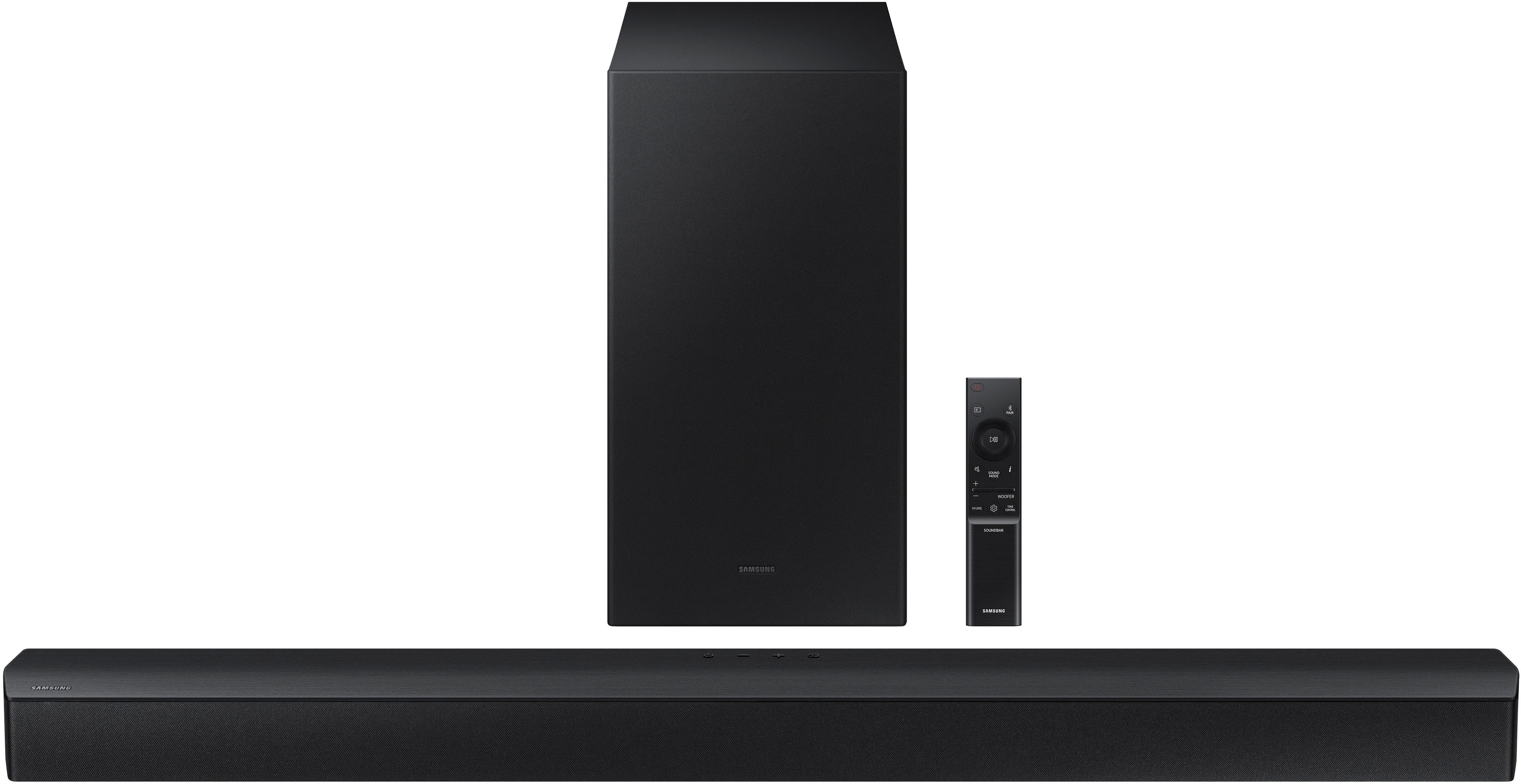
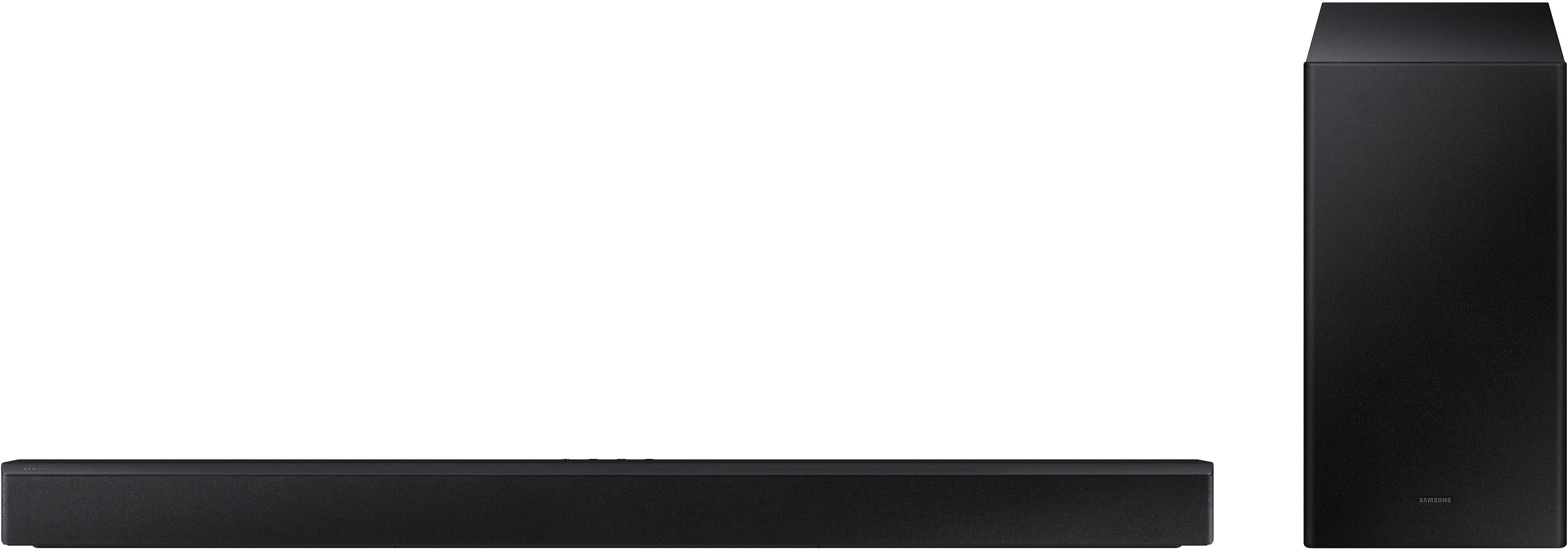
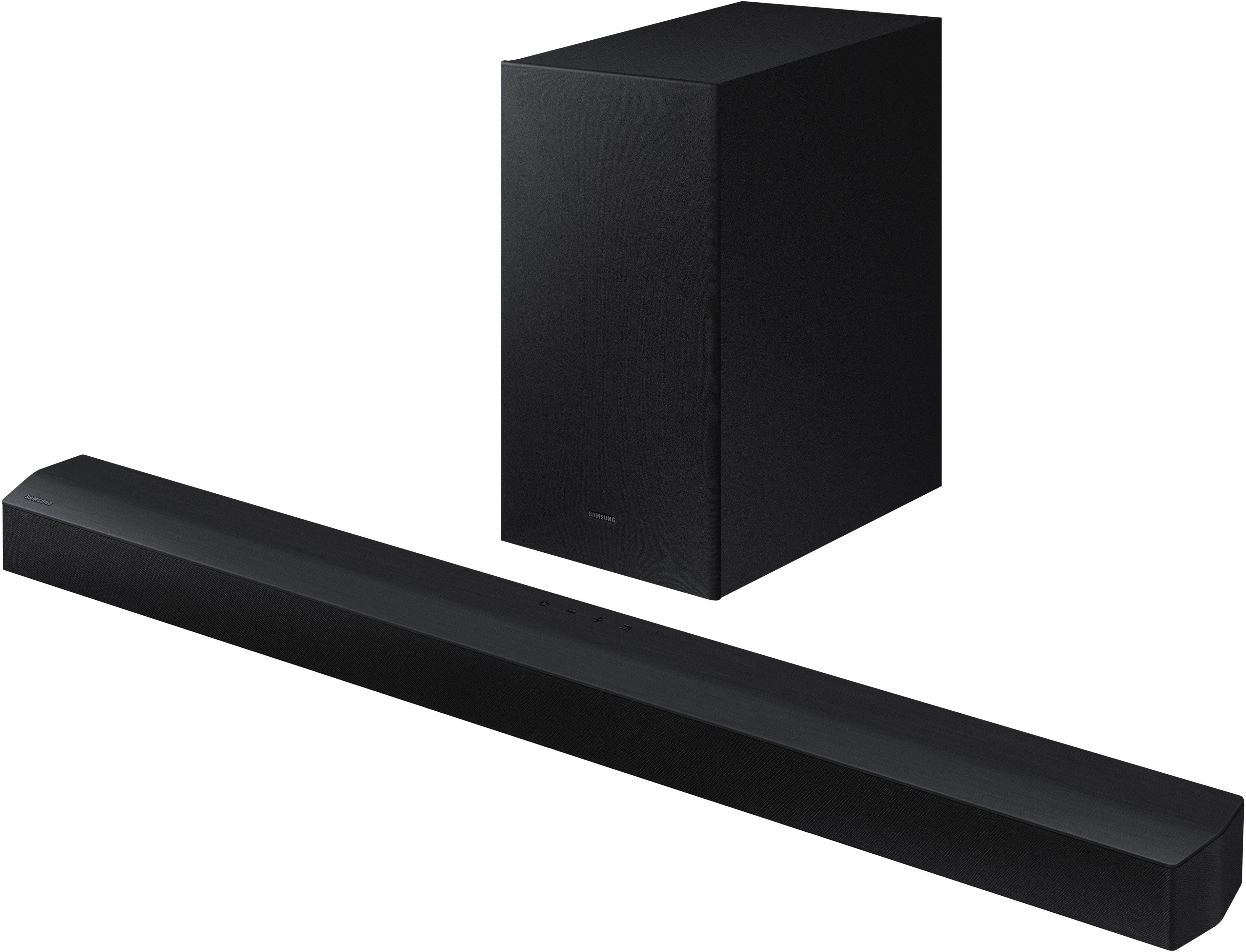




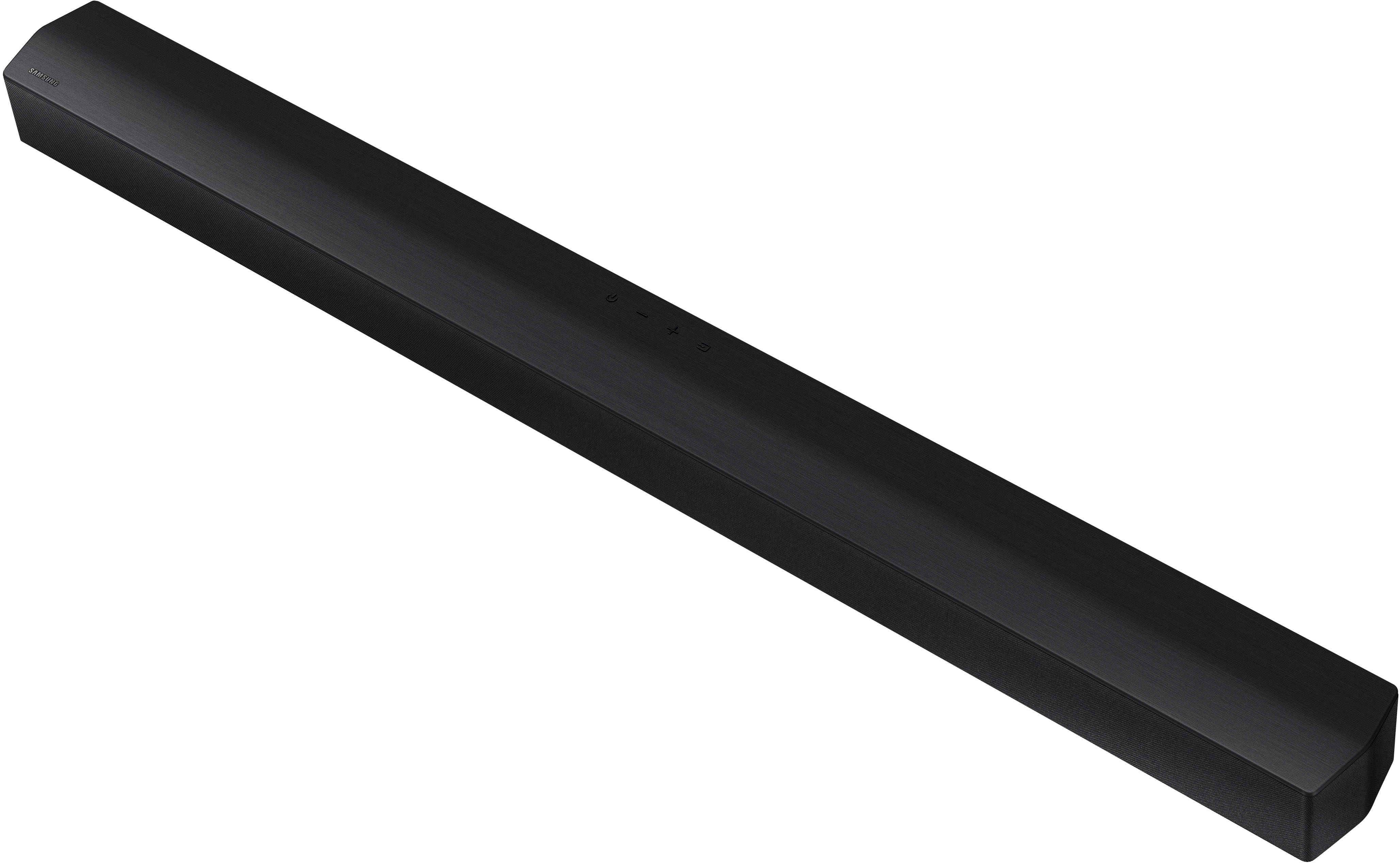






- Model:
- HW-B450/ZA
- SKU:
- 6505156
Rating by feature
- Value
Rating 4.5 out of 5 stars
- Quality
Rating 4.4 out of 5 stars
- Ease of Use
Rating 4.4 out of 5 stars
Customers are saying
Customers are positive about the sound quality, bass, ease of use, and value for the price of the HW-B450/ZA soundbar. Many appreciate its compact size and impressive volume. However, some customers expressed negative feedback regarding the lack of HDMI connectivity and issues with the remote control and Bluetooth connectivity. The setup process was generally considered easy, but some users found the remote confusing.
This summary was generated by AI based on customer reviews.
Sub par purchase
||Posted . Owned for 2 weeks when reviewed.This reviewer received promo considerations or sweepstakes entry for writing a review.Sound bar died 16 days after buying and the store would not provide an exchange.
No, I would not recommend this to a friendBrand response from Samsung
Posted .Hello MarkJ,
Thank you for your purchase of the Samsung HW-B450 Soundbar, I am sorry to hear about your experiences with the soundbar.
So that we can better assist you, please reach out to Samsung Support at
1) 1-800-SAMSUNG (ask for Soundbars), 8 AM - 12 AM EST, 7 days a week.
2) LiveChat with an agent by clicking the ‘Support’ link on the Samsung website homepage.
We hope to hear from you so we can work together to find a solution.
~ Samsung Solutions
Poor quality.
||Posted . Owned for 3 weeks when reviewed.This reviewer received promo considerations or sweepstakes entry for writing a review.Died 4 days purchase. The reviews are accurate. Got my money back and bought the 5.1
No, I would not recommend this to a friendBrand response from Samsung
Posted .Hello BixieBeeps,
Thank you for your review of the HW-B450 Soundbar and for sharing your experience that has caused you to return your unit. Your experience is very important to us and will be shared with our product team.
Should you need any assistance in setting up your new Soundbar, or any questions about how to best optimize your sound, please know we are always here to help.
Call us at 1-800-SAMSUNG (ask for Soundbars), available 8 AM – 12 AM EST, 7 days a week.
For additional support resources, visit us on the Samsung website and click on the ‘Support’ link in the upper right corner of the homepage.
~ Samsung Solutions
Poor quality
||Posted . Owned for 2 weeks when reviewed.This reviewer received promo considerations or sweepstakes entry for writing a review.Poor quality. TV sound quality is better than this sound bar.
No, I would not recommend this to a friendBrand response from Samsung
Posted .Hello Imran,
Thank you for purchasing the HW-B450 Soundbar, we appreciate your review and it will be shared with our internal teams.
The HW-B450 Soundbar features a powerful wireless subwoofer, as well as Bass Boost mode to instantly amplify the bass with a touch of a button. You can try manually optimizing your settings by pressing the SOUND MODE button on your remote, and then select the desired sound effect by choosing SURROUND SOUND - GAME – ADAPTIVE LITE - BASS BOOST - STANDARD
Additionally, there are two additional adjustments that can be made for bass and subwoofer:
1) Using the WOOFER button on the remote, you can adjust the volume of the subwoofer between -6 to +6 by toggling the button up or down. To set the subwoofer volume level to 0, press the button down
2) Adjust the BASS or TREBLE by pressing the TONE CONTROL button on the remote control, then you will use the UP/DOWN buttons to adjust either between -6 to +6.
For precise audio adjustments, you can use the 7-band frequency equalizer to optimize the sound for your room acoustics by pressing and holding the SOUND CONTROL button for about 5 seconds, make sure you also set the SOUND MODE to STANDARD.
I hope these tips help you enjoy your new product.
You can always contact us for further help at 1-800-SAMSUNG (Ask for Soundbars), 8 AM – 12 AM EST, 7 days a week. Our LiveChat agents are also available by clicking on the ‘Support’ link on our website.
~ Samsung Solutions
Speaker
||Posted .This reviewer received promo considerations or sweepstakes entry for writing a review.Large speaker stopped working after one week. Called to have it replaced or refund.
No, I would not recommend this to a friendBrand response from Samsung
Posted .Hi Samsungdryer
Thank you for your purchase of the Samsung HW-B450 Soundbar. We appreciate you bringing your concerns to our attention.
So that we can better assist you, please reach out to Samsung Support at
1) 1-800-SAMSUNG, 8 AM - 12 AM EST, 7 days a week.
2) LiveChat with an agent by clicking the ‘Support’ link on the Samsung website homepage.
We hope to hear from you.
~ Samsung Solutions
Mr. Tom ???
||Posted . Owned for 1 month when reviewed.This reviewer received promo considerations or sweepstakes entry for writing a review.The sound "syncing" issue has not been resolved. I have had several potential solutions None worked. 1. IU was told I should have gotten a Samsung sound bar. T he salesman told me this one would work.. I didn't know what a soundbar is so I did NOT pick this opne. 2. Another salesman me told me to just have them take this system back and by a whole new system based on all SONY products. (I think n he maybe be a SONY rep?? 3. One technition said the syncing button on the sound bar remote doesn't work on my set uo. ?? He didnlttry to use it so what up/ Offered no solution. 4. I was told to get a new cable box. I have the new one now but am leery of trying to hook it up . 5. I do not know what to do next to resolve this syncing issue?
No, I would not recommend this to a friendBrand response from Samsung
Posted .Hello TomK,
Thank you for purchasing the HW-B450 Soundbar. I am sorry to see that you have experienced all of these issues with your soundbar.
By pressing the SOUND CONTROL button until you see AUDIO SYNC is going to be the first step in correcting any audio sync issues. From there using the UP/DOWN buttons to adjust between 0 to 300 milliseconds.
If you are using a Samsung TV, set the Sound Delay level to 0. Home > Settings > Sound > Expert Settings > Digital Output Audio Delay: “0”. Change the audio format to PCM on both the source device and the TV.
Also make sure that your soundbar and TV are using the latest firmware available. Contact Samsung Customer Support and we will be happy to assist with your soundbar.
Should you ever have questions or need help, please call us at 1-800-SAMSUNG (ask for Soundbars), available 8 AM – 12 AM EST, 7 days a week.
For additional support resources such as downloading a full manual, visit us on the Samsung website and click on the ‘Support’ link in the upper right corner of the homepage.
~Samsung Solutions
- Pros mentioned:Size, Sound quality

Excellent compact sound bar!
|Posted .This reviewer received promo considerations or sweepstakes entry for writing a review.I really like this sound bar, it has great sound quality, compact size, and a wireless subwoofer making it a great option for anyone looking to get a good sound bar for their audio needs. I really like that the hardware for wall mounting the sound bar comes included, although the instructions for wall mounting are only available in the online manual and not the included setup manual, but this is easy to get since there is a QR code for getting to the Samsung support website with the full documentation. The only reason I don't give this 5 stars is that I wish it included an HDMI with eARC input so that I could fully control the sound bar with just my TV remote, instead this only has bluetooth and an optical input to connect to your TV and neither of these options allow you to control the sound bar from the television. The best option I have found is to set the sound bar at about 20 and then using the bluetooth connection to my TV I can control the output volume on the TV to adjust the volume, I still have to use the sound bar remote to power on and off the sound bar, since I don't like to leave it in stand by, but this is fine for me with the available inputs on this sound bar. I do like that there is a usb input on the sound bar so you can hook up and use either a thumb drive or hard drive to play media straight off a usb device. So if you have a bunch of albums on a usb device you can plug it straight into this sound bar and play directly off of the usb drive which is really cool in my opinion.
I would recommend this to a friendBrand response from Samsung
Posted .Hello jonnyd2885,
Thank you for the detailed review of the HW-B450 Soundbar. We appreciate your feedback very much and will be shared with our product teams.
In fact, you can control your Soundbar when connected via Digital Optical. Follow the instructions below.
1) Use the TV remote to navigate to Settings, select Sound, and then select Sound Output on your Samsung TV.
2) Select your Samsung soundbar, and then select Close. Now you can use your TV remote to adjust the volume and mute the soundbar. The soundbar should also turn on and off with the TV.
Other manufacturers’ remotes may have to be enabled on your soundbar. First, turn Off the Soundbar. Once powered off, push up and hold the WOOFER button for 5 seconds. Each time you push the WOOFER button up and hold it for 5 seconds, the mode switches in the following order: “OFF-TV REMOTE” (Default mode), “SAMSUNG-TV REMOTE”, “ALL-TV REMOTE”. Please also make sure your speaker settings on the TV are set to External Speaker.
I hope these tips help you enjoy your new product.
You can always contact us for further help at 1-800-SAMSUNG (Ask for Soundbars), 8 AM – 12 AM EST, 7 days a week. Our LiveChat agents are also available by clicking on the ‘Support’ link on our website.
~ Samsung Solutions
- Pros mentioned:Bass, Size, Sound quality
OK for smaller rooms
|Posted .This reviewer received promo considerations or sweepstakes entry for writing a review.The Samsung - HW-B450/ZA Soundbar has good sound, if a bit weak for filling living rooms. Would be best in smaller spaces such as a bedroom. The subwoofer is a nice addition and adds some punch to the bass for movies. It's definitely better than built in speakers TV speakers. Bluetooth enabled, so you can play music or other audio from your phone or tablet. True audiophiles will be underwhelmed when used as a music player, but it's in the upper tier for the price range. Easy connection through the supplied optical cable, or bluetooth if your TV is equipped. Small size makes it perfect for TV's that are 32 inches and up. Though in front of a 65 inch it does look small. The main issue and why it's 3 stars is on my TV's I've been unable to get the audio to sync with the video from my TV's. It's worst on my older Sanyo TV (non smart) at more than a second delay. Less so on my TCL, but still annoyingly noticeable. It's frustrating to spend so much time on what should be a plug and play operation. It could be the TV's that are the issue. Whatever the case it's going to take time and a call to Samsung tech support to see if it can be resolved with the TV's I've got.
No, I would not recommend this to a friendBrand response from Samsung
Posted .Hello Crashphoenix,
Thank you for sharing your detailed review of the HW-B450 Soundbar. I am sorry to see that you are having these experiences with your soundbar.
On newer Samsung TVs, there is a way that you can turn a setting called Audio Pass Through on which helps with any audio lag. Check your manuals for both of your TVs to see if there is a similar setting.
You can also press the SOUND CONTROL button until you see AUDIO SYNC. Then use the UP/DOWN button on your soundbar remote to adjust between 0 - 300 milliseconds to help with your audio issues as well.
Should you ever have questions or need help, please call us at 1-800-SAMSUNG (ask for Soundbars), available 8 AM – 12 AM EST, 7 days a week.
For additional support resources such as downloading a full manual, visit us on the Samsung website and click on the ‘Support’ link in the upper right corner of the homepage.
~Samsung Solutions
Broke
||Posted .This reviewer received promo considerations or sweepstakes entry for writing a review.Took it home and it worked for 4 hours and then quit working
No, I would not recommend this to a friendBrand response from Samsung
Posted .Hi Didnotwork,
Thank you for your purchase of the Samsung HW-B450 Soundbar. We appreciate you bringing your concerns to our attention.
So that we can better assist you, please reach out to Samsung Support at:
1) 1-800-SAMSUNG (ask for Soundbars), 8 AM - 12 AM EST, 7 days a week.
2) LiveChat with an agent by clicking the ‘Support’ link on the Samsung website homepage.
We hope to hear from you so we can work together to find a solution.
~ Samsung Ambassador
Name compromises performance
||Posted . Owned for 3 weeks when reviewed.This reviewer received promo considerations or sweepstakes entry for writing a review.its pretty good for the price but it doesnt sync well
No, I would not recommend this to a friendBrand response from Samsung
Posted .Hello NathanielE,
Thank you for sharing your experiences regarding the HW-B450 Soundbar. I am sorry to see that your soundbar is experiencing this issue.
Press the SOUND CONTROL button to select AUDIO SYNC and then set the audio delay between 0~300 milliseconds by using the Up/Down buttons. This will allow you to correct the audio sync issues with your soundbar.
I hope this tip helps improve your enjoyment. For more help, please call us at 1-800-SAMSUNG (Ask for Soundbars), 8 AM – 12 AM EST, 7 days a week. LiveChat with an agent as well as manuals, software, and warranty info can be found at the ‘Support’ link on our Samsung website.
~ Samsung Solutions
It’s very important keep your Customer happy
||Posted . Owned for 1 month when reviewed.This reviewer received promo considerations or sweepstakes entry for writing a review.I love it very much I really appreciate the help I got
I would recommend this to a friendBrand response from Samsung
Posted .Hello MayamuK,
Thank you for purchasing the Samsung HW-B450 and for your review. I am glad to hear that you are happy with the performance of your new soundbar.
If you are experiencing specific issues which caused you to give this a 3-star rating, please know Samsung Customer Support is here to help.
Call us at 1-800-SAMSUNG (ask for Soundbars), available 8 AM – 12 AM EST, 7 days a week.
LiveChat with an agent by clicking the ‘Support’ link on the Samsung website.
~Samsung Solutions
Dont Buy
||Posted . Owned for 2 weeks when reviewed.This reviewer received promo considerations or sweepstakes entry for writing a review.Hard to setup. I still have this item not hookup as yet.
No, I would not recommend this to a friendBrand response from Samsung
Posted .Hello VirginiaY,
I am sorry to hear that setting up your HW-B450 has not been an easy one.
You can connect your HW-B450 Soundbar to your TV in two different ways, either through Digital Optical or wirelessly using Bluetooth.
Using the included Optical Cable, remove the plastic covers off each end of the cable. It won't take a lot of effort they should slide right off.
Connect the DIGITAL AUDIO IN (OPTICAL) port on the Soundbar to the OPTICAL OUT port of the TV with a digital optical cable.
Press the (Source) button on the top panel or remote control, and then select the “D.IN” mode.
If your TV has the ability to connect using Bluetooth, follow these instructions if you want a wireless connection.
1. Press the PAIR button on the remote control to enter the “BT PAIRING” mode.
(OR) a. Press the SOURCE button on the top panel (of the Soundbar) and then select “BT”. “BT” changes to “BT PAIRING” in a few seconds automatically or changes to “BT READY” if there is a connected record.
b. When “BT READY” appears, press and hold the SOURCE button on the top panel of the
Soundbar for more than 5 seconds to display “BT PAIRING”.
2. Select Bluetooth mode on the TV. (For more information, see the TV’s manual.)
3. Select “[AV] Samsung Soundbar B4-Series” or “[ AV ]Soundbar B4-Series” from the list on TV’s screen.An available Soundbar is indicated with “Need Pairing” or “Paired” on the TV’s Bluetooth device list. To connect the TV to the Soundbar, select the message, and then establish a connection.
• When the TV is connected, [TV Name] - “BT” appears on the Soundbar’s front display.
4. You can now hear TV sound from the Soundbar. If the Soundbar is not found by the TV.
• Connect the TV and Soundbar with an optical cable, and select the “D.IN” mode by pressing
(Source) button on the top of the Soundbar. See if the audio output works normally, and
proceed with the step 2 and 3.
If you are still having issues with connecting your Soundbar, please contact Samsung Customer Service, we are here to help you.
Please call us at 1-800-SAMSUNG, 8 AM - 12 AM EST (Ask for Soundbars), 7 days a week. Our LiveChat agents are also available by clicking on the ‘Support’ link on our website.
~ Samsung Solutions
Piece of JUNK.
||Posted . Owned for 1 month when reviewed.This reviewer received promo considerations or sweepstakes entry for writing a review.Does NOT stay connected via Bluetooth............m
No, I would not recommend this to a friendBrand response from Samsung
Posted .Hello BrianC,
Thank you for taking the time to leave a review based on the HW-B450 Soundbar. We appreciate your experiences and I am sorry that you are not fully satisfied.
Please make sure your soundbar is using the latest firmware Version. Updating the firmware on your soundbar gives you all the benefits of the latest improvements. You can update your firmware by using a USB device.
You can download the firmware directly from Samsung’s website by clicking “Support” in the top right corner. Then go to “Manuals & Software” > “TVs & Home Theater” > “Home Theater” > “Sound Bars”. From there, you can select the HW-B450 under Standard.
Download the update and install via USB thumb stick to your soundbar. If you need additional help, there are how to instructions on this page.
You may also want to initialize your soundbar by pressing the - and + (volume) buttons on the side of the soundbar at the same time for at least 5 seconds. The light indicator on the front of the soundbar will blink 4 times and the soundbar will be reset. Please know, this will reset all settings on the soundbar back to default; any sound adjustments will need to be performed again.
Please know that Samsung Customer Service is here to assist as well.
I hope these tips help you enjoy your new product.
You can always contact us for further help at 1-800-SAMSUNG (Ask for Soundbars), 8 AM – 12 AM EST, 7 days a week. Our LiveChat agents are also available by clicking on the ‘Support’ link on our website.
~ Samsung Solutions
- Pros mentioned:Bass, Sound quality
very good entry level soundbar
|Posted .This reviewer received promo considerations or sweepstakes entry for writing a review.This is definitely an entry level soundbar from Samsung. This is my third soundbar from Samsung and can tell the difference. There is nothing wrong with entry level, I put this in a spare bedroom I have a TCL Roku TV in. For the audio connection you only have 2 options; Bluetooth an optical. So make sure your TV is compatible with one of these. An optical cable is included with the soundbar. Even the remote comes with batteries. Setup is pretty simple. My Roku TV does not have Bluetooth, so I went with optical. I did have to tell the TV I was switching audio. As soon as I plugged in the cable to the soundbar, the optical cable was immediately detected and no other setup was needed. The external sub woofer is not mandatory and for me no setup was needed other than plugging it into power. The soundbar and sub woofer are both very lightweight. Do not expect sound like from a more expensive soundbar, but this works very well for a 50" TV in a smaller room. This does not have a wifi connection.
I would recommend this to a friend - Pros mentioned:Ease of use, Sound quality
Clear and Rich Sounding Soundbar Audio System
|Posted .This reviewer received promo considerations or sweepstakes entry for writing a review.Samsung has done a great job with the HW-B450. It’s well made and looks good. The sound quality from this was surprising given that it’s a 2.1 sound bar audio system. The audio is very clear and the sub-woofer has no problem creating a theater like base when watching movies. I was able to connect the soundbar via Bluetooth to my Amazon Fire TV and iPhone. Streaming video, movies, audio books, and music all had a rich clear sound. Now watching movies using my projector, I get a much better movie experience. I like that the subwoofer is wireless which allowed me to move it to where I needed it without having to keep it close enough to connect some kind of cable to the soundbar. Setup was very simple and straight forward. It comes with a remote, the soundbar, subwoofer, mounting hardware, instructions on connected the subwoofer to the soundbar, an optical audio cable, and two power cables (one for the soundbar and one for the subwoofer). I would recommend this to someone looking for a soundbar that has clear rich sound and doesn’t break the bank. If you need surround sound, then look into Samsung’s 5.1 or 7.1 sound systems, but if you don’t need that, the HW-B450 is a great low-cost option.
I would recommend this to a friend - Pros mentioned:Bass, Sound quality
Great Sound!
|Posted .This reviewer received promo considerations or sweepstakes entry for writing a review.The Samsung AW-B450 is an amazing soundbar and sounds as good as more expensive models. It even includes a separate subwoofer! I paired it with a Samsung TV which supposedly provides better results but I can't imagine being disappointed if you used it with any brand! Simply plug them in, attach to your TV using the included digital optical cable, and it works! The subwoofer automatically paired with the soundbar making set up so easy. The unit provides great bass for such a compact subwoofer and great full-range sound overall. Also includes a "NightMode" button which softens the sound and bass so you can watch/listen without disturbing others. Has bluetooth connection to pair with your TV without the use of cables, or for use as an external speaker for other sources. Just great sound for everything. I haven't tried this but they boast that they are easily upgradable with the optional rear-speakers to produce a full 360 degree sound. Once again - it sounds great just as it is! Samsung has done it again with great sound at a great price-point!
I would recommend this to a friend Nothing special
||Posted . Owned for 1 week when reviewed.This reviewer received promo considerations or sweepstakes entry for writing a review.Can't see much difference for $150 dollar sound bar. Not sure it does anything for the sound in the room from the TV
No, I would not recommend this to a friendBrand response from Samsung
Posted .Hello me68,
Thank you for sharing your thoughts regarding the HW-B450 Soundbar.
You can try manually optimizing your settings by pressing the SOUND MODE button on your remote, and then selecting the desired sound effect by choosing SURROUND SOUND - GAME - ADAPTIVE - BASS BOOST - STANDARD
Additionally, there are two additional adjustments that can be made for bass and subwoofer:
1) Using the WOOFER button on the remote, you can adjust the volume of the subwoofer between -6 to +6 by toggling the button up or down. To set the subwoofer volume level to 0, press the button down
2) Adjust the BASS or TREBLE by pressing the TONE CONTROL button on the remote control, then select
For precise audio adjustments, you can use the 7-band frequency equalizer to optimize the sound for your room acoustics by pressing and holding the SOUND CONTROL button for about 5 seconds, make sure you also set the SOUND MODE to STANDARD.
If you need further assistance, please know Samsung Customer Support is here to help.
I hope these tips help you enjoy your new product.
You can always contact us for further help at 1-800-SAMSUNG (Ask for Soundbars), 8 AM – 12 AM EST, 7 days a week. Our LiveChat agents are also available by clicking on the ‘Support’ link on our website.
~ Samsung Solutions
DB
||Posted . Owned for 2 months when reviewed.This reviewer received promo considerations or sweepstakes entry for writing a review.This soundbar does not connect with an HDMI cable. We have television channels where the video is not in synch with the audio. Geek Squad has been out for service but was unable to get it 100% in synch. Don't know what my next steps should be since the soundbar is outside the return window.....And to make matters worse, the soundbar was recommended by the Best Buy associate.
No, I would not recommend this to a friendBrand response from Samsung
Posted .Hello Donald,
Thank you for sharing your thoughts about the HDMI input for the HW-B450 Soundbar. I am sorry to see that your soundbar has been experiencing sync issues with your initial setup.
So that we can better assist you, please reach out to Samsung Support via:
1) 1-800-SAMSUNG, 8 AM - 12 AM EST, 7 days a week. Ask for "Soundbars."
2) LiveChat with an agent by clicking the ‘Support’ link on the Samsung website homepage.
Samsung is committed to providing the best possible product experience, quality, and value, and we back this soundbar with a 1-year limited manufacturer's warranty.
We hope to hear from you.
~Samsung Solutions
not so great. Very basic
||Posted . Owned for 1 month when reviewed.This reviewer received promo considerations or sweepstakes entry for writing a review.I will get a better soundbar in the future. this one is very basic and improved so slightly my tv speakers
I would recommend this to a friendBrand response from Samsung
Posted .Hello Landorito,
Thank you for sharing your thoughts about the HW-B450 Soundbar. I am sorry that your experience has not been ideal regarding the audio quality.
You can try manually optimizing your settings by pressing the SOUND MODE button on your remote, and then selecting the desired sound effect by choosing SURROUND SOUND - GAME - ADAPTIVE - BASS BOOST - STANDARD
Additionally, there are two additional adjustments that can be made for bass and subwoofer:
1) Using the WOOFER button on the remote, you can adjust the volume of the subwoofer between -6 to +6 by toggling the button up or down. To set the subwoofer volume level to 0, press the button down
2) Adjust the BASS or TREBLE by pressing the TONE CONTROL button on the remote control, then select
For precise audio adjustments, you can use the 7-band frequency equalizer to optimize the sound for your room acoustics by pressing and holding the SOUND CONTROL button for about 5 seconds, make sure you also set the SOUND MODE to STANDARD.
If you need more help, Samsung is here for you. Please call us at 1-800-SAMSUNG, 8AM - 12AM EST (Ask for Soundbars), 7 days a week. Our LiveChat agents are also available by clicking on the ‘Support’ link on our website.
~ Samsung Solutions
- Pros mentioned:Bass, Sound quality
Good speaker that was almost great...
|Posted .This reviewer received promo considerations or sweepstakes entry for writing a review.So, this has been a interesting experience. I had a sinus infection when I first got this so I couldn't really hear that well. I had other folks listen to this soundbar and they were all pleasantly surprised by the sound quality. They went through all the presets while listening to a variety of music and it held up nicely. Top Gun Maverick seemed to be the movie of choice when testing it and everyone loved it (the speaker). I started to feel better and I wanted to compare my experience with everyone else's. Well, I have some complaints. This soundbar sounds much better than the speakers in my old 55" Samsung TV. The optical input is great. Not missing the HDMI connection. The many presets for EQ that are built into this soundbar are interesting. For my taste the Game mode sounded the best to me. I had a tiny bit of a ghost sound (very low volume out of sync audio) when I connected my Kindle 10 tablet to it via Bluetooth but not my phone or my laptop. Random odd glitch I guess. The HW-B450 comes with hangers to mount the unit below your TV if it is wall mounted which was cool. The remote came with batteries so another bonus. This speaker is very easy to setup. I am giving this 3 stars because of the quality of the sound when I played music. If you are watching a movie which I would assume this is what you are probably buying a soundbar for you are in luck. The sub packs a nice punch. Not sure if I'd use this on a desk for a computer unless you have the optical out for audio on your sound card or motherboard. I would recommend this unit if you want to have a better experience watching movies but be mindful of listening to music. It's okay but if you ever listened to a great set of speakers and amp you'll be a bit disappointed.
I would recommend this to a friendBrand response from Samsung
Posted .Hello Malcolm,
Thank you for sharing your detailed review regarding the HW-B450 Soundbar. We appreciate your feedback and will be sharing this with our internal teams.
You can try manually optimizing your settings by pressing the SOUND MODE button on your remote, and then selecting the desired sound effect by choosing SURROUND SOUND - GAME - ADAPTIVE - BASS BOOST - STANDARD
Additionally, there are two additional adjustments that can be made for bass and subwoofer:
1) Using the WOOFER button on the remote, you can adjust the volume of the subwoofer between -6 to +6 by toggling the button up or down. To set the subwoofer volume level to 0, press the button down
2) Adjust the BASS or TREBLE by pressing the TONE CONTROL button on the remote control, then select
For precise audio adjustments, you can use the 7-band frequency equalizer to optimize the sound for your room acoustics by pressing and holding the SOUND CONTROL button for about 5 seconds, make sure you also set the SOUND MODE to STANDARD.
Using this 7-band frequency equalizer will help you fine-tune your audio experience when you are listening to anything, including music.
I hope these tips help you enjoy your new product.
You can always contact us for further help at 1-800-SAMSUNG (Ask for Soundbars), 8 AM – 12 AM EST, 7 days a week. Our LiveChat agents are also available by clicking on the ‘Support’ link on our website.
~ Samsung Solutions
- Pros mentioned:Sound quality
Solid sound for smaller rooms
|Posted .This reviewer received promo considerations or sweepstakes entry for writing a review.The Samsung - HW-B450/ZA 2.1ch Soundbar with DOLBY AUDIO/ DTS 2.0 CHANNEL - Black is an affordable, sleek looking soundbar system that will greatly improve your TV sound experience for smaller rooms. It is just under 3 ft long and it even comes with wall mounting brackets. Since this is a 2.1 system, it does not come with surround speakers but there are a couple of compatible Samsung wireless surround speakers that can be added to this soundbar to turn it into a 4.1 system. Regardless, the built-in DTS virtual-X technology helps fill the room with simulated 3D sound, so you may not need to purchase the extra surround speakers. In terms of connectivity, it has USB, optical and bluetooth, which is nice so you can even pair it with other devices. It does not have HDMI ARC, so I ended up setting it up with the included optical cable to my older 65” Samsung TV and it sounds much better than the built-in TV speakers. The soundbar can also be controlled from the Samsung TV remote. I also tried it with an Amazon Fire Cube remote which was able to control power and volume just as well. The remote it comes with is simple to use, it can control volume, bass, treble levels as well as different sound modes such as Game Mode, Adaptive Sound, Bass Boost, Voice Enhanced. There is also a Night Mode which reduces bass levels and increases dialog, so it works well with the bedroom TV when you’re up late and others have gone to sleep. All in all this is a solid soundbar system that would make a great addition to any TV, especially in smaller rooms and preferably connected to a Samsung TV for seamless remote control integration. When on-sale, this is a very affordable system that will enhance your movie watching, game playing experience or even music listening.