Rating 4.3 out of 5 stars with 794 reviews
4.3- Sound Quality (522)
- Bass (94)
- Ease of use (92)
- Price (30)
- Size (25)
- Soundbar (20)
- Remote Control (11)
- Connectivity (10)
Customer Images
The vast majority of our reviews come from verified purchases. Reviews from customers may include My Best Buy members, employees, and Tech Insider Network members (as tagged). Select reviewers may receive discounted products, promotional considerations or entries into drawings for honest, helpful reviews.
- Rated 5 out of 5 stars
Great Soundbar, EZ Hookup
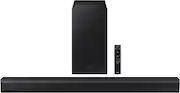
This is great budget entry level soundbar. Sounds a lot better than TV Speakers. You can turn the Bass and Treble up or down, with the remote, Turn the Subwoofer up or down with the remote. It comes with a Bass Boost Feature, gives it a really good, deep bass sound. It was a breeze to hook up. Has other Features like Night Mode, Voice Enhance, Surround Sound, and Adaptative Sound. Very pleased, with it,
Posted by Mike
- Rated 5 out of 5 stars
Movie theater quality
I’m thrilled with my new Samsung soundbar! The sound quality is incredible—rich, clear, and powerful. It really transforms my TV watching experience, making everything from movies to music sound so much better. Setup was quick and easy, and it synced perfectly with my Samsung TV. I love how sleek and compact it is, too; it fits nicely under the TV without being an eyesore. Overall, this soundbar exceeded my expectations, and I’d definitely recommend it to anyone looking to upgrade their home audio.
Posted by KevinG
- Rated 5 out of 5 stars
Great value sound bar
It is working very well with a Samsung TV and Amazon Fire Stick Remote control. So much better than the built in TV speakers that we have been using for many years. The sub woofer adds a nice low frequency bump. The surround sound effects are very convincing, even without the separately available rear speakers set. The Firestick remote was easily configured to allow the remote full control of the TV and sound bar power and volume using the on screen settings function of the Fire stick.
Posted by DavidH
- Rated 5 out of 5 stars
Samsung sound bar 2.1
Great item to purchase, you can easily feel the different experience it gives the area once setup and starts using. It has a great volume quality and with that small subwoofer that bring such intense beat was over my expectation. Another great factor is you can easily turn up or down your subwoofer using the remote instead of it just being at one standard level. Great item, I recommend to everyone to purchase this item.
Posted by TravF
- Rated 5 out of 5 stars
Boom! In the Bedroom! Perefect setup!
Very pleased with the sound output of this sound bar for only $150.00 its well worth the expenditure, this is perfect for any bedroom tv setup and it doesn't take up a lot of space, highly reccomend it if your on a budget and you want some added Boom! In the Bedroom...!
Posted by Bassman2012