Customer Ratings & Reviews
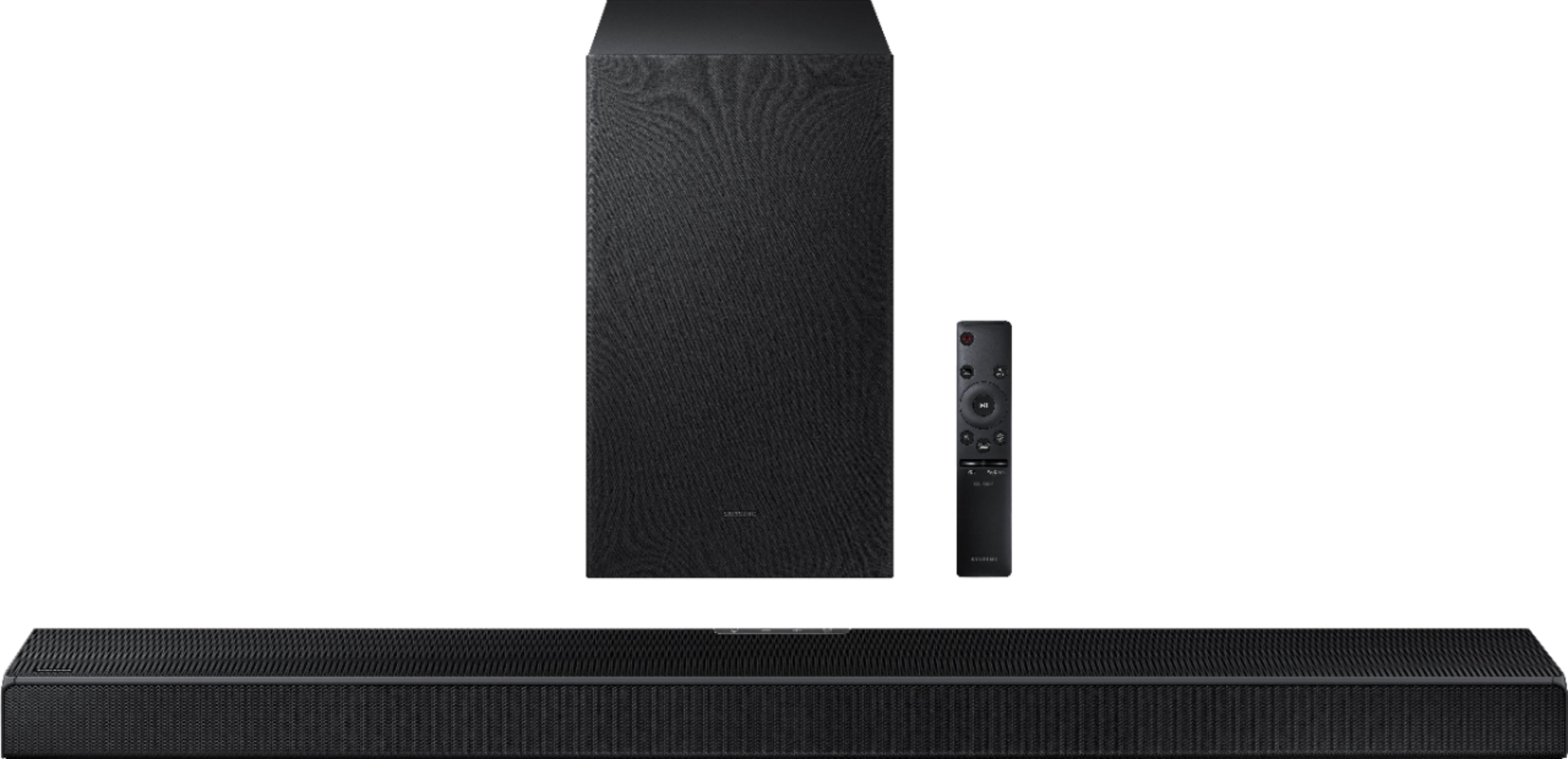
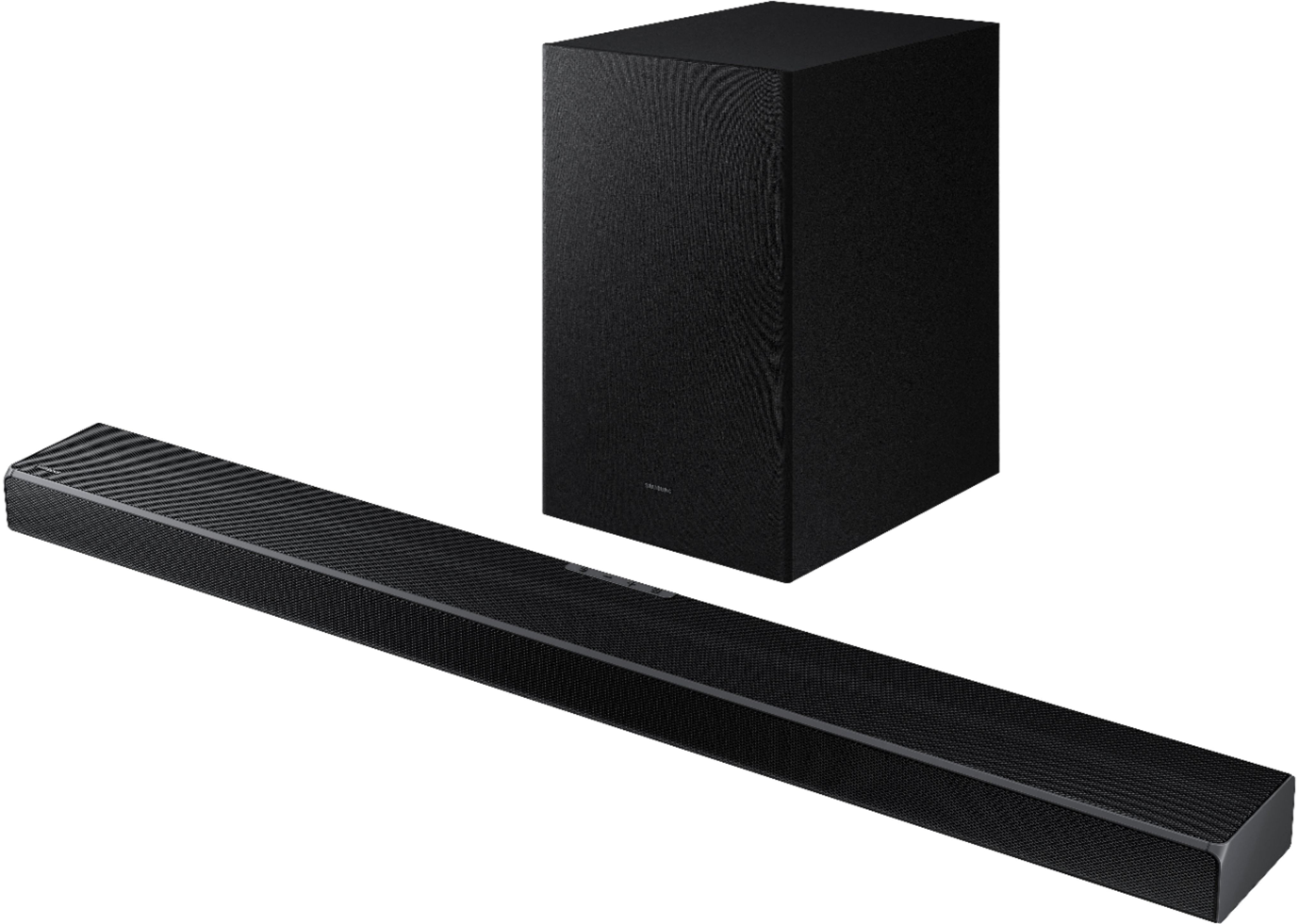
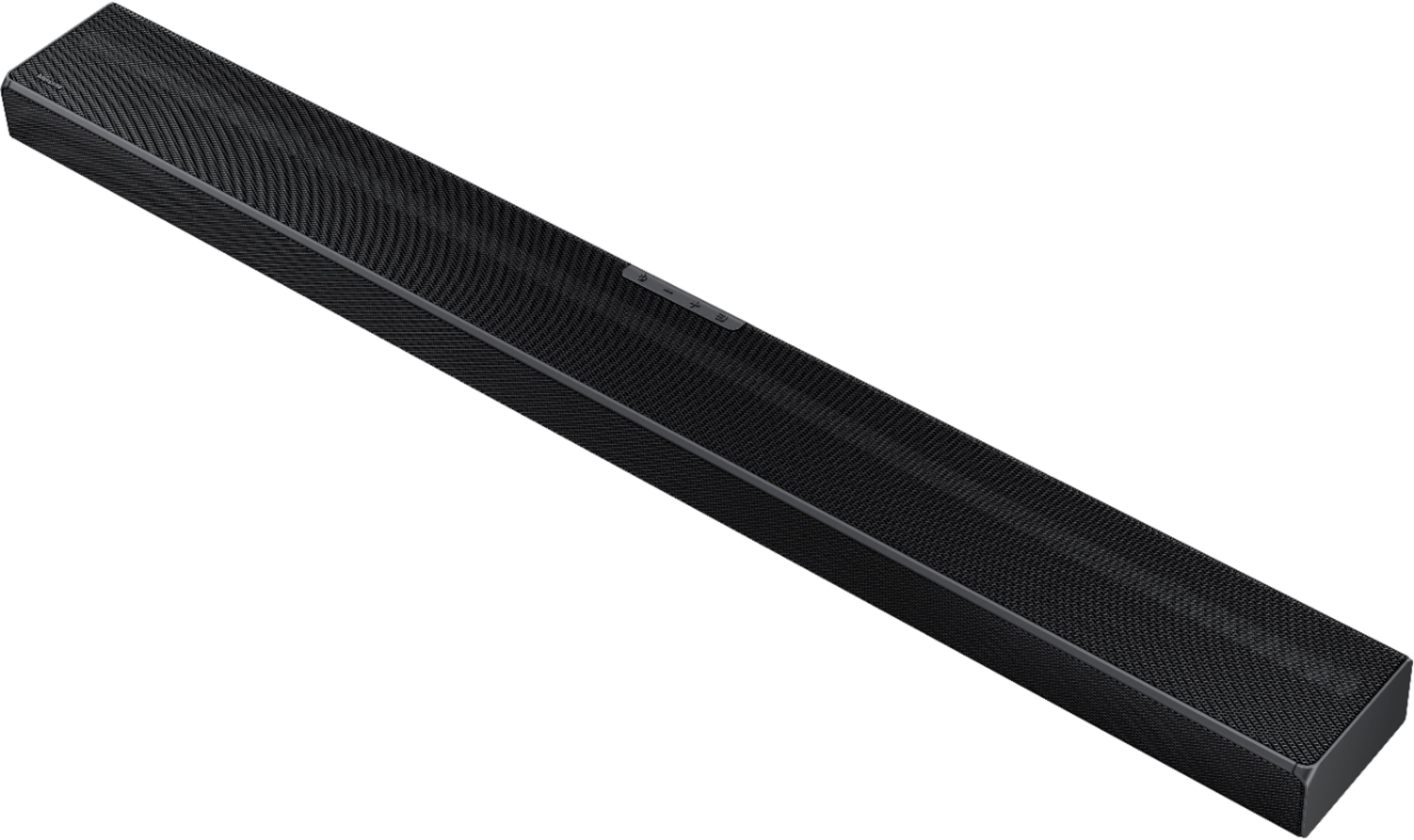
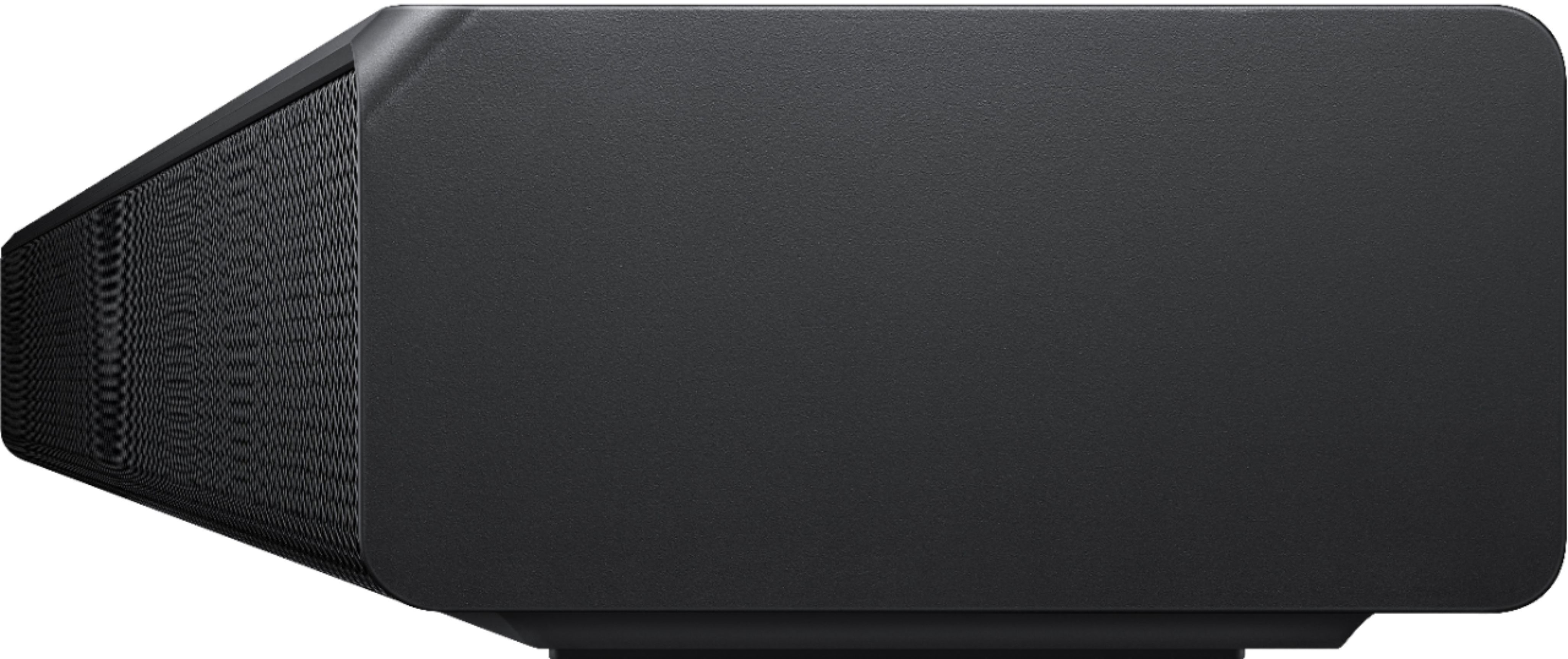






- Model:
- HW-Q600A/ZA
- SKU:
- 6454638
Rating by feature
- Value
Rating 4.4 out of 5 stars
- Quality
Rating 4.5 out of 5 stars
- Ease of Use
Rating 4.6 out of 5 stars
Customers are saying
Customers appreciate the HW-Q600A soundbar for its exceptional sound quality, easy setup, and affordable price. Many users rave about the crystal clear sound with loud bass and find the soundbar to be a great value for the money. Setting up the soundbar is a breeze, with some users reporting a quick installation time of around 10 minutes. However, a few customers have expressed a desire for more bass and a higher volume level.
This summary was generated by AI based on customer reviews.
Not enough sound for a large room
||Posted . Owned for 2 weeks when reviewed.This reviewer received promo considerations or sweepstakes entry for writing a review.The model is nice but the sound is not the best quality for a big living room. I purchased this item on Black Friday so the price was fair however if it wasn’t on special the price is elevated for low quality. The Woofer was not good quality. I was hoping for more since it’s a good name brand.
No, I would not recommend this to a friendBrand response from Samsung
Posted .Hi BSRuiz,
We appreciate you sharing your feedback regarding the performance of your HW-Q600A sound system.
Our 2021 HW-Q600A 3.1.2ch Acoustic Beam Soundbar was designed to deliver immersive 3D sound. Speakers firing from the front, side, and top brings the surround sound to life. Adaptive Sound automatically analyzes the sound signal to optimize sound based on each scene including voices at the lowest volumes.
You can try optimizing audio performance for your specific content by pressing the SOUND MODE button on your remote, and then selecting the desired sound effect by choosing STANDARD, SURROUND SOUND, GAME, or ADAPTIVE SOUND.
You can further adjust TREBLE and BASS via the SOUND CONTROL button (looks like a gear symbol).
If you need further assistance, please know we are here to help. You can reach Samsung Customer Support at 1-800-SAMSUNG (ask for Soundbars), available 8AM - 12AM EST, 7 days a week.
For additional support resources, visit us on the Samsung website and click on the ‘Support’ link in the upper right corner of the homepage for:
1) Chat with Us/Product Help: To begin a chat or find solutions, choose ‘TVs & Home Theater’ and select your model & topic.
2) Manuals & Software
3) Warranty Info
4) Register a Product: For access to easy warranty support, convenient opt-in to special promos and offers, faster troubleshooting and service, and quick notification of system updates
5) Contact Us
~ Samsung Solutions
Just a basic soundbar
||Posted . Owned for 9 months when reviewed.This reviewer received promo considerations or sweepstakes entry for writing a review.It's a nice, loud soundbar that drowns out street noise, but I can't say that there is anything "Atmos" about it. For an audio upgrade that is supposed to be transformative, I find it pretty underwhelming. Not sure if it's the soundbar that's lacking or if Dolby Atmos is just marketing hyperbole.
No, I would not recommend this to a friendNeeds more bass
||Posted .This reviewer received promo considerations or sweepstakes entry for writing a review.Iwaa left a little wanting for more bass. But high frequency clarity is awesome.
No, I would not recommend this to a friendBrand response from Samsung
Posted .Hi pofp,
Thank you for your review of this Samsung HW-Q600A Soundbar. We appreciate you sharing your feedback regarding the bass performance. Please know, there are two adjustments that can be made to maximize bass from the soundbar and subwoofer:
1. Using the WOOFER button on the remote, you can adjust the level between -6 to +6. To set the subwoofer volume level to 0, press the button in.
2. Adjust the bass control by pressing the SOUND CONTROL button (gear icon) on the remote control, then select BASS to increase the level. You can adjust the volume between -6 to +6 by using the Up/Down buttons.
For precise audio adjustments, you can use the 7-band frequency equalizer to optimize the sound for your room acoustics.
I hope this helps. For further assistance with features, settings, adjustments, or functions please contact Samsung Customer Support at 1-800-SAMSUNG (ask for Soundbars), available 8AM - 12AM EST, 7 days a week.
For additional support resources, visit us on the Samsung website and click on the ‘Support’ link in the upper right corner of the homepage for:
1) Chat with Us/Product Help: To begin a chat or find solutions, choose ‘TVs & Home Theater’ and select your model & topic.
2) Manuals & Software
3) Warranty Info
4) Register a Product: For access to easy warranty support, convenient opt-in to special promos and offers, faster troubleshooting and service, and quick notification of system updates
5) Contact Us
~ Samsung Solutions
Q symphony is a joke, so is the soundbar
||Posted . Owned for 1 month when reviewed.This reviewer received promo considerations or sweepstakes entry for writing a review.This thing really lacks any low end. I mean the sub feels like its a 25 dollar afterthought. No upgrades besides the rear speakers. The rear speakers do help but this feels more like a 200 dollar soundbar. I purchased this to pair with a samsung tv. Q symphony really isnt much of an upgrade. Save your cash imo
No, I would not recommend this to a friendBrand response from Samsung
Posted .HI MikeH,
Thank you for sharing your review of the HW-Q600A Soundbar. We value your feedback and will share it with our teams. Please know, there are two adjustments that can be made to maximize bass from the soundbar and subwoofer:
1. Using the WOOFER button on the remote, you can adjust the level between -6 to +6. To set the subwoofer volume level to 0, press the button in.
2. Adjust the bass control by pressing the SOUND CONTROL button (gear icon) on the remote control, then select BASS to increase the level. You can adjust the volume between -6 to +6 by using the Up/Down buttons.
For precise audio adjustments, you can use the 7-band frequency equalizer to optimize the sound for your room acoustics.
If there is anything else we can do to improve your enjoyment such as helping to further optimize settings for your specific sound scenario, please contact Samsung Customer Support at 1-800-SAMSUNG (ask for Soundbars), available 8AM - 12AM EST, 7 days a week.
For additional support resources, visit us on the Samsung website and click on the ‘Support’ link in the upper right corner of the homepage for:
1) Chat with Us/Product Help: To begin a chat or find solutions, choose ‘TVs & Home Theater’ and select your model & topic.
2) Manuals & Software
3) Warranty Info
4) Register a Product: For access to easy warranty support, convenient opt-in to special promos and offers, faster troubleshooting and service, and quick notification of system updates
5) Contact Us
~ Samsung Solutions
- Pros mentioned:Connectivity, Sound quality

Great sound
|Posted .This reviewer received promo considerations or sweepstakes entry for writing a review.I have this in my master bedroom connected to a Sony Android TV capable of passing Atmos via ARC. Connection was simple. Connect an HDMI cable to the soundbar, plug in the soundbar and the sub, turn on the TV, and done. I have the HWN950, and the look, style, and sound signatures are similar. The Q600A, however, does not include surround speakers in the box. It is just a 3.1.2 channel soundbar, giving you the overhead surround effects of an Atmos track, but no side surround (unless you purchase an additional set of wireless speakers from Samsung). Samsung claims that side surround effects are simulated via the 3.1.2 setup (without the separate surround speakers), but I didn't pick up on that during listening tests. At no time during my listening experience did I feel like I was enveloped in surround, as Samsung states the listener should be (and I used all the sound modes). This soundbar is probably best for a room like a master, where you can lay in bed and watch TV and movies, getting the nice boost in volume and quality that comes from a soundbar vs. TV speakers. That said, my experience with Atmos through the Q600A was also average. The soundbar and sub combo are plenty loud for a mid-sized space, and I have experienced no glitches over the last few months. The Q600A does not have a wifi connection, only bluetooth. Music streamed via bluetooth sounds surprisingly good. I know I've criticized the surround experience, but the Q600A sounds great as a speaker used to boost the quality of sound from the tinny TV speakers in your TV. It just doesn't cover the bases real well as a surround sound soundbar. It lacks wifi and cannot be integrated into a whole-home Samsung audio system. It does not come with surrounds and requires you to purchase an add-on speaker package if you want it. But it looks nice, sounds great from a dialog and music perspective, and functions without issue.
No, I would not recommend this to a friend Mediocre
||Posted . Owned for 3 weeks when reviewed.This reviewer received promo considerations or sweepstakes entry for writing a review.mediocre sound quality. Glad I bought it on sale. Definitely not worth $600.
No, I would not recommend this to a friendBrand response from Samsung
Posted .Hi TVoyeur,
We appreciate you sharing your feedback regarding the performance of your HW-Q600A sound system.
Our 2021 HW-Q600A 3.1.2ch Acoustic Beam Soundbar was designed to deliver immersive 3D sound. Speakers firing from the front, side, and top brings the surround sound to life. Adaptive Sound automatically analyzes the sound signal to optimize sound based on each scene including voices at the lowest volumes.
You can try optimizing audio performance for your specific content by pressing the SOUND MODE button on your remote, and then selecting the desired sound effect by choosing STANDARD, SURROUND SOUND, GAME, or ADAPTIVE SOUND.
You can further adjust TREBLE and BASS via the SOUND CONTROL button (looks like a gear symbol).
If you need further assistance, please know we are here to help. You can reach Samsung Customer Support at: 1-800-SAMSUNG (ask for Soundbars), available 8AM - 12AM EST, 7 days a week.
For additional support resources, visit us on the Samsung website and click on the ‘Support’ link in the upper right corner of the homepage for:
1) Contact Us: For additional Chat & Text options, choose ‘TVs & Home Theater’ and select your model & topic.
2) Manuals & Software
3) Warranty Info
4) Register a Product: For access to easy warranty support, convenient opt-in to special promos and offers, faster troubleshooting and service, and quick notification of system updates
~ Samsung Solutions
Disappointed
||Posted . Owned for 4 months when reviewed.This reviewer received promo considerations or sweepstakes entry for writing a review.Disappointed. Payed way too much for it. The salesman got me on this one.
No, I would not recommend this to a friendBrand response from Samsung
Posted .Hi,
Thank you for purchasing the Samsung HW-Q600A and for your review. If there is anything we can do to improve your enjoyment to 5 stars -- such as helping to optimize settings for your specific usage scenario -- please let us know.
You can reach us at 1-800-SAMSUNG (ask for Soundbars), available 8AM - 12AM EST, 7 days a week.
For additional support resources, visit us on the Samsung website and click on the ‘Support’ link in the upper right corner of the homepage for:
1) Chat with Us/Product Help: To begin a chat or find solutions, choose ‘TVs & Home Theater’ and select your model & topic.
2) Manuals & Software
3) Warranty Info
4) Register a Product: For access to easy warranty support, convenient opt-in to special promos and offers, faster troubleshooting and service, and quick notification of system updates
5) Contact Us
~ Samsung Solutions
Atmos nailed it.
||Posted . Owned for 1 month when reviewed.This reviewer received promo considerations or sweepstakes entry for writing a review.Great for watching movies and listening to your favorite music..
I would recommend this to a friendBrand response from Samsung
Posted .Hi JohnPrince,
Thank you for purchasing the Samsung HW-Q600A and for your review. I am glad to hear that you are happy with the Atmos performance of your new soundbar.
If you are experiencing specific issues which caused you to give this a 3-star rating, please know Samsung Customer Support is here to help. You can reach us at 1-800-SAMSUNG (ask for Soundbars), available 8AM - 12AM EST, 7 days a week.
For additional support resources, visit us on the Samsung website and click on the ‘Support’ link in the upper right corner of the homepage for:
1) Chat with Us/Product Help: To begin a chat or find solutions, choose ‘TVs & Home Theater’ and select your model & topic.
2) Manuals & Software
3) Warranty Info
4) Register a Product: For access to easy warranty support, convenient opt-in to special promos and offers, faster troubleshooting and service, and quick notification of system updates
5) Contact Us
~ Samsung Solutions
- Cons mentioned:Center channel
Samsung soundbar just average
||Posted . Owned for 2 weeks when reviewed.This reviewer received promo considerations or sweepstakes entry for writing a review.I couldn't get past the point where with hdmi arc, the soundbar and tv can't turn off so soundbar has to stay on as long as I watch tv---and the center channel was not distinctive for dialogue-hate using apps to control- needs a remote..
No, I would not recommend this to a friendBrand response from Samsung
Posted .Hi katman,
Thank you for purchasing the HW-Q600A and for sharing your review. Your experience with the audio and controlling the soundbar is important to us and will be shared with our product teams.
Please know the Q600A soundbar includes a remote control allowing you to power on or off the soundbar independently from the TV. You can also use the remote to change the sound mode or adjust audio settings to suit your preference. Alternatively, you can change the audio settings on your TV to "TV Speakers" to easily switch between the soundbar and the TV without needing to power off either device.
Should you ever have questions or need help, please call us at 1-800-SAMSUNG (ask for Soundbars), available 8AM - 12AM EST, 7 days a week.
For additional support resources, visit us on the Samsung website and click on the ‘Support’ link in the upper right corner of the homepage for:
1) Chat with Us/Product Help: To begin a chat or find solutions, choose ‘TVs & Home Theater’ and select your model & topic.
2) Manuals & Software
3) Warranty Info
4) Register a Product: For access to easy warranty support, convenient opt-in to special promos and offers, faster troubleshooting and service, and quick notification of system updates
5) Contact Us
~ Samsung Solutions
Just OK
||Posted . Owned for 3 months when reviewed.This reviewer received promo considerations or sweepstakes entry for writing a review.Sound could be soooo much better. I expected more from Samsung.
No, I would not recommend this to a friendBrand response from Samsung
Posted .Hi shoofrk,
I am very sorry to hear that the out of box experience with the Q600A initially fell short of your expectations. We appreciate you sharing your feedback and are here to help.
If you haven't already, you can try quickly optimizing audio performance for your specific content by pressing the SOUND MODE button on your remote, and then selecting the desired sound effect by choosing STANDARD, SURROUND SOUND, GAME PRO, or ADAPTIVE SOUND.
Alternatively, with the sound mode set to standard, Press and hold the SOUND CONTROL button for about 5 seconds to adjust the sound for each frequency band. 150Hz, 300Hz, 600Hz, 1.2kHz, 2.5kHz, 5kHz, and 10kHz are selectable using the Left/Right buttons and each can be adjusted to a setting between -6 to +6 using the Up/Down buttons.
There are two additional adjustments that can be made to maximize bass from the soundbar and subwoofer:
1) Using the WOOFER button on the remote, you can adjust the level between -6 to +6. To set the subwoofer volume level to 0, press the button in.
2) Adjust the bass control by pressing the SOUND CONTROL button (gear icon) on the remote control, then select BASS to increase the level. You can adjust the volume between -6 to +6 by using the Up/Down buttons.
I hope these tips help you further enjoy the experience from your new Samsung Soundbar. Should you ever have questions or need help, please call us at 1-800-SAMSUNG (ask for Soundbars), available 8AM - 12AM EST, 7 days a week.
For additional support resources, visit us on the Samsung website and click on the ‘Support’ link in the upper right corner of the homepage for:
1) Chat with Us/Product Help: To begin a chat or find solutions, choose ‘TVs & Home Theater’ and select your model & topic.
2) Manuals & Software
3) Warranty Info
4) Register a Product: For access to easy warranty support, convenient opt-in to special promos and offers, faster troubleshooting and service, and quick notification of system updates
5) Contact Us
~ Samsung Solutions
Bluetooth drops
||Posted . Owned for 1 month when reviewed.This reviewer received promo considerations or sweepstakes entry for writing a review.Great service at the store. Bluetooth may disconnect from time to time.
No, I would not recommend this to a friendBrand response from Samsung
Posted .Hi Shelby,
Thank you for your review of this Samsung HW-Q600A Soundbar System. We appreciate your feedback regarding experienced Bluetooth connection issues.
There are a few things you may want to check:
1) The maximum wireless signal transmission distance is about 33 ft.
3) If there is a device that uses the same wireless frequency near the Soundbar, interference may cause some sound interruption.
4) Check all the sources on the soundbar. If the audio is dropping while watching TV it could be an issue with the broadcast.
5) Also, please be sure you have the latest firmware update which includes improved Bluetooth connectivity. You can update your firmware by using a USB device. You can find the update on the product page of the HW-Q600A on the Samsung website.
Should you need further assistance with this issue, or have any questions about features or operation, please know that Samsung is here to help. Call us at 1-800-SAMSUNG (ask for Soundbars), available 8AM - 12AM EST, 7 days a week.
For additional support resources, visit us on the Samsung website and click on the ‘Support’ link in the upper right corner of the homepage for:
1) Contact Us: For additional Chat & Text options, choose ‘TVs & Home Theater’ and select your model & topic.
2) Manuals & Software
3) Warranty Info
4) Register a Product: For access to easy warranty support, convenient opt-in to special promos and offers, faster troubleshooting and service, and quick notification of system updates
~ Samsung Solutions
Owners
||Posted . Owned for 1 week when reviewed.This reviewer received promo considerations or sweepstakes entry for writing a review.Well, I expect more, little bit disappointed, for the price!
I would recommend this to a friendBrand response from Samsung
Posted .Hi SonicBoomer,
We appreciate you sharing your feedback regarding the performance of your HW-Q600A sound system. Our 2021 HW-Q600A 3.1.2ch Acoustic Beam Soundbar was designed to deliver immersive 3D sound. Speakers firing from the front, side, and top brings the surround sound to life. Adaptive Sound automatically analyzes the sound signal to optimize sound based on each scene including voices at the lowest volumes.
You can try optimizing audio performance for your specific content by pressing the SOUND MODE button on your remote, and then selecting the desired sound effect by choosing STANDARD, SURROUND SOUND, GAME, or ADAPTIVE SOUND.
You can further adjust TREBLE and BASS via the SOUND CONTROL button (looks like a gear symbol).
If you need further assistance adjusting the settings to improve your experience, please know we are here to help. You can reach Samsung Customer Support at 1-800-SAMSUNG (ask for Soundbars), available 8AM - 12AM EST, 7 days a week.
For additional support resources, visit us on the Samsung website and click on the ‘Support’ link in the upper right corner of the homepage for:
1) Chat with Us/Product Help: To begin a chat or find solutions, choose ‘TVs & Home Theater’ and select your model & topic.
2) Manuals & Software
3) Warranty Info
4) Register a Product: For access to easy warranty support, convenient opt-in to special promos and offers, faster troubleshooting and service, and quick notification of system updates
5) Contact Us
~ Samsung Solutions
Need Help
||Posted . Owned for 2 months when reviewed.This reviewer received promo considerations or sweepstakes entry for writing a review.Good sound, but cannot get it to sync with voices on Dish TV
No, I would not recommend this to a friendBrand response from Samsung
Posted .Hi Refrigerator,
Thank you for purchasing the HW-Q600A soundbar and for your review. We value your feedback regarding the sound synchronization issue you are experiencing.
If the video on the TV and audio from the soundbar are not synchronized, press the SOUND CONTROL button on the soundbar remote, until you see AUDIO SYNC on the display. You can then set the audio delay between 0~300 milliseconds by using the Up/Down buttons.
Additionally, please make sure your soundbar is using the latest firmware version (v.1002.5). You can update the firmware version of your soundbar by using the SmartThings App or a USB device. If available, you may also want to update the firmware version of your TV which may feature audio delay improvements.
If you continue to experience audio delay, and are connected wirelessly, please use the included HDMI cable to connect the soundbar to the TV. Using a wired connection instead of wireless often eliminates the audio delay entirely and improves the user experience.
Should you ever have questions or need help, please call us at 1-800-SAMSUNG (ask for Soundbars), available 8AM - 12AM EST, 7 days a week.
For additional support resources, visit us on the Samsung website and click on the ‘Support’ link in the upper right corner of the homepage for:
1) Chat with Us/Product Help: To begin a chat or find solutions, choose ‘TVs & Home Theater’ and select your model & topic.
2) Manuals & Software
3) Warranty Info
4) Register a Product: For access to easy warranty support, convenient opt-in to special promos and offers, faster troubleshooting and service, and quick notification of system updates
5) Contact Us
~ Samsung Solutions
Samsung soundbar system
||Posted . Owned for 1 month when reviewed.This reviewer received promo considerations or sweepstakes entry for writing a review.Subwoofer is making popping noise when turning on television.
No, I would not recommend this to a friendBrand response from Samsung
Posted .Hi Will,
Thank you for sharing your review of the Samsung Q600A Soundbar. We appreciate your feedback regarding the issues you are experiencing with your subwoofer.
Samsung stands behind the quality and performance of our Soundbars with a limited 1-year manufacturer’s warranty when purchased brand-new from an authorized dealer.
Should you want to troubleshoot your issue, please contact Samsung Customer Support at 1-800-SAMSUNG (ask for Soundbars), available 8AM - 12AM EST, 7 days a week.
For additional support resources, visit us on the Samsung website and click on the ‘Support’ link in the upper right corner of the homepage for:
1) Chat with Us/Product Help: To begin a chat or find solutions, choose ‘TVs & Home Theater’ and select your model & topic.
2) Manuals & Software
3) Warranty Info
4) Register a Product: For access to easy warranty support, convenient opt-in to special promos and offers, faster troubleshooting and service, and quick notification of system updates
5) Contact Us
~ Samsung Solutions
No good
||Posted . Owned for 3 weeks when reviewed.This reviewer received promo considerations or sweepstakes entry for writing a review.No happy with the product poor quality and the sound is to bad
No, I would not recommend this to a friendBrand response from Samsung
Posted .Hi Xavier!
Thank you for your review of this Samsung HW-Q600A Soundbar System. We appreciate you sharing your audio experience with us. Your feedback is very important to us and will be shared with our product team.
Please know that the with the Adaptive Sound mode, your soundbar analyzes your content and automatically optimize sound based on each scene.
You can try manually optimizing your audio experience by pressing the SOUND CONTROL button (looks like a gear) to access the setting items such as TREBLE, BASS, SYNC, CENTER LEVEL, TOP LEVEL, and VIRTUAL ON/OFF. The selected item can be adjusted using the Up/Down buttons.
– To control the volume of the treble or bass sound, select TREBLE or BASS in Sound Settings, and then adjust the volume between -6 to +6 by using the Up/Down buttons.
– Press and hold the SOUND CONTROL button for about 5 seconds to adjust the sound for each frequency band. 150Hz, 300Hz, 600Hz, 1.2kHz, 2.5kHz, 5kHz, and 10kHz are selectable using the Left/Right buttons and each can be adjusted to a setting between -6 to +6 using the Up/Down buttons. (Make sure the Sound mode is set to “STANDARD”.)
– To control the volume of each speaker, select CENTER LEVEL or TOP LEVEL in Sound Settings, and then adjust the volume between -6 to +6 by using the Up/Down buttons.
If you need further assistance, please know we are here to help. You can reach Samsung Customer Support at:
1-800-SAMSUNG (ask for Soundbars), available 8AM -12AM EST (Mon-Fri), 9AM – 6PM EST (Sat). Or text HELP to 62913.
For additional support resources, visit us on the Samsung website and click on the ‘Support’ link in the upper right corner of the homepage for:
1. More ‘Contact Us’ options – LiveChat, Facebook, Twitter, Samsung Community, Samsung Members app
2. Manuals & Software
3. Warranty Info
4. Product Registration: For access to easy warranty support, convenient opt-in to special promos and offers, faster troubleshooting and service, and quick notification of system updates.
~ Samsung Solutions
Samsung TV Speaker
||Posted . Owned for 1 month when reviewed.This reviewer received promo considerations or sweepstakes entry for writing a review.Have had difficult time pairing with my Samsung smart tv
No, I would not recommend this to a friendBrand response from Samsung
Posted .Hi Lovesports!
Thank you for purchasing the Samsung HW-Q600A soundbar and for your review. We appreciate you sharing your feedback regarding connection issues between the soundbar and TV. If you are connecting wirelessly via Bluetooth, please follow these steps:
1) Press the PAIR button on the remote to enter BT PAIRING mode (you can also press the Multi-Function button on the top panel of the soundbar and select “BT”
- “BT” changes to “BT PAIRING” in a few seconds automatically or changes to “BT READY” if there is a connect record.
- When “BT READY” appears, press and hold the (Mic On/Off) button on the top panel of the Soundbar for more than 5 seconds to display “BT PAIRING”.
2) Select Bluetooth mode on the Samsung TV: Home > Settings (gear button on remote) > Sound > Sound Output > Bluetooth Speaker List > [AV] Samsung Soundbar Q600A (Bluetooth))
3) Select “[AV] Samsung Soundbar Q600A” from the list on TV’s screen. An available Soundbar is indicated with “Need Pairing” or “Paired” on the TV’s Bluetooth device list. To connect the Samsung TV to the Soundbar, select the message, and then establish a connection.
- When the Samsung TV is connected, [TV Name] > “BT” appears on the Soundbar’s front display
4) After you have connected the Soundbar to your Samsung TV the first time, use the “BT READY” mode to reconnect.
If your issue persists, please contact Samsung Customer Support for assistance.
1-800-SAMSUNG (ask for Soundbars), available 8AM -12AM EST (Mon-Fri), 9AM – 6PM EST (Sat). Or text HELP to 62913.
For additional support resources, visit us on the Samsung website and click on the ‘Support’ link in the upper right corner of the homepage for:
1. More ‘Contact Us’ options – LiveChat, Facebook, Twitter, Samsung Community, Samsung Members app
2. Manuals & Software
3. Warranty Info
4. Product Registration: For access to easy warranty support, convenient opt-in to special promos and offers, faster troubleshooting and service, and quick notification of system updates.
~ Samsung Solutions
Soundbar frustration
||Posted . Owned for 1 month when reviewed.This reviewer received promo considerations or sweepstakes entry for writing a review.I purchased this Soundbar 1 month ago it was working well until yesterday. I have the internet connected to an Apple TV HD which is connected to the Soundbar via HDMI and the Soundbar is connected to my Samsung TV via HDMI. I was able to power on/off all equipment with the Apple TV remote and control volume on the Soundbar. That all ended yesterday. I Called Samsung they just frustrated me even more after an hour on the phone doing everything I had already tried. Re connected everything the way it was originally. Now I can’t get at the soundbar’s settings or access the sound mode. Hoping to see if it I can return for replacement
No, I would not recommend this to a friendBrand response from Samsung
Posted .Hi Shopper12,
Thank you for purchasing the Samsung HW-Q600A soundbar and for sharing your review. We appreciate your feedback regarding the issues you are experiencing when troubleshooting your soundbar.
Please give us another opportunity to assist you and further identify the issue by contacting Samsung Customer Support at 1-800-SAMSUNG (ask for Soundbars), available 8AM - 12AM EST, 7 days a week.
For additional support resources, visit us on the Samsung website and click on the ‘Support’ link in the upper right corner of the homepage for:
1) Chat with Us/Product Help: To begin a chat or find solutions, choose ‘TVs & Home Theater’ and select your model & topic.
2) Manuals & Software
3) Warranty Info
4) Register a Product: For access to easy warranty support, convenient opt-in to special promos and offers, faster troubleshooting and service, and quick notification of system updates
5) Contact Us
~ Samsung Solutions
Samsung is dead to me
||Posted . Owned for 3 months when reviewed.This reviewer received promo considerations or sweepstakes entry for writing a review.I purchased this new soundbar and a new Samsung 55" TV. The sound drops, and it shuts down anytime from 5-60 minutes after turning it on. I have sent the soundbar to Samsung TWICE and they say it is completely fine. Samsung has been completely unhelpful to our problem. I even had to PAY $30 additional dollars to send them the speaker the second time. We went to the store to intentionally buy Samsung products. Never again. Now we'll see how Best Buy handles this situation.
No, I would not recommend this to a friendSound Bar
||Posted . Owned for 3 weeks when reviewed.This reviewer received promo considerations or sweepstakes entry for writing a review.Doesn’t sound much different than the actual speakers on the television set, pretty disappointing and not worth the cost
No, I would not recommend this to a friendBrand response from Samsung
Posted .Hi JohnD,
Thank you for your review of this Samsung HW-Q600A Soundbar System. We appreciate you sharing your audio experience with us. Your feedback is very important to us and will be shared with our product team.
Please know that with the Adaptive Sound mode, your soundbar analyzes your content and automatically optimizes sound based on each scene.
You can try optimizing audio performance for your specific content by pressing the SOUND MODE button on your remote, and then select the desired sound effect by choosing STANDARD, SURROUND SOUND, GAME PRO, or ADAPTIVE SOUND.
You can further adjust TREBLE and BASS via the SOUND CONTROL button (which looks like a gear symbol).
Should you ever have questions or need help, please call us at 1-800-SAMSUNG (ask for Soundbars), available 8AM - 12AM EST, 7 days a week.
For additional support resources, visit us on the Samsung website and click on the ‘Support’ link in the upper right corner of the homepage for:
1) Chat with Us/Product Help: To begin a chat or find solutions, choose ‘TVs & Home Theater’ and select your model & topic.
2) Manuals & Software
3) Warranty Info
4) Register a Product: For access to easy warranty support, convenient opt-in to special promos and offers, faster troubleshooting and service, and quick notification of system updates
5) Contact Us
~ Samsung Solutions
Sound bar
||Posted . Owned for 1 month when reviewed.This reviewer received promo considerations or sweepstakes entry for writing a review.Had to get 2 replacements and the voice still not syncing with the TV. Adjusted all the settings in the tv and sound bar.
No, I would not recommend this to a friendBrand response from Samsung
Posted .Hi Jayc,
Thank you for purchasing the HW-Q600A Soundbar and for sharing your experience with a lip sync or audio delay issue. I am sorry to hear that your troubleshooting attempts were unsuccessful, I completely understand your frustrations and am here to help.
2020 and 2021 Samsung TVs have a feature called Audio Pass-Through. You can use this feature to correct your audio-sync issue if you are connecting to a Samsung TV. On your TV go to: Settings > Audio > Expert Settings > Digital Audio Output Format > Pass-Through
You can also try the below to minimize the delay:
1) Connect the source directly to the Soundbar’s HDMI input, then connect the Soundbar to the HDMI ARC input on the TV.
2) On the TV, set the Sound Delay level to 0. Home > Settings > Sound > Expert Settings > Digital Output Audio Delay: “0”
3) Change the audio format to PCM on both the source device and the TV.
Please also be sure both your soundbar and TV are updated to the latest firmware version.
I hope this helps. If your issue persists, please contact Samsung Customer Support at 1-800-SAMSUNG (ask for Soundbars), available 8AM - 12AM EST, 7 days a week.
For additional support resources, visit us on the Samsung website and click on the ‘Support’ link in the upper right corner of the homepage for:
1) Chat with Us/Product Help: To begin a chat or find solutions, choose ‘TVs & Home Theater’ and select your model & topic.
2) Manuals & Software
3) Warranty Info
4) Register a Product: For access to easy warranty support, convenient opt-in to special promos and offers, faster troubleshooting and service, and quick notification of system updates
5) Contact Us
~ Samsung Solutions