Customer Ratings & Reviews
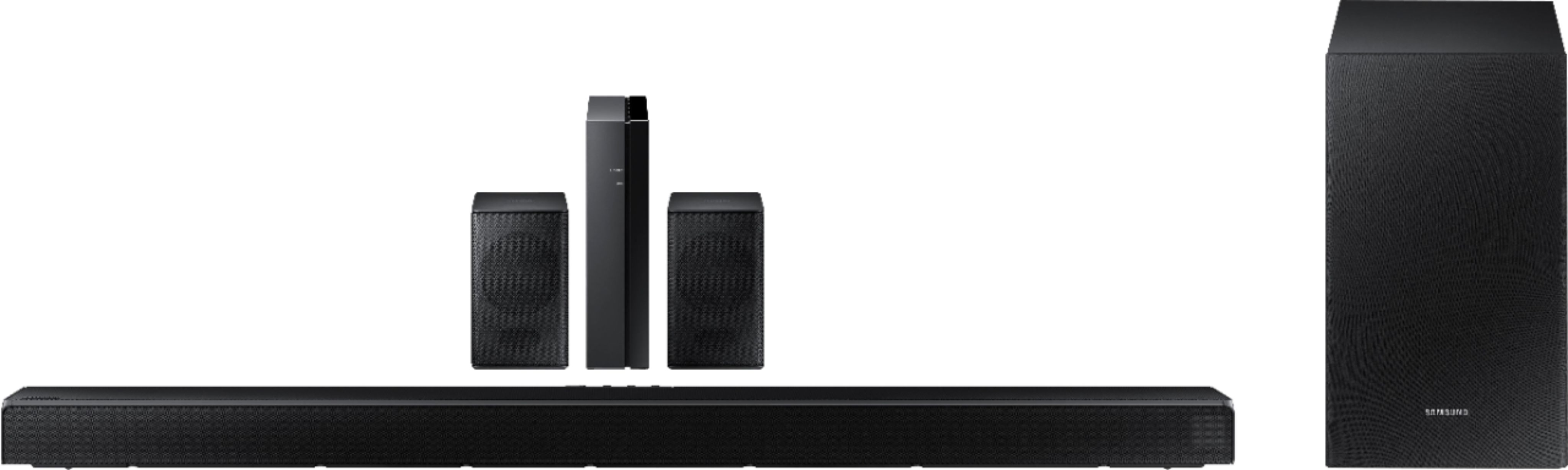
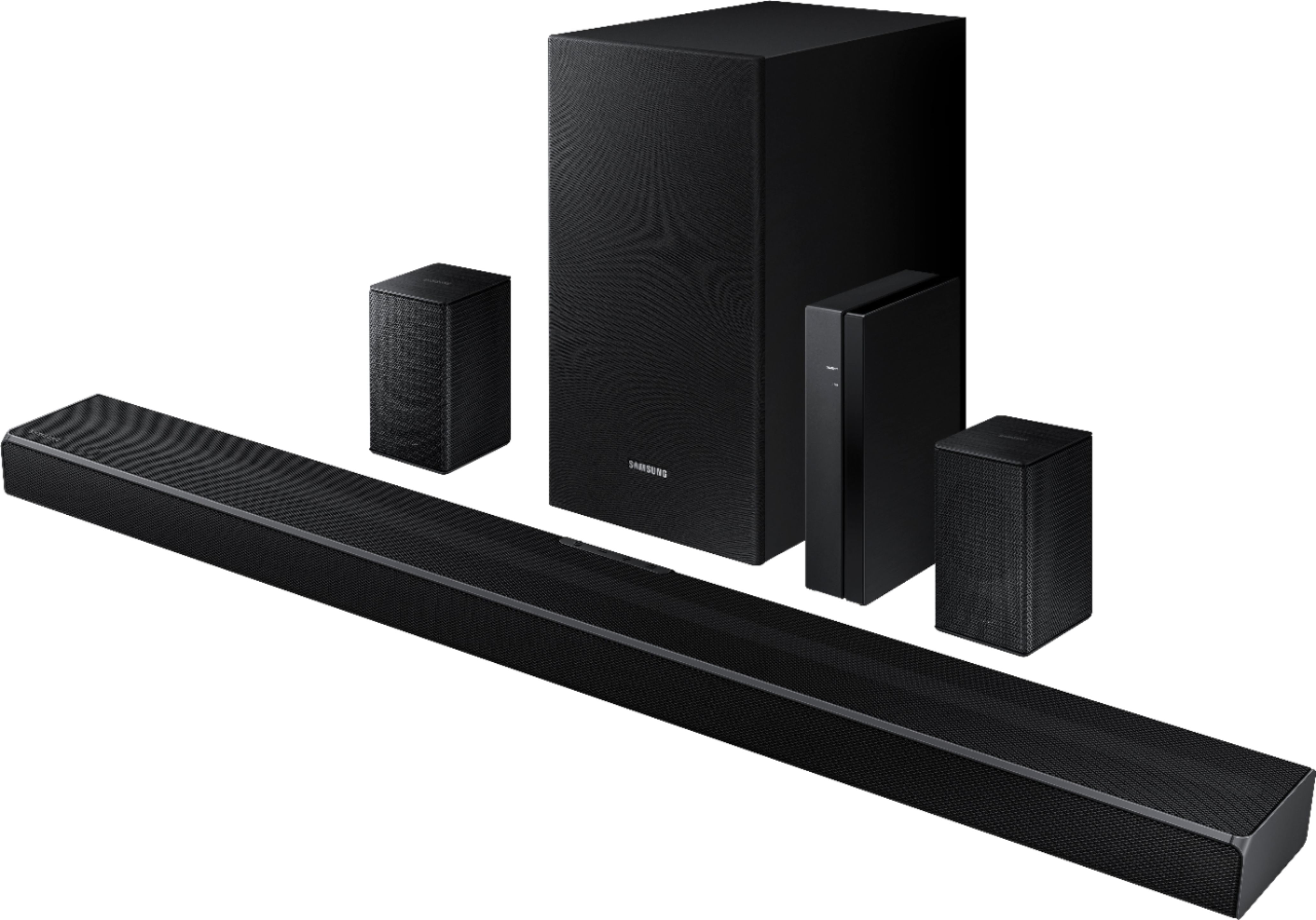
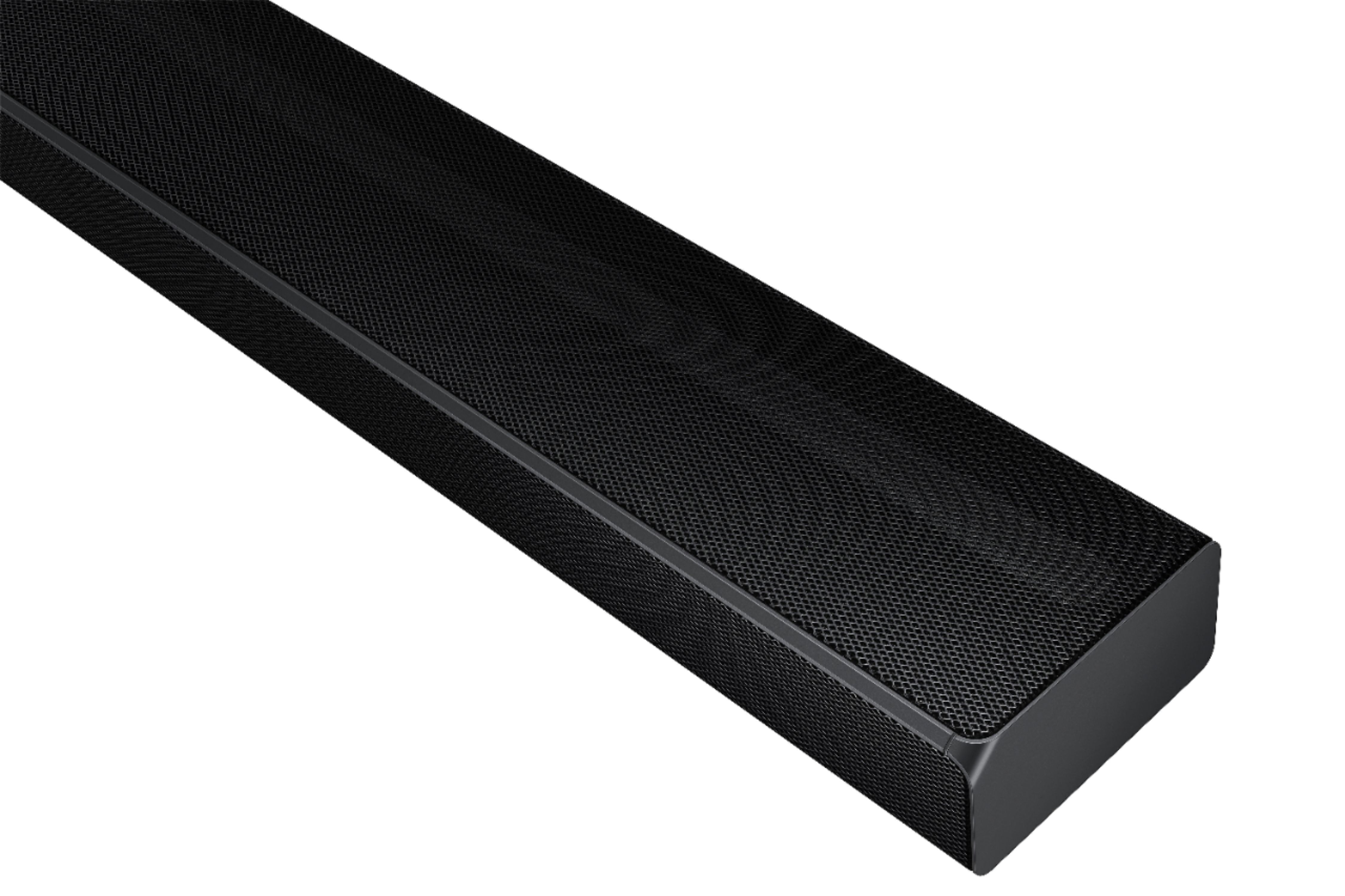
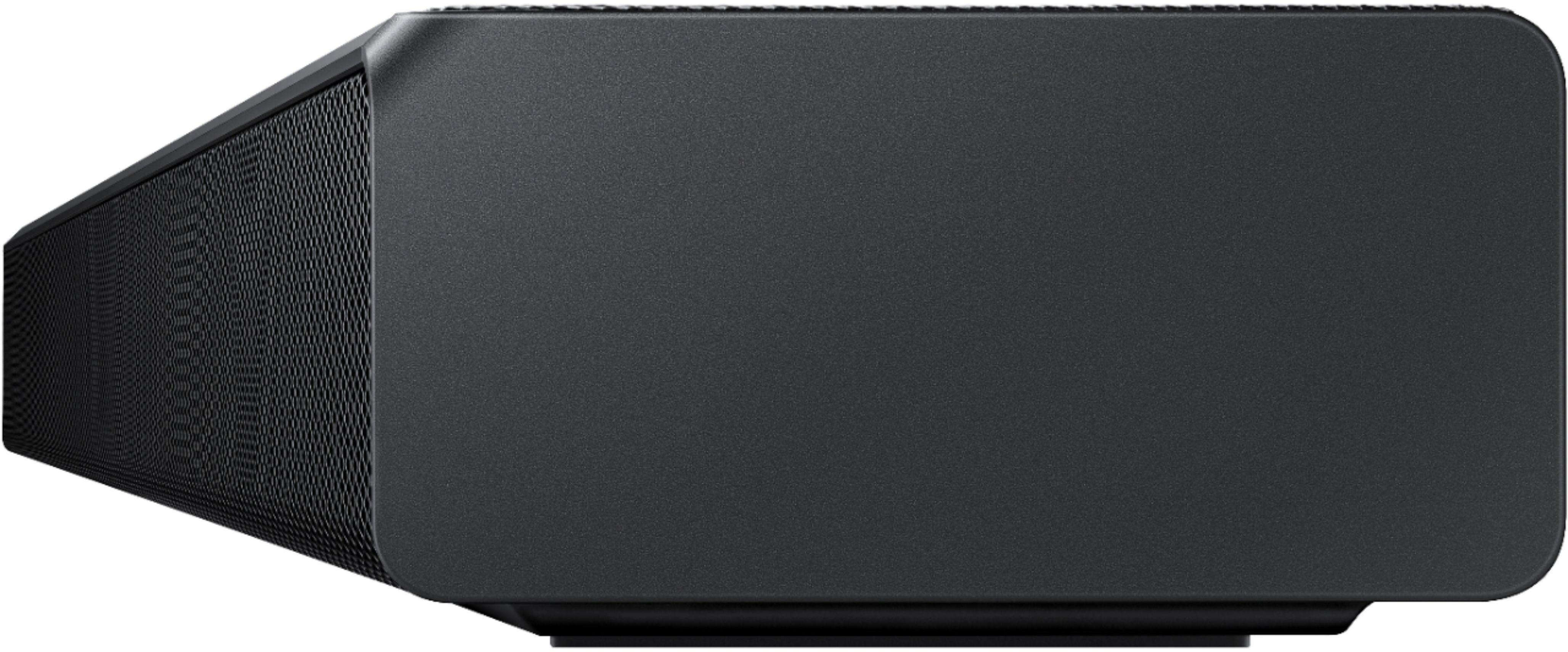






- Model:
- HW-Q65T/ZA
- SKU:
- 6454639
Rating by feature
- Value
Rating 4.4 out of 5 stars
- Quality
Rating 4.4 out of 5 stars
- Ease of Use
Rating 4.4 out of 5 stars
Customers are saying
Customers value the HW-Q65T soundbar for its exceptional sound quality, easy setup process, and affordable price point. Many customers rave about the immersive surround sound experience and the rich bass it delivers. The soundbar seamlessly pairs with Samsung TVs, making it a convenient choice for Samsung users. However, some customers have concerns about the wireless rear speakers not being entirely wireless, occasional connectivity issues, and the volume being perceived as low. The remote control has also been mentioned as a pain point due to its limited range and responsiveness.
This summary was generated by AI based on customer reviews.
Samsung - HW-Q65T 7.1ch Soundbar with Dolby 5.1 /
||Posted . Owned for less than 1 week when reviewed.This reviewer received promo considerations or sweepstakes entry for writing a review.Don`t bother with this system unless your rood will accommodate the 10ft of speaker wire that has to plug into the wireless receiver in order for the rear surround speakers to work. That`s the whole point of "surround speakers'. You want the rear sound to be next to you or behind you. The packaging that has all of the parts for this device, doesn`t mention how long the wire is before you start taking it out of the box. You have to have a small room for this system to be functional. I bought it on Friday and returned it less than 48-hours later. How disappointed I was. Wireless subwoofer, soundbar, and receiver are kinda useless if you have to run wires that are less than say 20-25ft.
No, I would not recommend this to a friendBrand response from Samsung
Posted .Hi REWjr1963,
Thank you for your review of the Samsung HW-Q65T Soundbar and for sharing your thoughts regarding the design that have caused you to return your unit. Your experience is very important to us and will be shared with our product team.
Occasionally, customers have trouble hiding and running speaker wires from the front of the room (where their soundbar is) to the back of their room (where they have their rear speakers). The Rear Speaker Kit eliminates that hassle. Connect the rear speakers to its wireless module and place these three in the back of your room. One wire is required to connect each rear speaker to the wireless module. Then plug in the power cable to the module. The “wireless” convenience is in connecting your soundbar and any other speakers at the front of the room to the rear speakers – this can now be done via Wi-Fi through the wireless module, eliminating any clutter of long wires running the length of your room.
Should you ever decide to give Samsung Soundbars another try and have questions or need assistance with settings, setup, or features, please know we are always here to help. Call us at 1-800-SAMSUNG (ask for Soundbars), available 8AM - 12AM EST, 7 days a week.
For additional support resources, visit us on the Samsung website and click on the ‘Support’ link in the upper right corner of the homepage for:
1) Contact Us: For additional Chat & Text options, choose ‘TVs & Home Theater’ and select your model & topic.
2) Manuals, Software, & Warranty Info
We hope to regain you as a customer in the future.
~ Samsung Solutions
Meh
||Posted . Owned for 2 months when reviewed.This reviewer received promo considerations or sweepstakes entry for writing a review.Had to return. It is only 7.1 when it’s connected to a Samsung tv and counts the tv speakers as 2 channels. Otherwise it was fine.
No, I would not recommend this to a friendBrand response from Samsung
Posted .Hi Addtocart,
Thank you for your review of the Samsung HW-Q65T Soundbar System. We appreciate you sharing your experience with us. It is our customers’ concerns and opinions that drive our continuous efforts towards delivering world-class service and products. Your feedback is very important to us and will be shared with our product team.
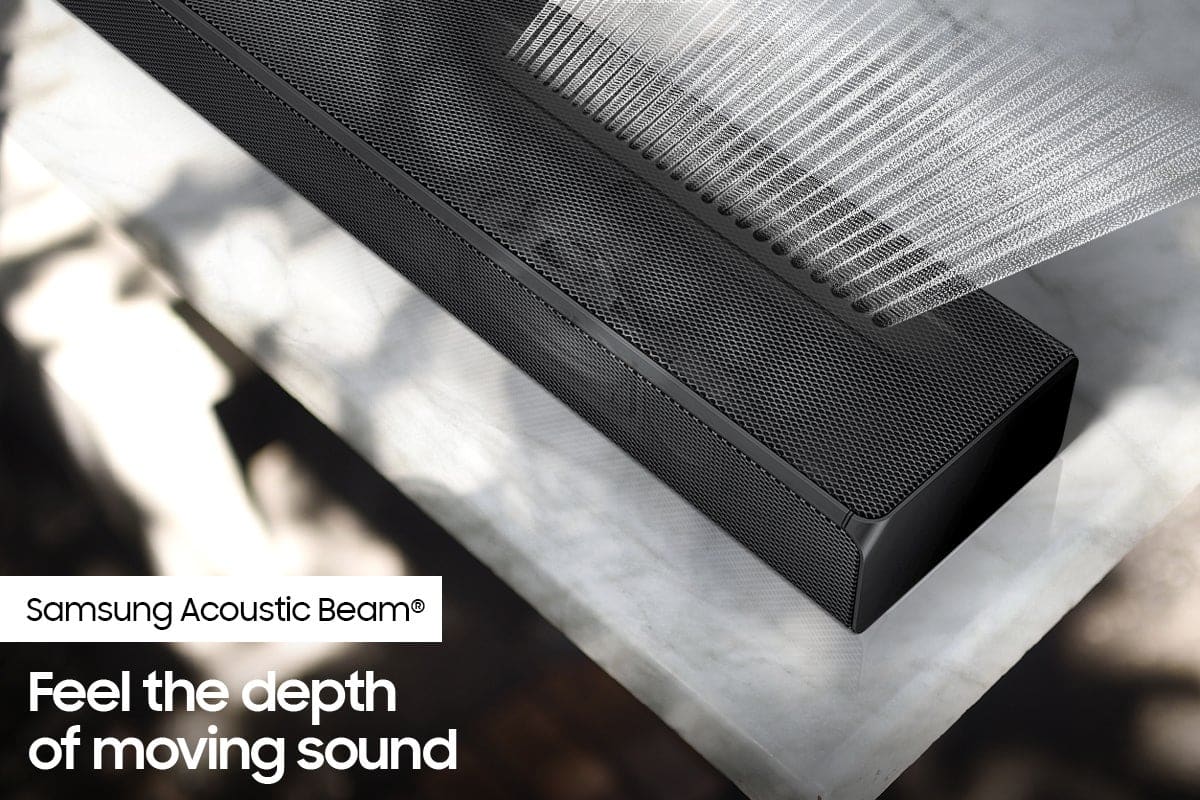
Please know, the HW-Q65T features Samsung's Acoustic beam technology making the soundbar and subwoofer a 5.1ch system. Paired with the included wireless rear speakers, the HW-Q65T becomes a 7.1ch surround sound system.
Should you ever decide to give Samsung Soundbars another try and have questions or need assistance with settings, setup, or features, please know we are always here to help. Call us at 1-800-SAMSUNG (ask for Soundbars), available 8AM - 12AM EST, 7 days a week.
For additional support resources, visit us on the Samsung website and click on the ‘Support’ link in the upper right corner of the homepage for:
1) Contact Us: For additional Chat & Text options, choose ‘TVs & Home Theater’ and select your model & topic.
2) Manuals, Software, & Warranty Info
We hope to regain you as a customer in the future.
~ Samsung Solutions
Samsung Q65T
||Posted . Owned for 3 weeks when reviewed.This reviewer received promo considerations or sweepstakes entry for writing a review.Nice sound system if you want surround sound, weak on dialogue
No, I would not recommend this to a friendBrand response from Samsung
Posted .Hi gator,
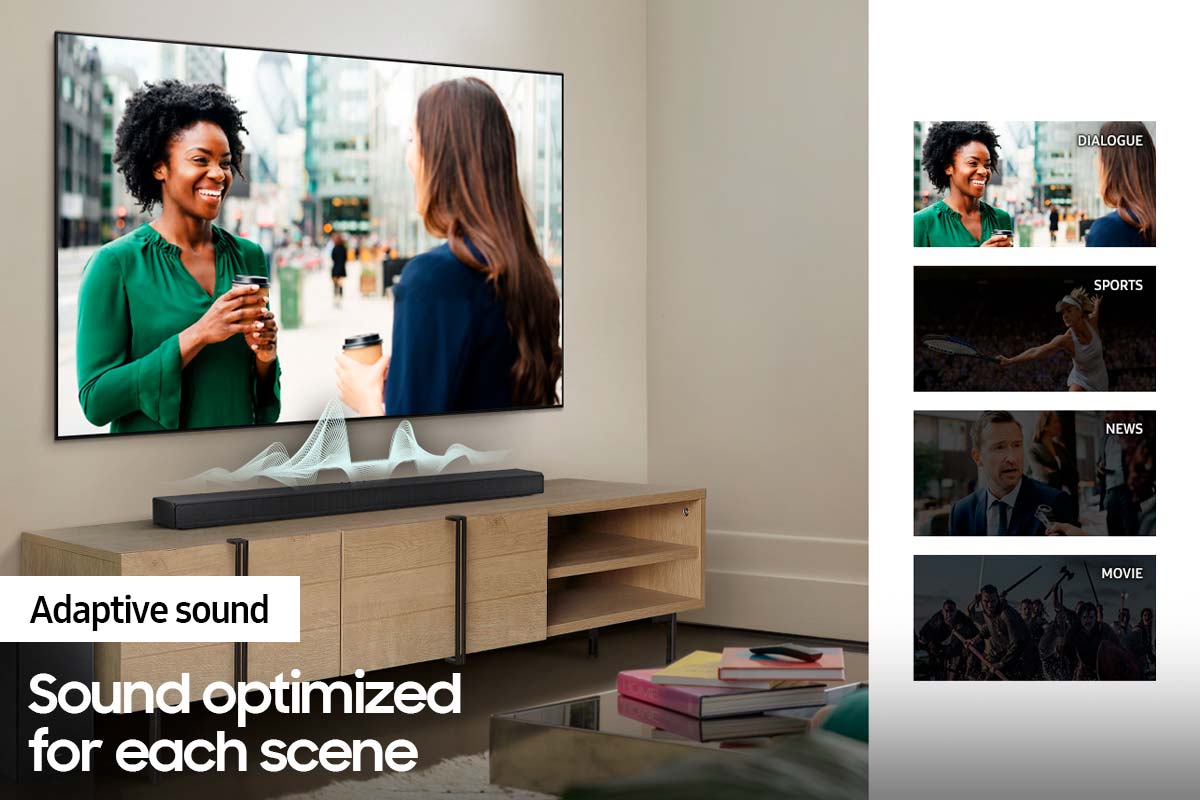
Thank you for purchasing the HW-Q65T Soundbar and for your review. We value your feedback regarding quiet center channel dialogue. To improve your experience, press the Sound Mode button on your remote control and select Adaptive Sound. In Adaptive Sound mode, the soundbar analyzes the content and volume to optimize the audio rendering resulting in clearer dialogue.
You can also try manually optimizing your audio experience by pressing the SOUND CONTROL button (looks like a gear) to access the setting items such as TREBLE, BASS, and AUDIO SYNC. The selected item can be adjusted using the Up/Down buttons.
– To control the volume of the treble or bass sound, select TREBLE or BASS in Sound Settings, and then adjust the volume between -6 to +6 by using the Up/Down buttons.
– Press and hold the SOUND CONTROL button for about 5 seconds to adjust the sound for each frequency band. 150Hz, 300Hz, 600Hz, 1.2kHz, 2.5kHz, 5kHz, and 10kHz are selectable using the Left/Right buttons and each can be adjusted to a setting between -6 to +6 using the Up/Down buttons. (Make sure the Sound mode is set to “STANDARD”.)
Should you ever have questions or need help, please call us at 1-800-SAMSUNG (ask for Soundbars), available 8AM - 12AM EST, 7 days a week.
For additional support resources, visit us on the Samsung website and click on the ‘Support’ link in the upper right corner of the homepage for:
1) Chat with Us/Product Help: To begin a chat or find solutions, choose ‘TVs & Home Theater’ and select your model & topic.
2) Manuals & Software
3) Warranty Info
4) Register a Product: For access to easy warranty support, convenient opt-in to special promos and offers, faster troubleshooting and service, and quick notification of system updates
5) Contact Us
~ Samsung Solutions
Syncing sound to lip movement
||Posted . Owned for 1 month when reviewed.This reviewer received promo considerations or sweepstakes entry for writing a review.Difficult to synchronize voice with lip movement…took many attempts, but finally succeeded after several days (off and on attempts)
No, I would not recommend this to a friendBrand response from Samsung
Posted .Hi Syncing,
Thank you for purchasing the Samsung HW-Q65T soundbar and for sharing your review. Your experience regarding sound delay issues and difficulty resolving is important to us and will be shared with our product teams. I am glad to hear you were able to resolve your issue.
Should you ever have questions or need additional assistance, please contact Samsung Customer Support at 1-800-SAMSUNG (ask for Soundbars), available 8AM - 12AM EST, 7 days a week.
For additional support resources, visit us on the Samsung website and click on the ‘Support’ link in the upper right corner of the homepage for:
1) Chat with Us/Product Help: To begin a chat or find solutions, choose ‘TVs & Home Theater’ and select your model & topic.
2) Manuals & Software
3) Warranty Info
4) Register a Product: For access to easy warranty support, convenient opt-in to special promos and offers, faster troubleshooting and service, and quick notification of system updates
5) Contact Us
~ Samsung Solutions
Subpar
||Posted . Owned for 1 month when reviewed.This reviewer received promo considerations or sweepstakes entry for writing a review.Sounds good only with some movies. Sounds like a kids radio with everything else! Not like my old Samsung stereo at all.
No, I would not recommend this to a friendBrand response from Samsung
Posted .Hi Grammsto,
We appreciate you sharing your feedback regarding the performance of your HW-Q65T sound system. You can try optimizing audio performance for your specific content by pressing the SOUND MODE button on your remote, and then selecting the desired sound effect by choosing STANDARD, SURROUND SOUND, GAME, or ADAPTIVE SOUND.
– You can further adjust Treble and Bass via the SOUND CONTROL button (looks like a gear symbol).
– With the Surround Speakers connected, select REAR LEVEL and then use the Up/Down buttons to adjust the volume within a -6 to +6 range.
– If you would like louder (or softer) bass from your subwoofer, you can adjust the level by rocking the WOOFER button on the soundbar remote, and then adjusting the level from -6 to +6. To set the subwoofer volume level to 0, press the button in.
If you need further assistance, please know we are here to help. You can reach Samsung Customer Support at 1-800-SAMSUNG (ask for Soundbars), available 8AM - 12AM EST, 7 days a week.
For additional support resources, visit us on the Samsung website and click on the ‘Support’ link in the upper right corner of the homepage for:
1) Chat with Us/Product Help: To begin a chat or find solutions, choose ‘TVs & Home Theater’ and select your model & topic.
2) Manuals & Software
3) Warranty Info
4) Register a Product: For access to easy warranty support, convenient opt-in to special promos and offers, faster troubleshooting and service, and quick notification of system updates
5) Contact Us
~ Samsung Solutions
Samsung HW Q65T 7.1ch Soundbar with Dolby 5.1
||Posted . Owned for 1 month when reviewed.This reviewer received promo considerations or sweepstakes entry for writing a review.Decent soundbar for the price, however the wireless rear speakers could be better, a lot better for the cost of the soundbar.
No, I would not recommend this to a friendBrand response from Samsung
Posted .Hi Thomas,
Thank you for purchasing the Samsung HW-Q65T Soundbar with Wireless Rear Speakers. We appreciate you sharing your experience with the surround sound system.
By design, the surround speakers are supposed to simulate sounds happening behind the viewer. Therefore, most of the time the surround channels are only used for ambient sounds, which are naturally lower in volume. However, there are a few settings you can change to adjust the surround effect to your preference:
1) Make sure that the source (e.g. TV output) is sending surround channels to the Soundbar. If the source is not capable of surround, then set the Surround mode to OFF on the Soundbar by pressing the Surround button on the remote.
2) If the source has surround channels, select the desired Sound Mode from the Soundbar remote.
3) Turn off Dynamic Range Control. This is done by pressing and holding the Sound Mode button while the Soundbar is in standby mode. Depending on your soundbar model, you may or may not have DRC.
4) Increase the volume level of the surround speakers using the Sound Control button on the Soundbar remote control. Press the Sound Control button on the soundbar remote (looks like a gear), then select REAR LEVEL and use the Up/Down buttons to adjust the volume within a -6 to +6 range.
I hope these tips help to enhance your audio enjoyment.
Should you need further assistance with this issue or have any questions, please contact Samsung Customer Support at 1-800-SAMSUNG (ask for Soundbars), available 8AM - 12AM EST, 7 days a week.
For additional support resources, visit us on the Samsung website and click on the ‘Support’ link in the upper right corner of the homepage for:
1) Chat with Us/Product Help: To begin a chat or find solutions, choose ‘TVs & Home Theater’ and select your model & topic.
2) Manuals & Software
3) Warranty Info
4) Register a Product: For access to easy warranty support, convenient opt-in to special promos and offers, faster troubleshooting and service, and quick notification of system updates
5) Contact Us
~ Samsung Solutions
Not good
||Posted . Owned for 1.5 years when reviewed.This reviewer received promo considerations or sweepstakes entry for writing a review.The TV on its own sounded much better than this. Did not keep it.
No, I would not recommend this to a friendCheated
||Posted . Owned for 3 weeks when reviewed.This reviewer received promo considerations or sweepstakes entry for writing a review.No receiver for the small speaker and no remote for the whole thing
No, I would not recommend this to a friendFine but Underpowered
||Posted . Owned for 2 months when reviewed.This reviewer received promo considerations or sweepstakes entry for writing a review.They're fine. Underpowered for what I'd prefer, but price was a higher priority for me in this case
I would recommend this to a friendLaptop
||Posted . Owned for 2 weeks when reviewed.This reviewer received promo considerations or sweepstakes entry for writing a review.Silver letters on grey keys on the keyboard make it very difficult to see. So we returned this laptop
No, I would not recommend this to a friendBrand response from Samsung
Posted .Hi Marty,
You are leaving a review for the HW-Q65T Samsung Soundbar. From your description, I believe your review was intended for a laptop.
~Samsung Solutions
Alright
||Posted . Owned for 1 week when reviewed.This reviewer received promo considerations or sweepstakes entry for writing a review.This is my second sound bar this year. Although this one is way better than my last LG. It's still not mega loud.
I would recommend this to a friendBrand response from Samsung
Posted .Hi Bonezz,
Thank you for purchasing the Samsung HW-Q65T. We appreciate you sharing your feedback regarding the performance of your new Samsung sound system.
The HW-Q65T was designed to deliver immersive surround sound. Speakers firing from the front, side, and rear brings the surround sound to life. Adaptive Sound automatically analyzes the sound signal to optimize sound based on each scene including voices at the lowest volumes.
You can try optimizing audio performance for your specific content by pressing the SOUND MODE button on your remote, and then selecting the desired sound effect by choosing STANDARD, SURROUND SOUND, GAME, or ADAPTIVE SOUND.
You can further adjust TREBLE and BASS via the SOUND CONTROL button (looks like a gear symbol).
Please know, some sources have their own volume control which might be set too low. Please check the volume control of the external device (cable box or satellite box, DVD, Blu-ray, etc.) connected to your TV or soundbar. Also, check the cable connection between an external device and the TV or soundbar and then try cable connection again.
If you need further assistance, please know we are here to help. You can reach Samsung Customer Support at: 1-800-SAMSUNG (ask for Soundbars), available 8AM - 12AM EST, 7 days a week.
For additional support resources, visit us on the Samsung website and click on the ‘Support’ link in the upper right corner of the homepage for:
1) Contact Us: For additional Chat & Text options, choose ‘TVs & Home Theater’ and select your model & topic.
2) Manuals & Software
3) Warranty Info
4) Register a Product: For access to easy warranty support, convenient opt-in to special promos and offers, faster troubleshooting and service, and quick notification of system updates
~ Samsung Solutions
- Cons mentioned:Rear speakers
Problem with rear speakers
||Posted .This reviewer received promo considerations or sweepstakes entry for writing a review.I can’t get the rear speakers to work, calling Geek squad tomorrow.
No, I would not recommend this to a friendBrand response from Samsung
Posted .Hi Marj,
I am very sorry to hear about the difficulties you are experiencing with the setup of your new Samsung Soundbar and the connection to the Wireless Rear Speakers. We completely understand your frustrations and are here to help!
When powered on for the first time, the rear speakers and subwoofer should automatically connect wirelessly. If the auto-connection process fails, you can try manually connecting the sub and rears to the soundbar.
To manually setup the wireless rear speaker kit included with the soundbar if the auto connection process fails, first use the color-coded speaker wires to connect the rear speakers to its wireless module and place these three in the back of your room. Plug the wireless receiver module power cord into an electrical outlet and into the wireless receiver module to turn on the wireless receiver module.
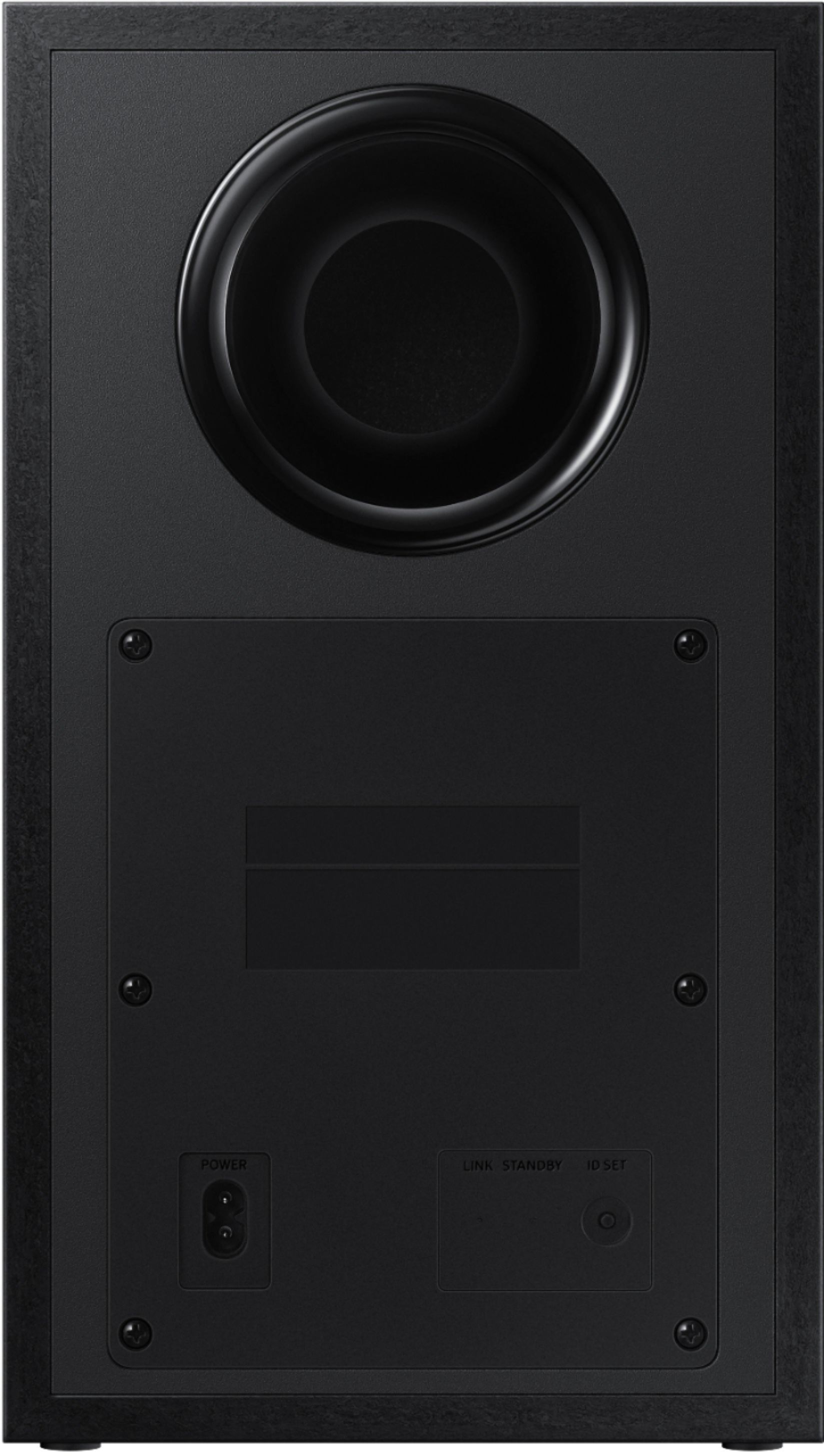
Turn off your soundbar and press the Up button on the remote for 5 seconds. The ID SET message will appear on the soundbar for a short time and then disappear. After the ID SET process, the soundbar power is automatically turned on. The LINK LED indicator stops blinking and glows a solid blue when a connection is established between the soundbar and the wireless receiver module.
I hope these tips help resolve the issues you are experiencing. If you would like additional assistance with the setup of your rear speakers, please contact Samsung Customer Support at 1-800-SAMSUNG (ask for Soundbars), available 8AM - 12AM EST, 7 days a week.
For additional support resources, visit us on the Samsung website and click on the ‘Support’ link in the upper right corner of the homepage for:
1) Chat with Us/Product Help: To begin a chat or find solutions, choose ‘TVs & Home Theater’ and select your model & topic.
2) Manuals & Software
3) Warranty Info
4) Register a Product: For access to easy warranty support, convenient opt-in to special promos and offers, faster troubleshooting and service, and quick notification of system updates
5) Contact Us
~ Samsung Solutions
Wimpy sound
||Posted .This reviewer received promo considerations or sweepstakes entry for writing a review.Spend the money for a better atmos system. The bass is better and the Soundstage is wider. For beginners only.
I would recommend this to a friendBrand response from Samsung
Posted .Hi Brixx,
Thank you for purchasing the Samsung HW-Q65T Soundbar and for your review. We appreciate your feedback regarding the sound performance of your unit. You can try manually optimizing your audio experience by pressing the SOUND CONTROL button (looks like a gear) to access the setting items such as TREBLE, BASS, and AUDIO SYNC. The selected item can be adjusted using the Up/Down buttons.
– To control the volume of the treble or bass sound, select TREBLE or BASS in Sound Settings, and then adjust the volume between -6 to +6 by using the Up/Down buttons.
– Press and hold the SOUND CONTROL button for about 5 seconds to adjust the sound for each frequency band. 150Hz, 300Hz, 600Hz, 1.2kHz, 2.5kHz, 5kHz, and 10kHz are selectable using the Left/Right buttons and each can be adjusted to a setting between -6 to +6 using the Up/Down buttons. (Make sure the Sound mode is set to “STANDARD”.)
– If the video on the TV and audio from the Soundbar are not synchronized, select AUDIO SYNC in Sound Control, and then set the audio delay between 0~300 milliseconds by using the Up/Down buttons.
– If Surround Speakers are connected, select REAR LEVEL and then use the Up/Down buttons to adjust the volume within a -6 to +6 range.
Should you ever have questions or need help, please call us at 1-800-SAMSUNG (ask for Soundbars), available 8AM - 12AM EST, 7 days a week.
For additional support resources, visit us on the Samsung website and click on the ‘Support’ link in the upper right corner of the homepage for:
1) Contact Us: For additional Chat & Text options, choose ‘TVs & Home Theater’ and select your model & topic.
2) Manuals & Software
3) Warranty Info
4) Register a Product: For access to easy warranty support, convenient opt-in to special promos and offers, faster troubleshooting and service, and quick notification of system updates
~ Samsung Solutions
Glad I didn’t pay full price
||Posted . Owned for 1 month when reviewed.This reviewer received promo considerations or sweepstakes entry for writing a review.Even with the extra speakers it is not as loud as I would have expected it to be. I’m glad I didn’t pay full price.
No, I would not recommend this to a friendBrand response from Samsung
Posted .Hi JacquelineM!
Thank you for purchasing the Samsung HW-Q65T Soundbar and for your review. We appreciate your feedback regarding the sound performance of your unit. You can try manually optimizing your audio experience by pressing the SOUND CONTROL button (looks like a gear) to access the setting items such as TREBLE, BASS, and AUDIO SYNC. The selected item can be adjusted using the Up/Down buttons.
– To control the volume of the treble or bass sound, select TREBLE or BASS in Sound Settings, and then adjust the volume between -6 to +6 by using the Up/Down buttons.
– Press and hold the SOUND CONTROL button for about 5 seconds to adjust the sound for each frequency band. 150Hz, 300Hz, 600Hz, 1.2kHz, 2.5kHz, 5kHz, and 10kHz are selectable using the Left/Right buttons and each can be adjusted to a setting between -6 to +6 using the Up/Down buttons. (Make sure the Sound mode is set to “STANDARD”.)
– With the Surround Speakers are connected, select REAR LEVEL and then use the Up/Down buttons to adjust the volume within a -6 to +6 range.
If you need further assistance, please know we are here to help. You can reach Samsung Customer Support at:
1-800-SAMSUNG (ask for Soundbars), available 8AM -12AM EST (Mon-Fri), 9AM – 6PM EST (Sat). Or text HELP to 62913.
For additional support resources, visit us on the Samsung website and click on the ‘Support’ link in the upper right corner of the homepage for:
1. More ‘Contact Us’ options – LiveChat, Facebook, Twitter, Samsung Community, Samsung Members app
2. Manuals & Software
3. Warranty Info
4. Product Registration: For access to easy warranty support, convenient opt-in to special promos and offers, faster troubleshooting and service, and quick notification of system updates.
~ Samsung Solutions
Does Not Support Dolby Atmos
||Posted .This reviewer received promo considerations or sweepstakes entry for writing a review.Mislabeled! Does not support Dolby Atmos or DTS:X home theater. Not compatible with Amazon Alexa. I got suckered by a Black Friday discount. Returning it. Check the questions and answers reply from Samsung 6 months ago. It’s been mislabeled the entire time. Now I have to repackage it and drag it back to the store because they won’t come pick it up! Very disappointed!!!
No, I would not recommend this to a friendBrand response from Samsung
Posted .Hi Spidergeorge,
Thank you for your purchase and review of the HW-Q65T Soundbar. We greatly appreciate you bringing the details of the Audio section to our attention and will work with the appropriate entities to get that corrected. Feedback from valued customers, such as yourself, help us in our drive towards best-in-class products & service – which includes accurate information for all of our models.
Should you ever decide to give Samsung Soundbars another try and have questions or need assistance with settings, setup, or features, please know we are always here to help. Call us at 1-800-SAMSUNG (ask for Soundbars), available 8AM - 12AM EST, 7 days a week.
For additional support resources, visit us on the Samsung website and click on the ‘Support’ link in the upper right corner of the homepage for:
1) Contact Us: For additional Chat & Text options, choose ‘TVs & Home Theater’ and select your model & topic.
2) Manuals, Software, & Warranty Info
We hope to regain you as a customer in the future.
~ Samsung Solutions
- Pros mentioned:Sound quality
Disappointed
||Posted . Owned for less than 1 week when reviewed.This reviewer received promo considerations or sweepstakes entry for writing a review.Sound quality is pretty good, but the bass was very disappointing!
No, I would not recommend this to a friendBrand response from Samsung
Posted .Hi Bass,
I am glad to hear you are enjoying the overall sound quality and appreciate you sharing your feedback regarding the bass performance.
Please know, there are two adjustments that can be made to maximize bass from the soundbar and subwoofer:
1. Using the WOOFER button on the remote, you can adjust the level between -6 to +6. To set the subwoofer volume level to 0, press the button in.
2. Adjust the bass control by pressing the SOUND CONTROL button (gear icon) on the remote control, then select BASS to increase the level. You can adjust the volume between -6 to +6 by using the Up/Down buttons.
For precise audio adjustments, you can use the 7-band frequency equalizer to optimize the sound for your room acoustics.
I hope this helps. For further assistance with features, settings, adjustments, or functions please contact Samsung Customer Support at 1-800-SAMSUNG (ask for Soundbars), available 8AM - 12AM EST, 7 days a week.
For additional support resources, visit us on the Samsung website and click on the ‘Support’ link in the upper right corner of the homepage for:
1) Chat with Us/Product Help: To begin a chat or find solutions, choose ‘TVs & Home Theater’ and select your model & topic.
2) Manuals & Software
3) Warranty Info
4) Register a Product: For access to easy warranty support, convenient opt-in to special promos and offers, faster troubleshooting and service, and quick notification of system updates
5) Contact Us
~ Samsung Solutions
Not great
||Posted . Owned for 1 year when reviewed.This reviewer received promo considerations or sweepstakes entry for writing a review.Stopped working after a little over a year. Buttons stopped responding.
No, I would not recommend this to a friendTo early to roll.
||Posted . Owned for 1 month when reviewed.This reviewer received promo considerations or sweepstakes entry for writing a review.Having issues with linking sub and satellites to sound bar. Will update after we contact geek squad.
No, I would not recommend this to a friendBrand response from Samsung
Posted .Hi Beef!
Thank you for your review of the HW-Q65T Soundbar with Subwoofer and Wireless Rear Speakers. I’m very sorry for the difficulties you’ve experienced with your Soundbar’s setup. We completely understand your frustrations, and we are here to help.
Your soundbar and subwoofer should connect automatically when they are turned on, but you can also connect manually just as easily. If the subwoofer is completely connected, the blue LED LINK indicator on the subwoofer stops blinking and glows continuously. If the blue LED does not stop blinking, the process has failed.
For manual connection, after both soundbar and subwoofer are plugged in to a wall outlet, press and hold the ID SET button on the back of the subwoofer for at least 5 seconds. The red indicator on the rear of the subwoofer turns off and the blue indicator blinks.
Press and hold the Up button on the remote control for at least 5 seconds. The ID SET message appears on the display of the Soundbar for a moment, and then it disappears. The Soundbar will automatically power on when ID SET is complete.
Check if the LINK LED is solid blue (connection complete). The LINK LED indicator stops blinking and glows a solid blue when a connection is established between the Soundbar and the Wireless Subwoofer.
The Rear Speaker kit included with the HW-Q65T can be connected through a similar process described below:
Use the color-coded speaker wires to connect the rear speakers to their wireless module and place these three in the back of your room. Plug the wireless receiver module power cord into an electrical outlet and into the wireless receiver module to turn on the wireless receiver module.
Turn off your soundbar and press the Up button on the remote for 5 seconds. The ID SET message will appear on the soundbar for a short time and then disappear. After the ID SET process, the soundbar power is automatically turned on. The LINK LED indicator stops blinking and glows a solid blue when a connection is established between the soundbar and the wireless receiver module.
If the LED light is solid blue, the rear speakers are connected to your soundbar.
If the LED light is blinking blue, the module is in standby status:
• Check to see if your soundbar is turned on
• Turn off the soundbar by pressing the power button on the main soundbar unit. Configure "ID SET" using the soundbar's remote control, then turn the soundbar back on.
If the LED light is red, the connection attempt failed.
• Check to see if your soundbar is turned on
• Press the ID SET button on the back of the wireless receiver module with a pen tip for 5-6 seconds until the LED indicator blinks blue
Should you need additional assistance with this or ever have questions, please call us at 1-800-SAMSUNG (ask for Soundbars), available 8AM - 12AM EST, 7 days a week.
For additional support resources, visit us on the Samsung website and click on the ‘Support’ link in the upper right corner of the homepage for:
1) Chat with Us/Product Help: To begin a chat or find solutions, choose ‘TVs & Home Theater’ and select your model & topic.
2) Manuals & Software
3) Warranty Info
4) Register a Product: For access to easy warranty support, convenient opt-in to special promos and offers, faster troubleshooting and service, and quick notification of system updates
5) Contact Us
~ Samsung Solutions
- Cons mentioned:Rear speakers
Horrible Soundbar
||Posted . Owned for 2 months when reviewed.This reviewer received promo considerations or sweepstakes entry for writing a review.Not at all satisfied for spending 600$ on this Soundbar. Bought this to go with new TV and it sucks. Rear speakers are useless. Very unsatisfied. I knew we made a mistake after the first few days. Do not buy this Soundbar
No, I would not recommend this to a friendBrand response from Samsung
Posted .Hi rondty,
Thank you for purchasing the Samsung HW-Q65T soundbar and for your review. We appreciate you sharing your experience with the surround sound system.
By design, the surround speakers are supposed to simulate sounds happening behind the viewer. Therefore, most of the time the surround channels are only used for ambient sounds, which are naturally lower in volume.
However, there are a few settings you can change to adjust the surround effect to your preference:
1) Make sure that the source (e.g. TV output) is sending surround channels to the Soundbar. If the source is not capable of surround, then set the Surround mode to OFF on the Soundbar by pressing the Surround button on the remote.
2) If the source has surround channels, select the desired Sound Mode from the Soundbar remote.
3) Turn off Dynamic Range Control. This is done by pressing and holding the Sound Mode button while the Soundbar is in standby mode. Depending on your soundbar model, you may or may not have DRC.
4) Increase the volume level of the surround speakers using the Sound Control button on the Soundbar remote control. Press the Sound Control button on the soundbar remote (looks like a gear), then select REAR LEVEL and use the Up/Down buttons to adjust the volume within a -6 to +6 range.
I hope these tips help to enhance your audio enjoyment.
Should you ever have questions or need help, please call us at 1-800-SAMSUNG (ask for Soundbars), available 8AM - 12AM EST, 7 days a week.
For additional support resources, visit us on the Samsung website and click on the ‘Support’ link in the upper right corner of the homepage for:
1) Contact Us: For additional Chat & Text options, choose ‘TVs & Home Theater’ and select your model & topic.
2) Manuals & Software
3) Warranty Info
4) Register a Product: For access to easy warranty support, convenient opt-in to special promos and offers, faster troubleshooting and service, and quick notification of system updates
~ Samsung Solutions
Wasn’t a fan.
||Posted . Owned for 2 months when reviewed.This reviewer received promo considerations or sweepstakes entry for writing a review.For my home and the item I specifically purchased it wasn’t a great purchase. The 2 speakers that go on the wall didn’t work when we hooked everything up. The bass in the subwoofer was good though. I was just expecting so much more since it was a Samsung product. It was a great deal for the pre Black Friday sales event though.
No, I would not recommend this to a friendBrand response from Samsung
Posted .Hi,
Thank you for purchasing the Samsung HW-Q65T and for sharing your experience with the setup of your rear speakers. Follow the steps below to pair the rear speakers to the soundbar for an immersive surround sound experience.
First use the color-coded speaker wires to connect the rear speakers to its wireless module and place these three in the back of your room. Plug the wireless receiver module power cord into an electrical outlet and into the wireless receiver module to turn on the wireless receiver module.
Turn off your soundbar and press the Up button on the remote for 5 seconds. The ID SET message will appear on the soundbar for a short time and then disappear. After the ID SET process, the soundbar power is automatically turned on. The LINK LED indicator stops blinking and glows a solid blue when a connection is established between the soundbar and the wireless receiver module.
If the LED light is blinking blue, the module is in standby status:
• Check to see if your soundbar is turned on
• Turn off the soundbar by pressing the power button on the main soundbar unit. Configure "ID SET" using the soundbar's remote control, then turn the soundbar back on.
If the LED light is red, the connection attempt failed.
• Check to see if your soundbar is turned on
• Press the ID SET button on the back of the wireless receiver module with a pen tip for 5-6 seconds until the LED indicator blinks blue
Please contact Samsung Customer Support if you should need any assistance with setup or troubleshooting. You can reach us at 1-800-SAMSUNG (ask for Soundbars), available 8AM - 12AM EST, 7 days a week.
For additional support resources, visit us on the Samsung website and click on the ‘Support’ link in the upper right corner of the homepage for:
1) Chat with Us/Product Help: To begin a chat or find solutions, choose ‘TVs & Home Theater’ and select your model & topic.
2) Manuals & Software
3) Warranty Info
4) Register a Product: For access to easy warranty support, convenient opt-in to special promos and offers, faster troubleshooting and service, and quick notification of system updates
5) Contact Us
~ Samsung Solutions