Customer Ratings & Reviews
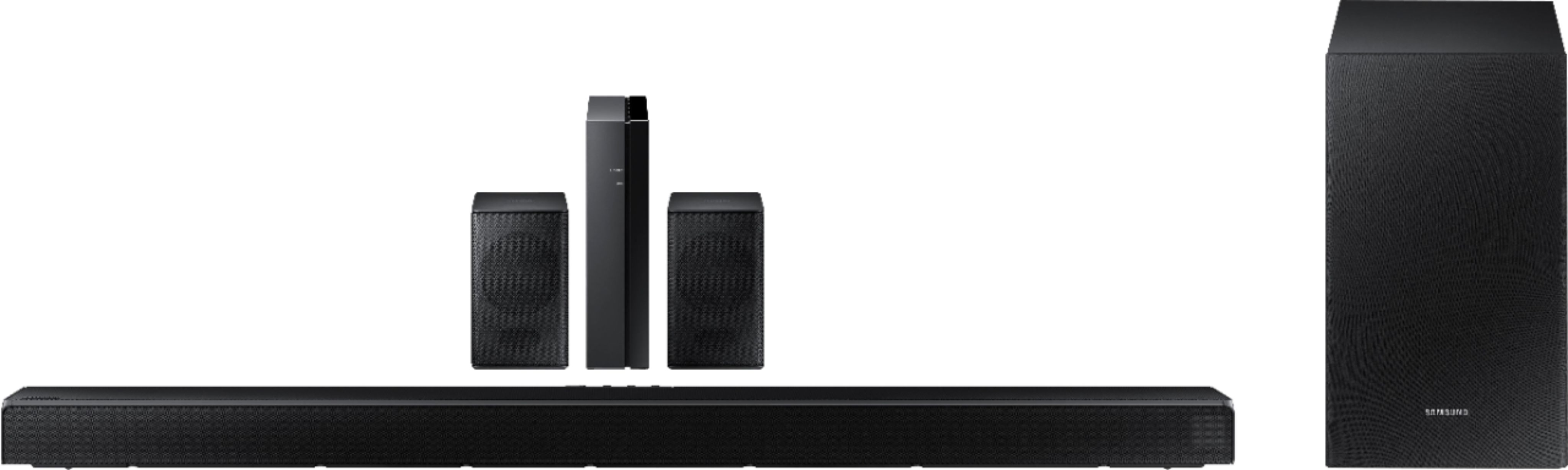
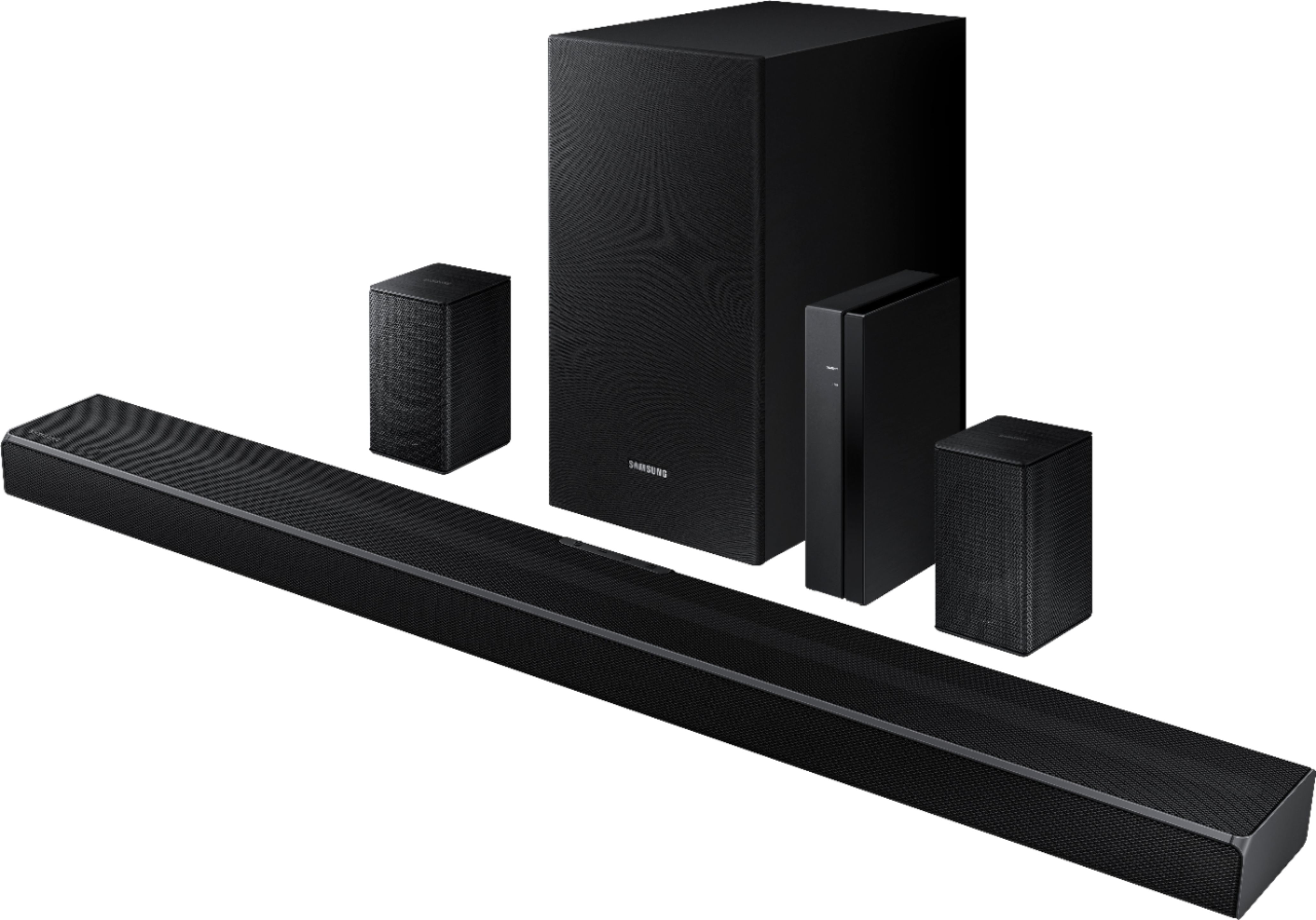

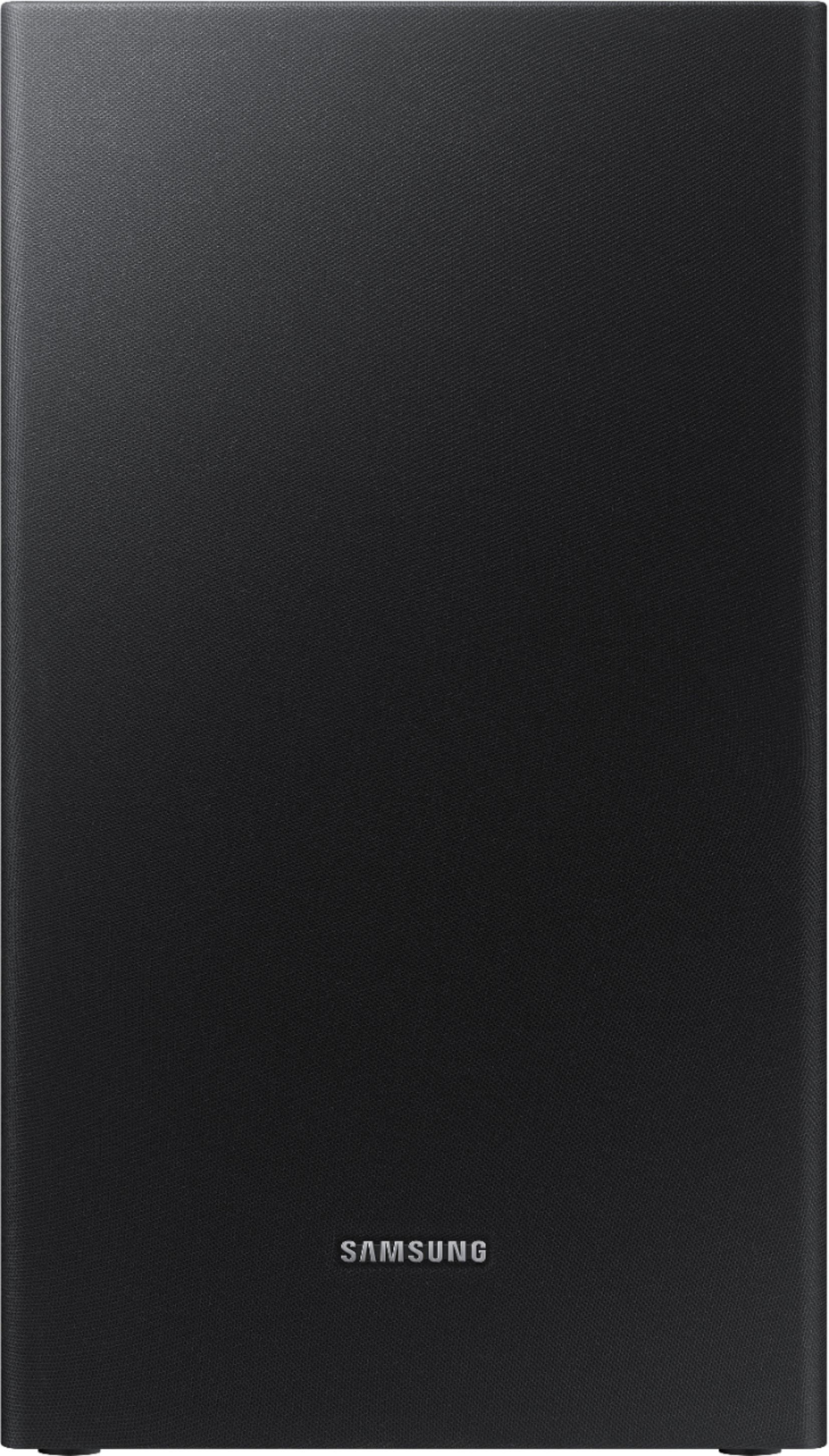
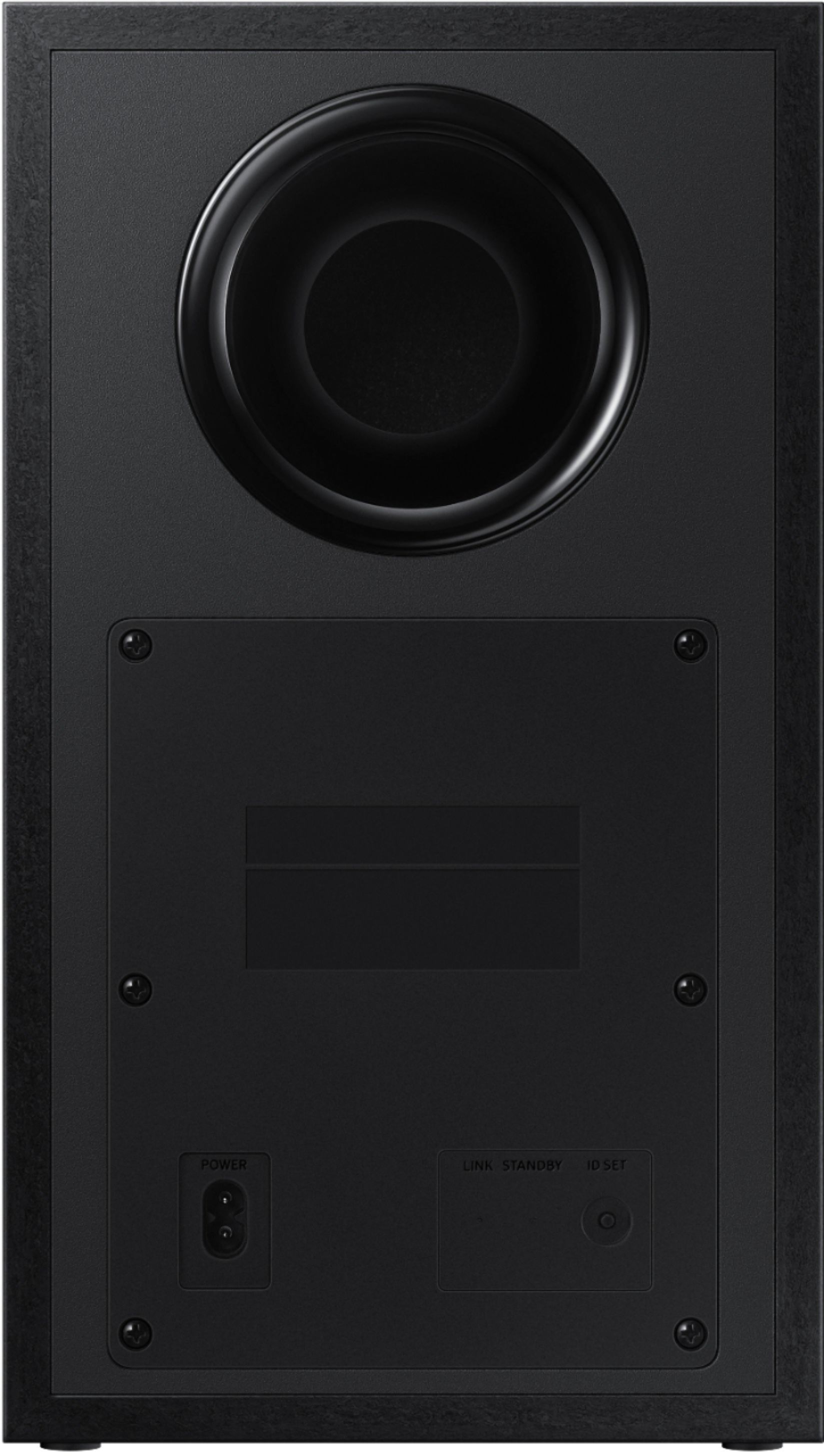
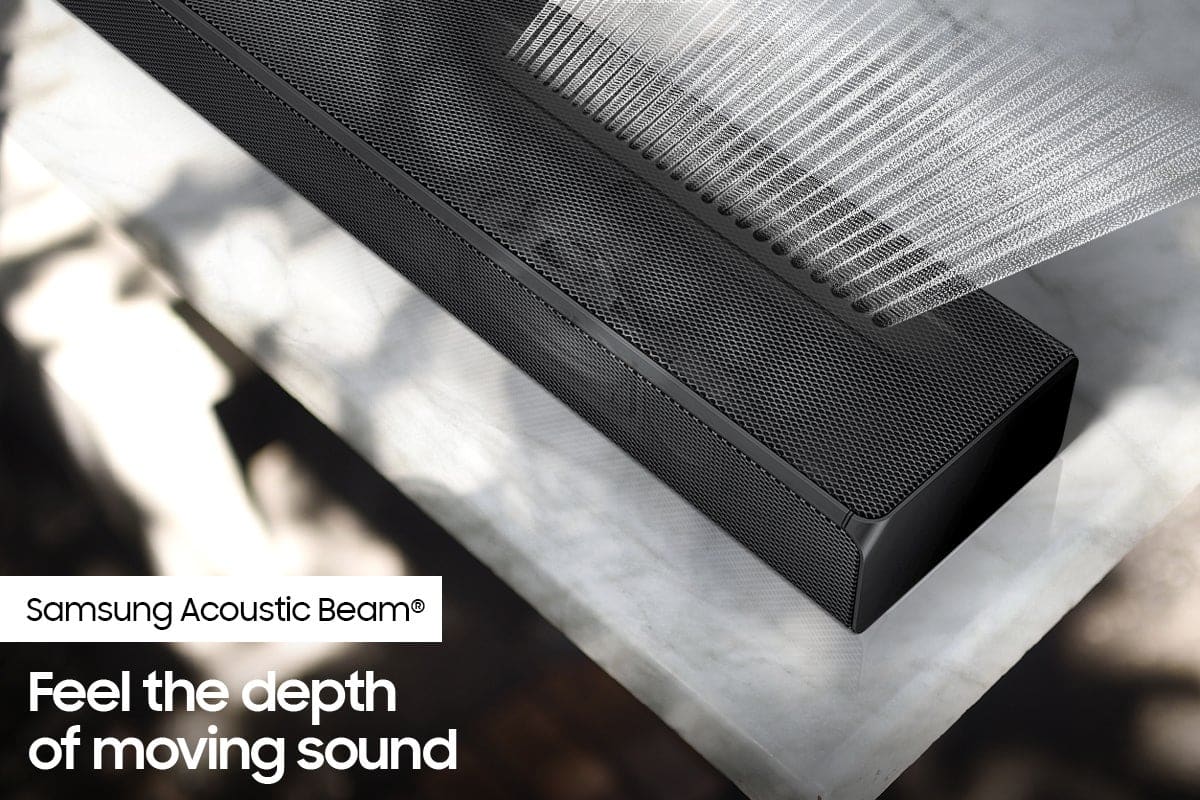





- Model:
- HW-Q65T/ZA
- SKU:
- 6454639
Rating by feature
- Value
Rating 4.4 out of 5 stars
- Quality
Rating 4.4 out of 5 stars
- Ease of Use
Rating 4.4 out of 5 stars
Customers are saying
Customers value the HW-Q65T soundbar for its exceptional sound quality, easy setup process, and affordable price point. Many customers rave about the immersive surround sound experience and the rich bass it delivers. The soundbar seamlessly pairs with Samsung TVs, making it a convenient choice for Samsung users. However, some customers have concerns about the wireless rear speakers not being entirely wireless, occasional connectivity issues, and the volume being perceived as low. The remote control has also been mentioned as a pain point due to its limited range and responsiveness.
This summary was generated by AI based on customer reviews.
Disappointed
||Posted . Owned for 1 week when reviewed.This reviewer received promo considerations or sweepstakes entry for writing a review.I purchased this system to go with my new 75”. I was very disappointed. It didn’t have the sound that I was expecting. I returned it and dropped a few more Benjamin’s and now it’s like being at the theater
No, I would not recommend this to a friendBrand response from Samsung
Posted .Hi Pamela113,
Thank you for your review of this Samsung Soundbar System. Your input is invaluable in our continuous pursuit of delivering the best in product and customer experience
Should you ever decide to give Samsung Soundbars another try and have questions or need assistance with settings, setup, or features, please know we are always here to help. Call us at 1-800-SAMSUNG (ask for Soundbars), available 8AM - 12AM EST, 7 days a week.
For additional support resources, visit us on the Samsung website and click on the ‘Support’ link in the upper right corner of the homepage for:
1) Contact Us: For additional Chat & Text options, choose ‘TVs & Home Theater’ and select your model & topic.
2) Manuals, Software, & Warranty Info
Again, thank you for taking the time to share your experience. We hope to regain you as a customer in the near future.
~ Samsung Solutions
Sound good except surround sound shorted
||Posted . Owned for 3 weeks when reviewed.This reviewer received promo considerations or sweepstakes entry for writing a review.Sound bar is good but surround sound never worked. Installers did not bring enough speaker wire and speakers must be disconnecting. Just another vendor to chase....
I would recommend this to a friendBrand response from Samsung
Posted .shorted,
We appreciate your feedback regarding your delivery experience and received a damaged unit. We recommend you contact Best Buy directly for assistance in correcting this situation. We hope your issue is resolved in a timely manner.
Should you have questions or concerns regarding the usage or setup of your soundbar once you have your replacement, please contact Samsung Customer Support at 1-800-SAMSUNG, 8AM - 12AM EST, 7 days a week. LiveChat with an agent as well as manuals, software, and warranty info can be found at the ‘Support’ link on our Samsung website.
~ Samsung Specialist
- Pros mentioned:Bass
Nice sound bar no wireless speaker
||Posted . Owned for 1 month when reviewed.This reviewer received promo considerations or sweepstakes entry for writing a review.Not going to lie but it's amazing subwoofer sound bar and speaker s but.... SPEAKERS ARE NOT WIRELESS VERY VERY MISLEADING
No, I would not recommend this to a friendBrand response from Samsung
Posted .HI Matt,
Thank you for purchasing the Samsung HW-Q65T Soundbar System which comes with a subwoofer and rear speaker kit. We appreciate you sharing your thoughts about the wireless description of the rear speakers
Occasionally, customers have trouble hiding and running speaker wires from the front of the room (where their soundbar is) to the back of their room (where they have their rear speakers). The Rear Speaker Kit eliminates that hassle. Connect the rear speakers to its wireless module and place these three in the back of your room. One wire is required to connect each rear speaker to the wireless module. Then plug in the power cable to the module. The “wireless” convenience is in connecting your soundbar and any other speakers at the front of the room to the rear speakers – this can now be done via Wi-Fi through the wireless module, eliminating any clutter of long wires running the length of your room.
Should you have questions or need assistance optimizing the settings of the soundbar, please call us at 1-800-SAMSUNG (ask for Soundbars), available 8AM - 12AM EST, 7 days a week.
For additional support resources, visit us on the Samsung website and click on the ‘Support’ link in the upper right corner of the homepage for:
1) Chat with Us/Product Help: To begin a chat or find solutions, choose ‘TVs & Home Theater’ and select your model & topic.
2) Manuals & Software
3) Warranty Info
4) Register a Product: For access to easy warranty support, convenient opt-in to special promos and offers, faster troubleshooting and service, and quick notification of system updates
5) Contact Us
~ Samsung Solutions
Do not buy
||Posted . Owned for 3 months when reviewed.This reviewer received promo considerations or sweepstakes entry for writing a review.I have had nothing but trouble out of this thing. The Arc hdmi connection stopped working as well as the remote not even 3 months after I bought it.
No, I would not recommend this to a friendBrand response from Samsung
Posted .Hi Rscrub,
We appreciate your feedback regarding the issues you are experiencing with your HW-Q65T Soundbar.
Samsung is committed to providing the best possible product experience, quality, and value. We back this Samsung Soundbar with a 1-year limited manufacturer's warranty, including authorized repair for manufacturer defect, if purchased brand-new directly from an authorized seller. You can view the full details of your warranty here: https://www.samsung.com/us/support/service/warranty/HW-Q65T/ZA
Please give us the opportunity to assist you by contacting Samsung Customer Support at 1-800-SAMSUNG (ask for Soundbars), available 8AM - 12AM EST, 7 days a week.
For additional support resources, visit us on the Samsung website and click on the ‘Support’ link in the upper right corner of the homepage for:
1) Chat with Us/Product Help: To begin a chat or find solutions, choose ‘TVs & Home Theater’ and select your model & topic.
2) Manuals & Software
3) Warranty Info
4) Register a Product: For access to easy warranty support, convenient opt-in to special promos and offers, faster troubleshooting and service, and quick notification of system updates
5) Contact Us
~ Samsung Solutions
- Cons mentioned:Rear speakers
Didn’t work for me.
||Posted . Owned for 3 weeks when reviewed.This reviewer received promo considerations or sweepstakes entry for writing a review.I didn’t like the system. You couldn’t hear The rear speakers at all. I took this back after 39 minutes of use.
No, I would not recommend this to a friendBrand response from Samsung
Posted .Hi Bumper,
Thank you for your review of the Samsung HW-Q65T Soundbar System. We appreciate you sharing your experience with us.
It is our customers’ concerns and opinions that drive our continuous efforts towards delivering world-class service and products. Your feedback is very important to us and will be shared with our product team.
Please know that should you ever need assistance with settings or adjustments with a future Samsung purchase to optimize your sound experience, Samsung Customer Support is here to help. Call us at 1-800-SAMSUNG (ask for Soundbars), available 8AM - 12AM EST, 7 days a week.
For additional support resources, visit us on the Samsung website and click on the ‘Support’ link in the upper right corner of the homepage for:
1) Contact Us: For additional Chat & Text options, choose ‘TVs & Home Theater’ and select your model & topic.
2) Manuals, Software, & Warranty Info
We hope to regain you as a customer in the future.
~ Samsung Solutions
- Pros mentioned:Sound quality

Finally one that works
|Posted .This reviewer received promo considerations or sweepstakes entry for writing a review.Full disclaimer: I went into this soundbar installation with a lot of trepidation due to prior experiences. I’ve tried out several throughout the years, and I’ve found the same things to be true: setup is ridiculously hard, and the sound experience isn’t worth it; I’m a bit of an amateur audiophile. The Unboxing Upon getting the unit, I used the old tried-and-true method of opening the bottom flap, then lifting the box off the packed items inside, rather than diving in from the top. Unfortunately, I needed to dive in from the top. The way the box is actually built precludes anything from coming out of the bottom. There is a shelf-like piece of cardboard that runs across the box interior, holding up the subwoofer, and unless you’re willing to destroy the box, it’s just easier to open from the top and pull out each item one by one. The Setting Up There are a lot of individual parts: the soundbar, subwoofer, and 2 surround speakers, plus the remote, batteries, (3) power cables, an HDMI cable, the Bluetooth receiver for the surround speakers, mounting brackets, and wiring harness from the receiver to the surround speakers. At first, the instructions say to hook up the sub and the soundbar. This is where things go wrong. The plug end of the power cable is designed extraordinarily poorly. In an attempt to make it as compact as possible, the cable is immediately routed downwards after exiting the plug. However, this results in only 1 cable being able to be used in a single outlet, since it automatically interferes with the outlet below it. Of course, you can plug it into the bottom outlet, but, again, you need 1 outlet per plug, which is very annoying, especially if you try to set up the soundbar and woofer for a proper soundstage. On the *other* end, where the power plugs into the soundbar, the capacitor used to suppress any interference is at the absolutely correct length to necessitate having the cable do a sharp turn upon exiting the soundbar. Kink, much? It’s at this point that the instructions dive into syncing the woofer with the soundbar. After setting and resetting the woofer to try to get the little red light to turn blue, and after nearly tossing the remote into a brush fire since the display on the soundbar wouldn’t show *anything* that was indicated in the manual, I figured out that all sorts of unmentioned steps needed to have taken place before any type of additional setup could be undertaken. For starters, the T.V. has to be on and transmitting audio to the soundbar. Going through the soundbar setup, and the subwoofer setup as a corollary, is useless unless you’re actually watching television. Things then took a deeper turn for the worse. One of the setup options for the soundbar is to be wireless. I exclaimed, “Huzzah!”, and immediately completed this course of action. Upon initial testing, I found that the synchronization between sound and video was off. Miracle of miracles, this was something actually addressed in the troubleshooting guide. The solution, you may ask? You cannot use the wireless option if non-synchronization bothers you. Sigh. Off to wiring up the speaker I go. Once everything was nice and tidy, and I had sound emanating from the soundbar, I was able to synchronize the sub. Progress! A note: a lot of the setup instructions reference the actual systems menu of the T.V. itself, so if you’re not familiar with your television, you will be by the time it’s all said and done. For me, I was able to do 90% using the top-level setup options, but I did have to dive deeper into more of the arcane sound features for the rest of the setup. Let’s see how to operate this bad boy before we tackle the surround sound. At first, using the HDMI ARC option, I was required to switch to that specific input *just* to get sound, then switch back to the video input to watch actual television. Annoying, but after adjusting the T.V. settings (this is one of those really deep setup menus I was referring to earlier), it connects automatically with no further input from me. Now, can I get rid of the soundbar remote and go back to using my single remote to control both the volume, input, et cetera, or am I forced to double-fist? Luckily, this is yet another issue addressed in the setup instructions, but very much toward the back. After going through the sync instructions, I was able to use the T.V. remote to control the volume, but I still had to use my streaming remote for input and video. After doing this for a day or so, the remote for my streaming device caught up, so I was able to go back to the remote I’m most comfortable with. In the end it worked out, but in the time between it’s very annoying. The only change I’ve noticed is that I now have to lift my remote a little higher than normal, perhaps due to the pickup on the soundbar being on the top rather than front-facing. This also causes a necessary pause with volume adjustment, as I’ve found I need to change the volume, wait for it to register on the soundbar display, then adjust it again as necessary. The display then shows the input after it senses that no further volume adjustments are being made, which is weird. After several days of varied use between family members, it was time to tackle the surround sound. Again, I ran into the issue of the power cable rendering almost every other plug unusable due to the design as I hooked up the Bluetooth receiver. Setting up the surround speakers was uneventful as the plugs to the receiver are color-coordinated, but the harness length limits placement. As the cabling is extremely thin speaker wire, any household with animals that chew, i.e., cats, dogs, children, et cetera, you may lose sound at any time. The actual speakers came synced with the soundbar out of the box, so that was a nice surprise. The Listening I will say that this was a pleasant surprise after watching various shows. The soundbar itself offers a fuller, warmer sound than the television speakers, and the subwoofer, with no additional adjustment, is noticeable, but not overwhelming. In the past, everything came out extremely tinny, so this was a nice surprise. I’m still trying to find the right combination of settings for the surround speakers, as they don’t seem to know when to offer actual surround sound, or when to move the front stage behind me in a move that’s very disorienting. This is one of those things where the right combination of T.V. settings and soundbar settings has yet to be found. The remote that came with the soundbar offers a very nice option to adjust the bass level of the subwoofer in the form of an up/down rocker button right beside the volume, but I have yet to identify where to make adjustments if not using the ‘official’ remote. I also found that using the HDMI ARC option eliminated the non-synchronization of video vs audio that occurred when using the wireless option. The only complaint I have is that the bar acts as a point source for sound, in that you can tell the sound is below the video rather than appearing to come from the characters speaking. If true audio quality is your goal, this will not work. The Summary As I’ve been highly disappointed with prior soundbar systems, both with ease of setup and with sound quality, this unit appeared to be in the same vein initially. Setup was much more complicated than it absolutely had to be, and this is primarily due to how the manual is laid out. It’s lacking content and it doesn’t anticipate customer issues. However, the performance is much better than anything I’ve had before, in soundbar form that is. I’m finding it hard to disconnect everything and go back to my separates because the quality and reproduction of the audio while watching television, movies, or whatnot is acceptable for what the family does. Is it worth it? For true audiophiles – no, and it’s ridiculous to pretend it is. For families who want a little more oomph from their preferred viewing – yes, as long as you can get past the setup.
I would recommend this to a friend - Cons mentioned:Rear speakers
Wiring issues with rear speakers
||Posted . Owned for less than 1 week when reviewed.This reviewer received promo considerations or sweepstakes entry for writing a review.The rear speakers are not wireless and you really need to keep moving the wires to get sound to come out.
No, I would not recommend this to a friendBrand response from Samsung
Posted .Hi Becca,
We appreciate you sharing your thoughts about the wireless description of the rear speakers and your experience with connection issues. We will share these details with our product teams.
Occasionally, customers have trouble hiding and running speaker wires from the front of the room (where their soundbar is) to the back of their room (where they have their rear speakers). The Rear Speaker Kit eliminates that hassle. Connect the rear speakers to its wireless module and place these three in the back of your room. One wire is required to connect each rear speaker to the wireless module. Then plug in the power cable to the module. The “wireless” convenience is in connecting your soundbar and any other speakers at the front of the room to the rear speakers – this can now be done via Wi-Fi through the wireless module, eliminating any clutter of long wires running the length of your room.
We would love the opportunity to gather additional information from you regarding the connection issues you are experiencing to provide the correct troubleshooting steps or warranty assistance. Please contact us at 1-800-SAMSUNG (ask for Soundbars), available 8AM - 12AM EST, 7 days a week.
For additional support resources, visit us on the Samsung website and click on the ‘Support’ link in the upper right corner of the homepage for:
1) Chat with Us/Product Help: To begin a chat or find solutions, choose ‘TVs & Home Theater’ and select your model & topic.
2) Manuals & Software
3) Warranty Info
4) Register a Product: For access to easy warranty support, convenient opt-in to special promos and offers, faster troubleshooting and service, and quick notification of system updates
5) Contact Us
~ Samsung Solutions
Boo Samsung
||Posted . Owned for 2 months when reviewed.This reviewer received promo considerations or sweepstakes entry for writing a review.Was not impressed! I was upgrading from a 200 dollar LG sound bar and wanted more audio with a little more bass. The satellite speakers it came with put out little to no Audio and little to no ambient noise. The sub appeared to have less power then my LG set up and the actually sound bar was ok but not worth the money it cost
No, I would not recommend this to a friendBrand response from Samsung
Posted .Hi Tylor!
Thank you for for purchasing the HW-Q65T soundbar and for your review. Your input is invaluable in our continuous pursuit of delivering the best in product and customer experience.
Should you ever decide to give Samsung audio products another try and have concerns or questions, please know we are always here to help. You can contact Samsung Customer Support by any of the below options:
1-800-SAMSUNG (ask for Soundbars), available 8AM -12AM EST (Mon-Fri), 9AM – 6PM EST (Sat). Or text HELP to 62913.
For additional support resources, visit us on the Samsung website and click on the ‘Support’ link in the upper right corner of the homepage for:
1) More ‘Contact Us’ options – LiveChat, Facebook, Twitter, Samsung Community, Samsung Members app
2) Manuals, Software, & Warranty Info
Again, thank you for taking the time to share your experience. We hope to regain you as a customer in the near future.
~ Samsung Solutions
Not worth it
||Posted . Owned for 2 weeks when reviewed.This reviewer received promo considerations or sweepstakes entry for writing a review.Returned item no bass no midrange not loud at all very crisp and clear sound just not what i was expecting. Bought a vizio half the price and love it
No, I would not recommend this to a friendBrand response from Samsung
Posted .Hi Frustrated,
Thank you for purchasing the Samsung HW-Q65T and for sharing the details that have caused you to return your unit. It is our customers’ concerns and opinions that drive our continuous efforts towards delivering world-class service and products. Your feedback is very important to us and will be shared with our product team.
Please know that should you ever need assistance with settings or adjustments with a future Samsung purchase to optimize your sound experience, Samsung Customer Support is here to help. Call us at 1-800-SAMSUNG (ask for Soundbars), available 8AM - 12AM EST, 7 days a week.
For additional support resources, visit us on the Samsung website and click on the ‘Support’ link in the upper right corner of the homepage for:
1) Contact Us: For additional Chat & Text options, choose ‘TVs & Home Theater’ and select your model & topic.
2) Manuals, Software, & Warranty Info
We hope to regain you as a customer in the future.
~ Samsung Solutions
Rear speakers suck
||Posted .This reviewer received promo considerations or sweepstakes entry for writing a review.Cant even hear rear speakers even after adjusting volume i may very well return the whole system. The volume is just really low on the rear speakers. Too low.
No, I would not recommend this to a friendBrand response from Samsung
Posted .Hi Mehh,
Thank you for purchasing the Samsung HW-Q65T Soundbar and for your review. We appreciate your feedback regarding the sound performance of your unit. You can try manually optimizing your audio experience by pressing the SOUND CONTROL button (looks like a gear) to access the setting items such as TREBLE, BASS, and AUDIO SYNC. The selected item can be adjusted using the Up/Down buttons.
– To control the volume of the treble or bass sound, select TREBLE or BASS in Sound Settings, and then adjust the volume between -6 to +6 by using the Up/Down buttons.
– Press and hold the SOUND CONTROL button for about 5 seconds to adjust the sound for each frequency band. 150Hz, 300Hz, 600Hz, 1.2kHz, 2.5kHz, 5kHz, and 10kHz are selectable using the Left/Right buttons and each can be adjusted to a setting between -6 to +6 using the Up/Down buttons. (Make sure the Sound mode is set to “STANDARD”.)
– If the video on the TV and audio from the Soundbar are not synchronized, select AUDIO SYNC in Sound Control, and then set the audio delay between 0~300 milliseconds by using the Up/Down buttons.
– SYNC is only supported for some functions.
– If Surround Speakers are connected, select REAR LEVEL and then use the Up/Down buttons to adjust the volume within a -6 to +6 range.
If you need further assistance, please know we are here to help. You can reach Samsung Customer Support at:
1-800-SAMSUNG (ask for Soundbars), available 8AM -12AM EST (Mon-Fri), 9AM – 6PM EST (Sat). Or text HELP to 62913.
For additional support resources, visit us on the Samsung website and click on the ‘Support’ link in the upper right corner of the homepage for:
1) More ‘Contact Us’ options – LiveChat, Facebook, Twitter, Samsung Community, Samsung Members app
2) Manuals & Software
3) Warranty Info
4) Product Registration: For access to easy warranty support, convenient opt-in to special promos and offers, faster troubleshooting and service, and quick notification of system updates.
~Samsung Ambassador
Eh...
||Posted . Owned for 2 weeks when reviewed.This reviewer received promo considerations or sweepstakes entry for writing a review.I don't particularly think this is a good system. I cannot hear out of it sometimes and when I do, it isn't not the speaking all the time.
No, I would not recommend this to a friendBrand response from Samsung
Posted .Hi Darl,
Thank you for purchasing the Samsung HW-Q65T Soundbar and for your review. I’m sorry to hear that your out-of-box experience has initially fallen short of your expectations. You can try manually optimizing your audio experience by pressing the SOUND CONTROL button (looks like a gear) to access the setting items such as TREBLE, BASS, and AUDIO SYNC. The selected item can be adjusted using the Up/Down buttons.
– To control the volume of the treble or bass sound, select TREBLE or BASS in Sound Settings, and then adjust the volume between -6 to +6 by using the Up/Down buttons.
– Press and hold the SOUND CONTROL button for about 5 seconds to adjust the sound for each frequency band. 150Hz, 300Hz, 600Hz, 1.2kHz, 2.5kHz, 5kHz, and 10kHz are selectable using the Left/Right buttons and each can be adjusted to a setting between -6 to +6 using the Up/Down buttons. (Make sure the Sound mode is set to “STANDARD”.)
– If Surround Speakers are connected, select REAR LEVEL and then use the Up/Down buttons to adjust the volume within a -6 to +6 range.
If you need further assistance, please know we are here to help. You can reach Samsung Customer Support at: 1-800-SAMSUNG (ask for Soundbars), available 8AM - 12AM EST, 7 days a week.
For additional support resources, visit us on the Samsung website and click on the ‘Support’ link in the upper right corner of the homepage for:
1) Contact Us: For additional Chat & Text options, choose ‘TVs & Home Theater’ and select your model & topic.
2) Manuals & Software
3) Warranty Info
4) Register a Product: For access to easy warranty support, convenient opt-in to special promos and offers, faster troubleshooting and service, and quick notification of system updates
~ Samsung Solutions
Very Disappointed
||Posted . Owned for 1 month when reviewed.This reviewer received promo considerations or sweepstakes entry for writing a review.This was part of the early Black Friday sale. We got a Samsung TV and this sound bar. It kicks out more than the TV but with the subwoofer alone, it's definitely not worth it for this package. Bass only goes to 6 and our place isn't that big. I've been wanting to return it but i don't have the box anymore. I'm not that impressed with the TV either. I'm Samsung all the way but this has me considering another brand
No, I would not recommend this to a friendBrand response from Samsung
Posted .Hi TAllen,
Thank you for your review of this Samsung HW-Q65T Soundbar System. We appreciate you sharing your audio experience with us. Your feedback is very important to us and will be shared with our product team.
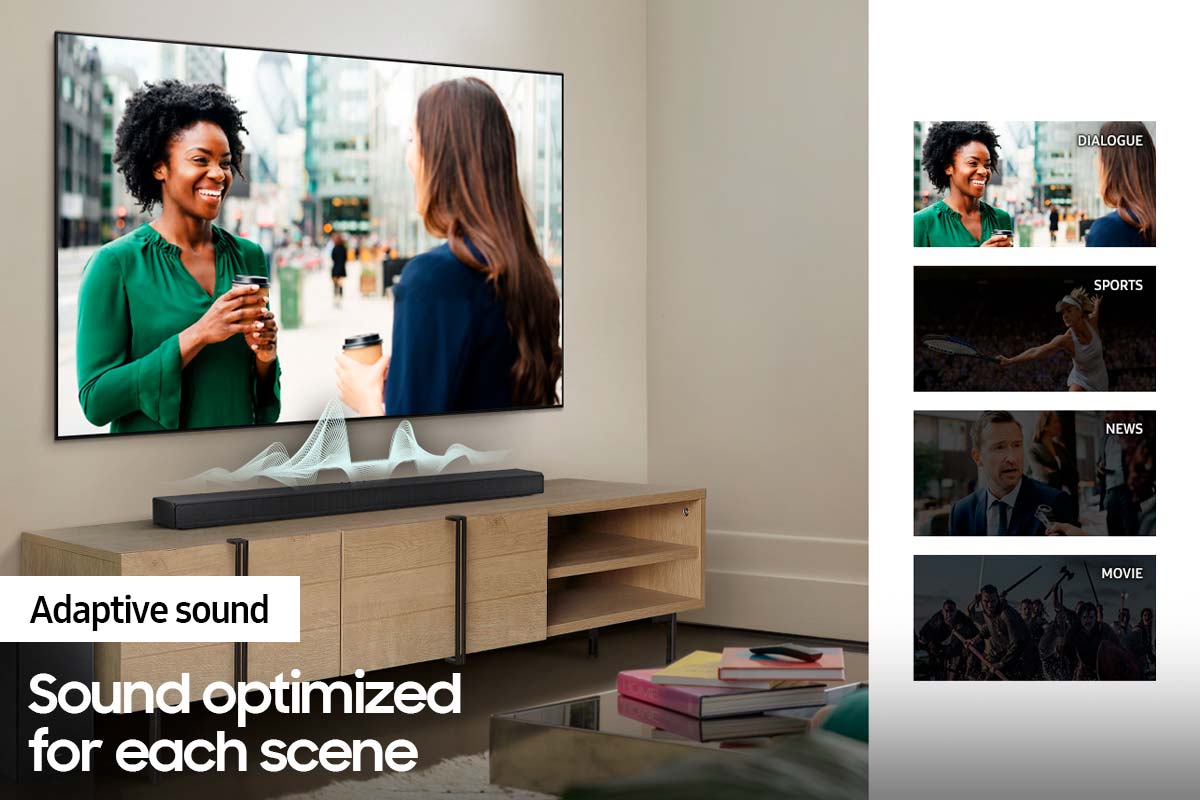
Please know that the with the Adaptive Sound mode, your soundbar analyzes your content and automatically optimize sound based on each scene.
If there is anything we can do to improve your sound such as helping to optimize settings, please let us know. You can reach Samsung Customer Support at: 1-800-SAMSUNG (ask for Soundbars), available 8AM - 12AM EST, 7 days a week.
For additional support resources, visit us on the Samsung website and click on the ‘Support’ link in the upper right corner of the homepage for:
1) Contact Us: For additional Chat & Text options, choose ‘TVs & Home Theater’ and select your model & topic.
2) Manuals, Software, & Warranty Info
We look forward to hearing from you.
~ Samsung Solutions
Sound bar with surround
||Posted . Owned for 3 weeks when reviewed.This reviewer received promo considerations or sweepstakes entry for writing a review.It’s ok. Audio cuts out often. I am using optical input and the lips don’t match. I’ve tried the delay and it makes it worse.
No, I would not recommend this to a friendBrand response from Samsung
Posted .Hi Jeremy,
Thank you for purchasing the HW-Q65T soundbar and for sharing your review. Your experience regarding audio issues when connected via optical is important to us and will be shared with our product teams. You may want to check that the cable connection is not loose. Remove the cable and connect again. If you are still experiencing intermittent sound issues, you may want to try the troubleshooting steps below to resolve your issue:
You may want to initialize your soundbar again by pressing the - + (volume) buttons at the same time for at least 5 seconds. “INIT” appears on the display when the soundbar is initialized.
Please also be sure to update to the latest firmware version (v.1006.0) Updating the firmware on your soundbar gives you all the benefits of the latest improvements. When an update is available, you can update the Soundbar by connecting the USB drive that contains the update firmware to the SERVICE port of the Soundbar.
1.Go to the Samsung Electronics website (www.samsung.com) → click on the “Support” option in the upper right corner.
2.Click on “Manuals & Software” from the pop-up list > TVs & Home Theater > Home Theater > Select your model
2. Download the firmware file (USB type).
3. Unzip the file to create a folder with the file name.
4. Store the created folder in a USB and then connect it to the Soundbar.
5. A sequence of “UPDATE” > “BYE” > “ON” will appear on the display 3 times. This will take around 6 minutes.
- During update, do not turn it off or remove the USB.
- If “UPDATE” does not appear on the display window, remove the power cord from the Soundbar and then reconnect it.
- When the latest version is installed, no update is performed.
- Depending on the USB type, update may not be supported.
6. After the 3 cycles are complete, the Soundbar will restart and last source used will appear on the display for about 20 seconds and then it will go off (“UPDATE” > “BYE” > “ON”) 3 times “D.IN” > off
I hope this helps.
Should you need additional assistance, Should you ever have questions or need help, please call us at 1-800-SAMSUNG (ask for Soundbars), available 8AM - 12AM EST, 7 days a week.
For additional support resources, visit us on the Samsung website and click on the ‘Support’ link in the upper right corner of the homepage for:
1) Chat with Us/Product Help: To begin a chat or find solutions, choose ‘TVs & Home Theater’ and select your model & topic.
2) Manuals & Software
3) Warranty Info
4) Register a Product: For access to easy warranty support, convenient opt-in to special promos and offers, faster troubleshooting and service, and quick notification of system updates
5) Contact Us
~ Samsung Solutions
No big deal
||Posted . Owned for 1 month when reviewed.This reviewer received promo considerations or sweepstakes entry for writing a review.Nothing special probably would've gone with something else. Soundbar and speakers don't give off "surround sound" feel.
No, I would not recommend this to a friendBrand response from Samsung
Posted .Hi Th1sguy0226,
Thank you for purchasing the Samsung HW-Q65T soundbar and for sharing your feedback regarding the surround sound performance. Our HW-Q65T 7.1ch Soundbar was designed to deliver immersive surround sound. Speakers firing from the front and behind bring the surround sound to life. To improve your surround sound experience, you may want to try adjusting the sound mode. The Surround Sound mode may provide you with an improved and more immersive surround sound experience.
Press the SOUND MODE button on your remote, and then select the desired sound effect by choosing STANDARD, SURROUND SOUND, GAME, or ADAPTIVE SOUND.
Additionally, you can increase the volume level of the surround speakers using the Sound Control button on the Soundbar remote control. Press the Sound Control button on the soundbar remote (looks like a gear), then select REAR LEVEL and use the Up/Down buttons to adjust the volume within a -6 to +6 range.
I hope this helps you further enjoy your audio experience.
Should you need additional assistance optimizing the audio experience to your preference, please contact Samsung Customer Support at 1-800-SAMSUNG (ask for Soundbars), available 8AM - 12AM EST, 7 days a week.
For additional support resources, visit us on the Samsung website and click on the ‘Support’ link in the upper right corner of the homepage for:
1) Chat with Us/Product Help: To begin a chat or find solutions, choose ‘TVs & Home Theater’ and select your model & topic.
2) Manuals & Software
3) Warranty Info
4) Register a Product: For access to easy warranty support, convenient opt-in to special promos and offers, faster troubleshooting and service, and quick notification of system updates
5) Contact Us
~ Samsung Solutions
Not worth the money, Samsung support no help
||Posted . Owned for 3 weeks when reviewed.This reviewer received promo considerations or sweepstakes entry for writing a review.The LCD was malfunctioning and would not work. When I could manage to get the sound at least working the rear speakers provided no difference compared to the Samsung unit I replaced that didn’t have rear speakers. Returned and spent the extra money for the HW-Q700a. It comes ready with Alexa and apple air play and can be controlled by the smart things app. Much better product.
No, I would not recommend this to a friendBrand response from Samsung
Posted .Hi Ryan,
Thank you for sharing your review of the Samsung HW-Q65T and for sharing your experience with this soundbar, detailing the reasons you have decided to replace it with a different model. Thank you for being a loyal Samsung customer.
Your feedback regarding this model is important to us and will be shared with our internal teams.
Should you have questions or need assistance with settings, setup, or features, with your new Samsung soundbar, please know we are always here to help. You can reach us at 1-800-SAMSUNG (ask for Soundbars), available 8AM - 12AM EST, 7 days a week.
For additional support resources, visit us on the Samsung website and click on the ‘Support’ link in the upper right corner of the homepage for:
1) Chat with Us/Product Help: To begin a chat or find solutions, choose ‘TVs & Home Theater’ and select your model & topic.
2) Manuals & Software
3) Warranty Info
4) Register a Product: For access to easy warranty support, convenient opt-in to special promos and offers, faster troubleshooting and service, and quick notification of system updates
5) Contact Us
~ Samsung Solutions
Not what we expected.
||Posted . Owned for 1 month when reviewed.This reviewer received promo considerations or sweepstakes entry for writing a review.Not what we were expecting. Tried to replace an older unit and this just fell short of our expectatons.
No, I would not recommend this to a friendBrand response from Samsung
Posted .Hi Yummy,
We appreciate you sharing your feedback regarding the performance of your HW-Q65T sound system. Our 2021 HW-Q65T 7.1ch Soundbar system was designed to deliver immersive surround sound. You can try optimizing audio performance for your specific content by pressing the SOUND MODE button on your remote, and then selecting the desired sound effect by choosing STANDARD, SURROUND SOUND, GAME, or ADAPTIVE SOUND.
– You can further adjust Treble and Bass via the SOUND CONTROL button (looks like a gear symbol).
– With the Surround Speakers connected, select REAR LEVEL and then use the Up/Down buttons to adjust the volume within a -6 to +6 range.
– If you would like louder (or softer) bass from your subwoofer, you can adjust the level by rocking the WOOFER button on the soundbar remote, and then adjusting the level from -6 to +6. To set the subwoofer volume level to 0, press the button in.
If you need further assistance, please know we are here to help. You can reach Samsung Customer Support at 1-800-SAMSUNG (ask for Soundbars), available 8AM - 12AM EST, 7 days a week.
For additional support resources, visit us on the Samsung website and click on the ‘Support’ link in the upper right corner of the homepage for:
1) Chat with Us/Product Help: To begin a chat or find solutions, choose ‘TVs & Home Theater’ and select your model & topic.
2) Manuals & Software
3) Warranty Info
4) Register a Product: For access to easy warranty support, convenient opt-in to special promos and offers, faster troubleshooting and service, and quick notification of system updates
5) Contact Us
~ Samsung Solutions
Not good for use for older model (<2015) TV's
||Posted . Owned for less than 1 week when reviewed.This reviewer received promo considerations or sweepstakes entry for writing a review.The functions of this product only work if the TV is a Samsung 2015 model or newer. The manual is not very user friendly, very difficult to understand. I could only get it to work with my older TV by using the Optical Cable. This is not good since the sound is delayed and do not match the lip synching of the video. Like watching a dubbed movie.
No, I would not recommend this to a friendBrand response from Samsung
Posted .Hi Dollthoms,
We appreciate you sharing your experience with the HW-Q65T when paired to an older TV. The feedback you have provided is important to us and will be passed on to our product teams.
If the video on the TV and audio from the soundbar are not synchronized, press the SOUND CONTROL button on the soundbar remote, until you see AUDIO SYNC on the display. You can then set the audio delay between 0~300 milliseconds by using the Up/Down buttons.
Additionally, please make sure your soundbar is using the latest firmware version (v.1006.0). You can update the firmware version of your soundbar by using a USB device. If available, you may also want to update the firmware version of your TV which may feature audio delay improvements.
Should you continue to experience issues and need further assistance, please call us at 1-800-SAMSUNG (ask for Soundbars), available 8AM - 12AM EST, 7 days a week.
For additional support resources, visit us on the Samsung website and click on the ‘Support’ link in the upper right corner of the homepage for:
1) Chat with Us/Product Help: To begin a chat or find solutions, choose ‘TVs & Home Theater’ and select your model & topic.
2) Manuals & Software
3) Warranty Info
4) Register a Product: For access to easy warranty support, convenient opt-in to special promos and offers, faster troubleshooting and service, and quick notification of system updates
5) Contact Us
~ Samsung Solutions
Not a lot of bass
||Posted .This reviewer received promo considerations or sweepstakes entry for writing a review.The voice on the sound bar is loud but not enough bass on the sub
No, I would not recommend this to a friendBrand response from Samsung
Posted .Hi,
Thank you for your review of this Samsung HW-Q65T Soundbar. We appreciate you sharing your feedback regarding the bass performance.
There are two adjustments that can be made to maximize bass from the soundbar and subwoofer:
1) Using the WOOFER button on the remote, you can adjust the level between -6 to +6. To set the subwoofer volume level to 0, press the button in.
2) Adjust the bass control by pressing the SOUND CONTROL button (gear icon) on the remote control, then select BASS to increase the level. You can adjust the volume between -6 to +6 by using the Up/Down buttons.
For precise audio adjustments, you can use the 7-band frequency equalizer to optimize the sound for your room acoustics.
I hope this helps. For further assistance with features, settings, adjustments, or functions please contact Samsung Customer Support at 1-800-SAMSUNG (ask for Soundbars), available 8AM - 12AM EST, 7 days a week.
For additional support resources, visit us on the Samsung website and click on the ‘Support’ link in the upper right corner of the homepage for:
1) Chat with Us/Product Help: To begin a chat or find solutions, choose ‘TVs & Home Theater’ and select your model & topic.
2) Manuals & Software
3) Warranty Info
4) Register a Product: For access to easy warranty support, convenient opt-in to special promos and offers, faster troubleshooting and service, and quick notification of system updates
5) Contact Us
~ Samsung Solutions
Horrible distorted sound
||Posted . Owned for 2 months when reviewed.This reviewer received promo considerations or sweepstakes entry for writing a review.Sounds fairly horrible the cheaper option sound way better i would not buy this surround sound at all stay away
No, I would not recommend this to a friendBrand response from Samsung
Posted .Hi rayluciano!
Thank you for purchasing the Samsung HW-Q65T Soundbar and for your review. We appreciate your feedback regarding the sound performance of your unit. You can try manually optimizing your audio experience by pressing the SOUND CONTROL button (looks like a gear) to access the setting items such as TREBLE, BASS, and AUDIO SYNC. The selected item can be adjusted using the Up/Down buttons.
– To control the volume of the treble or bass sound, select TREBLE or BASS in Sound Settings, and then adjust the volume between -6 to +6 by using the Up/Down buttons.
– Press and hold the SOUND CONTROL button for about 5 seconds to adjust the sound for each frequency band. 150Hz, 300Hz, 600Hz, 1.2kHz, 2.5kHz, 5kHz, and 10kHz are selectable using the Left/Right buttons and each can be adjusted to a setting between -6 to +6 using the Up/Down buttons. (Make sure the Sound mode is set to “STANDARD”.)
– If the video on the TV and audio from the Soundbar are not synchronized, select AUDIO SYNC in Sound Control, and then set the audio delay between 0~300 milliseconds by using the Up/Down buttons.
– SYNC is only supported for some functions.
– If Surround Speakers are connected, select REAR LEVEL and then use the Up/Down buttons to adjust the volume within a -6 to +6 range.
If you need further assistance, please know we are here to help. You can reach Samsung Customer Support at:
1-800-SAMSUNG (ask for Soundbars), available 8AM -12AM EST (Mon-Fri), 9AM – 6PM EST (Sat). Or text HELP to 62913.
For additional support resources, visit us on the Samsung website and click on the ‘Support’ link in the upper right corner of the homepage for:
1) More ‘Contact Us’ options – LiveChat, Facebook, Twitter, Samsung Community, Samsung Members app
2) Manuals & Software
3) Warranty Info
4) Product Registration: For access to easy warranty support, convenient opt-in to special promos and offers, faster troubleshooting and service, and quick notification of system updates.
~ Samsung Solutions
WASTE OF MONEY
||Posted . Owned for 1 month when reviewed.This reviewer received promo considerations or sweepstakes entry for writing a review.Super crappy sound quality, have to blast the volume to hear speech and then you're deafened by the music and action scenes. I can't believe the sales guy recommended this over the Polk and JBL systems, what a joke. If I didn't have to pack all this crap up and drive an hour one way to the nearest best buy then it would have went back.
No, I would not recommend this to a friendBrand response from Samsung
Posted .Hi there,
Your experience is important to us, and this isn’t what we’d like to hear. Please try a few troubleshooting steps, as this may improve your sound quality:
Press the Sound Mode button on your remote control and select Adaptive Sound. In Adaptive Sound mode, the soundbar analyzes the content and volume to optimize the audio rendering resulting in clearer dialogue.
Using Dynamic Range Control (DRC). DRC lets you apply dynamic range control to Dolby Digital tracks. With DRC turned on, loud sounds will be reduced.
1) Turn off your Soundbar.
2) While the Soundbar is off, press and hold the Sound Mode button on the remote control for 6 seconds until you see “DRC ON” shown on the display.
3) To turn off DRC, repeat steps 1 and 2 above.
For further assistance with features, functions, or adjustments to settings, please contact Samsung Customer Support at 1-800-SAMSUNG (ask for Soundbars), available 8AM - 12AM EST, 7 days a week.
For additional support resources, visit us on the Samsung website and click on the ‘Support’ link in the upper right corner of the homepage for:
1) Chat with Us/Product Help: To begin a chat or find solutions, choose ‘TVs & Home Theater’ and select your model & topic.
2) Manuals & Software
3) Warranty Info
4) Register a Product: For access to easy warranty support, convenient opt-in to special promos and offers, faster troubleshooting and service, and quick notification of system updates
5) Contact Us
~ Samsung Solutions