Customer Ratings & Reviews
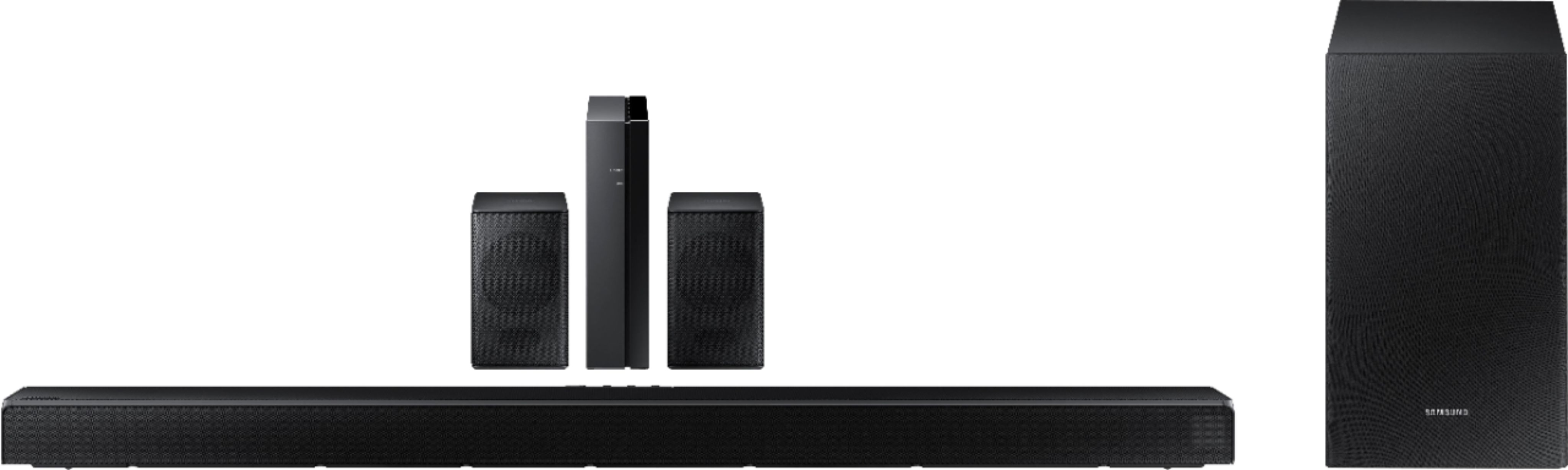
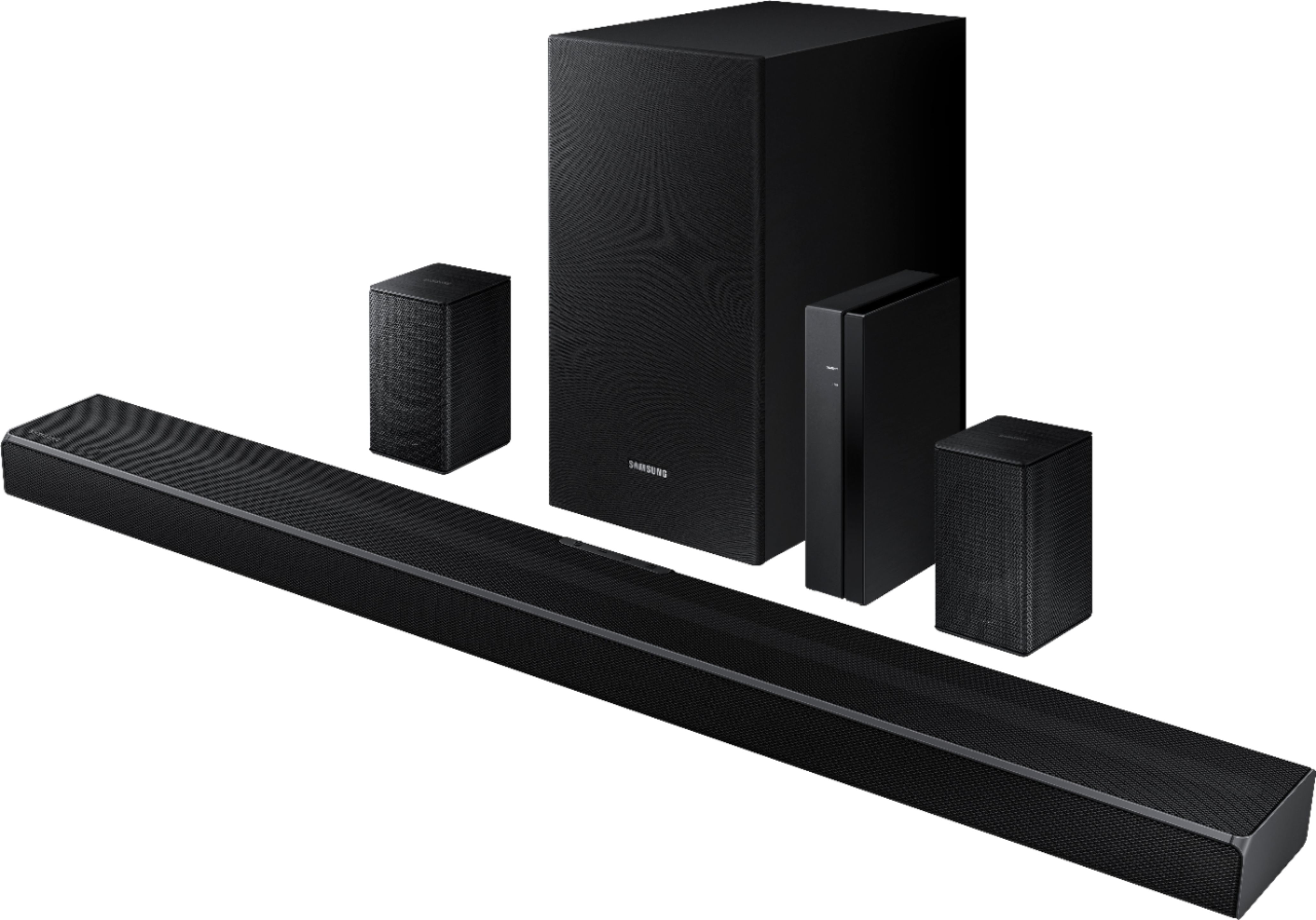






- Model:
- HW-Q65T/ZA
- SKU:
- 6454639
Rating by feature
- Value
Rating 4.4 out of 5 stars
- Quality
Rating 4.4 out of 5 stars
- Ease of Use
Rating 4.4 out of 5 stars
Customers are saying
Customers value the HW-Q65T soundbar for its exceptional sound quality, easy setup process, and affordable price point. Many customers rave about the immersive surround sound experience and the rich bass it delivers. The soundbar seamlessly pairs with Samsung TVs, making it a convenient choice for Samsung users. However, some customers have concerns about the wireless rear speakers not being entirely wireless, occasional connectivity issues, and the volume being perceived as low. The remote control has also been mentioned as a pain point due to its limited range and responsiveness.
This summary was generated by AI based on customer reviews.
nto fits for high ceiling room
||Posted . Owned for 3 weeks when reviewed.This reviewer received promo considerations or sweepstakes entry for writing a review.this speaker sound did not fit for high ceiling room. could not see the change of room surround etc.
No, I would not recommend this to a friendBrand response from Samsung
Posted .Hi veera,
We appreciate you sharing your feedback regarding the performance of your HW-Q65T sound system.
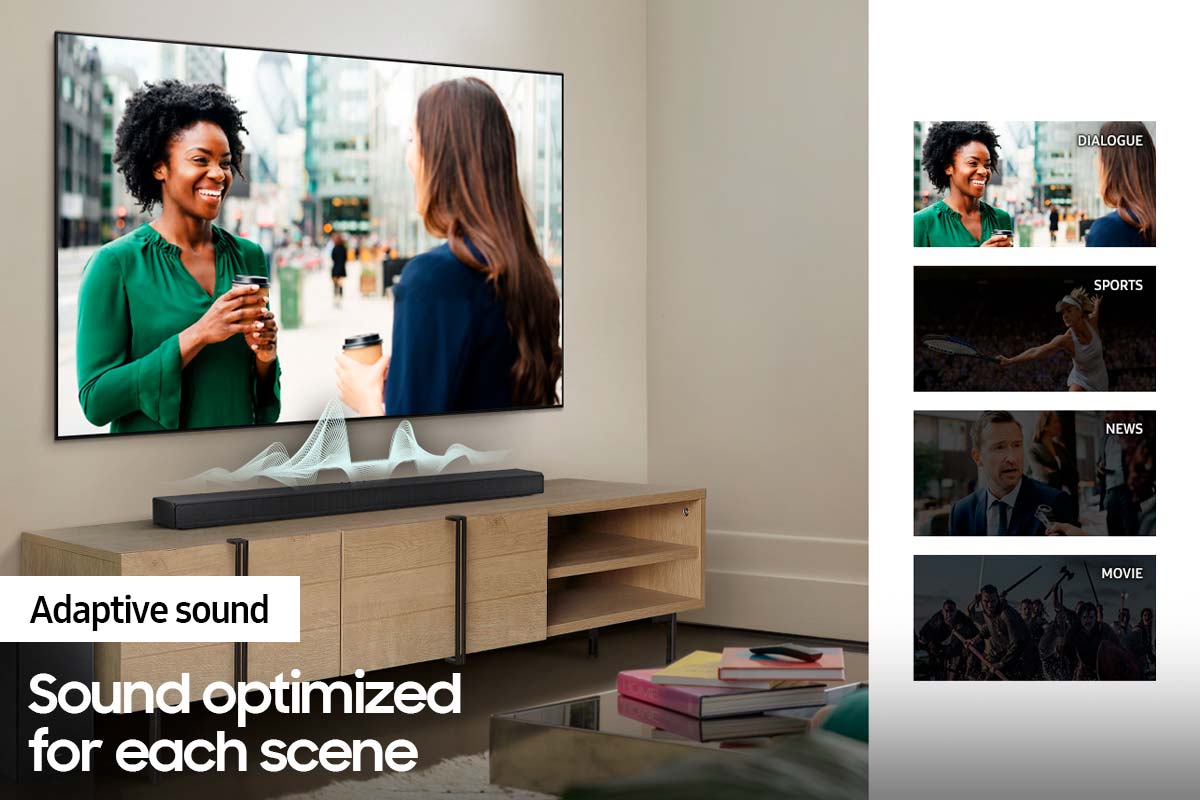
You can try optimizing audio performance for your specific content by pressing the SOUND MODE button on your remote, and then selecting the desired sound effect by choosing STANDARD, SURROUND SOUND, GAME, or ADAPTIVE SOUND.
You can further adjust TREBLE and BASS via the SOUND CONTROL button (looks like a gear symbol).
If you need further assistance, please know we are here to help. You can reach Samsung Customer Support at 1-800-SAMSUNG (ask for Soundbars), available 8AM - 12AM EST, 7 days a week.
For additional support resources, visit us on the Samsung website and click on the ‘Support’ link in the upper right corner of the homepage for:
1) Chat with Us/Product Help: To begin a chat or find solutions, choose ‘TVs & Home Theater’ and select your model & topic.
2) Manuals & Software
3) Warranty Info
4) Register a Product: For access to easy warranty support, convenient opt-in to special promos and offers, faster troubleshooting and service, and quick notification of system updates
5) Contact Us
~ Samsung Solutions
Meh
||Posted . Owned for 1 month when reviewed.This reviewer received promo considerations or sweepstakes entry for writing a review.Meh. Can’t really control for voice. Bass is amazing and I am more focused on being able to hear the voice.
No, I would not recommend this to a friendBrand response from Samsung
Posted .Hi Smith!
Thank you for sharing your review of the Samsung HW-Q65T. We appreciate your feedback regarding your sound experience.
You can try adjusting audio performance to your liking by pressing the SOUND MODE button on your soundbar remote, and then selecting the desired sound effect by choosing STANDARD, SURROUND SOUND, BASS BOOST, GAME, ADAPTIVE, or DTS VIRTUAL:X.
You can also press the Sound Control button on the remote (looks like a gear) to adjust TREBLE and BASS.
Should you need further assistance, please contact Samsung Customer Support and a representative will gladly help you. Contact us at:
1-800-SAMSUNG (ask for Soundbars), available 8AM -12AM EST, 7 days a week. Or text HELP to 62913.
For additional support resources, visit us on the Samsung website and click on the ‘Support’ link in the upper right corner of the homepage for:
1) More ‘Contact Us’ options – LiveChat, Facebook, Twitter, Samsung Community, Samsung Members app
2) Manuals & Software
3) Warranty Info
4) Product Registration: For access to easy warranty support, convenient opt-in to special promos and offers, faster troubleshooting and service, and quick notification of system updates.
~ Samsung Solutions
Samsung surround sound
||Posted . Owned for 7 months when reviewed.This reviewer received promo considerations or sweepstakes entry for writing a review.It worked qhen we purchased, but now 2 of speakera dont work im so dissapointed.
No, I would not recommend this to a friendStopped working after two months
||Posted . Owned for 2 months when reviewed.This reviewer received promo considerations or sweepstakes entry for writing a review.I bought this knowing it was a returned product, but it was described as being in “excellent” condition. About a week ago it started turning off randomly while I’m watching tv. Now, I’ve had it hooked up for less than two months and it stopped working. I’m very disappointed in this product after spending so much money from a company that I normally trust.
No, I would not recommend this to a friendBrand response from Samsung
Posted .Hi Zach,
Thank you for purchasing the Samsung HW-Q65T soundbar and for sharing your review. I’m sorry to hear that your out-of-box experience has initially fallen short of your expectations. We would love the opportunity to investigate this for you so we can provide additional settings adjustments or troubleshooting assistance.
Please give us the opportunity to assist you by contacting Samsung Customer Support at: 1-800-SAMSUNG (ask for Soundbars), available 8AM - 12AM EST, 7 days a week.
For additional support resources, visit us on the Samsung website and click on the ‘Support’ link in the upper right corner of the homepage for:
1) Contact Us: For additional Chat & Text options, choose ‘TVs & Home Theater’ and select your model & topic.
2) Manuals & Software
3) Warranty Info
4) Register a Product: For access to easy warranty support, convenient opt-in to special promos and offers, faster troubleshooting and service, and quick notification of system updates
~ Samsung Solutions
Not that good
||Posted . Owned for 1 month when reviewed.This reviewer received promo considerations or sweepstakes entry for writing a review.I got a used one and the woofer never worked. The soundbar quality also wasnt that good.
No, I would not recommend this to a friendBrand response from Samsung
Posted .Hi Royc7,
Thank you for purchasing the Samsung HW-Q65T and for sharing your review. Your experience is very important to us and will be shared with our product team.
It is possible that your unit needed minor troubleshooting, a firmware update, or adjustments in settings.
Should you ever decide to give Samsung Soundbars another try and have questions or need assistance with settings, setup, or features, please know we are always here to help. Call us at 1-800-SAMSUNG (ask for Soundbars), available 8AM - 12AM EST, 7 days a week.
For additional support resources, visit us on the Samsung website and click on the ‘Support’ link in the upper right corner of the homepage for:
1) Contact Us: For additional Chat & Text options, choose ‘TVs & Home Theater’ and select your model & topic.
2) Manuals, Software, & Warranty Info
We hope to regain you as a customer in the future.
~ Samsung Solutions
Ok speaker
||Posted .This reviewer received promo considerations or sweepstakes entry for writing a review.It’s ok.. the small speaker kinda sucks when it come to sound. The basic omg really loud
No, I would not recommend this to a friendBrand response from Samsung
Posted .Hi Shellena112,
Thank you for purchasing the Samsung HW-Q65T Soundbar with Wireless Rear Speakers. We appreciate you sharing your experience with the surround sound system.
By design, the surround speakers are supposed to simulate sounds happening behind the viewer. Therefore, most of the time the surround channels are only used for ambient sounds, which are naturally lower in volume. However, there are a few settings you can change to adjust the surround effect to your preference:
1) Make sure that the source (e.g. TV output) is sending surround channels to the Soundbar. If the source is not capable of surround, then set the Surround mode to OFF on the Soundbar by pressing the Surround button on the remote.
2) If the source has surround channels, select the desired Sound Mode from the Soundbar remote.
3) Turn off Dynamic Range Control. This is done by pressing and holding the Sound Mode button while the Soundbar is in standby mode.
4) Increase the volume level of the surround speakers using the Sound Control button on the Soundbar remote control. Press the Sound Control button on the soundbar remote (looks like a gear), then select REAR LEVEL and use the Up/Down buttons to adjust the volume within a -6 to +6 range.
I hope these tips help to enhance your audio enjoyment. Should you need further assistance with this issue or have any questions, please contact Samsung Customer Support at 1-800-SAMSUNG (ask for Soundbars), available 8AM - 12AM EST, 7 days a week.
For additional support resources, visit us on the Samsung website and click on the ‘Support’ link in the upper right corner of the homepage for:
1) Chat with Us/Product Help: To begin a chat or find solutions, choose ‘TVs & Home Theater’ and select your model & topic.
2) Manuals & Software
3) Warranty Info
4) Register a Product: For access to easy warranty support, convenient opt-in to special promos and offers, faster troubleshooting and service, and quick notification of system updates
5) Contact Us
~ Samsung Solutions
- Cons mentioned:Rear speakers
Rear speakers are not wireless
||Posted . Owned for less than 1 week when reviewed.This reviewer received promo considerations or sweepstakes entry for writing a review.The rear speakers are wired to each other. Pointless.
No, I would not recommend this to a friendBrand response from Samsung
Posted .Hi,
Thank you for purchasing the Samsung HW-Q65T Soundbar System which comes with a subwoofer and rear speaker kit. We appreciate you sharing your thoughts about the wireless description of the rear speakers.
Occasionally, customers have trouble hiding and running speaker wires from the front of the room (where their soundbar is) to the back of their room (where they have their rear speakers). The Rear Speaker Kit eliminates that hassle. Connect the rear speakers to its wireless module and place these three in the back of your room. One wire is required to connect each rear speaker to the wireless module. Then plug in the power cable to the module. The “wireless” convenience is in connecting your soundbar and any other speakers at the front of the room to the rear speakers – this can now be done via Wi-Fi through the wireless module, eliminating any clutter of long wires running the length of your room.
Should you ever have questions or need help, please call us at 1-800-SAMSUNG (ask for Soundbars), available 8AM - 12AM EST, 7 days a week.
For additional support resources, visit us on the Samsung website and click on the ‘Support’ link in the upper right corner of the homepage for:
1) Chat with Us/Product Help: To begin a chat or find solutions, choose ‘TVs & Home Theater’ and select your model & topic.
2) Manuals & Software
3) Warranty Info
4) Register a Product: For access to easy warranty support, convenient opt-in to special promos and offers, faster troubleshooting and service, and quick notification of system updates
5) Contact Us
~ Samsung Ambassador
Very bad
||Posted . Owned for 2 weeks when reviewed.This reviewer received promo considerations or sweepstakes entry for writing a review.2 times missing item and i have to keep return the item.
No, I would not recommend this to a friendSound sucks
||Posted . Owned for 3 months when reviewed.This reviewer received promo considerations or sweepstakes entry for writing a review.Sound cuts out and can barley hear the voices while watching a movie...
No, I would not recommend this to a friendBrand response from Samsung
Posted .Hi Steven,
We appreciate you sharing your feedback with the HW-Q65T and detailing the issues you are experiencing with the sound occasionally dropping. You may first want to check the cable connection of the soundbar to the TV or external device to ensure it is secure, and properly connected to the correct port.
In addition to checking the connections of the soundbar, please make sure your soundbar is using the latest firmware version (v.1006.0). Updating the firmware on your soundbar gives you all the benefits of the latest improvements. You can update your firmware by using a USB device.
Should you continue to experience audio dropouts, and are connected wirelessly, please use the included cable to connect the soundbar to the TV. Using a wired connection instead of wireless often eliminates the issue entirely and improves the user experience.
I hope these tips help resolve your issues. Should you ever have questions or need help, please call us at 1-800-SAMSUNG (ask for Soundbars), available 8AM - 12AM EST, 7 days a week.
For additional support resources, visit us on the Samsung website and click on the ‘Support’ link in the upper right corner of the homepage for:
1) Chat with Us/Product Help: To begin a chat or find solutions, choose ‘TVs & Home Theater’ and select your model & topic.
2) Manuals & Software
3) Warranty Info
4) Register a Product: For access to easy warranty support, convenient opt-in to special promos and offers, faster troubleshooting and service, and quick notification of system updates
5) Contact Us
~ Samsung Solutions
don't buy slightly use equipment from best-buy
||Posted . Owned for 6 months when reviewed.This reviewer received promo considerations or sweepstakes entry for writing a review.i bought slightly use , big mistake. it came in a box with no padding inside , every part was just rattling around in the box , jus banging into each other with a big rip in the box . i was surprised nothing fell out. there was a big gouge in the subwoofer.
No, I would not recommend this to a friendEating for sound bar will call later
||Posted . Owned for 1 month when reviewed.This reviewer received promo considerations or sweepstakes entry for writing a review.Unit is in repair shop sound bar bad when I get it back I will give proper review
I would recommend this to a friendBrand response from Samsung
Posted .Hi Dino!
Thank you for sharing your experience with your HW-Q65T Soundbar from Samsung. Samsung is committed to providing the best possible product experience, quality, and value. We back this model with a 1-year limited manufacturer's warranty if purchased brand-new directly from an authorized seller.
Should you need further assistance even after your service with the new soundbar, please reach out to Samsung Customer Support so we provide you with troubleshooting assistance or warranty service.
1-800-SAMSUNG (ask for Soundbars), available 8AM -12AM EST (Mon-Fri), 9AM – 6PM EST (Sat). Or text HELP to 62913.
For additional support resources, visit us on the Samsung website and click on the ‘Support’ link in the upper right corner of the homepage for:
1) More ‘Contact Us’ options – LiveChat, Facebook, Twitter, Samsung Community, Samsung Members app
2) Manuals & Software
3) Warranty Info
4) Product Registration: For access to easy warranty support, convenient opt-in to special promos and offers, faster troubleshooting and service, and quick notification of system updates.
~ Samsung Solutions
Home theater
||Posted . Owned for 3 weeks when reviewed.This reviewer received promo considerations or sweepstakes entry for writing a review.Very disappointed the sound was not what I expected, my TV sounded louder
No, I would not recommend this to a friendBrand response from Samsung
Posted .Hi Acr090816,
Thank you for purchasing the Samsung HW-Q65T and for your review. We appreciate you sharing your feedback regarding the performance of your new soundbar, and the overall volume it produces.
You can try optimizing audio performance for your specific content by pressing the SOUND MODE button on your remote, and then selecting the desired sound effect by choosing STANDARD, SURROUND SOUND, GAME, or ADAPTIVE SOUND.
Additionally, you can further adjust TREBLE and BASS via the SOUND CONTROL button (looks like a gear symbol), or press and hold the Sound Control button for about 5 seconds to adjust the sound for each of seven frequency bands.
Please know, some sources have their own volume control which might be set too low. Please check the volume control of the external device (cable box or satellite box, DVD, Blu-ray, etc.) connected to your TV or soundbar. Also, check the cable connection between an external device and the TV or soundbar and then try cable connection again.
I hope these tips help.
Should you ever have questions or need help, please call us at 1-800-SAMSUNG (ask for Soundbars), available 8AM - 12AM EST, 7 days a week.
For additional support resources, visit us on the Samsung website and click on the ‘Support’ link in the upper right corner of the homepage for:
1) Chat with Us/Product Help: To begin a chat or find solutions, choose ‘TVs & Home Theater’ and select your model & topic.
2) Manuals & Software
3) Warranty Info
4) Register a Product: For access to easy warranty support, convenient opt-in to special promos and offers, faster troubleshooting and service, and quick notification of system updates
5) Contact Us
~ Samsung Solutions
Samsung-HW-Q65T Sound bar w/Rear kit review
||Posted . Owned for 3 weeks when reviewed.This reviewer received promo considerations or sweepstakes entry for writing a review.Never could get the rear speakers to sync so I returned the entire set for refund...
No, I would not recommend this to a friendBrand response from Samsung
Posted .Hi Dave,
Thank you for your review of the Samsung HW-Q65T Soundbar System. Your experience is very important to us and will be shared with our product team.
It is possible that your unit needed minor troubleshooting, a firmware update, or adjustments in settings.
Should you ever decide to give Samsung Soundbars another try and have questions or need assistance with settings, setup, or features, please know we are always here to help at:
1-800-SAMSUNG (ask for Soundbars), available 8AM -12AM EST, 7 days a week. Or text HELP to 62913.
For additional support resources, visit us on the Samsung website and click on the ‘Support’ link in the upper right corner of the homepage for:
1) More ‘Contact Us’ options – LiveChat, Facebook, Twitter, Samsung Community, Samsung Members app
2) Manuals, Software, & Warranty Info
We look forward to hearing from you.
~ Samsung Ambassador
Not really happy
||Posted . Owned for 1 month when reviewed.This reviewer received promo considerations or sweepstakes entry for writing a review.It didn't come with a remote. Nothing listed that there wasnt a remote.
I would recommend this to a friendBrand response from Samsung
Posted .Hi Javier,
Thank you for purchasing the Samsung HW-Q65T Soundbar. We appreciate you sharing your feedback regarding parts missing from your recent purchase. If purchased brand-new and unopened, please contact Samsung Customer Support and a representative will gladly help you. If purchased in open-box condition, we recommend contacting Best Buy directly for assistance.
We hope your issue is resolved in a timely manner.
Should you ever have questions or need help, please call us at 1-800-SAMSUNG (ask for Soundbars), available 8AM - 12AM EST, 7 days a week.
For additional support resources, visit us on the Samsung website and click on the ‘Support’ link in the upper right corner of the homepage for:
1) Chat with Us/Product Help: To begin a chat or find solutions, choose ‘TVs & Home Theater’ and select your model & topic.
2) Manuals & Software
3) Warranty Info
4) Register a Product: For access to easy warranty support, convenient opt-in to special promos and offers, faster troubleshooting and service, and quick notification of system updates
5) Contact Us
~ Samsung Solutions
Do not purchase this item
||Posted . Owned for 8 months when reviewed.This reviewer received promo considerations or sweepstakes entry for writing a review.Very poor sound quality. It is only high volume noise.
No, I would not recommend this to a friendMissing parts and poor service
||Posted .This reviewer received promo considerations or sweepstakes entry for writing a review.Missing power cable and the return process was very inefficient
No, I would not recommend this to a friendBrand response from Samsung
Posted .Hi DCho,
Thank you for your review of the Samsung HW-Q65T Soundbar System. We appreciate you sharing your experience with us and the issue that caused you to return your unit.
We hope that, despite this incident, you would consider Samsung in the future, and stop by your local Best Buy to experience in person the impressive audio performance of our soundbars.
Should you ever decide to give Samsung Soundbars another try and have questions or need assistance with settings, setup, or features, please know we are always here to help. Call us at 1-800-SAMSUNG (ask for Soundbars), available 8AM - 12AM EST, 7 days a week.
For additional support resources, visit us on the Samsung website and click on the ‘Support’ link in the upper right corner of the homepage for:
1) Contact Us: For additional Chat & Text options, choose ‘TVs & Home Theater’ and select your model & topic.
2) Manuals, Software, & Warranty Info
We hope to regain you as a customer in the future.
~ Samsung Solutions
Subwoofer is crackling
||Posted . Owned for 9 months when reviewed.This reviewer received promo considerations or sweepstakes entry for writing a review.Not even 6 months after purchase my subwoofer is blown and crackling. This sound system sounded amazing when it was actually working. I purchased Samsung because I expected it to be higher quality than other cheap brands. I guess I was wrong.
No, I would not recommend this to a friendSamsung
||Posted . Owned for 1 week when reviewed.This reviewer received promo considerations or sweepstakes entry for writing a review.I’m totally not satisfied with the information given, I was told that the 2 small speakers were wireless and that they could Bluetooth to the tv which was not true and the sub woofer and sound bar does Bluetooth however it continuously skips in and out.
No, I would not recommend this to a friendBrand response from Samsung
Posted .Hi there,
Thank you for sharing your experience with the HW-Q65T Samsung sound system. We appreciate you sharing your feedback regarding the occasional skipping issues you are experiencing and will share your details with our product teams.
There are a few troubleshooting steps you can try to resolve the occasional sound skipping issue you are experiencing. First, please make sure your soundbar is using the latest firmware version (v.1006.0). Updating the firmware on your soundbar gives you all the benefits of the latest improvements. You can update your firmware by using a USB device.
You may also want to initialize your soundbar by pressing the - and + (volume) buttons on the side of the soundbar at the same time for at least 5 seconds. “INIT OK” appears on the display and then the Soundbar is reset. Please know, this will reset all settings on the soundbar back to default; any sound adjustments will need to be performed again.
Should you continue to experience audio dropouts, and are connected wirelessly, please use the included cable to connect the soundbar to the TV. Using a wired connection instead of wireless often eliminates the issue entirely and improves the user experience.
I hope these tips help resolve your issues. Should you need further assistance with this, please call us at 1-800-SAMSUNG (ask for Soundbars), available 8AM - 12AM EST, 7 days a week.
For additional support resources, visit us on the Samsung website and click on the ‘Support’ link in the upper right corner of the homepage for:
1) Chat with Us/Product Help: To begin a chat or find solutions, choose ‘TVs & Home Theater’ and select your model & topic.
2) Manuals & Software
3) Warranty Info
4) Register a Product: For access to easy warranty support, convenient opt-in to special promos and offers, faster troubleshooting and service, and quick notification of system updates
5) Contact Us
~ Samsung Solutions
Unhappy customer
||Posted . Owned for 1 month when reviewed.This reviewer received promo considerations or sweepstakes entry for writing a review.Left speaker dont work and i didnt notice until i got my TV hung on the wall and surround sound hooked up. Best buy told my i just missed their warranty period by a day or two and told to contact Samsung. Not their problem i guess…
No, I would not recommend this to a friendBrand response from Samsung
Posted .Hi there,
I am very sorry to hear about the issues you are experiencing with your HW-Q65T Soundbar. We appreciate your feedback and would love the opportunity to assist you further.
Samsung is committed to providing the best possible product experience, quality, and value. We back this Samsung Soundbar with a 1-year limited manufacturer's warranty, including authorized repair for manufacturer defect, if purchased brand-new directly from an authorized seller. You can view the full details of your warranty here: https://www.samsung.com/us/support/service/warranty/HW-Q65T/ZA
Please give us the opportunity to assist you by contacting Samsung Customer Support at 1-800-SAMSUNG (ask for Soundbars), available 8AM - 12AM EST, 7 days a week.
For additional support resources, visit us on the Samsung website and click on the ‘Support’ link in the upper right corner of the homepage for:
1) Chat with Us/Product Help: To begin a chat or find solutions, choose ‘TVs & Home Theater’ and select your model & topic.
2) Manuals & Software
3) Warranty Info
4) Register a Product: For access to easy warranty support, convenient opt-in to special promos and offers, faster troubleshooting and service, and quick notification of system updates
5) Contact Us
We look forward to hearing from you.
~ Samsung Solutions
- Pros mentioned:Easy setup, Sound quality

Great Sound!!!
|Posted .This reviewer received promo considerations or sweepstakes entry for writing a review.I am loving this sound bar. First the set up is really easy. I already had a Samsung sound bar with subwoofer. The base that comes from the sound bar is amazing. So I was super exited to get this one for another room tv setup. Having the extra speakers and having the all around sound is truly an experience. Watching movies and being able to hear every little sound from the movie with such intense base makes you feel like you are at a movie theater. The volume doesn’t even need to be on full blast to get an amazing sound experience from this. Watch any marvel movie with this sound bar and you will be amazed at the sound. This is a definite must buy.
I would recommend this to a friend