Customer Ratings & Reviews
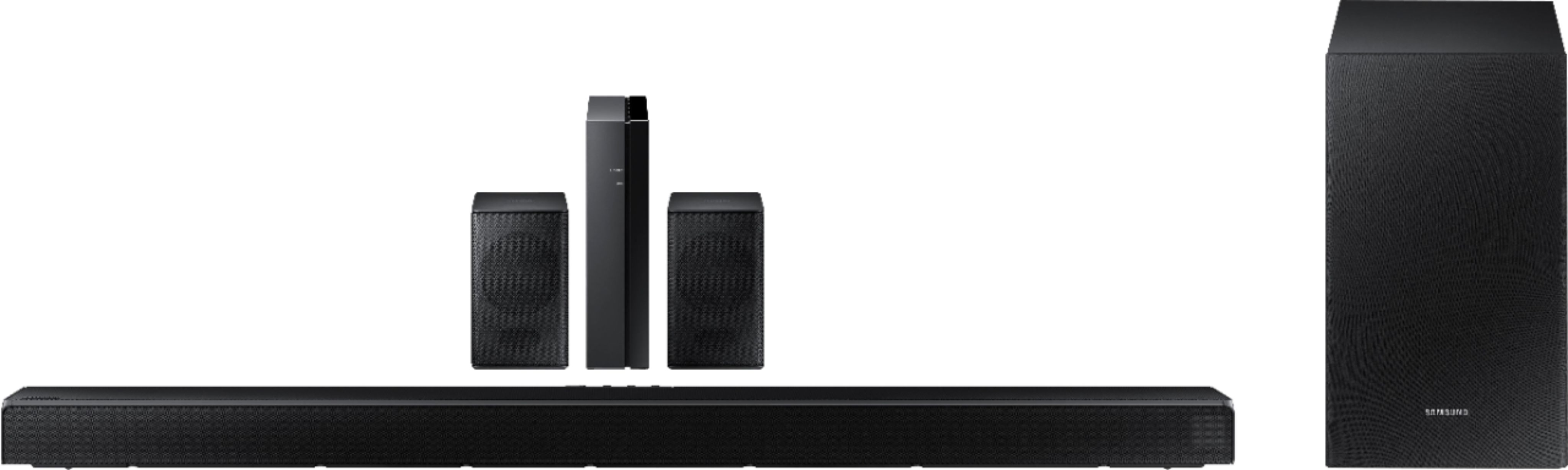
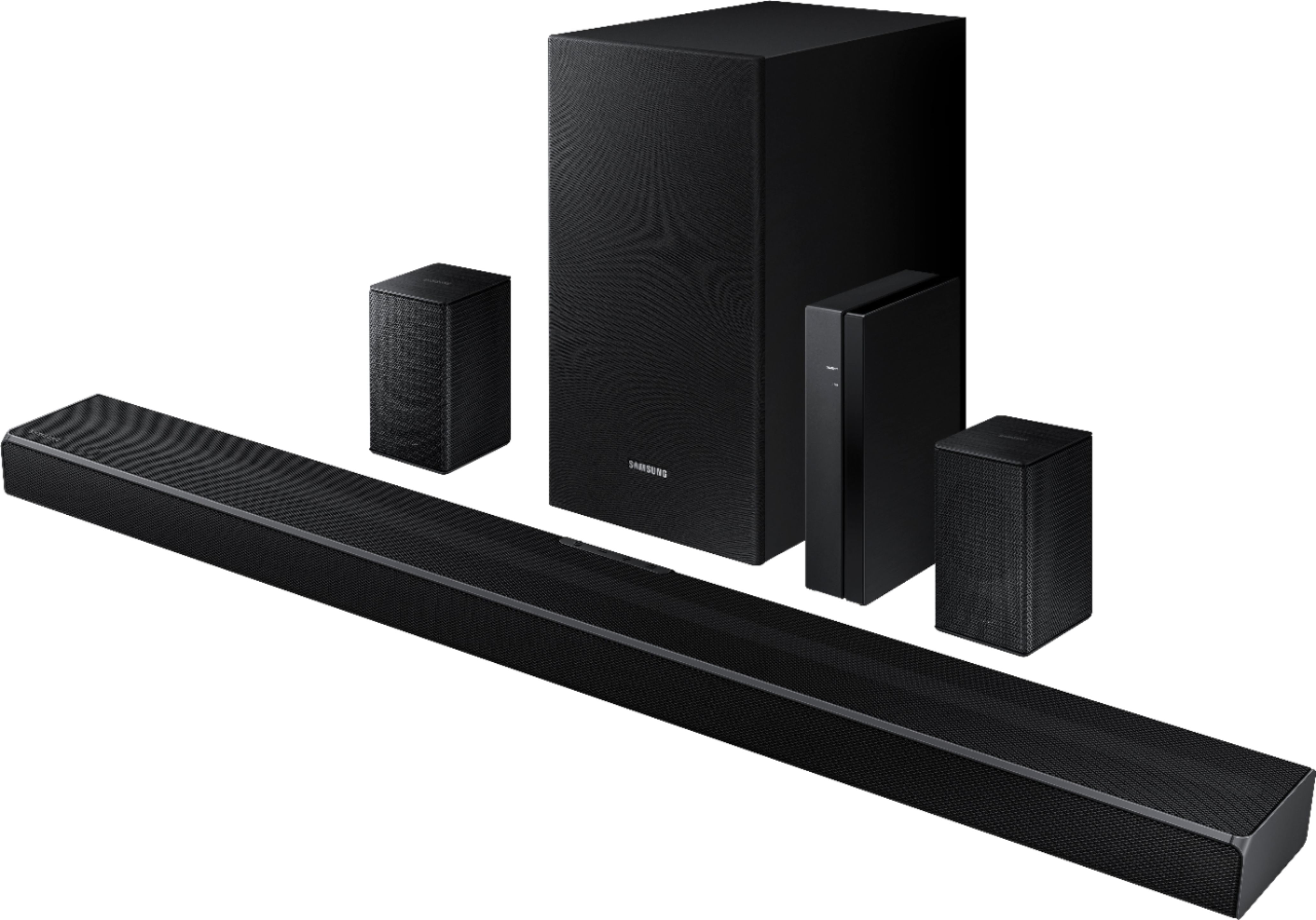
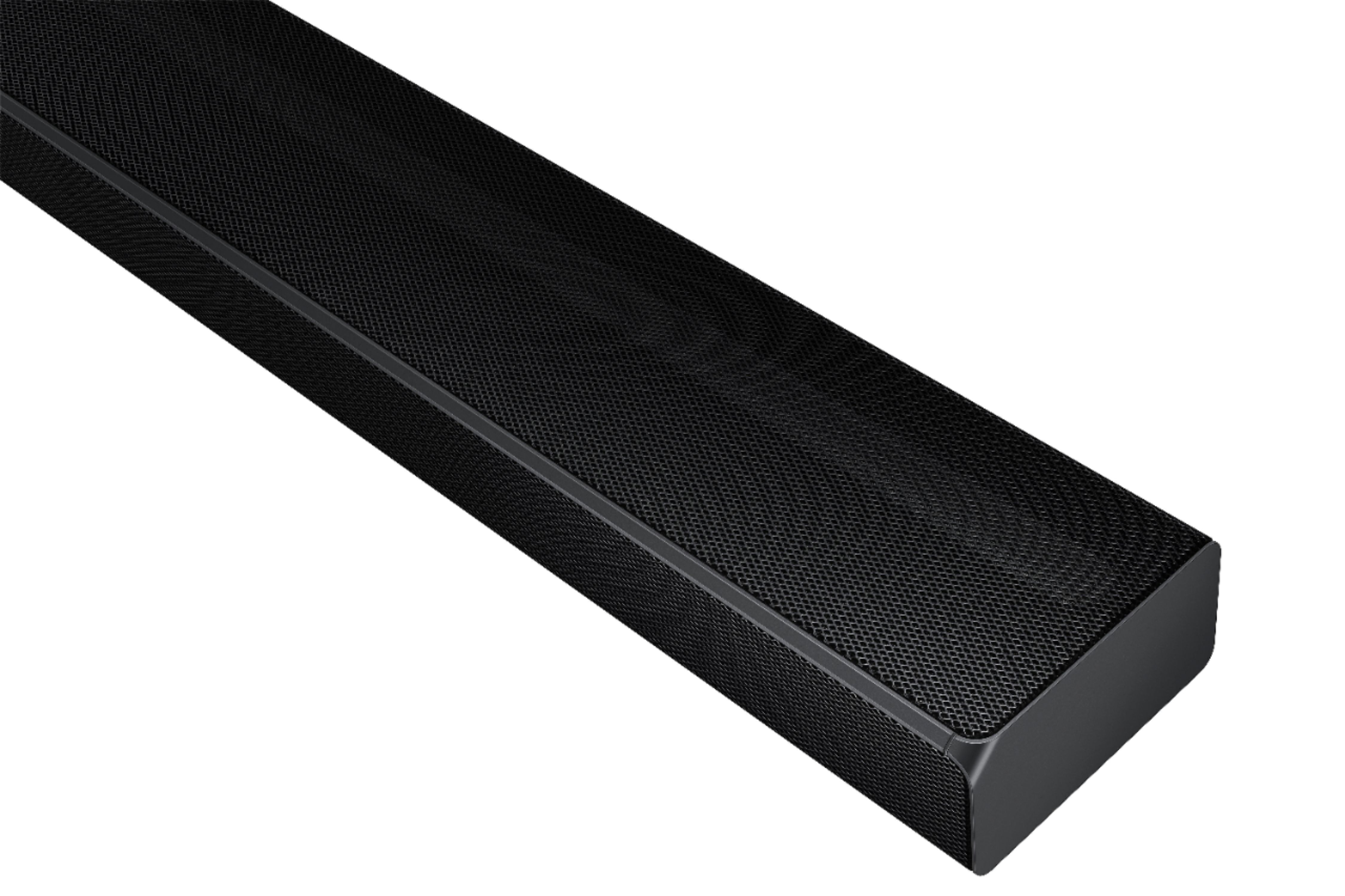
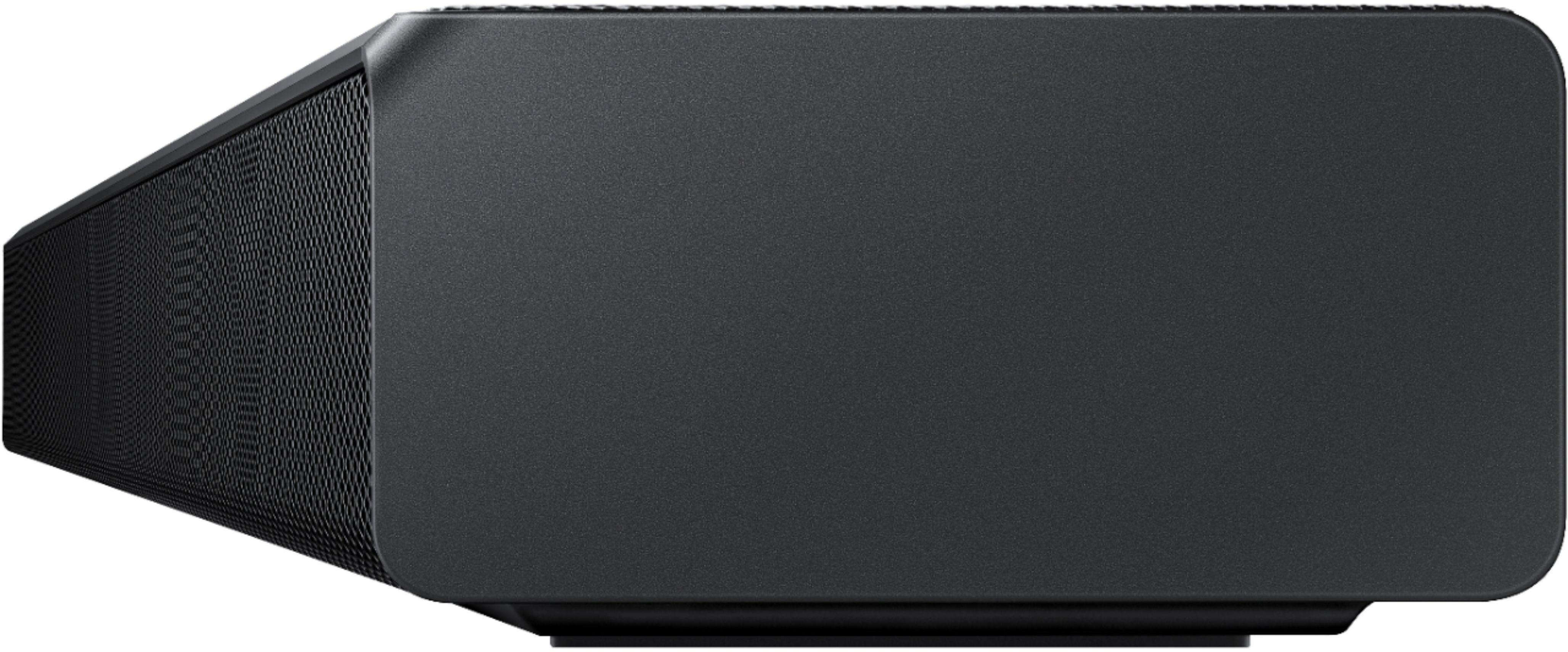






- Model:
- HW-Q65T/ZA
- SKU:
- 6454639
Rating by feature
- Value
Rating 4.4 out of 5 stars
- Quality
Rating 4.4 out of 5 stars
- Ease of Use
Rating 4.4 out of 5 stars
Customers are saying
Customers value the HW-Q65T soundbar for its exceptional sound quality, easy setup process, and affordable price point. Many customers rave about the immersive surround sound experience and the rich bass it delivers. The soundbar seamlessly pairs with Samsung TVs, making it a convenient choice for Samsung users. However, some customers have concerns about the wireless rear speakers not being entirely wireless, occasional connectivity issues, and the volume being perceived as low. The remote control has also been mentioned as a pain point due to its limited range and responsiveness.
This summary was generated by AI based on customer reviews.
Worst Soundbar - Don't do it!
||Posted . Owned for 4 months when reviewed.This reviewer received promo considerations or sweepstakes entry for writing a review.This is not what I would expect from Samsung. This set is terrible, is not surround sound and smaller speakers hardly have any output. No true adjustments to levels can be made, do not waste your time or money
No, I would not recommend this to a friendBrand response from Samsung
Posted .Hi Disappointed,
We appreciate your feedback regarding the issues you are experiencing with your HW-Q65T Soundbar.
Samsung is committed to providing the best possible product experience, quality, and value. We back this Samsung Soundbar with a 1-year limited manufacturer's warranty, including authorized repair for manufacturer defect, if purchased brand-new directly from an authorized seller.
Please give us the opportunity to assist you by contacting Samsung Customer Support at 1-800-SAMSUNG (ask for Soundbars), available 8AM - 12AM EST, 7 days a week.
For additional support resources, visit us on the Samsung website and click on the ‘Support’ link in the upper right corner of the homepage for:
1) Chat with Us/Product Help: To begin a chat or find solutions, choose ‘TVs & Home Theater’ and select your model & topic.
2) Manuals & Software
3) Warranty Info
4) Register a Product: For access to easy warranty support, convenient opt-in to special promos and offers, faster troubleshooting and service, and quick notification of system updates
5) Contact Us
~ Samsung Ambassador
Samsung sound system
||Posted . Owned for 4 months when reviewed.This reviewer received promo considerations or sweepstakes entry for writing a review.We have had problems out of this from day 1 Had to send the subwoofer back to Samsung now they say they need the sound bar to check it out. Thinking about just taking the whole thing back!
No, I would not recommend this to a friendBrand response from Samsung
Posted .Hi Bamalady,
Samsung is committed to providing the best possible product experience, quality, and value. We back this model with a 1-year limited manufacturer's warranty if purchased brand-new directly from an authorized seller.
Please reach out to Samsung Customer Support so we can better understand your issue and provide you with troubleshooting assistance or warranty service at:
1-800-SAMSUNG (ask for Soundbars), available 8AM - 12AM EST, 7 days a week.
For additional support resources, visit us on the Samsung website and click on the ‘Support’ link in the upper right corner of the homepage for:
1) Chat with Us/Product Help: To begin a chat or find solutions, choose ‘TVs & Home Theater’ and select your model & topic.
2) Manuals & Software
3) Warranty Info
4) Register a Product: For access to easy warranty support, convenient opt-in to special promos and offers, faster troubleshooting and service, and quick notification of system updates
5) Contact Us
~ Samsung Ambassador
Don’t buy
||Posted . Owned for 1 month when reviewed.This reviewer received promo considerations or sweepstakes entry for writing a review.Does not work all the time with the tv we bought. Like sometimes it won’t turn on and when it dies the volume will only go up or down a couple numbers. It’s hard to hear people talking. Terrible
No, I would not recommend this to a friendBrand response from Samsung
Posted .Hi Cole,
Thank you for purchasing the Samsung HW-Q65T and for sharing your review. Your feedback regarding your experience with power and volume control is important to us and will be shared with our product teams.
In all configurations (Optical, Bluetooth, and ARC) when the TV is turned ON, the Soundbar will turn ON. If your soundbar is not turning on, it could be due to another reason. For example, if the Soundbar was used to connect to another device (say a smart phone), then it will remember the last device (smart phone) and wait for a command from that device (the smartphone) and ignore the TV ON command.
You may want to try using a HDMI-ARC connection to the TV. When the TV turns ON, it will send a command to turn on the Soundbar and forces the source on the Soundbar to change to HDMI-ARC. This would make the Soundbar change the source from the prior state it was in.
Many issues that are software related can be resolved by re-initializing the Soundbar. While the set is on, press and hold the Vol+ and Vol- buttons on the Soundbar for about 6 seconds.
Additionally, you may want to upgrade to the latest firmware version (v1006.0). Updating the firmware on your soundbar gives you all the benefits of the latest improvements. When an update is available, you can update the Soundbar by connecting the USB drive that contains the update firmware to the SERVICE port of the Soundbar.
If issues persist, please contact Samsung Customer Support for additional troubleshooting and assistance. Call us at 1-800-SAMSUNG (ask for Soundbars), available 8AM - 12AM EST, 7 days a week.
For additional support resources, visit us on the Samsung website and click on the ‘Support’ link in the upper right corner of the homepage for:
1) Chat with Us/Product Help: To begin a chat or find solutions, choose ‘TVs & Home Theater’ and select your model & topic.
2) Manuals & Software
3) Warranty Info
4) Register a Product: For access to easy warranty support, convenient opt-in to special promos and offers, faster troubleshooting and service, and quick notification of system updates
5) Contact Us
~ Samsung Solutions
DOA
||Posted . Owned for less than 1 week when reviewed.This reviewer received promo considerations or sweepstakes entry for writing a review.I plugged this in and it doesn't power on (yes I know how to plug something into an outlet). Now I'm out of my hard earned money and stuck with a soundbar that doesn't turn on.
No, I would not recommend this to a friendBrand response from Samsung
Posted .Hi Teddy71,
Thank you for purchasing the Samsung HW-Q65T Soundbar. We appreciate you sharing your experience with us. We would love the opportunity to investigate this for you so we can provide additional settings adjustments or troubleshooting assistance.
Please know, Samsung products are engineered to the highest standards of performance and quality and we back this model with a 1-year limited manufacturer's warranty, if purchased brand-new directly from an authorized seller.
Please contact Samsung Customer Support for troubleshooting or warranty assistance. Call us at 1-800-SAMSUNG (ask for Soundbars), available 8AM - 12AM EST, 7 days a week.
For additional support resources, visit us on the Samsung website and click on the ‘Support’ link in the upper right corner of the homepage for:
1) Contact Us: For additional Chat & Text options, choose ‘TVs & Home Theater’ and select your model & topic.
2) Manuals & Software
3) Warranty Info
4) Register a Product: For access to easy warranty support, convenient opt-in to special promos and offers, faster troubleshooting and service, and quick notification of system updates
We look forward to hearing from you,
~ Samsung Solutions
The rear surround speakers never connect
||Posted . Owned for 2 months when reviewed.This reviewer received promo considerations or sweepstakes entry for writing a review.The sound bar works but the rear speakers do not work . The surround speakers never connect to the sound bar and the link light on the wireless module keeps blinking .
No, I would not recommend this to a friendBrand response from Samsung
Posted .Hi Siddarth,
Thank you for purchasing the Samsung HW-Q65T and for your review. We appreciate you sharing your feedback on having some trouble setting up your new rear speakers. Follow the steps below to manually connect the speakers to the soundbar.
Use the color-coded speaker wires to connect the rear speakers to its wireless module and place these three in the back of your room. Plug the wireless receiver module power cord into an electrical outlet and into the wireless receiver module to turn on the wireless receiver module.
Turn off your soundbar and press the Up button on the remote for 5 seconds. The ID SET message will appear on the soundbar for a short time and then disappear. After the ID SET process, the soundbar power is automatically turned on. The LINK LED indicator stops blinking and glows a solid blue when a connection is established between the soundbar and the wireless receiver module.
If the LED light is solid blue, the rear speakers are connected to your soundbar.
If the LED light is blinking blue, the module is in standby status:
• Check to see if your soundbar is turned on
• Turn off the soundbar by pressing the power button on the main soundbar unit. Configure "ID SET" using the soundbar's remote control, then turn the soundbar back on.
If the LED light is red, the connection attempt failed.
• Check to see if your soundbar is turned on
• Press the ID SET button on the back of the wireless receiver module with a pen tip for 5-6 seconds until the LED indicator blinks blue
I hope this helps. Should you need additional assistance with this or have additional questions, please contact us at 1-800-SAMSUNG (ask for Soundbars), available 8AM - 12AM EST, 7 days a week.
For additional support resources, visit us on the Samsung website and click on the ‘Support’ link in the upper right corner of the homepage for:
1) Chat with Us/Product Help: To begin a chat or find solutions, choose ‘TVs & Home Theater’ and select your model & topic.
2) Manuals & Software
3) Warranty Info
4) Register a Product: For access to easy warranty support, convenient opt-in to special promos and offers, faster troubleshooting and service, and quick notification of system updates
5) Contact Us
~ Samsung Solutions
Sold new sound bar but I received an open box soun
||Posted .This reviewer received promo considerations or sweepstakes entry for writing a review.Parts of this sound bar are missing including remote control and power cord! It leads me to believe that I paid for a new sound bar but received and open box.
No, I would not recommend this to a friendBrand response from Samsung
Posted .Hi Reynaldo,
I am very sorry to hear that parts were missing from your recent purchase of the HW-Q65T Soundbar. We appreciate you sharing this feedback with us. If purchased brand-new and unopened, please contact Samsung Customer Support and a representative will gladly help you. If purchased in open-box condition, we recommend contacting Best Buy directly for assistance. We hope your issue is resolved in a timely manner.
You can reach Samsung Customer Support at 1-800-SAMSUNG (ask for Soundbars), available 8AM - 12AM EST, 7 days a week.
For additional support resources, visit us on the Samsung website and click on the ‘Support’ link in the upper right corner of the homepage for:
1) Chat with Us/Product Help: To begin a chat or find solutions, choose ‘TVs & Home Theater’ and select your model & topic.
2) Manuals & Software
3) Warranty Info
4) Register a Product: For access to easy warranty support, convenient opt-in to special promos and offers, faster troubleshooting and service, and quick notification of system updates
5) Contact Us
~ Samsung Solutions
Not for Me.
||Posted . Owned for 8 months when reviewed.This reviewer received promo considerations or sweepstakes entry for writing a review.I really wanted to like this sound system but for me it was not loud at all my vizio prior to buying this one was louder and less expensive.
No, I would not recommend this to a friendSuck
||Posted .This reviewer received promo considerations or sweepstakes entry for writing a review.The speakers blow to say the least, almost inaudible. Not the first thing I bought from Samsung that had problems.
No, I would not recommend this to a friendBrand response from Samsung
Posted .Hi Suck,
Thank you for sharing your thoughts on the HW-Q65T. We appreciate your feedback regarding the sound performance of your unit. You can try manually optimizing your audio experience by pressing the SOUND CONTROL button (looks like a gear) to access the setting items such as TREBLE, BASS, and AUDIO SYNC. The selected item can be adjusted using the Up/Down buttons.
– To control the volume of the treble or bass sound, select TREBLE or BASS in Sound Settings, and then adjust the volume between -6 to +6 by using the Up/Down buttons.
– Press and hold the SOUND CONTROL button for about 5 seconds to adjust the sound for each frequency band. 150Hz, 300Hz, 600Hz, 1.2kHz, 2.5kHz, 5kHz, and 10kHz are selectable using the Left/Right buttons and each can be adjusted to a setting between -6 to +6 using the Up/Down buttons. (Make sure the Sound mode is set to “STANDARD”.)
– If the video on the TV and audio from the Soundbar are not synchronized, select AUDIO SYNC in Sound Control, and then set the audio delay between 0~300 milliseconds by using the Up/Down buttons.
– SYNC is only supported for some functions.
– If Surround Speakers are connected, select REAR LEVEL and then use the Up/Down buttons to adjust the volume within a -6 to +6 range.
If you need further assistance, please know we are here to help. You can reach Samsung Customer Support at:
1-800-SAMSUNG (ask for Soundbars), available 8AM - 12AM EST, 7 days a week.
For additional support resources, visit us on the Samsung website and click on the ‘Support’ link in the upper right corner of the homepage for:
1) Chat with Us/Product Help: To begin a chat or find solutions, choose ‘TVs & Home Theater’ and select your model & topic.
2) Manuals & Software
3) Warranty Info
4) Register a Product: For access to easy warranty support, convenient opt-in to special promos and offers, faster troubleshooting and service, and quick notification of system updates
5) Contact Us
~ Samsung Ambassador
- Pros mentioned:Sound qualityCons mentioned:Remote control

Great sound bar set!
|Posted .This reviewer received promo considerations or sweepstakes entry for writing a review.Awesome sound bar, super easy to setup, good bass, gets loud! Only nitpicks, the remote is super lame, the toggling for volume feels good, but just doesn't seem like it'll last as long as buttons. You also need a total of 3 wall outlets for the full setup, one for the rear channel, one for the sub, and one for the bar itself. (not a big deal for me, but could cause issues for others). Nothing bad enough to take away stars, great system overall!
I would recommend this to a friend Poor Quality; Stopped working
||Posted . Owned for 2 months when reviewed.This reviewer received promo considerations or sweepstakes entry for writing a review.Rear speaker stopped working after only 3 months. Seems like the quality of this product is severely low.
No, I would not recommend this to a friendBrand response from Samsung
Posted .Hi Consumer,
Thank you for sharing your thoughts on the HW-Q65T Soundbar. Your experience is very important to us and will be shared with our product team.
Please give us the opportunity to assist you by contacting Samsung Customer Support at 1-800-SAMSUNG (ask for Soundbars), available 8AM - 12AM EST, 7 days a week.
For additional support resources, visit us on the Samsung website and click on the ‘Support’ link in the upper right corner of the homepage for:
1) Chat with Us/Product Help: To begin a chat or find solutions, choose ‘TVs & Home Theater’ and select your model & topic.
2) Manuals & Software
3) Warranty Info
4) Register a Product: For access to easy warranty support, convenient opt-in to special promos and offers, faster troubleshooting and service, and quick notification of system updates
5) Contact Us
Samsung is committed to providing the best possible product experience, quality, and value. We back this Soundbar with a 1-year limited manufacturer's warranty if purchased brand-new directly from an authorized seller.
~ Samsung Ambassador
It's no is soundbar 7.1 really.
||Posted . Owned for 1 month when reviewed.This reviewer received promo considerations or sweepstakes entry for writing a review.I didn't like the surround sound, they sold it to me as a 7.1, but, it really is a 5.1.4 and I refunded it.
No, I would not recommend this to a friendBrand response from Samsung
Posted .Hi Ajmatas,
Thank you for your review of the Samsung HW-Q65T Soundbar System. We appreciate you sharing your experience with us. It is our customers’ concerns and opinions that drive our continuous efforts towards delivering world-class service and products. Your feedback is very important to us and will be shared with our product team.
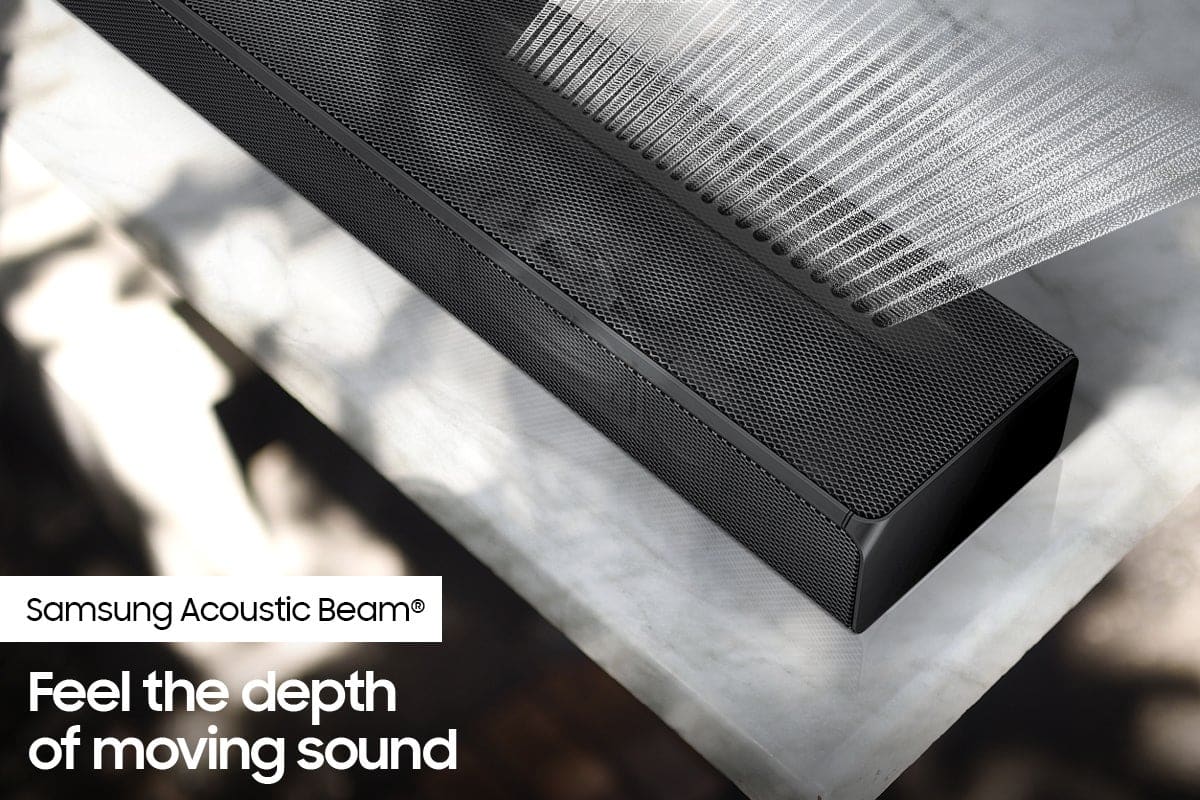
Please know, the Q65T is a 7.1ch soundbar system. The soundbar and subwoofer provide 5.1ch sound due to the power of the acoustic beam acting as side firing speakers. The included rear speakers complete the surround system giving you a 7.1ch soundbar system.
Should you ever decide to give Samsung Soundbars another try and have questions or need assistance with settings, setup, or features, please know we are always here to help. Call us at 1-800-SAMSUNG (ask for Soundbars), available 8AM - 12AM EST, 7 days a week.
For additional support resources, visit us on the Samsung website and click on the ‘Support’ link in the upper right corner of the homepage for:
1) Contact Us: For additional Chat & Text options, choose ‘TVs & Home Theater’ and select your model & topic.
2) Manuals, Software, & Warranty Info
We hope to regain you as a customer in the future.
~ Samsung Solutions
Bad example of a sound bar
||Posted . Owned for 3 weeks when reviewed.This reviewer received promo considerations or sweepstakes entry for writing a review.Wish to return this none functional sound bar that greatly very,s in sound even after 5 to six visits to repair from the Geek Squad
No, I would not recommend this to a friendBrand response from Samsung
Posted .Hi there,
We appreciate you sharing the issues you are experiencing with your Samsung HW-Q65T Soundbar. So we can better understand the problems you are experiencing and provide you with troubleshooting assistance or warranty service, please contact Samsung Customer Support.
You can reach us at 1-800-SAMSUNG (ask for Soundbars), available 8AM - 12AM EST, 7 days a week.
For additional support resources, visit us on the Samsung website and click on the ‘Support’ link in the upper right corner of the homepage for:
1) Chat with Us/Product Help: To begin a chat or find solutions, choose ‘TVs & Home Theater’ and select your model & topic.
2) Manuals & Software
3) Warranty Info
4) Register a Product: For access to easy warranty support, convenient opt-in to special promos and offers, faster troubleshooting and service, and quick notification of system updates
5) Contact Us
~ Samsung Solutions
Bad product
||Posted . Owned for 1 month when reviewed.This reviewer received promo considerations or sweepstakes entry for writing a review.Sound bar started buzzing withing 30 days of purchase worked fine and was buzzing next time it was turned on
No, I would not recommend this to a friendBrand response from Samsung
Posted .Hi Ajdkl,
Thank you for purchasing the Samsung HW-Q65T Soundbar. We appreciate your feedback regarding the issue you are experiencing with your unit. So that we can better troubleshoot the buzzing issue and provide steps towards a solution, please contact Samsung Soundbar Support at:
1-800-SAMSUNG (ask for Soundbars), available 8AM -12AM EST, 7 days a week. Or text HELP to 62913.
For additional support resources, visit us on the Samsung website and click on the ‘Support’ link in the upper right corner of the homepage for:
1) More ‘Contact Us’ options – LiveChat, Facebook, Twitter, Samsung Community, Samsung Members app
2) Manuals & Software
3) Warranty Info
4) Product Registration: For access to easy warranty support, convenient opt-in to special promos and offers, faster troubleshooting and service, and quick notification of system updates.
We look forward to hearing from you.
~Samsung Ambassador
Rear Speakers
||Posted . Owned for 1 month when reviewed.This reviewer received promo considerations or sweepstakes entry for writing a review.Rear speakers will not pair. not happy! now and now I have to deal with that trouble
No, I would not recommend this to a friendBrand response from Samsung
Posted .Hi SPEAKERS!
I am very sorry to hear of the difficulties you are experiencing with the pairing of the wireless rear speakers to the subwoofer. We completely understand your frustrations and are here to help.
When powered on for the first time, the rear speakers and subwoofer should automatically connect wirelessly. If the auto-connection process fails, you can try manually connecting the sub and rears to the soundbar.
To manually setup the wireless rear speaker kit included with the soundbar if the auto connection process fails, first use the color-coded speaker wires to connect the rear speakers to its wireless module and place these three in the back of your room. Plug the wireless receiver module power cord into an electrical outlet and into the wireless receiver module to turn on the wireless receiver module.
Turn off your soundbar and press the Up button on the remote for 5 seconds. The ID SET message will appear on the soundbar for a short time and then disappear. After the ID SET process, the soundbar power is automatically turned on. The LINK LED indicator stops blinking and glows a solid blue when a connection is established between the soundbar and the wireless receiver module.
I hope these tips help resolve the issues you are experiencing. If you would like additional assistance with the setup of your rear speakers, please contact Samsung Customer Support at 1-800-SAMSUNG (ask for Soundbars), available 8AM - 12AM EST, 7 days a week.
For additional support resources, visit us on the Samsung website and click on the ‘Support’ link in the upper right corner of the homepage for:
1) Chat with Us/Product Help: To begin a chat or find solutions, choose ‘TVs & Home Theater’ and select your model & topic.
2) Manuals & Software
3) Warranty Info
4) Register a Product: For access to easy warranty support, convenient opt-in to special promos and offers, faster troubleshooting and service, and quick notification of system updates
5) Contact Us
~ Samsung Ambassador
Samsung Sound bar Q65T
||Posted . Owned for less than 1 week when reviewed.This reviewer received promo considerations or sweepstakes entry for writing a review.Can't turn up subwoofer,stops working after a half hour have to restart cuts out even with HDMI
No, I would not recommend this to a friendBrand response from Samsung
Posted .Hi,
Thank you for purchasing the Samsung HW-Q65T and for your review. We appreciate you sharing your experience with occasionally not hearing any sound from your soundbar. You may want to check that the cable connection is not loose. Remove the cable and connect again.
You may also want to initialize your soundbar again by pressing the - + (volume) buttons at the same time for at least 5 seconds. “INIT” appears on the display when the soundbar is initialized.
Please also make sure that you have the latest firmware update (v.1006.0). You can update your firmware by using a USB device.
For further assistance, please contact Samsung Customer Support at 1-800-SAMSUNG (ask for Soundbars), available 8AM - 12AM EST, 7 days a week.
For additional support resources, visit us on the Samsung website and click on the ‘Support’ link in the upper right corner of the homepage for:
1) Chat with Us/Product Help: To begin a chat or find solutions, choose ‘TVs & Home Theater’ and select your model & topic.
2) Manuals & Software
3) Warranty Info
4) Register a Product: For access to easy warranty support, convenient opt-in to special promos and offers, faster troubleshooting and service, and quick notification of system updates
5) Contact Us
~ Samsung Solutions
Poor quality sound system
||Posted .This reviewer received promo considerations or sweepstakes entry for writing a review.Buy other brand. The sound quality is very very poor for such expensive sound system.
No, I would not recommend this to a friendBrand response from Samsung
Posted .Hi Buysphere,
Thank you for purchasing the Samsung HW-Q65T Soundbar and for your review. We appreciate your feedback regarding the sound performance of your unit. You can try manually optimizing your audio experience by pressing the SOUND CONTROL button (looks like a gear) to access the setting items such as TREBLE, BASS, and AUDIO SYNC. The selected item can be adjusted using the Up/Down buttons.
– To control the volume of the treble or bass sound, select TREBLE or BASS in Sound Settings, and then adjust the volume between -6 to +6 by using the Up/Down buttons.
– Press and hold the SOUND CONTROL button for about 5 seconds to adjust the sound for each frequency band. 150Hz, 300Hz, 600Hz, 1.2kHz, 2.5kHz, 5kHz, and 10kHz are selectable using the Left/Right buttons and each can be adjusted to a setting between -6 to +6 using the Up/Down buttons. (Make sure the Sound mode is set to “STANDARD”.)
– If Surround Speakers are connected, select REAR LEVEL and then use the Up/Down buttons to adjust the volume within a -6 to +6 range.
If you need further assistance, please know we are here to help. You can reach Samsung Customer Support at: 1-800-SAMSUNG (ask for Soundbars), available 8AM - 12AM EST, 7 days a week.
For additional support resources, visit us on the Samsung website and click on the ‘Support’ link in the upper right corner of the homepage for:
1) Chat with Us/Product Help: To begin a chat or find solutions, choose ‘TVs & Home Theater’ and select your model & topic.
2) Manuals & Software
3) Warranty Info
4) Register a Product: For access to easy warranty support, convenient opt-in to special promos and offers, faster troubleshooting and service, and quick notification of system updates
5) Contact Us
~ Samsung Solutions
Surround sound
||Posted . Owned for 2 weeks when reviewed.This reviewer received promo considerations or sweepstakes entry for writing a review.The sound is awful, the surround sound doesn’t have any effects to the sound. I give it a D- in performance.
No, I would not recommend this to a friendBrand response from Samsung
Posted .David,
Thank you for your review of this Samsung HW-Q65T Soundbar System. We appreciate you sharing your audio experience with us. Your feedback is very important to us and will be shared with our product team.
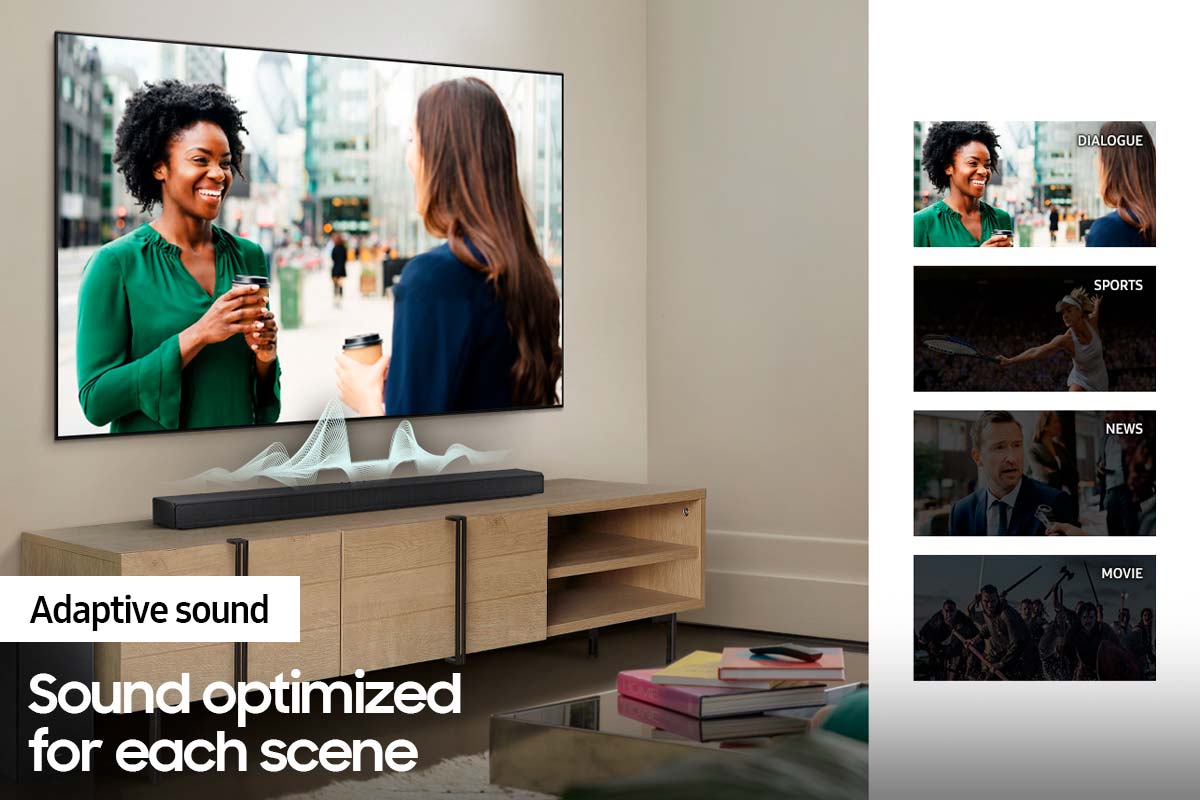
Please know that the with the Adaptive Sound mode, your soundbar analyzes your content and automatically optimize sound based on each scene.
If there is anything we can do to improve your sound such as helping to optimize settings, please let us know. You can reach Samsung Customer Support at: 1-800-SAMSUNG (ask for Soundbars), available 8AM - 12AM EST, 7 days a week.
For additional support resources, visit us on the Samsung website and click on the ‘Support’ link in the upper right corner of the homepage for:
1) Contact Us: For additional Chat & Text options, choose ‘TVs & Home Theater’ and select your model & topic.
2) Manuals, Software, & Warranty Info
We look forward to hearing from you.
~ Samsung Specialist
Pass
||Posted . Owned for 1 month when reviewed.This reviewer received promo considerations or sweepstakes entry for writing a review.This is a piece of crap. Have a Samsung TV and it will not connect. Only the sound bar works. Will be returning.
No, I would not recommend this to a friendBrand response from Samsung
Posted .Hi James,
Thank you for sharing your review of the Samsung Q65T Soundbar. We appreciate your feedback regarding the issues you are experiencing and are planning on returning it.
Samsung stands behind the quality and performance of our Soundbars with a limited 1-year manufacturer’s warranty when purchased brand-new from an authorized dealer.
Should you want to troubleshoot your issue first, please contact Samsung Customer Support at 1-800-SAMSUNG (ask for Soundbars), available 8AM - 12AM EST, 7 days a week.
For additional support resources, visit us on the Samsung website and click on the ‘Support’ link in the upper right corner of the homepage for:
1) Chat with Us/Product Help: To begin a chat or find solutions, choose ‘TVs & Home Theater’ and select your model & topic.
2) Manuals & Software
3) Warranty Info
4) Register a Product: For access to easy warranty support, convenient opt-in to special promos and offers, faster troubleshooting and service, and quick notification of system updates
5) Contact Us
~ Samsung Solutions
Junk
||Posted .This reviewer received promo considerations or sweepstakes entry for writing a review.Bass and volume goes out all the time!! I do not recommend..
No, I would not recommend this to a friendBrand response from Samsung
Posted .Hi NWest3,
Thank you for your review of this Samsung HW-Q65T Soundbar System. I’m sorry to hear that your out-of-box experience has initially fallen short of your expectations. Your experience will be shared with our product teams.
If available, we recommend using the HDMI connection to your TV. Connecting your soundbar to a TV through HDMI will give you the best audio because HDMI cables transmit sound digitally. There are 2 ways to connect your soundbar with HDMI: you can connect a device to your soundbar (like a Blu-ray player) and then connect the soundbar to the TV, or you can use HDMI ARC. The first method will give you the best possible sound from external devices you regularly use. ARC is the way to go if you want great sound from streaming apps on your TV and a soundbar.
If connected via Bluetooth to the TV and the soundbar and subwoofer are dropping out intermittently there are a few things to check before performing any troubleshooting:
1) The maximum wireless signal transmission distance is about 33 ft.
2) If there is a wall between the sound bar and the subwoofer it may cause interference or not work at all depending on the material in the wall.
3) If there is a device that uses the same wireless frequency (2.4 GHz) near the Soundbar, interference may cause some sound interruption.
4) Check all the sources on the soundbar. If the audio is dropping while watching TV it could be an issue with the broadcast.
5) Also, please be sure you have the latest firmware update. You can update your firmware by using a USB device. You can find the update on the product page of your HW-Q65T on the Samsung website.
If the issue persists, please contact us via any of the below options:
Should you ever have questions or need help, please call us at 1-800-SAMSUNG (ask for Soundbars), available 8AM - 12AM EST, 7 days a week.
For additional support resources, visit us on the Samsung website and click on the ‘Support’ link in the upper right corner of the homepage for:
1) Contact Us: For additional Chat & Text options, choose ‘TVs & Home Theater’ and select your model & topic.
2) Manuals & Software
3) Warranty Info
4) Register a Product: For access to easy warranty support, convenient opt-in to special promos and offers, faster troubleshooting and service, and quick notification of system updates
~ Samsung Solutions
Samsung Soundbar
||Posted . Owned for less than 1 week when reviewed.This reviewer received promo considerations or sweepstakes entry for writing a review.Parts & remote missing in open box. Check with bestbuy before purchase open box items.
No, I would not recommend this to a friendBrand response from Samsung
Posted .Hi,
Thank you for purchasing the Samsung HW-Q65T Soundbar. We appreciate you sharing your feedback regarding parts missing from your recent purchase.
If purchased brand-new and unopened, please contact Samsung Customer Support and a representative will gladly help you. If purchased in open-box condition, we recommend contacting Best Buy directly for assistance. We hope your issue is resolved in a timely manner.
Should you ever have questions or need help, please call us at 1-800-SAMSUNG (ask for Soundbars), available 8AM - 12AM EST, 7 days a week.
For additional support resources, visit us on the Samsung website and click on the ‘Support’ link in the upper right corner of the homepage for:
1) Chat with Us/Product Help: To begin a chat or find solutions, choose ‘TVs & Home Theater’ and select your model & topic.
2) Manuals & Software
3) Warranty Info
4) Register a Product: For access to easy warranty support, convenient opt-in to special promos and offers, faster troubleshooting and service, and quick notification of system updates
5) Contact Us
~ Samsung Solutions