Winter SaleEnds 1/19. Limited quantities. No rainchecks.Shop now

Main Content

Customer Ratings & Reviews
Your price for this item is $234.99
The comparable value price is $289.99

Customer reviews

Rating 4.9 out of 5 stars with 1021 reviews

Rating Filter

Rating by feature

  • Value

    Rating 4.8 out of 5 stars

  • Quality

    Rating 4.9 out of 5 stars

  • Ease of Use

    Rating 4.9 out of 5 stars

Pros mentioned filter

Cons mentioned filter

98%would recommend to a friend

Customers are saying

Customers are pleased with the T7 Shield's overall performance, speed, portability, size, storage capacity, and sleek design. Many appreciate its compact, durable, and fast nature, as well as its fast read and write speeds. Some customers have noted concerns about the connectivity of the USB cable and the higher price point.

This summary was generated by AI based on customer reviews.

The vast majority of our reviews come from verified purchases. Reviews from customers may include My Best Buy members, employees, and Tech Insider Network members (as tagged). Select reviewers may receive discounted products, promotional considerations or entries into drawings for honest, helpful reviews.
Page 4 Showing 61-80 of 1,021 reviews
  • Pros mentioned:
    Size, Speed
    Tech Insider Network Member

    Rated 5 out of 5 stars

    OUTSTANDING – FAST, PORTABLE, ENCRYPTED SSD

    |
    Tech Insider Network Member
    Posted .
    This reviewer received promo considerations or sweepstakes entry for writing a review.

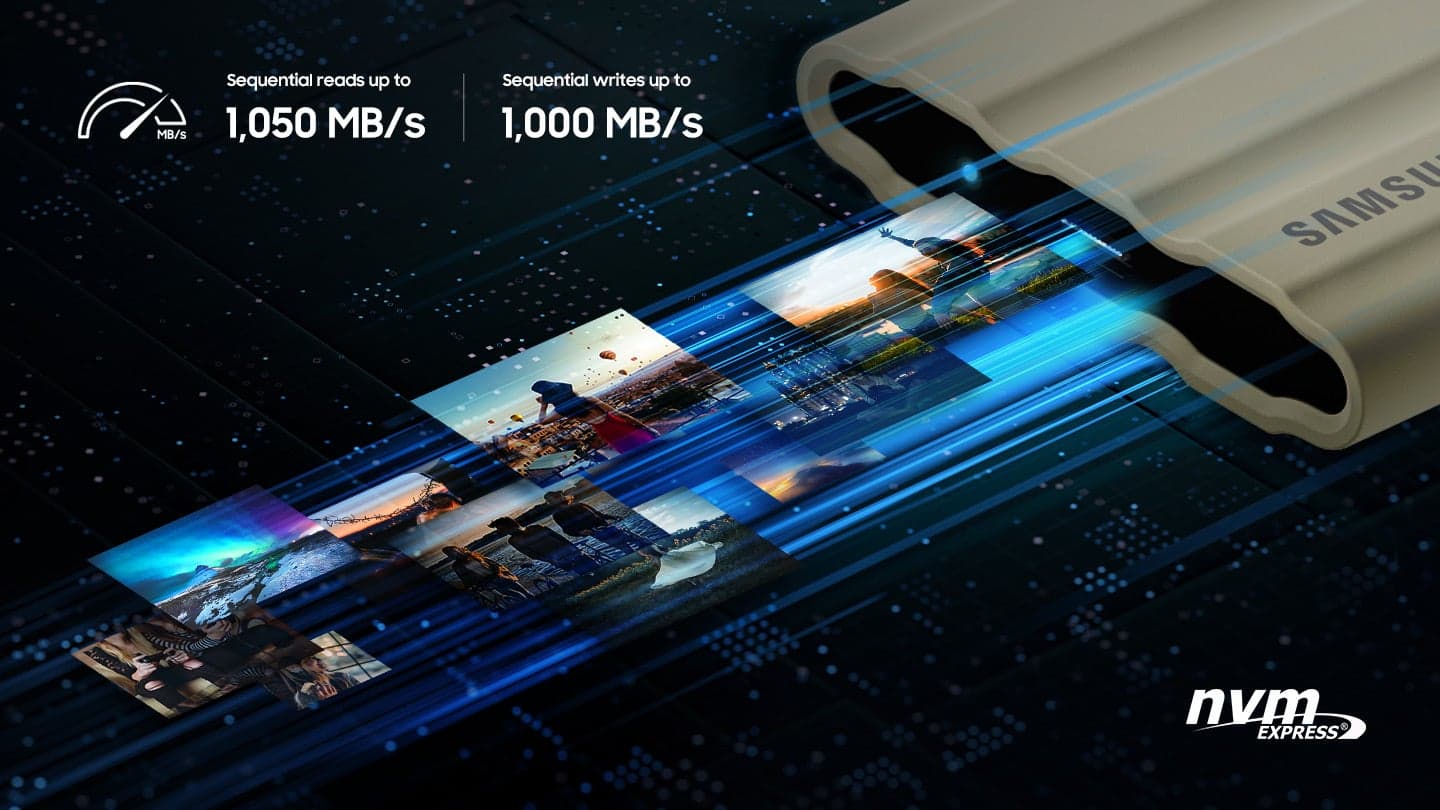
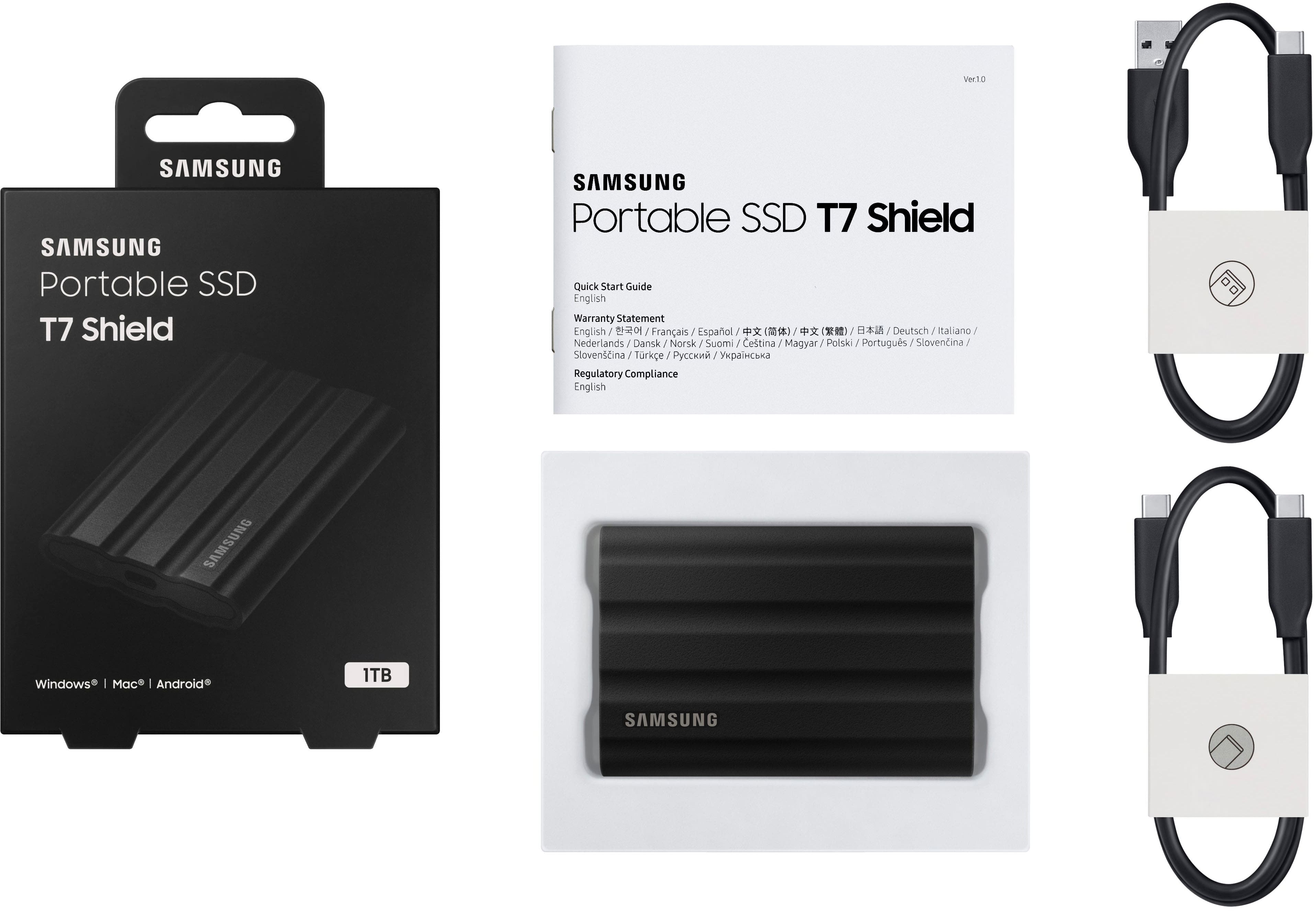
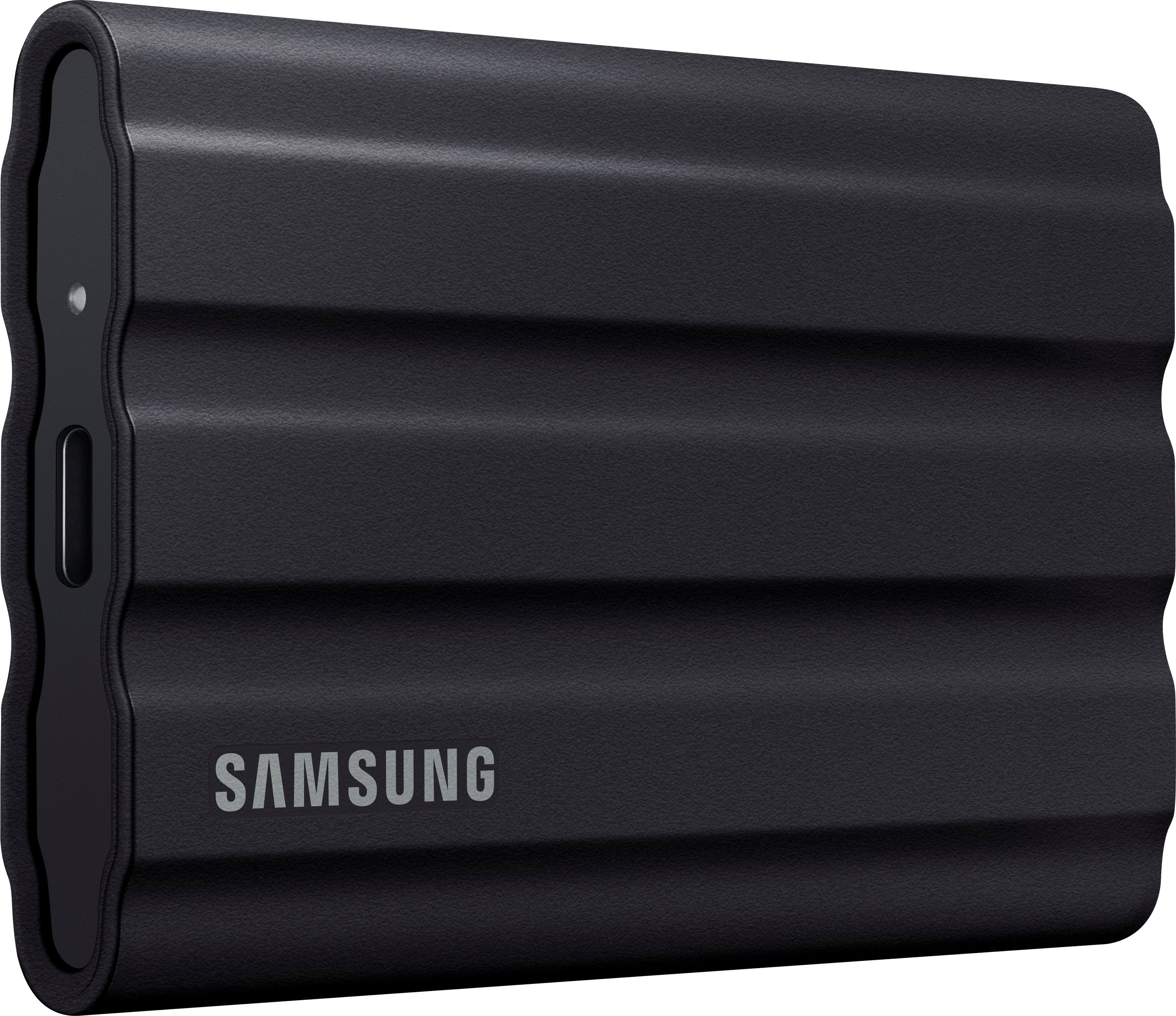
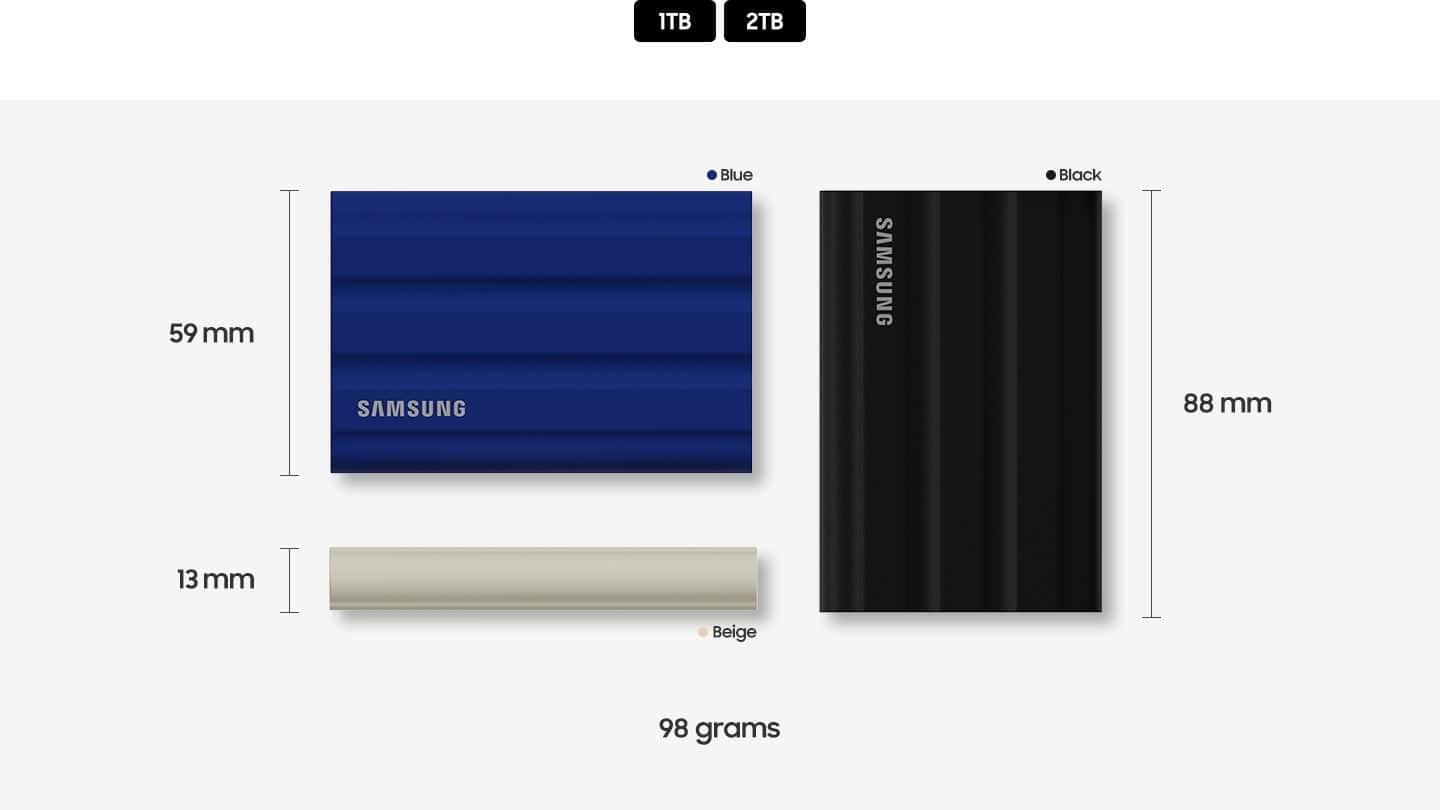
    The Samsung Portable T7 Shield is Samsung’s newest model of small, portable, high-capacity Solid State Drives (SSD), with incredibly fast data transfer speed capabilities. Samsung has long been a dominant manufacturer of semiconductors and is a highly respected and popular choice for flash memory and SSD devices. Samsung developed many improvements in solid state memory technology and has cultivated an outstanding reputation for their solid state drives. The new T7 Shield is really a standout for several important reasons! I have been using a Samsung T7 Touch portable SSD for over two years, and have been extremely impressed with that drive’s speed, security, durability and reliability. Upon this new Samsung T7 Shield becoming available, I was confident that it too would be an excellent portable SSD, and a smart choice. The T7 Shield is available in 1 TB and 2 TB models with black, blue or beige cases. My 2 TB model has a black case with a rubberized elastomer material over a rigid shell, and it appears that it should prove to be both rugged and durable. .This ruggedized device is IP65 rated for water and dust resistance and is claimed to be tested as drop resistant up to 9.8 feet (3 meters). The dimensions of the T7 Shield are 3.5” in length x 2.3 in width” x 0.5” in thickness. It weighs only 3.47 ounces. It is lightweight, compact, rugged and fast, which are the primary reasons that I like the T7 Shield a great deal. Portable SSDs are extraordinarily convenient and useful for many purposes. Video content producers and photographers find them to be essential. Given their large capacity and high data transfer rates they are ideal for those purposes as well as data backup and storage, and notably, for use as a portable file store when using multiple computers, and particularly when travelling away from home or primary workplace. Creating several hundred still images and video files in an average week, as well as creating many large editing and workflow project files demands large capacity, fast, reliable drives. Coupled with the need for portability of all of that data, and more, selecting the best and most reliable portable SSDs that I can find is extremely important. I rely on Samsung portable SSDs and thus far, I remain very satisfied with them. The Samsung T7 Shield is ideally suited to both working with your primary computer as well as when away from a primary computer. The T7 Shield is compatible with Windows, Mac, and Android devices, as well as gaming consoles. I have not used the T7 Shield with a Mac or a gaming console, but I have used it with Windows and Android devices, as well as Chromebooks. One of the very significant advantages of the Samsung T7 Shield, and of major importance when selecting the best SSD for travel, is the security features embedded in the T7 Shield. Password protected AES 256-Bit hardware encryption makes this a very secure storage device, especially if travelling with sensitive data. Furnished in the box with the T7 Shield are two high-quality USB 3.2 Gen 2 cables. Both a USB Type-A to USB Type-C cable and a USB Type-C to USB Type-C cable are included. The USB cables are a generous 17.5” long which is very convenient and useful, and much better than the ridiculously short USB cables which are supplied with drives from some other manufacturers. There is a printed Installation Guide included, but the PDF only User Manual must be downloaded from the Samsung website. Once attached to a computer, the Samsung T7 Shield immediately mounts and displays a read-only partition containing the Samsung Drive Management Software. I also located the Samsung Android App in the Google Play Store. The T7 Shield is preformatted in exFAT, which is appropriate for Windows PCs, Macs and Chromebooks. Once the software is installed, the process of password creation is simple and straightforward. The T7 Touch can also be used without password security (unlocked drive). Password creation and management requires the use of the pre-loaded Samsung Portable SSD Software. I have been using an outstanding Samsung T7 Touch portable SSD for over two years. The user interface screen of the Samsung Portable SSD Software recognizes all attached compatible drives, and allows easy and efficient administration and management of each of the attached drives from the home-screen. The management software functionality is used for setting up or modifying the drive security, and for obtaining updates for the software and drive firmware. The drive management software is not compatible with, and thus not installable on some devices, such as Chromebooks, but that only limits administration of security features. The software was compatible with my Android phones, but none of my Chromebooks, including a very new Chromebook. The T7 Shield SSD hardware works perfectly well with all of my devices including my Chromebooks. The installed software runs as a background process occupying 0.4 MB of RAM on my laptop when the drive is mounted. In addition to the preloaded Samsung Portable SSD software, Samsung Magician Software is an SSD management utility that is available for download from the Samsung website. It is an excellent utility for monitoring the health of all compatible Samsung SSDs and for easily reading the drive specific information including current firmware version. Unfortunately, other features of the Samsung Magician, including diagnostic scans and performance optimization are not available for use with the T7 series drives. Samsung Magician monitors and displays the drive temperature (in °F or °C). The data from Samsung Magician validated my personal observations that the T7 Shield has excellent temperature control. The Samsung T7 Shield does of course become warm when attached to a computer, and generates heat in proportion to activity when it is actively in use. However, the empirical data demonstrates that the Samsung T7 Shield runs relatively cool for a portable SSD, even when there is significant drive activity. The T7 Shield was running at 83°F the majority of the time, and did not exceed 97°F even when there was a very high level of drive activity. Samsung employs their Dynamic Thermal Guard technology to monitor drive temperature and degrade performance when the pre-defined threshold is reached. It is probably safe to assume that the drive has internal heat sinks and/or phase-change material to mitigate thermals. It is my understanding that Samsung employs a single layer PCM (Phase Change Material) to somewhat mitigate the heat generated by active use (presumably encapsulated paraffin wax). The T7 Shield has a small LED lamp on the end of the housing next to the USB-C connector. Blue LED illumination indicates drive activity, and red illumination indicates stopping/dismounting the drive. The high transfer rate specifications for the Samsung T7 Shield are a very impressive 1050 Mbps for Sequential Reads and 1000 Mbps for Sequential Writes. Those fast data transfer rates are attributable to the PCIe (Peripheral Component Interconnect Express) bus, NVMe (Non-Volatile Memory Express) memory and USB 3.2 Gen2 connectivity. Testing the Samsung T7 Shield with CrystalDiskMark 8 produced results of 1065.91 MB/s Sequential Reads and 1003.14 MB/s Sequential Writes. Samsung Magician reported 977 MB/s Sequential Reads and 965 MB/s Sequential Writes. Of course there are even faster SSD drives available, notably those using the faster Thunderbolt 3 interface, such as the Samsung X5. However, the T7 Shield supports the fastest data transfer rates available for USB interface SSD drives, and further the Samsung T7 Shield actually does achieve the extremely fast data rates claimed by the manufacturer. The Data transfer rates did not appear to be affected at all by AES 256 Bit hardware encryption. Overall, the Samsung T7 Shield is absolutely great. It offers large capacity, fast data transfer rates and password protected AES 256-Bit hardware encryption. It is very compact and lightweight and is ruggedized to offer protection from the perils of portability. Additionally, being a Samsung SSD is in and of itself a strong motivation for selecting the Samsung T7 Shield. The Samsung T7 Touch is outstanding, and I highly recommend it!

    I would recommend this to a friend
  • Pros mentioned:
    Overall performance, Storage capacity
    Tech Insider Network Member

    Rated 5 out of 5 stars

    Compact SSD and Outstanding Read / Write Speeds!

    |
    Tech Insider Network Member
    Posted .
    This reviewer received promo considerations or sweepstakes entry for writing a review.

    I have been using Samsung SSD in laptops and gaming desktops and got Samsung - T7 Shield 2TB for transferring photos / videos between systems. It came with Samsung - T7 Shield 2TB, USB-C to USB-C cable and USB-C to USB-A cables. Setup is very easy. My windows 11 laptop recognized the drive immediately. I have installed Samsung Portable SSD software which will allow to name the drive as well as to configure with password for added security while accessing the files. I have tested the drive performance with Crsytal Disk Mark and impressed with read and write speeds. With USB 3.2 Gen2 and and PCIe® NVMe™, the sequential read / write speeds reached up to 1050/1000 as advertised. I have transferred large files from PC to T7 and all files transferred much faster than other SSD drives. The high-tech rubber exterior with dynamic thermal guard controls the heat to main steady performance for larger video editing projects. T7 Shield is IP65 rated, and data is protected again water and dust. The rugged design and advanced outer elastomer provide additional durability to endure a 9.8-foot drop. I have tested this drive windows PC, MacBook Pro and Android Phone. It is compatible with all platforms including gaming consoles. It comes various colors with blue, beige, or black and the stylish rubberized grip prevents slipping from hand. It has 3 years manufacturer warranty. I was impressed with design, sequential read / write speeds, and large storage. I have been using this drive to edit large video files / photos and it is working flawlessly without any issues. Samsung make quality SSDs and Samsung T7 shield is another outstanding product from Samsung.

    I would recommend this to a friend
  • Pros mentioned:
    Portability, Speed
    Tech Insider Network Member

    Rated 5 out of 5 stars

    Small, fast very portable drive

    |
    Tech Insider Network Member
    Posted .
    This reviewer received promo considerations or sweepstakes entry for writing a review.

    This drive is fast, durably built and light at 2 oz and is about the size of a credit card. It would be a great addition for anyone but especially those traveling. Samsung is a leader in hard drives and this unit does not disappoint. I recommend but be sure your computer can take advantage of the speed. Drive is preformatted as GPT and exFAT. I tried speed tests with exFAT and NTFS (after reformatting) and saw little difference. In the box; Minimal instruction manual that has print so small it was virtually unreadable to my old eyes. So out came the strong reading glasses. 2TB black T7 drive – 2 oz and 3.4 x 2.2 x 0.3 inches in size. Claimed 1050 MB/sec read and 1000 MB/sec write speeds. Comes with a USB-C to USB-C and a USB-C to USB 3 cables. The cables are around 17 inches in length, which should be more than long enough for most. Positives; I would suggest installing Samsung Magician app. I already had Samsung Magician installed as I have internal Samsung drives. It will check firmware, etc. for drive as well as giving you the option to encrypt the drive with a password. The drive is nicely constructed with a protective rubber cover that is wrapped around an aluminum unibody case. The cover not only protects but helps you get a nice grip on the drive as well as helping secure it wherever placed – no sliding. It easily fits in your pocket and is built to be tossed around stating it can be dropped from 6 feet, is water/dust resistant. I have to say that I did not test any of these but given its construction I don’t doubt its claims. Internally I assume there is a 2TB M.2 PCIe SSD drive, but I could not determine the exact model. Speed tests: I like to use CrystalDiskMark for my speed tests as writing to/from other drives to test speed is impacted by the speed of the other drive. This way only this drive is test. I used my new Samsung Galaxy 360 laptop. It has Thunderbolt 4.0, USB C and USB 3.2 connections. Using Thunderbolt, I got 1070 MB/s read and 1016 MB/s write – both a touch higher than rated top speeds for T7. Using USB C & USB 3.2 connection I got nearly identical 463 MB/s read and 455 MB/s write speeds- still fast. I did not notice any change in temp on the drive when running my speed tests. To give some context to those speeds; I ran same test using a Samsung 2TB USB 3.0 external “spin” drive I have had for a while. There was little difference between Thunderbolt, USB C and USB 3.2 – they were all around 113 MB/s read and 114 MB/s write. I also ran a test using a self-built external SSD using a KIOXIA 512GB PCIe drive I had left over from an upgrade to another laptop, using a SSK case. Thunderbolt gave 1075 MB/s read and 979 MB/s write. The USB C and USB 3.2 speeds again were nearly identical with 457 MB/s and 444 MB/s write. Speed tests for the Samsung Laptop using internal model MZVLQ512HBLU-00B 500GB drive I got 2207 MB/s read and 1191 MB/s write. Interesting that the read was more than twice the speed of the T7 but write was about the same, probably due to buffering(?). Also, to give a little context on pricing – in November 2018 I received a G-drive 500GB portable SSD drive with price of $150. My Samsung 2TB USB 3.0 external drive was $110 a few years ago. 3-year limited warranty Negatives; Activity light is on the same side as cable connection, so just a tad hard to see unless you flip drive Yes, the T7 is a tad pricey but considering size, weight and speed advantage as well as the nearly 0 chance of it being damaged if dropped – it is a great option, and I would highly recommend it. My only caveat is to be sure your system can take advantage of the speed this drive can provide.

    I would recommend this to a friend
  • Rated 1 out of 5 stars

    Software has issues for Mac

    |
    |
    Posted . Owned for less than 1 week when reviewed.
    This reviewer received promo considerations or sweepstakes entry for writing a review.

    I wanted to use it for encryption on my Mac. The software doesn't work with my Mac. So far, it works as a regular external drive. It is great for an external drive. In my case, it doesn't work for encryption on a Mac

    No, I would not recommend this to a friend
    • Brand response from Samsung
      Posted .

      Dust:

      I’m very sorry for the difficulties you’ve experienced with your T7 Shield SSD. We completely understand your frustrations, and we are here to help.

      This symptom may occur on some Mac OSXs due to the Apple policy that requires user approval when installing third-party software not directly distributed by Apple.

      Please follow these troubleshooting guidelines.
      You may see the “System Extension Blocked” message appears when installing the Samsung Portable SSD software, and the “No Samsung Portable SSD is connected” message appears when executing the Samsung Portable SSD software.
      Open “Security & Privacy” in “System Preferences” menu and click “Allow” next to the message “System software from developer “Samsung Electronics” was blocked from loading”

      If the symptom persists even after you follow these troubleshooting guidelines, please contact Samsung Customer Support.

      1) Call: 1-800-SAMSUNG (ask for Memory or press #, then 6 for Memory products)
      Available 9AM – 9PM EST (Mon-Fri)
      2) Email: [email protected]
      3) Or visit us on the Samsung website and click on the SUPPORT link in the upper right corner of the homepage for:
      a) Chat with Us/Product Help: To begin a chat or find solutions, choose ‘Computing – Memory & Storage’ and select your model & topic.

      Samsung is committed to providing the best possible product experience, quality, and value, and we are always here to help with any of your questions or concerns.

      - Samsung Memory Samsung

  • Pros mentioned:
    Overall performance, Portability
    Tech Insider Network Member

    Rated 5 out of 5 stars

    2TB of storage without much worry

    |
    Tech Insider Network Member
    Posted .
    This reviewer received promo considerations or sweepstakes entry for writing a review.

    One thing with most external drives is that they can be easy to damage. They slip off the edge at the wrong time and that spinning platter corrupts your project. Could be years worth of stuff gone because you bumped your knee on the table. Then you might choose a thumbdrive, but they are usually limited in size and the bigger they are, the slower they tend to get. This Samsung T7 kind of brings both of those examples together and keeps up the speed. Straight out of the box and ready to go. This comes with USB-A to C and USB-C to C cables. Hooked it up to multiple Windows based PCs and Android phones and had files transferred everywhere in minutes. With 2 TB you can store a lot and with read/write speeds similar to some internal hard drives you can do it faster or work from it directly. Of course, this is all dependent on what your device is capable of as using a USB2 port will still work, just not give you the same speeds. On the drive there is the application for Windows and Mac so that you can manage the security of the device by adding password and encryption. There is a link to the Google Play store of the Android app as well. Though not required, it is beneficial if you are traveling with sensitive information as this drive is meant to travel. The rubber casing on this drive really makes it feel like you could throw it across the room and still be good to go. I’m not trying it myself, but it feels a whole lot safer than the plastic shells of most external drives and sturdier than a thumbdrive. The size is easy enough to keep in a pocket and with the grip, probably not just going to slip out like your phone without a case. Overall, this drive is exactly what I need when working on the go. It relieves some of the anxiety other drives give me while giving the speed and capacity to work on practically anything digital. I feel that the only weak point would be the USB cables themselves over time and those can easily be replaced.

    I would recommend this to a friend
  • Pros mentioned:
    Overall performance, Speed
    Tech Insider Network Member

    Rated 5 out of 5 stars

    Ports Matter

    |
    Tech Insider Network Member
    Posted .
    This reviewer received promo considerations or sweepstakes entry for writing a review.

    The 2TB Samsung T7 Shield checks all the boxes for high-performance external storage: Spacious. Fast. Reliable. Speeds are rated up to 1,050 MB/s read and 1,000 MB/s write, and it comes with a three-year warranty. I benchmarked the drive on two different systems. First was a Windows 10 laptop. On the correct port, results are acceptable: USB 3.2 Type-C Sequential Read: 971.41 MB/s (92.5% rated speed) Sequential Write: 925.28 MB/s (92.5% rated speed) USB 3.0 Type-A Sequential Read: 972.96 MB/s (92.7% rated speed) Sequential Write: 925.61 MB/s (92.6% rated speed) Results are predictably slower on a USB 2.0 connection: USB 2.0 Type-A Sequential Read: 43.35 MB/s (4.1% rated speed) Sequential Write: 40.84 MB/s (4.1% rated speed) My Windows 11 computer has Thunderbolt 3 ports. (Thunderbolt 3 and Thunderbolt 4 support PCIe.) These ports were the only ones to provide full rated speed: Thunderbolt 3 Sequential Read: 1072.26 MB/s (102% rated speed) Sequential Write: 1019.88 MB/s (102% rated speed) At 2 TB, the Samsung T7 Shield has ample room for data, photo, and video storage. This is a high-performance external SSD and using it for something as mundane as backup or media storage/delivery feels criminal. I tested real-world performance of the drive by moving my Steam library onto it. These days I’m exploring the Lands Between. Elden Ring loads and runs smoothly. The performance hit versus the internal SSD was evident but negligible. I played for hours and experienced no thermal issues with the T7 Shield. I have tried this in the past with other external SSDs and ran into heat dissipation problems that eventually caused thermal throttling and intolerable usability issues. This drive stays cool under use. I cannot say anything negative about the Samsung T7 Shield. It has room to spare, and in my testing it performs flawlessly. I can recommend it without hesitation.

    I would recommend this to a friend
  • Pros mentioned:
    Overall performance
    Cons mentioned:
    Connectivity
    Tech Insider Network Member

    Rated 4 out of 5 stars

    Perfect On-the-Go Option External SSD

    |
    Tech Insider Network Member
    Posted .
    This reviewer received promo considerations or sweepstakes entry for writing a review.

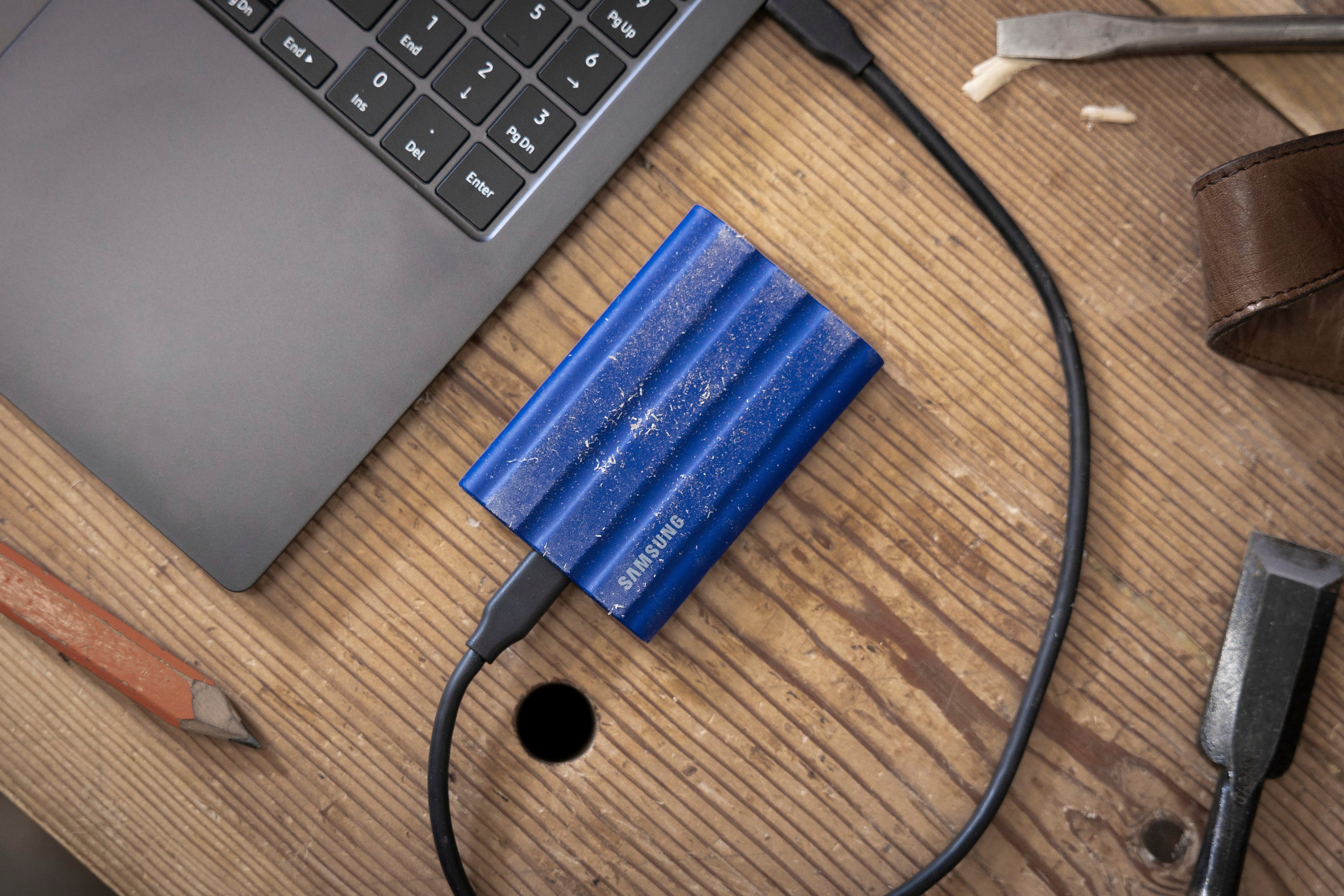
    Samsung has come out with a great option for a more active lifestyle way of transporting your external drive data. It's the new Samsung T7 Shield. The packages includes the SSD external T7 drive, USB-to-USBC cable, USBC-to-USBC cable, and a brief user manual which comes in various languages. Both cables are approximately 17-inches. The SSD drive come with a manufacturer's 3-year limited warranty. It can come in 3 colors (black, blue, and beige) and in 1TB or 2TB sizes. I am using the black 2TB. PROS: ----------- * Simple plug-n-play interface for USB-C or USB 3.2. * I do not believe in using CrystalDiskMark in testing speeds though one can definitely do that. These programs may damage the drive in some instances. Instead of using stats from CDM, which I'm sure other users will post, I'll give a real-world test case that might give you similar information. I copied a folder from my SSD hard drive on my high-end gaming desktop that had 591 files in 27 folders and tallied 7.2GB of data. I was able to copy all of the data in 35 seconds. The write speed is very impressive. I got the same speed using both the USB-C and the USB-A cables provided. I was able to copy that same data back to my desktop SSD internal drive in 45 seconds. * This SSD does offer possible updates which can be installed using the executable program that's already on the drive. * For the outdoors people, this is a great option with rugged durability and IP65 rating. If you film things in damp areas, this may be a great option for extra SSD space for 4K video. With its high speeds, it's also possible to edit massive projects directly from the drive itself instead of putting on a PC hard drive first. * Samsung claims the outer rubber-like surface can help protect the drive after a drop of 9.8 feet (under "controlled conditions"). I'm obviously not going to test that. The best thing is to simply not drop it - but if you do, this one should have a better chance of surviving normal drops. * In addition to connecting to PC's and Macs, it will also connect to Android phones. If you need to backup your Samsung phone, simply connect using the USBC-to-USBC cable, and it works easily. This is another option instead of (or in addition to) cloud backup - just don't lose the drive! CONS: ----------- * After plugging in the drive multiple times, I noticed that I lost function of my Logitech wireless mouse seconds later. I'm unsure what driver collision is causing this or why it is happening, but once the SSD is unplugged, the issue goes away. I'm able to temporarily retain movement of my mouse if I unplug then plug back in my wireless mouse dongle... enough time to safely disconnect the drive. I would be happy to know what can be done to avoid this T7 SSD drive making my mouse freeze. * It does pick up dust and dirt pretty easily and sticks to the outer surface as shown by my pictures. * There is no rubber cap or cover to go over the USB-C end of the SSD. If you're on-the-go in a dirty area, just keep it clear of dust and dirt when possible. OTHER OBSERVATIONS: ----------- * The drive has its own password protection software built-in which you can install on your PC or Mac. From there, you can setup a password to keep others from seeing your data; however, if you forget that password and lose access to your drive due to forgetting your password, the drive can only be reset back to factory settings by sending it back to Samsung. There is no factory reset button or any other way to do this. This option will also erase any data that was already on there. So if you create a PW, don't forget it. You can rename the drive from that same program if needed. There isn't much else the program does that's of significant use IMO. CONCLUSION: ===================== There's not much to this device usage-wise. It's a single cable used to connect to another device to store data. It's nothing we haven't seen before. The great thing about this SSD is the "shock-proofing" it offers in case the SSD is dropped or hit with something. Speeds are as good as you'll find out there at advertised ~1000MBs speeds. My only issue is with this device freezing up my wireless Logitech mouse when it is used - which means I likely won't be able to use it much unless I use another mouse or a wired setup. I'm unsure how this might affect other mice including touchpads on laptops. Given this one major issue with my mouse, it's not a 5-star product until I can use both at the same time and without issue. Other than that, everything else is top notch.

    I would recommend this to a friend
  • Pros mentioned:
    Overall performance, Portability, Speed

    Rated 5 out of 5 stars

    Phenomenal External SSD

    |
    |
    Posted . Owned for 1.5 years when reviewed.
    This reviewer received promo considerations or sweepstakes entry for writing a review.

    I recently purchased the Samsung T7 Shield 2TB External USB 3.2 Gen 2 Rugged SSD, and I’m absolutely blown away by its performance and durability. As someone who frequently transfers large files and needs fast, reliable storage, this SSD has been a total game-changer. First, the speed is exceptional. With USB 3.2 Gen 2 support, the transfer rates are incredibly fast—easily handling 4K video files, high-resolution photos, and large software backups in a fraction of the time it took with my previous drives. Whether I’m moving data between my laptop and desktop or editing directly from the drive, everything runs smoothly without any lag. What really sets this drive apart, though, is the rugged design. The IP65 water and dust resistance, combined with the shock-resistant casing, means I can take it just about anywhere without worrying about damage. I’ve dropped it a few times already (not intentionally, of course!), and it’s still performing flawlessly—no dents, no issues. It’s the perfect external drive for someone who needs to work on the go or outdoors. The 2TB storage capacity is more than enough for all my data, and I love how compact the T7 Shield is—it’s small enough to easily fit in my bag or pocket. Plus, it’s powered by a USB-C connection, so it’s easy to plug into modern laptops, tablets, and even some smartphones for quick, on-the-go access to files. Overall, the Samsung T7 Shield 2TB SSD is a fantastic investment for anyone looking for fast, reliable, and durable external storage. Whether you’re a photographer, videographer, or someone who simply needs high-capacity storage with the peace of mind that it can withstand the elements, this drive delivers on every front. I highly recommend it!

    I would recommend this to a friend
  • Pros mentioned:
    Overall performance, Size, Speed

    Rated 5 out of 5 stars

    Really fast well built reliable ssf

    |
    |
    Posted . Owned for 1 month when reviewed.
    This reviewer received promo considerations or sweepstakes entry for writing a review.

    The Samsung T7 Solid State Drive exceeds expectations with its remarkable speed and reliability. Its sleek design and compact size make it a perfect companion for professionals on the go. The impressive data transfer rates ensure quick and efficient file management, while the robust security features provide peace of mind. In my experience, the Samsung T7 SSD stands out as a top-tier choice for anyone seeking high-performance storage solutions. Price was a little steep when I picked it up

    I would recommend this to a friend
  • Pros mentioned:
    Speed
    Tech Insider Network Member

    Rated 5 out of 5 stars

    rugged, fast, good amount of storage get one

    |
    Tech Insider Network Member
    Posted .
    This reviewer received promo considerations or sweepstakes entry for writing a review.

    I've been using NVME drives for awhile, including a 1tb drive in an usb-type c enclosure, so I had big expectations of this drive's performance. I'm still impressed. It's exactly as fast as you'd expect, and it's in this great form factor. Build quality is that rubberish rubberized kind of material. I still wouldn't go tossing this around in the rain or anything, but it does feel nice and durable. I love that it's just straight c to c cabling on this instead of some proprietary nonsense, great job there samsung - keep it up. You get two cables in the box (a to c - and c to c), they're pretty short but will get the job done if you don't have anything else laying around. For best results you'll want that c to c cable in most situations, those ports are usually the fastest. So how fast? I've attached a photo of the full benchmark, but according to the manufacturer it's rated at 1050MB/s sequential up and 1000MB/s sequential down and my unit exceeds both of those numbers by a fair bit, so yeah it's great. No this is not internal NVME speed, which is roughly 3x as fast ... or more with gen 4 drives, but for most people this will be perfect. To put it in practical terms I run a media server on a laptop from time to time and I keep all of my media on a external drive - a traditional external drive. So it took about 48 minutes to transfer hundreds of gigabytes of data from that thing to my PC. Sending that from my PC to the T7 took about 12 minutes. It's fast. You can even play games from it, but I don't have need to. But this would be a great option if you're on a thin and light laptop or newer console. Storage is only 1.81TB as formatted, don't be thrown by that it's completely normal. Temps are good as well. It's sitting at 26C after being "on" for about 20 minutes and having run those synthetic benchmarks. Ambient temp is only about 10C though so keep that in mind. It's a fair sight cooler than my two internal NVME drives which are running at 33C and 43C in the same room. So make of that what you will. The drive does get noticeable warm to the touch, but that's just how it maintains it's temperature, it's letting that heat out. It's good. Yeah it's just a great drive. I don't know what else I can say about it. It's exactly what it's supposed to be. I wish I had a few more.

    I would recommend this to a friend
  • Pros mentioned:
    Overall performance, Portability, Speed

    Rated 5 out of 5 stars

    Samsung T7 Shield 2TB: Durable, Fast, and Reliable

    |
    |
    Posted . Owned for 3 weeks when reviewed.
    This reviewer received promo considerations or sweepstakes entry for writing a review.

    The Samsung T7 Shield 2TB external hard drive combines speed, durability, and portability. Its rugged design is shock-resistant and IP65-rated for water and dust protection, making it ideal for outdoor and travel use. With transfer speeds of up to 1,050 MB/s via USB 3.2 Gen 2, it handles large files quickly and efficiently. The compact size ensures easy portability, and the included software supports password protection and encryption for added security. While slightly pricier than standard drives, the T7 Shield is an excellent choice for those needing robust performance on the go.

    I would recommend this to a friend
  • Pros mentioned:
    Portability, Size, Speed

    Rated 5 out of 5 stars

    Samsun T7

    |
    |
    Posted .
    This reviewer received promo considerations or sweepstakes entry for writing a review.

    I have been using this T7 for several years, carrying it back and forth from work with no problems ever. It's fast and compact. Thanks, Samsung.

    I would recommend this to a friend
  • Pros mentioned:
    Portability, Size, Speed

    Rated 5 out of 5 stars

    Good, Well Priced Option for Data Backup

    |
    |
    Posted . Owned for 3 weeks when reviewed.
    This reviewer received promo considerations or sweepstakes entry for writing a review.

    Had to get this when my 2TB External Hard Drive stopped working (after only 2 years with minimal use). This is faster, much more secure, smaller, and designed for transport. Considering getting a second one for business purposes.

    I would recommend this to a friend
  • Pros mentioned:
    Overall performance, Portability, Speed

    Rated 5 out of 5 stars

    Excellent SSD

    |
    |
    Posted .
    This reviewer received promo considerations or sweepstakes entry for writing a review.

    Excellent SSD. Drop resistant, easy to use, and fast enough to game off of. Need I say more?

    I would recommend this to a friend
  • Pros mentioned:
    Overall performance, Portability, Speed

    Rated 5 out of 5 stars

    If you travel or do videos, pictures etc this is n

    |
    |
    Posted .
    This reviewer received promo considerations or sweepstakes entry for writing a review.

    Totally recommend it. The cover adds an extra layer of protection in case we drop it but based on ssd itself, it is fast and portable. I put all my back up files here

    I would recommend this to a friend
  • Pros mentioned:
    Overall performance, Portability, Speed

    Rated 5 out of 5 stars

    Favorite portable storage

    |
    |
    Posted . Owned for 3 months when reviewed.
    This reviewer received promo considerations or sweepstakes entry for writing a review.

    Super fast, safe storage and very portable. Feels solid and performance is incredible.

    I would recommend this to a friend
  • Pros mentioned:
    Overall performance, Portability, Speed

    Rated 5 out of 5 stars

    Samsung Harddrive

    |
    |
    Posted .
    This reviewer received promo considerations or sweepstakes entry for writing a review.

    The speed is outstanding. Compact and working as expected.

    I would recommend this to a friend
  • Pros mentioned:
    Overall performance, Speed

    Rated 5 out of 5 stars

    Love it

    |
    |
    Posted .
    This reviewer received promo considerations or sweepstakes entry for writing a review.

    Super fast transfers, does get a little warm but that’s a given when moving a lot files to and from a hard drive. Works super great for my mobile gigs when using it to access my music from my laptop. Probably gonna buy another one to be a backup

    I would recommend this to a friend
  • Pros mentioned:
    Overall performance, Portability, Size

    Rated 5 out of 5 stars

    Great compact external hard drive

    |
    |
    Posted . Owned for 3 weeks when reviewed.
    This reviewer received promo considerations or sweepstakes entry for writing a review.

    This is my favorite external hard drive due it's size and ease of use. This easily travels with me and comes with a variety of cords to hook into whatever device you are pairing it with. The outside cover is also durable so I never worry if I accidentally drop it. Highly recommend for anyone looking for a compact hard drive.

    I would recommend this to a friend
  • Pros mentioned:
    Speed

    Rated 5 out of 5 stars

    I love the samsung t7 !!!

    |
    |
    Posted . Owned for 3 weeks when reviewed.
    This reviewer received promo considerations or sweepstakes entry for writing a review.

    The Samsung T7 Portable SSD is a compact and high-performance storage solution that offers impressive speed and security for those in need of fast data transfer and reliable data protection. With its sleek design and robust features, the T7 stands as an excellent choice for both professionals and everyday users. One of the standout features of the Samsung T7 is its incredible speed. Equipped with a USB 3.2 Gen 2 interface, it can deliver blazing-fast read and write speeds of up to 1,050 MB/s and 1,000 MB/s, respectively. This makes it ideal for tasks such as transferring large files, editing high-resolution videos, or running demanding applications directly from the drive. It significantly reduces waiting times and boosts productivity. The T7 comes in three storage capacities: 500GB, 1TB, and 2TB, providing ample space for your files, projects, and media. Whether you're a creative professional who needs to store large multimedia files or a gamer who wants to carry their game library with them, the T7 offers enough capacity to meet your needs. Security is a top priority, and the Samsung T7 doesn't disappoint in this regard. It features hardware-based encryption with password protection, ensuring that your data remains safe from unauthorized access. This is particularly important for sensitive files or confidential information. Additionally, the T7 supports fingerprint recognition for an extra layer of security, making it incredibly convenient and easy to access your data while keeping it secure. The design of the Samsung T7 is both stylish and practical. It boasts a slim and compact form factor, with a durable metal casing that can withstand accidental drops from up to 2 meters. The sleek design is not only visually appealing but also highly portable, allowing you to take your files on the go without sacrificing style or durability. Furthermore, the T7 is compatible with a wide range of devices, including PCs, Macs, Android smartphones, and gaming consoles. This versatility ensures that you can use it with multiple devices, making it a versatile storage solution for various purposes. One minor drawback of the T7 is that it lacks a USB Type-C to Type-C cable in the box, which means users may need to purchase one separately if their device doesn't have a USB-A port. However, this is a minor inconvenience and doesn't detract significantly from the overall performance and functionality of the drive. In conclusion, the Samsung T7 Portable SSD delivers exceptional speed, reliable security features, and a sleek design that makes it a top contender in the portable storage market. Whether you're a professional in need of high-performance storage or an everyday user looking for a reliable and secure backup solution, the T7 is an excellent choice that offers great value for your money.

    I would recommend this to a friend
Sponsored