Customer Ratings & Reviews
- Model:
- SP-LFF3CLAXXZA
- SKU:
- 10100683
Rating by feature
- Value
Rating 4.4 out of 5 stars
- Quality
Rating 4.5 out of 5 stars
- Ease of Use
Rating 4.6 out of 5 stars
Customers are saying
Customers value the product's excellent picture quality, portability, and user-friendly setup, noting its convenient size and effective auto-focus. However, a notable concern among customers is the brightness of the device. Additionally, some users have expressed minor frustrations with connectivity options and the overall price.
This summary was generated by AI based on customer reviews.
- Pros mentioned:Picture quality
Movie time
||Posted . Owned for 7 months when reviewed.This reviewer received promo considerations or sweepstakes entry for writing a review.My family love watching movies outside great quality review
I would recommend this to a friend - Pros mentioned:Portability
Inside gazebo
||Posted . Owned for 3 weeks when reviewed.This reviewer received promo considerations or sweepstakes entry for writing a review.Excellent small and easy to take and set up anywhere
I would recommend this to a friend - Pros mentioned:Picture quality
Quality projector
||Posted . Owned for 3 weeks when reviewed.This reviewer received promo considerations or sweepstakes entry for writing a review.Just a couple words “ AMAZING AMAZING AMAZING”!!!!!
I would recommend this to a friend Projector
||Posted . Owned for 3 months when reviewed.This reviewer received promo considerations or sweepstakes entry for writing a review.Very small and convenient, the viewing effect is also very good. Very convenient, the projection is also very clear,This is the effect during the day. It is clearer and the colors are more vivid after turning off the lights at night.
I would recommend this to a friend- Pros mentioned:Picture quality
Mini projecter
||Posted . Owned for 3 weeks when reviewed.This reviewer received promo considerations or sweepstakes entry for writing a review.Product is awesome I enjoy it watching in my bedroom.
I would recommend this to a friend 5star
||Posted . Owned for 3 weeks when reviewed.This reviewer received promo considerations or sweepstakes entry for writing a review.Best projector I have gotten. Truly amazing specs. Love that it has all apps preloaded and more
I would recommend this to a friendGet it!!
||Posted . Owned for 2 months when reviewed.This reviewer received promo considerations or sweepstakes entry for writing a review.Love it! We use it for streaming and gaming and it elevates the experience so much.
I would recommend this to a friendWorth it
||Posted . Owned for 1 month when reviewed.This reviewer received promo considerations or sweepstakes entry for writing a review.Works perfect. Had all of the latest apps for viewing. Make sure to buy the micro HDMI cable to connect to other devices.
I would recommend this to a friendGood
||Posted . Owned for 1 month when reviewed.This reviewer received promo considerations or sweepstakes entry for writing a review.It’s good for games and watching movies and shows I
I would recommend this to a friend- Pros mentioned:Picture quality, PortabilityCons mentioned:Battery life, Price

The Little Projector That Could
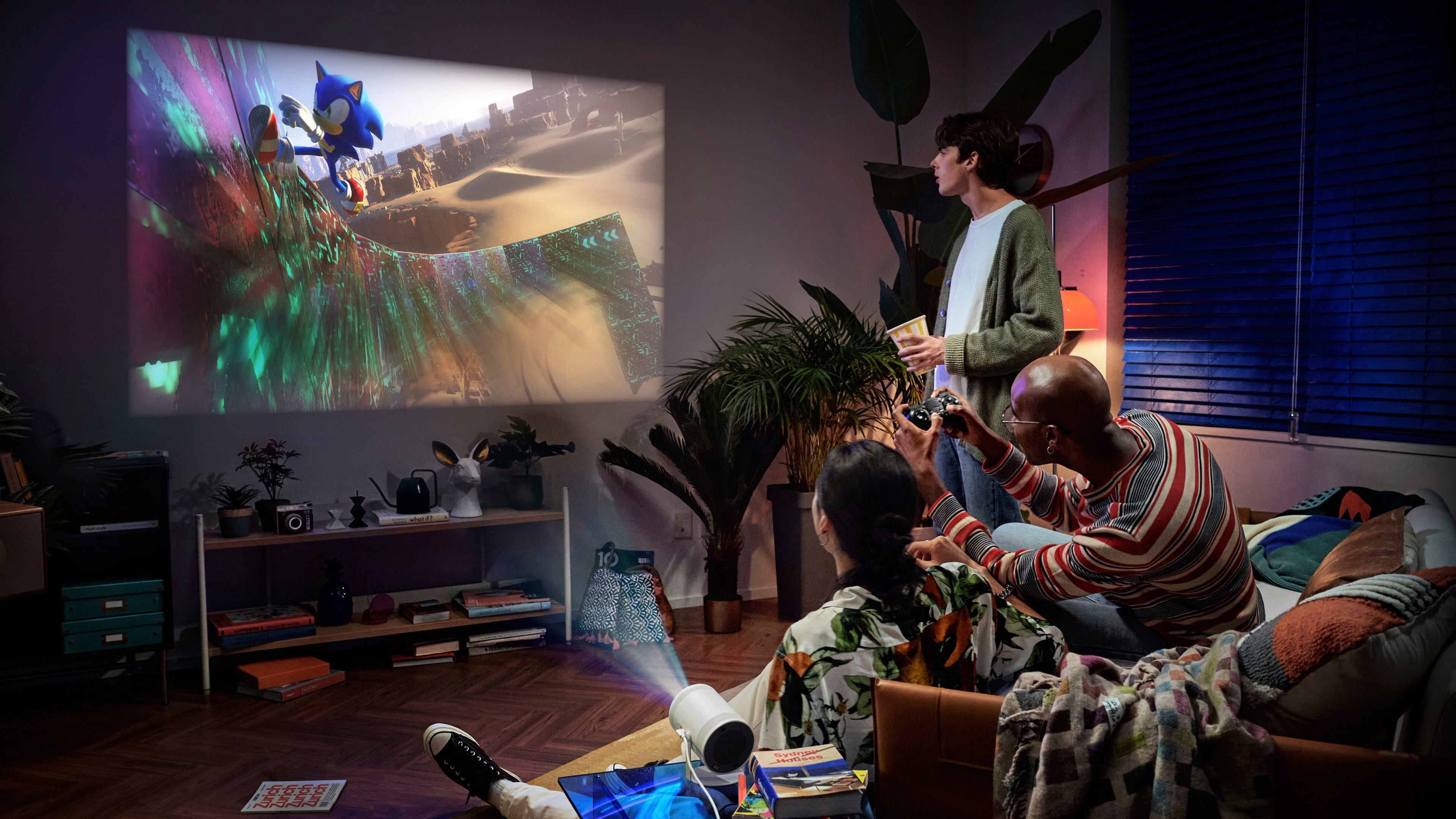
|Posted .This reviewer received promo considerations or sweepstakes entry for writing a review.The Samsung Freestyle 2 is a great projector, but only for those who want a versatile and portable option. At this price range, you can get a higher quality projector but don’t expect it to be as portable or include the smart functionality/built-in wireless connectivity of the Freestyle 2. The Freestyle 2 is small and lightweight, making it easy to set up in the backyard, inside a garage or to take to a friend’s house. The Freestyle 2 functions as a streaming stick as well, making it easy to stream Netflix, Disney+, HBO Max, and all your other streaming services directly from the unit. Also new to this updated model is the Gaming Hub, which allows you to pair a gaming controller and stream services like Xbox Game Pass, GeForce Now, and Amazon Luna. The Freestyle 2 projects a bright and clear image, although your best experience will be in a dimly lit or darkened area. It also has a variety of features that make it easy to use, such as automatic keystone correction and autofocus. The projector is plug-and-play, but you will need to use your phone or the onscreen keyboard to set up the device and link all your streaming services to it. I tested Xbox Game Pass streaming on the Freestyle 2 with great results. There was minimal input lag and I was able to play Lies of P for about 30 minutes without any issues. We also streamed the entirety of Guardians of the Galaxy 3 on it, but the built-in speaker on the Freestyle 2 is not loud enough for bigger environments, so be ready to pair a Bluetooth speaker to the unit as we did. This worked great with no noticeable audio lag while streaming from Disney+. Overall, the Samsung Freestyle 2 is a fantastic choice for someone who wants a good-quality portable projector with smart functionality. The Gaming Hub is also a huge plus and a fun feature to have in a projector like this. Also, I was disappointed to find out that it didn’t have a built-in battery, but can be powered by an external battery that supports PD USB-C or by purchasing the Samsung battery accessory. Here’s a quick pros and cons list: Pros: Portable Bright and clear image Able to be powered by a battery or the Samsung battery base accessory Easy to set up and operate Auto keystone correction and autofocus Cons: Expensive Not as bright as some other projectors Not as high resolution as other projectors
I would recommend this to a friend - Pros mentioned:Auto focus, SizeCons mentioned:Brightness
Small, Portable, Full-Featured Projector
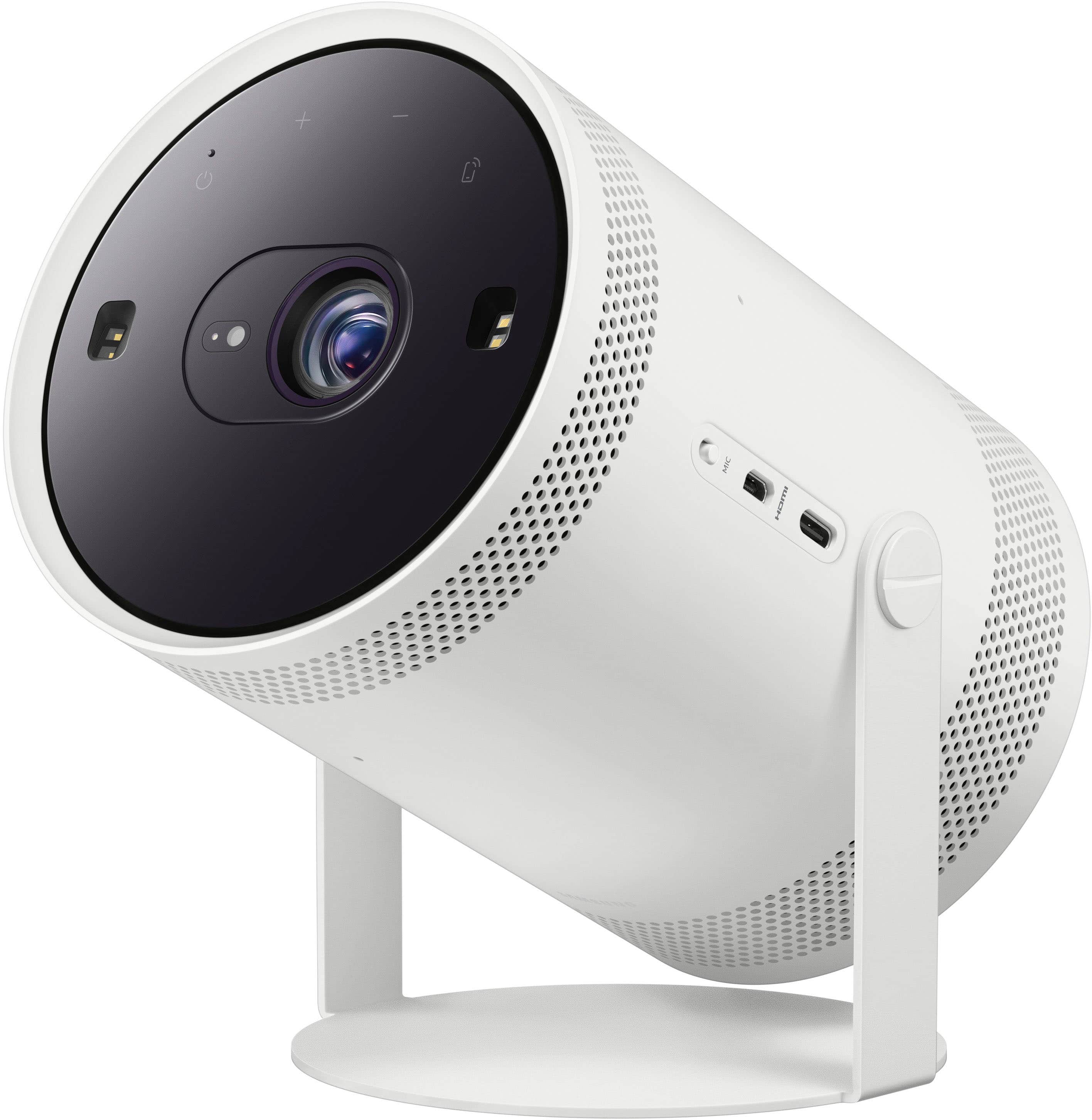
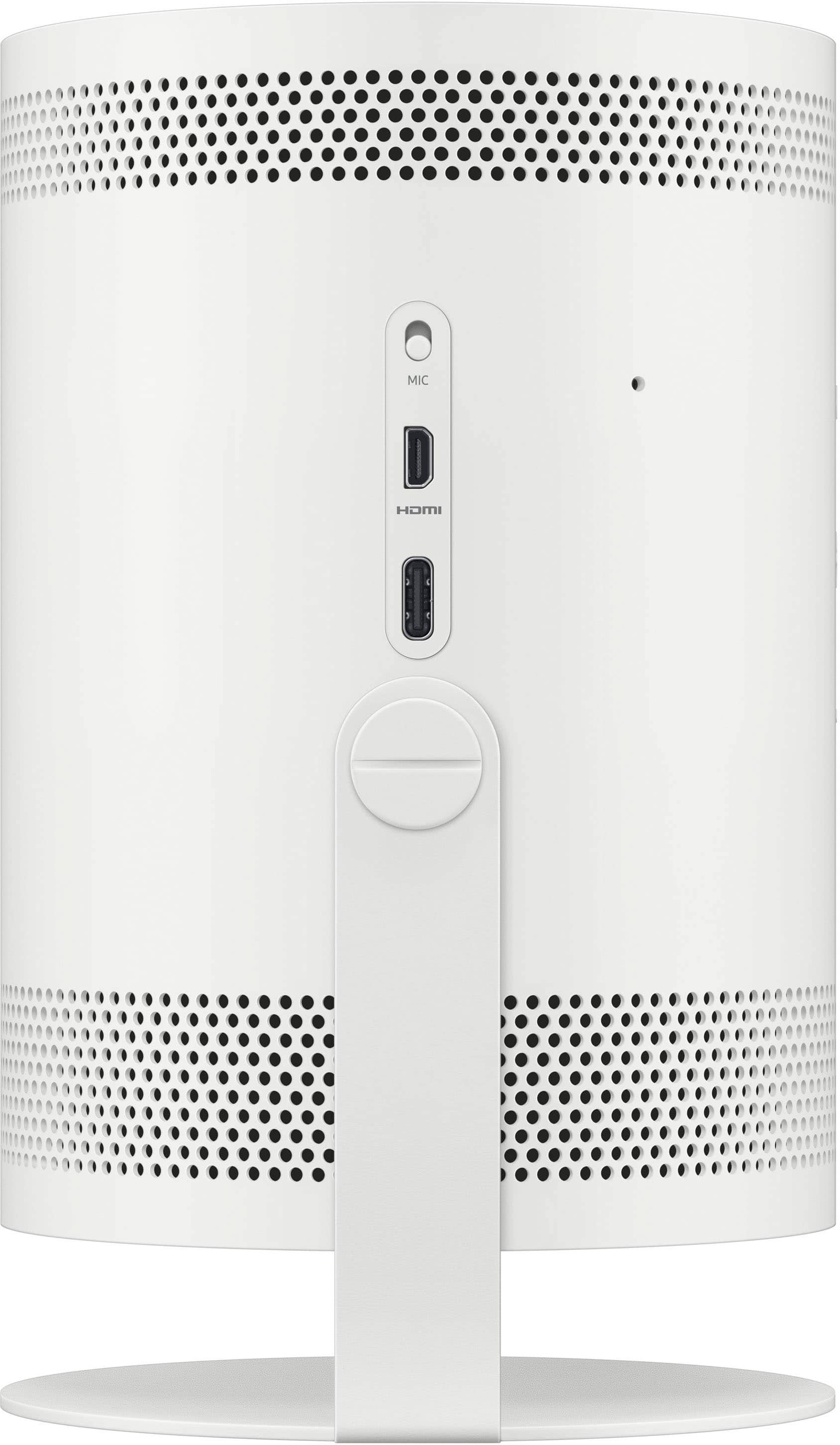
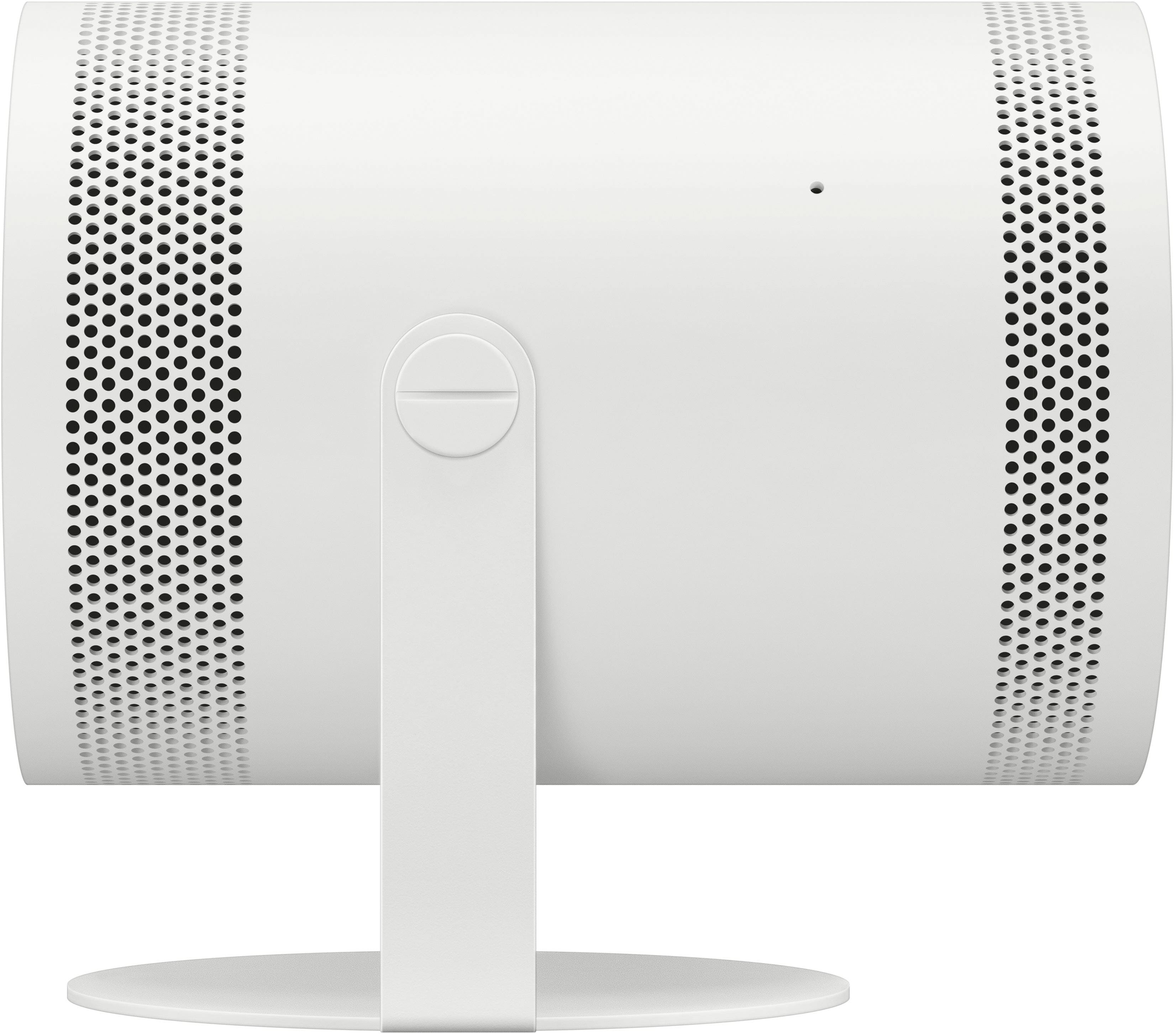
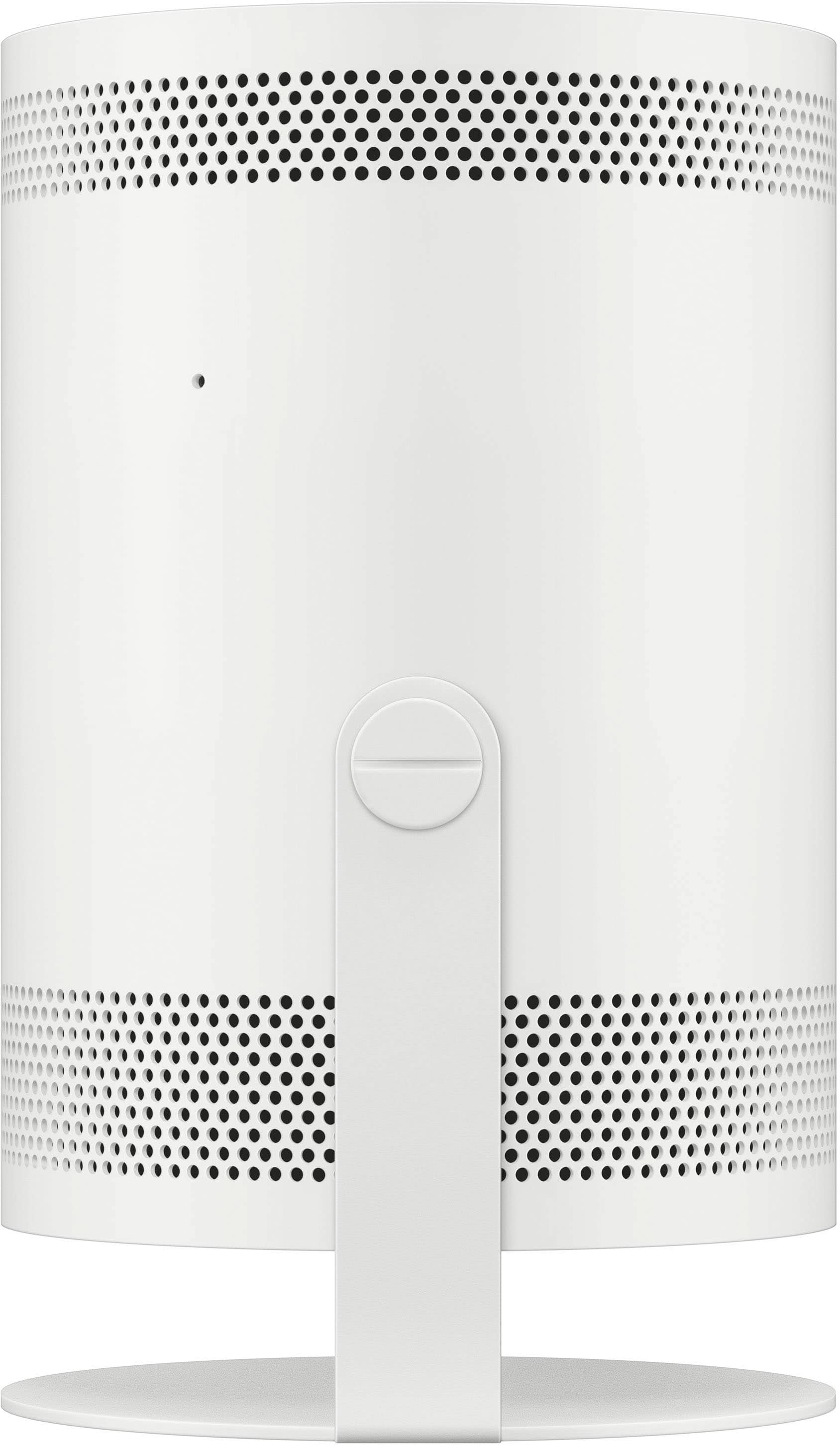
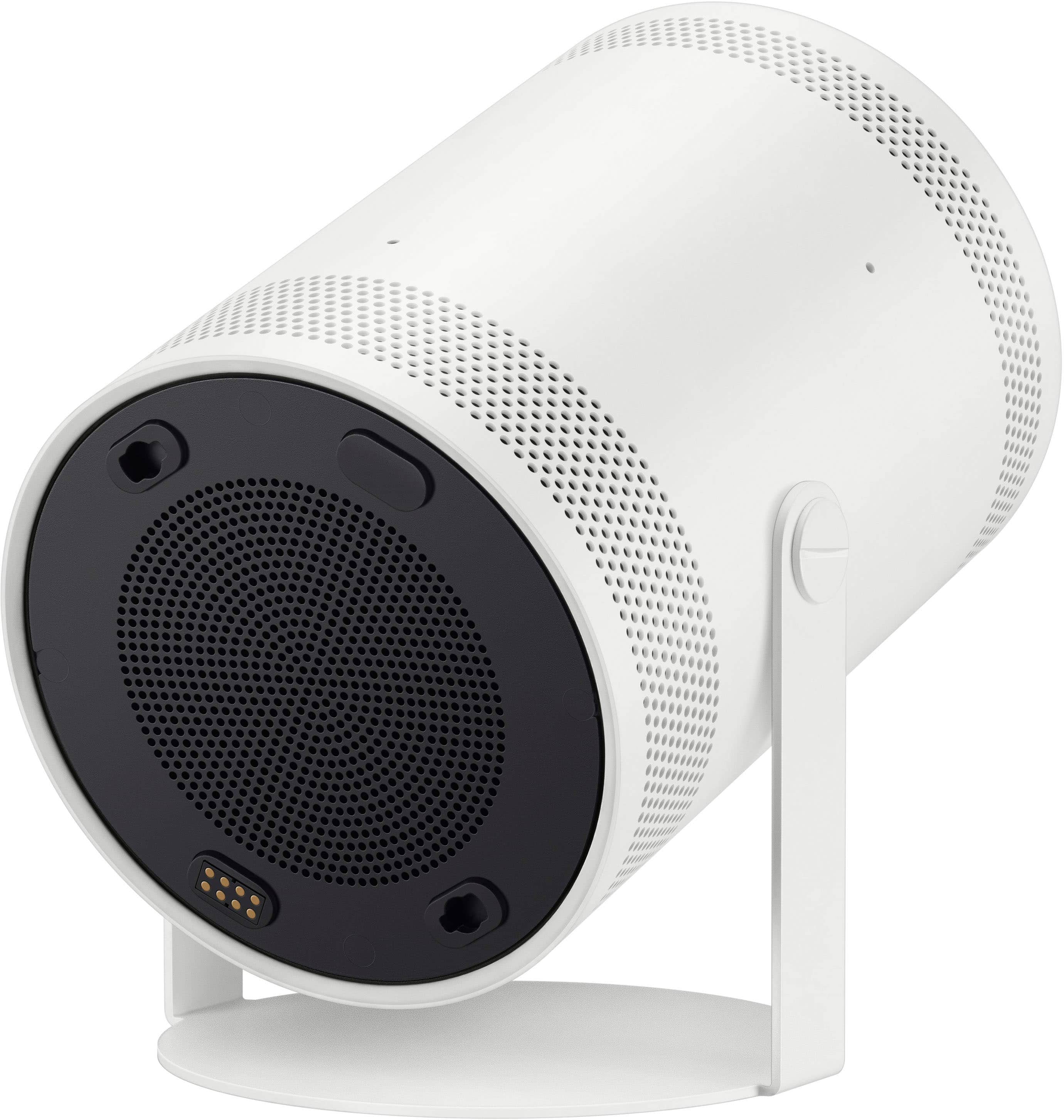
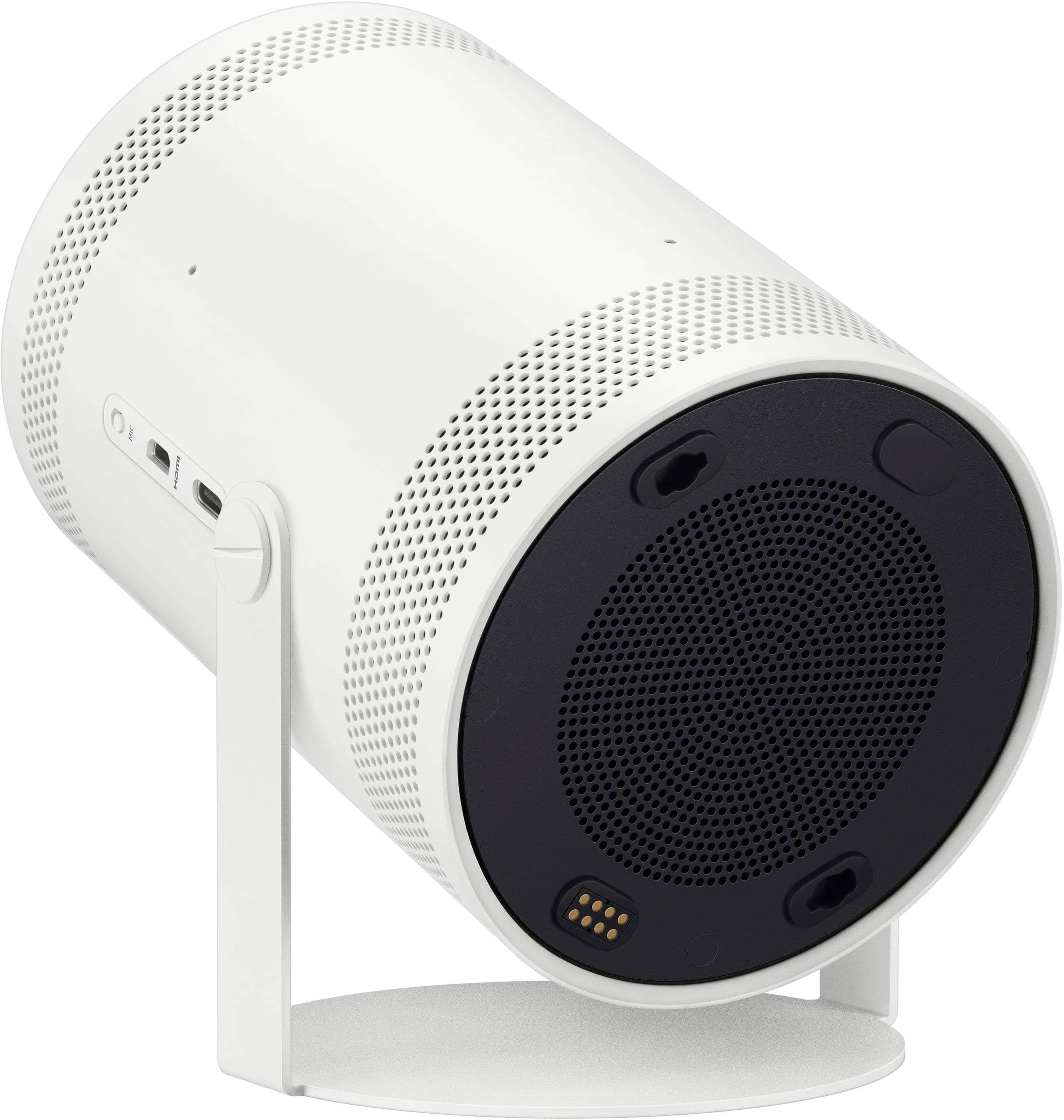
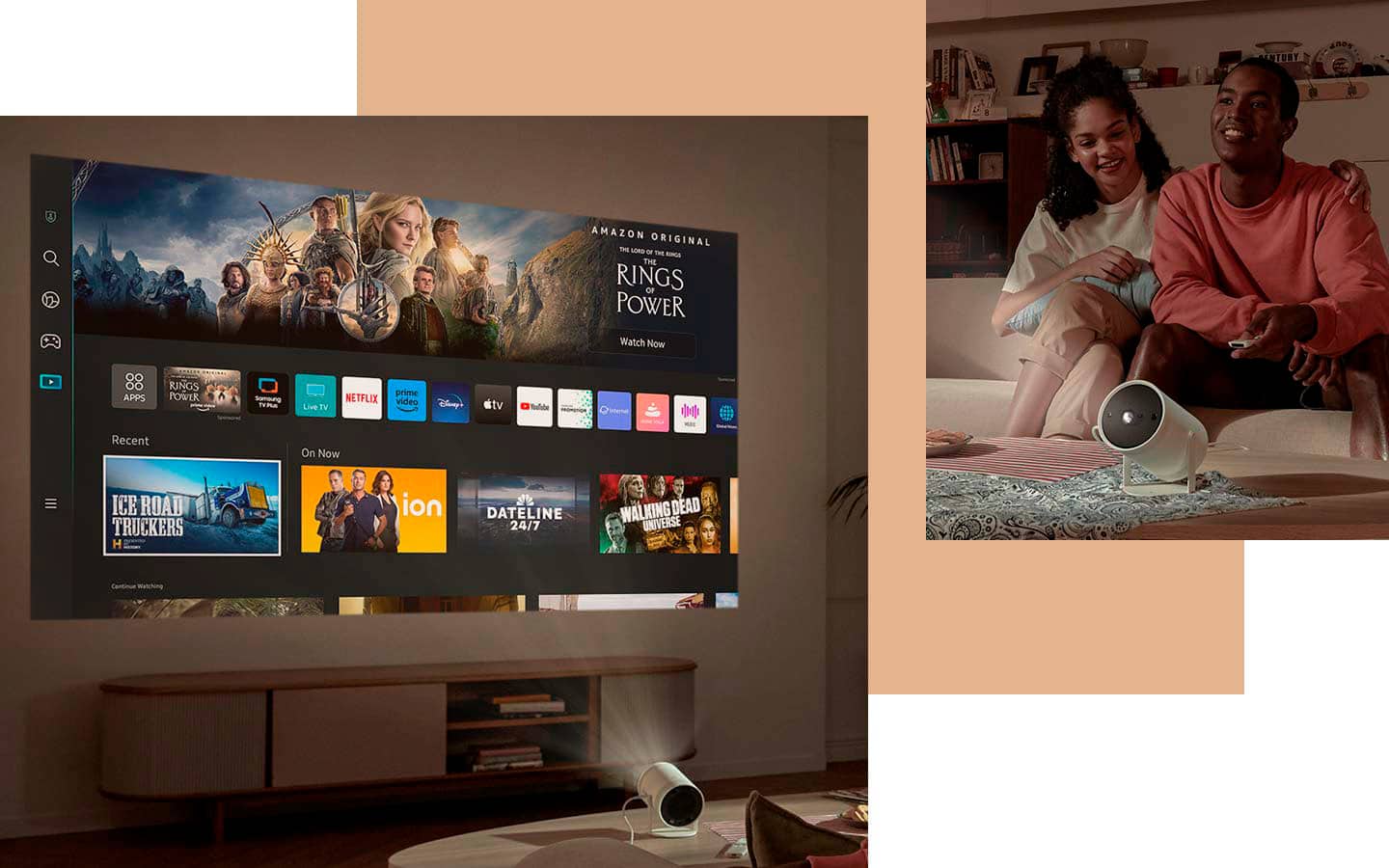
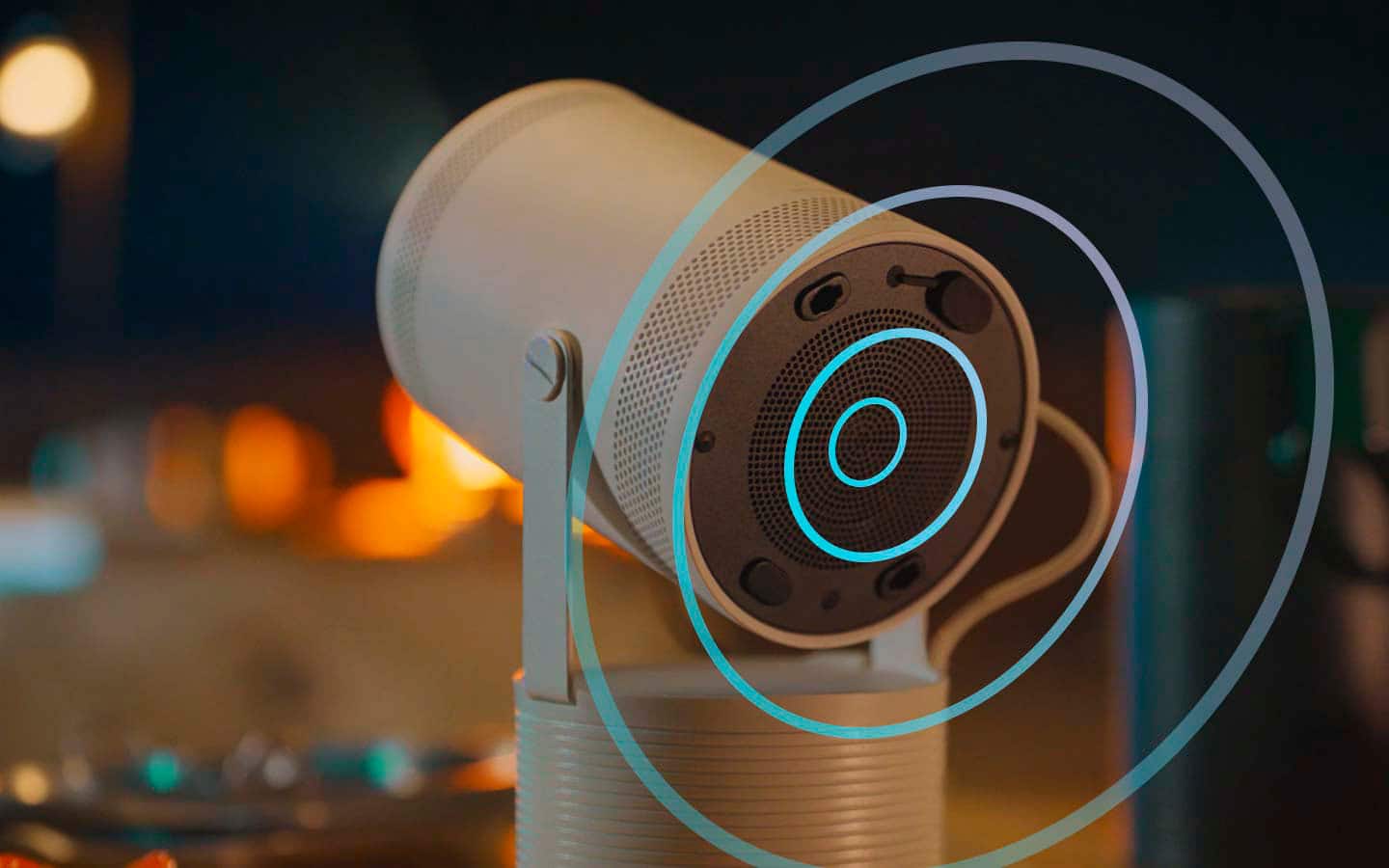
|Posted .This reviewer received promo considerations or sweepstakes entry for writing a review.Samsung’s second generation Freestyle projector includes their (Samsung's) own operating system with access to many apps including their own Samsung TV and a speed upgrade from its predecessor. One of the best things about this projector is its size. It measures about 7 inches tall (at its tallest) and 6 inches wide (at its widest, when it is at a 180 degree angle). The attached base allows for it to be angled and can be angled a full 180 degrees and very much depends on how you’d like to use it. Compared to the first gen, I did not experience any sagging after adjusting the angle of the projector. On the side of the projector, it has a USB C port for power and a micro HDMI port. Towards the bottom it has 5W speakers (more on the audio below). It comes with a plastic lens cap, a USB C to USB C power cord, a power adapter and remote. Lastly, it includes WiFi 5, Bluetooth 5.2, HDMI ARC & CEC, a 30,000 hour rated bulb, and 60Hz refresh rate. With newer projectors, many of them now are “smart” and include access to many (if not all) of the popular streaming apps. The Freestyle 2nd gen has access to this and makes it much easier to view much of the content people like to watch everyday. On Samsung’s Tizen operating system and app store, there are apps like Apple TV, Samsung TV, Netflix, Disney +, Amazon Video, Peacock, PBS Kids, and more. Also, Samsung added their Gaming Hub and Productivity sections for apps like MS Office. Through the Gaming Hub, you are able to play games offered through Xbox Game Pass, Nvidia's GeForce Now, Amazon Luna, and more. It was nice to be able to connect my Dualsense controller to the projector and play a few of the games streamed to the projector. If you have a Samsung phone or tablet, the Freestyle also has the ability for you to cast your device screen to the projector. Since I have a Samsung phone, I found it much easier to be able to share photos with family and friends and also do powerpoint presentations with the projector when at church related gatherings. The colors of the projector are crisp and produce sharp images. The HDR10+ does give the content a small pop of color and is more noticeable in some content than in others. As with projectors though, to be able to see the best colors, you will need a projector screen or appropriate wall color (preferably white or in between white and gray). I still found it really nice to be able to light up almost any wall and be able to watch content from a small projector. The Freestyle offers auto focus adjustment but lacks lens shift technology (ability to move the lens without having to move the projector). It does make up for it through having keystone correction (changes the projected image, based on the angle of the projector, to create a rectangular projection). The focus auto-adjustment works very well in figuring out how clear the image should be. What it doesn’t do very well is automatically adjust the angle of the image if it is slanted or angled. If you angle the projector up, the image can be adjusted to a weird angle. (See photo in the review. Depending on your angle, one side of the image can look wider than the other). This can be fixed though by manually adjusting the keystone settings and shifting the projected image to fit the angle you place the projector at. I've found myself keeping autofocus on while leaving the auto-keystone mode off. Now for the audio. Samsung touts 360 audio with the latest Freestyle and I was pretty surprised by its clarity and loudness. Voices were clear when listening to the news and talk shows. It did lack detail (as expected for a small speaker) and depth of audio (most notably in action scenes) although there was a small amount of bass to add some effect to the audio. For it being a small, portable projector, the 5W speakers sound well when nearby and even from 10 feet away. If it will be used in bigger rooms or outside, I do recommend using a bluetooth speaker to increase the loudness of the audio. I personally have used it on my outside patio and can hear it over cars passing by outside. There are two main cons with this projector. One is it would be better and even more portable if it had an internal battery. Samsung does sell a portable battery base separately but it does not include one with the projector. Second, it would be much nicer if the projector is a bit brighter. If a light is on in the room, the colors look washed out. The content is still visible and viewable, but it would be much nicer if the image was brighter. Overall, I thoroughly enjoy using the projector and love how portable it is. I can take it mostly anywhere in my home and out and can set it up to watch a show or sports. I recommend it for those looking for a portable projector and also have a Samsung phone to be able to use the additional features like screen casting.
I would recommend this to a friend - Pros mentioned:Auto focus, Picture quality, Portability
Versatile projector
|Posted .This reviewer received promo considerations or sweepstakes entry for writing a review.The Samsung Freestyle projector has left me impressed so far. I’m probably more amazed at how portable this projector is. Being able to carry something the size of a small speaker that quickly turns a night event into an outdoor movie event is a sight to behold. Of course, it looks the best in a dark environment with minimal lighting sources. Don't let the FHD (1080p) video resolution deter you away, the image projected still looks crystal clear with satisfactory color reproduction and contrast. The Freestyle works best in dimly lit rooms, for outdoor use it’s best at dusk/night. During the day the experience is not good. The built-in speaker is also plenty loud. You still have the option to pair it to a Bluetooth speaker for better sound quality. The only thing missing is having a built-in battery, but the wall adapter included to power it is small enough to carry around. Samsung does sell a battery pack. Heck, you can charge your USB-C devices with it. The projector optimizes screen size, auto-focuses, and levels the image even when pointed at an angle automatically for you including the keystone. If you have or own a Samsung Smart TV, you will feel right at home with the Smart TV interface. There’s no need to plug in a streaming box. One of the major complaints of last year's model was how sluggish the interface ran. For the 2nd generation model, there’s plenty of horsepower under the hood, to keep things running smoothly. The Samsung Smart TV has plenty of streaming apps to choose from. Now you can also play games from your GamePass subscription. It’s a difference experience playing Halo or Forza MotorSport on a 100-inch screen projected to your wall. All you have to do is sign in with your GamePass account and sync a PS5 or Xbox One controller, and you’re good to go. Another cool feature is the ability for the remote control to charge via USB-C or a solar cell in the back. The protective cap is not only meant to protect the lens, but if you leave it on, Samsung has included a feature to use it as a color hue light bulb. There are other cool features like projecting a window image of an outdoor setting or neon signs for special occasions. This thing is versatile, especially with the micro-HDMI port which allows you to connect a gaming console to it. Overall, the second-generation model is a much better value compared to last year. It’s cheaper, and the speeds have been boosted, switching apps no longer feels sluggish, and with some additional accessories like a battery or a socket adapter. As long as you’re not buying it to be your main home theater projector the Samsung FreeStyle Projector 2 lives up to the expectation.
I would recommend this to a friend - Pros mentioned:Picture quality, PortabilityCons mentioned:Brightness
Perfect for watch parties and movie nights!
|Posted .This reviewer received promo considerations or sweepstakes entry for writing a review.This is my first projector and I have been wanting one for a while, but what has kept me away was how big and loud they get. Fast forward to today, I am glad I waited because the Samsung Freestyle is compact enough to even take it with you to places and the design is clean and small enough to not have to put it away after viewing what you want to see. I have placed mine on the top of my bed frame and project it to a white wall and the quality is amazing. My room stays dark for most of the day, so brightness is not an issue for me. I have an OLED 4k TV on my living room, and obviously the project is not as bright or as sharp as the tv, but it’s perfect for my lazy movie/game days in the bedroom or to bring it to a boxing match party. I decided to bring this to my brother’s place to watch the last Canelo fight, and it honestly surpass my expectations and everyone at the watch party loved that I brought it. Setting it up is super easy. I am new to the Samsung interface, and I did not struggle. I did move around some of the settings to keep this at peak brightness and pop more color, so I recommend you doing the same to find the settings you like and meet your needs. The Gaming hub is a welcomed bonus, but I am not a fan of monthly gaming subscriptions and streaming games reduces the video quality, and so I don’t see myself paying for this on a monthly basis, but if that’s for you, I would say the games run smooth and with no stuttering. I did AirPlay with my phone and laptop and was able to play games this way. For being a Samsung projector, I love how easy it is to connect to my phone and laptop which are not Samsung. Overall, I am loving the projector and have recommended to two of my friends already. I am looking forward to the next boxing fight or even family gatherings to watch movies in the basement.
I would recommend this to a friend - Pros mentioned:Picture quality, PortabilityCons mentioned:Brightness
Portable with great picture quality
|Posted .This reviewer received promo considerations or sweepstakes entry for writing a review.This by far is the easiest thing that I've ever had to set up. With the auto keystone and focus features, just simply plug in, power on, point and watch the projection set it's self up perfectly on your wall! Significantly lighter and more portable than TVs. Perfect for indoor or outdoor use. It is a smart device where you can download and stream from your favorite services. Also has a micro HDMI plug to watch movies or play games from other devices. Remote is rechargeable if you face it down in a lit room and there is also a remote app for your phone that works just as well. Image is clear, vibrant, and can be scaled down to fit smaller wall spaces if needed. Built in speaker sounds great though depending on where you place this and sit, you may want to consider other speaker options. Game image tracking is fast, providing smooth pixels during intense action scenes. The only downside that I see with this is that you must have a dark setting to watch the projector, but it's not a problem for me who has blackout curtains/shades in every window of my house.
I would recommend this to a friend - Pros mentioned:Picture quality, Portability, SetupCons mentioned:Brightness
Overhype + crazy price
||Posted . Owned for 6 months when reviewed.This reviewer received promo considerations or sweepstakes entry for writing a review.The Samsung Freestyle 2nd Gen has a cool concept and looks very portable, but the real-world experience doesn’t fully justify the price. Picture quality is decent for casual use, but brightness, performance, and overall value feel limited compared to what you pay. It’s convenient for quick setups, but for a premium product I expected more. I’d recommend it only if portability matters more than picture quality and value.
No, I would not recommend this to a friendBrand response from Samsung
Posted .Vvvv,
Thanks for sharing your experience. If there’s anything we can assist with, please don’t hesitate to call us at 1-800-SAMSUNG (8AM – 9PM EST Mon – Fri, 8AM – 6PM Sat – Sun), or reach us via text anytime. You can also visit ‘Support’ on our website for:
• Live Chat
• Manuals, Software, & Warranty Info
~ Samsung Specialist
- Pros mentioned:Picture qualityCons mentioned:Brightness
the most Fun I've had with a projector
|Posted .This reviewer received promo considerations or sweepstakes entry for writing a review.I'm a bit of a projector junkie, I tend to recommend projectors to people when they say they want a BIG tv. I always say.. if you have the wall space for it, get a projector! That being said, I've gathered a small collection of projectors in the past couple of years and although the Samsung Freestyle ( 2nd Gen ) is not the best projector on the market and it definitely will not replace a big screen 4k TV, I think it brings some very cool technology to the market. It has auto keystone, autofocus that is quite accurate and quick to set up. The built in swivel stand is genius. It makes it super easy to bring along with you anywhere. The stand is sturdy and can be set up on just about any surface. You don't need to bring many additional accessories with you because this has built in smart software that will allow you to stream just about any movie , tv show and even games! It also has a micro HDMI port for connecting a console or media player. The built in speaker is quite loud and has a nice full sound. Music, movies, video games all sound very good with the built in speaker. I believe it is 5 watts, it sounds a bit louder to my ears. The specs say the lamp is 230 ANSI Lumens. It is definitely not the brightest projector out there, it shines brightest in a dimly lit or completely dark room. It isn't completely unusable in a well lit or daylight filled room but you will lose a lot of contrast and saturation. You can still see the screen but it will look dim and washed out. When in an appropriate setting, contrast is great and colors are vibrant. Considering its small form factor, I would say that image quality over all is excellent. My biggest complaint would have to be that the software can be a little sluggish from time to time. It tends to be just a little slow when navigating around apps. Especially if you try to toggle back and forth between streaming apps, or menus. Such as when switching from a media streaming app -> to the gaming hub. Speaking of the gaming hub! Samsung has made a dedicated section for us gamers. You can play Xbox Cloud,Amazon Luna, Geforce now and Anstream games with this projector. Between the 2 game streaming services, Amazon Luna provides a much better gaming experience on this projector. Microsoft has a lot of work to do on its xbox streaming service. I would not recommend you play that on this projector. ( It is not the projectors fault) The service itself has a lot of input lag and visual artifacts when streaming. Amazon Luna on the other hand works quite good on this projector. I was able to play some of my favorite games on here without much trouble. I can't measure the response times, but I would say it's on par with gaming on a TV. Owning an Amazon Luna controller is highly recommended and provides the best experience for cloud gaming. Geforce Now also provides a pleasant experience for cloud gaming, if you already have either one of these services, I think you will enjoy gaming on the go with this projector. Samsung TV Plus comes preinstalled and has a vast selection of channels to watch for free, Samsung also adds these cool wallpapers to light up on your walls for parties and get togethers. It adds a nice vibe to your place. Would I recommend this projector to a friend? Yes but with reservations. If you want a really cool, and portable projector that you can set up anywhere in the house or at a friends place. yes I highly recommend it. If you want the best experience for watching movies and gaming at home and plan on keeping it put in one place. I am going to say.. save your money and get something bigger, brighter and faster. But I have to give this projector a 5 star rating. It is so fun to use. I even used it to set up a halloween projection on our patio wall. Samsung has done a great job and implementing their software on here and you will have a big selection of apps to download. This projector can receive firmware upgrades, so I look forward to what else Samsung might push through for it.
I would recommend this to a friend - Pros mentioned:Picture quality, Portability
Awesome projector with gaming!!
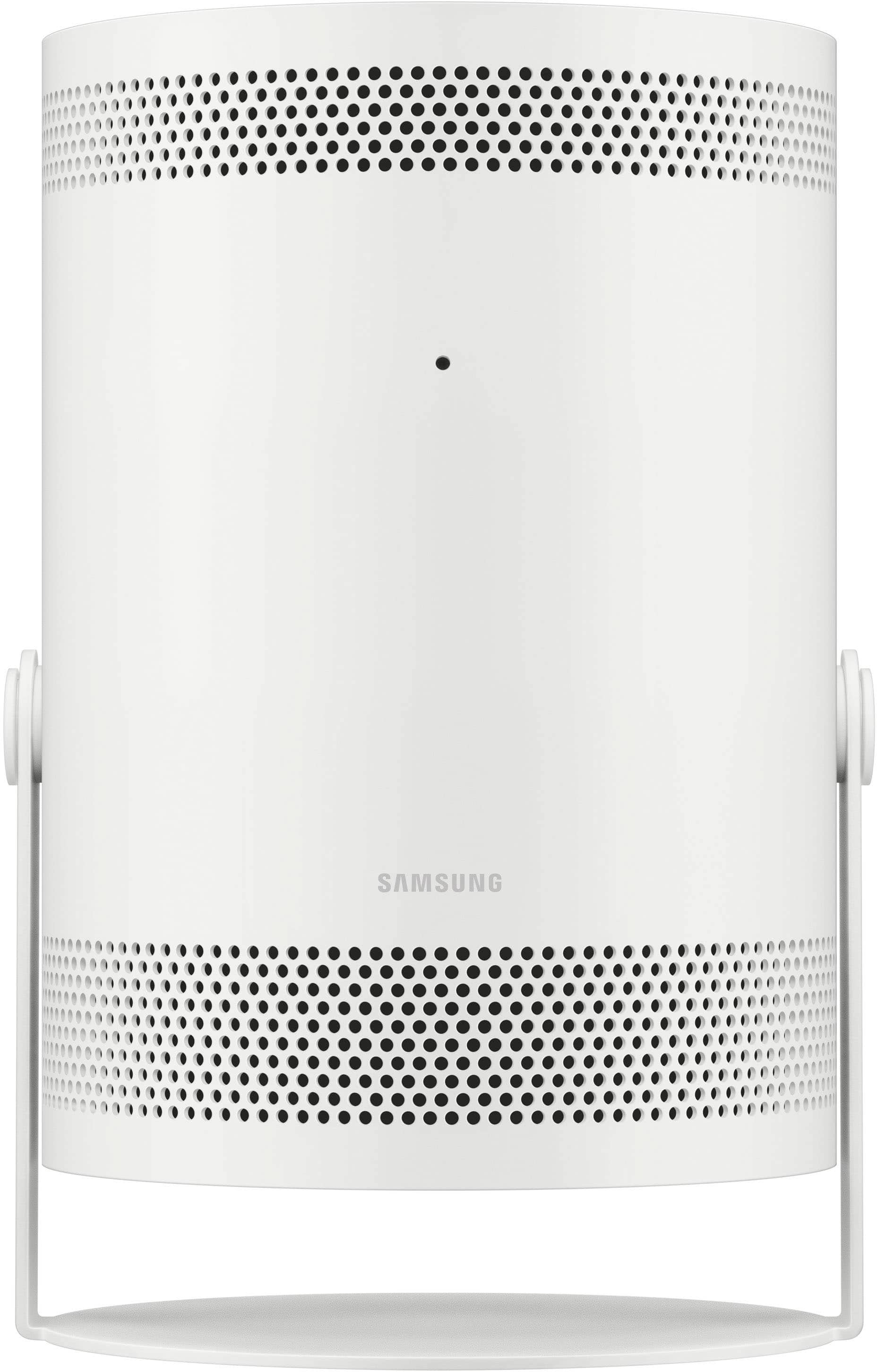
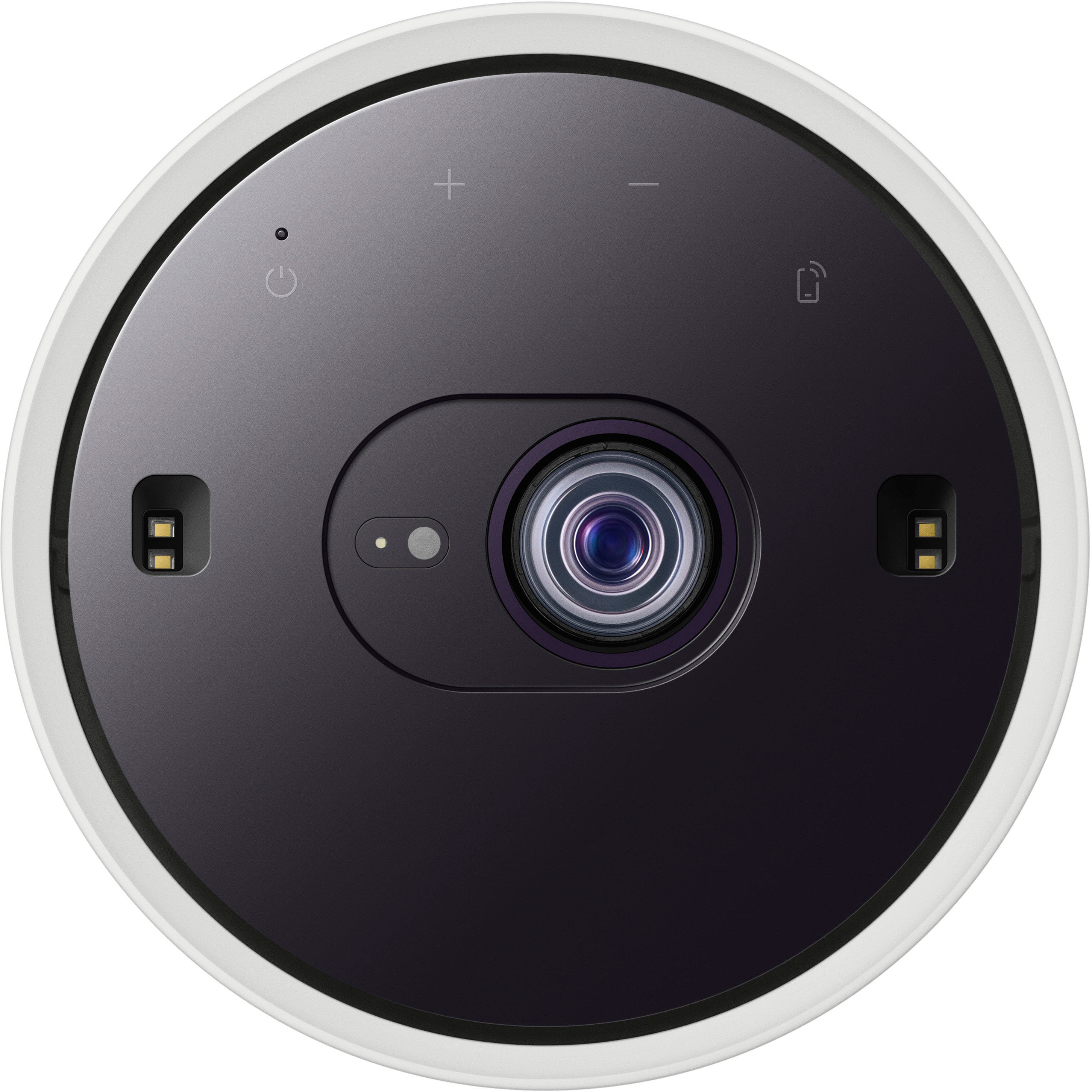
|Posted .This reviewer received promo considerations or sweepstakes entry for writing a review.I was intrigued when I saw the first version, so when Samsung announced the Freestyle 2nd gen with gaming hub, I was all in. The freestyle 2nd gen is a projector TV/entertainment dynamo in a pretty small form factor. It comes in a box smaller than a 12 pack of soda. It’s a sleek and stylish all white design with black on top where the lens is, and on the bottom where the speaker is. It comes with a usb-c power cord / power brick, a stand used to point the projector at the wall/ceiling of your choice, and a matching solar powered remote control. There are four touch buttons for power, volume, and connecting to a mobile device on the front. The side has a mic on/off switch (for use with the voice assistant of your choice, alexa or bixby), the usb-c input for power, and a micro HDMI port to connect other devices. Set up is super simple. Plug in, take off the lens protector cap, point the freestyle at the wall / ceiling of your choice, & turn it on. The first power up will of course take you thru initial set up screens to connect to your wifi, log into your Samsung account, and/or connect to your SmartThings app. You’ll probably have the lovely (not) software update to do. That set up takes about 10-15 mins and then you are good to go. The first thing I noticed was how familiar everything was. The great thing here is that the remote control is exact the same as recent Samsung TV remote controls, and the UI is exactly the same as recent Samsung TV’s. Nothing new to learn to use this device, which is always a plus. The next thing I noticed was that the image automatically changes based on where the Freestyle is placed compared to the surface you are projecting onto. There is literally nothing for you do when you change the distance or angle to the wall/ceiling. The freestyle auto levels, auto focuses, and auto measures to keep the viewing screen looking great! The screen can be anywhere from 30” to 100” depending on how far away the projector is from the surface, which means the Freestyle can basically be a portable 100” TV/display in HD that you can put anywhere. Lighter (white) surfaces are of course better, but I also tried it out on some of my darker colored walls and it still looked great (admittedly a little muted, but still pretty good). While you can connect a separate sound source, its not necessary. The freestyle’s speaker is decent for normal usage. Once you get past all that stuff, you realize this is the ultimate entertainment hub. You can stream all of your favorite sources, from Netflix to Disney +. You can connect your mobile devices to share your screen. You can connect computers. Using a micro HDMI, you could connect a sound system or a gaming console. Thanks to the gaming hub, you don’t need to worry about a console. If you have an internet connection, a Bluetooth controller, and a subscription to a gaming service, such as gamepass, the freestyle can also be your console that projects an awesome display. With xbox’s cloud gaming, you have tons of games available to stream and play. While I’m an xbox guy, there are multiple other gaming services that can be used in the gaming hub, and I’m sure they’ll all work very well. The freestyle 2nd gen with gaming hub is a well designed and well executed device. Its great at adapting to the environment you are using it in and performs well no matter the situation. The screen stays perfect no matter the placement or if you move it while already in use. The ability to stream from any of the services you use is nice but the gaming hub is a killer feature when the main TV in the house is taken over by others in your household or if you are on the go. The freestyle image is good enough to be your main display and small enough to pack up to go anywhere with you. Well done Samsung!
I would recommend this to a friend - Pros mentioned:Picture quality, Portability
Really impressed, a powerhouse of a projector!
|Posted .This reviewer received promo considerations or sweepstakes entry for writing a review.Never having had a projector in this format before, I didn't know what to expect. I've had gaming and home theater projectors that mount to the ceiling for quite a few years now and everything associated with setting them up. With the Samsung Freestyle second generation, you don't have to worry about 'setting it up' at all. I was blown away with how versatile and easy the set up for this projector is! Essentially you point the projector at a surface and it will do the rest for you, automatically. It works out the distance between it and the surface, it adjusts the focus, the brightness and the keystone to give you as true and square (even tho it's a rectangular image, it's square with the surface) an image as possible! Incredibly impressive! For example, in the photos I've shared, I have fired the projector on a curved wall on the outer surface of a spiral staircase to give an approximate 50" TV screen. I've then shot the image straight up, over 25ft to the ceiling of my house (yes, you can see spot lights and AC grills in the image). And also another, about 85" on a flat wall. This projector really has changed how I think about the ease of setting up projectors. This one was a breeze. And talking of set up, the main Samsung hub for media, streaming and gaming is very familiar. I tried all 3, using it connected to my phone for both streaming shows on Netflix, and using the Gaming Hub to play the free games that were on there. I did not a small amount of lag when playing something like the classic 80's Marble Madness, which in that type of game is frustrating. It wasn't a lot of lag at all, but enough to keep me losing my marbles! You can subscribe to the game hub for a whole host of gaming opportunities. The included Samsung TV Plus app gave me Top Gear to watch instantly, so pretty much any time I turn it on, I can have that show playing as long as I have a good signal. The speaker on the projector is also pretty decent as well, giving a good 360º sound that isn't as tinny as you might expect from a product like this. It has a nice amount of bass in it, nice and warm and has a good depth to it. Sure, it's no surround sound beast, but I am impressed with the sound from such a small unit. The image is 1080p, not 4K, but honestly, you will not be disappointed at all. It's crisp and very vibrant even in a dimly lit room (table lamps on for example). It starts to lose clarity in a bright room, but that is to be expected. I like this projector so much, that I've purchased an additional hard case for it to protect it, being as it is a very portable projector, it does not come with any kind of case at all. Definitely worth the investment. The projector also has some other skills, you can use the perspex dome on top as a light source as well, providing different colors to your room. There are also preprogrammed messages that you can put on the wall for a party, or different graphics as well. The full function remote control also has a little trick up its sleeve. If you turn it over, it has a solar charger on it to keep it charged up when not using it. That is a feature that I haven't seen before and a nice little touch! Overall, an incredible piece of kit that I am really excited to take away to a cabin, or use outside in the yard or in the wilderness. I also purchased an outdoor screen that you can hang between trees, so as long as you have a cell phone signal, you will have entertainment! I have no hesitation in recommending this product at all!
I would recommend this to a friend - Pros mentioned:Picture quality, Portability
Awesome little projector
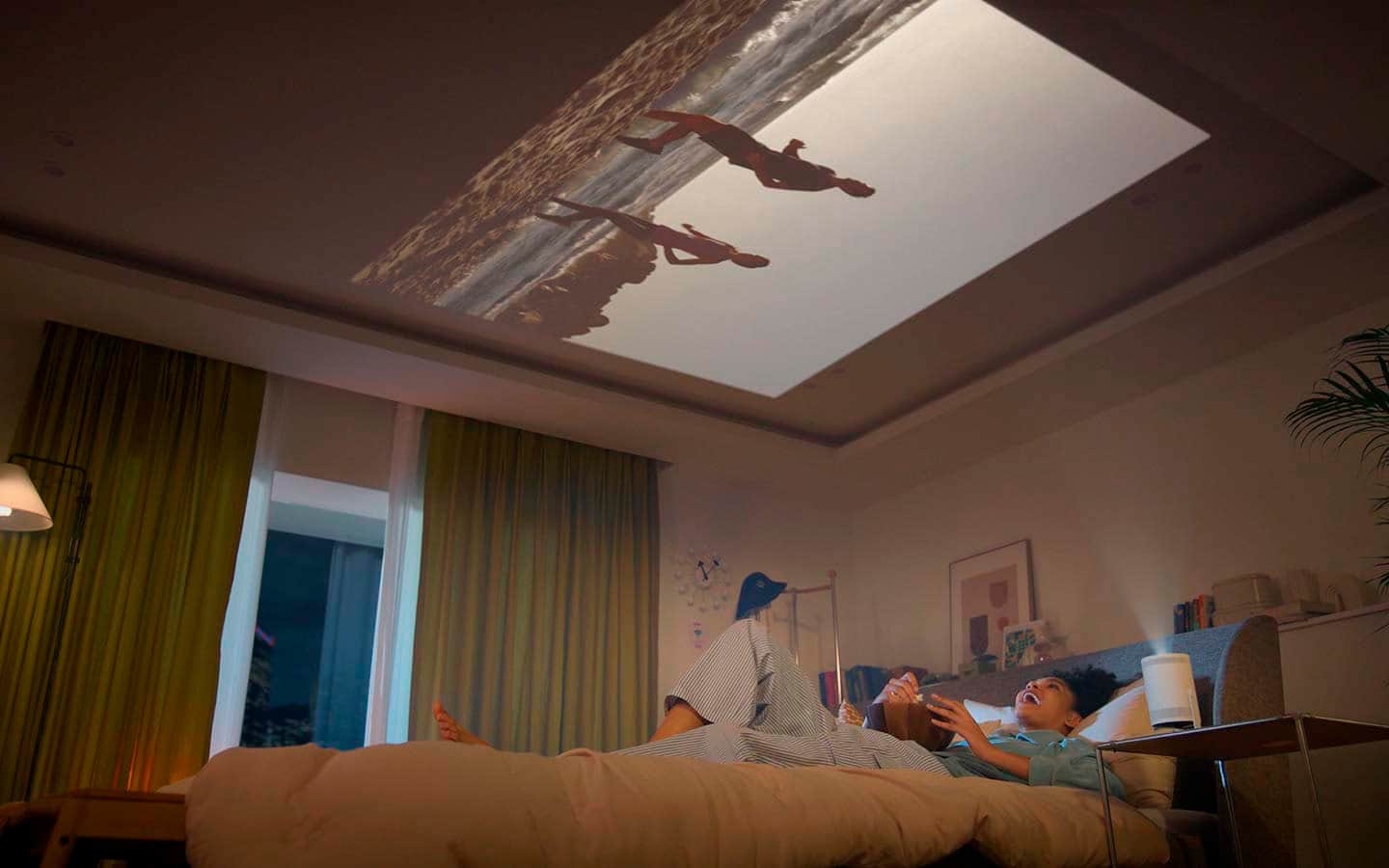
|Posted .This reviewer received promo considerations or sweepstakes entry for writing a review.This Samsung Freestyle Projector is truly an awesome piece of technology. I do not have a ton of experience when it comes to projectors as a whole, but I feel that for the price this Freestyle projector is too good to pass up on. It is basically a little Smart TV that you can take around with you or it could even be used to replace a TV. The price is already cheaper than a lot of TVs on the market while also having that portability and you can simply make the screen size larger by moving the projector itself farther from the wall or whatever surface you point it at. The picture itself looks pretty good and I like the auto adjusting feature that it has. The Speaker is pretty decent and I'm sure that you could hook it up to additional speakers or a soundbar for more sound if you wanted to use it in a home theater type set-up. I have often found myself pointing it up at the roof in my room and laying in bed watching youtube videos, netflix, etc. I also found out that it comes loaded with free tv channels thanks to Samsung TV, so on top of having all the same features as a smart tv (streaming apps, etc.), it also has a ton of free shows that have their own dedicated channels like Kitchen Nightmares, The Walking Dead, there's an Anime channel, it has pretty much every genre you could think of for shows from Cooking to Comedy to Sports all for free. Overall, I have had a great time using this thing. I even ended up buying a case for it from Amazon and a little cable to use with it to be able to connect it to my laptop or ps5 or anything like that if I ever wanted to. It is a really cool piece of tech that I would recommend anyone try out.
I would recommend this to a friend - Pros mentioned:Picture quality, PortabilityCons mentioned:Brightness
Great projector, but it has a few flaws
||Posted . Owned for 3 weeks when reviewed.This reviewer received promo considerations or sweepstakes entry for writing a review.This is really a great projector over all. It is portable, autofocus and keystone are great. Apps on the device are very helpful. Picture quality is excellent. The fact that you can transmit wirelessly is really helpful. You can run it off a battery, but you have to have the right battery or it won't work. The stand works really well. There are so many features to this projector. I would recommend the projector, you just should know the shortcoming I will list below. Shortcomings. It could be brighter. You will not see well in a room with much light. Wirelessly with apple works on the same network. I will clarify and say HOME NETWORK. I have been unable to get it to work on a guest network or at a business. There is no way for the sign in/accept terms page to come up on the projector so it will not work. It works with Batteries, but you have to have the right battery. You can plug it into your computer for presentations which works best for business presentations. You must have the right cable. The projector has a MICROHDMI (Not miniHDMI). This is critical. Secondly, most MICROHDMI are unidirectional so they will not work, including the one they sell at Best Buy. You will have to get a bidirectional MICROHDMI cord elsewhere. (you can get on Amazon) Lastly it is expensive. I think it is way overpriced. Overall a great projector but it could be improved
I would recommend this to a friend