Customer Ratings & Reviews

- Model:
- SDSSDX3N-1T00-G26
- SKU:
- 6567640
Rating by feature
- Value
Rating 4.7 out of 5 stars
- Quality
Rating 4.9 out of 5 stars
- Ease of Use
Rating 4.9 out of 5 stars
Customers are saying
Customers frequently mention the Extreme M.2 1TB Internal SSD PCIe Gen 4x4 NVMe's ample storage and impressive speed. Positive feedback also highlights the ease of installation and the included warranty. While some users noted heat generation, many reported that it was within acceptable ranges.
This summary was generated by AI based on customer reviews.
- Pros mentioned:Storage
Great storage
||Posted . Owned for 11 months when reviewed.This reviewer received promo considerations or sweepstakes entry for writing a review.This thing is great i really needed more storage and didnt want to break the bank the price for what you get is a steal if you need for storage i recommend getting sandisk
I would recommend this to a friend - Pros mentioned:Installation, Speed, Storage

Blazing Speeds Boost Productivity and Creativity
|Posted .This reviewer received promo considerations or sweepstakes entry for writing a review.I'm a tech enthusiast who dabbles in everything from video editing to casual gaming. My 5 year old laptop started feeling moving like molasses. I decided to upgrade the storage to the Insignia Western Digital Extreme M.2 1TB Internal SSD. This SSD is where it truly shines. Booting up my computer now takes mere seconds now, applications launch in a blink, and even large file transfers happen at warp speed. Compared to my old HDD, it's like night and day. PCIe Gen 3 speeds (up to 3,300 MB/s read) they make a noticeable difference in daily tasks. 1TB provides me ample space for my OS, essential programs, and a decent game library. I can finally store those high-resolution photos and videos without worrying about filling up the drive anytime soon. Now, I'm not the most tech-savvy person, but installing the SSD was surprisingly straightforward. The included instructions were clear, and the process took less than 30 minutes. Bonus points for Western Digital's downloadable software that helped with migration and optimization. After using the Insignia Western Digital Extreme M.2 1TB Internal SSD, I'm thoroughly impressed. It's injected new life into my old computer, offering significant speed improvements and ample storage. If you're looking for a performance boost, this SSD is definitely worth considering. Just make sure your system is compatible and you're aware of the potential trade-offs due to the lack of DRAM cache.
I would recommend this to a friend - Pros mentioned:Speed, Storage
Fast drive, great for large media files
|Posted .This reviewer received promo considerations or sweepstakes entry for writing a review.I am an amateur video editor, mostly editing home videos with my kids. I am often manipulating, transferring tens of GBs of files and having a fast drive with ample storage is an absolute must in my computer. I’m using an ASUS Creator Laptop that has a 1 TB SSD built in. But that space has been filled up with games and videos. Luckily, it has an extra SSD slot, and this SanDisk Extreme fits and works perfectly. This drive technically works with a PS5, but you would need to add a heatsink. The form factor allows you flexibility in terms of whether you would install it on a laptop or a desktop. INSTALLATION For the uninitiated, installing/replacing an SSD in a laptop is pretty straightforward but it requires a few steps. First, you should do some searching to make sure your laptop has an extra slot (if you’re replacing your drive, that’s a little more complicated). But assuming you have an extra slot, you must first use the appropriate screwdriver to remove the back plate. From there, most computer manufacturers have an open slot that’s easily accessible (mine did). You simply slide the drive in and then secure it with a M.2 screw (my computer didn’t have one, I had to supply my own). Once it’s installed, you do have to go into your disk manager to format it and give it a drive letter (if you search online you’ll find those specific instructions). Bottomline, it’s easy, even for a first timer just do a little research beforehand. USE and PERFORMANCE I have my computer set up for 2 separate drives. The original SSD included and the SanDisk extreme. On an anecdotal note, other than having two separate drives to save things to, I saw absolutely no drop in performance at all. I transferred a file folder containing 60+ GBs of videos and it took about 30 seconds. The transfer rate was some 1.68 GB/s. It was impressive. With 1 TB in size, I’m spending more time editing videos/photos than I am transferring data. And I’m able to run all my Adobe apps straight from the SanDisk drive. Again, there was no performance drop off compared to me editing from the SSD that was built in. I ran CrystalDisk and was getting 4127.39 MB/s read speeds and 3578.11 MB/s write speeds. I was getting real time performance close to the advertised speeds. I cannot emphasize how nice it is to be able to move all this data in a flash. The price is higher than other SSDs, but it’s well worth it both in terms of performance and the quality of the drive. SanDisk is a well known data manufacturer so you know you’re getting a quality drive. CONCLUSION There’s not a whole lot else to say. This drive is a great blend of price, quality, and size. The performance is phenomenal and is great for moving large files and working off it. And its form factor allows you to install it in most machines.
I would recommend this to a friend - Pros mentioned:Speed, Storage
Fast & Dependable
|Posted .This reviewer received promo considerations or sweepstakes entry for writing a review.I use many, many hard drives of various styles. As a photographer, digital photos (particularly RAW files) eat up space fast. Every thing gets triple backed up externally. However, I still need a lot of space on my desktop PC for current files. I have multiple drives onboard. I was in need of a new drive that would be fast and have at least 1TB. This SanDisk Extreme M.2 1TB fit the bill perfectly. Most of my drives are SanDisk and for good reason. They just work without fuss. Never had one fail. And I love the M.2 format for there small size and ease of use. Speed is important when working with large files and this drive delivers. There are faster drives out there, but they cost a lot more. And when you reach a certain speed, anything more becomes overkill as your PC will most likely create a bottleneck that the M.2 won't be able to overcome. The speeds with this SanDisk hit the sweat spot. This is so fast you would never notice if a faster drive were any faster. Read speeds of 5100+ and write speeds of 4800+ are crazy fast! So if you need a new drive for your operating system or one for more storage and you are comparing all the options, I can honestly say you won't go wrong with this drive.
I would recommend this to a friend - Pros mentioned:Speed, Storage
SanDisk SSD - An Excellent Choice for Creators
|Posted .This reviewer received promo considerations or sweepstakes entry for writing a review.The SanDisk - Extreme M.2 1TB SSD is a great SSD if you need both a lot of storage as well as speed. I am a content creator who both streams and edits their own videos. With that in mind it's no surprise that I like all of my PC components to work at the highest level to ensure the best experience for my viewers. When you stream, the streaming service tends to cache a lot of data on your own system, which can lead to problems if you have a slow SSD or HDD. If you do have a slow SSD, it can lead to a lot of stuttering in your stream, which I did not experience at all with the SanDisk SSD. Not only is it able to do this, but one of the most infuriating aspects of content creation that I have run into was video editing. Video editing takes a long time and a lot of effort, and all of this can be slowed down if you have a slow SSD. One of the biggest upsides of the SanDisk SSD is that it reduces rendering and exporting times by a massive amount. Of course, you would need to be able to store your videos somewhere after editing them, and video editing software requires temporary storage space to help render your video. If you have a slow SSD, then this process can take literal hours of you just sitting there and waiting. I had a lot less of my time wasted with the SanDisk SSD, because of it's superior read and write speed. Overall the SanDisk SSD not only gave me more storage, but it also allowed things to run much smoother, and saved me a lot of time. I would recommend this product to everyone, and especially content creators if they were in the market for one.
I would recommend this to a friend - Pros mentioned:Performance, Storage
Speedy and Thrifty
|Posted .This reviewer received promo considerations or sweepstakes entry for writing a review.Sandisk has been my go to for SD cards for most of my devices. I’ve never had one fail, so I trust the name and brand. So when I came across this Sandisk NVME SSD, I just had to have it. I’ve only had it installed on my laptop for about a week now but so far, everything is great. I needed to upgrade my storage space from 512 because that just isn’t enough. This 1TB SSD is the Goldilocks size for most users. Just enough space for most day to day tasks and gaming if that’s what you plan on doing with your desktop or laptop. I use my Asus G14 for gaming and photo edifing and this SanDisk SSD definitely performs. This SSD feels a tad quicker than the stock ssd that came with my laptop. My Os boots up almost instantly, my videos load up a bit faster than before and when edit photos In Lightroom, everything just loads and works quick and seamlessly. If you don’t have an SSD in your computer yet, definitely pick this up. It will breathe new life into your computer. Time will tell how long this will serve me for, but given SanDisks reliability and performance. I am confident that it will keep my laptop running for the rest of its lifetime. Would I recommend this SSD? Yes! It’s a great value, you can’t go wrong with this drive. It’s fast enough for every casual user and most professional / gamer uses.
I would recommend this to a friend - Pros mentioned:Speed, Storage
Not the fastest on the market but worthy
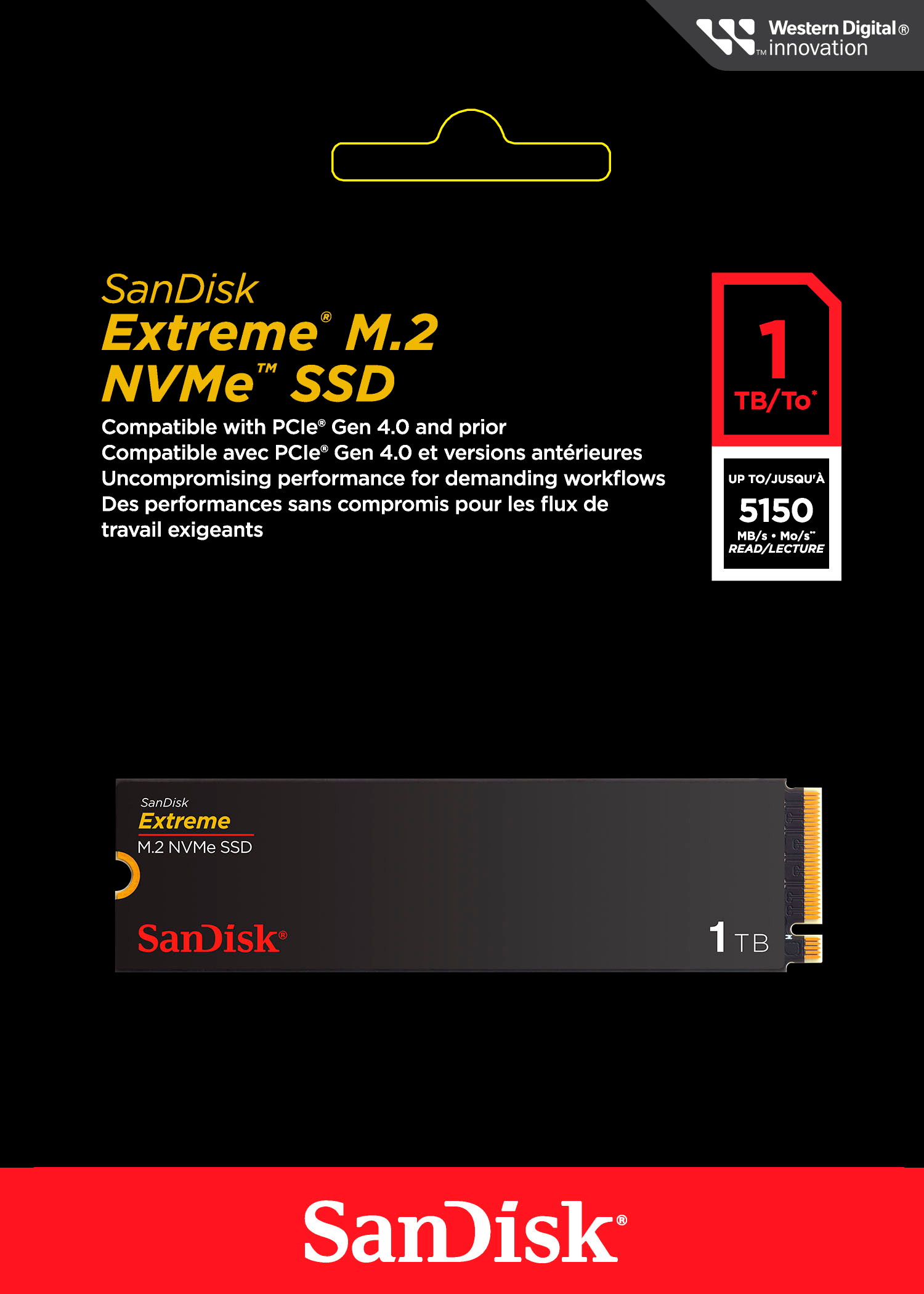
|Posted .This reviewer received promo considerations or sweepstakes entry for writing a review.This is a 4th Gen NVME M.2 SSD. It's rated for Read speeds up to 5150 megabytes per second and write speeds up to 4900 megabytes per second. In my tests I was getting results of 5278.98 read and 4991.96 write speed. Who can complain about a device EXCEEDING it's advertised speeds? Definitely not me! So while it's not the fastest on the market, it's definitely worth of your attention and time for the price. I'm utilizing it on a gaming machine as an add-on storage drive since my original 1TB drive was getting a bit cramped. Sandisk (and it's owner Western Digital) to me has been a go-to for many years for my storage needs , ranging from MicroSD cards for phones, cameras and dash-cams to hard drives and them more recently SSDs and I have total faith in their storage products. I've yet to see a failure on any of their devices where i lost data (BE SURE TO BACK UP YOUR DATA IF YOU NEVER WANT TO LOSE IT!), and have total confidence in recommending them to you and anyone else looking for storage solutions.
I would recommend this to a friend - Pros mentioned:Storage
Lots of space in a small package!
||Posted . Owned for 1 month when reviewed.This reviewer received promo considerations or sweepstakes entry for writing a review.Made my used laptop with a small drive like new again with plenty of storage space.
I would recommend this to a friend - Pros mentioned:Installation, Performance, Speed
Another Huge Leap For Western Digital
|Posted .This reviewer received promo considerations or sweepstakes entry for writing a review.As with any take-aways regarding computer memory, hard drives, etc., the bottom line is always, “Does it make a difference in speed?” Many reviewers like to throw around a bunch of benchmark tests and results, comparing numbers that to the average user don’t make much of an impression. But what does make the impression is a noticeable increase in speed. Before I received the SanDisk Extreme M.2 1TB Internal SSD PCIe Gen 4x4 NVMe, (wow, that’s a mouthful!), I was generally happy with the performance of my desktop. I do a lot of video/photo editing and production, and it’s important in many ways to have enough memory with sufficient read/write speeds to get the job done. So the question to answer here is, does the SanDisk Extreme live up to its hype? I fell in love with Western Digital decades ago when they blew the tech world away with their incredible hard drives. So i had very high expectations here as well. There are times when how the product was shipped, that is, how it was packaged for shipment. And I typically consider this issue when writing a review. But that isn’t really a factor in this case. Even with the often brutal handling of packages these days by delivery companies, SanDisk packaged the memory so that it is practically immune from shipping damage. Installing the memory took very little effort. All I had to do was loosen a couple of screws, and the side of the computer came right off. Locating the appropriate slot was easy, and installing the memory stick was nothing more than a matter of inserting it into its slot. There’s only one way it can be inserted, so there isn’t any worry about inserting it wrong. If you are not really sure about how to install an M.2 card, there are plenty of videos and discussion boards to help you along. After installing, I went through the formatting process which took very little time, and I was ready to put the SanDisk to a test. As I stated at the beginning of this review, photo and video editing is my primary use of this particular desktop computer. Over the years I have ridden the wave of faster performance, and have tried out various solutions for being able to do my work faster. Nanoseconds may be insignificant when dealing with simple tasks such as cropping a photo or deleting unwanted video segments. But when your needs become a bit/lot more memory intense, those nanoseconds coupled with memory capacities can turn those nanoseconds in several seconds. None of us like sitting through buffering wait times. I use high-end video editing software. My desktop did a very good job at keeping up, but when performing certain renderings, I have noticed some minor bogging issues. What better way to test out the new memory, right? Holy cow! The speed upgrade was immediately evident. Even the speed with which the software opened up was noticeable! As I opened up a particular file, and began playing around with some of the features, there was an incredible difference in rendering speeds! I am trying not to overly exaggerate, but the differences are so noticeable that its difficult not to. I played around with several other software packages, and was blown away by the speed with which they operated. With 1 TB of storage capacity, and the insanely fast read/write speeds, I have definitely achieved a new milestone in my ability to work MUCH faster than before. As I stated before, the true test is in performance. You can be impressed by all the technical specs, but I am much more impressed by the performance. The SanDisk Extreme M.2 1TB Internal SSD PCIe Gen 4x4 NVMe memory performed so much better than I dreamed possible. Everything was faster. Bottom line. Much, much faster. There were no installation issues, no heating issues, no performance issues. All I encountered were simply amazing results. Thank you Western Digital!! If you have any doubts about the SanDisk M.2 internal SSD, lay them all aside. It is definitely worth the small investment.
I would recommend this to a friend - Pros mentioned:Performance, Speed, Storage
Good drive
|Posted .This reviewer received promo considerations or sweepstakes entry for writing a review.Seems like a pretty good drive so far. I'm not really a proffesional (how do you spell that?) photographer but I do like to take a lot of pictures and videos and usually do some editing on them. This can require a fair amount of hard drive space and speed to be more productive. While this may not be the fastest in rated speeds it is still quite fast and seems plenty fast for this purpose. Some rated speeds seem a bit overblown anyway especially with larger files which often slow down as the transfers take longer. This one is made by SanDisk which is a well known brand and quite reliable. They were bought out by Western Digital awhile back which is another good brand which I have trusted for a long time. I have used a lot of hard drives over the years and I prefer Western Digital drives above the others for long life and reliability as well as speed. They just seem to keep on working well. Easy to install as are most m.2 drives if you have an open slot. I put it in my acer i5 laptop which came with a 512 Gb drive but had another slot for an additional m.2 drive so this drive gave me much more space to play with. I also installed quite a few music mp3's and so far it works well. The packaging was kind of surprising as it is quite minimalist (?). It seems to offer less protection than other drives I've purchased but still arrived in very good condition via usps and functions fine. A bit less waste for the landfill is always good.
I would recommend this to a friend - Pros mentioned:Installation, Performance, StorageCons mentioned:Heat
Super fast SSD. Games & Content creators
|Posted .This reviewer received promo considerations or sweepstakes entry for writing a review.Added this card to an empty PCIe slot in my desktop. Install took seconds and it was ready to go. Speeds for processing and rendering video for Youtube took very little time. Even clips with complex graphics and 3D rendering took a fraction of the usual time. Does not come with a heatsink, instead it's encased in a Sandisk cover that I'm guessing is supposed to help disperse heat. My first uses of it generated quite a bit of heat, but not enough to cause me to worry. If you are using it for long stretches, then it might be worth looking into ways of cooling the SSD. Adequate for gaming as well, though I didn't do much with it for that. Tried Ratchet and Clank (which uses the SSD for game effects) and didn't notice any slowdown or clipping. Worked fine. Mostly I'll use this card for photo and video rendering, and for both it works like a charm. 1TB is large enough for most 1080p projects and short 4K products, depending on the encoding one uses. Overall a solid product, as usual, from the gang at Sandisk.
I would recommend this to a friend - Pros mentioned:Installation, Speed, Storage
Easily installed for more storage space.
|Posted .This reviewer received promo considerations or sweepstakes entry for writing a review.Sandisk Extreme 1 TB size SSD M.2 NVME So what was needed for the Windows 11 gaming laptop being used was more capacity for games, movies, pictures and files. Since my gaming laptop I use as my main computer (due to the fast response and the powerful Nvidia GeForce 4060 video GPU) has space for a second NVME M.2 module this SanDisk easily tripled my capacity from the 512GB that the computer came with to a total of 1.5TB after this SanDisk was installed. I carefully opened up my laptop and carefully installed this M.2 module. My laptop was good enough to have the tighten-down retaining screw on the M.2 slot location for this second NVME and therefore installation was quick and easy. I just had to find my small screwdrivers set but after I found that the M.2 module just snapped in with the gold connecter end and was secured down with the screw. Windows 11 on my laptop recognized it on the next power-up and I see the additional drive letter in my File Explorer matrix. As a photographer (an amateur photographer "plus" who almost always carries a bag or backpack with a DSLR in addition to a smartphone for pictures) the added storage space on my laptop is appreciated. The SanDisk Extreme M.2 produces very fast response when transferring camera or phone pictures to the laptop via USB cable as well as when opening saved images. While using several image cropping/manipulation/editing programs the response never lags or stutters when using the SanDisk M.2 as the main storage destination. For now, for my needs, it has ample space for photos, music, some videos, and some documents with the capacity of 1TB. SanDisk provides a 5 year warranty. Keep your proof of purchase should the need arise to enforce said warranty. Strongly recommended.
I would recommend this to a friend - Pros mentioned:Performance, Storage
Super Fast
|Posted .This reviewer received promo considerations or sweepstakes entry for writing a review.This drive is extremely fast. I have a SSD already in my laptop, I use it for image and video editing while I am out and about. The laptop I have is high end and has some of the best components available on the market. No it is not an Apple product. I needed a second SSD that performed at or near the level of the preinstalled drive. The preinstalled drive is rated in the 9th percentile based on the following command run from Windows admin command line. winsat disk -drive c This drive had slightly better stats than the C drive that came with the laptop. It still ranked 95th percentile. Used the following commad: winsat disk -drive d My disk results from Passmark actually improved after adding this SSD drive just slightly. Tests are great but real world performance is what matters. I am still seeing the same response and speed I am use to before adding the SSD drive. While it has not improved my productivity, it has given me the extra space I required and I am not losing performance like I was when using a external drive after I filled a good portion of my C drive. Overall this is a great addition that has given me the space I need without costing me speed during my editing. Plus I don't have a drive dangling off my laptop with my archived images. One wish I have for all internal SSD drive makers. Add a screw in the packaging. I had to dig through my spare parts and get one from an old laptop that had a bad motherboard. I keep old hardware just in case I need a part. Highly recommended addition to any laptop or desktop that has extra onboard SSD slots.
I would recommend this to a friend - Pros mentioned:Speed, Storage
Easy install and setup, perfect for content
|Posted .This reviewer received promo considerations or sweepstakes entry for writing a review.This is a great and super fast NVME Hard Drive. It was easy to install and setup, and within a minute it was formatted and ready to go to my computer. I create a lot of content and needed the speed boost doing that as well as additional space. Overall, I am highly satisfied with the quality in this SanDisk SSD. All you need is an open NVME slot and you're good to go. Transfer speeds have been grade and of course the extra storage comes in handy. I found the build quality to be good as well. Even though it's going internally in a computer, it has a nice design to it and looks really great, so perfect if you have a clear case too. Testing the read write speed has read speeds consistently around 5000 mb as advertised and just shy of that for write speeds. It also comes with a 5 year warranty for peace of mind. Overall, I'm really happy with the drive and will likely look to purchase a higher capacity one in the future. It also was detected right away by Windows, making the setup even easier.
I would recommend this to a friend