Rating 4.9 out of 5 stars with 49 reviews
4.9- Speed (27)
- Storage (14)
- Performance (13)
- Installation (8)
- Warranty (6)
- Heat (6)
Customer Images
The vast majority of our reviews come from verified purchases. Reviews from customers may include My Best Buy members, employees, and Tech Insider Network members (as tagged). Select reviewers may receive discounted products, promotional considerations or entries into drawings for honest, helpful reviews.
- Rated 5 out of 5 stars
Great storage
This thing is great i really needed more storage and didnt want to break the bank the price for what you get is a steal if you need for storage i recommend getting sandisk
Posted by SijjadM
- Rated 5 out of 5 stars
Quick, Powerful, and Efficient.
Runs buttery smooth on my desktop pc, with quick retrieval speeds and smooth operation for my high tiered specs. I would highly recommend this SSD for anyone seeking an efficient but highly powerful storage device.
Posted by Avery
- Rated 5 out of 5 stars
Extreme Excellence
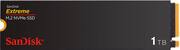
The 1TB Sandisk Extreme M.2 NVMe PCIe Gen 4 SSD (Sandisk) lives up to its speed claims and is a terrific choice. My specific use for it is to edit photos with Adobe Lightroom and Photoshop and occasionally 4K video with Final Cut Pro. I can easily end up with 1,000+ pictures after a photo session. With so many files it’s a chore to cull, organize, and get them print or display ready so I like to be able to push through the process as fast as possible. That means using a fast drive that won’t choke on a high data, fast-paced workflow. When the internal SSD on my MacBook Pro is already full of other projects I have to use a supplemental external drive. Unfortunately, no pre-built external SSD is fast enough for my needs, so I construct my own by installing a speedy internal SSD into an also fast 40Gbps USB4 external enclosure. In this instance I used the 1TB Sandisk Extreme M.2 NVMe PCIe Gen 4. In choosing an SSD for photo editing I want four things: 1. A trusted brand, backed up by a long-term warranty, 2. Fast, but not record breaking, speed, because I can’t benefit from the very fastest models, and 3. It doesn’t get blazing hot just editing photos. On paper at least, the Sandisk filled the first two requirements with a 5-year warranty and advertised 5150 Mb/s read and 4900 Mb/s write speeds. Impossible to know about the heat until you use it. So, I initialized the Sandisk as an ExFAT drive for multi-platform compatibility and put it through the paces to confirm it was what its advertised to be and that it didn’t get too toasty. Using Blackmagic’s Disk Speed Test, the Sandisk proved it was everything it claimed to be and more as it exceeded the advertised speeds. I used the toughest stress test Blackmagic offers, 5GB, and it performed magnificently: 6272 Mb/s write and 5090 Mb/s read. Expectedly, the test indicated the Sandisk is capable of editing common flavors of 8K video and a few of 12K too. This is what I mean by my not needing the very fastest – the ability to edit even a few kinds of 12K video is already well beyond my needs. Of course, Blackmagic’s test is only theoretical, but my real-life experience mimics the Sandisk’s reported speed. For example, it took 4 seconds to transfer a 12.6 GB folder of photos from my M3 MacBook Pro to the Sandisk. (The SSD in the M3 MacBook Pro is similar in speed as the Sandisk so YMMV if you your internal drive is slower than the Sandisk). Photo editing with Lightroom and Photoshop (2024 version) on the Sandisk also feels as smooth as when I edit with the Mac’s internal SSD. Scrolling through hundreds of 36MB RAW photos goes almost too fast and even computer taxing edits like the new Lens Blur feature completes nearly instantly. Basic edits like exposure and dehazing are immediate even when done in rapid succession of each other. Also, I never experienced any “start and stop” that can happen when a drive hits a data bottleneck processing read and write tasks. So that brings me to that one “must not have” – excessive heat. Since I don’t have a thermal camera or similar tools, so, I had to resort to the “hand test.” If my hand is comfortable resting on the case then it’s “normal” heat. And that’s what I encountered after hours of constant use. My SSD enclosure’s temperature was hand warmer, but not an egg cooker. A wild guess of the temp I experienced here is somewhere in the 80F range. Next I disconnected the enclosure to feel the temperature of the Sandisk itself. It was many degrees cooler than my enclosure case which tells me my enclosure was doing its job being an effective heat sink and this SSD seems to keep to “average” SSD temperatures. Speaking of heatsinks, this Sandisk SSD model doesn’t have one built-in, making it ideal for upgradable laptops and external enclosures where space is tight. This Sandisk model is ideal for anyone who edits photos or videos or needs a fast “mid-range” SSD and has a computer or external enclosure than can take advantage of Gen 4 PCIe speed. It would probably also work well as a boot drive, but overkill for just storing files.
Posted by TechO
- Rated 5 out of 5 stars
Blazing Speeds Boost Productivity and Creativity
I'm a tech enthusiast who dabbles in everything from video editing to casual gaming. My 5 year old laptop started feeling moving like molasses. I decided to upgrade the storage to the Insignia Western Digital Extreme M.2 1TB Internal SSD. This SSD is where it truly shines. Booting up my computer now takes mere seconds now, applications launch in a blink, and even large file transfers happen at warp speed. Compared to my old HDD, it's like night and day. PCIe Gen 3 speeds (up to 3,300 MB/s read) they make a noticeable difference in daily tasks. 1TB provides me ample space for my OS, essential programs, and a decent game library. I can finally store those high-resolution photos and videos without worrying about filling up the drive anytime soon. Now, I'm not the most tech-savvy person, but installing the SSD was surprisingly straightforward. The included instructions were clear, and the process took less than 30 minutes. Bonus points for Western Digital's downloadable software that helped with migration and optimization. After using the Insignia Western Digital Extreme M.2 1TB Internal SSD, I'm thoroughly impressed. It's injected new life into my old computer, offering significant speed improvements and ample storage. If you're looking for a performance boost, this SSD is definitely worth considering. Just make sure your system is compatible and you're aware of the potential trade-offs due to the lack of DRAM cache.
Posted by Nicole30
- Rated 5 out of 5 stars
Fast drive, great for large media files
I am an amateur video editor, mostly editing home videos with my kids. I am often manipulating, transferring tens of GBs of files and having a fast drive with ample storage is an absolute must in my computer. I’m using an ASUS Creator Laptop that has a 1 TB SSD built in. But that space has been filled up with games and videos. Luckily, it has an extra SSD slot, and this SanDisk Extreme fits and works perfectly. This drive technically works with a PS5, but you would need to add a heatsink. The form factor allows you flexibility in terms of whether you would install it on a laptop or a desktop. INSTALLATION For the uninitiated, installing/replacing an SSD in a laptop is pretty straightforward but it requires a few steps. First, you should do some searching to make sure your laptop has an extra slot (if you’re replacing your drive, that’s a little more complicated). But assuming you have an extra slot, you must first use the appropriate screwdriver to remove the back plate. From there, most computer manufacturers have an open slot that’s easily accessible (mine did). You simply slide the drive in and then secure it with a M.2 screw (my computer didn’t have one, I had to supply my own). Once it’s installed, you do have to go into your disk manager to format it and give it a drive letter (if you search online you’ll find those specific instructions). Bottomline, it’s easy, even for a first timer just do a little research beforehand. USE and PERFORMANCE I have my computer set up for 2 separate drives. The original SSD included and the SanDisk extreme. On an anecdotal note, other than having two separate drives to save things to, I saw absolutely no drop in performance at all. I transferred a file folder containing 60+ GBs of videos and it took about 30 seconds. The transfer rate was some 1.68 GB/s. It was impressive. With 1 TB in size, I’m spending more time editing videos/photos than I am transferring data. And I’m able to run all my Adobe apps straight from the SanDisk drive. Again, there was no performance drop off compared to me editing from the SSD that was built in. I ran CrystalDisk and was getting 4127.39 MB/s read speeds and 3578.11 MB/s write speeds. I was getting real time performance close to the advertised speeds. I cannot emphasize how nice it is to be able to move all this data in a flash. The price is higher than other SSDs, but it’s well worth it both in terms of performance and the quality of the drive. SanDisk is a well known data manufacturer so you know you’re getting a quality drive. CONCLUSION There’s not a whole lot else to say. This drive is a great blend of price, quality, and size. The performance is phenomenal and is great for moving large files and working off it. And its form factor allows you to install it in most machines.
Posted by callmeageeth