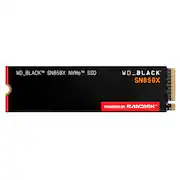
Rating 4.9 out of 5 stars with 527 reviews
4.9Customer Images
The vast majority of our reviews come from verified purchases. Reviews from customers may include My Best Buy members, employees, and Tech Insider Network members (as tagged). Select reviewers may receive discounted products, promotional considerations or entries into drawings for honest, helpful reviews.
- Rated 5 out of 5 stars
WD-BLACK SN850X 4TB Internal SSD PCIe Gen 4x4 NVMe
I purchased the WD_BLACK SN850X 4TB NVMe PCIe Gen 4 SSD as part of my transition from a long-time Windows workflow into a modern Mac-based creative and virtualization environment, and after moderate real-world use, I can confidently say it has lived up to the hype. I would absolutely purchase it again. The first thing you notice is the speed. Applications launch almost instantly, large files transfer quickly, and the entire system feels more responsive. I use this drive for media storage, virtualization, backups, audio libraries, and general high-performance workflows, and it handles everything effortlessly. What impressed me most is that the performance is obvious in everyday use, not just in benchmarks. Whether moving large project files or working with virtual machines, the SN850X consistently feels fast, stable, and reliable. The 4TB capacity was another major selling point. As someone consolidating years of data and planning for future expansion, having this much ultra-fast storage available removes a lot of workflow limitations and constant space management. I paired the drive with a quality Thunderbolt enclosure for use with an Apple Silicon system, and setup was simple. The drive initialized immediately and has remained dependable throughout use. Thermal performance has also been very good. One major factor behind this purchase was the current SSD market situation. High-capacity NVMe drives have become harder to find, and prices on premium models like this have increased dramatically — sometimes double or triple previous pricing. Because of that, I genuinely felt fortunate to secure this drive when I did. Even at the elevated price, it still feels like a worthwhile investment. Western Digital clearly designed the WD_BLACK line for demanding users who need both speed and reliability. Whether for gaming, creative work, virtualization, or high-speed external storage, this drive performs exceptionally well. After moderate use, I can honestly say the WD_BLACK SN850X 4TB delivers on its promises. It is fast, stable, spacious, and confidence inspiring. Despite the higher market prices, I do not regret the purchase at all and would absolutely buy it again.
This review is from WD - BLACK SN850X 4TB Internal SSD PCIe Gen 4 x4 NVMe
Posted by christozzi
- Rated 5 out of 5 stars
High end nvme for gaming needs
Excellent price for a high end nvme. I got this for my gaming laptop and it performed well. Specs is right up there with the best of the best. I was also able to get it during the sale and got it for pretty low price right before the new year. Prices for ssd are excepted to drop, but for now I should be good for plenty of games on my gaming laptop. Speed is very fast. See picture of the crystalmark. Definitely not the fastest at sequential, but the IOPs is out of this world and that is what really matters when you are doing a lot of small random files. I highly recommend this for anyone who wants the best right now for a reasonable price. My only gripe is this is a 2 sided nvme meaning there are flash chips on both sides of the board. This might not be a big issue for some but for me, it made the chip a bit chunky. I compensated on my laptop by not screwing it too tightly and use light threadlocker to prevent the screw from coming loose.
This review is from WD - BLACK SN850X 4TB Internal SSD PCIe Gen 4 x4 NVMe
Posted by AIGamingCryptoBot
- Rated 5 out of 5 stars
Will speed your system up more than anything else.
Okay, there is not much to review. Just pop them into your Gen 4 slot (Gen 3 will work but be slower) and away you go. It is super easy and if you have to force it, it may not be the right type. These things are rockets even compared to your SATA connected SSDs. It made more of a difference in speed on my system than did 64GB of RAM, or a top of the line Intel I9. This is the best upgrade you can put in your system as hard drives are a choke point for data. I recommend a small drive for your OS drive. 500GB will suffice in most cases even if you have a lot of apps but I went with a 1TB because that was the smallest I could get. I then put in two 4TB drives for DATA storage. The reason you want to keep the OS drive small is so you can make backups on the DATA drive. You can partition the large one down for the OS drive but be careful restoring the OS. If your system supports Gen 4 or Gen 3 these are a great option for speed!
This review is from WD - BLACK SN850X 4TB Internal SSD PCIe Gen 4 x4 NVMe
Posted by DarvinA
- Rated 5 out of 5 stars
One of the fastest Gen4 M.2 Drives available
Installed the drive with a Thermalright HR-09 2280 SSD Heatsink to keep the heat down and try to maintain the longevity of the drive. With the heatsink installed, the drive idles around 100F and I saw it go up to 137F while running CrystalDiskMark. After installing the first thing I did was install the SanDisk Dashboard software to check for a firmware update but the drive came with the latest firmware. You can buy faster Gen5 M.2 drives, but unless your computer supports the faster protocol, it will just default back to Gen4 speeds. Don't bother. So far quite impressed with the drive. Would recommend.
This review is from WD - BLACK SN850X 4TB Internal SSD PCIe Gen 4 x4 NVMe
Posted by MrBe
- Rated 5 out of 5 stars
Top-Tier Performance with WD BLACK
### Top-Tier Performance with WD BLACK SN850X 4TB Internal SSD The WD BLACK SN850X 4TB Internal SSD is a powerhouse storage solution that’s perfect for gamers and professionals who need speed and reliability. Here’s why this SSD is a top choice: #### Blazing Fast Speeds The SN850X delivers exceptional performance with sequential read speeds up to 7,300MB/s and write speeds up to 6,600MB/s. These speeds ensure rapid load times for games and applications, making it one of the fastest SSDs on the market. It significantly reduces latency, providing a smoother and more responsive computing experience [oai_citation:1,WD BLACK SN850X SSD Review - StorageReview.com](https://www.storagereview.com/review/wd-black-sn850x-ssd-review) [oai_citation:2,WD Black SN850X review](https://www.pcgamesn.com/wd/black-sn850x-review). #### Enhanced Gaming Features Equipped with Game Mode 2.0, this SSD optimizes performance for gaming by reducing load times and improving in-game responsiveness. While the exact workings of Game Mode 2.0 are somewhat mysterious, it ensures the drive is always ready to deliver top performance during your gaming sessions [oai_citation:3,WD BLACK SN850X Review: A Solid NVMe SSD | Dong Knows Tech](https://dongknows.com/wd-black-sn850x-review/). #### Reliable and Durable The SN850X is built with TLC NAND and a robust WD 20-82-20035-B1 controller, ensuring long-lasting durability and consistent performance. It comes with a solid five-year warranty and an endurance rating of up to 2,400TBW (terabytes written) for the 4TB model, providing peace of mind for heavy usage scenarios [oai_citation:4,WD Black SN850X review](https://www.pcgamesn.com/wd/black-sn850x-review) [oai_citation:5,WD BLACK SN850X Review: A Solid NVMe SSD | Dong Knows Tech](https://dongknows.com/wd-black-sn850x-review/). #### Efficient Thermal Management While the SN850X does run hot under heavy loads, it features efficient thermal management to prevent throttling. Users can opt for the version with an integrated heatsink, which helps maintain optimal temperatures even during intense operations. This makes it a great choice for high-performance builds and gaming rigs [oai_citation:6,WD BLACK SN850X SSD Review - StorageReview.com](https://www.storagereview.com/review/wd-black-sn850x-ssd-review) [oai_citation:7,WD Black SN850X review](https://www.pcgamesn.com/wd/black-sn850x-review). ### Final Thoughts The WD BLACK SN850X 4TB Internal SSD is an excellent choice for anyone needing fast, reliable, and high-capacity storage. Its top-tier speeds, gaming optimization features, and robust build quality make it ideal for gamers and professionals alike. Whether you're looking to reduce load times or enhance overall system responsiveness, this SSD delivers impressive performance. Feel free to share this review to help others discover why the WD BLACK SN850X is a fantastic upgrade for any high-performance setup!
This review is from WD - BLACK SN850X 4TB Internal SSD PCIe Gen 4 x4 NVMe
Posted by SimpleJustice