Customer Ratings & Reviews



- Model:
- 601-178-03-102-NA
- SKU:
- 6558789
Rating by feature
- Value
Rating 4.2 out of 5 stars
- Quality
Rating 4.4 out of 5 stars
- Ease of Use
Rating 4.2 out of 5 stars
Customers are saying
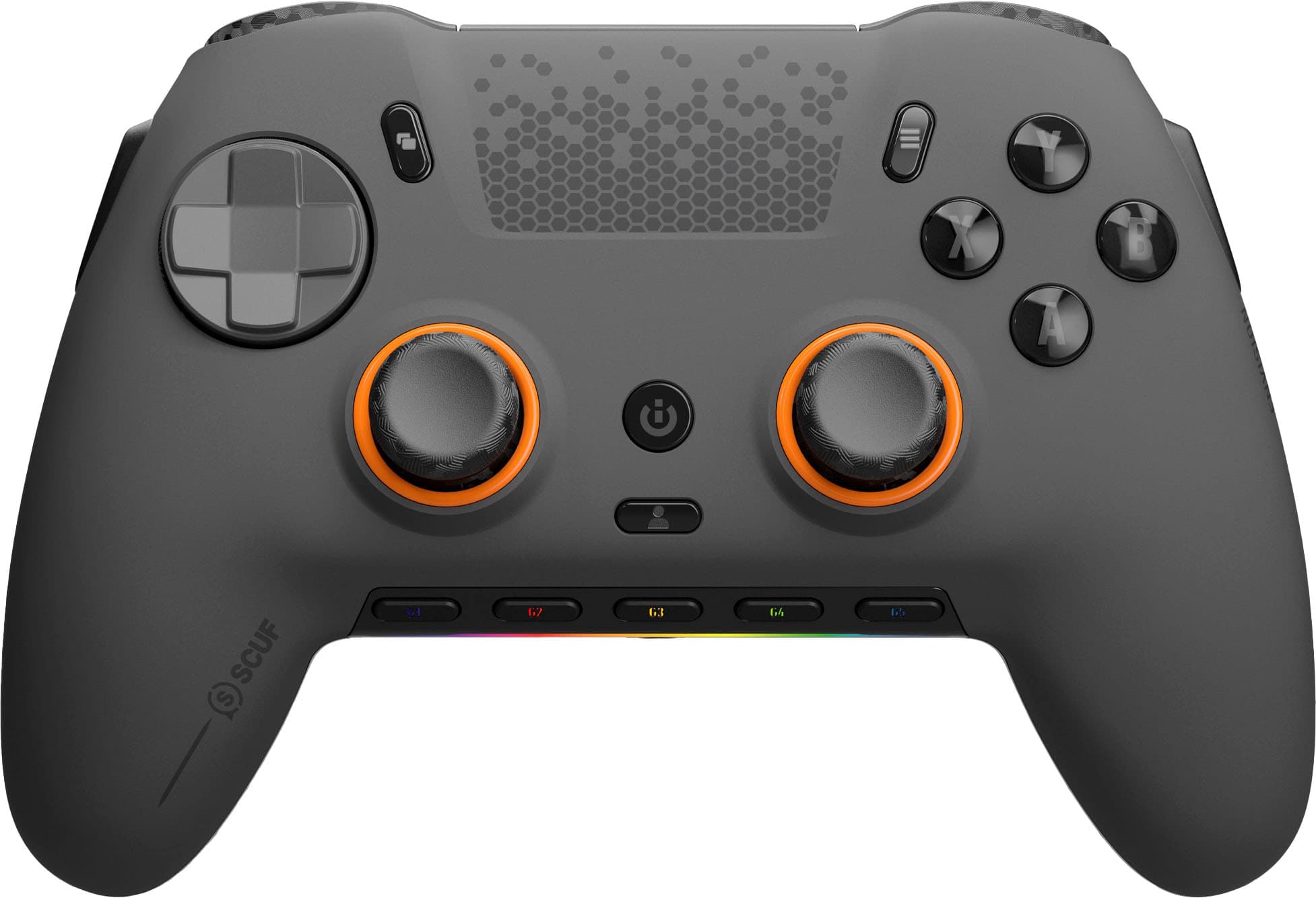
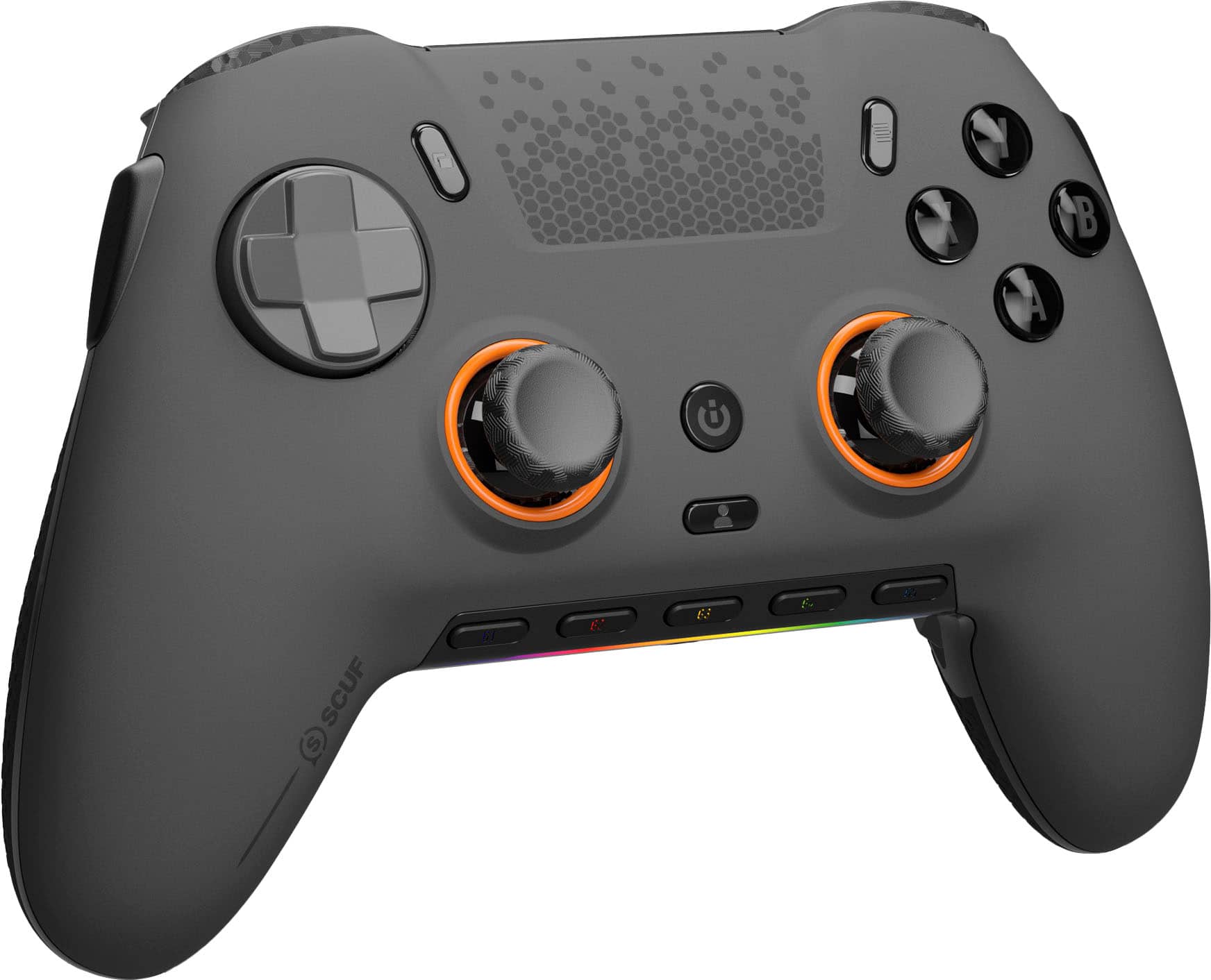
Customers admire the ENVISION PRO V1 Wireless Gaming Controller for PC's overall performance, programmable buttons, ease of use, customization options, and solid feel. However, some customers have expressed concerns regarding the software, stick drift, connectivity, battery life, and price.
This summary was generated by AI based on customer reviews.
Great purchase
||Posted . Owned for 1 year when reviewed.This reviewer received promo considerations or sweepstakes entry for writing a review.Was very hesitant to buying a scuff due to the price but once I got my hands on it I understood the quality and the price. Love how it feels in game quilts is amazing
I would recommend this to a friend- Pros mentioned:Overall performanceCons mentioned:Software
Almost Perfect
||Posted . Owned for less than 1 week when reviewed.This reviewer received promo considerations or sweepstakes entry for writing a review.This could be a really great controller if the software wasn't involved. The icue software is not that good, bugging and has issues. If you can get around the software this could be the best controller on the market.
I would recommend this to a friend - Pros mentioned:ButtonsCons mentioned:Software
200 for garbage
||Posted . Owned for 1 week when reviewed.This reviewer received promo considerations or sweepstakes entry for writing a review.Icue software sucks was only able to get the controller to work after I turned it off. Then came another problem the bindings wouldn't stay because of said software. The left thumb stick after about a week got a little stiff when pulling down. Buttons felt great and the short triggers were awesome and easy to use it's a shame the software was bad because the led lights were pretty.
No, I would not recommend this to a friendBrand response from Corsair
Posted .Hello,
Please allow our team to help out with this, they can be reached out to directly right on our site at any time.
-Art
- Pros mentioned:Ease of use
Awesome product
||Posted . Owned for 1 week when reviewed.This reviewer received promo considerations or sweepstakes entry for writing a review.Response time compared to my Xbox Scuf is much faster. Overall feel and comfort of the controller is much better imo. Easy set up and very easy to take apart and change the faceplate and buttons, thumb sticks and triggers. The G keys are good to have as well. Also cheaper than buying a Xbox or PS5 one as well.
I would recommend this to a friend 
So close
|Posted . Owned for 2 months when reviewed.This reviewer received promo considerations or sweepstakes entry for writing a review.[Employee of bestbuy] Ive owned a lot of controllers and this is possibly one of my favorites. I had a few Xbox Elites but they all had stick drift, “A” buttons stopped working, and “bumpers” would stick. The only problem Ive had with this controller is a “bumper” going out from holding it down to hard over a long period of time. Thankfully the Geek Squad Protection covers this so I just walked into the store and got a brand new one. Corsair software has always been a hit or miss and although I havent had any specific issues with the controller I have had to uninstall the software and redownload it to fix my fans/updates. If Scuf made this controller with anti drift hall affect sticks itd be the best. At the time of writing this review they have actually announced the valor pro with this feature so if Best Buy starts carrying them this is what I would recommend instead!
I would recommend this to a friend- Cons mentioned:Software
Great potential, ruined by software and design.
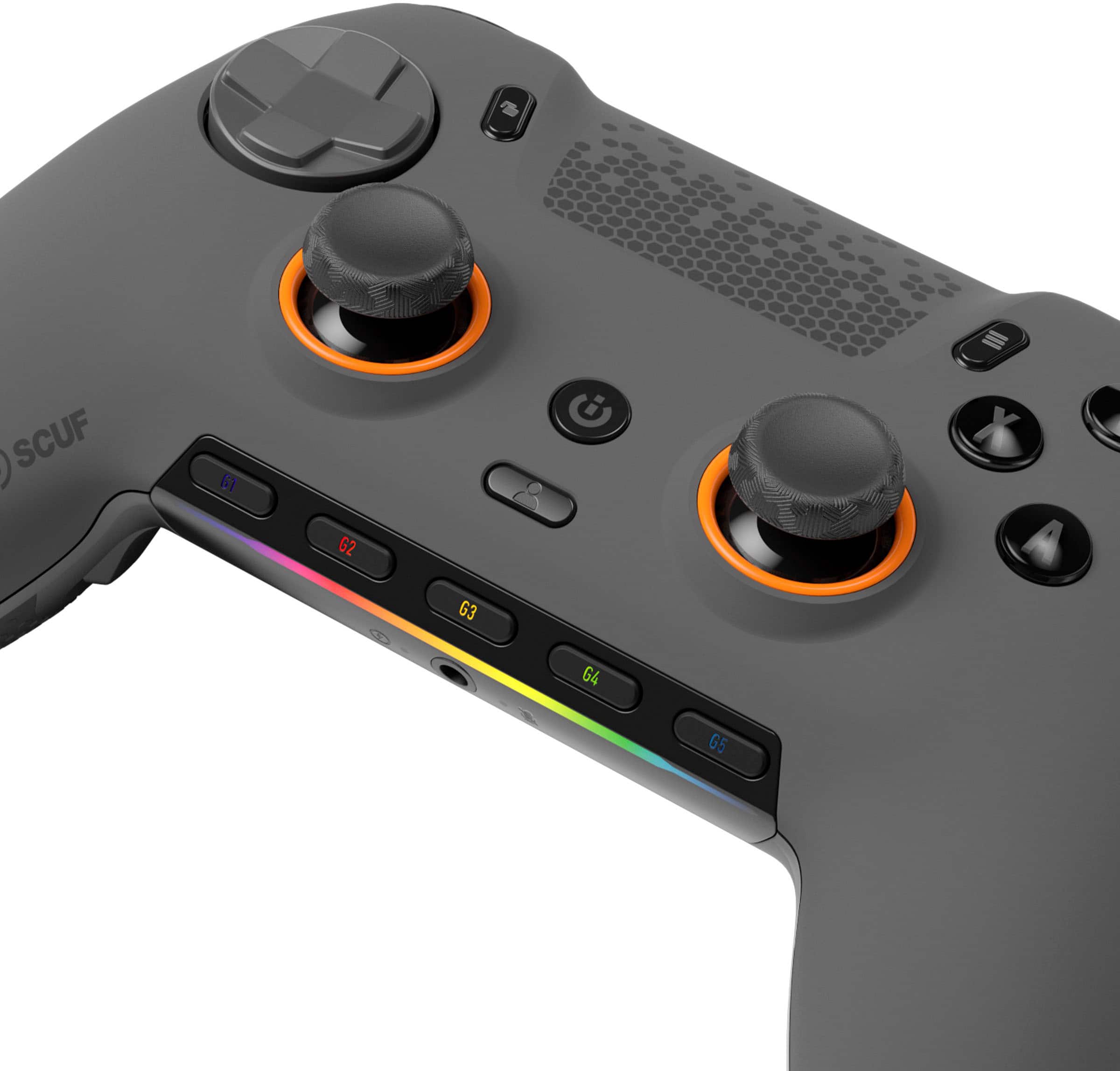
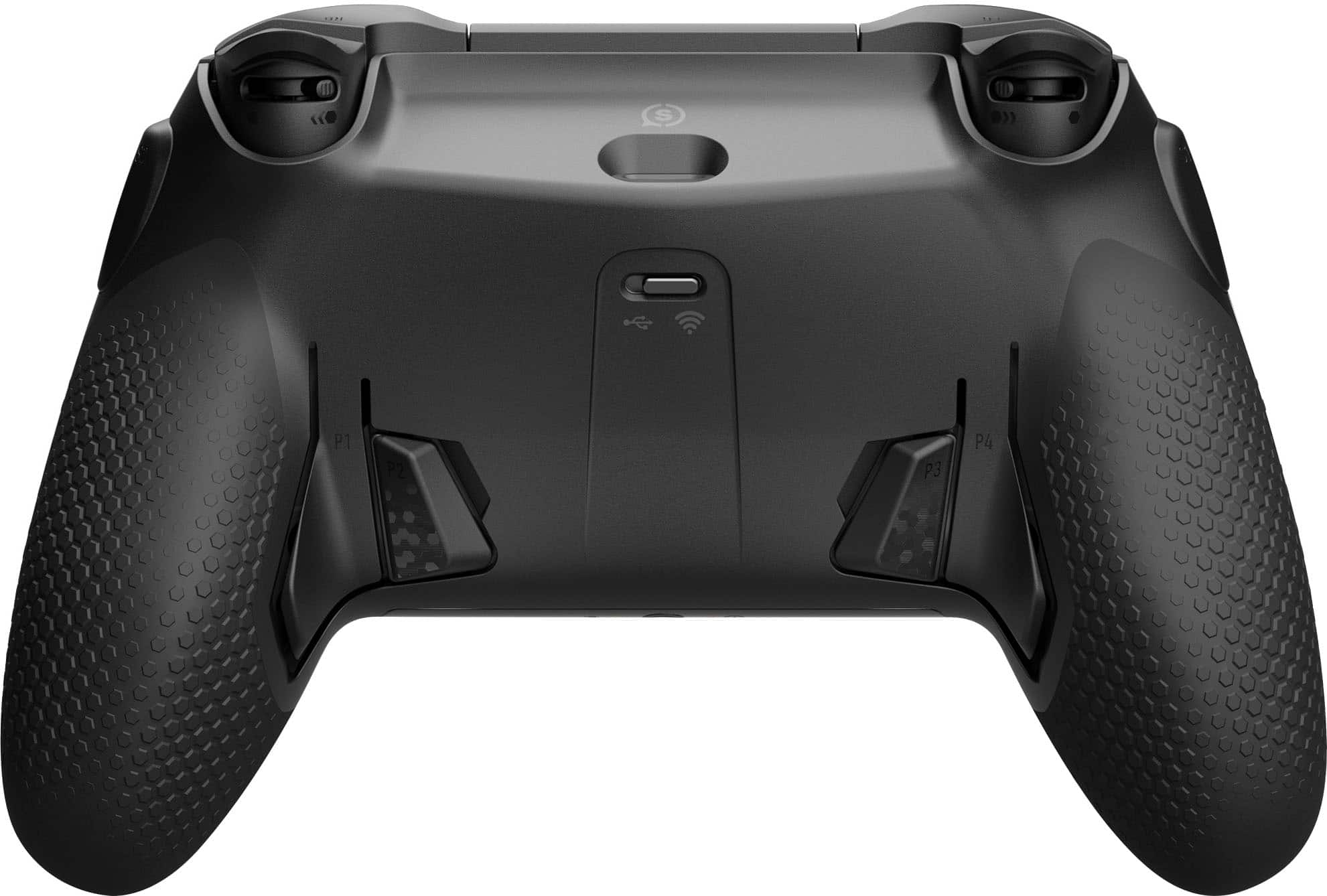
||Posted . Owned for less than 1 week when reviewed.This reviewer received promo considerations or sweepstakes entry for writing a review.I purchased the Scuf Envision Pro because of my experience with the Playstation 4 Scuf Vantage. I had fallen in love with that controller and, in particular, the side buttons. They were game changing for me as someone that predominately played single player games. I use the extra buttons to map some, admittedly, strange binds like the d-pad. This allowed me to use the menu while moving in games like Kingdom Hearts without having to use a different and awkward grip. Seeing the Scuf Envision Pro I saw the same potential and more. The extra 11 buttons were a main factor in the purchasing of this controller, but the process of setting it up with the iCue software should have been simple enough. The troubles with this controller begin with Corsair’s iCue software. I am a fan of corsair keyboards, so I am familiar with this software and how incredibly unintuitive it is. I was not prepared for the headache that awaited me when I tried to set this controller up. I open my current version of Corsair iCue and it fails to detect the controller so I restart the software and try again. It fails to detect the controller. I restart my PC entirely, because maybe it installed the driver and didn’t refresh. Once again, it fails to detect the controller. After it fails for the third time I attempt to uninstall my current iCue software and reinstall the latest version. Unfortunately, I find that iCue is broken beyond belief. The program doesn’t show up in “Add or Remove Programs” at all and the uninstall apps section in the Windows settings menu only has greyed-out options for the software. Being unable to do this through an automated process, I try going into the install location on my computer and using the uninstaller only to be greeted by an error. I then try to go rerun the installer and repair the program so I can uninstall it, and face the same error again. I try to delete the folder in its entirety and am told it is being used or opened by another program, despite no services related to iCue running or programs accessing it. Nothing worked, so I had to boot into safe mode in order to manually delete installation folder, then reboot into normal Windows to reinstall the program. Even doing that had a bug in which I had to click uninstall for it to install. All of this was just to set up the controller and get the software to utilize the additional buttons. Normally, when I have to use iCue, I open it and set up my keyboard, check for firmware updates, and save my configuration to the device memory. This way I am not forced to keep iCue running. When setting up the Envision Pro, I do my normal process and find that I am unable to use the extra G-keys when in device memory mode. Out of the additional 11 programmable buttons, only six are programmable in device memory mode. The G keys are preset and locked to basic volume controls and mic muting. I couldn’t even disable them while in device memory mode. The only way to actually use the G keys and program them to more unique bindings is to keep iCue running in the background and have it save the controller bindings. Unfortunately, iCue is not very good and allowing it to run in the background introduces numerous bugs with this controller. Granted this is the fault of iCue and not the controller directly. I try letting the iCue software run and play a game for a little bit with the controller after setting it up. The back paddles and G keys stop responding at random and require me to forcefully restart iCue to get them to work again. This happened multiple times in less than an hour. Mixing unreliable button presses with the general design of the controller is a recipe for a frustrating experience. The build quality is good. It feels nice, but does use soft touch plastic. Given enough time, soft-touch plastic begins to feel a bit sticky and grimy and I’m not a fan of it. The basic design of the controller is a bit awkward. It is simultaneously too large and too small. The basic sticks and buttons are positioned well and the buttons are clicky and satisfying to press. The controller comes with two short concave sticks installed and in the box you get a medium and long convex stick. The default short sticks are a bit too short but the longer sticks are good enough. For people with smaller hands, the controller fills too much space near the shoulder buttons where the side buttons are also located. These side buttons are too easy to accidentally press when going to press the L1 or R1 buttons. If you rest your fingers on the triggers, you can accidentally press the side buttons. It happened to me too frequently and quickly became annoying provided the inputs were working to begin with. The back paddles are stiff, uncomfortable, and unreliable. The design digs into the finger used to press the paddles and you have to use a considerable amount of force to press the paddle down. This just makes it uncomfortable to use. One finger can easily press both paddles while getting used to the controller, which leads to more wrong inputs. In both software and device memory modes, the paddles had a noticeable delay when pressing them down and sometimes don’t press activate at all. Simply put, it’s not good. I had this controller for about 12 hours and used it for around four hours before deciding to return it. The basic functions of this controller work well enough, but it is $140-$180.00. If you’re going to spend that much money and only be able to reliably use the basic features you’d be better off purchasing an Xbox or Playstation controller. Once you want to start using the extra features of the controller, like the paddles and side buttons, you start running into considerable issues. These include the iCue software, inability to map some keys except if the controller is in software mode, accidental and unreliable presses on the back paddles and side buttons. For these reasons, I cannot recommend this controller.
No, I would not recommend this to a friend - Cons mentioned:Software
Solids PC Experience
||Posted . Owned for 3 months when reviewed.This reviewer received promo considerations or sweepstakes entry for writing a review.These are great for the pc. The button layout is incredible and very well designed. It feels solid and quality. Losses a point as the iCUE software is challanging. Button assignment logic is confusing, the whole software is confusing and feels clunky. Plus it is always bugging for a firmware that is already updated. The controller itself highly recommended 5 stars. Software 2 stars.
I would recommend this to a friend - Pros mentioned:Buttons
Great for gaming
||Posted . Owned for 10 months when reviewed.This reviewer received promo considerations or sweepstakes entry for writing a review.Highly recommend this controller for competitive gamers. Fast response time, keyboard like clicks of the buttons, and very comfortable in your hands!
I would recommend this to a friend - Cons mentioned:Connectivity
Waste of money
||Posted .This reviewer received promo considerations or sweepstakes entry for writing a review.Purchased this controller to use for my PC had issues with it disconnecting and reconnecting after about 30 to an hour of play. Sent it in for replacement. received the replacement in about three weeks I believe which I don’t know if it was a replacement or the same one fixed. There was no information to let me know what was done. In my opinion it was a waste of nearly $200. I do not use it anymore. I just use my Xbox control controller on my PC very disappointed.
No, I would not recommend this to a friend - Pros mentioned:Buttons
Excellent PC controller.
||Posted .This reviewer received promo considerations or sweepstakes entry for writing a review.Quality controller, highly enjoy the extra buttons and customization that can be utilized through the corsair icue app.
I would recommend this to a friend - Pros mentioned:ErgonomicsCons mentioned:Software
Would Buy Again
||Posted . Owned for 1 week when reviewed.This reviewer received promo considerations or sweepstakes entry for writing a review.The iCue software is the worst part of the controller. The controller it's self is absolutely fantastic. This has been the best Scuf product I have ever owned. Its so smoooth and tactile, the ergonomics are great, the extra button/paddle layout is great. All around great hardware, horrid software. Corsair should release a fix for it soon though, 100% worth buying.
I would recommend this to a friend - Pros mentioned:Overall performanceCons mentioned:Software
The best controller but OK software
||Posted . Owned for 2 weeks when reviewed.This reviewer received promo considerations or sweepstakes entry for writing a review.The quality of the controller is amazing. The software in corsair IQ takes little bit to get the hang of and is a bit buggy at times. but it works once you get everything set to the way you want it
I would recommend this to a friend - Cons mentioned:Software, Stick drift
Great Quality
||Posted . Owned for 1 week when reviewed.This reviewer received promo considerations or sweepstakes entry for writing a review.I have been using the controller for a few weeks now and have no complaints or issues! I read online of stick drift or software problems, but so far I have not come across any. I am coming from the Xbox Elite version one controller, and was considering the version two but went with this instead. I am also playing on PC.
I would recommend this to a friend - Pros mentioned:Overall performance
takes time to get used to if switching from ps4
||Posted .This reviewer received promo considerations or sweepstakes entry for writing a review.took me some time to get used to after switching from a PS4 controller, and I don't regret my purchase.
I would recommend this to a friend - Pros mentioned:Buttons
Scuf Controller
||Posted .This reviewer received promo considerations or sweepstakes entry for writing a review.Great controller for shooter games and Rocket League players. The feel of the controller is fantastic. Has custome lighting makes it look pretty cool and has extra buttons to play with. Highly recommended!
I would recommend this to a friend - Pros mentioned:Customization
Scuff envision pro 1
||Posted . Owned for 5 months when reviewed.This reviewer received promo considerations or sweepstakes entry for writing a review.This is the best controller I’ve ever owned. It has no stick drift, and the micro on the ICUE software is easy to customize. What I mean by that is, this controller almost feels like a cheat code.
I would recommend this to a friend - Pros mentioned:Overall performance
Scuf controller
||Posted .This reviewer received promo considerations or sweepstakes entry for writing a review.Thing is great for its price. Would def recommend playing wired as always. 8/10 total performance
I would recommend this to a friend - Cons mentioned:Stick drift
Best controller yet
||Posted . Owned for 1 month when reviewed.This reviewer received promo considerations or sweepstakes entry for writing a review.I've gone through quite a few controllers and this is by far my favorite. The functionalities of the controller being able to remap thru the app and have multiple profiles is standard but most controllers only allow you to remap from buttons within the controller. This controller allows you to map keybinds and macros which is pretty cool. I now have a PTT button instead of using my foot pedal. I also have a mute button for game and chat audio bound on the controller (no longer need keyboard or foot pedal). While I play competitive (semi-sweat) on Call of Duty, I was able to bind a instant dive button and slide button to avoid dead-slides. My movement went from good to GREAT. There are other binds that I haven't explored yet and are only available on a controller of this kind! Quality: The controller feels light but sturdy. Doesn't feel like if it fell off my desk it would break or get instant stick drift. I did opt-in for the Best Buy protection plan but that's because I want a replacement quickly vs going through manufacture if anything went wrong.
I would recommend this to a friend - Cons mentioned:Software
OK controller
||Posted . Owned for 3 weeks when reviewed.This reviewer received promo considerations or sweepstakes entry for writing a review.The controller is nice and feels nice, fast response time and lots of extra buttons to map however: it uses Corsairs ICue for software and everybody knows that ICue sucks!! It just doesn't work half of the time. Even when I save my settings on the Hardware it doesn't work like it supposed to. Bunch of bugs and errors. If Scuf do its own software it could be 100x better. In my opinion, get the PS5 edge controller. it has everything this one has but with a better software.
I would recommend this to a friendBrand response from Corsair
Posted .Hello,
And thanks for your feedback.
For anything else you may be having issues with, do contact our team right on our site at any time.
-Art
- Pros mentioned:Ease of use
Great remote for PC
||Posted .This reviewer received promo considerations or sweepstakes entry for writing a review.Remote is easy to use n to connect on the PC so far so good
I would recommend this to a friend