Appliances Presidents’ Day SaleEnds 2/25. Limited quantities. No rainchecks.Shop now

Skip to contentGo to Product SearchGo to Footer
Main Content

Customer Ratings & Reviews
$149.99
Save $30
Comp. Value: $179.99

Customer reviews

Rating 4.5 out of 5 stars with 216 reviews

Rating Filter

Rating by feature

  • Value

    Rating 4.3 out of 5 stars

  • Quality

    Rating 4.6 out of 5 stars

  • Ease of Use

    Rating 4.3 out of 5 stars

Pros mentioned filter

Cons mentioned filter

There aren't enough negative mentions yet.
89%would recommend to a friend

Customers are saying

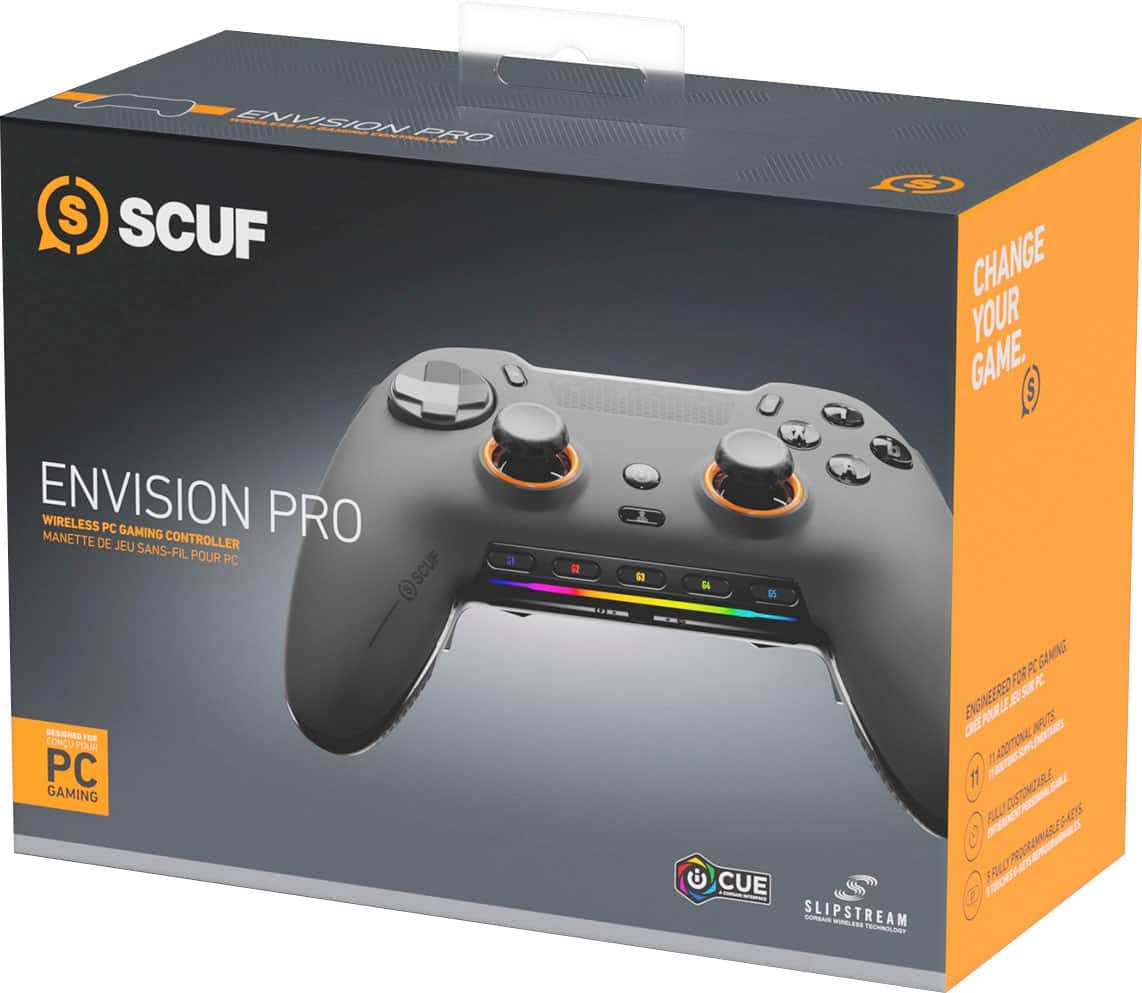
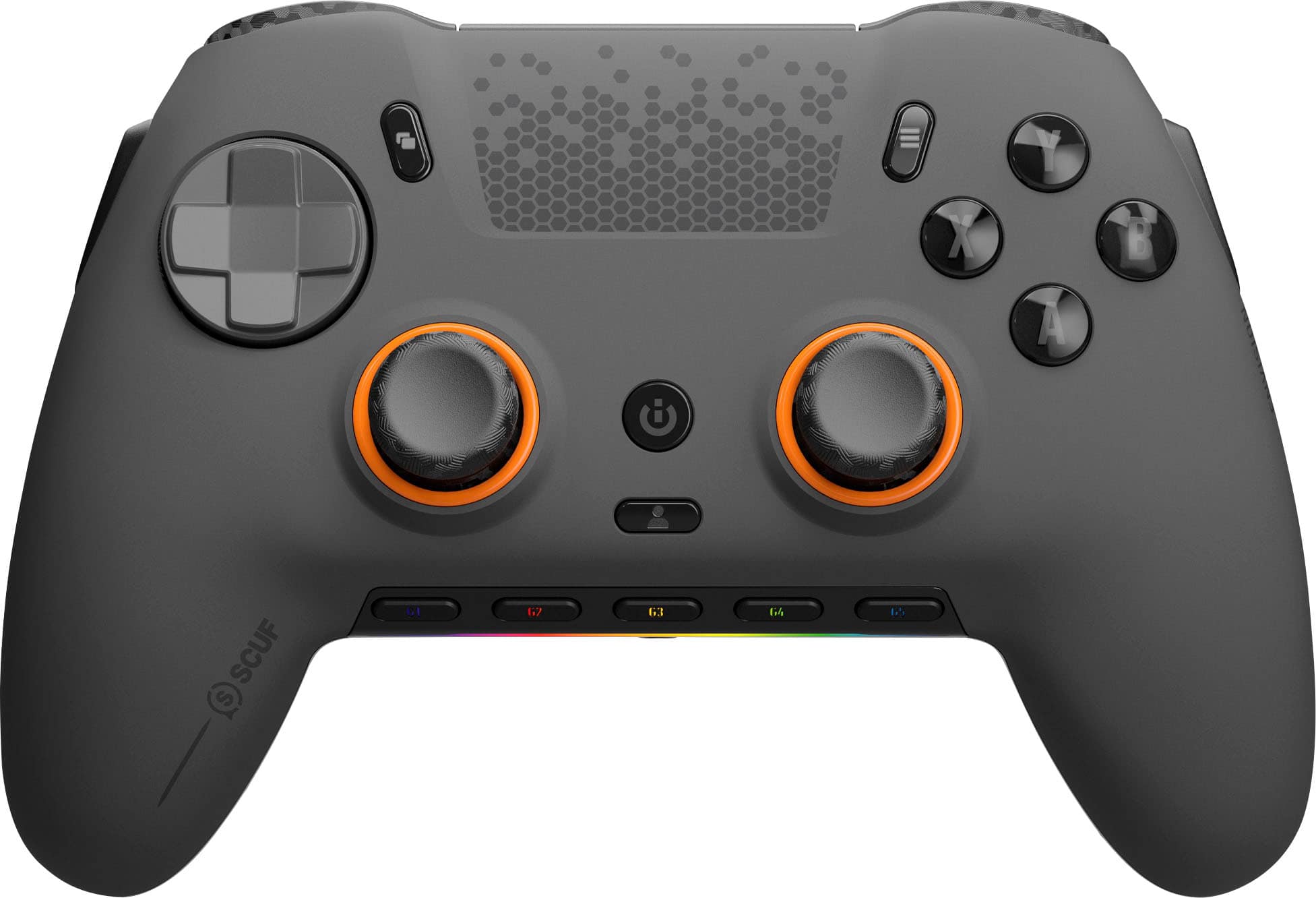
Customers value the ENVISION PRO v2 Wireless Gaming Controller for its excellent button layout and build quality. Many users appreciate the reliable connectivity and comfortable ergonomics. The anti-drift thumbsticks are a welcomed feature, along with the customization options and solid battery life. However, some customers have expressed concerns about the software.

This summary was generated by AI based on customer reviews.

The vast majority of our reviews come from verified purchases. Reviews from customers may include My Best Buy members, employees, and Tech Insider Network members (as tagged). Select reviewers may receive discounted products, promotional considerations or entries into drawings for honest, helpful reviews.
Page 10 Showing 181-200 of 216 reviews
  • Rated 4 out of 5 stars

    So far so good!

    |
    |
    Posted . Owned for 1 month when reviewed.
    This reviewer received promo considerations or sweepstakes entry for writing a review.

    Other than the software, the controller itself is good.

    I would recommend this to a friend
  • Rated 3 out of 5 stars

    Decent purchase

    |
    |
    Posted . Owned for 1 week when reviewed.
    This reviewer received promo considerations or sweepstakes entry for writing a review.

    I prefer the Xbox line a lot more the analogs have better placement and feel more comfortable. The button mapping is a little wonky and can be a little frustrating to map to specific games.

    No, I would not recommend this to a friend
  • Rated 5 out of 5 stars

    Great controller is now even better

    |
    |
    Posted . Owned for less than 1 week when reviewed.
    This reviewer received promo considerations or sweepstakes entry for writing a review.

    I had the original Scuf Envision Pro and upgraded to this one with the new thumbsticks.

    I would recommend this to a friend
  • Rated 5 out of 5 stars

    Lover

    |
    |
    Posted . Owned for 2 weeks when reviewed.
    This reviewer received promo considerations or sweepstakes entry for writing a review.

    Love it it’s amazing connection is great response is amazing

    I would recommend this to a friend
  • Rated 1 out of 5 stars

    Simply a disappointment

    |
    |
    Posted . Owned for 3 weeks when reviewed.
    This reviewer received promo considerations or sweepstakes entry for writing a review.

    I was incredibly disappointed by this controller. It feels very awkward to hold, the placement of the backpaddles didn't feel right. Of course this depends on your hand size, razer and xbox elite feel much more natural for my smaller hands, but this is not my main issue with this controller. My main issue is that even though the software was downloaded and everything was up to date the controller would constantly disconnect (while being plugged in to the pc) and when it would reconnect the backpaddles would not work. Sometimes they would work if the pc was restarted, but 80% of the time they did not. Most people seem to like this, but the frustration from the problematic software is not worth the headache.

    No, I would not recommend this to a friend
  • Rated 2 out of 5 stars

    Good Controller, Terrible software support

    |
    |
    Posted . Owned for 3 weeks when reviewed.
    This reviewer received promo considerations or sweepstakes entry for writing a review.

    The controller itself is great, i also have a Scuf controller for my Xbox, but the PC controller has a major flaw, you can only map the buttons through the iCUE software, which is absolute trash and never works despite numerous complaints and requests for updates to the software. Unless you don't care about mapping the buttons, I would NOT recommend spending the money until they fix the iCUE software problem

    No, I would not recommend this to a friend
  • Rated 3 out of 5 stars

    its ok

    |
    |
    Posted . Owned for 1 month when reviewed.
    This reviewer received promo considerations or sweepstakes entry for writing a review.

    Great controller but terrible software. Constant problems with icue

    No, I would not recommend this to a friend
  • Rated 3 out of 5 stars

    Great controller, bad software mandatory

    |
    |
    Posted . Owned for less than 1 week when reviewed.
    This reviewer received promo considerations or sweepstakes entry for writing a review.

    The controller itself is great but the software (icue) is very lack luster

    I would recommend this to a friend
  • Rated 1 out of 5 stars

    This controller sucks

    |
    |
    Posted . Owned for 1 month when reviewed.
    This reviewer received promo considerations or sweepstakes entry for writing a review.

    This controller is so bad, the icue software is terrible. Anytime I tried to launch the software and use the paddles on the back of the controller, my L2 button would not work unless I ended the software. You can still use offline profiles to use the paddles without the software but you get way less options. Also there is no way to remap the back paddles without software. If you don’t care about paddles then go ahead, but if your getting this controller your most likely getting it because your competitive and you do not want this controller there are way better options.

    No, I would not recommend this to a friend
  • Rated 3 out of 5 stars

    Good remote

    |
    |
    Posted . Owned for 1 month when reviewed.
    This reviewer received promo considerations or sweepstakes entry for writing a review.

    Works really well my son loves it says it won’t drift

    I would recommend this to a friend
  • Rated 1 out of 5 stars

    Envision pro

    |
    |
    Posted . Owned for 3 weeks when reviewed.
    This reviewer received promo considerations or sweepstakes entry for writing a review.

    Back paddles are so close to each other and hard to click one and not miss the other and not comfy side ones arent too bad but not the best i wouldnt say a pro controller for the price its just way too high!!!

    No, I would not recommend this to a friend
  • Rated 1 out of 5 stars

    Terrible

    |
    |
    Posted .
    This reviewer received promo considerations or sweepstakes entry for writing a review.

    DO NOT BUY THIS CONTROLLER. I had this thing for less than a week and all of the software stopped working completely. Even with memory mode this controller wouldn't work AT ALL on any apps but don't worry it would still turn my volume up... STAY AWAY AND DONT WASTE YOUR MONEY.

    No, I would not recommend this to a friend
  • Rated 2 out of 5 stars

    Ok, but too sensitive, buttons everywhere.

    |
    |
    Posted . Owned for less than 1 week when reviewed.
    This reviewer received promo considerations or sweepstakes entry for writing a review.

    I thought it would be great but I’m constantly clicking buttons I don’t want to. Returned it and for now sticking with ps5 pro controller.

    No, I would not recommend this to a friend
  • Pros mentioned:
    Button layout, Connectivity, Ergonomics
    Tech Insider Network Member

    Rated 5 out of 5 stars

    Ergonomic controller with pro level features

    |
    Tech Insider Network Member
    Posted .
    This reviewer received promo considerations or sweepstakes entry for writing a review.

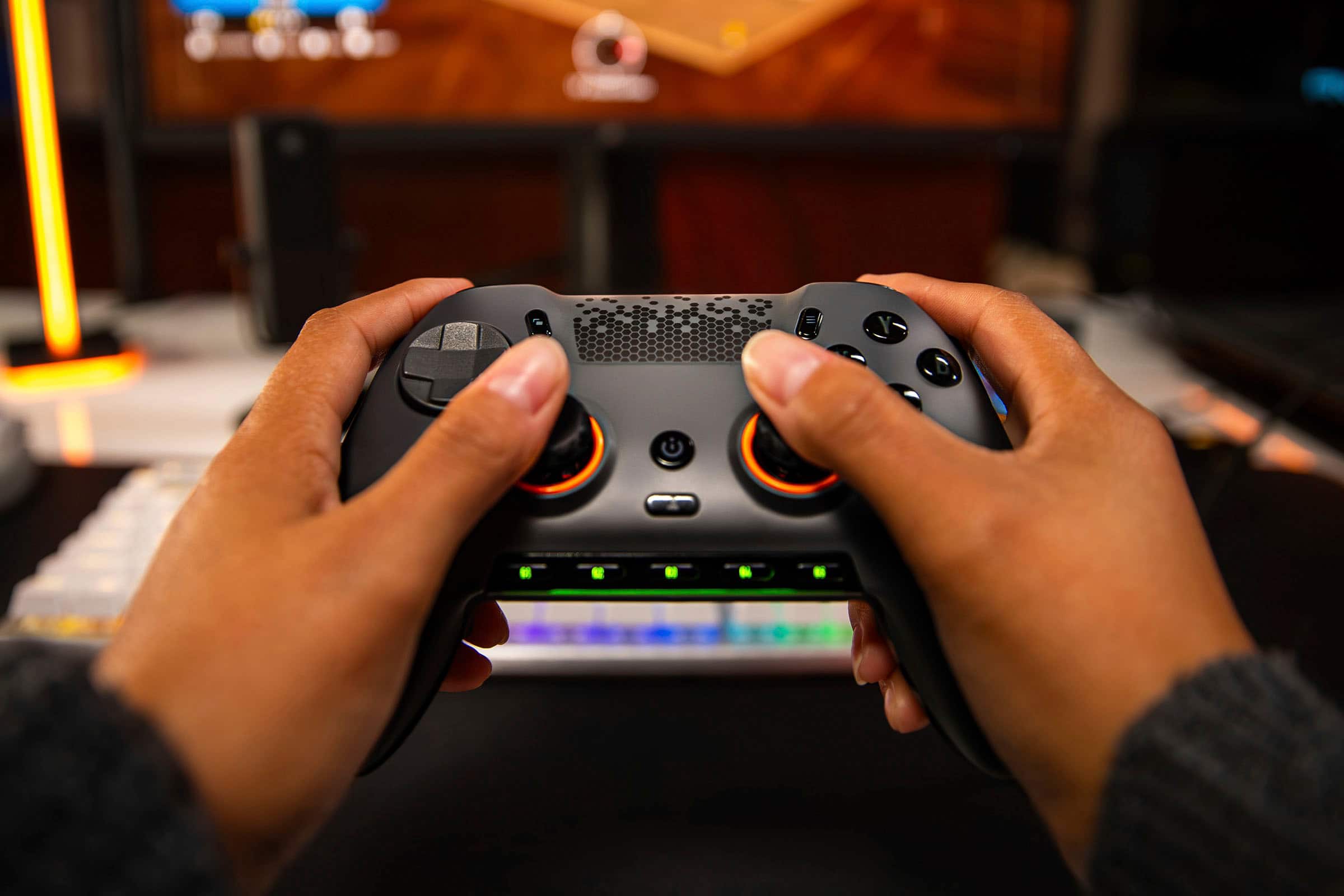
    This SCUF Envision Pro controller might set a new high bar for adding pro-level controller features that are actually USEFUL without making them inaccessible and ruining the experience. From the get go, everything just feels and acts the way you'd want it - while not plug and play, it's very easy to get up and going, which I can't say for other high end controllers I've tried. But, let's start at the beginning. Before you plug in the controller (or the dongle), the materials in the box prompt you to download and install the Corsair iCue software (if you don't already have it installed). That install is quick and easy - then you can plug in the controller (you can charge it separately if you want) or dongle and get started. The controller is pre-configured in a useful setup where the face buttons are mirrored to the back paddles, but you can change that setup if you want (why don't ALL pro controllers pre-configure the paddles, I don't know...but I love that Corsair did) along with the 5 macro buttons on the bottom (again, I love that they're preset, including the volume / mute buttons) and the 2 side buttons that mirror the L1/R1 buttons. You can also change the lighting effects in the software and a few other things (including calibrating the sticks) and update the firmware (you'll want to plug the controller directly in for that). After you're finished configuring, you're ready to play - and the controller SHINES in gaming. I love the smoothness and accuracy of the sticks and triggers - I'm mostly a racing game player and they work really well for both driving and flying games. The buttons feel like they're microswitches and have a nice clickiness to them, similarly with the D-Pad. This really is a modern controller - the ciruclar D-Pad is great for modern games, but may not be your favorite for older / retro games and platformers. You can switch between 2.4Ghz (using the included dongle) and wired USB - I didn't notice any latency issues on wireless but playing wired means you can charge and play at the same time. The controller feels REALLY good in the hand with texture grips providing a solid hold on the controller even in intense gaming sessions and the size and weight are just right for comfort during those longer runs. I guess the only word of caution might be that this is, of course, the Playstation-type layout with the d-pad above the stick on the left side (vs the Xbox type layout that reverses this). I've found it's a very personal choice as to what layout you prefer - so if you're good with the Playstation layout, then you're good to go here! So if you're in the market for a high-end controller that actually makes all the features accessible, this is a great option to check out. Give it a try today!

    I would recommend this to a friend
  • Rated 1 out of 5 stars

    Bad controller

    |
    |
    Posted . Owned for 2 weeks when reviewed.
    This reviewer received promo considerations or sweepstakes entry for writing a review.

    Nothing wrong with Best Buy’s part. The entire problem was the controller and scuff itself. The software is so bad it wouldn’t let me download it to even use the controller. Would not recommend this controller. Once again though no complaints on Best Buy’s part.

    No, I would not recommend this to a friend
  • Pros mentioned:
    Button layout, Overall performance
    Tech Insider Network Member

    Rated 5 out of 5 stars

    Outstanding

    |
    Tech Insider Network Member
    Posted .
    This reviewer received promo considerations or sweepstakes entry for writing a review.

    Initially I thought the feel of the controls may have been a little too lose, until I started playing. The controller is so smooth. Thumb sticks glide like they are greased. The buttons are very responsive to the touch. The "other" buttons took some getting use to in strenuous moments. When I say "other" I refer to buttons on the sides, inside and outside, of the grips. If you are like me and squeeze the controller as the action picks up, you will be hitting the other buttons with a great frequency. But that is what profiles are great for. Now I do love the other buttons, especially for games like pinball. I know, it feel like a waste using a controller for pinball, until you try it. There is something gratifying about hitting a button on the side of a controller that makes it feel like you are actually playing pinball. Racing games, using the trigger buttons are absolutely wonderful. You can feather the gas to control your car in a turn. Something using just an A button can't simulate. My first few runs of Track Mania I bested my best runs easily. The controller just felt perfect, until I would inevitably hit an "other" button. Profile created. Creating profiles are simple with the iCue software. You can call them from the controller storage with ease. The controller comes with alternate thumb sticks, USB cable with adapter for USB C. A tool to remove or replace(?) something and other button cover/replacements. Also there is a USB dongle that you need to pair with. Everything feels and looks premium. There is a basic lighting bar on the bottom of the controller. I would have like to see the buttons lit as well, but sadly they were not. To replace the thumb sticks, covers, etc and modify anything, the cover simply lifts off from the top with no tool required. It is attached with a series of magnets and makes mods very easy. Overall, this is an excellent controller and by far my favorite I have used. My son has already "borrowed" it and I have not seen it in two days. :( Ahh, the games outside the games.

    I would recommend this to a friend
  • Rated 1 out of 5 stars

    Do your own homework and dont ask a sales rep.

    |
    |
    Posted . Owned for 2 weeks when reviewed.
    This reviewer received promo considerations or sweepstakes entry for writing a review.

    Was told buy a Best Buy representative it was compatible with my PS5 and found out the hard way that it wasn't, never again will i ask for any advise from them as they nearly work there and have no knowledge of what they are selling

    I would recommend this to a friend
  • Rated 2 out of 5 stars

    Doesn't work on Linux

    |
    |
    Posted . Owned for 2 weeks when reviewed.
    This reviewer received promo considerations or sweepstakes entry for writing a review.

    Works great on Windows, doesn't work on Linux-based devices.

    I would recommend this to a friend
  • Rated 1 out of 5 stars

    Scuf Envision Pro

    |
    |
    Posted . Owned for 2 weeks when reviewed.
    This reviewer received promo considerations or sweepstakes entry for writing a review.

    Overall it was a decent controller. But the software is good awful.

    No, I would not recommend this to a friend
  • Rated 1 out of 5 stars

    Stick with a plain Xbox controller for PC

    |
    |
    Posted . Owned for 1 month when reviewed.
    This reviewer received promo considerations or sweepstakes entry for writing a review.

    Nice controller Corsair air software is complete garbage controller is solid except that it does go crazy and out of no where your guy will start spinning super fast like your holding the thumb stick to one side other then that not to bad

    No, I would not recommend this to a friend