SCUF - ENVISION PRO v2 Wireless Gaming Controller for PC with Anti-Drift Thumbsticks - Steel Gray
Customers are saying
Customers are delighted by the overall performance and high-quality mechanical buttons of this controller. Users frequently praise its comfortable ergonomics and the extensive customization options available. Additionally, many appreciate the reliable battery life, the absence of stick drift, and the flexibility of both wired and wireless connectivity.
Color
Steel GrayFour Rear, Remappable Paddles
Keeps your thumbs on the sticks for faster reactions.
Five Fully Remappable G-Keys
For advanced macros and Corsair iCUE integration
Two Unique Side-mounted SAX Buttons
Designed to provide additional configurability and fit the natural placement of your fingers.
OMRON Mechanical Button Switches
Operates like a mouse click for instant activations.
Corsair SlipStream
Ultra-fast wireless-connectivity.
RGB Light Strip with Corsair iCUE Integration
Allowing for further customization, like matching your RGB Lighting Strip to the rest of your gaming station.
Profile Switch
Allows you to save three on-board configurations for your favorite games.
Instant Triggers
Activate like a mouse click for faster shots.
Performance Grip
Provides a comfortable, non-slip feel for extended gaming sessions.
- WirelessYesBattery Size3.7VCompatible Platform(s)Windows
Reviews
Rating 4.5 out of 5 stars with 319 reviews
- Overall Performance (79)
- Button Quality (55)
- Ergonomics (31)
- Customization (15)
- Battery Life (14)
Customer Images
The vast majority of our reviews come from verified purchases. Reviews from customers may include My Best Buy members, employees, and Tech Insider Network members (as tagged). Select reviewers may receive discounted products, promotional considerations or entries into drawings for honest, helpful reviews.





Compare similar products
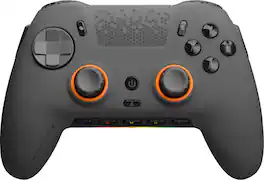
SCUF Envision was designed to deliver the best controller experience for PC gamers. Equipped with 11 additional remappable inputs, ultra-fast wired/wireless connectivity, and advanced software for macros and endless customization options. Our new OMRON mechanical ABXY and D-Pad buttons offer crisp and responsive clicks. Adjustable Instant Triggers allow you to switch between mouse-like clicks and full trigger range. Unlock the full power of Envision by mapping the fully configurable inputs to any PC shortcut, customizing your RGB Lighting Strip, and tailoring your anti-drift Hall Effect thumbstick and trigger response curves. More control, more finesse, and more performance to once again, change your game.
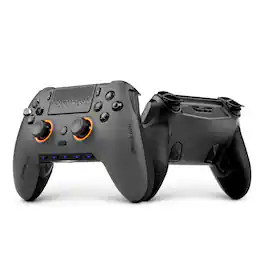
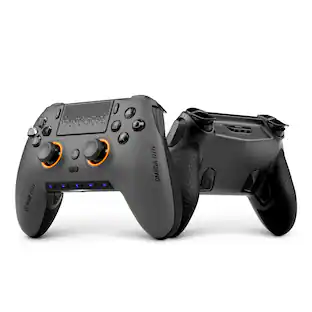
Play to win with SCUF Omega for PS5. Designed for performance, speed, and control by the brand who defined the pro controller. 11 additional, fully customizable inputs (x4 rear paddles, x2 side buttons, x5 G-Keys) for quicker reactions in your favorite games. Endurance TMR Thumbsticks are durable, accurate, and smooth. Adjustable Instant Triggers with Omron mechanical switches for mouse-click like activation for the fastest shots. Customize your setup through the SCUF Mobile App, remap every command where you need it, adjust to true 0% deadzones, tune response curves, and more. Ultra-low latency, PC 1K wireless/wired polling for lightning-fast inputs.
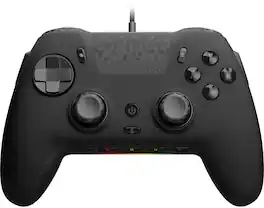
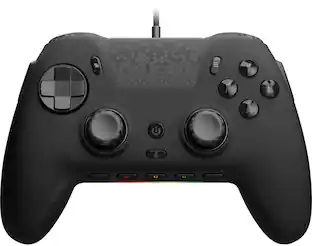
SCUF Envision was designed to deliver the best controller experience for PC gamers. Equipped with 11 additional remappable inputs, ultra-fast wired connectivity, and advanced software for macros and endless customization options. Our new OMRON mechanical ABXY and D-Pad buttons offer crisp and responsive clicks. Unlock the full power of Envision by mapping the fully configurable inputs to any PC shortcut, customizing your RGB Lighting Strip, and tailoring your Anti-drift Hall Effect thumbstick and trigger response curves. More control, more finesse, and more performance to once again, change your game.

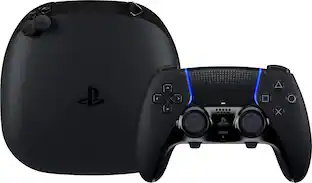
Break through your ceiling with an elite wireless PS5 controller forged with top esports pros. Tailored to their needs for best-in-class performance and a symmetrical thumbstick layout, embrace what it takes to win with an officially licensed PlayStation peripheral compatible with PC.
| Pros for SCUF - ENVISION PRO v2 Wireless Gaming Controller for PC with Anti-Drift Thumbsticks - Steel Gray | |||
|---|---|---|---|
| Overall Performance, Ergonomics, Customization, Battery Life, Button Quality | Build Quality, Ergonomics, Battery Life, Trigger Responsiveness, Connectivity | Overall Performance | Build Quality, Battery Life, Ergonomics, Customization, Responsiveness |
| Cons for SCUF - ENVISION PRO v2 Wireless Gaming Controller for PC with Anti-Drift Thumbsticks - Steel Gray | |||
| There were no cons for this product— | Button Layout | There were no cons for this product— | Controller Size |
Specs
Customers often buy these together
Gaming Controllers
Gaming Headsets
More recommended items
 Power Adapters and Chargers
 PC Gaming Headsets
Customers ultimately bought
 $169.99The price was $189.99
 Top Deal$169.99The price was $189.99
 $149.99The price was $189.99
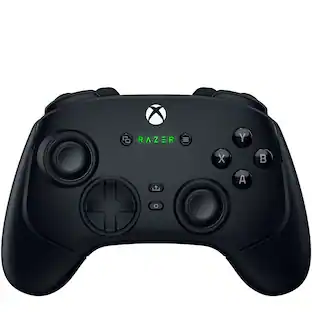
Explore tech essentials Sponsored
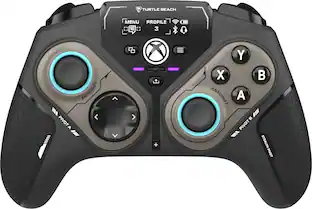 $99.99The price was $139.99
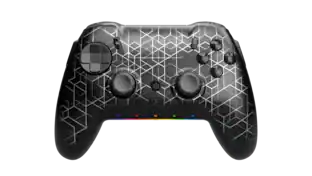
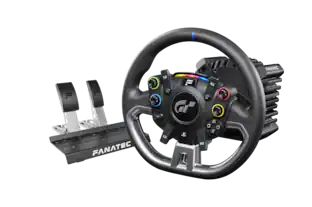
Discover related products







Keep exploring
 $89.99The price was $99.99
 $44.69The price was $51.48
 $61.99The price was $67.94