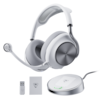
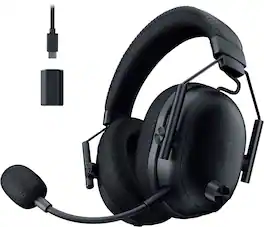
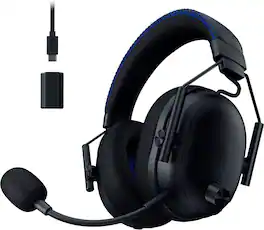
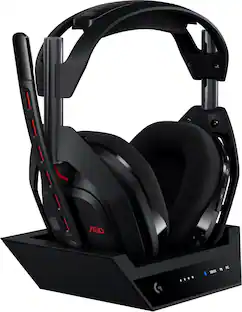
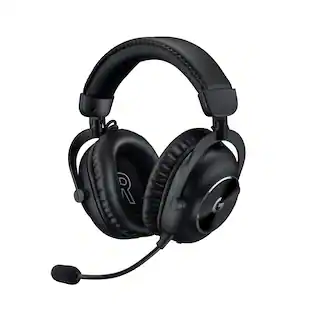
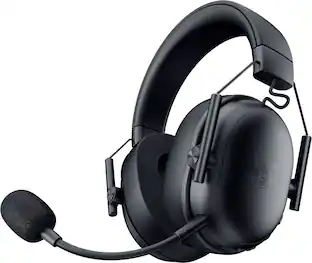
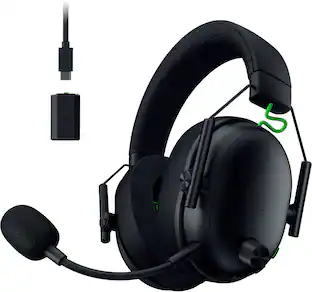
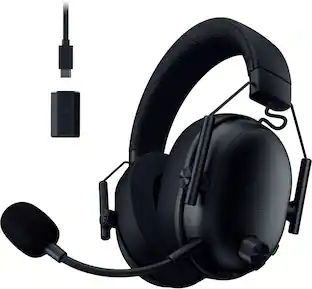
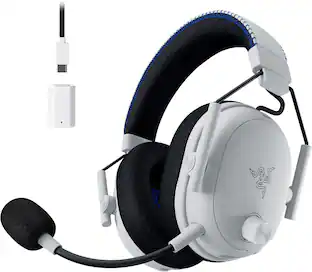
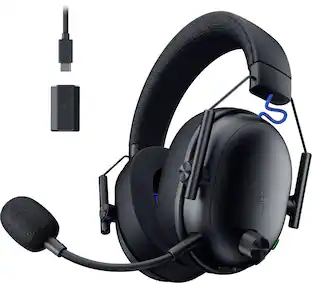
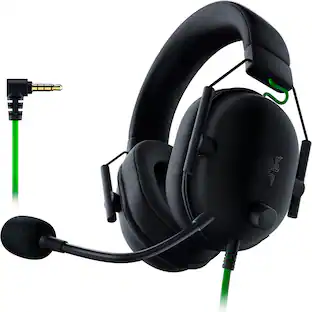
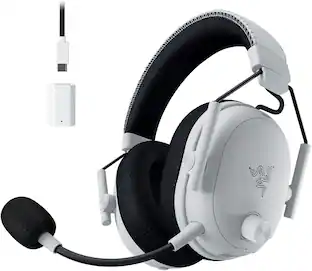
The esports headset trusted by pros evolves for ultimate dominance. Stay ahead of the competition with the Razer BlackShark V3 Pro—an advanced wireless ANC esports headset. Upgraded with industry-leading ultra-low latency wireless technology and a full band mic, victory is all but assured.
A: The protruding knob on the left is a volume control. If that's the one you are talking about, then yours is defective.
A: undefined
Q: Does this have a 3.5mm splitter?
A: undefined
A: Hi, I recommend returning them as I had no issues with the mic mute button. You might've gotten a bad unit. If you aren't able to return, contact Razer, and as long as you haven't thrown them of physically abused the headset, they can help you with either fixing it or giving you a replacement.

The esports headset trusted by pros evolves for ultimate dominance. Stay ahead of the competition with the Razer BlackShark V3 Pro—an advanced wireless ANC esports headset. Upgraded with industry-leading ultra-low latency wireless technology and a full band mic, victory is all but assured.

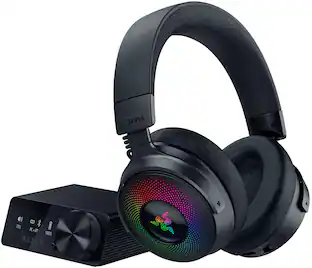
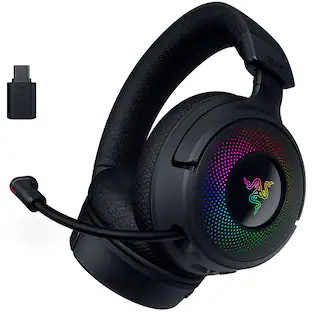
Experience next-gen immersion with the Razer Kraken V4 Pro wireless gaming headset. Gain full control with an all-new OLED Control Hub featuring over 20 customization options, including audio, haptics, and home screen personalization. Connect up to three devices simultaneously using dual USB-C ports and a 3.5 mm input. Powered by Razer Sensa HD Haptics, the headset offers real-time audio-to-haptics conversion for all content and supports game integration, delivering wideband HD haptics that accurately mimic in-game distance and directionality. With 4 connectivity options, including Razer HyperSpeed Wireless, Bluetooth, USB, or 3.5 mm, connect to your favorite systems such as PC, Mac, PlayStation, Nintendo Switch, Steam Deck, ROG Ally, and smartphones. Simultaneous audio support allows you to mix 2.4 GHz and Bluetooth audio on two devices at once. The retractable Razer HyperClear Super Wideband Microphone ensures superior sound quality for crystal-clear team comms, retracting flush with the headset when not in use. Razer’s patented TriForce Bio-Cellulose 40 mm Drivers enable individual tuning of high, mid, and low frequencies for a powerful, lifelike auditory experience with natural high-end sound. The headset also supports THX Spatial Audio, a cutting-edge 7.1 surround sound system that provides realistic positional audio and expands your soundstage. Enhance your setup with 9-Zone Earcup Lighting, offering more Razer Chroma RGB effects. Customize each zone individually to create stunning visuals and light up your battlestation. Elevate your gaming with the ultimate headset that does it all.

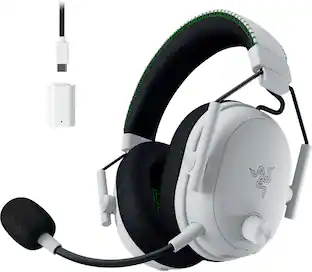
The esports headset trusted by pros evolves for dominance. Stay ahead of the competition with the Razer BlackShark V3 Pro for Xbox—an advanced wireless ANC esports headset for Xbox. Upgraded with industry-leading ultra-low latency wireless technology and a full band mic, victory is assured.

Make your intent to win loud and clear with the Razer BlackShark V3—a wireless esports headset evolved for the new competitive meta. With industry-leading ultra-low latency wireless and upgraded audio performance, to its exceptional super wideband mic, extend your lead with every possible edge.
| Pros for Razer - BlackShark V3 Pro ANC Wireless Over-the-Ear Gaming Headset for PC, Mac, Playstation, Nintendo Switch, Smartphone - Black | |||
|---|---|---|---|
| Cons for Razer - BlackShark V3 Pro ANC Wireless Over-the-Ear Gaming Headset for PC, Mac, Playstation, Nintendo Switch, Smartphone - Black | |||
| There were no cons for this product— | There were no cons for this product— | There were no cons for this product— |
The vast majority of our reviews come from verified purchases. Reviews from customers may include My Best Buy members, employees, and Tech Insider Network members (as tagged). Select reviewers may receive discounted products, promotional considerations or entries into drawings for honest, helpful reviews.

Razer's BlackShark line has long been synonymous with competitive gaming audio, lauded for its superb microphones and featherlight comfort. With the BlackShark V3 Pro, Razer appears to be taking this legacy to an entirely new level, adding features that solidify its position as a top-tier contender for the most discerning gamers. After spending some time with this headset, it's clear Razer has listened to its community, delivering a wireless experience that truly enhances competitive play and beyond. First off, the audio. The THX Spatial Audio with 7.1.4 surround sound helps you pinpoint where sounds are coming from. This helps to tell you the direction of footsteps or gunfire, which can be pretty useful. Plus, pro-tuned FPS profiles and a customizable EQ means you can pick a sound setting optimized for competitive games, or fine-tune it yourself. The TriForce 50mm drivers handles the sound, aiming for a balanced range from bass to highs. A notable addition is Hybrid Active Noise Cancellation (ANC). While previous BlackShark models offered good passive noise isolation, ANC actively works to reduce background noise. So, if you're in a noisy environment, it could help cut down on distractions from your computer's fans or other sounds around you, helping you focus on your game. Then there's the microphone. The BlackShark series is known for its microphones, and this one offers a HyperClear Full Band 12mm microphone offering clear voice communication. Your teammates should be able to hear you clearly, and it would likely reduce background noise from your end. For connectivity, it's designed for simultaneous Bluetooth and 2.4 GHz audio. This means you could be wirelessly connected to your PC for gaming while also paired to your phone via Bluetooth. You could take a call or listen to music on your phone without having to switch headsets. The Razer HyperSpeed Wireless Gen 2 should provide a stable, low-latency connection, which is important for gaming. Comfort-wise, it features dual-layered Flowknit memory foam cushions. These are soft and breathable, designed to be comfortable during longer gaming sessions. The headset's lightweight design would also contribute to this comfort. You'd also get game/chat balance controls directly on the headset, making it easy to adjust audio levels between your game and voice chat. The Razer BlackShark V3 Pro is definately a strong contender in the competitive wireless gaming headset market. It combines established comfort and microphone quality with advanced audio features and improved noise cancellation. It seems designed to provide a comprehensive and effective audio experience for gamers.
Posted by hahanson
I wanted to pick up a new headset that had surround sound and active noise cancelling so I can tune out background noise but also enjoy a more immersive sound experience. That’s when I found out Razer was releasing a new Razer BlackShark V3 Pro Gaming headset with both features! Pros: - Very comfortable even after long gaming sessions. - 7.1 Surround sound with THX Spatial Audio is amazing! - Audio and Mic enhancements are great. - Up to 70hrs of Battery Life on a single charge. Cons: - Mic EQ profiles provide little boost. Out of the Box: Razer at least knows that most of their customers are gamers and making the setup easy is important for them. Included in the box is the BlackShark V3 Pro Gaming headset, the detachable microphone boom, the wireless receiver, a USB-C to USB-A cable, and a USB-C to 3.5mm Jack cable. Setup is simply plug in the Receiver to the USB-C to USB-A cable, then plug that into your PC (or Playstation) and open Synapse 4 to complete the setup. The headset arrived with about 75-80% charge, which was plenty to jump straight into playing. Build & Feel: The Razer BlackShark V3 Pro Gaming headset is very comfortable for long gaming sessions, mainly due to the dual-layered memory foam ear cushions which are extremely comfortable while providing airflow, so you don’t get that headset sweat. The ear cushions sit snuggly around your ears with inner cushions between the speakers and your ear to prevent your ears from rubbing up against the harder plastic of the speakers. The adjustable headband keeps the ear cushions firmly in place without applying too much pressure. These are on the heavier side at 0.84lbs (13.5 Oz). Overall build quality is solid, even the plastic parts have strong feel, with a light textured surface. I couldn’t figure out how to remove the ear cushions but based on the prior models and materials I found on Razer’s website I think the ear cushions pop off with the right pry tools. Controls: The BlackShark V3 Pro has controls that sit on each of the ear cups that allow you to on the fly change the settings for the most part. On the Left Ear: Push Button Mute, Power/Pause/Play, Power-On LED, USB-C Port for Charging and connectivity, and the Microphone port. The dial on the outside of the Left ear controls the volume. Over on the Right Ear: Sound Mode multi-function button, Channel Balance, and the ANC button. My only complaint about the buttons is how long you must push the power button before it turns on. Having multi-functional buttons help reduce the total number of buttons on the headset, but because of that the push to turn on or off the headset is awkwardly long, like 5 seconds to turn on. It just feels off for how fluid and well thought out the rest of the headset is. The Sound Mode multi-function button allows for switching between settings without using Synapses. A single press cycles through the Sound EQ presets. A double press switches the audio source mode: Wireless, Bluetooth, and Simultaneous which allows for both Wireless and Bluetooth connections at the same time. The ability to connect to both Wireless and Bluetooth is helpful if you want to play a game and talk on the phone or need to be able to listen for a text or call while gaming, it’s a very convenient feature. The channel mix dial is one of my favorite features as I often must turn up the chat volume to hear over the gun fire or game music. Razer added a beep when the mix is equal (50/50) and a double beep of different tones when the mix is 100% at chat (lower tone) or game (higher tone). The ANC button cycles through turning on ANC, Ambient, or ANC off. Synapse 4: Razer makes setup and configuration simple using the Synapse software for all Razer devices. Just download the Synapse 4 software and let it get to work. Once you have the Synapse 4 installed, one of the first things you’ll want to do is enable the THX Spatial Audio. The THX really changes the quality of the sound, for everything it just sounds much fuller and more dynamic. Some games are specifically built for THX, so make sure to enable it in the game settings as well. Within Synapses there are specific tabs for Sound, Enhancements, MIC, Power, and Demo. Within the Sound tab you can adjust the Sound EQ, this is where the THX Spatial Audio setting is (go turn that on). To get the most out of the BlackShark V3 Pro you will want to adjust the EQ settings to your preferences, which can take a bit of time but will make a huge difference. Within the Sound tab you will also see the volume and game/chat balance which is helpful in case you’ve hit the channel mix dial a few times. The next most important tab is the Enhancement tab, where the setting for ultra-low latency mode, Active Noise Cancellation and Ambient modes. Many gaming headsets have some form of noise cancelling, but only a few have Active Noise Cancelling that with multiple levels of cancellation. And even fewer have Ambient mode, which is usually reserved for ear buds or mobile phone headsets. It’s a great feature if you want to play with a gaming headset on but need to be able to hear what’s going on around you. The MIC tab allows for setting the Microphone EQ profiles, which more below on that but really might need to adjust these manually to get the best results to no surprise. The additional Mic Enhancements are available, along with Mic Monitoring to hear the effects in live fashion. The Power Tab allows you to customize the Receiver Indicator light to indicate connection status, Battery Status, or only Battery Warning. I switched it to Battery Status as I can see my receiver on the desk, which helps me know when it’s time to charge the headset. The last tab is a Demo tab to see the full effects of your sound settings. Highly recommended trying the Demo with Stereo on, then try it again with THX enabled. Sound: Hands down, the THX Spatial Audio surround sound is the GOAT here. After turning it on, I couldn’t turn it back off. When I did, I could instantly notice how flat, or empty the sound was. Even for audio not designed for THX, having it enabled would boost the fullness of the sound. Add in a tuned EQ and you’re BOOMING! The other effect here is the ability to hear in full 7.1.4 surround sound. You can hear the footsteps in games where THX is enabled, which gives you the edge over your opponents! You can hear them coming around or up the stairs. Microphone: The Mic by itself is good, it is clear and picks up a wide range of volume without too much distortion. It’s not my favorite headset microphone, but it is very good compared to most. The biggest downside I found with the microphone was that the pre-set EQ profiles didn’t really provide much punch nor bass. The different profiles didn’t make a big enough difference to make me want to use anyone except Flat default. During my testing, I found that the profiles loss a lot of the Bass sound for whatever reason, more so than I would have expected and caused distortion with my voice in some cases. This might be due to my own voice, either way in the end I left the default flat sound for best results. I found the MIC Enhancements left a tinny sound to the voice. The noise cancelling was good, but there are other options I have on the PC that work way better. If it’s the only option, it will do but expect some distortion. ANC & Ambient: The Active Noise Canceling actually works. Razer did a great job in making the ANC block out background noises, like mechanical key typing or your roommate’s movie playing in the background. I’m surprised by how well the ANC works, plus there are 4 different levels of noise cancellation you can adjust between. But at the same time if you need to be able to hear while gaming, Ambient mode can help you control the noise that does pass through. Usually these are settings reserved for ear buds for your phone, but Razer included them into a Gaming headset and it’s a game changer! Dual Channels & Sources: One of my longtime favorite features of gaming headsets is the dual channels for Game and Chat volume. Splitting Game/App audio from Communications makes it easier to hear what’s going on, while being able to focus on which ever audio is more important. I often have issues hearing what people are saying between gun fire of FPS’s, so being able to turn up the volume on just chat is very important to me. Plus, Razer included the ability to connect multiple audio sources simultaneously. You can connect via the Wireless and Bluetooth at the same time, enabling game play while listening to your phone or being on a call. You can even set smart behaviors to adjust the Wireless volume when a call is incoming. Battery Life: Razer made sure you didn’t have to worry about running out of power mid game, with a stated 70-hour battery life on Wireless. I didn’t measure the exact time, but I’ve only charged to full once with daily use and still have 80% charge left. With about 8+hours of use a day, that easily adds up to over 70-hours of battery life. Additionally, the battery is replaceable with the removal of a magnetic cover and 2 screws! Conclusion: If you want a pro gaming headset with all the features, while not caring about microphone EQ profiles, then the Razer BlackShark V3 Pro gaming headset is one of the best choices for you! Hands down the THX Surround Sound is a blast to listen to; I’ve enjoyed a whole new experience of gaming with these. The ANC is also a huge must have for any gamer in a noisy environment, cutting out the background keystrokes, leaving just you and the game. I’ve found a new favorite headset, which will be hanging under my desk for a long time I suspect.
Posted by BradfordBT
TLDR: Razer made a well-rounded gaming headset that is equally happy with movies and music as it is games. PROS THX 7.1.4 Surround Simultaneous Bluetooth and Hyperspeed Audio Up to 70hrs Playback Volume Knob No RGB Overload CONS I prefer a flip-style mic So-so ANC SET-UP / INTIAL THOUGHTS As I say in nearly ever Razer review, I used to hate the Synapse software. But a shout out to Razer for making Synapse 4 more user-friendly and less resource demanding. Synapse of years past would be overly complicated & unintuitive, but Razer has made great strides making Synapse more easily accessible. The module for the new Razer BlackShark headphones is easy to understand and easy to configure. Shout out to Razer for their firmware process as well. This is one of the few headphones I can remember that didn't need an immediate firmware update upon start-up to function properly. USE I've reviewed a few Razer headphones now and each time I receive a new sample, their products continue to improve. The BlackSharks are no exception. Unlike Razer's other Pro headsets that rely on haptics for bass reproduction, the BlackSharks accomplish it with 50mm drivers. 50mm is the standard size for premium headsets nowadays. The BlackSharks don't have haptics to muddy the sound with bass frequencies. Razer claims their new 50mm titanium "TriForce" drivers are made from 3 different parts, divided into lows, mids, and highs. Razer says this allowed them to be able to tune each of the 3 drivers individually. I'm not sure exactly what they did to tune them, but the new BlackShark Pros are very crisp and clear. Punchy lows are combined with crisp, detailed highs. Both music and movies sound very good on the BlackSharks. They are noticeably improved over prior generations of Razer drivers. Are they as crisp and wonderfully clear as some of the best music headphones. No, not even close. But they are improved enough to make them very good at what they do. So much so that the first thing I tested the headphones with was a favorite song & instantly noticed the improvements to the drivers, there is that much of a change. The addition of THX 7.1.4 Spatial Audio is a rare feature among headphones these days. Having purchased both the Dolby Atmos and the DTS:X headphone apps, I was able to do back-to-back comparisons of pseudo-surround audio. I will say the THX audio processing is a step above that from either Dolby or DTS. The audio "movement" sounds much more precise and distinguished. The added 7.4 channels of THX audio processing does make a discernible difference in surround audio, being more accurate and localized compared to the competing technologies. Footsteps, gunfire, glass breaking are easier to pinpoint the direction of versus the competitions' audio processing. Same with overhead movements. But, the differences in height information are less noticeable versus the competing technologies. Razer claims up to 70 hours of audio playback with the new BlackSharks. I haven't reached 70hrs yet, but I've been gaming for many hours and still have a bunch of battery left. I doubt I will make 70, but 70 sounds possible in ideal conditions. I can't end the use section of the review without mentioning the BlackShark's aesthetics. There are two VERY important areas that really stand out to me. First is Razer's complete lack of RGB. I double-checked the product & the box. I thought I got the wrong set of headphones. A Razer product without RGB everywhere? Is it possible? Yes. Kudos. A second, and minor addition that may change how I forever look at headphones, a true volume knob. This may be a game changer (pun intended) for gaming headphones for me. So simple. So easy to find during an intense game. So easy to adjust. This simple addition may forever change how I look at gaming headsets. I can't believe more manufacturers don't include it. No more fumbling for buttons, no more adjusting volume with a mouse and Windows. Just awesome! CONS The Razer Active Noise Cancellation is just so-so. Not as good as the class leaders, but not the worst either. ANC may be able to be tuned a little better with future firmware updates, but as of now, ANC is adequate. This is just a personal preference, but I like a flip style mic. It is easier to turn it off and on when you can just flip it up to cut audio. CONCLUSION Would I buy a set of BlackSharks? Yes. Razer's new titanium "Tri-Force" drivers are much improved over their previous generations of headsets. Audio is much more crisp and detailed now with little be drowned out by bass. Razer should be commended for their efforts in improving their gaming headsets. I've always said, that a set of headphones must be able to do all things; music, movies, and games. For me, a set of headphones must be a jack of all trades, even if they are a master of none. Failing in one area will immediately earn a Not Recommended rating from me. With Razer's new set of cans, I can say that they a proving to live up to Razer's hype and are worthy of a Recommended rating. Razer's new driver technology is worth checking out. It improves upon their already good set of headphones. I wish the ANC was better at drowning out ambient noise, but it is decent and I'm sure can be tuned even more. But, when a good movie or game comes up and the THX audio processing kicks in, the ANC is often an afterthought as the surround sound overcomes the outside world as you get lost in a good game or movie. The improved clarity of the drivers and sweet volume knob earn a 5-star rating. RECOMMENDED
Posted by NAMO