Save up to 50% on 3-Day Sale deals.Ends 12/7.Shop now

Main Content

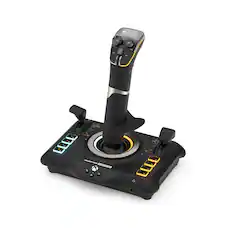
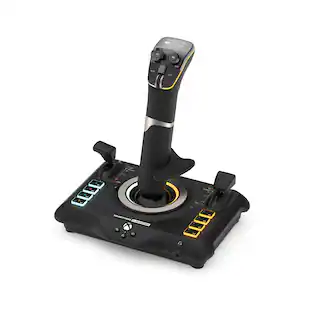
Turtle Beach - VelocityOne Flightdeck Universal HOTAS Simulation System Joystick & Throttle for Windows 10 & 11 PCs - Black

Model: TBS-0724-05
SKU: 6570047
$379.99
Save $50
Comp. Value: $429.99
or
$31.67/mo.
suggested payments with12-Month Financing
Show me how
Finance OptionsView your offers
Accidental Geek Squad Protection
Availability
Fulfillment Options
Order now for pickup on Thu, Dec 11 at
Sold by Best Buy

More Buying Options

Specifications
  • Compatible Platform(s)
    Windows
  • Key Specs
    • Compatible Platform(s): Windows
  • General
    • Brand: Turtle Beach
    • Model Number: TBS-0724-05
    • Product Name: VelocityOne Flightdeck Universal HOTAS Simulation System Joystick & Throttle for Windows 10 & 11 PCs
    • Color: Black
  • Features
    • Product Type: Joystick
    • Headset Jack: true
    • Analog Joysticks: true
    • Button Mapping: true
    • Lighting Type: RGB
    • Illumination: true
  • Dimensions
    • Product Height: 9.22 inches (The out of box height of the item. Height is measured as the vertical distance from the bottom of the item to the top as it would be primarily used or placed.)
    • Product Width: 8.5 inches (The out of box width of the item. Width is measured as the horizontal distance from one side of the item to the other as it would be primarily used or placed.)
    • Product Length: 6.97 inches (The out of box length of the item. Length is measured as the longest dimension of the item.)
    • Product Weight: 3.22 pounds (The out of box weight of the item.)
  • Compatibility
    • Compatible Platform(s): Windows
  • Warranty
    • Warranty - Parts: 1 year
    • Warranty - Labor: 1 year
  • Other
    • UPC: 731855007240

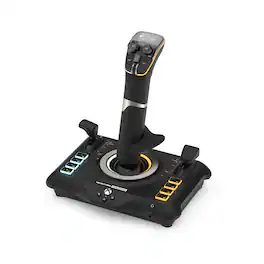
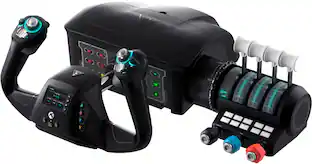
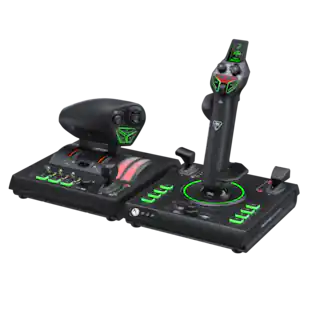
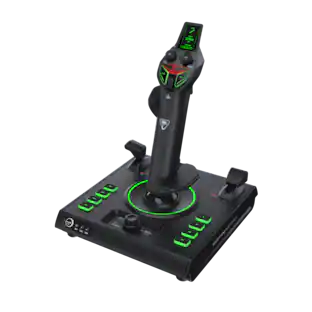
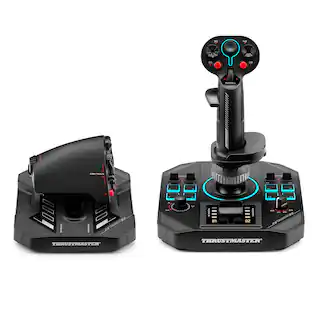
The Turtle Beach VelocityOne Flightdeck is a premium simulation HOTAS system for Windows 10 & 11 PCs, designed for enthusiasts who demand the best. Inspired by advanced spacecraft and state of the art jet fighters to provide the ultimate HOTAS experience for all major combat simulation titles with the future in mind. Comprehensive controls including 15 axes and 139 programmable functions keep you immersed in the action, with your hands on the controls. World’s first Flight Touch Display, and an OLED Head Up Display deliver unprecedented levels of performance optimization, and product customization. Plus, the Flight Hangar app for desktop provides even more product customization and RGB lighting adjustment.

  • Innovative Flight Touch Display: The world’s first Flight Touch Display combines real-time sim status indication with fully customizable input buttons. Add up to 39 extra button functions to your configuration and adjust product performance to fully immerse yourself into the sim experience. Plus, you can adjust the look and feel of every switch and control to suit your exact preferences.
  • Customizable OLED HUD: The full-color Head Up Display (HUD) provides access to diagnostics and performance adjustments, allowing you to effortlessly tweak your setup on-the-fly. Adjustment options include axis response curves, rudder lock, lighting adjustment touchpad response and Turtle Beach audio enhancements for any connected 3.5mm headset.
  • Comprehensive, Complete Design: Flightdeck features a complete set of controls for precision dogfights in the air or navigating in six degrees of freedom in space the system is comprised of two individual USB-connected devices, enabling more controls to use in your favorite simulation titles.
  • Long-Lasting, Precise Hall-Effect Controls: Designed to deliver high-precision, accuracy with durability that will stand up to the most rigorous use, all main movement controls on the stick and throttle are built using hall-effect non-contact sensors.
  • Combat-Ready Modular Stick: The stick module is feature-packed with 49 programmable functions placed within easy reach, dual stage triggers, head mounted HAT switches and multi-function fire buttons for instantaneous response, when you need it. The stick includes a soft touch hand rest, and adjustable height for universal comfort. Plus, it can even be removed from the base for easy storage when not in use, and for future additions to the Flightdeck system.
  • 139 Programmable Buttons: Equipped with programmable buttons within easy reach on the throttle & stick modules and built into the Flight Touch Display, Flightdeck gives you endless customization options to suit every user’s preference.
  • Adjustable Stick Height: Designed to accommodate all hand sizes, the height of the stick is fully height adjustable to dial in the perfect fit.
  • Pro-Aim Focus Mode: Adjust main stick sensitivity for accurate enemy targeting and precise control of landings.
  • 6th-Gen Fighter Inspired Throttle Module: Choose between independent adjustment of two engines or lock each lever together for main thruster control. Each throttle lever is laden with additional controls, ideal for precise thrust alteration or mastery of your engine and fuel systems.
  • Adjustable Throttle Detents: Customize your own haptic throttle detent response using the Flight Touch Display. Tune the exact reverse thrust, afterburner or star drive actuation points to suit your preference or game.
  • Turtle Beach Audio Advantage: Connect any 3.5mm headset and take advantage of proven Turtle Beach audio functions like Superhuman Hearing, EQ modes, mic monitoring and game and chat balance.
  • Adjustable RGB Lighting: Whether playing in low light conditions or trying to match the color of your favorite aircraft, you’ll have access to multiple RGB lighting zone adjustments. Adjust the RGB LEDs to your exact preference with additional effects available using the Flight Hangar companion app.
  • Flight Hangar App: The Flight Hangar app gives you ultimate access to product performance & customization features. Available for Windows PCs, you can create comprehensive configuration profiles for specific sim titles or aircrafts and send these to the Flightdeck using its onboard memory. Plus, firmware can be easily updated using the app to ensure your Flightdeck is running at peak performance.
  • Innovative Flight Touch Display: The world’s first Flight Touch Display combines real-time sim status indication with fully customizable input buttons. Add up to 39 extra button functions to your configuration and adjust product performance to fully immerse yourself into the sim experience. Plus, you can adjust the look and feel of every switch and control to suit your exact preferences.
  • Customizable OLED HUD: The full-color Head Up Display (HUD) provides access to diagnostics and performance adjustments, allowing you to effortlessly tweak your setup on-the-fly. Adjustment options include axis response curves, rudder lock, lighting adjustment touchpad response and Turtle Beach audio enhancements for any connected 3.5mm headset.
  • Comprehensive, Complete Design: Flightdeck features a complete set of controls for precision dogfights in the air or navigating in six degrees of freedom in space the system is comprised of two individual USB-connected devices, enabling more controls to use in your favorite simulation titles.
  • Long-Lasting, Precise Hall-Effect Controls: Designed to deliver high-precision, accuracy with durability that will stand up to the most rigorous use, all main movement controls on the stick and throttle are built using hall-effect non-contact sensors.
  • Combat-Ready Modular Stick: The stick module is feature-packed with 49 programmable functions placed within easy reach, dual stage triggers, head mounted HAT switches and multi-function fire buttons for instantaneous response, when you need it. The stick includes a soft touch hand rest, and adjustable height for universal comfort. Plus, it can even be removed from the base for easy storage when not in use, and for future additions to the Flightdeck system.
  • 139 Programmable Buttons: Equipped with programmable buttons within easy reach on the throttle & stick modules and built into the Flight Touch Display, Flightdeck gives you endless customization options to suit every user’s preference.
  • Adjustable Stick Height: Designed to accommodate all hand sizes, the height of the stick is fully height adjustable to dial in the perfect fit.
  • Pro-Aim Focus Mode: Adjust main stick sensitivity for accurate enemy targeting and precise control of landings.
  • 6th-Gen Fighter Inspired Throttle Module: Choose between independent adjustment of two engines or lock each lever together for main thruster control. Each throttle lever is laden with additional controls, ideal for precise thrust alteration or mastery of your engine and fuel systems.
  • Adjustable Throttle Detents: Customize your own haptic throttle detent response using the Flight Touch Display. Tune the exact reverse thrust, afterburner or star drive actuation points to suit your preference or game.
  • Turtle Beach Audio Advantage: Connect any 3.5mm headset and take advantage of proven Turtle Beach audio functions like Superhuman Hearing, EQ modes, mic monitoring and game and chat balance.
  • Adjustable RGB Lighting: Whether playing in low light conditions or trying to match the color of your favorite aircraft, you’ll have access to multiple RGB lighting zone adjustments. Adjust the RGB LEDs to your exact preference with additional effects available using the Flight Hangar companion app.
  • Flight Hangar App: The Flight Hangar app gives you ultimate access to product performance & customization features. Available for Windows PCs, you can create comprehensive configuration profiles for specific sim titles or aircrafts and send these to the Flightdeck using its onboard memory. Plus, firmware can be easily updated using the app to ensure your Flightdeck is running at peak performance.
Whats Included
  • VelocityOne Flightdeck
  • (2) 6.5ft / 2m USB-C to USB-A Cables
  • M5 Hard-Mounting Screws (3)
  • Quick Flight Guide
  • VelocityOne Flightdeck
  • (2) 6.5ft / 2m USB-C to USB-A Cables
  • M5 Hard-Mounting Screws (3)
  • Quick Flight Guide

Q: What kind of controls does the VelocityOne Flightdeck use?

A: It uses long-lasting, precise hall-effect controls for its main movements.

Q: How many programmable buttons does the Flightdeck have?

A: The Flightdeck has 139 programmable buttons for endless customization.

Q: What comes with the VelocityOne Flightdeck?

A: The system includes a combat-ready modular stick and a 6th-gen fighter inspired throttle module.

Q: Does this system have adjustable throttle detents?

A: Yes, you can customize the haptic throttle detent response using the Flight Touch Display.

Q: Can I use this system with a headset?

A: Yes, you can connect any 3.5mm headset and take advantage of Turtle Beach audio functions.

Q: is there a list that shows which games are compatible to this product? Is it compatible with DCS?

A: You have to map every single but on every single game as of now

Q: can you use this with x box x

A: Thanks for your inquiry, Matthew! The Turtle Beach VelocityOne Flightdeck is not compatible with any Xbox console, only Windows 10 & 11 PCs.

Q: Can this Be Mounted?

A: The VelocityOne Flightdeck is able to be mounted and includes (3) M5 Hard-Mounting Screws. Best Regards!

Sponsored

Compare similar products

Turtle Beach - VelocityOne Flightdeck Universal HOTAS Simulation System Joystick & Throttle for Windows 10 & 11 PCs - Black
4.1(43)

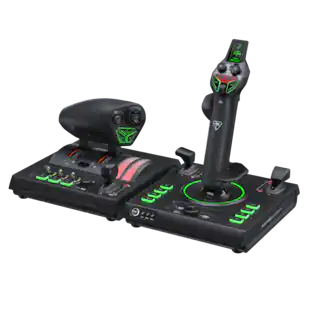
The Turtle Beach VelocityOne Flightdeck is a premium simulation HOTAS system for Windows 10 & 11 PCs, designed for enthusiasts who demand the best. Inspired by advanced spacecraft and state of the art jet fighters to provide the ultimate HOTAS experience for all major combat simulation titles with the future in mind. Comprehensive controls including 15 axes and 139 programmable functions keep you immersed in the action, with your hands on the controls. World’s first Flight Touch Display, and an OLED Head Up Display deliver unprecedented levels of performance optimization, and product customization. Plus, the Flight Hangar app for desktop provides even more product customization and RGB lighting adjustment.

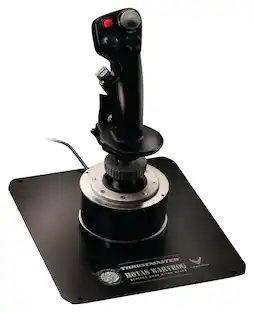
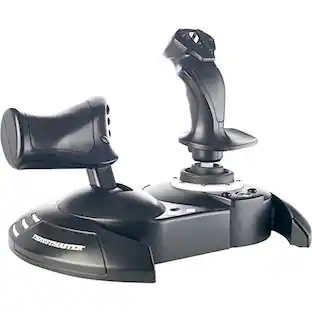
Thrustmaster - T-Flight Hotas One Joystick for Xbox Series X|S, Xbox One and PC - Black

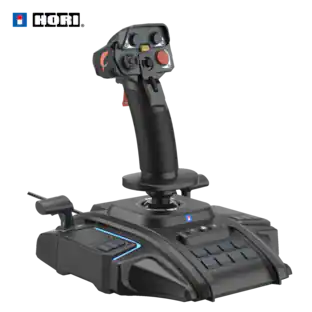
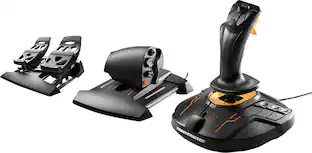
T.Flight Hotas One, a joystick for Xbox Series X|S, Xbox One, and PC, provides a high level of realism: the stick includes five axes, fourteen action buttons, a rapid-fire trigger and a multidirectional hat switch (navigation/panoramic view), all of which are easily accessible. The throttle - detachable and full-size for easy maneuverability, even in virtual reality - provides super-responsive power. The dual rudder system can be engaged by rotating the handle (with an integrated locking system) or via the progressive tilting lever. The T.Flight Hotas One includes official buttons for the Xbox One console (Guide/View/Menu): access social features, switch between the game and the console, navigate through the console's menus, etc.

Turtle Beach - VelocityOne Flightstick Universal Simulation Controller for Xbox Series X and Windows PCs - Black

Take Flight with Turtle Beach. The Turtle Beach VelocityOne Flightstick for Xbox Series X|S, Xbox One & Windows PCs equips you with immersive, accurate controls for air and space flight simulation & combat games on Xbox and PC. Ultra-smooth main stick provides precise control, and two multi-function levers control main engine power and adjustment of control surfaces. A precise nano trim wheel allows for fine tuning of attitude and the OLED Flight Management Display makes for easy adjustments to control profiles. With 27 programmable buttons, a rapid-fire trigger and more, you’re well-armed with a multitude of controls.

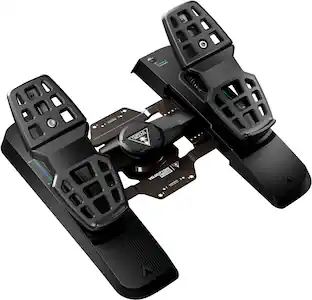
Turtle Beach - VelocityOne Rudder Universal Rudder Pedals for Windows PCs, Xbox Series X, Xbox Series S with Adjustable Brakes - Black
4.6(41)

Take your flight simulation setup to an all-new level of realism with the Turtle Beach VelocityOne Rudder Pedals for Windows 10 & 11 PCs, Xbox Series X, Xbox Series S and Xbox One. Designed to pair perfectly with the VelocityOne Flight Universal Control System, or any existing yoke setup, the Rudder Pedals take your setup a step further for the ultimate in-flight experience. Entry level and experienced sim enthusiasts will appreciate the ultra-smooth rudder axis, providing fluid forward and backward movement for accurate directional control. Plus, with non-contact hall-effect sensors on all axes, you’ll have high-resolution 10-bit axis data, and longer product life with zero maintenance versus standard potentiometers. Adjustable differential brakes make for precise braking control and steering assist, with two sets of swappable springs on the main axis allowing you to further customize the perfect feel for different types of aircraft. Built to accommodate a wide range of users and aircraft types, the adjustable pedal width and two sets of swappable pedals add to the realism and offer even more adjustability. Keep the Rudder Pedals firmly planted on a variety of surfaces thanks to a stable, metal base and rubber pads with carpet spikes, or mount it permanently using the provided screws and pre-drilled holes. Play Microsoft Flight Simulator on Xbox Series X or Xbox Series S by connecting the Rudder Pedals to your VelocityOne Flight Universal Control System using the pass-through cable. Or flip the input switch to PC mode and connect the Rudder Pedals directly to your PC and cruise the skies on X Plane, Microsoft Flight Simulator and more. Only compatible with Xbox consoles when using the pass-through cable with the VelocityOne Flight Universal Control System.

Pros for Turtle Beach - VelocityOne Flightdeck Universal HOTAS Simulation System Joystick & Throttle for Windows 10 & 11 PCs - Black
Build Quality, OLED Display, Customization, Setup, ErgonomicsEase of use, Overall Performance, Price, Compatibility, ControlsEase of use, Overall Performance, OLED Display, Button Layout, ControlBuild Quality, Responsiveness, Comfort
Cons for Turtle Beach - VelocityOne Flightdeck Universal HOTAS Simulation System Joystick & Throttle for Windows 10 & 11 PCs - Black
There were no cons for this productThrottle, Cord Length, DesignCompatibility, Stiffness, Base StabilityCompatibility

Specs

Reviews

Customers are saying

Customers are positive about the VelocityOne Flightdeck's excellent build quality, extensive customization options, and the incredible touch screen on the throttle. The joystick and throttle system is also praised for its easy setup and solid performance in games like Star Citizen. However, some customers have reported issues with certain buttons not functioning properly.

This summary was generated by AI based on customer reviews.

Customer Images

The vast majority of our reviews come from verified purchases. Reviews from customers may include My Best Buy members, employees, and Tech Insider Network members (as tagged). Select reviewers may receive discounted products, promotional considerations or entries into drawings for honest, helpful reviews.

  • Rated 5 out of 5 stars

    Very premium sticks for the price!

    This set feels VERY premium. A nice grippy material on the stick and throttle. More than enough buttons to handle about any keybinding you would need for any flight sim. Also works great with space sims! The RGB is very nice as well, though I would have liked a little more compatibility with other products, or at the very least an improvement on the software to allow more customization. However, it is still very nice. The software is not bad either. Customizable buttons and switches everywhere. Profile switching as well I do like the ability to change certain setting on the fly using the screens built into the sticks. Helpful to change certain elements without having to open the software. Also able to be used individually since both have Usb-C cables, though you do have to use 2 ports to use both. Overall great value for the price without moving to top tier equipment. Definitely recommend for any flight/space sim player looking for added immersion.

    Posted by CodeL

  • Rated 5 out of 5 stars

    Gratification as fast as the acceleration

    DESIGN: The Turtle Beach VelocityOne Flightdeck is a well-designed piece of hardware that impresses right out of the box. The flight stick and throttle mechanism are both solid and robust, featuring a soft suede-like material on the controls that feels fantastic initially. However, this material may wear down quickly over time, which is something to consider for long-term use. The inclusion of two OLED screens on the device enhances the high-end feel, providing essential in-game metrics and customizable themes. SETUP: Setting up the VelocityOne Flightdeck using the Turtle Beach Flight Hangar app is a breeze. Assembling the flight stick is straightforward, involving a simple plastic screw that can be tightened by hand. Updating firmware and UI information using the app makes it a painless experience. Initially, the integration with Microsoft Flight Simulator was nearly unusable. But with the release of MSFS Sim15, it's almost plug-and-play. Connecting the unit via USB is straightforward, and Windows recognizes it immediately. For Microsoft Flight Simulator users, simply putting the deck and stick in flight mode is all it takes to get started, making the initial setup process seamless and user-friendly. While the stick is plug-and-play, it also offers full customization and may need some work to tailor it for each individual aircraft available in the game. The proprietary software from Turtle Beach, called VelocityOne Flight Hangar, plays a crucial role in the setup process. This software allows users to update firmware, UI firmware, and create custom layouts. The customization options are extensive, allowing for a maximum of three pages of fully custom touch screen controls. Additionally, users can control most of the backlight RGBs and remap them to something else entirely, providing a highly personalized experience. PERFORMANCE: The VelocityOne Flightdeck delivers a highly responsive and immersive experience. The tactile feedback from the controls is excellent, providing precise and smooth in-game reactions. The on-screen display of the thruster is well-made and highly responsive, significantly enhancing the overall simulation experience. The immediate feedback from the flight stick and throttle mechanism makes it feel like you're truly piloting an aircraft. The Top Gun Maverick challenges in MSFS felt exceptionally smooth, with the flight deck providing a realistic sense of wind resistance against the airframe. FEATURES: This flight deck boasts an impressive array of features. The two OLED screens provide access to virtual switches, haptic detent controls, and customizable themes. With 139 programmable buttons and switches, the VelocityOne offers extensive customization options, allowing users to tailor their setup to their specific needs. Additionally, the inclusion of a headphone jack on the flight stick is a thoughtful touch, enabling users to connect their headphones comfortably and fully immerse themselves in the simulation. The throttle is very smooth, offering enough force feedback to feel authentic rather than free-floating and clicking into position. It holds its position well at any setting. BUILD QUALITY: The build quality of the VelocityOne Flightdeck is commendable. The flight stick and throttle mechanism feel sturdy and well-constructed, ensuring durability and reliability during use. However, some of the switches and buttons on the flight stick could feel more premium, as they come off a bit plasticky and might be prone to wear over time. Cleaning the device might be challenging due to the many moving parts, cracks, and crevices. Despite these minor drawbacks, the overall performance and functionality of the unit are exceptional. CONCLUSION: The Turtle Beach VelocityOne Flightdeck is a standout product for flight simulation enthusiasts. The recent updates have significantly improved the integration with Microsoft Flight Simulator, making it an excellent choice for those seeking a high-quality, immersive experience right out of the box. Notably, the Sim15 update has enhanced the device's compatibility, ensuring smoother interaction and more reliable performance with Microsoft Flight Simulator. The extension of the Top Gun content in MSFS was particularly enjoyable during this review, adding to the plug-and-play feel of the VelocityOne Flightdeck. This makes the VelocityOne Flightdeck even more valuable for sim enthusiasts, as the improved stability and responsiveness directly enhance the overall gaming experience. At its current price, it feels like a bargain, offering a level of immersion and control that is hard to replicate with other peripherals. TEST SYSTEM SPECIFICATIONS: For those interested in the hardware used to test the Turtle Beach VelocityOne Flightdeck, here are the specifications of the system: CPU: AMD Ryzen 9 5900X CPU Cooler: Corsair iCUE H100i ELITE Motherboard: Asus ROG STRIX B550-F Memory: G.Skill Ripjaws V 64 GB (4 x 16 GB) DDR4-4000 Storage: Toshiba X300 8 TB 3.5" 7200 RPM Internal Hard Drive Samsung 870 QVO 2 TB 2.5" SSD Samsung 980 Pro 1 TB M.2-2280 PCIe 4.0 X4 NVME SSD Video Card: Asus ROG STRIX GAMING OC GeForce RTX 4090 Case: HYTE Y60 ATX Power Supply: Corsair RM1000x 1000 W 80+ Gold

    Posted by Caladbolg

  • Rated 1 out of 5 stars

    Not well built

    At 3 weeks old and only a handful of hours using the stick the stick just stopped working the last time I went to use it. The base lights up but stick is dead. After troubleshooting I also noticed the b15 button which I have not used is half depressed and will not pop up all the way and is lop sided. Not a good start on a 400 dollar kit that is doa after a few hours of use. I submitted a ticket and I will see where that goes.

    Posted by JonK

No content
Sponsored

Similar products from outside of Best Buy

sponsored

Finance Options

My Best Buy® Credit Card
Choose a benefit:
$31.67/mo.suggested payments with 12-Month Financing
Or
10% back in rewardson your first day of purchases when approved for the My Best Buy® Credit Card.
Buy Now, Pay Later
4 payments starting at $95.00
Lease to own
Apply today with no credit needed and enjoy flexible payment options.