Best Buy essentials™ - 7-Port USB 2.0 Hub - Black
Customers are saying
Customers are enthusiastic about the 7-Port USB 2.0 Hub, highlighting its ability to expand available USB ports and its overall performance. Users appreciate its ease of use and compact size, as well as its connectivity options and reasonable price. Some customers feel the cord length could be longer and have noted slow delivery speeds for plugged-in devices.
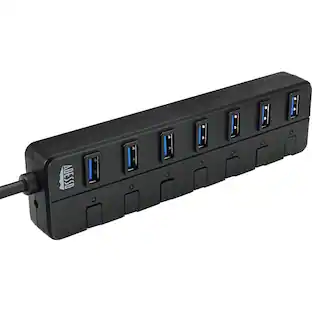
7 USB ports
Connects up to 7 USB devices to your computer using a single USB port.
Plug-and-play design
Just plug it into your computer’s USB port for a hassle-free connection.
USB to micro USB cable included
Connects the hub to your computer.
Blue LED power indicator
Lets you know the hub is connected and working.
Up to 480 Mbps data transfer speeds
Grants the data transfer speeds you need.
5V, 500 mAh port output
Offers consistent power or charge to your USB devices.
Backwards compatible with USB 1.0 and 1.1 devices
Works with older USB ports to support legacy devices.
System compatibility
Works with Windows 10, macOS 10.12, or Chrome OS 81.
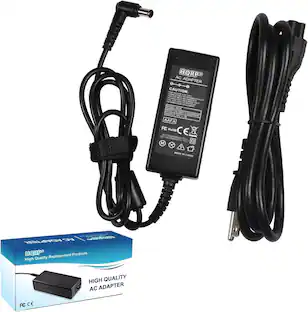
AC power adapter
A simple connection to most standard outlets provide extra power to connected devices.
Backed by Best Buy
For quality and reliability that you can trust.
- Brand CompatibilityWindows 10, macOS 10.12, or Chrome OS 81Model CompatibilityUniversal
Reviews
Rating 4.7 out of 5 stars with 1067 reviews
- USB Ports (237)
- Overall Performance (221)
- Ease of use (138)
- Size (65)
- Connectivity (54)
- Cord Length (15)
- Speed (14)
Customer Images
The vast majority of our reviews come from verified purchases. Reviews from customers may include My Best Buy members, employees, and Tech Insider Network members (as tagged). Select reviewers may receive discounted products, promotional considerations or entries into drawings for honest, helpful reviews.
Compare similar products
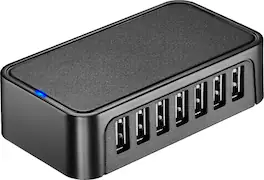
The Best Buy essentials 7-Port USB 2.0 Hub uses a single USB port to connect up to seven USB devices. Just plug the hub into your computer, and the blue LED indicating light lets you know it’s ready for your devices. A 5V, 500 mAh port output delivers consistent and quick power, while a data transfer speed of up to 480 Mbps performs at the speed you need.

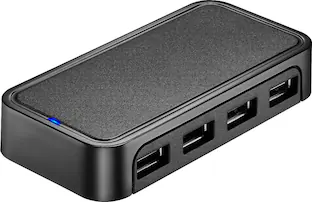
The Best Buy essentials 4-Port USB 2.0 Hub uses a single USB port to connect up to four USB devices. Just plug the hub into your computer, and the blue LED indicating light lets you know it’s ready for your devices. A 5V, 500 mAh port output delivers consistent and quick power, while a data transfer speed of up to 480 Mbps performs at the speed you need.

The USB 3.0 7-Port HUB allows up to seven USB 3.0 devices to be connected simultaneously at a transmission speed of 5 Gbps, while still providing connectivity and support for the older USB 2.0 (480 Mbps) and 1.1 (12 Mbps) devices. It works with high-bandwidth SuperSpeed USB 3.0 devices, such as an external disk drive, high-resolution webcam, multi-channel audio and more. In addition, it supports fast charging for smartphones, tablets and iPad.

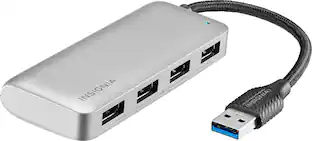
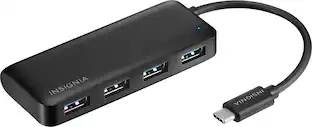
The Insignia 4-Port USB 3.0 Hub lets you connect up to four USB devices with the use of a single USB 3.0 port. An LED indicator light lets you know when the hub has been plugged in and is ready for your keyboard, mouse, or other USB accessories. A 5 V, 900 mA total output delivers quick and consistent power, while a data transfer speed of up to 5 Gbps performs quickly so you can get more done. Its compact design makes this hub easy to store and carry.
| Pros for Best Buy essentials™ - 7-Port USB 2.0 Hub - Black | |||
|---|---|---|---|
| USB Ports, Overall Performance, Ease of use, Size, Connectivity | USB Ports, Overall Performance, Ease of use, Size, Price | USB Ports, Overall Performance, Ease of use, Size, Connectivity | Overall Performance, USB Ports, Ease of use, Connectivity, Size |
| Cons for Best Buy essentials™ - 7-Port USB 2.0 Hub - Black | |||
| Cord Length, Speed | Cord Length | Price, Charging | Cable Length, Power |
Specs
Customers often buy these together




More to consider
 Top Deal$22.49The price was $24.99
 Top Deal$44.99The price was $49.99



Explore tech essentials Sponsored
 Clearance$15.99The price was $19.99


Discover related products
 $17.95The price was $21.45





Keep exploring
 $42.99The price was $62.44
 $67.49The price was $89.99