DoorBOOsters are hereExclusions apply. Ends 11/2/25.Shop now

Skip to content
Main Content

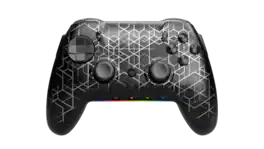
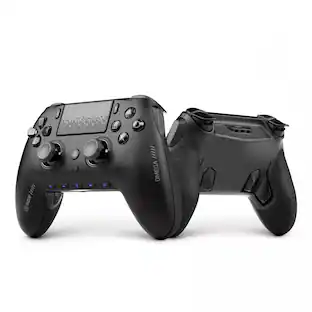
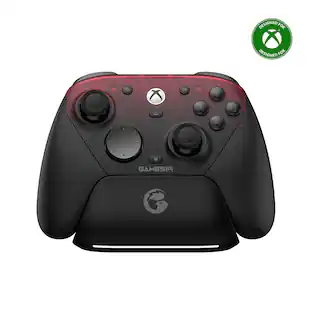
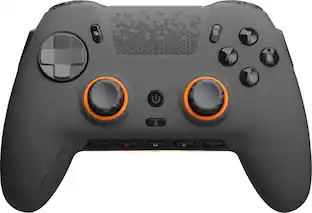
SCUF - ENVISION PRO v2 Wireless Gaming Controller for PC with Anti-Drift Thumbsticks - Breach

Model: 601-178-04-025-281
SKU: 6632854
$179.99
or
Finance OptionsView your offers
Special OffersOn related products
Availability
Fulfillment Options
Pickup at
Act fast - Only 1 left at your store!
Sold by Best Buy

Protect your computer accessory

Rating 4.8 out of 5 stars with 6371 reviews

What's includedTerms & Conditions
Accidental Geek Squad Protection
Specifications
  • Wireless
    Yes
    Battery Size
    3.7V
    Compatible Platform(s)
    Windows
  • Key Specs
    • Wireless: true
    • Battery Size: 3.7V (The battery size required for operation.)
    • Compatible Platform(s): Windows
  • General
    • Brand: SCUF
    • Model Number: 601-178-04-025-281
    • Product Name: ENVISION PRO v2 Wireless Gaming Controller for PC with Anti-Drift Thumbsticks
    • Color: Breach
  • Features
    • Product Type: Controller
    • Headset Jack: true
    • Rumble Vibration: true
    • Analog Joysticks: true
    • Button Mapping: true
    • Lighting Type: RGB
    • Customizable Lighting: Chroma RGB
    • Illumination: true
  • Connectivity
    • Wireless: true
    • Maximum Wireless Range: 45 feet
  • Power
    • Rechargeable Battery: true
    • Charging Interface(s): USB-C (The connection for transmitting power to charge the device.)
    • Battery Chemistry: Lithium-ion
    • Battery Size: 3.7V (The battery size required for operation.)
    • Batteries Included: true (Indicates whether the product comes with the required batteries for its operation.)
  • Dimensions
    • Product Height: 2.5 inches (The out of box height of the item. Height is measured as the vertical distance from the bottom of the item to the top as it would be primarily used or placed.)
    • Product Width: 4.23 inches (The out of box width of the item. Width is measured as the horizontal distance from one side of the item to the other as it would be primarily used or placed.)
    • Product Length: 6.5 inches (The out of box length of the item. Length is measured as the longest dimension of the item.)
    • Product Weight: 0.63 pounds (The out of box weight of the item.)
    • Cord Length: 72 inches
  • Compatibility
    • Compatible Platform(s): Windows
  • Warranty
    • Warranty - Parts: 1 year
    • Warranty - Labor: 1 year
  • Other
    • UPC: 840370232409

SCUF Envision was designed to deliver the best controller experience for PC gamers. Equipped with 11 additional remappable inputs, ultra-fast wired/wireless connectivity, and advanced software for macros and endless customization options. Our new OMRON mechanical ABXY and D-Pad buttons offer crisp and responsive clicks. Adjustable Instant Triggers allow you to switch between mouse-like clicks and full trigger range. Unlock the full power of Envision by mapping the fully configurable inputs to any PC shortcut, customizing your RGB Lighting Strip, and tailoring your anti-drift Hall Effect thumbstick and trigger response curves. More control, more finesse, and more performance to once again, change your game.

  • Adjustable Instant Triggers: Two unique side-mounted SAX buttons
Whats Included
  • SCUF Envision Pro Wireless Gaming Controller for PC – Breach
  • USB Slipstream Dongle
  • Braided 6ft / 2m USB-C Cable
  • USB-A to USB-C Adapter
  • SCUF Regular Domed Thumbstick
Disclaimers
  • Corsair iCUE required to get started.

Q: Done this controller work on ps5?

A: no its a pc only controller

Q: Does this have the hall effect joysticks?

A: yes the v2 does but not the v1

Sponsored

Compare similar products

SCUF - ENVISION PRO v2 Wireless Gaming Controller for PC with Anti-Drift Thumbsticks - Breach
4.5(93)

SCUF Envision was designed to deliver the best controller experience for PC gamers. Equipped with 11 additional remappable inputs, ultra-fast wired/wireless connectivity, and advanced software for macros and endless customization options. Our new OMRON mechanical ABXY and D-Pad buttons offer crisp and responsive clicks. Adjustable Instant Triggers allow you to switch between mouse-like clicks and full trigger range. Unlock the full power of Envision by mapping the fully configurable inputs to any PC shortcut, customizing your RGB Lighting Strip, and tailoring your anti-drift Hall Effect thumbstick and trigger response curves. More control, more finesse, and more performance to once again, change your game.

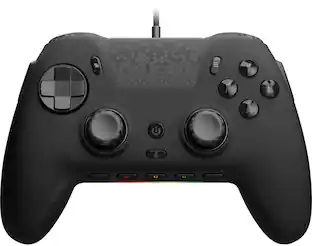
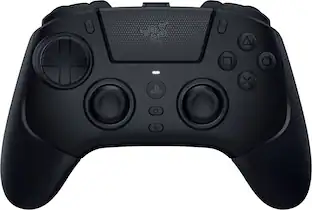
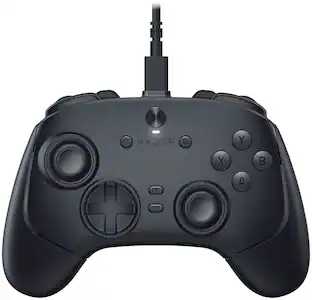
Razer - Wolverine V3 Tournament Edition Wired Gaming Controller with 6 Remappable Buttons, Designed for Xbox Series X|S, PC - Black

Get the edge you need to dominate the competition with the Razer Wolverine V3 Tournament Edition. Officially licensed by Xbox, perform like the pros on Xbox and PC with speed, control, and precision that sets you up for true gaming glory.

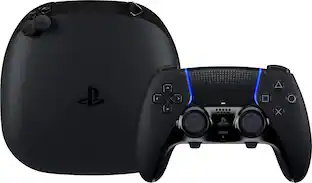
Sony - Stick Module for DualSense Edge Wireless Controller

Maintain your DualSense Edge Wireless Controller’s great performance with this replacement stick module.

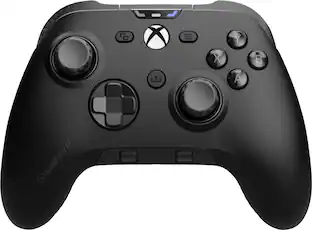
SCUF - Valor Pro Wired Performance Controller for Xbox Series X|S, Xbox One, and PC - Steel Gray

Valor Pro pushes performance on Xbox with optimized ergonomics and game-changing features. Stop sacrificing your aim. Keep your thumbs on the thumbsticks while you jump, slide, reload, and more. The wraparound bumpers are designed with more surface area allowing faster transitions between bumper and trigger. Elevate your audio controls by effortlessly managing all your sounds without taking your hands off the controller. Our new anti-drift Hall effect thumbsticks are designed to alleviate common symptoms of wear and tear. A non-slip grip helps during those high intensity situations while the new shape fits naturally in your hands for comfort. Valor Pro redefines gaming comfort and performance.

Pros for SCUF - ENVISION PRO v2 Wireless Gaming Controller for PC with Anti-Drift Thumbsticks - Breach
Ergonomics, Button Layout, Wireless Performance, Build Quality, Hall Effect ThumbsticksOverall PerformanceOverall Performance, Ease of use, Price, Compatibility, InstallationErgonomics, Trigger Quality, Connectivity, Weight, Battery Life
Cons for SCUF - ENVISION PRO v2 Wireless Gaming Controller for PC with Anti-Drift Thumbsticks - Breach
There were no cons for this productThere were no cons for this productStick Drift, AvailabilityStick Drift, Button Placement

Specs

Reviews

Customer Images

The vast majority of our reviews come from verified purchases. Reviews from customers may include My Best Buy members, employees, and Tech Insider Network members (as tagged). Select reviewers may receive discounted products, promotional considerations or entries into drawings for honest, helpful reviews.


  • Rated 5 out of 5 stars

    Super customizable. Comfortable. Clickity.

    ____ *Pros: -Slick and cool-looking modern design with a splash of LED colors. -Responsive, tactile, and accurate button presses. -Smooth, drift-free joysticks. -Five customizable G-Keys. -Four rear paddle buttons. -Extra replacement parts included. ____ *Neutral: -Kind of heavy. ____ *Cons: -The iCue app crashes occasionally. I had a blast playing games with the Scuf Envision Pro v2 gaming controller. I played all kinds of games on it – Cyberpunk 2077, Elden Ring, Stalker 2, Grand Theft Auto V, Resident Evil 4 Remake, Split Fiction – and the gamepad delivered a consistently tactile, responsive, accurate, and comfortable experience across all genres. The controller is packed full of technology so it feels a bit heavy compared to less sophisticated (and cheaper) controllers out there, but the trade-off is definitely worth it, as you can use the Corsair iCUE app to customize the gamepad to your heart’s content, from custom RGB lighting, macro functions, remapping buttons, and calibrating the joysticks and shoulder buttons. Casual gamers probably won’t utilize all the functions the Scuf Envision v2 offers, but pro-level gamers will definitely appreciate all the thoughtful customization options that Corsair baked into the gamepad. The controller feels grippy and just-right in-hand, and despite its weight, the controller is well-balanced and doesn’t cause any hand fatigue. The ABXY and D-pad buttons utilize Omron mechanical switches which result in faster actuation with less travel distance, consistent feedback, increased accuracy, and longer durability. I also love that clickity sound the Omron switches make. I have other Corsair gear, such as the K100 Air wireless keyboard and M65 Ultra gaming mouse, and I appreciated having the ability to use iCUE to synchronize my RGB lighting in a harmonious manner. It is also through iCUE that firmware updates are performed as well as all the customizations. When it decides to work, iCUE can be a wonderful all-in-one app that ties together all of your Corsair gear for easy firmware updates and customizations. Unfortunately, it is occasionally buggy in Windows 11, and I sometimes had to close and restart the app a couple of times before it loaded up correctly and tallied up all of my peripherals. It is definitely frustrating when the app misbehaves, so I hope Corsair will place more emphasis on reliability and consistency going forward. Although two connectivity options are provided – wired or wireless via the USB dongle – I always went with the wireless option because I hate being tethered via a wire no matter how generous and long the cable is. Fortunately, the Corsair Slipstream wireless technology delivered, and it provided a reliable and lag-free gaming experience. The Scuf Envision Pro was paired almost instantly after turning on the controller, and the connection remained solid for hours and I never experienced a disconnection. The battery life has been pretty solid as well. The longest gaming session I had was about six hours, and the iCUE app reported that I still had more than 50% charge left. The gamepad charges up quickly via the USB-C port. I let my 10-year old daughter use the Envision Pro when we played some local coop games (Resident Evil Revelations 2, Split Fiction), and it fit in her hands comfortably and she said it didn’t feel heavy at all. She likes the controller so much, she wants to use it all the time now. 😊 All in all, the Envision Pro version 2 is an incremental but meaningful upgrade over version 1, which I also own. The major change is the thumbsticks going from standard potentiometer tech to hall-effect tech. Although I never experienced any drift issues with version 1, it’s good that Corsair is refining and improving upon the formula and bringing about meaningful and useful upgrades to their gamepads. The Envision Pro v2 might be a little bit overkill for me since I’m not a pro-gamer that doesn’t need all the customization options, but I still love it because it feels so nice in-hand, the buttons are so satisfyingly tactile and responsive, and the battery life is fantastic. So yes, it’s definitely worth your hard-earned coin, and I’m pretty sure it will make you a very content and satisfied gamer. 5 Stars.

    This review is from SCUF - ENVISION PRO v2 Wireless Gaming Controller for PC with Anti-Drift Thumbsticks - Steel Gray

    Posted by optimummind

  • Rated 5 out of 5 stars

    Great controller for the price.

    All right, been using this for a few days and it is amazing. Playing Helldivers 2 with macros for stratagems is wondertastic, there is so much customization to this it allows for perfect input. You can set up several profiles to map buttons however you want, and even an option to save 3 to the controller to use. Now, yes, iCue has crashed once on me but the controller still functioned as a controller while I got it started again. Feels great in my hands and I'm 6'5, I'm used to the PS style controllers and really like the utility of the extra buttons. Highly recommend.

    This review is from SCUF - ENVISION PRO v2 Wireless Gaming Controller for PC with Anti-Drift Thumbsticks - Steel Gray

    Posted by Justin

  • Rated 5 out of 5 stars

    SCUF Goes Hall-Effect for the WIN

    I wanted to pick up a new wireless controller with Hall-Effect sticks, as my last pro controller started to get stick drift. I’ve heard good things about SCUF and saw they were launching the SCUF Envision Pro Wireless Gaming Controller with Hall-Effect joysticks, so I decided to pick one up. Pros: - Mechanical buttons and Hall-Effect Joysticks. - Remappable buttons for customization. - Multiple onboard profile storage. Cons: - Swapping Joysticks requires disassembling controller. - ICue remapping can be confusing. Unboxing: Unboxing the SCUF Envision Pro shows a great deal of thought and care went into the packaging design. On opening the box, you’ll find a “STOP!” message instructing you to download the ICue software first before trying to use the Envision Pro. I expected there to be software needed, so this was not a surprise, but the good news is you only need it for initial setup and configuration, then you can turn off ICue if you don’t already use it. Included in the box was the Controller with plenty of protective packaging to prevent damage in shipping, the USB-A receiver, a box of accessories, and spare buttons. The box of accessories has a USB-A to USB-C cable, with an USB-A to USB-C adapter, pry tool for removing the cover of the controller to switch joysticks, and 2 alternative joysticks of different height. At this point, I expect premium controllers to come with some level of customization for the buttons and joysticks. My only complaint with SCUF is that the joysticks are not easier to swap, I wish they were screw on rather than requiring removing the controller top plate to swap. Software: SCUF uses the Corsair ICue software to manage the updates and configuration. This makes it easy for anyone who uses Corsair Fans or components, as you’ll most likely already have the software installed. As mentioned, you need to update the firmware and drivers to make the controller work initially, but after that all configurations are saved to the onboard profiles, so you don’t need to keep ICue open in the background to use it. The onboard profiles allow you to save 3 different configurations to the controller allowing for adhoc switching while gaming. ICue allows you to customize the remappable buttons, joystick curves, trigger behavior, and vibrations then save it to a profile. The presets are good and align by game type, such as Default/Sports, Shooters/Battle Royale, and Racing/Fighting. If the presets don’t fit your style, you can make your own custom curve which is straightforward with drag and drop dots, like creating a fan curve. Same applies for the Trigger curves. The only part I found a bit cumbersome, was the remapping as it required creating individual mappings which can cause confusion if you’re not familiar. To remap, first you navigate to the Mappings tab then select the yellow “+” to create a custom mapping. Then select the mapping type, the physical remappable button on the controller, and what button you are binding. This will mostly make sense, except because of the way ICue works, you can inadvertently add multiple mappings to the same physical button which will cause a conflict on a single profile. This is because you can create all the mappings you would potentially use, then save them to the Library to then apply to any profile without having to create the mapping on each profile. It makes more sense when you have multiple profiles that you switch between. Alternatively, you can select the button on the visual to click through the options to create the mapping, but that still ends up in the Custom Mappings section. Use: The joystick layout resembles a PlayStation style controller while the buttons are the Xbox Y/B/X/A. The controller shape is more like an Xbox/generic controller but with softer edges, which I prefer as most controllers I own are Xbox and PC compatible. The top controller plate has a smooth matte feel to it, which is a nice touch compared to the standard plastic material. The bottom of the controller is split into the underside which is the standard plastic feel and the grips which are a texturized rubber that provides amazing grip but also good airflow. I found that even in intense shooters or battle royals, I never had an issue keeping a grip on the controller or my palms getting too sweaty. The remappable buttons are located on the bottom near the edges (4 of them, 2 on each side) and side of the controller (1 on each side), for a total of 6 remappable buttons plus the 5 G keys below the joysticks. I’m not as familiar with the button’s placement, so it will take a month or 2 for me to get used to the different placement. Especially the side buttons as I’ve pressed those more than once on accident already, resulting in a tossed grenade or ability used when unnecessary. My biggest concern with the remappable buttons is the sleekness or low-profile design. The side buttons make sense to be low profile, but underneath, it makes pressing the buttons awkward for my controller grip type, which I prefer using larger paddles or switches in the middle of the controller. It’ll take a little getting used to, but I think I’ll get the hang of it or just keep throwing grenades at my feet. Buttons & Joysticks: The quality put into the joystick and buttons is the main draw here. The Anti-Drift joysticks use Hall-Effect to prevent stick drift while providing a smooth and customizable joystick. As mentioned, you can adjust pretty much the whole joystick experience from deadzones to acceleration based on distance moved. Not to mention the Hall-Effect sticks just feel more responsive and connected, there isn’t any give or slowness to the movement. The mechanical buttons make a solid feel that is a huge improvement over membrane buttons, it’s like the tactile difference between a standard keyboard and a mechanical keyboard. The click just makes it feel more responsive. Similarly, the Triggers have both a trigger lock and the ability to adjust the activation distance, which is critical in shooters or battle royals where whoever pulls the trigger first usually wins the fight. Spare Parts: Included in the accessory box are customizable joystick lengths and keycaps for the side and bottom buttons. For the Joysticks, I do wish they were easier to swap out. Having to remove the controller top faceplate does make it a bit more involved than just swapping the joystick and thump pad. Additionally, I would have loved to see different button types for the side and bottom buttons instead of just keycaps without the lettering. Overall, I’m glad to have spare parts as it’s one less thing I’ll need to order if the current one breaks but it could be improved. Battery Life & Wireless: The battery life has been great, with over 5 days of use on a single charge with about 3-6 hours per day of use. Charging doesn’t take long, depending on the charger you have, but even if you need to charge while gaming you can just keep playing using the wireless mode without interruption. The wireless performance was amazing, I’ve had issues with some wireless controllers for PC being not as responsive as the wired alternative. That was not the case with the Envision Pro, the wireless stayed connected regardless of where I played in the room, though I usually play on the PC from a desk chair so I’m not far away. Conclusion: The SCUF Envision Pro is one of the top tier Pro Gaming controllers, providing 6 remappable buttons, Hall-Effect Joysticks, and Mechanical buttons that make you feel more connected with the game. The in-hand feel is amazingly comfortable, and wireless ability gives you all the comfort and freedom to play how you want to play. Overall, I’m more than happy with the SCUF Envision Pro controller, and happy to add it to my list of favorite gaming controllers.

    This review is from SCUF - ENVISION PRO v2 Wireless Gaming Controller for PC with Anti-Drift Thumbsticks - Steel Gray

    Posted by BradfordBT

No content
Sponsored

Similar products from outside of Best Buy

sponsored

Finance Options

My Best Buy® Credit Card
10% back in rewardson your first day of purchases when approved for the My Best Buy® Credit Card.
Buy Now, Pay Later
4 payments starting at $45.00

Special Offers

Included with Purchase
Free item with purchase