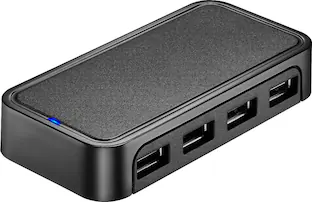
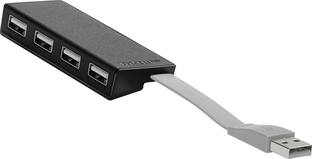
Best Buy essentials™ - 4-Port USB 2.0 Hub - Black
Customers are saying
Customers commend the 4-Port USB 2.0 Hub for its ease of use, additional USB ports, overall performance, and compact size. Many find it works as advertised and appreciate its friendly price. However, some customers have expressed concerns about the cord length and speed.
4 USB ports
Connects up to 4 USB devices to your computer using a single USB port.
Plug-and-play design
Just plug it into your computer’s USB port for a hassle-free connection.
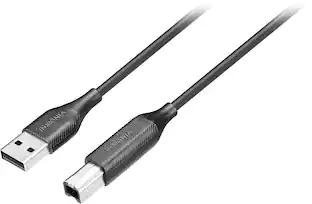
Attached USB cable
Connects the hub to your computer with no separate power supply needed.
Blue LED power indicator
Lets you know the hub is connected and working.
Up to 480 Mbps data transfer speeds
Grants the data transfer speeds you need.
5V, 500 mAh port output
Offers consistent power or charge to your USB devices.
Backwards compatible with USB 1.0 and 1.1 devices
Works with older USB ports to support legacy devices.
System compatibility
Works with Windows 10, macOS 10.12, or Chrome OS 81.
Compact design
Transports easily with a small, compact build.
Backed by Best Buy
For quality and reliability that you can trust.
- Brand CompatibilityWindows 10, macOS 10.12, or Chrome OS 81Model CompatibilityUniversal
Reviews
Rating 4.7 out of 5 stars with 979 reviews
- USB Ports (251)
- Ease of use (207)
- Overall Performance (175)
- Size (107)
- Price (50)
- Cord Length (38)
- Speed (3)
Customer Images
The vast majority of our reviews come from verified purchases. Reviews from customers may include My Best Buy members, employees, and Tech Insider Network members (as tagged). Select reviewers may receive discounted products, promotional considerations or entries into drawings for honest, helpful reviews.
Compare similar products

The Best Buy essentials 4-Port USB 2.0 Hub uses a single USB port to connect up to four USB devices. Just plug the hub into your computer, and the blue LED indicating light lets you know it’s ready for your devices. A 5V, 500 mAh port output delivers consistent and quick power, while a data transfer speed of up to 480 Mbps performs at the speed you need. A compact design makes this hub easy to store and carry.

The Best Buy essentials 4-Port USB 2.0 Hub uses a single USB port to connect up to four USB devices. Just plug the hub into your computer, and the blue LED indicating light lets you know it’s ready for your devices. A 5V, 500 mAh port output delivers consistent and quick power, while a data transfer speed of up to 480 Mbps performs at the speed you need.

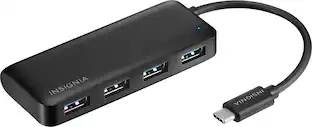
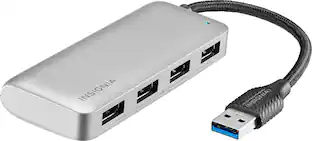
The Insignia 4-Port USB 3.0 Hub lets you connect up to four USB devices with the use of a single USB 3.0 port. An LED indicator light lets you know when the hub has been plugged in and is ready for your keyboard, mouse, or other USB accessories. A 5 V, 900 mA total output delivers quick and consistent power, while a data transfer speed of up to 5 Gbps performs quickly so you can get more done. Its compact design makes this hub easy to store and carry.
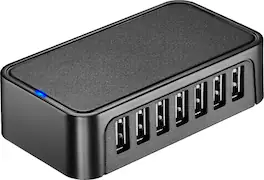
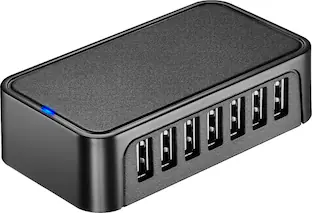
The Best Buy essentials 7-Port USB 2.0 Hub uses a single USB port to connect up to seven USB devices. Just plug the hub into your computer, and the blue LED indicating light lets you know it’s ready for your devices. A 5V, 500 mAh port output delivers consistent and quick power, while a data transfer speed of up to 480 Mbps performs at the speed you need.
| Pros for Best Buy essentials™ - 4-Port USB 2.0 Hub - Black | |||
|---|---|---|---|
| USB Ports, Ease of use, Overall Performance, Size, Price | USB Ports, Overall Performance, Ease of use, Size, Price | Overall Performance, USB Ports, Ease of use, Connectivity, Size | USB Ports, Overall Performance, Ease of use, Size, Connectivity |
| Cons for Best Buy essentials™ - 4-Port USB 2.0 Hub - Black | |||
| Cord Length, Speed | Cord Length | Cable Length, Power | Cord Length, Speed |
Specs
Customers often buy these together
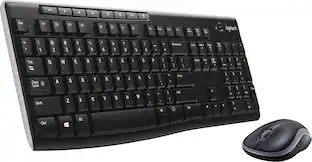 $26.99The price was $29.99


More to consider
 $17.95The price was $21.45



Explore tech essentials Sponsored
 Clearance$15.99The price was $19.99


Discover related products
 $12.99The price was $13.99
 $24.99The price was $27.99