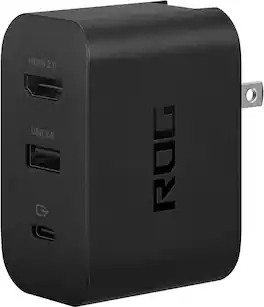
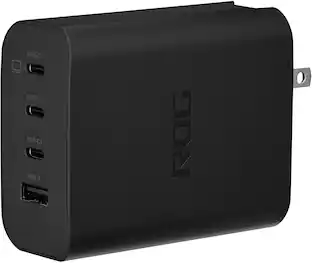
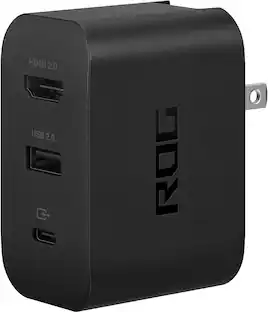
ASUS - ROG 100W Charger Dock for ROG Xbox Ally (HDMI 2.0, USB-A, USB-C) - Black
Customers are saying
Customers express satisfaction with the charger's impressive speed and overall high-performance capabilities. However, some users have reported concerns regarding the device's ability to maintain a steady display connection. Additionally, there are noted issues involving the unit becoming excessively hot during use and reports of sparking near the rotating prongs.
Charge and Display Simultaneously
With AC output, USB-C port supports PD3.0, PD2.0, output up to 100W while displaying up to 4K/60Hz or 1080P/120Hz resolutions through the HDMI 2.0 port
USB Type-A Peripherals
Use the 2 USB Type-A ports to connect any gaming peripheral, keyboard, or mouse or enjoy up to 480MB/S data transfer when connecting additional storage
Universal Charger Dock
Not only compatible with ROG Xbox Ally, you also could use it with your USB-C mobile phone* , laptops and other device, which supports display function
Full Function Cable
ROG 1.5m cable supports charging, audio, video, and display function with resolution up to 4K at 60Hz
Rigorous Quality Testing
Fully torture-tested for toughness, durability and safety
- Brand CompatibilityASUSModel CompatibilityROG Xbox Ally (RC74), ROG Xbox Ally (RC73), ROG Ally X (RC72), ROG Ally (RC71)
Reviews
Rating 3.5 out of 5 stars with 25 reviews
- Charging Speed (5)
- Overall Performance (5)
- Functionality (4)
- Heat Dissipation (3)
- Safety (3)
The vast majority of our reviews come from verified purchases. Reviews from customers may include My Best Buy members, employees, and Tech Insider Network members (as tagged). Select reviewers may receive discounted products, promotional considerations or entries into drawings for honest, helpful reviews.


Compare similar products
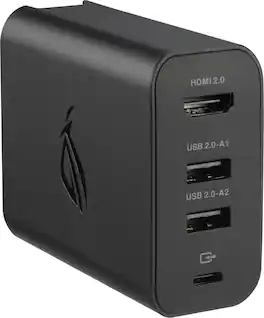
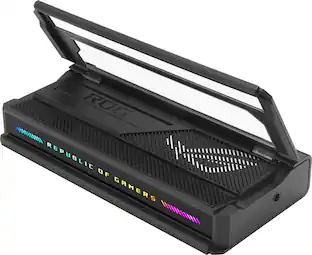
Use the ROG 100W gaming charger dock to connect your additional accessories with the ROG Xbox Ally through one USB Type-C port. Support display output using HDMI 2.0 for your TV or monitor. Charge or connect through 2 USB Type-A ports for your mouse, keyboard, or USB storage drive, all while charging your ROG Xbox Ally.

The ROG 140W USB-C GaN Charger is the ultimate charging solution for your ROG Ally with 3 USB Type-C ports and 1 USB Type-A port, making it perfect to simultaneously charge up to four devices. It efficiently fast-charges all your gear with up to 140W total power and Smart Port Balancing, all in a compact and sleek design thanks to GaN technology.
Use the ROG 65W gaming charger dock to connect your additional accessories with the ROG Ally through one USB Type-C port. Support display output using HDMI 2.0 for your TV or monitor. Charge or connect through USB Type-A for your mouse, keyboard, or USB storage drive, all while charging your ROG Ally.

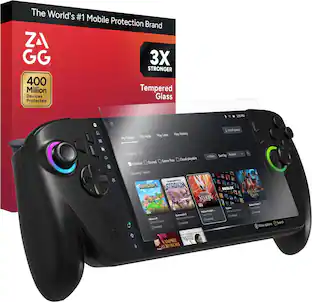
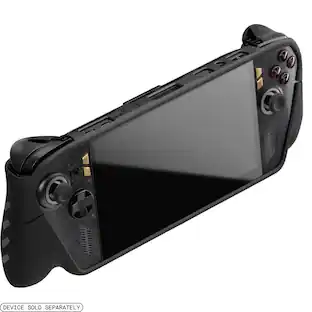
Gaming on-the-go? Make sure your ROG Xbox Ally/Ally X is protected with Glass+ Defense. Nothing stops a game like a shattered screen. Glass+ Defense is 3x stronger than basic glass screen protection, saving you from cracks and scratches. Its smooth, smudge-resistant surface feels just like your device’s original screen.
| Pros for ASUS - ROG 100W Charger Dock for ROG Xbox Ally (HDMI 2.0, USB-A, USB-C) - Black | |||
|---|---|---|---|
| Charging Speed, Overall Performance | Charging Speed, Overall Performance, Portability, Heat Dissipation, Port Quantity | Overall Performance, Portability, Charging Speed, Connectivity, Size | Overall Performance, Installation Ease, Protection, Fit, Clarity |
| Cons for ASUS - ROG 100W Charger Dock for ROG Xbox Ally (HDMI 2.0, USB-A, USB-C) - Black | |||
| Heat Dissipation, Functionality, Safety | Size | Heat Dissipation, Port Selection, HDMI Performance, Design | There were no cons for this product— |
Specs
Does it come with a charger or is it just the dock
Answered by ASUS AnswersYes, the ASUS AC100-05 (ROG 100W Gaming Charger Dock) comes with a detachable 150 cm (approx. 5-foot) USB-C cable included in the box.
Will this just mirror or extend my display or can I use just monitor screen
Answered by ASUS AnswersThe ROG 100W Charger Dock supports all three options: you can mirror your screen, extend your desktop, or completely turn off the ROG Ally's built-in screen and use just the monitor.
Does this charger dock have overload protection?
Yes, this charger dock has overload protection.
This question and answer was generated by AI based on customer and product data.Is the cable removable from the charger dock?
Yes, the cable is removable.
This question and answer was generated by AI based on customer and product data.Are there USB Type-A ports on this charger dock?
Yes, there are two USB Type-A ports on this charger dock.
This question and answer was generated by AI based on customer and product data.

Customers often buy these together
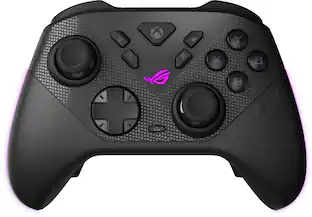 $149.99The price was $189.99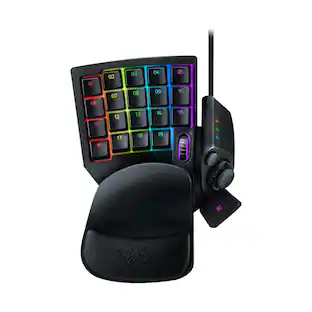
Razer - Tartarus V2 Wired Gaming Mecha-Membrane Keypad with Chroma Back Lighting for Mac and Windows
$74.99The price was $79.99
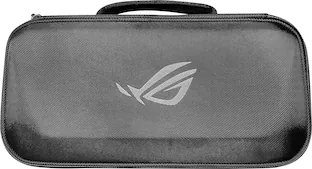




More to consider
 $109.99The price was $159.99
 $14.95The price was $19.95

Level up your game Sponsored




Discover related products
 $32.99The price was $34.99





Keep exploring
 $39.99The price was $59.88