Customer Ratings & Reviews
- Model:
- 505-178-05-010-NA
- SKU:
- 6640724
Rating by feature
- Value
Rating 4.3 out of 5 stars
- Quality
Rating 4.6 out of 5 stars
- Ease of Use
Rating 4.4 out of 5 stars
Customers are saying
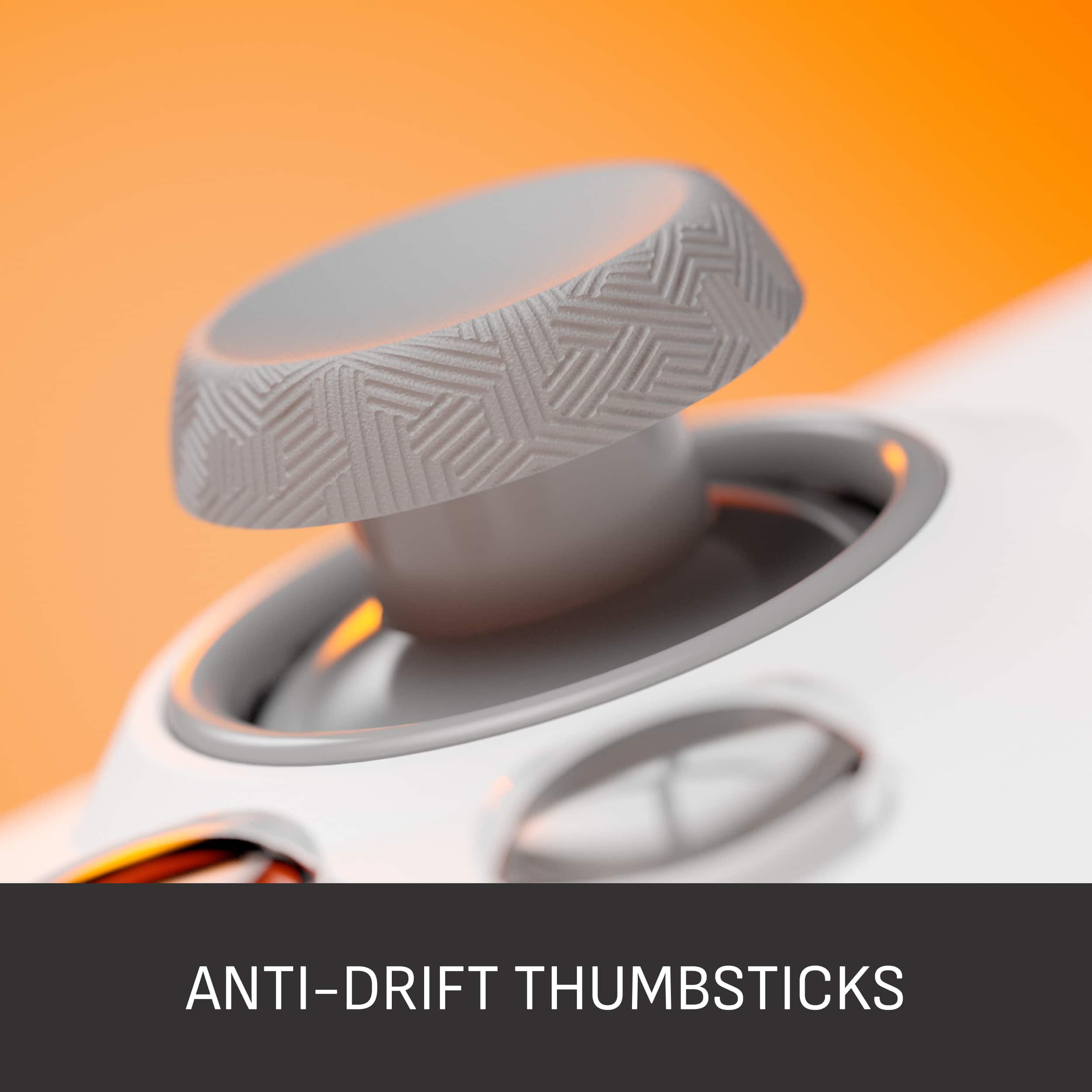
Customers are positive about the VALOR PRO Wireless Performance Controller's ergonomics, build quality, and the absence of stick drift. Users appreciate the long battery life with USB-C charging and the responsiveness of the triggers. However, some customers find the button layout can lead to accidental button presses.
This summary was generated by AI based on customer reviews.
- Pros mentioned:Ergonomics

Complete Control
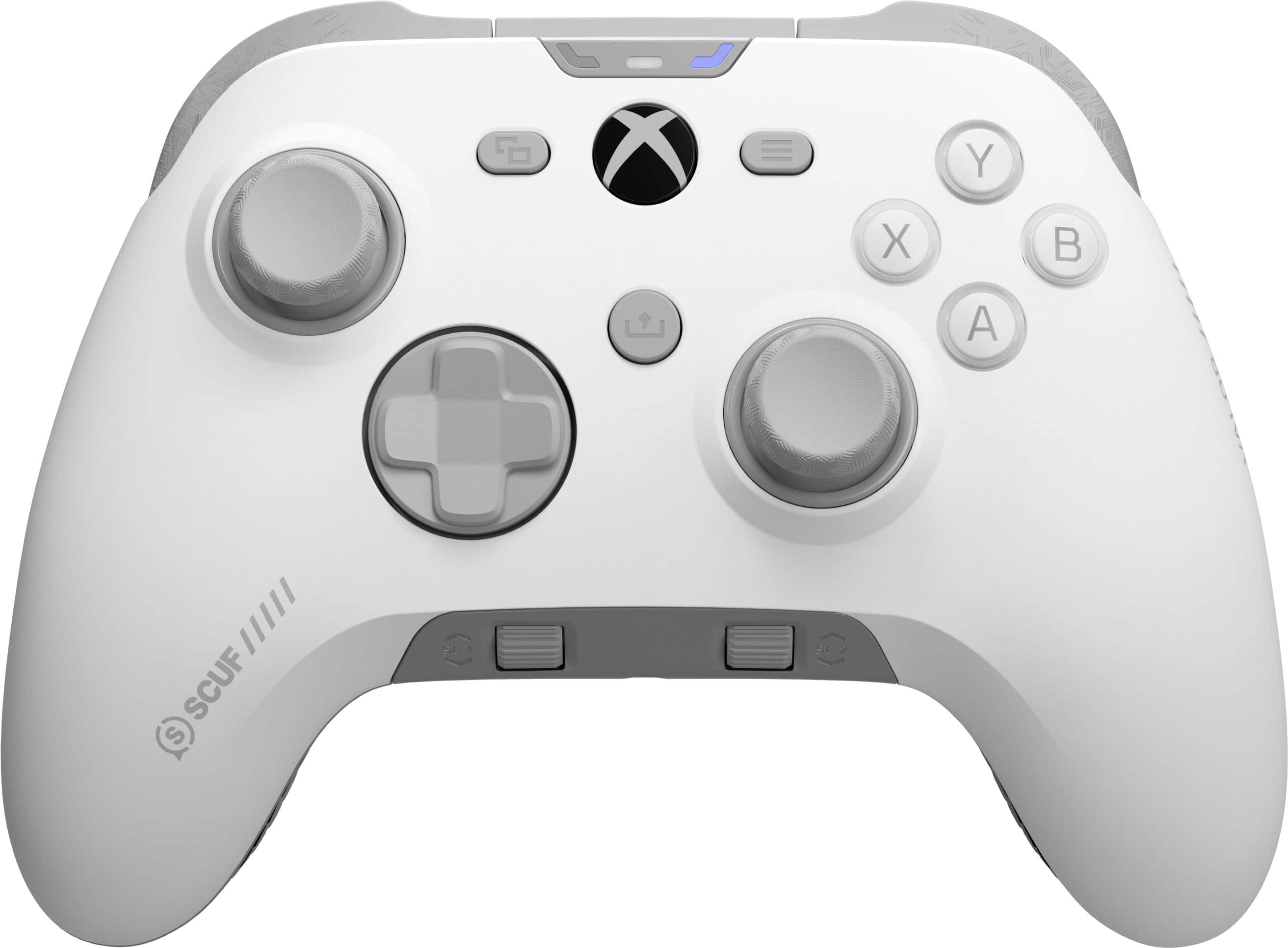
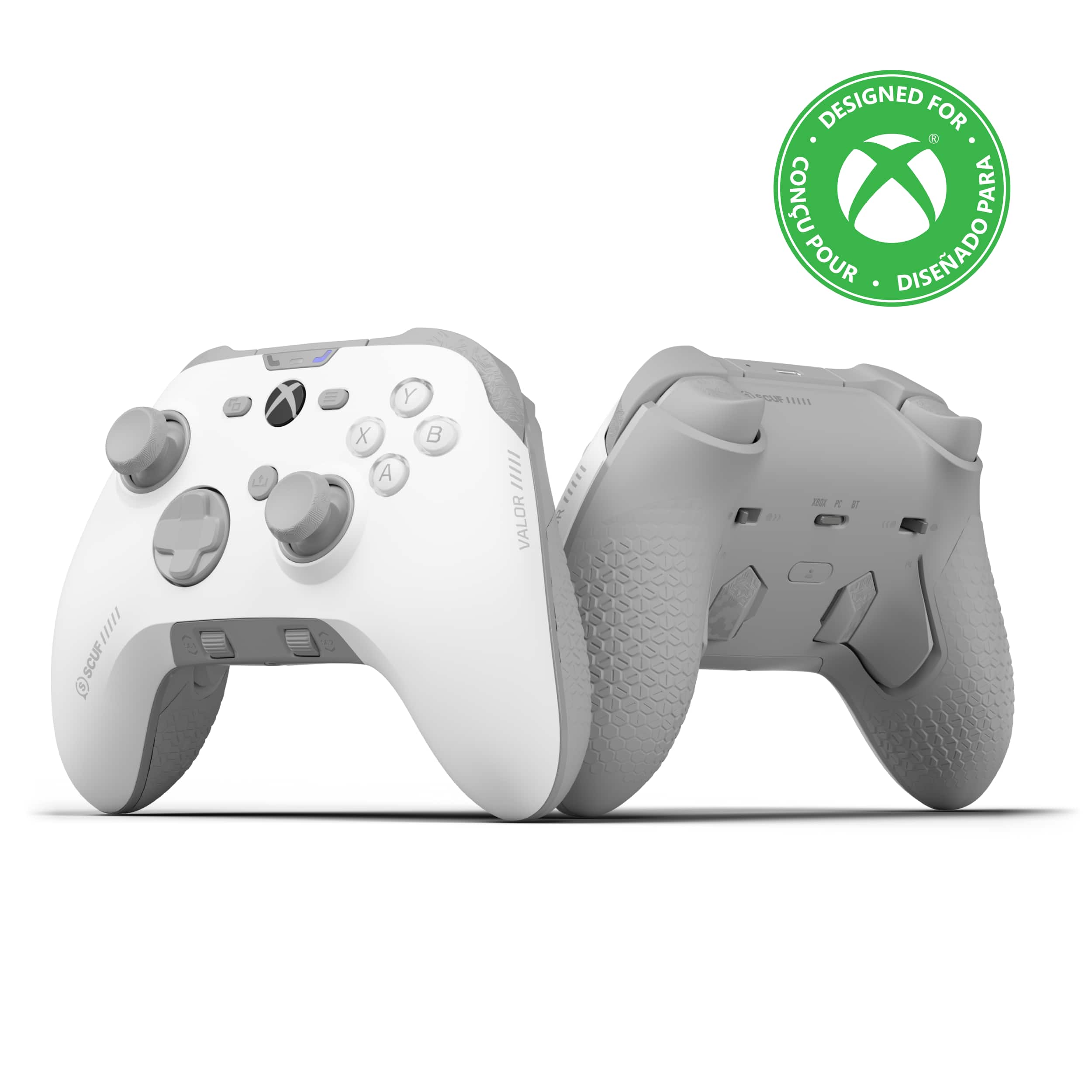
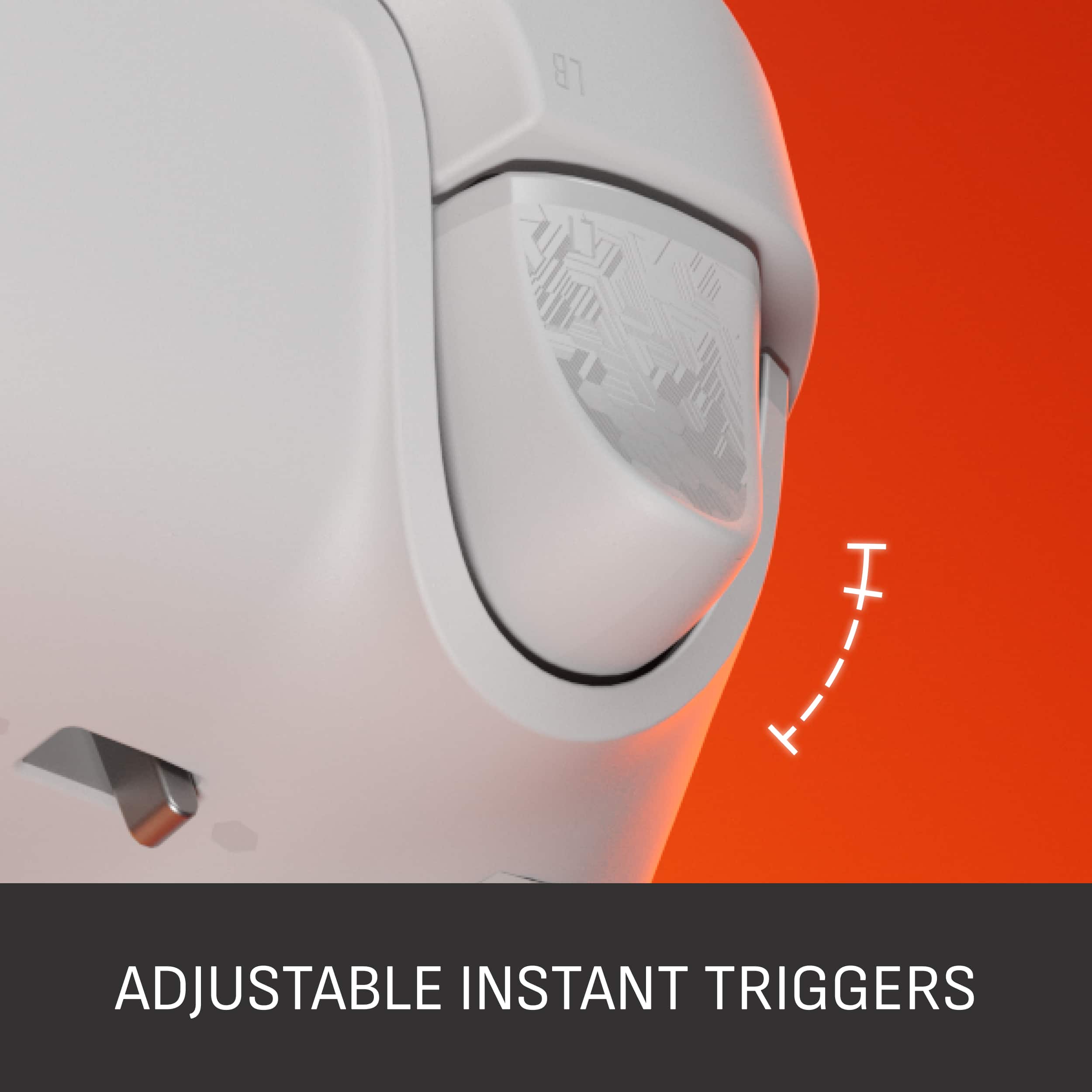
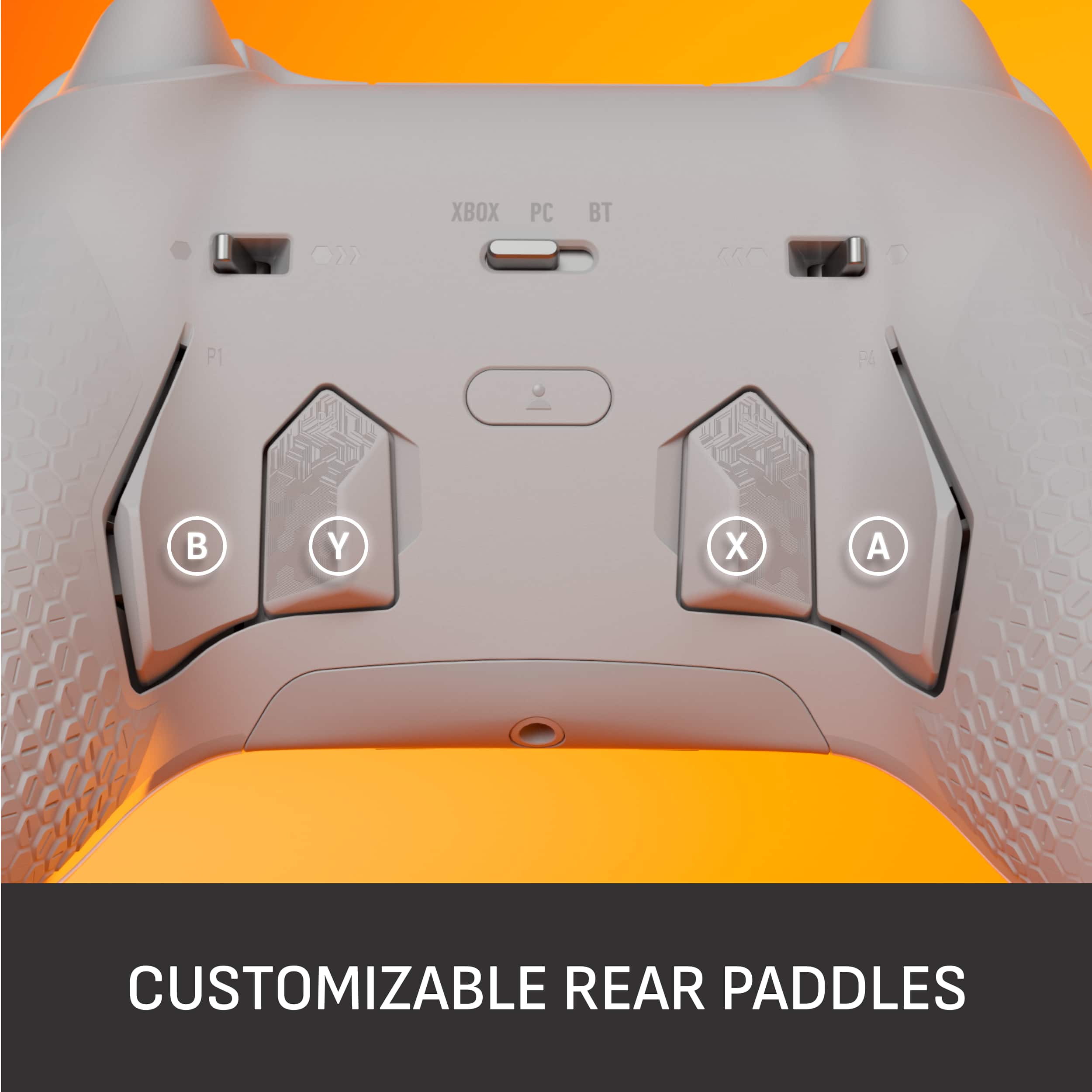
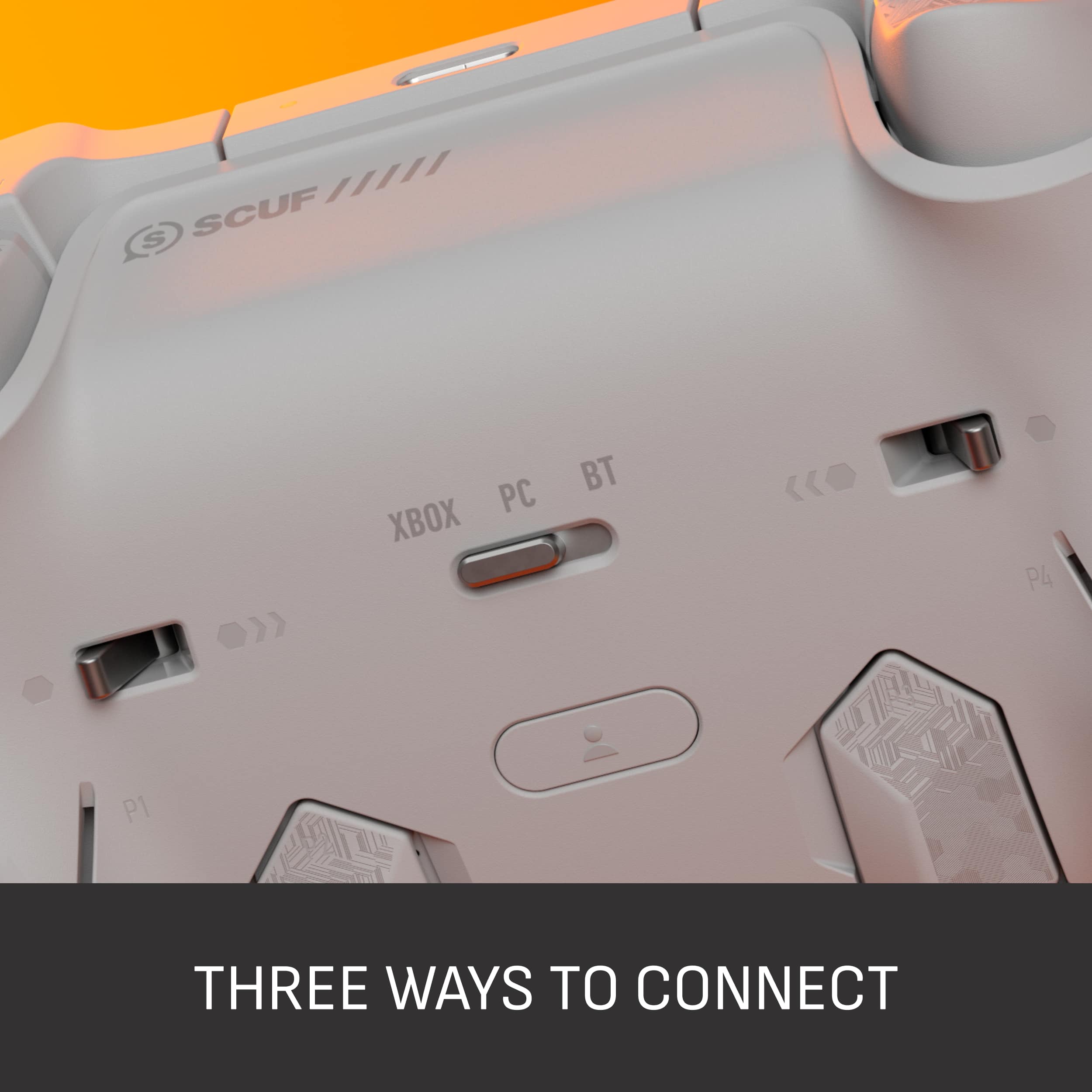
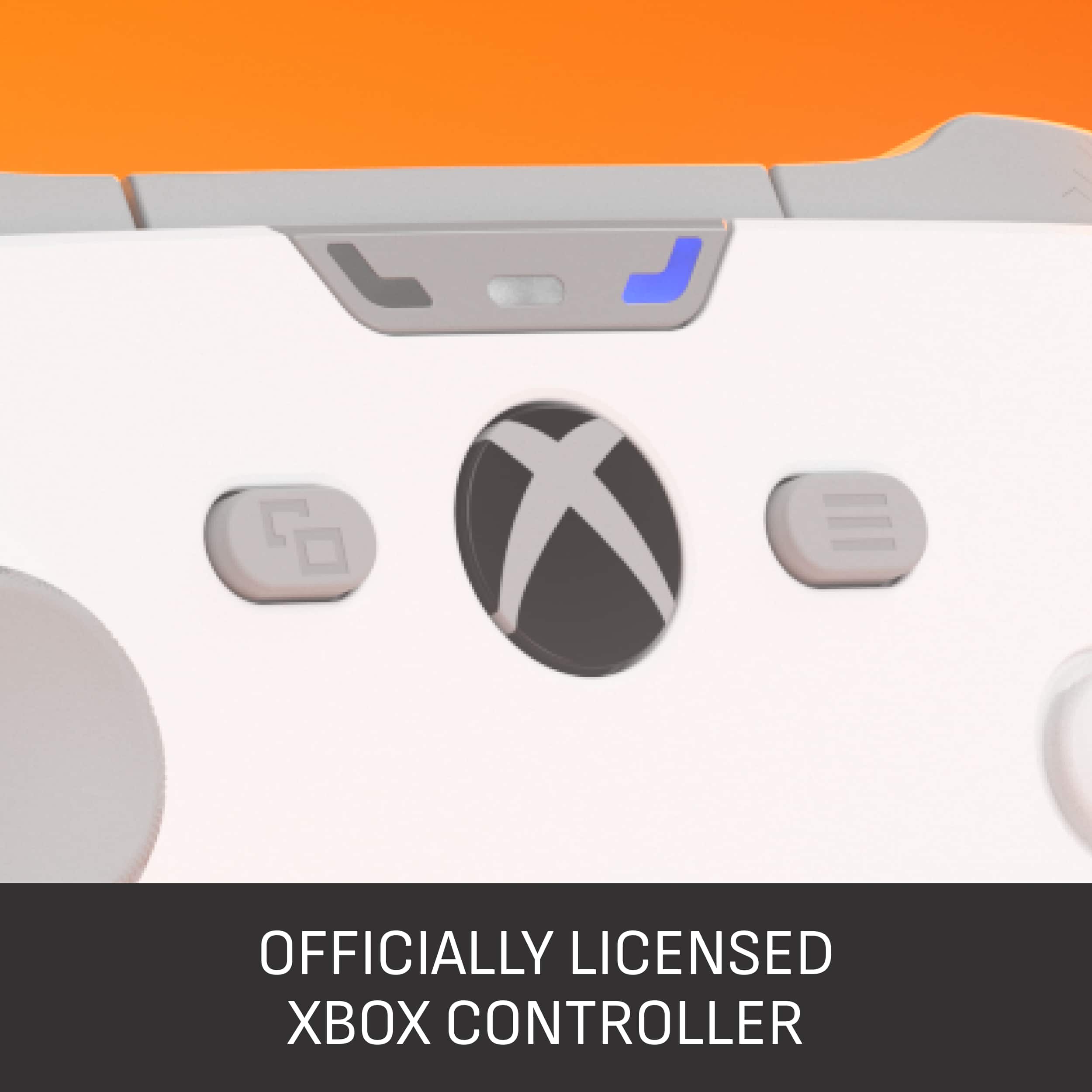
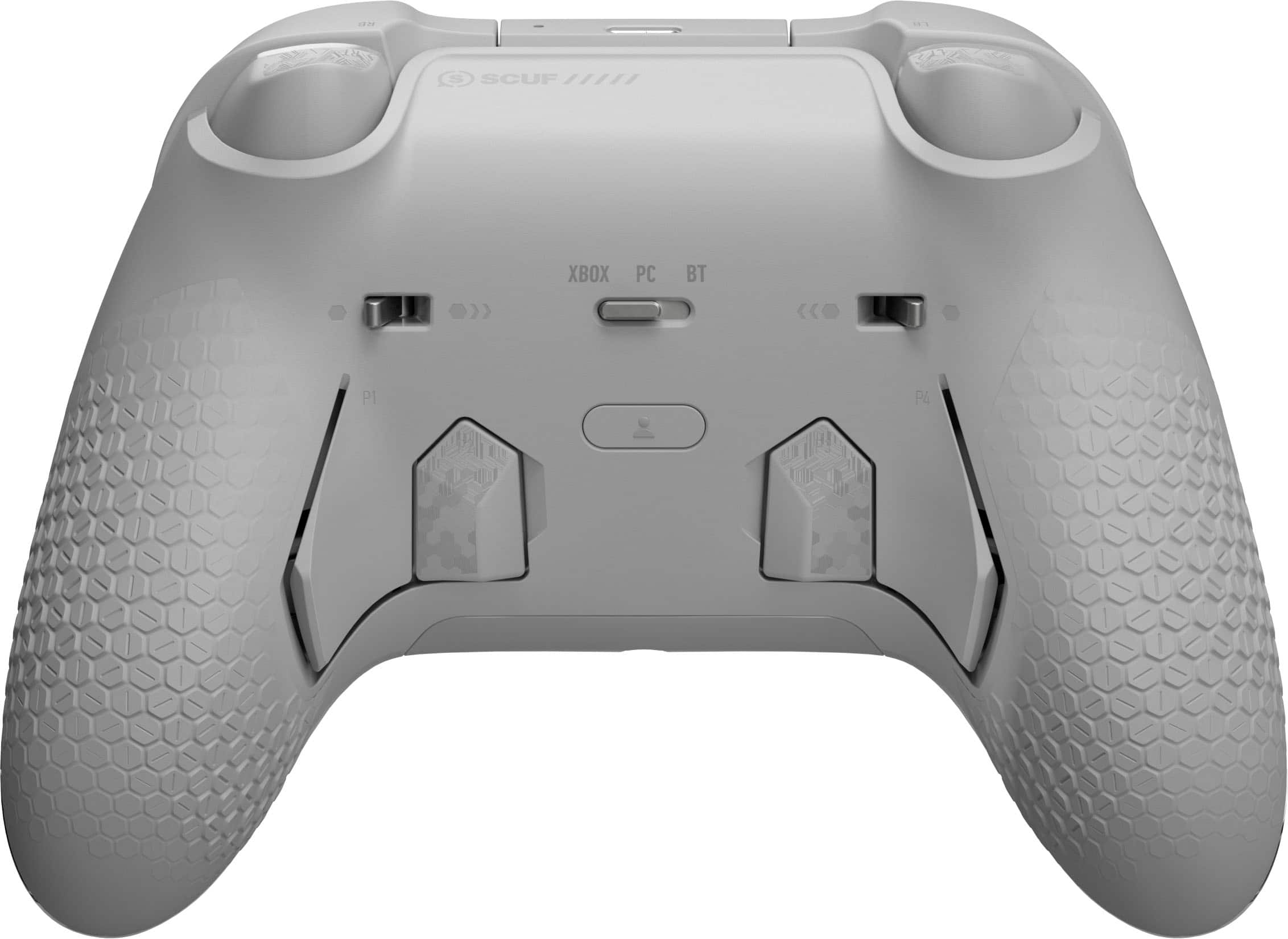
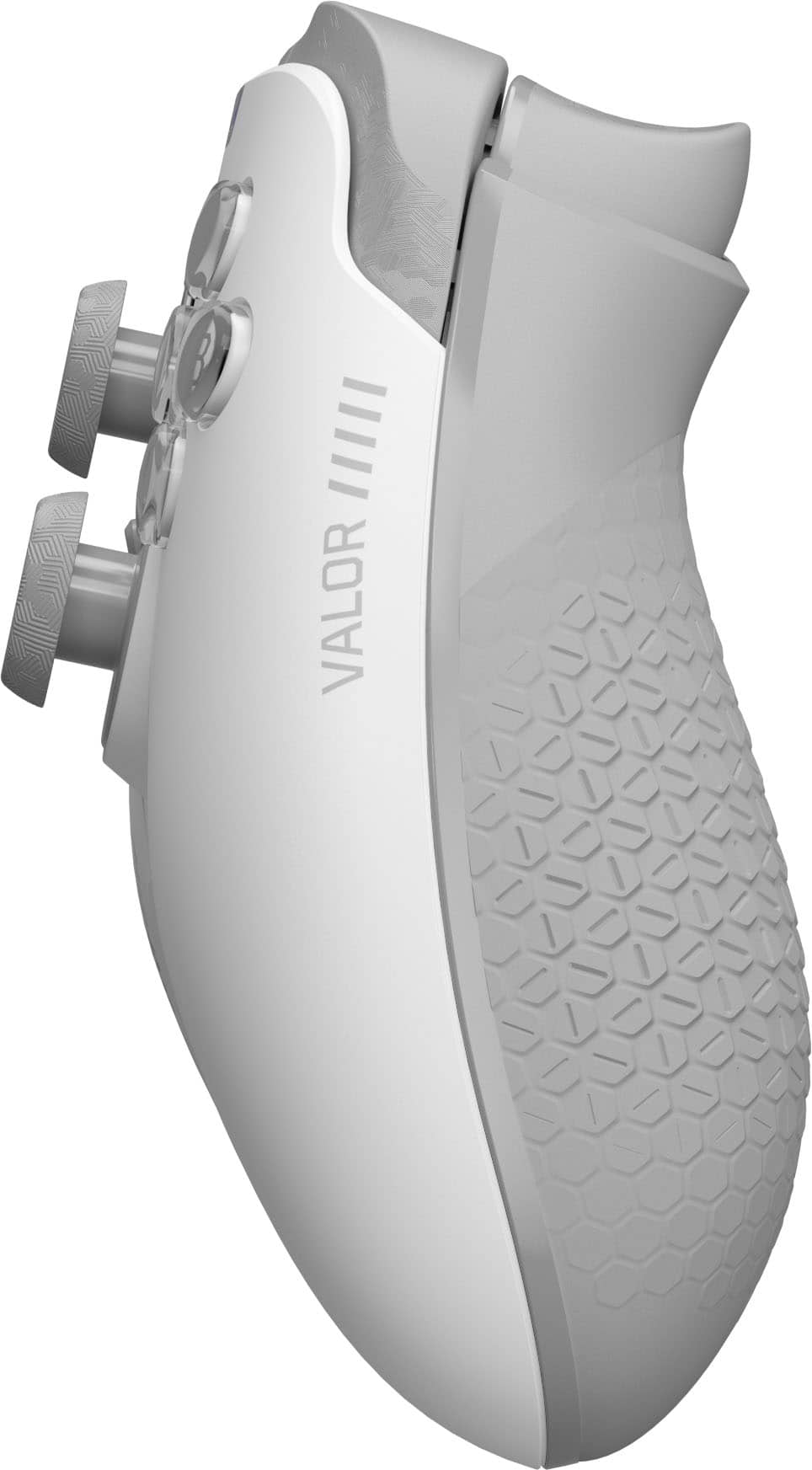
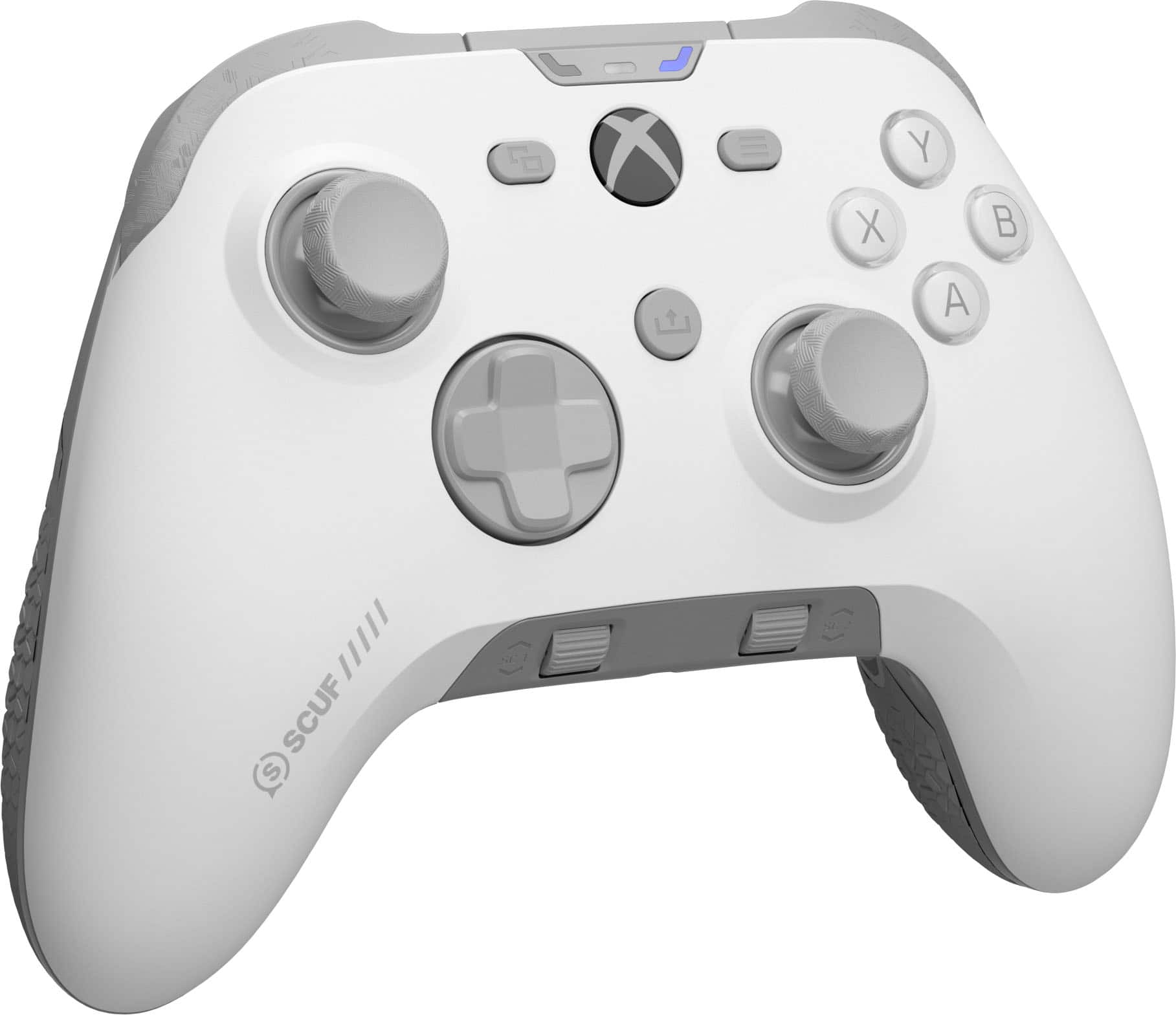
|Posted .This reviewer received promo considerations or sweepstakes entry for writing a review.The Valor Pro Wireless is the latest iteration of the SCUF Valor Pro controller line, but this time featuring ultra low latency wireless with the included dongle and upgraded Endurance TMR thumbsticks. After unboxing, the first thing that struck me was the premium feel of the Valor Pro, with a nice textured non slip grip and great ergonomics which is to be expected for the price point. In all black, I think the controller looks clean, easily blending in with my other controllers. However, the front faceplate is removable allowing you to easily change out the look and also swap out the d-pad or thumbsticks. The real star here being the Endurance TMR sticks which are an improvement on the popular hall-effect sensors, known for their precision and durability. The TMR sticks feel great, like traditional analog sticks while being precise and they even have adjustable dead zones. The rear paddles are customizable, positioned well, and comfortable to use, though SCUF does provide blanks if you are not a fan. The d-pad is also good and I like that it is magnetic as well, making swapping out the button profile easy. While I wasn’t sure of the shoulder button shape initially, I found the profile of them to actually work well and it was easier to activate them without accidentally pushing the buttons when using the triggers. The triggers themselves having a unique instant mode you can flip to, which completely changes the feel and range to that of a muse click. These are amazing for shooters or really any game where you do not need the control and full range of the trigger. Oddly, I found the triggers operated as buttons and lacked variability when connecting to PC with bluetooth. Fortunately I didn’t notice this with the included low latency dongle. The Valor Pro wireless features tri-mode connectivity providing broad compatibility across Xbox, PC, and even mobile devices with the bluetooth pairing option. You can even use the controller wired for 1K Hz polling rate, though I found the dongle fast enough for me. I also don’t use wired headphones, but if you do there is on board audio control, with independent controls for chat and game volume. The Valor Pro also features multiple profiles with custom button mapping, that you can quickly swap between to match your gameplay. Though you can customize some buttons for a profile on the controller, SCUF provides a companion app as well that can fully customize the button actions, trigger sensitivity curves, stick dead zones, vibration intensity and more. Gaming with the Valor Pro has been great and it is now my preferred controller primarily thanks to great ergonomics, customization, and TMR sticks. The SCUF Valor Pro Wireless is the premium controller to get with features perfect for an enthusiast of Xbox, PC, or even mobile devices.
I would recommend this to a friend - Pros mentioned:Battery life
High quality and a price to match
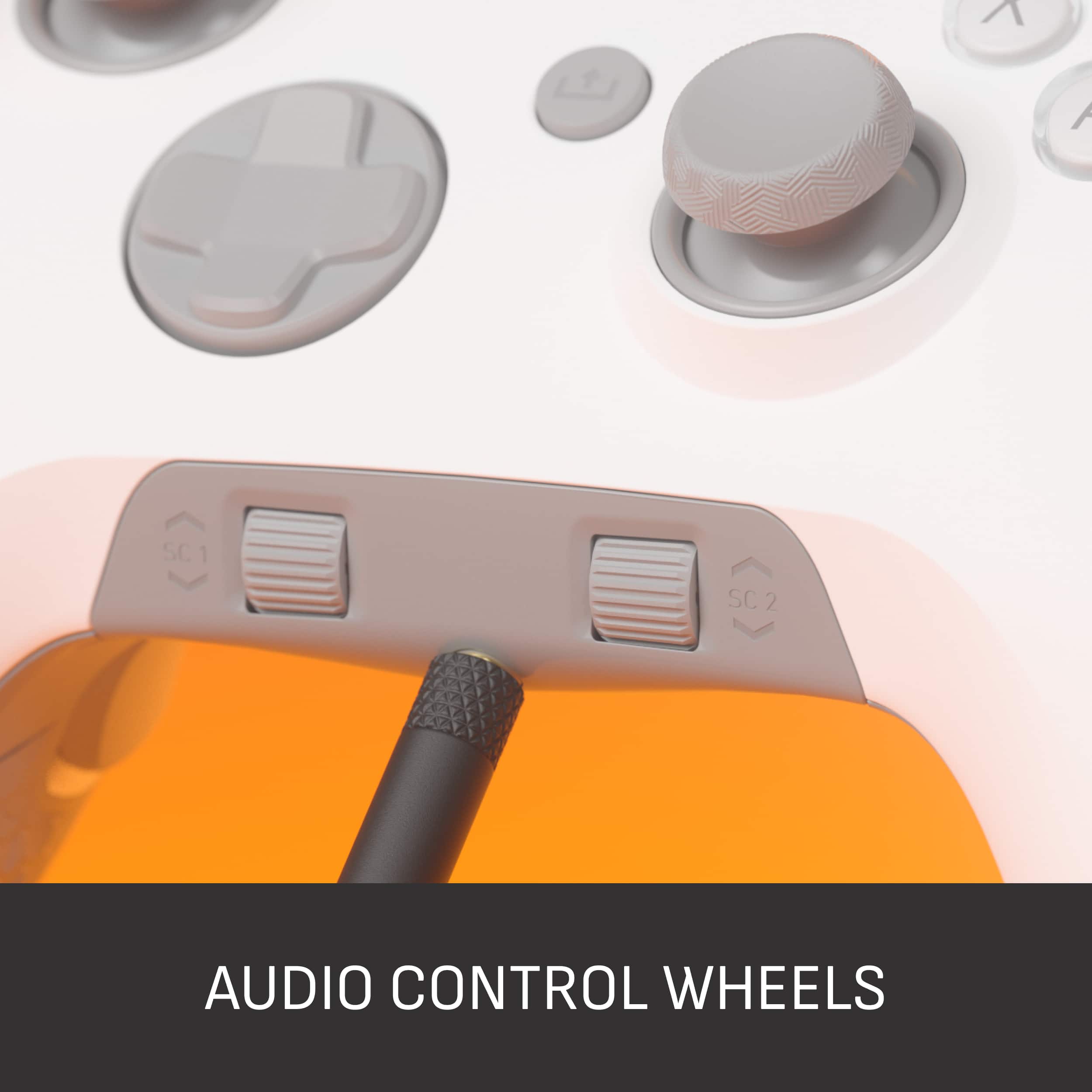
|Posted .This reviewer received promo considerations or sweepstakes entry for writing a review.All these years, I’ve been using the stock Xbox controller. I never felt the need to upgrade to a controller with more buttons and functionality, but I had an opportunity to get this SCUF Valor Pro Wireless controller. Unboxing it makes it quickly apparent that it is high quality, which it should be at its MSRP. The feature I immediately noticed and felt was the mappable rear paddles. This makes games like racing SIMs easier to play since you can assign many more commands, such as paddle shifters. The ability to lock the triggers using a mechanical switch results in a crisp, satisfying “click” instead of a full-range squeezable trigger. I appreciate this since I also play pinball games quite frequently, and the crisp click is perfect for the flipper action. The rotary audio control wheels on the bottom face are a nice touch, although I really wish we could remap these to something like ABS 1-10 and Traction Control 1-10 for racing sims. It appears to be hard-coded for headset and mic volume, unfortunately. Using the controller is a pleasure, and it feels high-quality and reassuring. The non-slip grip is welcome, as my normal Xbox controller is hard plastic and slippery when gripping. Bluetooth pairing is straightforward; however, you’ll probably want to use the USB dongle for a faster response time. You can also plug it directly into your computer via USB-C and enjoy a 1000 Hz polling rate, which is instantaneous. I find that Bluetooth is the best balance of performance and convenience. So far, after a few hours of use, the battery is barely used and has plenty of time to spare. After finally upgrading my controller, I can confidently say the SCUF Valor Pro delivers a first-class experience in every way. I would feel confident recommending it to anyone wanting an upgraded experience. Docked it one star since it's really expensive for what it is.
I would recommend this to a friend - Pros mentioned:Ergonomics
Loving this controller
|Posted .This reviewer received promo considerations or sweepstakes entry for writing a review.The SCUF Valor Pro is a wireless controller for the Xbox or PC. Economically it is very comfortable and feels great in the hands when gaming. The first thing that I noticed was how light and reactive the thumb sticks were. That may be attributed to them being made out of a more thinner plastic material. Time will tell how long they will last. You do get an extra set included in the box along with an extra set of rear paddles which feel very good and clicky like a mouse but I can’t say the same for the face buttons. The face buttons have too much play for me, coming from another controller with face buttons that react like mouse clicks feels much better to me personally. The trigger buttons are very light and smooth and when you lock them to get a shorter trigger feel they feel very tight and clicky the way I prefer. In the box you’ll also get a usb dongle and a braided usb c charging cable. You have multiple ways to connect to your source via Bluetooth, low latency wireless and ultra fast wired. The SCUF Valor Pro also has 1k Hz polling rate for faster inputs. Adjusting other controller settings is easy with the SCUF app. Changing the thumb sticks and rear paddles are easy. You can also purchase faceplates and thumb sticks to customize the look of your controller.
I would recommend this to a friend - Pros mentioned:Battery life, Button quality
Scuff Valor Pro vs Elite Series 2
||Posted .This reviewer received promo considerations or sweepstakes entry for writing a review.Recently bought this and have been using it for about a month or so and will be comparing it to Xbox Elite series 2 Controller. To start on the Front side thumb sticks are very responsive using low latency and better yet no stick drift. Compared to my elite controller it had stick drift within 2 months. The most noticeable difference is weight, elite 2 being the slightly heavier one compared to scuff. Elite 2 had a comfortable feel but was quickly lost when the rubber itself came apart on the controller where you can tell it was cheaply glued. I don't see that being a problem with scuff controller as it only has rubber material on the backside and seems to be apart of the actual back piece compared to the glued version in the elite series 2. The removable magnetic cover is game changing for keeping controller clean dirt free. I was skeptical at first about it coming off when dropped and it has proved me wrong I've accidentally dropped it from about sitting height and hip height several times and it has yet to fall apart. The same cannot be said for the elite series 2 where if you dropped it from the same heights it would quite literally dismantle itself thumbsticks d pad and paddles would all come apart. Which leads me to my next point the paddles on the scuff valor pro are integrated into the controller itself except for P1 and P2 which can be swapped out but are firmly in place so they do not come apart and WOW are they great. while the bumpers on the scuff are great but personally for me the paddles are fantastic/better and have an almost identical feel to a computer mouse click for P2 and P3. P1 and P4 have a different deeper click but the way they are set up makes it for minimal effort to get buttons pushed. The triggers can also be adjusted on how far you want to be able to push down said triggers. Scuff only has 2 settings for these full press down and fast mouse click like the paddles, Elite Series 2 had 3 a full, mid, and small press which honestly isn’t needed (for me personally). Also has game volume and party chat volume scroll wheel built in to the controller and can be muted when pressed down which is a Mint feature. Few things id like mention before this already long review turns in to a book lmao the battery life its great only charge it once every few days and not every gaming session like elite 2. There is an app for xbox and pc were you can dive deeper into controller and find dead zones and other features alike The only down side to the scuff for me is it has a profile button on the back that is SO easily pressed if you have fat fingers like i do but each profile has a different color so its easily noticeable. Hopefully this helped you and gave you some insight on the Scuff Valor Pro
I would recommend this to a friend - Pros mentioned:Button quality, Stick drift
Honest Review + Huge Tip With The Companion App
||Posted .This reviewer received promo considerations or sweepstakes entry for writing a review.After playing for 2 weeks with this controller I can say it is a solid tool to enhance your gameplay. The TMR sticks are great. Absolutely no stick drift, unlike my Elite Series 2 that had it straight out the box. Playing on zero dead zones (which I have never been able to do before) I noticed a significant improvement in my overall aiming. The trigger stops are great and give the triggers a mouse like click as well as the bumpers. Now let me get to the cons. This could just be personal preference but for the price point I believe the abxy buttons and d-pad should also have the mouse click like feel same as the triggers and bumpers. Seems like a missed opportunity to me for a controller that is $200 after taxes especially when compared to a controller like the g7 pro that has this feature on every button for half the price. Also, I find the back paddles extremely difficult and uncomfortable to use. The 2 on the grip have a completely different feel than the two smaller ones which have a mouse like click and I feel like they are too difficult to press at times. Now I do play claw so this may have something to do with the uncomfortable feeling but I did not have this problem on the Elite Series 2 which I thought did the back paddles perfectly. Another issue I had which again could just be preference is the fact that you cannot bind a button to work as a shift key. I had this feature on my Elite Series 2 and it was a game changer in certain games and for me is a MUST have feature especially for this price. Lastly, I don’t know why they made it so difficult to get access to the app that allows you to customize the controller and remap the buttons on Xbox but I’ll give you a tip that worked for me. On your Xbox open up Microsoft edge and search for the official Scuf website. Once there search for this exact controller and click on it. Scroll down until you find the section titled Companion App (BETA) and click the learn more link. From there click the first link that says available here. It should take you to the Microsoft Store website. From there, login with your Microsoft account and then add the app and it should now be on your console for you to use. Like I said very difficult to access the app as you can not just search it up and download on the Xbox store without doing these steps and they do not explain this anywhere on their page or in the manual. Overall I think it is a pretty great controller. The TMR sticks are game changing but for the price I think you would be better off getting a g7 pro that has all these features for half the price.
I would recommend this to a friend - Pros mentioned:Battery life, Button quality, Stick drift
SCUF Valor Pro Wireless Best Controller Ever Made
||Posted .This reviewer received promo considerations or sweepstakes entry for writing a review.Best controller ever made. TMR sticks with zero drift. Trigger locks perfect. Sticks allow for accuracy, precision, and micro adjustments in FPS. Extreme long battery life. Back buttons are high end and easy to use. Zero issues with this controller after 2 months. Highly recommend for anyone that plays FPS. IF it proves to have longevity, there will never be any need to buy another brand of controller.
I would recommend this to a friend - Pros mentioned:Battery life, Stick drift
Best rechargeable controllers
||Posted .This reviewer received promo considerations or sweepstakes entry for writing a review.The SCUF brand controllers are exceptionally well-built, boasting a long-lasting battery and a plethora of configurable buttons. They offer seamless compatibility between PC and Xbox, making them a user-friendly choice. The ability to disassemble and clean the controllers is a fantastic feature. I’ve never experienced stick drift with a SCUF, and they’ve proven to be incredibly durable. While they may be a bit pricier compared to standard Xbox controllers, the cost savings in the long run are significant. The need to constantly replace the standard controllers due to stick drift is eliminated. Additionally, the savings from not purchasing AA batteries are substantial. The slate gray color is particularly appealing as it prevents the discoloration and yellowing that often affects the white counterparts. Having used a SCUF for four years, I decided to upgrade to the Valor controller due to the AA batteries and the fact that the white one became stained by natural oils from my hands. Overall, I’m thoroughly satisfied with this controller. Downside: current issue with bios updating the valor pro can be annoying and glitchy. You’ll have to download the Valor pro app on your PC using the same Microsoft account connect with your Xbox. One downloaded and connected, you can then go to the App Store in Xbox to download apps you have downloaded before tricking it into downloading on the Xbox. Once this is done it should be easy to connect and change settings. Hopefully they will fix this. Honestly doesn’t affect the use of the controller. Having to connect a USB dongle is a little annoying as well but does not affect the controller.
I would recommend this to a friend - Pros mentioned:Button quality, Ergonomics
Best Sticks in the Game, Worst back buttons
||Posted . Owned for 2 weeks when reviewed.This reviewer received promo considerations or sweepstakes entry for writing a review.I am an Elite Series 2 Owner so that's what I am used to. The stick on the Valor Pro are amazing. Instantly noticeable and if you have not tried TMR do yourself the favor. You can hold shot on an opponent easier and longer. You can find a player much quicker. Sticks on this out of the box are tunes beautifully and feel perfect. Face buttons and triggers are great as well. I like that RB LB come down the side little bit.. This controller also feels great in the hands. A little bigger than the Series X and elite controllers. The big caveat on these scuf controllers is the back buttons. You basically get two Because the reverse firing upper buttons is the worst design out there. We are supposed to push up with the back of our fingers? awful. IF you can live with two back buttons they are ok. But the force it takes to press these on the valor is too much. It strained my hands eventually. The Envision I found used was much more clicky but the ones on the valor are not useable for my style. I rate the series 2 back buttons as basically perfect. Paddles that are easy to press on all four fingers. Outside of that issue this is a stellar controller.
I would recommend this to a friend Smooth and responsive
|Posted .This reviewer received promo considerations or sweepstakes entry for writing a review.I’ve had a fair bit of game controllers over the years and it never fails that eventually at least one of the thumb sticks starts to drift. I’ve had one controller with Hall Effect and have wished more controllers had them. Now I have this one with Tunneling Magnetoresistance (TMR) and I think I might like them a bit better. I can’t quite explain it, but they feel a bit more snappy and precise. But, technically they should still last a lot longer than the default potentiometers of most standard controllers. Only time will tell, but since they are like the Hall Effects in the sense that they are using magnets instead of physical connections, they shouldn’t have those issues. As for the controller in general, it is about 6g heavier than my original Series X controller but feels so much better in hand. The rubberized grips and the shape of the extra buttons on the back just rest perfect in hand. If you don’t like the extra buttons, you can pop the two middle ones out and replace them with flat caps. The other two flow seamlessly into the grip. The A/B/X/Y buttons are regular membrane like the standard controllers, the RB/LB are like mouse clicks and the RT/LT you can flip a switch and take it instantly from analog to digital, like you have two more mouse buttons. In the center back of the controller you have the profile button which can switch between 3 on board profiles and be used to program the paddles on the fly. The different profiles can include the programming of the buttons, the stick response and deadzones, with lowest of 4%, trigger response and deadzones and vibration. All changed through the app on PC and/or Xbox. The app is currently in beta, so you have to get it on PC through the Microsoft Store first, then you can install it on Xbox with the same account. One odd thing that threw me off is that you have to have the controller in Xbox mode while using the app, even on a PC. But, then you can switch it back to PC which then the audio settings change to Valor Pro instead of Xbox Controller. It works on PC in either mode, it’s just how Windows recognizes it. Speaking of the audio, it has a 3.5mm jack and two scroll wheels. The left one is for audio and the right one is for chat/game mix, which only seems to work on the Xbox. But, both of them can be pushed in with the left one instantly muting audio and the right muting the microphone. Personally, I found the audio level to get reduced a fair bit when listening through the controller versus straight to my PC. But, having the simple mute option is handy regardless. On the Xbox the mix works fine. Overall, with this controller, it has certainly helped up my game. The extra paddles are easy to program and use while being able to quickly switch between different profiles. The app, though a bit of a task to get working, helps really refine everything about it. Whether you are using it for PC, Xbox or something like the Quest over Bluetooth, you are in control.
I would recommend this to a friend- Pros mentioned:ErgonomicsCons mentioned:Connectivity
Feels premium. but some issues
||Posted . Owned for 1 month when reviewed.This reviewer received promo considerations or sweepstakes entry for writing a review.Pros: Feels premium. Feels great in hand. Great for FPS/COD Really like the outer paddles, but the middle ones are just awkward for me. The TMR sticks feels nice. Some Cons: I keep losing connection about every other week, it feels. The controller will just shut off mid-game, even with a full battery. Had a could times I had to do a hard reset because after turning off my console the controller still stayed out. Even though I really like it. I feel like I might return it because I already know It's not going to perform long term. Too many things have happened within the first month and half or so. Another nitpick thing. The way I hold the controller in the middle of gun fights, I keep hitting LB while holding down LT because of the way LB/RB wraps around, and It's pretty annoying the app def needs works.
I would recommend this to a friend - Pros mentioned:Button quality, Stick drift
I like this controller
||Posted . Owned for 1 week when reviewed.This reviewer received promo considerations or sweepstakes entry for writing a review.I love the position of the back buttons on my Scuf instinct pro. Unfortunately I have had 2 controllers get stick drift and I'm currently having a warranty one sent to me for the second time in a year. I decided I would try the valor pro being the buttons are in the same spot, and this has tmr sticks. This controller feels really good in my opinion. I have bought and returned several controllers with hall effect sticks as I could never get my aim to be as good. I only play Call of Duty/ Warzone and this controller seems to be pretty good with a few tweeks. Unfortunately to get the xbox dedicated app, you need to have a windows PC to download it. After downloading it on your computer it can be found on your xbox. It is not in the store for xbox. So thats annoying and another step, but its worth it. Ive had it for about 2 weeks and have had 2 out of the blue disconnects. I dont know why. It is sure nice not having stick drift though. Just be sure to update the controller after obtaining the xbox app. I would recommend and probably buy another one.
I would recommend this to a friend - Pros mentioned:Battery life, Button quality
Very versatile and worth the money
||Posted . Owned for 4 months when reviewed.This reviewer received promo considerations or sweepstakes entry for writing a review.I was skeptical with stuff for the longest mainly due to their limited warranty. I mainly went to this controller because as an owner of several elite series 2 controllers I needed something with more up-to-date technology in this one hits it right on money. The grip on the top of the controller is smooth with slight grip. The grip in the bag strong, especially for people who sweat the battery life is great, and the buttons on the backside are pretty well played. This might be a personal preference. Definitely recommend this controller.
I would recommend this to a friend - Pros mentioned:Button quality
Excellent Controller
||Posted . Owned for 2 weeks when reviewed.This reviewer received promo considerations or sweepstakes entry for writing a review.I was a long time Elite 1+2 user. I first switched to the Razer Wolverine V3. It was good, but too small for my hands. I replaced that with the Valor Pro. It’s slightly bigger than an Elite 2. Great weight, rumble, buttons, triggers, and TMR sticks. Only bad thing about this controller is the Xbox must be on to charge it. It will not charge in standby mode. If you can live with that, I think it’s the best controller currently on the market.
I would recommend this to a friend - Pros mentioned:Battery life
Worth the money and change
||Posted . Owned for 1 week when reviewed.This reviewer received promo considerations or sweepstakes entry for writing a review.If your use to a standard controller and afraid of spending to much to upgradefor this controller dont be. It is a amazing controller and easy to hook up and use. It is lighter then a standard controller. Has solid button response. Triggers give you the option of regular button range or short pull. Analog sticks are different and something to get use to but very smooth and responsive. Has a great battery life and is comfortable in the hands. Playing for a couple hours is easy and no strain. Have only had it for a month.
I would recommend this to a friend - Pros mentioned:Stick drift
Decent controller but not for me
||Posted .This reviewer received promo considerations or sweepstakes entry for writing a review.I swapped the instinct pro for this controller. I will say this is better feeling and more robust in hand than the IP, but I found the large “paddles” stiffer to activate than the IP. The instinct pro was a great controller (though felt cheaply made) but no built in battery is a no go IMO. After a few days of using the Valor pro, I found myself going back to my elite 2. I saw no real difference with the TMR sticks but I did not use if long enough to see if it helps eliminate stick drift. I’ll be returning this soon to BB (thank you total tech) but that doesn’t mean it’s a bad controller, it just didn’t work out well for me. I say buy it and give it a shot.
I would recommend this to a friend - Cons mentioned:Connectivity
Almost a Home Run
||Posted . Owned for 1 week when reviewed.This reviewer received promo considerations or sweepstakes entry for writing a review.I’ve been using the SCUF Valor Pro Wireless, and overall, it really does feel like a high-end controller built for serious gaming. The drift-resistant TMR sticks are one of the biggest highlights is that they feel precise and smooth, and I love knowing they’re built to last. I also like having multiple ways to connect, whether it’s the low-latency 2.4GHz dongle, Bluetooth, or just plugging in with USB-C. The four rear paddles and instant triggers have been great for shooters, and the grip and overall build quality feel premium. Being able to tweak everything in the SCUF Companion App, from stick sensitivity to button mapping, really helps dial it in. That said, it’s not perfect. The paddle placement feels a little awkward for my hands, and the sticks felt stiff until I adjusted the settings. Bluetooth isn’t super reliable on PC, so I mainly stick to the 2.4GHz dongle. I’ve also noticed some small quirks with audio when using a wired headset, which lines up with what other users have mentioned. Battery life is fine, but nothing amazing. Still, even with those issues, I really like using the Valor Pro Wireless; it feels like a controller built for performance, and once I tuned it to my liking, it became a strong part of my setup.
I would recommend this to a friend - Pros mentioned:Button quality
Great, small and responsive
||Posted .This reviewer received promo considerations or sweepstakes entry for writing a review.I recently replaced my XBOX Scuf instinct pro with this controller. The triggers are good but I have big hands this controller is a little smaller then the Scuf instinct pro I sometimes hit the extended LB/RB triggers. The Joy sticks are outstanding and feel better than the instinct pro. Im not a fan of the USB dongle but its a great all around controller.
I would recommend this to a friend - Pros mentioned:Overall performance
Amazing Controller!
||Posted . Owned for 3 weeks when reviewed.This reviewer received promo considerations or sweepstakes entry for writing a review.The SCUF Valor Pro Wireless is absolutely a premium-feeling controller. It has real weight to it, feels high-end in the hands, and performs great across the board. Build quality is top-tier, and the short-pull mechanical triggers are a sweet touch. It works great with my Xbox and with my Steam Deck.
I would recommend this to a friend - Pros mentioned:Ergonomics
Scuff valor, pro wireless
||Posted . Owned for 2 weeks when reviewed.This reviewer received promo considerations or sweepstakes entry for writing a review.The scuff valor pro is a really good pro controller it has exceptional build quality ease of use and very good hand feel It is slightly bigger than a normal Xbox controller, but don’t let that deter you from buying it.
I would recommend this to a friend - Pros mentioned:Ergonomics
SCUF - VALOR PRO Wireless Performance Controller f
||Posted . Owned for 1 month when reviewed.This reviewer received promo considerations or sweepstakes entry for writing a review.Pros: Ergonomics & feel: Comfortable in hand with a matte grip and thoughtful button placement that many players appreciate for long sessions. Premium components: Includes removable paddles and quality bumpers, plus non-slip grips that help control the controller during intense play. Audio controls: Onboard volume and chat/game audio wheels and mic mute options add convenience for headset users. Cons: Some players report quirky paddle placement — the inner paddles especially can feel awkward or easily pressed accidentally until you get used to them. Build and finish quality feels premium, but a few users on forums mention visible wear after relatively short use.
I would recommend this to a friend