Customer Ratings & Reviews





- Model:
- SR1AS0WH
- SKU:
- 6311764
Rating by feature
- Value
Rating 3.0 out of 5 stars
- Quality
Rating 3.8 out of 5 stars
- Ease of Use
Rating 3.4 out of 5 stars
Customers are saying
Customers are impressed with the Smart Remote X's ease of use, elegant design, and Bluetooth capabilities, finding setup straightforward and the point mode innovative. However, some users cite concerns regarding battery life, compatibility issues with certain devices, and the remote's size and high price point. The touchscreen, while praised by some for its responsiveness, is criticized by others for its lack of physical buttons and small screen size. Overall, the Smart Remote X receives positive feedback for its user-friendly features but also faces criticism regarding several aspects of its functionality and cost.
This summary was generated by AI based on customer reviews.
- Pros mentioned:Point mode, SetupCons mentioned:Battery life
Cool new remote from the future!
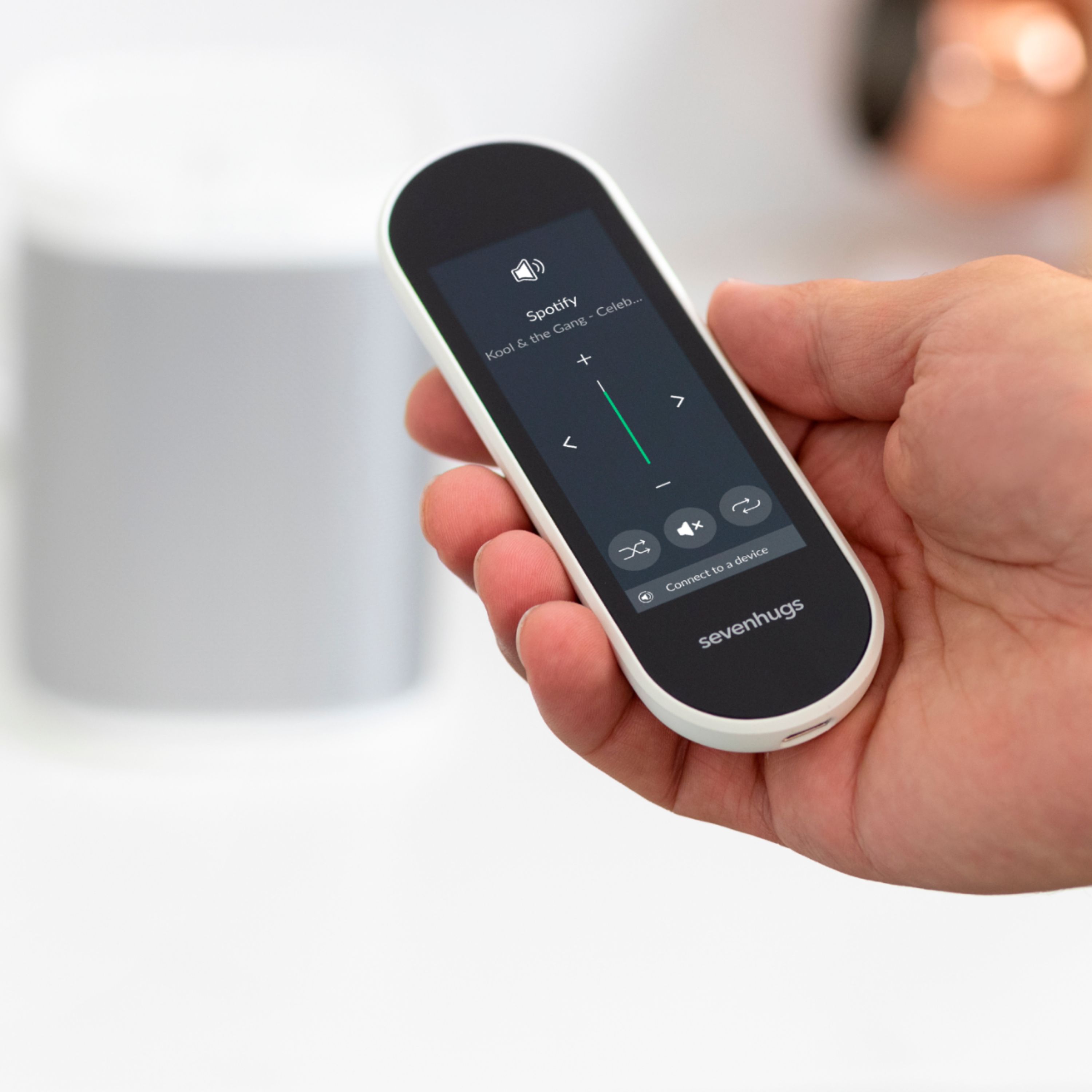
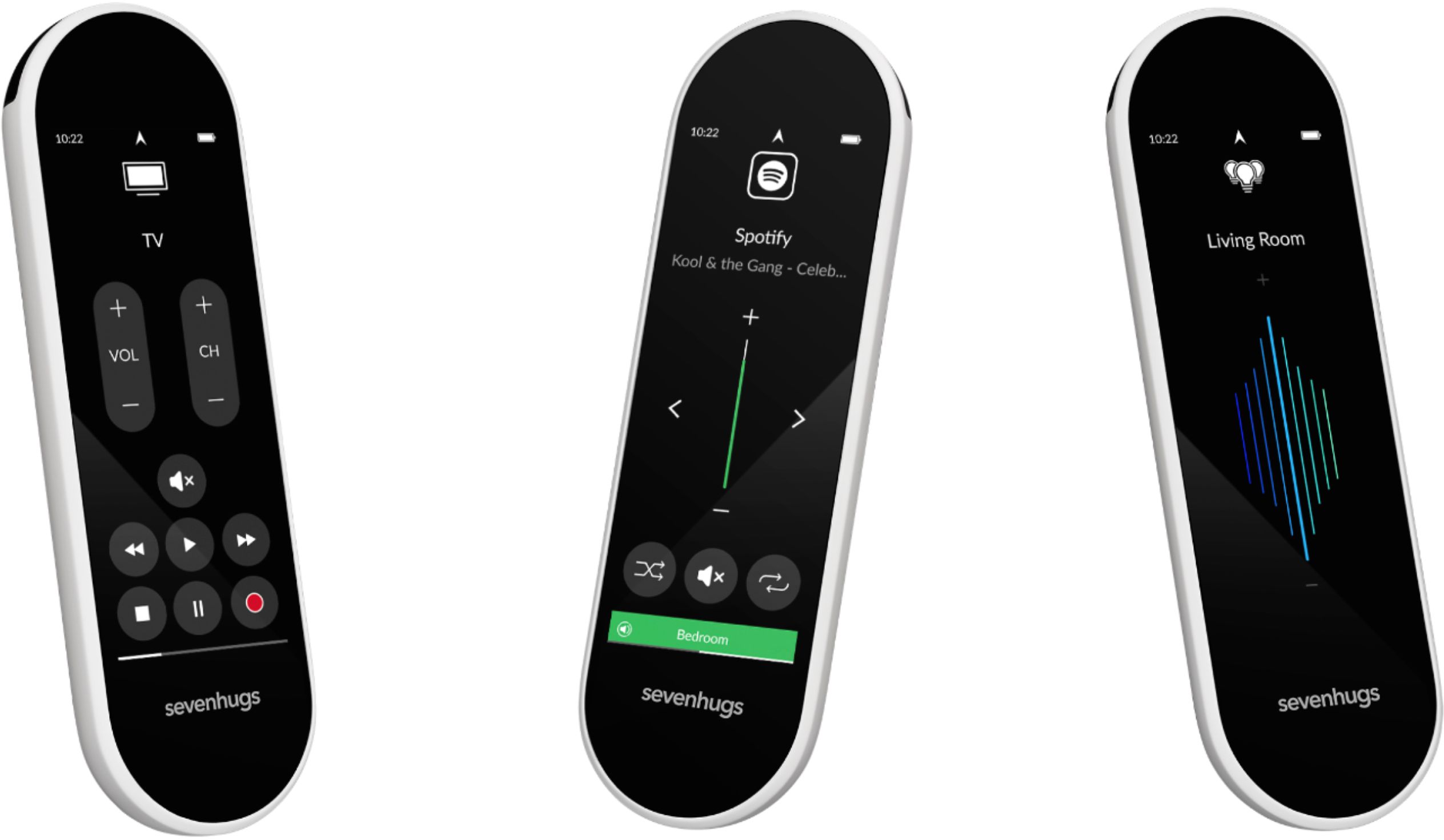
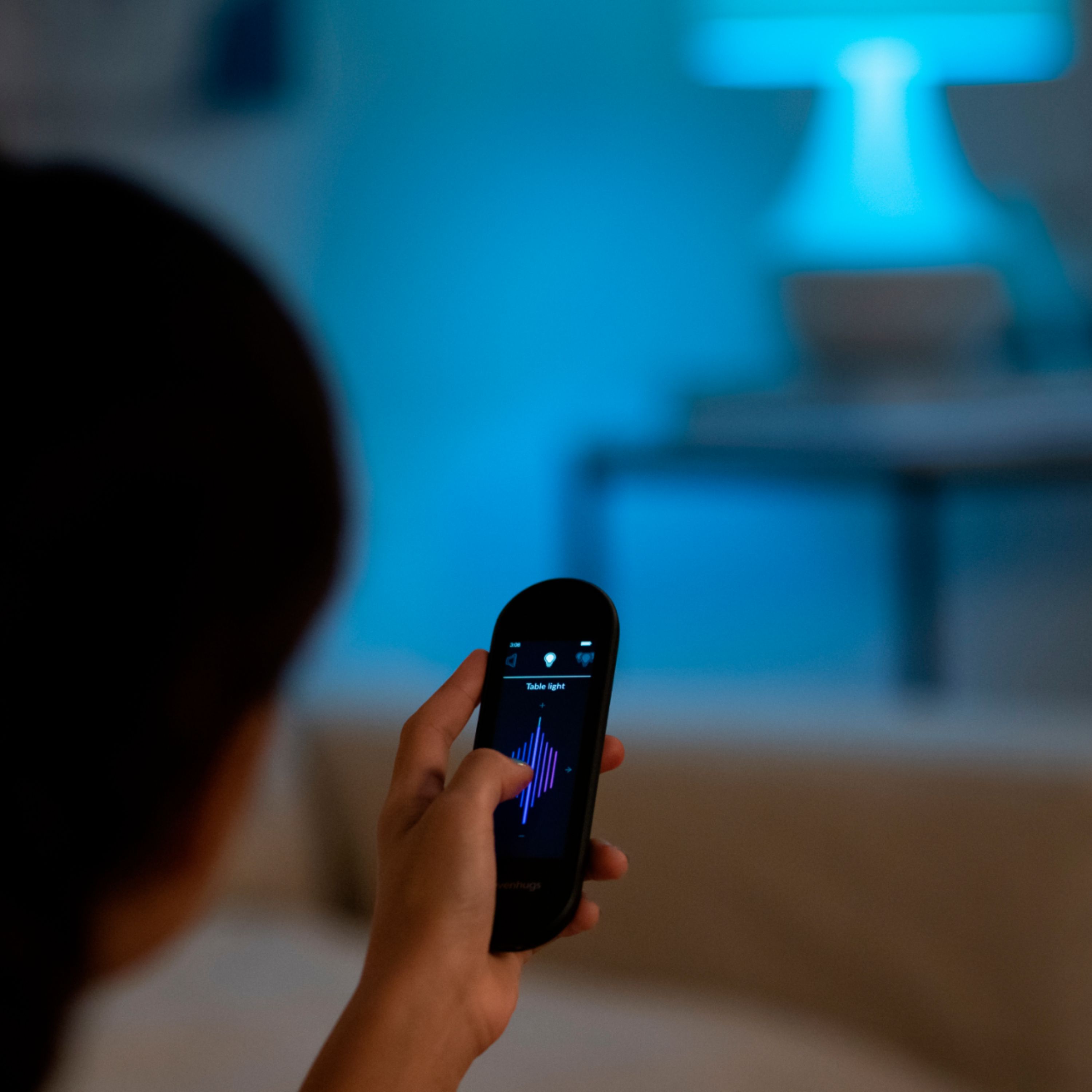
||Posted .This reviewer received promo considerations or sweepstakes entry for writing a review.My husband and I love gadgets and we're also control freaks, so when we saw the Smart Remote video we were dying to try it. So far so good! We're really enjoying it. Here are some of my observations as one of the first people to try it: - The remote itself is beautiful. I really love the way it looks. And when you hold it in your hand you can really feel the quality. - We mostly own products that Smart Remote supports, but we’ve got a few smart lights and switches that aren’t yet available (IKEA Trafri and Lutron). The current list of compatible smart home devices is bit limited right now, but Sevenhugs says they’ll be adding more devices every month. I'll be eagerly awaiting their Samsung SmartThings integration. - I’ve setup a few universal remotes in my time and this one was by far the fastest and easiest remote I’ve ever set up. The Smart Remote app does a really nice job and it took about 10-15 minutes from start to finish. - We successfully replaced 6 remotes with Smart Remote (woohoo!): TV, cable box, Roku, Blu-ray player, audio receiver and CD changer. A couple of the buttons on our TV and audio receiver were missing, but we were able to add them with infrared learning. We were also able to edit the controls and remove a couple buttons we didn’t need. That’s one of the nice things about a touchscreen remote—everything is customizable! - Smart Remote’s AV Scene feature makes it super simple to control our entertainment center. You just create a scene for each media player you want to watch and all the options appear in a list on Smart Remote. From there, all we need to do is just tap what device we want to watch. Smart Remote will turn on our TV, AVR and whichever media player we selected and switch all the inputs. Really like this one-touch control feature. - Point Mode makes me feel like Harry Potter (at least a little :-). Being able to just point at what you want to control is super cool and also pretty darn convenient. Really innovation tech! - The Room Sensors that make Point Mode possible need to be placed high on your walls and they need to be visible. They aren’t very noticeable on our white walls, but they will stand out a bit if you have dark color walls. Seems like a small price to pay for having the latest and greatest technology though. - Controlling smart lights and plugs is easy and is actually quite a lot of fun now, especially when using Point Mode. The UI is really well done and makes it really fun to play with your lights and try new colors. - If you use Spotify, you’re gonna love the Spotify integration on Smart Remote. It's super convenient to just browse and launch playlists without needing to pull out my phone. - The battery only lasts a day and overnight charging is pretty much required. Small price to pay for everything else this remote does well though.
I would recommend this to a friend One Remote To Rule Them All!
||Posted .This reviewer received promo considerations or sweepstakes entry for writing a review.Like most people, I’ve got a basket with 5 or 6 remotes sitting on my coffee table and it seems ridiculous to have so many controls. I’ve tried Harmony and other options in the past, but had issues with setup and could never get my wife comfortable with using a remote with a lot of buttons. So, I’ve been waiting for a new solution to appear. Also, I recently convinced my wife to try out a few smart home products like smart bulbs in various room in our home, but I’m the only person who typically uses them. She doesn’t always keep her phone with her and hasn’t really taken to using voice control yet. When I talked with my wife about solving our TV and lighting challenges with Smart Remote, she really liked the simple control screens and was open to trying it. After a few days of using Smart Remote now, we’re sold. Turning on everything connected to the TV is super easy. All we need to do is just tap the Roku or cable TV button in the menu and Smart Remote does the rest. My wife is even using our TP-Link smart lights thanks to Smart Remote with Point Mode. She was a little reluctant at first to install sensors on our walls, but it couldn’t be easier to control things now with the proper setup. Just point at the TV or the lights and tap...it works like magic! I’ve also been using Smart Remote to stream Spotify to my Bose speakers, which has been a really nice bonus feature. It’s like having the Spotify app on your remote. I can browse playlists and select music to play, control volume and skip tracks. The only thing it’s missing is the ability to type in searches like you can in the Spotify app. Hopefully they’ll add that functionality soon. A couple other things to be aware of: - The battery life seems pretty short, so you’ll need to get in the habit of charging it up every night. - Point Mode is really handy when you have some smart home devices spread around the room, but you won’t be able to point and control individual devices connected to your TV. If your devices are close together, you’ll need to manually swipe to select which one you want to control. Smart Remote isn’t perfect, but it has surpassed my expectations. Definitely nice to finally have a remote that eliminates clutter and makes controlling things pretty easy and intuitive.
I would recommend this to a friend- Pros mentioned:Design, Ease of use, SetupCons mentioned:Compatibility, Price

Unique and Beautiful but Not Smart Enough.
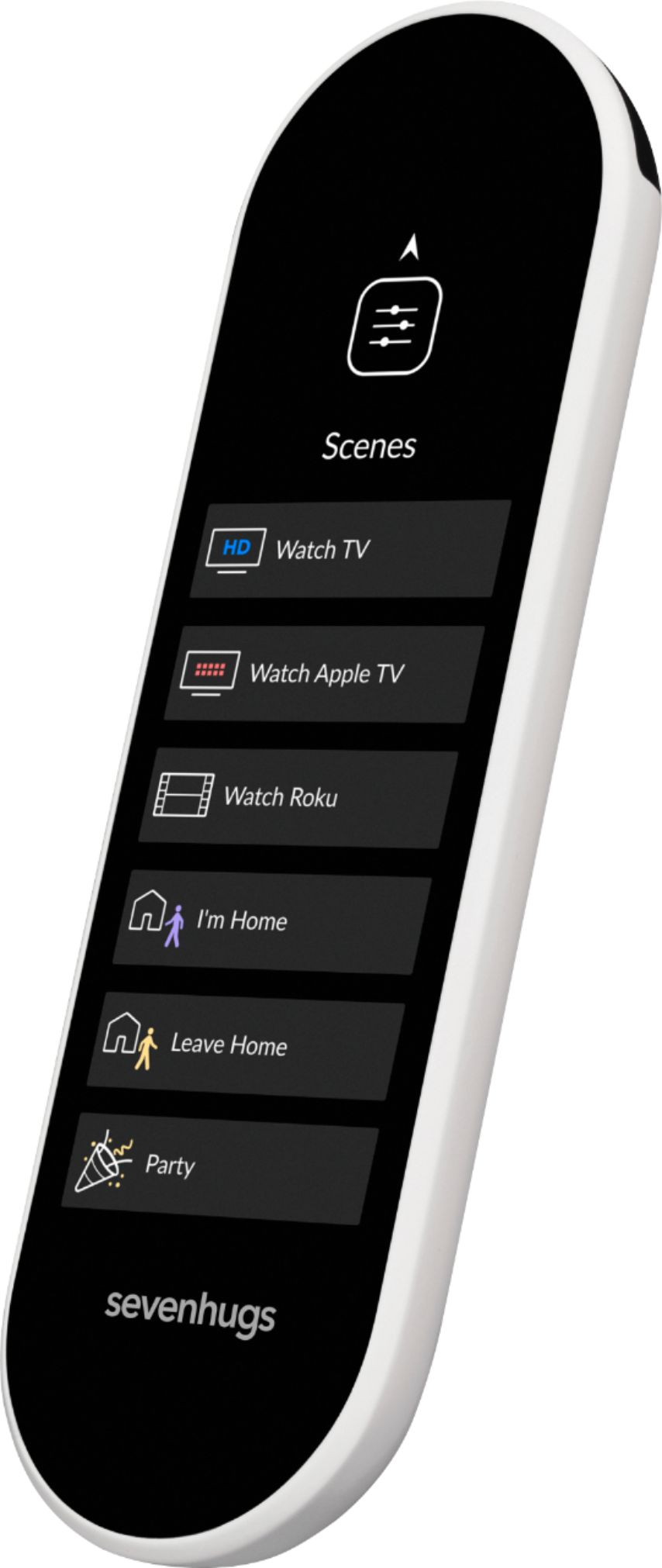
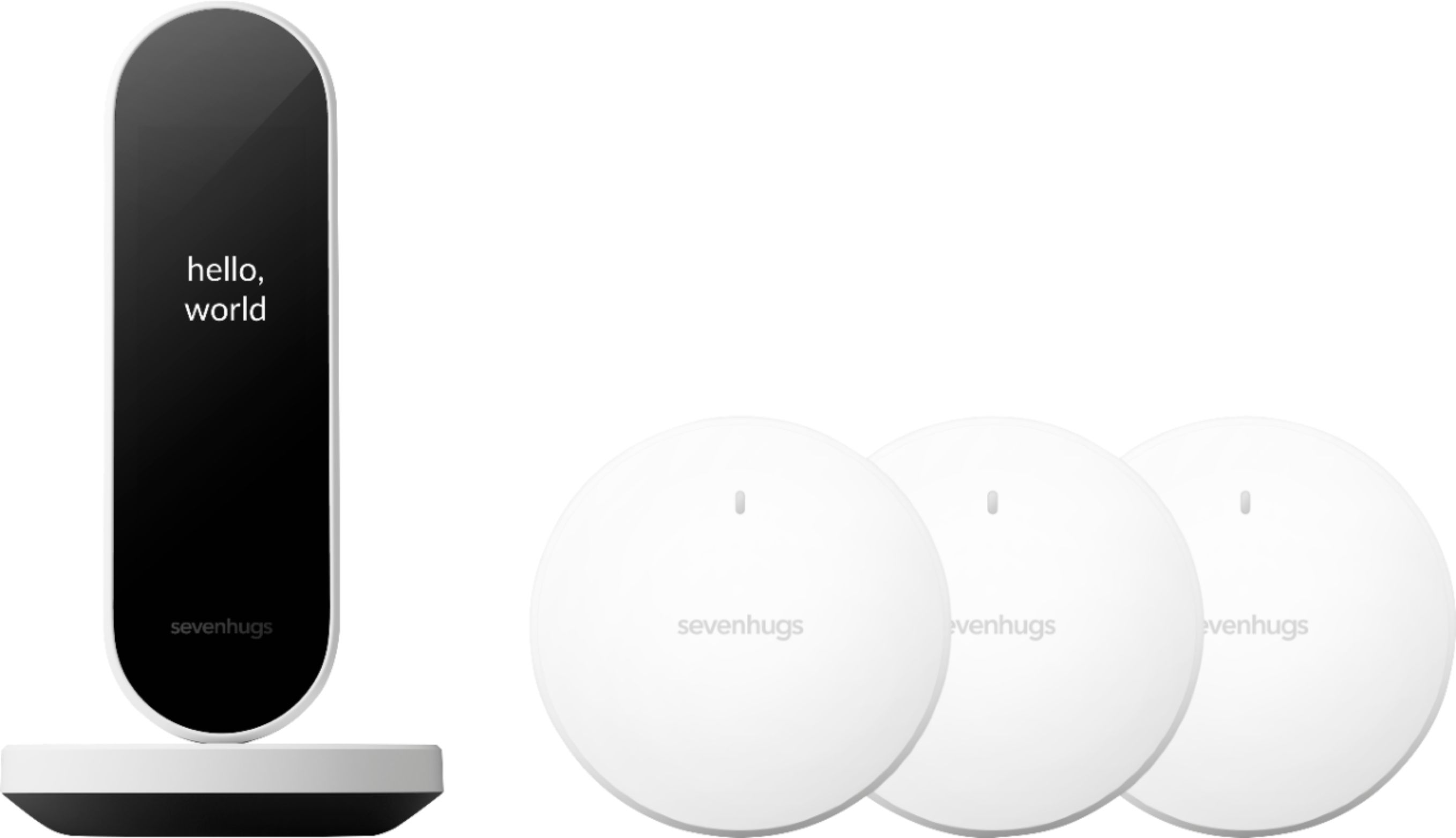
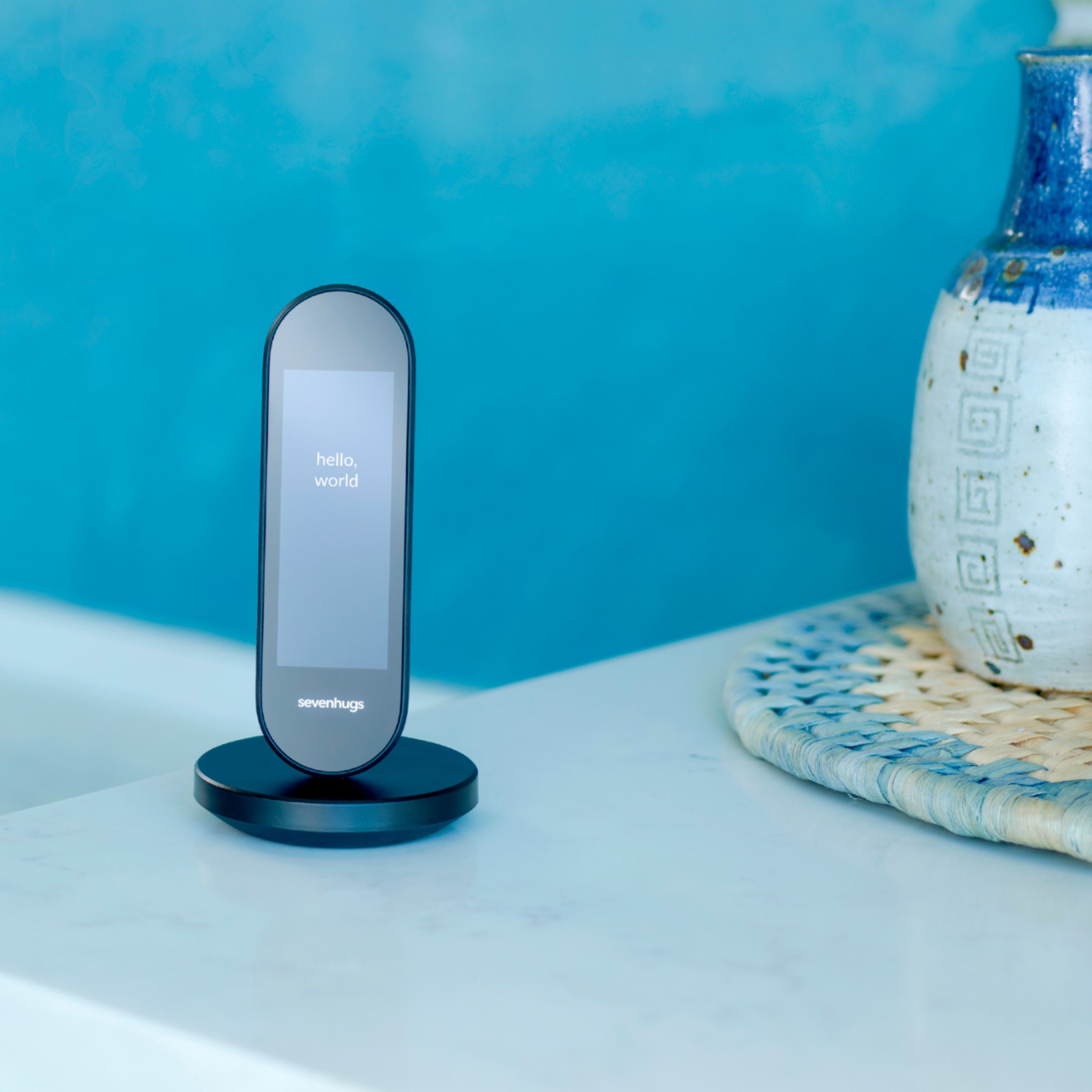
|Posted .This reviewer received promo considerations or sweepstakes entry for writing a review.Sevenhugs smart remote that plans to control your entire connected home. The remote is nicely built with a responsive touch screen. Setup was a breeze once the remote is charge connect it to your WiFi, download the app from (Google Play or Apple store) and your good to go. During setup the remote will try to find connected devices on its own, but you also have the option to add them manually. Once you have your devices setup you will create Scenes of your choice. You swipe left or right to toggle through your functions and others, like diming your lights you swipe up or down. The remote is not that big, some people may not like that, me personally it felt great in the hand, due to it's size functions are easily reachable with your fingers. One neat feature that this remote has is the point and control, in which you aim at specific device and the remote will automatically switch to the controls that is associated with that device. I do love that feature but it will take some time to set up. There are 3 included sensors that has to be positioned throughout your room and they have to be in certain locations to mapped your room properly. Why is this feature so good because instead of scrolling though the remote to find the device all you have to do is point at it to bring it up automatically on the screen. Now that been said this feature will have some issues with stacked up equipment such as cable box, Blu-ray, gaming consoles, etcetera and that’s because they are on the same line of sight, regardless you move up or down. This is a smart remote but it also has its limitation, it mostly controls smart home devices that are Wi-Fi connected. In my case I use z-wave light switches and plugs, connect it through Samsung Smartthings hub, neither the light switches or the hub are compatible with this remote. According to their website they are working to integrate the Smartthings hub. I also have Phillips hue light and they work flawlessly. If you have a Nest thermostat at the time of this review it is still not compatible. You will also find hard to control things that are behind cabinets since the remote doesn’t have separate IR blaster like the Logitech Harmony Elite. Another things that his remote lacks is a microphone for voice commands. When the remote is placed on the charging base it looks beautiful, but it does have a flaw. The remote charging base uses a USB-C connection which is good, but that single connector is the only thing holding the remote in place, any wrong hard move and I’ll see that USB-C connector getting damage, plus in the dark it may be little hard to find. I believe this remote has potential once it becomes fully functional, and if they only had added IR capabilities to the charging base this will definitely be a contender against the Logitech Harmony Elite. Overall this a very nice sleek, easy to use universal remote with unique features that will get the job done in a modern way, but at not at this price range. In the box it comes with the remote, charging base, 3 sensors, manuals and the power brick (Europe version comes with universal plugs). I rate this a 4 because there is no 3.5 stars which in my opinion is what it deserve as of now , and that's due to the lack compatibility, functionality, and the high price for what it does. Pro: Design Point Control Feature Responsive Touch Screen Ease of Use Cons: Price Not compatible with smart hubs Hard to control devices behind cabinets Not compatible with Z-wave or Zigbee No Mic
I would recommend this to a friend - Pros mentioned:Design
Excellent product
||Posted .This reviewer received promo considerations or sweepstakes entry for writing a review.I tried a bunch of other remotes but this one is by far the best. I love the elegant design and the screen is very responsive. Love the point mode too. Not only it replaces all my remotes, but I can even select my Spotify playlists which is very cool. I'm still discovering all the capabilities of this remote.
I would recommend this to a friend - Pros mentioned:SetupCons mentioned:Battery life
Magical idea and a great start
|Posted .This reviewer received promo considerations or sweepstakes entry for writing a review.PROS - Quick setup - Beautiful screen - Unique point and click feature CONS - Short battery life - Questionable stand design - Lacking integration I’ve long thought that the holy grail of home automation was an experience that was contextual and personal – besides voice control this is the closest that we have come, and it is indeed very magical! To be clear, the Smart Remote by sevenhugs is not just another universal remote control, but it does integrate several of the aspects used their competitors along with their own unique approach. I’m going to talk about everything from how I setup the remote and features to things I would like to see. Let’s get started! HARDWARE The hardware is very straight forward – there are no physical buttons here. The front of the remote features glass with a color touchscreen. The resolution isn’t going to win any awards, but it gets the job done and looks great. The back has a slightly grip rubber texture with small recessed area to natural rest your fingers that makes it very easy to hold. Overall, I found it very comfortable to use. The battery most likely due to the display never lasted more than 24 hours – I would be sure to put the dock in an accessible location. The dock is an unassuming black puck with the USB type C connector that points vertically at a slight angle. This is slightly scary as the remotes only support when docked is provided by this single connector and there is no other mechanical part keeping the remote up. I can foresee this being a problem, especially in households with children. It only takes once, and you could be left with your jack broken off your dock. The magic point and click aspect require 3 other white puck shaped device to be adhered to your walls in the room that your using the remote in. The pucks are battery powered and come with 3M Command Strip adhesive to aid in the installation process. There are some specifications that need to be adhered to such to ensure the point and click functionally works as intended. Pucks must be on different walls, never the same wall, must have a view of each other, and a view of the dock. That is a lot, and it did take some thought before I decide where to place each one in my apartment. SETUP + SOFTWARE The setup is dead simple and should be for a universal remote that promises to make your smart home and entertainment life easier. You plug in the remote and connect it to your home’s Wi-Fi. After that you do most of the configuring from the app. When you select what TV/AV equipment you want to setup it will prompt you to interact with the remote if it needs help deciding what specific TV model or A/V receiver you have. The setup is very fluid and easy to follow. Next if you have any smart home hardware or services you can connect those. I setup my Philips Hue lights, TP Link switches, Apple TV, Sonos speakers, and Nest Thermostat. They are always adding new support for devices (Nest is the newest addition). Setup typically involves signing in with that specific account or searching your Wi-Fi network for the devices – either way it is super easy. Once you have your TV, A/V, and smart home tech added you can begin grouping and configuring your hardware. They offer several scene options to tackle typical scenarios – you can have an A/V scene or Home scene. Home scenes allow you to have a single button to perform several actions like when you arrive/leave home or want to have a movie night. When creating a home scene, you are asked to complete the action on the remote. This is easy enough, but when you have tons of lights and other hardware it can be slow scrolling through every single item. A better option to tackle this would be doing it all in the app. If you aren’t controlling individual lights, I would suggest grouping lights to make creation of home scenes easier. To control multiple A/V hardware you can setup an A/V scene – this will allow you to select what hardware you want to turn on and what inputs they should be set to. Additionally, once specifying your A/V configuration you can create or tie in an existing home scene to control lights or other smart home functions in conjunction with your A/V scene. Overall the process is simple and easy to follow, but it does get noticeably more bulk for homes that have a ton of smart home appliances. Now comes their killer feature – contextual point and click. After setup of your devices and scenes you can unlock the magic. The setup of this is easy - click and hold down on any item from the remote and it will ask you to hold the remote around 6” from the object and set the location. After doing that, whenever your remote is in point and click mode you can simply point at that object and the remote screen will change to whatever that object is. It works very well and once you set everything up it’s a truly magical experience. At some points it does require recalibration, that involves spinning the remote in a figure 8 pattern in addition to pointing to each of the reference points as they light up. Overall, I’ve been very satisfied with the remote, they offer a unique and fun approach to the traditional universal remote environment with their unique point and click capability. It’s easy to setup and offers many services and third-party support that is steadily improving.
I would recommend this to a friend Fantastic Remote - Exactly what I needed.
||Posted . Owned for less than 1 week when reviewed.This reviewer received promo considerations or sweepstakes entry for writing a review.Bought this remote as my magic remote was only somewhat capable of bridging the gaps between my Sonos, Hue Sync, and TV. This remote allowed me to connect all of my devices individually by programming different functions across the devices. It also has fantastic integration for Sonos speaker and system use. The personalization and customizability offered via the app is also well integrated and easy to understand/use. Very impressed and would explore anyone considering to make the jump. (Be sure to check their online guide for compatible products, it is user friendly and gives good clarity on products covered)
I would recommend this to a friendBrand response from Sevenhugs
Posted .Hi JoshmoJoe, thanks a lot for sharing your feedback here, we're really glad you enjoy your experience with Smart Remote!

- Pros mentioned:Ease of useCons mentioned:Size
Great remote in a too small package
|Posted .This reviewer received promo considerations or sweepstakes entry for writing a review.I received this smart remote and from the start was surprised at its small size. When opening the packaging you can see that this is a quality unit and is presented as such. Following the directions to download the Apple application for my IPhone made configuring the remote and loading my equipment very easy. This is the easiest universal remote I have set up. Once you’ve added your TV, related sound equipment and smart devices you are then able to create scenes. Scenes are where the device coordinates your TV, Surround sound units and lighting for example to all be controlled at once. This is where this smart remote shines! The only areas I thought could be improved are using RF instead of IF which would make it easier for working equipment behind cabinet doors. The remote does come with three disks that can be placed on the walls throughout the room to aid in the coverage though. The only other issue I have is the size of the remote’s touch screen. It is very small and without tactile buttons you have to look at the remote every time you use it. For my family that was a turn off. I would recommend this smart remote to people in a dedicated home theater room for its back lit screen.
I would recommend this to a friendBrand response from Sevenhugs
Posted .Thanks for sharing your feedback. It’s always really helpful to hear from our customers. Here’s a couple quick things we wanted to share:
1) The three wall sensors you mentioned give Smart Remote the ability to know what device you’re pointing at and automatically display the right controls. If you own any compatible smart home devices and haven’t tried this feature yet, we highly recommend that you give it a try. When you do, be sure to locate your AV Scene list at your TV. That way, whenever you point at your TV, you'll see a list of all the media players that you can access with a single tap.
2) We also just released a new trackpad feature for Apple TV and Amazon Fire TV that makes it a lot easier to control those devices without needing to look at Smart Remote. We’re also working to make this trackpad feature available to other devices in the near future.
If you have any more feedback, feel free to ping us at support@sevenhugs.com or on our community forum: https://support.sevenhugs.com/category/forum
A Good Start for Sevenhugs
|Posted .This reviewer received promo considerations or sweepstakes entry for writing a review.Sevenhugs first smart home universal remote is a solid start. However, it does have its quirks. I have owned multiple universal remotes, and they were not easy to program. More than likely, you downloaded software to your PC, and you had to input every model number manually. One of the best features of Sevenhugs remote is the intuitive approach. All the user has to do is download their smart remote app from the Apple or Google Play store. Once installed, create an account and have your remote ready nearby. Through the phone app, you select the device you want. Then, you point the remote at the object, and it downloads the information. Since this was a simplistic approach, I was able to download everything including my receiver, cable box, television, and my 4K player in under 5 minutes. Additionally, I was able to add Wi-Fi devices including my Philips HUE lights. Again, the amount of time and ease to do this is simple, and a fantastic design approach. The remote itself is very light and comfortable to hold in your hands. I am not a fan of the overall plastic design, because it feels cheap. However, using the plastic Sevenhugs used allows the user to hold and control the remote with ease. One of the flaws to this remote is the battery life. After charging the remote for five-plus hours, I was surprised to have limited battery life with it. I used the remote for one day to control everything in my home theater, and lights. Afterward, I set the remote down until the next day. The remote had a quarter battery life left. I continued to use it, and then I received a message to "place the remote on the stand to charge." Again, the battery life of the remote is not good. Hopefully Sevenhugs, in the future, puts a better longer-lasting battery in the remote. While using the remote, the user can scroll through their devices by swiping left on the LCD screen. I had some infrared issues initially. I had to hold the remote just right to use my cable box, which was frustrating. However, I was surprised when I was able to use my receiver and 4K blu-ray player through our foggy cabinet windows. Despite what other reviewers said about this, I had no issues using the remote through glass cabinets. With programming, I was able to use my Philips Hue lights and adjust the colors of my light strips with this remote. The LCD screen displays the color picker and options on the remote well. Another option I went with was creating a "scene" with the remote. I created a useful "All ON/Off" function using both the app and universal remote. Again, Sevenhugs nailed the programming function. I was able to program my scene in minutes. Now my lights and home theater turn on and off at the press of the "All On/Off" scene I created. Sevenhugs advertised the idea of "point and control" feature throughout their campaign. This design is patent-pending and futuristic. Sevenhugs included three white "hockey puck" sensors with the product to use this feature. Unfortunately, you need to place these pucks in your primary space, in-line with one another, to use it. The other issue is, you have to play around with the placement so that the sensors can pick up your "point" function in the room. Plus, placing the white "hockey puck" sensors on the wall is not practical, unfortunately. The sensors stick out on the wall in the room. Unless you can conceal them within bookshelves or near other objects, unfortunately, the sensors are noticeable. After playing around with the placement of the sensors, and using the included 3M command strip stickers to place them on the wall, I successfully pointed and used the remote. Though, the feature is a nice one, the remote often selected the wrong device. I am not sure if this is due to the design of the product, or my placement of the sensors, but this function was not ideal for use. Also, some smart home devices are not available just yet, including Nest thermostats (as advertised). However, Sevenhugs states that they will include Nest products in December; hopefully soon. Overall, the Sevenhugs remote offers an intuitive design and functionality. However, where the remote loses its edge is the sensors included with the device and battery life. In the future, Sevenhugs should upgrade the battery in the remote for a longer lifespan. Also, Sevenhugs should consider changing their "hockey puck" sensors, or limit the amount you need. Placing three of these on different walls in my living room was not ideal; they stick out like a sore thumb. But, for a universal remote, this is a solid choice on the market. It is easy to use and program. Plus, it is a comfortable remote to use.
I would recommend this to a friendMagical smart remote
|Posted .This reviewer received promo considerations or sweepstakes entry for writing a review.I was looking to make the Sevenhugs my only remote because I hate having to fumble through remotes. As I look at the packaging and read the quick setup guide I had more excitement because of what the Sevenhugs smart remote is capable of doing. Package The packing of the Sevenhugs was percise that it made me feel like they pay close attention to detail. It was layered so you can handle the pieces one at a time. Starting with the main feature the Sevenhugs smart remote. In the box You get the smart remote, charging base, 3 room sensors, power cord, velcro strips, and manual/booklets. Setup The setup is not like the complicated universal remote days. You have a handy quick setup guide that walks you through the initial basic setup to connect your WiFi for secure updates. You can now follow through and add your devices after you complete the quick setup. I like the idea of the point and it selects the correct device but I do not really want to have that on my wall. Maybe if I had a man cave/den it would not really matter but the size of the sensors are too big for my liking. Performance The remote is small and it sure does a lot. It feels great to use but I thought it would of been bigger from the pictures. I can definitely see this between the couch cushions. Maybe a find my remote feature will be added or I probably missed that it’s already a feature. The way my room is setup I really only need the one room sensor because my tv and receivers are all directly in front of me. I’m still trying to figure out the best way to use the magic wand feature the way it is intended to be used. The remote response is usually very responsive with my selections. Since I’m used to my remotes I would like to have the exact layout after I download the remotes. I don’t like that I have to swipe to go to pages of the remote. The Beta customize that they have available now is limited but I’m sure later they might have it where you can drag buttons to where you prefer to make you own layout. I know some people might like to swipe because the buttons are bigger and easier to read but I would like to at least be able to have my most used functions on one page. Bottom line is the remote functions great but it needs a few updates to make it perfect. Sevenhugs smart remote can get it close to perfect because it can do OTA updates to improve the performance. Likes -Like the convenience of having less remotes on my coffee table. -Easy to use and program. -Like the scene setup. -Future updates will improve the smart remote. -Save money on batteries because this is rechargeable. Dislikes -Layouts should be more customizable -Charging could be easier if it was designed more like a cradle for the remote. -The sensors are too big. -Battery does not hold the charge for long. I thought maybe I did not charge it enough so I left it overnight and it lasted about a day and a half. Overall take I will recommend the Sevenhugs smart remote for the many great reasons I listed and with continued support I know updates will make it better.
I would recommend this to a friend- Pros mentioned:Bluetooth, Ease of use
SUPER EASY TO USE
Posted .This reviewer received promo considerations or sweepstakes entry for writing a review.I've used universal remote controls for years now, mostly Logitech, and have been reluctant to switch because of the set-up time. But after my girlfriend moved in I HAD to find something more intuitive, or she wouldn't use it. I first set up my Amazon Echo to use Alexa, but there are things that are jut impractical to control with voice only. That's when I found Smart Remote! OMG! First of all, the set-up took me 15 min max, then the point of control technology is straight out of SCIENCE FICTION! WIFI, IR and Biluetooth...It's got everything you need! So far I have installed; Apple TV Xbox TV AVR Wemo smart plug LIFX bulbs Sonos speaker I will definitely get more smart lights though. Smart Remote makes it soooo easy to control them that I want them everywhere. One more thing, the GF loves it and can't stop showing it off to our friends
I would recommend this to a friend - Pros mentioned:Ease of useCons mentioned:Battery life, Compatibility, Price
Good but not as advertised
||Posted .This reviewer received promo considerations or sweepstakes entry for writing a review.To start I would like to say that the remote does work to control multiple devices. Down fall is that it doesn’t suport a lot of smart home devices that work with Apple home kit. There were a few things that were advertised but not yet implemented such as the “point to the window to get the weather” or pressing the button on the charging dock to find the remote. The button exists but does not work currently. As for the pointing feature, as I do see it being nice, it’s on realistic for entertainment purposes. If you have your tv, cable box, and Apple TV all in the same area it’s not going to work. This is however nice to control lighting but as I said before, a lot of smart home devices are yet compatible. I was really looking forward to using the pointing feature but I never got to really use it. This remote sounds really cool and the thought of it is intriguing but it’s not as realistic as it may seem. I did like having all my remotes on one device and that worked very well. I only wish I could have the volume button for the tv on the other remotes like the cable box and Apple TV instead of shaving to switch back to the tv remote to control the volume. It was also annoying to keep charging. If I accidentally left it off the charger during the day I would have to use the regular tv remote. Another thing I would like to point out is how you use the remote. For me as least I like my current remote more because I know what the buttons feel like And I don’t have to look at my remote when using it. With this smart remote, it’s just a flat screen and I have to constantly look down to make sure I press the right button. The product is great in theory (especially of how it’s advertised) but because a lot of things aren’t get implemented and more smart home devices need to be added, it’s not worth the price point. I did end up returning this.
No, I would not recommend this to a friendBrand response from Sevenhugs
Posted .We’re sorry to hear that Smart Remote is not living up to your expectations. Below are a few tips that should solve some of the issues you mentioned, but please drop us an email at support@sevenhugs.com so that we can help. We look forward to hearing back from you.
1) We just launched a new software update last week that gives you the ability point at your TV and see a list of all the available media players and options available to you (Apple TV, Smart TV, cable box, Blu-ray player, Xbox, etc.). Just tap on whichever device you want to watch and Smart Remote will turn on all the right devices and automatically switch to the right AV inputs. This AV Scene feature also allows you to combine control of multiple devices onto one screen, so you can control the volume of your TV while also navigating your media player. We recommend creating an AV Scene for each media player or content source you own, which should dramatically improve your Smart Remote experience.
2) We also just launched a great new trackpad navigation feature for Apple TV and Amazon Fire TV users. This allows you to easily navigate and browse content menus without need to look down at the screen on Smart Remote. We’ll be eager to hear what you think about it.
3) Smart Remote requires daily charging, so it’s best to return it to the charging base when you’re done using it for the day.
4) You can see all the brands and devices that Smart Remote currently supports on the compatibility page of our website: https://sevenhugs.com/compatibility/. If you don’t see a brand or product listed that you want, please vote for it here: https://support.sevenhugs.com/category/device-service-requests.
- Cons mentioned:Battery life, Size, Touch screen
Not as great as I had hoped
||Posted .This reviewer received promo considerations or sweepstakes entry for writing a review.While we have not had any issues with the set up or functionality of the remote, there are three main issues I have which I didn’t even consider prior to purchasing. The first problem is the battery life. Basically it needs to stay on the charger almost constantly when it’s not in use. Otherwise, the battery dies rather quickly when it’s just sitting next to you not in use after about maybe a day. It’s easy when you are going about your day to forget to set it back on the charger. I also feel as though it loses its charge without warning. So you could be sitting there wanting to change the channel but you can’t because the remote died two hours ago and you had no idea. My second issue is with the size of the remote. I never thought I would say this but there is an advantage to having a larger remote: the bigger it is the harder it is to lose. This remote is tiny and smooth so it gets dropped and gets lost in the couch cushions constantly. My third issue is probably the biggest and that is because it is a touch screen, it adds a level of difficulty I had not considered before buying it. If you have fat fingers like me, forget it. I’m constantly touching the wrong thing and inadvertently changing the channel or rewinding/fast forwarding or changing the setting. You have to look at the remote when using it. It sounds dumb to say but it’s true. Most people I know change the channel without looking at the remote. You cannot do that with this. It’s rather annoying and it’s enough to make me want to get a different remote entirely. If you have a family, small children, fat fingers or just like to watch tv or movies at home this is not for you.
No, I would not recommend this to a friendBrand response from Sevenhugs
Posted .Thanks for your comments and feedback, we are always finding ways to extend and improve the battery life as our Smart Remote is a touchscreen universal remote so it will always consume more battery than normal remotes (Think on the same lines of Smart Phones) however we have various implementations for this coming.
This is the first version of our Smart Remote and we went with the design that we felt would be suitable for a majority of our potential users. In the future there will be different models and sizes available for Smart Remote that will fit more individual needs of customers (We are also working on a “Find my remote” feature to locate the Smart Remote incase it ever gets lost)
The whole design and concept of our Remote is to be touch screen, we understand that this may not be what you are used to but we are confident that given some time you will come to like and appreciate Smart Remote and its features.
- Pros mentioned:Bluetooth, Ease of use
Great TV and smart home remote! Easy for Everyone!
||Posted .This reviewer received promo considerations or sweepstakes entry for writing a review.Review I was cautiously optimistic about Smart Remote when I first got it, but after a week of use now, I’m happy to report that we just put all our old remotes in a drawer and we’re not looking back. I’ve got a pretty basic TV setup at home (TV, AV Receiver, Roku, cable box, Blu-ray, Xbox) and some smart home devices (Sonos speakers, Philips Hue bulbs, Wemo plugs, Nest thermostat). But my wife and kids and I have grown fed up juggling with multiple remotes to watch something on TV and we also wanted a more convenient way to control our lights and Sonos speakers. SETUP The setup was really easy...a lot easier than I was expecting. You need to download the Sevenhugs Smart Remote app to get started and then add all your devices. It found my Hue, Sonos and Roku when I did a Wi-Fi network scan and I was able to add all my infrared devices in less than 2 minutes. I then set up some AV Scenes. These are like shortcuts to control groups of devices. I set up 5 scenes (Watch Cable TV, Watch Roku, Watch Blu-ray, Play Xbox, and Movie night) and they all appear in a list on the remote. When I tap one, it turns on my TV, AVR and whichever media player I selected and switches to the right AV inputs. Instead of fumbling with multiple remotes, we can just tap one button to start watching. It’s now super quick and easy to control our entertainment center. ROOM SENSOR & POINT MODE To use Point Mode, which gives you the ability to point at something and see the right control interface displayed on Smart Remote, you’ll need to place the three room sensors that came in the box on your walls. They look like white hockey pucks and are battery powered (2 AA per sensor). You can’t just place them anywhere, so make sure you follow the instructions. They need to be placed at least least 6 feet high and they all need to see each other. The packaging includes a bunch of 3M Command strips to stick them to your walls, which makes installation really easy and won’t damage your walls. Once your sensors are calibrated and you activate Point Mode, you need to locate your devices. All you need to do is select the device you want to locate, walk over to that device, and hold Smart Remote where you want to locate it. I created locations for a two groups of lights and my Sonos speaker. As for all my TV devices, Smart Remote recommend that you only locate your list of TV-related scenes (what it calls “AV Scenes”) at your TV. My TV scenes includes: Watch Cable TV, Watch Roku, Watch Blu-ray, Play Xbox, and Movie night. So now when I point at my TV, I see a list of all my available AV Scenes and can activate any one I choose with a tap. The pointing technology is 2D so it doesn’t distinguish between pointing at things that are high or low. And if two devices are located close to each other, Smart Remote will display both devices in the carousel at the top of the remote. All you need to do is swipe left or right to select which one you want to control. Once everything is set up (it took me about 10 minutes), anyone can pick up Smart Remote and just point at what they want to control. I really like how easy it is to use. EVERYDAY USE We’ve been using Smart Remote for a week now and it’s completely changed how we interact with our home. My wife and kids are using our smart lights a lot more and it’s really nice not having to pick up three remotes to just watch TV. The touchscreen takes a little getting use to, but it’s working out well for us now. CONCLUSION If you’re looking for a remote to control your entertainment center and smart home, then you should definitely consider Smart Remote. It’s been a great addition to our home and we’ll probably get another one for our bedroom. Just make sure that Smart Remote is compatible with all the devices you care about most before buying. They have a pretty good compatibility search page on their website and have plans to release a lot more integrations and features in the near future.
I would recommend this to a friend - Pros mentioned:Bluetooth, Ease of use
Easy to use remote that is good for families
||Posted .This reviewer received promo considerations or sweepstakes entry for writing a review.I received my remote a couple weeks ago and was not sure what to expect since this product is pretty new on the market, but it looked pretty sweet and I wanted to give it a try. Set up went reasonably well and took about 20-25 minutes, but I did not install one of the room sensors properly, so I needed to move it to a different wall. There are lots of instructions to follow for setting up the sensors, which I did not read carefully at first, but I did get everything to work on my second attempt. The ‘point at what you want to control’ feature is great for controlling my lights and speakers, but it was not very useful for my TV setup at first. The new software update released earlier this week made that experience a lot better. Now, when I point at my TV, the remote displays a list of all the media player can watch at the press of a button. It’s nice to be able to just tap one button to turn on my TV, Apple TV and AVR and configure the inputs. I have around 10 connected bulbs at home (Hue and Lifx), 2 Sonos speakers, a Yamaha AV Receiver, an Epson projector, an Apple TV, an Xbox, etc. I was able to add them all on Smart Remote without any issue. Adding Wi-Fi and Bluetooth devices is really easy. It took me a little bit of time to discover all the features and to set everything up with groups, scenes, customizing my interfaces, etc., but when done the remote does a good job of making it pretty easy to control everything. We also love the new Bluetooth trackpad and keyboard features that were just released for Apple TV. You can fly around the screen when browsing menus just like remote that comes with Apple TV. The most important thing for me is that my family has been using it without any issues and seems to enjoy it. The only thing that’s taken a little getting used to is making sure everyone returns the remote to the charging base. I look forward seeing what new features they release in the coming months.
I would recommend this to a friend - Pros mentioned:Point mode
Sonos speaker grouping
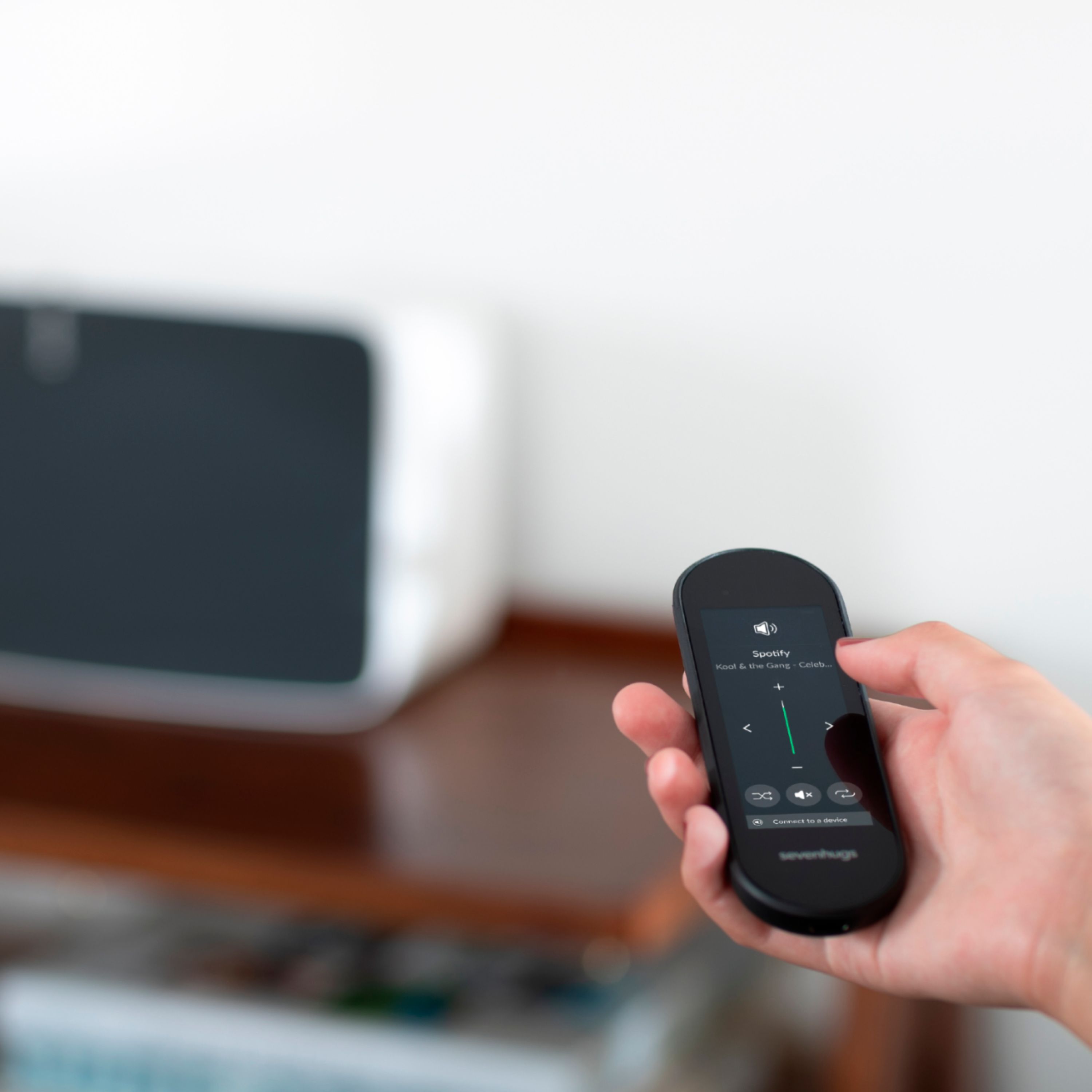
Posted .This reviewer received promo considerations or sweepstakes entry for writing a review.Amazing integration with Sonos, it can now group speakers so I can control all volume at once! That separates this remote from other universal remotes especially when adding in point mode. Point mode has also gotten much better and more accurate since the last update, I’ll admit it took a couple days to work out the kinks like my remote continuously restarting itself when it seemed to be overloaded with commands but the great thing I’ve noticed about smarthugs remote is it seemed to be evolving everyday, even without an actual “update” I’ve had Harmonys Logitech and Neeos remote, neither one comes close to this products design and functionality, like i said earlier, point mode and Sonos speaker grouping puts them on another level hands down!
I would recommend this to a friend Great while it lasted
Posted .This reviewer received promo considerations or sweepstakes entry for writing a review.I have had this remote for 3 years. It used to work great and now that it is in the third year it just stopped working. I’m so sad I have to get a new remote!
I would recommend this to a friend- Pros mentioned:DesignCons mentioned:Compatibility
Great Idea, but not for me
||Posted .This reviewer received promo considerations or sweepstakes entry for writing a review.I purchased the smart remote after reading about it for years. But after using it, the Harmony Hub is overall better. Yes it’s nice having a dedicated controller, but for the price and what it does, you can find better products like the Harmony Elite. But here are my positives and cons. Positives 1. Connect to almost all devices effortlessly 2. Very modern and sleek design 3. Smart home app on iOS is very nicely designed. Cons 1. The special sauce of this device is pointing to the device you want, and it recognizes it. I put up the sensors on the walls, and follow the directions on the remote, but I wasn’t impress. It wouldn’t change to the device I was pointing to at all. I always have to use the carousel. It does say in the directions when you have more than one device by each other this what you have to do, but I felt this was the killer feature, it didn’t work for me consistently. A Logitech harmony remote worked better. 2. It was buggy. I got everything connected and working. Than hours later, devices was having issues working with the remote. I had to reset the device and add everything back again. 3. Remote layout wasn’t the best on some of the devices, like my TiVo. 4. Also since I have a Harmony Hub, and google home display, there isn’t no need for this remote. I feel like this device is still in beta. Maybe after all the features are available and the price is cheaper I may revisit this remote again, but today I’m returning it
No, I would not recommend this to a friendBrand response from Sevenhugs
Posted .Thanks for sharing your feedback. We’re very sorry to hear that you seem to be experiencing some issues with Smart Remote and we’re eager to help. When you get a moment, please get in touch with us at support@sevenhugs.com. In the meantime, here are some tips that should solve most of the issues you mentioned.
1. Regarding Room Sensor setup and Point Mode, we'd like to help you make sure that your Room Sensors are installed correctly and that your devices are located properly. With a quick email exchange or phone chat, we're confident we can get you up and running.
2. This is definitely unexpected behavior that we’d like to investigate further. Also, you should never have to re-add all your devices if you encounter an issue. If you ever need to reset Smart Remote, you can recover your complete configuration and all the devices you added by reconnecting Smart Remote to your Smart Remote app.
3. Smart Remote gives you the ability customize all your control screens. This is one of the big benefits of owning a touchscreen remote. If you don’t like the default layout of your Tivo control screen, you can edit the buttons and controls to be just the way you want them. Pease give it a try and let us know how it goes.
4. Most of our users are replacing all the remotes they currently use with Smart Remote. Smart Remote is also intended to be a complementary device to your Google Home when it's not convenient or possible to be in front of your Google Home display or when you want to control your TV set up.
- Pros mentioned:Bluetooth
Up and coming remote to anything
||Posted . Owned for 3 weeks when reviewed.This reviewer received promo considerations or sweepstakes entry for writing a review.This remote can almost control anything at least. I would think the center of all universal remotes would be any tv or center of entertainment. With this remote being so new there are few bugs to patch and a lot more brands to control, but the team assures is that they are working on it. Right now I have this remote set for my Samsung TV, Samsung Sound bar, AppleTV, and Nest thermostats. For now, it controls everything perfectly and almost flawlessly provided you have a good setup for your WiFi. What’s interesting is that this tiny remote connects to the WiFi and to Bluetooth which makes setting up fast and easy from your phone. I have tried all of the newer Linksys remotes and I’m considering exclusively switching over to this 7hugs remote. The only downside to this remote is lack of physical buttons. I understand this is the new era for technology and that the touch screens responsiveness is fast, but physical buttons adds extra comfort of not having to look at the screen and worrying about fat fingers. I have personally requested for side rockers on both sides potentially for the volume and channel up/down or skip feature. They quickly responded back to me saying that they will forward my request to the team and they will start on it right away. I’m looking forward to their next iteration of universal/smart remotes already.
I would recommend this to a friend - Cons mentioned:Size, Touch screen
Disappointing.
||Posted .This reviewer received promo considerations or sweepstakes entry for writing a review.First let me say I have a Logitech ultimate and hoped this product would be good or better. I'll start with what's great. The pointing functions work really well. Sonos integration is the best I've seen. I can group, pick a playlist and set favorites super easy. It's a awesome experience. I also like that I can customize the screen for my settings. The setup process is light years easier to setup then the harmony, but the harmony isn't super hard either. But it's still better then harmony. The cons are that a touch screen remote with no buttons sucks. No way to have tactile feedback at all and frankly the screen is small for me so I can't do simple things like pause easily without looking down or bringing the remote up to my site line. The other issue is that unlike harmony remotes this doesn't use a hub that has ir repeaters and blasters to make sure your devices get your inputs. This device only uses the remote to send IR to your IR devices. If you use wifi or Bluetooth to control your devices (Apple TV, Android TV, Sonos) you won't be reliant on line of site. Anything that's behind a cabinet and uses IR, well you're out of luck. The other thing that really sucks is that this device has a Microphone built into it and it doesn't support my android TV to talk to Google Assistant. It's not ready for prime time yet and I will have to return it.
No, I would not recommend this to a friendBrand response from Sevenhugs
Posted .Hi Chrgeorgeson,
Thanks a lot for sharing this detailed feedback here. We're glad that you appreciate the pointing, Sonos, and customizing functions and to hear that the setup was straight forward.
We understand your feedback about the hardware part and made sure to share it with our team so they can improve it in a future version of Smart Remote.
- Pros mentioned:Point mode, SetupCons mentioned:Battery life, Price
Good potential but not there yet. Expensive.
|Posted .This reviewer received promo considerations or sweepstakes entry for writing a review.Pro: Easy setup and easy to use Small and light No hub required Point mode lets you point at a device and control it Con: Expensive Battery life No buttons Point mode needs line of site between the base and 3 pucks placed on the walls Not many smart home devices are supported yet Can’t add extra steps to AV Scenes (coming 2019) Many functions are either in Beta or coming soon (as of 12-2018) TL;DR If you don’t like tapping on a small glass screen (no buttons to feel and can do it without looking), then this isn’t for you. If you can, then it’s still better to wait a bit longer till more features are added or get the cheaper Logitech Harmony Hub that can do most of the same thing. I’m no stranger to using advanced remotes to control my various setups in the house. I’m currently using the Harmony Ultimate One and Hub, and it some ways the Sevenhugs is better. It’s just needs a bit more updates to really make it great and to really justify the price. I'm told that updates are coming fairly soon which will fix some of the issues I have with this remote, so I'll give it the benefit of the doubt. SETTING UP Setting up to control a device was easy, but not as streamlined as a Harmony. It makes you jump between the app and the remote to finish the process. If you have a device that’s not on the list, then you had to manually cycle through the buttons on the screen and testing each one. It couldn’t find my Sony HT-ST5000 soundbar and I had customize the buttons and layout, but this caused issues with some buttons and inputs not correlating to their functions. Customizing the onscreen button layout is still in beta, and a warning tells you that once the final version is available, your settings will be deleted. Setting up the point mode requires you to place each of the three pucks on a separate wall. The pucks, the charging base, and each device must have line of site. How well this works totally depend on the room’s layout. I couldn’t get it to work with my TP-Link Smart Plugs, even though it’s supposed to be supported. FUNCTION Tapping on a glass screen doesn’t make the best experience, but it works once you got used to it. Feature wise, it’s a mix bag. On one hand you can set up scenes (activities) to include some smart home devices like Philips Hue, which is cool. On the other hand, you can’t yet add extra steps to the startup/ending process, like setting certain sound modes or which channels to start on. That’s coming in 2019. Then there are some minor inconveniences like not being able to hold down a directional button to scrub/scroll through the menus. The screen real estate is small so to really get all the buttons, you’ll be scrolling through many pages. As it is now, Point Mode is not totally viable. It does work when pointing to devices spread out in the room, but fails if it’s group together, like your AV setup. You can’t use it with scenes yet, so right now you have to switch it on and off. That update is coming in Dec, and should make it better. Battery life is not good. On stand by it’ll last about a day, but an average use will last about 14 hours. Device compatibility is still growing. Some devices I tested on had issues that’s being corrected. Smart home devices are lacking, with only a few lights and plugs supported, but more (Nest and voice assistants) coming in 2019. FireTV and AppleTV bluetooth compatibility is coming in Dec. Spotify Connect (requires premium) works great, just like the app. Particularly cool in Point Mode. Pointed to my Echo and start playing without having to get out the phone. CONCLUSION The idea of this remote is cool, and once they update and add more features and device support, can become a good smart remote. It’s just not there yet, especially for the price. For comparison, I could buy the Logitech Elite for less and control more devices, albeit without the Point Mode and scenes for home devices.
I would recommend this to a friend