Customer Ratings & Reviews



- Model:
- 150BEBA/150-CAL
- SKU:
- 11300395
Rating by feature
- Value
Rating 4.5 out of 5 stars
- Quality
Rating 4.8 out of 5 stars
- Ease of Use
Rating 4.7 out of 5 stars
to a friend

A delightful and easy to use touch-screen calendar
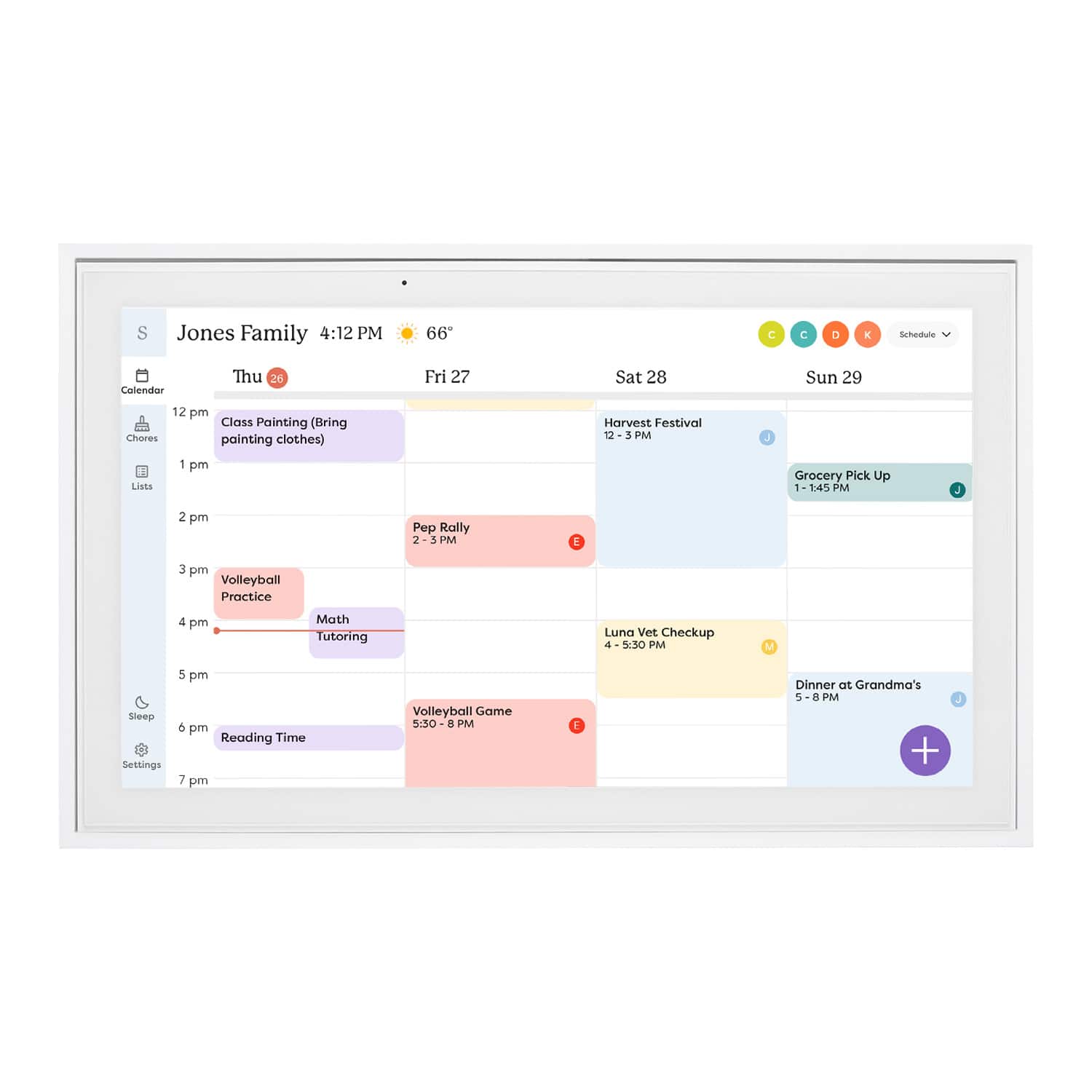
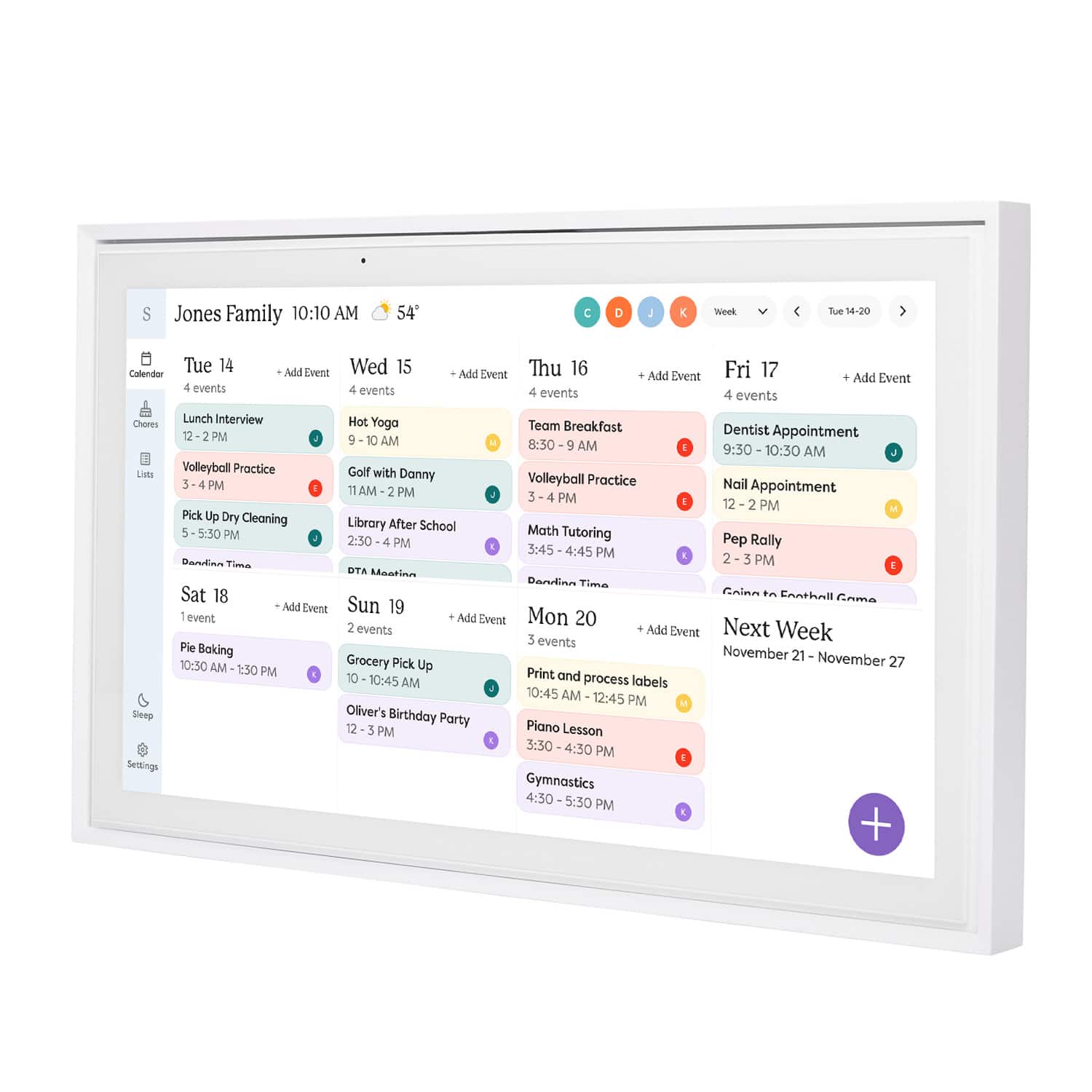
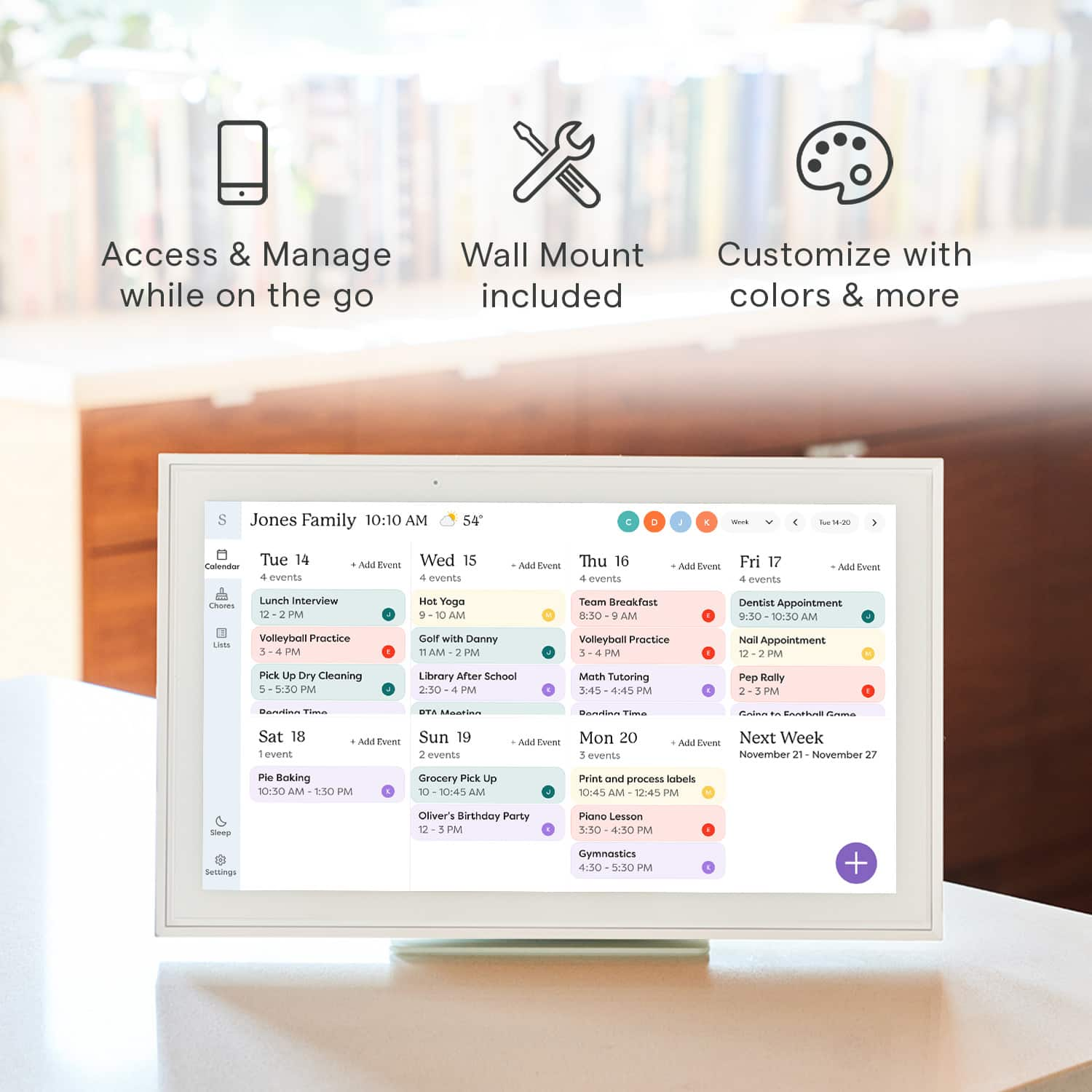
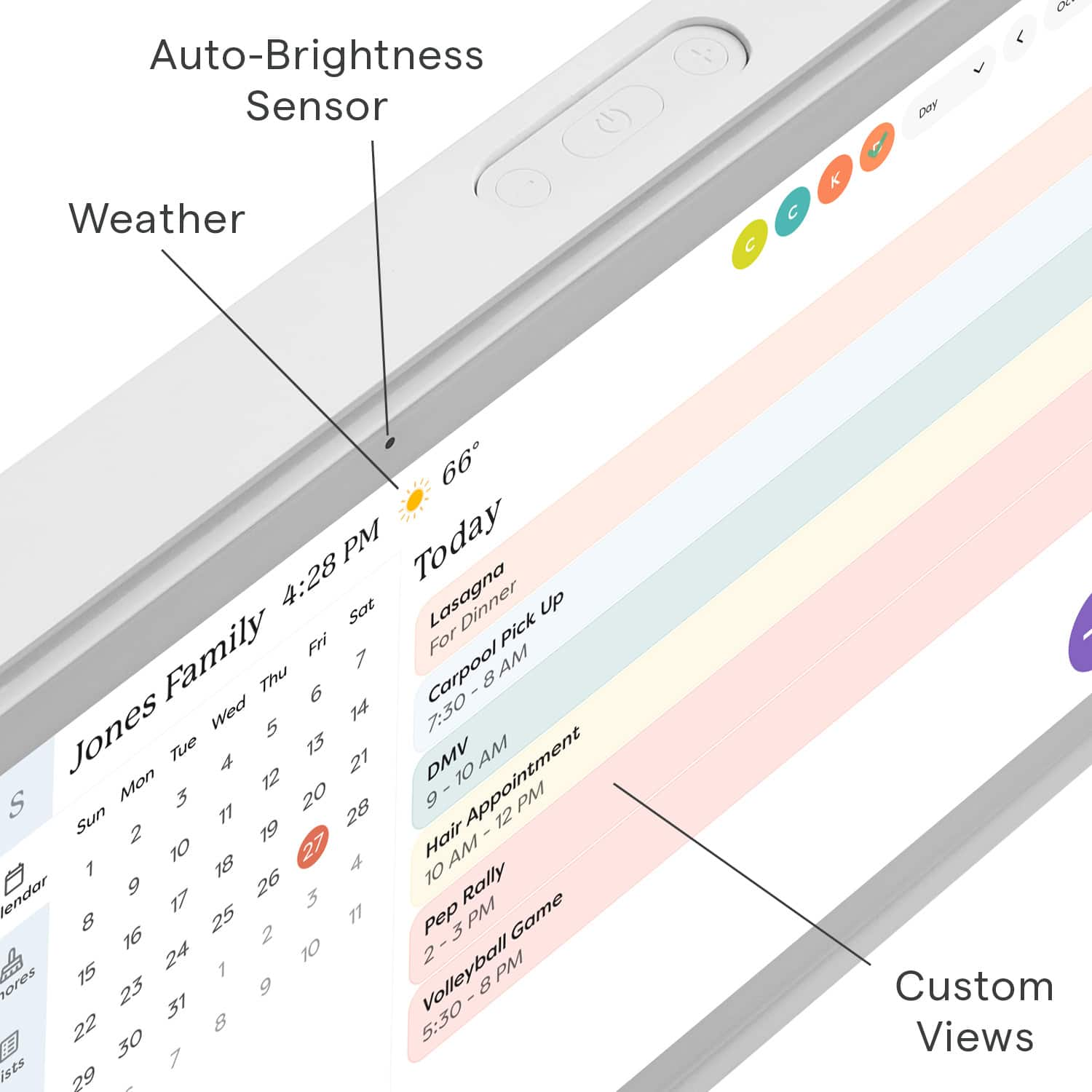
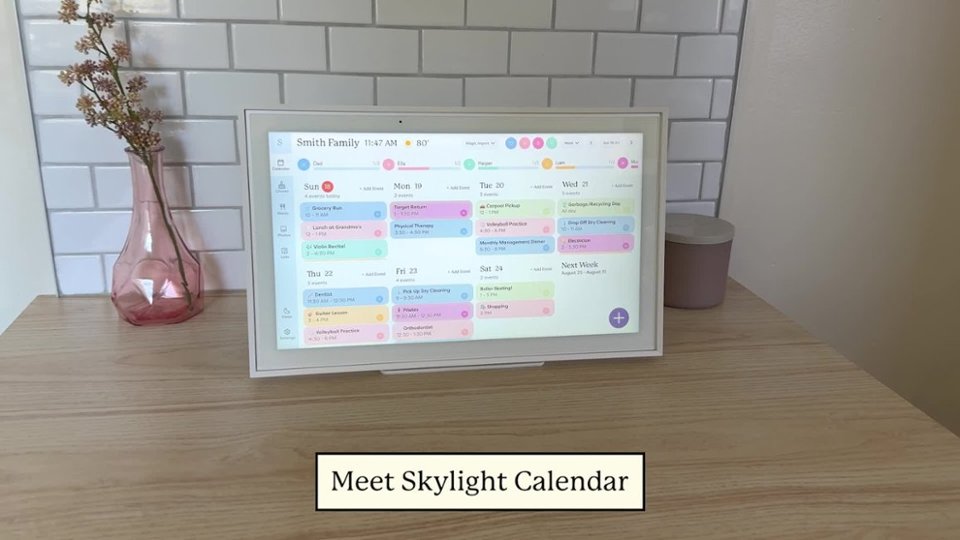
|Posted .This reviewer received promo considerations or sweepstakes entry for writing a review.This is a very simple device to set up. Just turn it on, give it access to your Google Calendar (or other calendar, but Google is the only one I use), and it displays your calendar just like any computer monitor. You have all of the same controls as you would on a computer, with displaying just the week, a schedule view, monthly view, etc. It has a beautiful and responsive touch-screen, so you can use it just like you would a laptop or tablet version of the app. There are very simple but comprehensive enough controls for just about anything you would like to display. I also very much appreciate that there is a scheduled sleep function so that the display can turn off and on with a regular schedule, minimizing the amount of unnecessary interaction required. The advantage of this device is the ease with which you can add and filter calendars. If you want everyone in your family to have their different calendars from different services all displayed together, you can do that. Through the filters across the top you can just display single calendars, or even just events coded to particular colors. The one thing that I see as a down-side is the "device on a subscription service" model of the company. While it is nice that they'll have a screensaver function that displays your personal photos, it's not something that I think is worth several dollars every month.
I would recommend this to a friendDon’t buy
||Posted . Owned for 3 weeks when reviewed.This reviewer received promo considerations or sweepstakes entry for writing a review.You have to pay to use it the add on features don’t make it worth the price
No, I would not recommend this to a friendBrand response from Skylight
Posted .Thanks for sharing your feedback Brian! Just to clarify — Skylight Calendar comes with several great features included right out of the box, like the ability to sync all your personal calendars into one organized hub, plus Lists and Tasks (including Chores and Routines) to help keep your family on track. We also offer an optional Plus membership, which adds extra perks like Sidekick (our AI assistant), a Meal Planner, Rewards, and a Photo Screensaver. If you’d like to try out Plus to see if it’s right for you, just email us at VIP@skylightframe.com — we’d be happy to set up a free trial for you.
Simple & Refined Organization
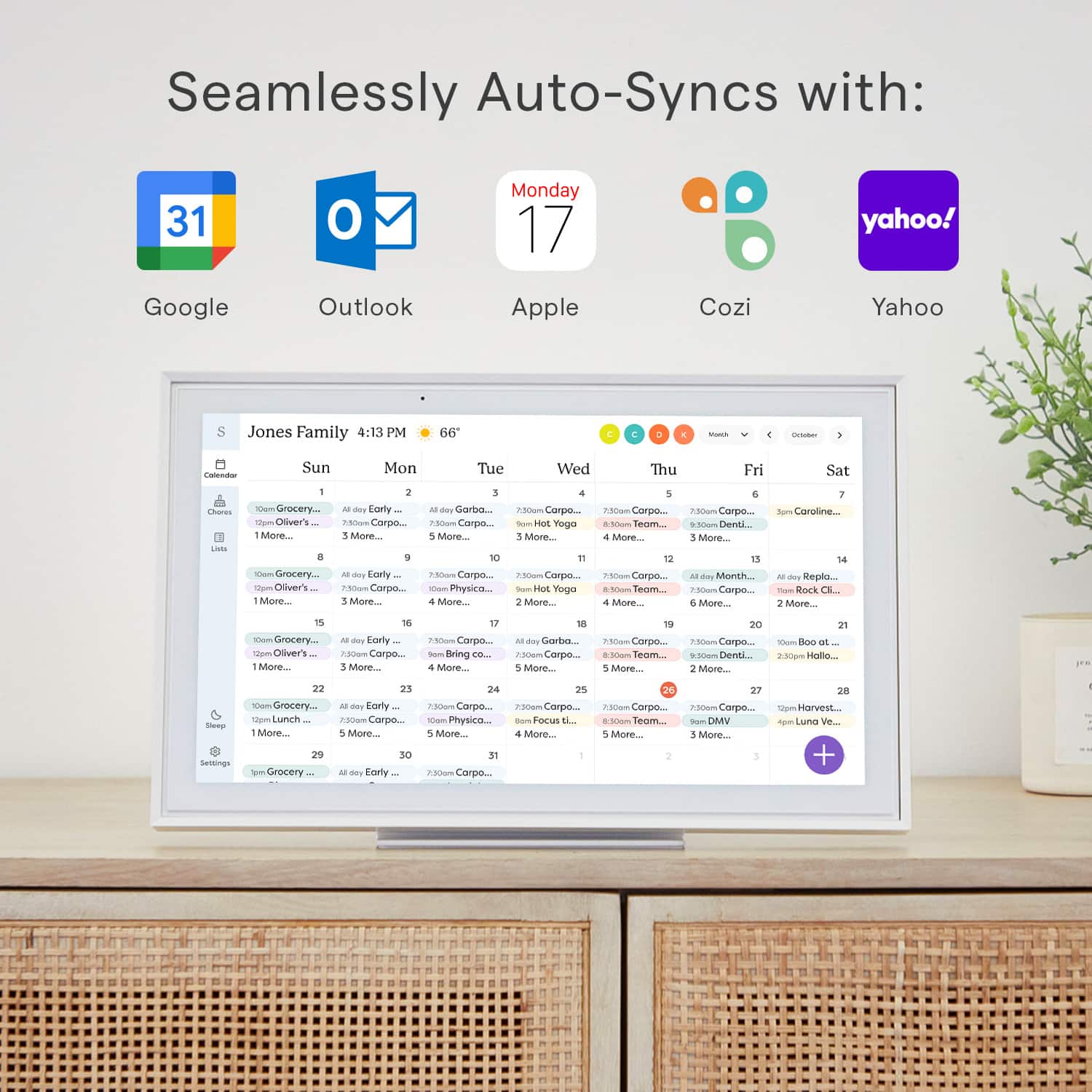
|Posted .This reviewer received promo considerations or sweepstakes entry for writing a review.As you get older and start having kids, organization and coordinating events is one of the biggest hurdles. This calendar has helped with that immensely for my family! Firstly, right out of the box I was extremely impressed with the build quality as it was not simply a cheap plastic frame. It has some heft to it and the materials feel premium. You can thus mount the calendar to the wall or simply used the provided stand to set it on a counter which was the route I elected to take. Using the stand it is very sturdy and I have not had any issues with anyone using it and it falling over. I will say that it provides an elegant look as opposed to a tablet sitting on your counter. So after I had it unboxed and had it set on the counter I embarked on the setup to which when it comes to syncing calendars that always is difficult for some reason to which here it was absolutely seamless! The app you are to download has definitely been put through its paces as it is extremely user friendly and made syncing both my iCloud calendar and google calendar a breeze. Once the calendars were synced there are multiple views (day, week, month) to which I settled on the weekly view. The days throughout the week show each of the events that can be color coded based on specific individuals/activities which was a great feature. Aside from the calendar feature I also use the list features specifically with a chore chart and list of meals for the week. This allows the kids to easily see their various chores and check those off as they are completed to which modifying those is extremely easy for my wife and I. Then with the meals this only adds another facet for everyone to easily communicate dinner plans each night. With inputting information into the calendar/lists the ability to do so both in the app and on the physical calendar is great. I had envisioned entering things on the calendar would be bulky and cumbersome, but it is very interactive and responsive when typing in items/events. Overall, if you are a family looking for greater organization this product is exactly for you. The lists feature allows for endless possibilities as to those unique things for each family that may pop up. However, the calendar feature on its own is a true selling point here as the simplicity and user-friendliness definitely set it apart from any competitors.
I would recommend this to a friendBrand response from Skylight
Posted .Absolutely thrilled to hear how our Skylight Calendar has made such a positive impact on your family's organization! 😊 Your detailed feedback truly highlights the aspects that make our calendar stand out—the sturdy build, seamless syncing, versatile views, and the convenience of both digital and physical inputs.
We designed it with families like yours in mind, aiming to simplify coordination and enhance communication. The color-coded events and customizable lists seem to have really streamlined your routines, making chores and meal planning a breeze.
Thank you for sharing your experience! Your words capture exactly what we hoped to achieve with our calendar—to offer a user-friendly, all-in-one solution for families seeking better organization. If you ever need further assistance or have more insights to share, we're here and listening!
It increases the productivity and efficiency
|Posted .This reviewer received promo considerations or sweepstakes entry for writing a review.In the current modern-day hustle and bustle, where time is the ultimate currency, finding a reliable ally to manage our schedules becomes paramount. As a business professional juggling numerous appointments, meetings, personal commitments, and family activities, thank god i for this Skylight - Calendar. its promises of seamless synchronization with Google and a plethora of features designed to streamline scheduling, I embarked on a journey to put this 15-inch touchscreen smart calendar to the test. One of the first aspects that caught my attention was the impeccable touch sensitivity and speed of the Skylight - Calendar. Navigating through appointments, toggling between views, and making quick adjustments became a breeze, thanks to its responsive interface. Unlike traditional calendar apps on phones, where precision can sometimes be compromised, the Skylight - Calendar offered a seamless experience, enhancing my productivity and efficiency. Appointment booking, a task that often felt cumbersome on handheld devices, was revolutionized by the Skylight - Calendar. The ability to effortlessly switch between day and month views provided a holistic perspective of my schedule, making it easier to identify available slots and avoid overlaps. This feature alone alleviated a significant burden, simplifying the booking process and ensuring seamless coordination of my commitments. As someone with a jam-packed schedule encompassing business engagements, personal errands, and family activities, the struggle to stay organized and on top of tasks was real. The Skylight - Calendar emerged as a beacon of hope in this chaos, offering a comprehensive solution to manage my myriad responsibilities. The incorporation of alarm setups for reminders proved to be a game-changer, effectively reducing the clutter of my mobile device, which was inundated with over 20 alarm configurations. With Skylight - Calendar, I found a centralized hub to oversee all my commitments, eliminating the need for scattered reminders and enabling me to stay on track effortlessly. Moreover, the compatibility of Skylight - Calendar with a multitude of platforms including Outlook, Gmail, Yahoo, and others further solidified its position as a versatile scheduling tool. The incorporation of color coding not only added a visual appeal but also facilitated collaborative usage, allowing multiple individuals, such as my spouse and me, to share and synchronize our schedules seamlessly. From tracking to-do tasks to planning meals and beyond, Skylight - Calendar emerged as a one-stop solution for all our planning and reminder needs, fostering efficient coordination and communication within our household. Ease of use and setup are often underrated yet crucial aspects of any technological device or application. In this aspect, Skylight - Calendar surpassed expectations, offering a user-friendly interface and hassle-free setup process. Coupled with its commendable packaging, which exuded a sense of premium quality and attention to detail, Skylight - Calendar left a lasting impression from the moment it arrived at my doorstep. In conclusion, my experience with Skylight - Calendar transcended mere satisfaction to admiration for its transformative impact on my daily life. From its seamless synchronization with Google to its impeccable touch sensitivity, intuitive appointment booking, and comprehensive scheduling features, Skylight - Calendar proved to be a game-changer in calendar management. Its ability to alleviate the burden of organizing my busy schedule, coupled with its versatility and ease of use, makes it a must-have tool for professionals and individuals alike seeking to reclaim control of their time for better efficiency and productivity.
I would recommend this to a friendGreat Idea and Very Useful
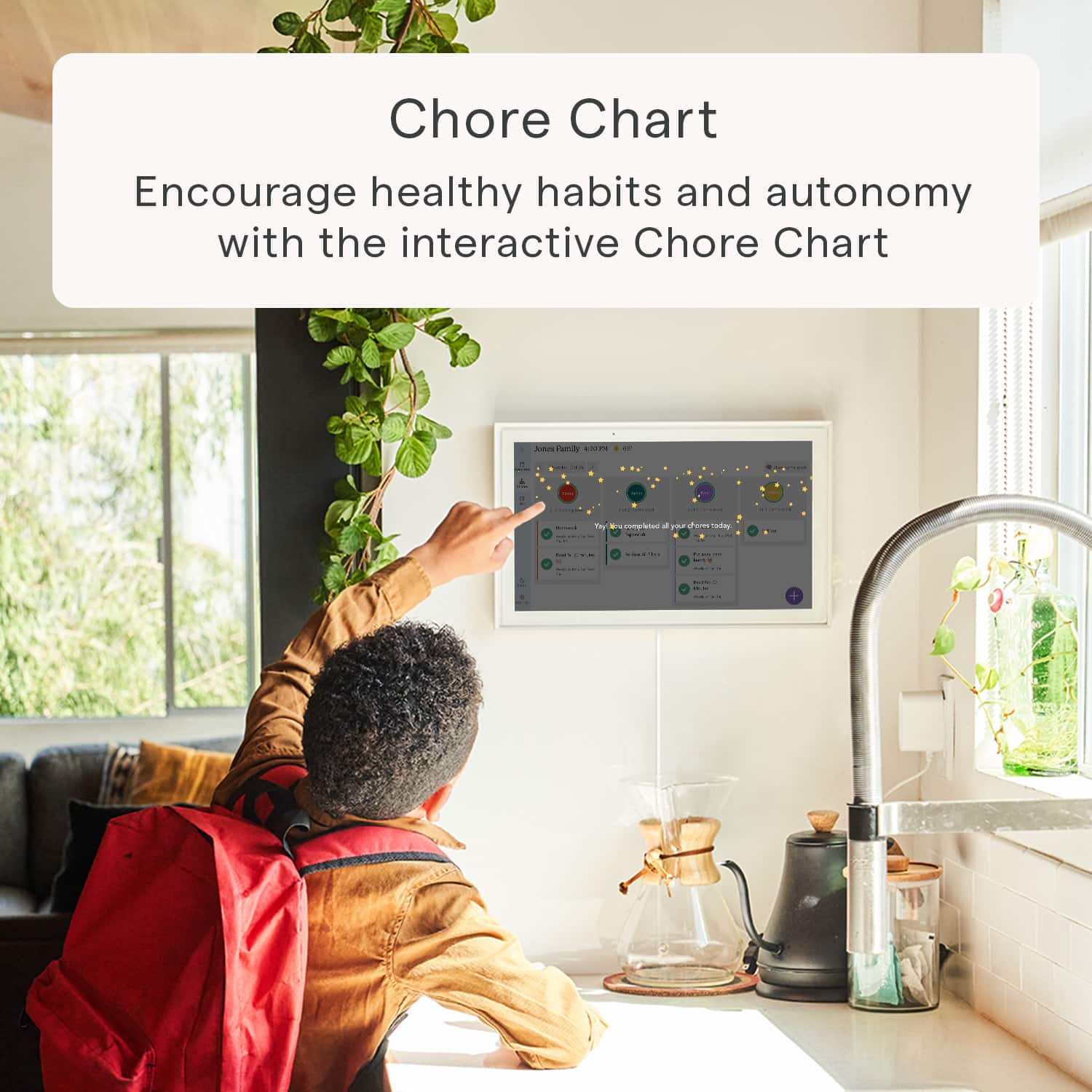
|Posted .This reviewer received promo considerations or sweepstakes entry for writing a review.I had been hoping for something like this for years. Like a lot of families we used to use a whiteboard calendar on our refrigerator and constantly wipe away the old month and write in the new month, and then get everyone to add their appointments and events to the appropriate days. The bad thing about this is that not everyone would update the days. Future events would sometimes get missed because we would later forget to add them to the next month's calendar when that month pops up. It was also impossible to go back a month and check for a past event. The Skylight Calendar has finally brought us the answer to better family organization. The whole family can sync their phones and personal calendars with the Skylight Calendar. Once synced everything updates on its own, you never need to push/send appointments from one device to another. Events that are entered on anyone's phone are automatically transferred to the calendar and vice versa. It's very easy to add appointments and events directly on the calendar through the touch screen. The great thing here is that the kids don't need accounts to add things to the calendar, like their sporting events, school activities, days off or anything else needing to be scheduled. The kids can also add anything wanted or needed to the shopping lists. We keep the frame in our kitchen near the main door, so we all see it every time we go out. It's also very convenient being in the kitchen because then anyone can add directly to the shopping list when we are out of milk, cereal, or anything else. I also like that I can add things quickly from my phone whenever I see that we are low on toothpaste or other supplies throughout the house. Everything updates on all devices so that I do not need to send a text or call my wife to ask her to pick stuff up at the store after work, because she would already have the list. The convenience in sharing all this information with the right people eliminates the issues of bad communication between families concerning appointments and needed groceries. You can also set up "dinner plans" for specific days or everyday if needed. So that everyone knows what's for dinner and at what time. Aside from keeping your calendars in sync, the Skylight Frame can help to set up chores. Here you can create a chore chart and add participants and specific chores. You can set the chores up to repeat daily or by specific days. So you could have one chore setup to repeat every other day or every other week or even month. This way you can swap the chores around with each kid on a regular basis. Once this is setup you don't need to mess with it, unless you want to edit it or add something else, otherwise it will be good to go every month automatically. No more needing to write it in every month on a white board. You can also create as many lists as needed for any purpose. I have a general one for stuff to do, house repairs, maintenance on the cars, work projects and things needed for our next vacation trip. They are easy to use and pretty helpful. If you pay for the premium plan you can also turn your calendar into a digital photo frame! this part is great, because it could also save your fridge from being the world's messiest photo collage. You can set up albums to sync with the frame showing off all your favorites with no limits. With the premium plan you can also send doodles (created in the app), pics or videos to anyone else connected to your calendar. This calendar is great and like I said, just what I was waiting for. The convenience and ease of use can work for anyone. I could even see this being set up at an older person's house to update the rest of the family on needed supplies and upcoming doctors appointments, as well as the rest of the family being able to send new photos to the frame for the grandparents to see. The frame itself is a good size at 15", I wouldn't pick anything smaller unless it was to sit at someone's desk. The frame comes in all white, but you can buy actual frame borders in different colors to accommodate different decors. It comes with the necessary hardware to mount it to the wall, or prop on a table. The metal base is nice and heavy to make the calendar very sturdy no matter where you place it. The added weight keeps it from getting knocked around when pressing the touch screen. The touchscreen is very responsive and it's easy to type with the onscreen keyboard. They really did a good job making this a durable and useful item.
I would recommend this to a friendI Like The Organization But Not The Price
|Posted .This reviewer received promo considerations or sweepstakes entry for writing a review.Out of the box it looks like a very bulky tablet or like a picture frame with a screen. Although this is the Skylight - Calendar, you can use it as a photo frame. The catch is that you have to subscribe to their monthly or yearly service to be able to have that function. I opted to give it a try but it always felt to me like it was not a feature I needed or should have to pay for especially with how expensive the Skylight - Calendar is. The Skylight - Calendar is a digital calendar where you can sync with multiple people in your household to have access to all your tasks, events, or reminders that you may want to all share with each other. I share it with my wife and it has been really helpful in keeping our lives more organized. The first thing she did was assign me a task to clean the bathroom. Beyond being able to assign chores to each other, you can also create grocery lists, to-do lists or set new events directly from the Skylight - Calendar or the companion app which sync together very quickly. Although I am a fan of the organization the Skylight Calendar brings, I don't feel like it is for everybody especially at this price point which at the time of this review is $249.99 discounted from $319.99. It's also difficult to find a spot for it if you don't want it taking up countertop space in your kitchen or space on your nightstand or desk. It does come with mounting hardware so I opted for the hallway where I will surround it with actual picture frames so that it somewhat blends in. The only downside was that I could not adjust it to the height I wanted to due to short cord length as it needs to be plugged into an outlet. For this price point, I would expect it to have a rechargeable battery. Overall, I do like the Skylight Calendar and do use it everyday but I would like to see some additional features, free photo syncing, and maybe a lower price point. If the Skylight Calendar were to get damaged, I would probably not replace it as I could just use my phone, tablet, or computer to serve a similar function and can go with me everywhere.
No, I would not recommend this to a friendBrand response from Skylight
Posted .We're sorry to hear about your experience with our Skylight Calendar, and we truly appreciate you taking the time to share your thoughts with us.
We're glad to hear that you found the Skylight Calendar helpful in keeping your life organized, especially with syncing tasks and events with your wife. We strive to provide a convenient solution for household organization, and it's rewarding to know that it has been beneficial for you in that regard.
Regarding your concerns about the pricing and subscription model, we understand your perspective. We are constantly evaluating our pricing structure to ensure that it reflects the value our customers receive. Your feedback about including free photo syncing and exploring a lower price point is duly noted, and we'll take it into consideration as we continue to evolve our product offerings.
As for your suggestion about incorporating a rechargeable battery, it's a valid point. While the current design requires it to be plugged into an outlet, we'll explore possibilities for future iterations of the Skylight Calendar to enhance its portability.
Thank you again for your honest feedback and for choosing Skylight Calendar to help organize your life. If you have any further suggestions or questions, please don't hesitate to reach out to us at help@skylightframe.com. We're here to assist you in any way we can.
Who knew I needed this
|Posted .This reviewer received promo considerations or sweepstakes entry for writing a review.I got a Skylight calendar to display my personal and business schedule in my living room. Syncing my Skylight with my Google calendar went smoothly once I figured out how much pressure it takes to use the touchscreen (ie a little more than on my phone.) I use the option to display a week at a time most often, but I noticed while I was on the phone with a client discussing an appointment that it's very easy to toggle to the month view, and it was helpful to do so without having to interrupt my call to look at the calendar on my phone. So the calendar function is great, but I've also been enjoying the other features. I wasn't actually sure I would use the photo screensaver, wondering if it would be too busy for my space. Once I adjusted the settings to make the display look good, I had fun choosing which pictures to upload. I used the chore chart feature to up a watering/feeding schedule for my plants without having to add reminders to my Google calendar that would clutter it. Again, I wasn't sure I would even use the chore chart feature, but once I got into setting it up, I realized how nice it is. My basil will be trimmed and fed on a schedule going forward! And that is the unlooked-for benefit of the Skylight Calendar, in my opinion: it looks wonderful, it has just enough features to be useful but not overwhelming, and it feels like I treated myself to something nice! At this point in my life, I am cautious about adding new devices or gadgets, especially screens, but this one is worth it. The Skylight Calendar doesn't solve a problem as such, but it makes things I do anyway easier and more graceful. It's one of those things that you buy and immediately wonder how you did things before. I put the calendar up on a wall with lots of prints and paintings, and despite being digital it looks like it belongs there. The photo screensaver is lovely to look at, and the calendar display is understated and easy to use. I would recommend this as a nice addition to your organizing tools or as a wonderful gift.
I would recommend this to a friendSolid solution to a pressing problem!
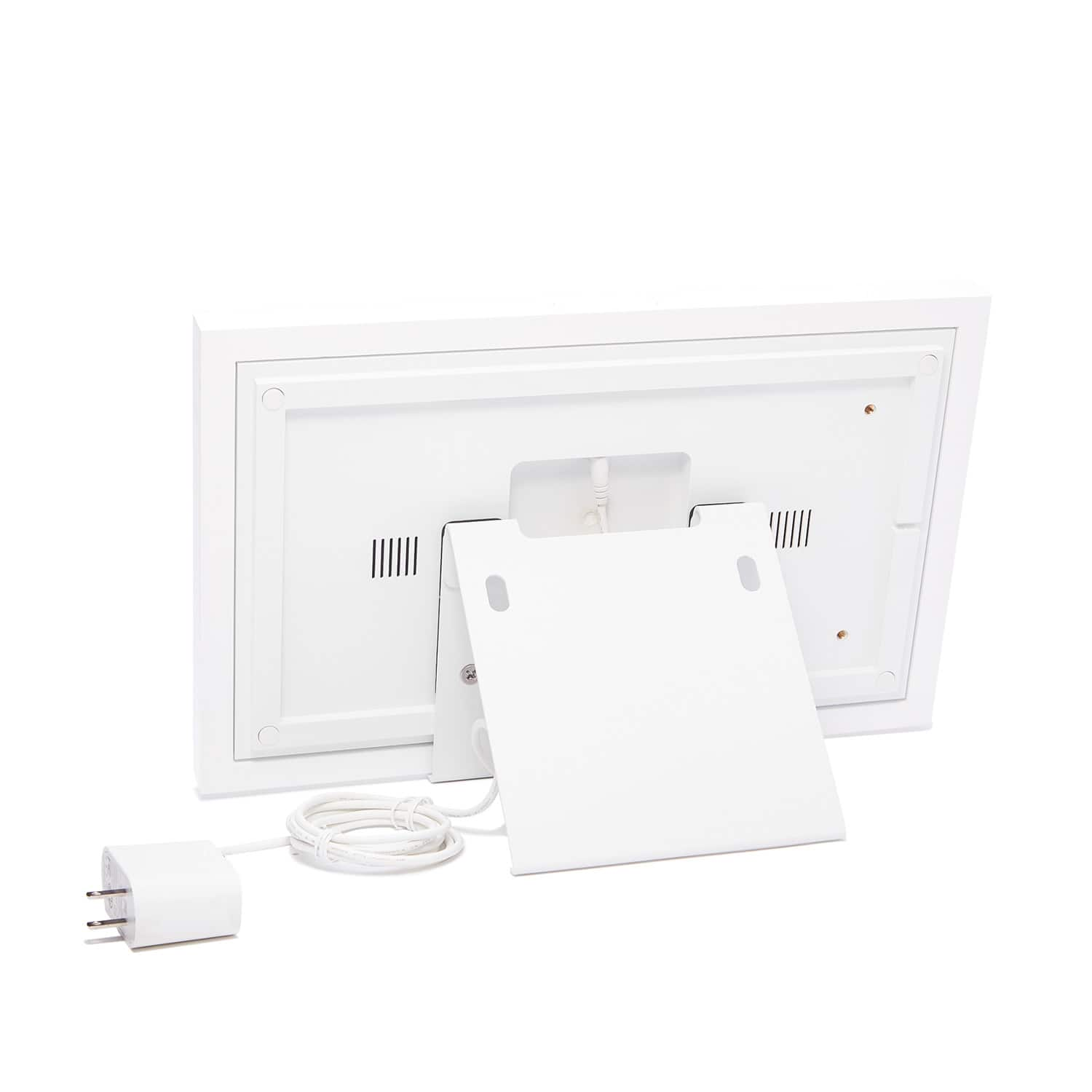
|Posted .This reviewer received promo considerations or sweepstakes entry for writing a review.The 15" Skylight calendar is an outstanding product that addresses the need for a shared family information center. Although the unit comes at a premium price this is a case of getting what you pay for! The first thing that you will notice is the satisfying heft of the device. The unit includes hardware for mounting either on a wall or on a countertop. The "kickstand" style mount is composed of two heavy metal parts and assembles easily. It provides a rock solid, stable base for the unit. The frame itself is solidly built with attractive functional buttons that provide basic on/off and volume controls. The unit only runs in landscape mode (for now) however the software is optimized to take advantage of that orientation. The touchscreen is very satisfying with none of the "twitchiness" that some devices exhibit. Hardware aside, this device's software is what really impresses me. The app downloaded and functioned for me with ZERO issues. It is concise and logically laid out. Defining and synchronizing multiple calendars was dead easy and worked flawlessly. The screen layout is intuitive and flexible. You have a number of options to customizing the layout and function of the calendar and the addition of "chores" and "lists" functions truly turns this into a hub for coordinating family activities, not just a calendar! I have been completely satisfied with the Skylight and it now has a prominent place in my home! The unit can also act as a digital picture frame which acts as a screensaver however that capability is only available as a premium "Photo Plus Plan" that requires a paid subscription and so I have chosen not to pay for that for now. In conclusion, I highly recommend this product. It does command a premium price but you'll appreciate the quality and functionality every day!
I would recommend this to a friendstreamline your life
|Posted .This reviewer received promo considerations or sweepstakes entry for writing a review.The skylight calendar: 15 inch touchscreen smart calendar has been a great addition to my busy schedule. coming from a multi-sport family of 4 its a great way to keep everyone's schedules in view. My son no longer asks what activities he has that day, he can quickly check the calendar and have peace of mind. The calendar was very easy to set up. We plugged it in and it started right up. I entered my email address and it synced right up. I had to do some small manipulation to get the colors correct, but it was fairly easy. my kids really like the chore chart, they can see how many they have left at the top of the calendar. it is easy to set up the chores and assign them. we color coordinated them so they cant fignht over who's is who's. we decided not to do the skylight plus for photos. we just didn't think it was worth the extra money to have pics. but I have seen it on other peoples and it looks really nice. All in All we have really liked the Skylight calendar and would recommend it to anyone looking to streamline their life.
I would recommend this to a friendGreat way to keep the whole family up to date.
|Posted .This reviewer received promo considerations or sweepstakes entry for writing a review.The Skylight Calendar is a great way to keep all your family up to date. Out of the box you can setup an account with Skylight and sync your favorite calendar with it. I have google and within seconds it was up and running. I then sent invites to my family for the app, They all now have access. The unit also allows you to use it as a digital picture frame for an extra fee. I was able to attach the very sturdy stands. You can also mount it to the wall but the AC adapter is kinda big, should you want to hide it behind, you will have to get creative or have an electrician do it for you. You can also attach multiple calendars and use different colors to make it easier to see. You can make changes on your phone or computer and within seconds the calendar is updated. Also you can make or add to the calendar via the touch screen and it updates across the board. I like the fact that I can leave the kids a chore list that they can check off when doing chores and I can see how they are doing. You can also do lists, like grocery lists. I would recommend this to family and friends with busy schedules and to keep everyone informed. Th only downside is having to pay extra to open the calendar to be a digital frame when not in use.
I would recommend this to a friendBrand response from Skylight
Posted .It's fantastic to hear about your experience with Skylight Calendar—it sounds like it's been a game-changer for keeping your family organized! The easy syncing with Google Calendar and the ability to share and update events across devices is a huge plus. It's great that you've found creative ways to use it, like leaving chore lists for the kids and managing grocery lists.
The option to convert it into a digital picture frame is definitely a cool feature, although I understand that the extra cost might be a drawback for some. Nonetheless, it seems like a versatile tool for busy families trying to stay on top of things. Thanks for sharing your insights and recommendations!
I like it.
|Posted .This reviewer received promo considerations or sweepstakes entry for writing a review.The Skylight Calendar is a device intended to hang on your wall, right where your existing paper calendar is. Obviously that's only an easy change to make if your existing family calendar is one that is electronic-- and if so, the Skylight can make your family's calendars available digitally in one spot. When I first saw the description of the Skylight, I had my doubts. There's really nothing special about a wall-mounted screen that shows a calendar...this is something the most amateur smart home enthusiast could accomplish with relatively little effort. However, where Skylight needed to have its biggest impact isn't in the physical, but in the software behind it. As far as the physical goes, it's a very nice device, styled as a framed painting. It has a decent touch screen that is easy to read, has a good touch response, and has can automatically adjust brightness based on ambient lighting. There are a couple of physical buttons along the top frame, controlling volume and power. There is an included power cable. Mounting hardware is included and easily installed; If not wall mounted, there is an included stand allowing it to be set on a table or countertop (but without any adjustment to the angle of the device). The mounting hardware is stout-- and when I first picked up the box I was initially concerned about the weight of the unit; as it turns out, the robust stand and wall hardware is what makes up most of that weight. So back to the software: it's very good. It has to be at least a little good in order for this device to even get off the ground. Basically any mainstream calendar service can integrate with the Skylight, and it can sync multiple calendars from multiple family members. Additionally, the mobile app makes the Skylight's information available to anyone in your family when they're not at home. So maybe you're thinking, "this is nothing new, we can do this already." Sure, and it's probably a hard sell to many families. Skylight also adds some basic to-do list capabilities, along with shopping list and chore tracking, all of which operate fine. There's nothing earth-shattering about that as an offering, but it definitely helps sell the device. At an additional monthly cost (and in my opinion, entirely too high of a monthly cost), you can add electronic photo frame capabilities. So it does a fine job, but there are still some features I'd like to see adjusted to make it even more compelling. First: I was not able to identify a way to disable the haptic sounds when typing on the device, which are unnecessary and annoying. Second, while the view options are decent (daily, weekly, monthly, schedule view, etc) I'd like to see some more options. It is a calendar first and so the calendar offering needs to be beyond reproach; I also wouldn't mind seeing a slightly higher-resolution screen to be able to fit a bit more vertical content on the screen. Finally, while the Skylight supports integration with a number of calendar services, it does not support integration with existing reminder or list services. So, you'll have to switch your to-do app if you want to make the most of the Skylight. That said, it's a good product. It may not be good enough for its price tag, retailing at $320. Given a repurposed iPad could accomplish something very similar, I'm not convinced this is worth the investment. It's a very attractive device and looks great on your wall, but there are plenty of wall mount options when it comes to other devices as well. If your family is already very electronically organized, this is probably a good product for you. Making use of some of the additional features makes it even more compelling... but if deploying this device in your home would require any sort of habit change, you might want to first look at those changes before making the investment. For my family it works, and I like it. I'll be curious to see how relevant it stays as time goes on, or if software support becomes an issue in a relatively short time period. For now, I think we'll keep it.
I would recommend this to a friendPretty nice, could use a little work
|Posted .This reviewer received promo considerations or sweepstakes entry for writing a review.The product is okay. The screen is large and bright, and easily seen from across the room. Set up was also relatively easy, just install the app and then tell it what calendars to look at. Calendars are color-coded, so each of my kids has a different color assigned, as well as my wife and I. The Skylight looks nice. My mom commented on it when she came over, and wanted to know what it was. Had a couple other people who were like, "What is that, is it an Android tablet?" So kind of a cool conversation getter. I've found that having the calendars all together on a single screen is super helpful. Things I might miss because they were just on my small phone screen are easily viewed on the larger screen. The Skylight comes with a wall mount bracket or a stand for a counter or shelf. I do have some things I didn't care for, thus the three star rating. One, the Skylight does not have batteries. So, if you are going to hang it on a wall, you'll need to have an outlet nearby or you'll have a white extension cord hanging down the wall. And placing it on a shelf or counter with the included bracket takes up a decent amount of space. I wish the Skylight was more wall-mount friendly. Two, the touch screen is not very reactive. The touchscreen lags. Typing on the touchscreen keyboard was slow due to the lag, and swiping through screens was the same way. I know that the intent is to use the phone app to control the Skylight, but there are times I'd like to just grab the Skylight and make a quick entry using the touchscreen. And three, Skylight tries to get you to sign up for Skylight Plus, so you can stream photos on the screen or have a screen saver that is a photo. Otherwise the Skylight just sits there with the calendar on it, serving no other purpose. Considering the cost, I feel like the Skylight should just be able to stream photos without having to pay more money for an annual subscription. My rating for the Skylight would be 3.5 stars. Not being able to be charged and then mounted on a wall without an unsightly cord running down the wall to an outlet is a bummer. That would definitely be an improvement for me. The touchscreen responsiveness was just average. And being limited to just calendar events or to-do lists unless paying an annual subscription makes it less worth the money. My likes: Large screen, bright, does help organize the family. My dislikes: Can't just charge it and use it without a power cord, additional options are only unlocked by an annual subscription fee, and the touchscreen isn't very responsive.
No, I would not recommend this to a friendGame Changer for Our Family
Posted .This reviewer received promo considerations or sweepstakes entry for writing a review.Amazing! This was the perfect addition to our home. We kept missing events because we didn't have one way of keeping track of all of our events and appointments. This was a game changer. It keeps our whole family organized and has bonus features that we love! Brush teeth
I would recommend this to a friendAbsolutely perfect for any family
|Posted .This reviewer received promo considerations or sweepstakes entry for writing a review.The SkyLight Calendar is absolutely revolutionary. It is a big-time game changer to how my family and I go about our regular business. From work schedules to all the mayhem that comes with being a family we have been able to make sure chores are done, groceries are purchased, and we never miss or are in a last-minute rush for an important event. Everyone's calendar is synced to it and it shows all the events for the week, you can change this to day, or month as well. We also utilize the chores, and keep that open for when the kids do their chores that can put a check next to it. The to-do list AKA honey-do list is also a great feature instead of me forgetting to write something down or being told something it now just gets added to the list (It may remain there for six months but hey it's on there). The calendar is very easy to set up, use, and sync calendars with. I can't say enough great things. Oh yeah, and it's built very sturdy. The stand that comes with it is quite heavy duty which is great. as well.
I would recommend this to a friendUseful, But Pricey
|Posted .This reviewer received promo considerations or sweepstakes entry for writing a review.The idea of this device sounded great, on paper, because it provided us with a means to allow our son access to our calendars, lists, and tasks/chores without providing him with a tablet or phone that he could use to browse the internet or play games. However, the price tag was a bit hard to swallow for the limited functionality. This is especially true when we realized that we would have to pay for a separate subscription just to use the device as a digital photo frame. The box brags about the device’s 32 GB SSD space, but if we have to pay for a separate subscription just to use it as a photo frame, it doesn’t really matter. Another odd thing about the device is that it provides a small section at the top of the calendar page to show the weather and temperature outside (i.e. a sun icon to show it’s going to be sunny out today accompanied by the temperature). It’s weird though that’s all it is; you can’t pull up a weather forecast/outlook for the day and or week. On the face of it, it’s nice that it’s there, but in reality, it’s not as useful/practical as it may seem. If you can’t see the rest of the weather forecast, I don’t think it really needs to be there.
I would recommend this to a friendBrand response from Skylight
Posted .Thank you for sharing your thoughts on our Skylight Calendar. We're sorry to hear that it didn't fully meet your expectations. We're reviewing your feedback about the pricing and functionality, including the weather feature, to make improvements. Your input helps us enhance our product and service. If you have any further suggestions or concerns, please feel free to reach out at help@skylightframe.com. We're here to assist you.
Very useful for an active family
|Posted .This reviewer received promo considerations or sweepstakes entry for writing a review.This is a curious and interesting appliance. The first thing I noticed was how simple the device looks. Having an all-white frame, it seems well suited to blend into most decorative environments. You're giving the option to hang the device on a wall or mount it on a flat surface using the (surprisingly heavy) angled stand. Once you plug it in and turn it on, you're prompted to link the device to your calendar providers. This process was fairly simple and I was able to connect my calendar to it in no time. Everything this smart calendar set out to do it does pretty well. You have a few options for what to display on the calendar (and how), plus you can set up task lists and chores. The "Chores" option seems to be the main selling point here, because you can create lists for each member of the family and have the items displayed in an easy-to-read format. The bigger the family, the more useful (and cool) this becomes. All of these features are served by a touchscreen that was more responsive than I expected...but don't expect high-end tablet or smartphone levels of touch responsiveness. It's not bad though. Overall the device is great to have, but I do have a few criticisms: 1) The screen is white with dark text and content, and there doesn't appear to be any options to change that (to "dark mode", for instance.) 2) "Calendar," "Chores,", and "Lists" are displayed as separate tab views. It would be nice to be able to see selections of all three on the screen at the same time. There's plenty of screen real estate to pull that off. 3) Using the photo display feature requires a subscription.
I would recommend this to a friendBronx Lady
Posted .This reviewer received promo considerations or sweepstakes entry for writing a review.Awesome addition to our busy life, keeps us focused and organized, easy to connect and lots of useful items.
I would recommend this to a friendNo more writing on a paper calendar
|Posted .This reviewer received promo considerations or sweepstakes entry for writing a review.We've done something similar in the past but it was on paper, on a calendar that was in a common area of the house. Sure, that worked, but now we can add items to the calendar via PC-based applications and they sync with the Skylight, and if manually added to the Skylight, it also syncs to the PC (or cloud-based) application. Not to mention the simple fact that there's no more struggling with trying to decrypt each-other's handwriting - it's all there clear and plain as day! The device can also be set as a electronic picture frame to display your favorite photos when not displaying the calendar. Although we have not personally set this function up, I can see it happening in the near future. Display is bright and clear, 100% easy on the eyes and not so small that one would need reading glasses to see. I'd like to see an even larger version of this come out - would be helpful for business , schools, etc to put in common areas for everyone to view. I really wish I had one of these a long time ago - such a useful tool!
I would recommend this to a friendSolid Product, Subscription limits use
Posted .This reviewer received promo considerations or sweepstakes entry for writing a review.No Issue with the product itself. I really like the aspect of it. However, it is disappointing that you still have to pay for a subscription in order to use its nice features.
No, I would not recommend this to a friendGreat Digital Calendar!!!
Posted .This reviewer received promo considerations or sweepstakes entry for writing a review.Love it! Easy to use and to mount on my wall. It is so convenient and we love that we can all add to it as things pop up!
I would recommend this to a friend