Customer Ratings & Reviews

- Model:
- E20
- SKU:
- 6560248
Rating by feature
- Battery Life
Rating 4.1 out of 5 stars
- Range
Rating 4.0 out of 5 stars
- Camera Quality
Rating 4.2 out of 5 stars
Customers are saying
Customers regard the E20 FPV Drone with 2.7K Camera and Remote Controller favorably for its camera quality and ease of use. Many appreciate the battery life, size, and remote control. However, some customers have expressed concerns about flight stability, range, connectivity, and wind resistance.
This summary was generated by AI based on customer reviews.
- Pros mentioned:Camera qualityCons mentioned:Flight stability

Great beginners drone, But needs work.
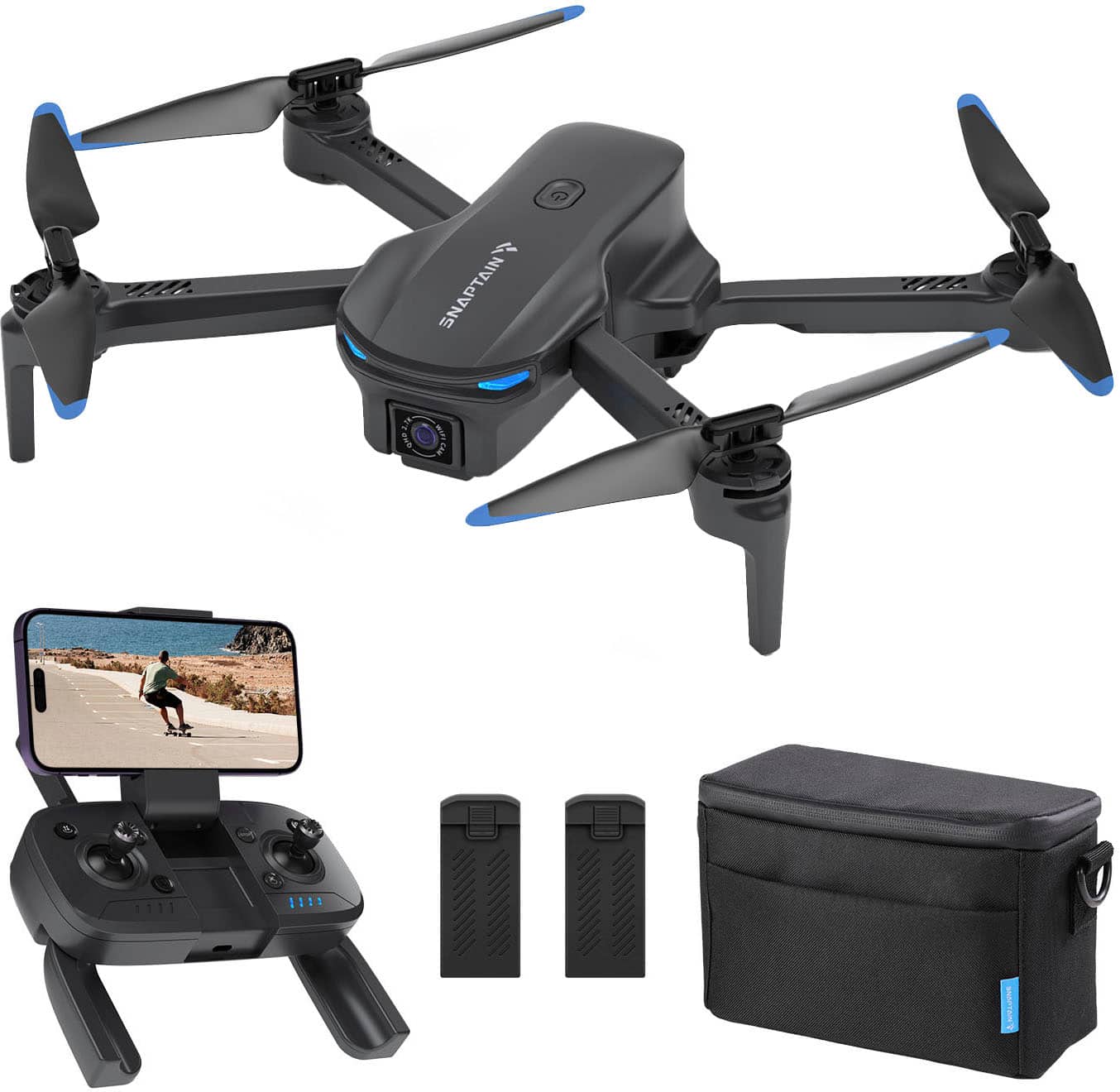
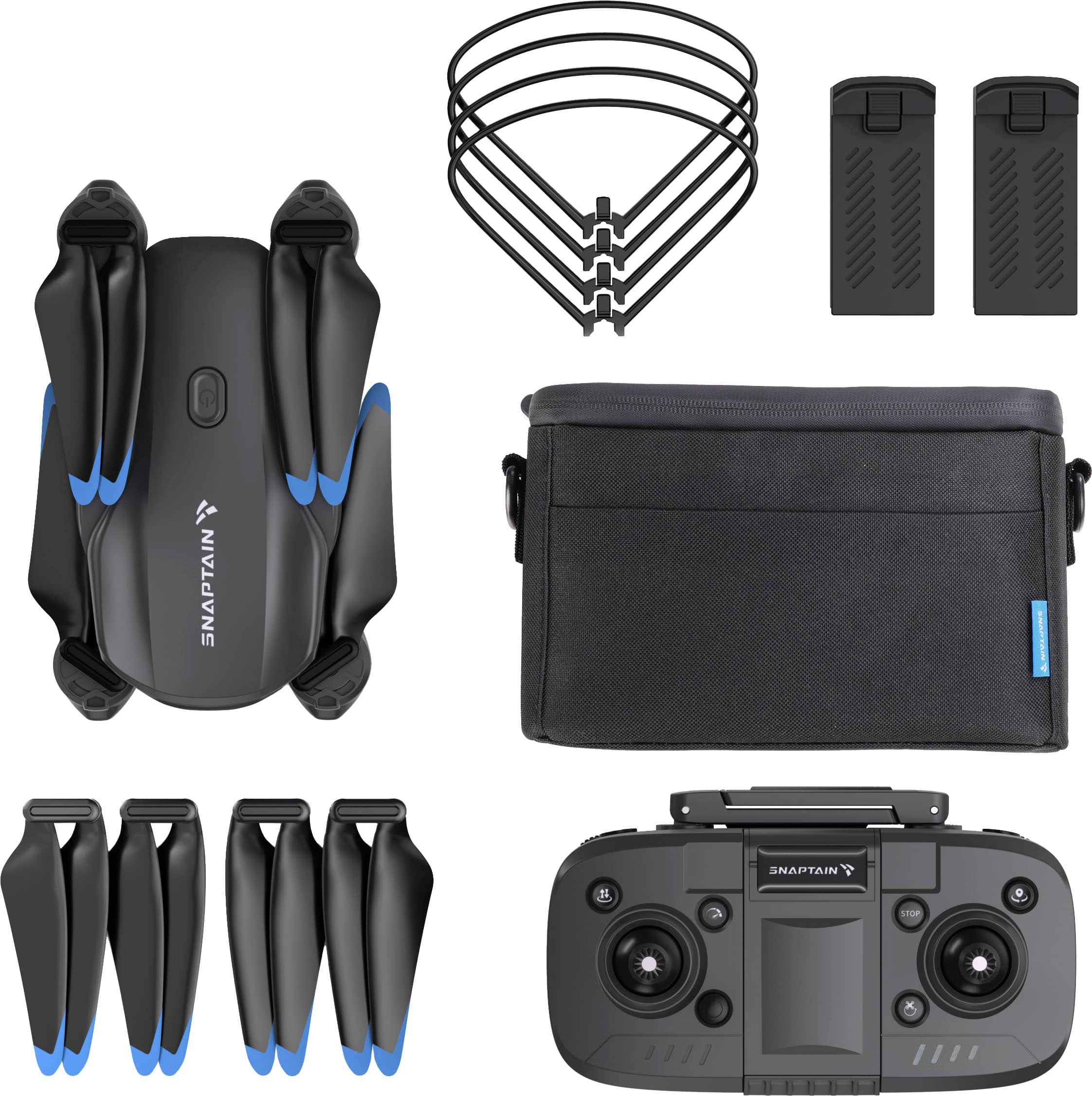
|Posted .This reviewer received promo considerations or sweepstakes entry for writing a review.The Snaptain E20 Foldable Drone is a simple beginners drone. It is equipped with everything you need. It comes with a nice carrying case, 2 batteries, extra propellers and its protectors. The control remote is pretty light weight and it is powered by a USB cable. The set up is super easy for anyone to do! All you have to do is: unfold the wings, add the protective pieces, unfold the antennas of the controller, and lastly, place the device onto the phone holder. Of course, make sure your phone is charged up, and the USB cable as well. Viewing the camera of the drone is simple, download the Snaptain FPV app and connect to the drone’s signal via wifi. The quality of the camera from the drone is alright for the price, it would have been better if the connection between the drone and phone were aligned. You are able to change the angle of the camera with the knobs on top of the controller I would say, the controls are hard to manage and getting used to, but with enough practice in large spaces, it will become fairly easy. I would say a negative aspect of this drone is if the distance between the drone and the controller is too wide, the connection will be lost. Overall, I believe this is a great product for beginners to experiment with. This product needs a lot of work for me to be confident with the price, performance of the drone and satisfaction.
No, I would not recommend this to a friendBrand response from Snaptain Team
Posted .Brand response from Snaptain Team
We really appreciate your feedback to make this item better. I would like to present our deepest apologies for all the inconvenience.
The drone is only suitable for short-distance flights with an effective range of up to 150 meters.
We are dedicated to ensuring your 100% satisfaction. Please reach out to us via support@snaptain.com. We are more than happy to assist you further.
We offer a 12-month warranty for this product, plus lifetime technical support. Our standard for responding to email quests is less than 24 hours, and we look forward to hearing from you!
- Pros mentioned:Overall performance
Buggy, counterintuitive
|Posted .This reviewer received promo considerations or sweepstakes entry for writing a review.I don't like feeling like a Beta Tester. ***INCLUDED:*** The drone comes in a carrying case that looks like a tiny lunch box, folded up and placed on top of the remote. There is a padding piece that sits between both, and a separator that contains a charge cord, two batteries, booklets and a set of prop guards. The top lid has a net containing 4 spare props and a tiny Philips screwdriver. ***QUALITY:*** The quality of this unit is right about what you would expect for the price; it looks like inexpensive non-glossy plastic. This is fine, as functionality and durability are really what count. And in those regards... ***FUNCTIONALITY:*** Both arms snap out with a solid detent to indicate lockout. Prop guards snap in to the ends of the arms, albiet without a solid snap or lockout. This will become important later. Camera module faces forward but rotates (up to 90°) towards the ground with a dial on the remote. Props can be swapped using the included screwdriver, though in my testing I didn't need to. Remote control has folding arms for both hand holds and antennas, and a folding spring-type extendable phone holder. The antennas are difficult to snap out; I thought I was going to break them when I first tried. ***SET UP:*** For first flight, I downloaded and opened the Snaptain FPV app by scanning a QR code on the box. I turned the drone and remote on by holding both for several seconds then went to look for the drone in WiFi Settings. I had to tell my phone to connect because it didn't detect internet. Going back to the app, nothing displayed. Restarting the app, my boy and I could see our feet in the display. Unfortunately the drone needed a firmware update. Apply, wait, nothing. Held power on device to switch off then on again - success. ***TAKE-OFF:*** Having read through the manual (which is digitally available in the Snaptain FPV app), I knew what buttons did what, so I had my son do the honors of first take-off. Holding the top left button on the controller, the drone's blades spun to life and it climbed immediately up to about 7 feet in the air. My son was extatic. ***FIRST FLIGHT:*** After getting my bearings with the controls, I started the drone off away from us. It complied with my inputs fairly well until it came time to bring it back; not moving. Figuring it was the wind, I upped the speed. That did the trick until it got close and I tried to bring it down - it came down alright - without stopping. Up had no effect. *Crash.* The drone flipped on to its head and continued to spin the blades - except for one which got caught in a long piece of grass. Holding the emergency stop button took ENTIRELY too long to enact an effect. Fortunately, ***DURABILITY:*** The blades seemed fine even after the drone crashed on its head, though 2 of the prop protectors popped right out. I would glue them in place if not for another aspect we will discuss in a minute. The top plastic got a little scratched on the dirt and I had to remove that grass from the prop shaft, but from further testing there was no harm. ***BUGGY:*** As another reviewer experienced, I could not get this to go where I directed it on my second flight. I would hold up and gain no altitude until adding a slight leftward spin. This was not a long term solution, though, as it came half way back down with no joystick input (no hovering). Going up a second time and letting off, it came PLUMMETING down and crashed again. Second emergency stop. Annoyingly, you can't fly again after an emergency stop until you power off the drone itself - which requires you to then reconnect to it over WiFi, kill and restart the app. This behavior repeated itself, so I decided a hail Mary and tried something: I took the battery out, held power on the drone, then popped it back in and switched it on. Back to functioning. Up went up. On to flight: ***CONTROLS:*** It's likely because I'm a long time gamer, but wrapping my brain around the control scheme was difficult. I wanted forward, back, strafe to be on the left stick and turn to be the right. Ascend/descend would have ben far more intuitive as triggers. "Take-off/Land" is in a good spot, but "Emergency stop" is not. You'll end up pressing "Circle Fly", which doesn't work very well on a drone that doesn't like to keep it's altitude. This button made me crash. Using the phone screen as your controller is acceptable, but you can't see much. I did prefer it for "video" and "photo" over the physical buttons in the trigger spots of the controller. ***DISTANCE:*** I wouldn't go very far, given that this doesn't know where to come back to. With my back turned (forgot while looking at the screen), I wasn't able to go more than about 100m. I lost connection and it crashed. Face the drone when flying. ***BATTERY:*** I started out with both batteries fully charged. The specs say 14°-104°, but my experience on a 49° day was not great - even disregarding the crashing. Those guards I talked about before? Yeah, you're going to want to take those off. Performance degraded after the first 5 minutes with my second battery until I took those off. That little weight and wind resistance change made a big difference. Vantop touts a 185g total weight on this drone, but they really needed to up the motors &/or battery and get it closer to the 249g limit. They talk of an "Intelligent Flight Battery" taking the weight over that limit and requiring registration, but I couldn't find one to buy. ***CAMERA:*** Acceptable in good lighting. You need to have a good MicroSD card inserted for the best quality. Do not expect to use this for wedding photography, (like the intro video in the app seems to suggest is possible) though. Videos look as if recorded on a have been recorded on a PS2. Photographs aren't better. I would really only use the camera as an operational aid. ***OVERALL:*** The firmware is buggy. It comes down fast and up doesn't always work, sometimes dipping first. This is bad when next to the ground. If you experience what I did, hidden troubleshooting is required (forced restart). If you're new or not very hand-eye coordinated / visual-spatial - this isn't going to be fun. It's CERTAINLY not for kids, as such a thing would require consistent, reliable functioning. To Vantop I say, "Vantop, sort out the quirks." To you, consumer, I say, "Wait till they sort out the quirks." P.S. - I guessed that calibration was the issue, but could not figure out how to manually calibrate. 🤷🏻
No, I would not recommend this to a friendBrand response from Snaptain Team
Posted .Brand response from Snaptain Team
We really appreciate your feedback to make this item better. I would like to present our deepest apologies for all the inconvenience.
If the propeller locks are not securely fastened, the propellers can easily come loose during flight. So, please ensure that the propellers are securely locked in place.
Please note that the drone's Wi-Fi is used to transmit the drone's video feed to your mobile device. Therefore, it is normal for the drone's Wi-Fi to show no internet connection.
Regarding firmware updates, even though the content was not mentioned, we have performed firmware updates to address SD card format compatibility. If your drone cannot work with FAT32 or EXFAT formats, you can resolve this issue by updating the firmware.
You can stop the propellers using the inner or outer stoppers on the remote controller, or you can press and hold the emergency stop button for 3 seconds. However, we recommend using the emergency stop button in urgent situations or if the drone is accidentally touched.
After a mandatory drone stoppage, it is necessary to reboot the drone and check for any anomalies. Then, you should re-pair the drone with the remote controller before flying again.
The drone may shake in the air because it is designed as a beginner's drone with weak wind resistance, making it generally not suitable for windy conditions. Therefore, we recommend flying the drone in mild, obstacle-free weather. The drone has limited wind resistance, and in strong winds, its stability may be reduced.
We are dedicated to ensuring your 100% satisfaction. Please reach out to us via support@snaptain.com. We are more than happy to assist you further.
We offer a 12-month warranty for this product, plus lifetime technical support. Our standard for responding to email quests is less than 24 hours, and we look forward to hearing from you!
- Pros mentioned:Battery life
It flew away, never to be seen again
|Posted .This reviewer received promo considerations or sweepstakes entry for writing a review.I’ve been flying drones for about 7 years. I have a DJI Spark which has been a great drone for my use over the years, but I have been considering upgrading to a DJI Mini Pro as I’m now shooting more footage for various projects these days. I got an opportunity to test out the Snaptain E20 drone which I thought would be an interesting test to see how this one compares to my current drone and at about one-third the price of a comparable Mini Pro bundle. The E20 bundle comes complete with a nice carrying bag that holds everything including the drone, the remote, two batteries, two extra sets of propellers which is nice, prop guards and a USB charging cord. The only thing I had to add was an SD card for recording videos/pictures. For my first flight preparation, I charged all the batteries and the remote then downloaded the Snaptain FVP app, no issues connecting to the app via my phone’s Wifi and syncing up the remote to the drone. The controls on the remote are pretty straight-forward and it has some additional function buttons for different maneuvers like “circle fly” but I didn’t have a chance to test them out my first couple of flights. On my first flight I got a notification that the remote was running low on battery so needed to return the drone. I flew the drone back and toggled down the joystick slowly to land, but the drone would not stop descending. I tried to make a nice easy landing but it just kept descending until it hit the ground. There was no damage as it landed on grass in my backyard, but it was unusual behavior by the drone. My guess was the remote was not communicating or something. During my second and much longer flight there was no wind on this day but I noticed that the drone does not hover in one place, it kind of sways a bit and doesn’t hold its position steady unlike my Spark which stays exactly in place when hovering and does not waver. This particular model also does not have GPS so there is no “return to home” function. You definitely need to keep the drone within your eyesight so you can manually fly it safely back to you. In reviewing the videos taken by the drone, the color and saturation was nice, however, the video is quite jittery/wobbly. The photos came out better, good color and sufficiently detailed, see examples below. Battery life was as stated, I got around 15-17 minutes out of each, and it takes about 30 minutes to recharge them. The remote outlasted both batteries, I had 50% battery life left after depleting both drone batteries. After my first flight, I was thinking of rating the E20 either a 4 or a 5, for what it is. Its a beginner’s drone as Snaptain indicates. It cannot compete with, say, a DJI Mini (or even my older Spark) but its also about one-third the price. So I decided to take the drone out for another series of flights to see if I could get better video and test out some of the flight function buttons on the remote. I fired up everything, connected my phone Wifi to the Snaptain FVP app, got the green indicator light and live preview on the controller and took off. It was a pretty calm day with only a slight breeze and I flew the drone up in the air about 100 ft or so. It started to drift backwards over my neighbors home so I pressed forward on the right joy stick but the drone kept going backwards and it seemed to be picking up speed. I don’t know if it drone lost its connection to the remote or what, but it was completely non-responsive to the remote. It kept flying backwards farther and farther away until it was completely out of sight. I had only been flying for about 2 minutes so the battery was pretty fresh. I can only assume it kept flying backwards for another 15 or so minutes until it ran out of battery and crash landed somewhere. I drove my car around with my best estimate of where it might have ended up but it was no use. Gone, never to be seen again. I checked the manual and it says the drone has a “find your drone” function. You press two of the remote buttons for 3 seconds and the drone will emit a rapid beep and flash for one minute with one caveat: “The drone must be connected to the remote and have enough power”. I tried but obviously that did not work. With no GPS and no “return to home” function I could not stop the drone from flying away on its own. I was given this drone for free to test and provide a review so I suppose it could have been worse (although I did lose a new $35 256gig SD card). I guess in my case the old adage is true: You get what you pay for. I paid nothing and I have no drone.
No, I would not recommend this to a friend Good for starter w/ reasonable functionalities
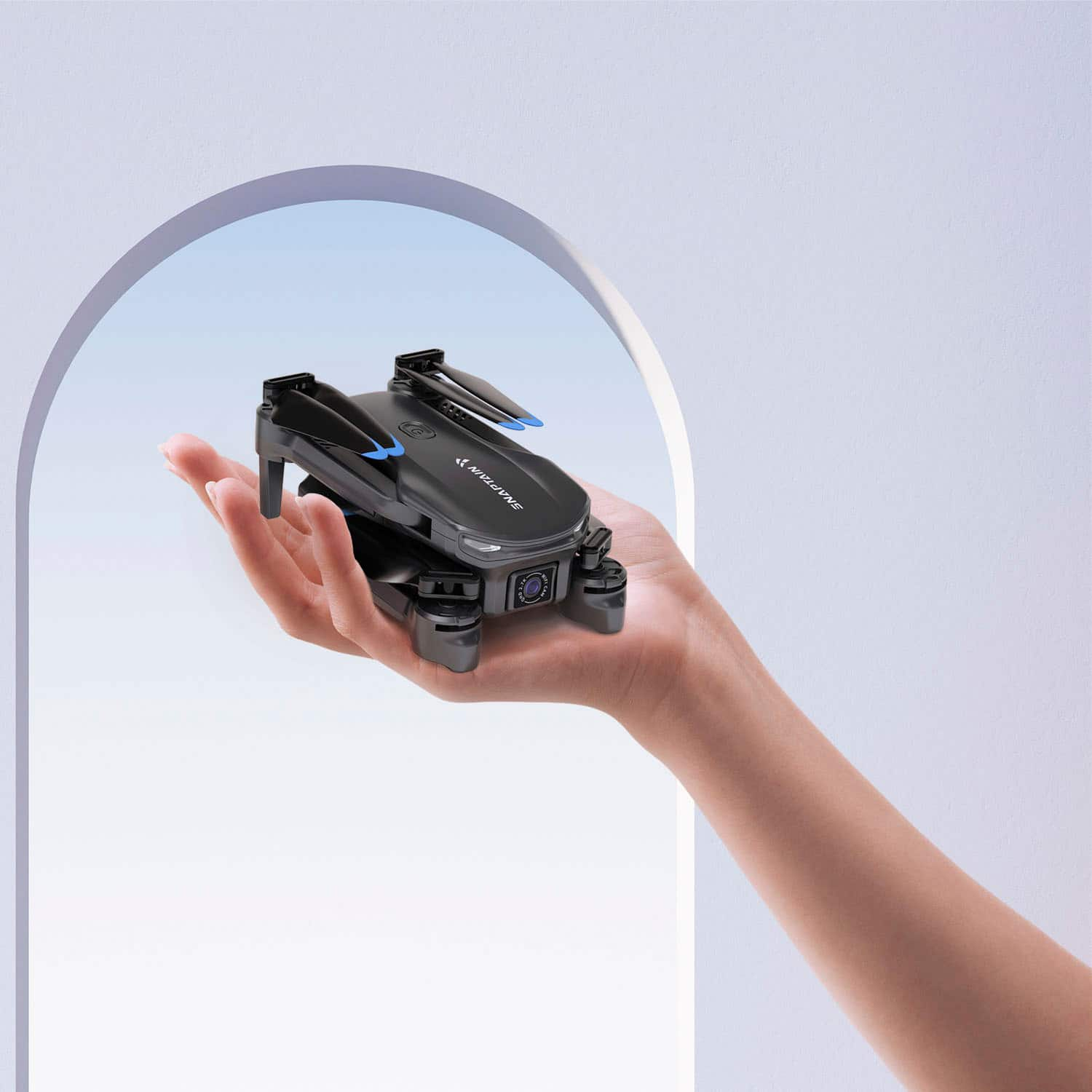
|Posted .This reviewer received promo considerations or sweepstakes entry for writing a review.The drone Snaptain E20 at first out of box feels simple, very light, and packaged with reasonable replacement spare propeller and accessories like carrying bag. To start using require some prep work, not complicated, consisting of attaching the propeller guard, charge the remote and battery for the drone, download its app, and as good practice following the manual. Attaching the propeller guard is simple, but need to take attention on where and how to grab as the guard attaching point’s little tip is weak prone to break easily. Aside of this specific caution, the rest is simple. Downloading the app using the QR code from the guide, from there is straight forward to the drone functionality. From the app and the remote control, the available functionalities are Flight Directions, Take OFF and Land with one button, Circle Fly, Trajectory Fly, Emergency Stop, and Find Your Drone (with some limitation as it is based on Remote control and not based on GPS location). For images, it has separate buttons for taking photo and recording video available in the remote control or app, same for all of functionalities listed above. 1. Using the Phone and Remote Control The remote control has unfolding and expandable clamp style phone holder. This allows to place phone different size of phone. Tried with iPhone 15 pro max, and 14 pro and fits well. However, a detail to take in account for small size or alike to the 14 pro size, as it is placed in the center, the holder press the phones side buttons causing different behaviors of phone functionality on the phone, As result need to move toward where the buttons are not being pressed by the holder. Aside of the above detail, once placed as intended, then controlling was ok. Just a note on the controls: 1. Same functionalities are available on the phone and remote control. But on the phone, the icons for functionalities being white it was non identifiable depending on the view of camera. 2. The flight control to up/down/turn are only via remote control. Hence bit awkward having the video/photo/land/takeoff control on the phone. 2.Connection to Drone with the App The app connect to the drone via WiFi SSID from the drone. Its process, doesn’t require any id verification or connection confirmation as from phone connect using WiFi Connection function. Secondly, it allow to snap the connection to the drone from second phone via WiFi Connection. From the test, when the second phone connect to the drone, in the first phone shows lost connection and suggest to switch to cell data connection at least this was the case with iPhone. But only the first phone was able to control the drone yet. The second phone didn’t have access despite of being connected to the drone SSID. I have to say something is off in this part and seems to fall short on the security. Flying the drone: 1. Taking off is simple, by one push of button automatically starts moving the propeller and starts moving up. However landing it seems to vary. If try to land on let’s say a table, it doesn’t control the speed and sort of clash against the surface. But it was landing on the plain floor, it decreased the speed gradually for nice and soft land. 2. Moving toward front or backward, changing angle, it looks some time to get used. First couple time, it didn’t seem to move as intended. 3. On other functionality 3d Flip, Trajectory Flight and Circle Fly I didn’t feel confident on it hence haven’t tested. Note on camera: 1. Photo Resolution for E20: 2976x1680 pixels 2. Video Resolution for E20: 1280x720@25fps (apps’s album) / 2976x1680@25fps (memory card) Couldn’t find in the manual specification on the zoom. But baed on the test, it is limited if it is flight over 10ft and attempt to zoom in to more than 9 feet. Note on charging: Remote Control Charging time: apron 90 min Drone Battery Charging time: aprox 4 hours dependable to power of charge Note on else: Wind Speed Resistance: 5m/s (level 2) Charging cable is included only 1 when there are the battery to charge and separately the remote control. For the closure, the drone seems good for starter, and the app seems to have some security flaw. For the app doesn’t require login which might be positive for the practicality perspective but might not be for security purpose. Then the connectivity to the drone is add-on to the security subject. Th propeller guard easy come off so not sure how good protect the propeller during multiple usage. For last, the package doesn’t come with micro sd after all the other accessories needed.
I would recommend this to a friendBrand response from Snaptain Team
Posted .Brand response from Snaptain Team
We really appreciate your feedback to make this item better. I would like to present our deepest apologies for all the inconvenience.
The drone can be controlled using either the remote controller or a mobile app virtual controller. If you want to control the drone using the mobile app's virtual controller, you should turn off the physical remote controller.
Please note that the mobile app connection is limited to one device at a time, and multiple devices attempting to connect may interfere with controlling and accessing the drone's camera feed.
We are dedicated to ensuring your 100% satisfaction. Please reach out to us via support@snaptain.com. We are more than happy to assist you further.
We offer a 12-month warranty for this product, plus lifetime technical support. Our standard for responding to email quests is less than 24 hours, and we look forward to hearing from you!
- Pros mentioned:Camera quality, Ease of use
Nice starter drone!
||Posted . Owned for 1 month when reviewed.This reviewer received promo considerations or sweepstakes entry for writing a review.At first I was skeptical. Thinking; how could such a cheaply priced drone possibly satisfy my curiosity in the hobby? Well, I was pleasantly surprised! It's a great entry drone. It was easy to connect to my phone and it was easy to learn how to fly, especially for a first timer. The reason why I gave it 4 stars is because this drone doesn't have a video stabilizing feature like the more expensive ones. But the camera quality is great as long as you don't go out on windy days. I would recommend this drone to anyone who wants to try out the hobby before committing to spending a ton of money on a more expensive one.
I would recommend this to a friendBrand response from Snaptain Team
Posted .Thank you for your support. We are super excited to provide something that betters your life. We promise to continue striving to exceed your expectations! Remember, your device comes with an 12-month warranty, and anytime you need help, just let us know. Email:support@snaptain.com
- Pros mentioned:Battery life
Great First Impression...Until You Turn It On
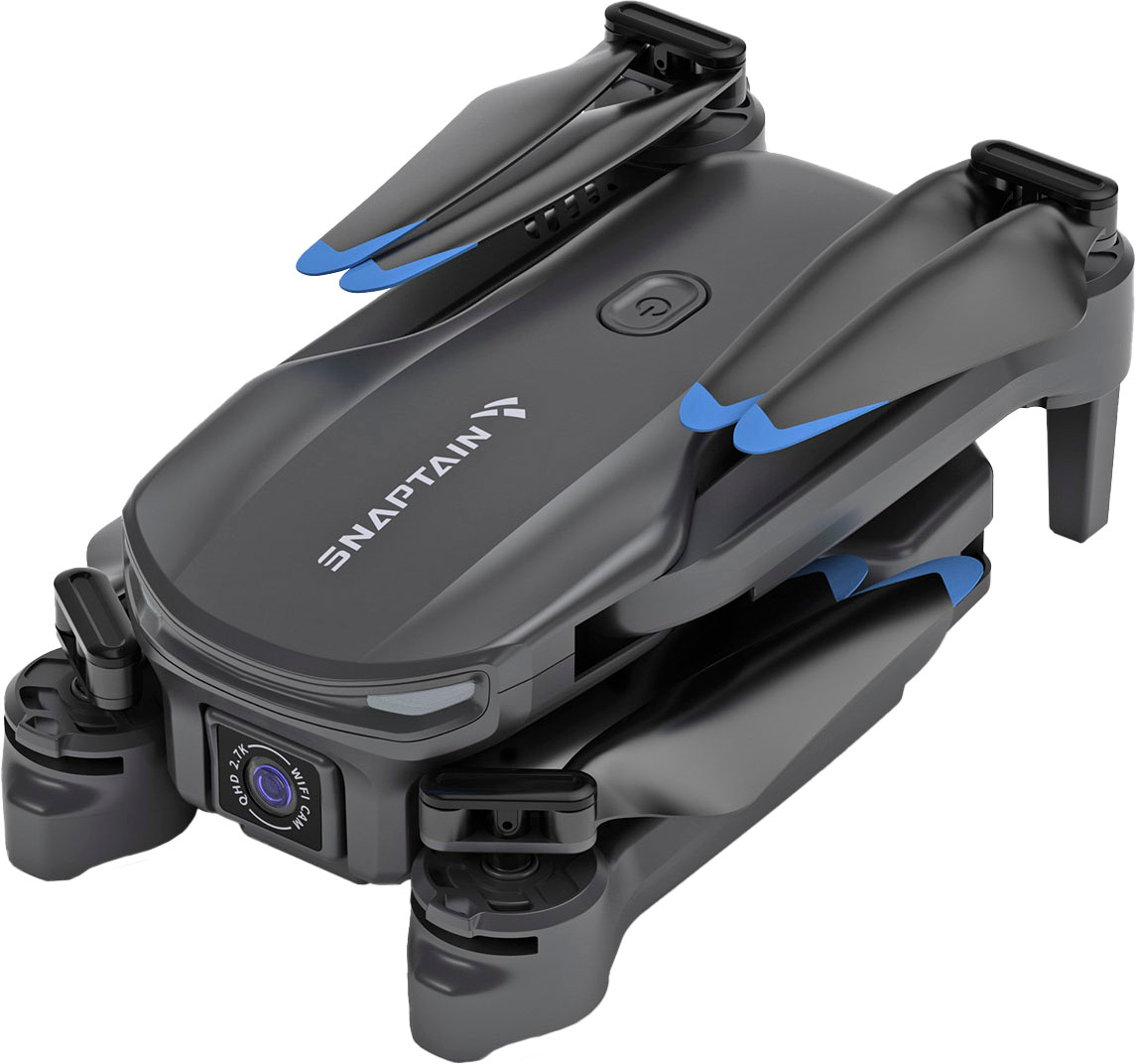
|Posted .This reviewer received promo considerations or sweepstakes entry for writing a review.Up front I have only bought one drone before, for my son at Christmas two years ago so I only flew it about 5 total minutes before he told me he understood and never let me touch it again. So when I say that I found the Snaptain E20 drone to be very hard to fly, understand I am writing from the perspective of a near total noob. I liked the package very much! It's a small box, inside is a carrying bag which seems very durable and is tightly packed with the remote control, drone, extra blades, blade guards, a little screwdriver, two batteries, and a charging cable. The drone folds very small and once you figure out which arm goes in or out first (there’s stickers on the sides to tell you) you can get it unpacked and ready to fly super fast. Batteries last 15-20 minutes or so, so if you have both charged up you get a decent bit of flight time. Once the drone and remote are powered on you start your flight by pushing the takeout button for a few seconds and it rises about 4 feet into the air. However, once it reaches starting altitude the drone begins to drift and after you have flown it the speed of its drift is faster. In my case, a test flight in my living room with furniture pushed back and no obstacles around for 8 feet in any direction (not much room but enough for a test flight) I couldn’t get it to stand still. This also meant that if I didn’t keep an eye on my auto-takeoff button (which also acts as a landing sequence) I would crash. There’s an emergency landing button as well, which I pushed as I began to near a bookshelf corner out of fear of breaking the blades, and it causes the drone to immediately power off and drop like an expensive rock back to earth. I wanted to do more flying outside but the weather for the past few days since it arrived has been either pouring rain or moderate wind (not sure how much wind it can fly in but didn’t want to risk losing it during a test). Snaptain E20 has a 2.7 QHD camera with 90 degree field of view which only works if you link your phone up to the drone with wifi. I was able to get my phone to link up but could not get it to take pictures, video, or even go into first person mode. I am unable to speak to why this happened, if it was a problem with the drone or with my phone, but it didn’t resolve with firmware updates, rebooting both devices, or using a new full battery. It was kind of frustrating but given how wonky my experience was overall it kind of fits unfortunately. So, I can’t really recommend the drone for beginners given the amount of drift and my trouble with the camera functions. Perhaps it's something you can learn around, just getting used to how it drifts and adapting your flight to allow for the extra slop in hovering, but it may be a better option to look around, read reviews, and at least consider if another drone may be a better fit. I’m reaching out to the manufacturer to get advice about the camera but for a first impression this drone was only so-so: good packaging but lackluster performance.
No, I would not recommend this to a friendBrand response from Snaptain Team
Posted .Brand response from Snaptain Team
We really appreciate your feedback to make this item better. I would like to present our deepest apologies for all the inconvenience.
We are dedicated to ensuring your 100% satisfaction. Please reach out to us via support@snaptain.com. We are more than happy to assist you further.
We offer a 12-month warranty for this product, plus lifetime technical support. Our standard for responding to email quests is less than 24 hours, and we look forward to hearing from you!
- Pros mentioned:Camera quality, Overall performance
Really good drone tor teg price
Posted .This reviewer received promo considerations or sweepstakes entry for writing a review.I bought this drone as a birthday present for my son. My son loves it the drone is very durable. The camera quality os good for a drone of 200 bucks. Really recommend buying
I would recommend this to a friend - Pros mentioned:Ease of use, Overall performance, Size
First time drone
||Posted . Owned for 1 week when reviewed.This reviewer received promo considerations or sweepstakes entry for writing a review.Excellent easy to learn how to flight. First time drone owner. So good got a second one bought. No to fancy to dwel if gets damaged. Fun. Light. Cute.
I would recommend this to a friendBrand response from Snaptain Team
Posted .Thank you for your support. We are super excited to provide something that betters your life. We promise to continue striving to exceed your expectations! Remember, your device comes with an 12-month warranty, and anytime you need help, just let us know. Email:support@snaptain.com
- Pros mentioned:Battery life, Camera qualityCons mentioned:Range
Snaptain
||Posted . Owned for 2 weeks when reviewed.This reviewer received promo considerations or sweepstakes entry for writing a review.I like the look of it but the range isn’t the best. Battery’s last a while and the camera is good
I would recommend this to a friendBrand response from Snaptain Team
Posted .Brand response from Snaptain Team
Thank you so much for sharing your experience. We are sorry to hear you are not satisfied with this item.
We are dedicated to ensuring your 100% satisfaction. Please reach out to us via support@snaptain.com. We are more than happy to assist you further.
We offer a 12-month warranty for this product, plus lifetime technical support. Our standard for responding to email quests is less than 24 hours, and we look forward to hearing from you!
- Cons mentioned:Connectivity
Run from this drone before it runs from you!
Posted .This reviewer received promo considerations or sweepstakes entry for writing a review.Bought this because of the price and camera specs assuming it would be a decent drone. Read all the reviews about connectivity but figured a lot of them might have been user error so I took my time to be on the safe side testing it low and in a very clear area before I took it up a bit higher--maybe to 40'. That's when the trouble started. The screen showed a connection issue and asked me if I wanted to keep trying so I clicked OK and immediately the drone started doing its own thing. I hit the controls to fly it back toward me and come down and the drone decided to go up and furthur away. Hitting STOP did nothing and the drone took off higher and well into the wooded area nearby never to be seen again. Drone and money gone in a flash. All I have to show for it is a box, a carry case with strap, instuction book and a battery with cords! Take the connectivity reviews seriously and buy another brand! This one sucks!!
No, I would not recommend this to a friendBrand response from Snaptain Team
Posted .Brand response from Snaptain Team
We really appreciate your feedback to make this item better. I would like to present our deepest apologies for all the inconvenience.
We are dedicated to ensuring your 100% satisfaction. Please reach out to us via support@snaptain.com. We are more than happy to assist you further.
We offer a 12-month warranty for this product, plus lifetime technical support. Our standard for responding to email quests is less than 24 hours, and we look forward to hearing from you!
- Cons mentioned:Weight
Great starter drone!!
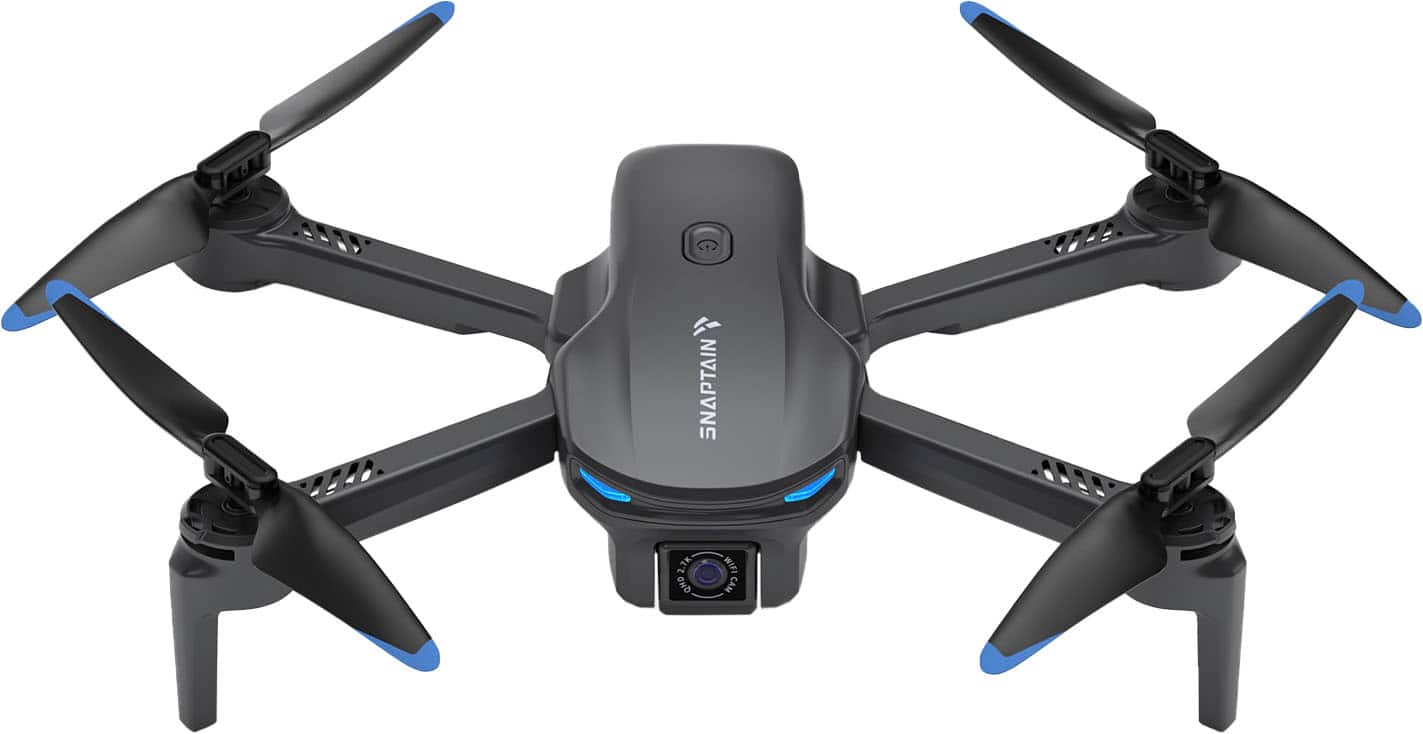
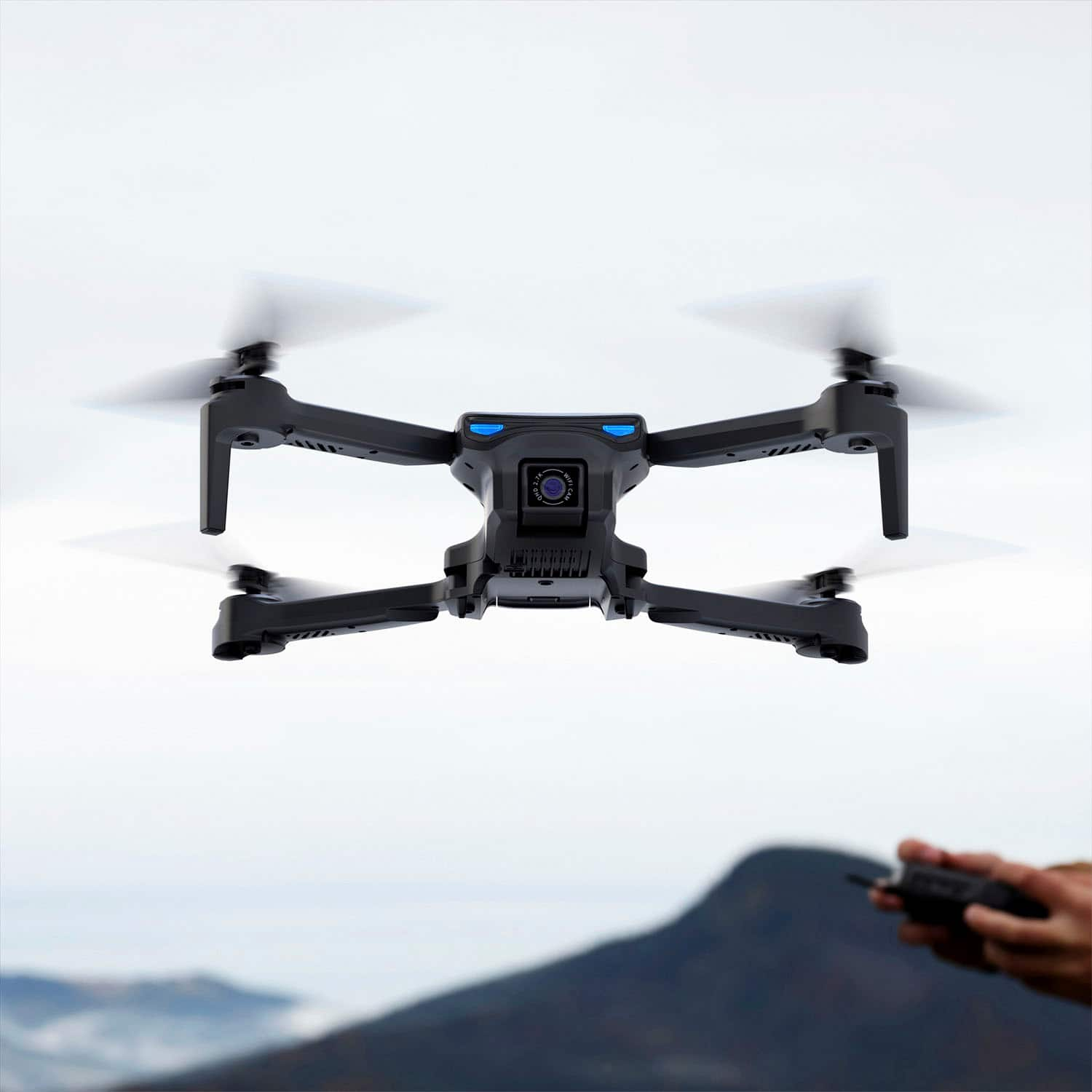
||Posted . Owned for 1 week when reviewed.This reviewer received promo considerations or sweepstakes entry for writing a review.I am always fond of drones and its capabilities. I use drone in my profession, but I had chosen this one for gifting my Nephew. We tried it and he got a great hand of it right from the start. This was light, fast and had great blue eye themed lighting which my Nephew loved. Its a great start for getting used to flying drones. I got fan guards with the drone which I installed to the drone before the first flight. It helped my nephew in flying it worry free. Only drawback was its light, so flying in even little windy conditions should be extra cautious.
I would recommend this to a friend An ok drone for learning how to drone
|Posted .This reviewer received promo considerations or sweepstakes entry for writing a review.I used to be very skeptical on drones, but as of late I’ve seen some amazing footage coming from consumer level drones. With that said, I was excited to test the Vantop Snaptain E20. While I’ve come away more familiar with the experience and how drones work, I’d definitely opt to go another direction for a drone if I wanted to take things more serious. The E20 comes with basically everything you need to take to the skies and snap photos. While it doesn’t come with a memory stick, you can take photos and record videos directly to your phone via their app. The drone comes with a carrying case, two rechargeable batteries, the remote, and all necessary cords. Set up was super easy and I was lifting off in no time. Seeing as this was my first drone experience, I originally tested the drone in my office. I figured this would be good to get the hang of maneuvering the drone in a small space before taking it out in public. Everything was fine. When I went out in public things went a bit differently. With a little height, the drone wasn’t as responsive as I would have liked. This made me fear taking higher as I felt I might lose complete control over it. Picture quality was fine, however, when recording video there were freezes in the videos. I’m not sure if this was due to the height in which the drone reached, or that I recorded directly to my phone, at the end of the day, based upon the video quality I wouldn’t use the video for anything public facing, which to make makes the drone nearly unusable. For those unfamiliar with drones, the Vantop Snaptain works for testing out the experience, however, for anybody looking to create content to be shared publicly, I’d advise to invest a little more for a higher quality drone.
No, I would not recommend this to a friendBrand response from Snaptain Team
Posted .Brand response from Snaptain Team
We really appreciate your feedback to make this item better. I would like to present our deepest apologies for all the inconvenience.
We are dedicated to ensuring your 100% satisfaction. Please reach out to us via support@snaptain.com. We are more than happy to assist you further.
We offer a 12-month warranty for this product, plus lifetime technical support. Our standard for responding to email quests is less than 24 hours, and we look forward to hearing from you!
- Pros mentioned:Camera qualityCons mentioned:Wind resistance
Nice
||Posted . Owned for 3 weeks when reviewed.This reviewer received promo considerations or sweepstakes entry for writing a review.So I bought this to view yard w cattle however it’s to light , camera was great but it just to light for outdoor the slightest wind took it .also the battery did not last long at all . I would recommend for in door stuff not out door in the country at least not for me .
No, I would not recommend this to a friendBrand response from Snaptain Team
Posted .Brand response from Snaptain Team
Thank you so much for sharing your experience.
We apologize for any inconvenience this may cause you. Please follow these steps to troubleshoot.
1. Whether the drone is within the control range when you lost it?
2. How was the weather when you flew your drone?
3. Did you recalibrate your drone before flight?
4. Have you pressed down any button before the drone lost control?
We are dedicated to ensuring your 100% satisfaction. Please reach out to us via support@snaptain.com. We are more than happy to assist you further.
We offer a 12-month warranty for this product, plus lifetime technical support. Our standard for responding to email quests is less than 24 hours, and we look forward to hearing from you!
- Pros mentioned:Overall performance
Nice drone for the price
||Posted . Owned for 1 month when reviewed.This reviewer received promo considerations or sweepstakes entry for writing a review.First drone I ever flew. Takes time to get used to the speed. Replacement blades, that it came with, were handy for my clumsy flying. Got it at a good price too.
I would recommend this to a friend - Pros mentioned:Battery life, Camera quality
Great camera & distance!
||Posted . Owned for 1 year when reviewed.This reviewer received promo considerations or sweepstakes entry for writing a review.Excellent! Great camera and distance! Battery life is worth it!
I would recommend this to a friendBrand response from Snaptain Team
Posted .Thank you for your support. We are super excited to provide something that betters your life. We promise to continue striving to exceed your expectations! Remember, your device comes with an 12-month warranty, and anytime you need help, just let us know. Email:support@snaptain.com
- Pros mentioned:Camera quality, Ease of use
Good starter drone
||Posted . Owned for 1 week when reviewed.This reviewer received promo considerations or sweepstakes entry for writing a review.Cool drone. Got it for my six year old. Not very hard to navigate. Camera is not bad for the price.
I would recommend this to a friendBrand response from Snaptain Team
Posted .Thank you for your support. We are super excited to provide something that betters your life. We promise to continue striving to exceed your expectations! Remember, your device comes with an 12-month warranty, and anytime you need help, just let us know. Email:support@snaptain.com
- Pros mentioned:Overall performance
Okay drone
||Posted . Owned for 6 months when reviewed.This reviewer received promo considerations or sweepstakes entry for writing a review.Okay drone. You get what you pay for. Flies pretty good.
I would recommend this to a friend - Cons mentioned:Connectivity
First Drone - A solid 3 stars
||Posted . Owned for 3 weeks when reviewed.This reviewer received promo considerations or sweepstakes entry for writing a review.Bought this for the kid. After buying those cheap helicopters and the red circle, this was a step up. It’s a hefty drone and the connectivity to the phone is solid except for the fact we couldn’t link the camera on the drone to the phone. The controls are straightforward - on the maiden flight we got a little close to the freight train tracks which caused a few hairs to gray…it might have been user error but the connectivity is something we’ll watch. Looking forward to flying this in nicer weather and I can already see how drones that are pointing at $00’s or >$1000 give a great flying experience. We’ll get more flights in in Spring and Summer and look forward to becoming a drone boss. I’d do it again.
I would recommend this to a friendBrand response from Snaptain Team
Posted .Brand response from Snaptain Team
We really appreciate your feedback to make this item better. I would like to present our deepest apologies for all the inconvenience.
Please refer to the steps below to connect the drone to your mobile phone.
1. Download and install the Snaptain FPV app of the drone into your mobile device from App Store/ Google Play or by scanning the QR codes in the user manual. Please agree all permissions the app needs so that the app could work fine.
2. Turn on the drone firstly. Turn off the phone's mobile data and Bluetooth. And then turn on the Wi-Fi of your phone.
3. Connect the Wi-Fi of the drone name. When the phone reminds you that the Wi-Fi of the drone has no internet access, please select "connect".(The function of the Wi-Fi is to transmitter the image from the drone to the phone. It's normal that the Wi-Fi of the drone has no access to the internet.)
4. Open the app of the drone and enter the app, and then the image of the camera will be displayed on the phone.
Before flying, please check the quick guide or product manual for a better enjoyment of the flying experience.
We are dedicated to ensuring your 100% satisfaction. Please reach out to us via support@snaptain.com. We are more than happy to assist you further.
We offer a 12-month warranty for this product, plus lifetime technical support. Our standard for responding to email quests is less than 24 hours, and we look forward to hearing from you!
- Pros mentioned:Overall performance
still loving it
||Posted . Owned for 1 month when reviewed.This reviewer received promo considerations or sweepstakes entry for writing a review.so far and i have not crash it thanks for this cool machiene
I would recommend this to a friend - Cons mentioned:Range
It’s….. ok
Posted .This reviewer received promo considerations or sweepstakes entry for writing a review.SNAPTAIN e20… what a beautiful piece of nothing. It’s range max’s out at about 20ft. Battery life? About 15 minutes. Camera is a 2/5. Great for your first time taking off but after that you already need an upgrade. Friday I bought this drone and 2 days later went and got a DJI.
No, I would not recommend this to a friendBrand response from Snaptain Team
Posted .Brand response from Snaptain Team
We really appreciate your feedback to make this item better. I would like to present our deepest apologies for all the inconvenience.
The control distance of the E20 can reach up to 460 feet in an environment without signal interference. We recommend the customer to try flying the drone in a different environment. Additionally, if you have any questions, please provide feedback to us through the "CONTACT US" option on the main page of the Snaptain FPV APP.
We are dedicated to ensuring your 100% satisfaction. Please reach out to us via support@snaptain.com. We are more than happy to assist you further.
We offer a 12-month warranty for this product, plus lifetime technical support. Our standard for responding to email quests is less than 24 hours, and we look forward to hearing from you!