Customer Ratings & Reviews


- Model:
- MOVE2US1BLK
- SKU:
- 10188864
Rating by feature
- Sound Quality
Rating 4.9 out of 5 stars
- Battery Life
Rating 4.8 out of 5 stars
- Range
Rating 4.8 out of 5 stars
to a friend
Con not connect to wifi or Bluetooth
Posted .This reviewer received promo considerations or sweepstakes entry for writing a review.Nearly $500 speaker here and does it work? I have no idea. I’ve just wasted an hour trying both wifi and Bluetooth to connect it but nothing works. The app is trash.
No, I would not recommend this to a friendBrand response from Sonos Customer Care
Posted .Thank you for sharing your feedback regarding the Move 2. I’m truly sorry to hear about the difficulties you’ve experienced trying to set up and connect your speaker. We understand how frustrating it can be when things don’t work as expected, especially with a premium product like the Move 2.
To help resolve this issue, I’d like to provide some detailed troubleshooting steps:
Wi-Fi Setup:
Ensure the Move 2 is fully charged and powered on.
Confirm that your phone and speaker are connected to the same Wi-Fi network. If you have a dual-band router, use the 2.4 GHz network for initial setup, as it is more stable for pairing.
Open the Sonos app and follow the in-app instructions to add the Move 2 to your system.
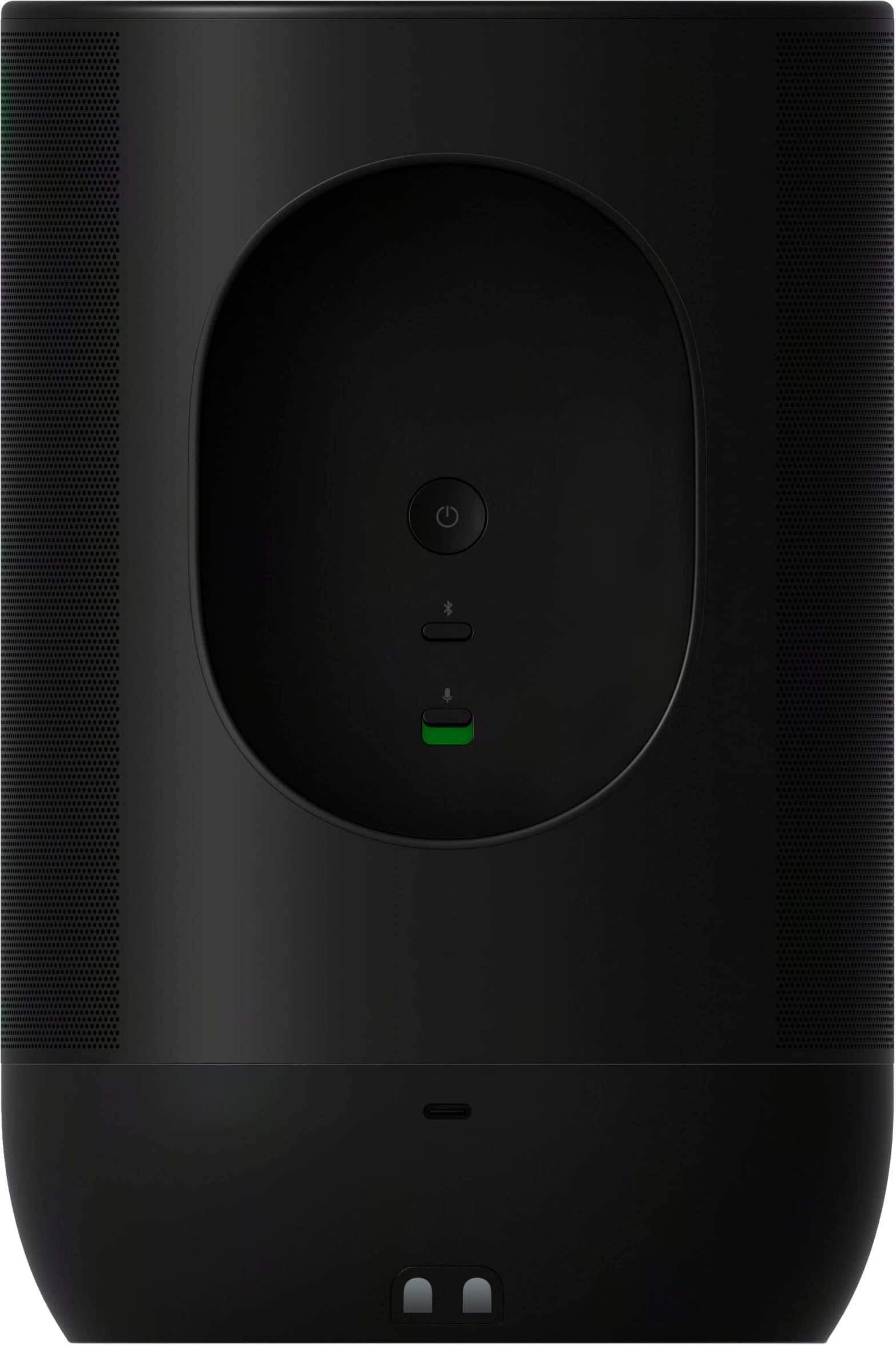
If the app doesn’t recognize the speaker, perform a factory reset on the Move 2 by pressing and holding the power and Bluetooth buttons simultaneously until the light flashes. Then try connecting again.
Sonos App Issues:
Ensure your app is updated to the latest version.
Restart your phone and the app to clear any temporary glitches.
If the app still fails to connect, reinstalling it may help resolve any persistent issues.
If these steps don’t resolve the issue, our support team is available to assist you further. You can reach us at support.sonos.com where our team can walk you through advanced troubleshooting or offer additional solutions.
We’re committed to ensuring you enjoy the exceptional sound and performance the Move 2 is designed to deliver. Thank you for your patience and for giving us the opportunity to make this right.