Customer Ratings & Reviews


- Model:
- SDM27Q10S
- SKU:
- 6594616
Rating by feature
- Display Quality
Rating 4.6 out of 5 stars
- Ease of Use
Rating 4.6 out of 5 stars
- Features
Rating 4.5 out of 5 stars
Customers are saying
Customers regard the 27” INZONE M10S OLED monitor's color quality and 480Hz refresh rate as exceptional, with many praising the vibrant colors and smooth performance. The stand also receives positive feedback, although some find its design unconventional. However, the monitor's one-year warranty and HDR performance are frequently criticized, with some users reporting issues with VRR functionality.
This summary was generated by AI based on customer reviews.
A+
||Posted . Owned for 2 months when reviewed.This reviewer received promo considerations or sweepstakes entry for writing a review.Top of the line monitor perfect color and improves your gaming skill
I would recommend this to a friendBrand response from SonyListens
Posted .Awesome, KyleM! We're glad you like your new gaming monitor. Enjoy and thanks for choosing Sony. -Craig

gaming monitor
||Posted . Owned for 1 month when reviewed.This reviewer received promo considerations or sweepstakes entry for writing a review.lots of fun with it fast and easy set up no issues what so ever
I would recommend this to a friendExcellent performance
||Posted . Owned for 1 month when reviewed.This reviewer received promo considerations or sweepstakes entry for writing a review.This item has been impressive in regard to the display quality.
I would recommend this to a friendSony monitor
||Posted . Owned for 2 months when reviewed.This reviewer received promo considerations or sweepstakes entry for writing a review.Looks amazing….. bit too pricey Would recommend to wait for it to drop in price
I would recommend this to a friendBrand response from SonyListens
Posted .Hi Andres, we're glad you like our product. Thanks for choosing Sony. ~Earl
Deep blacks and super smooth
||Posted . Owned for 2 weeks when reviewed.This reviewer received promo considerations or sweepstakes entry for writing a review.Super duper smooth, runs amazingly well at 1440p. Definitely worth it on sale.
I would recommend this to a friendBrand response from SonyListens
Posted .Hi georgeciobanu, we're glad you like our product. Thanks for choosing Sony. ~Earl
Not for Everyone
||Posted . Owned for 2 months when reviewed.This reviewer received promo considerations or sweepstakes entry for writing a review.I have a 5090 and still can only get 80-240 fps on the most demanding games. If you're playing older games like CS Go at 1080p then this might be a good choice for you. I will say this has the best monitor stand I've ever seen. But if you're looking to play modern games at 4K I'd look elsewhere.
No, I would not recommend this to a friendBrand response from SonyListens
Posted .Hi Ryan, thanks for choosing and purchasing our product. We're sorry to hear that you have an issue with your Sony unit. Please make sure that the monitor's operating system refresh rate is set to 240Hz. This is a crucial step in optimizing the performance for gaming. The specific game settings and optimizations can also limit the frame rate. Ensuring that the game settings are optimal and not excessively demanding can help achieve higher FPS.
If you require any additional support with regard to this product, please email us at socialsupport@am.sony.com with the following details: Name: Username: Model Number: Issue: Telephone Number:
~Earl
Nice screen
||Posted . Owned for 2 months when reviewed.This reviewer received promo considerations or sweepstakes entry for writing a review.Sick screen color is amazing no problems so far keeper
I would recommend this to a friendAwesome!!
||Posted . Owned for 3 weeks when reviewed.This reviewer received promo considerations or sweepstakes entry for writing a review.This gaming monitor is awesome. It has great graphics and quality
I would recommend this to a friendBrand response from SonyListens
Posted .Hi DesarieR, we're glad you like our product! Thanks for choosing Sony. ~Earl
Good although expensive
||Posted .This reviewer received promo considerations or sweepstakes entry for writing a review.The monitor itself is great as OLED is a noticeable upgrade than LED displays. This monitor itself is very heavy although the stand is pretty functional. The monitor I purchased was an open box 'Fair condition' and along with a noticeable scratch on the screen and scrapes on the monitor, the screen itself was bent in from an angle which could have resulted in the display to stop working at any moment. The screen itself had some lines on the display which Best Buy would have noticed if they actually turned it on tested the display before selling. Aside from being open box, I would say it is a good monitor although expensive.
No, I would not recommend this to a friendSony M10S Review
||Posted . Owned for 3 weeks when reviewed.This reviewer received promo considerations or sweepstakes entry for writing a review.Perfect for my setup (console and PC). Form factor and design 10/10.
I would recommend this to a friendBrand response from SonyListens
Posted .Hi JonM,
Very nice! We're glad to hear that you like the design of the INZONE monitor for your setup. Thank you for choosing Sony!
-David
Missing accessories
||Posted . Owned for less than 1 week when reviewed.This reviewer received promo considerations or sweepstakes entry for writing a review.Says it was checked for functionality, but since I can't even use it, In going to guess not. I'm sure this monitor performs, but the is is largely an oversight from BB.
No, I would not recommend this to a friend- Pros mentioned:Color quality, Contrast, Refresh rate

Impressive visuals at Incredible speeds
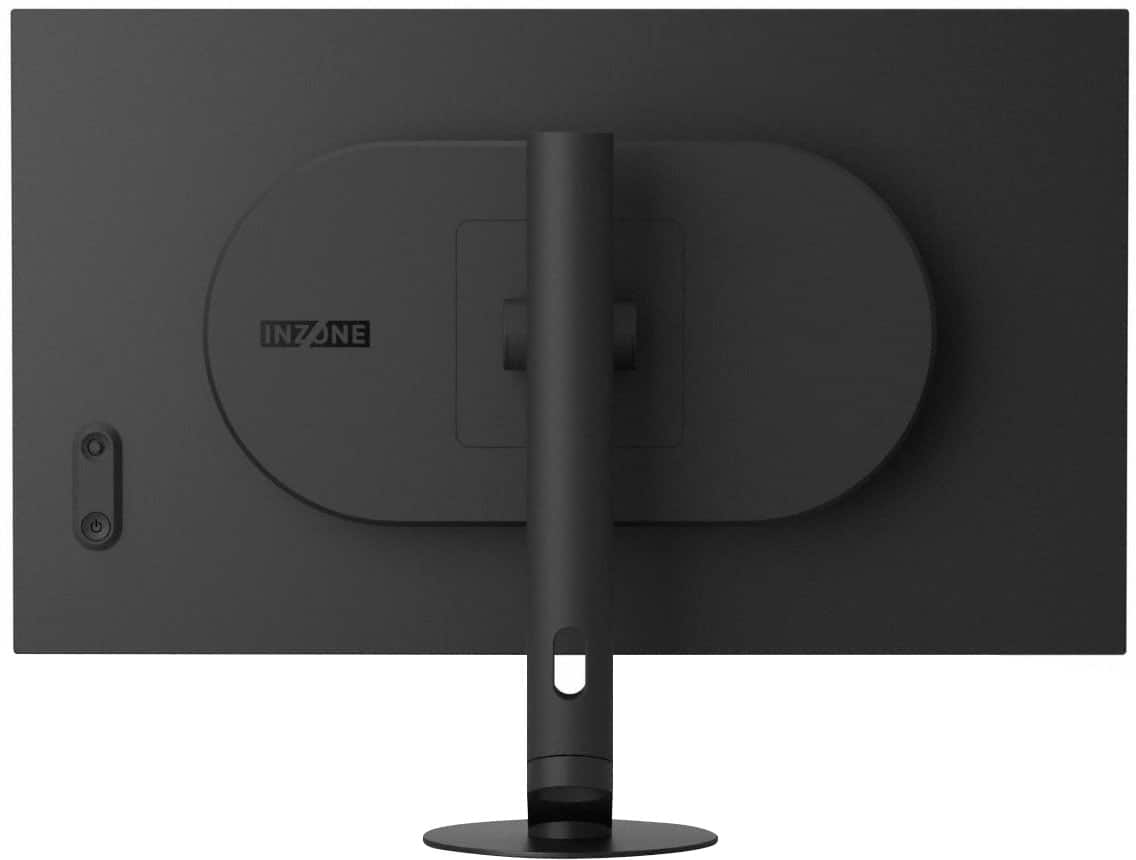
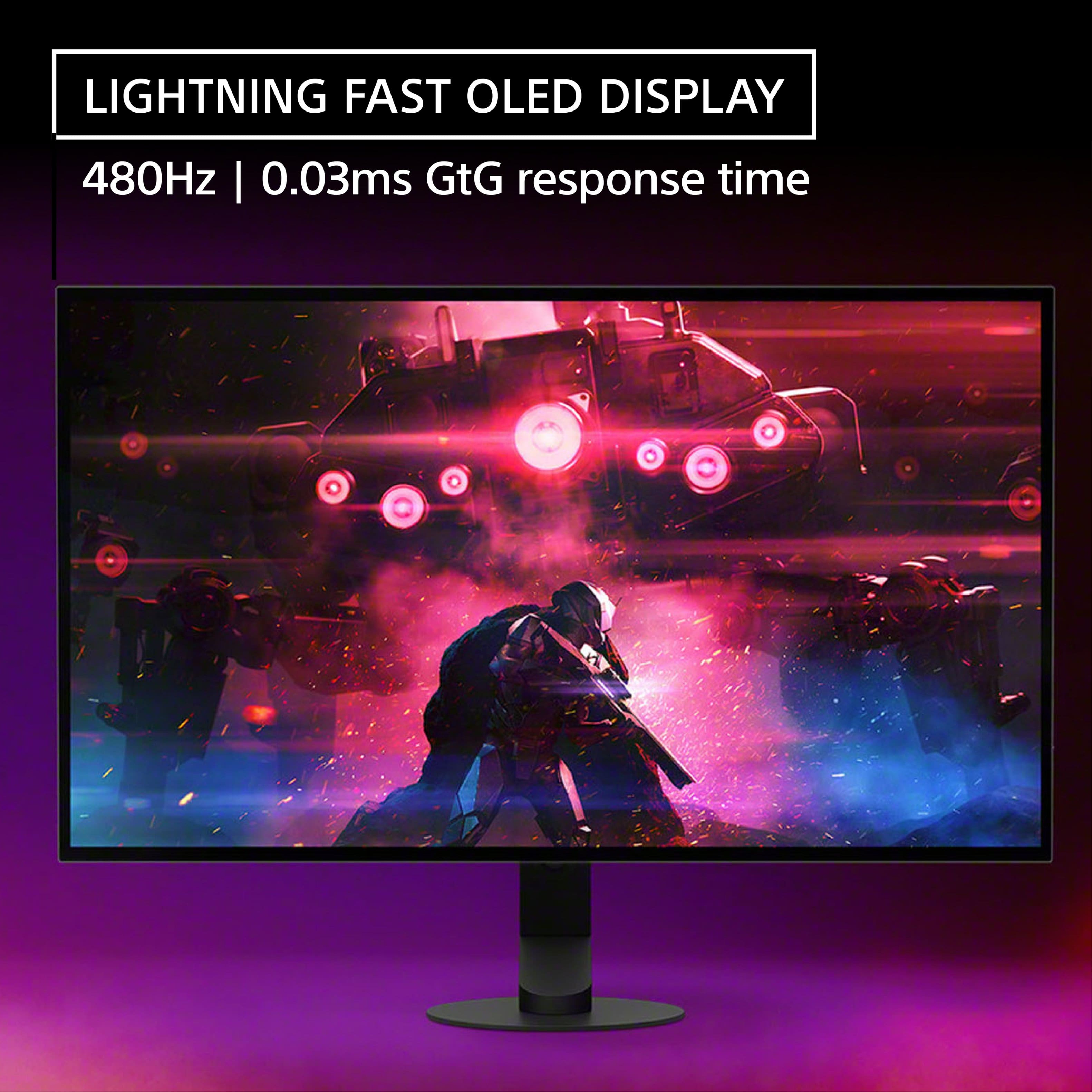
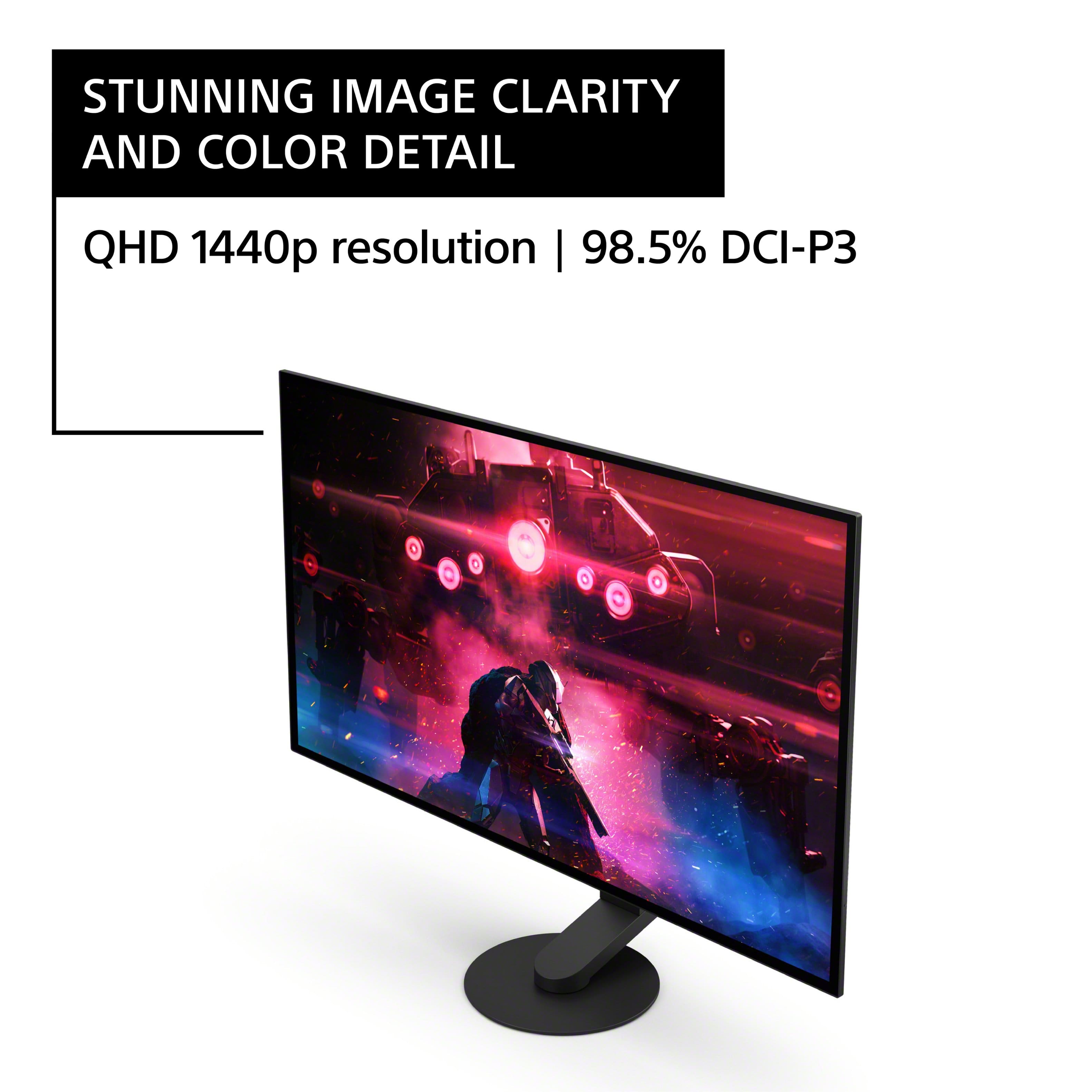
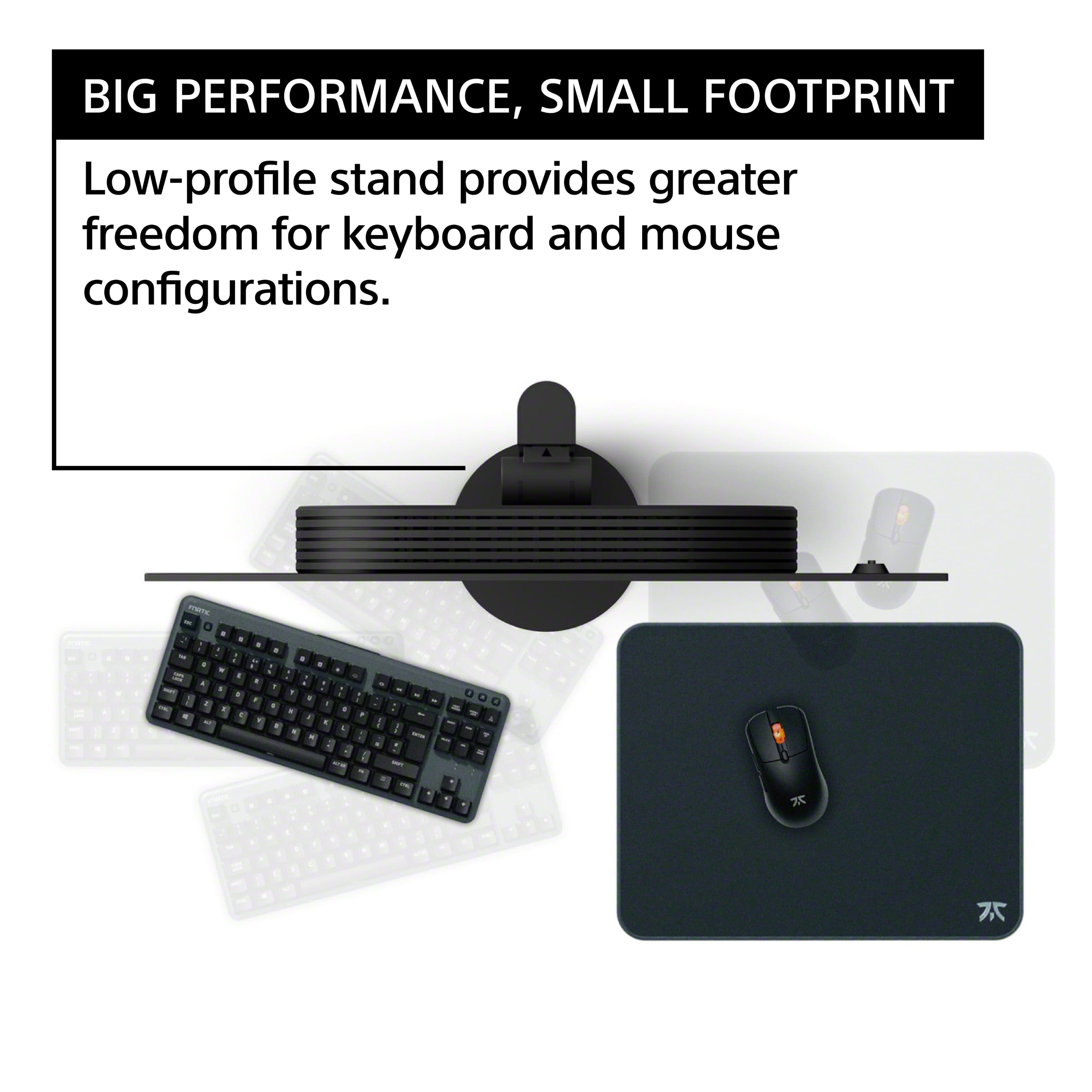
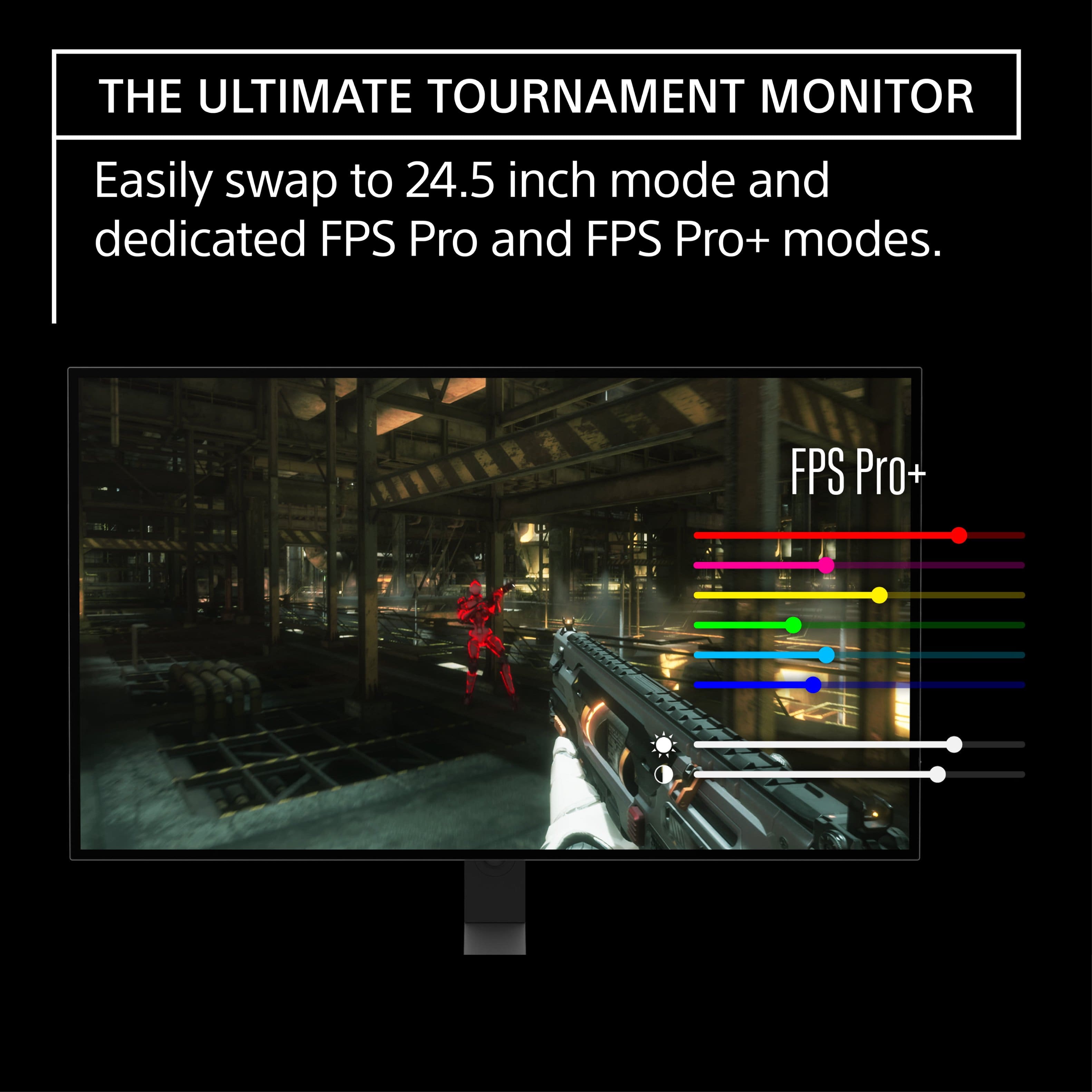
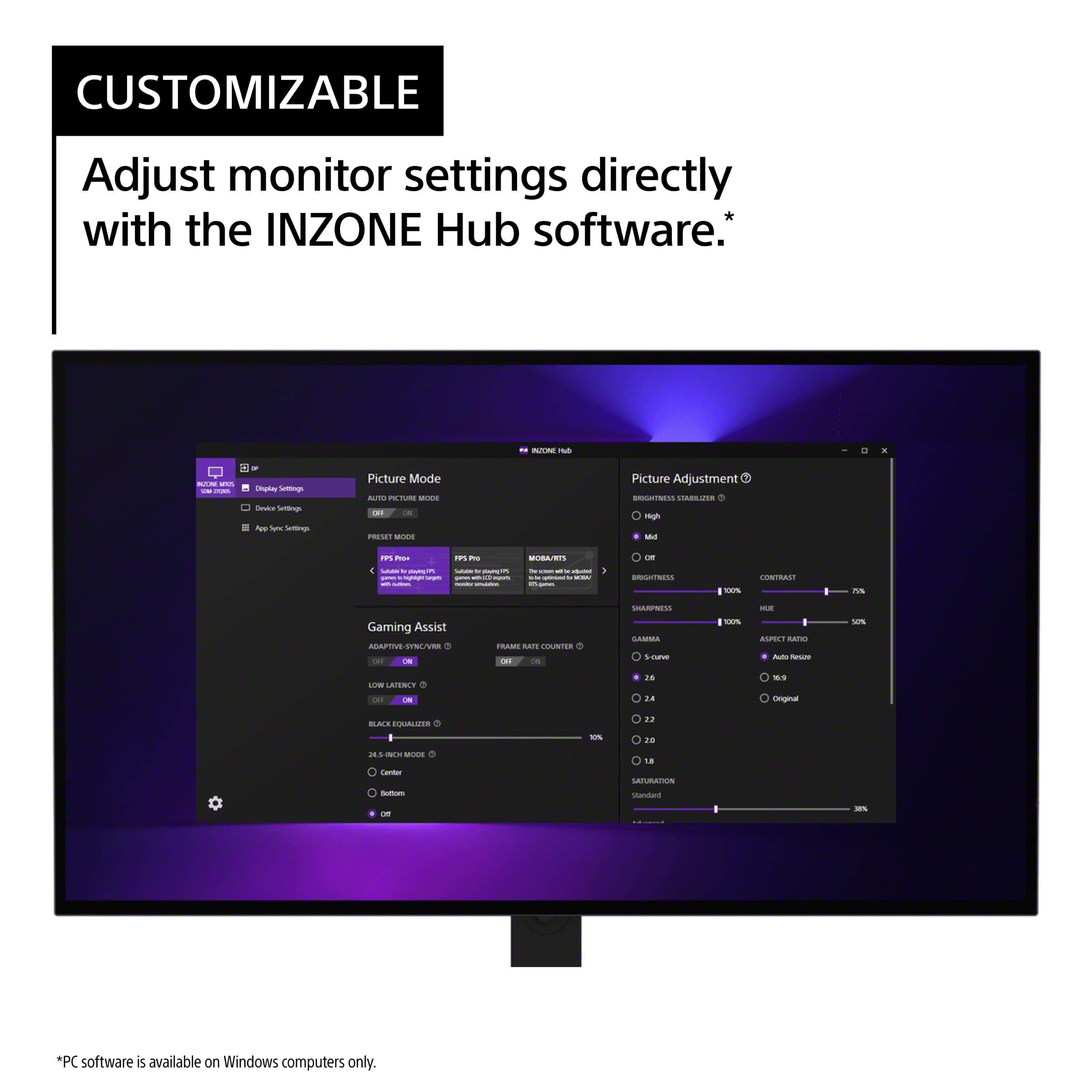
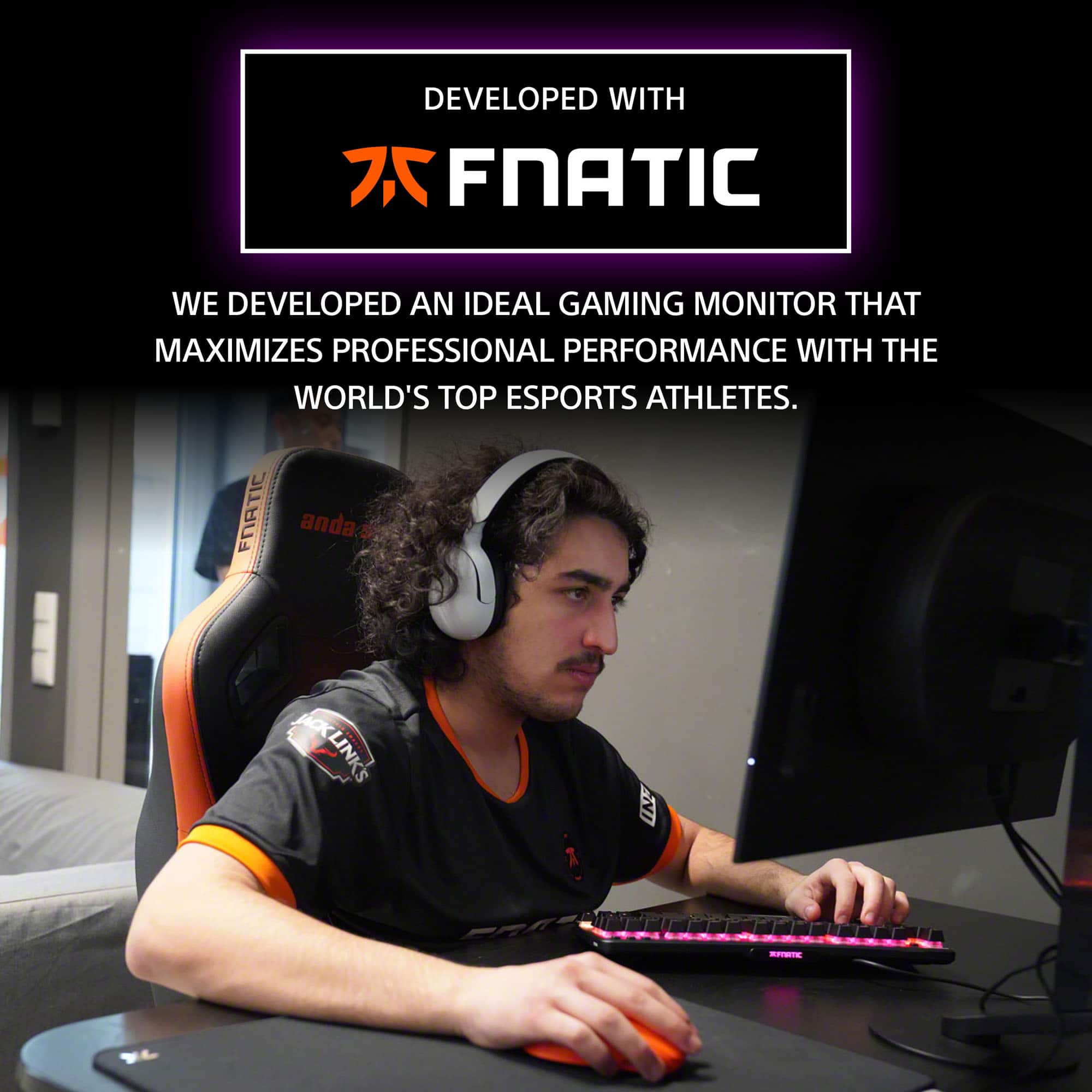
|Posted .This reviewer received promo considerations or sweepstakes entry for writing a review.The M10S has a sleek look to it with the ultra thin screen and minimalistic base. Assembly was a breeze, it took less than a minute once out of the box. No tools are needed, just twist the head of the screw in the base into the adjustable stand. Once together, the monitor quickly clips into place in seconds, and then you are done. The back of the monitor is a little bulky because of all the connections and the cooling system, but it helps to balance the weight of everything and give the monitor a solid feeling. There are three USB plugs, but only one is capable of powering other devices like a sound bar, or other accessories. There are also 2 HDMI ports and one Display Port. Display Ports offer a higher bandwidth over HDMI, which can allow for greater resolutions and refresh rates. However, a good HDMI cable is still good enough to utilize the 480hz refresh rate, impressive colors and resolution. In general the Sony INZONE M10S Gaming Monitor has a beautiful display. The colors are some of the most vibrant colors I have seen, mixed with the widest spectrum of darks and deepest blacks out there. OLED screens can achieve these impressive visuals because of their unique ability to turn off individual pixels independently of adjacent cells. Other types of monitors have to rely on a separate light source behind the screen and pixels to make things illuminate, because of this, it's difficult to get a true black as it can't completely turn off. OLEDs have impressive viewing angles because each pixel can also create it's own light. Typically an OLED can reach an 85 degree viewing angle, before noticing any degradation or distortion in the color or contrast. In addition OLED displays are safer for the naked eye because they emit 50% less harmful blue light than conventional panels, which can help reduce eye fatigue. Most newer glasses come with blue light blocking technologies, but not everyone wears glasses. The Micro Lens Array+ technology further enhances the high contrast OLED images. With VESA Certified DisplayHDR™ True Black 400 and up to 1300 Cd/m2 peak brightness. MLA technology is used in OLED TVs to improve the efficiency of the OLED subpixels by adding a layer of microscopic lenses on top, these lenses are used to help control and reshape the light as needed. True Black standard requires a black-to-white response time of only 2 frames for OLEDs, as opposed to 8 frames for LCDs. When the True Black standard was introduced in 2019, True Black 400 was the entry level of the 3 options. However, the M10S seems to produce a much higher level of quality then other Vesa Certified displays. Typically a True Black 400 would only produce a color gamut of 95% DCI-P3, and about a 480 Cd/m2 peak brightness. However the INZONE monitor uses the The Micro Lens Array+ technology to reach a much higher standard. The M10S boasts an impressive color gamut of 98.5% DCI-P3 which is equivalent to about 1.07 Billion Colors, this is about 25% to 30% more colors than sRGB monitors with a much more impressive contrast ratio with a peak brightness of 1300 Cd/m2 . The 480Hz refresh rate has an ultra-fast (up to) 0.03ms GtG response time. GtG,or gray to gray, is a unit of measurement that measures how long it takes a pixel to change from one shade of gray to another. GtG is considered to be the most reliable specification for monitor response times. Currently 0.03ms is the fastest response time held by the top end gaming monitors. NVIDIA G-SYNC compatible and Adaptive Sync/VRR keep the display from showing tears and glitches or freezing and stuttering. The Variable Refresh Rate helps to create the least amount of input lag as possible by making the monitor match the refresh rates created by the source input. Without this, input lag and tears in the images can not only cause issues with the visuals of your game, but could get you killed with delays in the action. In addition to everything else the M10S can also be used in a 1:1 ratio for competitive FPS gaming by adjusting/reducing the active screen size down to 24.5 inches, with a max resolution of 1332p and up to 480Hz refresh rate. FPS Pro mode, designed to simulate the image characteristics of TN panel LCD monitors typically used in competitions. FPS Pro+ mode maximizes performance in battle by highlighting colors mostly used for enemy outline (Red, Yellow, Purple) and leveraging the OLED's brightness and contrast for better visibility. A big reason this monitor seems to have all the bells and whistles any gamer would want is because it's development was heavily influenced by one of the top ten gaming teams in the world, Fnatic. Fnatic has claimed more than 200 championship victories across 30 different games since its inception in 2004, and have been lending their expertise to the development of high quality gaming accessories for years. Sony has also developed an app that can be downloaded from their website, to aid in adjusting all the settings and preferences for the M10S monitor. You can even save your own app specific sync settings, if you prefer to have individual settings for different games as opposed to using a global setting for all your games and apps. It's much easier to use the INZONE app to change any of the monitor settings vs using the buttons on the back of the monitor. With all that said the actual performance of the monitor is simply incredible. When paired with a capable PC or Laptop it seems like you are capable of anything. The monitor still works great on consoles, but most console games max out at 60hz to 144hz refresh rates. Some games can go higher, but it is a select assortment, not like on the PC, where virtually everything can hit the higher refresh rates. All the action is smooth with impressive detail. I didn't experience any glitching or tearing at all, no matter what setting I was using. The action was so clean in fact that I almost felt like I was cheating with being able to follow any moving object with extreme precision.
I would recommend this to a friendBrand response from SonyListens
Posted .Hi Aaronxx7,
Thank you for the purchase! Thank you for the positive feedback regarding the picture quality, hardware, and design of the INZONE monitor. We really appreciate the time you took to share so many details about your experience with the INZONE monitor. Thank you for choosing Sony and have a nice day!
-David
- Pros mentioned:Color quality, Refresh rate, Stand
Wow... Just wow
|Posted .This reviewer received promo considerations or sweepstakes entry for writing a review.This display is AMAZING. I have been using 2x LG Ultra Gear 27" 1440p 144Hz monitors for a few year now. I thought that it really couldn't get much better than that. Most of the games that I play are not hitting over 144 fps so I really never thought I needed much more than that. I was wrong. The setup was a breeze. The display attaches to the stand with ease. There were no tools required for assembly. The stand looks a bit goofy compared to traditional stands. Other manufacturers need to take notes on what Sony has done here. The stand barely takes up any desk real estate and is high adjustable. I am considering not mounting it like I had with the LG displays because the stand is just so satisfying to look at. Connecting the display to the computer was simple enough. It comes with a Display Port cable. It isn't the longest cable in the world (I think it was about 3' if I am not mistaken). I am running Windows 10 and I did not have to change any display settings. The system detected that the max refresh rate was 480 and automatically set it at that. I did need to go into the system settings to enable HDR. I have been impressed so far with the screen quality and the picture quality. The screen has a matte finish yet some how doesn't give off the appearance that it is. The texture is so subtle that at first glance you may not even notice it. I haven't used my PC in the daytime hours so I am unable to report on any screen glare. Picture quality is great which seems to be a given for OLED displays. The blacks are blacks and the color contrast is amazing. I did not dive into the display's settings. I dont play competitive first person shooters so I did not test out the 24" mode. Overall, this display is amazing. I love the design of the stand and think this should be an industry standard over the wide "V" stands. The picture quality is amazing and my games look incredible especially with HDR on. If I had a friend or family member that was looking into buying an OLED monitor I would strongly suggest this monitor.
I would recommend this to a friendBrand response from SonyListens
Posted .Hi mmodler, We're glad that you are enjoying your 27” INZONE M10S OLED QHD 480Hz 0.03ms NVIDIA G-SYNC Gaming Monitor. Thank you for choosing Sony. Erin
Not worth the $
||Posted . Owned for 1 month when reviewed.This reviewer received promo considerations or sweepstakes entry for writing a review.I was able to play well with this monitor but the colors are a bit washed out and dull. I ended up returning it for a 360hz qd-oled monitor. It looks way better, if you’re mostly gaming I highly recommend checking out qd-oled
No, I would not recommend this to a friendBrand response from SonyListens
Posted .Hi Zanderflan,
Thank you for the feedback. It is unfortunate that the INZONE monitor had to be returned. Thank you for sharing your experience and we hope you will consider Sony again in a future purchase.
-David
- Pros mentioned:Color quality, Contrast, Refresh rate
Awesome picture, refresh rate and response time
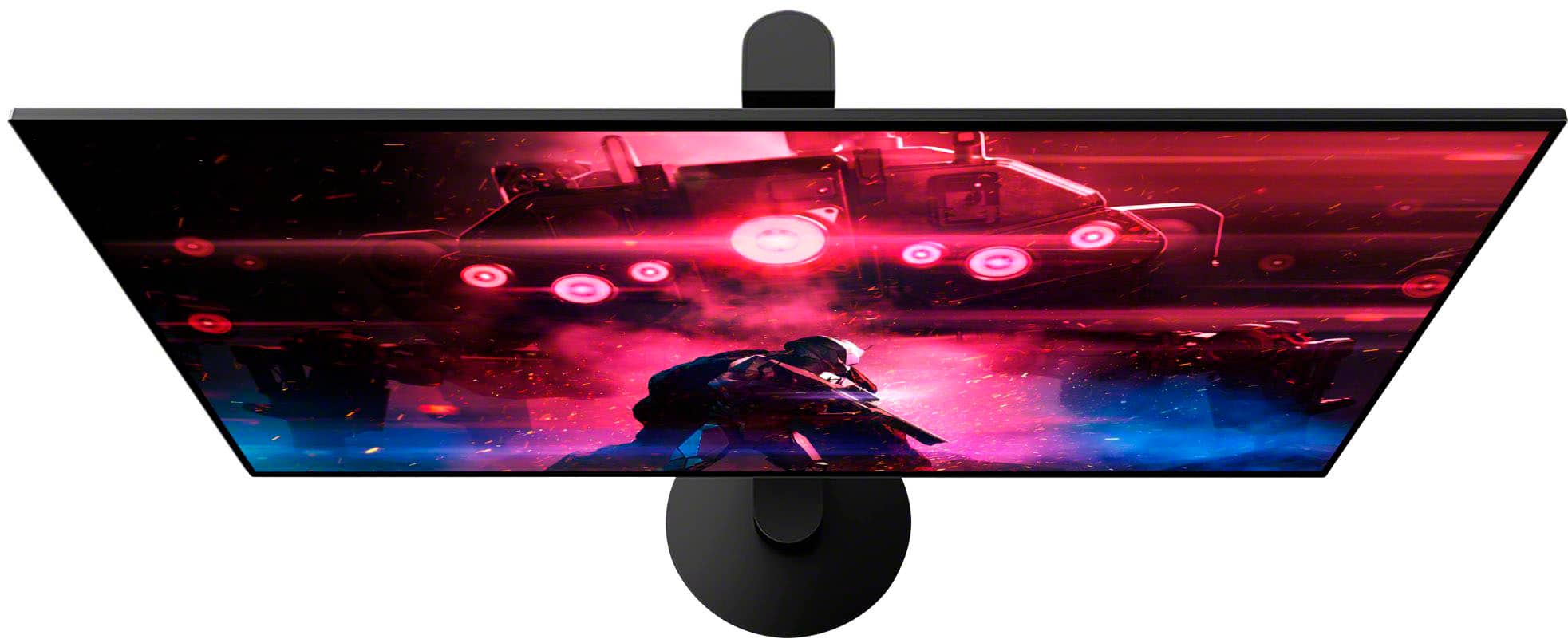
|Posted .This reviewer received promo considerations or sweepstakes entry for writing a review.The 27” Inzone M10S OLED QHD 480Hz Gaming Monitor has a lot of features to like. First and foremost is the picture quality of the OLED panel. Outstanding clarity and color with very nice contrast. OLED screens are just so much better in terms of ample brightness, vivid pictures and a beautiful range of colors. The monitors 480Hz refresh rate is fantastic and super smooth. The monitor is quick to switch input or make picture changes. Sony’s Inzone Hub Software will enable adjustment from a PC for color, screen size, picture modes and game specific profiles. With a super quick response time of 0.03ms I’ve experienced no delay from input on a game. Sony states the monitor was developed with Fnatic esports team and thus far it has been quite enjoyable to play on. The design of the monitor is well thought out in that it’s rather light, and easy to move around compared to other monitors of this size. I really like the monitor arm as it provides a lot of movement and can go much higher than any monitor I’ve had. The screen itself looks a bit convex which is just something a bit different than the norm and just takes a bit to get used to. The monitor footprint is minimal, but still quite stable which is great for conserving desk space. For a 27” monitor some may find the price point somewhat steep, but the specifications are as such that this should future proof one’s ability to use this for quite some time. It takes a very good computer to really test the limits of this monitor. Sony has integrated a high-performance thermal system to ensure long term use. Heat should be channeled as such to go up and away from the OLED panel to allow efficient operation and consistent brightness. Inputs include DisplayPort 2.1 and HDMI 2.1-capable x2; along with headphone output, USB Type-A x2, USB Type-B and USB Type-A for software updates. If you’re an avid gamer, you’ll probably find numerous benefits in the awesome specs this monitor provides. The OLED panel is just stellar picture quality. Looking forward to enjoying this for quite some time.
I would recommend this to a friendBrand response from SonyListens
Posted .Hi allib,
Thank you for the purchase! We're glad to hear that you like the OLED picture quality, refresh rate, price point, and features of the INZONE monitor. Thank you for choosing Sony!
-David
- Pros mentioned:Refresh rate, StandCons mentioned:Displayport
Excellent Monitor
|Posted .This reviewer received promo considerations or sweepstakes entry for writing a review.This monitor is my second gaming monitor in as many years. Set up was a breeze and the stand is pretty neat. I have adjusted the monitor up so it sits above my main computer and then it was into the settings. The standard 4 way adjustable button is on the back right. There are plenty of customizations to have this fit your tastes. Picture mode, gaming assist, picture adjustments, audio, to name a few. It will also show you, on top, how you are currently connected. It comes with a display port cable but not a HDMI. My laptop does not have this port so I dug out a HDMI cable. This monitor is picky, it recognized the cable but did not display, so, I changed to an 8K HDMI cable and everything synced right up. Being an OLED monitor, this monitor looks and acts fantastic. Deep blacks and colors really pop, just like my old Sony TV. Gamin was fantastic, almost zero lag in reaction time with the 480Hz and 0.03ms refresh, everything felt like it should and certainly gives an edge. I had zero issues hooking up my XBOX series X and if I did not already have a much bigger OLED for my gaming, this monitor would take its place. This is an excellent monitor, highly recommend.
I would recommend this to a friendBrand response from SonyListens
Posted .Hi K0S0H,
Thank you for the 5-star rating! We're glad to hear that you had an easy time setting it up and liked the customizations, refresh rate, and picture quality of the INZONE monitor. Thank you for choosing Sony and we hope you enjoy your monitor from here on out. Have a great day!
-David
- Pros mentioned:Refresh rate, Resolution
Sony Monitor: Gorgeous Panel !
|Posted .This reviewer received promo considerations or sweepstakes entry for writing a review.Over the years, as display technology continues to drastically improve exponentially, computer enthusiasts have reaped such benefits with a plethora of monitor choices that can often times be difficult to discern with respect to your specific usage. Recently, I have thoroughly enjoyed OLED panels on my TV and on various laptops; there is certainly something special with regards to their unique ability to produce true black on screen and scorching vibrant color. However, I have not been able to test such a panel on a dedicated monitor, so naturally I was quite excited to test the latest Sony Inzone MS10 OLED monitor that features a resolution of 2560x1440, an impressive 0.03 response time, and a refresh rate of 480Hz. As most are probably familiar with monitors, setup should be fairly straightforward and shouldn’t be too difficult. Inside the box, you will note the base in two parts with the typical screw locking mechanism at the bottom. Accordingly, it snaps perfectly into the back of oval shape portion of the monitor. Quality wise, the M10S looks quite striking in appearance, sporting an incredible thin panel throughout. The display type is an anti-glare matte finish. For connections, the M10S features two HDMI 2.1 ports, one Display Port 2.1, two USB-Type A ports, a USB Type-B terminal and one type A port for firmware upgrade. All display, power, and USB connections are isolated up and under the oval section of the monitor, upon which seemed tucked further up the panel than other monitors I have used. It was a bit difficult first go around but nonetheless nothing too painless. Additionally, the M10S features a pretty hefty 120-watt power adapter and comes with only a single Display Port cable. Personally, I would have liked Sony to have included an HDMI as well as a USB cable just in case, but at least those are fairly easy to obtain. I also wish they would have included at least one USB Type-C connection on the monitor. Another advantage I noticed was that the MS10 features a fairly compact base that I did not think much of until I had moved it to my desk. It is drastically smaller than all of my previous monitors; given my rather compact desk this was appreciated. Another interesting feature of the MS10 is that instead of the traditional buttons to access the settings menu, the M10S uses a joystick like button. To access the menu, you press the center button similar you would the wheel button on your mouse. Furthermore, each click has a predetermined shortcut by default: pressing up allows you to change the brightness; left (facing the monitor) changes your input source; down lets you enable the 24.5-inch mode that shrinks the image during gameplay; right lets you change one of the seven display presets. All settings can also be changed via the Inzone software, which I do recommend you at least take a look at least once. Granted, all settings can still be manually accessed via the menu, but some may find it more convenient with the software. Before I begin my tests, I first want to mention that I went ahead and downloaded the windows ICC color profile from the Sony website and installed it. By default, the M10S turns on in the Game preset mode. As with anything technology related, you will need to spend some time to get accustomed with the various modes to see which one you prefer. Color temperature by default is neutral. As for the presets, Cinema and Game presets are fairly close to each other in terms of detail; cinema is naturally warmer in color. Standard and sRGB are quite dim compared to the other modes. Standard maybe has slightly better color, but they extremely close. FPS Pro+ mode is on the cooler side, but is much more over sharpened than FPS mode. FPS mode is warmer and easier to read, but not quite as warm as Cinema mode. MOBA/RTS is closer to game mode and on the cooler side, but not as bright. If you are using a monitor connected via Display Port, the auto picture setting will be disabled. It is only available with HDMI. As with most monitors, you can also manually adjust color, contrast, sharpness, gamma, hue, and saturation. Connectively, I was quite pleased with the various options. In addition, when you enable HDR within Windows, the aforementioned presets will change to Display HDR, Cinema, Game, and RPG. While watching the Sony Vegas 4K HDR demo on YouTube, at the 0:59 second mark, between Game and RPG modes, the latter has much more emphasis on darker blues. You will notice it on the left side on buildings. Reds/orange seems almost the same. You can see the same result at the Las Vegas sign at the beginning. Blues are much more emphasized. At 0:54 seconds, the neon lights here are extremely vibrant. Display HDR is the dimmer of the modes, but overall, it is still vibrant. Cinema mode is a tad brighter here; the white lights on the signs showed a noticeable bump. Another favorite demo of mine was the old LG Chess Demo 4k HDR. If you pause it at 0:13 seconds, Display HDR actually is fairly decent here. The image is a bit brighter than the Vegas demo. You can also see how bright and detailed the jewelry is; RPG mode pushes the blue really hard here compared to the others. Overall, the HDR was extremely detailed and the overall picture quality was excellent. The LG OLED 2020 demo is also another one that you could take a look at. One of my favorite portions is at 0:45 where they are lifting their utensil out of the honey. The image against a true black background is just jaw dropping. Swapping back and forth between SDR and HDR, you should be able to discern the difference. While playing a bit of Rise of the Tomb Raider in SDR, I was quite surprised at how well it looked. In the beginning section of the game, once you reach the cave, the flare gives off a nice bright hue that I thought was quite vibrant. FPS Pro+ was still a bit over sharpened but it didn’t look as bad as compared to looking at the desktop or written text. Swapping the Ambient Occlusion to VXAO, the shadows and darker textures looked a bit better, though the performance took a noticeable hit. However, I was still playable at around the 90-100 fps range on a GTX 1080 TI at 2560x1440 on Very High Preset. With G-Sync enabled, I did not notice any tearing or any image issues. Granted, coming from a standard HP monitor, this was going to be a fairly substantial upgrade. Lastly, keep in mind that my Display Port was limited to 1.4a, so I was limited to 240 Hz; most probably have a newer GPU than I do so this shouldn’t be an issue. On HDMI, I was capped at 120 Hz due to HDMI 2.0 being only able to do 240 Hz at 4:2:0 subsampling. Overall, I can’t say I have any complaints with the Sony M10S, though you should expect that you will alter some settings to your liking. In conclusion, the Sony M10S OLED monitor is an impressive display that deserves a worthwhile consideration. With 1440p resolution, G-Sync compatible, fast response time and refresh rate, it certainly has the specifications to meet your demands. While the M10S was going to absolutely crush my previous monitor, other monitors of the same specifications might pose a bit a challenge to M10S if the price is cheaper; though any OLED panel in general will be expensive. Aside from this, I was quite pleased with the M10S; panel quality is gorgeous, especially with the HDR videos. With that said, the M10S is recommended!
I would recommend this to a friendBrand response from SonyListens
Posted .Hi Dragonhunter281, We appreciate your detailed feedback and we're pleased to hear that you like the SDM27Q10S. Thank you for choosing Sony. Erin
Bubble wrapped no cords or power brick
||Posted .This reviewer received promo considerations or sweepstakes entry for writing a review.Ordered this as open box excellent and was wrapped in bubble wrap and no power brick or any original cords
I would recommend this to a friend- Pros mentioned:Color quality, Contrast
Excellent Premium Monitor
|Posted .This reviewer received promo considerations or sweepstakes entry for writing a review.I decided to upgrade my son's gaming setup with this monitor. He has been content using his 14 inch oled screen on his laptop to game, but with a new desk, he has been wanting a screen the size of my other son's. I habe an older quad k monitor that is now 6 years old he could use, but i wanted to get something that is going tk stay capable with newer technology for a while. The opportunity came along to get this monitor and I am not disappointed. It's not knockout bright at like 275 nits is what I could find out about it, compared to the 400 the laptop oled puts out, but it's crisp contrast, no hesitation, and colors that match the other screen completely, and the size is a fantastic edition. Larger, but not rediculous huge. It's running off an nvidia 4060 card, and I have it set at just under the max resolution only because I want full screen on the desktop screen. It's mirroring the other monitor, so that my son can just turn on and play and not have to switch screen displays and such. When my son got home from school it was tough to pull me away from testing this. I tested it with both Forza 4 & 5, Fortnite, Rocket League, Minecraft, Roblox, and Beam NG, all graphics and gaming hold tight on this. There are a ton of settings that you can tweak contrast and such. This comes with a Display Port cable, but the computer only has an hdmi output. I'm not a huge fan of how their joystick toggle works on this, a bit pointy, and located a bit further that a fingers length from the edge. The power button is mushy. Overall though, what do I think of this compared to non-oled gaming monitors. I do prefer this solely because the contrast is king here, unbeatable. I had a plasma tv for years, then an oled tv, now the laptop, and it's tough to give up on that. That being said, I do like the brightness on the other non oled monitor I have for my other son, but quickly once I sit down and play on this one again my eyes really do appreciate the contrast. Now this unit is pricy, in the premium tier, and really it's priced with other oled monitors, and several other premium gaming monitors. Is it worth it, yes if you want the best contrast you can get, but really only if you have the cash to burn. My other son's monitor is really good and similar stats on resolution and colors (not refresh, but it's good) and it's brighter. It’s not oled and less than 1/3 the price and for most folks, that price range will get you a great monitor that no one should be ashamed of. This product is great, and is a 5 star for sure, I can't find a serious fault with it to deduct a star. I do recommend it, but as noted, if you really have the money to spend.
I would recommend this to a friendBrand response from SonyListens
Posted .Hi averagetechguy,
Thank you for taking the time to write such a great review! We're happy to hear that you like the contrast, size, and price point of the INZONE monitor. Thank you for the recommendation and supporting Sony!
-David
- Pros mentioned:Refresh rate, Resolution
A Good Gaming Monitor
|Posted .This reviewer received promo considerations or sweepstakes entry for writing a review.I'm loving the Sony INZONE M10S gaming monitor. I tested this monitor out by connecting my PC and PS5. On PC it shines, the 480hz refresh rate has games looking so beautifully smooth its nice just to turn the camera and appreciate the fluid motion. It is a 1440p QHD resolution which will look good and sharp for most if not all games. The display is OLED so you'll get the deepest and richest black and colors but that'll come with a reduction in brightness and contrast compared to non-OLED displays this is because of the screen protection settings intended to mitigate burning in static images like health bars or HUDs or etc. Burn-in is always going to be a concern because of the nature of the OLED technology, I have an OLED TV so I'm used to screen saver technology and it wasn't that big of an issue for me, but if this is your first OLED display then you might feel there is a dimmer look to the screen On PS5 this monitor is going to work perfectly but you'll never push it to its limits. This is my second item in the Sony Inzone line of products and I'm a fan now, I look forward to seeing what else they put out.
I would recommend this to a friendBrand response from SonyListens
Posted .Hi BryBryJ,
Awesome! We're glad to hear that you like the picture quality and refresh rate of the INZONE monitor for your PC and PS5. Thank you for choosing Sony!
-David