Everything for Back to School — and then someShop now

Skip to contentGo to Product Search
Main Content

Sony - 27” INZONE M10S OLED QHD 480Hz 0.03ms NVIDIA G-SYNC Gaming Monitor with HDR400 (DisplayPort 2.1 UHBR10) - Black

Model: SDM27Q10S
SKU: 10316940
Sold & shipped by

About this product

Unleash game changing performance with a 480Hz refresh rate, ultra-fast up to 0.03 ms response time, and stunning 1440p QHD resolution, built for peak precision. Developed in collaboration with the Fnatic esports team, it’s designed to elevate your gameplay and give you a competitive edge in every match.

Highlights

Features
  • Developed with Fnatic

    Image quality, game-enhancing features, and an iconic design developed with Fnatic esports team.

  • Speed meets quality with OLED

    Extremely low latency paired with 480Hz high refresh rate lets you spot your enemies quickly and keep track of their movements.

  • 480Hz refresh rate

    Blazing-fast refresh rate for quick and accurate detection of enemies during competitive gameplay.

  • Up to 0.03 ms response time

    Self-illuminating OLED pixels react instantaneously for up to 0.03ms GtG blur-free response time.

  • High resolution QHD 1440p

    QHD conveys approximately 1.8 times the resolution of FHD, meaning you can engage–and win–at longer ranges.

  • Broad color gamut

    Infinite contrast and vivid color performance with a wide color gamut of DCI-P3 98.5% and smooth 10-bit gradation.

  • 1300 nits peak brightness

    The Micro Lens Array+ technology further enhances high contrast OLED images. With VESA Certified DisplayHDR™ True Black 400 and up to 1300 Cd/m2 peak brightness, every scene comes to life.

  • High-performance cooling structure

    Integrated high-performance thermal system to ensure long-term use. The heat sink efficiently channels the thermal output from the high-bandwidth ASIC panel controller and video processor, up and away from the OLED panel for consistent brightness and efficient operation.

  • Customize with the INZONE Hub Software**

    Quickly and easily adjust monitor settings directly from a PC through the INZONE Hub software. **Assign picture modes, screen size, color settings and assign specific setting profiles for individual games.

  • Developed with Fnatic to be tournament ready

    The INZONE M10S combines decades of Sony display experience alongside a collaboration with professional esports gamers at Fnatic. Designed to be the ultimate tournament monitor, the M10S delivers unmatched image quality, ergonomics, and performance-enhancing FPS Pro and FPS Pro + modes.

  • 24.5 inch mode

    Adjust screen size to a 24.5 inch mode which displays games at a 1:1 resolution of 1332p up to 480Hz refresh rate. Players can also select lower resolution, including 1080p, idea for esports players familiar with 24 inch 1080p monitors

  • FPS Pro and FPS Pro+ modes

    Sharpen your skills with the FPS Pro mode, designed to simulate the image characteristics of TN panel LCD monitors typically used in competitions. FPS Pro+ mode maximizes performance in battle by highlighting colors mostly used for enemy outline (Red, Yellow, Purple) and leveraging OLED's brightness and contrast for better visibility.

  • Designed with Fnatic

    An iconic design, developed with Fnatic—one of the world's leading esports teams.

  • Big performance, small footprint

    Designed in collaboration with Fnatic professionals, the simple and stable design encourages a host of keyboard and mouse (KBM) configurations.

  • High-performance inputs

    High-bandwidth DisplayPort 2.1 (UHBR10)*** and HDMI 2.1-capable inputs are ready for the latest video signals, providing a seamless experience of higher resolutions and up to 480Hz frame rates.

  • NVIDIA® G-SYNC® compatible

    Supports NVIDIA G-SYNC to prevent tearing, even if the refresh rate fluctuates.

See all features
Specifications
  • Refresh Rate
    480Hz
    Maximum Resolution
    2560 x 1440
    Response Time
    0.03 milliseconds
    Panel Type
    Not Applicable
    Synchronization Technology
    G-SYNC Compatible (NVIDIA Adaptive Sync)
Sponsored

Reviews

Customer Images

The vast majority of our reviews come from verified purchases. Reviews from customers may include My Best Buy members, employees, and Tech Insider Network members (as tagged). Select reviewers may receive discounted products, promotional considerations or entries into drawings for honest, helpful reviews.

  • Rated 5 out of 5 stars

    Sony m10s and its pros and cons

    So far i went from a ROG Strix XG27AQMR its a 1440p ips 27inch that does 300hz. I got it when it came out. Love it but ive been holding out after for a oled monitor or better. I have two lg oled tvs so ik the experience when i see it. I was confused about the matt and glossy but i wouldnt know till i see it with my eyes. So far its been a few days since i had this monitor and ill try to give the details i have on it Pros, truly colors are nice but my ips wasnt FAR of either but again i havent played on it toooo much. The matte finish isnt a problem to me i think it looks great! I didnt see any color bleed really like another post i saw. The feel of the monitor and its stand is amazing! It feels like i got a lot better at valorant and im happy. Cons, it has a flicker (oh no its not good!) BUT it mainly flickered in the fps mode but the GOOD thing is it already has a software update which fixes it. Vrr/adaptive sync was the problem. I also hate when you go through the different modes like gaming,cinema and stuff itll switch the screen to the one you hover over before clicking the one you want. Butnif you dont click on them itll go back to what you had. I dont like it cause thats changing the screens color over and over imo i dont like. Software. Simple easy i recommend using it when changing screen modes!! It does not need to be open all the time but i use it. Im not to heavy on the whole specific colors stuff i see default options are fine to me so far. I played mainly with light on cause with my ips the light was getting to my eyes/head. With oled you dont have that problem as much. Ill try dark room when i can. For the alt tab thing it aint that bad but i prefer borderless so i dont have that black screen thing. So gaming part. I played a lil bit of bf2042 for the color and stuff since bf2042 was downloaded and i dont really play single player games on my pc mainly on my oled tv. It did look a lot better imo but i wanted to test the fps so valorant i went to. Idk how to tell you this but it felt like i can hit my shots. Ive been doing really good idk why i thought it be my internet but man the colors and stuff help so much for me. I dont wear glasses btw. So far im gold but i think i can get out of it. Minecraft ofc looks good and with max settings still good. Im on a i7 13gen and 4090 build. If anyone got game recommendations i can try for sure! Another somewhat con i have is the screen saver. So far i notice it dim the screen nothing else. I would of preferred the lg c models screen saver where its black and lil fire works pop. Also the blacks are true aswell. Ask any questions or give me some tips ill keep messing with it. RizzyReign discord or twitch

    This review is from Sony - 27” INZONE M10S OLED QHD 480Hz 0.03ms NVIDIA G-SYNC Gaming Monitor with HDR400 (DisplayPort 2.1 UHBR10) - Black

    Posted by Khan

  • Rated 1 out of 5 stars

    HDR is broken, save your money and get the ASUS

    TL;DR: Save your money and get the ASUS PG27AQDP. This monitor has broken HDR, lower brightness in SDR and HDR, weak color saturation in HDR, no BFI, a less desirable coating, and burn-in protection that can’t be turned off. It is also $100 more than the ASUS and only comes with a 1-year manufacturer warranty that may not cover burn-in. After getting the PG27AQDP first, this model was released a week later, and I decided to get it because I am a total tech member (2-year warranty). The plan was to return the ASUS, which I originally purchased on Newegg, and keep the Sony for the warranty from BestBuy until I found out the Sony is a downgrade in nearly all aspects. The ASUS is slightly brighter in SDR, but when you turn off the burn-in protection on the ASUS, it is easily 15-20% brighter and more colorful in SDR. You cannot turn off the burn-in protection on the Sony at all; it is hard-locked on, and there are no options for it in the OSD or the Inzone Software. In a side-by-side comparison, the difference is quite noticeable. While features like static taskbar detection should be kept on for monitor usage, options like “Outer Dimming Control,” which dims the edges of your screen and creates a distracting vignetting effect, cannot be turned off. Bright elements in SDR and HDR will only be bright in the center of the screen; at the edges, they noticeably dim, which can be very distracting. “Adjust Logo Brightness” also dims the brightness and color saturation in SDR and HDR, affecting everything—even highlights—which doesn’t make sense. These features can be easily turned off on the ASUS, but not on the Sony. On Sony OLED TVs, you can adjust settings like Adjust Logo Brightness, but not on their monitors? Regarding HDR, one would expect a company like SONY, a leader in displays and cameras, to excel in this area! Unfortunately, this monitor's HDR performance is well very bad; in a side-by-side comparison with the ASUS, it appears almost like SDR. The advertised “1300 nits” brightness is not achieved. With the latest firmware (M003, currently M004), the Windows 11 HDR Calibration app hard clips at “2550 nits” in all modes, including the “HDR 400 mode,” which shouldn’t exceed 400 nits. No matter the calibration, HDR looks washed out in all modes, losing detail in highlights. The monitor does not even achieve 2550 nits; not even their flagship A95L OLED TV can reach that brightness. It’s puzzling how this monitor was launched with such HDR issues. Working HDR on an OLED is crucial, as it is arguably the main selling point for consumers! The EOTF also does not track correctly, and it’s evident to the naked eye that something is off—side by side with the ASUS, the Sony appears over-brightened. The HDR implementation is lacking, and colors do not match the ASUS in saturation. The reds appear orange, and golds look yellow on the Sony, which is surprising given they use the same panel. In side-by-side comparisons, this difference is striking. I posted a picture with two red cars from a YouTube video with RTX HDR, and while the camera slightly picks it up, the car on the ASUS is significantly brighter and more colorful than on the Sony. Both are set to “Game HDR,” which should output 1300 nits, with brightness, contrast, and saturation set correctly. There is noticeable black level raise and posterization on dark scenes in HDR, which is not present on the ASUS. Watching YouTube videos with RTX or native HDR reveals pronounced posterization that is hard to ignore. In dark atmospheric games like Tarkov, using RTX HDR is almost unusable because of these issues. I also noticed that the coating is worse on the Sony despite it using the same panel as the ASUS. The ASUS appears sharper, less grainy, and has deeper blacks. The black level issue is subtle—around 5-10%—but still puzzling considering both use the same panel, especially with the Sony priced $100 higher. The coating on the Sony is noticeably grainier, similar to cheaper IPS and TN panels. While it’s not a dealbreaker, it is frustrating given the price difference, especially when the ASUS outperforms in nearly all aspects except for the stand and OSD. Others on Reddit have reported similar HDR issues, so this is not just a problem with my unit. I contacted Sony support about the HDR issue, and they only offered to send me a replacement, despite the fact that the issue isn’t unique to my unit. Interestingly, the agent I spoke with didn’t seem familiar with HDR. Lol. Can this be fixed with a firmware update? Maybe. But in its current state, I personally cannot recommend this monitor. Considering Sony doesn't offer a true HGIG mode on their flagship OLED TVs (A95L) and often has to implement weird tone mapping, I’m skeptical this will be resolved, though I hope I’m wrong. Additionally, this monitor lacks BFI, which the ASUS does have. This feature is beneficial for games that can’t reach 480Hz, and using BFI on the ASUS is really nice to have on games like Tarkov for example, which cannot achieve anywhere near 480FPS despite your hardware. While not a dealbreaker, the ASUS being $100 cheaper and having BFI doesn’t help Sony asking 100 extra dollars for their monitor. The Sony also has unfortunately more dirty screen effect than the ASUS; in dark scenes, the banding is much more apparent. Now this may be unique to my unit only, but I thought I should add it. The only positive aspect I can mention is that the stand is excellent—perhaps the best I’ve ever used on a monitor (like seriously)—and the OSD/knob is significantly better than that of the ASUS. The “FPS Pro +” feature seems to wash out the image to resemble a TN panel, which can be emulated on the ASUS by playing around with the OSD settings. I also prefer the 24.5 cropped mode on the Sony, as it can be centered at the bottom, making it feel more natural compared to the ASUS. Finally, the warranty. The SONY warranty is only 1 year, and it does not state that it covers burn-in. In contrast, the ASUS offers a 3-year warranty that clearly covers burn-in. A 1-year warranty for an $1100 OLED monitor is a joke, especially given the price difference. Marketing this to an eSports audience who will likely use the monitor for hours a day at max brightness and color saturation in SDR, particularly with the 1-year warranty potentially not covering burn-in is a little predatory. If you choose to go for this monitor for whatever reason and plan to use it for several years, I heavily recommend getting the Geek Squad warranty.

    This review is from Sony - 27” INZONE M10S OLED QHD 480Hz 0.03ms NVIDIA G-SYNC Gaming Monitor with HDR400 (DisplayPort 2.1 UHBR10) - Black

    Posted by Benny

  • Rated 5 out of 5 stars

    Got this for a great deal

    Great product and I got this for a great deal, however I do have a remark I will leave here. I purchased as “open box: excellent” however when I picked this up in store there was not box and it was raining. I was able to get a bag to cover it but that was a bit misleading on my experience with the store. An alternate box would’ve been nice but I understand that’s not within immediate control. However all though using this for the last 4 months I love this monitor, you do have to play with the hdr calibration though or it will look terrible. Great color accuracy from the box but you can always edit it if you’re savvy. I was glad to have picked this up for about $600 but would not have picked this up at full price when this launched. No issues so far and I am happy with this purchase.

    This review is from Sony - 27” INZONE M10S OLED QHD 480Hz 0.03ms NVIDIA G-SYNC Gaming Monitor with HDR400 (DisplayPort 2.1 UHBR10) - Black

    Posted by Jbuy

  • Rated 5 out of 5 stars

    Sony m10s

    Had to come in to get in exchange and the associate that helped me was kind and super helpful it was quick and easy and got a new one. Works like a dream and the colors are amazing and the 480 refresh rate is awesome

    This review is from Sony - 27” INZONE M10S OLED QHD 480Hz 0.03ms NVIDIA G-SYNC Gaming Monitor with HDR400 (DisplayPort 2.1 UHBR10) - Black

    Posted by FreddyS

  • Rated 5 out of 5 stars

    Monitor

    High refresh rate. Was revolutionary when first released. Works well with PlayStation.

    This review is from Sony - 27” INZONE M10S OLED QHD 480Hz 0.03ms NVIDIA G-SYNC Gaming Monitor with HDR400 (DisplayPort 2.1 UHBR10) - Black

    Posted by NicholasH

Compare similar products

Sony - 27” INZONE M10S OLED QHD 480Hz 0.03ms NVIDIA G-SYNC Gaming Monitor with HDR400 (DisplayPort 2.1 UHBR10) - Black

Unleash game changing performance with a 480Hz refresh rate, ultra-fast up to 0.03 ms response time, and stunning 1440p QHD resolution, built for peak precision. Developed in collaboration with the Fnatic esports team, it’s designed to elevate your gameplay and give you a competitive edge in every match.

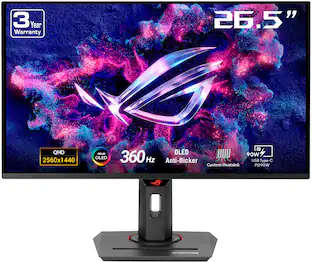
ASUS - ROG Swift 27" QHD 2K 480Hz OLED Gaming Monitor with FreeSync, G-SYNC, HDR400, 0.03ms, Adjustable Stand - Black

ASUS ROG Swift 27 inch QHD 2K 1440P 480Hz AMD FreeSync Premium & G-SYNC Compatible 0.03ms HDR400 OLED Gaming Computer Monitor with Height Adjustable, Swivel, Pivot & Tilt Stand PG27AQDP

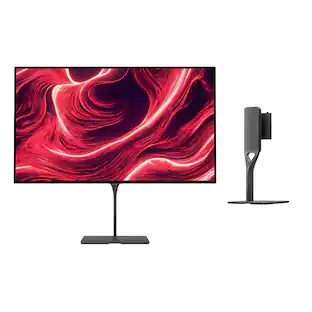
Sony Interactive Entertainment - PlayStation 27" Gaming Monitor with DualSense Charging Hook QHD - Black

The 27" Gaming Monitor with DualSense Charging Hook features a QHD screen with HDR visuals, up to 240 Hz refresh rate with VRR support for smooth gameplay, and a convenient DualSense wireless controller charging hook to keep you ready for action anytime. Bring the PlayStation experience to your desktop to ensure your gaming space is always ready for play.

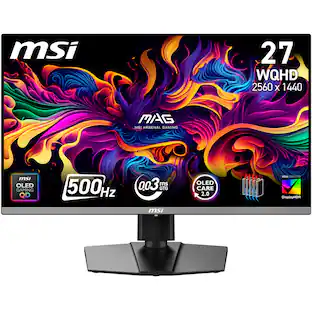
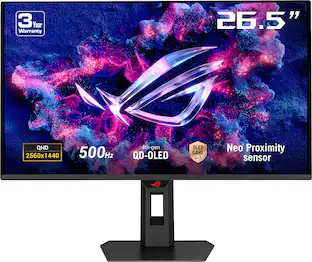
ASUS - ROG Strix 27" 2K OLED 500Hz 0.03ms Gaming Monitor with G-SYNC/FreeSync and HDR (HDMI, DisplayPort) - Black

The ROG Strix OLED XG27AQDPG is a 27-inch, 500Hz QHD gaming monitor. The cutting-edge QD-OLED panel offers greater longevity compared to previous OLED technologies and minimal flicker―even when frame rates fluctuate. With the addition of the Neo Proximity Sensor in the new ROG OLED Care Pro suite, the monitor transitions to a black screen when no user is detected, guarding against burn-in

Pros for Sony - 27” INZONE M10S OLED QHD 480Hz 0.03ms NVIDIA G-SYNC Gaming Monitor with HDR400 (DisplayPort 2.1 UHBR10) - Black
There were no pros for this productThere were no pros for this productThere were no pros for this productColor Quality, Refresh Rate, HDR Performance, Connectivity

Specs

Questions & Answers
  • Is the monitor compatible with G-SYNC?

    This monitor is compatible with G-SYNC, as it features NVIDIA Adaptive Sync technology.

    This question and answer was generated by AI based on customer and product data.
  • What is the response time of the monitor?

    The monitor has a response time of up to 0.03 ms.

    This question and answer was generated by AI based on customer and product data.
  • What is the weight and dimensions of the monitor?

    The monitor weighs 22.04 pounds and has a screen size of 26.5 inches.

    This question and answer was generated by AI based on customer and product data.
  • Does the monitor have built-in speakers?

    This monitor does have built-in speakers.

    This question and answer was generated by AI based on customer and product data.
  • What is the resolution of the monitor?

    The monitor has a stunning 1440p QHD resolution with a maximum resolution of 2560 x 1440.

    This question and answer was generated by AI based on customer and product data.
Ask a question
No content

Customers often buy these together

Sponsored

Similar products from outside of Best Buy

sponsored
Ask BlueAI

Finance Options

My Best Buy® Credit Card
Choose a benefit:Or
Buy Now, Pay Later
Lease to own

Finance Options

My Best Buy® Credit Card
Choose a benefit:Or
Buy Now, Pay Later
Lease to own