Customer Ratings & Reviews










- Model:
- K50S30
- SKU:
- 10562724
Rating by feature
- Picture Quality
Rating 4.8 out of 5 stars
- Sound Quality
Rating 4.5 out of 5 stars
- Brightness
Rating 4.7 out of 5 stars
to a friend
Disappointed
Posted .This reviewer received promo considerations or sweepstakes entry for writing a review.Purchased a 50 inch Sony Bravia 3 a Week ago. The picture is OK. But, we turn our TV on and approximately 30 seconds later. It turns off. Turn it back on and a home screen comes up and we have to hit The input button to get the home screen to go away. The TV sounds very tiny watching a movie is ridiculous. It makes the movie seem very cheap and also there is a dark line at the top of the movie and a dark line at the bottom of the movie, like it is in wide screen. I cannot locate anywhere in the settings to change that. possibility that this TV is going back. We have owned Sony TVs for 15 years. And they were wonderful. This one is not.
No, I would not recommend this to a friendBrand response from SonyListens
Posted .Hi Nothappy, While we are glad to hear that you are happy with the picture quality of the Bravia 3 TV, we are sorry to hear that you are experiencing issues when watching movies. If you still have the TV, we'd love to troubleshoot the issue and make this a better experience for you. In the meantime, you can adjust the aspect ratio of the TV using the TV remote. Please go to [Settings] — [Display & Sound] — Screen. From here you can adjust the aspect ratio and viewable screen area of the TV.
May we contact you to help? If so, please email the below information to socialsupport@am.sony.com
Apologies if you disclosed some of this information in your review and to customer service, we just want to ensure that we have your accurate details at the time of communication.
Full Name:
Username:
Telephone Number:
Model Number:
Issue:
Regards,
Carl
It's OK
Posted .This reviewer received promo considerations or sweepstakes entry for writing a review.It's ok. The screen doesn't seem as sharp as my other Sonys.
No, I would not recommend this to a friendBrand response from SonyListens
Posted .Hi MarkS,
Thank you for your honest 4-star review of the K50S30. We appreciate your feedback and are sorry to hear that the screen doesn't seem as sharp as you've come to expect from our TVs.
We understand that image quality is a priority, and we're committed to delivering a great viewing experience. The K50S30 features our 4K Processor X1, which works to reduce noise and enhance detail to ensure a clear and vibrant picture. We recommend ensuring your picture settings are optimized for your viewing environment, as this can often enhance sharpness.
Thanks for choosing Sony, have a great day!
DiegoV
Great on line experiance.
Posted .This reviewer received promo considerations or sweepstakes entry for writing a review.Needed to replace a TV that stopped working. This "SONY" had very good reviews & price was within my budget.
I would recommend this to a friendSony
Posted .This reviewer received promo considerations or sweepstakes entry for writing a review.Remote is woefully underdeveloped. Needs channel select numbers and a flashback button for last channel.
I would recommend this to a friendBrand response from SonyListens
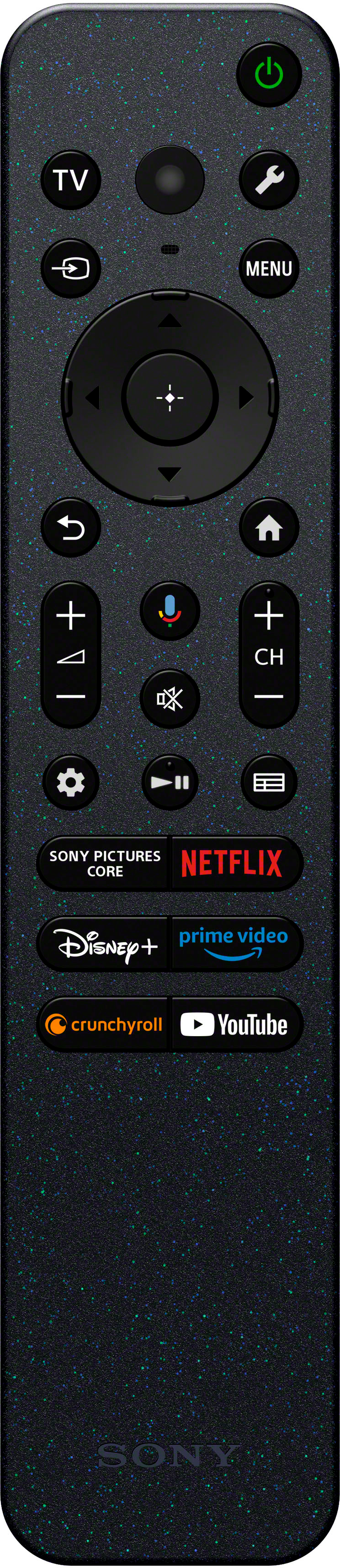
Posted .Hi Zzzzzzzz, thanks for taking the time to write your review! We really appreciate your feedback and comments, in regards to the numeric pad or numbers for the remote, you can easily access them by pressing the MENU button and then selecting the number/channel you want, also for your suggestion of adding a flashback button we will send this to the appropriate team to evaluate and consider it. Thanks for choosing Sony. Best regards, - Dominick
stevew
Posted .This reviewer received promo considerations or sweepstakes entry for writing a review.I have been a loyal satisfied customer of SONY products for years
I would recommend this to a friendBrand response from SonyListens
Posted .Hi SteveW, Awesome! We are glad to hear from a loyal customer! Thank you so much for your 5-star review and for choosing Sony! -Carl
The worst
Posted .This reviewer received promo considerations or sweepstakes entry for writing a review.I ordered the Bravia 3 open box-excellent condition because of the great price. It arrived without the two legs for the stand. Best Buy told me my only option was to box it up and return everything for a refund. I told them I didn’t want that option. Just credit me the difference between excellent and good condition and I would find the legs online. They refused. I then asked if they would contact the store it shipped from to see if they could locate the legs. Again, they said they couldn’t do that. So I paid for excellent condition which is supposed to contain all parts and received good condition-no credit from Best Buy. I won’t order from them again. They lost a customer over two plastic legs. I located them on eBay and paid that additional fee.
No, I would not recommend this to a friendJunk, absolute complete junk!
Posted .This reviewer received promo considerations or sweepstakes entry for writing a review.I have never in my life bought such an abhorrent piece of electronic trash . If you want have most of your apps inoperable, have to constantly update and restart over and over and over, buy this tv, you won’t be disappointed. What you can expect is not to be able to stream anything whatsoever, you won’t be able to use apps and you won’t be able to use anything apple or google! If you don’t believe me buy it. I willnever ever buy anything from best buy or sony again in my lifetime!
No, I would not recommend this to a friendBrand response from SonyListens
Posted .Hi 7799aa,
Thank you for sharing your experience with us. We apologize for the inconvenience that this issue with your Sony BRAVIA 3 TV has caused you. We understand how frustrating it must be having inoperable apps and being unable to stream or use even Google or Apple TV. For us to better assist you, we'd like to know more information about these issues. Are there any warning messages that flash when you encounter some of the steps?
For the meantime, you may try checking for network issues. Network issues can cause apps not to load, movies to buffer, music to not play properly, or other errors. You may check this link to help you with some of the more common reasons network issues occur and the trouble shooting steps: https://www.sony.com/electronics/support/articles/00151038?utm_source
If the issues still persist, you may also try running the steps in restart, power reset, or set the Google TV back to original factory settings. You can check the link below for the steps in doing so: https://www.sony.com/electronics/support/articles/00159487?utm_source
If you need further assistance, may we contact you to help? If so, please email the below information to socialsupport@am.sony.com.
Apologies if you disclosed some of this information in your review and to customer service; we just want to ensure that we have your accurate details at the time of communication.
Full Name:
Best Buy Username:
Telephone Number:
Sony TV Model Number:
Additional information regarding your experience with the K50S30
Thank you for your patience, and we look forward to solving this issue with your Sony TV.
Sincerely,
Maria
Not worth buying.
Posted .This reviewer received promo considerations or sweepstakes entry for writing a review.Picture quality is OK but I have had so many problems with the TV loosing connection with the remote. Every two weeks or so have to unplug the TV and pray that the TV and remote reconnect. It is so frustrating having to do this almost every time and usually when I want to watch a show via streaming. I would not recommed buying this brand of TV.
No, I would not recommend this to a friendBrand response from SonyListens
Posted .Hi RobertT,
Thank you for your time writing this review. While we are glad you like the picture quality of your BRAVIA 3 TV, we're sorry to hear the issue that you are experiencing with the remote. Allow us to help troubleshoot the problem.
Please try some solutions below if the TV remote is not working properly:
Press each button on the remote control twice to make sure none of the buttons are stuck.
Remove and reinstall the batteries to ensure a good connection.
Replace the batteries with new ones.
Perform a power reset of your TV. Temporary and intermittent issues are often resolved by performing a power reset.
Try performing a software update on your TV remote control.
For additional troubleshooting, please refer to this link: https://www.sony.com/electronics/support/articles/00030297
May we contact you to help? If so, please email the below information to socialsupport@am.sony.com:
Name:
Best Buy Username:
Telephone Number:
Model Number:
Issue:
We are sorry for the inconvenience and hope to speak to you to resolve this matter. - Kris
Bad bad bad
Posted .This reviewer received promo considerations or sweepstakes entry for writing a review.The software was updated and nothing of the TV is seen and because it is open box SONY does not recognize the warranty. Never again!!!
No, I would not recommend this to a friendBrand response from SonyListens
Posted .Hi user490112,
We are very sorry to hear about the inconveniences that you are facing with your BRAVIA TV. We'd be more than glad to take a look into the available options in order to assist you.
To help us in gathering more information regarding this matter and to work together towards a solution, please reach out to us via email at socialsupport@am.sony.com. We kindly ask that you include the following details in your message:
- Name:
- Sony Username:
- Model Number:
- Description of the Issue:
- Telephone Number:
Thank you for your patience, and for considering Sony products.
Best regards,
DiegoV