Customer Ratings & Reviews










- Model:
- K65XR80
- SKU:
- 11253783
Rating by feature
- Picture Quality
Rating 4.9 out of 5 stars
- Sound Quality
Rating 4.6 out of 5 stars
- Brightness
Rating 4.7 out of 5 stars
sony television
Posted .This reviewer received promo considerations or sweepstakes entry for writing a review.should have bought samsung. i need to change setting for movies or regular broadcast
No, I would not recommend this to a friendWorth it!
Posted .This reviewer received promo considerations or sweepstakes entry for writing a review.Great product and service from BestBuy GeekSquad staff.
I would recommend this to a friendBrand response from SonyListens
Posted .Hi NanaShell,
Thank you for your 5-star review of your BRAVIA 8 TV! We are so pleased to hear that you're enjoying your new TV. Our goal is to deliver a superior viewing experience, and we're glad to know that the picture quality, sound, and features are meeting your expectations.
Thanks for choosing Sony. Have a nice day!
DiegoV
Boo on this one
Posted .This reviewer received promo considerations or sweepstakes entry for writing a review.We had to return this tv... The audio did not sync with the video. You could turn it off and it would reset but we opted out of that.
No, I would not recommend this to a friendBrand response from SonyListens
Posted .Hi JoanB,
Thank you for sharing your feedback with us. We are truly sorry to hear that you experienced audio synchronization issues with your new BRAVIA 8 and that it led to a return.
We sincerely appreciate you bringing this to our attention, as your feedback is vital to our commitment to product quality. Thank you for giving our TV a try, and we hope to have the opportunity to provide you with a better experience in the future.
Thank you for considering Sony!
Regards,
Dominick
Sony Bravia 8
Posted .This reviewer received promo considerations or sweepstakes entry for writing a review.Zack my local manager at the Chesapeake Best Buy made me a raving fan as he handled this exchange purchase with grace an efficiency he is definately a value to your organization
I would recommend this to a friendBrand response from SonyListens
Posted .That's great, MarkA! You definitely made the right choice with this TV! We're glad that you are enjoying everything about this amazing TV. It's also great that you were assisted professionally. Thank you for sharing such a wonderful shopping experience and for choosing Sony! -Jess
Best Oled Ever
Posted .This reviewer received promo considerations or sweepstakes entry for writing a review.The bravia 8 is a amazing tv frim watching normal nba games to revisiting some classic movies like Scarface and Fury and even Forest Gump tv looks amazing.
I would recommend this to a friendBrand response from SonyListens
Posted .Hi Yoshi, Thanks for your awesome review of the Sony BRAVIA 8 TV! We're pleased to hear that this TV is an excellent choice for both sports and movies, with top-notch OLED quality. Thank you for choosing Sony. -Jess
I wish that I would have bought a different brand
Posted .This reviewer received promo considerations or sweepstakes entry for writing a review.I purchased a 55" Bravia 8 several weeks ago from my local Best Buy and it has an excellent display when using ultra definition content, is is much worse than my older Sony X80 when viewing 480p content. Things get blurry when using this TV. I also can't find in the menu where to adjust the aspect ratio when viewing 480p content. A bigger issue is the sound when using the eARC to a home theater receiver. While changing the channel or using an APP, the sound will cutoff completely. I have to use the menu for sound output to turn off ARC, then turn it back on to get the sound to return. I have turned off "automatic lip sink" which has made it more stable, but it still happens. I have changed the HDMI cable and replaced my home theater receiver, but alas, this TV continues to be problematic. I did contact Sony and opened a case, but the representative didn't seem to be familiar with my new TV and wasn't helpful after about 40 minutes of help. I really wish that I had purchased another brand. I have completed all the firmware updates/upgrades but tonight I turned it on and no sound again until I turned off the ARC and turned it on again. This is very disappointing for a high priced set. This is my 5th Sony and probably my last.
No, I would not recommend this to a friendBrand response from SonyListens
Posted .Hi Ricus44,
Thank you for reaching us with your concern. We deeply apologize for the frustration that the issues on your Sony BRAVIA 8 TV has caused you. We've appreciate the troubleshooting steps you've already taken, and we want to make sure you're able to enjoy your TV without these interruptions.
The BRAVIA 8 features various settings related to the TV display such as Brightness, Color, Hue, etc. for picture quality that will help improve your overall viewing experience. You may refer to the following link: https://helpguide.sony.net/tv/lusltn1/v1/en-003/07_08.html
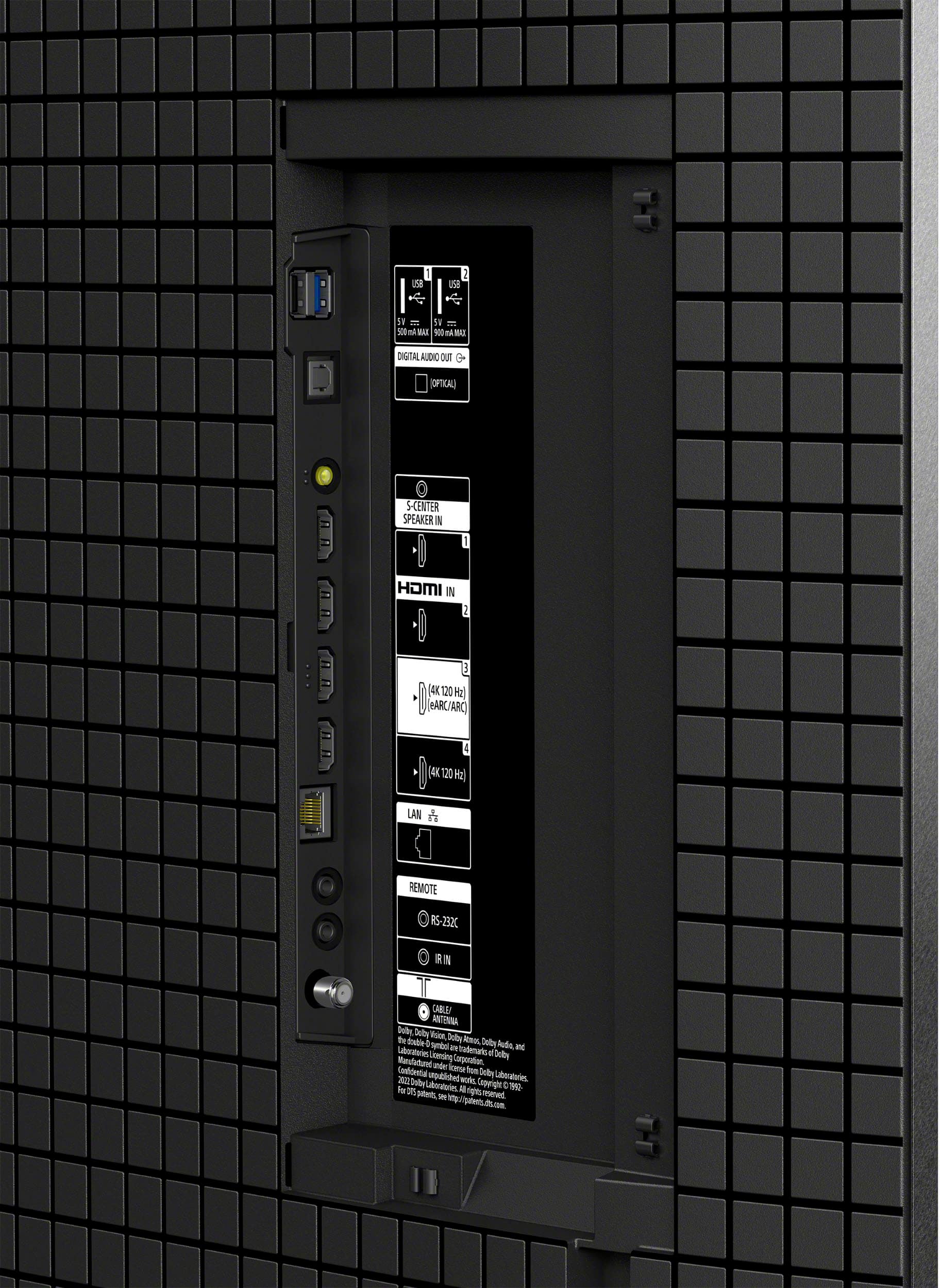
Regarding the issue on using your home theater receiver, you may check this link to help you troubleshoot the Audio Return Channel (ARC) or Enhanced Audio Return Channel (eARC) feature not working with your TV and audio system when both are compatible with the HDMI® ARC/eARC feature: https://www.sony.com/electronics/support/articles/00020051?utm_source
We want to make sure you’re taken care of. Please note that we have a customer hotline that is happy to assist you and help troubleshoot any concerns you have.
We'd also love to know more details as to what have been discussed when you called.
For us to better assist you, please email the below information to socialsupport@am.sony.com.
Apologies if you disclosed some of this information in your review and to customer service, we just want to ensure that we have your accurate details at the time of communication.
Full Name:
Case ID (if any):
Best Buy Username:
Telephone Number:
Sony TV Model Number:
Additional Information regarding your experience with the BRAVIA 8:
We are sorry for the inconvenience and hope to speak to you to resolve this matter.
Sincerely,
Maria
Installation problem- product is great
Posted .This reviewer received promo considerations or sweepstakes entry for writing a review.The product is wonderful The installation was a minus 5 Please refer to my comments regarding installation All I want is an apology or refund for installation since I had to help install and now I have extra holes in my brick wall
No, I would not recommend this to a friendTV would never turn on
Posted .This reviewer received promo considerations or sweepstakes entry for writing a review.Just bought the television and got it home. Upon initial startup it shows the sony logo on the screen and then will not turn on, starts flashing a red light 6 times repeatedly which is apparently some kind of power supply issue. It's going to have to go back. I will likely go back to an LG. Kind of stinks because I was looking forward to experiencing all the hype behind this television but this level of failure is difficult to rebound from.
No, I would not recommend this to a friendBrand response from SonyListens
Posted .Hi MichaelJ, we are genuinely sorry to hear that your Sony TV is not turning on and has a red light blinking 6 times, this is certainly not the experience we want you to have. We can recommend to power cycle your TV for 2 min having no devices connected at the back, plug it back in and test. If the issue persists please allow us to turn this into a more positive experience for you by sending us an email with the information below to socialsupport@am.sony.com so we can better assist you. Full Name: Best Buy Username: Telephone Number: Model Number: Issue/Concern: Thanks for choosing Sony, regards. - Dominick
- Cons mentioned:Connectivity
Never Again!! WiFi does not connect.
Posted .This reviewer received promo considerations or sweepstakes entry for writing a review.Please do a google search on “Sony Bravia TV WiFi issues” before making a purchase. Shame on Sony!
No, I would not recommend this to a friendBrand response from SonyListens
Posted .Hi JoyJoy,
We're so sorry to hear about the Wi-Fi issues with your BRAVIA 8 TV. That’s definitely frustrating! We’d love to help you troubleshoot this. The Wi-Fi signal on your TV may drop or intermittently disconnect for various reasons. Make sure your TV’s software is fully up to date for optimum performance. You can check this by going to Settings System → About → System software update.
If you haven't already, we encourage you to check out our troubleshooting steps that can help address various issues, particularly if your TV's Wi-Fi signal is dropping or experiencing intermittent disconnections. You can find these steps here: https://www.sony.com/electronics/support/articles/00184183
Additionally, we have valuable tips available to enhance your home network and internet performance. Please visit this link: https://www.sony.com/electronics/support/articles/00133631
If that doesn’t work, please feel free to reach out to us directly so we can assist you further.
May we contact you to help and get more information? If so, please email the below information to socialsupport@am.sony.com.
Apologies if you disclosed some of this information in your review and to customer service, we just want to ensure that we have your accurate details at the time of communication.
Full Name:
Best Buy Username:
Telephone Number:
Sony TV Model Number:
Additional Information regarding your experience with the BRAVIA 8:
We value you being a Sony customer. Sorry for the inconvenience and hope to speak directly to you to resolve this matter.
Sincerely,
Jess
Would love to return it
Posted .This reviewer received promo considerations or sweepstakes entry for writing a review.Ive had this TV for a month now and it has been nothing but a headache. The sound randomly cuts out, the built in apps are very slow to respond and the tv will shut off on its own in the middle of watching something. It also won’t keep the soundar as the audio output, it reverts back to the tv speakers. I should have kept my older Sony tv.
No, I would not recommend this to a friendBrand response from SonyListens
Posted .Hello there, thank you for bringing this out to our attention! We sincerely apologize for the bad experience you're having with the BRAVIA 8. Let us provide you personalized assistance through email. Please send us a message to socialsupport@am.sony.com with your name, Best Buy username, TV's model number, issue and telephone number. Looking forward to hear from you soon! Best regards, -Jenn.
Start up
Posted .This reviewer received promo considerations or sweepstakes entry for writing a review.Never starts up the same often have to reset the tv
No, I would not recommend this to a friendBrand response from SonyListens
Posted .Hi KellyJ,
We are sorry to hear that you are having trouble with your BRAVIA 8 OLED. We recommend performing a soft reset by holding the Power button on your remote for about 5 seconds until the TV restarts. Additionally, please ensure your TV is running the latest software by going to Settings > System > About > System Software Update. If the issue continues, a power reset—unplugging the TV for 60 seconds and plugging it back in—can often resolve startup inconsistencies.
Thanks for choosing Sony.
Best regards,
Eliab