Customer Ratings & Reviews





- Model:
- XBR65X950H
- SKU:
- 6401206
Rating by feature
- Picture Quality
Rating 4.8 out of 5 stars
- Sound Quality
Rating 4.3 out of 5 stars
- Brightness
Rating 4.8 out of 5 stars
Customers are saying
Customers often highlight the exceptional picture quality, describing it as outstanding and clear. They also appreciate the ease of setting up the TV and its intuitive operation. While many customers are pleased with the TV's color and sound quality, some express concerns about the lack of upgrades on the 2.1 HDMI ports and the high price.
This summary was generated by AI based on customer reviews.
- Pros mentioned:Hdr
Not enough streaming memory on a $2500 TV.WHO KNEW
Posted .This reviewer received promo considerations or sweepstakes entry for writing a review.It’s a fantastic TV until 2 years have past. The motherboard blew because the TV kept turning off by itself. I searched everywhere to see if I could fix a setting, but nothing. It took a week to get an appt. The guys came and replaced the motherboard but about 15 minutes after they left, BAM, TV went off again. We bought this tv in 5-19, it’s 9-1-21. 2 years old and we found out that you need MEMORY on your Television to stream. The Sony Bravia runs out of memory so make SURE to buy the Warranty for 4 years. We paid $2434.00. You’d think a Sony Bravia wouldn’t be doing this after TWO YEARS. SO, we have no TV tonight, the guy can’t come back who made it worse, and it may be another WEEK to have it fixed again. We were also told to use a Firestick for better memory streaming. This is a 65”. 4K HDR ULTRA HD TV. A SMART TV. They told us to use a Firestick on a SMART TV. NO. Luckily, we had a newer Firestick. Did it work? No. Because it craps out in two years, we’ll never purchase a Sony TV again. This aggravation on such a supposedly amazing Sony Bravia is palpable and it wasn’t cheap. Never again. This has been happening on and off for 3 weeks now.
No, I would not recommend this to a friendBrand response from SonyListens
Posted .Hi Patricia,
We regret to hear about what happened to the TV. This is definitely not the experience we wanted you to have with our products. We apologize for the inconvenience. The brand new TV comes with a one-year manufacture's limited warranty only available in the US and Canada. This issue might be resolve with the troubleshooting steps from this link: https://www.sony.com/electronics/support/televisions-projectors-lcd-tvs-android-/xbr-65x950h/articles/00032613
What has changed since it last worked? The Smart/Android TV has a software update. Failure to follow the instructions may interrupt the update process and may cause your TV to become unresponsive or require repair.
The onboard storage of this TV is 16GB. This TV has a huge range of apps from Google Play, including YouTube, Netflix, Prime Video, Spotify, and more. You can enjoy over 5000 apps, more than any other smart TV. You can only download apps that are compatible with TVs. These apps may differ from apps for mobile devices.
https://www.sony.com/electronics/support/televisions-projectors-lcd-tvs-android-/xbr-65x950h/articles/00147386
Also, you can connect the Firestick to the HDMI port of the TV. For more details about the BRAVIA TV Connection Guide, please refer to the link below:
https://www.sony.com/electronics/support/televisions-projectors-lcd-tvs-android-/xbr-65x950h/articles/00231150
In any case that you need our assistance, please email the below information to socialsupport@am.sony.com or chat with us from Sony’s e-support webpage. Apologies if you disclosed some of this information in your review and to customer service, we just want to ensure that we have your accurate details at the time of communication.
Full Name:
Best Buy Username:
Telephone Number:
Sony Model Number:
Additional Information regarding your experience with the X950H:
We are sorry for the inconvenience and hope to speak to you to resolve this matter. We appreciate you and thanks again for shopping Sony!
Sincerely,
Jay
Great tv with great colors!
Posted .This reviewer received promo considerations or sweepstakes entry for writing a review.Great TV with cookies that pop! Don't tvs are not cheap but they are well made and calibrated better than most tvs. I Jitsu wish it had 120hz for gaming!
I would recommend this to a friendHorrible Product
Posted .This reviewer received promo considerations or sweepstakes entry for writing a review.Had this TV for barely 3 years and it went out. Backlight issue I was told and it cannot be repaired due to the back being glued on pretty much! Very dissappointed that Best Buy would even sell this product, let alone reccomend it to a customer! Will not be shopping here for again!
No, I would not recommend this to a friendSONY sucks
Posted .This reviewer received promo considerations or sweepstakes entry for writing a review.terrible tv, freezes a lot and i have to cut the power to reset it on a weekly basis not worth the money
No, I would not recommend this to a friendIn home TV mounting
Posted .This reviewer received promo considerations or sweepstakes entry for writing a review.The tech guys were the best i have seen. the did a great job mounting my Tele.
I would recommend this to a friendBrand response from SonyListens
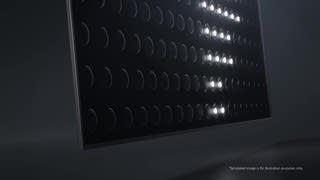
Posted .Hi justme, We are happy to hear you are enjoying the picture quality of the X950H 4K HDR TV. We always strive to deliver the best picture quality with our TVs. The X950H’s Full Array Local Dimming and Boosting technology provides a dramatic increase in contrast and brightness from anywhere in the room thanks to X-Wide Angle technology that is now offered in additional screen sizes. The X1 Ultimate Processor, Sony’s best processor to date, delivers a picture with ultimate realism and upscales everything you watch to 4K HDR. Thank you for choosing Sony. Jay
- Pros mentioned:Picture quality
Just bad
Posted . Owned for 8 months when reviewed.This reviewer received promo considerations or sweepstakes entry for writing a review.Picture is great. Sound is horrible. I often get no sound when streaming Hulu, Amazon prime video etc. Not through the stock speakers or through my sound bar. I've literally messed with the settings for hours. Can't get it to work. Other times, it works. Sometimes, I can't get it to connect to Ethernet.
No, I would not recommend this to a friendBrand response from SonyListens
Posted .Hi Jimk, while we are glad to hear that you are happy with the picture quality of your TV, we are sorry to hear that you are experiencing issues with the audio while playing from the built-in apps of your Sony 65" X950H TV. We'd love to troubleshoot the issue and make this a better experience for you. In the meantime, please make sure that the TV software is updated as it includes key features, applications, bug fixes, and feature improvements.
For the streaming platforms issues. We'd like to know if these are pre-installed apps on the TV or from a different device? How is your TV connected to the internet? Are you getting error messages while playing these apps? For the meantime, please open this link on how to troubleshoot app-related issues on the TV: https://www.sony.com/electronics/support/televisions-projectors/articles/00155548
For the internet connection issues, please try and perform a power reset
Turn off the TV, unplug the power cord for two minutes, then turn on the TV
Note: Skip this step if your power cord is not accesible.
Restart the TV by selecting the option depending on your TV
Restart the TV with the supplied remote control:
Press and hold the POWER button until Power off appears on the screen
Press and hold the POWER button until a menu appears → select Restart
Restart the using the menu. On the remote:
Press (Quick Settings) → Settings → System → Restart → Restart
Press HOME → Settings → About → Restart → Restart
Press HOME → Settings → Device Preferences → About → Restart → Restart
For further troubleshooting steps on the internet issue, please follow this article link: https://www.sony.com/electronics/support/televisions-projectors/articles/00151038
Should you need further assistance, please contact us for help.
Please email the below information to socialsupport@am.sony.com
Apologies if you disclosed some of this information in your review and to customer service, we just want to ensure that we have your accurate details at the time of communication.
Full Name:
Best Buy Username:
Telephone Number:
Model Number:
Issue:
Regards,
Carl
Great TV
Posted .This reviewer received promo considerations or sweepstakes entry for writing a review.I love this tv, I used it for watching sports and gaming and the tv stands up to these tasks.
I would recommend this to a friendBrand response from SonyListens
Posted .Hi rg8976, We're glad that you love this X950H 4K HDR TV. We always strive to deliver the best picture quality with our TVs. The X950H’s Full Array Local Dimming and Boosting technology provides a dramatic increase in contrast and brightness from anywhere in the room thanks to X-Wide Angle technology that is now offered in additional screen sizes (except 49”). The X1 Ultimate Processor, Sony’s best processor to date, delivers a picture with ultimate realism and upscales everything you watch to near-4K HDR. Thank you for choosing Sony. Jay
- Cons mentioned:Hdmi 2.1
Outdated
Posted .This reviewer received promo considerations or sweepstakes entry for writing a review.Out dated TV. No upgrades on 2.1 hdmi For this price. No go.
No, I would not recommend this to a friendBrand response from SonyListens
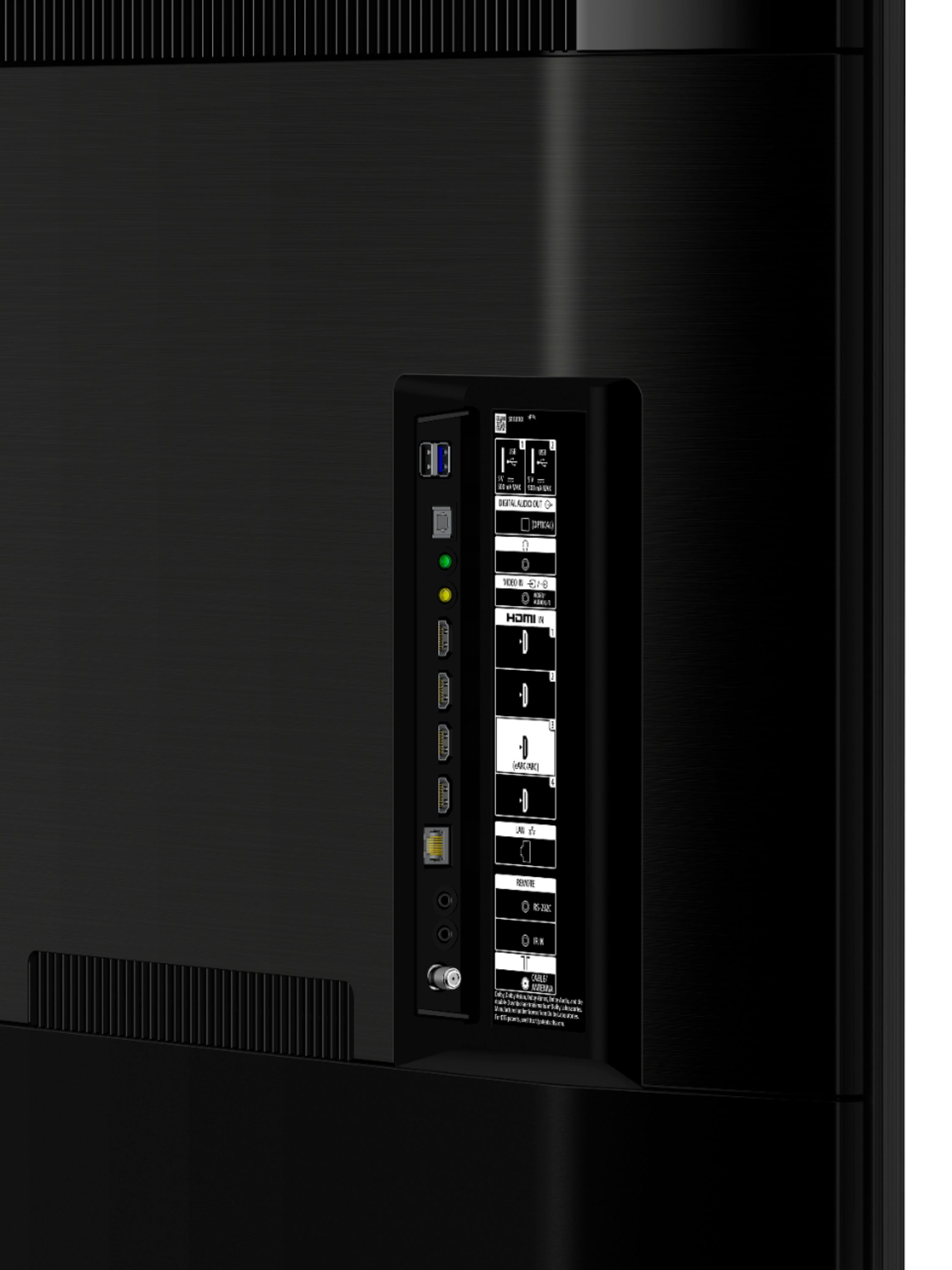
Posted .Hi there, We are sorry to hear that the 65" X950H TV did not meet all of your expectations. There is much confusion about the HDMI versions and concerns about compatibility. For this reason, we do not promote the HDMI versions incorporated on many of our products. Instead, we advertise the features of a product that are associated with a particular HDMI version. The only HDMI 2.1 feature supported by this model is eARC. For expanded features like 4K 120hz, VRR and ALLM, we apologize but there's no plan to have these added via future software update you may want to check our X900H model the 4k 120hz is available after a software update and there are plans to add the VRR and ALLM features in future updates. You may also check our article https://www.sony.com/electronics/support/articles/00246472 for more information. I hope this helps!
Regards,
Carl
Awful awful awful
Posted .This reviewer received promo considerations or sweepstakes entry for writing a review.Such absolute GARBAGE!!!!! One week and my sound already isn’t working. Setting change without notice. Software is absolute garbage. “Smart” tv will sooooo little memory or barely functions. SUCH AN UTTER DISAPPOINTMENT!! I through the box away or this piece of crap would have gone right back!
No, I would not recommend this to a friendBrand response from SonyListens
Posted .Hi ISOO, thank you for choosing and purchasing our 65" X950H TV. We are sorry to hear that you are experiencing audio issues with the TV. We’d love to help you troubleshoot your problem by isolating your sources and understanding your connections. In the meantime, please follow this article if you are having the issue on the TV speakers. https://www.sony.com/electronics/support/televisions-projectors-lcd-tvs-android-/xbr-65x950h/articles/00023579
Please check that your TV is running the most current firmware. Once the most current firmware is installed and the TV is on please hold down the power button until the reset option appears. Press reset button.
If you have a soundbar, home theater system, or home audio system please follow this link: https://www.sony.com/electronics/support/televisions-projectors-lcd-tvs-android-/xbr-65x950h/articles/00137387
May we contact you to help? If so, please email the below information to [email protected]
Apologies if you disclosed some of this information in your review and to customer service, we just want to ensure that we have your accurate details at the time of communication.
Full Name:
Best Buy Username:
Telephone Number:
Model Number:
Issue:
Regards,
Carl
delivered no screws for TV stand
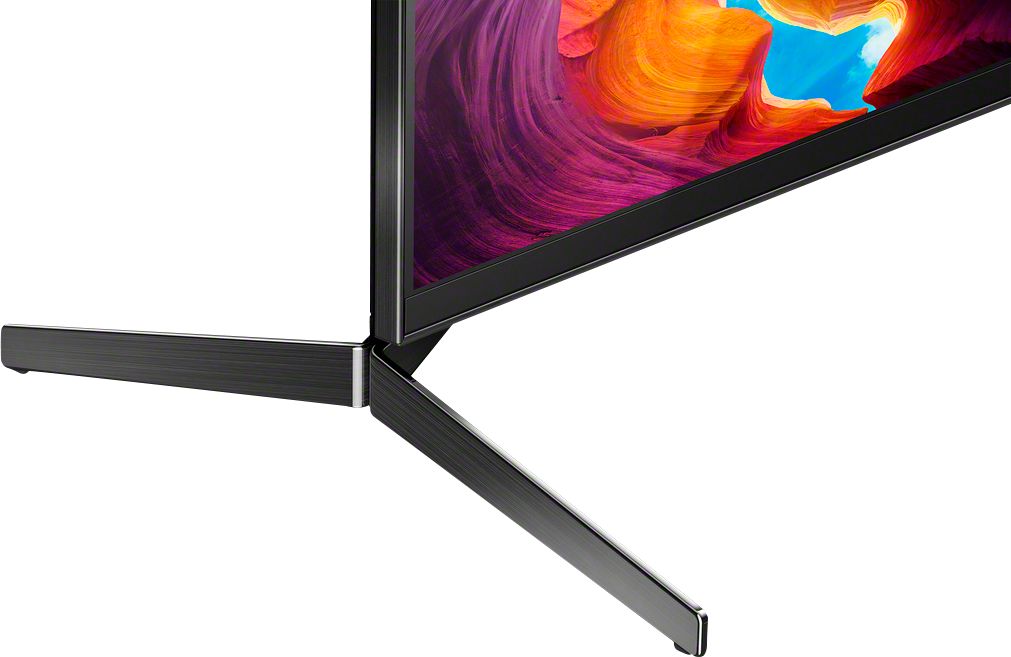
Posted .This reviewer received promo considerations or sweepstakes entry for writing a review.when do you spend money any kind of money on a television set especially from a major brand like Sony you would expect quality. Quality also denotes quality control. The TV delivered to me from BestBuy was missing the screws for the feet so I basically had a $2000 boat anchor delivered to me. Do you think Best Buy was any help? Nope. The first suggestion was well they could return it but I would have to wait 24 hours to call to return the TV, or he could give me the Sony phone number and they could get me the screws in anywhere from a week to a month! BestBuy had no interest in making this right. I have purchased other TVs before and I have to agree with many of the reviewer’s for this TV the feet are an engineering nightmare. Love to give the TV five even a four but I can’t because I can’t watch it because it came incomplete from the factory
No, I would not recommend this to a friendBrand response from SonyListens
Posted .Hi Guildjw,
Thank you for choosing and purchasing our Sony X950H Ultra HD Smart TV.
We're sorry to hear about what you had experience with this TV. The brand new unit has a one-year limited manufacturer warranty. Have you checked if the unit you purchased is not an open box?
May we contact you to help? If so, please email the below information to [email protected] or chat with us from Sony’s e-support webpage.
Apologies if you disclosed some of this information in your review and to customer service, we just want to ensure that we have your accurate details at the time of communication.
Full Name:
Best Buy Username:
Telephone Number:
Sony TV Model Number:
Additional Information regarding your experience with the X950H
We are sorry for the inconvenience and hope to speak to you to resolve this matter.
We appreciate you and thanks again for shopping Sony!
Sincerely,
Jay
Disappointed with WiFi connectivity
Posted .This reviewer received promo considerations or sweepstakes entry for writing a review.WiFi adapter consistently fails. TV is unable to detect any WiFi connections. After unplugging, TV is then able to correctly find WiFi options, however reverts to no connections shortly thereafter. Geek Squad has been out multiple times and replaced bird, however problem remains.
No, I would not recommend this to a friendBrand response from SonyListens
Posted .Hi Sony65,
Thank you for choosing and purchasing our XBR65X950H 4k Ultra HD Smart TV. We are sorry to hear that you are experiencing a problem with the wireless internet connection with your TV. We'd love to troubleshoot the problem and make this a better experience for you. In the meantime, please follow these steps to troubleshoot and isolate the issue.
1. The Wi-Fi signal strength is weak
Place the router close to your TV, then check if the signal strength has improved.
2. Your TV is too close to the router
It is recommended that the TV and router be at least 1 meter (3 feet) apart.
3 . Other devices are connected to the same network
If other devices are downloading large-sized files, such as videos, the network speed may slow down. Cancel or wait until this activity completes and try again.
4. Restart your TV and reset your router
Steps to restart your TV.
-Turn off the TV. Unplug the power cord for two minutes, and then plug it back in. Turn on the TV. Verify if it resolves the issue.
-On the supplied IR remote control, press and hold the POWER button for about five seconds until Power off appears on the TV screen.
Note: The TV automatically turns off and then turns back on after one minute. If it doesn't turn on, press the POWER button on the remote. Verify if it resolves the issue.
To reset the router, check your router manual for instructions or disconnect power for at least one minute, then reconnect power and wait for the router to complete connecting to the internet.
5. Interference from other wireless devices
-If multiple wireless devices or electric equipment, such as microwave ovens, are used at home, it may affect the Wi-Fi performance of your TV. Power off these devices when not in use, or keep them away from your TV.
-Electromagnetic interference may also occur depending on the location of the TV. If possible, change its location and check if the performance improves.
You may also check our related article. https://www.sony.com/electronics/support/televisions-projectors-lcd-tvs-android-/xbr-65x950h/articles/00184183
May we contact you to help? If so, please email the below information to socialsupport@am.sony.com
Apologies if you disclosed some of this information in your review and to customer service, we just want to ensure that we have your accurate details at the time of communication.
Full Name:
Best Buy Username:
Telephone Number:
Model Number:
Issue:
Regards,
Carl
Sound problems
Posted .This reviewer received promo considerations or sweepstakes entry for writing a review.Constant issues with sound playback while playing apps. Every time the tv updates we lose sound to multiple apps like Hulu. We have to factory reset the tv. Then re-install the apps to get the sound back. Sony used to be great. Kind of suck now!
No, I would not recommend this to a friendBrand response from SonyListens
Posted .Hi CarsonChris, thank you for choosing and purchasing our Sony X950H Ultra HD Smart TV. We're sorry to hear that you have an issue with your SONY unit. We would like to know more details about your issue. We need to know what are the audio devices connected to the TV. You may reach us so we can better assist you. Please email the below information to [email protected] or call us at 1-800-222-7669.
Apologies if you disclosed some of this information in your review and to customer service, we just want to ensure that we have your accurate details at the time of communication.
Full Name:
Best Buy Username:
Telephone Number:
Sony TV Model Number:
Additional Information regarding your experience with the X950H
We are sorry for the inconvenience and hope to speak to you to resolve this matter.
We appreciate you and thanks again for shopping Sony!
Sincerely,
Earl
Does not support 4K 120hz
Posted .This reviewer received promo considerations or sweepstakes entry for writing a review.TV does not support 120hz. SPoke with Sony support thinking that there was something wrong with my tx when connecting my series X. I was mislead by the specs on your website and sales rep. Only had the tv for 2 months.
No, I would not recommend this to a friendBrand response from SonyListens
Posted .Hi Marz, thank you for choosing and purchasing our Sony X950H Ultra HD Smart TV. Were sorry to hear that our product. failed to meet your expectations. The X950H only supports one of the features of HDMI 2.1 which the eARC. The 4K120hz is not supported.
We have our support team that always happy to assist. May we contact you to help? If so, please email the below information to [email protected] or call us at 1-800-222-7669.
Apologies if you disclosed some of this information in your review and to customer service, we just want to ensure that we have your accurate details at the time of communication.
Full Name:
Best Buy Username:
Telephone Number:
Sony TV Model Number:
Additional Information regarding your experience with the X950H
We are sorry for the inconvenience and hope to speak to you to resolve this matter.
We appreciate you and thanks again for shopping Sony!
Sincerely,
Earl