Customer Ratings & Reviews





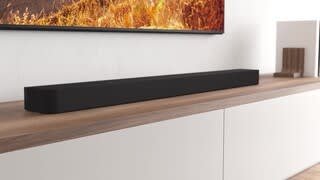
- Model:
- HTA8000
- SKU:
- 10316955
Rating by feature
- Value
Rating 4.2 out of 5 stars
- Quality
Rating 4.5 out of 5 stars
- Ease of Use
Rating 4.4 out of 5 stars
Good when it is working
||Posted . Owned for 4 months when reviewed.This reviewer received promo considerations or sweepstakes entry for writing a review.More often than not, it just sits and does nothing but displaying a slow flashing white light. Would not recommend this soundbar to anybody.
No, I would not recommend this to a friendBrand response from SonyListens
Posted .Hi KevinW,
Thank you for the review and we're sorry to hear what happened with your soundbar. Please allow us to help you and turn this into a better experience. Power reset the unit, simply unplug the unit and wait 1-2 minutes then plug the device back in and power on.
If the situation does not improve, please email us at socialsupport@am.sony.com with the following details:
Name:
Best Buy Username:
Model Number:
Issue:
Telephone Number:
-David
Best Buy is holding my money hostage.
||Posted . Owned for less than 1 week when reviewed.This reviewer received promo considerations or sweepstakes entry for writing a review.My item never arrived. The delivery driver illegally signed for me. And Best Buy is still charging me. Best Buy is refusing to refund me, because the delivery driver illegally signed for me.
No, I would not recommend this to a friendNo help from Geek Squad
||Posted . Owned for 1 week when reviewed.This reviewer received promo considerations or sweepstakes entry for writing a review.Could not get sound bar to connect to the tv. Geek squad was no help and wouldn't even come to house to help.
No, I would not recommend this to a friendBad service.
||Posted . Owned for 1 month when reviewed.This reviewer received promo considerations or sweepstakes entry for writing a review.No sound is coming out of the sound bar. Technician never came back to fix after one week of multiple promises.
No, I would not recommend this to a friendBrand response from SonyListens
Posted .Hello OhannesD, thanks for bringing this out to our attention!
We understand how frustrating is to have no sound coming from your new Bravia Theater Bar 8. This is definitely not the experience we want you to have, and we sincerely apologize for the inconvenience.
To get this resolved as quickly as possible, please contact our Sony Support team directly for assistance on how to install the unit properly, and provide troubleshooting if is needed: https://us.esupport.sony.com/support/s/support-contact?language=en_US&category=ht
Thanks for choosing Sony!
Sincerely,
Jenn.
Why bother?
||Posted . Owned for 10 months when reviewed.This reviewer received promo considerations or sweepstakes entry for writing a review.Might as well not even have a sound bar. Does nothing to enhance sound.
No, I would not recommend this to a friendBrand response from SonyListens
Posted .Hello AndrewD,
Thank you for considering Sony products.
We're sorry to hear that you're not experiencing the sound enhancement you expected from the HTA8000 soundbar. We want to ensure that you get the best performance from your device.
To help us better understand the issue and work towards a resolution, please reach out to us at socialsupport@am.sony.com. When you do, kindly include the following details in your message:
- Name:
- BestBuy Username:
- Model Number:
- Description of the Issue:
- Telephone Number:
We appreciate your patience and look forward to assisting you further.
Best regards,
-Fred
- Pros mentioned:Sound quality

Sound in your face and all around
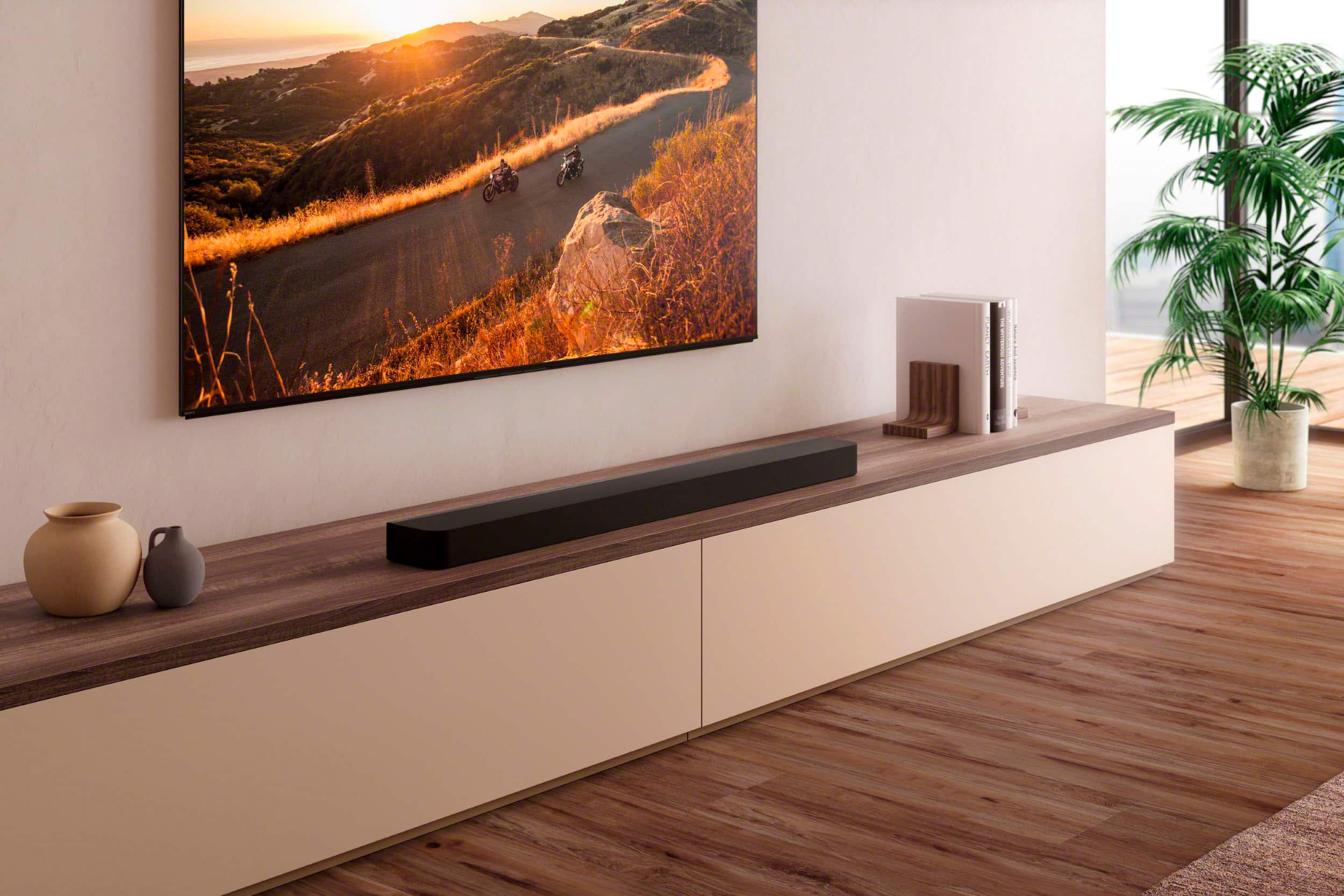
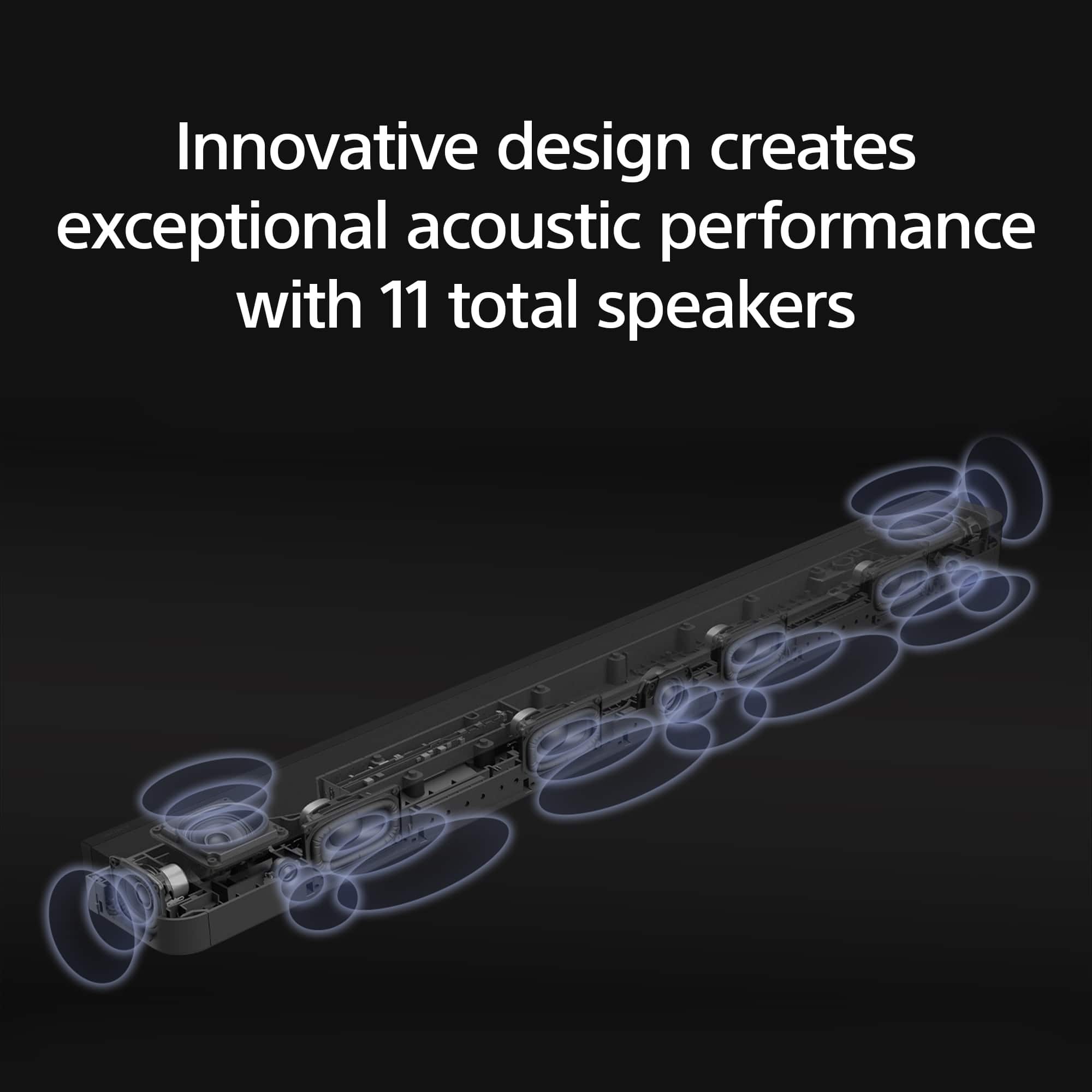
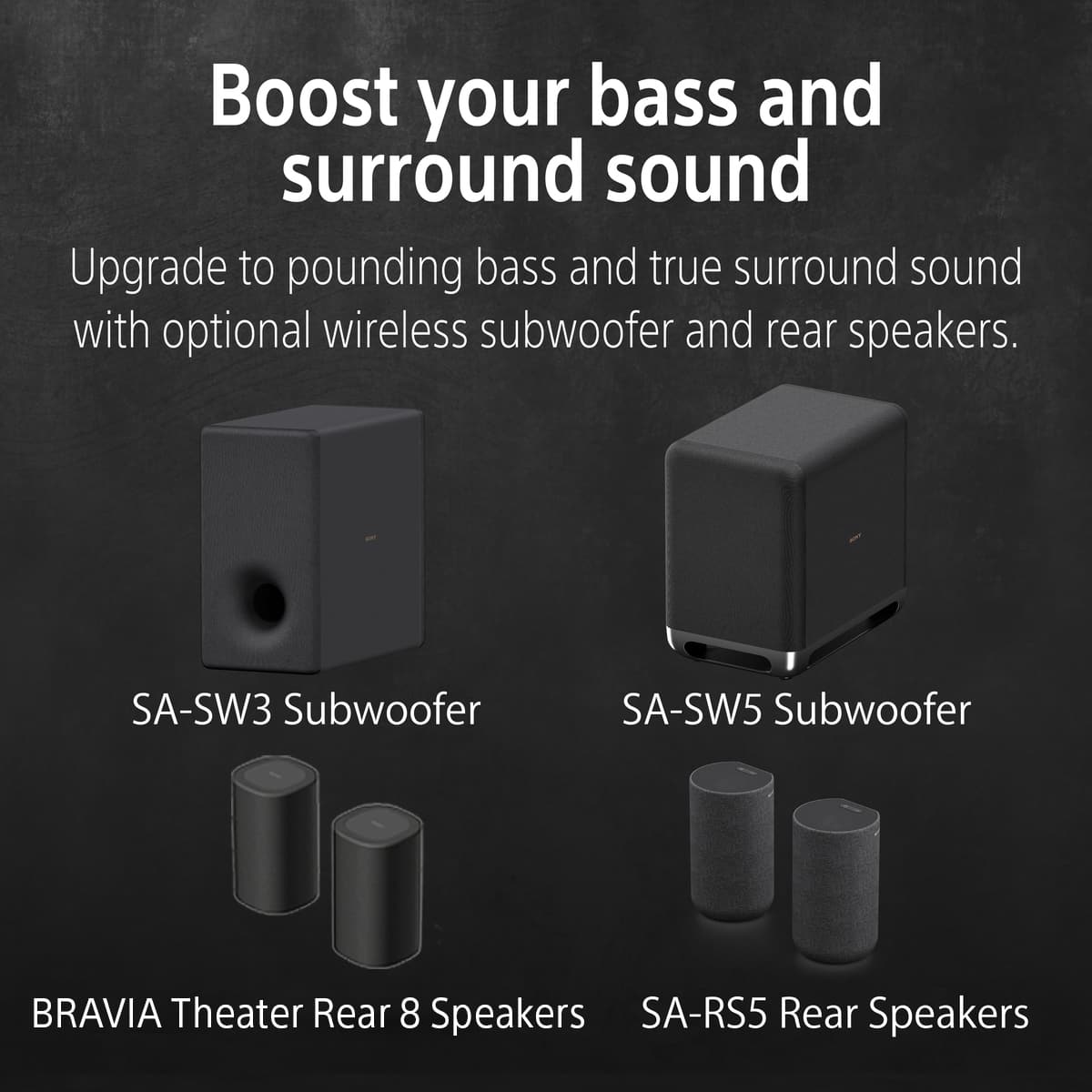
|Posted .This reviewer received promo considerations or sweepstakes entry for writing a review.Eleven speakers in a single bar that fire in every direction that you could want! The sound is incredible and, if your room is small and reflective enough, you won't need surrounds. The Sony Bravia Theater Bar 8 is the best speakerbar I've ever owned, the older Bravia used to be my favorite. The sound literally surrounds you and emulates surround sound. In a smaller room the sound seems like it's coming from everywhere and you'd swear that you have rear speakers already installed. But that trickery gets a bit weaker in a larger room. It still gives a sense of rear speakers, but just not as well. I bought a set of rear speakers and a sub fill those slight holes in the sound. The bass, while not booming, isn't lacking without a sub. The sound is full, voices clear, and the volume gets pretty loud to fill the house. But I like the deep sub bass so I had to get the subwoofer. I have the SW5 from my old set, but settled with an SW3 and paired it to the old bar and put the Theater Bar 8 in the main TV spot. Everything paired without issue. The only thing I do wish is that there were more HDMI ports. The TV I have only has 3 ports and 1 ARC port. So that leaves only 3 inputs for the 5 devices I have hooked up - 2 consoles, 1 PC, 2 streaming devices (until Rifftrax adds an Android TV app I need 2 streamers). It's not a big deal after getting an HDMI switch, but it would be nice to not need it. With the quality sound it puts out and the ease of setup, Sony has another with the Bravia Theater Bar 8.
I would recommend this to a friendBrand response from SonyListens
Posted .Hi MadSquabbles, we're glad you are enjoying our product! We appreciate your feedback regarding the number of the HDMI ports on your Sony unit. Thanks for choosing Sony! ~Earl
very bad sound
||Posted . Owned for less than 1 week when reviewed.This reviewer received promo considerations or sweepstakes entry for writing a review.very bad sound. honestly says i got just trash for 849 dollers.i have lg tv and tv had much better quality sound. just returning.
No, I would not recommend this to a friendBrand response from SonyListens
Posted .Hi ManjitS,
Thank you for the feedback. It is unfortunate that the unit had to be returned. Take note that the sound quality of the soundbar will depend in the source that you're playing. Thank you for sharing your experience and we hope you will consider Sony again in a future purchase.
-David
Not Compatible with all TVs
||Posted . Owned for 1 month when reviewed.This reviewer received promo considerations or sweepstakes entry for writing a review.Item was returned. It wasn’t compatible with my Samsung TV.
No, I would not recommend this to a friendBrand response from SonyListens
Posted .Hi YolandaW,
We appreciate your feedback. Compatibility can vary between different TV brands and models, and we're sorry to hear your Sony BRAVIA Theater Bar 8 didn’t work with your setup. If you have any questions about compatibility in the future, our support team is happy to help!
We recommend reaching out to our product support team via phone call at 239-245-6354 or chat through this link: https://us.esupport.sony.com/support/s/support-contact?language=en_US
Hours of Operation:
Monday - Friday 9:00 am - 9:00 pm ET
Saturday - Sunday 10:00 am - 8:00 pm ET
Thank you for considering Sony.
-Maria
- Pros mentioned:Sound quality
Gets the Job Done If You Don't Already Have...
|Posted .This reviewer received promo considerations or sweepstakes entry for writing a review.I will just start right off by saying that it is in fact a great soundbar. For those who require amazing sound and don't already own an amazing multi-channel soundbar (more that they typical 5 or 7 channels like back in the day), then this might be a good buy for you. But!!! There is absolutely no need in spending a lot on a soundbar if you are not going to get an accompanying subwoofer. Soundbars, including this one, can produce great sound... great surround sound... but you're not getting bass. So the truth is, you do not need to spend this much if you do not intend on at lease getting a subwoofer as well. With all that said, this soundbar is the typical weight of a soundbar... heavy, but carry-able. It's width is 51 inches, so be prepared for that length. It can be set down (like on your entertainment stand/center) or it can be wall mounted. It comes with what you need to do either. You're probably thinking, 'what do I need to set it down?' Well, one cool thing is that it comes with these feet that you can put on it (under it) and that is helpful if your tv is sitting on the same stand. If your tv is sitting on a stand (as opposed to wall mounted), it comes with its own feet because that's what allows it to stand. Well there are feet you can put under this soundbar if you intend on putting it directly under a standing tv. It allows the bar to sit over top of the tv's feet. Moving on... the setup. The setup is annoying. The fact that I had to go downloading yet another app to set this thing up is a huge inconvenience. I don't want your app. All you had to do was allow set up with either the remote or on top of the bar. But nope. The only thing that shows up on the front of the bar is a lighted dot when you turn it on. And then a blinking dot when you push a button on the remote, such as volume, bass level. The app gives you more features, but let me decide if I care enough about them to download the app. The app takes you through a setup that utilizes bar placement and placement of where you would sit. I would say the setup was not long. There are other settings on the app. Getting to the quality of sound. Honestly, it sounds great. The surround sound really surrounds you and you can hear crisp sound as though you have surround and rear speakers. I believe this bar is 13 channels. You also have the option of 3 bass levels. I put it on max. But, don't buy this for the bass because it is just not happening. The thing is this bar is great to grab good sound from your tv and other devices connected to your tv. I would easily recommend it if you are in the market for great crisp amazingly surround sound. But, again, for the price, it is not worth it for just a bar. If you don't care about a subwoofer, then I would not recommend this bar because there is no point. Another weird thing is that when you first turn up the volume, you may think that the volume buttons are not working. But if you keep holding it down to increase the volume, it will eventually start to get louder. It's almost like you have to go up 10 numbers just to feel like you increased by 1 number on a different unit. That is not a deal breaker, but I don't like it. Ahhhh... immersive! That is the word I was looking for. The soundbar produces crisp sound, surround sound, and fully immersive sound. You may not notice how amazing it can sound if you only watch regular things. But if you watch something with Dolby Atmos, you will truly see. If you have a previous great Sony model soundbar, you may not need this. If you are not intending on getting a full package (subwoofer at minimum, and if you can get rear speakers), then I would not recommend this. Also, if you do not watch 4k video or dolby atmos video or things of that nature, then you really don't need this expensive soundbar. Otherwise, if different than what I put in this exact paragraph, then get it. Peace.
I would recommend this to a friendBrand response from SonyListens
Posted .Hi tripplesix, Thanks for sharing your input and feedback on the new Sony HTA9000 sound bar. We're glad you like the sound quality and design of the unit. Enjoy and thanks for choosing Sony. -Craig
- Pros mentioned:Sound quality
Awesome Soundbar that does the job very well!
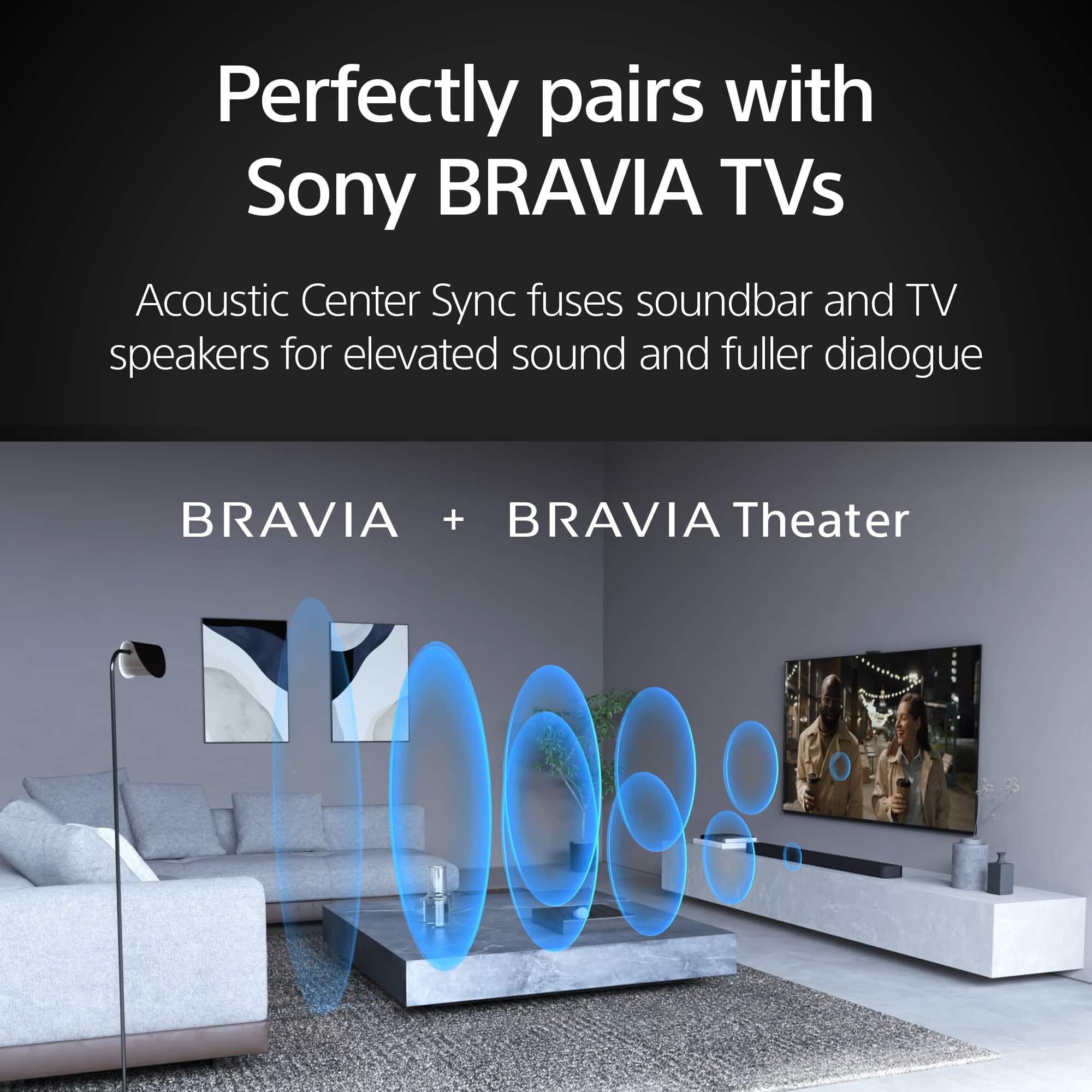
|Posted .This reviewer received promo considerations or sweepstakes entry for writing a review.The Sony BRAVIA Theater Bar 9 is a top-tier soundbar delivering exceptional sound quality, easy setup, and seamless integration with Sony BRAVIA TVs. It features Dolby Atmos and DTS support for immersive, three-dimensional audio and S-Force PRO Front Surround for simulated surround sound without additional speakers. The soundbar offers high-fidelity audio with rich bass and crisp highs, perfect for movies, music, and gaming. Setup is straightforward, thanks to a comprehensive quick start guide, and it includes wireless connectivity options like Bluetooth and Wi-Fi. HDMI ARC/eARC simplifies TV connections, allowing control with a single remote. It also supports voice assistants like Google Assistant and Amazon Alexa for hands-free operation. With its sleek, minimalist design and durable construction, the BRAVIA Theater Bar 9 fits well in any home decor. While it comes at a higher price point, its advanced features and performance make it a worthwhile investment for enhancing your home theater experience.
Brand response from SonyListens
Posted .Hi PretzelGuy, Thanks for the 5-star rating! We're glad you like the sound quality of the sound bar. Enjoy and thanks for choosing Sony. -Craig
Disappointed.
||Posted . Owned for 1 month when reviewed.This reviewer received promo considerations or sweepstakes entry for writing a review.Not happy with this unit, constant loss of sound, also do not fee the effect I felt at the store.
No, I would not recommend this to a friendBrand response from SonyListens
Posted .Hi Vahe, thanks for choosing and purchasing our product. We're sorry to hear that you have an issue with the sound of your new Sony unit. We'd like to turn your opinion around regarding our BRAVIA Theater Bar 8. Please adjust the Wireless Playback Quality. Using the Sony | BRAVIA Connect app, go to Settings, Wireless Speaker Settings, and set the Wireless Playback Quality to "Priority on Stable Connection." Please follow this link for more details:
https://www.sony.com/electronics/support/articles/00267910?utm_source
You can adjust the sound field e
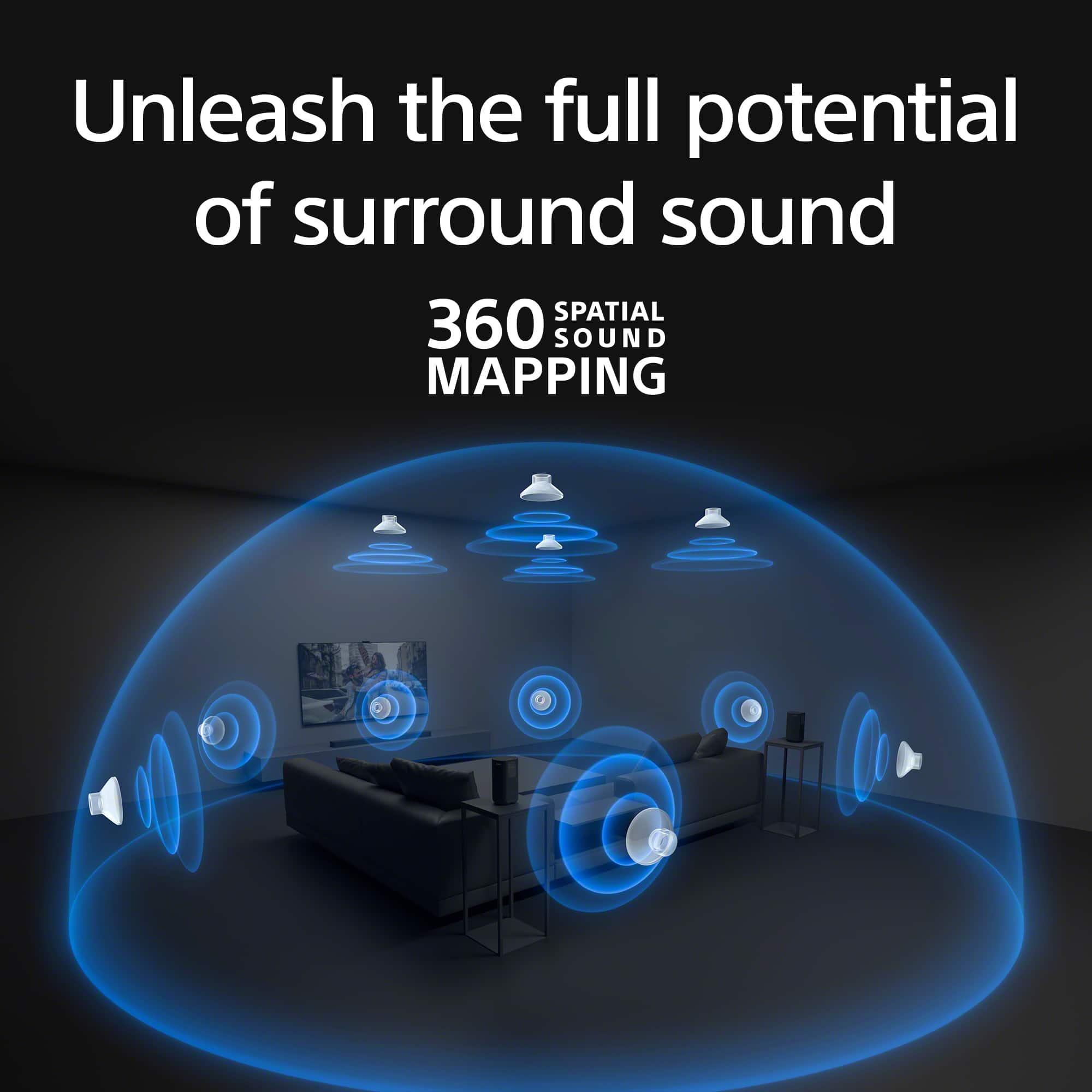
For the sound effect issues, please make sure that the 360 Spatial Sound Mapping is turned on. You can do this by pressing the HOME button on the remote control, selecting Setup > Advanced Settings >Audio Settings > Sound Field Setting, and then setting 360 Spatial Sound Mapping to "On." Please follow this link for more details:
https://helpguide.sony.net/ht/208283c/v1/en/contents/014_S-CENTER_SPEAKER_IN_Jack.html?search=sound%20mapping
If you require any additional support with regard to this product, please email us at socialsupport@am.sony.com with the following details: Name: Username: Model Number: Issue: Telephone Number:
~Earl
Never use wrong screen cleaner, use distilled H2O
||Posted . Owned for 1 month when reviewed.This reviewer received promo considerations or sweepstakes entry for writing a review.This is the worst sound I ever heard. Should not crackle nooses at a volume of 10! I need to return if I have time.
No, I would not recommend this to a friendBrand response from SonyListens
Posted .Hi KimT, We're sorry to hear about the sound issues you're experiencing with your Sony BRAVIA Theater Bar 9. This is definitely not the news that we would like to hear. Please allow us to help you and turn this into a better experience. To isolate and resolve this issue, please follow the troubleshooting steps on this link:
https://www.sony.com/electronics/support/articles/00267910?utm_source=glean
If you are unable to resolve your concern, please email us at socialsupport@am.sony.com with the following details:
Name:
Username:
Model Number:
Issue:
Telephone Number:
Sincerely,
Sam
- Pros mentioned:Sound quality
Excellent speaker - infuriating onboarding
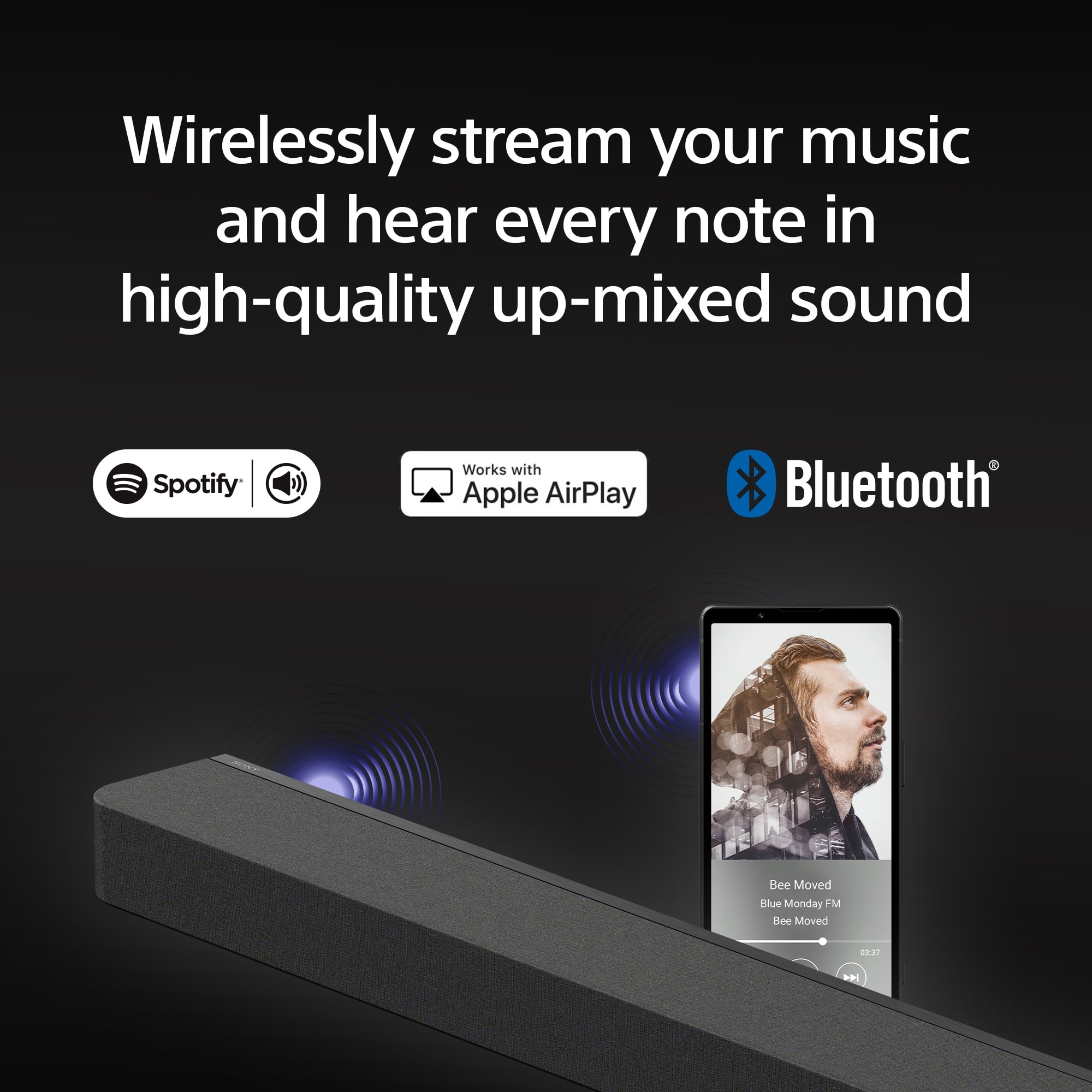
|Posted .This reviewer received promo considerations or sweepstakes entry for writing a review.The speaker is awesome, but I spent 3 infuriating hours going in circles trying to log in and/or recover my Sony account. You can't use the speaker without going through the app setup, and the app requires you to merge all existing Sony account IDs (PSN network, etc) but wouldn't let me recover my accounts. You can tell that a lot of thought/effort went into packaging the speaker and the setup experience (after login), but all of that effort gets overshadowed by what should be a painless login experience. I ended up creating an alias account- and after being forced to set 101 passwords, was finally able to get past the login page. The Sony BRAVIA Theater Bar 9 is a game-changer for home audio, especially when paired with Apple devices. As an avid user of AirPlay, I love the seamless integration and immersive sound experience this soundbar delivers. ## Effortless AirPlay Connectivity Setting up the Theater Bar 9 with AirPlay was a breeze. I could stream music, movies, and podcasts directly from my iPhone, iPad, or Mac, without any hiccups or lags. The sound quality is stunning, with crystal-clear highs and deep, punchy bass that fills the room ## Cinematic Dolby Atmos Experience Where the Theater Bar 9 truly shines is its Dolby Atmos and DTS:X capabilities. The 13 speakers, including dedicated up-firing drivers, create an immersive, three-dimensional soundscape that transports you right into the heart of the action. Whether watching the latest blockbuster or binging your favorite TV series, the Theater Bar 9 delivers a cinematic audio experience in a thin package. ## Impressive Sound Mapping Sony's 360 Spatial Sound Mapping technology is a game-changer. It simulates multiple "phantom speakers" around you, making it feel like the sound is coming from every direction, even without physical rear speakers. This feature, combined with the Dolby Atmos support, creates an incredibly immersive and enveloping audio experience that will leave you in awe. ## Versatile Streaming Options While AirPlay is my primary streaming method, the Theater Bar 9 also supports Spotify Connect and Bluetooth, ensuring compatibility with a wide range of devices and music services. The streaming/connection options really start to make up for the onboarding experience. Whole home audio is a dream with this addition. ## Sleek Design Aesthetically, the Theater Bar 9 is a stunner. Its sleek, minimalist design blends seamlessly with any home theater setup, and the included wall-mounting hardware makes installation a breeze. Plus, if you have a Sony BRAVIA TV, the soundbar integrates perfectly, with settings accessible directly from the TV's menu. In conclusion, the Sony BRAVIA Theater Bar 9 is a must-have for anyone seeking a truly immersive audio experience, especially if you're an Apple user who values the convenience of AirPlay. With its exceptional sound quality, Dolby Atmos support, and innovative sound mapping technology, this soundbar elevates your home entertainment to new heights.
I would recommend this to a friendBrand response from SonyListens
Posted .Hi ESPI13, Thank you so much for taking the time to leave us a 5-star rating! We are sorry you've been running into some difficulties performing the initial setup. Your feedback is extremely important to us and is very much appreciated. Your satisfaction with our product is our top priority. Despite your concerns, we're happy that you were able to get past the login page and you're now able to enjoy a multi-dimensional experience that takes movies and music to a whole new level. Thank you for choosing Sony! -Jess
- Pros mentioned:Sound quality
Sony Sound System
Posted .This reviewer received promo considerations or sweepstakes entry for writing a review.Excellent sound, easy to use and looks great. The sound is pure.
I would recommend this to a friendBrand response from SonyListens
Posted .Hi DebbieL,
We are immensely pleased to hear that the BRAVIA Theater Bar 9 is delivering such a pure and high-quality audio experience in your home. It is fantastic to know that the sleek design complements your space and that the setup was intuitive and easy for you. We take great pride in ensuring our flagship soundbars provide that crystal-clear, immersive soundstage without any added complexity.
Thank you for choosing Sony to elevate your home cinema experience.
Regards,
Dominick
- Pros mentioned:Sound quality
Excellent Soundbar from Sony
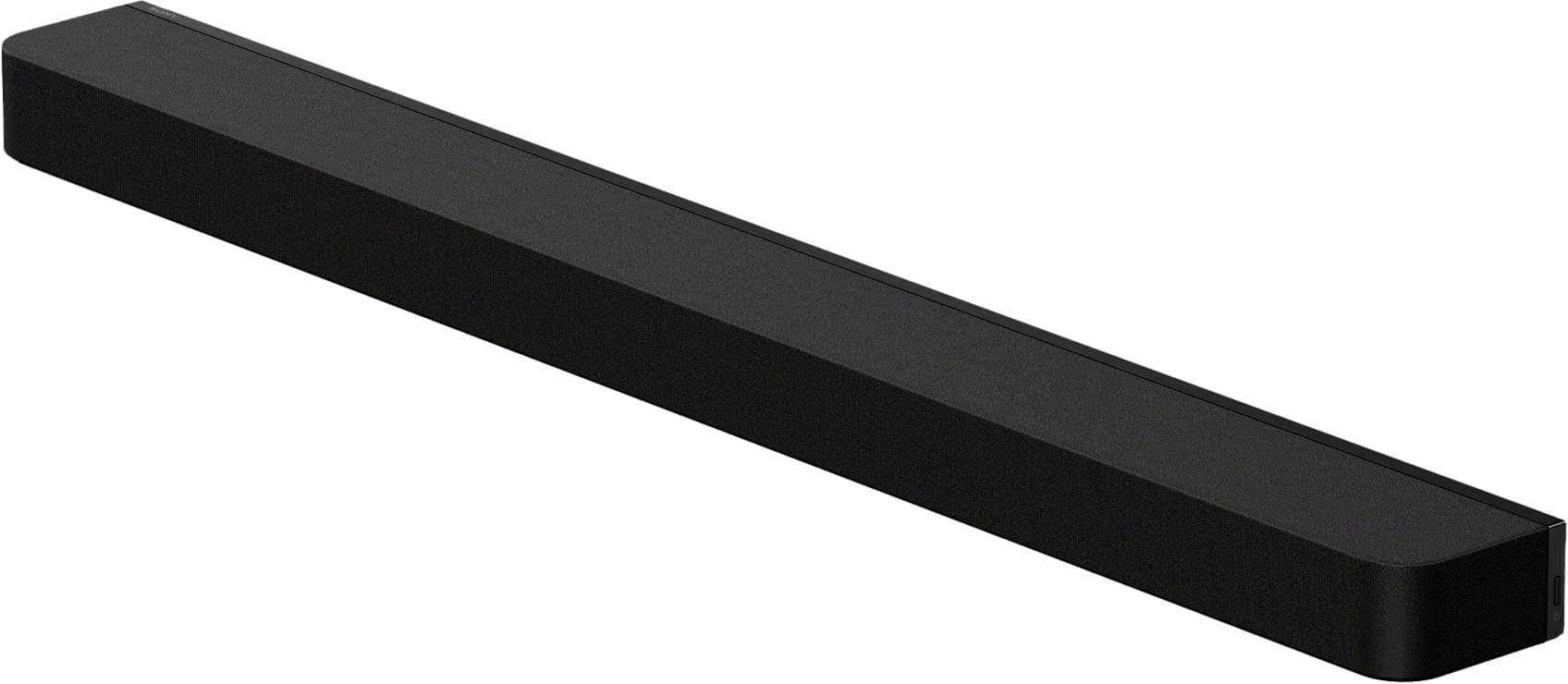
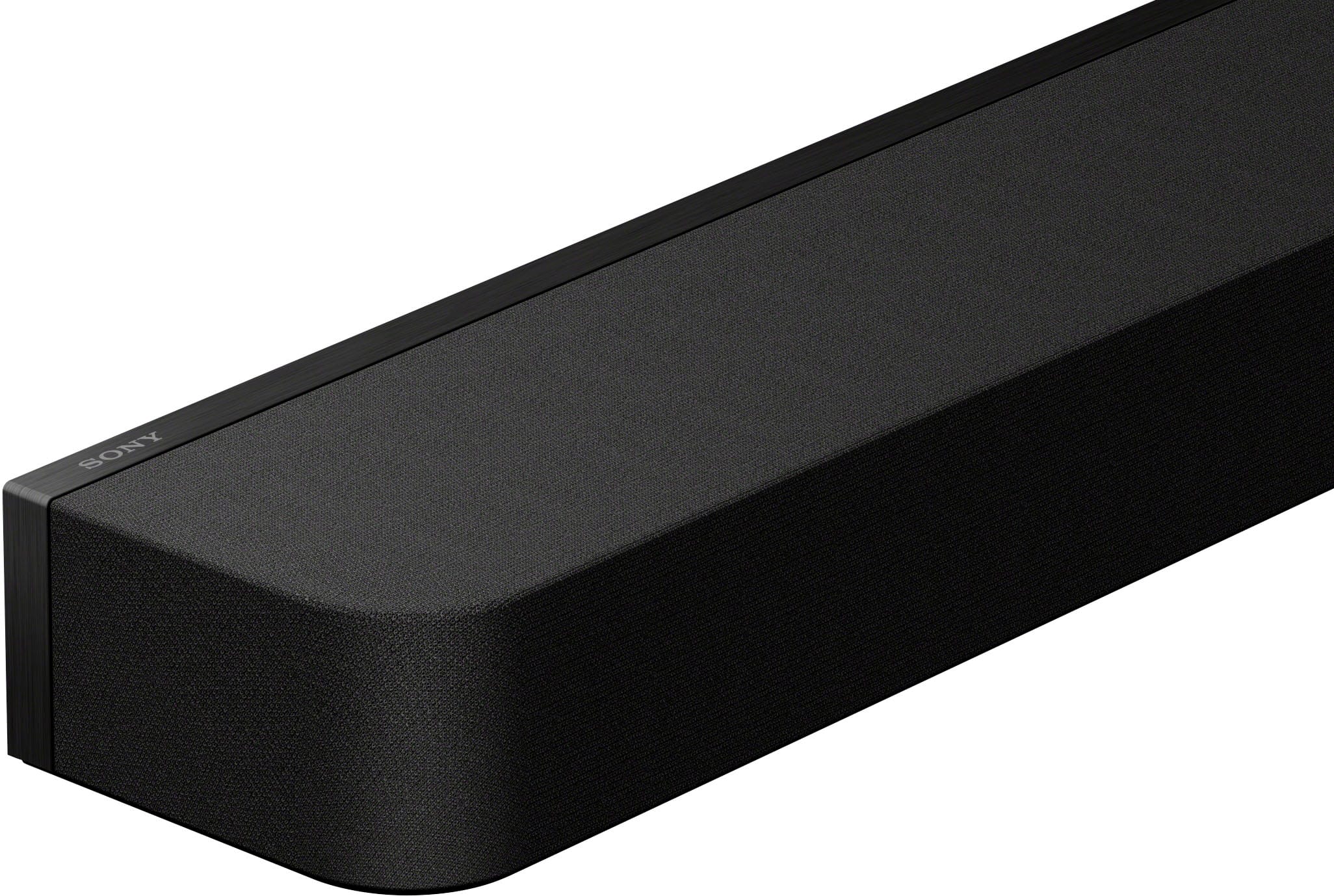
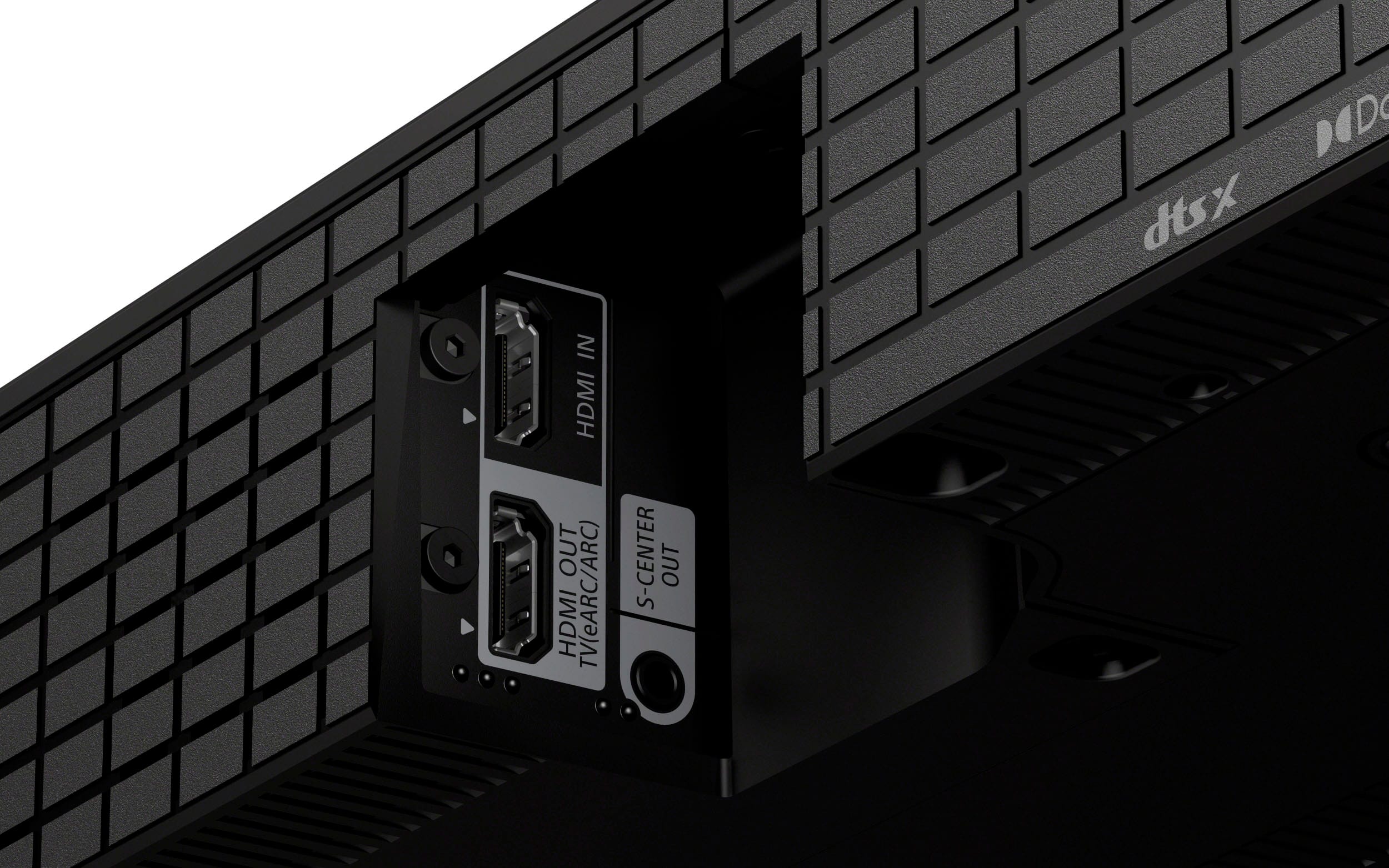
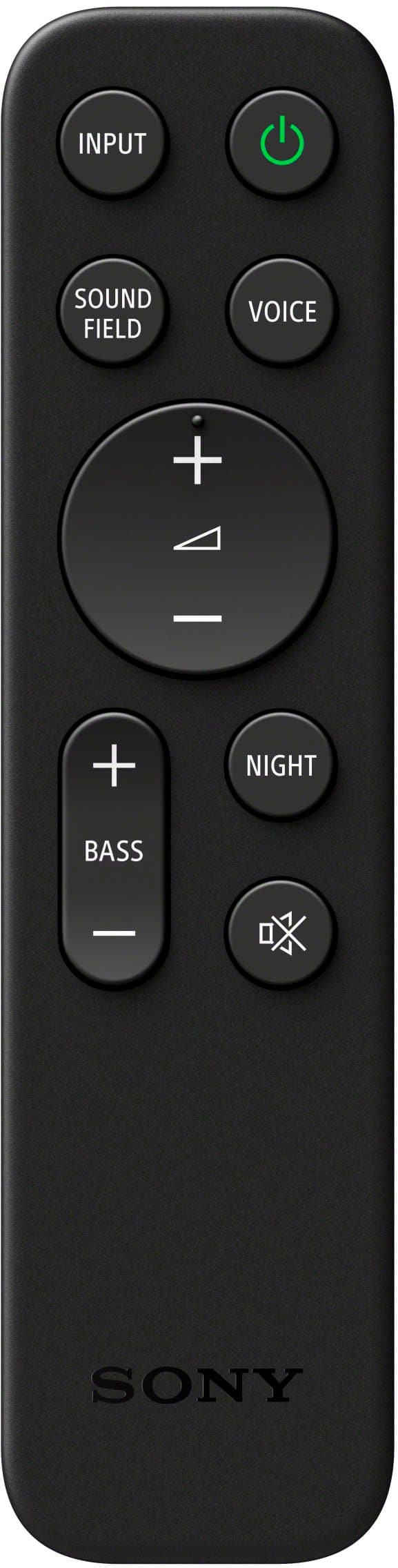
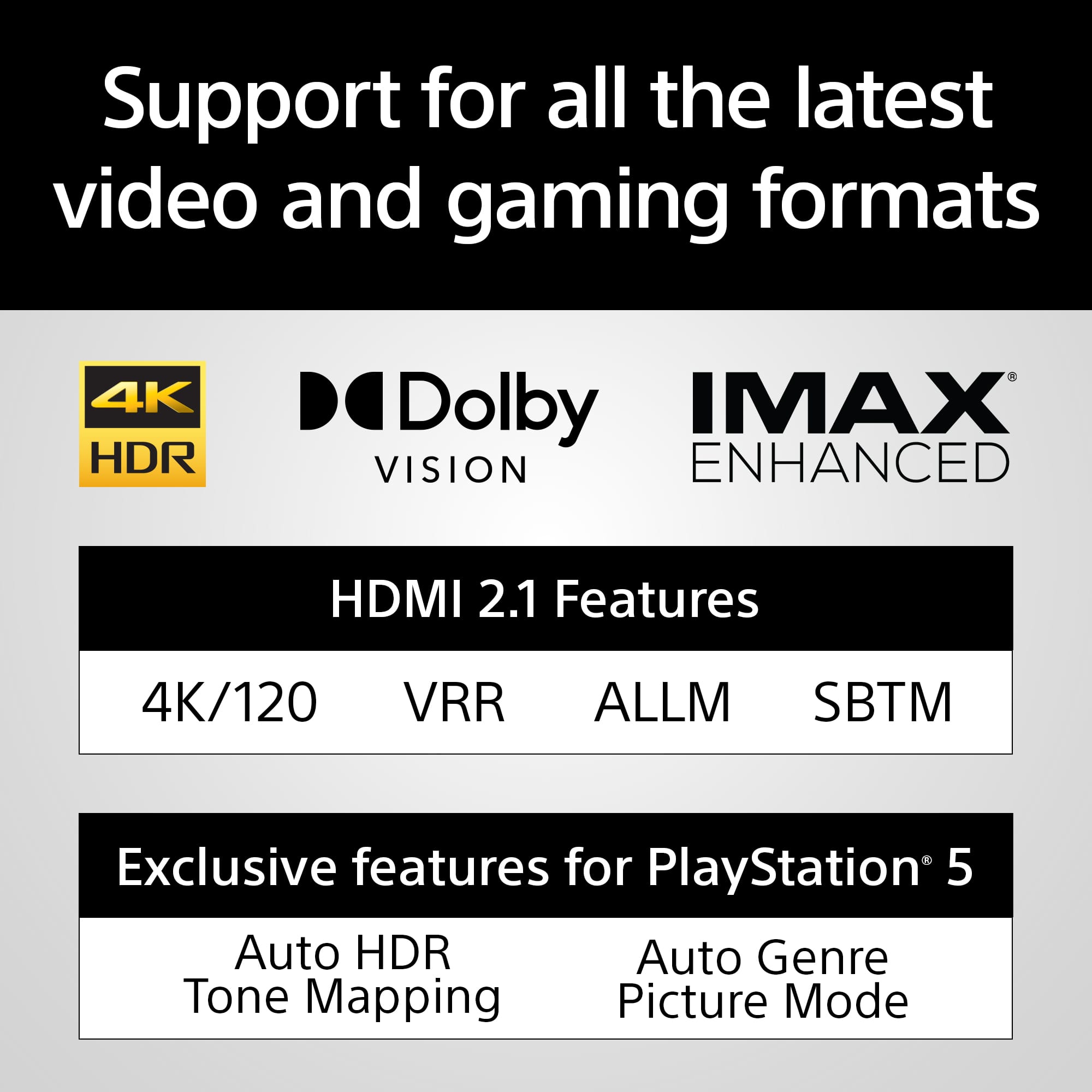
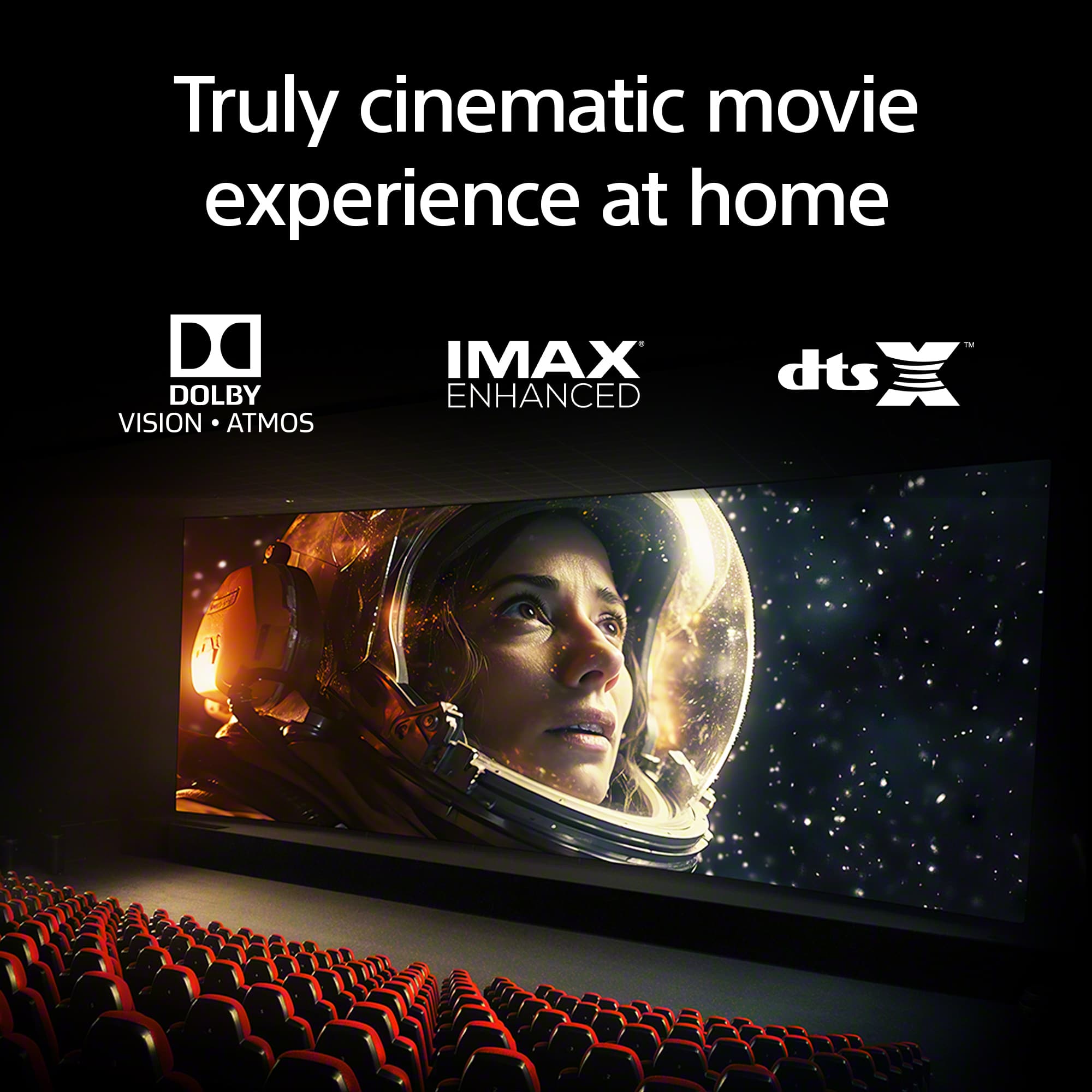
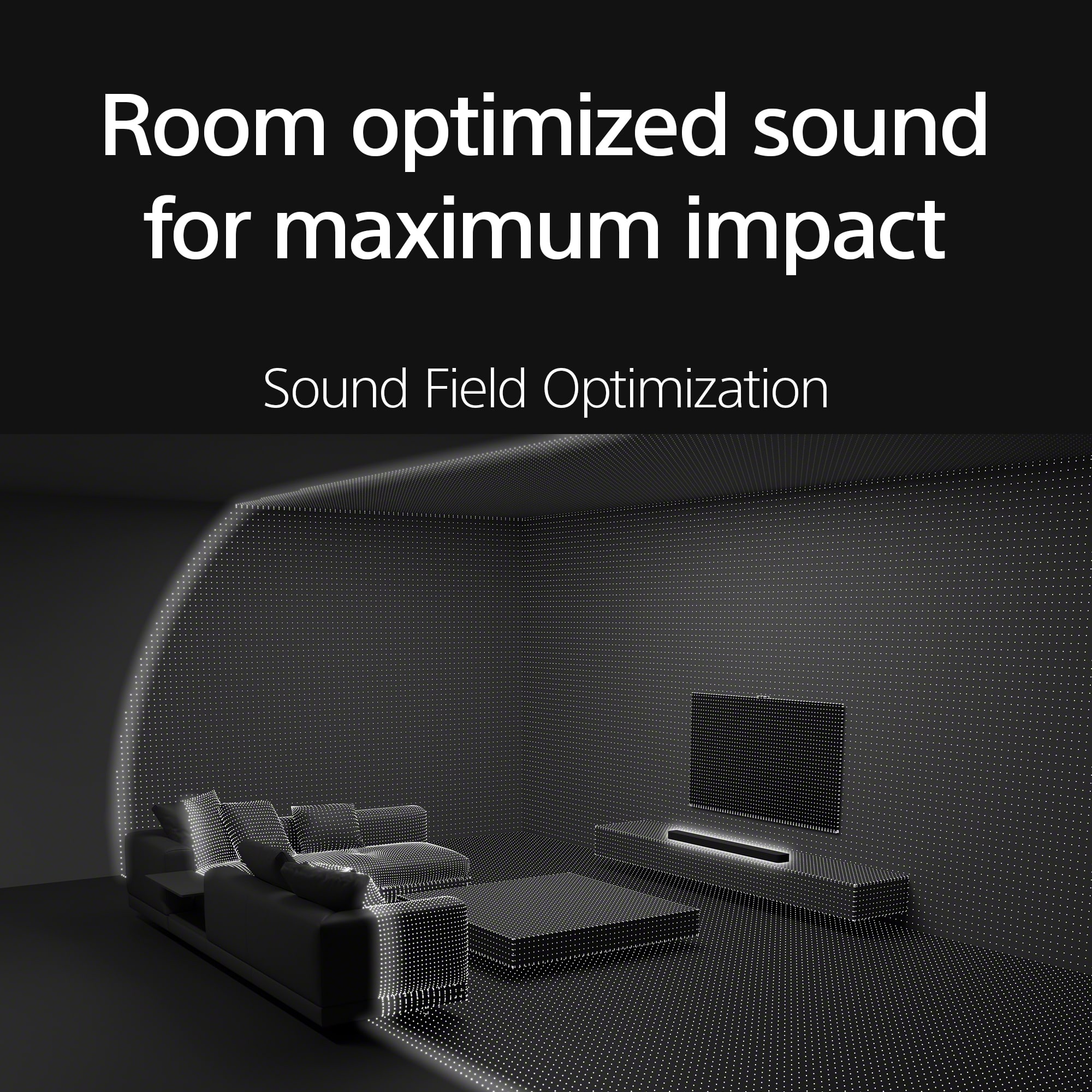
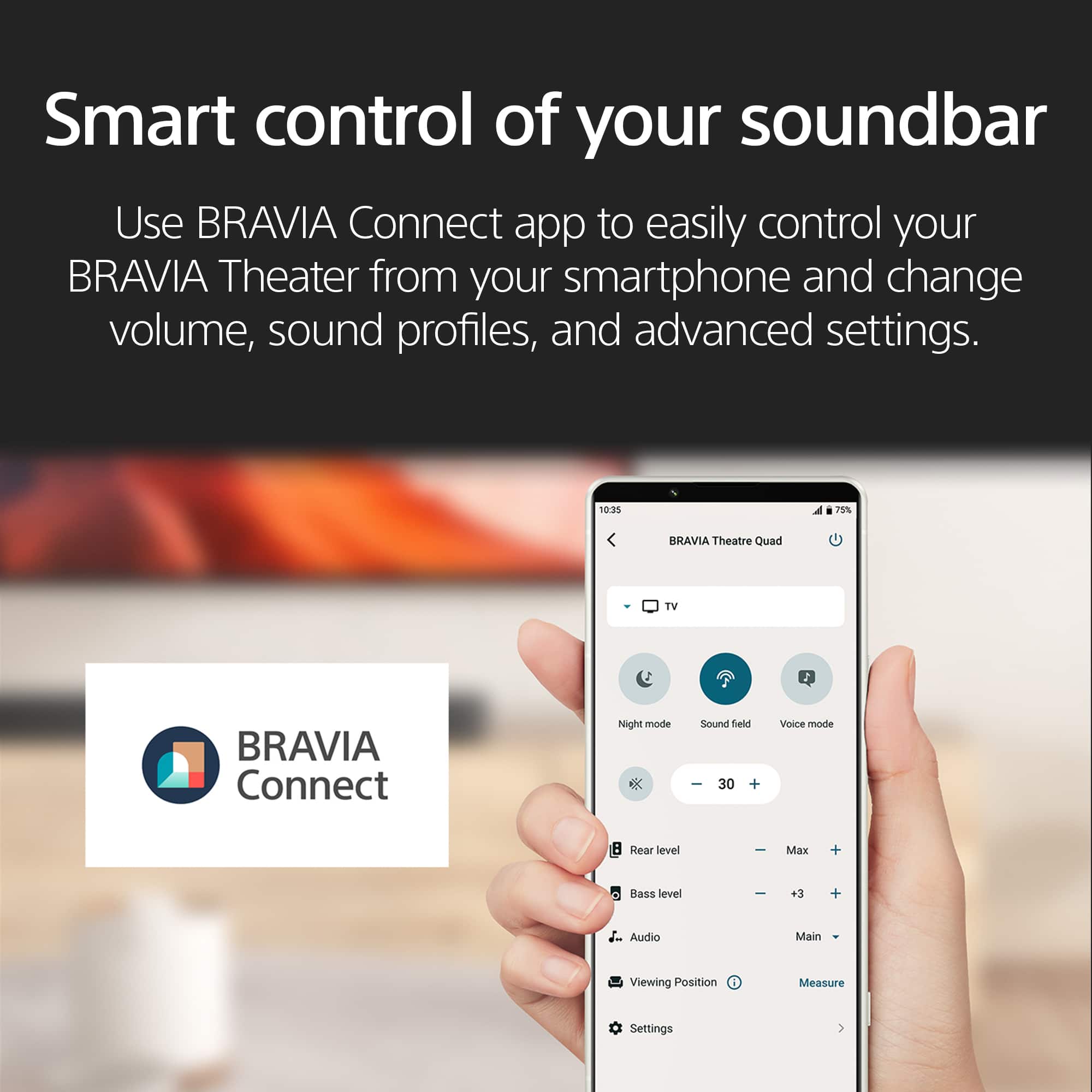
|Posted .This reviewer received promo considerations or sweepstakes entry for writing a review.The Sony Bravia Theater Bar 9 is an excellent new entry into the world of premium sound systems by one of the world's premier manufacturers. The setup and sound quality were very good, with a few new things to get used to for owners of previous Sony soundbars. Getting it out of the box, I immediately noticed that it seemed a little more trim than previous systems from Sony. It measures 51.25" wide, 2.5" tall, 4.5" deep, and weighs just over 12 pounds. In the box, there is the soundbar, the power cord, the remote, batteries for the remote, a HDMI cable, a wall mount bracket, a wall mount template, and some paperwork. There have been some changes to the design from past years. Gone is the front display; instead the soundbar is encased in acoustic fabric except for the back. I was able to quickly get the soundbar where I wanted it, hooked up to my TV, and powered on. The back of the soundbar has HDMI IN, HDMI Out (eARC), and a S-Center out. I went with a basic setup and connected a HDMI cord from the HDMI OUT to my TV. It seems like in the past, there were more HDMI options in previous models but this setup will work for most use cases. One critical action I took was to download the Bravia Connect App onto my phone. While there is a basic remote, many of the features and most of the commands can be done via the App. While I am not a big fan of having a soundbar that needs an app to optimize its capabilities, it is quite a nice app and easy to use. One of the features is Sound Field Optimization which takes the characteristics of the room that the unit is in to optimize the sound quality for the conditions. It took some time to get right using the app, but I was able to complete it after a couple tries. The soundbar has 13 speaker units that are facing in many directions under the acoustic fabric, and they do a tremendous job in producing amazing sound. Here are some of the formats that are supported: Dolby Atmos, DTS:X, and IMAX Enhanced. It also supports 4K HDR, 8K HDR, Dolby Vision, and HDMI 2.1 gaming features like 4K120, VRR, and ALLM. I was able to verify many of the gaming features with my PS5, and I could tell that they made a difference. One of the new things to get used to is that nothing shows the volume level for the sound bar since the front display panel is no longer there. It can be seen on the Bravia Connect App, but otherwise there is now just a small light on the soundbar that doesn't tell the user much. When it comes to the audio itself, the Sony Bravia Theater Bar 9 makes everything sound really good. I cranked it up to watch some orchestra music on YouTube and the level of detail I could hear made me smile. With my PS$, game sound was crisp and clear. With movies from Netflix, dialogue was clear and action scenes sounded like I was there in the scene. I have a soundbar in another room that utilizes a subwoofer and I have to say that I think it handles bass a little better but at the cost of clarity. The Theater Bar 9 may not produce the biggest booms I've ever heard from a sound system, but the fidelity is just so good even with the volume cranked up to a high level. I would recommend the Sony Bravia Theater Bar 9 for any TV watcher, movie watcher, or game player. Make sure you download the app or you won't be able to take advantage of the immense capabilities of this system. It looks good, feels a little smaller and lighter, but still produces a tremendous sound at high quality levels that will please anyone looking to enhance their listening pleasure.
I would recommend this to a friendBrand response from SonyListens
Posted .That's great to hear,Robs! We're glad you're happy with your purchase. Make sure to keep your device's firmware up to date to enjoy all its features. Thanks for choosing Sony! -Craig
good but be ready to buy a hdmi cable
||Posted . Owned for 1 month when reviewed.This reviewer received promo considerations or sweepstakes entry for writing a review.wasn't easy to set up since the hdmi cord that came with it would do the arc stuff
I would recommend this to a friendBrand response from SonyListens
Posted .Hi RussellD,
Thank you for the review and we do apologize for the inconvenience. We need more details regarding your concern. If you're having an issue with the ARC, please check this article on how to isolate and resolve your concern.
https://www.sony.com/electronics/support/sound-bars-home-theater-systems-sound-bars-surround-speakers/ht-a8000/articles/00191214
We also recommend updating the software of your soundbar. A firmware update improves the functionality and features of your device. It can provide fixes to any performance issues that may occur.
https://www.sony.com/electronics/support/sound-bars-home-theater-systems-sound-bars-surround-speakers/ht-a8000/software/00346076
For us to better assist you, please email us at socialsupport@am.sony.com with the following details:
Name:
Best Buy Username:
Model Number:
Issue:
Telephone Number:
-David
- Pros mentioned:Sound quality
Good surround bar but requires app
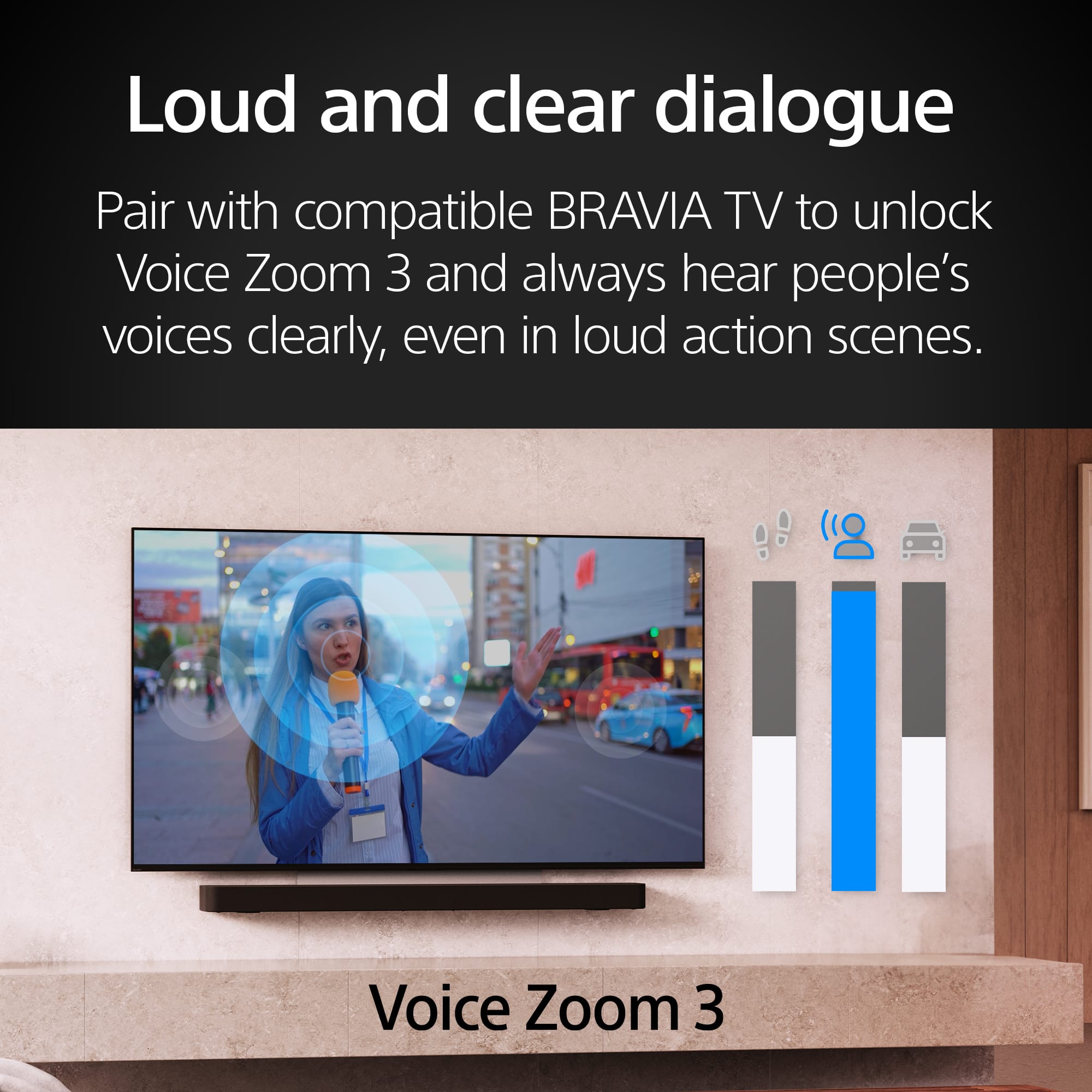
|Posted .This reviewer received promo considerations or sweepstakes entry for writing a review.In the box: • Bar speaker • Remote control • 2 AAA Batteries • TV center speaker mode cable • HDMI cable (4K, 8K transmission supported) • AC power cord • Feet • Wall mounting brackets with screws & template Setup: Connected soundbar to HDMI (ARC) port on LG C8PUA 4K UHD TV Setup requires the BRAVIA Connect app and an account with the Sony Home Entertainment & Sound Service. Users should be aware of data and privacy issues related to the associated service agreements. Initial setup efforts (several over 1.5h) stalled after network setup step with a “server unavailable” error. Setup completed as expected the following day. Sound field optimization was guided with the app. It is advised that you remove any case from your phone prior to optimization to prevent any interference with the microphone. Some steps require you to turn the phone so that the microphone is pointed up. The screen prompts conveniently invert so that you can read subsequent instructions. Soundbar Design: There are only two small lights on the front of the unit to indicate its status. The myriad of different color and blinking combinations are impossible to decipher without three pages of information in the Help Guide. The HDMI and power ports are recessed to allow for flush wall mounting. App Design: Aside from the server issue noted above, the app’s setup dialog was straightforward. The app only allows storage of one seating location at a time. Given the limitations of the indicator lights, the app is the only convenient way to determine the status of the soundbar. Operation: While there is a remote, the indicator lights are so cryptic as to make render it useless. The app is needed for almost all operations. Before installing the soundbar, I was able to control my cable box with the LG TV remote. This functionality is retained with another LG TV and Sony soundbar. It is NOT retained with the BRAVIA Theater Bar 8. I now have to use a separate remote to turn on the cable box and change channels. Audio Quality: Once optimized, the simulated surround sound is quite good. The bass is adequate when equalized to its highest level but a subwoofer would be nice addition. The voice enhancement does a very good job of clarifying dialog. Overall: Once optimized, the surround simulation is good. The disabling of my TV remote functionality for cable box power and channel selection is a real inconvenience. Dialog enhancement works very well.
I would recommend this to a friendBrand response from SonyListens
Posted .Hi SonyCameraGuy, we appreciate your detailed review of our product. We're glad you are enjoying your new soundbar. We understand your feedback regarding the app. Use BRAVIA Connect app to easily control BRAVIA Theater from your smartphone and change volume, sound profiles, and advanced settings.
If you require any additional support with regard to this product, please email us at socialsupport@am.sony.com with the following details: Name: Username: Model Number: Issue: Telephone Number:
Thanks for choosing Sony. ~Earl
- Pros mentioned:Sound quality
Very nice soundbar. I would definitely recommend
|Posted .This reviewer received promo considerations or sweepstakes entry for writing a review.The Sony BRAVIA Theater Bar 8, having 11 speakers and supporting both Dolby Atmos and DTS: X is a solid option if you're in the market for home theater sound but don't have the space for an entire set of individual speakers. As with any home audio, what matters most is the overall quality of the sound it produces, No one wants to sit down to watch a Hollywood blockbuster or listen to their favorite albums and be greeted with something sub par and disappointing. Luckily, the Bar 8 handily delivers, especially where Atmos is concerned. In addition to watching films that make use of Dolby Atmos, many of the albums I listen to via my streaming music subscription do also. I was eager to test this out and boy am I impressed. All of the effects present on Harry Styles' "Harry's House" album that I experienced while listening via a friend's multi-thousand dollar discrete speaker system were present and accounted for. I heard it all, loud and clear, and without the clutter of speakers all over the place and hefty expense. Kudos to Sony for figuring out how to pull this off! There is one drawback though. I feel that the bass is a bit lacking for something the size of this device. It's not bad by any means, but I was hoping for a bit more punch. Sure, you can pair this with a wireless sub and have bass to your heart's content, but I have heard the bass from other soundbars with no added sub that came through better. To be fair, their overall sound can't touch the Bravia 8 though. All in all, this is a solid recommend for me. I think anyone, especially in a smaller space, would be 100% satisfied with this product.
I would recommend this to a friendBrand response from SonyListens
Posted .Hi TotalTechGeek,
Thank you for reaching out to us today! We're glad to hear that you like the sound quality of the soundbar. We appreciate the recommendation and thank you for choosing Sony!
-David
I will not recommend
||Posted . Owned for 1 month when reviewed.This reviewer received promo considerations or sweepstakes entry for writing a review.Sound quality is questionable, along with total tech.
I would recommend this to a friendBrand response from SonyListens
Posted .Hi SamarAhmad, thanks for choosing and purchasing our product. We're sorry to hear that you have an issue with your tech and the sound quality of your new Sony unit. If you have issues with your installer, you may coordinate with your dealer for further assistance.
The BRAVIA Theater Bar 8 (model HTA8000) is designed to deliver a remarkable theater-like surround sound experience at home. It features 11 speakers and 360 Spatial Sound Mapping, which aims to provide perfectly optimized spatial audio that envelops you with every intricate sound as intended by the creator. Additionally, the soundbar can be expanded with optional wireless subwoofers and rear speakers for an enhanced audio experience.
If you are experiencing issues with the sound quality, you can try these steps to isolate the issue:
•Set the Wireless Channel to Auto using the Sony | BRAVIA Connect app. This can help resolve issues related to sound skipping or noise.
•Adjust the Wireless Playback Quality settings in the Sony | BRAVIA Connect or Sony | Home Entertainment Connect app. This can help if the audio is out of sync with the source device image when using an HDMI connection.
Please check these links for more details:
https://helpguide.sony.net/ht/208283c/v1/en/contents/022_Adjusting_Sound_Quality.html?search=sound%20quality
https://helpguide.sony.net/ht/208283c/v1/en/contents/066_Wireless_Speaker_Connection_Settings.html?search=sound%20quality
If you require any additional support with regard to this product, please email us at socialsupport@am.sony.com with the following details: Name: Username: Model Number: Issue: Telephone Number:
~Earl
- Pros mentioned:Sound quality
Mind blowing sound, app control necessary
|Posted .This reviewer received promo considerations or sweepstakes entry for writing a review.I was looking for an upgrade to my current Sony theater bar so I decided on this Bravia Bar 8 with 11 speakers. I figured it would add some missing surround sound and maybe a little extra bass. Out of the box, this is mainly plug-n-play which is simple, though maybe not as good as it seems. I have a high end subwoofer from another brand I wanted to connect, but there are no connection for that, only wireless. Setting up the speaker requires an app download and uses your smartphone's microphone to get your seating position. It then sends tones to each speaker group and uses the phone's mic to map the room for spatial surround. It seems you need the phone every time you want to change the sound field settings. My old sound bar had a small digital display telling me what setting I was on. Sounds like I have a lot of cons about this sound bar, but it really adds a cinematic experience to everyday television shows. The neural DTS-X is quite immersive and the up-firing speakers improve the overall effect. When connected to a Blu-ray player, the sound is amazing! You almost don't need a subwoofer. When it's receiving a Dolby Atmos signal, horror films are bone chilling, action films are spellbinding; it's just that much better. Once you play with the settings and get the sound and features just the way you want them, this sound bar rewards you with a great experience.
I would recommend this to a friendBrand response from SonyListens
Posted .Hi joecaffe, we're glad you are enjoying our product. Thanks for choosing Sony! ~Earl