Customer Ratings & Reviews





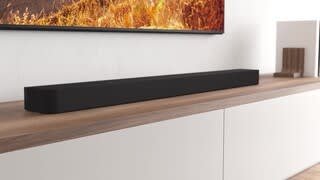
- Model:
- HTA8000
- SKU:
- 10316955
Rating by feature
- Value
Rating 4.2 out of 5 stars
- Quality
Rating 4.5 out of 5 stars
- Ease of Use
Rating 4.4 out of 5 stars
- Pros mentioned:Sound quality

Sony raising the volume on soundbars !!
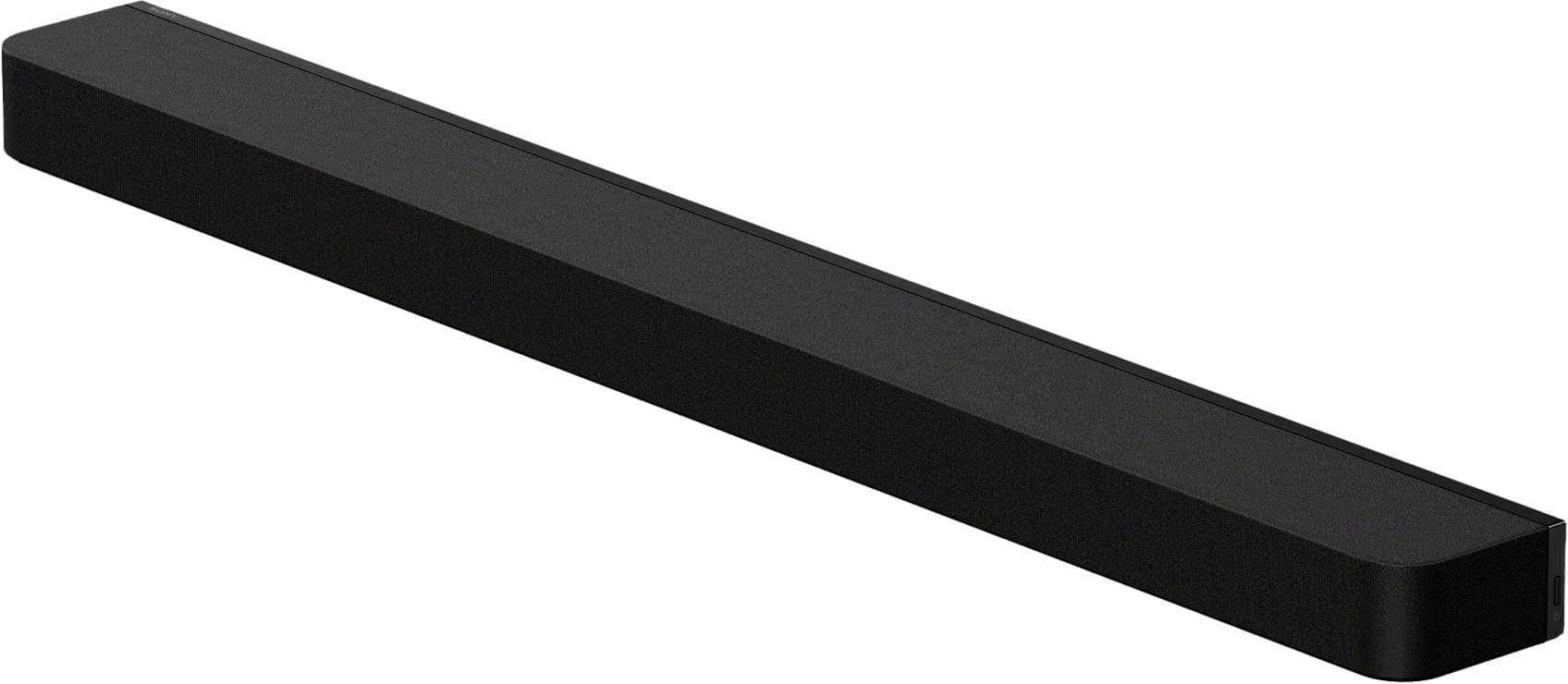
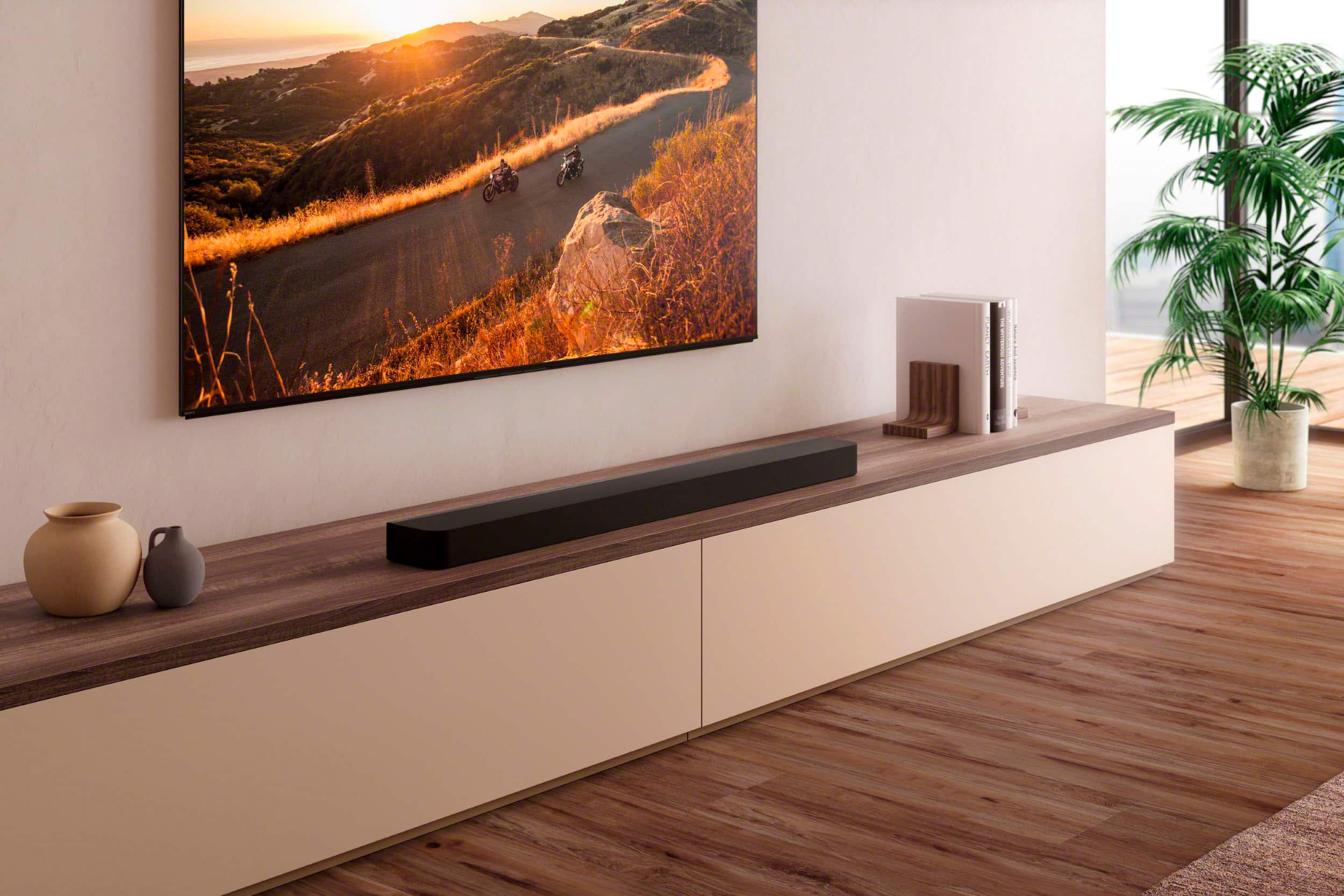
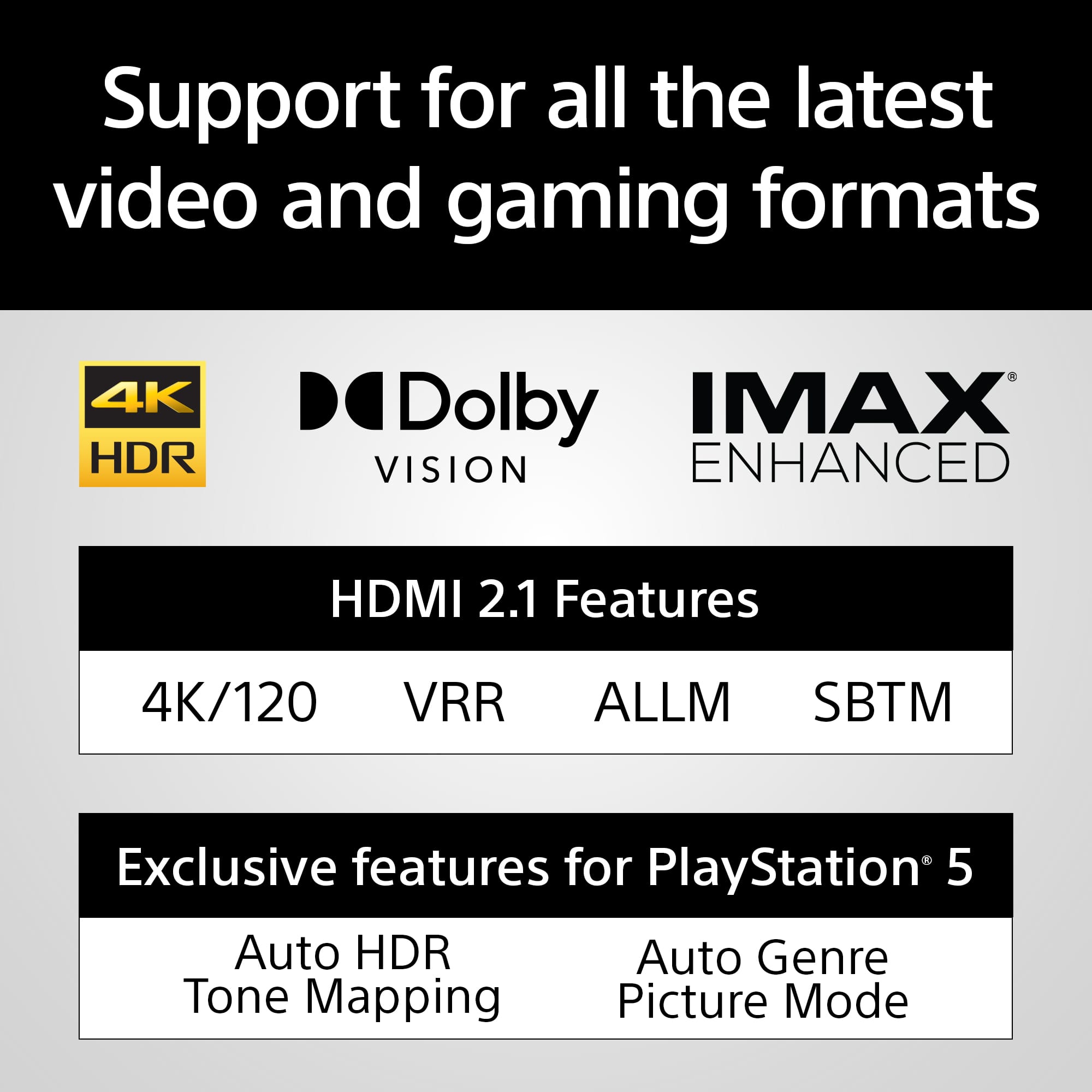
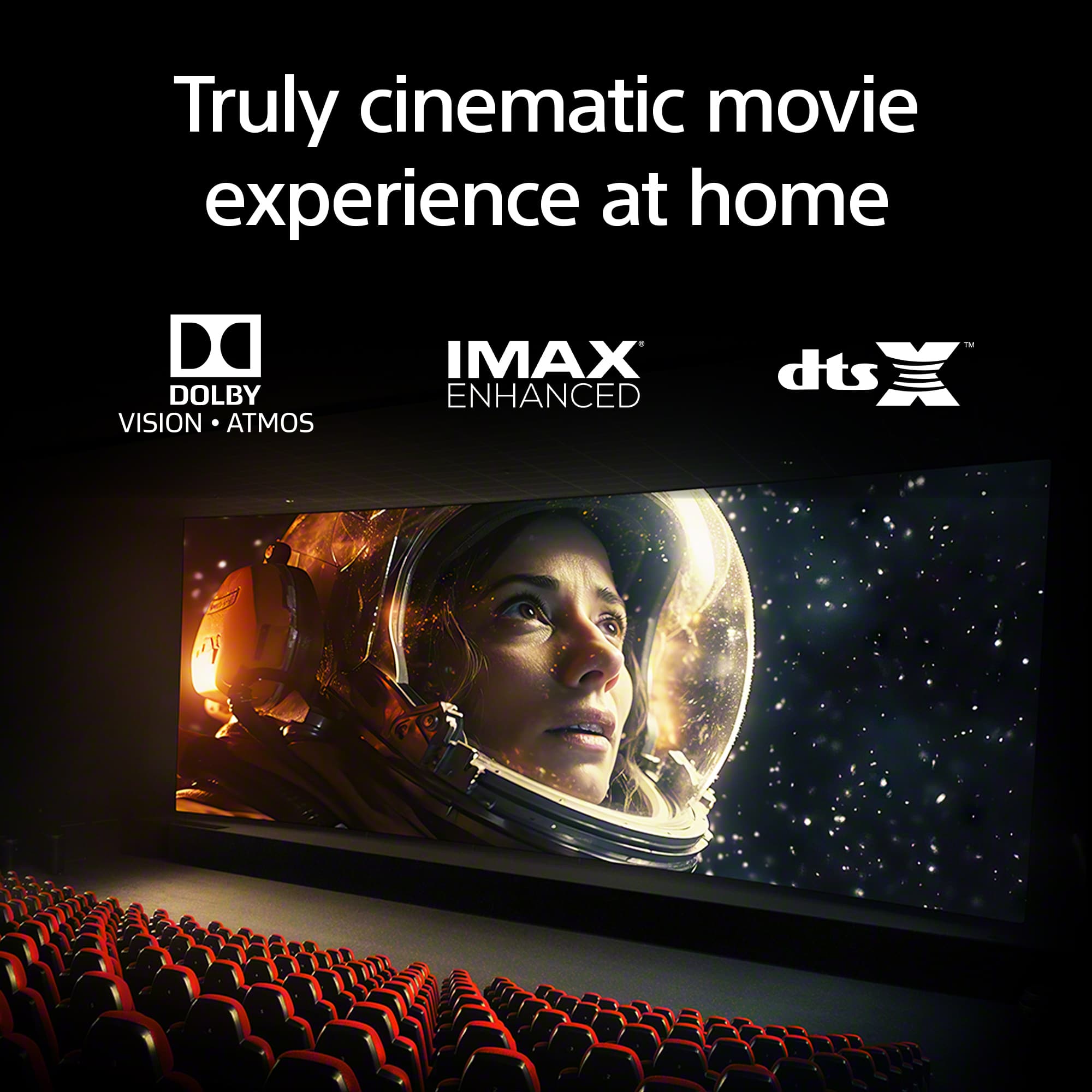
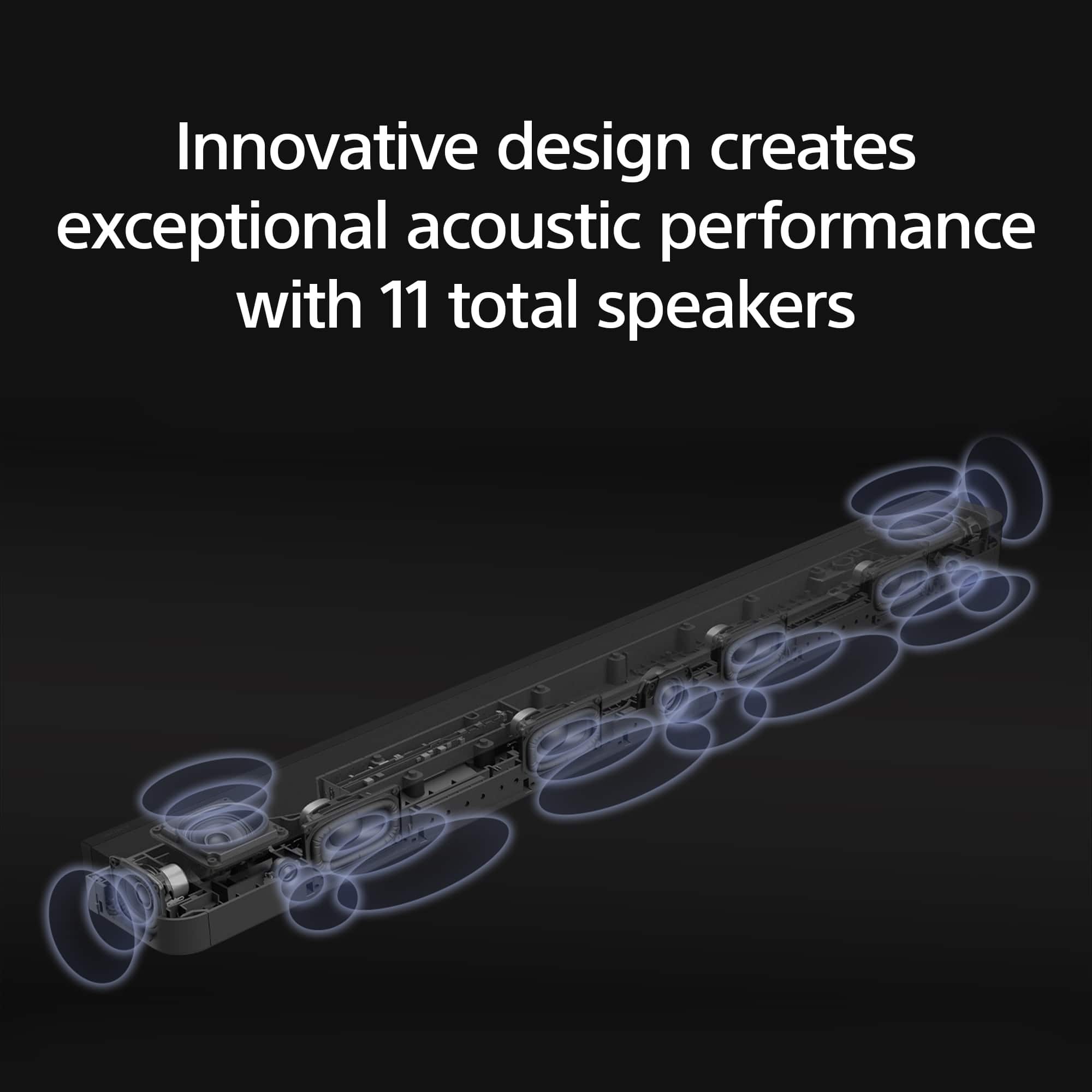
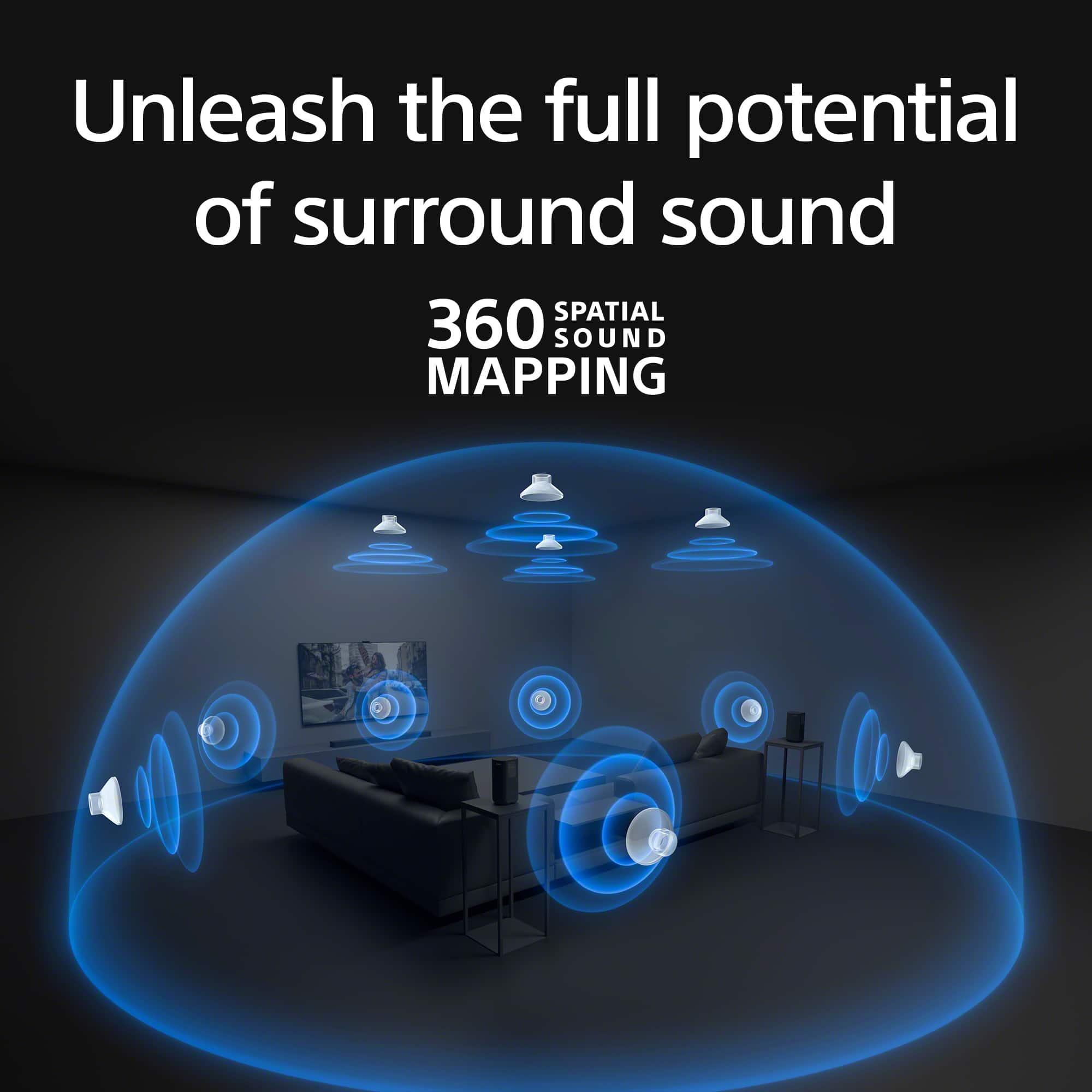
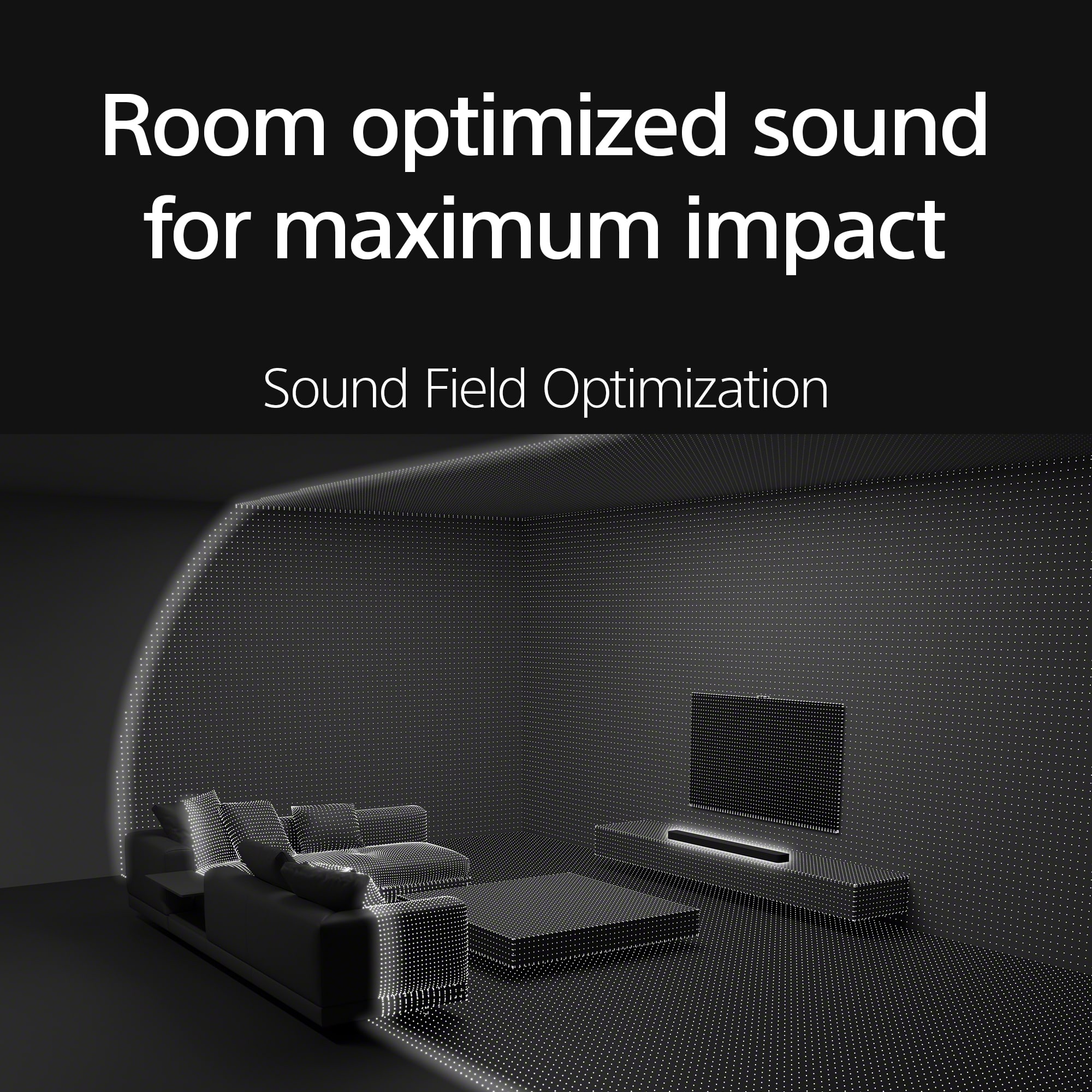
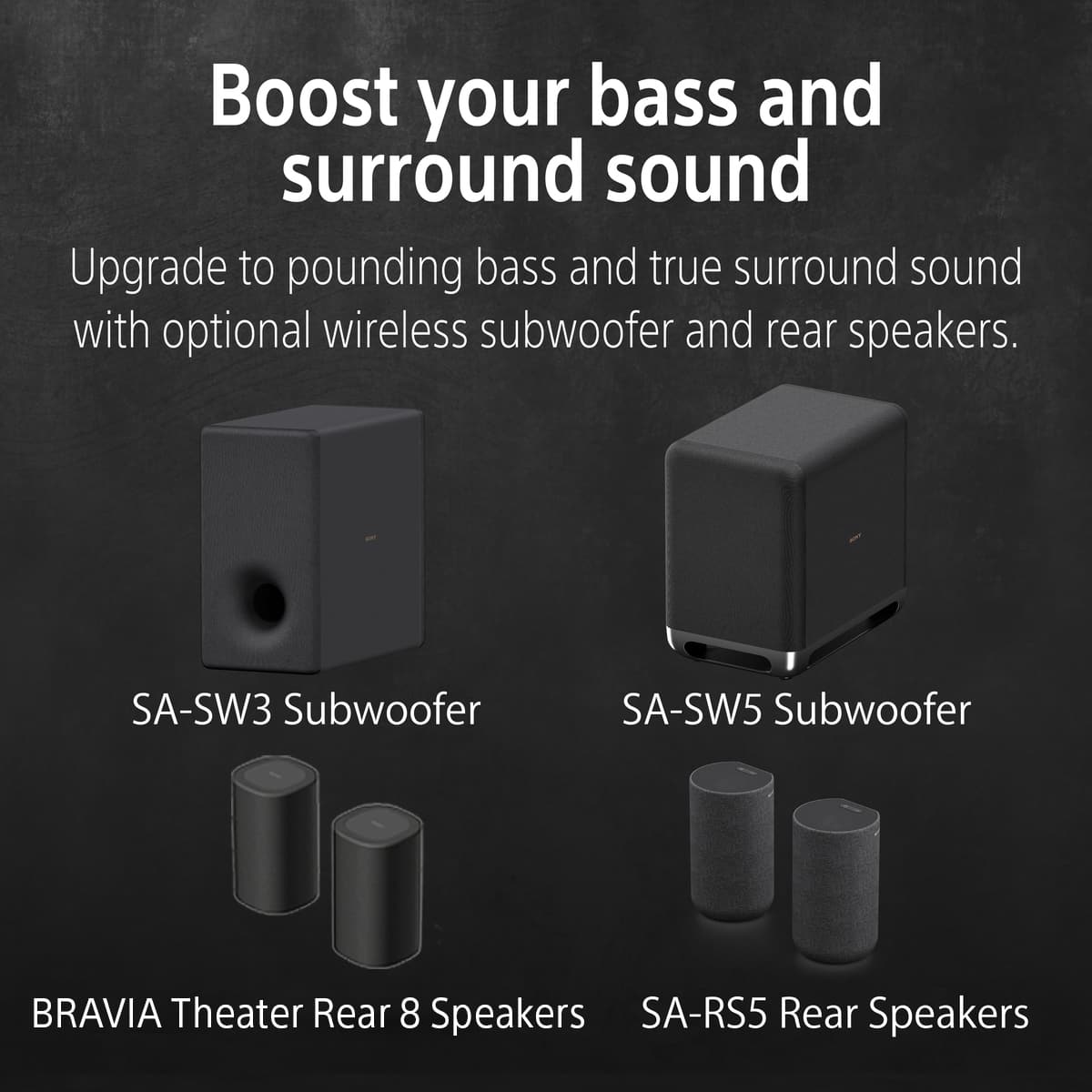
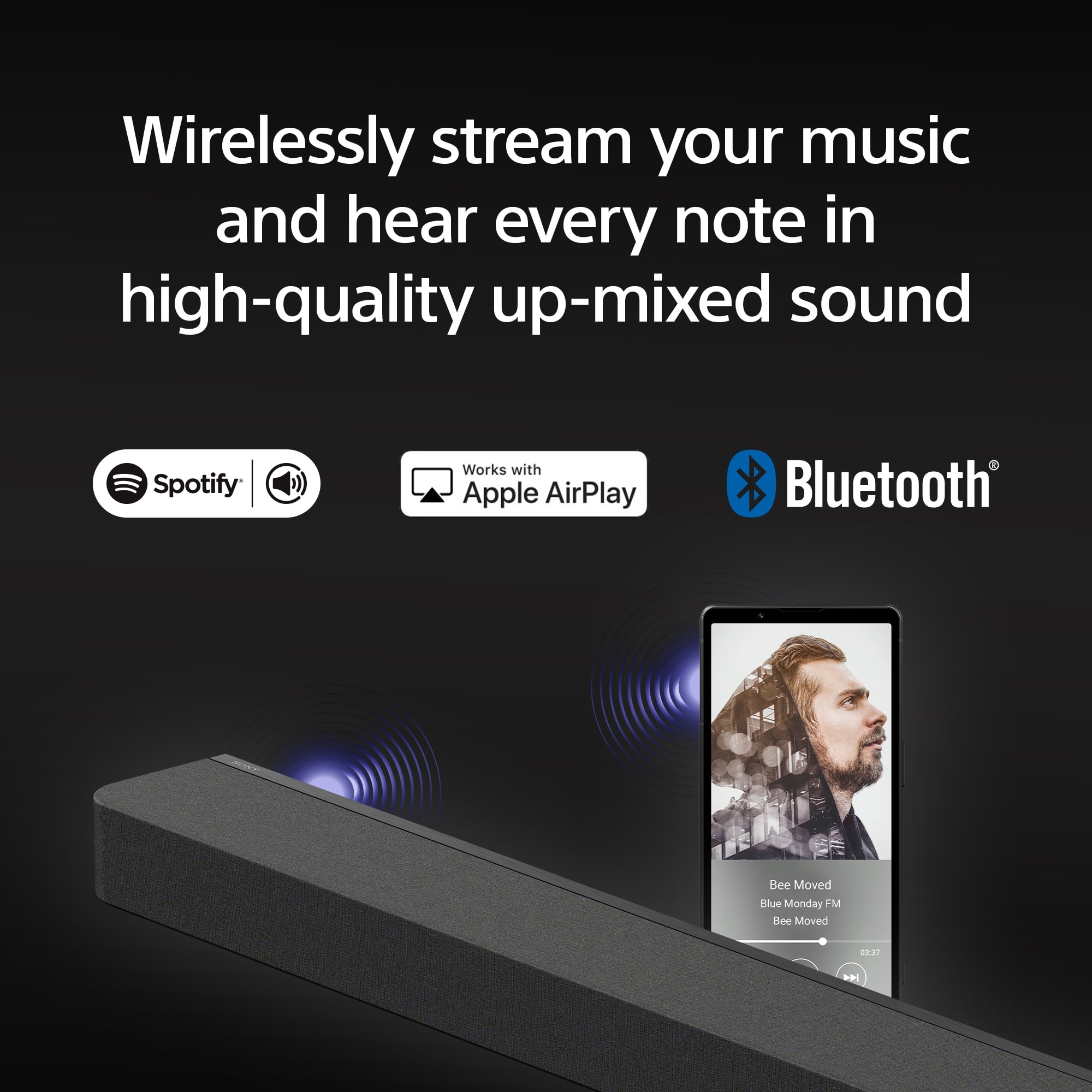
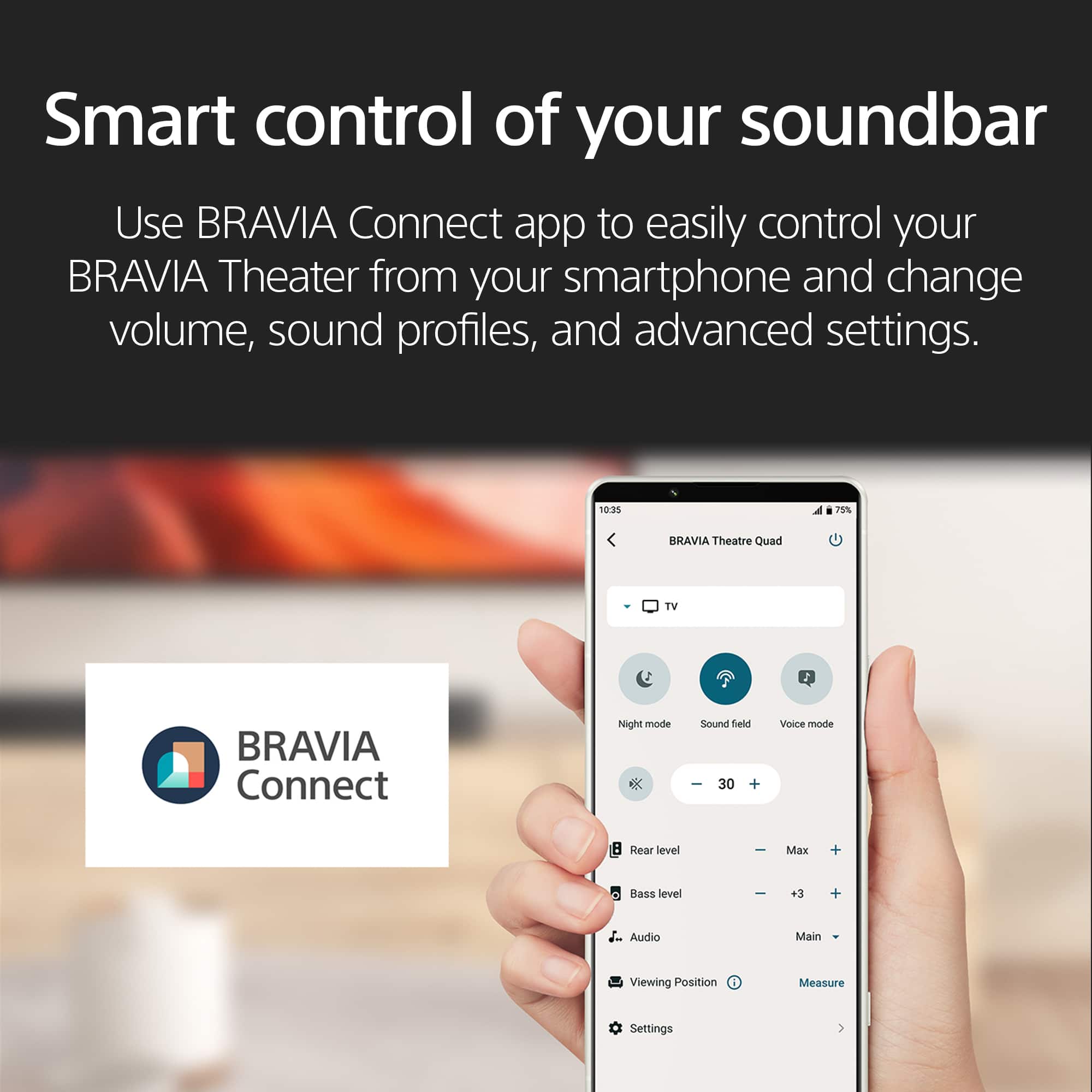
|Posted .This reviewer received promo considerations or sweepstakes entry for writing a review.The Sony Bravia Theater Bar 9 is a home theater sound bar that takes surround sound to the next level just using a soundbar. Traditionally if you wanted a great surround sound experience you needed multiple speakers place around the room in order to experience cinematic quality sound. Sony has done a great job with the placement of the 13 speakers and in combination with their 360 spatial sound mapping technology are able to deliver theater quality sound that can be optimized to whatever room you have set you soundbar up in. In regards to the setup the soundbar itself can be mounted to the wall under your tv or it can be placed on your console. This sound bar is quite long so it may look strange if you mount it on a wall with a TV that is less than 65 inches. Unfortunately the initial setup must be completed via the Bravia connect app which requires you to register for a Sony account. Once registered you pair the sound bar via the app and are able to customize your listening experience. The sound bar can be optimized for your room via the room optimization feature so that your can have the best possible cinematic experience. The soundbar is compatible with DTS:X, IMAX enhance and Dolby Atmos. It worked flawlessly in conjunction with my Apple TV 4K. The only issue I had when first using the soundbar was attributed to my HDMI cable so make sure you are using a good high quality HDMI cable. One thing that I wish was that SONY placed some sort of display or an embedded dot matrix display similar to my old Samsung soundbar so you can see the current mode of the soundbar without relying on the app. Sony does include a remote centrol and wall mount bracket is the box along with the wall mount template. I decided to place my soundbar on the console since it looked nicer in my setup. I also love that I can stream music from my phone via airplay 2, Spotify connect or a simple bluetooth connection. Hand down this soundbar delivered a truly cinematic experience in my family room. I think I will purchase the SA-SW3 or SW5 wireless subwoofer since I am a sucker for bass. You can also pair SA-RS3R or RS5 rear speakers wirelessly if you are looking for a more traditional setup. Overall if you are in the market for a sound bar that will deliver exceptional sound then you can put your trust in the Sony Bravia Theater Bar 9.
Brand response from SonyListens
Posted .Hi kayjay104, Thanks for the 5-star rating! We're glad you like your new sound bar. Enjoy and thanks for choosing Sony. -Craig

- Pros mentioned:Sound quality
A Large Soundbar with a Huge Sound and Flaws...
|Posted .This reviewer received promo considerations or sweepstakes entry for writing a review.My neighbors most likely hate me by now with how many soundbars I have owned over the years, and how they progressively gotten more advanced, more powerful with their wattage, more codecs, more features and more oomph! I have tried soundbars from many different brands and was excited to try out the Bravia Theater Bar 9. I own a 65" LG C2 TV for anyone who is wondering how the compatibility is with LG TVs. Let's go over this soundbar and it's highs and it's lows. INITIAL SETUP: Setup was fairly easy and straight forward. However, like most tech now and days, it requires you to sign into an app on your phone, create an account with the vendor, and go through their configuration process. I had no problems adding the soundbar via the app and everything seemed to connect without a hitch. I also wall mounted my sound bar, and the provided template was very useful in getting it level and in the perfect position below my TV. PROS: - When it works properly, the sound field with 360 spatial audio mapping is pretty neat and really immerses you in the content you are watching. But sadly this PRO is very limited, see more in the cons list... - Incredible soundstage. With 13 speakers including two side tweeters, this thing really can pump out some truly immersive sound. Paired it with a SW-3 subwoofer and the results are incredible paired together. - The app is NOT buggy! This is actually a pretty big deal considering most soundbar apps I have used in the past are trash, they never connect to your device, have constant pairing issues, but not this one. This is the one app that has consistently connected no matter what. - Atmos/DTX content plays without a hitch and sounds incredible. CONS: - Sound field.... while it is a PRO, it honestly is probably more of a con due to how bad it can be sometimes. The only time sound field works well is when you are playing Dolby Atmos or DTX content. If you are playing stereo content, or even 5.1 content with dolby surround, the sound field set to the 360 spatial mapping sounds like trash. It is so incredibly harsh on the high ends, voices sound like they are in tin cans, the mapping gets all weird, it's pretty terrible. It's so bad, that sometimes when I am watching YoutubeTV via my Roku, I have to just turn the soundbar off because I can't hear any dialogue and everything is muddy. But if I launch say netflix and play a dolby atmos movie, man does it sound incredible!! Not only does sound field work half the time, but I find it incredibly annoying that you have to constantly open the app to switch between "360 spatial mapping" and "dolby virtual surround sound" for the sound field type in advanced settings. Everytime I switch between live TV and a movie, I have to launch the app, and then find that setting, change it, wait a few seconds for it to calibrate and then it's good. Sony needs to re-evaluate sound field and optimize it because it only works well on very little content. - No ability to customize EQ. This is such a L for Sony. It really perplexes me that I can't even adjust the level of Highs or Lows or Mids or the center.... the only thing you can do is adjust the bass level. And if you don't have a subwoofer, its either LOW MEDIUM OR HIGH, like really?? If you do have a sub, you get to set a level from 1-10. I hope in a future update they add the ability to EQ certain frequencies because it needs it. - Confusing settings in the app with no explanation of what they do. - Auto volume leveling seems to be required to be enabled if you use the 360 spatial mapping otherwise you won't be able to hear anything - No useful LED information on the soundbar, you get one dot that says its on, but no volume level gauge, nothing! - Bad depth of bass without a subwoofer. You basically need a sub with this bar to get any real use out of it. This is unlike other brands where the built in sub tweeters in the bar themselves are much more powerful, the ones in the Sony are very muddy and weak, I believe it starts at 50hz which is quite high for bass frequencies. All in all, this soundbar has some potential to be the AMBEO killer but it isn't there yet. The very weak center channel, lack of EQ, bad sound field setting, high price point, and marriage to an app are the reasons I have to give this 3 stars.
No, I would not recommend this to a friendBrand response from SonyListens
Posted .Hi BPTech, Thank you for sharing your in-depth review of the Sony HTA9000 soundbar. We're glad that you pointed out some positives, however we're also sad to hear that you experienced some concerns with it. We truly appreciate your feedback as it can help as improve in the future. Should you need assistance in any way, feel free to reach out to us. Regards, -Craig
- Pros mentioned:Sound quality
There are better options
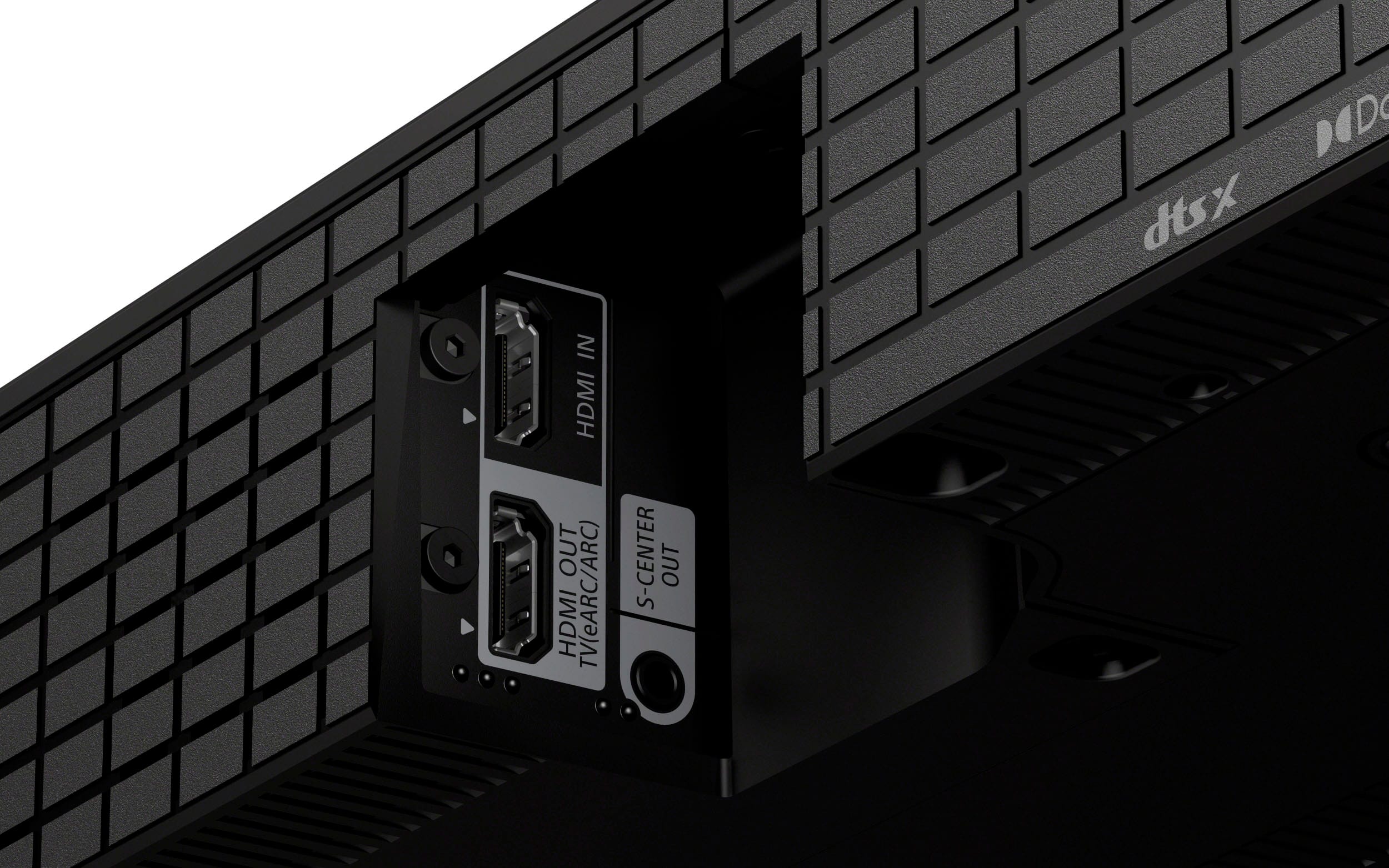
|Posted .This reviewer received promo considerations or sweepstakes entry for writing a review.We have a den that the kids use with a 65” Vizio TV mounted on the wall. The sound from the TV speakers is barely adequate, so I use a high-end 2-channel stereo system that is primarily used for a turntable and streaming music. The sound is good, but being just stereo audio, it lacks the cinema sound I was wanting. I found this BRAVIA soundbar and decided to give it a try. The first thing I noticed about this soundbar was its weight. It’s not too heavy to worry about hanging it on the wall with its included brackets, but it’s definitely no lightweight. It’s about what I expected with it having 13 speakers. The soundbar itself is very sleek and minimalist, which I like. For now, I have it sitting on a table. It has built-in rubber feet for sitting flat. but it also comes with additional legs that will elevate it about half an inch, which can be helpful in case it needs to sit above the feet of the TV’s stand. The included instructions are all but useless. They are so full of various language translations that it’s nearly impossible to read them, and there is twice as much information about the warranty and safety warnings than actual usage instructions. About the only thing you’ll learn from reading the instruction sheet is how to wall-mount the soundbar. You will need to use the QR code to visit Sony’s website in order to get full instructions on attaching the feet, connecting inputs, Bluetooth pairing, controls, indicators, etc. You are required to download The BRAVIA Connect app and register an account before using the soundbar. The app offers no more functionality than the included remote, and it has no guides for connecting or installing the soundbar. I see no reason why it is a requirement for using the soundbar other than giving Sony additional, personal information. Requiring an app like this is a huge hinderance and one of the reasons for my low rating of this speaker. The soundbar only supports HDMI and Bluetooth inputs. There are no optical or analog input options. It does have two HDMI ports, one that is input-only to use for passthrough connections and the another for output/ARC. The passthrough input port is covered so that you are encouraged to use output/ARC port. I did not try using the input-only HDMI port, but the ARC port works just fine, as does Bluetooth. I will note that when I first connected the soundbar to my TV, I was unimpressed with the sound. It definitely did not give me any “surround sound” imagery. Then I realized that my TV was set to output stereo only because that is all my existing 2-channel receiver would accept. Once I changed the TV to bitstream output, the soundbar then recognized the Dolby encoding and produced good surround sound. The ARC connection supports synchronized power and volume via the TV’s remote. Now, for the reason I chose this soundbar – the sound! It’s definitely worlds better than the TV”s built-in speakers, and also much more exciting than my 2-channel stereo’s. The soundbar does a fair job of emulating surround sound. My room is large and has no back wall because it’s a balcony open to the foyer below. I did run the Sound Field Optimization, but it made no real difference that I could tell. My guess is that without nearby walls, the soundbar can’t take advantage of sound reflections to help emulate rear and side speakers. Still, there is definitely a wide sound field being produced that does help immerse you in the movie. This soundbar does a much better job reproducing midrange and highs than lows and bass. There is a surprising amount of bass produced from tis small speakers, but it is quickly overwhelmed and drowned out when the highs and mids takeover. There is two models of optional wireless subwoofers available, as well as two models of wireless rear speakers, which I am sure would make a much better home theater experience. The problem I have with that is cost, and that’s another reason for my 3-star rating. The price of this soundbar has it competing with much higher-end equipment, but it does not perform at that level. Don’t get me wrong, this soundbar is good, but there are so many comparable options at a third of its price. And if you did choose to add the additional wireless subwoofer and rear speakers, you’d have spent enough money to buy a home theater receiver along with wired speakers. I was really expecting more from this soundbar given its price, but it’s not as high-end as it would seem. I really can’t recommend since there are so many other options out there that are as good or even better for less money.
No, I would not recommend this to a friendBrand response from SonyListens
Posted .Hi Rudeney, Thanks for sharing your comments and feedback on the new Sony HTA9000 sound bar. We truly appreciate it as it can help us improve in the future. Enjoy and thanks for choosing Sony. -Craig
- Pros mentioned:Sound quality
Fantastic audio but regressing on features
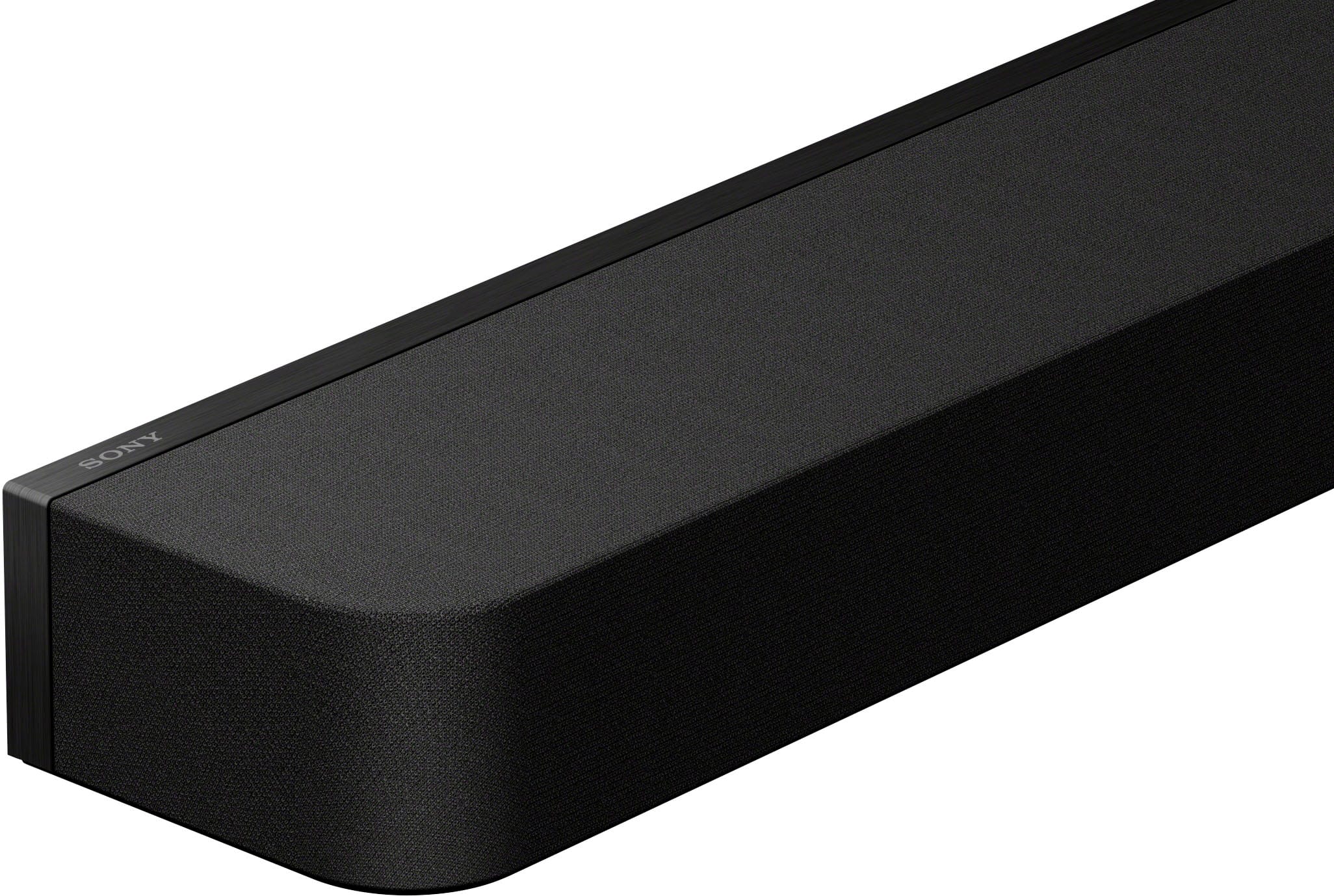
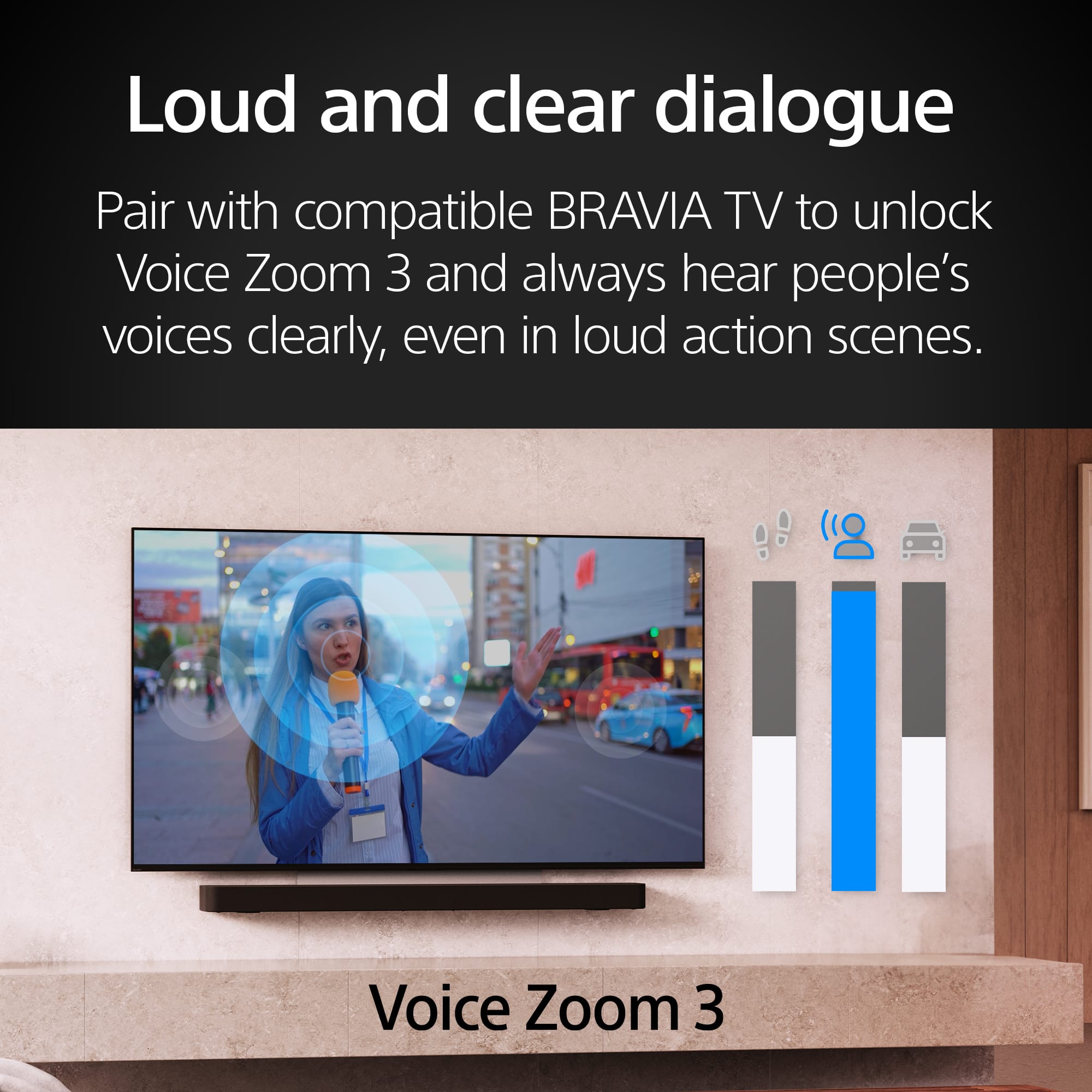
|Posted .This reviewer received promo considerations or sweepstakes entry for writing a review.I've been waiting to see what Sony would be cooking up this year coming from the A7000 and I'm pleased to say there's a number of improvements that makes this one of the best soundbars I've every owned but there's also a number of what I consider backsteps that may not be for everybody. Getting into the design, the Theater Bar 9 comes in a much smaller and slender package than the A7000 did. It's entirely wrapped in an acoustic fabric thats vogue nowadays besides the very back of the bar that gives way to a slim metal bezel. For those that were annoyed by the A7000's reflective glass top this will likely be much more palatable. Unfortunately this is where we come to the first of the downsides. Since the entire front half of the bar is wrapped in fabric, that unfortunately means the loss of the front display that has been a staple of sony soundbars for the past few years. In its place, we get an LED dot that has been maligned in the past. Don't expect this LED dot to be useful for providing any sort of info about the source or any other issue, but thats why we have the new Bravia Connect app to save the day. The Bravia Connect app is the new way for both seeing info about your source and also for adjusting settings. Unfortunately, that also leads to the next cut back, no on screen display. Sony has joined the league of products that are fully managed through an app. For some people this is preferred while for other this is a major inconvenience. I personally miss the well designed OSD especially since you could fully control it with your tv remote if you had a bravia tv. Fortunately for Sony, the app is much better than the previous Music Center app. Its well designed with quick, practical placement of settings and source info. Besides some initial connection issues with the app while setting up, I havent had any issues with using it. Moving onto the inputs and supported casting protocols, we get to the last of the negatives of this soundbar. The first of which is that we've moved from 2 HDMI inputs to 1. Especially when Bravia tvs only have 2 HDMI 2.1 ports, reducing the inputs on the flagship bar down to 1 is not ok. In addition, somehow the removal of the 1 HDMi port has made connecting cables harder since the angled gap is much narrower than the A7000. Onto the second cutback, chromecast audio casting has been removed. I cant really forsee any real reason for its removal unless its tied to the removal from the on-screen display since im unsure if products need to actually be able to show visual info for support. With those negatives out of the way lets get to the positives. The audio on this bar is absolutely fantastic. The addition of the sidefiring speakers and the tweeters to fill out the LCR channels lets the bar really sing and fill out the soundstage. For anyone like me, that felt that there was a bit of detail missing from the A7000 in the smaller things like dropped shell casings or wind whistling through the air, the new speakers more than do justice to these more gentle sounds. Onto more positives, I can say that the buzzing that had afflicted previous models when using the acoustic center audio feature is no more. Now you just have a nice, clean sound. Speaking of which, voices have also gotten a clarity boost presumably due to the addition of a tweeter. I've no longer had to baby the volume to balance between intelligibility of dialogue vs loudness of the rest of the soundcape. Trying the voice zoom feature, im somewhat torn. While its supposed to use machine learning now to improve the voice isolation and it does do a much better version than the previous version, it comes at the cost of sounder much more artificially boosted than before. It sounds more like the frequencies voices tend to sit has been raised while the lower end has been lowered rather than any advanced processing to lift voices out of the mix. It definitely works but I do hope that they can somehow work on a version thats more natural and doesnt sound quite as out of place. In conclusion, from a straight audio perspective I think Sony's knocked it out of the park. It's one of if not the best soundbar I've listened to recently and I think it really showcases Sony's current "Cinema is coming home" ethos, I just wish it hadn't come at the cost of the other functionality that Sony has been pretty known for providing.
I would recommend this to a friendBrand response from SonyListens
Posted .Hi Ardy, Thanks for taking the time to share your review on the Sony HTA9000 soundbar. We appreciate every feedbac and we're glad you like it. Enjoy and thanks for choosing Sony. -Craig
- Pros mentioned:Sound quality
Top notch surround sound
|Posted .This reviewer received promo considerations or sweepstakes entry for writing a review.I thought this small soundbar would not be as powerful as it would be. I was very wrong. For me to explain this for people to understand I hooked it up and used it as is. The theater bar 9 sounds really good, but if you use the app to calibrate the soundbar it becomes a different machine. It was very easy to use. Took no longer than 15 minutes to do. only because I had issues with my wifi router. After the setup I noticed the sound was wayyyy better and it sounded like I was in a bubble. This sound bar has 13 speakers. Some are on top and on the sides they create this bubble effect. The speakers ok top bounce the sound to the ceiling and the side ones to the walls . Then if you're watching a movie or tv show that is dolby atmos you get a more detailed sound . I played my music from Spotify on here and it was just amazing you and use the Spotify app and just select the Sony sound bar as the source to play on. The sound bar was also great for gaming. Especially with the ps5. Now I plugged the ps5 to the soundbar so it can recognize it. I have my headphones but when I'm not in the mood for them I crank the soundbar up. Again it feels like you are in the bubble or like you are actually there .this sound bar is worth it
I would recommend this to a friendBrand response from SonyListens
Posted .Hi Freddy, Thanks for the feedback! We're glad you like your new Sony HTA9000 sound bar. Enjoy and thanks for choosing Sony. -Craig
- Pros mentioned:Sound quality
Really Great Sound... but just a tad off a perfect
|Posted .This reviewer received promo considerations or sweepstakes entry for writing a review.So if there was a way to go 4.5 stars, that is what I would give it. There is just enough little things, that I can't do 5 starts. But let's get into it. First up, in my setup, this Theater Bar is replacing a previous JVC Soundbar, with Subwoofer. It was time to upgrade, because this is the room with the big 87" TV, and we are watching more and more there, then our theater space (which has the Dolby Atmos already)... so was super excited to put this one in. So to use this the best you need a TV with ARC output on the HDMI, which I already had and knew about... so was ready to rock and role there. So here is the first issue. Setup took WAY WAY too long, for what should have just been a swap of the old bar, with the new one. Why did it take long? Well you have to use an App, to configure and set it up. and to do that you need to setup an account. Sony's account setup was a major drag/pain. Too many prompts, too many questions. I am very adapt to seting up accounts, and mobile apps (I create them for a living), but this one was WAY WAY too clunky, and was really frustrating me. Then after setting up the app, the app then has to connect to the bar, and basically register the BAR. Then the BAR, starts to run a communication test with the TV.. . and that was failing. I ended up having to disconnect the HDMI from both he BAR and the TV, and even then unplug and reboot my TV. then it would FINALLY pass that TV test. This was almost 30 minutes from start to finish. Yes, it is a one time thing, but super annoying and frustrating. After getting that, then there is a series of setup and sound tests (about another 5ish minutes). So from unboxing to ready to watch TV. Once going... Very enjoyable to hear the Dolby Atmos. Did several sample videos, then got into some of my favorite content (like current Disney+ shows), and so much fun to hear the immersive sound. Clear, quality, and just fun to be immersed. The BAR will turn on and off with the TV, so you don't have to fumble with the remote or the app to turn the bar on and off, so that works great. The next nit pick: With my previous bar, volume up on the TV remote, and it would increment the audio on the bar 5% approx. With this bar, it is approx 1% each click, and takes a LONG time to increase or decrease any amount of significants. This is frustrating when shows change volume, not enough to be a deal breaker and could be how it communicates with my LG TV, but just frustrating enough. Lastly, I thought that this 13 speaker bar, would have SOME Base in the bar itself ( I knew it didnt' come with a separate one, and that is what I was hoping for), but the Base quality in the bar itself, is very low. So I will have to eventually add one of the wireless sub-woofers. to get the full sound that I want. So overal, very good quality... some nitpicks, not perfect. But absolutely love the Dolby Atmos and the improved overall sound over my previous JVC... and certainly better then the built in speaker in the TV.
I would recommend this to a friendBrand response from SonyListens
Posted .Hi Ebonovic, Thanks for sharing your review on the Sony HTA9000 sound bar. While we're glad to hear that you are happy with your new speaker, we still sad that you are not fully impressed with it. Your comments and feedback on this product will surely be helpful to us for future product improvement. Again, we appreciate your feedback, enjoy and thanks for choosing Sony. -Craig
- Pros mentioned:Sound quality
Almost perfect
|Posted .This reviewer received promo considerations or sweepstakes entry for writing a review.The Sony Bravia Theater Bar 9 (HT-A9000) is the newest iteration of Sony’s line of premium soundbars, and it doesn’t disappoint. After using this soundbar for watching movies, listening to music and gaming, here’s my experience: Design and Form Factor The Theater Bar 9 is designed to be subtle and unobtrusive - it deliberately blends to the background when put next to a TV, and I think that’s how a soundbar should be. The corners are rounded, and most of the surfaces are clad with fabric - giving it a very pleasing feel. Everything is well put together and nothing stands out. Through the top and sides, the 13 speakers, facing different directions, can be made out. There’s no display per se - only a few lights that disappear when they serve their purpose, which makes the presence of this more than 4 feet further invisible. Several times, a few of the friends failed to notice the soundbar and were surprised thinking the TV audio was so good, and I had to correct them and point to the proper source. Connectivity On the HDMI side, the Theater Bar 9 has only 1 in and 1 out which is not the best. However, those HDMI ports are v 2.1, and the output supports eARC. They can pass through 4k@120 from my Xbox Series X with ease. However there are 3.5 mm, Optical or RCA ports to connect legacy audio devices which may be something to look at. However, on the wireless end, Bluetooth codec support for LDAC ensures high fidelity music play, with native support for Spotify Connect and Apple Airplay which is very convenient. The regular run of the mill Bluetooth audio codecs are also supported (SBC, AAC), but there’s no aptX support. All other additional speaker units (subwoofer or real speakers) can be connected wirelessly. With some Bravia TVs, the wired S-Center Out audio port allows using the TV speaker as an additional center speaker (and adds the VoiceZoom functionality) - however my TV didn’t support this. Sound Now the crux of the experience with the Theater Bar 9: the sound quality. And here Sony didn’t disappoint. I’m upgrading from a 3 year old Soundbar system which had a subwoofer, and after setting up, I could hear the sound clarity and crispness is much enhanced. Even without a subwoofer, the Theater Bar 9 sounded well rounded and didn’t fall flat on the bass. For good bass, I still suggest getting a subwoofer, but this is one of the few standalone soundbars where the lack of the subwoofer was not as obvious as I thought. Except for a few “in your face” action movies, I enjoyed my movie nights with my family and friends as before and didn’t think that oh this is missing bass. The 3D immersive sound system, dubbed “Soundfield”, is a mixed bag. In some movies with Dolby Atmos, I could definitely feel the 3D positional i.e. spatial audio in some movie scenes, but not always. I didn’t expect this to blow my mind, so in that sense I was not disappointed. Even though this boasts 13 speakers pointing at every direction (and doing sound optimization based on surroundings), it can’t beat external speakers “physically” located behind the listener or placed on the ceiling. The Soundfield option can be easily toggled on and off with a touch of a button (or a tap on the app). In terms of music, this is not a reference grade hifi speaker system, and from that perspective it’s totally enjoyable. Here turning off Soundfield was the safe bet. I have used the soundbar as a rather loud bluetooth speaker at my home and it worked wonders. Nothing was muffled, the volume was good, and I could definitely feel the richness and depth of the music. Any issues I had were easily solved by EQ. Setup, Control & App Typically setting up and control for a soundbar is rarely a thing of interest unless it refers to a horrible experience. The Theater Bar 9 definitely is not difficult to set up, and nor buggy. However I still was not very happy with the overall experience, due to the Bravia app implementation. The design and functionality of the app has no issues - it’s a standard app with not much fancy features - it helps setup and control the soundbar via the internet which is super convenient. But I could not understand a bit why this needs a Sony online account (or a Playstation account) to do this. I think the account feature should have been optional/opt-in rather than being forced. That alone can be a sore point for not getting this soundbar. Unfortunately some of the options are not changeable with the included remote, and the lack of a display actually acts as a limiting factor here so the app usage can’t be circumvented. I hope Sony listens to this for future iterations. So in essence, this is an almost perfect soundbar available today in the market, except for a few negative issues. I’m enjoying using it, and would’ve been my default recommendation except for the app issue.
I would recommend this to a friendBrand response from SonyListens
Posted .Hi Jack, Thanks for sharing your thoughts and review on the new Sony HTA9000 soundbar. While we're glad that you enjoy using it, we're sad to hear that you are not fully impressed with it. We take your feedback regarding the app seriously as it can help us improve in the future. Regards and thanks for choosing Sony. -Craig
- Pros mentioned:Sound quality
A GREAT soundbar without a subwoofer? Who knew!?!
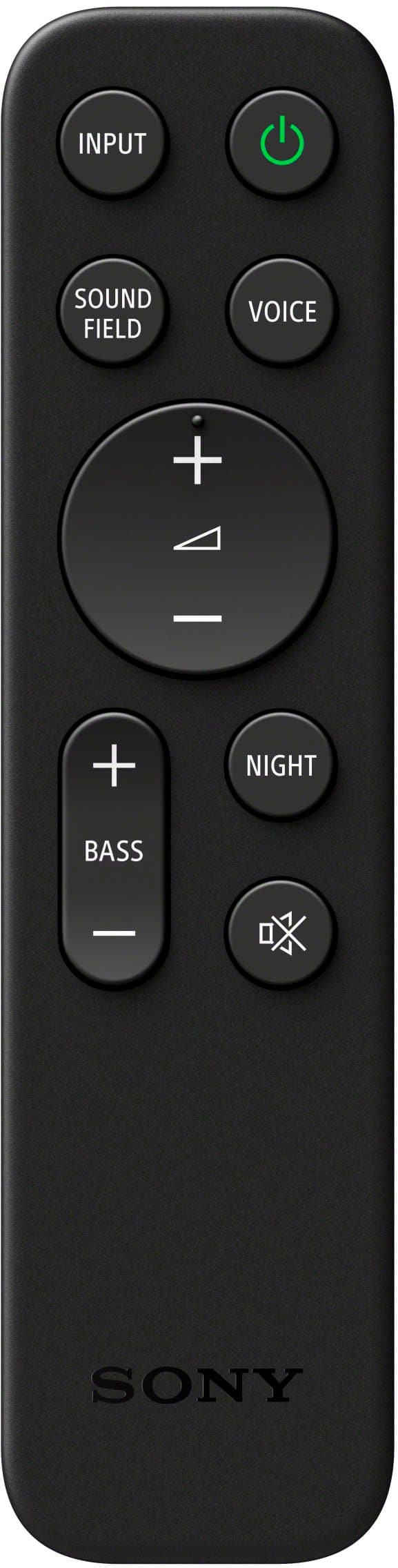
|Posted .This reviewer received promo considerations or sweepstakes entry for writing a review.The Bravia Theater Bar 8 has truly impressed me after 24 hours of testing. Straight out of the box, it includes a power plug, HDMI cable, mounting brackets, pegs, and a 3.5mm headphone jack. The sound quality is exceptional for a standalone soundbar. One standout feature is its HDMI 2.1 compatibility, which allows it to output 4K at 120Hz (perfect for gamers). It also supports Dolby Atmos and DTS:X, great for both gaming and movie experiences. I connected the Bravia Bar 8 to my LG CX 65-inch TV’s eARC port and my XBox Series X to the soundbar’s HDMI IN port. Watching Bad Boys for Life on 4K Blu-ray was an awesome experience, despite the lack of a subwoofer and rear speakers. The bass is robust yet tempered and the soundstage was is pretty encompassing after calibrating with the Bravia Connect app. The 3D spatial sound mapping worked wonders when watching Stranger Things. I needed to see how it took advantage of Netflix's newly implemented spatial audio feature. Sidebar: Nothing beats the feeling of seeing all those green checks on the Xbox Audio & Visual setting details. Thanks the Bravia Bar 8 for the HDMI 2.1 connection! However, there are some negatives. There is only 1 HDMI-IN connection. While it is not a necessity if your TV has eARC on multiple inputs, 3 is usually what I'd like to see. Also, the cloth mesh material on the speakers tends to collect dust and lacks the easy to clean convenience of a metal grill. However, most frustratingly, the soundbar lacks a comprehensive LED indicator. While there is a small dot LED indicator for Atmos and DTS:X, I need more seeing visibility directly from the bar itself instead of having to reach for my phone. After using my phone all day, I prefer to leave it on the charger when I get home, and during testing, my phone was down to 10% battery. Sony, please address this in next year’s model. The remote is compact but functional, with controls for input, sound field, voice, bass, mute, and night mode. If you have a smart TV from 2016 or newer, you can use its remote for basic soundbar controls via HDMI/ARC technology. Overall, the Bravia Theater Bar 8 delivers warm, room-filling mids and impressive sound dynamics. If you happen to have Bad Boys for Life (IMAX Enhanced) be sure to play the final scene where the Helicopter crashes into the derelict mansion. The glass shattering in that scene is particularly vivid, thanks to the top-firing and wide-angle channels. Priced at $1000, it might appeal more to home theater enthusiasts, but I believe the average TV watcher will be overly very satisfied with its performance (sans sub and rear speakers). I tested it from about 8 1/2 feet away with the volume at 40. At 37 years old, my hearing is decent, so take that into consideration. In conclusion, the Bravia Theater Bar 8 is an excellent choice for anyone seeking high-quality sound without the need for additional subwoofers or rear speakers right away. 4.75/5
I would recommend this to a friendBrand response from SonyListens
Posted .Hi Drew B, we're glad you like our product. We appreciate your feedback regarding the number of HDMI ports, metal grill and LED indicator on your Sony unit. Thanks for choosing Sony. ~Earl
- Pros mentioned:Sound quality
Great sound; but is it “too much”?
|Posted .This reviewer received promo considerations or sweepstakes entry for writing a review.First, I should say that the BRAVIA Theater 8 sound bar delivers superb sound, and with its ELEVEN (!) speakers, and with its Sound Field Optimization, does an admirable job simulating surround sound, based on an analysis it does during the initial setup. Once again, another product that requires an app download. I know it’s free and simplifies some things, but most of the time, I end up having to create another account, verify, etc. It features full HDMI, which includes the ability to turn on and off a (downstream) TV. This seems like a nice feature, but doesn’t take into account strict component audio-video systems where all sound is produced by a receiver/amplifier. HDMI is “smart,” and makes incredible home theater possible, but it can also insulates you from more discrete components, such as high-end speakers and the like. It can become more problematic when you have several “smart” devices (like a surround sound receiver/amplifier and a smart speaker system, like the BRAVIA Theater 8). Do they compete for control? Who wins? Can one act in a “slave mode” (relinquishing control) so that something else can control the system? Can a device control everything else, or are there components that just don’t play well together? I say all this because I am “old school” and I question the implementation of HDMI in speakers. Perhaps speakers should simply be component-level devices driven by a surround sound receiver/amplifier. Overall, the BRAVIA Theater Bar 8 is a nice addition to an audio-video system with stereo speakers, and a fantastic choice if you only have a TV. I’d have given 3.5 stars, if that were possible. It’s not, so I focused on its superior sound quality and gave it four stars.
No, I would not recommend this to a friendBrand response from SonyListens
Posted .Hi dsjjfgrn, we're glad you like our product. We appreciate your feedback regarding your soundbar. Thanks for choosing Sony. ~Earl
- Pros mentioned:Sound quality
Perfect Soundbar Centerpiece
Posted .This reviewer received promo considerations or sweepstakes entry for writing a review.Right out of the box you have a 13 speaker dolby atmos surround system with built in subwoofer all in one soundbar. The sound clarity is phenomenal and the easy customization is top notch. This soundbar gives you unbeatable quality and power for the price. This is especially true if you can grab it on sale, or are willing to take advantage of BestBuy open box opportunities. I was able to get mine for $599 plus tax from the Houston area BestBuy outlet store. It was categorized as being "excellent" condition, but was brand new with no damage, no missing parts and no issues whatsoever. If you go for one of the open box options, make sure and price check in person at the store. The "excellent" condition one I was lucky enough to grab was listed at $899.99 on bestbuy.com, but when I got to the outlet store and started talking with them in person I was told that prices in store (at least that outlet) could often be lower than the online listing and lucky me the one they had was avaliable for $599.99+tax. It works incredibly well with my Sony TV (65" BRAVIA XR A80L OLED 4K(2023)) and presumably all other Sony Bravia family products. It is an excellent option for those looking for a mid/upper end sound system. What made it stand out as the best choice for me are the optional addon speakers and subwoofer. Great starter piece of surround sound equipment with easy options for expansion.
I would recommend this to a friend - Pros mentioned:Sound quality
One great sound bar for your house
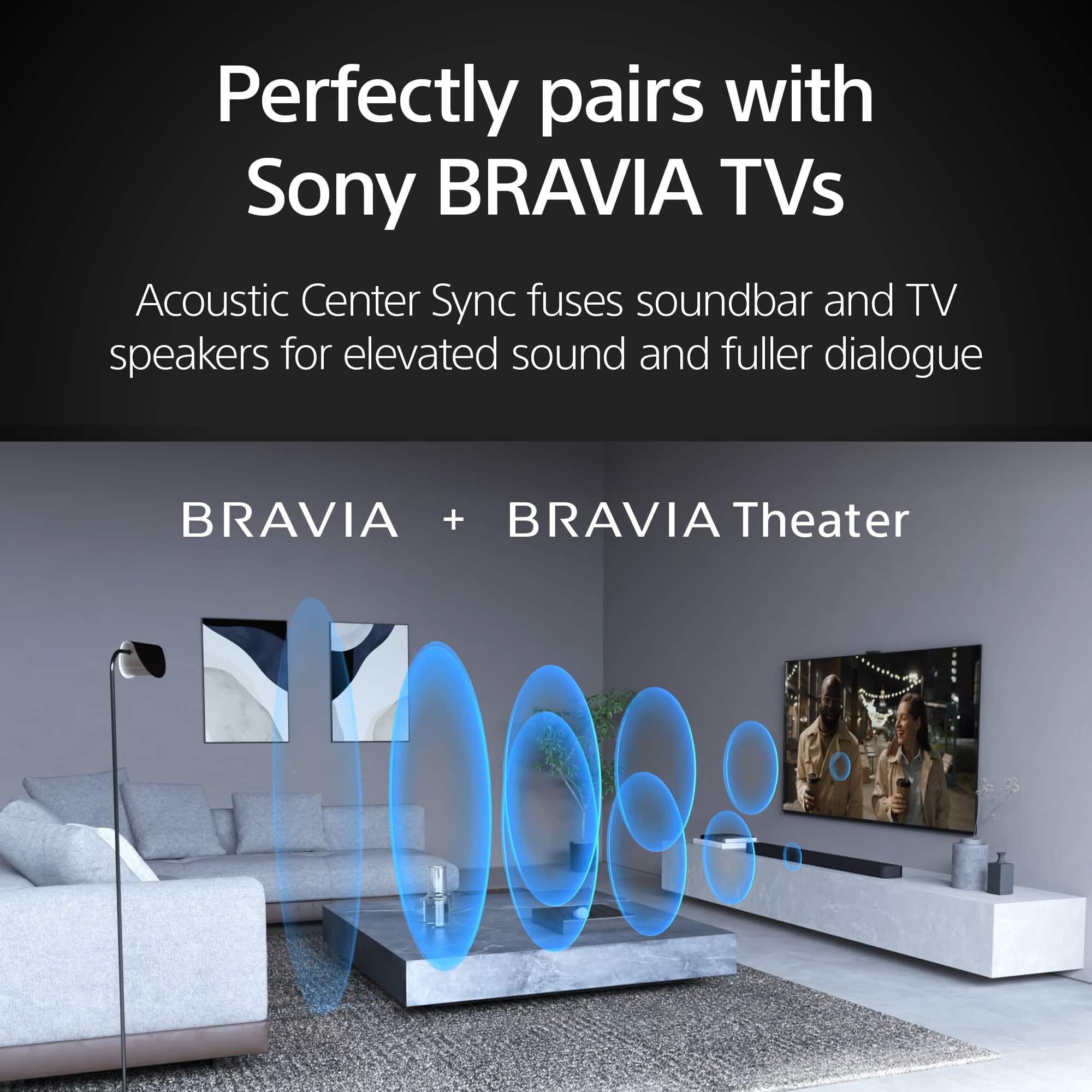
|Posted .This reviewer received promo considerations or sweepstakes entry for writing a review.In full disclosure, I am a firm believer in Sony technology and my TV was already a Bravia model. The Sony Bravia Theater Bar 8 is a natural combination for my living room set. I tested the model for a few days (5 in total) and to be safe with my feedback, I tried all kinds of shows: movies, sports, talk shows, and news. After all those tests, I can affirm that this is the best soundbar that I own (I have 3 right now at home). I love that Sony always includes all the components needed for the use of the product since day one and this is not an exception. The box includes the ARC/HDI cable, the remote (with batteries), and the power cord, all as expected. In this case, it also includes the wall mount brackets and the instructions for a definitive installation on your walls. In case you decide that the bar could be used with other inputs, note that Bluetooth is an option as one audio jack. The initial setup is summarized in four basic steps that are quite intuitive: connect to your TV, sound, and power cords and the Bravia Connect app does the rest. I found it strange that the quick start instructions are not in a separate paper but on one of the cardboards covering the bar you could miss them once you unbox the bar. Note that after installation, the app recognizes the bar, and the setup is launched. After connecting to your home wireless, you will be able to download the last firmware version (that was quick) and optimize the sound delivery, which includes a measurement of the space and your position in that space. This bar has eleven speakers so, the coverage of the entire space is absolutely guaranteed but its capacity to deliver a surrounding sound is out of this world. The bar does not include a separate subwoofer but if you decide to go for it, the bar will connect to them also with Bluetooth. I note that because I own a Bravia TV, my usage of the app or the bar remote is very limited for basic functioning, all goes directly from the TV remote and the TV sound setup. However, I strongly recommend spending some time in the app settings, when you see the different options play extensively with the ‘Sound Settings” when you change your content. The specs are clear the bar, supports all the sound formats in the market: Dolby, DTS, and IMAX but one of the options that worked the best for me is activating the automatic volume adjustment to minimize volume changes when there are changes in the input signals. More obvious options are the adjustment of the 3 Bass levels (min, mid, or max) to obtain a quality sound. This is still a great option even without annexed subwoofers. The final, test was the bar power, it’s clear that this is a monster and complements any TV. It’s so powerful that it’s impossible to stay in a room (mid-size) with more power than 50%. Great quality and great aesthetics complement the package. One single complaint that I hope is not a problem, I wish that Sony would increase the warranty period. For such an investment, more than a year could be nicer. This is a great option and a great addition to your living room.
I would recommend this to a friendBrand response from SonyListens
Posted .Hi Luis, we're glad you like our newest product. We appreciate your feedback regarding the warranty. Thanks for choosing Sony. ~Earl
Frustrating user experience
Posted .This reviewer received promo considerations or sweepstakes entry for writing a review.I paired the BRAVIA Theater Bar 8 with the SA-SW3 subwoofer, and I'm glad I did because I would have been very unhappy with the Theater Bar itself. I'm not sure if it's the acoustics of our house or the fact that we still have a 10 year old smart TV, but the sound while watching movies is underwhelming. I do think that our 15 year old blu ray player could be blamed for that as well. I couldn't get the movie to play loud enough even at the highest level. So while that is not the sound bars fault, I do blame the lack of documentation. That's the real reason I'm only giving it 4 stars. It was absolutely awful trying to get it setup using our old TV, and I almost took it back because I couldn't get it working because we don't have an eARC HDMI port. I'm replacing an 8 year old Sony Soundbar which I used the optical sound cable, and this soundbar doesn't have that. The app you have to use to setup this soundbar allowed me to connect regardless of not having the eARC port, but it didn't help with figuring out HOW to do it. We eventually just plugged the ROKU or Blu Ray player directly into the soundbar, but now that leaves us with having to change it each time - I still need to research some sort of adapter. The experience has just been awful. I didn't know it would require all these workarounds or I would have just kept the old soundbar and bought a shelf (trying to downsize an entertainment center). Online help has been difficult as well and either refers you to the app or to "press the home button on the remote" which the Theater Bar 8 doesn't have. I'd recommend the soundbar, but would maybe only do so if you have a newer TV with the eARC port.
I would recommend this to a friendBrand response from SonyListens
Posted .Hi JenniferW, We regret to hear that the sound did not meet your expectations. Sony values the opinions of customers and is always striving to make Sony better. We appreciate your time sharing this feedback. We'd also like to help you troubleshoot your concern, please email us at socialsupport@am.sony.com for further assistance. Regards, Erin
- Pros mentioned:Sound quality
HIgh-end and Amazing Sound
|Posted .This reviewer received promo considerations or sweepstakes entry for writing a review.I have owned many sound bars over the years, ranging from low-end to high-end. This Bravia theater bar from Sony is among the most expensive I've used, but I found it to be well worth the price when it comes to performance. Over the past few days I've been using it to watch movies, stream TV shows, listen to music over Bluetooth, and have also done some gaming on my Xbox Series X. First, before you buy this, make certain that you have the space for it. It is a very large speaker. If you have a large wall-mounted television, you can mount this speaker below it with the included components. However, if you plan to place it on some form of TV stand or entertainment center, make sure it will fit before buying (it is over 4 feet long). If you choose to, this speaker system is expandable! You can add an optional sub-woofer and/or rear speakers, but I found that for my needs they were not needed as the sound was incredible as-is. I have been watching movies and shows (and playing games) that feature Dolby Atmos audio in order to get a feel for how well this speaker can perform. Most streaming services have Dolby Atmos content that was easy to find. The ability of this soundbar to make you feel like sound is coming from multiple directions was mind-boggling. And the quality of immersion was breathtaking. I think that the 13 mulit-directional speakers included in this soundbar have a lot to do with that. I truly feel like I've got multiple speakers in the room surrounding me, despite all the sound coming from just one large speaker in front of me. I loved that this soundbar has HDMI pass-through so that I could connect my Xbox directly to it, and then output from the soundbar to my television. Many soundbars these days do not have both the HDMI input and output. And if you are like me, and love to play music from your phone while doing chores around the house, this speaker was up to the task. If you have an Apple device you can connect using Apple Airplay, but I used Bluetooth to pair to my Android phone. Music sounded excellent, with strong bass and terrific mids. I also streamed a couple of live concerts and was blown away with how good everything sounded. While this soundbar is certainly not inexpensive, you absolutely get your money's worth. With the theater-like quality sound, I'm looking forward to a cinema experience in my living room for years to come.
I would recommend this to a friendBrand response from SonyListens
Posted .Hi jsisko76, Thank you for sharing your experience and feedback on the new BRAVIA Theater bar 9 speaker. We're glad that you like it. Enjoy and thanks for choosing Sony. -Craig
- Pros mentioned:Sound quality
Expectations Exceeded
|Posted .This reviewer received promo considerations or sweepstakes entry for writing a review.In the box is the speaker, power cord, remote with AAA batteries, 3.5 mm headphone cord, HDMI cord, wall mounts with a wall mount template, instructional manual with QR code (for the help manual) and addition warranty information. First Impression - A lot of speakers packed into a decent sized sound bar. The Sony Bravia Connect App - First off, I am not a big fan of downloading apps but this one is definitely necessary for setup. Not only does it complete a software update but it also walks you through the room setup. During the setup, it will also ask if you have additional rear or sub woofer speakers that you would like to add as well. Something that was new to me was setting up the room location with the app, which I was able to use my phone to tell the soundbar where I sit in the room and where the middle of the room was also. I also like being able to have the remote on the app as well. So many times, we are searching for remotes in my household and this one is small, so I am pretty sure it will get lost quickly in my household; it is a little thicker than my Apple TV remote, so we maybe able to keep up with it a little better. Sound - So far, the sound is really sharp and the Dolby Atmos sounds really good. I also blue-toothed my music app and the music sounds great. (I listened to Classical-piano and violin and it was AMAZING, R&B, Reggae, Alternative, Country, Hip Hop) I watched a few movies that were in Dolby Atmos and they of course sounded excellent but there were a few that I wish I had my subwoofer but the bass still sounded good. There is a voice button on the app and it’s definitely great when I want to watch my regular network shows. I find myself adjusting the bass from mid to max when I am watching different movies or listening to different music. Beware, the bass is sufficient if you don’t want to shake house with a subwoofer. But if you like to shake the house then you can definitely add it. (In the app, there is a night mode and you can connect your Spotify account.) Overall, I am really happy with this sound bar and in my opinion, it sounds great by itself. The room that I am currently using it in is perfect. I would definitely recommend this product to friends and family.
I would recommend this to a friendBrand response from SonyListens
Posted .Hi CoppinFam, we're glad you are happy with your purchase! Enjoy your new soundbar! Thanks for choosing Sony! ~Earl
- Pros mentioned:Sound quality
Can I give more than 5 stars?
|Posted .This reviewer received promo considerations or sweepstakes entry for writing a review.I plugged in this sound bar without reading any directions. I unplugged the current sound bar and used the same HDMI cord that’s connected to my tv to connect it. There was nothing else I had to do. The sound the came from it immediately blew me away! Very crisp and clear. You can clearly understand every word that was being spoken. What a spectacular way to enjoy TV. This soundbar will replace my current soundbar. Even though the sound bar I currently have is great, this one is ten times better. It’s so good you don’t even need a subwoofer. If you had this soundbar and I came to your house and you told me there was no subwoofer, I would think that you are telling a lie. Maybe the bass isn’t as deep as it would be with a subwoofer but there’s really no need if you didn’t want to. BUT, I was able to connect my current Sony subwoofer and I had to make sure I wasn’t sitting in a Dolby theatre. No kidding, this sound bar makes you think you’re in the movies. Out of the box. Plug and play. If you're not too deeply into sound, like an audiophile, then you really don't need to change settings. Right out of the box it's ready to go. If you do want to change settings, then you will need to download the Sony Bravia app from the App Store. I had a few issues setting up an account due to me having a Playstation account registered under the same email address. I was eventually able to set up everything and voila, everything can be controlled from your smartphone. The app automatically took me through a series of sound test to make sure I was getting the best sound for the room. It allowed me to connect my subwoofer via bluetooth as well. Then it updated the soundbar's firmware one everything was ready. This is definitely a luxury soundbar and no one will be disappointed with this purchase. The only thing I would have liked is for it to have a screen on the sound bar. But I guess Sony got around that by allowing you to do everything through your smartphone.
I would recommend this to a friendBrand response from SonyListens
Posted .Hi Bwashd33, That's awesome! Glad to know that you were able to setup the soundbar from the BRAVIA Connect app successfully. It's amazing to know that you are enjoying the clear, wide surround sound from this single soundbar. The BRAVIA Connect smartphone app guides you through initial settings, assists with troubleshooting, and lets you control volume, sound field and more. It also notifies you about software updates and lets you control a compatible TV too. If you want to expand your audio system, please take a look at our optional subwoofer and rears accessories (SA-SW5,SA-SW3,SA-RS3S). Thanks for the feedback and for choosing Sony! -Jess
- Pros mentioned:Sound quality
Do not buy this without the matching subwoofer
|Posted .This reviewer received promo considerations or sweepstakes entry for writing a review.Each new generation of sound bar attempts the impossible: trick your ears into thinking you own more physical speakers than you do. Each year the technology gets closer to achieving this. Sony’s attempt at this trick with the Bravia Theater Bar 8 (Bar 8 from here on out) packs 11 speakers into the sound bar: 7 forward facing, 2 side facing, and 2 upward firing to create what Sony describes as 360 Spatial Sound Mapping, but without the optional subwoofer the audio feels lifeless and flat, yet still capable of being loud. Sony makes it a breeze to unbox and setup this 10-pound 3.5 feet long soundbar offering clear visual setup guides that like all things digital today recommends physically connecting and powering on the device then installing an app on your smartphone to complete the setup. I think Sony needs to re-think how wide they make the HDMI port section of the soundbar. I use thick in-wall HDMI cables and they were barely able to fit into the tiny space available to plug them into the soundbar. The phone app pairing process was fast and stress free. Because I’m using a projector that does not support eARC the first thing I had to do to get any sound from the sound bar was to disable the Bar 8 eARC functionality using the app. I was pleased there were no zero-day firmware updates required and after tapping my way through all the menu items in the app it was time to bask in some audio glory. I should mention another useful item that ships with the Bar 8 is a set of risers that are designed to be used when your TV sits on a TV stand that has legs that protrude out making it impossible to position the sound bar flat in front of the TV. The risers offer just enough height to overcome this problem. I do not own a Sony Bravia TV and I do not have the Sony SA-SW3 or SA-SW5 subwoofer that pair with this soundbar so I can not experience the acoustic center sync feature or the Bravia Voice Zoom 3. I do not own the Sony recommended SA-RS5 rear speakers which means I DTS-X audio support is excluded as is the IMAX Enhanced support as both these modes require a sub and the rear speakers with the IMAX Enhanced feature still in development and coming in a future firmware update. I do own a PlayStation 5 (PS5) so I figured that would give me the best optimized audio experience. After a few hours of playing Spiderman 2, Fortnite, and Kena: Bridge of Spirit I was disappointed at how flat the audio felt which sent me down the technical troubleshooting rabbit hole of “what am I doing wrong here?” In the Bravia App there’s a number of tweaks that can be made to the audio experience. It quickly became clear to me that the 360 spatial sound mapping expects the end user to own a sub and the two rear speakers for an optimal audio experience. Without these three additional components, the 360 spatial sound mapping feels flat. Under Sound Settings > Sound Field Setting I found that turning off the 360 Spatial Sound mapping and setting the sound bar to use Dolby Speaker Virtualizer offered the next best audio experience. Moving off of the PS5, I began experimenting with audio coming from my primary viewing source: the Nvidia Shield TV Pro. With the YouTube app, the Disney+ app, and the Plex app being my 3 primary methods of “watching TV” I spent a few hours rolling through a mix of PCM, Dolby Digital, Dolby Atmos and even some older stereo content. I could not shake the audio sensation of hearing a hollowness from the content making me question if I had something configured incorrectly. The sound bar only includes a couple of LED lights that respond when using the remote to press the volume buttons or to acknowledge buttons pressed on the remote, but if you keep the Bravia connect app open, the HDMI connection bar at the top of the app displays the audio formats being used to play the content. This is useful when you need to validate that Plex is not transcoding your audio. As a last ditch troubleshooting effort I began cranking up the volume and discovered that when the sound bar reached a volume number between 44 - 49, about double the level that I consider to be a comfortable volume, a few more acoustic details of the content began to express themselves. For example in the Dolby Atmos Amaze demo the rain began to feel more authentic and in the Dolby Leaf demo the leaf seemed to travel a bit further above the room than before. As a sanity check I grabbed a different sound bar and repeated the same tests with and without the other sound bar’s subwoofer and came to the same conclusion: without a dedicated sub, the Bar 8 does not produce the audio experience you are expecting, but I’m willing to bet that if you do pair this soundbar with the Bravia sub you would not be disappointed.
I would recommend this to a friendBrand response from SonyListens
Posted .Hi vortex0007, we appreciate your detailed review of our product. BRAVIA Theatre Bar 8 combines physical and phantom speakers, creating a wider surround sound field that covers more of the room. Now more people can enjoy the same immersive surround experience. By using phantom speakers, 360 Spatial Sound Mapping technology achieves wider coverage than conventional virtual surround systems. Bring authentic cinema surround sound quality to your living room. BRAVIA Theatre Bar 8 not only supports industry-standard formats including Dolby Atmos® and DTS:X®, but also has IMAX® Enhanced certification. Thanks for choosing Sony. ~Earl
- Pros mentioned:Sound quality
Great for Smaller Spaces
|Posted .This reviewer received promo considerations or sweepstakes entry for writing a review.I decided to place this soundbar in my bedroom which is smaller at 120 sf. Set up was simple and I immediately connected through HDMI Arc with my TV. The first movie I watched after set up was Dune since it was suggested for experiencing Dolby Atmos sound and the feeling of immersion and being surrounded by a different world. Although the elements of movie theater quality sound are there, they aren't completely captivating as full surround sound would be. This soundbar can be paired with a subwoofer and rear speakers so although there is 360 spatial sound mapping technology, I never felt as though I was completely immersed. Despite that, I still enjoyed the quality of sound with stunning clarity in every scene. The quality was just as impressive while enjoying some music. As the music filled the room, I can hear every intricate detail of the drums, the vocals, the string instruments, and the flowing rhythm which created an enjoyable listening experience. Overall, I like the soundbar for my smaller bedroom but I would not move to my living room without the combination of the subwoofer and rear speakers.
I would recommend this to a friendBrand response from SonyListens
Posted .Hi EXWOLF, awesome! We're glad you are enjoying your new soundbar! Thanks for choosing Sony! ~Earl
- Pros mentioned:Sound quality
Amazing
Posted .This reviewer received promo considerations or sweepstakes entry for writing a review.This soundbar is just incredible. Fantastic sound with the sound map feature. I have a Bravia TV as well so the two mesh very well!!! Easy set up and surprisingly a lot of features to control through the app. Highly recommend.
I would recommend this to a friendBrand response from SonyListens
Posted .Hello Jack,
Thank you for choosing Sony!
We're delighted to hear that you’re enjoying the fantastic sound quality and the innovative sound map feature. It’s great to know that pairing your HTA8000 soundbar with your Bravia TV has created such a seamless audio-visual experience. We designed the setup process and app controls to be as user-friendly as possible, so we’re glad you found them intuitive and packed with features. Your recommendation means a lot to us.
Best regards,
-Fred
- Pros mentioned:Sound quality
Sony shows their dominance once again!
|Posted .This reviewer received promo considerations or sweepstakes entry for writing a review.Sony home theater products never fail to impress me. This soundbar is a replacement for a Yamaha that was a few years old and I thought was pretty good, and it was, but it does not even compare to this. First off, let me start from the beginning. I even appreciate the boxing and packaging. All arrived in a compact box, no wasted space, and the materials appear to be recycled and recyclable. No packing plastics or styrofoam. I guess I nerd on enviro friendly stuff, sorry. Anyway, unboxing and set up was a breeze. Download the Sony Bravia Connect app and it walks you through set up and location and sound field optimization to assure proper positioning in your space and for your particular needs and usage. Nice! I am still playing around with the different sound settings depending on what I am watching or listening to. Through the app, or the remote, you can adjust the sound profile to the output. There are several pre sets and also customizable adjustments for more bass, treble, background and night modes. In the room I have this set up in, I watch a lot of sporting events, as well as listen to music, from streaming and albums and playlists, to watching live shows and concert recordings. This system, using the 360 Reality Audio setting, provides an amazing clarity of sound and surround experience. It is like a personal concert audio experience. This is my favorite use of this sound system so far. If you are into music and especially high quality audio, this is a great system in a small package. It is just the one sound bar, but clearly packs all the technology and speakers inside. Much easier and user friendly than the older center speaker and satellite speaker systems. I definitely recommend this system!
I would recommend this to a friendBrand response from SonyListens
Posted .Wonderful, jimylegg1! We're glad you are impressed with the sound quality of the sound bar. Enjoy and thanks for choosing Sony. -Craig
- Pros mentioned:Sound quality
Amazing Sony Sound Bar
|Posted .This reviewer received promo considerations or sweepstakes entry for writing a review.Incredible Experience This is definitely a super advanced sound bar with all the latest features that provide high resolution audio with Dolby Atmos, DTS:X and IMAX. The First thing I noticed especially when playing music to the bar, Sounded like I was hearing the artist's intended sound. I was hearing more instruments in the mix. The 11 Speakers for forward, sides and upward especially with 360 spatial sound mapping creating a cinema style sound The Bravia app The app does a great job of sound mapping. Setting up the app and syncing devices was very seamless. The sound field optimization feature calibrated flawlessly with my room. It was very quick. There are so many choices for settings in the app. Sound field, voice mode, night mode. Bass level. Volume control. Wireless speaker set up. 360 reality audio. lets just say theres alot to tweak from the app and more than I just mentioned. You can also switch between TV-HDMI-BLUETOOTH for your audio input signals. Other Great Features This bar supports 4K HDR, 8K HDR, Dolby Vision, HDMI 2.1 Gaming for a great gaming experience with friends. Connectivity So far I connected my phone, bluetooth turntable for streaming audio. I also have a set of headphones connected. Summary So far this has been a great experience. I have always relied on Sony for my video/audio needs. Quality of their products. My sony component collection continues to grow.
I would recommend this to a friendBrand response from SonyListens
Posted .Hi LayPhrog, we appreciate your detailed review of our product. We hope you are enjoying your new soundbar! Thanks for choosing Sony. ~Earl