Skip to contentGo to Product SearchGo to Footer
Main Content

Customer Ratings & Reviews

Your price for this item is $1,199.99
The comparable value price is $1,499.99

Customer reviews

Rating 4.4 out of 5 stars with 670 reviews

Rating Filter

Rating by feature

  • Value

    Rating 4.2 out of 5 stars

  • Quality

    Rating 4.5 out of 5 stars

  • Ease of Use

    Rating 4.4 out of 5 stars

Pros mentioned filter

Cons mentioned filter

86%would recommend to a friend

Customers are saying

Customers love the BRAVIA Theater Bar 9's sound quality, repeatedly praising its amazing and immersive audio. Many reviewers highlighted the clear, detailed sound and exceptional surround sound capabilities. The 360 spatial audio feature also received high praise. Overall, the overwhelmingly positive feedback centers on the impressive audio performance.

This summary was generated by AI based on customer reviews.

The vast majority of our reviews come from verified purchases. Reviews from customers may include My Best Buy members, employees, and Tech Insider Network members (as tagged). Select reviewers may receive discounted products, promotional considerations or entries into drawings for honest, helpful reviews.
Page 31 Showing 601-620 of 670 reviews
  • Rated 1 out of 5 stars

    Sound bar

    |
    |
    Posted . Owned for 1 month when reviewed.
    This reviewer received promo considerations or sweepstakes entry for writing a review.

    Does not actually work. Only turns on half the time. Sub woofer doesn’t work at all!!!

    No, I would not recommend this to a friend
    • Brand response from SonyListens
      Posted .

      Thank you for sharing your feedback, PaulA.

      We are truly sorry to hear that you are experiencing such significant performance issues with your HT-A8000 soundbar system, specifically that the unit only turns on half the time and that the subwoofer is not working at all. This is certainly not the high-quality experience you should expect from this premium product.

      We understand how frustrating it is when a new product fails to operate correctly right out of the box, and we want to help you resolve this immediately.

      The issues you describe—intermittent power and a non-functional subwoofer—often indicate a simple setup or connection error that can be quickly corrected. Please ensure the following:

      Power Cycle: Unplug the soundbar and the subwoofer from the wall outlet for at least 5 minutes, then plug them back in and attempt to power them on.

      Subwoofer Connection: The A8000 uses a wireless connection for the subwoofer. Please ensure the subwoofer is plugged into a functional outlet and is properly paired with the soundbar (check the pairing status light on the subwoofer).

      If these steps do not resolve the issues, please contact our support team immediately at https://us.esupport.sony.com/support/s/support-contact?language=en_US&category=ht for live troubleshooting. They can walk you through the pairing process and determine if a repair or replacement is needed.

      We apologize for this inconvenience and are committed to ensuring your sound system works perfectly.

      Best regards, Gus, Sony Social Media Team sony-global

  • Rated 1 out of 5 stars

    poor customer service on this item

    |
    |
    Posted . Owned for 1 month when reviewed.
    This reviewer received promo considerations or sweepstakes entry for writing a review.

    I purchased a Sonos Sound Bar Mount, the sales associate suggested this Bravia 8 sound Bar suggesting it would work better with the Bravia 8 TV, however, he did not advise me that this sound bar would not work with the Sonos Sound Bar Mount. So I had to make another trip back to the store to swap this out for the Sonos Arc Soundbar. This meant another 3 hours round trip driving for me...

    No, I would not recommend this to a friend
  • Rated 1 out of 5 stars

    Poor sound quality

    |
    |
    Posted . Owned for 1 month when reviewed.
    This reviewer received promo considerations or sweepstakes entry for writing a review.

    For the price I have gotten better that was less expensive. The sound quality was very poor. I had to max out the volume just to compete with a lower level sound bar. I would not recommend this product. I had to return it and get something better.

    No, I would not recommend this to a friend
    • Brand response from SonyListens
      Posted .

      Hello PedroD,

      Thanks for your candid feedback regarding the BRAVIA Theater Bar 8. We are truly sorry to hear that your experience with our product did not meet your expectations and that you were disappointed with the sound quality.

      We take all customer feedback seriously, as it helps us understand where we can improve. It's concerning to hear that you had to max out the volume and that the performance didn't live up to what you’ve experienced with less expensive alternatives.

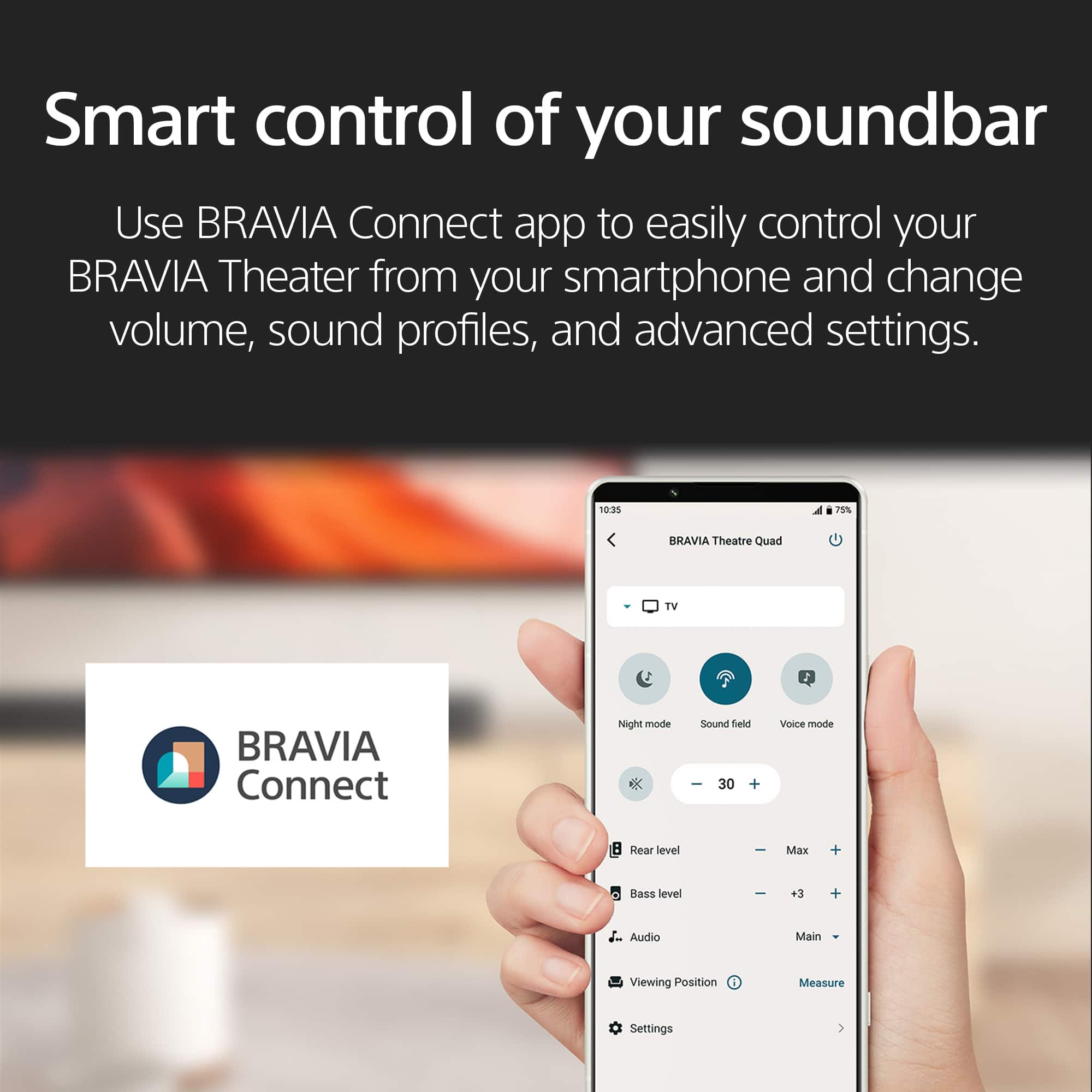
      For future reference, our Theater Bars are designed to be calibrated and controlled through the BRAVIA Connect app, which optimizes the sound to your specific room and setup. We believe using the app would have significantly improved your listening experience.

      We're sorry that you had to go through the process of returning the product. While we understand you have already found a replacement, your insights are incredibly valuable. We hope you will give us another chance in the future, and we encourage you to contact our support team directly next time so we can help you get the best possible performance from our products.

      Thanks for choosing Sony.

      Sincerely,
      Jenn | Sony Social Media Team. Sony_US

  • Rated 1 out of 5 stars

    Defective

    |
    |
    Posted . Owned for 1 week when reviewed.
    This reviewer received promo considerations or sweepstakes entry for writing a review.

    The Bravia sound bar sounds good, but the Geek Squad (and I) were unable to get it to reliably control the sound, both on/off and volume. And we tried replacing the Sony Bravia TV, too. Their assessment was that the sound bar (and we actually tried two of them) was defective.

    No, I would not recommend this to a friend
    • Brand response from SonyListens
      Posted .

      Hello RobertP, thank you for bringing this out to our attention! We’re sorry to hear that you’re having trouble controlling the BRAVIA Theater Bar 8. It’s great to know that the sound bar is functioning well, which suggests that the issue may be related to the installation. We’d be happy to assist you through this process! Please contact the Sony support team directly via phone or chat using the following link: https://us.esupport.sony.com/support/s/support-contact?language=en_US&category=ht. We’re here to help! Sincerely, -Jenn Sony_US

  • Rated 1 out of 5 stars

    Not a good buy

    |
    |
    Posted . Owned for 3 weeks when reviewed.
    This reviewer received promo considerations or sweepstakes entry for writing a review.

    Not what i expected, Best Buy sales team wasn't honest.

    No, I would not recommend this to a friend
  • Rated 1 out of 5 stars

    Snap crackle & pop

    |
    |
    Posted . Owned for 4 months when reviewed.
    This reviewer received promo considerations or sweepstakes entry for writing a review.

    Was happy to match this sound bar with my Sony tv, couldn’t use the center option don’t a lot of hissing, trouble shouted everything and just used it without that option. Have to keep the Bass at minimum because speakers can’t handle it and cracks and pops . It is pretty loud but sucks without the Bass

    No, I would not recommend this to a friend
    • Brand response from SonyListens
      Posted .

      Hi MarkG,

      While it's good to know it can get loud, we're sorry to hear about the lack of bass at higher volumes and there is hissing noise when connecting the BRAVIA Theater Bar 8 and your Sony TV with the Center Speaker Mode enabled. We would like to discuss this with you further to ensure proper connection and settings. In the meantime, we highly recommend downloading and installing the latest software for the TV and Soundbar. These updates include key features, applications, bug fixes, and feature improvements.

      You may hear a hissing sound when using the TV's Acoustic Center Sync function. If this happens, in the area where the power cable comes out of the back of the TV and the area around other external devices, make sure to keep the cables of the Acoustic Center Sync device away from those cables.

      Note: Due to the nature of electronic devices, you may hear a slight noise when you're very close to the TV speakers. This is not a malfunction. When watching TV from an appropriate viewing distance, this should not be audible. Additionally, there may be cases where the audio signal of the content being played contains components that sound like noise.

      If the issue persists, reset the speaker system by following the steps here: https://www.sony.com/electronics/support/sound-bars-home-theater-systems-sound-bars-surround-speakers/ht-a8000/articles/00250225

      Should you need further assistance regarding your concern, you can email us at socialsupport@am.sony.com with the following details:

      Name:
      Best Buy Username:
      Model Number:
      Issue:
      Telephone Number:

      Sincerely,
      Jess Sony_US

  • Pros mentioned:
    Design, Setup, Sound quality
    Tech Insider Network Member

    Rated 5 out of 5 stars

    Awesome Soundbar that does the job very well!

    |
    Tech Insider Network Member
    Posted .
    This reviewer received promo considerations or sweepstakes entry for writing a review.

    The Sony BRAVIA Theater Bar 9 is a top-tier soundbar delivering exceptional sound quality, easy setup, and seamless integration with Sony BRAVIA TVs. It features Dolby Atmos and DTS support for immersive, three-dimensional audio and S-Force PRO Front Surround for simulated surround sound without additional speakers. The soundbar offers high-fidelity audio with rich bass and crisp highs, perfect for movies, music, and gaming. Setup is straightforward, thanks to a comprehensive quick start guide, and it includes wireless connectivity options like Bluetooth and Wi-Fi. HDMI ARC/eARC simplifies TV connections, allowing control with a single remote. It also supports voice assistants like Google Assistant and Amazon Alexa for hands-free operation. With its sleek, minimalist design and durable construction, the BRAVIA Theater Bar 9 fits well in any home decor. While it comes at a higher price point, its advanced features and performance make it a worthwhile investment for enhancing your home theater experience.

    • Brand response from SonyListens
      Posted .

      Hi PretzelGuy, Thanks for the 5-star rating! We're glad you like the sound quality of the sound bar. Enjoy and thanks for choosing Sony. -Craig Sony_US

  • Rated 1 out of 5 stars

    Sony bar

    |
    |
    Posted .
    This reviewer received promo considerations or sweepstakes entry for writing a review.

    Neaver buy again didn't work really good waste of time

    No, I would not recommend this to a friend
    • Brand response from SonyListens
      Posted .

      Hi ManvinderS,
      Thanks for reaching out and sharing your experience with the HT-A9000. We're genuinely sorry to hear that it didn't work out well for you and that you feel it was a waste of time. We totally understand your frustration.

      To make sure we get to the bottom of whatever issue you ran into and hopefully provide a proper fix or solution, the best thing to do is connect with our dedicated support team. They have all the right tools and knowledge to troubleshoot what's happening specifically with your unit.

      You can reach them easily by visiting our official Sony support page: https://us.esupport.sony.com/support/s/support-contact?language=en_US&category=ht

      We appreciate you giving Sony a chance with this product.
      Sincerely,
      Estefany Sony_US

  • Rated 1 out of 5 stars

    Just don't.

    |
    |
    Posted . Owned for 1 week when reviewed.
    This reviewer received promo considerations or sweepstakes entry for writing a review.

    You can't set it up with out the app. You aren't allowed to adjust the sound bar and there is no center channel. The only thing that sounds ok is music and that is not counting the vocals which sound horrible without a center channel. You have to but an entire system to even use the sound bar including and equalizer two suds and two base as well a a dedicated center. It is not worth the money.

    No, I would not recommend this to a friend
    • Brand response from SonyListens
      Posted .

      Hi KaylaL,

      Thanks for reaching out to us. We're sorry to learn you cannot register your BRAVIA Theatre Bar 8 (HT-A8000) to the BRAVIA Connect app. Allow us to help you and turn your experience around. The Sony BRAVIA Theater Bar 8 is furnished with 11 speaker units, including dedicated front, center, down-firing and up-firing channels, to deliver a stunning and precise audio performance. These channels work together to fill your environment with wide, directional sound. Plus, the built-in quad woofers promote deeper, richer bass to truly round out your audio.

      Follow these instructions if you encounter an issue with the wireless connection:

      If you haven't yet, you can control your BRAVIA and BRAVIA Theatre from your smartphone with the Sony | BRAVIA Connect app. From simplifying the initial setup to problem solving, it makes it even easier to use our TVs and home theatre products. Also, please update the device's software to the latest version.

      In the Sony | BRAVIA Connect app, select Settings → Wireless Speaker Settings → Wireless Speaker Connection Settings. Follow the onscreen instructions for more details.

      If you haven't yet, check the following:
      • Delete the pairing information on both the Sony | BRAVIA Connect or Sony | Home Entertainment Connect app and the smartphone, and then try the connection again.
      - To remove the device registration on the BRAVIA Connect app:
      Tap Switch to another device on the app, and select the three-dot icon on the Devices and Information screen to remove the device registration.
      • Restart the smartphone.
      • Restart the connected device.
      • Reset the device to the factory default settings, or initialize the device, and after that, try the connection again using the Sony | BRAVIA Connect app.
      • If you are using an iPhone or iPad, you will need to allow access to the Sony | BRAVIA Connect app:
      In the Settings menu of the iPhone or iPad, select BRAVIA Connect → Local Network.

      A separate article is available if you cannot connect to the audio device using the Sony | BRAVIA Connect app on this link here: https://www.sony.com/electronics/support/articles/00336643

      If you need further assistance regarding your concern, please email the below information to socialsupport@am.sony.com.

      Name:
      Best Buy Username:
      Model Number:
      Issue:
      Telephone Number

      Sincerely,
      Jess Sony_US

  • Rated 1 out of 5 stars

    Will not register to Bravia Connect

    |
    |
    Posted . Owned for less than 1 week when reviewed.
    This reviewer received promo considerations or sweepstakes entry for writing a review.

    Very frustrating experience so far. Device will not register to Bravia Connects. Fails while “registering a device to your account”. Tier 2 Sony advises known problem and says keep trying. No way to bind SW or RS without that registration. Poor architecture decision by Sony. 4 hours wasted so far. Any one else seeing this?

    No, I would not recommend this to a friend
    • Brand response from SonyListens
      Posted .

      Hi Rich, thanks for choosing and purchasing our product. We're sorry to hear that you have an issue with registering your soundbar to BRAVIA Connect. We'd like to review your file to better assist you. Please email us at socialsupport@am.sony.com with the following details: Name: Username: Model Number: Issue: Telephone Number: Case Number:

      ~Earl Sony_US

  • Pros mentioned:
    Sound quality
    Tech Insider Network Member

    Rated 5 out of 5 stars

    Great Bass, Rich Audio, Custom Sound Field

    |
    Tech Insider Network Member
    Posted .
    This reviewer received promo considerations or sweepstakes entry for writing a review.

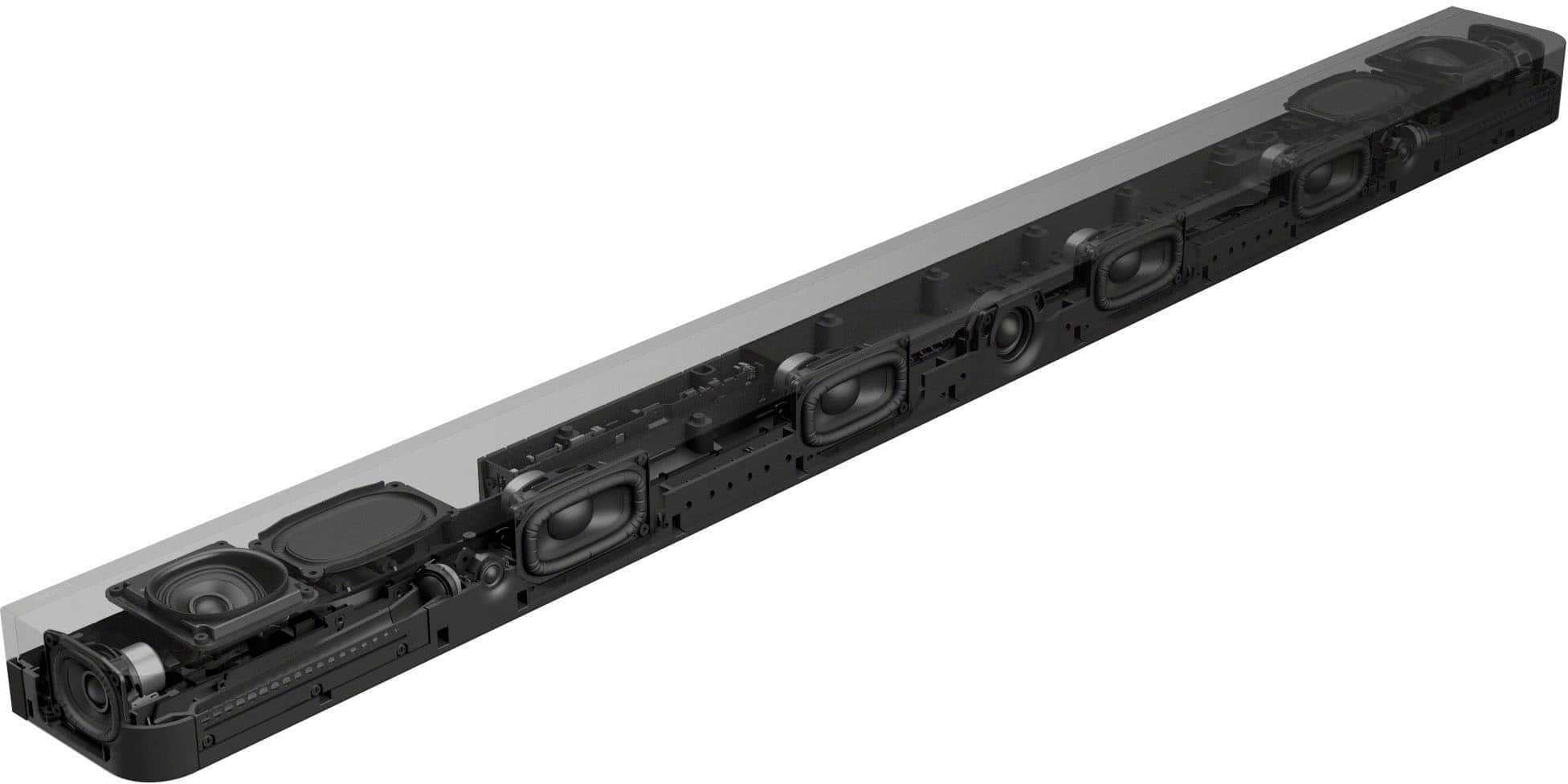
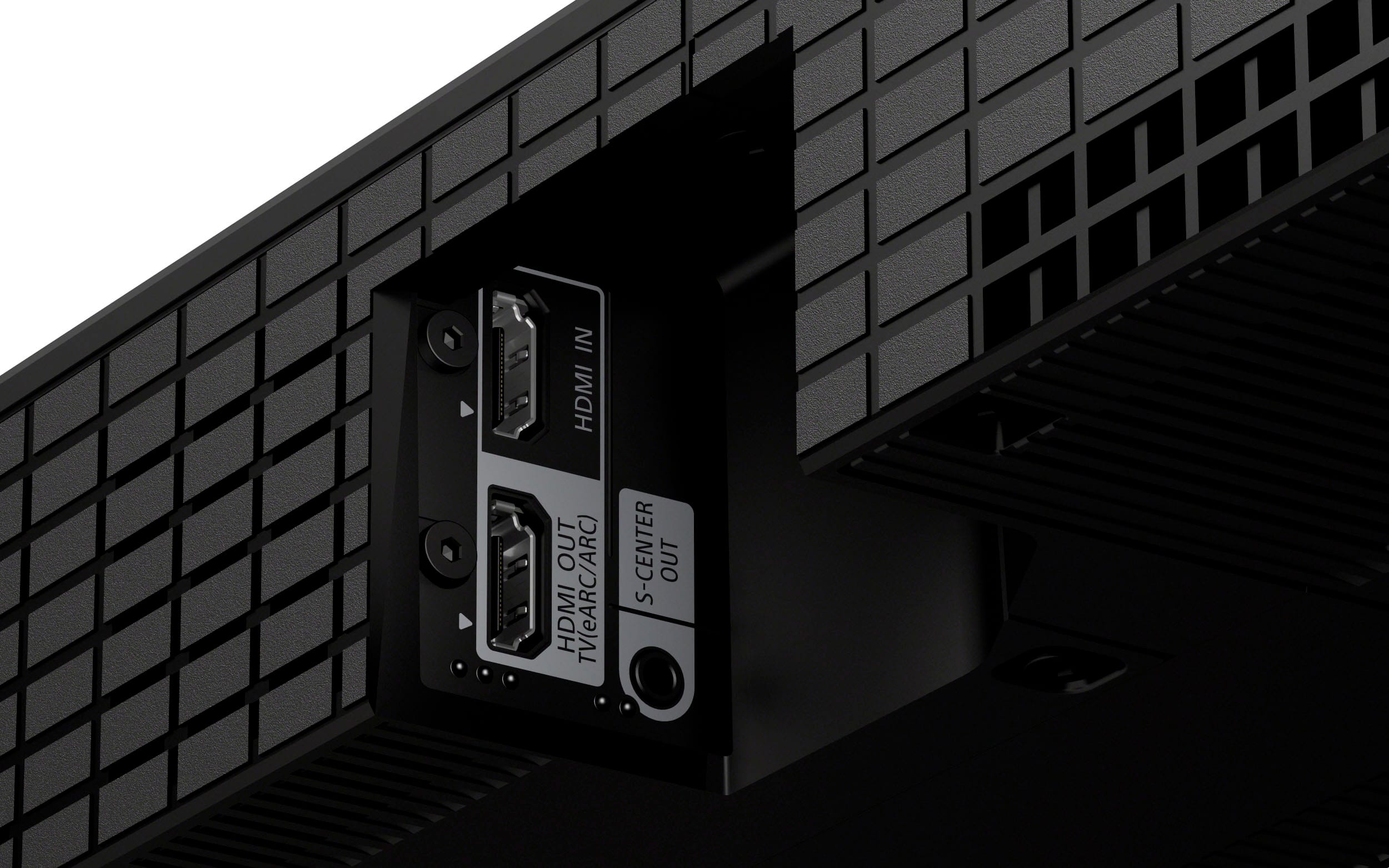
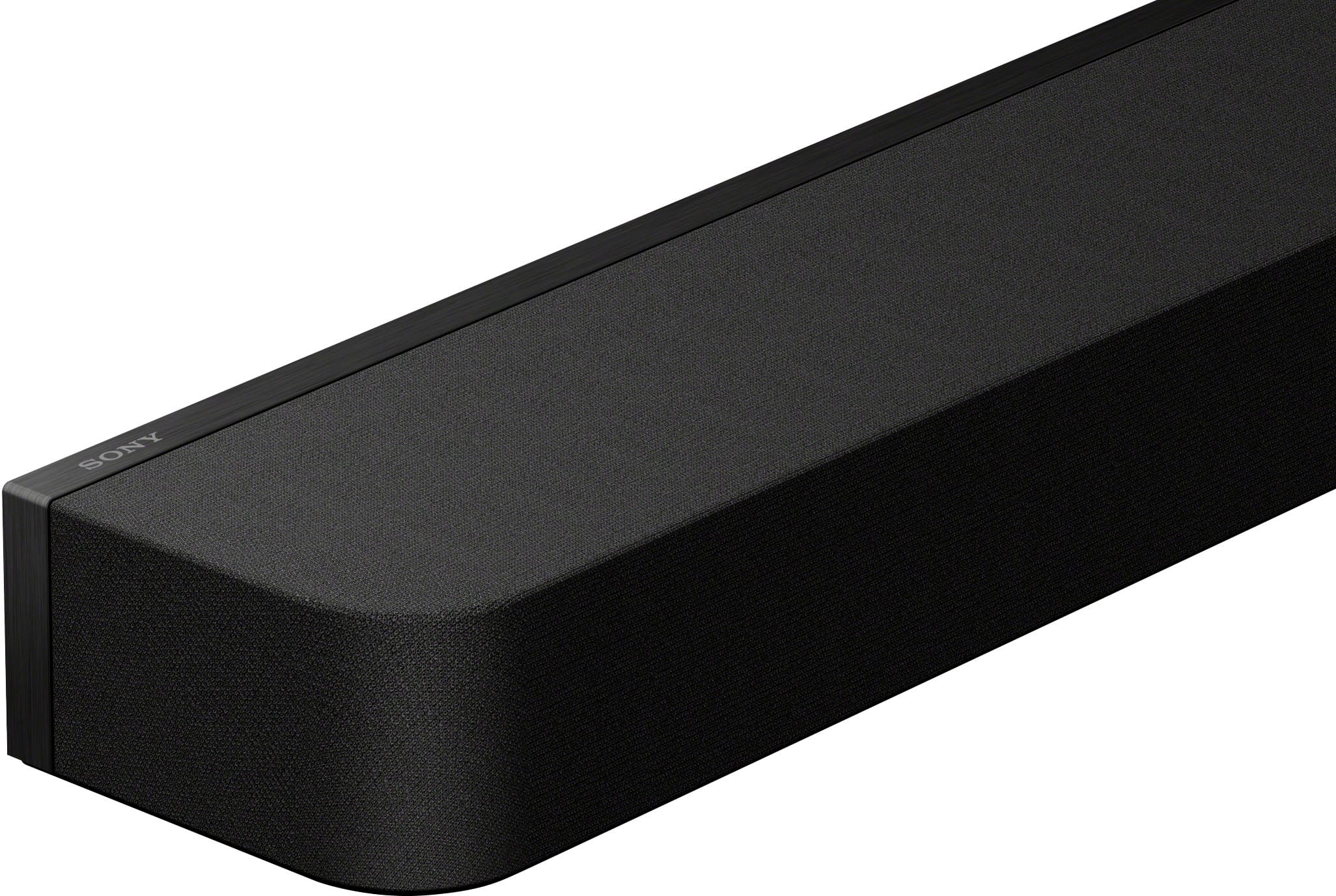
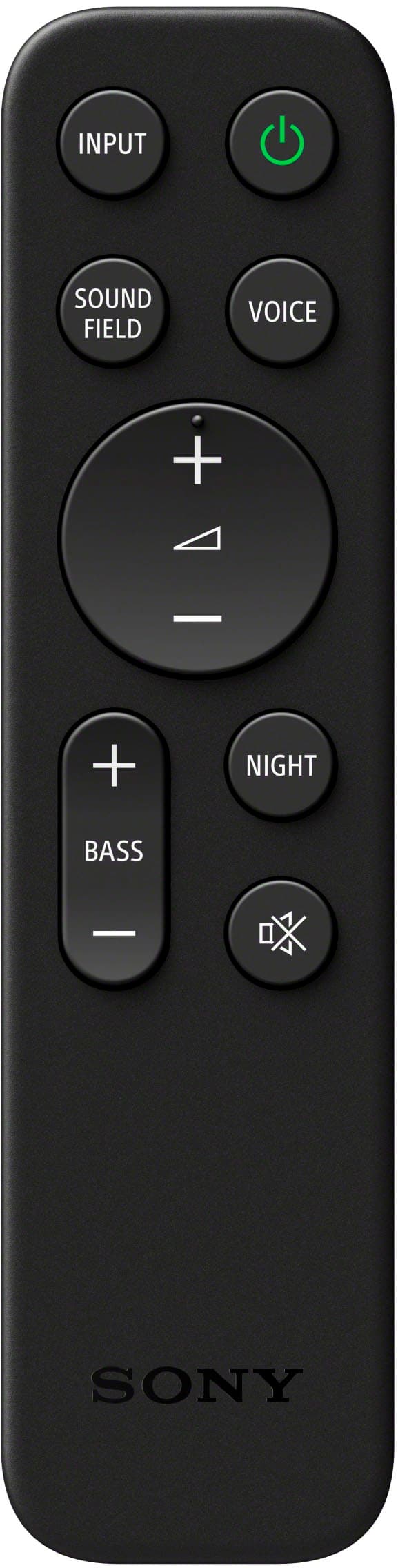
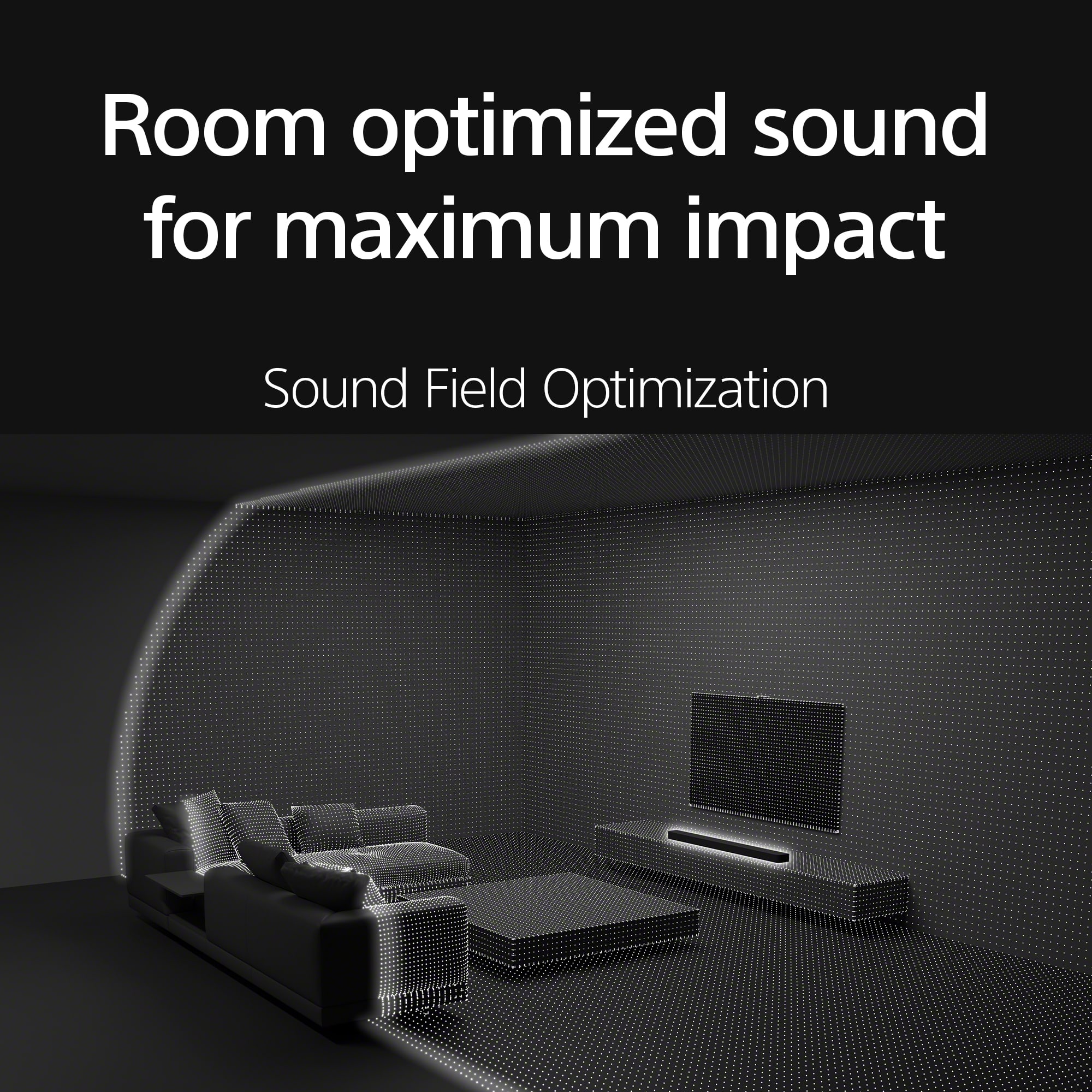
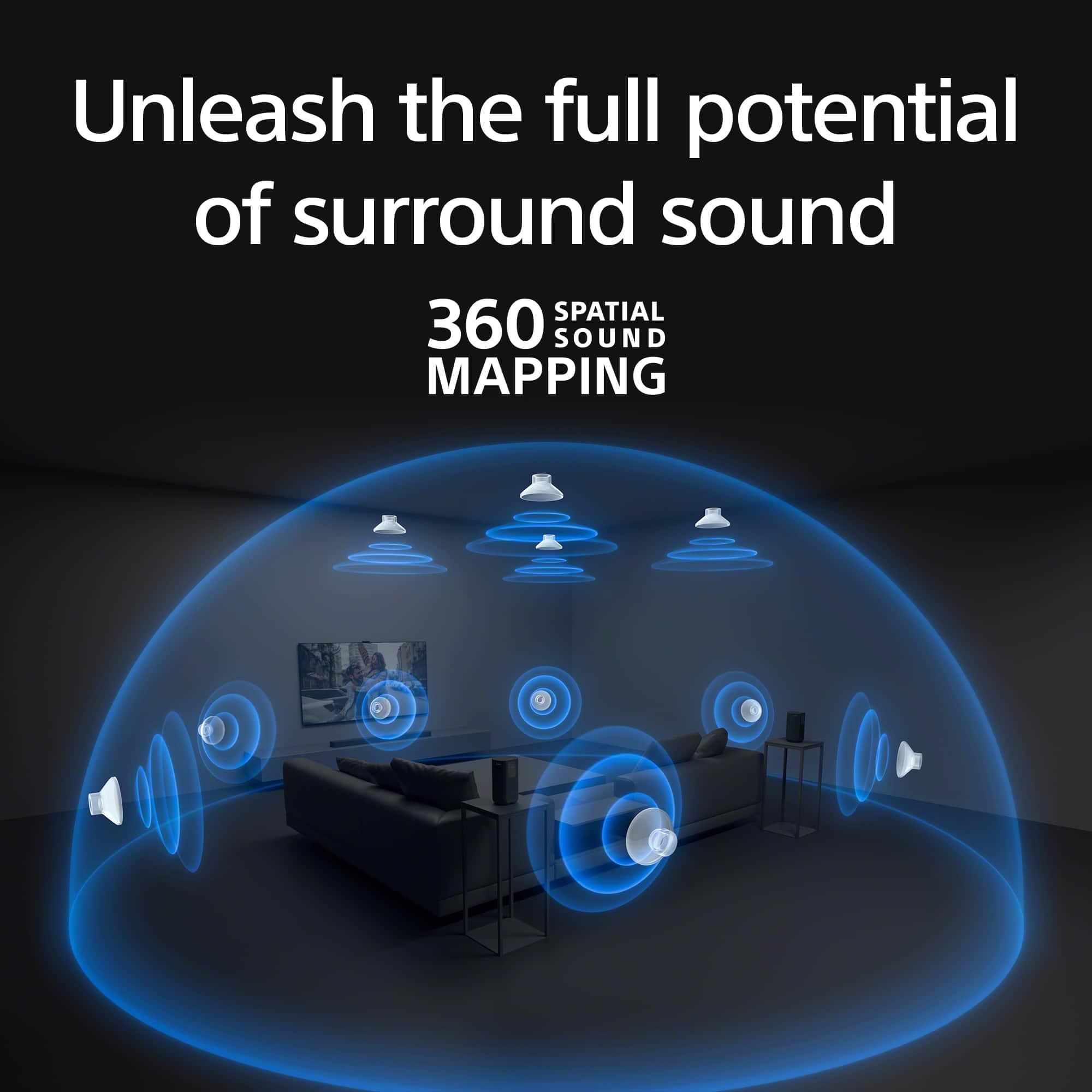
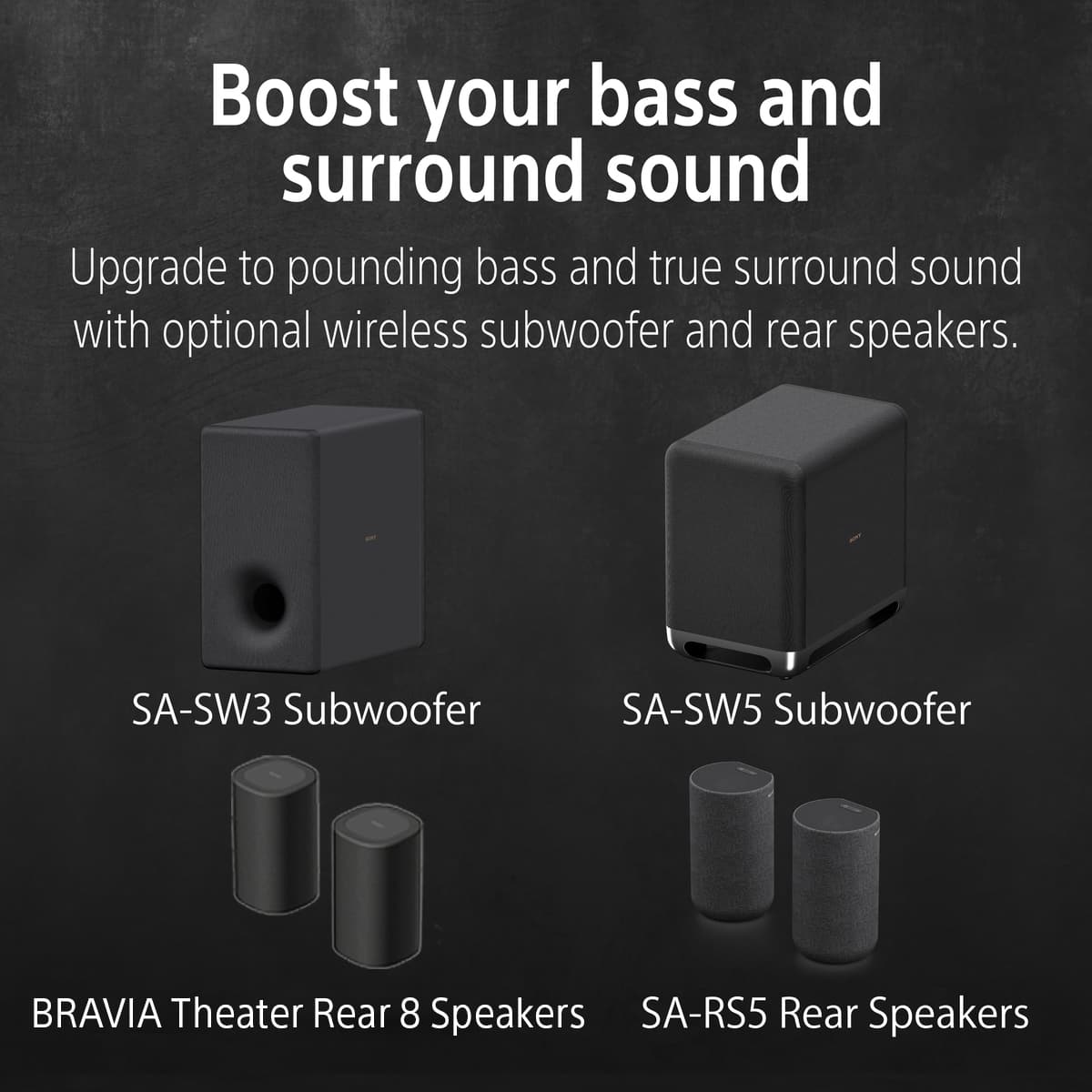
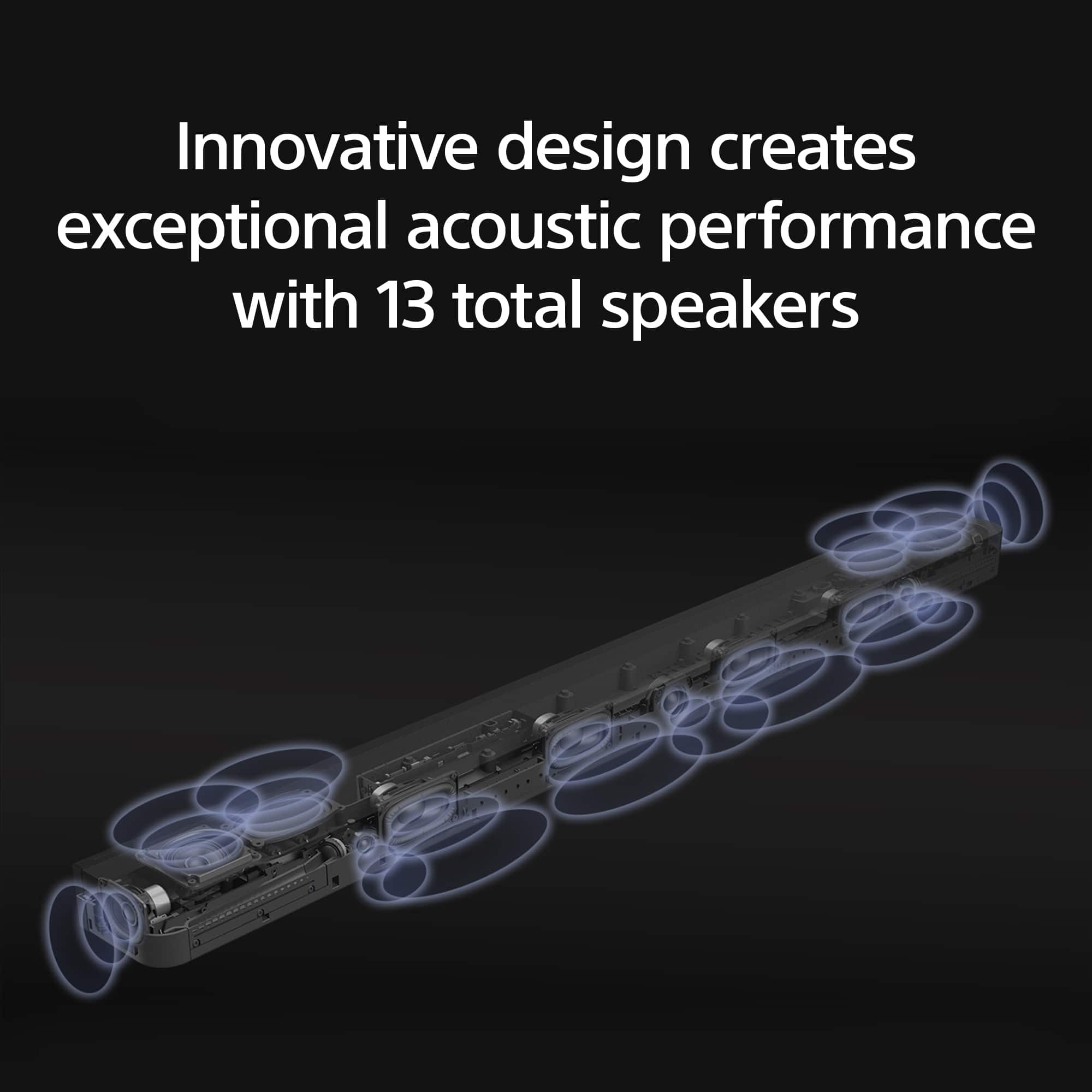
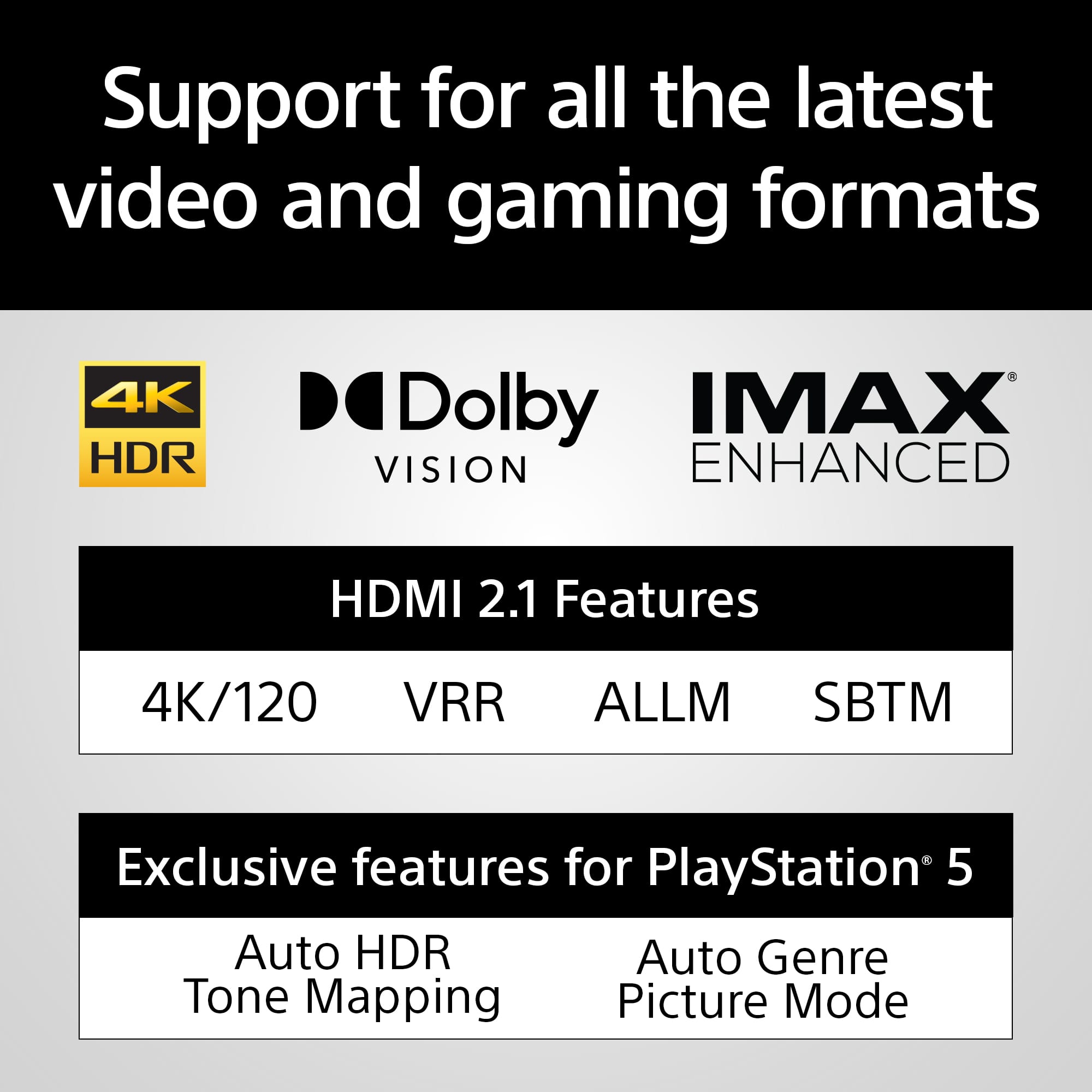
    The BRAVIA Theater Bar 9 provides a rich, crisp, and room filling audio with deeper bass than I expect from a soundbar. Design This is not a small sound bar, but that's not a bad thing. The extra width over some other sound bars should give it better left to right separation for audio positioning. It still doesn't extend beyond the sides of my 65" TV. Centered beneath it, there are a few extra inches that would be needed on each side to match the width of my TV. It's connected via HDMI eARC to my TV and even features an HDMI 2.1 pass-though port that means you could connect a device to the soundbar, making up for the HDMI port you lose on your TV. This may even have the advantage of being more accessible than the HDMI ports on the TV, making it easier to work with for connecting laptop for instance. There are feet included, but not required. It says they're included so the soundbar can go over the TV's stand, if it's sitting on a table. I didn't need them for my install but actually put them on anyway. I like the way the front left and right of the soundbar are rounded. Most of the soundbar is wrapped in fabric, not surprising since they're hiding 13 speakers are aiming in different directions to provide better positional and room-filling audio. The look is very clean. You'll see at least one LED lit at the front bottom right on the soundbar when it's turned on. It will be blue when the soundbar is in Bluetooth mode. It also comes with a simple remote. Features - It seems to supports a lot (maybe all) of the current audio standards including Dolby Atmos, DTS:X, and IMAX Enhanced. When using it with one of my devices I saw it supports Liner PCM 5.1 uncompressed audio (not sure if that's a subset of one of the others). - The "BRAVIA Connect" app is required for setup and updates. I found it easy to use. You can use it to change a number of settings, inputs, or adjust the Bass. - It also has "DSEE Ultimate" which is upscaling of compressed audio - You can adjust the height of the sound field (I'll talk more about the sound field later) - Night mode, Voice mode, and "Sound field" options that can be turned on or off - "Audio DRC" is set to "Auto" by default, supposed to make soft sounds easier to hear - Sound Field Optimization and Temporary viewing position adjustment Audio Quality Since this is a soundbar, the most important question is really, how does it sound? The short answer is the BRAVIA Theater Bar 9 puts out some amazing audio! I was impressed with the highs, the lows, and the projection of the audio. The volume was excellent too! It can be very quiet, but audible, or very loud but still sound good. Here are three ways I'm impressed with the audio quality. 1. The sound in general was crisp and rich. Highs were crisp, not tinny. Sound reproduction sounded accurate. I tested with different audio sources including my music on my phone via Bluetooth (using Sony's LDAC protocol for high quality Bluetooth playback), a Blu-ray movie, and at least three different network video apps on Google TV. All sounded excellent and I didn't notice any problems. Voices sound clear and natural. All sounds seemed to be reproduced accurately. 2. I don't know what is due to very high quality speakers in the BRAVIA Theater Bar 9 (my guess) or "Audio DRC", but it seems easier to hear audio at low volume, specifically voices. I've had times where I need to turn the volume up louder than I want with other audio systems to hear what people are saying in the audio/video. With this soundbar it seems easier to hear voices at lower volumes. 3. The bass is excellent! I did turn it to max in the app, but wow, with it set to max I am really impressed. I'm not saying this is as good as having a separate sub woofer (which you can buy separately for this soundbar), but I'm not sure if better bass is possible on a soundbar, as least of this size. With the different audio I played , none sounded like the soundbar struggled at all with the bass and it sounded great to me! Surround Sound The surround capability's of the BRAVIA Theater Bar 9 are very impressive to me for only using the soundbar. Having those 13 speakers aiming different directions really helps it project. I think part of the reason it's so good is the way it optimizes the sound field of the room by playing sounds and listening to them with built-in mics. It even uses your phone, via the app, to listen for some of the tones and figure out where you are listening from. I think that's a very innovative solution to get the best audio positioning possible for any content viewing/listening experience. I wouldn't say it's as good as having rear speakers but, like the bass, I'm not sure you could get better without rear speakers. There is definitely a room-filling depth to the audio and I was able to hear objects moving around the room. I struggled to perceive that they were behind me, but I could notice them getting closer or farther. Optional Add-ons If you want to improve the bass or the surround, Sony does offer two different sets of wireless rear speakers to choose from as well as two sub-woofers to choose from. Also, if you have a Sony BRAVIA TV that supports "Acoustic Center Sync" (Produces audio directly out of the display), you can actually have that TV configured as a center channel. Summary If you are looking for a high end soundbar I think you should consider the Sony BRAVIA Theater Bar 9! The sound quality is excellent, it produces a rich, full sound, and it has some great features that can improve the overall experience. Even the fact that you don't need to lose an HDMI port could be a very helpful features. The fact that you can improve the bass or surround down the road by adding additional speakers is great!

    I would recommend this to a friend
    • Brand response from SonyListens
      Posted .

      Hi hotice, That's great to hear. We appreciate your time sharing your review on the new Sony HTA9000 and we're glad you like it. Enjoy and thanks for choosing Sony. -Craig Sony_US

  • Rated 1 out of 5 stars

    What a bummer....

    |
    |
    Posted . Owned for 1 month when reviewed.
    This reviewer received promo considerations or sweepstakes entry for writing a review.

    Worked great for about 1 month with our Sony Bravia TV. Great sound, I was impressed. But then, it became very muted when I initially turned on the TV, and now I have to turn the TV off, and back on to get it to work. Of course, it is too late to return. I reinstalled the soundbar, didn't help. Now what?

    No, I would not recommend this to a friend
    • Brand response from SonyListens
      Posted .

      Hi HarmonicaJo, we're glad you like the sound quality of our product. We're sorry to hear that you have an issue with your Sony unit. Please make sure that both your TV and the HTA8000 soundbar have the latest software updates installed. Please check this link for more details:

      https://www.sony.com/electronics/support/sound-bars-home-theater-systems-sound-bars-surround-speakers/ht-a8000/downloads

      Perform a power reset on both your TV and the HTA8000 soundbar. Turn off both devices, unplug them from the power outlet, wait for about 60 seconds, and then plug them back in and turn them on. If the issue persists, you might want to try resetting the TV and the soundbar to their factory settings. You can follow this link for more details:

      https://helpguide.sony.net/ht/208283c/v1/en/contents/117_Resetting_the_Speaker_System.html

      If you require any additional support with regard to this product, please email us at socialsupport@am.sony.com with the following details: Name: Username: Model Number: Issue: Telephone Number:

      ~Earl Sony_US

  • Rated 1 out of 5 stars

    Good when it is working

    |
    |
    Posted . Owned for 4 months when reviewed.
    This reviewer received promo considerations or sweepstakes entry for writing a review.

    More often than not, it just sits and does nothing but displaying a slow flashing white light. Would not recommend this soundbar to anybody.

    No, I would not recommend this to a friend
    • Brand response from SonyListens
      Posted .

      Hi KevinW,

      Thank you for the review and we're sorry to hear what happened with your soundbar. Please allow us to help you and turn this into a better experience. Power reset the unit, simply unplug the unit and wait 1-2 minutes then plug the device back in and power on.

      If the situation does not improve, please email us at socialsupport@am.sony.com with the following details:

      Name:
      Best Buy Username:
      Model Number:
      Issue:
      Telephone Number:

      -David Sony_US

  • Pros mentioned:
    Sound quality
    Tech Insider Network Member

    Rated 5 out of 5 stars

    Bravia 9: Exceptional Audio

    |
    Tech Insider Network Member
    Posted .
    This reviewer received promo considerations or sweepstakes entry for writing a review.

    In recent years, with the advent of object based codecs, the home viewing experience continues to improve at an accelerated rate. It is because of this that, for many audio enthusiasts, the home theatre is an important aspect of their entertainment lives. However, for others who desire an exceptional audio experience but do not have the allurement or ability to purchase multiple speakers, are unfortunately hindered. Thus, soundbars have become somewhat of a perfect solution for such a predicament, allowing you to save space and enjoy better sound than typical TV speakers. As such, I was extremely excited to compare the newly released Bravia 9 Theatre Bar and see how it performs as a main speaker. Upon receiving the Bravia 9, I was surprised that it seemed much larger than expected. At roughly 51.5 inches in length and about 5 inches in depth, I strongly recommend that you plan your measurements accordingly. In addition, the Bravia 9 was much heavier than expected; clocking in at 12 pounds, the bar is massive and definitely feels like a premium product. In the box, the soundbar comes with an HDMI cable and an analog cable for the S-Center feature. It also includes two wall mount brackets and two feet so you can raise the soundbar if your TV feet are in the way. As for setup, unfortunately the Bravia 9 requires the Bravia Connect application along with a Sony account. In addition, your device and soundbar will need to be connected to the same Wi-Fi router for you change any settings. Furthermore, the Bravia 9 only has two LED lights: one for source input and the other is the status indicator. Personally, I think it would have been beneficial if they would have included a small screen on top to display the modes and various inputs. As for setup, while I was not excited about being force to use the application, it did find the bar relatively fast. Once I created my account and attached my Wi-Fi to it, I was ready to go. Once I completed setup, I was ready to test the Bravia 9. Before I begin, I do want to caution you that what I observed here will differ from your experience as our audio perception differs. However, it should provide some idea of its performance. For my test setup, I used two Audioquest Cinnamon 48 Gbps rated cables, both of which are 5 ft in length. The Bravia 9 was connected to my Sony A90J OLED TV via its HDMI 2.1 eARC port; my Sony X800-M2 4K bluray player was connected to the TV's other HDMI 2.1 port . Furthermore, I made sure eARC was enabled on the TV (should be by default); digital output on the X800 was set to bit stream audio sources with secondary audio set to off. You will need double check your particular equipment and adjust accordingly. On the Bravia connect application, eARC should be enabled by default. Connectively, I tried to refrain from changing the sound settings in the application so I could preserve an out of box experience but I did turn DSEE ultimate and Audio DRC off. For the sound field option, I only tested the 360 spatial setting (default). Additionally, I left the bass at medium and the system volume was capped at 30. Lastly, I picked two movies: one with Dolby Atmos and the other with DTS:X; for music I only used my personal FLAC/WAV collection of which has been scanned via spectrogram and verified for proper lossless quality. For my first movie, I decided to watch The Mummy (1999) which features an engaging DTS:X mix that makes effective use of my main home theatre system. As such, I was curious to see how this translates to the Bravia 9 soundbar and for the most part the results are stellar. Upon firing up the movie, you should notice the DTS:X logo at the top of the application's home screen so that you'll know that it is seeing the correct metadata. With the sound field option off, I think the Bravia 9 sounds quite natural; voices are centered perfectly and are crisp and clear. Additionally, the opening battle sequence has some nice bass rumbles throughout. Another good example is at the 9:34 mark when the sword is thrown into the air. On my main setup, that section is isolated specifically on my Atmos speakers, so it was nice to hear that the Bravia 9 positioned up on the top left speaker and shifted it to the right. When you turn on the sound field option at this same section, the background music is pulled way up to the forefront and still manages to position all the sounds accordingly. In addition, the sword is drastically louder and much more aggressive in the mix. The sound field option was quite surprising to say the least. While I normally do not like to add any additional processing to the audio, I was quite shocked at the immediate difference at the 1:00:57-1:01:14 mark where the background brass instruments are brought up front and center and is much more noticeable. When you disable the option in the same section, the music completely shifts further back into the mix and drops significantly in volume. For most, I think most will be quite pleased with the results; even dialogue seemed to improve a bit with the sound field setting. Overall, I was quite surprised at how well the sound field enhanced the audio and was able to provide a much more encompassing sound experience. For my second movie, I decide to use Lucy (2013) which has a robust Atmos track that is certainly demo material; throughout there are some fairly good use of low bass tones. As noted before with DTS: X, you should see a Dolby audio source logo indicating it sees the correct codec, though surprisingly this time around the codec logo changes to an Atmos logo when the sound field is toggled on. I do believe it is still picking up the lossless signal as the X800 overlay still showed TrueHD as its output. Beginning with the sound field off, the discussion that begins at 15:48 really stood out to me as the dialog was perfectly positioned on the top and center speakers. Additionally, you can make out nice echoes on the far left and right top speakers. Another section that caught my attention is the start of Mozart's Requiem at 38:18, where the violins and choir come together. When you enable the sound field setting here, the sound instantly becomes much louder and more encompassing. Violins are pulled much closer to the front and hit some nice frequencies. Another highlight worth noting is the car scrape at 1:01:51; it becomes exponentially louder with the sound field setting on. The same thing occurs again at 1:02:01 when you see the car flip into the air. Lastly, during all of the CGI effects around 1:20:00-120:37, the Bravia 9 performs exceptionally well here: lows and highs are all clear and separate from each other and is quite the experience. Overall, Bravia 9 performs exactly as expected. Shifting to my music test, the Bravia 9 handled every genre that I tested. Bass response was better than expected; some tracks, however, did slightly distort when the bass was set to max, but that was easily remedied by dialing back the setting to medium. As for classical and jazz, the Bravia 9 really stretched its legs: high frequencies were quite detailed including vocals. Overall, the sound stage was quite exceptional. Rock and metal genres, despite some bad compression in the mastering, also played fairly well. One thing I did notice was that using the sound field option here did not sound as good as it did during the movies. It dialed everything back and seemed to overly process and restrict the sound. In addition, all of my files played perfectly, though I do want to mention that on Hi-Res LPCM 2 channel sources at 96KHz and 192 KHz, the output to the soundbar was limited to 48 KHz; this, I assume, is a limitation of the eARC as oppose to bandwidth (or it could possibly be a Sony limitation). While disappointing, this should not affect most people unless you have a fairly large hi resolution collection that exceeds these sample rates. Interestingly, when I tested one of my Bluray Audio discs, both 192 KHz/5.1 and 96 KHz/7.1 DTS MA-HD tracks played with the correct sample rate and channel count as noted within the Bravia application. Connectively, Hi-Res over Bluetooth via LDAC codec also played as intended. The Bravia 9 automatically selected the codec in the application, though I went ahead and manually changed the output setting to quality preferred on my Sony Xperia 5 III. Overall, I think the Bravia 9 performs exceptionally well. If you are coming from basic TV speakers, this will certainly be a revelation. In conclusion, the Bravia 9 soundbar performs exactly as it was intended to do. It provides an exceptional audio experience for those who do not have the space or desire to build a complete home theatre system. In addition, it supports all of the current audio technologies such as Dolby Atmos and DTS: X and supports 4K and 8K signals. I was also quite happy with the 360 sound mapping effect; it certainly enhanced what was already an excellent listening experience. While it is somewhat disappointing that an application is forced on you (as well as an account login) to change its settings, it does seemingly work as intended and felt rather responsive. I was also surprised that LPCM was capped to 48 KHz, though again this should not be much of an issue as the Bravia 9 will more than likely be used primarily for movies. Nonetheless, it was worth a mention given the Bravia 9 price point and its position as an enthusiast oriented product. Overall, if the budget allows, the Bravia 9 soundbar is an excellent choice and I have no doubt most will be satisfied. Thus, the Bravia 9 soundbar comes highly recommended.

    I would recommend this to a friend
    • Brand response from SonyListens
      Posted .

      Awesome, Dragonhunter281! Thank you so much for taking the time to leave us a perfect rating! We are very grateful that you are enjoying your everything about your BRAVIA Theatre Bar 9. Your satisfaction with our product is our top priority. Hear sound above and beyond. It sounds like we hit the mark with the HT-A9000. Thank you for choosing Sony! -Jess Sony_US

  • Rated 1 out of 5 stars

    No help from Geek Squad

    |
    |
    Posted . Owned for 1 week when reviewed.
    This reviewer received promo considerations or sweepstakes entry for writing a review.

    Could not get sound bar to connect to the tv. Geek squad was no help and wouldn't even come to house to help.

    No, I would not recommend this to a friend
  • Rated 1 out of 5 stars

    Bad service.

    |
    |
    Posted . Owned for 1 month when reviewed.
    This reviewer received promo considerations or sweepstakes entry for writing a review.

    No sound is coming out of the sound bar. Technician never came back to fix after one week of multiple promises.

    No, I would not recommend this to a friend
    • Brand response from SonyListens
      Posted .

      Hello OhannesD, thanks for bringing this out to our attention!

      We understand how frustrating is to have no sound coming from your new Bravia Theater Bar 8. This is definitely not the experience we want you to have, and we sincerely apologize for the inconvenience.

      To get this resolved as quickly as possible, please contact our Sony Support team directly for assistance on how to install the unit properly, and provide troubleshooting if is needed: https://us.esupport.sony.com/support/s/support-contact?language=en_US&category=ht

      Thanks for choosing Sony!

      Sincerely,
      Jenn. Sony_US

  • Rated 1 out of 5 stars

    Why bother?

    |
    |
    Posted . Owned for 10 months when reviewed.
    This reviewer received promo considerations or sweepstakes entry for writing a review.

    Might as well not even have a sound bar. Does nothing to enhance sound.

    No, I would not recommend this to a friend
    • Brand response from SonyListens
      Posted .

      Hello AndrewD,

      Thank you for considering Sony products.

      We're sorry to hear that you're not experiencing the sound enhancement you expected from the HTA8000 soundbar. We want to ensure that you get the best performance from your device.

      To help us better understand the issue and work towards a resolution, please reach out to us at socialsupport@am.sony.com. When you do, kindly include the following details in your message:

      - Name:
      - BestBuy Username:
      - Model Number:
      - Description of the Issue:
      - Telephone Number:

      We appreciate your patience and look forward to assisting you further.

      Best regards,
      -Fred Sony_US

  • Rated 1 out of 5 stars

    Best Buy is holding my money hostage.

    |
    |
    Posted . Owned for less than 1 week when reviewed.
    This reviewer received promo considerations or sweepstakes entry for writing a review.

    My item never arrived. The delivery driver illegally signed for me. And Best Buy is still charging me. Best Buy is refusing to refund me, because the delivery driver illegally signed for me.

    No, I would not recommend this to a friend
  • Rated 1 out of 5 stars

    Not recommended

    |
    |
    Posted . Owned for 3 weeks when reviewed.
    This reviewer received promo considerations or sweepstakes entry for writing a review.

    Sound quality is good, but compatibility is challenging. Not user friendly.

    No, I would not recommend this to a friend
    • Brand response from SonyListens
      Posted .

      Hi ChandlerhB,
      Thank you for taking the time to share your feedback with us regarding the HT-A8000. It is great to hear that you’re enjoying the sound quality. However, we understand that compatibility can be a challenge and we appreciate your input on the user experience.

      Your comments are invaluable as we strive to enhance our products and ensure that they are as user-friendly as possible. If you have any specific suggestions or need assistance with compatibility issues, please don’t hesitate to reach out to our customer support team. We’re here to help. https://us.esupport.sony.com/support/s/support-contact?language=en_US&category=ht

      Thank you once again for your review and for considering Sony products.
      Best regards,
      Stephanie Sony_US

  • Rated 1 out of 5 stars

    very bad sound

    |
    |
    Posted . Owned for less than 1 week when reviewed.
    This reviewer received promo considerations or sweepstakes entry for writing a review.

    very bad sound. honestly says i got just trash for 849 dollers.i have lg tv and tv had much better quality sound. just returning.

    No, I would not recommend this to a friend
    • Brand response from SonyListens
      Posted .

      Hi ManjitS,

      Thank you for the feedback. It is unfortunate that the unit had to be returned. Take note that the sound quality of the soundbar will depend in the source that you're playing. Thank you for sharing your experience and we hope you will consider Sony again in a future purchase.

      -David Sony_US