Customer Ratings & Reviews




- Model:
- MSEG500/B
- SKU:
- 6641386
to a friend
Customers are saying
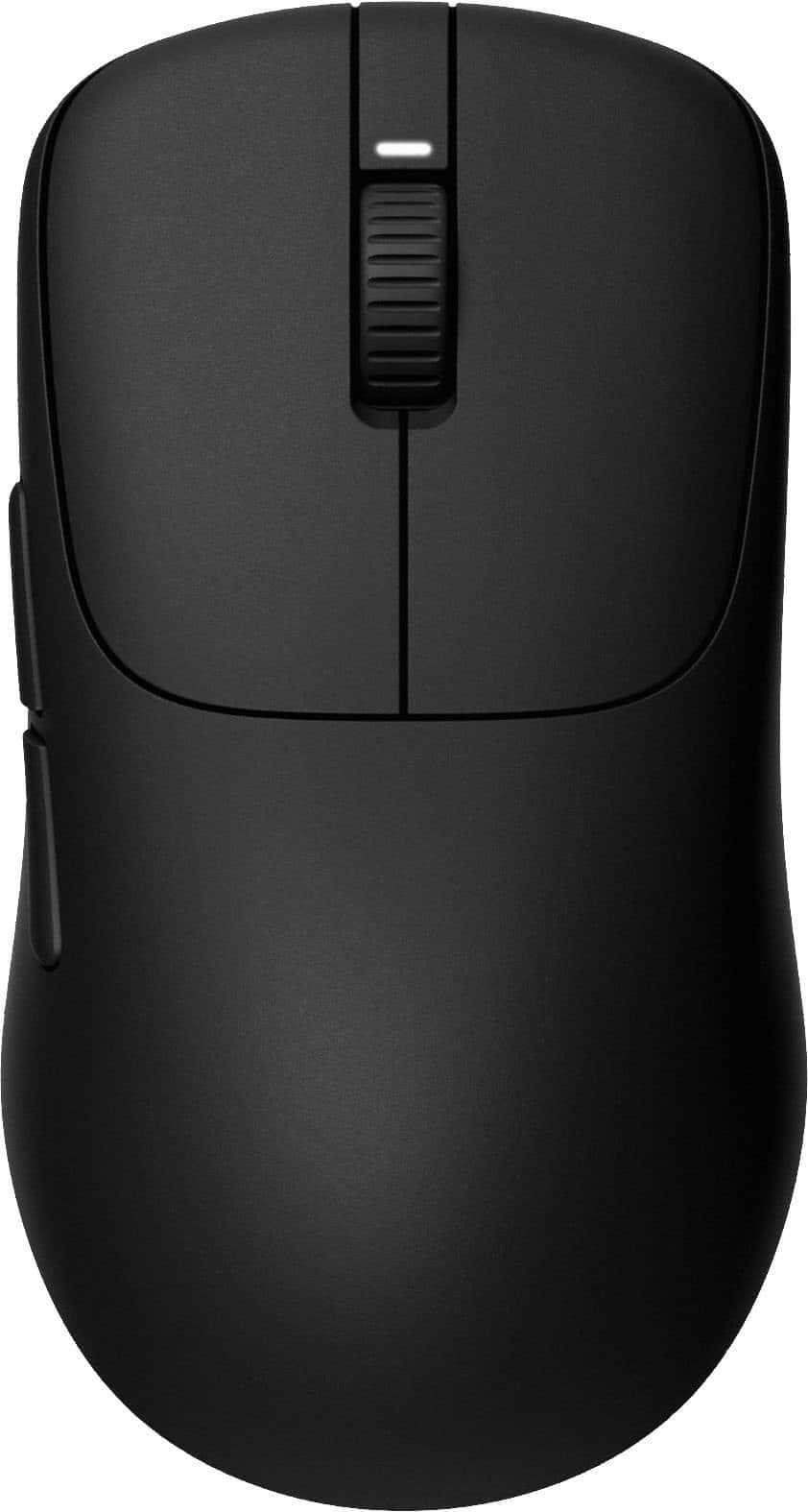
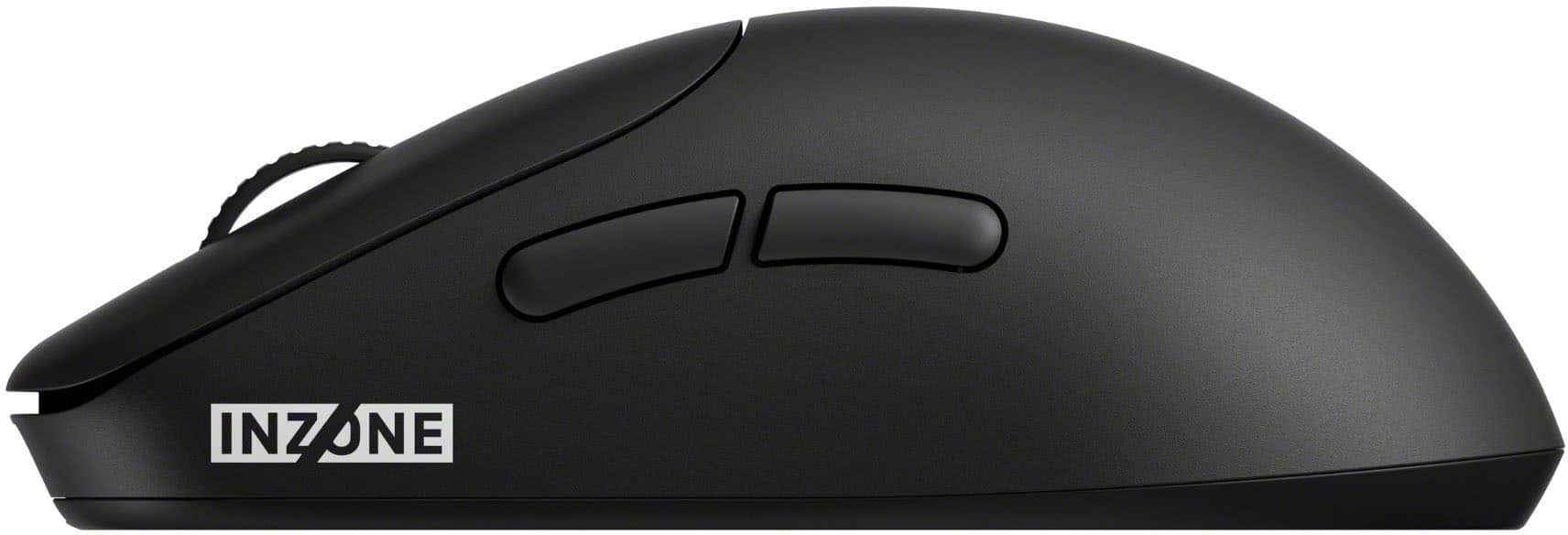
Customers admire the INZONE Mouse-A for its lightweight design, excellent battery life, and great build quality. Users also appreciate the smooth and accurate sensor performance, ease of customization, and high polling rate. The mouse's ergonomics are well-received for comfortable long-term use, along with its wonderful connectivity and signal power, and its precision.
This summary was generated by AI based on customer reviews.
- Pros mentioned:Customization, Sensor performance, Weight

Sony's INZONE Mouse-A delivers a WIN!
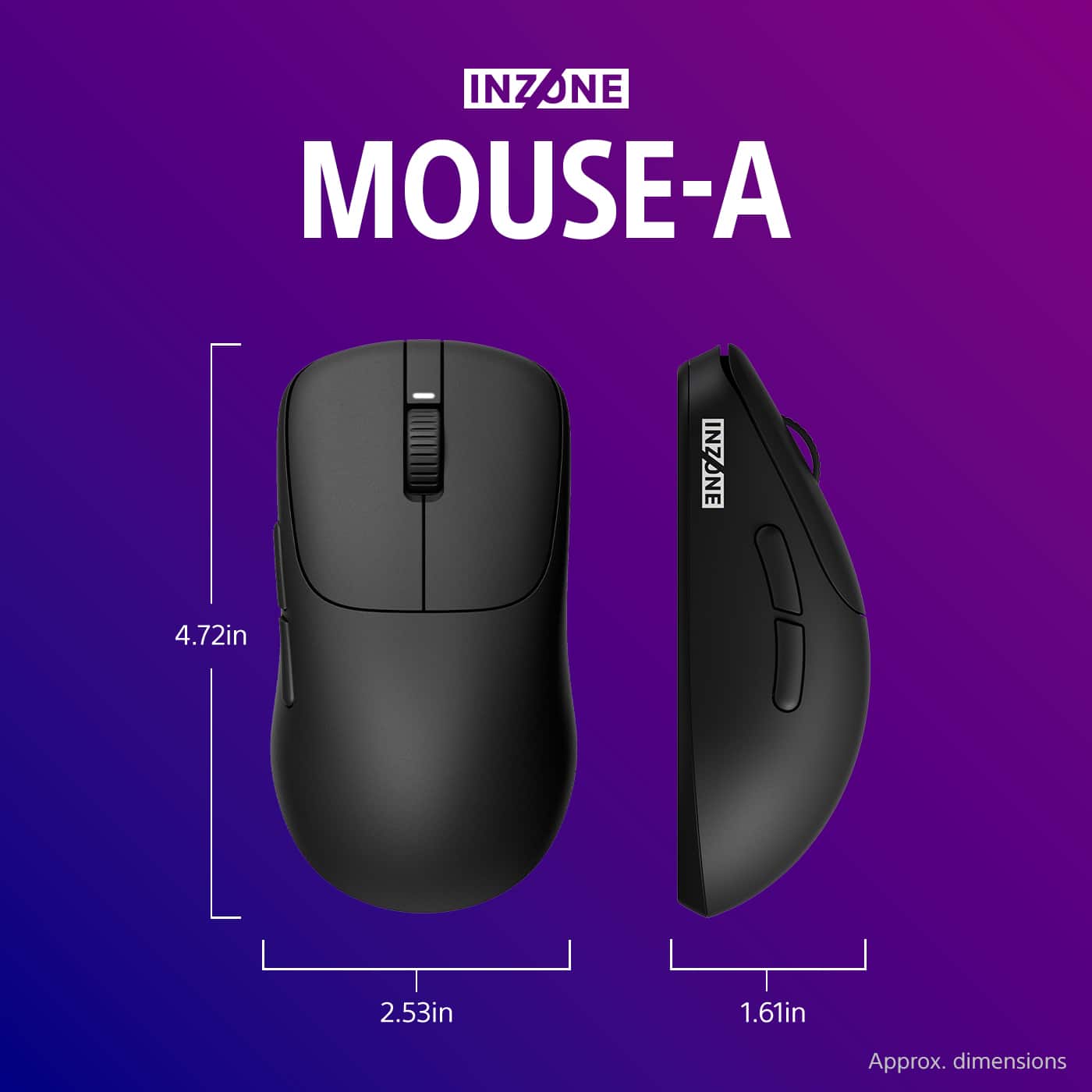
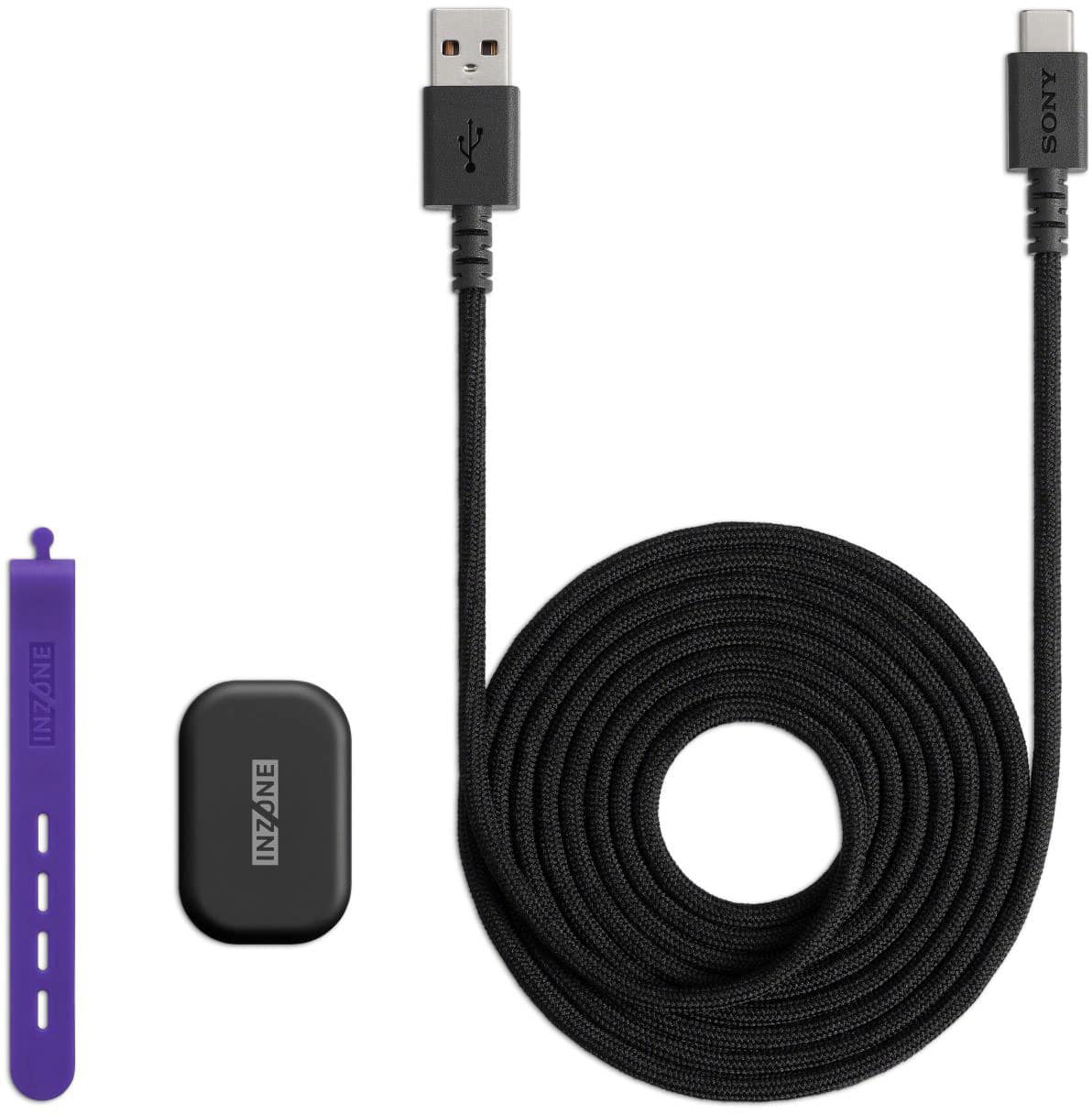
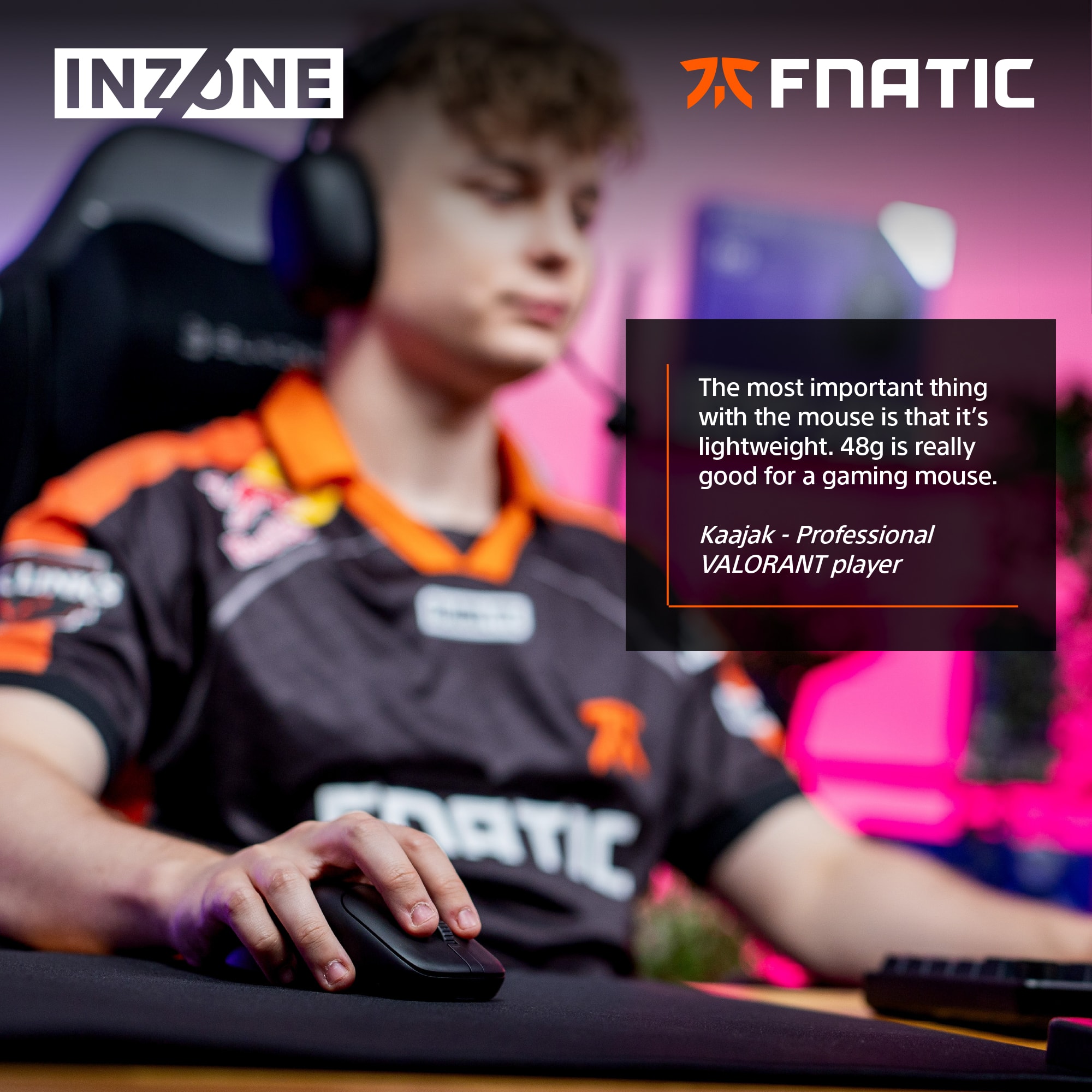
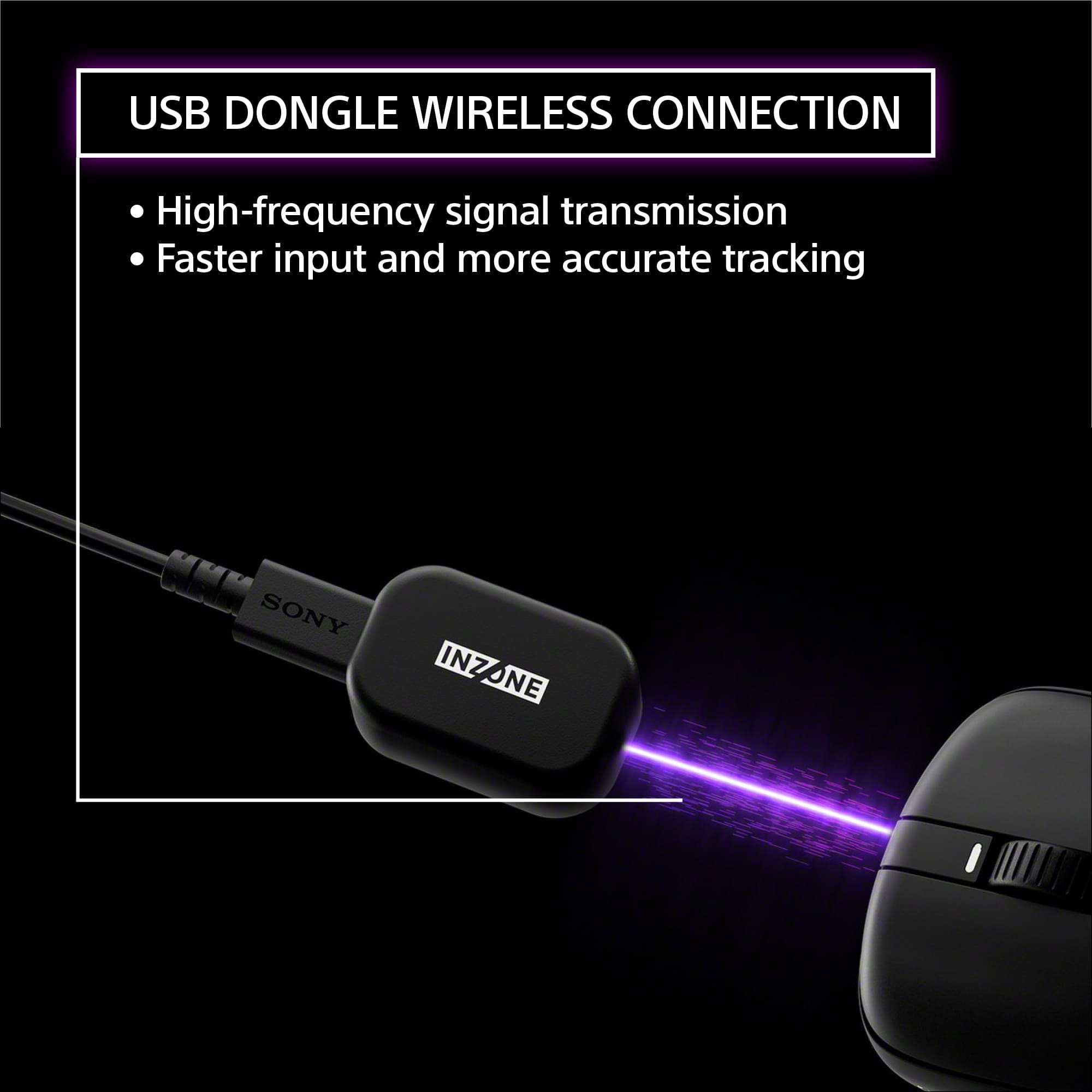
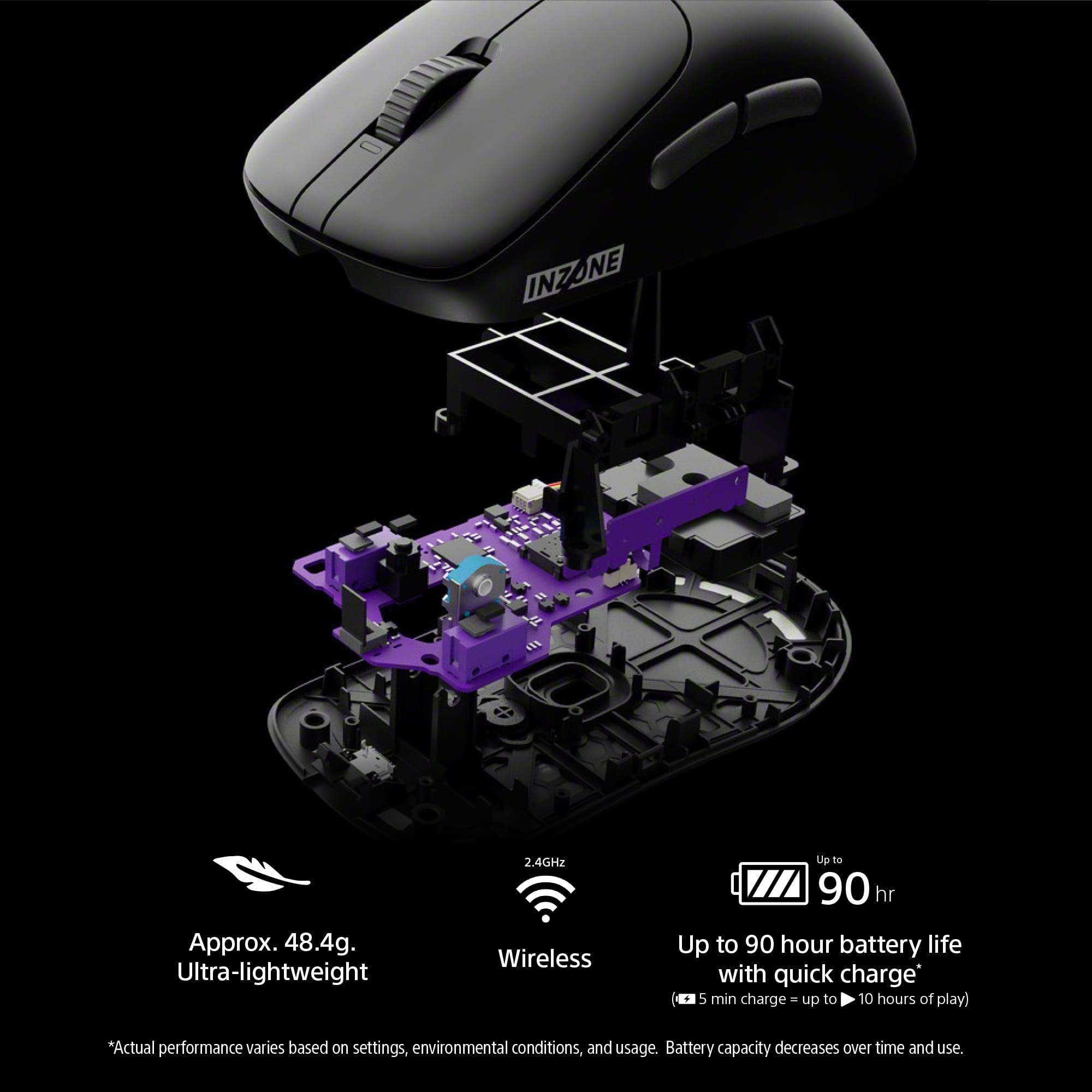
|Posted .This reviewer received promo considerations or sweepstakes entry for writing a review.This Sony INZONE Mouse-A Ultra-Lightweight Optical Switch Wireless 8K Gaming Mouse is so light at approx. 48.4g, that it's almost unbelievable. I have never used a mouse that was this lightweight before. As one would think, it can be moved incredibly quickly. I won't bore you with the specifications, but the sensor on this mouse leads to amazing resolution and tracking speed and that leads to incredible precision. Precision is what matters to me. The resolution DPI, polling rate and the super easy to click 5 mouse buttons, including the scroll button, can all be customized with the use of Sony's INZONE Hub software. Adjustments are made either via their PC app or the web and you can save up to 4 profiles. The mouse comes with a dongle and a USB-C to USB-A cable that is used to connect the dongle to your PC and it is also used to charge the mouse. This type of dongle is a change for me because instead of just popping it into a USB slot and forgetting about it, it is a small type of fob that needs to remain plugged into your PC and near your mouse in order for the mouse to work. It also comes with an extra set of "feet" for the bottom of the mouse that aid in the smoothness of the travel and a couple of INZONE stickers. Sony claims this mouse provides 90 hours of wireless use after fully charging and with a quick 5-10 minute charge, it provides 10 hours of play. If you prefer to play wired, you can use a USB-C connection. Wired play reduces the latency to zero, but I'd rather use it wirelessly. Using the INZONE Hub app, I am able to check the remaining charge. The design of the Sony Mouse-A was conceived with the help of top game players from Fnatic, and they know what they need and want to win. My only issue with the shape of the mouse is that it is a tad too large for my hand and I find it difficult to reach the forward side button. Otherwise, I am loving it. The ease of use, the speed and the accuracy are absolutely fantastic. Overall, I am thrilled with this Sony INZONE Mouse-A Ultra-Lightweight Optical Switch Wireless 8K Gaming Mouse. I actually feel that the super light weight of this mouse enables longer play time. My hand doesn't get tired as quickly as it did before getting this. I am thoroughly enjoying this mouse - it's light weight, provides a way for me to customize it to my personal play style, and it is speedy and extremely accurate. I do wish it would also come in a slightly smaller size, but that is my only complaint! This is an unbelievable mouse and I highly recommend it!
I would recommend this to a friendBrand response from SonyListens
Posted .Hi BBReviewer! Thank you so much for this incredibly detailed feedback!
It brings us great satisfaction to hear how thrilled you are with the INZONE Mouse-A. We're especially glad to know that the ultra-lightweight design is making a real difference for you, allowing for longer play without hand fatigue. It's also great to hear that the precision, speed and customization from the INZONE Hub are working so well for your needs.
We also appreciate your honest comment about the size of the mouse. Your feedback is very valuable to us and we will certainly take it into consideration for future designs.
Thanks for choosing Sony!
Best regards,
Estefany
- Pros mentioned:Battery life, Build quality, Customization
Super lightweight yet solid and precise
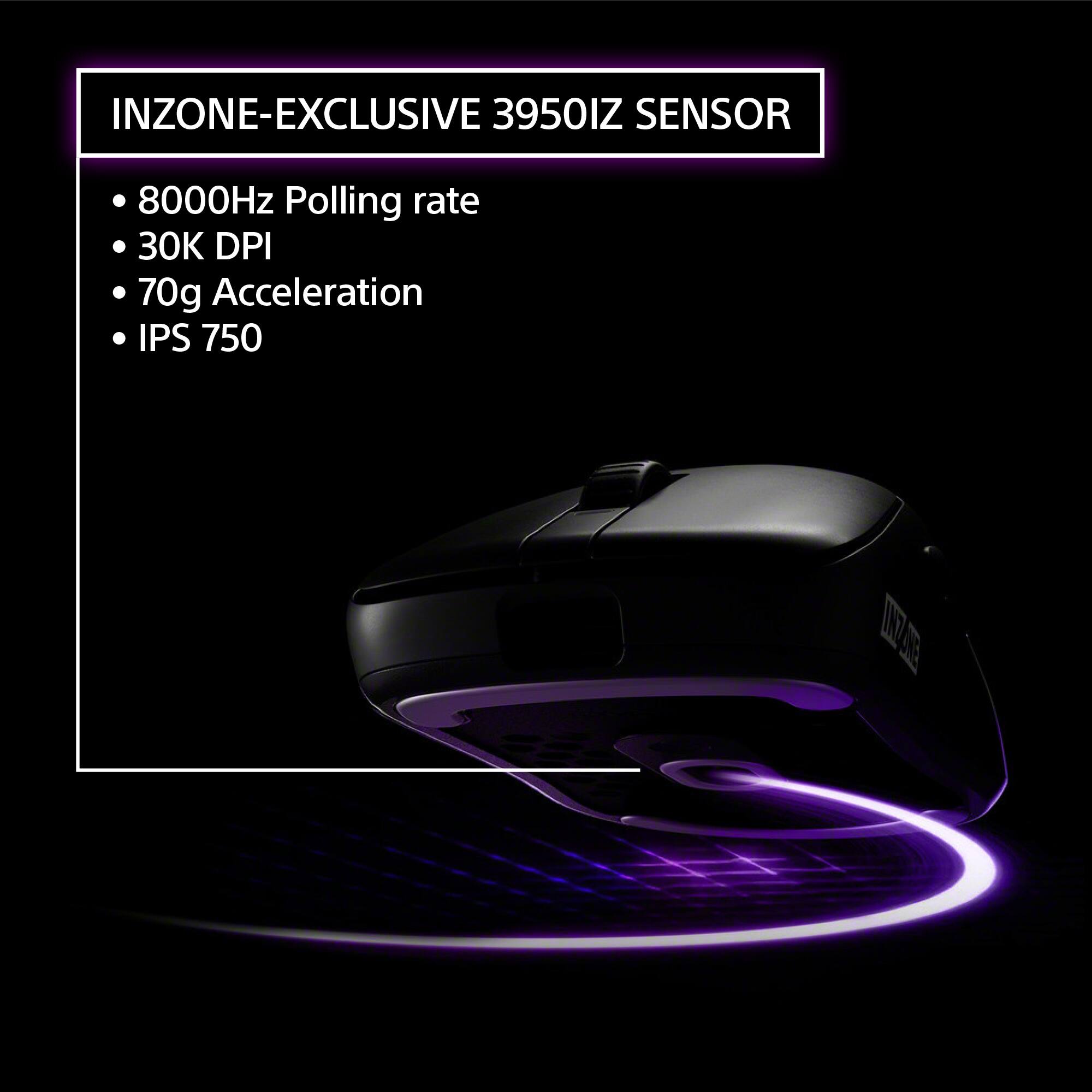
|Posted .This reviewer received promo considerations or sweepstakes entry for writing a review.I have been using the Sony INZONE Mouse-A for almost a week now and it is quite impressive. First thing you’ll notice is how light it is at just over 48 grams or 1.7 ounces. For some devices you could associate light-weight for cheaply built but that is NOT the case for this Sony mouse. It is solidly built of the highest quality materials with a polyamide frame and it performs equally as solid. It glides ever so smoothly on any surface and it even comes with a spare set of glides. In terms of size, it’s probably most comfortable for medium to large hands which worked great for me. The high-end hardware components used in this mouse make it great for hard core gamers, thanks to the Sony 3950IZ sensor capable of 30,000 DPI resolution and 70G acceleration. The 8,000Hz polling rate enables nearly instant response time giving gamers an unprecedented advantage. I would also add, this mouse is also great for CAD and graphics design apps, thanks to its super-high resolution and pixel-perfect precision. I used it for some detailed architectural drawings and it was amazingly accurate. Installation was a breeze. I first used it with the USB-A to USB-C cable provided to charge its built-in long life lithium battery. Once it was fully charged, I used the same USB cable to connect the 2.4 GHz wireless dongle it came with. If you want to take advantage of all the advanced customization settings, you will have to install the Sony INZONE Hub PC software or very conveniently use the INZONE Hub for Web version which works just as well. All buttons functions can be customized in addition to the Sensitivity DPI, Polling Rate and Lift-off distance. Unlike any other mouse I’ve ever used before, the SONY INZONE Mouse-A has 4 profiles you can save different settings for and those settings will actually be saved in the mouse’s memory to seamlessly carry over with your mouse to multiple devices. I am now using this mouse all day on my work computer and after hours and on weekends on my gaming desktop and would highly recommend it to those who can afford it, since it is quite pricey for a mouse, but once again this is no ordinary mouse.
I would recommend this to a friendBrand response from SonyListens
Posted .Hi SUHD,
Thank you for breaking down your experience so perfectly! It's awesome to hear you're putting the INZONE Mouse A's high-end performance to the test, whether you're dominating a game or getting that pixel-perfect precision in your architectural drawings. That incredible 8,000Hz polling rate and the super-light, yet solid build, are exactly what we're proud of.
We appreciate you acknowledging the price, and we're thrilled you feel the quality and performance make it a truly exceptional device.
Thank you for choosing Sony!
Best regards,
Dominick
- Pros mentioned:Customization, Weight
Lightweight and high precision gaming mouse
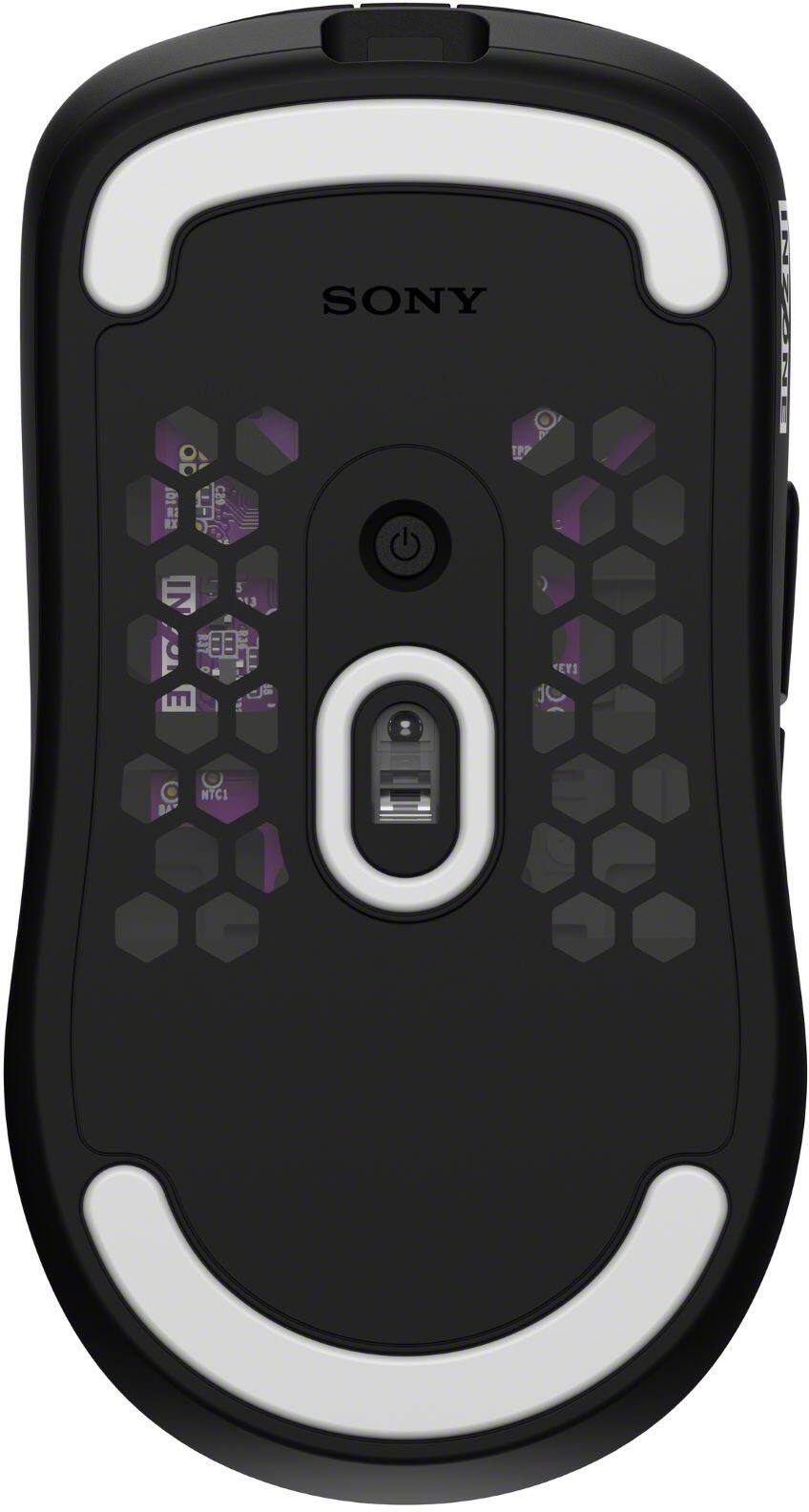
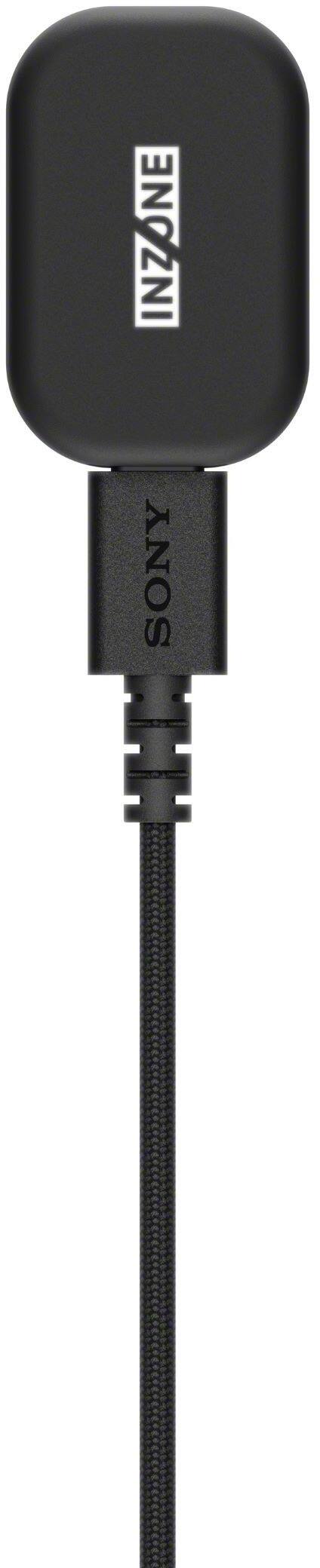
|Posted .This reviewer received promo considerations or sweepstakes entry for writing a review.The Sony INZONE G500 is a very lightweight, customizable and very precise wireless mouse. You can also use it wired if you wish. It is ideal for gaming (as expected from its product description) and well, in my case, it also comes in handy for everyday use. One downside if you want to enjoy the wireless connectivity is that you’d need to use the Sony proprietary wireless adapter that comes in the package, connect it to the host computer, and then be able to use the mouse. This mouse doesn’t support Bluetooth, which I guess is understandable if you want to provide your own wireless technology. In addition, this mouse doesn’t have those “tens” of buttons everywhere that other gaming mice provide, so it is ideal if you are looking for simplicity in your gaming, just take this one. I would give this mouse a 5-star rating but there are a couple of things that get in the way of a perfect score. I address some of them later in the review. >> Reliability So far, I’ve been very pleased with the Sony INZONE Mouse A G500. I’ve been using it for gaming, but more for regular work (which is what I do most of the time anyways). No complaints while using it. The connectivity and signal power is wonderful, I placed the wireless adapter several feet away, and I can still use the mouse with no issues. I’d highly recommend it just for that “feature”. I have at least one other gaming mouse with Bluetooth connectivity, and I get the sense that this one, the Sony Mouse A, is more reliable connection/signal-wise. The device is easy to customize to your needs. Need to move faster? Need to move with more precision for that graphics detail? Need to assign functions to your buttons? You can do all of that and much more. Nee >> Power on/off indicators Why care about power indicators? Well, this device doesn’t really have any light source/indicator on it to let you know whether it is on/off. You’d need to: - Move the mouse and if you see the cursor moving on the screen, then it is on. - Press the power button located at the bottom of the mouse and if it is on you’d see a light. - Look at the wireless receiver, if the light is on, then the mouse is on. However, it could be that the receiver light is off if there was no mouse activity, so you’d still need to move the mouse and see if the receiver light stays on. Another aspect I don’t like too much is that you need to press and hold the power button for a few seconds for the mouse to turn on or off. Perhaps an on and an off position would have been better for this device. >> Battery Initially, I wasn’t sure the battery life was decent, since I recall I used it for a couple of days in wireless mode, without turning the Sony Mouse A off, and it ran out of battery after those couple of days. The second charge took about the same as the first one, about 15 minutes (how to know if it is charging? The front light in the mouse becomes amber). Now, it’s been a few days on that second charge, and the mouse has been running fine with the Hub App showing still 100% battery, which seems strange (or incorrect). The only inconvenience I see is that it is not very predictable when to recharge the mouse. Well, you do it when the mouse dies of course. Perhaps there are early signals, such as amber or red light on the mouse, but I haven’t seen anything like that yet. >> INZONE Hub App You’d need to install the INZONE Hub App if you want to have access to the Sony INZONE Mouse A specific settings, and if you want to have profiles with settings customized for different tasks/scenarios. The App allows up to 4 profiles, and in my case for my main gaming machine, I have three profiles configured: Work, Game, and Graphics, which serves me well for all my main tasks. There are two groups of settings: 1) performance settings, to adjust sensitivity and others, and 2) Allocation settings, where you can decide what each button in the mouse can do under a certain profile. The App seems to have all what is needed to configure the mouse; however, there is a Battery indicator, that I am not sure provides the right number. It’s been consistently showing 100% even when my mouse was about to run out of juice. >> INZONE Web App Now, if you don’t want to install the Desktop App, you can use the Web App by going to https://inzone-hub-for-web.sony.net/, which I did after I installed the Hub Desktop App and to my surprise, after connecting the Mouse A to the Web App, all my profiles and settings were available there! So, I guess both use the same location to store the data. One important thing about the Web App, once the mouse is connected to the host computer, in order for the Web App to access the configuration, you do need to click on the “Connect Device” option at the top left area in the Web App and select the mouse.
I would recommend this to a friendBrand response from SonyListens
Posted .Hi Goncho,
Thank you for this incredibly detailed and insightful review of the Sony INZONE Mouse-A! We truly appreciate you taking the time to share your comprehensive feedback on its features and performance. We're thrilled to hear that you're finding the mouse to be a very lightweight, precise, and reliable tool for both your gaming and everyday work. Your comments about its excellent signal power and the seamless transition between your Work, Game, and Graphics profiles within the INZONE Hub are particularly valuable to us. We designed this mouse for exactly the kind of versatility you're experiencing.
We also want to thank you for highlighting specific areas where we can improve. Your detailed observations regarding the power indicator, the power-on/off mechanism, and the battery life and indicator accuracy are extremely helpful. We take all customer feedback seriously and your review provides clear, actionable points for our product development and software teams to consider. We will certainly be looking into the points you raised to make the INZONE Mouse-A and the INZONE ecosystem even better.
Thank you again for sharing your experience, and for choosing Sony!
Regards,
Dominick
- Pros mentioned:Battery life, Customization, Weight
Light, comfortable and adjustable
|Posted .This reviewer received promo considerations or sweepstakes entry for writing a review.This is one of the lightest mouses I have every used, the curve is great for long use. I do wish it was a bit wider as when using it portion of my hand sits off the mouse. I used it for 8 hour plus days and my wrists were never fatigued; this was the same for gaming. The mouse can be used wirelessly or wired and I have been using it for over 4 days and the battery life is excellent. The mouse works flawlessly on all surfaces and the reaction/response times are excellent. Sony mentions it was designed with Fnatic and you can tell as all clicks register and precision is excellent for all types of gaming sessions. Response times are crucial for competitive gaming and this mouse is perfect for competitive gaming. The INZONE app is nicely laid out with tons of adjustments you can do to make the mouse more personal. The configurations can be done by downloading the program or just through the web portal (no sign in required). All buttons and the scroll wheel can be changed to fine tune your experience, one of the best adjustments for me personally was using the scroll wheel as a media play/pause button. The wireless transmitter allows you to keep your mouse setting no matter what computer you use. Not only can you keep your profile settings, but you can change profiles by simply by holding the power button below the mouse and back button. One of my favorite adjustments was being able to use the scroll wheel click as a start/stop for media. I have a thunderbolt dock and 4 laptops and no matter which one I use all my settings carry forward even without downloading Inzone software or using the web portal. This is huge as you’re not having to download a app when changing machines and let’s be honest no one wants to download any more programs/apps. Sony has done a great job engineering a mouse that can be used for gaming and everyday use. The mouse feels great in hand and is perfect for gamers who want precise control while gaming and comfortable for long office hour/general use.
I would recommend this to a friendBrand response from SonyListens
Posted .Hi JayS,
Thank you for your detailed and insightful review of the INZONE Mouse-A. We're so glad to hear that you find it comfortable and that its lightweight design has helped with wrist fatigue during long gaming and work sessions. It's fantastic to know that its performance and excellent battery life are hitting the mark for competitive play.
We also appreciate your feedback on the shape and the INZONE Hub software, especially the convenience of the onboard memory for seamless profile switching across multiple devices. Your point about the shape and wishing it were a bit wider is valuable for our design teams, and we will certainly take it into consideration.
Thanks for choosing Sony.
Best regards,
Eliab
- Pros mentioned:Battery life, Sensor performance, Weight
Next Level Mouse
|Posted .This reviewer received promo considerations or sweepstakes entry for writing a review.The Sony INZONE Mouse-A is positioned as a pro level gaming mouse that was developed in collaboration with Fnatic that comes in at just 48.4 g making it super lightweight. That message is a tall order, so I was excited to put his mouse through its pace and see does it live up to the hype. Sony says this mouse was designed to deliver speed and lasting comfort for competitive gamers. So, to test this out I put in over 75+hours of gameplay in COD, APEX and Fortnite. MOUSE The mouse design comes in a comfortable form factor that ergonomically matches my hand curvature when I place my hand on it. It’s small enough yet wide enough where there was zero discomfort in its smooth shape. It can be used via cord or its 2.4Ghz wireless connection via the USB type-A to Type-C. The mouse comes with a Sony 3950IZ sensor that has a resolution ranging from 100-30000 DPI which can be adjusted in increments and up to 750 IPS tracking speed. This can all be fine tuned in the INZONE HUB. Using Mouse testing software, I was able to test the polling, DPI and mouse latency. Latency: Wireless 2.4 Ghz= Averaged 1.12-1.18ms Wired=1.6-1.8ms DPI: I conduct 35K moves Wireless 2.4 Ghz Average: 98% Wired Average: 96.9% Cursor Drift was .5mm when repositioning the mouse on screen in boundaries. Battery Life Sony states 90 hrs. of battery life on a single charge, I clocked in just over 82 hours total usage and had 10% of battery life remaining which shows a very accurate estimate of 90 hours on one charge. In Game Testing In COD, APEX and Fortnite my speed and accuracy were super smooth and accurate. I felt like my mouse glide with precision and the optical sensor switches were highly responsive. At times with same settings, I switched between a $200+ mouse and it performed worse at times unable to beat the Sony INZONE-A mouse. I had zero fatigue in all my game testing and was able to improve my K/D ever so slightly by being more accurate and quicker response on clicking. Overall: With Sony first entry with this gaming centric mouse, it’s a homerun. It hits every metric it claims and even exceeds it and then some on its DPI claims. If you’re a serious gamer who wants the best mouse and to have the competitive edge, I would make this mouse your main.
I would recommend this to a friendBrand response from SonyListens
Posted .Hi DocCupCake!
Thanks for reaching out and sharing your experience with the INZONE Mouse-A! It is fantastic to know that you've been so happy with its performance.
We're committed to delivering high-quality products and it sounds like the lightweight design and highly responsive optical sensor switches are really helping you perform at your best.
Hearing how it improved your gameplay and precision, even compared to other top-tier mice, is exactly what we hoped for when we created it.
We appreciate you choosing Sony!
All the best,
Estefany
- Pros mentioned:Battery life, Build quality, Weight
A Fantastic Ultra Lightweight Gaming Mouse
|Posted .This reviewer received promo considerations or sweepstakes entry for writing a review.The Sony Inzone wireless ultra lightweight 8K optical gaming mouse is a fantastic gaming mouse. Weighing only 48 grams, it's extremely lightweight, yet feels solid in my hand. I have large hands, and most lightweight, or ultra lightweight gaming mice are generally too small to be comfortable or ergonomic in my hands. This mouse feels light and in the "Goldie locks" zone, not too big, not too small, just right. It has all the right curves and the buttons are in the perfect location for me. I honestly didn't know Sony made a gaming mouse, but this is a definitely a pleasant surprise. The included cord is ultra flexible, and almost feels like it is still wireless when connected and charging. I have a small desktop, and I have found that higher DPI works for me in the tight space that I have. Luckily it's very easy to change in the app. You can adjust all the way up to 30,000 DPI, if you need to. You can also adjust the polling rate. I remember for the longest time that 1000Hz was the standard for gaming, but now you get options like 2000, 4000, and 8000 Hz. So of course I'm setting it to 8000 Hz when gaming, but normal everyday stuff like browsing I set it to 1000 Hz. It would be nice if the app would automatically do this for you, and it can to an extent, but you have to setup a profile for everything you use. It would be nice if it automatically knows when your are gaming or just browsing. The software is pretty basic stuff, but you get access to all the settings, and everything is easy to change, even the buttons if you want. Initially all the profiles are coded to the same color, so it's hard to determine what profile you are using from the start, but luckily you can easily set different colors to each profile. The battery life is impressive at 90 hours, and a 10 minute quick charge gives you 10 hours of gaming. That would be more than enough to get me through a couple days of gaming and browsing. Overall, I'm quite impressed with this mouse and would recommend it.
I would recommend this to a friendBrand response from SonyListens
Posted .Hi kwilks3,
Thank you so much for sharing your feedback with us! We are truly honored to hear that our INZONE gaming mouse has been such a pleasant surprise for you.
It's wonderful to hear how well it fits your hand, especially since you've had trouble with other lightweight mice in the past. We designed it to be both incredibly light and comfortable. We also spent a lot of time on the details, from the flexible cord that makes it feel wireless even when charging, to the high-performance optical sensor with a wide DPI range for a variety of playstyles.
Thanks for choosing Sony. We truly appreciate you taking the time to write such a detailed review!
All the best,
Estefany
- Pros mentioned:Weight
INZONE Mouse-A - Solid choice
|Posted .This reviewer received promo considerations or sweepstakes entry for writing a review.Sony INZONE Mouse-A is a brand new gaming mouse from Sony that is price-wise set to compete with the likes of Razer and Logitech. From my testing it stacks up pretty well, but I wish it stood out more. Unboxing: For a premium mouse like this the unboxing experience is very dry. You get just the mouse itself,usb-c cable,wireless receiver, and some stickers. If more accessories like grip tape and extra/different types of mouse skates were included this mouse would have differentiated itself a lot more. Design and weight: This mouse has an amazing “medium” shape and design. I use a claw grip and I found the Mouse-A extremely comfortable and very natural even on the first try. The hump is centered-back and very tall making it very easy to lock in your grip, but because of the fairly flat sides I could still get a lot of extra control with my fingers. The coating is AMAZING - It’s summer now and whether or not my hands were dry or not I could still get a comfortable grip. Now for the weight on my scale it comes to about 47g which is in line with what Sony states. All of this is done with a solid shell and small holes on the bottom. Connectivity and Performance: Connectivity is spot on with no issues, this mouse uses a custom 3950 sensor (up to 30K DPI) and it performs flawlessly at all polling rates. I always find 2K to be good enough for me. Buttons: Main buttons are using optical switches which are good for durability. They are some of the more “mushy” buttons I’ve tried though unfortunately, but they make it up by being very light and overall just really easy to get used to. Side buttons are good - well placed with decent tactility though nothing amazing. The scroll wheel is the worst aspect - the material feels super weird on my fingers like some sort of weird plastic. My finger can very easily slip and miss a scroll. Skates: Skates are rather small but well rounded giving a decent controlled glide. Nothing amazing, but get the job done. Software: I haven’t used INZONE Hub much but it's one of the more cleaner interfaces. It also works perfectly with my monitor which is also by SONY. Key bind/Performance settings are very easily laid out and everything saves right onto the mouse with 4 available profiles. Build quality/QC: The mouse is built extremely well given its weight. There are no rattles or creaks to be heard. Other thoughts: As someone who tests many gaming mice the Sony Inzone Mouse-A somewhat exceeded my expectations. If you want a high end claw grip focused mouse with an amazing coating then this is a good option. The thing is there’s just so many good options on the market these days and I just don’t think Sony did anything special besides the shape. Still a solid recommendation. Pros: * Shape * Performance * Coating * Build quality Cons: * Below average buttons
I would recommend this to a friendBrand response from SonyListens
Posted .Hi GANdeK,
Thank you so much for this incredibly detailed and thoughtful review of the INZONE Mouse-A!
It's clear you've put a lot of time into testing this mouse! We're thrilled to hear that you find the shape, coating, and overall performance so exceptional, especially as someone who uses a claw grip. Your feedback on the different features, from the buttons to the software, is extremely valuable. We truly appreciate you taking the time to share your honest impressions. We hope you continue to have a great gaming experience with your new gear!
Thanks for choosing Sony!
Sincerely,
Jenn | Sony North America.
- Pros mentioned:Build quality, Weight
The Last Mouse You'll Ever Need
||Posted . Owned for 1 month when reviewed.This reviewer received promo considerations or sweepstakes entry for writing a review.The Sony INZONE Mouse-A is hands down the best gaming mouse if not one of the best mice I've ever used. Super lightweight, amazing stock PTFE skates for silky smooth glide (especially on glass pads) and the raised back hump for increased stability makes this a solid choice for any serious gamer. The INZONE software is also pretty straightforward and intuitive. No bloatware compared to some other companies.
I would recommend this to a friendBrand response from SonyListens
Posted .Thank you for the fantastic review, wipEout!
We’re thrilled to hear the INZONE Mouse-A is hitting the mark for you! It’s great to know the lightweight design and PTFE skates are giving you that silky smooth glide you need for serious gaming.
We’re also glad you’re finding the INZONE software intuitive and bloatware-free. Thank you for choosing Sony to power your setup!
Best regards,
Gus, Sony Social Media Team
- Pros mentioned:Build quality, Weight
Sony knocks it out of the park
||Posted .This reviewer received promo considerations or sweepstakes entry for writing a review.Very impre ssed with this mouse! It's got great build quality all while being extremely light. I've been using it to play Battlefield 6 and have experienced zero fatigue. Overall I highly recommend this mouse for gaming and daily use!
I would recommend this to a friendBrand response from SonyListens
Posted .Hi bslavis!
We are immensely pleased to hear about your fantastic experience with your INZONE mouse! We really appreciate you taking the time to share your thoughts, and it's great that the lightweight design and build quality are standing out to you.
In addition to the incredible lightweight feel and solid construction you've highlighted, the INZONE mouse is packed with features designed to enhance your play. Its super-low-latency wireless connection ensures your actions are registered instantly, and the customizable buttons and DPI switch let you fine-tune your settings for different games.
Thank you for choosing Sony!
Best regards,
Estefany
- Pros mentioned:Build quality
Good attempt for first inzone mouse
||Posted .This reviewer received promo considerations or sweepstakes entry for writing a review.Decent mouse, new shape to the scene. Could improve on click quality and feet style but decently built and nice coating
I would recommend this to a friendBrand response from SonyListens
Posted .Hi Gnwjx1w,
Thank you for sharing your experience! We feel privileged to know you find the Sony INZONE Mouse-A to be a decent mouse and that you appreciate its nice coating and decently built construction.
We appreciate your feedback on the click quality and the feet style. We're always working to refine our products and your insights are valuable in helping us improve the design and performance for future versions.
Thank you for choosing Sony!
Best regards,
Dominick
perfect and comfortable medium gaming mouse!
||Posted .This reviewer received promo considerations or sweepstakes entry for writing a review.this mouse feels and performs really good! I think it's a medium size very close to Pulsar X2 size 2. 8000 hz dongle included. the only con is it's a fingerprint magnet, and I don't like adding stickers
I would recommend this to a friendGreat mouse
||Posted . Owned for 1 week when reviewed.This reviewer received promo considerations or sweepstakes entry for writing a review.Great mouse, good battery life, good feel. best mouse i've used so far the price is the only weak point.
I would recommend this to a friendBrand response from SonyListens
Posted .Hi Bunb!
Thanks for sharing your review! We are thrilled to hear that the MSEG500 is the best mouse you’ve used to date.
We really appreciate your feedback regarding the battery life and how it feels in your hand.
The MSEG500 is designed with a high precision sensor for smooth tracking and an ergonomic shape to keep your hand comfortable during long sessions. Plus, its fast charging battery ensures you spend more time working and less time plugged into a cable.
Thanks for choosing Sony!
Best regards,
Estefany
- Pros mentioned:Battery life, Build quality, Weight
Light, Smooth and Innovative
|Posted .This reviewer received promo considerations or sweepstakes entry for writing a review.The Sony Inzone MSEG500 mouse is no doubt the lightest mouse I've used for gaming. My hand size is between medium and large, and my hand fits perfectly on the curved surface of this little wonder. This mouse moves very smoothly on any surface with the U-shaped glides (an extra pair of glides is included in case of damage or too much wear). The buttons and scroll wheel are exactly where I need them and have a very tactile touch - great design by Sony engineers and a tip of my cap. I liked the dongle design where your cord attaches to the dongle and then into the USB port versus the 'normal' design where the dongle is a USB key that plugs directly. One advantage is that if you want to switch to a wired mouse, you can simply replace the dongle with the mouse in just one step. Specifications are top rate. The polling rate of 8000 Hz is fantastic, the precision of the custom 3950IZ sensor delivered in every game I tried. I especially liked motorsports with this mouse. There is a button underneath that will toggle power off (long press) to save battery as needed. This same button also will switch through 4 custom profiles (short press). This mouse was recently added to the Sony Inzone Hub software. I installed the Inzone Hub, and it immediately recognized this mouse. This software has a very intuitive GUI to set mouse profiles. I also noticed this software installed smoothly with none of the hiccups you sometimes see; another tip of the cap to Sony for doing this software correctly. I also used the Inzone Hub Web version. This worked same as the installed program. One observation, the Web Version comes up with a screen where it looks like you need to click to connect, however it is just an example. I would add words “How To” at the top of this screen so you know it is not active. You need to use the selection menu on the left to connect. I played for 60 minutes, and the mouse was still strong due to its 90-minute charge. I also found that either the light weight or the shape or both characteristics felt so comfortable that my hand was ready for another few hours of play. Sony used some innovative design via its polyamide frame which helped make this an ultralight mouse. I love this amazing mouse and highly recommend it.
I would recommend this to a friendBrand response from SonyListens
Posted .Thank you for your incredibly detailed and fantastic review, RalphHenry!
We are so pleased to hear how much you are enjoying the INZONE MSEG500B mouse and that it has become an invaluable tool in your gaming setup. It's truly rewarding to know that you appreciate the thoughtful design, from its ultra-lightweight polyamide frame and smooth glides to the tactile buttons and unique dongle. Your detailed feedback on the 8000 Hz polling rate and the precision of the custom sensor is fantastic to hear—we designed this mouse to deliver a top-tier gaming experience.
We also sincerely appreciate your valuable feedback regarding the INZONE Hub software, specifically the web version's "How To" screen. This is a very helpful observation, and we will be sure to share it with our product and software development teams as we are always looking for ways to improve the user experience.
Thank you again for your strong recommendation and for being a Sony customer.
Best regards, Gus, Sony Social Media Team
- Pros mentioned:Battery life, Build quality, Sensor performance
Almost perfect but at a high price
|Posted .This reviewer received promo considerations or sweepstakes entry for writing a review.The Sony - INZONE Mouse-A Ultra-Lightweight mouse is almost perfect for my use. But at the same time I do have a few issues. The good does outweighs the negatives and this might be the best gaming mouse I have ever used. When you first pick up the INZONE mouse you feel right way away how lightweight it is. My last wireless mouse was also very lightweight but unfortunately it was never really stable and after a few months the wireless failed completely. I continued to use it wired but it being wired means being anchored and that adds weight and slows it down. The INZONE Mouse-A shape feels very natural and I think it will be comfortable for most users. The plastic is very smooth and feels great. I first thought it would be too slippery, however in use I just forget about it. And that might be the best compliment I can give this mouse. The mouse moves very fast while gaming. Using the INZONE Hub software you can set the optical sensor from 100 up to 30,000 DPI. I typically run at 20,000 DPI. Wired or wireless you can set the computer polling rate from 500 up to 8,000Hz. Most gaming mice use a 1,000Hz polling rate. When you take the lightweight, high DPI and polling rates you get a blistering fast mouse that should match even what the best e-sport players may need. And I applaud Sony for making their INZONE Hub software fully supported in both a web and stand alone version. Both versions give you full access to configure the mouse and access your 4 available profiles. All of the INZONE Mouse-A buttons have a satisfying click and highlight the whole package. I used the mouse almost entirely for gaming. This was probably 30 hours of wireless use over a week and the mouse reported the battery at 50%. That was when starting from a full charge. Charging felt very fast but I was interrupted with a short power outage so my recharge time wasn’t as clear. Now for my few complaints. I don’t know what Sony is doing with the wireless dongle adapter. It needs to always be tethered to the USB cable. Most wireless dongle adapters will come with an extended cable adapter but you can usually plug the wireless dongle adapter directly into a USB port. If I move the INZONE Mouse wireless dongle to my gaming notebook I still have to be connected to a USB cable. The supplied cable is very flexible so that helps in routing, but I still have to use one. My other complaint is in general toward the rising price of PC gaming. This is an expensive gaming mouse. It's not overpriced compared to some of its competition. But if you just look at the hardware specifications they can be matched for a much lower price. Sony has made a fantastic gaming mouse in the INZONE Mouse-A. It is in the top tier of gaming mouse I have used going back over decades of PC gaming. But I fear these high prices for PC games and hardware doesn’t bode well for this great hobby.
No, I would not recommend this to a friendBrand response from SonyListens
Posted .Hi Reddog!
We are thrilled to hear your detailed thoughts on the INZONE Mouse-A and that it stands out as one of the best gaming mice you’ve used. It’s great to know you appreciate the ultra-lightweight design, smooth feel, ultra-high 30,000 DPI sensor and the blistering speed from the 8,000Hz polling rate, all supported through the INZONE Hub software to fine-tune your setup.
We understand your points on the dongle design and overall pricing in gaming gear, and your feedback is truly valuable for us as we continue improving. Thanks so much for sharing your experience in depth, it really means a lot coming from such a dedicated gamer.
We appreciate you choosing Sony!
Best regards,
Estefany
- Pros mentioned:Battery life, Weight
Very lightweight gaming mouse
|Posted .This reviewer received promo considerations or sweepstakes entry for writing a review.Gaming mice come in all varieties these days, but one of the similarities between them is that weight tends to be a factor, some allow for customizable weight, while others lean towards going as light as possible, this is one of the latter. Packaging: To start, packaging is straightforward, no frills, box, wireless adapter, dongle and cable. It's all you need to connect it to either USB-A or C or keep it wired if you choose. Minimal documentation is included and all that is really needed. Use: When I say this is light, I mean it, this may be one of the lightest mice I've ever used, even including some of the smallest laptop mice I've ever used and this is a full size mouse. Connectivity is simple plug and play and you're off to the races. Now despite this being a gaming mouse you wont find any extra lighting on it, no RGB effects or anything, and I'm sure that's intentional, not just from aesthetics but also because things like that create additional weight. The mouse tracks well on any surface I've tried it on, and I really cant underscore just how lightweight it is. Battery life is great, I've not yet had to charge it and that's with consistent heavy use over the course of a week. Overall: If you're in the market for a gaming grade mouse and prefer it to be as light as possible, I strongly recommend this one.
I would recommend this to a friendBrand response from SonyListens
Posted .Hi Beradon,
It's truly wonderful to hear that your Sony gaming mouse makes such a strong impression with its incredibly lightweight design. Thank you so much for the 5-star rating—your feedback about effortless plug-and-play connectivity and impressive battery life is especially appreciated. We're delighted the straightforward packaging and precise tracking offer exactly what you need for your gaming sessions.
Thank you for choosing Sony—wishing you an outstanding day!
DiegoV.
- Pros mentioned:Weight
Mouse-A is A-solid mouse
|Posted .This reviewer received promo considerations or sweepstakes entry for writing a review.The Sony INZONE Mouse-A is a sleek, medium sized, light weight mouse. That moves smoothly across the mousepad and fits comfortably in the palm of ones hand. To start, unboxing - there are two pull tabs on the top and bottom. Just be aware of this and don't only pull one and struggle to open the box like I did. There are 3 pieces in the box - the mouse, the dongle (which connects to USB to USB-C cable) and the USB cable. This uses standard USB connection to the PC and the USB-C either plugs into the mouse directly or the dongle. There is no separate, low profile dongle provided. I have found after having a couple gaming mouses now that dedicated large dongles are used to provide increased speed and precision. The mouse charges quickly, I kept it charging for the first use by having it plugged in directly and over a week of use have not needed to recharge yet. The weight is less than 50grams, which falls in line with light weight mice I have used previously. In general, once you go light with a mouse, it is hard to go back to using normal, bulkier mouse - be aware! The use is smooth, fitting nicely in the palm and quickly/gently being able to move around with causing concern for fatigue on the wrist. Larger mice can become tiresome, but so far this mouse as just felt nicely in my hand and does not create any wrist discomfort. The forementioned dongle in conjunction with the mouse provides up to 8000Hz polling rate, which quite frankly I find difficult to qualify into how to appreciate this fully; however, there is quick response time, not having any appreciable delay along with the ability to have DPI resolution set to 30k, which I find would be unbearable but can be needed and beneficial for certain gaming needs. The clicks of the mouse are a more on the softer side when comes to sound, which can be nice - not ultra crisp if you are into hearing your every type/click. The scroll wheel is smooth with moderate tactile response that is simple to feel without making scrolling difficult. There is an INZONE application available which can be used for setting up profiles for DPI adjustment and button assignment. As well, a positive feature for myself, there is an INZONE Hub available for Web, avoiding need for the application on all devices. This is great if switch between or use the mouse with a computer where can not download software. This is a smooth, comfortable, light weight mouse that provides solid features one would want in a sleek gaming mouse. Like many lightweight mouses, this does not have any robust RBG and is simplistic in button amount. However, it performs well and if lots of lights is not what you are looking for, this mouse will likely perform well and outshine general expectation. The only set back to me was not having a smaller dongle that allows for ease of wireless laptop use.
I would recommend this to a friendBrand response from SonyListens
Posted .Hi Tatumcakez,
Thank you for this incredibly detailed and insightful 5-star review of the Sony INZONE Mouse-A! We're beyond pleased to hear you're enjoying the mouse's sleek design, comfortable fit, and lightweight performance. It's fantastic that you're experiencing the benefits of its long battery life and the quick response time enabled by the 8000Hz polling rate.
We appreciate your feedback on the dongle size. We designed it this way to ensure optimal performance and speed, but we certainly understand your point regarding portability and laptop use. Your feedback is valuable and we'll be sure to pass it along to our product team.
Thank you for your support and for choosing Sony!
Best regards,
Dominick
- Pros mentioned:Sensor performance, Weight
Up your play with this pro gamer mouse!
|Posted .This reviewer received promo considerations or sweepstakes entry for writing a review.Bottom Line: Designed for pro gamers, the Sony INZONE Mouse-A checks all the right boxes. Competitive and casual gamers, however, should ensure that a pro gaming mouse meets all of their needs. Pros: super lightweight; excellent sensor and performance; symmetrical grip; responsive and satisfying optical button clicks (especially on the side ones) Cons: basic software Review: First and foremost, the Sony INZONE Mouse-A is a pro-gaming mouse, and so it eschews the bells and whistles you may find in competitive gaming mice to reduce weight and optimize performance. For instance, there’s no Bluetooth connectivity option, or extra switches or buttons (it has 5 buttons - left, right, side up, side down, and scroll wheel click). The mouse can be connected USB-C (cable included) or wirelessly via the included adapter (which connects via a USB-C cable). The emphasis is on weight and performance, and it delivers on both fronts. It’s extremely lightweight, which allows for faster movements. On the performance side, you can adjust the polling rate (500, 1k, 2k, 4k, and 8k), DPI (100-30,000 in increments of 50), and lift off distance (0.7mm, 1mm, 2mm) through the INZONE app. Mouse scrolling is buttery smooth at 8000Hz, which allowed for much better unit tracking in the RTS games I play. The mouse can be used comfortably with either hand, although the side buttons are most easily used by your right thumb. I have pretty small hands, and I found the mouse to be comfortable to use for long gaming sessions (I use a claw grip). I like the optical buttons (my first mouse to feature them), since the clicks are crisp and accurate without any bounce (especially the side buttons as I find most mice to have ones that are either too hard or too soft). The INZONE Hub app is a little more basic, but it gets the job done. As noted above, you can change the performance settings and function of the buttons for up to four different profiles. There’s no game library integration or software overlay, but this shouldn’t be an issue for highly competitive/pro gamers who specialize in one to a few games.
I would recommend this to a friendBrand response from SonyListens
Posted .Hi SteveL!
Thank you for sharing your thoughts on the INZONE Mouse-A. It is truly wonderful to know that it's delivering on the performance and feel you were looking for!
We're so glad the lightweight design and precise sensor are providing the accuracy you need and that you're finding the optical buttons to be so responsive. We also appreciate your feedback on the INZONE Hub app, as it helps us in our continued development.
Thanks so much for choosing Sony!
Best regards,
Estefany
- Pros mentioned:Build quality, Weight
No frills gaming mouse that gets the job done
|Posted .This reviewer received promo considerations or sweepstakes entry for writing a review.I was very excited to try out this mouse as I really enjoy Sony products and I was happy to see that they were entering the space of gaming peripherals. I really wish this mouse had Bluetooth capabilities because it would make its utility so much more useful because when I’m not gaming, I like to use my mice for work and I’m not going to use a precious USB port for the 2.4 GHz dongle. Not having Bluetooth cuts the utility of this mouse in half as I don’t really like to have too many specialty devices as most of my devices perform double duty. I do like the braided cable and the attention to detail that Sony has. The build quality is very hard to judge because of how lightweight this mouse is. It’s so lightweight that I can’t believe that there is a battery inside. It truly is a marvel. I would say that the build quality would be sturdy enough to withstand some minor pressure inside your bag, but I would not want to stand on this mouse accidentally. The clear bottom add a nice touch to the aesthetics of this minimalist gaming mouse.
I would recommend this to a friendBrand response from SonyListens
Posted .Hi Goconfigure,
Thank you for choosing Sony!
We appreciate your detailed feedback on the MSEG500 mouse and are glad to hear you value Sony’s design, the braided cable, lightweight build, and minimalist aesthetics. We understand your desire for Bluetooth connectivity to increase the mouse’s versatility beyond gaming and reduce reliance on a USB port for the 2.4 GHz dongle. Your insights on build quality and usability are very helpful. Rest assured, we will forward your comments to our dedicated Sony team for review as we continue to improve our products.
Best regards,
-Fred
- Pros mentioned:Weight
The lightest mouse I've ever used
|Posted .This reviewer received promo considerations or sweepstakes entry for writing a review.What sets this mouse apart from the rest is how light it is. If I didn't know it to be a proper gaming mouse, I would call it 'cheap' feeling. Sony says it's made with a polyamide frame and "hollow glass microspheres" to keep it light but strong. I'm not willing to test its durability, but I don't feel any flex when squeezing the sides, and it doesn't really creak or groan, so there may be at least a little to their claim that it maintains durability. All the buttons have a nice satisfying click, and the scroll wheel feels fine as well. Nothing particularly noteworthy here, but nothing bad either. Though you can again see the weight reductions, as the scroll wheel is open like a wagon wheel, with only 3 spokes. The pads under the mouse are actually pretty nice, and allow for smooth movement on most surfaces. And very nicely, Sony included a replacement set in the box. The bottom also has the power button. Hold it to turn on/off. Single press while it's on switches profiles, which can be setup in the InZone app. Maybe something to keep in mind if you prefer a quicker more seamless way to switch profiles. The dongle it comes with is sort of capsule shaped, with a female USB-C plug. It also comes with a nice fabric USB-C to USB-A cable to connect either the dongle or the mouse. The only issue I have with this arrangement is that it means the dongle requires a USB-C cable to be used, vs most other mice dongles which have a USB-A connector as a part of them. I suppose the advantage to this arrangement is more optimal placement of the dongle. Overall, it's a very nice mouse, with the emphasis clearly on light weight while maintaining performance.
I would recommend this to a friendBrand response from SonyListens
Posted .Hi ILikeVideoGames,
That's wonderful to hear! Thank you for taking the time to write such a detailed breakdown of the Sony INZONE Mouse-A! You've really hit on exactly what we aimed for: a gaming mouse that's incredibly light but still feels solid and responsive. We're committed to creating gear that gives gamers a competitive edge, and your feedback on the durability and features is very valuable.
Thank you for choosing Sony! Happy gaming!
Best regards,
Dominick
- Pros mentioned:Weight
Great Gaming Mouse.
|Posted .This reviewer received promo considerations or sweepstakes entry for writing a review.First thing I noticed about this mouse is how light it is. Not sure how they can fit all that in and have such a light mouse for gaming, I'll never know, but I don't have to I just have to enjoy it. I am definitely enjoying it, it has a tight sensor and feels very responsive on either wireless or wired. Setup is fairly easy, plug in USB Cable to PC, and connect either to the mouse or to the wireless sensor and off you go. The best fieature is configuration of the mouse. While Sony does have their inzone application unlike other mice from other vendors you don't have to install the App to configure your mouse. Just need to the inZone website and you can configure the mouse with no issues, save the profiles. I love this as I don't need another application installed across the board, esp. if I just want to adjust dpi. This is the winning feature for me. Only thing the website can't do is install firmware, which is fair, and I can install the application if needed. Otherwise this mouse is light, has some nice configurations and I really enjoy using it to play games. Will it make you better. No, but you will have great mouse to game with. Another win from Sony.
I would recommend this to a friendBrand response from SonyListens
Posted .Hi OmieOne,
Thanks for sharing such a detailed and enthusiastic review of the INZONE mouse!
It's fantastic to hear you're so happy with its light weight and how responsive the sensor feels for your gaming. We especially appreciate you highlighting the web-based configuration—It's a key feature designed to give players more control without having to clutter their systems with another application!
We wish you to continue having fun with your games!
Thanks for choosing Sony!
Sincerely,
Jenn | Sony North America.