Customer Ratings & Reviews




- Model:
- 13-AE012DX
- |
- SKU:
- 6080223
Customer reviews
Rating 4.4 out of 5 stars with 294 reviews
(294 customer reviews)Rating by feature
- Value4.5
Rating 4.5 out of 5 stars
- Quality4.6
Rating 4.6 out of 5 stars
- Ease of Use4.8
Rating 4.8 out of 5 stars
Customers are saying
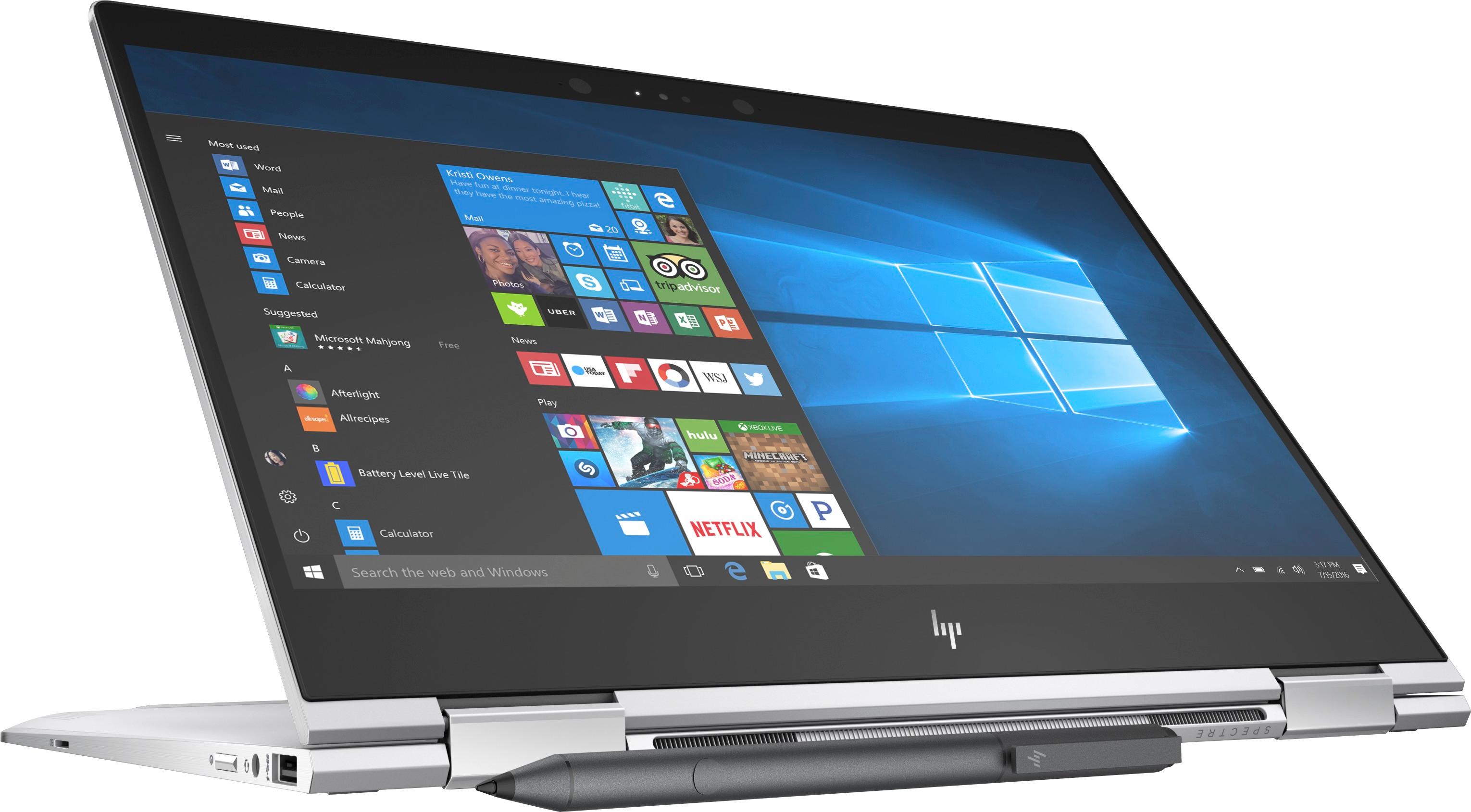
Customers commend the Spectre x360 2-in-1 laptop for its fast performance, portability, lightweight design, and responsive touch screen. They appreciate its long battery life, powerful processor, and sleek design. However, some users have concerns about its heating issues and fan noise. Others find it expensive and would have preferred more ports and better speakers.
This summary was generated by AI based on customer reviews.
Rated 5 out of 5 stars
Great laptop
||Posted .This reviewer received promo considerations or sweepstakes entry for writing a review.Since I open te box, i realize that it was something special
I would recommend this to a friendRated 5 out of 5 stars
Great for everything
||Posted .This reviewer received promo considerations or sweepstakes entry for writing a review.Bought for my daughter, so she can create video games.
I would recommend this to a friendRated 5 out of 5 stars
Like the options for security to unlock the laptop
||Posted .This reviewer received promo considerations or sweepstakes entry for writing a review.I have no complaints for this laptop,works beautifully.
I would recommend this to a friendRated 3 out of 5 stars
Fast boot cycle
||Posted .This reviewer received promo considerations or sweepstakes entry for writing a review.The keyboard Sucks! I have sent the machine back to HP twice for Keyboard issues. Since then the the cursor has an annoying tendency to wander.
No, I would not recommend this to a friend- Cons mentioned:Fan noise
Rated 5 out of 5 stars
Best all around package. BIOS update fixed heat.
Posted .This reviewer received promo considerations or sweepstakes entry for writing a review.After not buying a new laptop in 5 years, I decided to splurge when I saw Best Buy's Black Friday deal on this one. When I buy laptops, I prefer to get something that is more likely to age well. With the components and specs in this one, it seemed like a great bet. Upon first starting the computer, I realized that a lot of the reviews posted here regarding the heat were valid. The fan kicked on almost immediately upon start up and rarely ever stopped, even with nothing open. However, two days in this has no longer been a problem at all. I'm not 100% why the issue has stopped, but after initially encountering the issue I did the following: 1. Updated the BIOS: This was easy with the HP Support Assistant that comes built in. 2. Ran all Windows updates: Again, easy. Just tell Windows to go ahead and do it if it's not set up to do it automatically. 3. Uninstalled unnecessary applications (including changing the antivirus software). 4. Changed the system cooling policy from active to passive, then back to active: I had read that changing the cooling policy to passive in the power settings could fix this issue, so I tried it (just google how to do it; it's easy in Window's power settings). Afterwards, I was curious if this was the reason why my issue went away, so I changed the setting back to active (my preference if heat isn't an issue) and still never encountered anymore overheating/loud fan issues. I did all of these things within a 1 to 2 hour period. Therefore, I have no idea which one in particular fixed my problem (or if it was simply the computer needing to work through some initially updates/scans). Regardless, since that point the thing has worked beautifully. Fan literally hasn't come on once since I've been using it today for web browsing and YouTube videos. Other thoughts: - Tablet mode: I got this in part because I was stuck between getting a tablet or laptop, so decided to get something that could act as both. It does seem a little unwieldy in tablet mode compared to my last iPad (3rd generation) just based on the size, but you get used to it. I'm also used to a 12in laptop for work, so I may just be used to little screens. Definitely not as nice as using an iPad for tablet purposes, but it works decent for web browsing, watching videos, etc. - The Keyboard: It's good. Seems a little too spacious to me honestly after typing at work all day on my smaller Dell laptop, but the keys feel great. - The Pen: I'd never really written or taken notes on a tablet before. The included pen works pretty well for jotting down notes, but it's definitely not "pen and paper" good. I like to write small with 0.7in ink. I took a few notes in OneNote yesterday and, while it works and I'll likely continue to do so occasionally, it's not as natural to me as writing on pen and paper or just typing on the keyboard. - Speed: I got this as more of a leisurely home computer to do basic web browsing, administrative tasks and maybe a little photo and video editing. This processor is probably overkill for me, but everything has run extremely fast and smooth and I like the idea of knowing that I probably won't run into speed issues further down the line as software gets more demanding (as it naturally does). - Screen: The screen looks great. I definitely don't feel like I'm missing out much with 1080p vs. 4K. The hinges are a bit loose at one point if you push the screen up a little past 90 degrees, but not too bad. It still seems fairly sturdy. Hoping it doesn't get floppy. I'll keep an eye out over the next few months and will be making a call to HP about it if it does. Again, I'm overall very pleased. Had I continued having issues with the fan and heat, I may have eventually taken it back (hard to justify those issues after dropping a large stack of cash). However, at this point everything is working great. I can't imagine any other Windows laptop being much better.
I would recommend this to a friend Rated 2 out of 5 stars
Broken Laptop
||Posted .This reviewer received promo considerations or sweepstakes entry for writing a review.Laptop was sleek and the perfect size for my purposes. however, upon getting it home, it did not work properly. after many hours on the phone with HP IT, they could not rectify the problem. we exchanged this laptop for another of the same model in hopes that it was a fluke and just one bad machine.
No, I would not recommend this to a friend- Cons mentioned:Speakers
Rated 4 out of 5 stars
Maybe I'll keep it.
Posted .This reviewer received promo considerations or sweepstakes entry for writing a review.So I have the Hp Spectre that is two below this. Its the one that they made in late 2016/early 2017 that didn't have the pen support. I love that laptop. I just bought this because of the price. To compare the two: This one seems to run hotter. They have a different thermal setup. This one ejects hot air out the back. Running hwinfo64 on both laptops and playing the same movie on Netflix. This one got up to 60 degrees C while my old one went to 43 and stayed there. The fans on this one kick in often and the temps go down to 41 degrees C and then rise and then the fans kick in. The fan has an annoying high pitch to them. The screen appears to be darker, say better contrast. The blacks looker darker. I don't have anything to test this except the eyeball test. So here's the worst thing about this laptop compared to the older 7th gen model. The speakers. I don't know what they did but they sound terrible. Very hollow. I set up both laptops and watched Netflix. Put the sound to 50 on both and made sure that the BO sound settings were the same. The speakers are very dull. You have to put them to 70-75 percent for them to sound the same as the old spectre at 50. If you don't care about that then all good. Other than that the added finger print sensor is in a strange place. Windows Hello camera works just fine. It is nice that they added a micro sd slot. Build quality is great. No flex. I never cared about pen support but its fun to mess around with. The screen was perfect. No dead or stuck pixels. No light bleed. In terms of bloat there is the standard Windows 10 stuff and HP stuff. And I hate Cortana. Not sure I am going to keep this one. I will mess with it for a few days and see.
No, I would not recommend this to a friend - Pros mentioned:Battery life
Rated 5 out of 5 stars
Great product - BUT
Posted .This reviewer received promo considerations or sweepstakes entry for writing a review.First of all, let me just put this out there for everyone. This product has NO PRIVACY SUREVIEW FEATURE. BestBuy rep will tell you this product does have it, but no, this model does not have one. I find this product page to be a bit lacking, but that's just a personal opinion. Having said all that, this product is as is excellent. I got to give credit where credit is due. This product is versatile, convenient, fast, classy (design wise), and reliable. Granted, its not perfect. I mean the keyboard layout is not centered and I tilt to the right in an awkward manner (the extra column of key on the right side is the culprit), and there aren't much accessories, meaning cases and covers, our there. HP has got to do a better job working with companies like Dbrand and get some skins for protection if they ever want to compete with the Dell XPS lineup. But dang, this product has the right combination of IO and good battery life. I plan on using this is multiple scenarios such as work, school (future graduate school candidate) and gaming (with the use of EGPU). I think this will continue to do a great job. Oh, and I never trust the battery life claims companies out there make, but they last you from the morning to night, which is what a regular person will ever need.
I would recommend this to a friend - Cons mentioned:Heating
Rated 4 out of 5 stars
Decided to keep it after considering for afew days
Posted .This reviewer received promo considerations or sweepstakes entry for writing a review.First, I totally agree with the recent reviews, and I had very similar impressions and issues. TL;DR: If you are okay with the common issues for this laptop (heat/fan noise and battery life), you will fall in love with this laptop. ------------------------------------------------------------------------------------------------------ This Spectre laptop is great inside and out. I don't think I need to list all the specs because it's already well described in "Product Features." I purchased this laptop mainly because of the Black Friday deal, but my friends who had HP Spectre actually recommended to me several months ago. Despite many great features about this laptop, there were 2 issues that made me consider returning this product. These are actually common issues for this product. 1. Heat and Fan noise - 3-5 minutes after I first turned on this laptop, it was already getting hot, and the fan kicked in. Sometimes, it was getting really hot to the point that I started worrying about its life expectancy because of the heat issue. - As suggested by many people out there, I did the clean install to get rid of HP bloatware, and I had to redownload the drivers I need. Even after this, I was still considering returning it because I only got rid of the unnecessary bloatware, not the heat problem. - This is not the ultimate solution, but the change of the System Cooling Policy was the lifesaver for me. I think I should leave the System Cooling Policy to 'passive' all the time in order to keep this laptop much cooler and quieter. I don't know how much difference it has with 'active' feature, but I haven't had an issue with the performance so far with the 'passive' option. (It still gets hot with the heavy use even with the 'passive' option, but it doesn't really get hot in the normal use anymore.) - Being a MacBook guy for past years, having this kind of issue was a new experience for me. 2. Battery Life - The battery life is not that impressive. I think it can survive for around 7 hours per charge with my normal use. (My 4-year old MacBook Air has a similar battery life.) - Now is okay, but I'm concerned about a few years later. ------------------------------------------------------------------------------------------------------ Question: Does anyone know how to recover the fingerprint sign-in option after the clean install? In my Sign-in options, it says "Windows Hello isn't available on this device." With 'gpedit.msc', I enabled the use of biometrics, but it still doesn't show in the sign-in option. Also, I don't see Biometric device from Device Manager... Did anyone have the same issue? Please help!
I would recommend this to a friend Rated 1 out of 5 stars
Don't buy it!!
||Posted .This reviewer received promo considerations or sweepstakes entry for writing a review.I have always bought HP laptops and did not think twice about buying the HP Spectre. My advise is DON"T BUY IT!! I have had constant problems with the laptop not charging when plugged in and also not being able to connect to a wifi connection in my home. Yes, I solved the problems by googling the problems, but this is ridiculous!! I would return it in a second but am out of the country traveling. Best advice DON"T BUY IT, not worth the hassle.
No, I would not recommend this to a friendRated 2 out of 5 stars
Bad charging port
||Posted .This reviewer received promo considerations or sweepstakes entry for writing a review.I’ve had nothing but issues with updates and charging since I bought it
No, I would not recommend this to a friendRated 1 out of 5 stars
A complete disappointment
||Posted .This reviewer received promo considerations or sweepstakes entry for writing a review.Had a fan issue in within the first month. I sent it off for repair and they messed up it’s appearance. They returned to me with scratches and the rubber strip underneath the device pealed off. I don’t recommend. Bad product, and bad service.
No, I would not recommend this to a friend- Cons mentioned:Fan noise
Rated 4 out of 5 stars
not sure I should keep this
Posted .This reviewer received promo considerations or sweepstakes entry for writing a review.don't get me wrong. this is a great laptop. bought it for the wife and I liked it on the first look. build/spec/screen are perfect. I highly recommend it if you are ok with the issue below. The only problem is fan noise. It kicks in quite often and you can feel the top speaker side being warm or even hot. When windows was doing update where cpu is running full throttle, it was so hot that I thought I can cook a beacon on it. So to get rid of the fan noise, I did a clean install of win10, updated all drivers. It only gets a little bit better. After windows updated everything, I test the laptop with three youtube videos running in chrome and monitored the cpu temp. Cpu usage from task manager is about 15-20%. The temp quickly goes from 40c to above 65c on all cores and then fan kicks in like a blower for a few minutes. After the videos are done the fan taper down the speed but keeps on running for a while before finally off. When I restart some additional video this cycle repeats. So on idle, the core temp is about 39c-42c. On light load, the fan would not start. Also tried to use notebook fan control utility but this new model is not yet supported. However, even with that tool, I am not sure if I should control the fan given the cpu temp can go around 65c-70c with medium load. It's like trading quietness with the life of the laptop. I really want to keep this laptop but the fan noise seems to be a deal breaker. wife want a new windows laptop because her old one is noisy with fan. Not sure if new spectre would sell to her as her 2015 Mac pro is always quiet under heavier loads. Plan to keep it for several days before making final decision. Not sure if yoga 920/720 would have better experience on the noise issue.
I would recommend this to a friend Rated 1 out of 5 stars
Fan heat problem - terrible HP support for usd1400
||Posted .This reviewer received promo considerations or sweepstakes entry for writing a review.After almost a year using it. It not worthwhile. Serious fan issues, lot of noise... and the worst support team(HP) I've ever contacted. For a usd 1400 laptop...not a premium laptop nor premium support service.
No, I would not recommend this to a friendRated 1 out of 5 stars
Bad motherboard
||Posted . Owned for 1.5 years when reviewed.This reviewer received promo considerations or sweepstakes entry for writing a review.Motherboard died after short usage and warranty never transferred on replacement that best buy offered for special, which died 1 1/2 later.
No, I would not recommend this to a friend- Pros mentioned:Portable
Rated 5 out of 5 stars
Get it before it sells out!
Posted .This reviewer received promo considerations or sweepstakes entry for writing a review.After a month researching for a new laptop. I settled on the HP Spectre. It met all my requirements. Pros: Beautifully designed 2 in 1, 360 flip Small, lightweight and portable at 2.7 lbs, comes with protective case. 8th gen Intel Core I (quad core). 16 gb RAM, 512 SSD Full HD screen, gorilla glass Super fast bootup in few seconds. Great sound quality. Comes with Ink pen. Cons: Underside gets a little hot
I would recommend this to a friend - Cons mentioned:Heating
Rated 4 out of 5 stars
Very Excellent Device with one Major Drawback
Posted .This reviewer received promo considerations or sweepstakes entry for writing a review.I don't have enough experience with this device to give out a proper review however right out of the box, even though the device is on idle, it will get warm. More intensive tasks, the area between the speakers get very hot, feels like it could almost burn you. While on typing this review, the laptop is very hot. I don't recommend putting this thing on your lap. I owned an HP Envy before this and this has significantly more features obviously as it is a newer device with a higher price point. The heat will discourage some people from purchasing this product however the Pros outweigh the Cons.
I would recommend this to a friend - Pros mentioned:Fast
Rated 2 out of 5 stars
Speakers Crackle, Trackpad is awful
Posted .This reviewer received promo considerations or sweepstakes entry for writing a review.Pros: very fast, good screen, good battery life (I get 7-10 hours depending on use), light, looks good, compact. cons: the speakers crackle. i'm not an audiophile--the furthest thing from one--but crackling and static is simply defective. moreover, the trackpad is not good. keeps jumping, stopping, just wonky all around. probably going to return. hp never fails to disappoint. Will probably get a yoga 720 or something.
No, I would not recommend this to a friend Rated 2 out of 5 stars
Nice laptop, except for trackpad
Posted .This reviewer received promo considerations or sweepstakes entry for writing a review.I originally bought this laptop on the black friday sale. After setting up the laptop i realized that one side of the trackpad was raised above the body of the laptop as it seemed it was warped. I took the laptop back in the next day to exchange for another unit. The employee opened the box in store to make sure that the touch pad was seated correctly; it was (or so i thought). After using the laptop for a few minutes once back home, I noticed the trackpad was extremely noisy and would rattle and make clicking noises when just gently tapping on it. Keep in mind I was NOT physically clicking, rather just tapping as you would to select something on the screen. Disappointed, i headed to Best Buy the next day to exchange the unit once again. Like before, the employee opened the box for me to inspect it, and SURPRISE, THE LAPTOP HAD THE SAME RATTLING TRACKPAD. I decided to stick with the unit i currently had and headed over to the Best Buy across town. Again the employee opened the box and i kid you not, this one had the same problem as the first laptop with the raised trackpad on one side. 4 DIFFERENT LAPTOPS, AND EVERY SINGLE ONE HAD DEFECTIVE TRACKPADS. HP's quality control with this laptop's touchpad is horrendous. I'm not sure what happened with this model, as the previous model on display in the store had a perfectly fine touchpad. I am not sure if i will keep this laptop as i feel that for $1400, this machine should not have a touchpad that is inferior to a $200 chromebook.
No, I would not recommend this to a friendRated 1 out of 5 stars
Unreliable quality and terrible HP service
Posted .This reviewer received promo considerations or sweepstakes entry for writing a review.I purchased this product on this Nov 23 with that nice deal. The machine is fast and very beautiful. However, the bottom was a little bit too hot when I used it for several minutes. The hinge is loose for this model (I tried it in different Best Buy stores before buying it) Besides of that, I found another fatal problem: the screen of my machine was not flicker free. That’s amazing for a so-expensive product and I called HP customer service on Nov 26’s afternoon. Then, the terrible experience occurred: I explained the flicker-free technique to the customer agent and asked why my screen was not flicker free. That agent didn’t understand the technique at all and on the contrary, he blamed my explainations and English… Thereafter, we fell into a brawl in the call. I cannot imagine that how HP.com provide such terrible customer service like this. I returned the machine angrily to Best buy at the same day. I understand that IT companies may don’t have enough agents who have qualified knowledge in technique. However, this agent from HP.com is lack of the “abc” communication skills. I hope that anyone who takes charge of service in HP can review the case. Otherwise, I believe you will lose the market step by step with unteliable quality and terrible customer service. I will give you negative -5 star if I can!
No, I would not recommend this to a friend