Customer Ratings & Reviews


- Model:
- B09DRHPRT6
- SKU:
- 10735417
Rating by feature
- Value
Rating 4.5 out of 5 stars
- Quality
Rating 4.7 out of 5 stars
- Ease of Use
Rating 4.7 out of 5 stars
to a friend
Love it
||Posted . Owned for 1 month when reviewed.This reviewer received promo considerations or sweepstakes entry for writing a review.This is the 3rd Ring cam i have purchased. Well worth it.
I would recommend this to a friendRing Cameras
||Posted . Owned for 1 month when reviewed.This reviewer received promo considerations or sweepstakes entry for writing a review.Great product for securing my home. Great customer service.
I would recommend this to a friendRing camera
||Posted . Owned for 1 month when reviewed.This reviewer received promo considerations or sweepstakes entry for writing a review.Works great but very difficult to install on stucco
I would recommend this to a friendMr.
||Posted . Owned for 1 month when reviewed.This reviewer received promo considerations or sweepstakes entry for writing a review.great product works as indicated highly recommended
I would recommend this to a friendSecurity cam
||Posted . Owned for 1 month when reviewed.This reviewer received promo considerations or sweepstakes entry for writing a review.Best item I ever bought for my home safety………………..
I would recommend this to a friendcamera
||Posted . Owned for 1 month when reviewed.This reviewer received promo considerations or sweepstakes entry for writing a review.Having to charge the battery every 2 weeks, still waiting on a return call
No, I would not recommend this to a friendBrand response from Ring
Posted .Hi AnnamarieC.
Thank you for taking the time to share your experience. We understand the importance of having a solid charge on your Ring Spotlight Cam, Battery so that you are able to have a longer time between charge cycles. Having longevity in a battery-powered security device is crucial when it comes to monitoring your home, especially if you are away for long periods of time. We are here to provide you with some education to resolve the battery life issue you mentioned in your review.
It sounds like the device is not performing as expected. There are some troubleshooting steps that you can take to ensure that you have your device set up for optimal battery-life performance. The more events captured by your Ring devices, the more your battery is used. Using "Live View" can also drain your battery faster. If your device is capturing an excessive number of events each day, you may need to recharge your battery sooner.
To prevent excessive activity, under "Motion Settings" for your device in the Ring app, you can:
Adjust your "Motion Sensitivity" slider to a lower sensitivity.
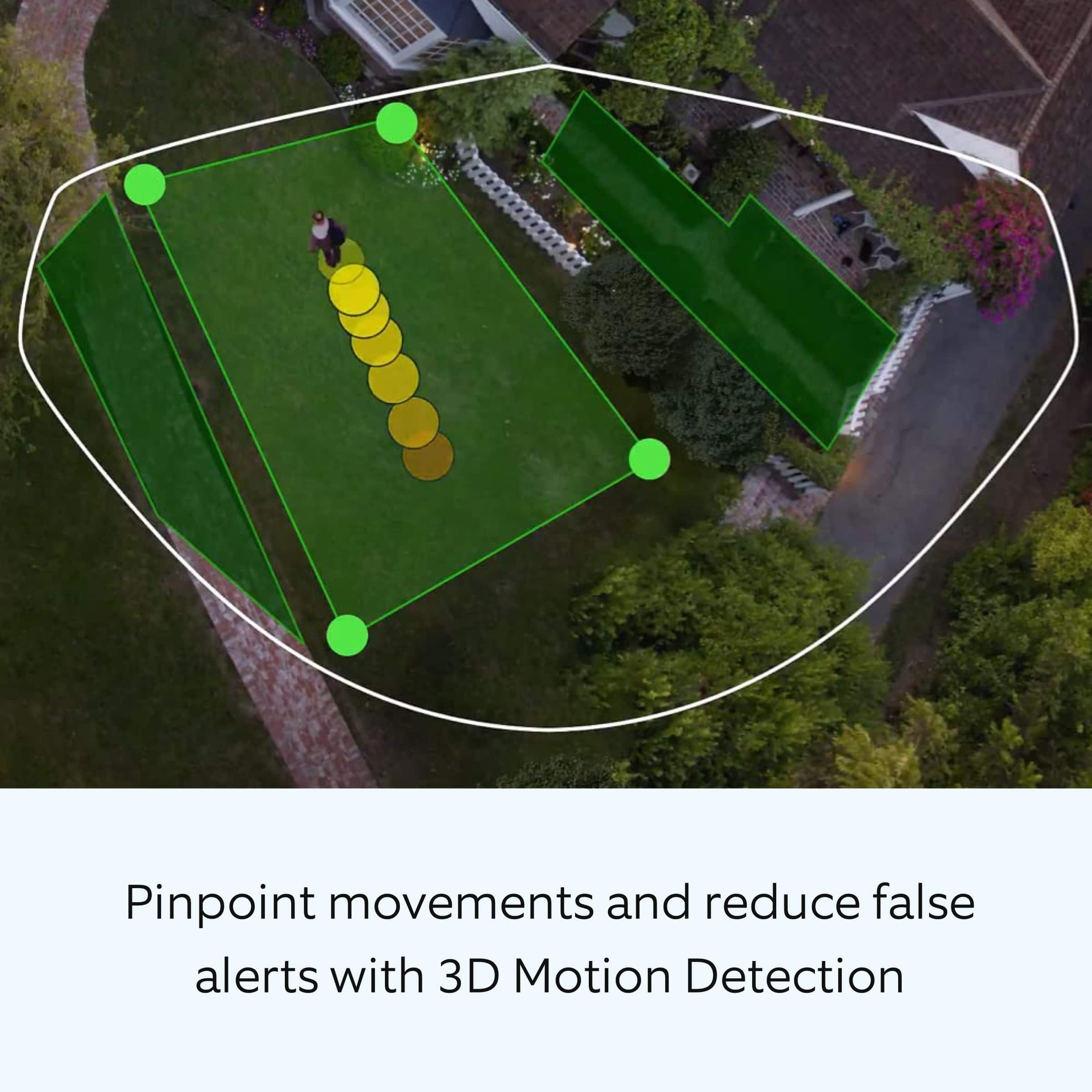
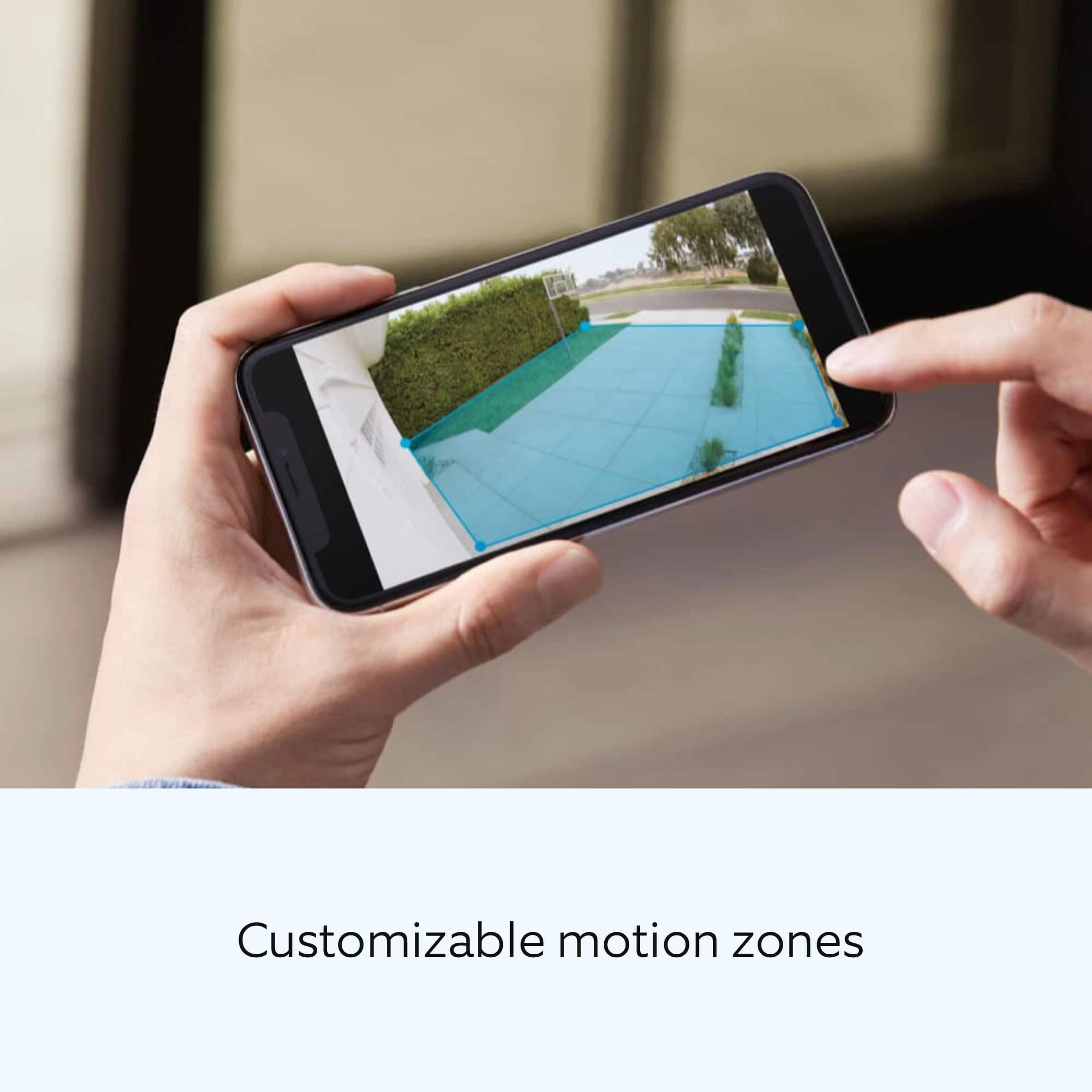
Redraw your "Customizable Motion Zones."
Change "Motion Frequency" to regularly or periodically.
You could also adjust the direction of your Ring device so it doesn't detect as much motion.
You can go to "Power Settings" in the Ring app to see what features may be draining your battery.
To access "Power Settings," open the Ring app:
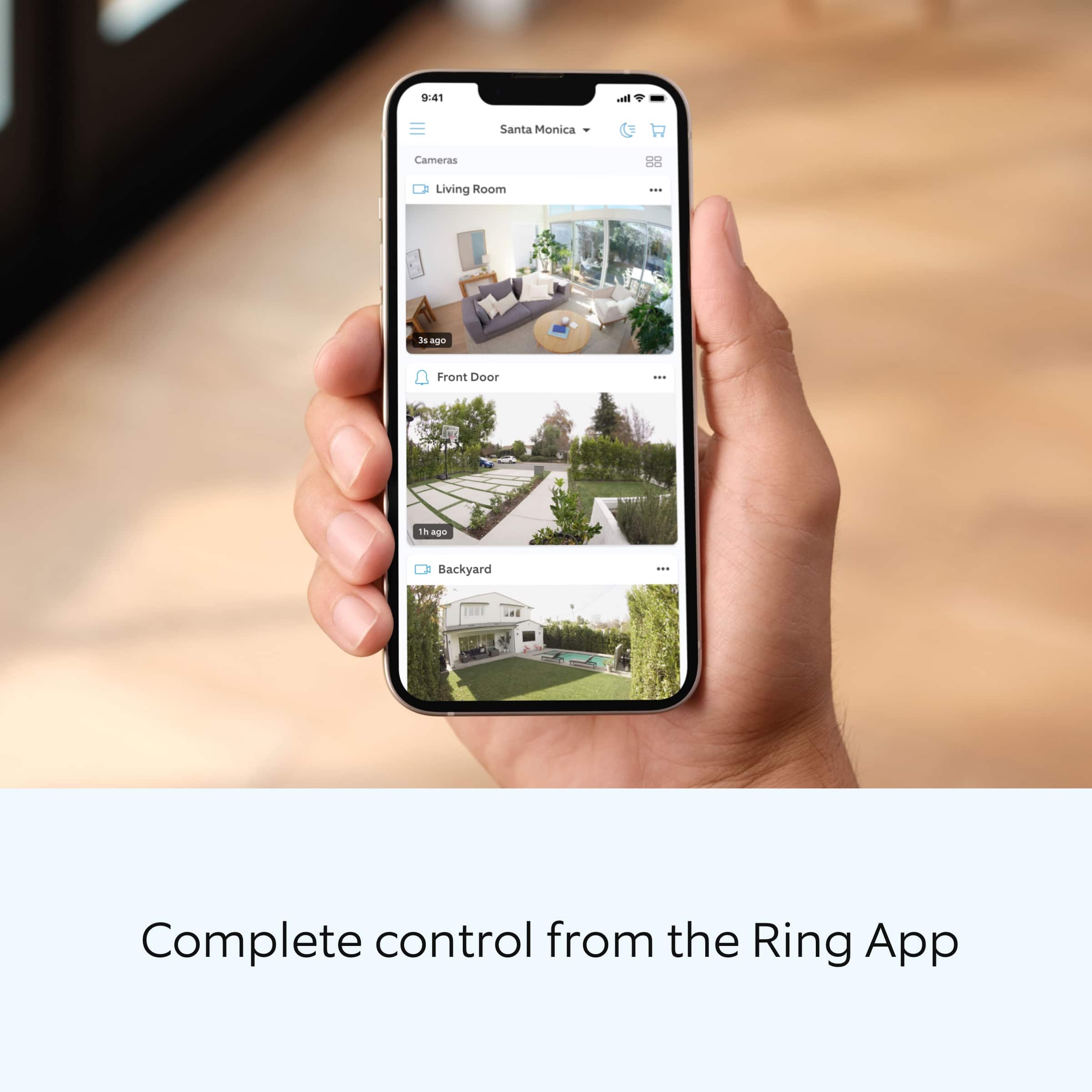
Tap the menu (≡) on the top left of the dashboard.
Tap "Devices."
Tap the individual device (video doorbell or security camera) you want to check.
Tap "Power Settings" to check your "Battery Level" percentage and "Feature Power Usage."
Tap a feature to adjust "Snapshot Capture," "Motion Frequency," and "Video Recording Length.".
As cold weather sets in, lithium-ion batteries like those used in Ring Doorbells and Security Cameras may experience several issues, including trouble holding a charge, running out of power faster than normal, or losing functionality. Knowing at what temperature batteries will start to be impacted can help you take the necessary steps to keep your device working. When the temperature drops to:
36°F (3°C): The battery may not hold a charge as effectively, resulting in having to charge the unit more frequently.
32°F (0°C): The battery may not charge at all. Even hardwired configurations may not charge the battery.
-5°F (-20.5°C): The battery may stop working completely until temperatures warm up.
When it gets cold and your device's battery runs out, bring your entire device inside and charge the battery with a USB cord. This will allow your device to warm up while the battery charges.
If any additional information is needed regarding your Ring Spotlight Cam, Battery, please reach out to our community. Ring Community is our first peer-to-peer community forum, giving our customers the ability to help one another and share their feedback and experiences directly with Ring.
Thank you for being the best part of Ring! Have a wonderful day!
Sincerely,
Miyuki from Ring.
ring
||Posted . Owned for 1 month when reviewed.This reviewer received promo considerations or sweepstakes entry for writing a review.is better that the old one i have. It take more view
I would recommend this to a friendAs Advertised
||Posted . Owned for 3 weeks when reviewed.This reviewer received promo considerations or sweepstakes entry for writing a review.The product has not been installed however was opened with no damage.
I would recommend this to a friendRing camera
||Posted . Owned for 1 month when reviewed.This reviewer received promo considerations or sweepstakes entry for writing a review.It’s okay but it could add range for wireless setups
I would recommend this to a friendIt doesn't record 100%
||Posted . Owned for 2 weeks when reviewed.This reviewer received promo considerations or sweepstakes entry for writing a review.It's doing its job most of the time, but there were times that it's not..
I would recommend this to a friendRing camera
||Posted . Owned for 1 month when reviewed.This reviewer received promo considerations or sweepstakes entry for writing a review.The batteries are much better on this generation, and resolution also.
I would recommend this to a friendWon’t connect to WiFi
||Posted . Owned for 1 week when reviewed.This reviewer received promo considerations or sweepstakes entry for writing a review.Tried 2 different, brand new cameras and it could not connect to our WiFi. I could get them to connect to my iPhones hot spot but not a regular WiFi. We even have one of the strongest, fastest home WiFi’s you can get but no matter what we did, the Outdoor Cam Pro wouldn’t connect. We even contacted customer support, did all the troubleshooting things and it still wouldn’t connect but the doorbell and the Stick Up can connect with zero issues. Very disappointed
No, I would not recommend this to a friendBrand response from Ring
Posted .Hi AllysaG.
Thank you for taking the time to share your experience with us. We understand the importance of a seamless setup process so that you can begin using your Ring Spotlight Cam Pro right away. The features and technology provided by the Ring Spotlight Cam Pro are incredibly valuable and help provide you with peace of mind about your home security. We can definitely provide you with more information regarding the connection concern mentioned in your review.
It sounds like the device is not performing as expected. The Ring Spotlight Cam Pro is designed to work with your home's wifi network and is compatible with b/g/n wifi networks operating on 2.4 GHz frequencies. If you're receiving a 'Setup did not complete' message and cannot finish setup, it could be due to one of these common causes of setup failures:
* Your Ring device is too far from your wifi router. Ideally, your router should be within 20 feet of your Ring device.
* There's a possible problem with your internet connection.
* There's a possible issue related to your wifi modem or router.
Make sure your wifi router is off the floor.
Walls, floors, and furniture can interfere or weaken your router’s wireless signal. Choose an elevated, central, open location.
Make sure you're entering the correct password. Passwords are case sensitive and do not include spaces. Your network password can often be found on the bottom or side of your router.
Wifi passwords are case and special character (such as *,@,$, or #) sensitive. Double check letter capitalization and placement.
If you haven't changed your wifi password since your router was installed, it may be on a sticker on the underside of your router.
Connect other devices to your wifi network using your last remembered password to verify it is still correct.
If you have multiple networks or a wifi extender, confirm you are connecting to the correct one.
Make sure to connect to the 2.4 GHz network, not 5 GHz. All Ring devices can connect to 2.4 GHz, while only select Ring devices have Dual-Band Wifi to be able to connect to either.
If you’re still having issues, try holding down the reset button on top of the camera for 20 seconds. Before you reset your device, make sure to download any videos in your account.
If you are attempting to connect to a community wifi network, you may need to reach out to your internet service provider to manually add the MAC ID of the Ring device to allow it to connect to your wifi.
We invite you to reach out to our community if any additional information is needed regarding your Ring Spotlight Cam Pro. The Ring Community is our first peer-to-peer community forum, giving our customers the ability to help one another by sharing their feedback and experiences with each other.
Thank you,
Amilia from Ring.
Isnt the clearest camera
||Posted . Owned for 1 month when reviewed.This reviewer received promo considerations or sweepstakes entry for writing a review.Easy set up and commects to my other ring cameras, however the picture isnt very clear.
No, I would not recommend this to a friendBrand response from Ring
Posted .Hi grandmashell.
Thank you for taking the time to share your experience with us. We understand how important it is for your Ring Spotlight Cam Pro to record clear and concise videos so that you can effectively monitor your home. The features and technology provided by the Ring Spotlight Cam Pro are incredibly valuable and help provide you with peace of mind about your home security. We want to ensure your device is working as intended by providing you with solutions to resolve the video quality concern you mentioned in your review.
It sounds like the device is not performing as expected. Ring devices require high-speed internet to bring you crisp, clear video and audio. Poor network connectivity can affect the performance of your Ring device. We are happy to share some troubleshooting steps to help you diagnose and fix common video issues that you may experience with Ring doorbells and cameras.
Ring devices require at least 1 Mbps upload and download speeds, though 2 Mbps is recommended for optimal performance. In addition to ensuring that you have sufficient wifi speeds, you will also want to check the signal strength of your device. A poor wifi signal can cause connectivity with your Ring device to be unreliable.
Check the Device Health section of your Ring application to ensure the device’s RSSI is within an acceptable range. The recommended range for optimal performance is 0 to -60 for the RSSI. Turn off your mobile device's cellular data and connect to the same wifi network as your Ring device. Open the Ring app. Tap the menu (☰). Tap “Devices.” Select your device. Trigger an event on your Ring device. This could mean pressing the button on a doorbell or activating the motion sensors on a camera. Answer the event and examine the resulting video.
We have listed some possible outcomes from this test here:
1. The footage is crisp and clear.
If your video appears good when next to the router, the issue may be caused by a disruption in between your router and your Ring device’s normal location. To fix this, try moving your device closer to the router or extending your wifi signal with a wifi extender like the Ring Chime Pro.
2. The footage is heavily pixelated.
If you’re seeing heavy pixilation, even next to the router, this may be due to slow wifi speeds.
For more information on your Ring Spotlight Cam Pro, we invite you to reach out to our community. Ring Community is our first peer-to-peer community forum, giving our customers the ability to help one another and share their personal feedback and experiences with Ring. We look forward to hearing from you if we can be of any further assistance!
Thank you,
Miyuki from Ring.
Mr
||Posted . Owned for 1 month when reviewed.This reviewer received promo considerations or sweepstakes entry for writing a review.Was/am very disappointed bc batteries ran down - was not told that camera had to have strong wifi or batteries would run down - camera placed outside where wifi not accessible - no testing was done - left me in the Lurch
No, I would not recommend this to a friendBrand response from Ring
Posted .Hi Golfx.
Thank you for taking the time to share your experience with us. We understand the importance of having a consistent wifi signal on the Ring Spotlight Cam Pro. Having a solid connection ensures you do not miss any activity around your home. We are eager to provide you with a solution for your connection concern.
It sounds like the device is not performing as intended. The Ring Stick Up Cam is compatible with b/g/n wifi networks operating on 2.4 GHz frequencies. High-speed internet is recommended. If your Ring device is far from your wifi router, it may be experiencing connection issues.
Here are a few of the top reasons for poor connectivity:
Your Ring device may be too far from your WiFi router.
Your mobile device has a low signal or poor connection.
Your home wifi connection is poor (or your internet service provider is experiencing high traffic).
To learn more about your device's signal strength, follow these steps:
Open the Ring app.
Tap the menu (☰).
Tap “Devices.”
Select the ring device you would like to test.
Tap on the “Device Health” tile.
Scroll to “Signal Strength” under the “Network” section.
The green, amber, and red colors are indicators of your device connection. Green is good; red is poor.
Move your wifi router off the floor.
Walls, floors, and furniture can interfere with or weaken your router's wireless signal. Choose an elevated, central, open location for your wifi router.
Check your mobile device's signal. If your mobile device has one or two bars, this could be causing issues accessing your Ring device. For best results, make sure you're connected to wifi from wherever you are.
Most internet service providers range from 100–400 mbps (megabytes per second) for download speed and 10–100 mbps for uploading. If your wifi speed is falling below the ranges noted above, we recommend contacting your internet service provider.
We also reccomend adding a Ring Chime Pro to your network. This device simply plugs into an outlet and helps to extend your wifi signal to boost the network for camera.
If any additional information is needed regarding your Ring Stick Up Cam Pro, please reach out to our community. Ring Community is our first peer-to-peer community forum, giving our customers the ability to help one another and share their feedback and experiences directly with Ring.
Thank you,
Melissa from Ring.
Decent product
||Posted . Owned for 3 weeks when reviewed.This reviewer received promo considerations or sweepstakes entry for writing a review.great product but 1 of the 3 I purchased was broken
I would recommend this to a friendNice camera subscription prices suck
||Posted . Owned for 1 month when reviewed.This reviewer received promo considerations or sweepstakes entry for writing a review.Shop around before buying, there are cameras with just as good video and pictures without the high priced subscription prices. Mine are getting returned
No, I would not recommend this to a friendBrand response from Ring
Posted .Hi jeffw.
Thank you for taking the time to share your experience with us.
We understand the importance of having all relevant product information prior to purchasing. Being able to save, download, and review footage captured by your Ring device is a valuable feature of the Ring Protect Plan. We can definitely provide you with more information regarding the concern mentioned in your review.
It sounds like there was some confusion regarding the optional Ring Protect Plans. The Ring Protect Plan is a subscription that gives you access to paid features for your Ring device. With a Ring Protect Plan, you can save, review, and share video recordings from your Ring devices to your Ring account.
There are three Ring Protect Plans available for home devices, so you can choose which one best suits your needs.
Without a Ring Protect Plan, you can still view real-time video for Ring doorbells and cameras and answer doorbell notifications when they happen, but you don’t get video recordings of those events. Visit our support center for more information.
Ring Community was launched to help deliver the most current news and educational information to our neighbors. This online forum is divided into four categories: Product Boards, Ring Updates, Tips + Tricks, and a Moderators’ Corner. The Product Boards are where you can begin new topics with your questions or feedback; there is also a search option that helps you find topics that have already been posted by other neighbors.
All the best,
Nicole from Ring.
Ring
||Posted . Owned for 3 weeks when reviewed.This reviewer received promo considerations or sweepstakes entry for writing a review.Have not connected this device at the moment but I enjoy my doorbell ring.
I would recommend this to a friendBrand response from Ring
Posted .Hi Jazmine.
Thank you for taking the time to share your experience with us. We are pleased to read that you are enjoying your new Ring Spotlight Cam Pro and that the features included are meeting your expectations. At Ring, we believe in keeping people close to what’s important. That is why we are driven to create products that help you protect what matters most at home and empower you to connect with your visitors from wherever you are. Together, we’ll make neighborhoods safer!
Ring Community was launched to help deliver the most current news and educational information to our neighbors. This online forum is divided into four categories: Product Boards, Ring Updates, Tips and Tricks, and a Moderators’ Corner. The Product Boards are where you can begin new topics with your questions or feedback; there is also a search option that helps you find topics that have already been posted by other neighbors. We invite you to visit our Ring Community today.
Thank you,
Miyuki from Ring.
Good but could be better.
||Posted . Owned for 5 months when reviewed.This reviewer received promo considerations or sweepstakes entry for writing a review.The camera is next to my router and it keeps telling me that it has weak signal. It takes a second for the Hdr to kick in. Sometimes theres a lag and i miss recordings of deliveries to my front door. I hope theirs an update to fix the connection.
No, I would not recommend this to a friendBrand response from Ring
Posted .Hi SeaGreen.
Thank you for taking the time to share your experience with us. At Ring, we understand it is essential to have your Ring Spotlight Cam Pro online and working properly so you can keep your home secure. Having a solid connection ensures you do not miss any activity around your home. We are here today to provide you with education to assist you in finding the best solution for your home’s environment.
It sounds like the device is not performing as expected. A poor wifi signal can cause connectivity with your Ring device to be unreliable. Check the Device Health section of your Ring application to ensure the device’s RSSI is within an acceptable range. The recommended range for optimal performance is 0 to -60 for the RSSI.
If your networking equipment hasn’t been power-cycled in a while, try unplugging it for 30 seconds and plugging it back in. Wireless networks utilize different channels for communication. In the United States, the 2.4 GHz band uses channels 1-11 and the 5 GHz band uses channels 36-165. In some cases, setting up your Ring device(s) can fail due to wireless interference or congestion.
Here are a few of the top reasons for poor connectivity:
Your Ring device may be too far from your WiFi router.
Your mobile device has a low signal or poor connection.
Your home wifi connection is poor (or your internet service provider is experiencing high traffic).
To learn more about your device's signal strength, follow these steps:
Open the Ring app.
Tap the menu (☰).
Tap “Devices.”
Select the ring device you would like to test.
Tap on the “Device Health” tile.
Scroll to “Signal Strength” under the “Network” section.
The green, amber, and red colors are indicators of your device connection. Green is good; red is poor.
Move your wifi router off the floor.
Walls, floors, and furniture can interfere with or weaken your router's wireless signal. Choose an elevated, central, open location for your wifi router.
Check your mobile device's signal. If your mobile device has one or two bars, this could be causing issues accessing your Ring device. For best results, make sure you're connected to wifi from wherever you are.
Most internet service providers range from 100–400 mbps (megabytes per second) for download speed and 10–100 mbps for uploading. If your wifi speed is falling below the ranges noted above, we recommend contacting your internet service provider.
If any additional information is needed regarding your Ring Spotlight Cam Pro, please reach out to our community. Ring Community is our first peer-to-peer community forum, giving our customers the ability to help one another and share their feedback and experiences directly with Ring.
Thank you,
Melissa from Ring.
Keeps losing Wi-Fi connection.
||Posted . Owned for 1 month when reviewed.This reviewer received promo considerations or sweepstakes entry for writing a review.Keeps losing wi-fi connection. Very disappointed. I just upgraded to this product because previous ring camera had the same issue.
I would recommend this to a friendBrand response from Ring
Posted .Hi Ande.
Thank you for taking the time to share your experience with us. At Ring, we understand it is essential to have your Ring Spotlight Cam Pro online and working properly so you can keep your home secure. Having a solid connection ensures you do not miss any activity around your home. We are here today to provide you with education to assist you in finding the best solution for your home’s environment.
It sounds like the device is not performing as expected. The Ring Spotlight Cam Pro is compatible with 802.11 b/g/n wifi connection @ 2.4GHz and 5.0GHz. High-speed internet is recommended. If your Ring device is far from your wifi router, it may be experiencing connection issues.
Here are a few of the top reasons for poor connectivity:
Your Ring device may be too far from your WiFi router.
Your mobile device has a low signal or poor connection.
Your home wifi connection is poor (or your internet service provider is experiencing high traffic).
To learn more about your device's signal strength, follow these steps:
Open the Ring app.
Tap the menu (☰).
Tap “Devices.”
Select the ring device you would like to test.
Tap on the “Device Health” tile.
Scroll to “Signal Strength” under the “Network” section.
The green, amber, and red colors are indicators of your device connection. Green is good; red is poor.
Move your wifi router off the floor.
Walls, floors, and furniture can interfere with or weaken your router's wireless signal. Choose an elevated, central, open location for your wifi router.
Most internet service providers range from 100–400 mbps (megabytes per second) for download speed and 10–100 mbps for uploading. Follow these instructions to run a speed test on your wifi network:
* Turn off the cellular data on your mobile device in settings.
* Make sure you are connected to your wifi network.
* Open up a web browser and go to bandwidthplace.com.
* Take your mobile device into the same room as your router.
* Press the Start button and measure your internet speed near your router.
* Take your mobile device to the place where you're installing your Ring device.
* Press the Start button and measure your internet speed again.
We recommend the following solutions to this problem:
Install a wifi extender such as our Ring Chime Pro.
Contact your ISP about increasing your speeds.
If any additional information is needed regarding your Ring Spotlight Cam Pro, please reach out to our community. Ring Community is our first peer-to-peer community forum, giving our customers the ability to help one another and share their feedback and experiences directly with Ring.
Thank you,
Melissa from Ring.
Stay away from Best Buy
||Posted . Owned for 1 month when reviewed.This reviewer received promo considerations or sweepstakes entry for writing a review.Had to return it because tried 3 times to have it installed by Best Buy and no one ever showed up for any of the 12 hr window wait periods. Best Buy is a joke
No, I would not recommend this to a friendBrand response from Ring
Posted .Hi SandraJ.
Thank you for taking the time to share your experience with us. Your experience with Ring is our top priority, and it is important to us that when investing in our products, they meet your needs and expectations. What you describe is not the experience we want you to have, rest assured we are here to offer you some help.
In this particular case, we'd suggest you reach out to Best Buy's customer service: 1-888-237-8289 or https://www.bestbuy.com/services/triage/home. We are confident that they will be able to provide you with a resolution to this concern.
At Ring, we understand you have many choices when it comes to your home security. If the retailer has not resolved this concern for you, please reach out to our community forum. Ring Community is our first peer-to-peer community forum, giving our customers the ability to help one another and share their feedback and experiences directly with Ring.
Thank you,
Miyuki from Ring.