Customer Ratings & Reviews


Customer reviews
Rating 4.4 out of 5 stars with 9 reviews
(9 customer reviews)to a friend
Rated 4 out of 5 stars
Great Console/PC Hybrid for Gamers on a Budget
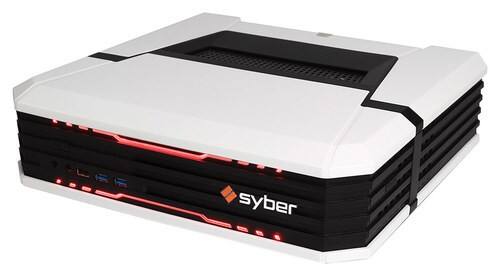
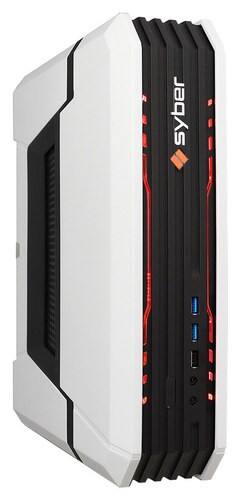
Posted .This reviewer received promo considerations or sweepstakes entry for writing a review.It does what it says on the tin. Obviously you can spend a lot more for a gaming PC, and if you're willing to do so you will get better performance. This machine, though, can play just about anything at a decent framerate on high to medium specs. I am playing The Witcher 3 right now on my TV at 1080p, and it looks good and plays great. If you're mostly used to doing your PC gaming on a laptop, like I was, this will be a huge step up. The black color and shape of the Vapor makes it fit in well with my media center. It is large and somewhat inelegant, so don't order it expecting a PS4. It's built to be upgradeable, and that comes at a certain price in regards to size and overall hardware design quality. I was pleasantly surprised that my Vapor came with a 360 controller rather than the lower-quality Logitech listed on the box. I've never had any reason to use the QWERTY keyboard, but from what I've heard from others it works fine. The only time it might be a little bit of a pain is during setup, or obviously if you decide to use this for productivity rather than solely for gaming. If you aren't used to tinkering with PCs, I might recommend asking a tech savvy friend to help you with the initial setup. While it's not too difficult, Windows 10 as an OS was obviously not built to be a TV gaming platform. I made some adjustments so that it would immediately boot into Steam Big Picture rather than a login screen at startup, as normally all I want to do is grab the controller and go. I also needed to mess around with the screen settings both in Windows and on my TV to get them to line up. But hey, Steam is a great platform for buying and playing games. While this runs you a little more than a PS4 or XBOX One, I argue that it will give you greater value on the whole, as the same games on PC tend to be more affordable. Also, when its time for an upgrade you can switch out parts rather than buying a totally new machine. If you are like me and looking for a simple point of entry on what can be a bit of an overwhelming market, you can do a lot worse than this.
This review is from Syber - Vapor E Desktop - AMD Athlon X4 - 4GB Memory - 500GB Hard Drive - Black
I would recommend this to a friend