Customer Ratings & Reviews
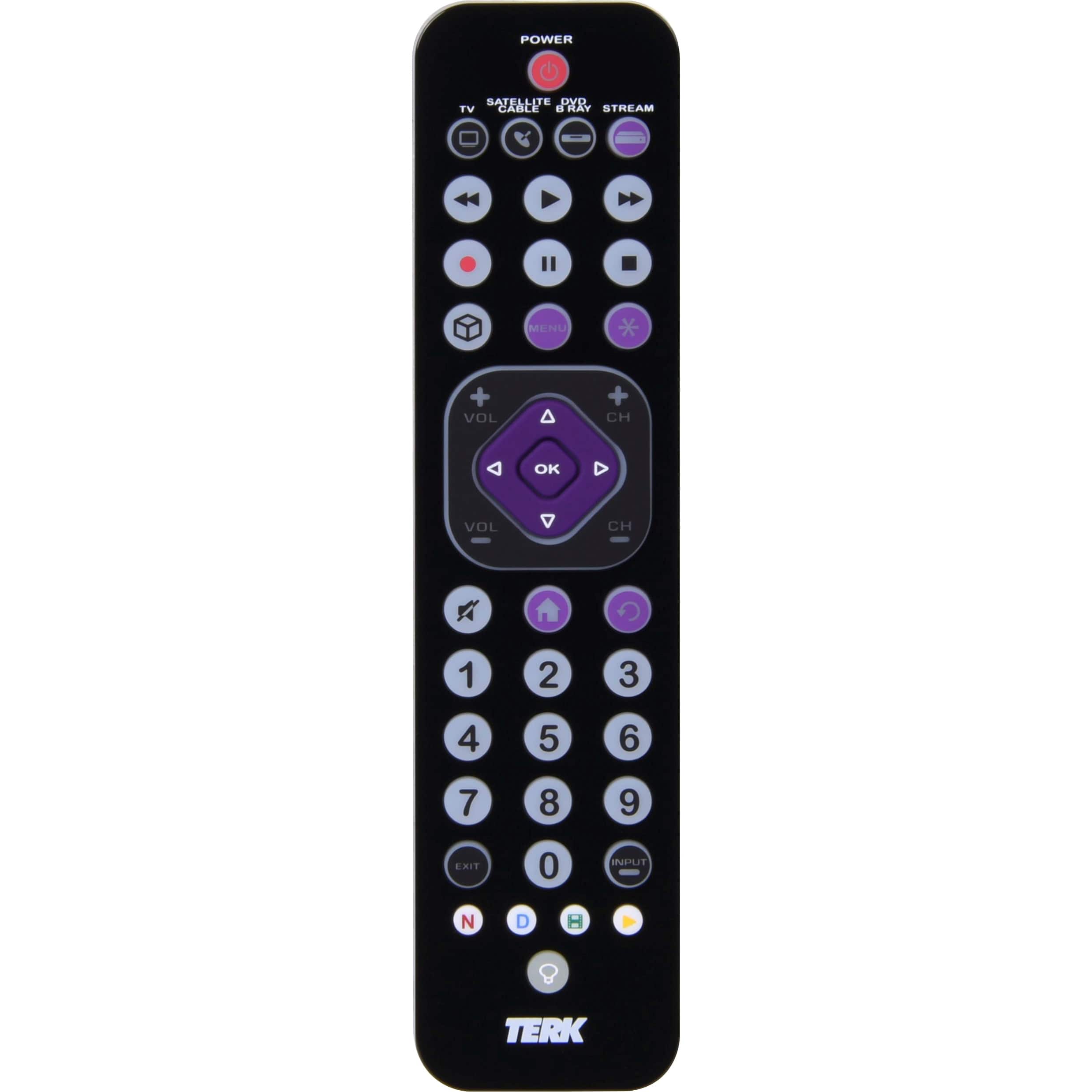
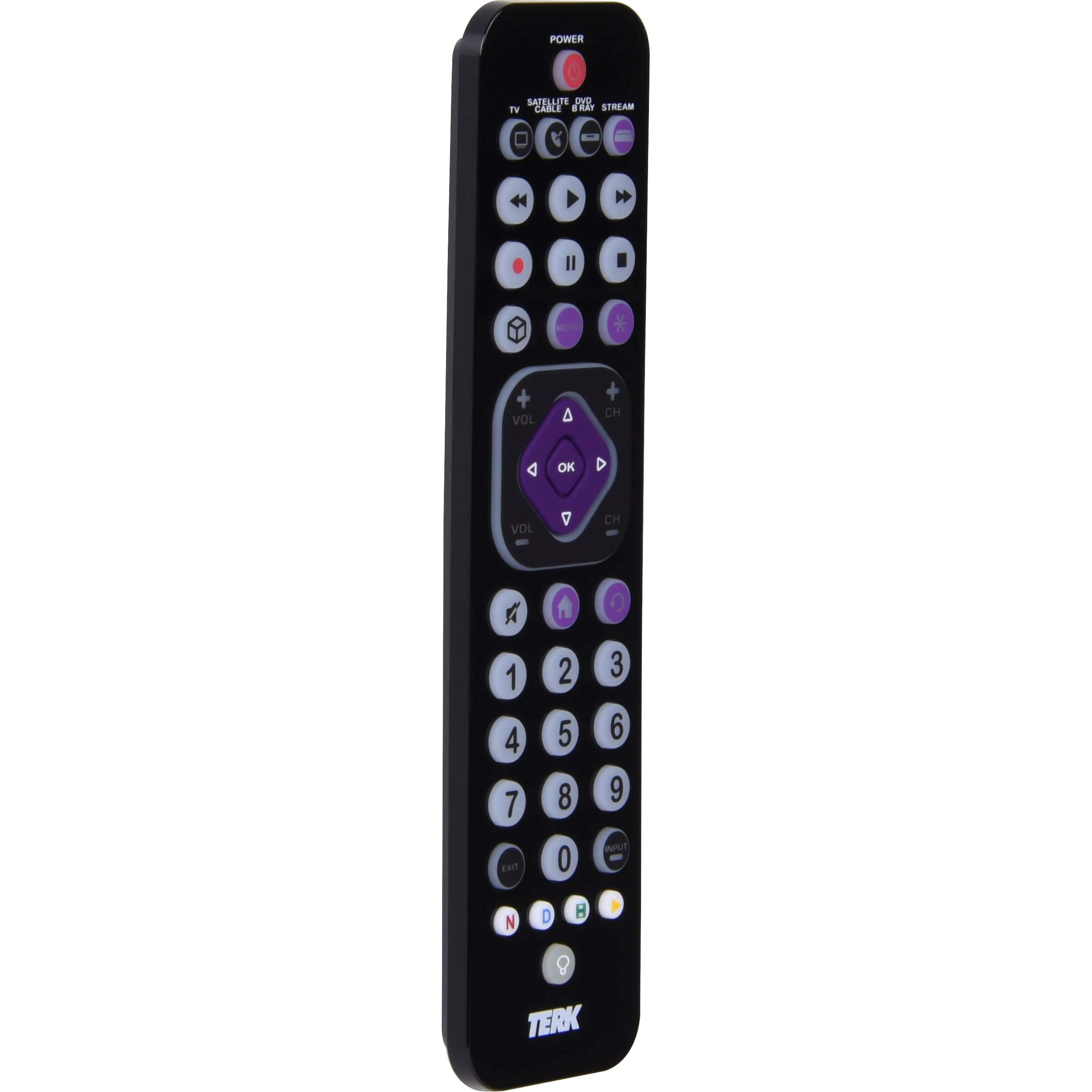
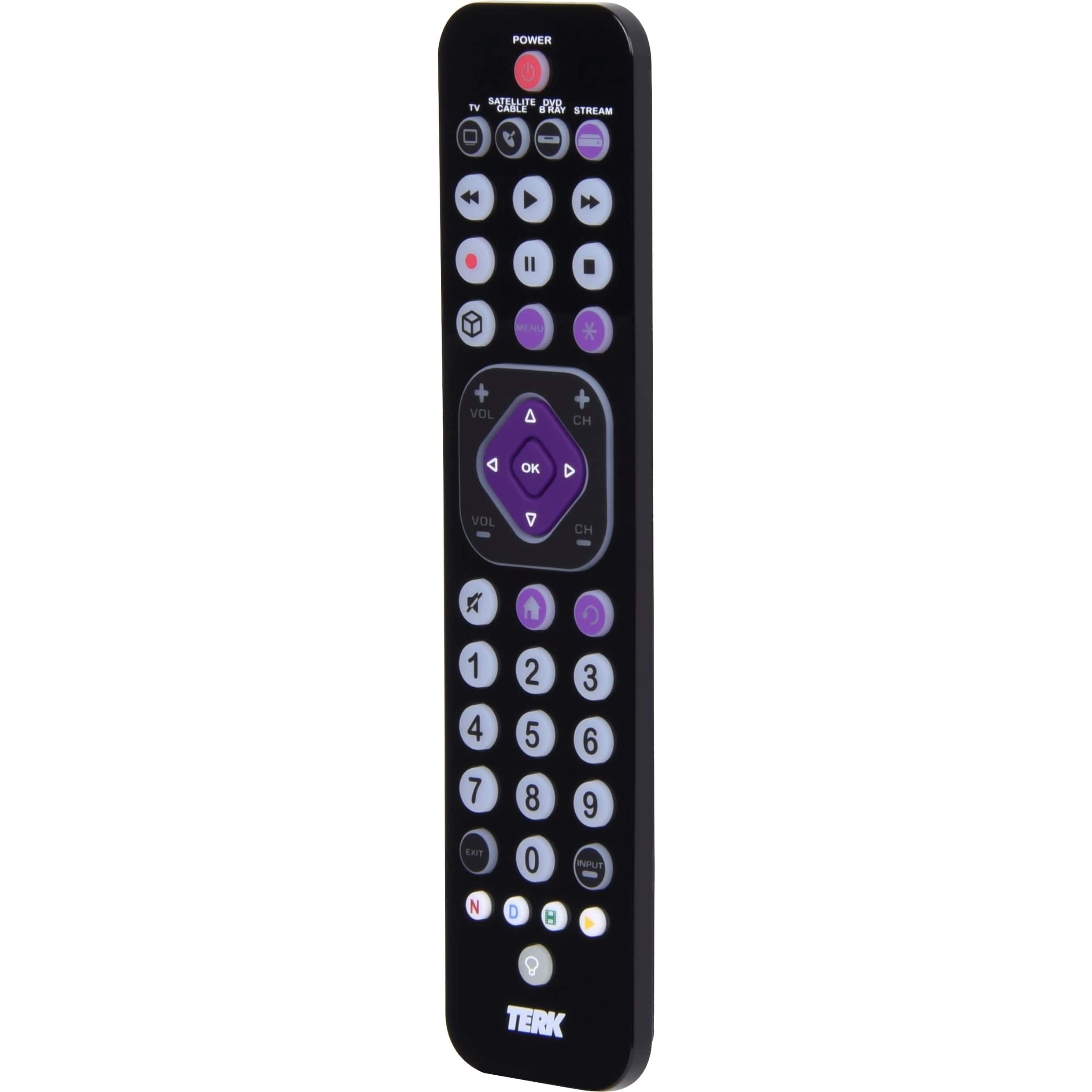
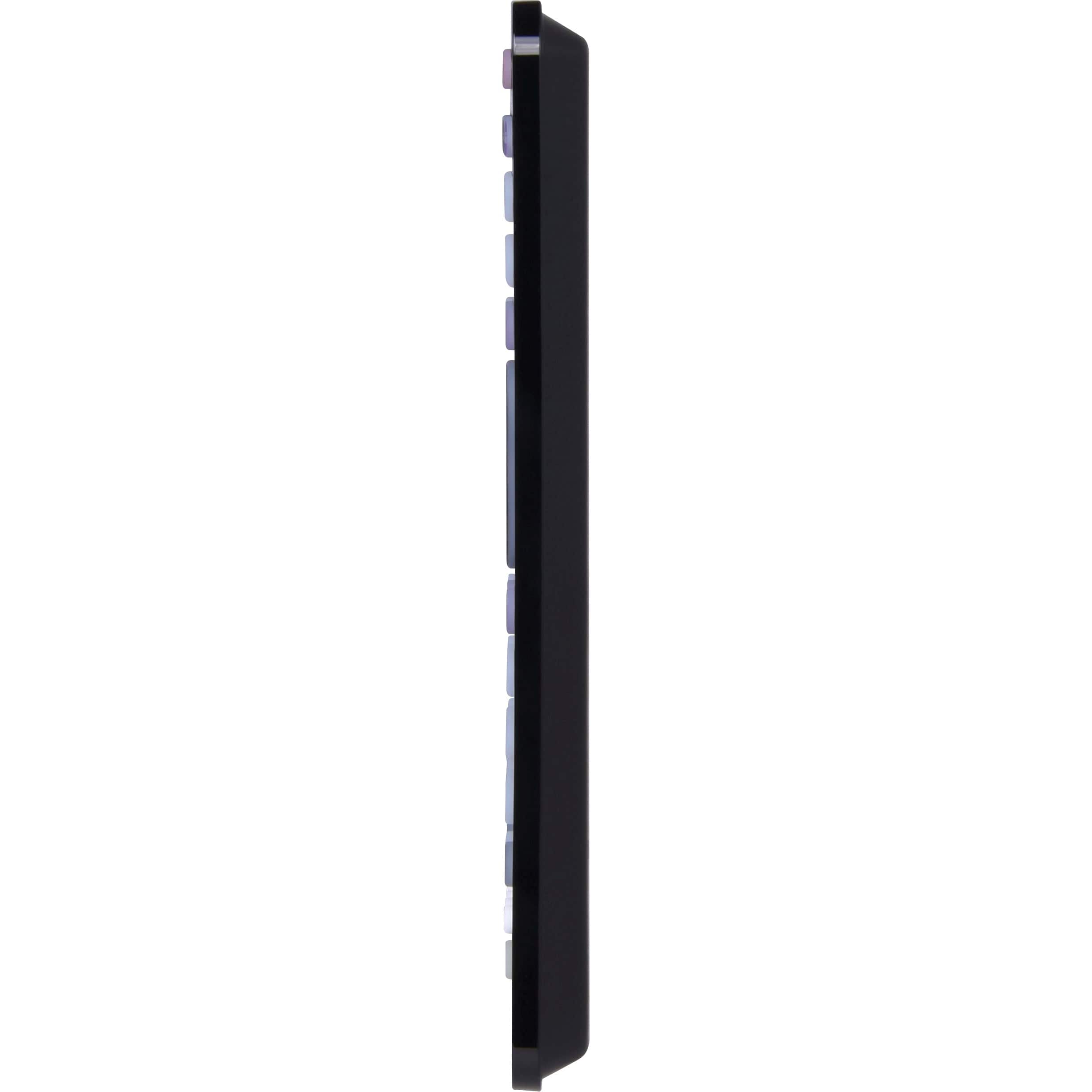



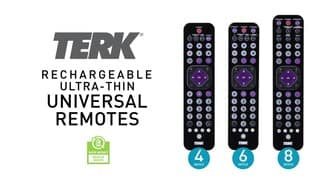
- Model:
- TKTC4GB
- SKU:
- 6537923
Rating by feature
- Value
Rating 4.0 out of 5 stars
- Quality
Rating 4.0 out of 5 stars
- Ease of Use
Rating 3.8 out of 5 stars
Customers are saying
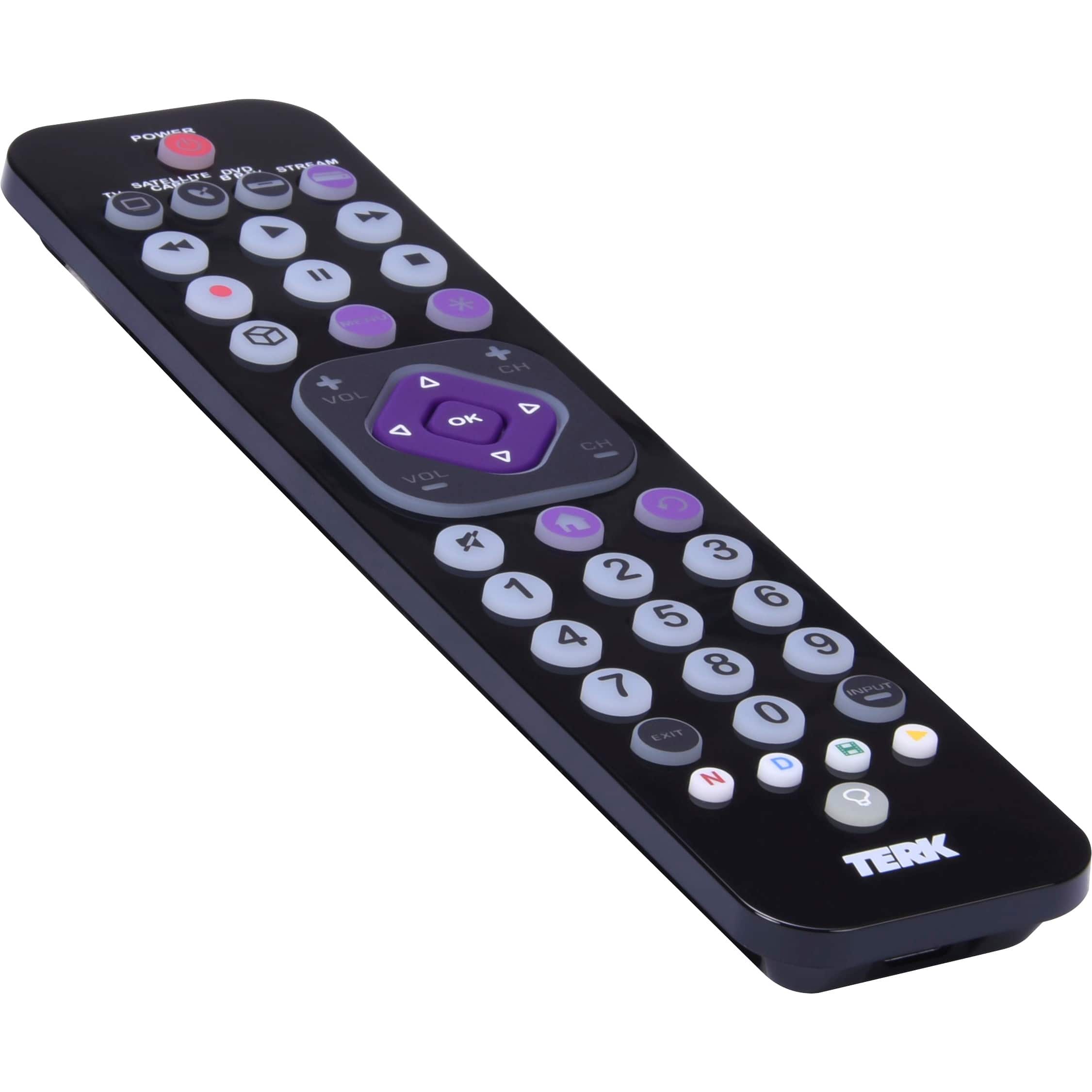
Customers enjoy the Rechargeable 4-Device Backlit Universal Remote for its ease of use, overall performance, and long battery life. The backlight is a welcomed feature, and the remote is lightweight. However, some customers have reported compatibility issues with certain TVs, and some find the size too small, while others dislike the button layout.
This summary was generated by AI based on customer reviews.
Remote
||Posted . Owned for 1 month when reviewed.This reviewer received promo considerations or sweepstakes entry for writing a review.not a very good product at all for how much it cost
No, I would not recommend this to a friend- Pros mentioned:Ease of useCons mentioned:Compatibility

Solid basic replacement remote
|Posted .This reviewer received promo considerations or sweepstakes entry for writing a review.This is a very simple basic replacement / universal remote. I do like that it is sleek and the design is nice. It took a bit for it to be fully charged after I opened the box, but that’s pretty normal for a product that comes with a rechargeable battery built in. Setting up my TV (Sony) and my Roku device were really easy and it worked perfectly. However, I have had a ridiculous time trying to get my sound system connected (also Sony). First, it doesn’t include any codes for an audio system. I tried every Sony code they gave in case they were the same as a TV or a digital antenna, but no success. They actually don’t give you any of the codes for any soundbar or audio system. If you go to their website you can type in what type of remote you have by its revision number (really this should be an easier way to do that) and get a list of codes. I got a list for Sony sound systems and the very last one finally worked. . . kind of. It will turn on the system and it will turn the volume up and down open the menu, but you can’t actually get the menu cursor to move up or down or select anything, so it may as well not work for the menu at all. Luckily I have the same brand for my TV and sound system so I was able to control my sound system through the TV and can make everything work, so the remote works well enough for me, but if you don’t have a matching pair you may have issues. For the 4 device remote it only has TV, Sat/Cable, DVD/Bluray and streaming. That’s a little odd to me since I think a sound bar is more common than having all of those other things. But, the 6 and 8 button remotes have options specifically for sound bars so hopefully those ones come with the codes to audio systems and maybe there is a different code there that would have actually worked for my system. I don’t need more than 3 devices, and one can be run through the tv, so this is still a step up from using a roku remote with a tv remote add-on attached to it (around the same price) that has even fewer options and always seems to pop off. Even though this remote only worked perfectly on 2 out of 3 of my devices and with the third device it only partially worked, at this price point for the features it did have I think it’s still worth it. Just be warned that your mileage may vary with this remote.
I would recommend this to a friend - Pros mentioned:Battery lifeCons mentioned:Size
Simple, Rechargeable
|Posted .This reviewer received promo considerations or sweepstakes entry for writing a review.The Terk TKTC4GB Universal Remote Control is a very simple remote control, able to control 4 different devices (TV, Sat/Cable, DVD/BluRay, Streaming Service). With each device selection, you can have up to 4 different macros (and macros allow you to record button presses that you would normally do to reach a specific feature/app of your TV). Everything else is straightforward….home keys, back, volume+-, channel+-, etc…buttons you would normally find on a remote control. The one thing that’s new to me in terms of owning a universal remote is its built-in rechargeable battery. No more searching for AAA batteries…the ones that are always non-existent when you need them. Remote control setup is very familiar if you already own a universal. You can either use the auto search feature which will cycle through all the device codes or use the included sheet that has all the codes for most manufacturers. I’ve tried both and I much prefer using the manual search because each manufacturer has more than one code that you can try. Auto search might find the code that turns your TV on and off, but then you’re surprised to see that nothing else works. The remote itself is very lightweight, almost fragile feeling, in my opinion. I guess it would survive an accidental drop because it’s so featherweight. The buttons feel very rubbery and tangible, but my only gripe with the remote is the ok/arrow keys. I feel that they are a bit on the small side and you’ll start to find yourself using the tip of your thumb to prevent fat fingering any other keys nearby. This is my only con for this remote. Using it on my LG OLED, the remote does a fine job registering key inputs and whatnot. LG OLEDs do have the magic cursor, which you won’t find on this remote, so if you’re looking to replace an LG or something similar, then maybe this remote isn’t for you. But overall, I really have no complaints; it’s easy to set up, easy to use overall, and it's rechargeable!
I would recommend this to a friend - Pros mentioned:Ease of use
works well, but programming could take some effort
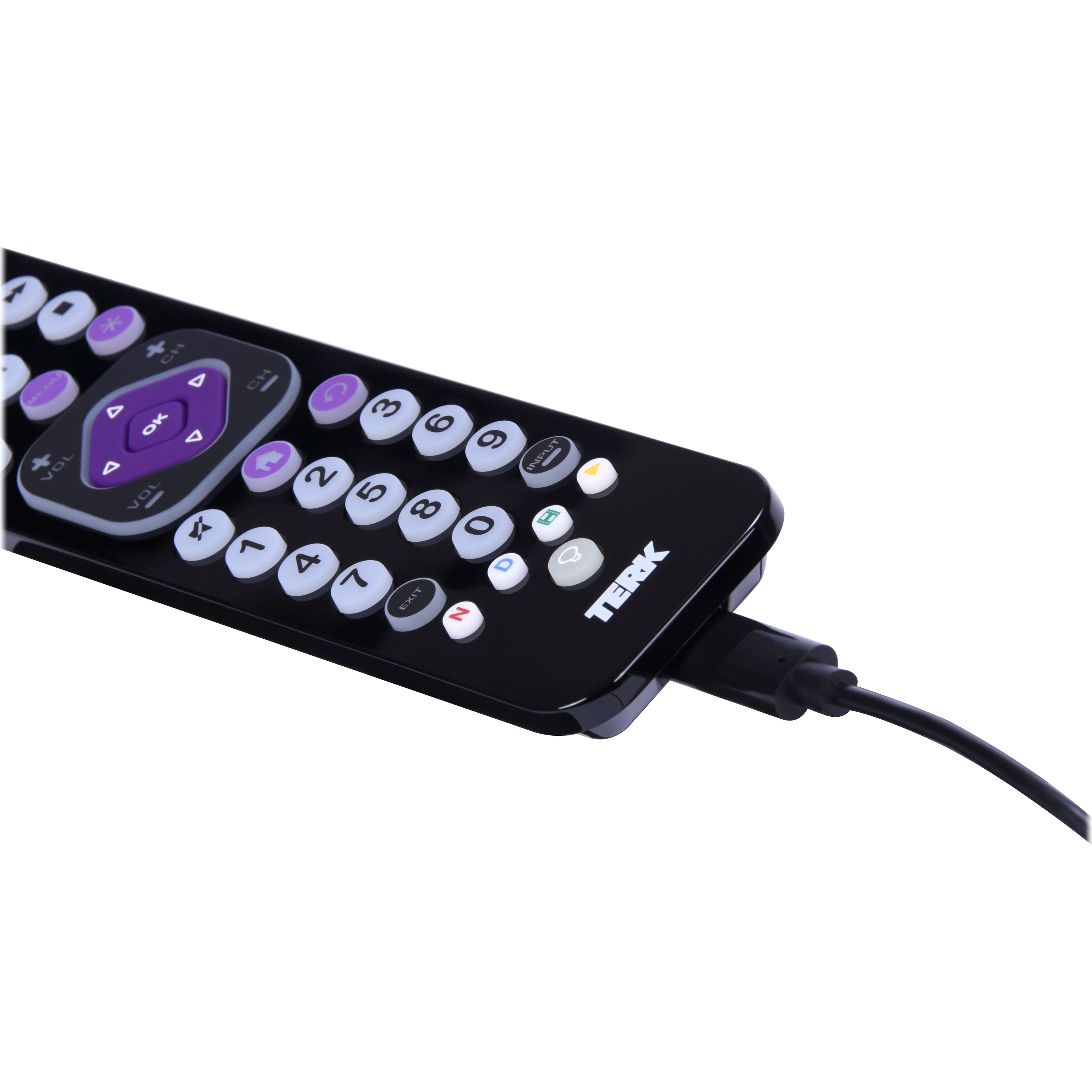
|Posted .This reviewer received promo considerations or sweepstakes entry for writing a review.Let me start by saying that universal remotes are nothing new. They have been around pretty much since the beginning of the era of remote-controlled electronic entertainment devices. The universal remotes of 2023 aren’t much different from those of 2022, 2021, or 2011, for that matter. They serve a purpose, but in my experience with them over the decades, they are often a mixed bag. They mostly work as advertised, but there are usually trade-offs that come with using them. Universal remotes, obviously, give you the opportunity to replace multiple remotes with a single remote and reduce the clutter on the end-table in your living room. But I have often found that they lack the ability to access every feature that a particular TV or whatever device might have. Universal remotes always do the basic things like on/off, change channel, control volume on a TV, and start/stop/rewind/etc. if you’re controlling a DVD player or VCR. But other functions might or might not be available, or it might not be intuitively obvious which, if any, of the buttons that ARE on the universal remote will access the non-standard feature of the TV or other device that you want to access. Now let’s look at this Terk 4-device remote. I’ve had it for most of a week now, and I have successfully programmed it to work with the four devices associated with the TV set in my den. In addition to the TV itself, there is a set-top box from a satellite TV provider, a streaming device, and a sound bar. Programming the remote to work with these devices was straightforward for the TV and set-top box but less so for the streamer and sound bar. Programming the remote can be done in two ways, which is typical. One way is to look up on the list included in the box the codes for the particular brand of device you have and test them one at a time. The other is to use the remote’s auto-search feature to have it find the code for your device by itself. The latter is far preferred because it avoids the trial-and-error that can occur if the device has a fair number of codes to try. In my case, there were eight codes for the set-top box and 13 codes for my brand of TV. But I used the auto-search feature for both the TV and the set-top box, and the remote found the codes quickly. I would guess that most people nowadays get their programming through a device attached to their TV rather than through the TV itself. The occasion to use the TV itself is when you’re receiving over-the-air TV signals. But if you get your TV through a cable or satellite provider or through a streaming service, about the only things you need to control on your TV are the on/off switch, the volume, and which HDMI port to select as the input. The Terk remote worked just fine controlling my TV in this way. With regard to the set-top box, the remote also accessed all the features I need, but it took a little hunting around to find the exact keys on the remote to do what I wanted. For example, one of the most common keys I press on the set-top box’s dedicated remote is the “Guide” button to see a channel listing. The Terk remote can do this, but the button to do so turns out to be the one with the picture of a house on it, the “Home” button. There is no button labeled “Guide.” Another feature of the set-top box I often use is the “Info” button, which brings up menus allowing to, among other things, select closed captioning, assign favorite channels, see most recently viewed channels, see messages, etc. Again, there is no button labeled “Info” on the Terk remote. Rather, after some trial and error, I found pressing the asterisk key (*) accesses this menu. Again, no problem, but, again, I now have to remember TWO keys on the remote to access two of my commonly-used features. Enough about the TV and set-top box. Both were easy to set up and reasonably easy to get used to using. The sound bar and streamer were a different issue. Neither would work with the auto-detect feature of the remote. It simply could not find a code that work with them. The large list of devices that comes in the box, which shows brands for TVs, DVD players, cable and satellite set-top boxes, and streaming devices, did not have a listing for the brand of my streamer, and it did not have a listing of any kind for sound bars. The instructions do give a web address to check for more codes, and I did that. The website did have a listing of sound bars, and my brand was among them. Six codes were shown, and the first one worked with my sound bar, so I’m good on that now. But the streamer took still more sleuthing. My streaming device is offered by the same company that I also get my internet service through and which also offers cable TV service. Their brand was listed on the website, but in the type-of-device drop-down submenu, the only options were “set/cable” box or “other.” “Streaming device” was not listed. I tried the “other,” but none of the codes worked. So I tried the codes for the set-top box, and the first one I tried (six codes were shown) did work with the streamer. So after several extra minutes of fiddling around, accessing a website, and making some educated guesses, I was finally able to get all four of my devices to work with the Terk remote. Once programmed, controlling the streamer and sound bar were no problem, and I am good to go. One other thing about this remote unrelated to programming is that, unlike every other remote I’ve ever owned (and that’s probably about 500 at this stage of my life), this one does not use batteries. Rather, you have to charge it up the way you would a cell phone, and it comes with a cable to do this which must be connected to a USB-2 port. No A/C adapter is provided, so you’ll either have to connect it to a computer or get a separate adapter so you can charge it from a wall socket. As far as functionality as a remote, I would give this device five stars because it works as advertised. But I take one star off because setting it up should not have been as involved as it turned out to be. I’m pretty savvy when it comes to electronic devices and getting them to work. But my wife, who is quite intelligent but is not an ace when it comes to setting up electronics, would probably have thrown up her hands in frustration when it came to getting the remote to work with the sound bar or streamer and might even have returned it to the store. If you get one of these, keep in mind that you will most likely get it to work with all of your devices, but some extra effort might be involved.
I would recommend this to a friend - Pros mentioned:Backlight, Ease of use
Great, rechargeable multi-function remote control
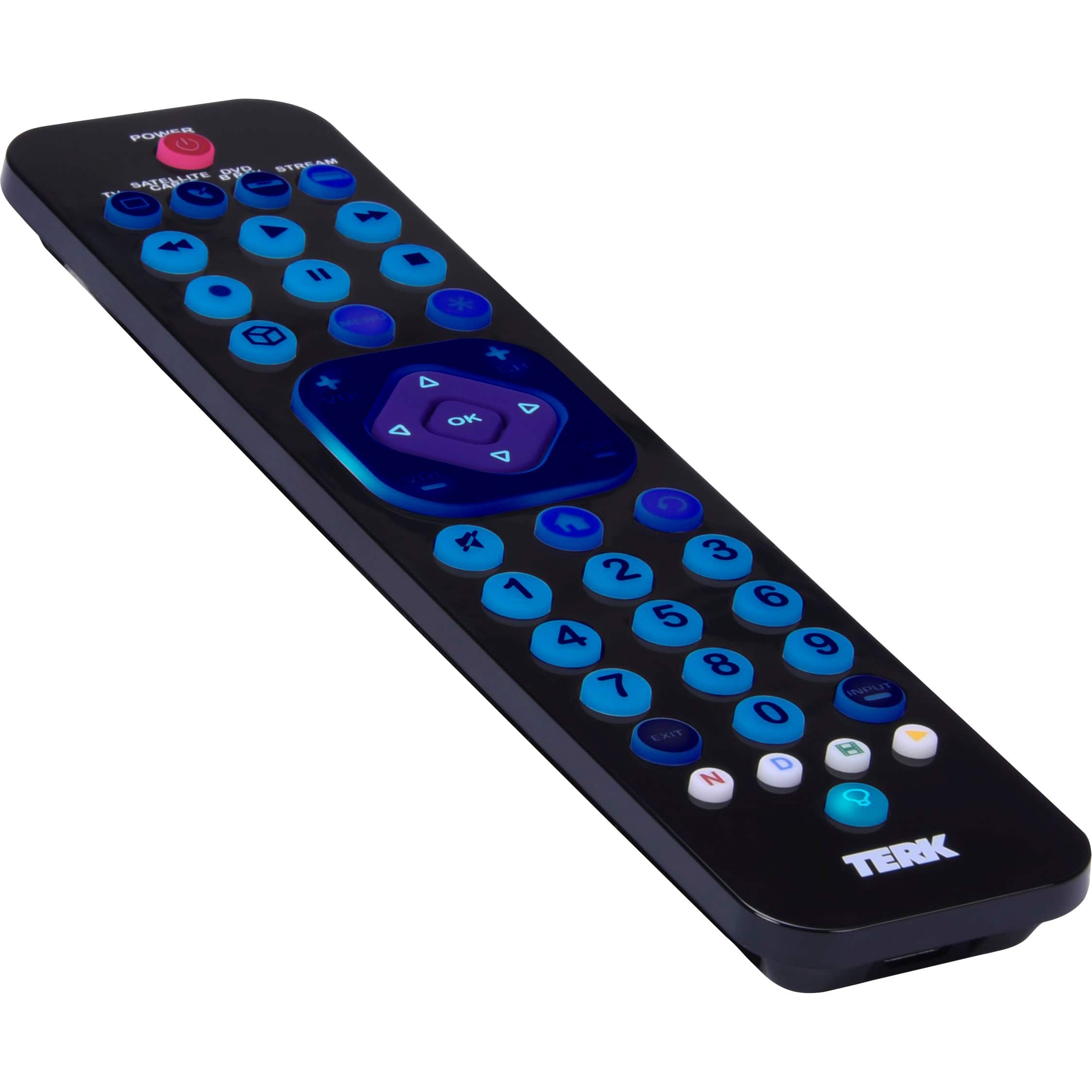
|Posted .This reviewer received promo considerations or sweepstakes entry for writing a review.The TERK Rechargeable 4-Device Backlit Universal Remote is a great addition to home theatre setups that may have multiple components - and especially if some of your components are older. The TERK - Rechargeable 4-Device Backlit Universal Remote is rechargeable which eliminates the late-night hunt for batteries if your current remote's batteries die. It has a solid, high quality feel. The backlit keys are AWESOME, especially if you are watching in a dark room or not wearing glasses. Navigating the remote is not only easy, it feels good to use. The setup process for this remote is similar to other "universal" remotes. It comes with myriad codes you use to program various devices. For me, I set it up to control my TV, a Blu-Ray/DVD Player, and a streaming player. I do not have cable (or satellite) - only streaming so there's still an open button for future use. Also, my sound bar system is synchronized with the TV so I didn't need to set it up. Setting up the TV was simple - the very first code worked! The Blu-Ray/DVD player took a few more tries and I imagine that's because it's rather old. Overall - a solid 5/5, especially at such an affordable price point.
I would recommend this to a friend - Pros mentioned:Backlight, Ease of use
AWESOME!
|Posted .This reviewer received promo considerations or sweepstakes entry for writing a review.This TERK Rechargeable remote was pretty easy to set up. I received the 4 device version. I needed it to run my blue-ray player, TV and cable box. it did all 3 with ease! I took it out of the box and set it to charge with the included USB-C cord. I left it for about an hour and when I came back it was ready to go! Included with the remote was a list of all the major players in technology. once I found the codes for all my devices it was as easy as typing them in. I liked that it automatically connected to my RF devices without added coding or changing settings. once I had it hooked up once, it was able to do it for all of them. The remote itself is very light and thin, this made it convenient for my toddler. the buttons are backlit, so you can see what you are pushing in the dark and they turn off after 15-20 seconds of non-use. I would highly recommend this product if you are looking to move to 1 device for all your technology. we use ours in the living room and it has been a game changer!
I would recommend this to a friend - Pros mentioned:Battery life
Works well with most devices
|Posted .This reviewer received promo considerations or sweepstakes entry for writing a review.The Terk 4 Device universal Remote is set up to work out of the box with most Samsung devices for the TV, DVD, and Blu Ray players. The remote is also pre programmed to work with most Comcast devices for the Satellite/Cable button and most Roku IR devices for the Stream button. Please note that this universal remote has no Bluetooth or WIFI functionality so it will not work directly with all streaming devices. Most streaming devices that offer voice control through the remote use WIFI or Bluetooth. Another way to tell if your streaming device uses Bluetooth or WIFI is if you can still control your device even if the remote is obstructed or out of the room. There are some Roku devices like the "Express" and "Premiere" that use IR remotes and the Terk Universal Remote will work out of the box directly with those. Depending on your TV there is a work around to get this remote to control non-IR devices. Most newer HDTVs have a feature called CEC. This feature allows TVs to auto select inputs when a new device is turned on, and it can even turn on or off connected CEC enabled devices. However, most people are not aware that the CEC feature can actually transmit other control codes between the two devices. Even though this feature may be enabled on your devices, to fully utilize it for full control you need to go into the TV's settings and select the CEC device you want to control through your TV remote. Once this is done, all you need to do is select the TVs input for the CEC device and then the remote your using for your TV now becomes your CEC device's remote. This trick should let you control the non-IR streaming devices. Be aware not all OEM controller features might work through this connection. Even though this remote doesn't have WIFI or Bluetooth, it does come with some good features. There is an auto search feature for all the device keys, to help find the right code for each device button if you are not having any luck with the codes available for the manual entry method. You can also use the code retrieval feature to write down any codes saved for each device used. The IR blaster does have a 40+ foot range and a wide spectrum, which allows it to still control the connected devices at almost any angle. It does have a built in backlit keypad for easy use in low lighting, and four dedicated streaming buttons to start the Netflix, Disney+,Hulu, and Youtube apps. Macros can also be enabled and assigned to any of the four app buttons. The macro feature is limited to 14 steps per button, but that should be enough to complete most any task needed. The Terk Universal remote has a Volume and Channel lock feature which will let you always control your designated device for those buttons no matter which other device is selected to be controlled. The remote is factory enabled with the volume lock on and set to the TV. I didn't see it in the manual, but the volume lock can be enabled and disabled in the exact same manner as the channel lock feature. The channel lock instructions are in the manual. There are also no more batteries to swap out as this remote is rechargeable. The average charge life is about six months, and can be recharged through any USB C cable. The remote is nice and light with a low profile. Most of the buttons are nicely placed and easy to access. My biggest complaint about the design is the placement of the navigation buttons. They sit inside the buttons for volume and channel up and down. Both of these two button pads are the same height and too closely combined. I find it kinda difficult to use these buttons quickly. The volume and channel up and down work fine and are easy to use, but the navigation pad is not so nice. I have to angle my thumb oddly to use these buttons without hitting something else. Overall, this is a good universal remote, it does complete the tasks needed. Although, it would be perfect if they raised or changed the navigation button design and added WIFI and Bluetooth connectivity.
I would recommend this to a friend - Pros mentioned:BacklightCons mentioned:Compatibility
Slim design, nice features
|Posted .This reviewer received promo considerations or sweepstakes entry for writing a review.I was drawn to this remote because I have two tv set ups with a few different devices connected to them and wanted to reduce the remotes necessary for controlling them. I really like that this is a rechargeable remote – no more hunting for batteries. I also like that the remote has backlit buttons, a huge plus for late night tv watching. I had no issues programming the remote with the tv, but was disappointed that I couldn’t program it with the sound bar. (The older tv and sound bar are sadly not linked together.) I also had issues programming the remote with my Roku Stick+. I attempted all codes plus tried the auto search method and still had no luck. I decided to reset the remote and test it out with the main tv setup. I again had no issues programming the remote with the tv and was successfully able to pair it up with the DVD player too. While I did run into issues with my older tv setup, I did have good luck with the newer tv. If looking for options to reduce remotes, or simply just have an additional remote for whenever one is misplaced, I recommend trying this TERK remote out.
I would recommend this to a friend - Pros mentioned:Overall performanceCons mentioned:Button layout
It has purple buttons
Posted .This reviewer received promo considerations or sweepstakes entry for writing a review.This remote is a better version of the other remote. Some of the buttons are in a different spot, which took some getting used to, but overall, still good. It also has purple buttons, which I like. Also rechargeable.
I would recommend this to a friend Did the trick in a complex AV setup.
|Posted .This reviewer received promo considerations or sweepstakes entry for writing a review.I was a bit concerned at first because the 4 input remote I was given to review has slots for TV, Cable/Satellite Box, DVD, and Stream and I run my TV's output through a Yamaha receiver. The included code list (couldn't they spend a few cents extra and print it in a readable font size?) didn't include Yamaha, but the web site had codes for Yamaha receivers and voila! using the stream input button, the third try worked with my receiver. Now I've purchased several DirectTV remotes hoping to find one that could control that receiver, so this was a pleasant surprise. The third try for cable/satellite box also worked for DirectTV so channel change, menu, etc. all now work on a single remote. Fantastic! I have an LG OLED TV which uses an RF remote for smart TV input selection so I didn't even try to program the various streaming option. It doesn't matter because I use a Logitech Harmony IR Blaster to turn the TV on and off using Alexa. Now I've managed to reduce the number of required remotes down to two (RF for TV, TERK for DirectTV box & Yamaha receiver). Oh, and the Sony DVD player also programmed just fine. This remote is a winner for me. I especially like that it's rechargeable and the price is very reasonable for a smart remote.
I would recommend this to a friendGreat tool
Posted .This reviewer received promo considerations or sweepstakes entry for writing a review.If i could figure out how to use probably would love it. Tried reading the directions however the instructions are so small I could not read even with the help of a magnifying glass tried to get help but couldn't find help
I would recommend this to a friendLights up in the dark for easy operation
|Posted .This reviewer received promo considerations or sweepstakes entry for writing a review.I hate having a bunch of remotes for various devices, so I definitely prefer an all-in-one. However, I hadn't found one yet that would operate my tv, my Apple TV, an IPTV box and my soundbar. Enter the TERK Universal remote, and WOW - why didn't I do this sooner? Just got this little remote about a week ago, but I'm already loving it. Feels quality-made and great in the hand, and I like the bigger buttons. I got this universal remote to replace the LG standard remote that came with my TV because it offers backlit keys. The standard remote received with my LG UP7670 Series is not backlit and nearly impossible to use in a low lit bedroom. I believe this remote would also work with the LG UQ8000 series, as it is essentially the same TV, although it did get the upgraded (but also not backlit) LG 'Magic Remote'--I have not tried it with the UQ8000 series because I use an Apple TV box to consolidate all my streaming apps on the family room TV, and that remote is superior in simplicity to anything else, when you aren't entering something like a channel number. I was very pleasantly surprised that the very first LG code listed with the enclosed-with-the-remote 'code sheet' worked for the LG on first entry and controlled all the features seamlessly: On/Off, volume, channel, and even the navigation up, down, left, ride and select. Further, the home button will take you to LG Menu where Streaming Apps/Services can be selected, and a back button worked with (Amazon Prime I think it was) to move back in the menus of that streaming service). So, I can highly recommend giving this remote a try with an LG TV. Now, for those who want to indulge me for a quick rant about LG's remotes, keep reading: I've seen it hypothesized in many places that LG doesn't backlight their remotes anymore to 'save some cost' to produce the TVs. If that's the case then how can someone make and sell a remote that does everything the LG does, with backlighting, for $30? If that's truly their rationale, then drop the free batteries and add backlighting. Although I can get to all the TV, Roku, and Blu-ray programming and setup menus with the universal remote, I still keep my old remotes in a drawer for a few specialized functions, especially all the oddball settings and modes in the sound bar and IPTV. Overall, this is a great experience, and a much better one than previous attempts to use so-called universal remotes - I had near about sworn myself off of them forever about 15 years ago as they were universally not universal. These new universal remotes are an example of actual human technological progress and make me proud to work in a product engineering team.
I would recommend this to a friendSkip it. Very primitive and Limited
|Posted .This reviewer received promo considerations or sweepstakes entry for writing a review.This remote is hard to review because I expected so much more, yet it does work (for the most part). Having been used to the now defunct Logitech remotes and hubs, I was expecting something very high tech. It’s not. It actually still comes with a large list of codes on real paper that are used to program the remote. I remember doing this with universal remotes 20 years ago. There are also two automated programming modes, one for more recent popular brands and another for all brands and devices. Both of these take forever for the remote to scan through the codes. Using the manual method (finding my possible codes on the paper list) I was able to immediately program a year old LG TV to the remote. That was the end. I use an AppleTV exclusively for watching tv. None of the preprinted codes would program the AppleTV with the remote control. I tried the automated method where AppleTV is specifically listed as being supported. Nothing. It never programmed. I also have a Polk Audio soundbar that I was hoping to control with the remote. Not a chance. There are no codes provided for any soundbars or other audio equipment, therefore I assume it does not support them. 20 years ago, this might have been an OK universal remote. In today's smart TV, automated home environment, this remote seems antiquated from the start and is very primitive and limited in its usefulness. The feel of the remote is good and the construction OK. Appears to be somewhat cheaply made and I can’t yet say anything about its durability.
No, I would not recommend this to a friendGets the job done
Posted .This reviewer received promo considerations or sweepstakes entry for writing a review.A little confusing to set up, because of all the codes, but it got the job done until we found our other remote!
I would recommend this to a friend- Cons mentioned:Compatibility
Dissappointing
Posted .This reviewer received promo considerations or sweepstakes entry for writing a review.It didn't work with the Firestick because the TV is older and did not have the right settings. Not to mention it didn't always respond to touch and it does not have voice feature. Should have done more research before getting this one.
No, I would not recommend this to a friend Nice remote, bad cable
Posted .This reviewer received promo considerations or sweepstakes entry for writing a review.The remote works just fine, but charging cable was DOA. I contacted Best Buy, and their only options were to return the whole thing (after I borrowed a cable to charge it and then spent time programming it) or a paltry refund that wouldn't come anywhere near covering the cost of a new cable. Apparently sending me a cable wasn't an option, even though I paid extra for the Geek Squad coverage. So now we have failures both in equipment and customer service. Ugh!
No, I would not recommend this to a friendFire hazard
Posted .This reviewer received promo considerations or sweepstakes entry for writing a review.Dont buy this. i bought this remote for my local search team in texas. the piece of garbage caught on fire twice!
No, I would not recommend this to a friend