Customer Ratings & Reviews
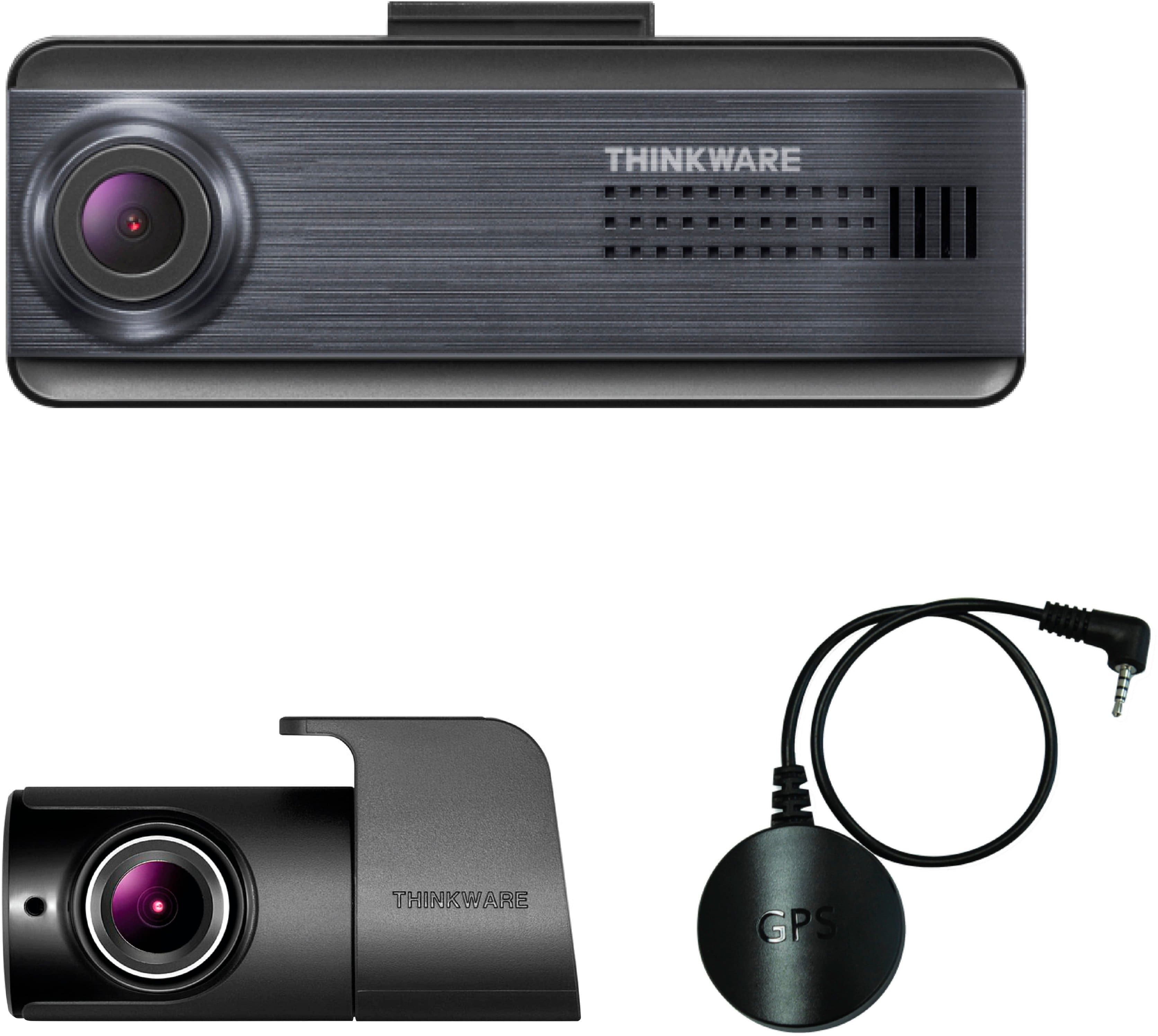
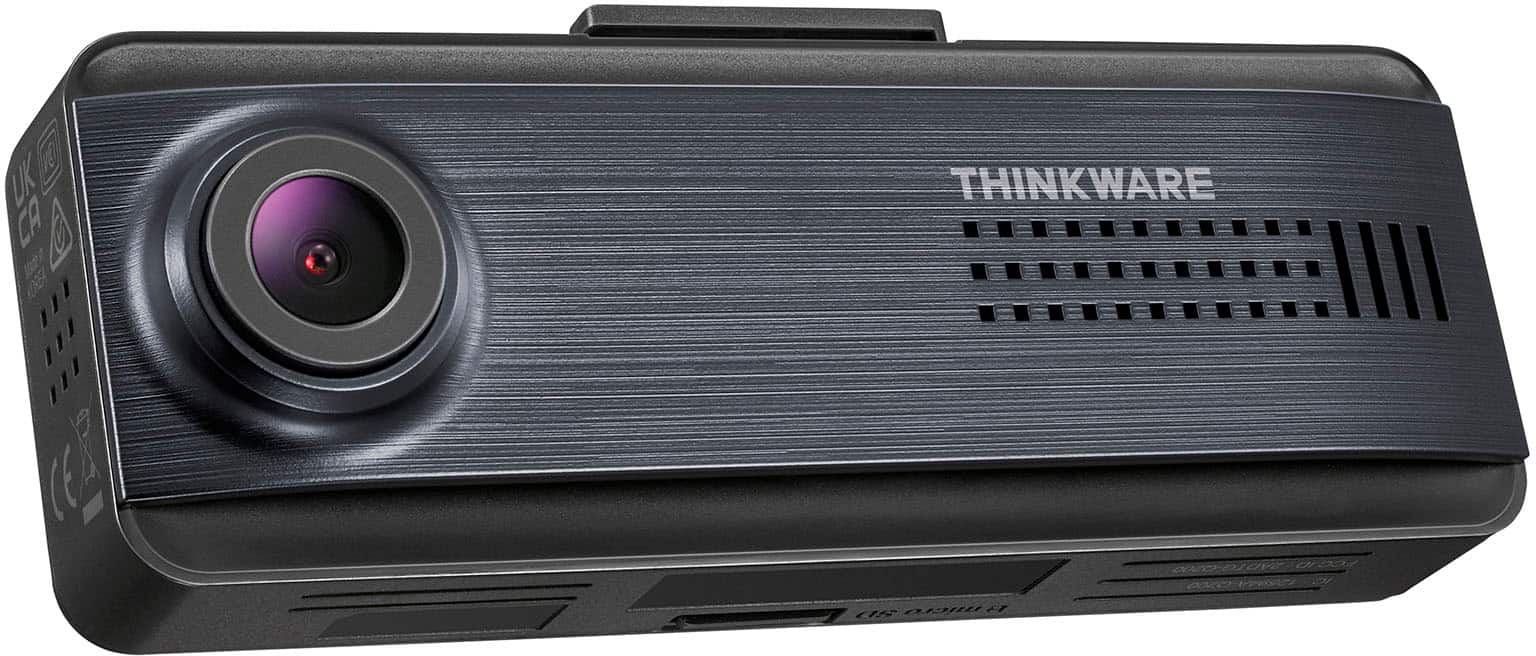
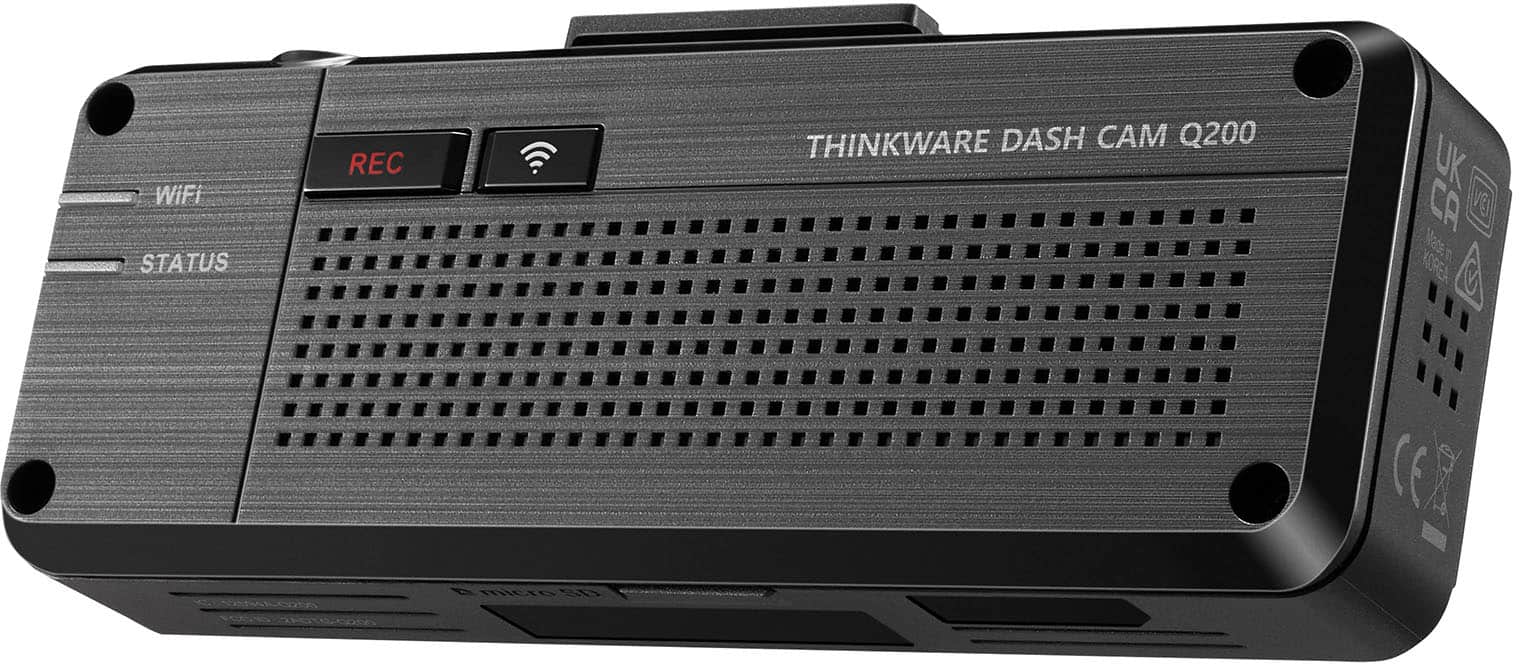
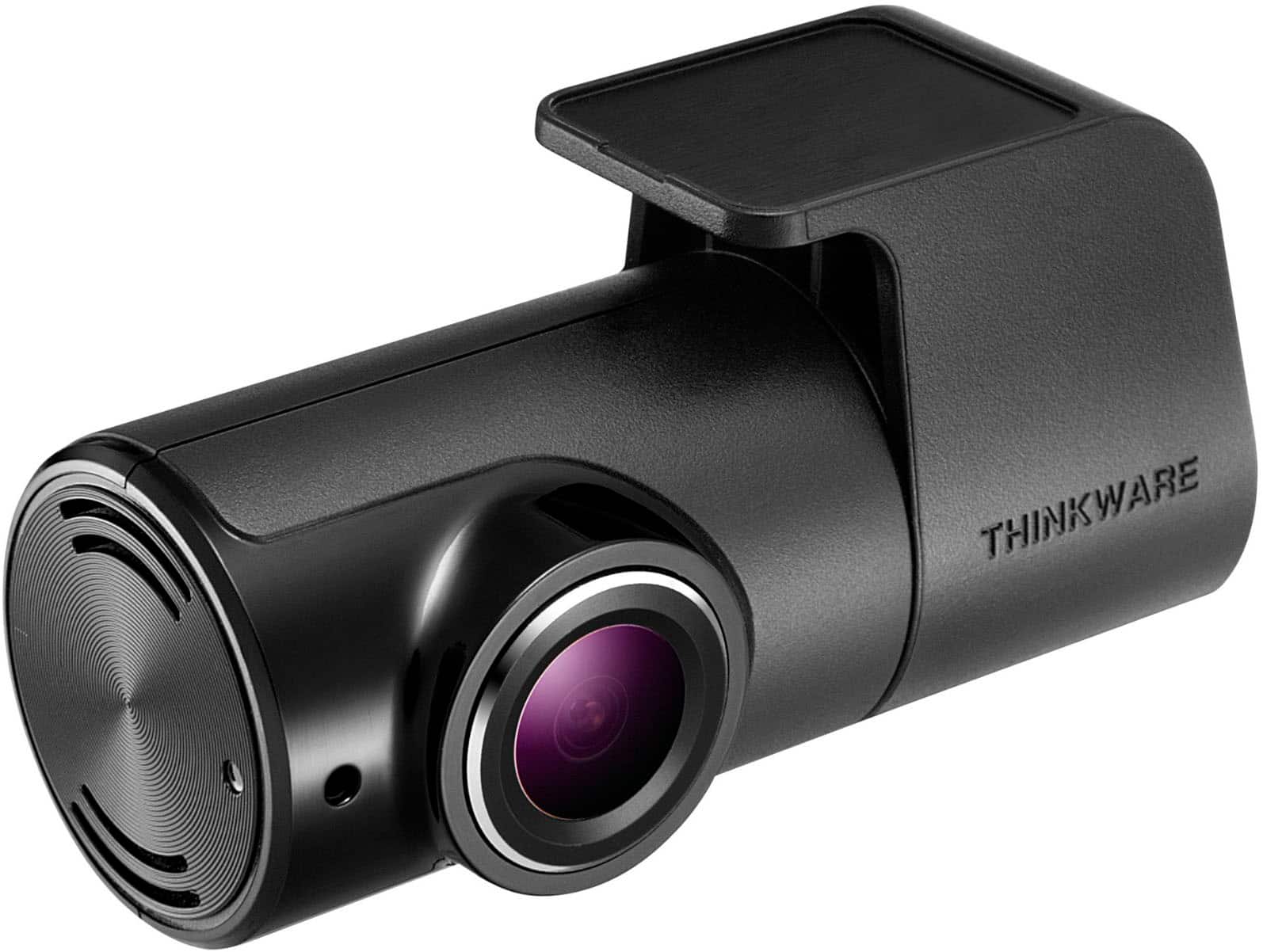
- Model:
- TW-Q200DCHG
- SKU:
- 6576703
Rating by feature
- Value
Rating 4.5 out of 5 stars
- Quality
Rating 4.5 out of 5 stars
- Ease of Use
Rating 4.4 out of 5 stars
Customers are saying
Customers enjoy the Q200 2K Front & 1080p Rear Dash Cam with GPS and Wi-Fi for its excellent video quality, overall performance, and ease of use. Many appreciate the GPS feature, parking mode, and discreet size, as well as the straightforward installation. However, some customers have noted concerns regarding app connectivity and the absence of a screen. Additionally, a few users mentioned the rear camera might require some extra attention.
This summary was generated by AI based on customer reviews.
A Waste of Money
||Posted . Owned for 1 month when reviewed.This reviewer received promo considerations or sweepstakes entry for writing a review.Is not what I expected. Would not buy again. A waste of money!
No, I would not recommend this to a friendBrand response from Thinkware Product Expert
Posted .Hello! We apologize for the inconvenience that you experience with our product but please reach out to us via email or phone at support@thinkware.com or 1 (844) 865-9273 so we can assist you. Thank you!

???????
||Posted . Owned for 1 week when reviewed.This reviewer received promo considerations or sweepstakes entry for writing a review.Still learning How to use it, Don like the on line User Manual. Have to go back to Best Buy and have the Rear Camera re installed, As it is Up Side Down!!!!!!!!
No, I would not recommend this to a friendBrand response from Thinkware Product Expert
Posted .Hello! We apologize for the inconvenience but you can reach out to us via email or phone at support@thinkware.com or 1 (844) 865-9273 so we can assist you further. Thank you!
Camera
||Posted . Owned for 1 month when reviewed.This reviewer received promo considerations or sweepstakes entry for writing a review.Bad connection to internet and bad communication with movil
No, I would not recommend this to a friendBrand response from Thinkware Product Expert
Posted .Hello! We apologize for the inconvenience but please reach out to us via email or phone at support@thinkware.com or 1 (844) 865-9273 so we can assist you. Thank you!
Engine must be running
||Posted . Owned for 1 month when reviewed.This reviewer received promo considerations or sweepstakes entry for writing a review.The car has to be on to use the app and to download in case of emergency or after the fact the car may not be running. If you have an accident then you have to take the chip. You might not be able to get it.
No, I would not recommend this to a friendBrand response from Thinkware Product Expert
Posted .Hello! We apologize for the inconvenience but regarding this, in order to access the dash camera from your phone, dash camera needs to be turned on so WI-FI or Bluetooth will be enabled. In that way, you can connect to your dash camera and access all recorded videos. Please reach out to us via email or phone at support@thinkware.com or 1 (844) 865-9273 so we can assist you. Thank you!
- Cons mentioned:Screen
AAVCAAP9034091A
||Posted . Owned for 1 month when reviewed.This reviewer received promo considerations or sweepstakes entry for writing a review.I am not happy with the product, I can't see it on my cell phone, I wanted one with a screen in the car
No, I would not recommend this to a friendBrand response from Thinkware Product Expert
Posted .Hello! Thank you writing us a feedback and we apologize for the inconvenience but as of the moment, you can check out our LCD model dash camera. This comes with an LCD screen which you can check and see the recordings and alter the settings of the dash camera. You can reach out to us via email or phone at support@thinkware.com or 1 (844) 865-9273 so we can assist you further. Thank you!
Too big for me
||Posted . Owned for 1 week when reviewed.This reviewer received promo considerations or sweepstakes entry for writing a review.I had to return this one cause it's not small enough. Too bulky and in my way. Would be better if it stuck to the window at an angle and you can rotate the camera only.
No, I would not recommend this to a friendBrand response from Thinkware Product Expert
Posted .We apologize for the inconvenience but thank you for writing us a feedback. We will take note of this so we can upgrade our products in the future.
Not User Friendly
||Posted . Owned for 1 month when reviewed.This reviewer received promo considerations or sweepstakes entry for writing a review.Difficult to retain images. You have to take the SIM card out or sit right next to the camera for the images to load on the phone. Not easy to manage
No, I would not recommend this to a friendBrand response from Thinkware Product Expert
Posted .Hello! We apologize for the inconvenience and yes, you need to be inside the car in order to connect with the dash camera and view the recorded videos. Feel free to contact us for any dash cam related inquiries.
NO FUSE TAPS???
||Posted . Owned for 3 weeks when reviewed.This reviewer received promo considerations or sweepstakes entry for writing a review.Overall camera looks nice and installation seems fairly easy but buyer beware when you purchase this dash cam WITH the "HARDWIRE KIT" it DOES NOT COME WITH the FUSE TAPS. They will give you everything but that. Seems to me that should be apart of this kit but sadly is not. My recommendation is dont think your getting a good deal with everything included you will have to run around town looking for the fuse taps.
No, I would not recommend this to a friendBrand response from Thinkware Product Expert
Posted .Hello! Thank you for writing us a feedback. We apologize for the inconvenience but we will escalate this so we can check if we can make the fuse taps included on the bundle.
Good product, bad support app
||Posted . Owned for 3 weeks when reviewed.This reviewer received promo considerations or sweepstakes entry for writing a review.Good product. The mobile app that goes with it needs some work
I would recommend this to a friendBrand response from Thinkware Product Expert
Posted .Hello, thank you for taking the time to write positive feedback
Not worth the price
||Posted . Owned for 1 month when reviewed.This reviewer received promo considerations or sweepstakes entry for writing a review.Very poor video quality. Can’t even see license plates. For the price and what it’s advertised as i expected better.
No, I would not recommend this to a friendBrand response from Thinkware Product Expert
Posted .We apologize for the inconvenience but thank you for writing us a feedback. Please check on the dashcam settings if the resolution is set to 2K QHD. You can reach out to us via email or phone at support@thinkware.com or 1 (844) 865-9273 so we can assist you further. Thank you!
VERY UPSET WITH BEST BUY AND GEEK SQUAD
||Posted . Owned for 1 month when reviewed.This reviewer received promo considerations or sweepstakes entry for writing a review.I wish I ever spent my money on this. it doesn't record or show up on the app. I came back to best buy to try and get it fixed but the guy that installed it just said it works then got out the car and walked away. I am furious and would like to speak with a manager. best the only other one he said would work for my car is a 700.00 dollar dash cam. I don't trust best buy or GEEK squad there will rip you off
No, I would not recommend this to a friendBrand response from Thinkware Product Expert
Posted .Hello! We apologize for the inconvenience but can you please try this troubleshooting. Go to Settings of your phone > Apps > Dashcam Link > Make sure the local network access and location is enabled and you can see there the cellular date, please disable it. After that, try to access live view or recorded video. Please reach out to us via email or phone at support@thinkware.com or 1 (844) 865-9273 so we can assist you. Thank you!
Average
||Posted . Owned for 2 weeks when reviewed.This reviewer received promo considerations or sweepstakes entry for writing a review.Work, but not like promise, don't record when in parking seating, customer service can't answer questions
No, I would not recommend this to a friendBrand response from Thinkware Product Expert
Posted .Hello, thank you for taking the time to write to us a feedback. Please reach out to us via email or phone call at support@thinkware.com or 1 (844) 865-9273 so we can assist you further. Thank you!
- Pros mentioned:Gps, Video quality

great little dash cam with room to grow
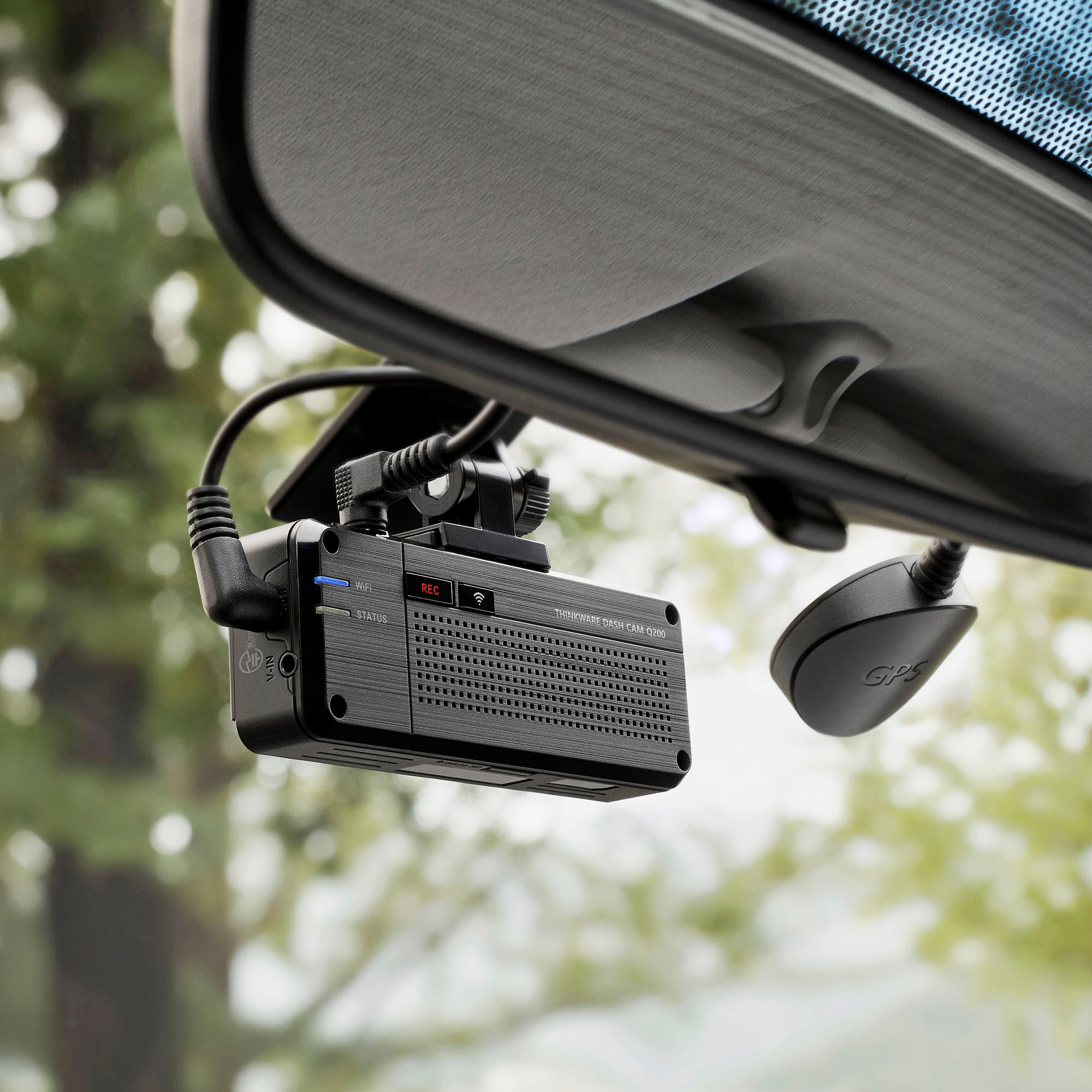
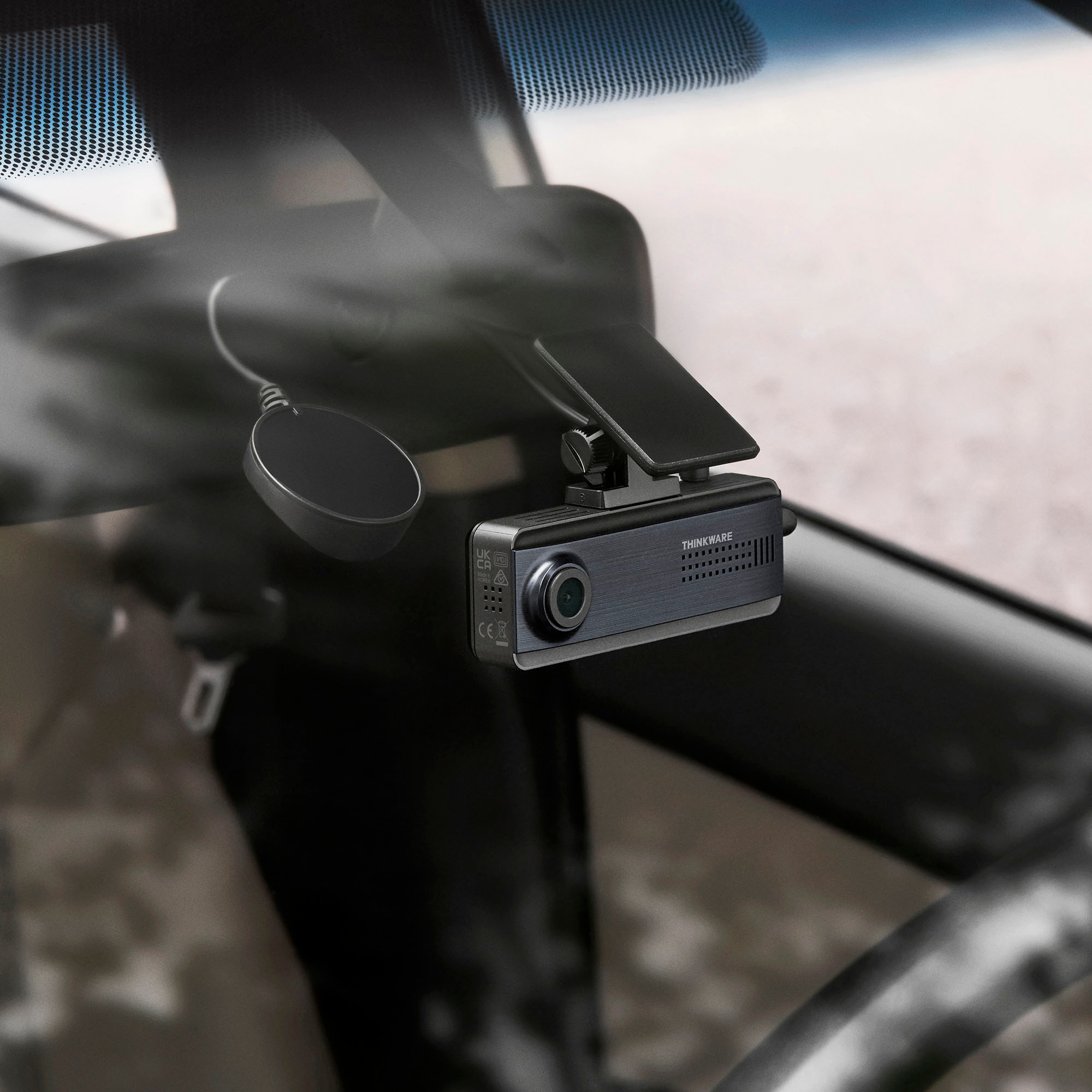
|Posted .This reviewer received promo considerations or sweepstakes entry for writing a review.I installed this in a 2017 Chevy Traverse SUV. The cables that are packaged with the unit were well long enough to run from the front of the winshield to the back window of the tailgate, all while hiding the wire (tucking) into the interior of the vehicle. The total time to install this unit from start to finish with nothing more than the materials provided, took less than 20 minutes. It felt like the initial firmware upgrade takes longer than the actual install of the hardware, which is a good thing... The optional OBD II Power Cable (https://www.bestbuy.com/site/thinkware-obd-ii-power-cable-black/6513673.p?skuId=6513673) was ideal for this install. It made wiring the unit so much easier then if I had to run it to the battery or fuse box. It just plugged right in and away it went... Pros comes with literally everything you 'should' need to get this up and going without much fuss (cam front & back, gps, power cable, hardwiring cable, clips, trim tool) parking survillance mode (captures footage when a motion or impact is detected when you are away from your vehicle) smart parking mode (prevents heat damage by automatically switching the cam to low power mode) time lapse mode, enable surveillance mode to record at 2fps of continuous recording the camera video has a really good quality to it (2K QHD 1440p @30fps) features Super Night Vision and ADAS (advanced driver assistance system) upgradable sureillance via an optional multiplexer box Cons the software feels a little dated, it does however function as it should. I also wish you could connect the device to your own wifi, instead of connecting to its wifi to transfer files etc, would make the interaction a little better. My overall impression of this device is favorable. It does what it advertises and does it with ease. The software as I stated is a little clunky, though fully functional. The installation was a breeze and honestly nothing to complain about. The videos are clear and I like that I can monitor my vehicle while I am away from it, as well as be notified if any 'events' took place while I was away.. I would definitely recommend giving this product a fair shot.
I would recommend this to a friendBrand response from Thinkware Product Expert
Posted .Hello, thank you for taking the time to write to us a feedback.
Not for me
||Posted . Owned for 2 weeks when reviewed.This reviewer received promo considerations or sweepstakes entry for writing a review.You must use your phone with the product's app. While using the products app you cannot simultaneously use any other apps on your phone.
No, I would not recommend this to a friendBrand response from Thinkware Product Expert
Posted .Hello! We apologize for the inconvenience but you can also reach out to us via email or phone at support@thinkware.com or 1 (844) 865-9273 so we can assist you. Thank you!
- Pros mentioned:Ease of use, Gps, Video quality
Great dashcam for the money
|Posted .This reviewer received promo considerations or sweepstakes entry for writing a review.I've been using this dashcam for a few days and have been very happy with it. The video quality is great, it was easy to install and setup. For the price it has a lot of great options. The app has worked consistently every time I've tried to use it. The install is straightforward and comes with all the options I would like except the suction cup camera mount. I was pleasantly surprised it comes with both hardwire and plug power cords. It also currently comes with the OBD plug which is a really easy way to get the extra parking surveillance option. The mounts are adhesive so they're just stick and plug the power in. The cord for the rear camera is plenty long for anything except possibly a suburban. The app makes setup and fine tuning so easy. There's a straightforward list of options and you can select which option you want and they save automatically. the live viewing and being able to download videos directly to you phone are a great option. The parking option is great, I have a truck and it's nice to be able to have a camera on the bed when I have tools or items in the open. Honestly in todays world all cars need a dashcam to cover your own butt from other bad drivers. I'd highly recommend this unit .
I would recommend this to a friendBrand response from Thinkware Product Expert
Posted .Hello, thank you for taking the time to write to us a feedback.
- Pros mentioned:Ease of use
Dash cam
||Posted .This reviewer received promo considerations or sweepstakes entry for writing a review.It’s a very good dash cam, very easy to operate I love it
I would recommend this to a friendBrand response from Thinkware Product Expert
Posted .Hello, thank you for taking the time to write positive feedback.
Not what I expected
||Posted .This reviewer received promo considerations or sweepstakes entry for writing a review.I don’t recommend this model honestly better go for the most recent version hopefully they are better
No, I would not recommend this to a friendBrand response from Thinkware Product Expert
Posted .Hello! We apologize for the inconvenience but thanks for taking the time to write us a feedback. Have a great day!
- Pros mentioned:Gps, Video quality
Great reliable dashcam at a good price
|Posted .This reviewer received promo considerations or sweepstakes entry for writing a review.Having a dashcam can save you in so many scenarios and Thinkware knows this so they updated their old dashcam to be even better. The Q200 is an all in one dashcam that can add many functionalities to your car apart from just being a dashcam. First of all, the dashcam quality is superb. It records in 2K and the video quality is sharp. You can read the license plates around you and see everything going on. The rear camera is also very clear in its recording. The GPS saves the location and speed so it is saved for when you need that data. The Parking Mode when you install using the included hardwiring cable or if you get the OBD-II cable can save you in a pinch when your car is parked. It just gives you a peace of mind when you're away. The dashcam also goes into low power savings mode when in Parking Mode so that it doesn't overheat in a very hot car interior. The design of the dashcam looks OEM and there is no screen on the back so installing the Thinkware app is a necessity, but that's not a bad thing because it gives you all of the options for the dashcam including seeing the videos recorded. There are extra features in this dashcam too like lane departures and potential frontal collisions. This just packs a lot of features into a small, affordable dashcam.
I would recommend this to a friendBrand response from Thinkware Product Expert
Posted .Hello, thank you for taking the time to write to us a feedback.
I don’t like this product
||Posted .This reviewer received promo considerations or sweepstakes entry for writing a review.This product is not user friendly. I can only view the footage while connected in the car.
No, I would not recommend this to a friendBrand response from Thinkware Product Expert
Posted .Hello! We apologize for the inconvenience. Yes, you can only view the videos while you are inside the car.
- Pros mentioned:Gps, Video quality
Front and Rear, Little to Fear
|Posted .This reviewer received promo considerations or sweepstakes entry for writing a review.With the quality of drivers on the roads seemingly deteriorating by the day, dash cams have become an indispensable tool to keep others accountable for their vehicular recklessness. Video footage makes determining fault or identifying fleeing motorists trivial, and in areas with high rates of insurance fraud they’re invaluable for keeping you out of the legal headaches that can follow. Thinkware’s Q200 is a new midrange dashcam with dual cameras to record both front and rear perspectives, along with GPS data recording to pinpoint the speed and location of a recorded incident, and an all-in-one app to configure the dashcam and review stored footage. Though a little rough around the edges, the Q200 is a quality dashcam worthy of keeping an eye on your driving, and perhaps keeping you out of hot water. - Unboxing and Setup With nearly a dozen parts included to accommodate a wide range of applications, setting up the Thinkware Q200 requires viewing the instruction manual. This is unfortunately not included in the box, and the QR codes and web addresses pointed to dead ends on Thinkware’s site. Luckily it’s easy enough to find the Q200 on their support site and obtain a user manual that guides you through the setup process. Thinkware includes both a cigarette lighter power cable for easy installation, and a fusebox power cable for permanent installation. The fusebox power cable is the preferred installation method for continuous power delivery, even when your car’s engine is turned off, but does require professional installation if you’re not familiar with wiring car electronics. Splitting the difference, Thinkware sells an OBD-II power cable separately, which uses your car’s OBD-II port (standard on all cars from model year 1996 forward) to deliver all the functionality of fusebox power with an easier setup - this is the route I chose to install the Q200, and the hardest part of the process was hiding the power cable under trim pieces. The Q200 includes additional window-mount objects for full advanced functionalities. A GPS receiver is intended to mount on the windshield for recording vehicle speed and location data on recordings, and a tiny rear camera is intended to mount on the rear windshield. I was hoping the rear view camera would be integrated into the dash cam for an interior view and less wiring, but both this and the GPS receiver are optional pieces of hardware. Once set up and connected to a smartphone through the DASH CAM LINK software, available for free on both the Apple App Store and Google Play Store, a live view can be accessed with overlays for adjusting the aim of the camera. - Dashcam Performance The 1440p sensor on the main unit of the Q200 is a solid camera in all lighting conditions, with enough resolution to make out license plate numbers on vehicles several car lengths away. The wide angle lens captures several lanes’ worth of roadway in front of the car, though it’s not quite wide enough to capture anything approaching the car more off to the side than the front fenders. Image quality in daytime light is good, and nighttime quality is adequate - a good bit of color detail is lost and it will rely on your car’s headlights illuminating vehicles or objects to capture clear recordings, but this should be fine in most circumstances. The 1080p rear camera performs similarly and still provides a clear enough image at the lower resolution, though I did notice performance in low lighting was markedly worse than the front camera, with less exposure compensation to overcome the lack of rear illumination. Where the camera falters a little is in recording quality. Saved video clips have a good bit of compression artifacting, though detail is preserved well enough to make out license plates and retain plenty of visual detail to review later. As with most dash cameras, the Q200 offers continuous recording and a built-in G-sensor can detect an impact to save a clip leading up to and immediately following an impact - 10 seconds in each direction, by default. I found the system worked well but was pretty sensitive, recording 27 clips of my driving over roadway bumps and imperfections in a week, taking up about 1.2GB of memory on the included 32GB microSD card. Extracting saved video clips is as easy as plugging the microSD card into a computer and copying from one of the appropriate folders, of which there’s one each for manually-triggered recordings, automatic (event) recordings, and continuous recordings for the last several minutes or hours of footage, depending on the size of the installed microSD card. An additional feature enabled by permanent installation (or by using the OBD-II power adapter) is a parking (sentry) mode that will record video clips when a motion detection threshold is reached. The camera will detect when the engine is turned off and automatically enter this mode after a moment of inactivity. After leaving my car unattended for a day facing a sidewalk, I found a couple clips of people and pets walking by the car, but did not see any triggering for local wildlife (foxes, skunks) that I know are in the area and frequent the bushes I aimed the car at. I would also assume the low-light scene hindered motion detection performance. - App Features Thinkware’s DASH CAM LINK app enables you to change the dashcam’s settings, the first and most important of which was disabling the tinny built-in speaker that reminds you to “have a safe drive today” every time the car turns on. Sensitivity and continuous recording modes can be adjusted, and both stored video clips and a live feed from the cameras can be accessed. Device settings are changed via a Bluetooth connection to the dash cam, and viewing video is done via a temporary WiFi network that the Q200 creates when requested through the app. This may present a security risk as I couldn’t find the WiFi network’s security type or configuration, but at the very least the SSID appears randomized and is not broadcast, so some security through obscurity is better than none at all. The app is surprisingly useful for multi-vehicle households, especially those with multiple drivers. DASH CAM LINK allows registration of up to four dash cams, allowing visibility to each through a single smartphone. Clips can be copied off the dashcam and saved to the phone through the app, eliminating the need to get into the car at all to view stored footage. DASH CAM LINK itself is a little clunky, being slow to initialize and simplistic in its presentation, but it gets the job done. - Bottom Line Any dash cam is better than no dash cam, but Thinkware’s Q200 front and rear solution stands out as a high-coverage, do-it-all dashcam system at a good price. What few criticisms I can level at this dashcam are issues inherent to most dashcams (namely, installation complexity and mediocre low light performance) but overcoming these requires a significant move upmarket that yields diminishing returns. Recommended!
I would recommend this to a friendBrand response from Thinkware Product Expert
Posted .Hello, thank you for taking the time to write to us a feedback. We appreciate your long writing review.