Customer Ratings & Reviews


- Model:
- C55-B5101
- SKU:
- 5346014
to a friend
Customers are saying
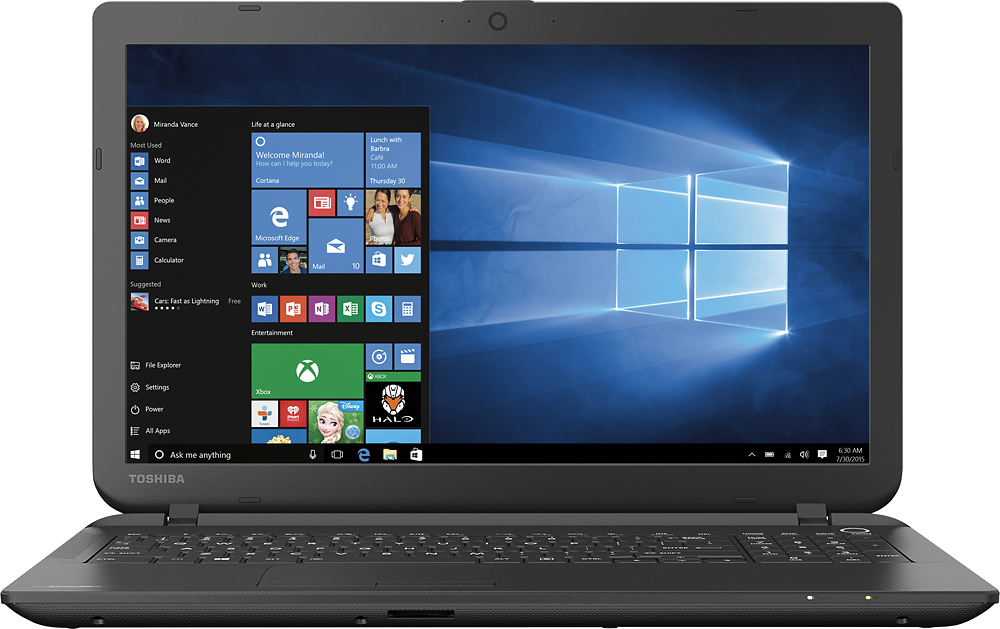
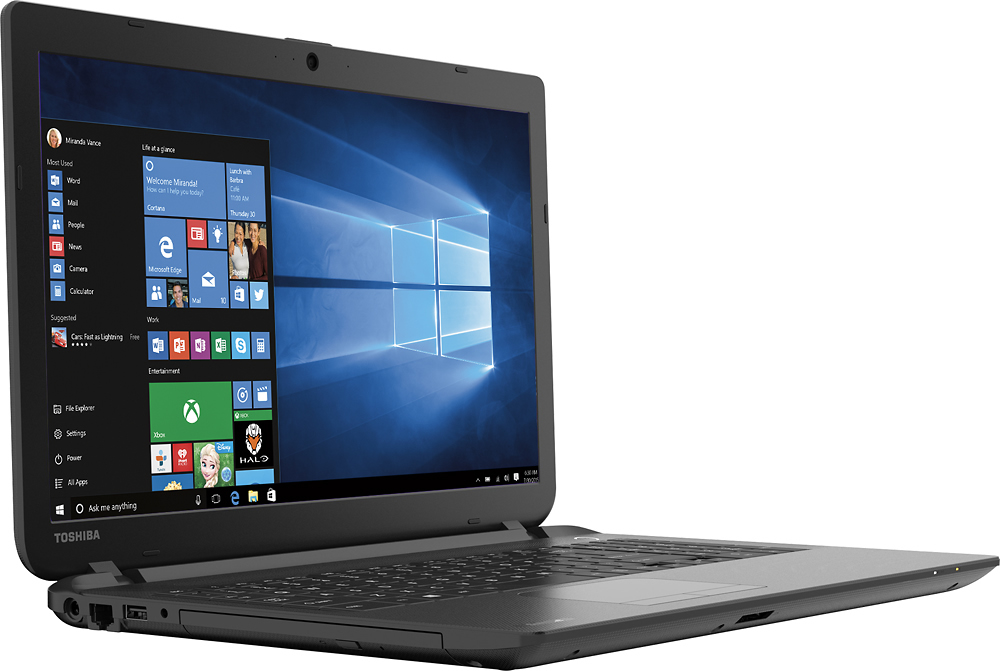
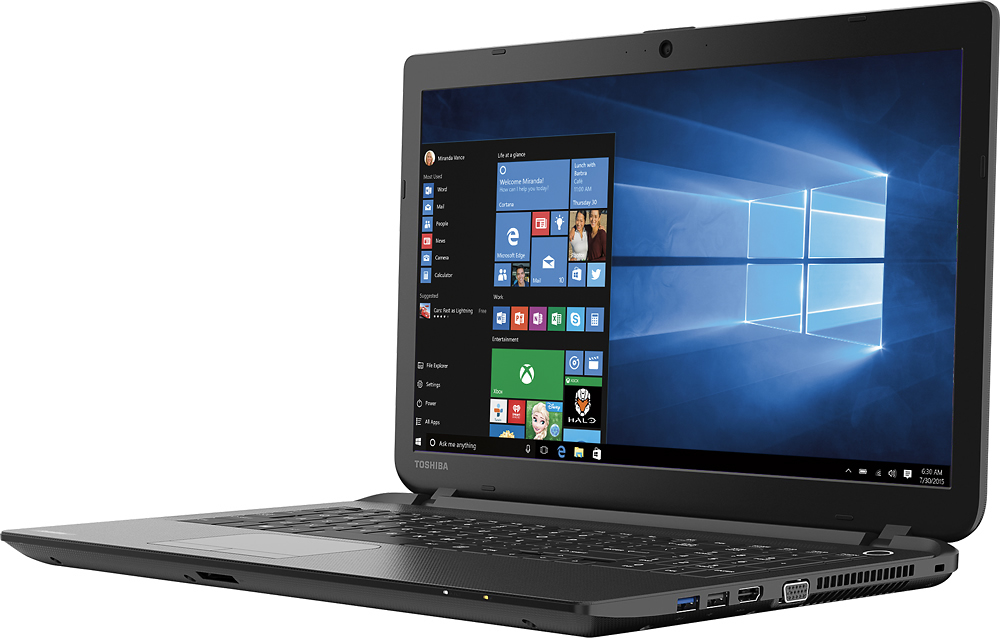
Customers enjoy the Satellite 15.6" Laptop for its great value, user-friendly interface, lightweight design, and sufficient storage capacity. However, some users have expressed dissatisfaction with Windows 8, the touchpad, the processor speed, its inadequacy for gaming, and occasional internet connectivity issues.
This summary was generated by AI based on customer reviews.
Horrible internet connections
||Posted .This reviewer received promo considerations or sweepstakes entry for writing a review.I bought a new Toshiba. Nothing but problems with keeping an internet connection. No, it's not the router, because my HP works fine using the same wireless router. I've had my HP since 2010. The Toshiba has me pulling out my hair.
No, I would not recommend this to a friendnot bad for the price
||Posted .This reviewer received promo considerations or sweepstakes entry for writing a review.It's good to use for basics, like web surfing and doing homework.
I would recommend this to a friendKey problems
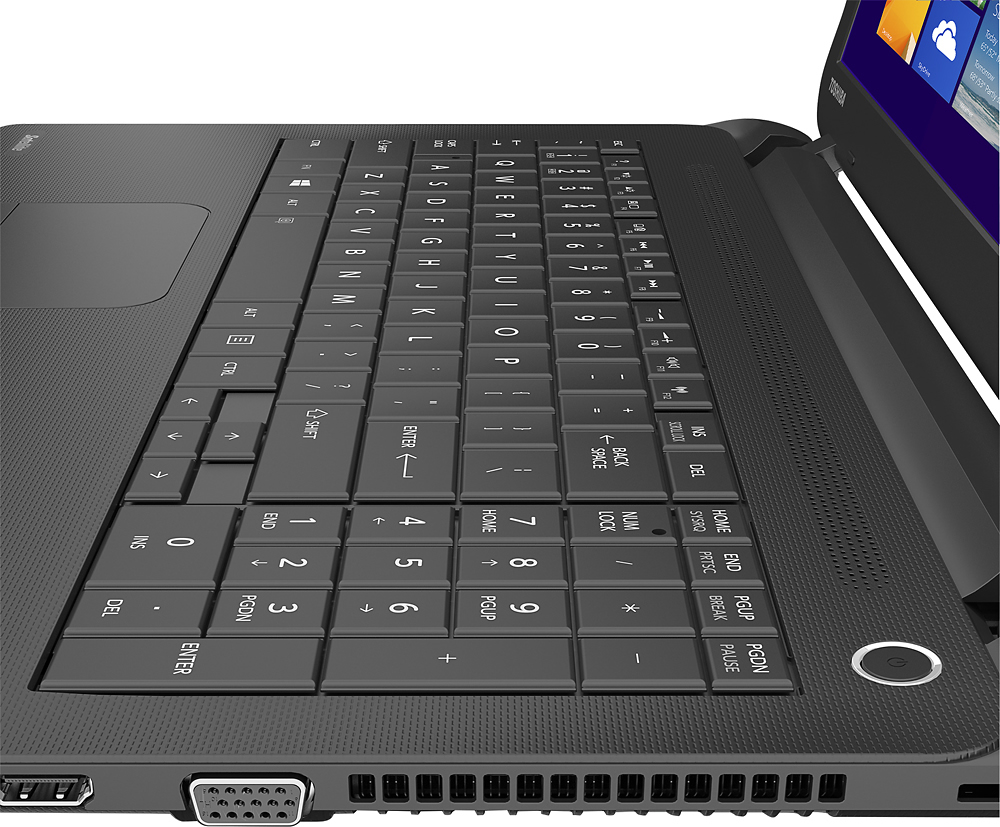
||Posted .This reviewer received promo considerations or sweepstakes entry for writing a review.Keys too close. Can barely see letters on keys. Keys too flat.
No, I would not recommend this to a friendgreat price, but you get what you pay for
||Posted .This reviewer received promo considerations or sweepstakes entry for writing a review.I am a big fan of Toshiba laptops. This one is definitely a lower end unit.It does the job but it is very slow to connect wirelessly to the Internet. If the purchase is your main computer, this is not the laptop for you.
No, I would not recommend this to a friendBrand response from ToshibaStaff
Posted .Thank you for the review, bamadan62, and sorry to hear about the connectivity issues on your Satellite C55.
You may want to update or reinstall the Wi-Fi and networking drivers with the software available at http://support.toshiba.com/support/modelHome?freeText=1200009386 -- Click the "Drivers and Updates" tab, then select the "Windows 8.1", "Wi-Fi", and "networking" filters to see the relevant drivers and utilities.
If this doesn't resolve the issue, please contact Toshiba support at 800-457-7777 for further assistance and, if needed, to make warranty repair arrangements.
Thanks for the feedback and sorry for the trouble.
Average
||Posted .This reviewer received promo considerations or sweepstakes entry for writing a review.I like everything about it except that it drops the internet.
No, I would not recommend this to a friendgift item
||Posted .This reviewer received promo considerations or sweepstakes entry for writing a review.I am giving them away as a birthday gift.. Hope he likes it!
I would recommend this to a friendNot an acceptable computer
||Posted .This reviewer received promo considerations or sweepstakes entry for writing a review.The computer started failing after 2 weeks always said this page cannot be displayed or would just shut off on its own I have nothing extra downloaded besides my Microsoft word and adobe flash player it made me upset
No, I would not recommend this to a friendGood Paper Weight
||Posted .This reviewer received promo considerations or sweepstakes entry for writing a review.Windows system on it is not very smooth to operate with every slip something popping up interferring. Wi adapter is awful does not work most of the time especially when you are more than 5 ft away from router. Sometimes does not comunicate inside that distance. Thank goodness I revived my old laptop that I thought was dead (now works fine)that I had bought this new one to replace it. Looks like I am going to have to replace the wifi adapter in it. This issue has been going on for some time with these. I should have done some research before purchasing. Google wifi issues for this one and you will see.
No, I would not recommend this to a friendBrand response from ToshibaStaff
Posted .Thank you for the review, Sump and sorry that you experienced some sort of an issue with the wireless connection on your Satellite C55.
Based on your description of Wi-Fi being unreliable at a distance of as little as 5 feet from the router, I recommend contacting Toshiba support at 800-457-7777 for troubleshooting help and, if needed, assistance setting up a warranty repair.
Thanks again for the feedback and sorry for the trouble.
Disapponted
||Posted .This reviewer received promo considerations or sweepstakes entry for writing a review.My Toshiba was an open box item, it kept kicking me off the internet and had other problems, since then I replaced it with a HP its great best buys has so professional and helpful and very.happy with the experience.
I would recommend this to a friendokay for the price
||Posted .This reviewer received promo considerations or sweepstakes entry for writing a review.It's not the greatest device, but it serves its purpose.
I would recommend this to a friendPoor sound quality
||Posted .This reviewer received promo considerations or sweepstakes entry for writing a review.Will not recommend to any one .........!!!!!!!!!!!!!!!
No, I would not recommend this to a friendit's fine for an inexpesive laptop
||Posted .This reviewer received promo considerations or sweepstakes entry for writing a review.The mouse is squirrelly but it's fine for what I need
I would recommend this to a friendNice laptop
||Posted .This reviewer received promo considerations or sweepstakes entry for writing a review.I like the memory capacity for internal and external
I would recommend this to a friendMinimum for entry to college
||Posted .This reviewer received promo considerations or sweepstakes entry for writing a review.In general it meets the needs for the planned use.
No, I would not recommend this to a friend- Cons mentioned:Speed
Very slow....extremely disappointed
||Posted .This reviewer received promo considerations or sweepstakes entry for writing a review.This laptop is very slow. DONT BUY IT! win8.1 sucks!
No, I would not recommend this to a friendBrand response from ToshibaStaff
Posted .Thank you for the review, kgani, and sorry to hear that you are experiencing some sort of a performance issue with your Satellite C55.
Depending on how long you've had the unit, I wonder if Windows Update has been busy downloading & installing updates. That's often the case on brand new systems, and if so it will tax initial performance until the updating is completed. You may want to run the Windows Update app to see what it's up to, if anything. If it has critical updates to install, I recommend having it complete that process ASAP and reboot when it's finished (even if not required) to see if performance has improved once that process is completed. We don't recommend letting Windows Update install any "optional" updates since those can overwrite drivers & utilities that are optimized for or by Toshiba. Optional updates can be installed via the Toshiba Service Station app or by visiting support.toshiba.com.
While the Windows 8 Start screen may at first feel a bit foreign to experienced Windows users, once you get familiar with it I think you'll find that Windows 8.1 has all the power and utility of earlier releases along with some new features. Feel free to bypass the Start screen and go straight to the Desktop, if that's your preference.
Toshiba has numerous articles and videos to help with the transition to Windows 8. Here are a few links that you may want to review:
- forums.toshiba.com/t5/Windows-8-Knowledge-Base/Video-How-To-Getting-started-with-Windows-8/ta-p/341006
- forums.toshiba.com/t5/Windows-8-Knowledge-Base/Where-is-the-Start-button-menu-and-Control-Panel-in-Windows-8/ta-p/341830
- forums.toshiba.com/t5/Windows-8-Knowledge-Base/How-do-I-perform-common-Windows-7-tasks-using-Windows-8/ta-p/286253
- forums.toshiba.com/t5/Windows-8-Knowledge-Base/How-can-I-make-Windows-8-seem-more-like-Windows-7/ta-p/286271
- forums.toshiba.com/t5/Windows-8-Knowledge-Base/Windows-8-Quick-Start-Guide-Desktop-Mode/ta-p/373989
Thanks again for the feedback and for choosing Toshiba.
- Pros mentioned:Screen sizeCons mentioned:Touchpad
Excellent Basic Laptop For Windows 10
Posted .This reviewer received promo considerations or sweepstakes entry for writing a review.I purchased the Toshiba Satellite laptop because I wanted a low cost, but reliable Windows 10 laptop. I used it for a week with Windows 8, installing an endless list of updates, day after day, to get it ready to be upgraded. Yesterday, I downloaded and installed Window 10. The two hour upgrade process was easy. Windows 10 combines the best features of Windows 7 with the best features of Windows 8. I can work from a simple Windows 7 style screen or switch to a Window 8 style screen with live tiles that provide current news and weather updates, and direct access to my favorite apps, such as Spotify and Netflix. Windows 10 has a sleek, modern, and elegant appearance, combining aspects of the style of Windows phones with the style of Apple phones and computers. It is the best looking version of Windows ever. To my surprise, it works as easily as Windows 7 (my favorite Windows) yet the live tiles are more useful than I expected, with current weather and news updates. If I am working on documents with wifi OFF, and the screen at medium brightness, the Toshiba battery lasts five or six hours. Under heavy use, such as streaming a Netflix movie over wifi with the screen at a medium setting, the battery lasts two or three hours, which is quite reasonable for the large screen size. The cooling fan is very quiet so it is difficult to hear when it turns on and off, and the laptop remains relatively cool to the touch, even on the bottom surface. Windows 10 provides a battery life app that you can set to prevent live tiles from updating when the battery is low. Toshiba provides a battery app that can extend the typical two or three year lifespan of the battery to four or five years by capping the charging process at a low stress/low temperature level of 80% of capacity. That option does reduce the time between charges by about an hour. The wall charger is compact and lightweight, with an extra long cable for use at coffee shops where your table is ten feet from an outlet. The charger works well when the computer is off. When the computer is ON, and the screen is at maximum brightness and you are streaming Netfix movies, the wall charger struggles to keep up, taking thirty minutes to go from a 40% charge to a 50% charge. The large screen is bright and has good color and contrast for watching Netflix movies. Microsoft Office documents look sharp, and the large screen lets you enlarge documents to a much larger size than their printed version, which is great for my aging eyes. The keyboard has larger than average keys, which is a plus, but the keys have flat tops without the "cup" indentations that help keep your fingers centered. I have to look down to verify my finger placement. The large numbers pad is a nice feature for people who do a lot of work with numbers. The Satellite works wells with Microsoft Office, the new Microsoft Edge browser works swiftly with a good internet connection, and Netflix's movies look good and run smoothly. A Toshiba sound app is installed and I found, oddly, that turning OFF sound compression on the Toshiba sound app, then turning sound compression ON with the Windows sound settings made Netflix dialogue louder and clearer. The speakers are too thin sounding to enjoy music, and barely adequate for movies. Plugging in good headphones or a pair of powered speakers will greatly improve your enjoyment of Netflix. Cortana is the Windows 10 version of Siri. Click on the Cortana microphone and say "Will it rain today?" and Ms. Cortana says "You live in San Antonio in July...what do YOU think?". When Ms. Cortana does not have a snappy reply she sends you to a page of Bing search results related to your question. The search results are generally good, with fewer "paid for" sponsored answers at the top of the page in the style of Google search. I do not use the Satellite for games, so I can't predict which games will run well, but its entry level specs indicate this is NOT a laptop designed for demanding games. For my simple needs, typing documents, sending emails, and watching Netflix, the Satellite is equal to my desk top computer that costs 300% more. Window 10 runs well on it so the Toshiba is ready to handle modern software, such as Microsoft Office, both today and in years to come. I was pleased by the fact that Toshiba enclosed an order form for an extra wall charger and an extra battery, plus a 10% discount coupon for accessories. Some major computer companies make it difficult or impossible to obtain something as basic as a charger or battery.
I would recommend this to a friend - Cons mentioned:Speed
Horrible
||Posted .This reviewer received promo considerations or sweepstakes entry for writing a review.Super slow, feezes constantly and it is brand new. I am only using it for simple internet browsing.
No, I would not recommend this to a friendBrand response from ToshibaStaff
Posted .Thank you for the review, Northshoreman, and sorry to hear that you're having some sort of performance issues with your Satellite C55.
I wonder if Windows Update has been busy downloading & preparing updates for installation. That's often the case on brand new systems, and if so it will tax initial performance until the updating is completed. If Windows Update has critical updates to install, I recommend having it complete that process ASAP and rebooting when it's finished (even if not required) to see if performance improves significantly once that process is complete. We don't recommend letting Windows Update install any "optional" updates since those can overwrite drivers & utilities that are optimized for or by Toshiba. Optional updates can be installed via the Toshiba Service Station app or by visiting support.toshiba.com.
For further assistance please contact Toshiba Support at 800-457-7777.
Thanks again for the feedback.
- Cons mentioned:Speed
It's an ok product
||Posted .This reviewer received promo considerations or sweepstakes entry for writing a review.The laptop is slow, the wireless adapter keep dropping and can't keep connected for more than 10 minutes before it drops.
No, I would not recommend this to a friendBrand response from ToshibaStaff
Posted .Thank you for the review, Ademian, and sorry to hear about the Wi-Fi connection reliability problem with your Satellite C55-B5101.
Intermittent Wi-Fi connections can sometimes be caused by driver issues. I recommend updating or, if no updates are available, reinstalling the Wi-Fi driver with the software available at support.toshiba.com/support/modelHome?freeText=1200009386 -- Click the "Drivers and Updates" tab, then select the "Windows 8.1" and "Wi-Fi" filters to see relevant drivers and utilities.
If that doesn't resolve the problem, performing a Windows Reset to restore the Windows installation and configuration to its factory settings would be the next recommended step. That will eliminate any issues introduced with software installations, changes, or corruption.
Please review the Toshiba Forums community knowledge base article and video at forums.toshiba.com/t5/System-Recovery-and-Recovery/Video-How-To-Understanding-System-Restore-and-Recovery-options/ta-p/342690 for more information and detailed instructions.
For further assistance please contact Toshiba support at 800-457-7777.
Thanks again for the feedback and sorry for the trouble.
Mouse pad too sensitive! Big hands
||Posted .This reviewer received promo considerations or sweepstakes entry for writing a review.This lap top is too sensitive (mousepad) I also feel like it take too much time to download information. I wish I would have kept the Hp I originally purchased
No, I would not recommend this to a friendLaptop crashed in the 1st month.
||Posted .This reviewer received promo considerations or sweepstakes entry for writing a review.Worked for a couple of weeks. Even updated to windows 10. Last time I powered it off it would not restart. Tried static discharge. Still unable to power on.
No, I would not recommend this to a friendBrand response from ToshibaStaff
Posted .Thank you for the review, Jeckle68, and sorry to hear that you're having trouble turning on your Satellite C55-B5101.
I wonder if the power on indicator lights up when you press the power button. If so, that probably indicates that the laptop is turned on but Windows is in a frozen state with a blank screen. If that's the case, while the power indicator light is on, press and hold down the power button for about 10-15 seconds, until the power indicator shuts off. Then release it and press it momentarily to turn it on. This technique is effective if software running on the laptop has caused it to become unresponsive.
If the above procedure doesn't resolve the problem please contact Toshiba support at 800-457-7777 for further troubleshooting.
Thanks again for the feedback and sorry for the trouble.