Customer Ratings & Reviews
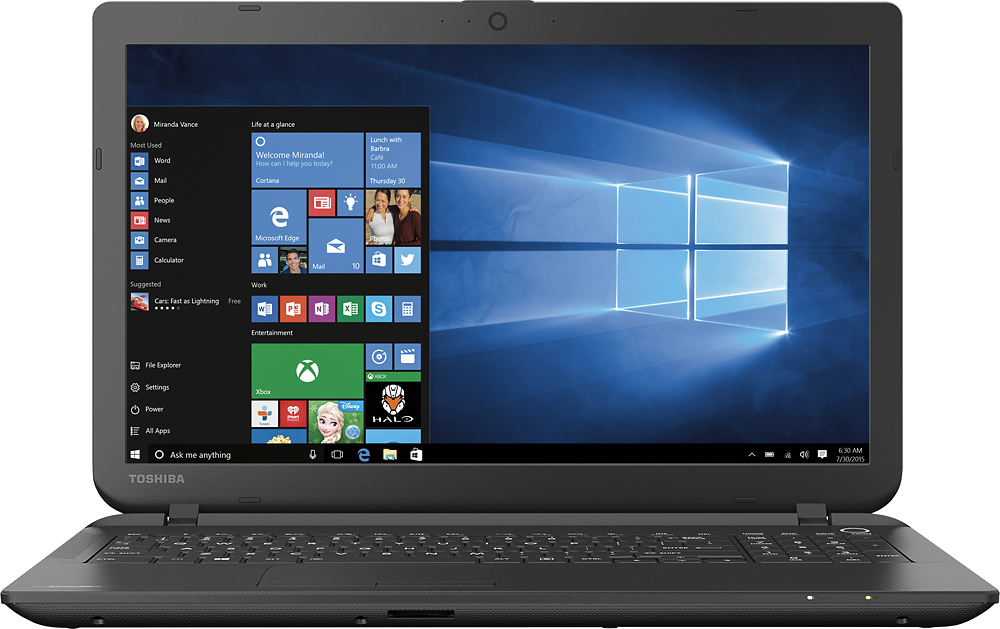
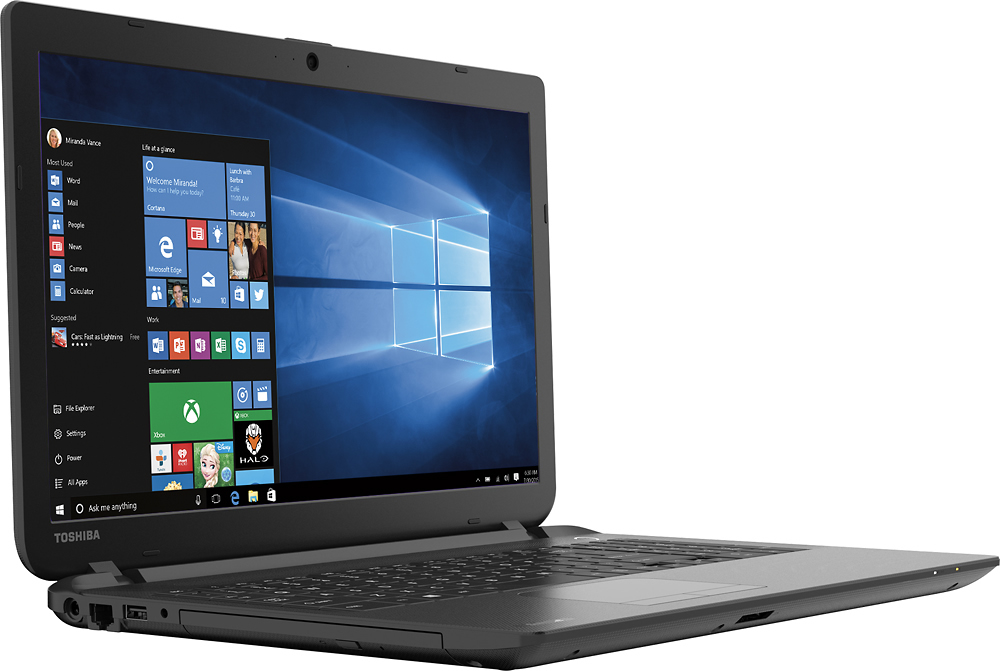
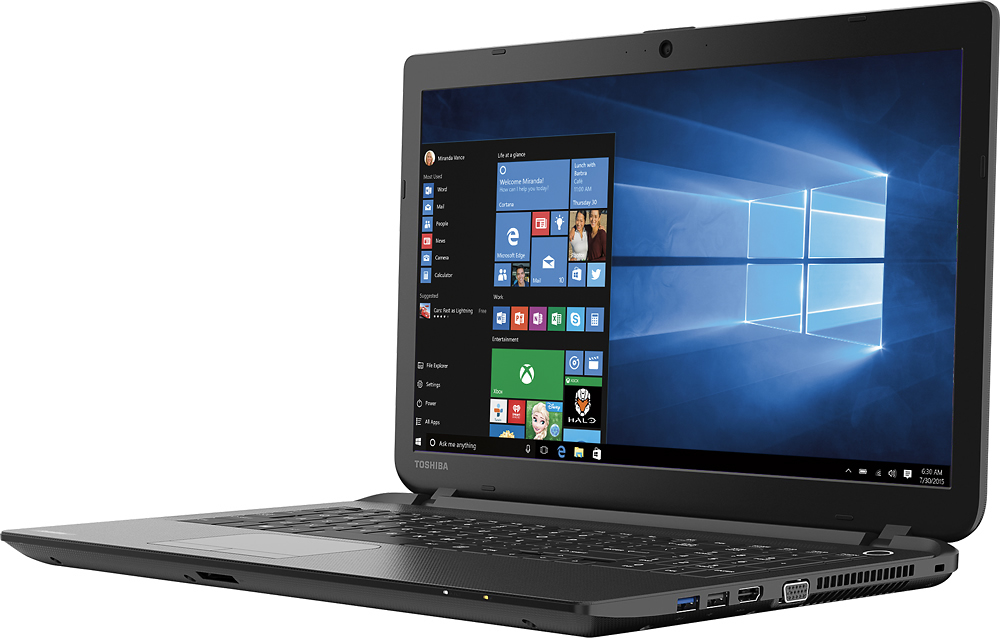
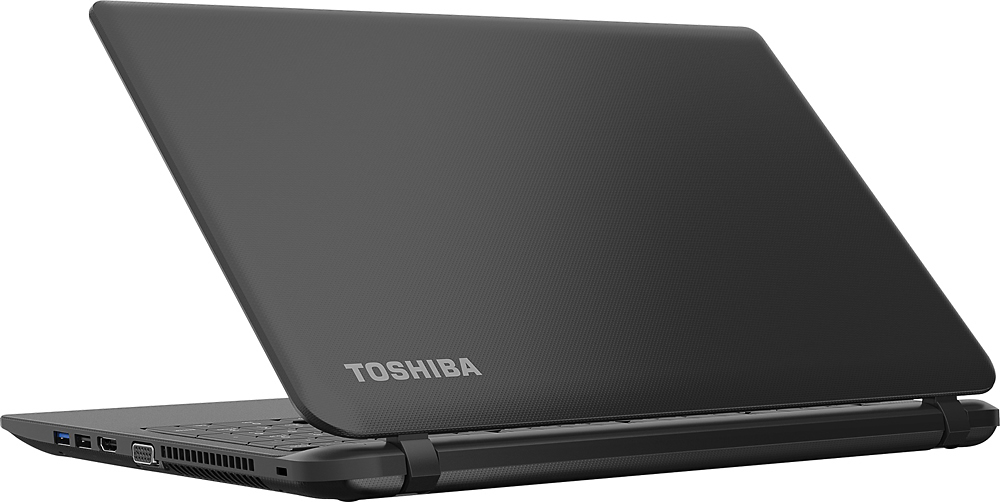


- Model:
- C55-B5101
- SKU:
- 5346014
to a friend
Customers are saying
Customers enjoy the Satellite 15.6" Laptop for its great value, user-friendly interface, lightweight design, and sufficient storage capacity. However, some users have expressed dissatisfaction with Windows 8, the touchpad, the processor speed, its inadequacy for gaming, and occasional internet connectivity issues.
This summary was generated by AI based on customer reviews.
terrible product
||Posted .This reviewer received promo considerations or sweepstakes entry for writing a review.I purchased this product on July 24, 2015 , because I like toshiba products. I set it up the following weekend, had to factory reset it several times after updating to windows 10. Each time I factory reset I would get a message that said a few files didn't load. The last time I went to factory reset it there was no factory reset any longer on the laptop. I found a usb windows 8 and loaded it to this laptop while waiting for a restore disc from Toshiba (40.00) to arrive.
No, I would not recommend this to a friendBrand response from ToshibaStaff
Posted .Thank you for the review, Trekkie, and sorry to hear about the trouble with the Windows Reset process.
My impression is that there was a problem with the original factory software load, including the recovery partition, and your unit would have been eligible for replacement from the store where it was purchased. Hopefully the recovery media you receive will resolve the trouble you've experienced.
I recommend reviewing the information at http://win10upgrade.toshiba.com/swupdate/information.aspx?region=TAIS&country=US&lang=en before running the Windows 10 upgrade.
For further assistance, please contact Toshiba Support at 800-457-7777.
Thanks again for the feedback and sorry for the trouble.
it an ok computer
||Posted .This reviewer received promo considerations or sweepstakes entry for writing a review.not at all what I expected what a pieace of junk all kind of problem right from the first day costing me more to fix then I payed for computer ish what an
No, I would not recommend this to a friendBrand response from ToshibaStaff
Posted .Thank you for the review, Kathy, and sorry to hear that you've run into some type of problem with your Satellite C55-B5101.
You should never have to spend money to fix a new Toshiba product. If you're still having any problem please provide details regarding the symptom you're experiencing and we'd be happy to help. I recommend contacting Toshiba Support at 800-457-7777 for further assistance.
Thanks again for the feedback and sorry for the trouble.
good for non internet use
||Posted .This reviewer received promo considerations or sweepstakes entry for writing a review.The fact this laptop has windows 8 makes it a waist of money its slow and just makes you want to throw it against the wall
No, I would not recommend this to a friendBrand response from ToshibaStaff
Posted .Thank you for the review, deck698, and sorry to hear that you aren't happy with Windows 8 on your computer.
I wonder how long you've had the laptop because if Windows Update has been busy downloading & installing updates it will tax initial performance until that updating process is completed. You may want to run the Windows Update app to see what it's up to, if anything. If it has critical updates to install, I recommend having it complete that process ASAP and reboot when it's finished (even if not required) to see if performance improves significantly once that process is complete. We don't recommend letting Windows Update install any "optional" updates since those can overwrite drivers & utilities that are optimized for or by Toshiba. Optional updates should be installed only via the Toshiba Service Station app or by visiting support.toshiba.com.
The Windows 8 Start screen may seem a bit foreign to experienced Windows users at first, but once you get familiar with Windows 8 (including how to quickly and easily get into Desktop mode) I think you'll find that it is as easy to use as previous versions and with added versatility and performance.
Toshiba has numerous articles and videos to help with the transition to Windows 8. Here are a few links that you may want to review:
- forums.toshiba.com/t5/Windows-8-Knowledge-Base/Video-How-To-Getting-started-with-Windows-8/ta-p/341006
- forums.toshiba.com/t5/Windows-8-Knowledge-Base/Where-is-the-Start-button-menu-and-Control-Panel-in-Windows-8/ta-p/341830
- forums.toshiba.com/t5/Windows-8-Knowledge-Base/How-do-I-perform-common-Windows-7-tasks-using-Windows-8/ta-p/286253
- forums.toshiba.com/t5/Windows-8-Knowledge-Base/How-can-I-make-Windows-8-seem-more-like-Windows-7/ta-p/286271
- forums.toshiba.com/t5/Windows-8-Knowledge-Base/Windows-8-Quick-Start-Guide-Desktop-Mode/ta-p/373989
Finally, as you may know, Windows 10 is now available from Microsoft as a free upgrade for all Windows 8 users, so you may want to forgo the above links with help for Windows 8 and focus on upgrading to Windows 10 with help from the below Toshiba Forums community knowledge base articles:
- forums.toshiba.com/t5/Windows-10-Knowledge-Base/How-do-I-upgrade-to-Windows-10/ta-p/658015
- forums.toshiba.com/t5/Windows-10-Knowledge-Base/What-do-I-need-to-know-to-get-started-with-Windows-10/ta-p/658013
Thanks for the feedback and for choosing Toshiba.
Serves the purpose
||Posted .This reviewer received promo considerations or sweepstakes entry for writing a review.I wanted to gift a laptop which isn't expensive but has basic office functionality. I guess this severed the purpose.
No, I would not recommend this to a friendBrand response from ToshibaStaff
Posted .Thank you for the review, nsync. We're glad to hear that the Satellite C55-B5101 met your requirements.
A 2-star rating means to others that the product is not satisfactory for your application or that you experienced some kind of serious problem with it. Please let us know if you're experiencing a problem or if you need any help. If that's not the case, please consider changing your star rating to match your level of satisfaction with the laptop. More stars is better! :)
Thanks again for the feedback and for choosing Toshiba.
Save your money
||Posted .This reviewer received promo considerations or sweepstakes entry for writing a review.Complete piece of garbage. I purchased this two months ago and have had issues ever since. I only use this for school so it might see a couple of hours of use a week. It crashed after two months. Best buy refused to do anything but work on it for $150 after being told over the phone to bring it in for an exchange. I am thoroughly disappointed in Toshiba and Best Buy.
No, I would not recommend this to a friendBrand response from ToshibaStaff
Posted .Thank you for the review, cheesewhiz, and sorry to hear that you experienced some sort of crash with your Satellite C55-B5101 after a couple of months of use.
Since crashes can indicate corruption of critical drivers or Windows itself, I recommend doing a Windows Reset to restore the software installation and configuration to the factory state. The Toshiba Forums community knowledge base article at forums.toshiba.com/t5/System-Recovery-and-Recovery/How-To-Understanding-System-Restore-Refresh-Reset-and-Recovery/ta-p/342690 has more details and step-by-step instructions for that process.
If this doesn't resolve the problem, please contact Toshiba support at 800-457-7777 for further troubleshooting help and, if needed, to make warranty repair arrangements.
Thanks again for the feedback and sorry for the trouble.
Great price on a laptop!
||Posted .This reviewer received promo considerations or sweepstakes entry for writing a review.Great price on a decent laptop. This Toshiba will exceed your exectations, and the price is right!
I would recommend this to a friendok for price
||Posted .This reviewer received promo considerations or sweepstakes entry for writing a review.You get what you paid you paid for. It takes forever for the pages to load. Would not recommend at all.
No, I would not recommend this to a friendBrand response from ToshibaStaff
Posted .Thank you for the review, Niki, and sorry to hear that you seem to be having some sort of networking performance issue with your Satellite C55.
I suggest connecting to a different network to clarify whether the problem you're experiencing is isolated to one particular Internet connection, rather than the computer itself.
For further assistance, please contact Toshiba Support at 800-457-7777.
Thanks for the feedback and sorry for the trouble.
- Cons mentioned:Speed
Horrible
||Posted .This reviewer received promo considerations or sweepstakes entry for writing a review.Computer too slow, and Internet doesn't work very great.
No, I would not recommend this to a friend did not like windows 8, vey sensitive
||Posted .This reviewer received promo considerations or sweepstakes entry for writing a review.this computer is very sensitive to touch and changes pages on you . Hard to navigate windows 8.
No, I would not recommend this to a friendBrand response from ToshibaStaff
Posted .Thank you for the review, mailperson, and sorry to hear about the difficulty controlling the cursor.
Fortunately it's easy to adjust the sensitivity so that the mouse cursor covers a greater distance with less finger movement, if that's your preference. The Toshiba knowledge base article (with embedded "how to" video) at http://forums.toshiba.com/t5/Keyboards-Touchpads-Knowledge/How-do-I-change-my-touchpad-settings-and-features-on-Window-8/ta-p/426593 has details on how to access the touchpad settings.
Thanks again for the feedback and for choosing Toshiba.
My computer
||Posted .This reviewer received promo considerations or sweepstakes entry for writing a review.It's a perfect computer for my work I do invoices send emails print Google search craglist ext
I would recommend this to a friendDidn't load fast enough
||Posted .This reviewer received promo considerations or sweepstakes entry for writing a review.Product was returned because the computer was slow. It did not load the page fast enough.
No, I would not recommend this to a friend- Cons mentioned:Speed
Not recommending it
||Posted .This reviewer received promo considerations or sweepstakes entry for writing a review.Very very Slow. even to use it for browsing internet.
No, I would not recommend this to a friendBrand response from ToshibaStaff
Posted .Thank you for the review, Abdul, and sorry to hear that you're not happy with the performance of your Satellite C55-B5101.
While this model is a value configuration, the Celeron processor and 4GB of RAM should still provide satisfactory performance for day-to-day consumer computing needs like email, web browsing, and social media use along with light productivity software use.
If you just purchased it, it's likely that Windows Update has been busy downloading & installing updates. That's typically the case on brand new systems, and if so it will tax initial performance for a period of time until the update process is completed.
The perceived speed & responsiveness of any PC will depend somewhat on the number of programs and processes currently running on the unit at any point in time, and their respective demands on various components, subsystems, and networking resources. Rebooting Windows and then checking performance after loading each individual app is one way to determine when the resource load begins to impact performance, and which apps most impact performance.
If you believe the system is not performing to its specs and would like to speak with a Toshiba support agent please call 800-457-7777.
Thanks again for the feedback and for choosing Toshiba.
Horrible product
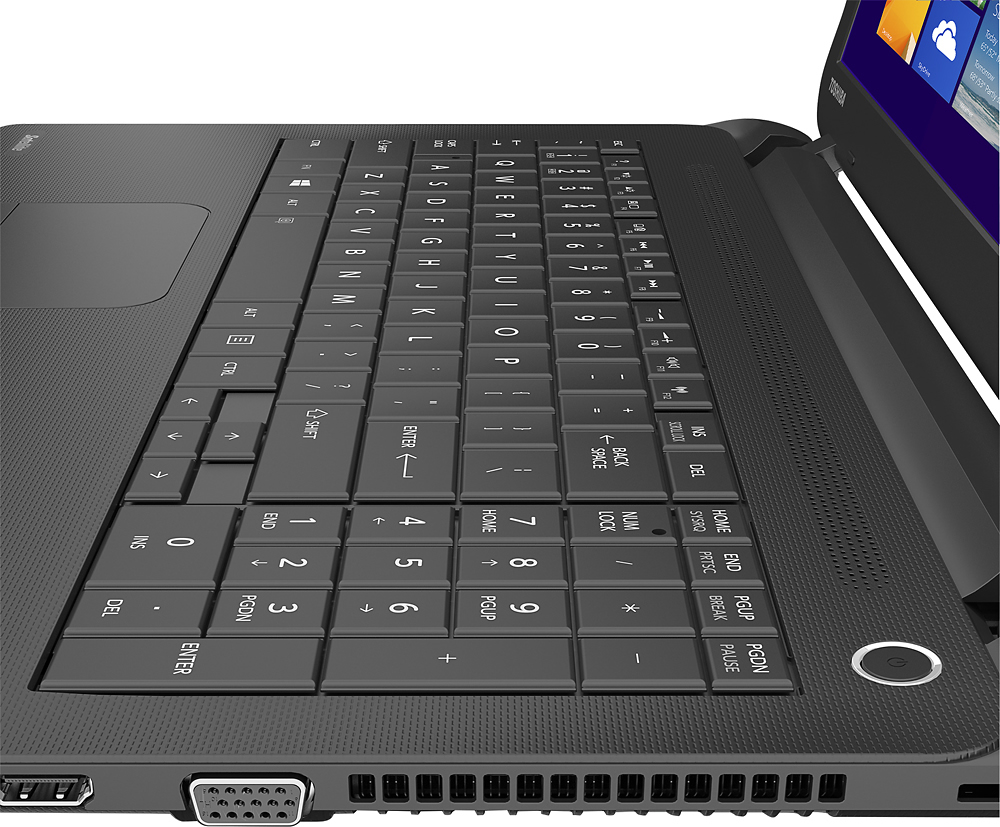
||Posted .This reviewer received promo considerations or sweepstakes entry for writing a review.Screen will change while I'm working or browsing. Very difficult to navigate . Number keyboard didn't work. Computer was snapped in half and thrown in garbage. Terrible ESP. For students. Had to give it one star bc there wasn't a 0 star option. Worse 300 spent on a laptop.
No, I would not recommend this to a friendBrand response from ToshibaStaff
Posted .Thank you for the feedback, Lilpea, and sorry to hear that your laptop has been destroyed.
I believe we could have resolved the issues you were experiencing with some simple changes to touchpad preference settings and use of the NumLock key. Toshiba support is available to help at 800-457-7777 anytime our customers are experiencing difficulty using our laptops. There's also a very helpful community of Toshiba users at forums.toshiba.com -- the Toshiba Forums.
Thanks again for the feedback and sorry for the trouble.
Wifi Issues
||Posted .This reviewer received promo considerations or sweepstakes entry for writing a review.Purchased laptop and from WiFi signal drops. I have used other family and friends internet and same problem. I hate I didn't open laptop a few weeks after buying, because it would have been returned! Now to fix problem with WiFi I have to spend more money! I'm so unhappy!
No, I would not recommend this to a friendpoor
||Posted .This reviewer received promo considerations or sweepstakes entry for writing a review.In the shop w a bad internal battery....had it a month.
No, I would not recommend this to a friendBrand response from ToshibaStaff
Posted .Thank you for the review, trump, and sorry to hear that there was apparently a battery problem with your Satellite C55-B5101.
Toshiba has extensive quality controls built into our manufacturing processes, but occasionally something goes wrong that couldn't be foreseen in testing. That's when the warranty kicks in to make sure you get a normally functioning unit.
I hope you'll update your review once you get it back from repair and have had a chance to use it for awhile longer, to let us know how you like its features and performance.
Thanks again for the feedback and for choosing Toshiba.
worse purchase ever
||Posted .This reviewer received promo considerations or sweepstakes entry for writing a review.3 days later i am still not able to get internet. Yes, everything is set up correctly. So many pop ups in the registration process. Still installing Windows updates. Probably won't publish this review but at least i got my message out to whoever might see it
No, I would not recommend this to a friendBrand response from ToshibaStaff
Posted .Thank you for the review, ConnieLee.
Since Windows Update is still installing updates as of the time of your writing this review, I hope you'll post an update once it's finished to let us know whether or not the Internet issue was resolved.
We don't recommend letting Windows Update install any "optional" updates since those can overwrite drivers & utilities that are optimized for or by Toshiba. Optional updates can be installed via the Toshiba Service Station app or by visiting support.toshiba.com.
If the problem persists after Windows Update completes its process, please visit support.toshiba.com or contact Toshiba support at 800-457-7777 for troubleshooting help.
Thanks again for the feedback and for choosing Toshiba.
Not worth. Save your money for something better.
||Posted .This reviewer received promo considerations or sweepstakes entry for writing a review.0/10 in every aspect of the laptop. Better off saving that money for a better laptop. I had to buy another laptop because this laptop wasn't cutting it. I ended up only using it to pay bill but even that was too much for the laptop to handle.
No, I would not recommend this to a friendVery slow
||Posted .This reviewer received promo considerations or sweepstakes entry for writing a review.My last laptop was a Toshiba, which I had for almost 7 years. For the first few years it was great, not too many problems. This laptop is brand new. I have used it maybe 5 times. It is very slow. I would love to return and exchange for a different brand.
No, I would not recommend this to a friendBrand response from ToshibaStaff
Posted .Thank you for the review, tnamarie1, and sorry to hear that you seem to be experiencing some sort of performance issue with your Satellite C55-B5101.
I wonder if Windows Update has been busy downloading & installing updates. That's typically the case with brand new systems, and if so it will tax initial performance until the updating process is completed. I recommend running Windows Update to make sure any pending updates have been installed.
Of course, the perceived speed & responsiveness of any PC will depend somewhat on the number of programs and processes currently running on the unit at any point in time, and their respective demands on various components, subsystems, and networking resources. Rebooting Windows and then checking performance after loading each individual app is one way to determine when the resource load begins to impact performance, and which apps most impact performance.
If there's no change after Windows Update completes any pending installations and especially if you installed any additional software or made configuration changes, I recommend performing a Windows Reset to return the software installation and Windows configuration to factory condition. This will resolve any problem that may have been introduced by software changes. See the Toshiba Forums community knowledge base article at forums.toshiba.com/t5/System-Recovery-and-Recovery/Video-How-To-Understanding-System-Restore-and-Recovery-options/ta-p/342690 for more information and detailed instructions.
If all else fails please contact Toshiba support at 800-457-7777 for troubleshooting help and, if needed, to make warranty repair arrangements.
Thanks again for the feedback and sorry for the trouble.
Slow as a snail
||Posted .This reviewer received promo considerations or sweepstakes entry for writing a review.This item was purchased for my daughter to take to college. I am seriously thinking of taking it back because the download time is horrible. To connect to the internet is extremely slow.
No, I would not recommend this to a friendpoorley made
||Posted .This reviewer received promo considerations or sweepstakes entry for writing a review.went thru 2 of them work for the first day then stop connecting to the internet my daughter saved up to by her first computer very un happy I will never buy a Toshiba computer again
No, I would not recommend this to a friendBrand response from ToshibaStaff
Posted .Thank you for the review, ryno, and sorry to hear about the connectivity issue with your Satellite C55.
Make sure that the Wi-Fi capability is turned on and the laptop is not in "Airplane mode", which can be toggled OFF and ON by pressing the 'F12' Function key. You may also check the Wireless settings by going into the Settings "Charm" and selecting the wireless network icon.
If none of the above steps help, update or reinstall your Wi-Fi driver with the software available at support.toshiba.com/support/modelHome?freeText=1200009386 -- Click "Drivers and Updates" and select the "Windows 8.1" and "Wi-Fi" filters to see the relevant drivers and utilities.
For more help, please contact Toshiba support at 800-457-7777 for further troubleshooting.
Thanks for the feedback and sorry for the trouble.