Customer Ratings & Reviews
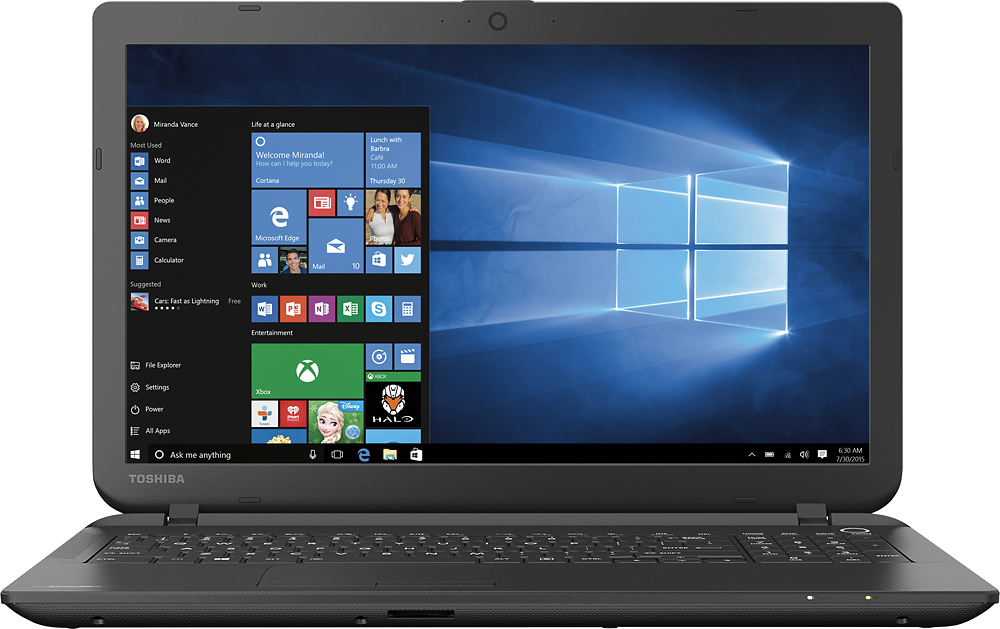
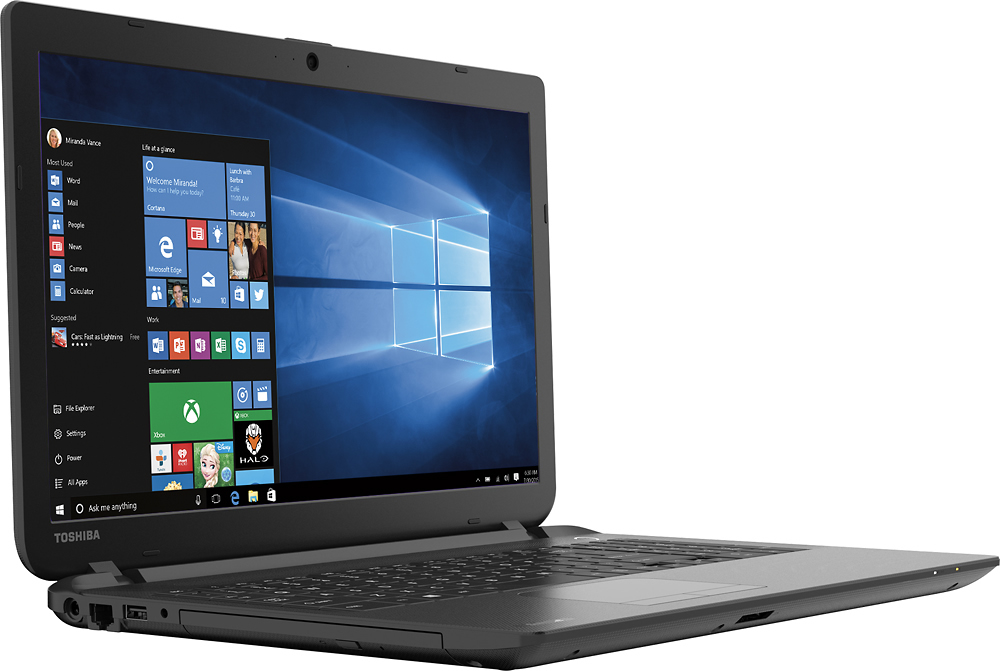
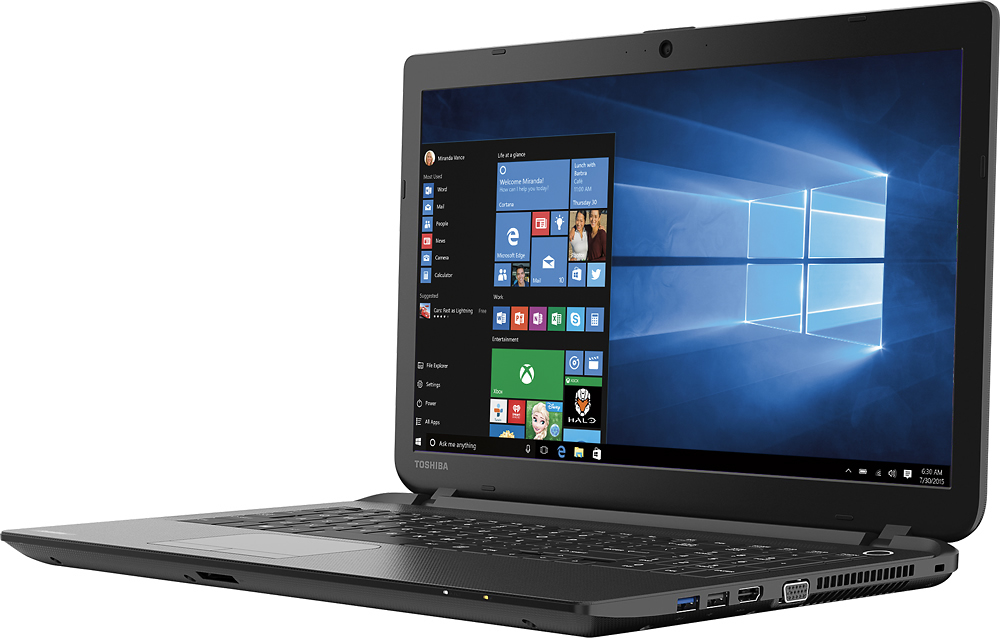
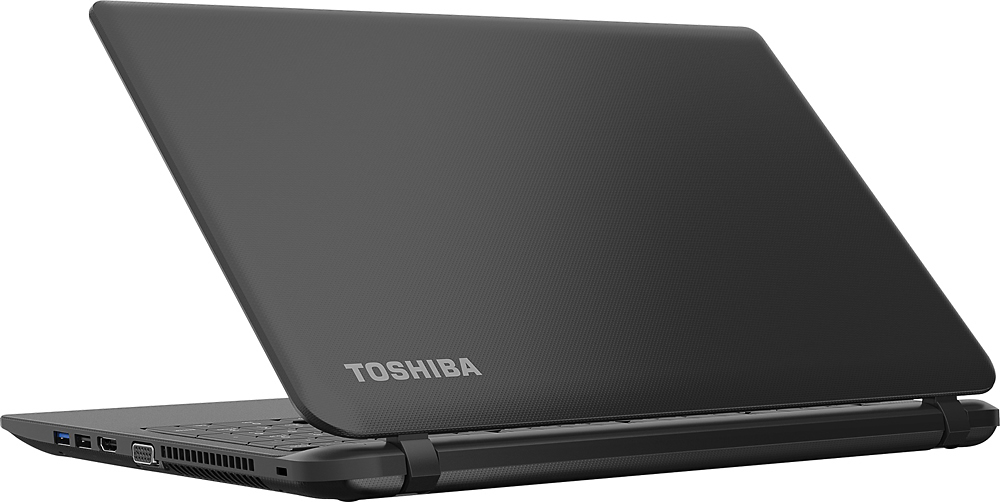


- Model:
- C55-B5101
- SKU:
- 5346014
to a friend
Customers are saying
Customers enjoy the Satellite 15.6" Laptop for its great value, user-friendly interface, lightweight design, and sufficient storage capacity. However, some users have expressed dissatisfaction with Windows 8, the touchpad, the processor speed, its inadequacy for gaming, and occasional internet connectivity issues.
This summary was generated by AI based on customer reviews.
Poor
||Posted .This reviewer received promo considerations or sweepstakes entry for writing a review.The worst computer I ever bought, the only computer in the house that does not stay connected
No, I would not recommend this to a friendBrand response from ToshibaStaff
Posted .Thank you for the review, Ssal, and sorry that you are experiencing some sort of connection reliability issue with your Satellite C55.
I recommend updating, or if no updates are available, reinstalling the wireless networking drivers. Drivers for this model are available at support.toshiba.com/support/modelHome?freeText=1200009386 (click the "Drivers & Updates" tab, then select "Wi-Fi" to download drivers for this model.) I also recommend reviewing the Toshiba Forums community knowledge base article at forums.toshiba.com/t5/Networking-Wi-Fi-Knowledge-Base/Troubleshooting-Wi-Fi-Wireless-Problems-Windows-8/ta-p/365081 for Wi-Fi troubleshooting tips.
If more help is needed please visit support.toshiba.com or contact Toshiba support at 800-457-7777.
Thanks again for the feedback and sorry for the trouble.
not a good purchase
||Posted .This reviewer received promo considerations or sweepstakes entry for writing a review.I used this laptop one time for about an hour in our children's church. The next time I turned it on it was frozen at the product screen and I could not do anything. taking it back tomorrow.
No, I would not recommend this to a friendA bad buy.
||Posted .This reviewer received promo considerations or sweepstakes entry for writing a review.Nothing but trouble. Deeply regret this purchase. Tired of having to visit Geek Squad with no results.
No, I would not recommend this to a friendWindows 8.1 is HORRIBLE.
||Posted .This reviewer received promo considerations or sweepstakes entry for writing a review.The laptop is unusable. Windows 8.1 is the main culprit. The Internet cuts in and off. Text & icon resize when I brush the touch pad. Very slow processing. Bad purchase
No, I would not recommend this to a friendBrand response from ToshibaStaff
Posted .Thank you for the review, Dave, and sorry to hear that you're having some issues with your Satellite C55.
You might want to disable the "Pinch Zoom" feature to ensure that you can't accidentally resize the text and icons with the touchpad. You can change the touchpad settings by going to "Control Panel" > "Hardware and Sound" > "Mouse" under "Devices and Printers" > "Device Management" Tab and click "Settings". It will give you all the touchpad features and you can change its settings based on your preference.
For the connection issue, I recommend reinstalling or updating the wireless driver which you can get at support.toshiba.com/support/modelHome?freeText=1200009386 (Go to "Drivers & Updates" tab > Click "Wi-Fi" > Select the updated drive for your laptop)
Regarding use of Windows 8, the Toshiba Forums community has a number of knowledge base articles (some with embedded 'how to' videos) to help with that transition:
- forums.toshiba.com/t5/Windows-8-Knowledge-Base/Video-How-To-Getting-started-with-Windows-8/ta-p/341006
- forums.toshiba.com/t5/Windows-8-Knowledge-Base/Where-is-the-Start-button-menu-and-Control-Panel-in-Windows-8/ta-p/341830
- forums.toshiba.com/t5/Windows-8-Knowledge-Base/How-do-I-perform-common-Windows-7-tasks-using-Windows-8/ta-p/286253
- forums.toshiba.com/t5/Windows-8-Knowledge-Base/How-can-I-make-Windows-8-seem-more-like-Windows-7/ta-p/286271
- forums.toshiba.com/t5/Windows-8-Knowledge-Base/Windows-8-Quick-Start-Guide-Desktop-Mode/ta-p/373989
Thanks again for the feedback and sorry for the difficulty.
Bad computer
||Posted .This reviewer received promo considerations or sweepstakes entry for writing a review.it had to much rfi. I could not use my am radio. it produced so much interference I could hear anything.
No, I would not recommend this to a friendBrand response from ToshibaStaff
Posted .Thank you for the review, Ralph.
As I'm sure you know, all consumer electronic devices marketed in the US via retail go through an FCC approval process and this unit is no exception. That said, even the Class B requirement for consumer electronics does allow some radiation to occur and this can impact other nearby devices.
I have a couple of recommendations for you. If the computer and radio are both plugged into the same AC outlet, try plugging one of the into a different outlet. Also, wrap up any excess cabling and, for testing purposes, disconnect any peripherals (such as a USB hard disk drive) from the computer to see if that makes a difference.
The following links have additional suggestions worth trying:
- http://classroom.synonym.com/block-radio-interference-pc-18484.html
- http://answers.google.com/answers/threadview?id=68290
Thanks again for the feedback and sorry for the trouble.
Hmmmmm, ummmmm
||Posted .This reviewer received promo considerations or sweepstakes entry for writing a review.It's not bad for the price, but I was expecting a little bit more ummmph for the buck, a few glitches, but it's still in use!
I would recommend this to a friendGreat laptop for me
||Posted .This reviewer received promo considerations or sweepstakes entry for writing a review.Great laptop for what I need to use the internet for, just for surfing and browsing
I would recommend this to a friendGreat Little Laptop
||Posted .This reviewer received promo considerations or sweepstakes entry for writing a review.This is a great Laptop for basic use. We buy these to give away as an award.
I would recommend this to a friend- Cons mentioned:Windows 8
A Good Basic Laptop
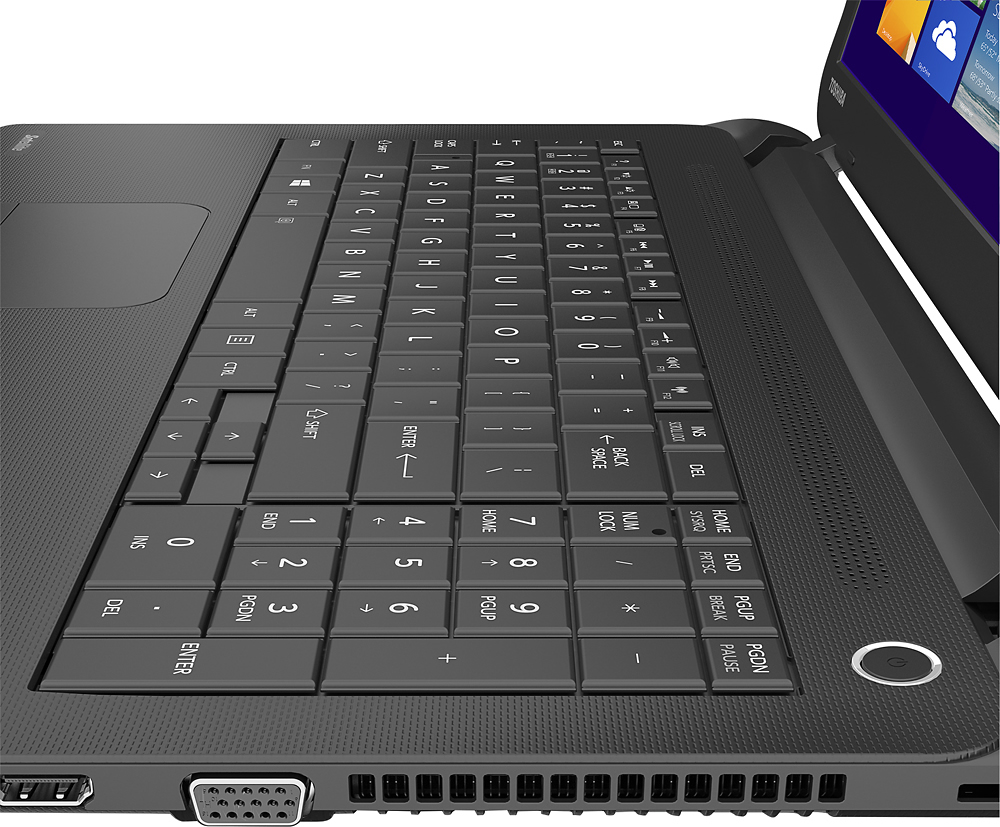
Posted .This reviewer received promo considerations or sweepstakes entry for writing a review.I bought my first Toshiba Laptop a number of years ago and it worked great for me for about 5 years. After it died due to more of my heavy usage of it over anything else (I dropped it a few times over the years,) I went through other brands of laptops and decided that I missed the Toshiba brand. After doing some looking around, I decided to by this model. This is a BASIC Toshiba laptop. Their are no openings to be able to easily change the harddrive or memory. If you are needing a laptop that requires a lot of memory and/or you need a bigger harddrive, then look into a more expensive machine. It feels cheaply made, and the DVD drive seems very flimsy and the button to open it is easy to miss as it blends so that one doesn't see it. This laptop is great for such things as writing, emails, non-memory heavy gaming, and much more. It is extremely light, which makes it great for travel and for schooling. The battery life is supreme. I accidentally hoovered the mouse over the battery indicator one day as I was just writing to see that it had over 9 hours of life left. My only real desire is that I wish that this laptop came with Windows 7 instead of Windows 8.1, as Win8.1 is not worthy enough for this laptop.
I would recommend this to a friend No Microsoft Office
||Posted .This reviewer received promo considerations or sweepstakes entry for writing a review.It's useless for me because I bought it to write papers for school. It had no Microsoft Office.
No, I would not recommend this to a friendBrand response from ToshibaStaff
Posted .Thank you for the review, Beem5.
In order to offer the best value to both those not interested in Office and those who do want it, this Satellite C55 includes a 1 month trial of Microsoft Office 365. If you want to continue using it after the trial period, you can subscribe directly with Microsoft.
Thanks again for the feedback and for choosing Toshiba.
Thank you for the feedback, Beem5.
This model is bundled with a 1-month free trial of Microsoft Office 365. If you wish to use MS Office beyond that trial period you would normally need to purchase a subscription from Microsoft.
Since you mention that your a student you may be eligible to use it for academic purposes for free, since Office 365 Education for Students is available for free to students who are enrolled at qualifying schools. See https://products.office.com/en-us/student for more details about this Microsoft program.
Thanks again for the feedback and for choosing Toshiba.
great for the price
||Posted .This reviewer received promo considerations or sweepstakes entry for writing a review.if you just want to use for the internet and excel word its nice
I would recommend this to a friendhome computer
||Posted .This reviewer received promo considerations or sweepstakes entry for writing a review.I really wish I would have gotten a computer with more power. y next one, I will.
No, I would not recommend this to a friendWaste
||Posted .This reviewer received promo considerations or sweepstakes entry for writing a review.Hard drive crashed 3 weeks after use, not recommended
No, I would not recommend this to a friendBrand response from ToshibaStaff
Posted .Thank you for the review, Llro, and sorry to hear that your Satellite C55 seems to have developed a hard disk problem.
To rule out a software or Windows corruption issue, I recommend performing a Windows Reset to restore the laptop back to its factory condition. Make sure all of your files are backed up before doing this. See the Toshiba Forums community knowledge base article at forums.toshiba.com/t5/System-Recovery-and-Recovery/How-To-Understanding-System-Restore-Refresh-Reset-and-Recovery/ta-p/342690 for further information and detailed instructions.
If Windows Reset doesn't resolve the trouble, please contact Toshiba support at 800-457-7777 for further help and, if needed, to make warranty repair arrangements.
Thanks again for the feedback and sorry for the trouble.
Screen Broke
||Posted .This reviewer received promo considerations or sweepstakes entry for writing a review.I didn't even have this laptop for two months when the screen cracked for no reason.
No, I would not recommend this to a friendgreat laptop
||Posted .This reviewer received promo considerations or sweepstakes entry for writing a review.I really liked this laptop, it was very user friendly
I would recommend this to a friendNot the best
||Posted .This reviewer received promo considerations or sweepstakes entry for writing a review.Would not connect to the internet anywhere. Ended up returning it.
No, I would not recommend this to a friendToshiba - Satellite 15.6" Laptop - Intel Celeron -
||Posted .This reviewer received promo considerations or sweepstakes entry for writing a review.mouse pad sucks speakers suck zoom sucks no volume control
No, I would not recommend this to a friendBrand response from ToshibaStaff
Posted .Thank you for the review, jack00000azz, and sorry to hear that you're not fully satisfied with your Satellite C55.
To control the volume setting from the keyboard, use the F9 key to reduce volume and the F10 key to increase the volume.
I recommend performing a Windows Reset to see if that might eliminate the other issues mention, since it's possible for configuration changes or driver corruption to create all sort of problems, including audio and touchpad issues. Make sure all of your files are backed up before performing a Window Reset since it will remove all data and changes since the laptop left the factory. The Toshiba Forums community knowledge base article at forums.toshiba.com/t5/System-Recovery-and-Recovery/Video-How-To-Understanding-System-Restore-and-Recovery-options/ta-p/342690 has detailed instructions.
Should you need further assistance, please contact Toshiba support at 800-457-7777.
Thanks for the feedback and for choosing Toshiba.
very very basic laptop
||Posted .This reviewer received promo considerations or sweepstakes entry for writing a review.Poor quality Poor Battery Poor performance Good looks.
No, I would not recommend this to a friendBrand response from ToshibaStaff
Posted .Thank you for the review, Kaka and sorry that you are not fully satisfied with the performance of your Satellite C55.
The Intel Celeron processor and 4GB RAM configuration of this model would be considered suitable for general consumer-level computing tasks like email, social media, web browsing, etc., it's possible that you have more demanding applications that would benefit from a higher powered system.
Of course the perceived speed & responsiveness of any PC will depend somewhat on the number of programs and processes currently running on the unit at any point in time, and their respective demands on various components, subsystems, and networking resources. Rebooting Windows and then checking performance after loading each individual app is one way to determine when the resource load begins to impact performance, and which apps most impact performance.
If you believe your laptop isn't operating per its specifications, please contact Toshiba support at 800-457-7777 for troubleshooting help.
Thanks again for the feedback and sorry for the trouble.
No good
||Posted .This reviewer received promo considerations or sweepstakes entry for writing a review.I took the computer back 30 mins after purchase!!!
No, I would not recommend this to a friendBrand response from ToshibaStaff
Posted .Thank you for the note, Naesha.
I wonder if you'd consider explaining why you returned your C55-B5101 and describing any problem you may have experienced.
Most problems due to software changes or configuration can be resolved over the phone by contacting Toshiba support at 800-457-7777 or by reviewing troubleshooting tips at support.toshiba.com.
Thanks again for the feedback.
- Pros mentioned:Price
Can't go wrong with this
Posted .This reviewer received promo considerations or sweepstakes entry for writing a review.Bought this puppy on Memorial Day sale. Needed something the family can use for home basics and to update our I pads & I phones as needed. So far I'm happy with it. 4GB mem 500GB hard drive and a few other good options made it a no brainier. Windows 8 seems to be pretty user friendly for me and mostly my 8 year old son who will be using this for school projects. For under $250 you get a lot of bang for your bucks
I would recommend this to a friend