Customer Ratings & Reviews
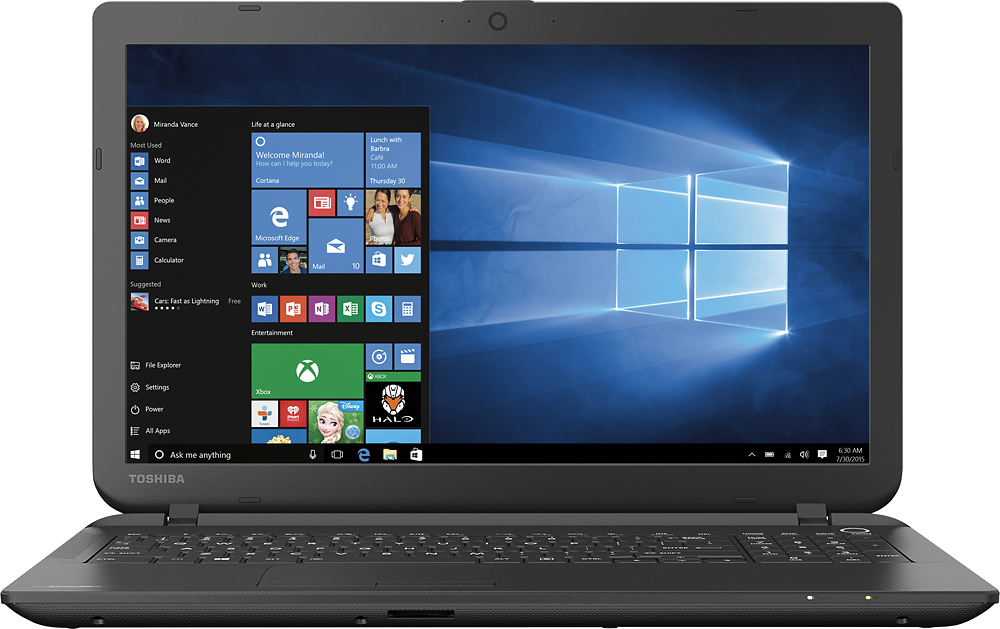
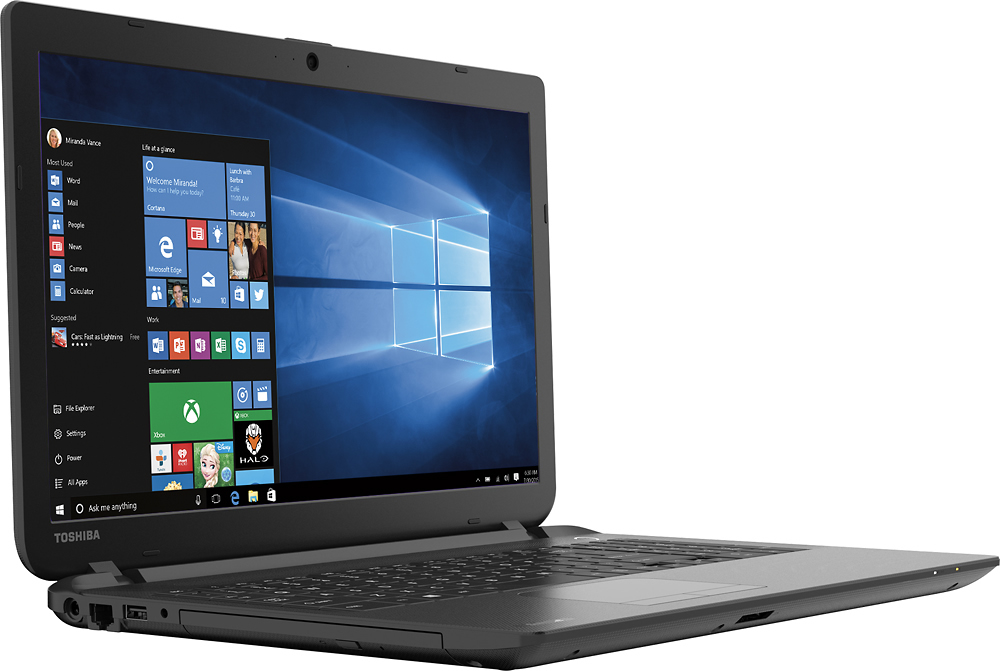
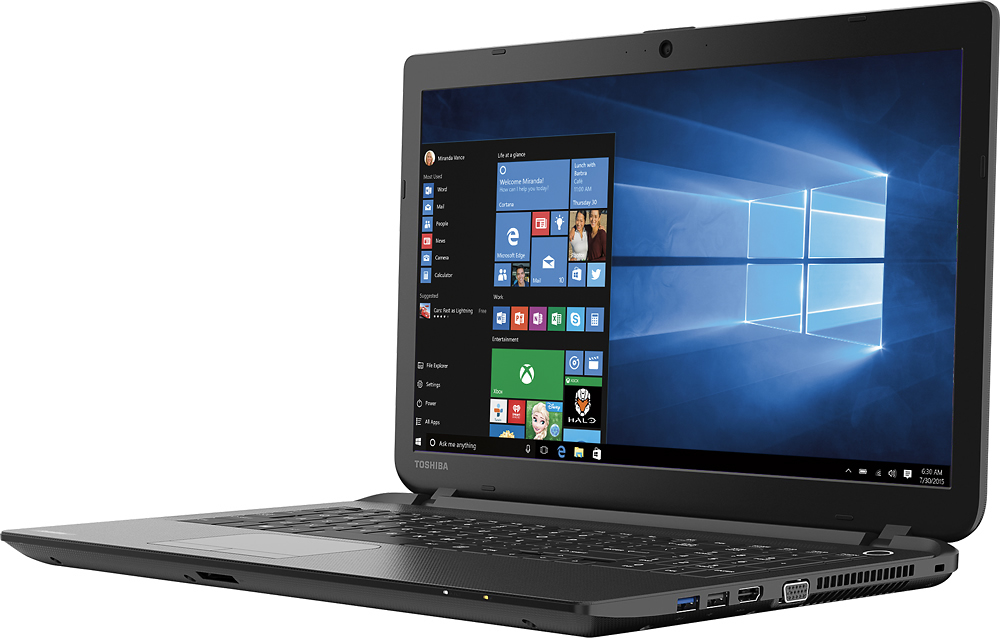
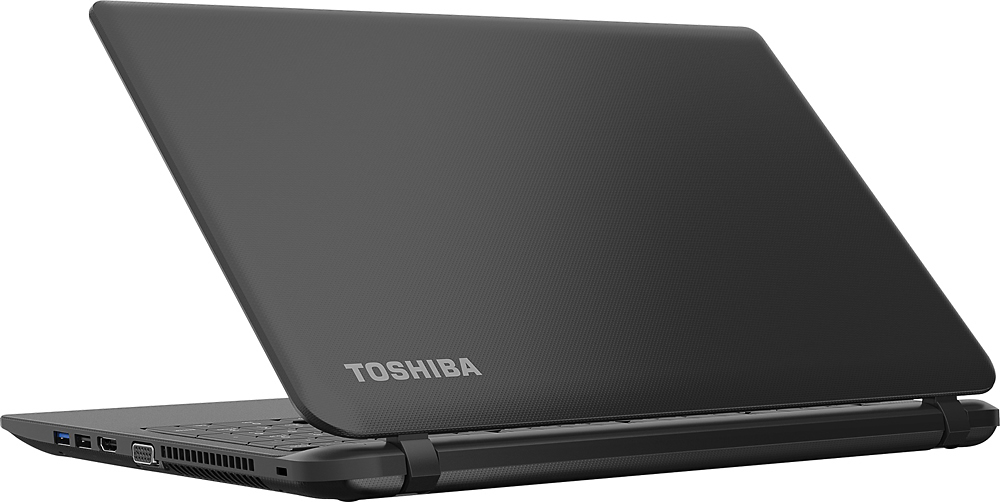


- Model:
- C55-B5101
- SKU:
- 5346014
to a friend
Customers are saying
Customers enjoy the Satellite 15.6" Laptop for its great value, user-friendly interface, lightweight design, and sufficient storage capacity. However, some users have expressed dissatisfaction with Windows 8, the touchpad, the processor speed, its inadequacy for gaming, and occasional internet connectivity issues.
This summary was generated by AI based on customer reviews.
Would not recommend it.
Posted .This reviewer received promo considerations or sweepstakes entry for writing a review.I bought two laptops within two weeks, being on a tight budget I bought a 300 dollar AsuZ than I bought a 300 Toshiba. I needed two laptops for college, computer science major. One for when I was on the move and another for home. I used my Toshiba for basic web browsing, email, and very light program debugging...nothing a Celeron wouldn't be able to handle. About a month after I bought it it crashed with a blue screen. I backed up my stuff. About a week later it would give me an error message about the harddrive failing or something. It would repeatedly reboot into a blue failure screen. The Toshiba laptop would fully boot up whenever it chose to. I reset to factory settings and also refreshed the laptop about 6 different times. I simply scrapped it and took the memory out and put it into my other laptop... not its in a corner in my garage. I would not buy this laptop because of the hardware failure that you might encounter. That is not to say you cannot find a nice reliable cheap laptop for around 300 bucks, all I'm saying is that I am never buying from Toshiba again. I could have contacted Toshiba but I just don't have the time to go through all the trouble.
No, I would not recommend this to a friendBrand response from ToshibaStaff
Posted .Thank you for the review, California805, and sorry to hear that you had some sort of intermittent blue screen issue with your Satellite C55.
I strongly recommend calling Toshiba support at 800-457-7777 to pursue having a warranty repair performed on your laptop. It's certainly not typical to see a hardware failure like this, so once repaired I'd expect it to be perfectly reliable for its originally intended purposes.
Thanks again for the feedback and sorry for the trouble.
Poor quality and customer service
Posted .This reviewer received promo considerations or sweepstakes entry for writing a review.Had nothing but issues from the get go with this laptop. The user manual doesn't come with it and is very difficult to find. Had the laptop for 4 days and the battery wouldn't charge, it constantly gave a reboot message when trying to log in and after calling tech support twice and going through their many steps, they determined that the hard drive wasn't loading and it needs to go back. Called best buy and was told to take it to the geek squad, but since I didn't purchase the 'geek squad insurance' the lady at customer service wasn't sure what they will do. Plan to return and not purchase another.
No, I would not recommend this to a friend- Cons mentioned:Speed
This computer is terrible
Posted .This reviewer received promo considerations or sweepstakes entry for writing a review.This computer is the slowest computer I've ever used in my life. I've only had it for three weeks and have downloaded nothing on it except for the anti-virus I got in the store. It takes forever and crashes all of the time. I only bought it to surf the internet and check emails, nothing fancy. Biggest waste of money ever. Do NOT buy this computer if you want one that works.
No, I would not recommend this to a friendBrand response from ToshibaStaff
Posted .Thank you for the review, Monica, and sorry that you are experiencing performance issues and intermittent crashes with your Satellite C55.
I recommend performing a Windows Reset to eliminate the possibility of software or configuration changes that might be causing problems. Be sure to first back up all important files. See the Toshiba Forums community knowledge base article at forums.toshiba.com/t5/System-Recovery-and-Recovery/How-To-Understanding-System-Restore-Refresh-Reset-and-Recovery/ta-p/342690 for more information and detailed instructions.
If the issue persists after the Windows Reset please contact Toshiba support at 800-457-7777 for troubleshooting help and, if needed, to make repair arrangements.
Thanks again for the feedback and sorry for the trouble.
- Pros mentioned:Lightweight
Great computer for a low cost
Posted .This reviewer received promo considerations or sweepstakes entry for writing a review.We have enjoyed this computer when we have to travel or carry it with us to use outside of home. It is a decent computer that performs necessary tasks effectively.
I would recommend this to a friend - Cons mentioned:Speed
Big P.O.S
Posted .This reviewer received promo considerations or sweepstakes entry for writing a review.Opened box. Found out it was a huge P.O.S. it literally thinks forever before even opening main screen after logging in. Slowest ever and it's brand new. I know it's cheap but wow!! Goes to random things while just moving mouse around. Don't know what it's even doing.
No, I would not recommend this to a friendBrand response from ToshibaStaff
Posted .Thank you for the review, emjay, and sorry to hear that you're having touchpad and performance issues with your Satellite C55-B5101.
It sounds like you're inadvertently using gestures on the touchpad that provide unexpected results, so I recommend checking Advanced Properties settings of the Windows Control Panel's 'Mouse' applet to make sure it is configured to your preferences. Here are the steps:
1. Go to Control Panel
2. Change View to Icons
3. Select Mouse
4. Go to Device Settings Tab
From here I recommend reviewing all of the available options to make sure features that you want are enabled and configured to match your preferences, and that features that you don't want are disabled.
Regarding the general performance complaint, I wonder if Windows Update has been busy downloading & installing updates. That's typically the case with brand new systems, and if so it will tax initial performance until the updating process is complete.
You may want to run the Windows Update app to see what it's up to, if anything. If it has critical updates to install, I recommend having it complete that process ASAP and reboot when it's finished (even if not required) to see if performance improves significantly once that process is complete. We don't recommend letting Windows Update install any "optional" updates since those can overwrite drivers & utilities that are optimized for or by Toshiba. Optional updates should be installed only via the Toshiba Service Station app or by visiting support.toshiba.com.
If you need further assistance please visit support.toshiba.com or call Toshiba support at 800-457-7777.
Thanks again for the feedback.
Good value
Posted .This reviewer received promo considerations or sweepstakes entry for writing a review.After 7 years of work with this laptop Still working!!
I would recommend this to a friendHorrible PC. Can't process basic web browsing.
Posted .This reviewer received promo considerations or sweepstakes entry for writing a review.I bought two of these at the same time, one for the wife and I. I've always had Toshiba Satellites and I get good mileage out of them. However, neither computer upon the first use could load Internet Explorer without crashing. Forget about running anything like any Facebook games either, that's too much for a Celeron to handle. I gave it a few days, and even got rid of half the junk that came installed on the PC. That improved the performance a little bit, but the IE still crashes ALL THE TIME. Low and behold, I'm returning both of these today. The only useful purpose they serve is as a coffee coaster at this point, or maybe they can level a chair. My advice is don't buy this, it's not a good laptop, if you want something similar in performance you can buy a chrome book for cheaper, those are at least designed to handle good web browsing. Or else buy a laptop with intel I3 or better. Thank you
No, I would not recommend this to a friendhorrible experience
Posted .This reviewer received promo considerations or sweepstakes entry for writing a review.less then 2 months old, HD failed at 5 weeks, Best Buy said sorry, Toshiba warranty/customer support is none existent, over 15 hours on phone to Toshiba, disconnects, long waits, finally sent to factory authorized provider who called the next day said bad HD but Toshiba would not authorize him to repair this model, called again sent to 2nd factory service center, they checked & got the same story not authorized to repair that model, called customer service again, over 1 hour never talked to anyone. So no computer last 3 weeks, & no resolution. IF you buy this model don't expect Best Buy to help if there is a problem & don't expect anything from Toshiba other then the run around. I need a laptop which is why I bought this, & I'm going to have to eat this purchase & buy another Laptop as I can not go much longer without, IT won't be a Toshiba & it won't come from Best Buy.
No, I would not recommend this to a friendVery Happy with this PC
Posted .This reviewer received promo considerations or sweepstakes entry for writing a review.Very happy with this purchase & would reccommend it
I would recommend this to a friendNice laptop
Posted .This reviewer received promo considerations or sweepstakes entry for writing a review.Good size but the system is too old, may be is good for little kids
No, I would not recommend this to a friend- Cons mentioned:Speed
awful,simply awful!!!
Posted .This reviewer received promo considerations or sweepstakes entry for writing a review.Every web site I visit has to be recovered, the delay is set to no delay on the touch pad and it still delays. Loads incredibly slow. Very aggravating to use!!!!!
No, I would not recommend this to a friendBrand response from ToshibaStaff
Posted .Thank you for the review, Djjd9199 and sorry that you're experiencing some sort of performance delay with your Satellite C55-B5101.
I'm not clear on exactly what you're experiencing or what you mean by website's having to be recovered, as there's no setting regarding the touchpad that would impact the load time of websites.
Nonetheless, I'll suggest general networking & touchpad related troubleshooting resource, in hopes that they may help:
- Wi-Fi troubleshooting article: forums.toshiba.com/t5/Networking-Wi-Fi-Knowledge-Base/Troubleshooting-Wi-Fi-Wireless-Problems-Windows-8/ta-p/365081
- Touchpad preferences article: forums.toshiba.com/t5/Keyboards-Touchpads-Knowledge/How-do-I-change-my-touchpad-settings-and-features-on-Window-8/ta-p/426593
If the above docs don't resolve the trouble, I recommend performing a Windows Reset to rule out any potential software causes. Please see the Toshiba Forums community knowledge base article at forums.toshiba.com/t5/System-Recovery-and-Recovery/How-To-Understanding-System-Restore-Refresh-Reset-and-Recovery/ta-p/342690 for more information and step-by-step instructions.
For more help please visit support.toshiba.com or contact Toshiba support at 800-457-7777.
Thanks again for the feedback and sorry for the trouble.
- Cons mentioned:Speed
Noooooope
Posted .This reviewer received promo considerations or sweepstakes entry for writing a review.Doesn't egknowlege being able to connect to wifi wirelessly and very slow. Not what the website said it was going to be.
No, I would not recommend this to a friend awful
Posted .This reviewer received promo considerations or sweepstakes entry for writing a review.I'm going to start of in the beginning that the laptop is a awful. 1st I buy a brand new toshiba laptop and the laptop has white and black spot in the background. Sure that's an issue but it really didn't bother me until my computer decided it wants to do an update. Once done the computer stays in one screen and that is now the Toshiba leading innovation screen. I have turned this laptop on and off multiple times and no result. This is a waste of money DO NOT BUY THIS LAPTOP. I'm not even going to buy anything else from bestbuy. It was my 1st item from bestbuy I ever bought and the fact they sold me a defective devices and the rep wouldn't even help.me pick out a laptop makes it even worse.
No, I would not recommend this to a friendBrand response from ToshibaStaff
Posted .Thank you for the review, mkia, and sorry to hear that you experienced a problem with your Satellite C55 during some sort of update process.
We have returns agreements in place with retailers (including Best Buy) to ensure that customers have a window of opportunity to return defective products for replacement. If it's no longer within their returns window, please contact Toshiba support at 800-457-7777 for help resolving the issue or, if needed, arranging for a warranty repair.
Thanks for the feedback and sorry for the trouble.
Don't buy Toshibas
Posted .This reviewer received promo considerations or sweepstakes entry for writing a review.There's an ongoing problem with Toshiba computers with their hinges. I have the Satellite P55-A5200 and one of the hinges has completely broken and my screen is broken in the corner now, comes apart and turns itself off after going white. They also do not travel well, at all. I was going to school (WITH ONE BOOK AND AN OLD IPAD IN MY BACKPACK) and I pulled it out of my bag, broken. I now have a phone, which is 6 years old and can't be upgraded, because I need a new computer. Thanks Toshiba, for making me broke again.
No, I would not recommend this to a friendNot good for internet connection
Posted .This reviewer received promo considerations or sweepstakes entry for writing a review.I bought this Toshiba laptop at BEST BUY and is not being able to keep connected to internet, I called Toshiba for support and they found there is a problem with the network controller card to being able to keep connected, even they know there is a problem with this model they want to charge me over $100dls. for the fix. I bought this computer in May 2015, still under warranty but they insist this is not supported by the limited warranty, this sucks. No more Toshiba for me.
No, I would not recommend this to a friendToshiba is junk
Posted .This reviewer received promo considerations or sweepstakes entry for writing a review.I had this laptop for 3 days and it would constantly freeze,then on the 3rd day went to turn on and nothing,at first power light wouldnt even come on,then it came on but screen nothing.Taking back and looking into better Laptop.I didnt expect this to be the best computer,but come on Toshiba you can do better,this is my second Toshiba Ive owned and the last one crapped after 6 months ..
No, I would not recommend this to a friendBrand response from ToshibaStaff
Posted .Thank you for the review, andyat1217, and sorry to hear that you had issues with Windows freezing up on your Satellite C55-B5101.
I wonder if there were any particular applications or activities associated with the freezing symptom. At any rate, please see the knowledge base article at support.toshiba.com/support/viewContentDetail?contentId=4006186 for detailed instructions on handling Windows lockup/no boot symptoms such as this.
If that article doesn't help you resolve the problem, you can also perform a Windows Reset to return your system to the the original factory software installation. This will help clarify whether the problem is related to configuration changes or software installations or not.
Please see the Toshiba Forums community knowledge base article and video at forums.toshiba.com/t5/System-Recovery-and-Recovery/Video-How-To-Understanding-System-Restore-and-Recovery-options/ta-p/342690 for more Windows Reset information and detailed instructions.
Thanks again for the feedback and sorry for the trouble.
You get what you pay for
Posted .This reviewer received promo considerations or sweepstakes entry for writing a review.This Toshiba Satellite is a complete piece of junk. Freezes right out of the box with no additional apps installed. And then the windows 10 upgrade made it even slower. you get what you pay for. I tried saving a few bucks and now have to fight with Toshiba customer service. between this and my Toshiba DVD player I will NEVER buy another Toshiba product!
No, I would not recommend this to a friendBad wi-fi connection, very bad toshiba tech serv.
Posted .This reviewer received promo considerations or sweepstakes entry for writing a review.Bad Wi-Fi connection, very bad Toshiba tech serv. (they charge $40 for phone call tech assit.).buy it a few months ago and the connection to the wireless network is miserable. And send it to Toshiba technical service costs $ 40. In conclusion this computer is a total scam.
No, I would not recommend this to a friendBrand response from ToshibaStaff
Posted .Thank you for the review, llkjlkjlkjlkjl, and sorry to hear about the Wi-Fi connectivity problem on your Satellite C55.
Toshiba laptops sold in the US come with 90-days of free technical support and a one year warranty which covers repair of any defects in materials or workmanship. If the 90-days of free technical support has expired or if the problem is caused by software or configuration issues, then you may need to purchase a support extension. That said, Toshiba hosts a very knowledgeable and helpful peer support community, the Toshiba Forums, at forums.toshiba.com where anyone can go for free support.
Regarding the fee that was mentioned related to repairs, this is a nominal charge to have an empty shipping box delivered, complete with packing material and a prepaid shipping label for delivery to our repair depot. There's no charge for the warranty repair itself and Toshiba covers the return shipping.
While customers are responsible for the outgoing shipping to our depot facility for repairs, you have the option to use the packing materials and carrier of your choice to avoid the fee. That said, we do recommend using Toshiba's prepaid method, which includes a Toshiba-designed protective box and all shipping & handling.
Thanks again for the feedback and sorry for the trouble.
Decent for the price
Posted .This reviewer received promo considerations or sweepstakes entry for writing a review.This laptop was a decent deal for the price, I could not find anything with this amount of memory for a comparable price. I got it as my son's first laptop and he likes to play a lot of games, when it comes to that it is very slow, my HP is much better for that, but for other uses it works just fine. Battery keeps power for a while.
No, I would not recommend this to a friendThis computer is pitiful!
Posted .This reviewer received promo considerations or sweepstakes entry for writing a review.I bought this laptop to work from home. I had it for one day and the pointer mouse froze up, so I took it back. I took the new one home and used it one day and the modem in it went down. I am taking it back in the morning and I will never buy a Toshiba product again!!! I only gave it one star because no stars was not an option!
No, I would not recommend this to a friendBrand response from ToshibaStaff
Posted .Thank you for the review, Terrible.
Please note that the F5 function key toggles the touchpad OFF & ON, so if inadvertently pressed it will disable the touchpad until either it is pressed again or Windows is rebooted. Hold down the 'Fn' key while pressing the F5 to engage legacy F5 function key actions. If you want the keyboard to default to legacy function key actions rather than the special system controls (touchpad toggle, volume control, display brightness control, etc.) you can change that in the Toshiba System Settings app.
This unit doesn't have what is normally considered to be a modem but I suspect you may be referring to Wi-Fi networking. If so, please note that the F12 key toggles "Airplane Mode" OFF & ON. To make sure that the laptop is not in "Airplane mode," press the 'F12' Function key. An on-screen message will appear after you press F12 and if the message says "Airplane mode off" that indicates that Airplane mode had been turned on, disabling wireless connectivity. If the message says "Airplane mode on" that indicates that it had previously been off, in which case you'll want to press F12 again to toggle Airplane mode back off.
If the above info doesn't resolve the trouble you're experiencing you can reach Toshiba support at 800-457-7777 for troubleshooting help.
Thanks for the feedback and sorry for the difficulty.